
Previously Covered Material Nielsens Usability Heuristics loops The
Previously Covered Material • Nielsen’s Usability Heuristics (loops)
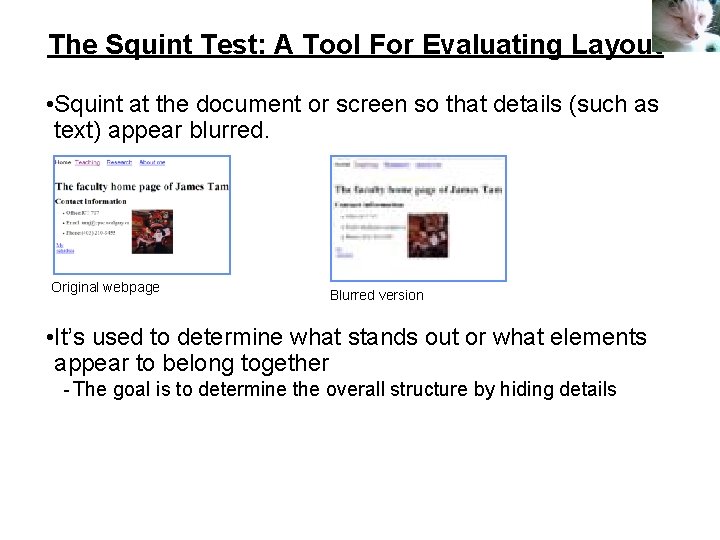
The Squint Test: A Tool For Evaluating Layout • Squint at the document or screen so that details (such as text) appear blurred. Original webpage Blurred version • It’s used to determine what stands out or what elements appear to belong together - The goal is to determine the overall structure by hiding details
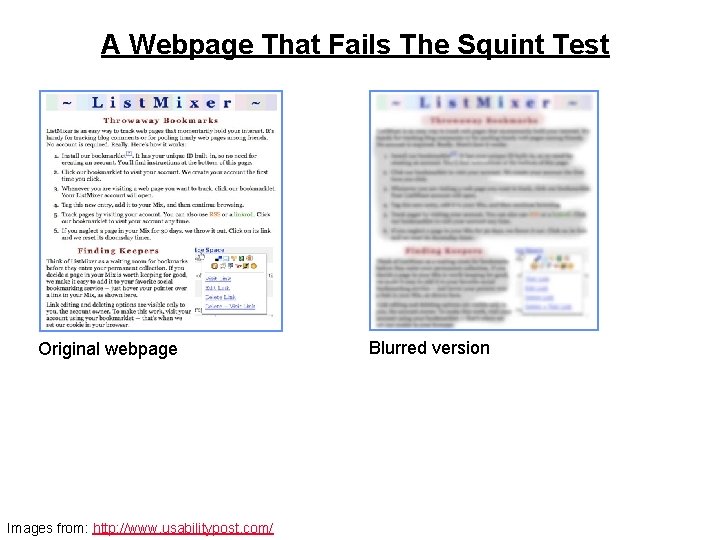
A Webpage That Fails The Squint Test Original webpage Images from: http: //www. usabilitypost. com/ Blurred version
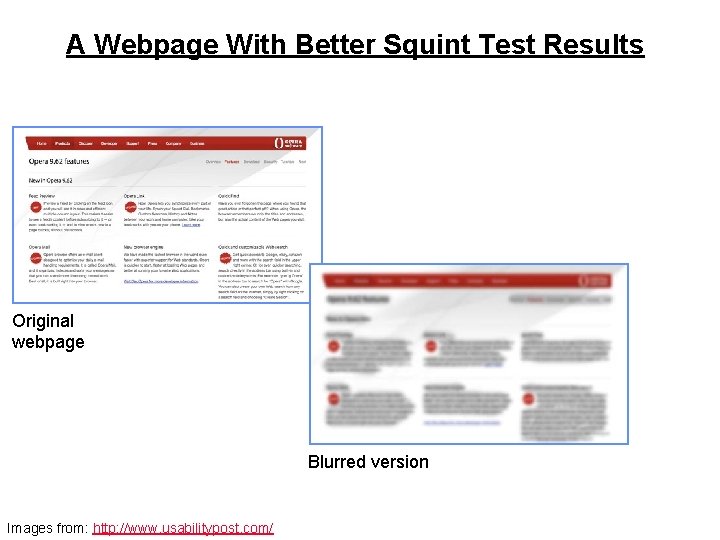
A Webpage With Better Squint Test Results Original webpage Blurred version Images from: http: //www. usabilitypost. com/
An Important Tool For Graphical Screen Design & Evaluation 1 • Contrast • Repetition • Alignment • Proximity 1 From “The Non-designers Design Book” by Robin Williams
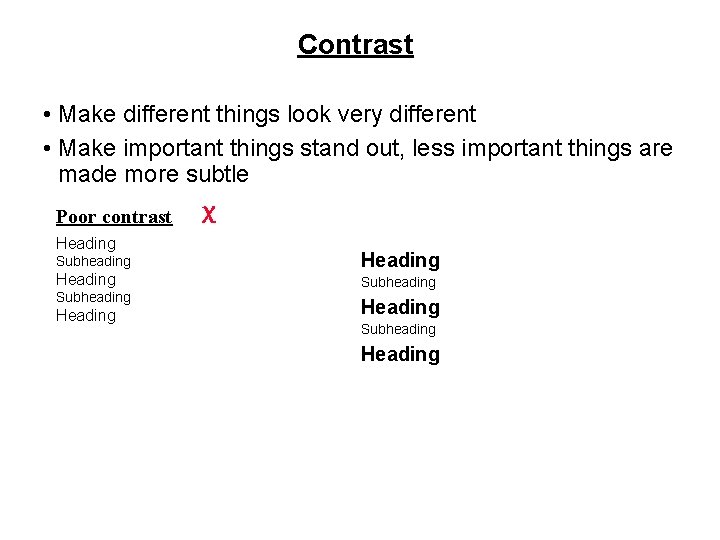
Contrast • Make different things look very different • Make important things stand out, less important things are made more subtle Poor contrast Heading Subheading Heading X Heading Subheading Heading
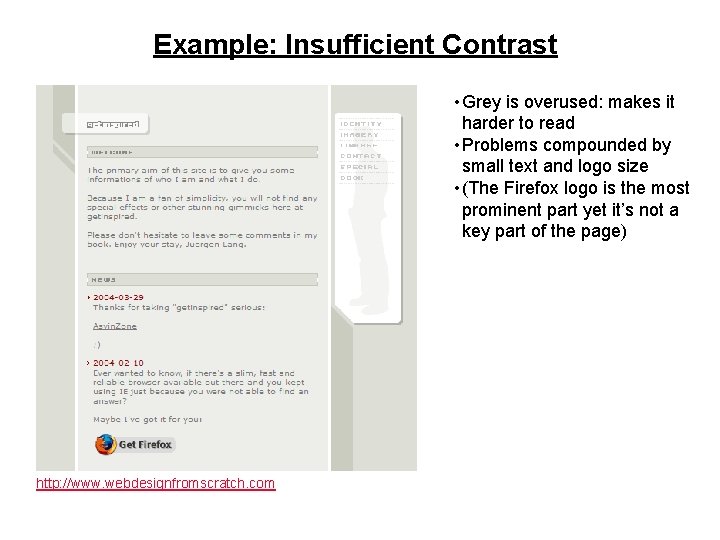
Example: Insufficient Contrast • Grey is overused: makes it harder to read • Problems compounded by small text and logo size • (The Firefox logo is the most prominent part yet it’s not a key part of the page) http: //www. webdesignfromscratch. com
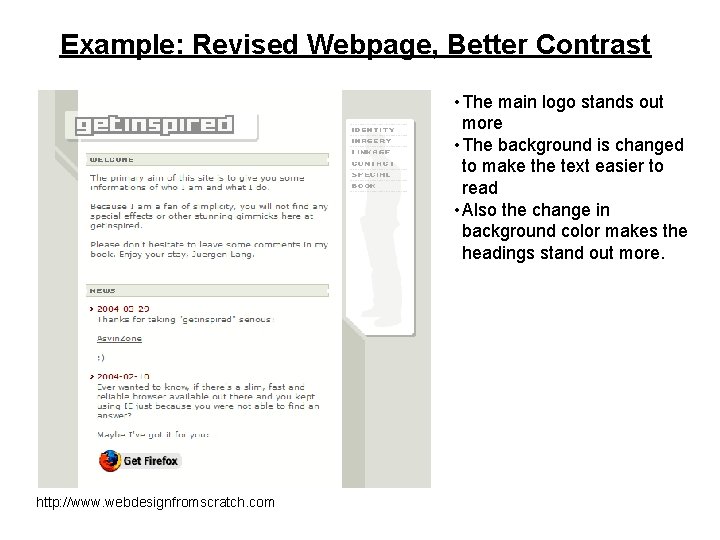
Example: Revised Webpage, Better Contrast • The main logo stands out more • The background is changed to make the text easier to read • Also the change in background color makes the headings stand out more. http: //www. webdesignfromscratch. com
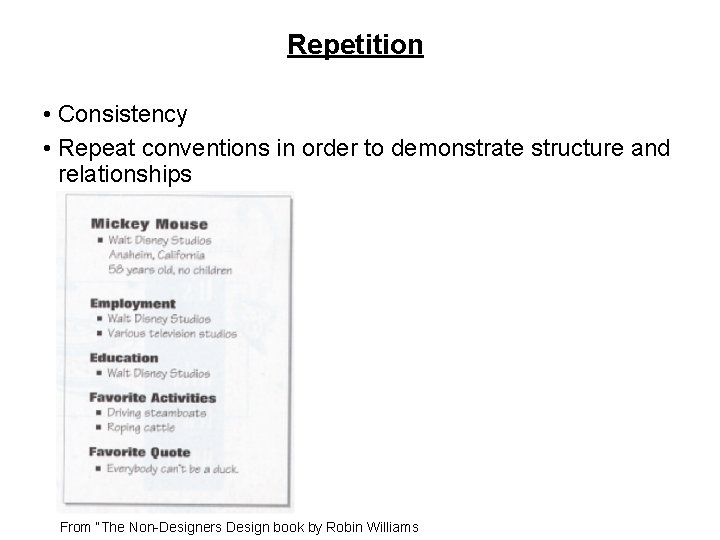
Repetition • Consistency • Repeat conventions in order to demonstrate structure and relationships From “The Non-Designers Design book by Robin Williams
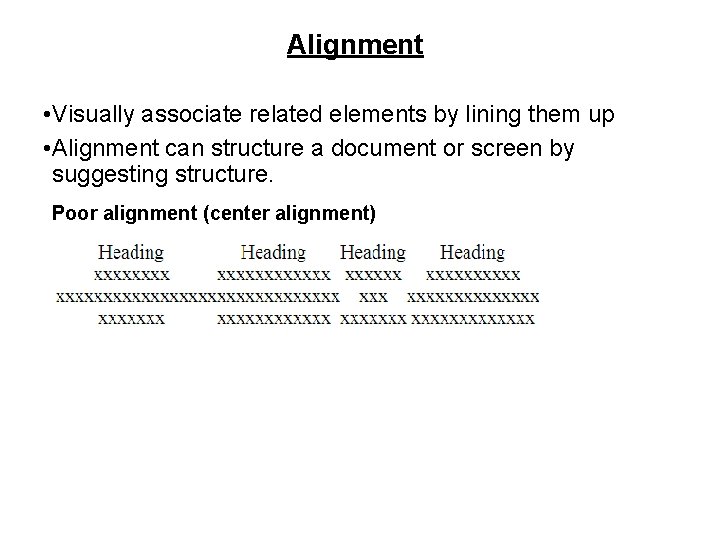
Alignment • Visually associate related elements by lining them up • Alignment can structure a document or screen by suggesting structure. Poor alignment (center alignment)
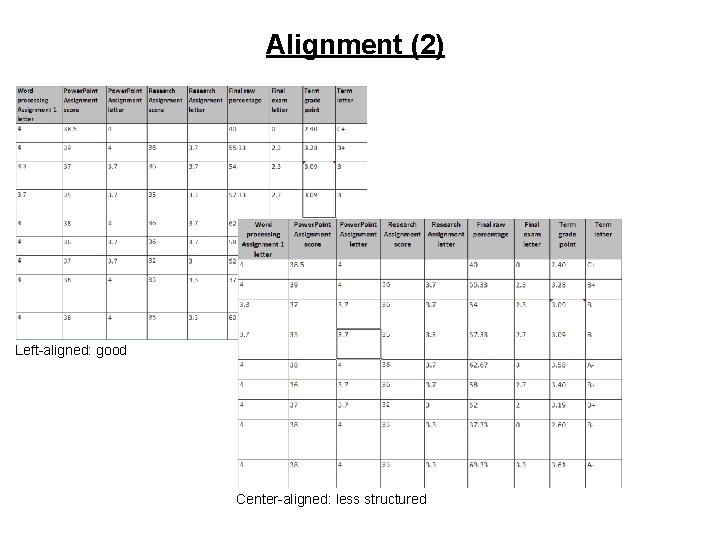
Alignment (2) Left-aligned: good Center-aligned: less structured
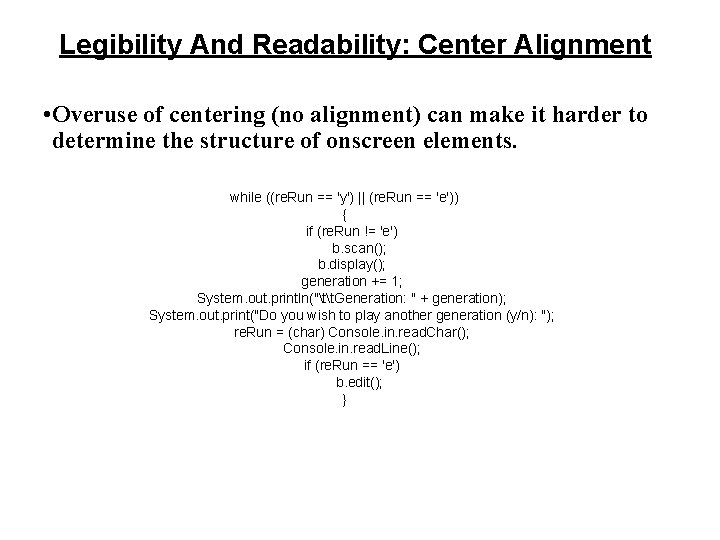
Legibility And Readability: Center Alignment • Overuse of centering (no alignment) can make it harder to determine the structure of onscreen elements. while ((re. Run == 'y') || (re. Run == 'e')) { if (re. Run != 'e') b. scan(); b. display(); generation += 1; System. out. println("tt. Generation: " + generation); System. out. print("Do you wish to play another generation (y/n): "); re. Run = (char) Console. in. read. Char(); Console. in. read. Line(); if (re. Run == 'e') b. edit(); }
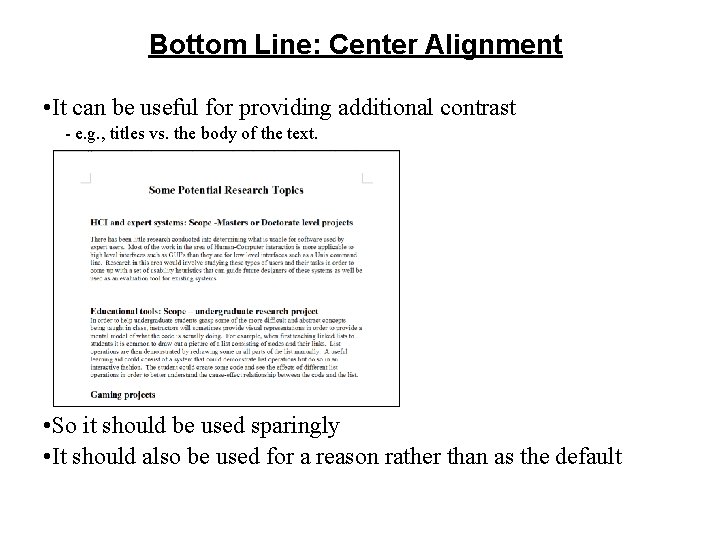
Bottom Line: Center Alignment • It can be useful for providing additional contrast - e. g. , titles vs. the body of the text. • l • So it should be used sparingly • It should also be used for a reason rather than as the default
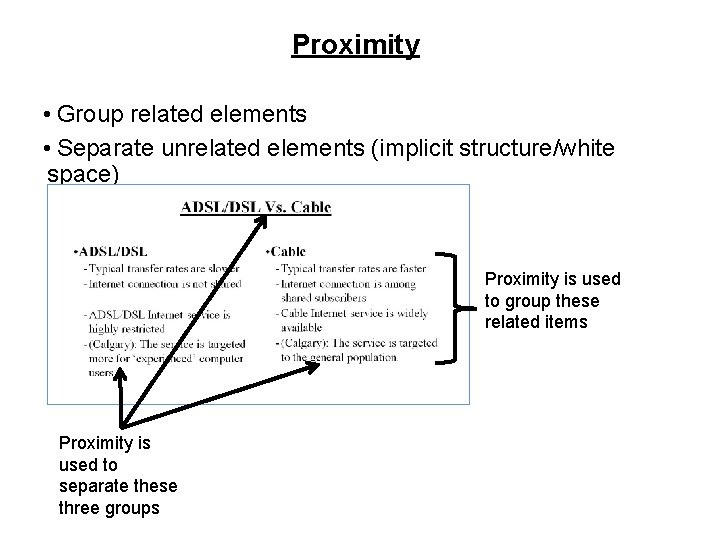
Proximity • Group related elements • Separate unrelated elements (implicit structure/white space) Proximity is used to group these related items Proximity is used to separate these three groups
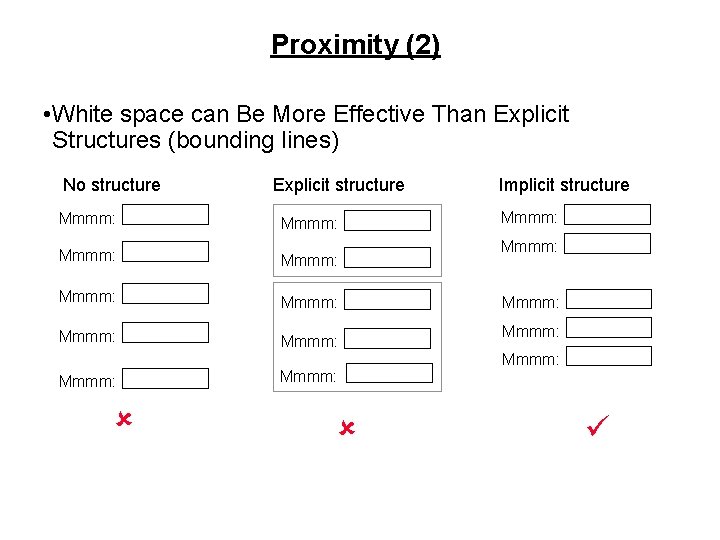
Proximity (2) • White space can Be More Effective Than Explicit Structures (bounding lines) No structure Explicit structure Mmmm: Mmmm: Mmmm: û Implicit structure Mmmm: Mmmm: ü
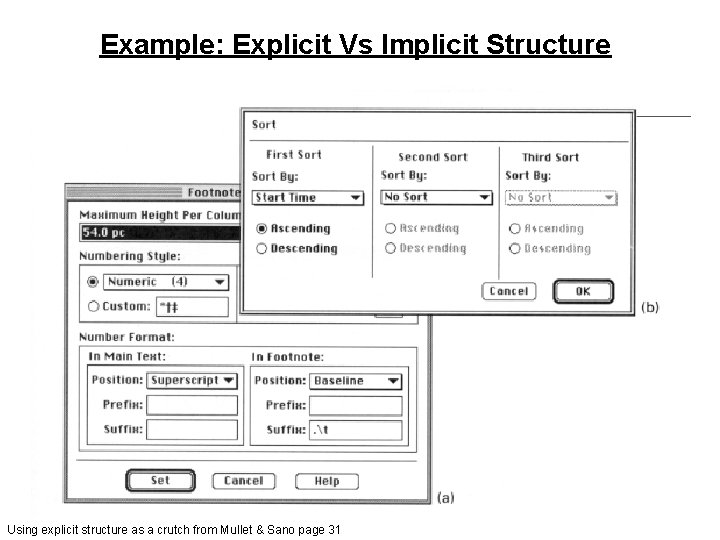
Example: Explicit Vs Implicit Structure Using explicit structure as a crutch from Mullet & Sano page 31
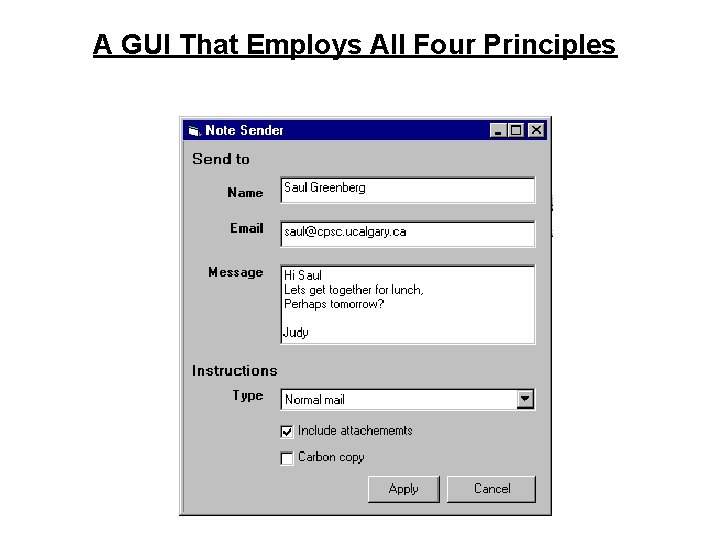
A GUI That Employs All Four Principles
How Do These Principles (Contrast, Repetition, Alignment, Proximity) Apply • As a design tool - As you create a report, spreadsheet, Power. Point presentation, a GUI, even a text based program make sure that it conforms to these principles. • As an evaluation tool - After the document or graphical design has been created these four principles can be used to determine how well it has been designed (how easy or hard it is to view and make sense of the design).
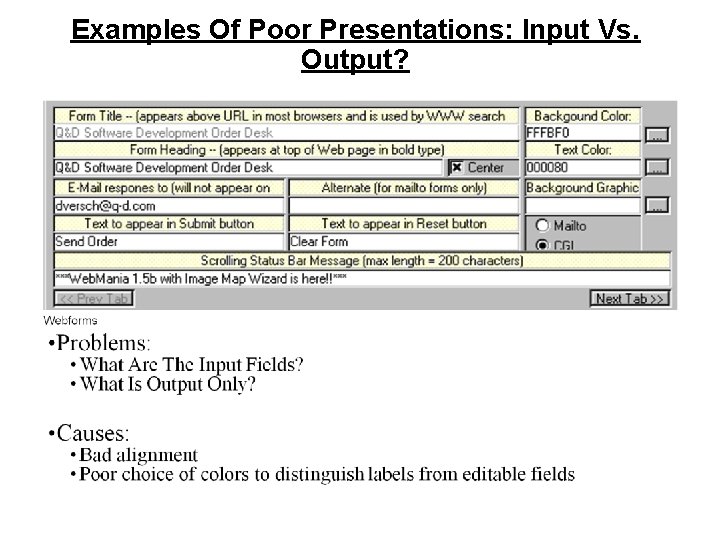
Examples Of Poor Presentations: Input Vs. Output?
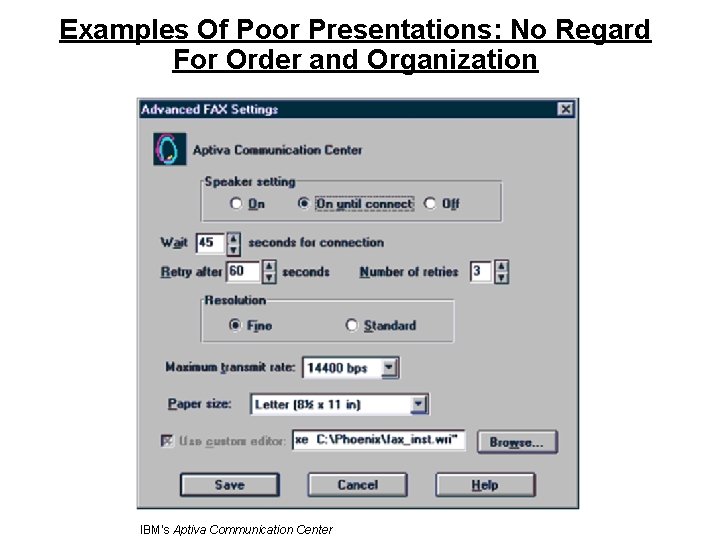
Examples Of Poor Presentations: No Regard For Order and Organization IBM's Aptiva Communication Center
- Slides: 20