
Presstimator Estimating Software StarKey Software Why Presstimator superior

- Slides: 32
Presstimator Estimating Software Star*Key Software
Why Presstimator? • superior to using spreadsheets, pricing tables, or sheet-fed programs to estimate • fast, accurate, reliable calculations • enables multiple papers stocks, multiple page counts and multiple quantities in a single quote • fast turnaround time enables competitive bids • determine costs, set profit targets, track profits • multiple users access single set of standards • customizable reports sent to MS Word, Excel • you own the software and data (not leased or cloud based)
What makes the Presstimator Software Unique? • standalone: requires PC only • portable: salesman + laptop = instant quote • database: easy to find, retrieve, modify old quotes, costs/standards easily updated • newspaper terminology: many other estimating programs are developed for sheet-fed • user friendly: easy to use, self installation • affordable: $3, 000 vs. $30, 000+ competitors, no on-site setup or training required
Overview of Presstimator • Shop Settings store all costs/standards in one place (can handle multiple plants) • Quote/Job History can be filtered and used for Summary reports (billing, commissions, profit & estimate analyses) • Reports utilize customizable templates and are generated as Word or Excel files that can be printed, emailed, stored, etc. • Customer list can be searched, imported, exported
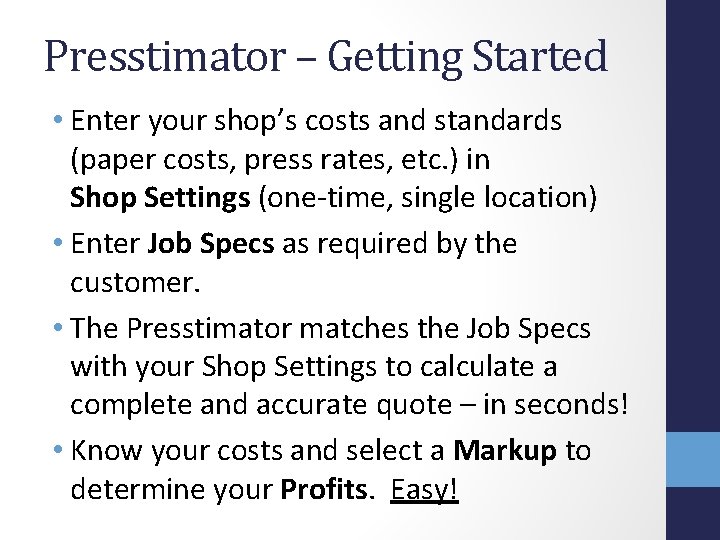
Presstimator – Getting Started • Enter your shop’s costs and standards (paper costs, press rates, etc. ) in Shop Settings (one-time, single location) • Enter Job Specs as required by the customer. • The Presstimator matches the Job Specs with your Shop Settings to calculate a complete and accurate quote – in seconds! • Know your costs and select a Markup to determine your Profits. Easy!
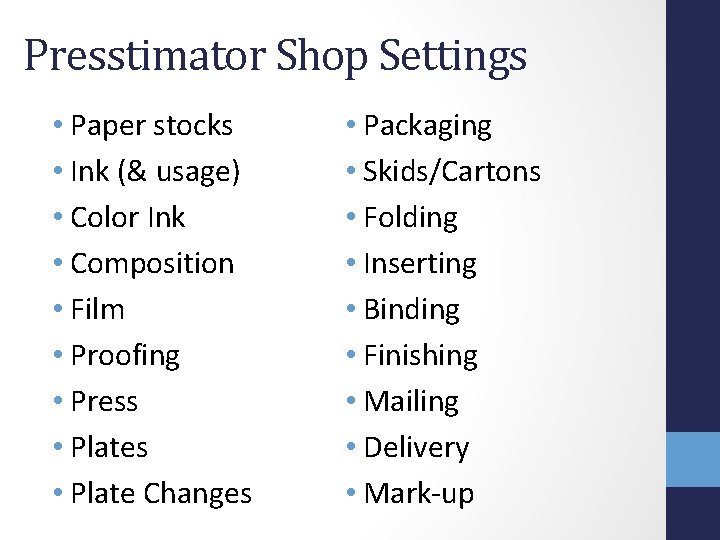
Presstimator Shop Settings • Paper stocks • Ink (& usage) • Color Ink • Composition • Film • Proofing • Press • Plate Changes • Packaging • Skids/Cartons • Folding • Inserting • Binding • Finishing • Mailing • Delivery • Mark-up
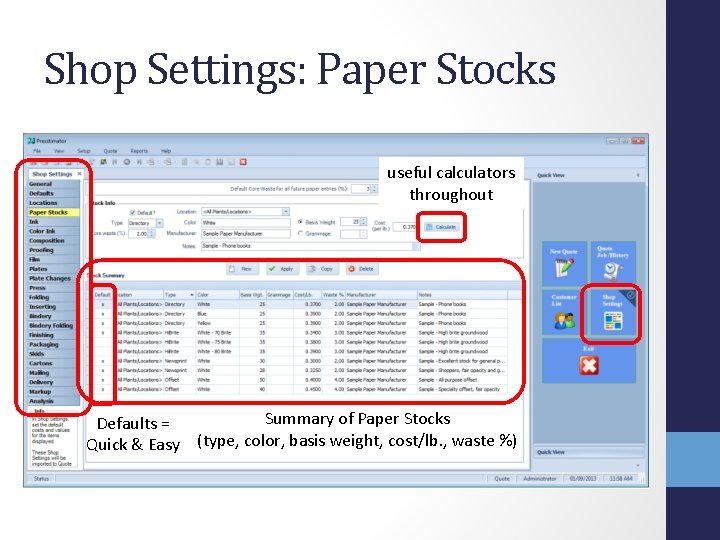
Shop Settings: Paper Stocks useful calculators throughout Summary of Paper Stocks Defaults = Quick & Easy (type, color, basis weight, cost/lb. , waste %)
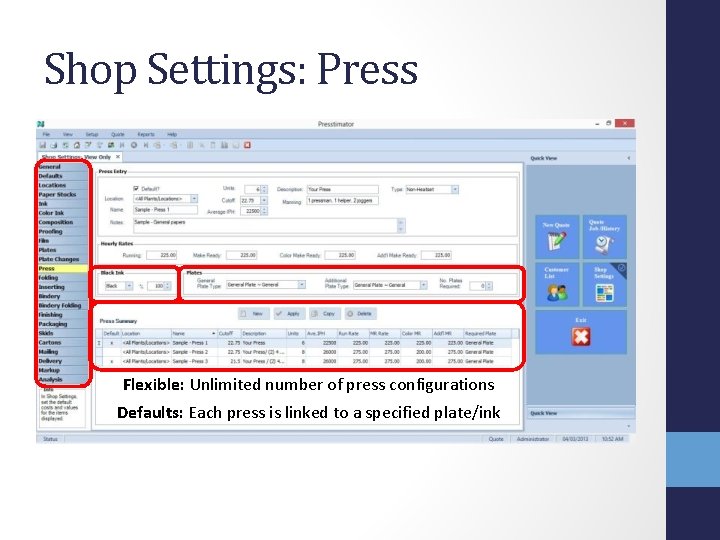
Shop Settings: Press Flexible: Unlimited number of press configurations Defaults: Each press is linked to a specified plate/ink
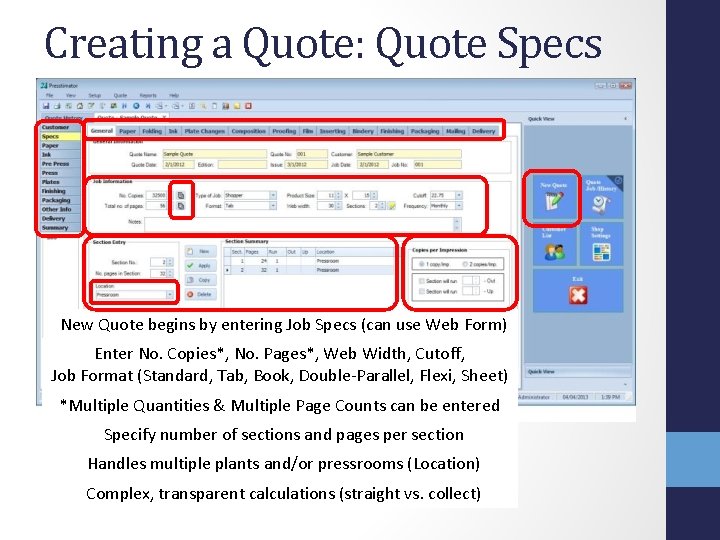
Creating a Quote: Quote Specs New Quote begins by entering Job Specs (can use Web Form) Enter No. Copies*, No. Pages*, Web Width, Cutoff, Job Format (Standard, Tab, Book, Double-Parallel, Flexi, Sheet) *Multiple Quantities & Multiple Page Counts can be entered Specify number of sections and pages per section Handles multiple plants and/or pressrooms (Location) Complex, transparent calculations (straight vs. collect)
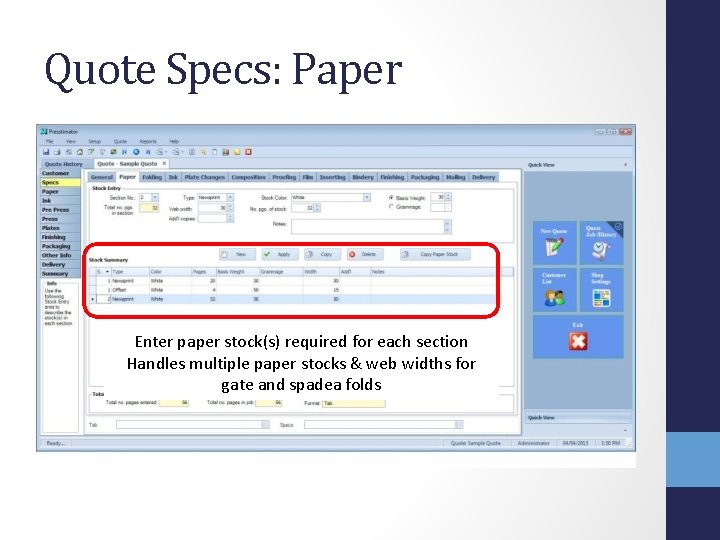
Quote Specs: Paper Enter paper stock(s) required for each section Handles multiple paper stocks & web widths for gate and spadea folds
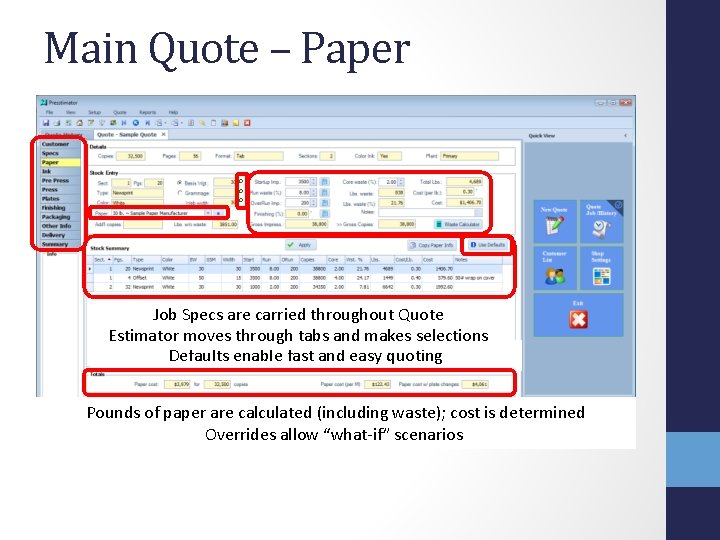
Main Quote – Paper o o o Job Specs are carried throughout Quote Estimator moves through tabs and makes selections Defaults enable fast and easy quoting Pounds of paper are calculated (including waste); cost is determined Overrides allow “what-if” scenarios
Presstimator Profit & Mark-up • unlimited number of customizable mark-up schemes can be created and stored Examples: • • 10% Profit 20% Mark-up on Paper only 15% Mark-up on Materials Unique to a given customer, rush jobs • each Customer can be assigned a Default mark-up scheme • enables “what-if” scenarios
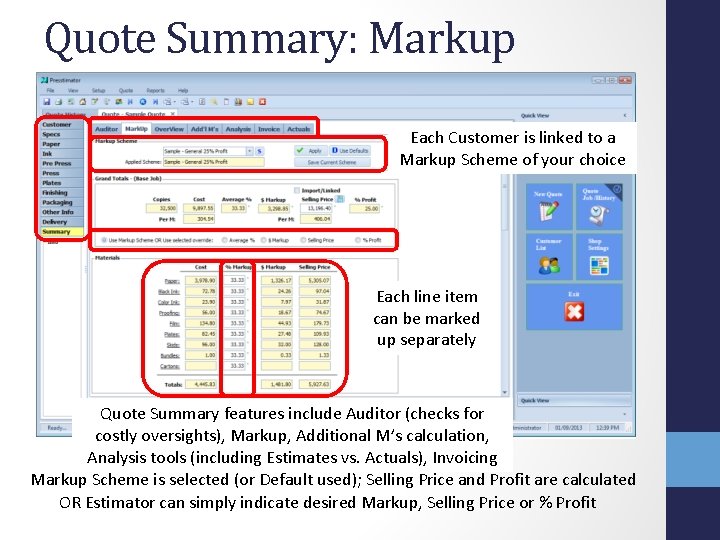
Quote Summary: Markup Each Customer is linked to a Markup Scheme of your choice Each line item can be marked up separately Quote Summary features include Auditor (checks for costly oversights), Markup, Additional M’s calculation, Analysis tools (including Estimates vs. Actuals), Invoicing Markup Scheme is selected (or Default used); Selling Price and Profit are calculated OR Estimator can simply indicate desired Markup, Selling Price or % Profit
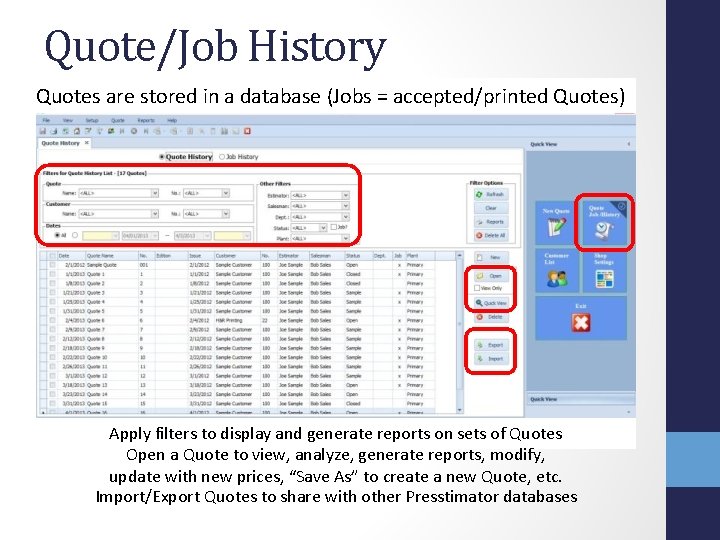
Quote/Job History Quotes are stored in a database (Jobs = accepted/printed Quotes) Apply filters to display and generate reports on sets of Quotes Open a Quote to view, analyze, generate reports, modify, update with new prices, “Save As” to create a new Quote, etc. Import/Export Quotes to share with other Presstimator databases
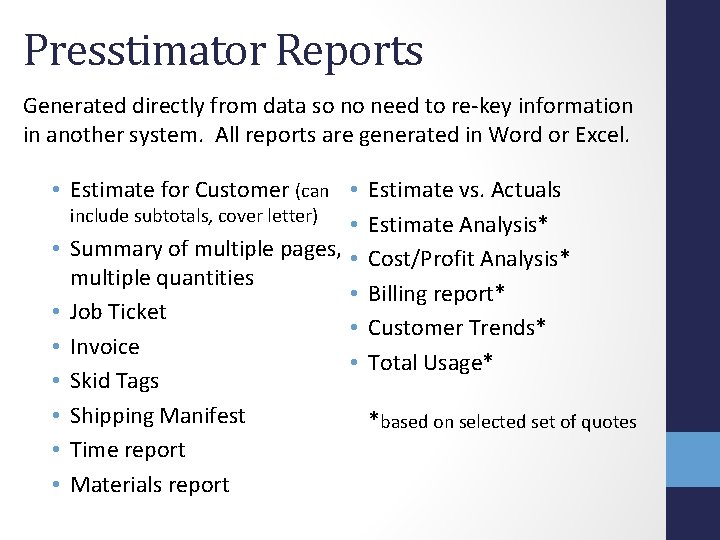
Presstimator Reports Generated directly from data so no need to re-key information in another system. All reports are generated in Word or Excel. • Estimate for Customer (can • include subtotals, cover letter) • • Summary of multiple pages, • multiple quantities • • Job Ticket • • Invoice • • Skid Tags • Shipping Manifest • Time report • Materials report Estimate vs. Actuals Estimate Analysis* Cost/Profit Analysis* Billing report* Customer Trends* Total Usage* *based on selected set of quotes
Multiple Page Count/Quantities Single quote provides cost for Additional M’s and calculates multiple Quantities Single quote handles multiple page options Additional pages can include Process or Spot color
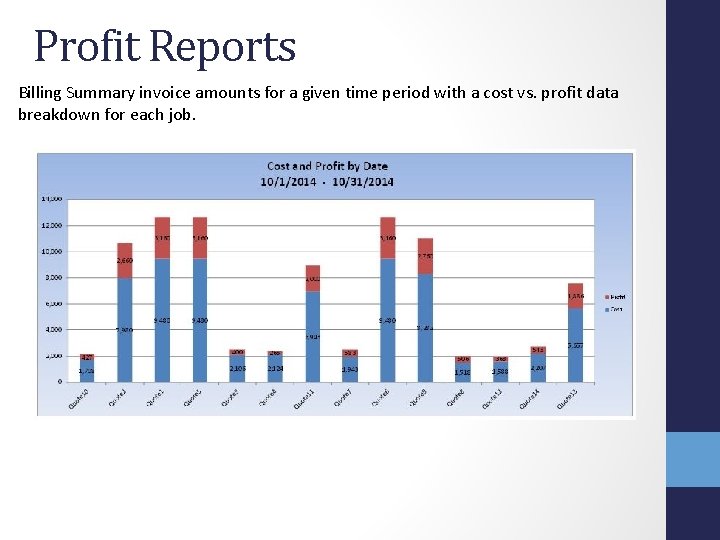
Profit Reports Billing Summary invoice amounts for a given time period with a cost vs. profit data breakdown for each job.
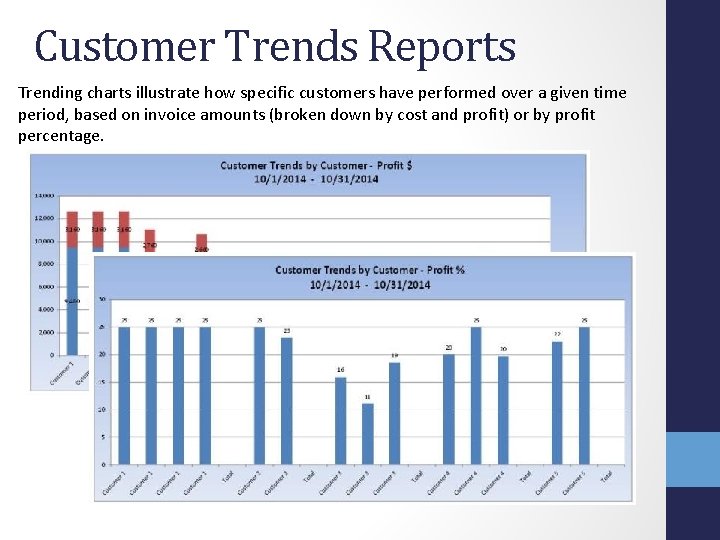
Customer Trends Reports Trending charts illustrate how specific customers have performed over a given time period, based on invoice amounts (broken down by cost and profit) or by profit percentage.
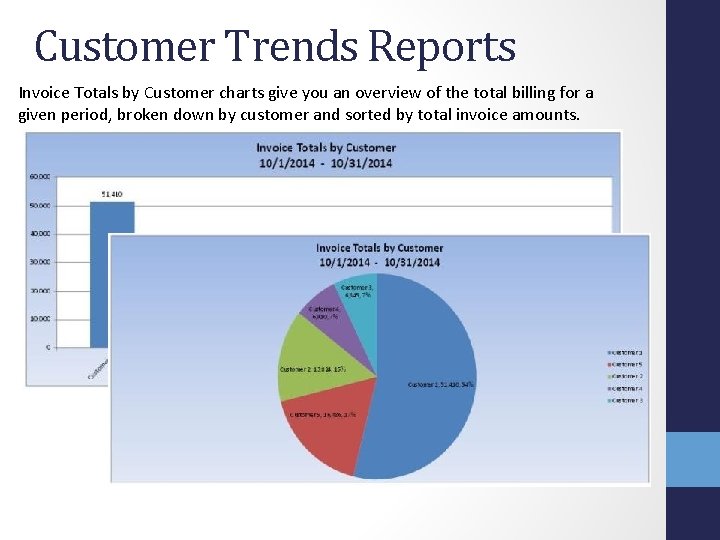
Customer Trends Reports Invoice Totals by Customer charts give you an overview of the total billing for a given period, broken down by customer and sorted by total invoice amounts.
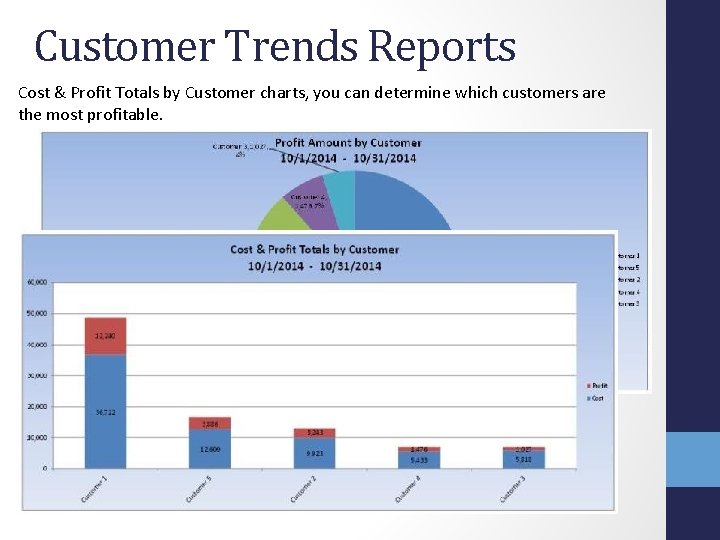
Customer Trends Reports Cost & Profit Totals by Customer charts, you can determine which customers are the most profitable.
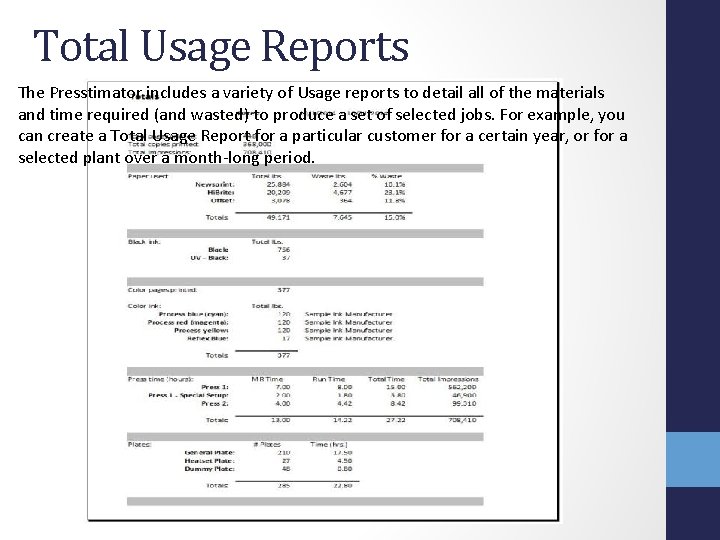
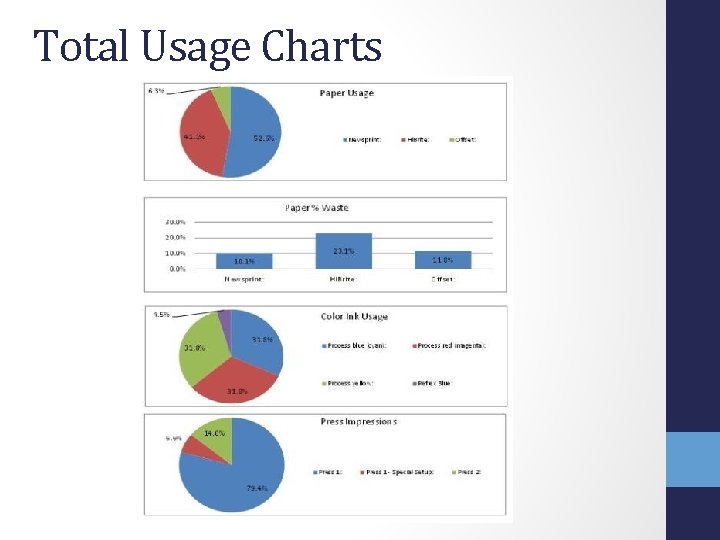
Total Usage Reports The Presstimator includes a variety of Usage reports to detail all of the materials and time required (and wasted) to produce a set of selected jobs. For example, you can create a Total Usage Report for a particular customer for a certain year, or for a selected plant over a month-long period.
Total Usage Charts
Presstimator Modules: Pressroom Application • enables data collection on pressroom floor • start/stop times, run counters are stored directly in Presstimator database • post-production analysis includes: Estimated vs. Actual Profit Estimates vs. Actuals (time, materials)
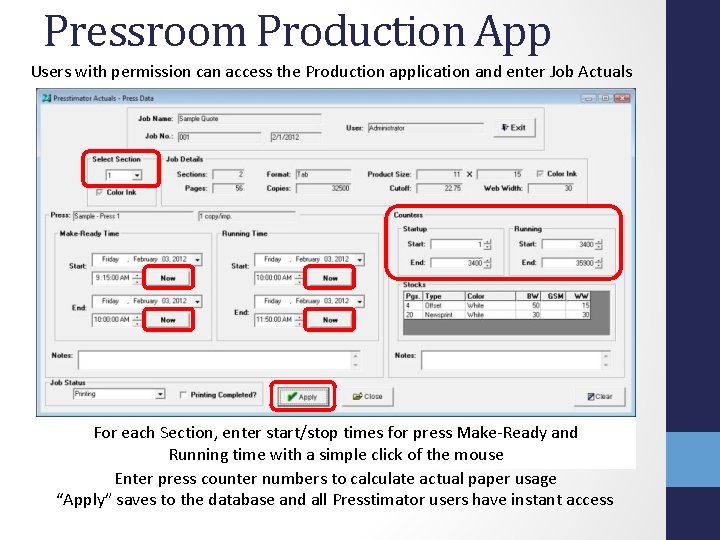
Pressroom Production App Users with permission can access the Production application and enter Job Actuals For each Section, enter start/stop times for press Make-Ready and Running time with a simple click of the mouse Enter press counter numbers to calculate actual paper usage “Apply” saves to the database and all Presstimator users have instant access
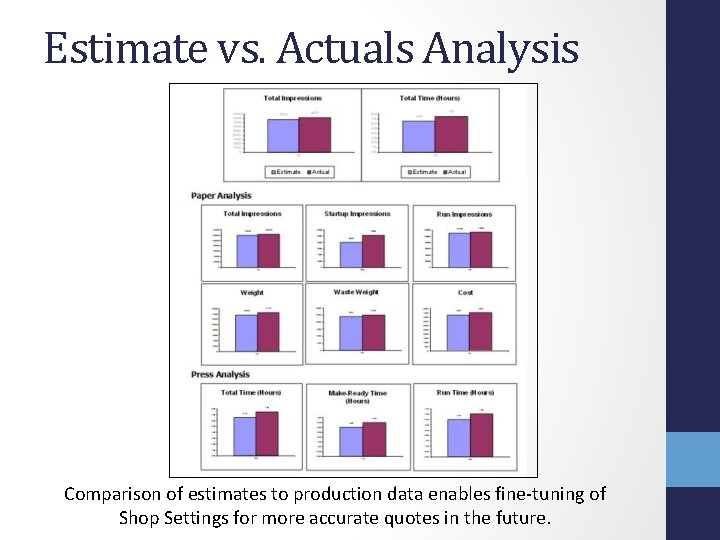
Estimate vs. Actuals Analysis Comparison of estimates to production data enables fine-tuning of Shop Settings for more accurate quotes in the future.
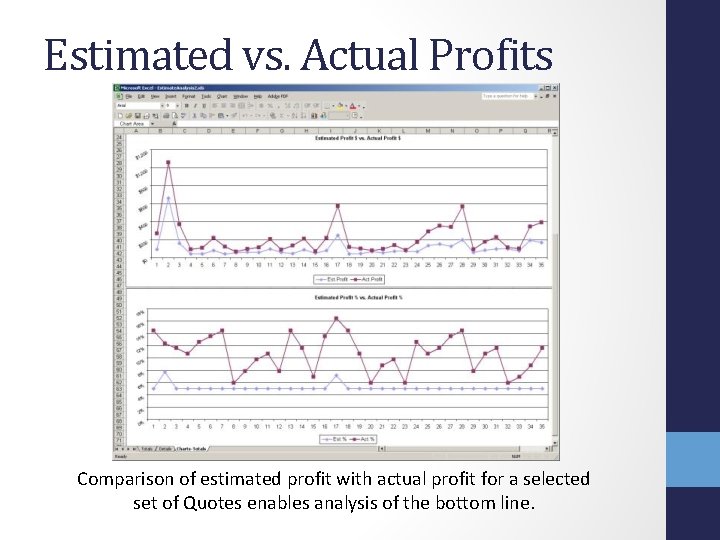
Estimated vs. Actual Profits Comparison of estimated profit with actual profit for a selected set of Quotes enables analysis of the bottom line.
Presstimator Modules: Web Form • customizable “Request-a-Quote” form for the printer’s website so potential customers can directly enter job specifications • submitted form is emailed to the Estimator • form data is imported to Presstimator as a New Quote • Estimator applies Defaults to generate a quote within minutes
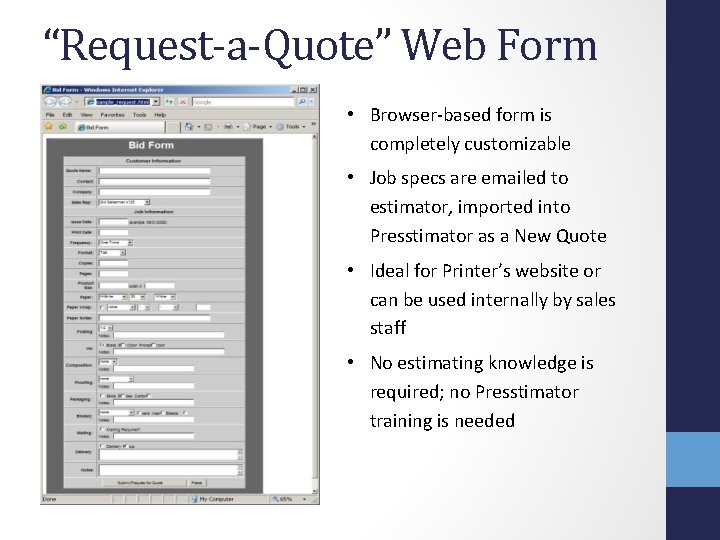
“Request-a-Quote” Web Form • Browser-based form is completely customizable • Job specs are emailed to estimator, imported into Presstimator as a New Quote • Ideal for Printer’s website or can be used internally by sales staff • No estimating knowledge is required; no Presstimator training is needed
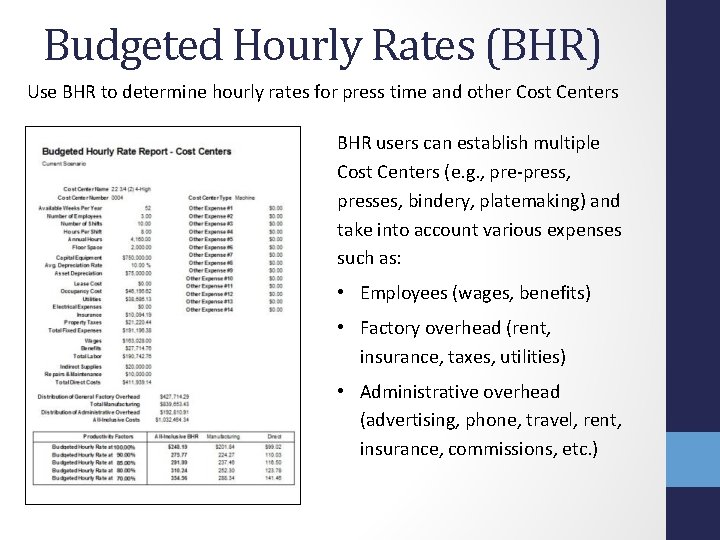
Presstimator Modules: Budgeted Hourly Rates (BHR) • BHR helps ensure that jobs are profitable by determining accurate machine and labor costs • BHR cost analysis assigns a portion of all manufacturing and overhead costs to individual cost centers • both Standard and Power Editions are available
Budgeted Hourly Rates (BHR) Use BHR to determine hourly rates for press time and other Cost Centers BHR users can establish multiple Cost Centers (e. g. , pre-press, presses, bindery, platemaking) and take into account various expenses such as: • Employees (wages, benefits) • Factory overhead (rent, insurance, taxes, utilities) • Administrative overhead (advertising, phone, travel, rent, insurance, commissions, etc. )
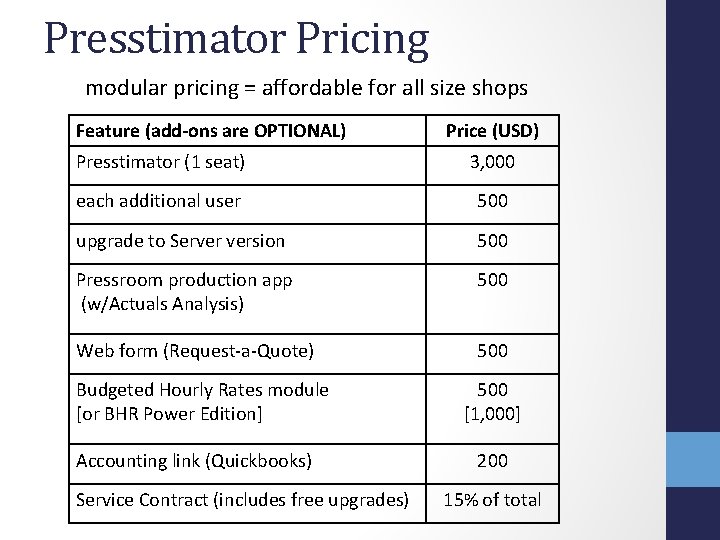
Presstimator Pricing modular pricing = affordable for all size shops Feature (add-ons are OPTIONAL) Price (USD) Presstimator (1 seat) 3, 000 each additional user 500 upgrade to Server version 500 Pressroom production app (w/Actuals Analysis) 500 Web form (Request-a-Quote) 500 Budgeted Hourly Rates module [or BHR Power Edition] Accounting link (Quickbooks) Service Contract (includes free upgrades) 500 [1, 000] 200 15% of total
Presstimator – Star*Key Software Contact Information Mike Starkey Star*Key Software P. O. Box 156 Brea, CA 92822 email: mike@presstimator. com phone: 714. 255. 1685 website: http: //www. presstimator. com