
Presented By Mr D Koteswara Rao Subject Fundamentals
Presented By: Mr. D. Koteswara Rao Subject : Fundamentals of Computer Science Unit-II : Problem solving and programming languages Objective of this unit: To explain the concepts of Problem solving, Programming and programming languages. DEPARTMENT OF SCIENCE & HUMANITIES NRI Institute of Technology
Goal to learn this unit Ø To get the knowledge v To write algorithms / pseudo code v To draw flowcharts v To explain structured programming concept v To explain programming languages and Translators 1 NRIIT , DEPT OF S&H
Problem Solving Problem solving: The process of finding solution to the given problem is called problem solving Here we have to develop a solution method that describes solution for the given problem We have to develop an Algorithm, Flow chart or Pseudo code to represent the solution method. 2 NRIIT , DEPT OF S&H
ALGORITHM Algorithm : The step by step representation of set of sequence of statements used to solve a given problem is called Algorithm. Characteristics of Algorithms : § Input: The algorithm may take zero or more inputs. § Output: The algorithm must produce one or more outputs. § Finiteness: Every algorithm must be terminated with in limited number of steps § Definiteness: Every step of the algorithm should be clear and unambiguous. § Effectiveness: Every step of the algorithm should be easily convertible into program instructions. § Generality: The algorithm should be applicable for different sets of same type of input data. 3 NRIIT , DEPT OF S&H
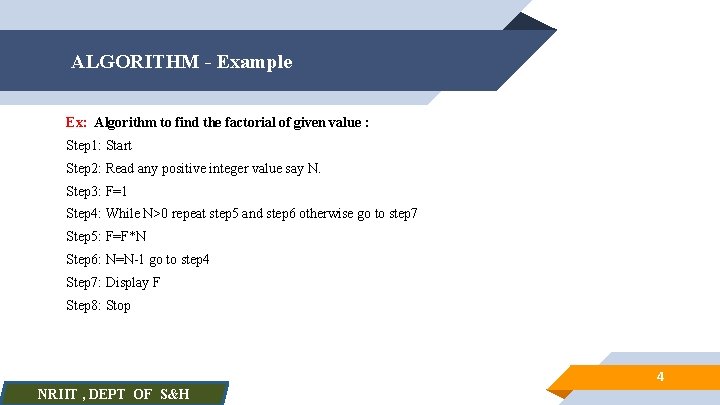
ALGORITHM - Example Ex: Algorithm to find the factorial of given value : Step 1: Start Step 2: Read any positive integer value say N. Step 3: F=1 Step 4: While N>0 repeat step 5 and step 6 otherwise go to step 7 Step 5: F=F*N Step 6: N=N-1 go to step 4 Step 7: Display F Step 8: Stop 4 NRIIT , DEPT OF S&H
ALGORITHM – Advantages & Disadvantages Advantages of Algorithms: Ø It provides core solution for the given problem, We can implement the algorithm using any programming language of user choice Ø It acts as documentation to solve the given problem ØThrough algorithm analysis we can find the best solution method to solve the given problem Ø Through algorithm testing we can easily detect and correct the logical errors in the algorithm. Disadvantage of Algorithms: Ø It is very difficult to trace the flow of control in a process due to lack of visual representation. 5 NRIIT , DEPT OF S&H
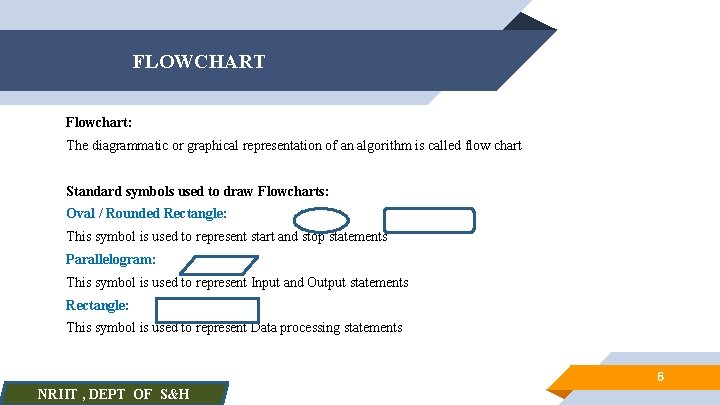
FLOWCHART Flowchart: The diagrammatic or graphical representation of an algorithm is called flow chart Standard symbols used to draw Flowcharts: Oval / Rounded Rectangle: This symbol is used to represent start and stop statements Parallelogram: This symbol is used to represent Input and Output statements Rectangle: This symbol is used to represent Data processing statements 6 NRIIT , DEPT OF S&H

FLOWCHART Diamond / Rhombus: a This symbol is used to represent Conditional or Decision making statements Circle: This symbol is used to connect different parts of flowchart. It is used to represent the continuation of the flowchart when flow chart continues to the next page. Arrows: Arrows are used to represent the direction of flow of control. 7 NRIIT , DEPT OF S&H
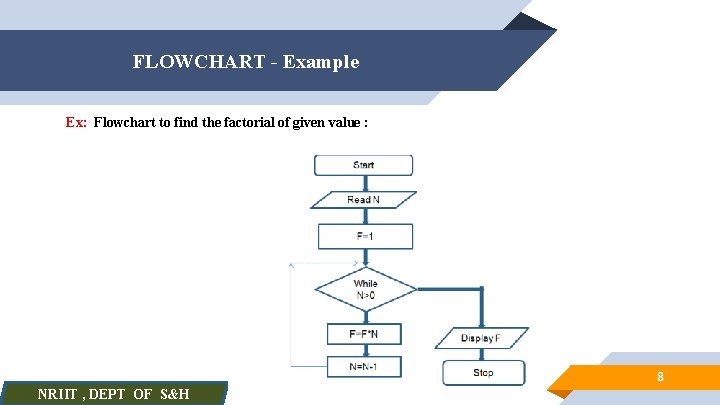
FLOWCHART - Example Ex: Flowchart to find the factorial of given value : 8 NRIIT , DEPT OF S&H
Flowchart – Advantages & Disadvantages Advantages of Flowchart: Ø It provides core solution for the given problem, We can implement the algorithm using any programming language of user choice Ø It acts as design documentation to solve the given problem Ø It is easy to understand the flow of control in a process due to visual representation. Ø Use of flowcharts works well for small program design. Disadvantages of Flowchart: Ø For large programs the flowchart might become complex and confusing. ØModification of flowchart is difficult and requires almost an entire re-work ØTime consuming to create flowchart 9 NRIIT , DEPT OF S&H
PSEUDOCODE Pseudo code : Pseudo code is similar to algorithm but here the set of sequence of statements can be defined by using the combination of programming language syntax and normal English. Ex: Pseudo code to find the factorial of the given value Start Read N F=1; While(N>0) { F=F*N; N--; } Display F Stop 10 NRIIT , DEPT OF S&H
Programming: The process of writing programs to solve the given problems is called Programming. Program: A Program is set of instructions used to solve the given problem Instruction: An instruction is a statement which is defined according the syntax of the programming language. Programming Language: The computer language which supports programming is called programming language. Ex: C, C++, JAVA, …. 11 NRIIT , DEPT OF S&H
Program development steps: The set of sequence of steps to be followed to develop the program are called program development steps. 1. 2. 3. 4. 5. 6. 7. 8. Define or Understand the problem Outline the solution Design an algorithm or flowchart Desk check Develop program (Coding / Implementation) Run the program on the computer Test the program (Testing) Documentation and Maintenance 12 NRIIT , DEPT OF S&H
Errors Error: The statement which is not according to the syntax of the programming language. or An error is nothing but wrongly typed statement Types of Errors: Syntax Errors : Will be generated during the compilation of the program due the statements in the program which are not according to the syntax of the programming language. Ex: Missing ; (Semi colon) at the end of executable instruction. Run time Errors : Will be generated during the execution of the program. Ex: Division by zero Logical errors : Will be generated due to the statements which are logically incorrect. Ex: Use of A-B (to find the addition of A & B) 13 NRIIT , DEPT OF S&H
Programming Paradigm: The style of programming is called programming paradigm. or The way of writing programs is called programming paradigm. Types of Programming paradigms: Ø Structured programming Ø Procedural Programming Ø Object Oriented Programming 14 NRIIT , DEPT OF S&H
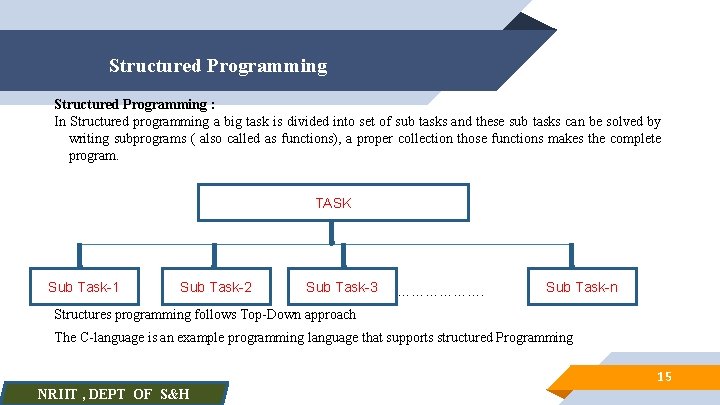
Structured Programming : In Structured programming a big task is divided into set of sub tasks and these sub tasks can be solved by writing subprograms ( also called as functions), a proper collection those functions makes the complete program. TASK Sub Task-1 Sub Task-2 Sub Task-3 ………………. Sub Task-n Structures programming follows Top-Down approach The C-language is an example programming language that supports structured Programming 15 NRIIT , DEPT OF S&H
Structured Programming Basic Elements of Structured Programming : We can find 3 kinds of statements in structured programming. They are 1. Sequence Statements: These statements can be executed in sequential fashion 2. Selection Statements: These statements used to test some condition and based on the outcome of the condition one set of statements can be executed by skipping the execution of another set of statements. Ex: if-else statement 3. Iterative Statements: These statements used to repeat the execution of one or more statements until certain condition is met. Ex: while statement 16 NRIIT , DEPT OF S&H
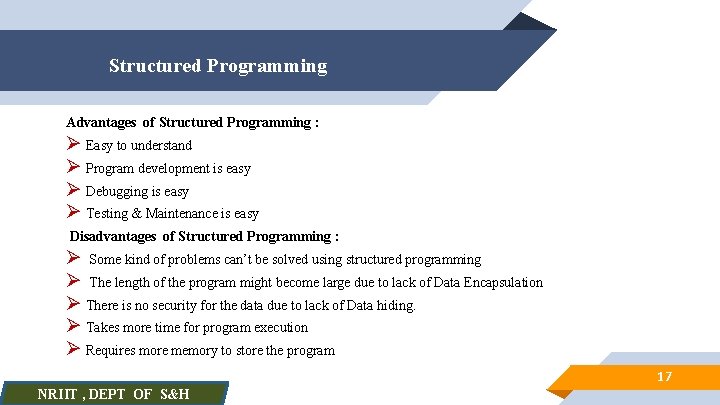
Structured Programming Advantages of Structured Programming : Ø Easy to understand Ø Program development is easy Ø Debugging is easy Ø Testing & Maintenance is easy Disadvantages of Structured Programming : Ø Some kind of problems can’t be solved using structured programming Ø The length of the program might become large due to lack of Data Encapsulation Ø There is no security for the data due to lack of Data hiding. Ø Takes more time for program execution Ø Requires more memory to store the program 17 NRIIT , DEPT OF S&H
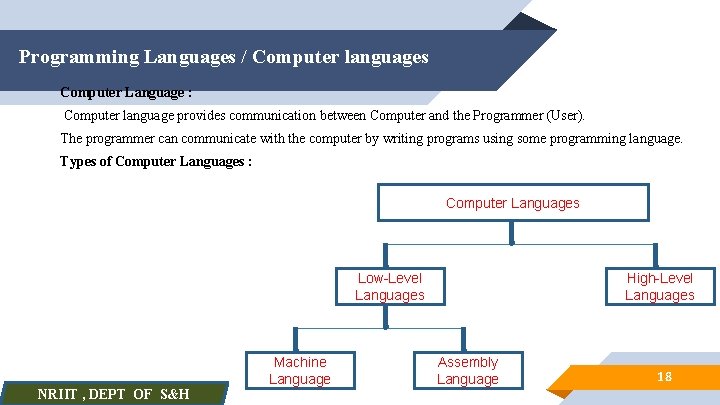
Programming Languages / Computer languages Computer Language : Computer language provides communication between Computer and the Programmer (User). The programmer can communicate with the computer by writing programs using some programming language. Types of Computer Languages : Computer Languages Low-Level Languages NRIIT , DEPT OF S&H Machine Language High-Level Languages Assembly Language 18
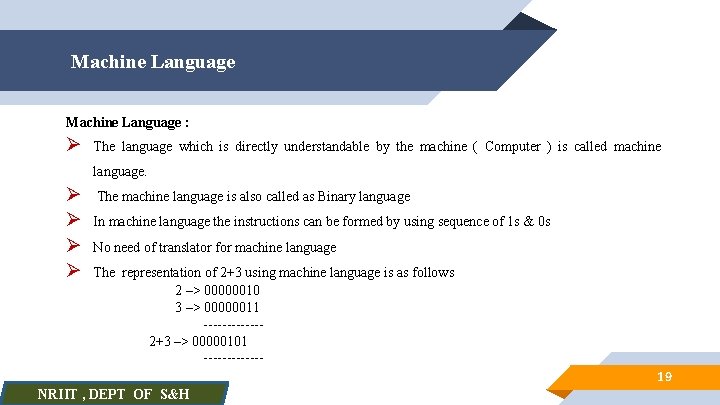
Machine Language : Ø The language which is directly understandable by the machine ( Computer ) is called machine language. Ø Ø The machine language is also called as Binary language In machine language the instructions can be formed by using sequence of 1 s & 0 s No need of translator for machine language The representation of 2+3 using machine language is as follows 2 –> 00000010 3 –> 00000011 ------ 2+3 –> 00000101 ------ NRIIT , DEPT OF S&H 19
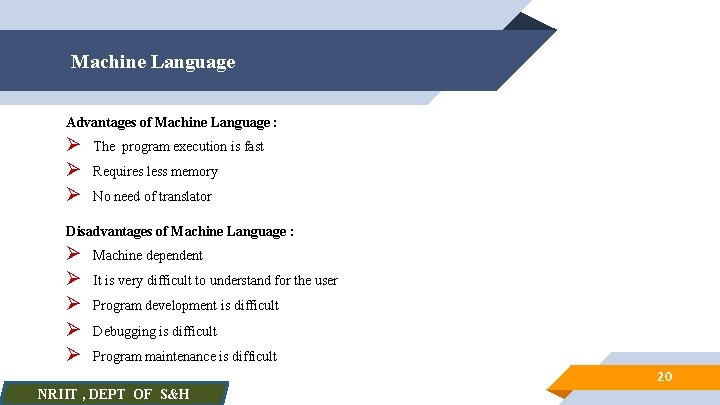
Machine Language Advantages of Machine Language : Ø Ø Ø The program execution is fast Requires less memory No need of translator Disadvantages of Machine Language : Ø Ø Ø Machine dependent It is very difficult to understand for the user Program development is difficult Debugging is difficult Program maintenance is difficult , DEPT OF S&H NRIIT 20
Assembly Language : Ø The language which uses mnemonics to develop the programs is called assembly language. Ø In assembly language the instructions can be formed by using mnemonics Ø Mnemonics nothing but the standard words used to represent operation codes Ex: ADD, SUB, PUSH, LOAD, …. Ø The assembly language instructions can’t be understandable directly by the computer, so we need the translator called Assembler to convert the assembly language program in to machine language Ø In general the assembly language is used to develop the software to control tiny electronic devices Ø The representation of 2+3 using assembly language is as follows 2 –> PUSH 2, A 3 –> PUSH 3, B 2+3 –> ADD A, B NRIIT , DEPT OF S&H 21
Assembly Language Advantages of Assembly Language : Ø Ø The program execution is fast Requires less memory Compare to machine language assembly language is easy to understand Assembly language provides more facilities to develop the software at hardware level (i. e for electronic devices) Disadvantages of Machine Language : Ø Ø Ø Machine dependent Program development is difficult It needs translator , DEPT OF S&H NRIIT 22
High level Language : Ø Ø Ø The high level language is English like language The high level language is very easy to understand for the user The examples for High level programming languages are C, C++, Java, … In general the high level programming languages are used to develop Application software The high level language instructions can’t be directly understandable by the computer, So we need the translator either Compiler or Interpreter to convert the high level language program into Machine language. Ø The representation of 2+3 using High level language is as follows 2 –> A=2 3 –> B=3 2+3 –> A+B NRIIT , DEPT OF S&H 23
High level Language Advantages of High level Language : Ø Ø Ø It is machine independent Ø Ø Ø Program execution is slow It is easy to understand for the user Program development is easy Debugging is easy Program maintenance is easy Disadvantages of High level Language : Requires more memory It needs translator NRIIT , DEPT OF S&H 24
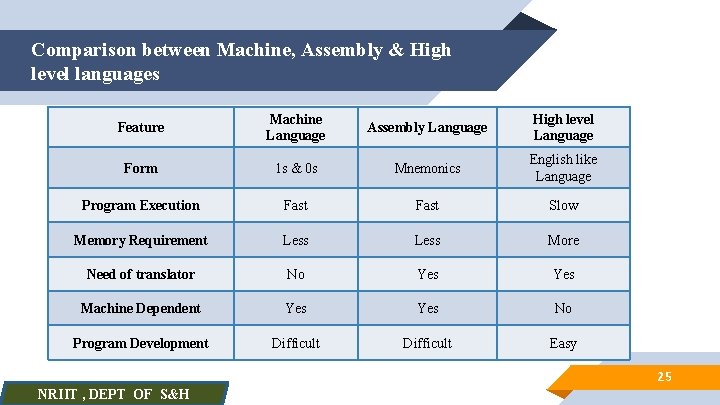
Comparison between Machine, Assembly & High level languages Feature Machine Language Assembly Language High level Language Form 1 s & 0 s Mnemonics English like Language Program Execution Fast Slow Memory Requirement Less More Need of translator No Yes Machine Dependent Yes No Program Development Difficult Easy 25 NRIIT , DEPT OF S&H
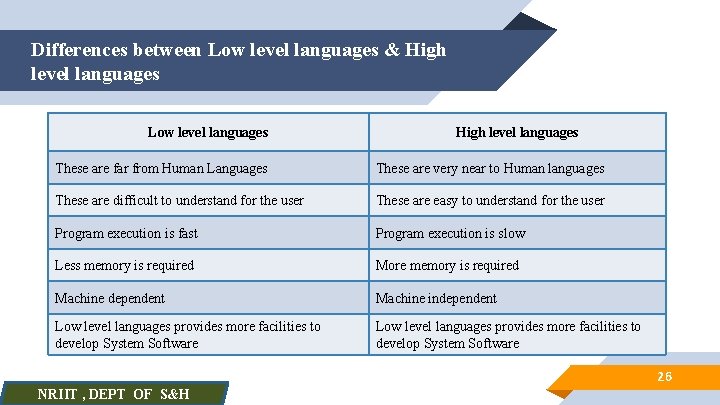
Differences between Low level languages & High level languages Low level languages High level languages These are far from Human Languages These are very near to Human languages These are difficult to understand for the user These are easy to understand for the user Program execution is fast Program execution is slow Less memory is required More memory is required Machine dependent Machine independent Low level languages provides more facilities to develop System Software 26 NRIIT , DEPT OF S&H
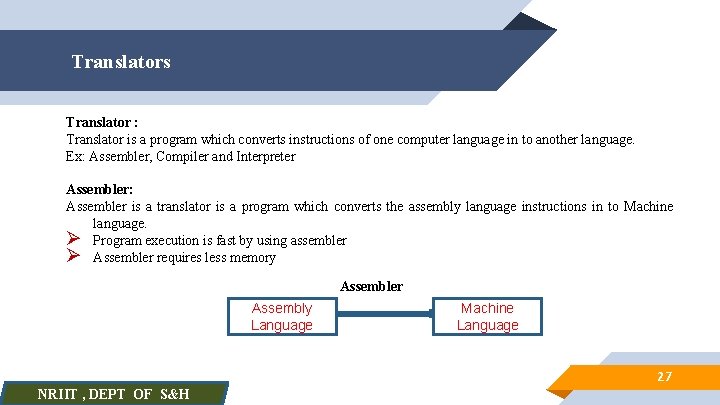
Translators Translator : Translator is a program which converts instructions of one computer language in to another language. Ex: Assembler, Compiler and Interpreter Assembler: Assembler is a translator is a program which converts the assembly language instructions in to Machine language. Ø Program execution is fast by using assembler Ø Assembler requires less memory Assembler Assembly Language Machine Language 27 NRIIT , DEPT OF S&H
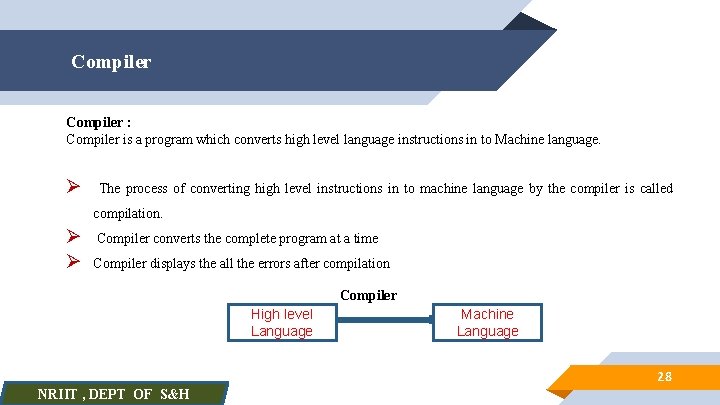
Compiler : Compiler is a program which converts high level language instructions in to Machine language. Ø The process of converting high level instructions in to machine language by the compiler is called compilation. Ø Ø Compiler converts the complete program at a time Compiler displays the all the errors after compilation Compiler High level Language Machine Language 28 NRIIT , DEPT OF S&H
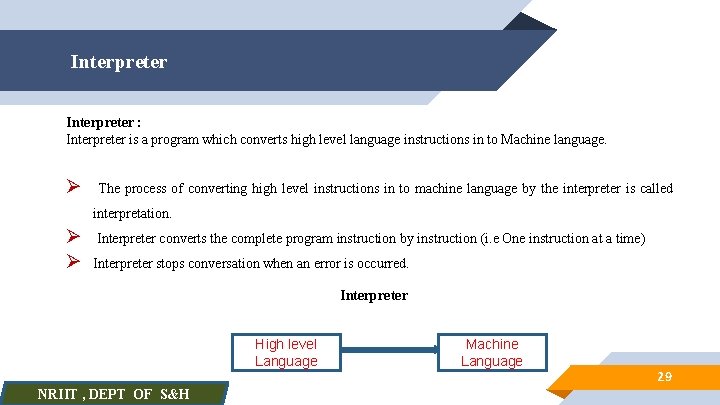
Interpreter : Interpreter is a program which converts high level language instructions in to Machine language. Ø The process of converting high level instructions in to machine language by the interpreter is called interpretation. Ø Ø Interpreter converts the complete program instruction by instruction (i. e One instruction at a time) Interpreter stops conversation when an error is occurred. Interpreter High level Language NRIIT , DEPT OF S&H Machine Language 29
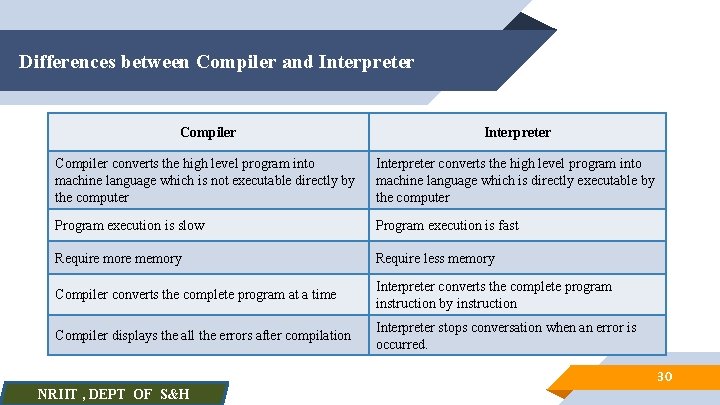
Differences between Compiler and Interpreter Compiler converts the high level program into machine language which is not executable directly by the computer Interpreter converts the high level program into machine language which is directly executable by the computer Program execution is slow Program execution is fast Require more memory Require less memory Compiler converts the complete program at a time Interpreter converts the complete program instruction by instruction Compiler displays the all the errors after compilation Interpreter stops conversation when an error is occurred. 30 NRIIT , DEPT OF S&H
Simple Questions Ø What is meant by problem solving? Ø What is an Algorithm? Ø What are the characteristics of algorithm? Ø What are the advantages and disadvantages of algorithms? Ø What is flowchart? Ø What are the standard symbols used to draw flowchart? Ø What are the advantages and disadvantages of flowcharts? 31 NRIIT , DEPT OF S&H
Simple Questions Ø What is pseudo code? Ø What is program? Ø What is an instruction? Ø What is programming? Ø What are program development steps? Ø What is programming language ? Ø What are the examples for programming languages? Ø What is meant by programming paradigm? Ø What are different types of programming paradigms? NRIIT , DEPT OF S&H 32
Simple Questions Ø What is structured programming Ø What are the basic elements of structured programming? Ø What are the advantages and disadvantages of structured programming? Ø What is computer language? Ø What are different types of computer languages? Ø What is machine language ? Ø What is assembly language? Ø What is high-level language? 33 NRIIT , DEPT OF S&H
Simple Questions Ø What are the differences between Low-level languages and High-level languages Ø What is translator? Ø What are the examples for translators? Ø What is Assembler? Ø What is Compiler? Ø What is Interpreter? Ø What are the differences between Compiler and Interpreter 34 NRIIT , DEPT OF S&H

Any Queries ? NRIIT , DEPT OF S&H

Suggestions Please NRIIT , DEPT OF S&H

NRIIT , DEPT OF S&H k n a h T u o Y
- Slides: 38