
Presentation Title IDE Development Environments for SCO Unix
- Slides: 49
Presentation Title: IDE Development Environments for SCO Unix Presenter’s Name: Kirk Farquhar Session ID: 123 1
Get Your Passport Stamped · Be sure to get your Passport stamped. · Get your passport stamped · · · By breakout session instructors By exhibitors in the exhibit hall Turn in your Passport · · After the last breakout session on Wednesday Drawing for great prizes for Wrap-up Session • Remember to complete the breakout session evaluation form, too 2
Agenda · · · · What is an IDE Advantages of IDE Development Categories of IDE tools The Eclipse Environment Example IDE’s for SCO Other Resources Installation Issues Q&A 3
What is an IDE? · · · IDE or Integrated Development Environment An IDE is a set of tools that aids application development. Most IDEs have tools that allow you to: · In addition, some IDEs do the following: · · · · Write and edit source code See errors as you type See highlighted code syntax Automate repetitive tasks Compile code View documentation, online help, code syntax samples etc. Use drag-and-drop utilities for easy building of features, such as graphic objects or creating database connections Provide templates for quick creation of components Provide code-completion as you type Automatically generate code, screens, reports, data connections etc. Integrate with source code repositories, such as CVS Integrate with web application servers, such as Apache Tomcat Integrate with build utilities, such as Apache Ant 4
Advantages of using an IDE · Productivity · · · Faster development IDE development tools often have very rapid payback Fewer code syntax and structure errors Better code Quicker debug cycles Rein in inexperienced programmers · Consistency · Consistent code structure · Consistent look & feel · Accelerated learning curve · Templates & macros generate code so new developers can see the results immediately · Immediate access to context sensitive help, code snippets etc. 5
Disadvantages of an IDE · Cost · Buying the tools · Runtime costs · Proprietary · Tied to a database, platform or runtime module · May be an issue finding staff & resources · Application oriented · Not all IDE’s provide all language capabilities · Deters “building the better mousetrap” 6
When to use an IDE · Use of an IDE isn’t always appropriate · An IDE is most useful when: · · Speed of development is a factor Development & lifecycle costs are a factor Large teams of developers are working on a project The application lends itself to any proprietary constraints · Demands of the application do not exceed the limits of the IDE deployment environment · “Elegance” is not an issue 7
The Eclipse Environment · The Eclipse environment is an open source, vendor neutral platform to support development in many languages · Full GUI development tool with support for language specific plugins · Supports cross platform and cross database development · Provides for integration of applications built on different platforms/languages · Evolving as a single framework for all development needs · Support for Java, Python, Cobol, PHP, HTML, Javascript, CSS, JSP, SQL, XML, DTD, XSD, and WSDL ……. 8
Categories of IDE Tools · Proprietary Database tools · Progress, File. Pro, Recital, Fox. Pro · Language specific IDE’s · Basis Pro 5, BBj, JBuilder · GUI Frameworks · Eclipse, KDevelop, Sun Workshop, Visual Studio · Cross Platform Tools · Progress, Microfocus Studio, Delphi 9
Proprietary Tools Progress Recital Fox. Pro 10
Progress 4 GL Development System · Progress includes a 4 GL language designed around the needs of business processes and data management · Language extended to allow the developer to create APIs for. NET clients, Java™ clients, Java · messaging, even map database schema to XML formats · Progress includes a data dictionary and tools to fully manage your databases · Deploy applications to Unix, Windows, Linux · X-database support for Oracle, Microsoft SQL Server, Sybase, Informix, and DB 2 as well as ODBC 11
Progress 4 GL Development System · Key Features: · Data Dictionary · Create and maintain database definitions, application defaults, and business rules. · A central storage mechanism for all database information insulates you from the specific details of each database type and location. · The Progress 4 GL uses Data Dictionary defaults automatically when you build new application components. · Make a single change to a definition stored in the Data Dictionary and have that change automatically inherited by every application component that refers to the original definition. 12
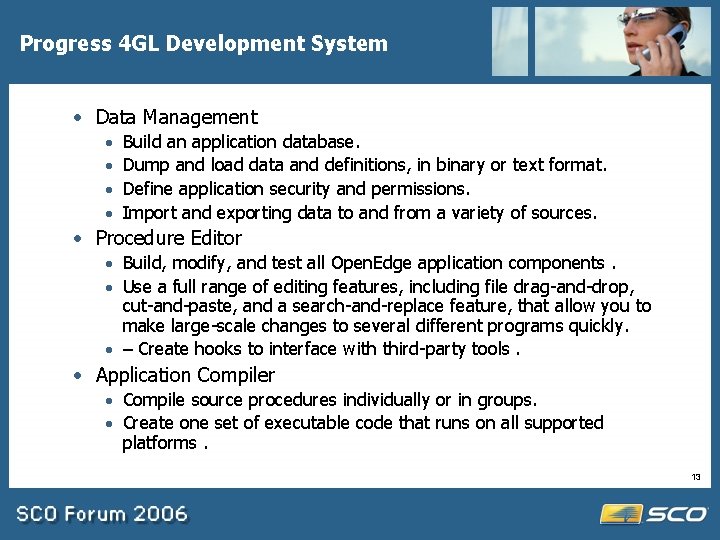
Progress 4 GL Development System · Data Management · · Build an application database. Dump and load data and definitions, in binary or text format. Define application security and permissions. Import and exporting data to and from a variety of sources. · Procedure Editor · Build, modify, and test all Open. Edge application components. · Use a full range of editing features, including file drag-and-drop, cut-and-paste, and a search-and-replace feature, that allow you to make large-scale changes to several different programs quickly. · – Create hooks to interface with third-party tools. · Application Compiler · Compile source procedures individually or in groups. · Create one set of executable code that runs on all supported platforms. 13
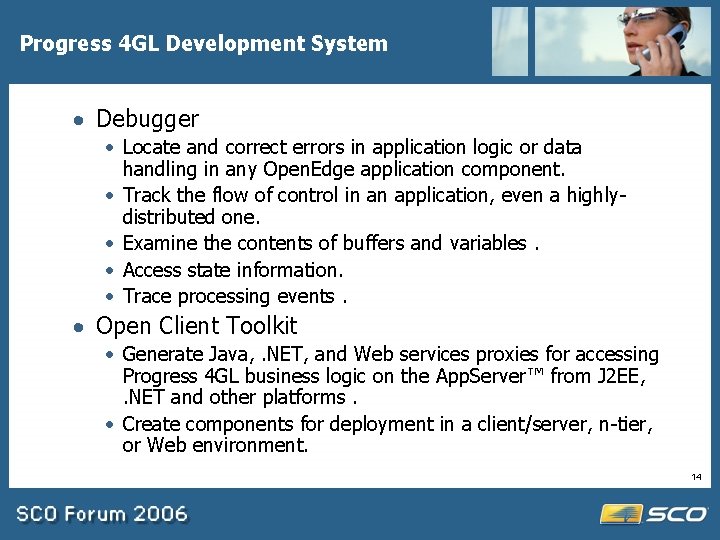
Progress 4 GL Development System · Debugger · Locate and correct errors in application logic or data handling in any Open. Edge application component. · Track the flow of control in an application, even a highlydistributed one. · Examine the contents of buffers and variables. · Access state information. · Trace processing events. · Open Client Toolkit · Generate Java, . NET, and Web services proxies for accessing Progress 4 GL business logic on the App. Server™ from J 2 EE, . NET and other platforms. · Create components for deployment in a client/server, n-tier, or Web environment. 14
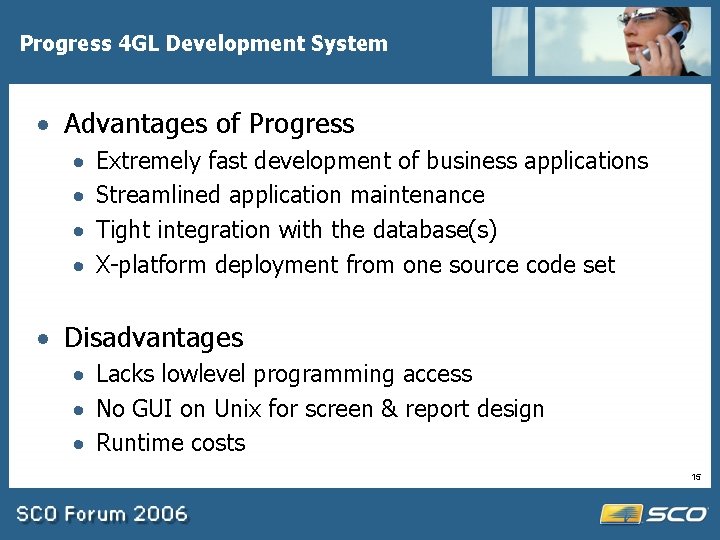
Progress 4 GL Development System · Advantages of Progress · · Extremely fast development of business applications Streamlined application maintenance Tight integration with the database(s) X-platform deployment from one source code set · Disadvantages · Lacks lowlevel programming access · No GUI on Unix for screen & report design · Runtime costs 15
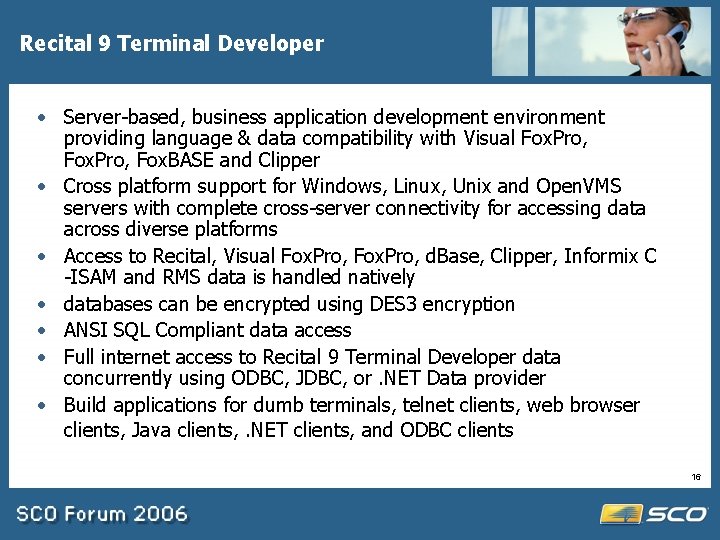
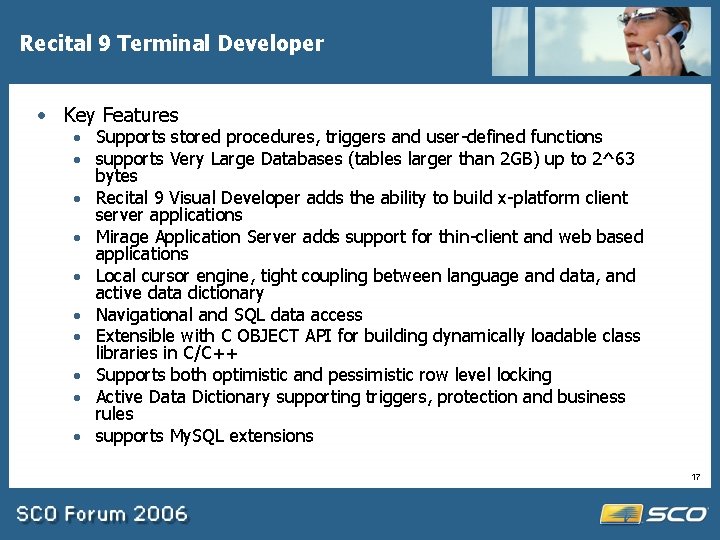
Recital 9 Terminal Developer · Server-based, business application development environment providing language & data compatibility with Visual Fox. Pro, Fox. BASE and Clipper · Cross platform support for Windows, Linux, Unix and Open. VMS servers with complete cross-server connectivity for accessing data across diverse platforms · Access to Recital, Visual Fox. Pro, d. Base, Clipper, Informix C -ISAM and RMS data is handled natively · databases can be encrypted using DES 3 encryption · ANSI SQL Compliant data access · Full internet access to Recital 9 Terminal Developer data concurrently using ODBC, JDBC, or. NET Data provider · Build applications for dumb terminals, telnet clients, web browser clients, Java clients, . NET clients, and ODBC clients 16
Recital 9 Terminal Developer · Key Features · Supports stored procedures, triggers and user-defined functions · supports Very Large Databases (tables larger than 2 GB) up to 2^63 bytes · Recital 9 Visual Developer adds the ability to build x-platform client server applications · Mirage Application Server adds support for thin-client and web based applications · Local cursor engine, tight coupling between language and data, and active data dictionary · Navigational and SQL data access · Extensible with C OBJECT API for building dynamically loadable class libraries in C/C++ · Supports both optimistic and pessimistic row level locking · Active Data Dictionary supporting triggers, protection and business rules · supports My. SQL extensions 17
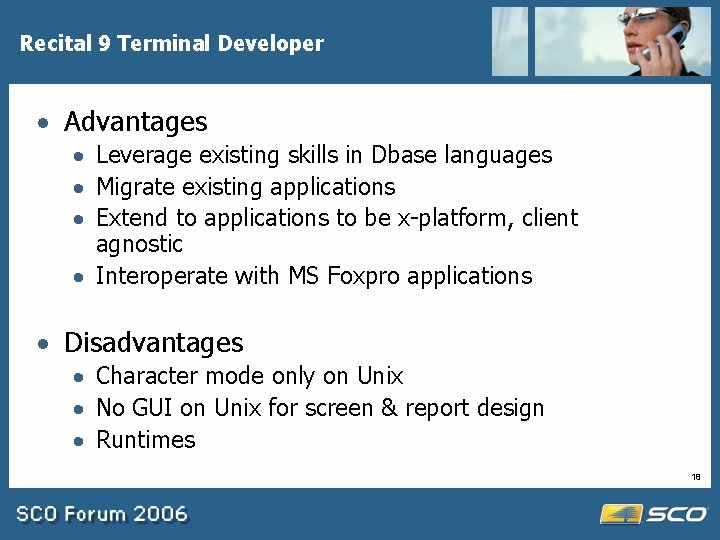
Recital 9 Terminal Developer · Advantages · Leverage existing skills in Dbase languages · Migrate existing applications · Extend to applications to be x-platform, client agnostic · Interoperate with MS Foxpro applications · Disadvantages · Character mode only on Unix · No GUI on Unix for screen & report design · Runtimes 18
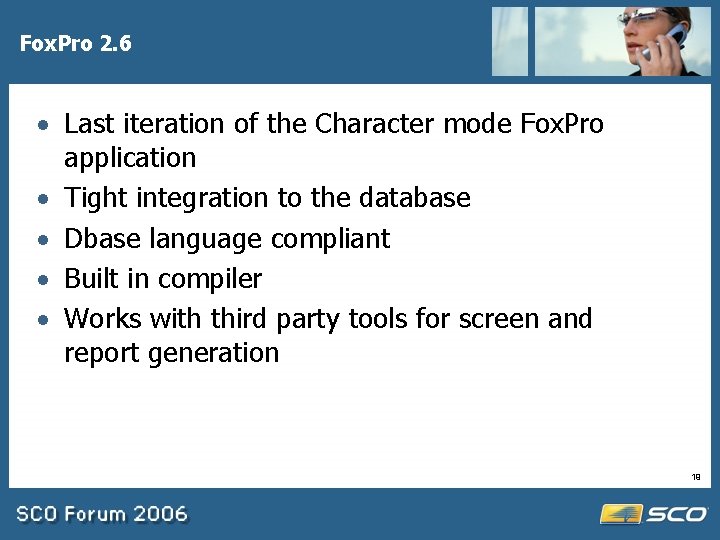
Fox. Pro 2. 6 · Last iteration of the Character mode Fox. Pro application · Tight integration to the database · Dbase language compliant · Built in compiler · Works with third party tools for screen and report generation 19
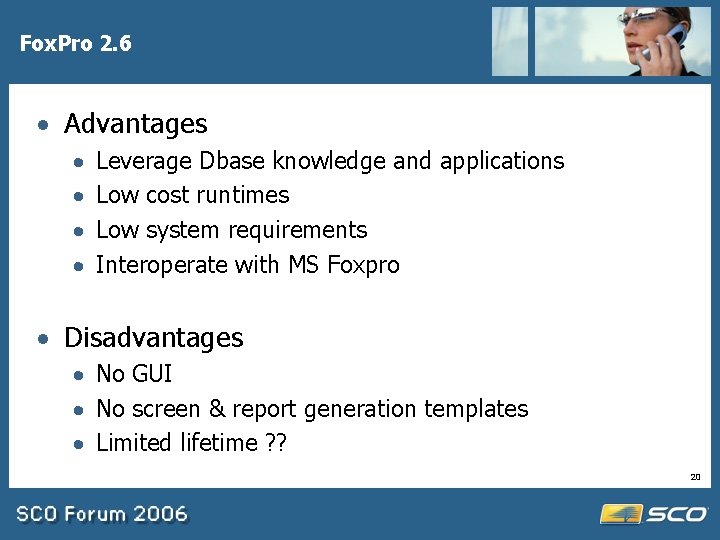
Fox. Pro 2. 6 · Advantages · · Leverage Dbase knowledge and applications Low cost runtimes Low system requirements Interoperate with MS Foxpro · Disadvantages · No GUI · No screen & report generation templates · Limited lifetime ? ? 20
File. Pro · Cross Platform 4 GL Database Development and Management System · Windows 98 or later, SCO Open. Server Unix/Unixware, Linux, Sun, HP-UX, IBM AIX, IBM e. Server i. Series Linux, Free. BSD · Menu Driven Application Generator · Integrated database definition & mangement · ODBC access to other databases 21
File. Pro 22
File. Pro · Advantages · Very fast application development · Inexpensive · Very good performance, especially on limited hardware resources · Fast learning curve · Disadvantages · · Scalability of database Character mode only No low level programming No support for future technologies (yet) 23
Language Specific IDEs Basis Pro 5 BBj JBuilder 24
Basis Pro 5 · Basis Pro 5 is the 5 th generation of Basis’ Business Basic interpreter, IDE and Database · Includes Desktop IDE for PRO/5 · Data Viewer views file structure and data for any file Data Dictionary Builder creates and maintains BASIS Data Dictionary 25
Basis Pro 5 · Advantages · Integration to Database · Leverage a large pool of Business Basic skills and applications · High performance CUI applications · Disadvantages · CUI only · Runtime costs 26
Basis BBj · BBj is compatible with legacy BBx products. · X-platform, Unix, Windows, OS-X, Linux · BBj's base in Java allows for the use of object-oriented programming extensions. · Support Java as well as Business Basic · Extended Structured Query Language (SQL) support · Native form design capability · Build both GUI and CUI applications · AES 128 -bit security · Supports native database access to Basis DBMS as well as ODBC and JDBC 27
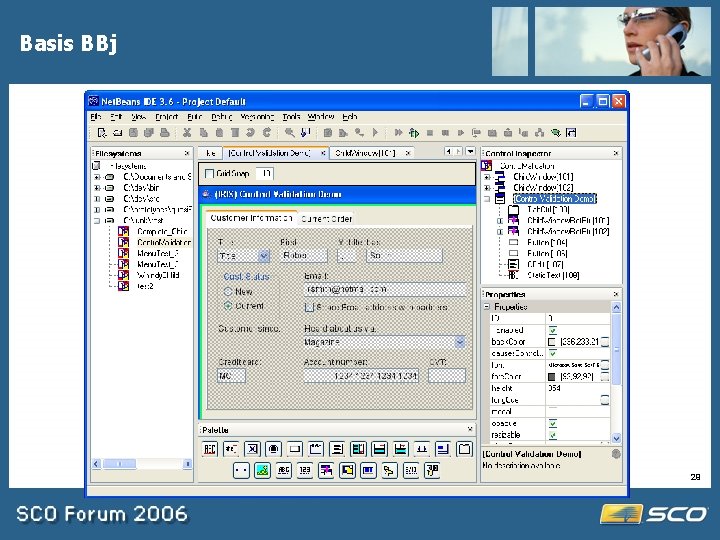
Basis BBj · Components · Editor · Syntax highlighting- PRO/5 & BBj ; Java ; HTML ; XML · Search and replace, Object code completion, Cut and paste, Multiple undo/redo, Find in files · Debugger · Dot step, Persistent breakpoints, Watch variables, Syntax checker · Compilers · BBj; PRO/5 ; BBx. PROGRESSION/4; Java; C · Data File Viewer · Data Dictionary · Form. Builder · GUI form creation, WYSIWYG, Set like-properties across disparate controls · App. Builder · · Associate code with GUI events · Complete integration with Form. Builder Database Management System · · Triggers Stored Procedures New File Type SQL enhancements 28
Basis BBj 29
Basis BBj · Advantages · · · · · All Pro 5 advantages plus: Java and multiple database support Full GUI development environment on SCO Rapid GUI development Multi-tier application development Rapid application prototyping CUI and GUI project management tool Support for legacy code Version control facilitates revision and change management · Disadvantages · Runtime costs · No native access to high-end databases 30
JBuilder Enterprise · · · · Full GUI Java IDE Support for all Java standards and technologies Peer to peer development tools Built-in test and performance tools UML support CORBA Support Web services development tools Integration to other Borland tools and common user experience 31
JBuilder Enterprise · Features – you name it, this is Java development on steroids · Advantages · · You can do anything in the Java world Full set of tools for ALM Peer development tools Written in Java and completely standards compliant · Disadvantages · Cost – you must buy Enterprise version for SCO · Heavy hardware resource demands 32
GUI Frameworks Eclipse KDevelop Visual Studio 33
Eclipse · A vendor-neutral open development platform and application frameworks for building software – eclipse. org · Built on Java and requires a JRE · Supports other languages besides Java · Full GUI interface on SCO · Standards compliant, except built on SWT · X-platform and X-language · Many plugins coming for other languages 34
Eclipse · Advantages · · · One user interface for many languages Low-cost ($0) Platform independent IDE and applications Support for all Java technologies & standards Evolving rapidly · Disadvantages · Open-source · Heavy hardware demands 35
Eclipse · Eclipse Plugins · Eclipse plugins are add-on libraries to support development in other languages and provide developer tools · Plugins are available or coming for: · · · · C/C++ Cobol PHP & Python XML HTML Javascript CORBA · See www. eclipseplugincentral. com 36
KDevelop · Like Eclipse, KDevelop is an open source framework supporting many languages · Current language support is: · C, C++, BASH, Perl, PHP, Java, Fortran, Python, Ruby, Haskell · Currently only C/C++ have all features supported · Full GUI development environment based on KDE, GNU libraries, QT · Supports application templates · Built-in Project Manager utility 37
KDevelop · Features · · · · · Plugin based architecture Project Manager Supports 15 languages Application wizard Code editor Integrated debugger Documentation viewer Version control system Configurable UI 38
KDevelop 39
KDevelop · Advantages · · · A single UI for GUI development in several languages Excellent low-level programming support Free RAD with application templates and wizards Best tool for KDE development and integration to Konqueror and KOffice · Disadvantages · Tied to KDE · Not compiled for OSR 6 yet · Open Source application 40
Visual Studio · Microsoft Visual Studio · Not actually a Unix Development environment, but: · Support for developing Web. Service clients to integrate with SCO backend servers · Support for developing apps for Edge. Click · All tools can be used to develop. net applications · Support for Fox. Pro database and compatible with most code generated for Fox. Pro/Recital 41
X-Platform Tools Progress Open. Edge Studio Micro. Focus Studio Borland Delphi/Kylix/JBuilder 42
Progress Open Edge Studio · Presents a single environment for quickly and efficiently creating today's hybrid applications · Utilizes a repository that enables applications to change dynamically by storing object attributes, templates, and business components. · Automates much of the work in creating user interfaces and business components with visual tools included in the App. Builder · App. Builder is a central workbench providing visual tools for defining objects, laying out interfaces, and linking data. · Allows the re-use of business logic and eliminates many coding tasks. · Smart. Business. Objects and Smart. Data. Objects allow developers to quickly assemble modules of complex business rules. · With business expertise captured in the form of logic-defining rules and processes, · Open. Edge Studio tools makes it easy to deploy that logic so that it can be accessed as a Web service or by Open. Edge, . NET, and Java clients 43
Microfocus Studio · Key benefits are exposing existing Cobol interfaces as web services, integration to J 2 EE and. NET · Development platform is Windows and leverages Visual Studio for. NET development · Integration with Server Express running on OSR 6 or UW 7. 1. 3+ 44
Borland C# Builder, Delphi, Visual Studio · All of these products will build. NET client side applications to integrate with SCO Web. Services and Edge. Click applications · Borland products also support integration to CORBA and J 2 EE application servers · Consider these tools when developing multi-tier applications, or client-server where the database and/or business logic servers reside on SCO 45
Other Resources · · · · · www. eclipse. org www. kdevelop. org www. fptech. com www. borland. com www. basis. com www. accountixinc. com www. recital. com www. microfocus. com www. progress. com www. sco. com/skunkware 46
Installation Issues · Minimum configuration that I used for testing these applications was: · P 4 with 1 Gb RAM · OSR 6 with MP 2 and OSS 706 · Java 1. 4. 2 · I also installed · Open Source tools for Open. Server 6 · Tomcat server from the CD 2 · For Eclipse and Java apps to work added /usr/java/jre/bin to my path · For KDevelop to work changed desktop to KDE and installed QT libraries and GLIB libraries from Skunkware 47
Summary · IDE’s often represent a significant initial cost but usually provide a high ROI · IDE’s help ensure consistent, well-structured, well-documented code with a lower life-cycle cost · IDE’s can help accelerate the productivity and learning curve of new staff 48
Questions 49