
presentation slides for JAVA JAVA ObjectOriented Problem Solving
presentation slides for JAVA, JAVA Object-Oriented Problem Solving Third Edition Ralph Morelli Ralph Walde Trinity College Hartford, CT published by Prentice Hall Java, 3 E by R. Morelli | R. Walde Copyright 2006. Chapter 5: Data
Java, Java Object Oriented Problem Solving Chapter 5: Java Data and Operators Java, 3 E by R. Morelli | R. Walde Copyright 2006. Chapter 5: Data
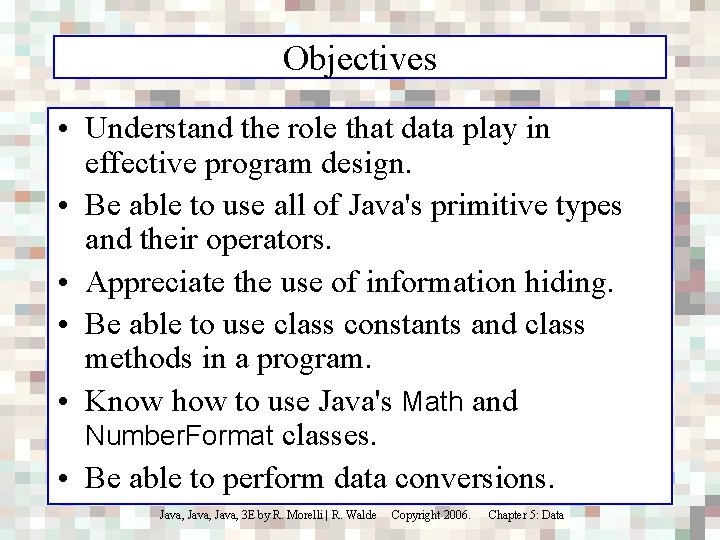
Objectives • Understand the role that data play in effective program design. • Be able to use all of Java's primitive types and their operators. • Appreciate the use of information hiding. • Be able to use class constants and class methods in a program. • Know how to use Java's Math and Number. Format classes. • Be able to perform data conversions. Java, 3 E by R. Morelli | R. Walde Copyright 2006. Chapter 5: Data
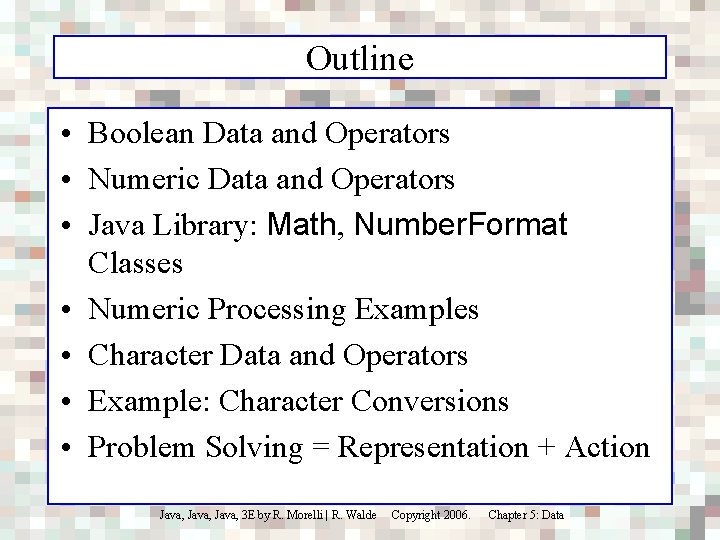
Outline • Boolean Data and Operators • Numeric Data and Operators • Java Library: Math, Number. Format Classes • Numeric Processing Examples • Character Data and Operators • Example: Character Conversions • Problem Solving = Representation + Action Java, 3 E by R. Morelli | R. Walde Copyright 2006. Chapter 5: Data
Programming = Representation + Action • Representation: finding a way to look at a problem. – Seeing the problem as related to a known problem. – Being able to divide the problem into smaller solvable problems. – Choosing the right kinds of objects and structures. • Action: the process of taking well-defined steps to solve a problem. • Given a particular way of representing the problem, what steps must we take to arrive at its solution? Java, 3 E by R. Morelli | R. Walde Copyright 2006. Chapter 5: Data
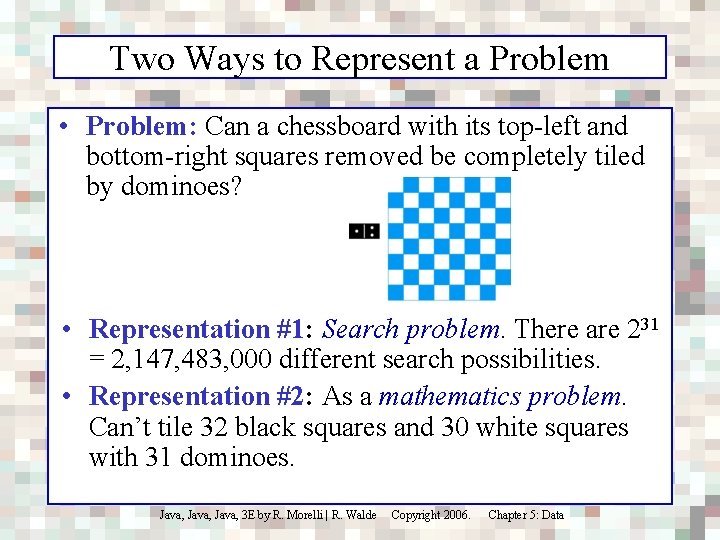
Two Ways to Represent a Problem • Problem: Can a chessboard with its top-left and bottom-right squares removed be completely tiled by dominoes? • Representation #1: Search problem. There are 231 = 2, 147, 483, 000 different search possibilities. • Representation #2: As a mathematics problem. Can’t tile 32 black squares and 30 white squares with 31 dominoes. Java, 3 E by R. Morelli | R. Walde Copyright 2006. Chapter 5: Data
Boolean Data and Operators Truth table definitions of the boolean operators: AND (&&), OR (||), EXCLUSIVE-OR (^) and NOT (!). Boolean data have only two possible values, true and false. o 1 || o 2 is true if either o 1 or o 2 is true. o 1 ^ o 2 is true if either o 1 or o 2 is true, but not when both are true. o 1 && o 2 is true only if both o 1 and o 2 are true. Java, 3 E by R. Morelli | R. Walde !o 1 is true when o 1 is false. Copyright 2006. Chapter 5: Data
Boolean Operator Precedence Order of Boolean Operators. In a mixed expression, NOT would be evaluated before XOR, which would be evaluated before AND, which would be evaluated before OR. AND is evaluated before OR because it has higher precedence. EXPRESSION true || true && false EVALUATION true || false ==> true (true || true) && false (true || (true && false) true && false ==> false true || false ==> true Java, 3 E by R. Morelli | R. Walde Parentheses can override the built-in precedence order. Copyright 2006. Chapter 5: Data
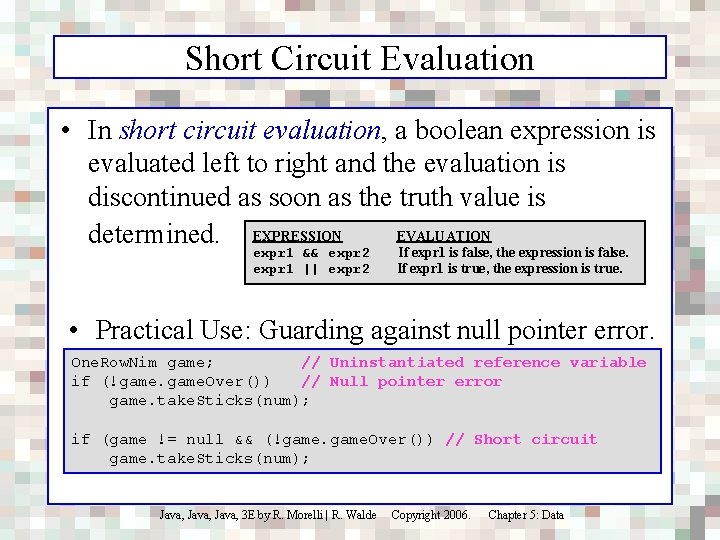
Short Circuit Evaluation • In short circuit evaluation, a boolean expression is evaluated left to right and the evaluation is discontinued as soon as the truth value is EVALUATION determined. EXPRESSION expr 1 && expr 2 If expr 1 is false, the expression is false. expr 1 || expr 2 If expr 1 is true, the expression is true. • Practical Use: Guarding against null pointer error. One. Row. Nim game; // Uninstantiated reference variable if (!game. Over()) // Null pointer error game. take. Sticks(num); if (game != null && (!game. Over()) // Short circuit game. take. Sticks(num); Java, 3 E by R. Morelli | R. Walde Copyright 2006. Chapter 5: Data
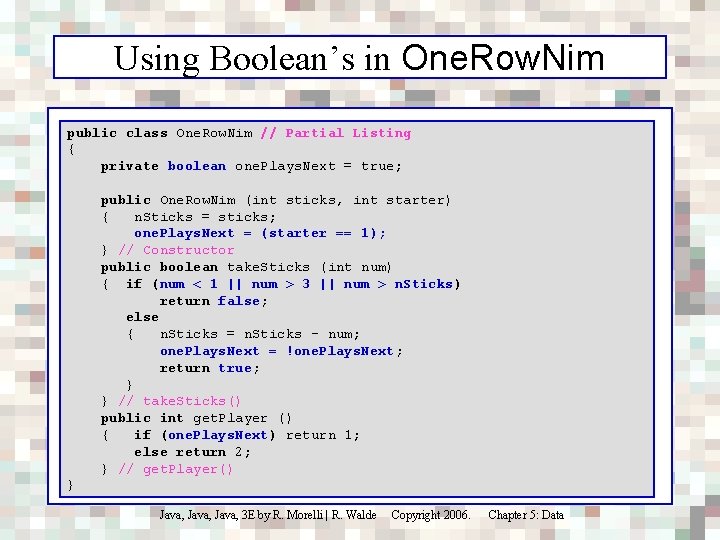
Using Boolean’s in One. Row. Nim public class One. Row. Nim // Partial Listing { private boolean one. Plays. Next = true; public One. Row. Nim (int sticks, int starter) { n. Sticks = sticks; one. Plays. Next = (starter == 1); } // Constructor public boolean take. Sticks (int num) { if (num < 1 || num > 3 || num > n. Sticks) return false; else { n. Sticks = n. Sticks - num; one. Plays. Next = !one. Plays. Next; return true; } } // take. Sticks() public int get. Player () { if (one. Plays. Next) return 1; else return 2; } // get. Player() } Java, 3 E by R. Morelli | R. Walde Copyright 2006. Chapter 5: Data
Numeric Data Types • Each bit can represent two values. • An n-bit quantity can represent 2 n values. 28 = 256 possible values. • Effective Design: Platform Independence. In Java a data type’s size is part of its definition and therefore remains consistent across all platforms. Java, 3 E by R. Morelli | R. Walde Copyright 2006. Chapter 5: Data
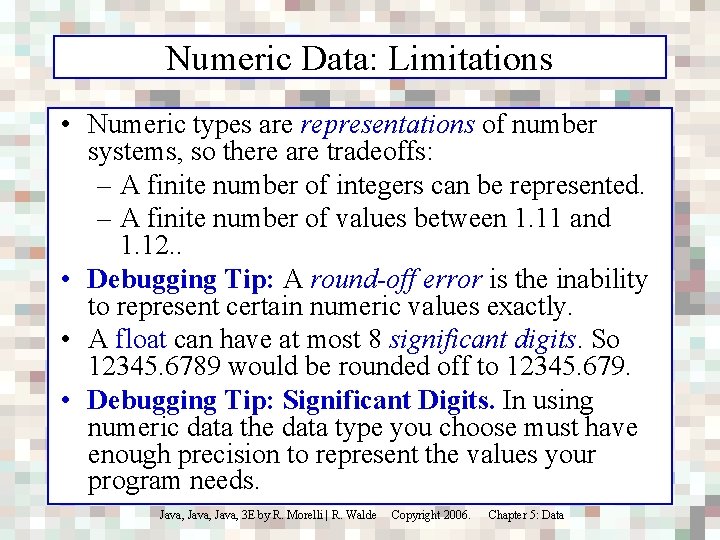
Numeric Data: Limitations • Numeric types are representations of number systems, so there are tradeoffs: – A finite number of integers can be represented. – A finite number of values between 1. 11 and 1. 12. . • Debugging Tip: A round-off error is the inability to represent certain numeric values exactly. • A float can have at most 8 significant digits. So 12345. 6789 would be rounded off to 12345. 679. • Debugging Tip: Significant Digits. In using numeric data the data type you choose must have enough precision to represent the values your program needs. Java, 3 E by R. Morelli | R. Walde Copyright 2006. Chapter 5: Data
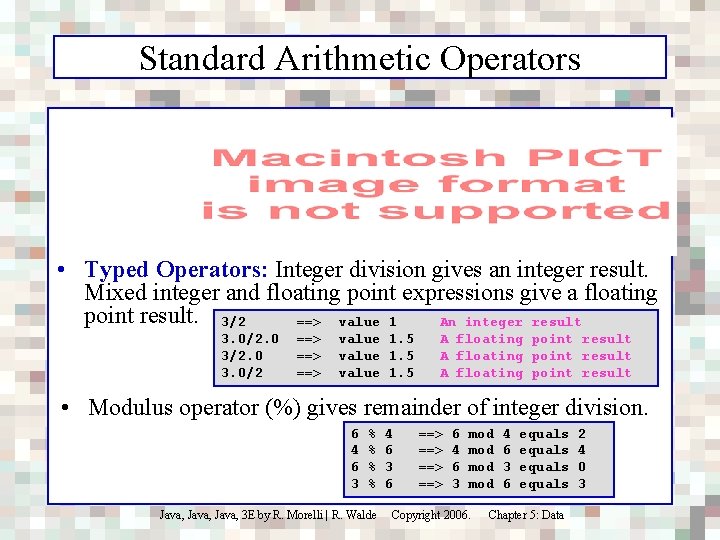
Standard Arithmetic Operators • Typed Operators: Integer division gives an integer result. Mixed integer and floating point expressions give a floating point result. 3/2 ==> value 1 An integer result 3. 0/2. 0 3. 0/2 ==> ==> value 1. 5 A floating point result • Modulus operator (%) gives remainder of integer division. 6 4 6 3 % % Java, 3 E by R. Morelli | R. Walde 4 6 3 6 ==> ==> 6 4 6 3 mod mod Copyright 2006. 4 6 3 6 equals Chapter 5: Data 2 4 0 3
Promotion • Promotion Rule: When two different types are involved in an expression, the smaller type (fewer bits) is promoted to the larger type before the expression is evaluated. 3/2. 0 3. 0/2 ==> 3. 0/2. 0 ==> value 1. 5 Java, 3 E by R. Morelli | R. Walde // Floating point result Copyright 2006. Chapter 5: Data
Numeric Precedence • Precedence Rule: In a mixed expression arithmetic operators are evaluated in precedence order. Operators of the same precedence are evaluated from left to right. Evaluate: Step 1. Step 2. Step 3. Step 4. Step 5. 9 + 6 - 3 * 6 / 2 ((9 + 6) - ((3 * 6) / 2 )) ((9 + 6) - (18 / 2 ) ) ((9 + 6) - 9 ) ( 15 - 9 ) 6 Or to avoid subtle semantic errors. Parentheses can be used to clarify precedence order. 5/3/2. 0 5/(3/2. 0) Java, 3 E by R. Morelli | R. Walde Copyright 2006. // 0. 5 // 3. 33 Chapter 5: Data
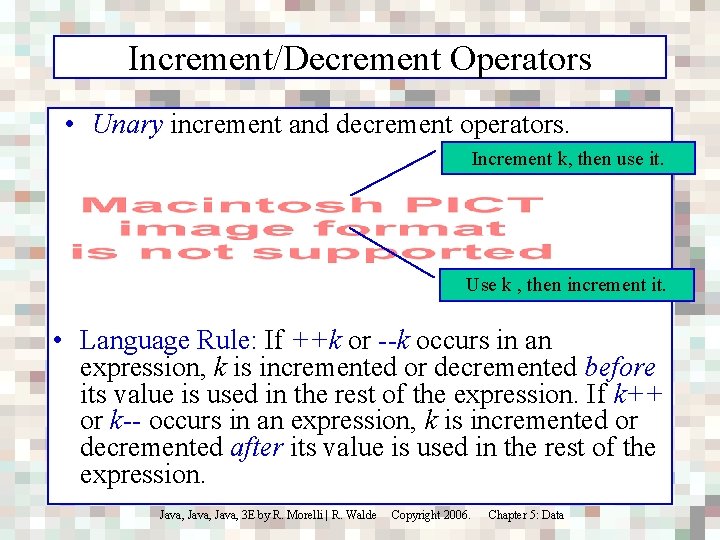
Increment/Decrement Operators • Unary increment and decrement operators. Increment k, then use it. Use k , then increment it. • Language Rule: If ++k or --k occurs in an expression, k is incremented or decremented before its value is used in the rest of the expression. If k++ or k-- occurs in an expression, k is incremented or decremented after its value is used in the rest of the expression. Java, 3 E by R. Morelli | R. Walde Copyright 2006. Chapter 5: Data
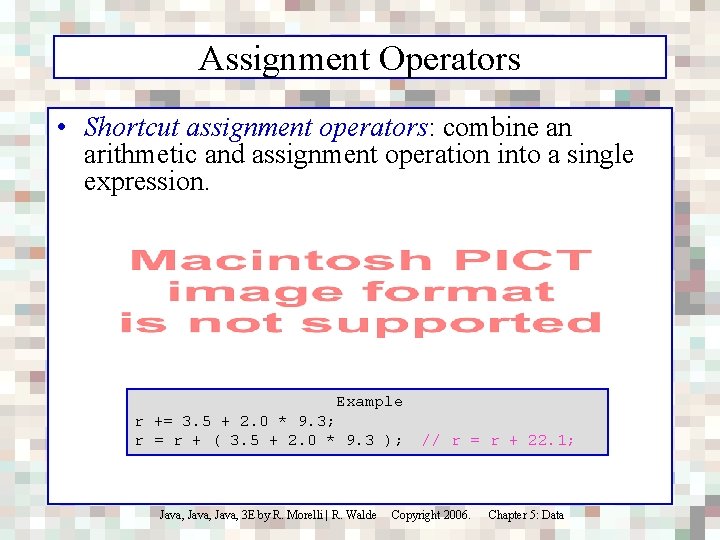
Assignment Operators • Shortcut assignment operators: combine an arithmetic and assignment operation into a single expression. Example r += 3. 5 + 2. 0 * 9. 3; r = r + ( 3. 5 + 2. 0 * 9. 3 ); Java, 3 E by R. Morelli | R. Walde // r = r + 22. 1; Copyright 2006. Chapter 5: Data
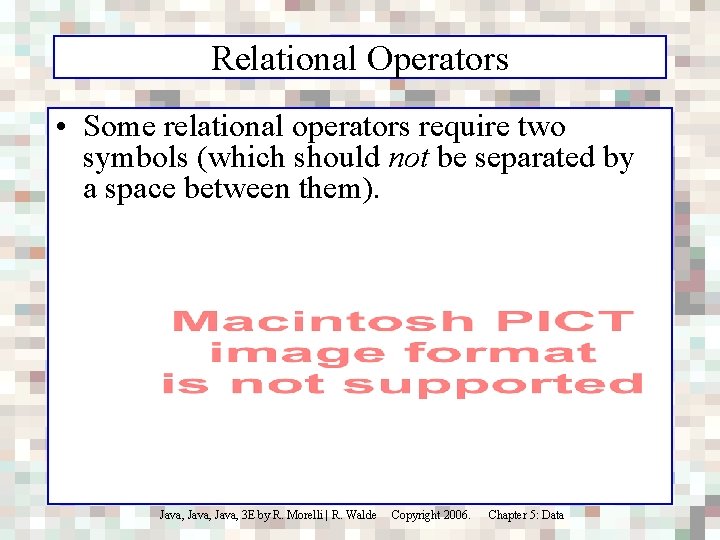
Relational Operators • Some relational operators require two symbols (which should not be separated by a space between them). Java, 3 E by R. Morelli | R. Walde Copyright 2006. Chapter 5: Data
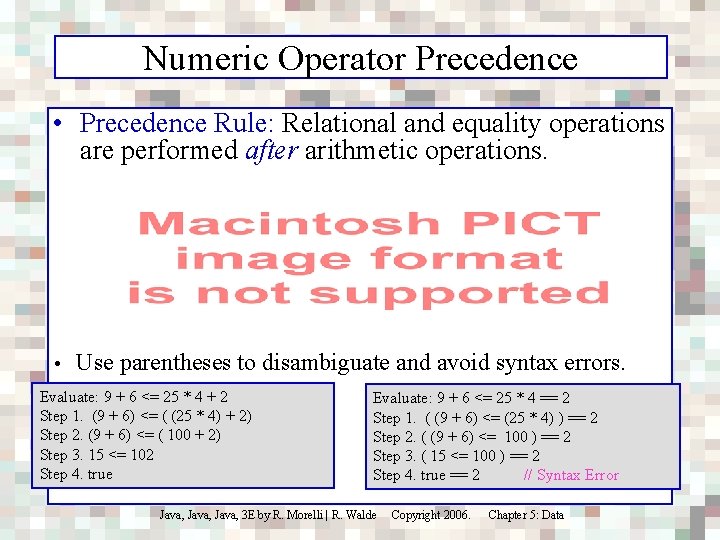
Numeric Operator Precedence • Precedence Rule: Relational and equality operations are performed after arithmetic operations. • Use parentheses to disambiguate and avoid syntax errors. Evaluate: 9 + 6 <= 25 * 4 + 2 Step 1. (9 + 6) <= ( (25 * 4) + 2) Step 2. (9 + 6) <= ( 100 + 2) Step 3. 15 <= 102 Step 4. true Evaluate: 9 + 6 <= 25 * 4 == 2 Step 1. ( (9 + 6) <= (25 * 4) ) == 2 Step 2. ( (9 + 6) <= 100 ) == 2 Step 3. ( 15 <= 100 ) == 2 Step 4. true == 2 // Syntax Error Java, 3 E by R. Morelli | R. Walde Copyright 2006. Chapter 5: Data
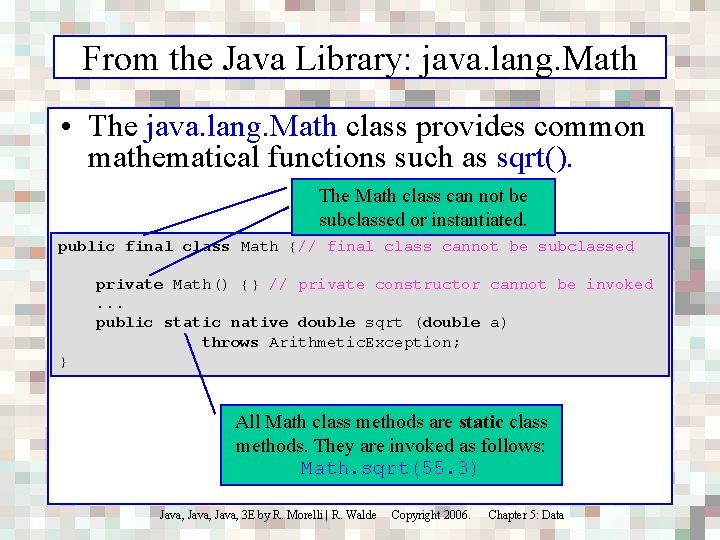
From the Java Library: java. lang. Math • The java. lang. Math class provides common mathematical functions such as sqrt(). The Math class can not be subclassed or instantiated. public final class Math {// final class cannot be subclassed private Math() {} // private constructor cannot be invoked. . . public static native double sqrt (double a) throws Arithmetic. Exception; } All Math class methods are static class methods. They are invoked as follows: Math. sqrt(55. 3) Java, 3 E by R. Morelli | R. Walde Copyright 2006. Chapter 5: Data
Math Class Methods Java, 3 E by R. Morelli | R. Walde Copyright 2006. Chapter 5: Data
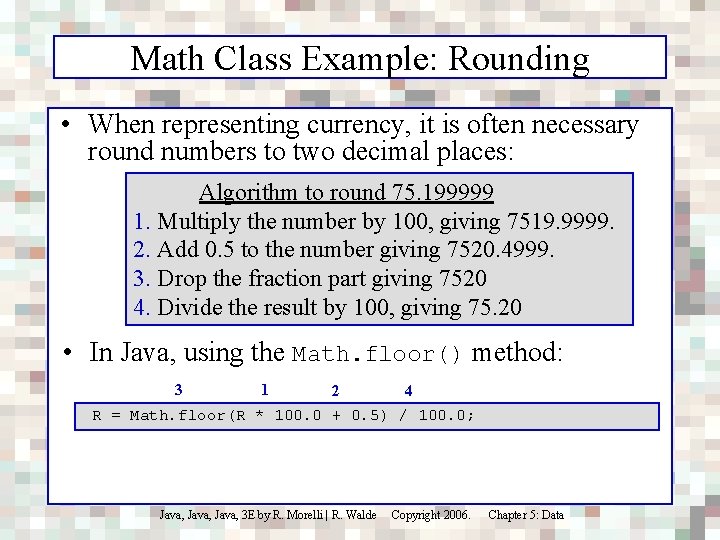
Math Class Example: Rounding • When representing currency, it is often necessary round numbers to two decimal places: Algorithm to round 75. 199999 1. Multiply the number by 100, giving 7519. 9999. 2. Add 0. 5 to the number giving 7520. 4999. 3. Drop the fraction part giving 7520 4. Divide the result by 100, giving 75. 20 • In Java, using the Math. floor() method: 3 1 2 4 R = Math. floor(R * 100. 0 + 0. 5) / 100. 0; Java, 3 E by R. Morelli | R. Walde Copyright 2006. Chapter 5: Data
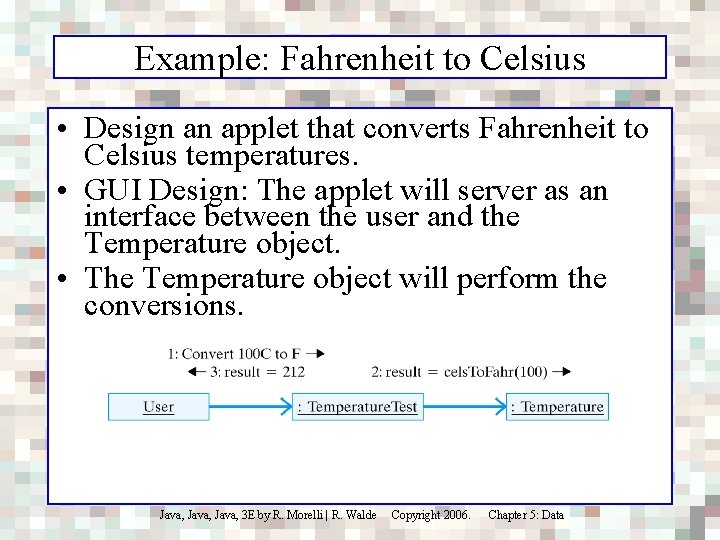
Example: Fahrenheit to Celsius • Design an applet that converts Fahrenheit to Celsius temperatures. • GUI Design: The applet will server as an interface between the user and the Temperature object. • The Temperature object will perform the conversions. Java, 3 E by R. Morelli | R. Walde Copyright 2006. Chapter 5: Data
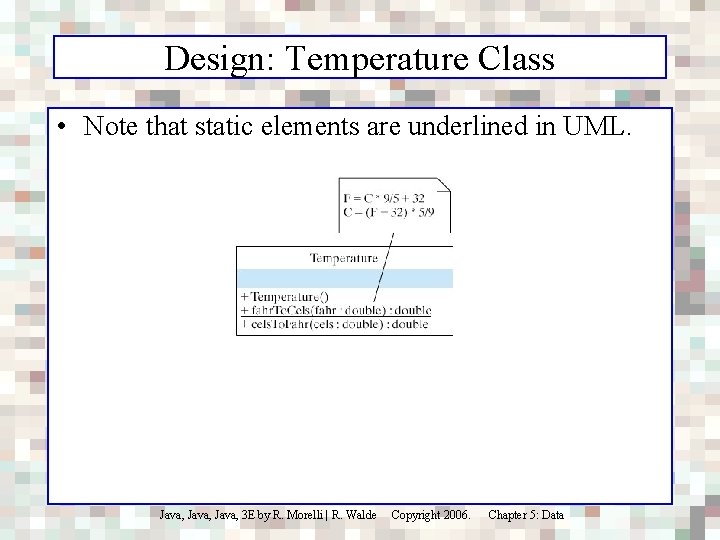
Design: Temperature Class • Note that static elements are underlined in UML. Java, 3 E by R. Morelli | R. Walde Copyright 2006. Chapter 5: Data
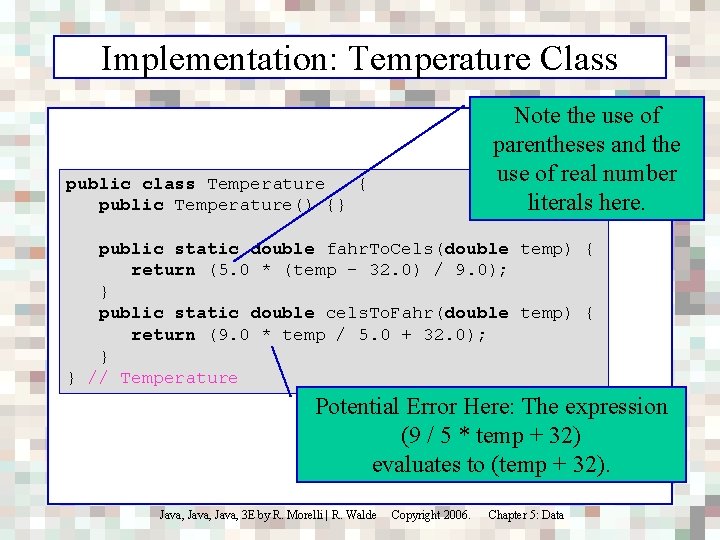
Implementation: Temperature Class Note the use of parentheses and the use of real number literals here. public class Temperature { public Temperature() {} public static double fahr. To. Cels(double temp) { return (5. 0 * (temp - 32. 0) / 9. 0); } public static double cels. To. Fahr(double temp) { return (9. 0 * temp / 5. 0 + 32. 0); } } // Temperature Potential Error Here: The expression (9 / 5 * temp + 32) evaluates to (temp + 32). Java, 3 E by R. Morelli | R. Walde Copyright 2006. Chapter 5: Data
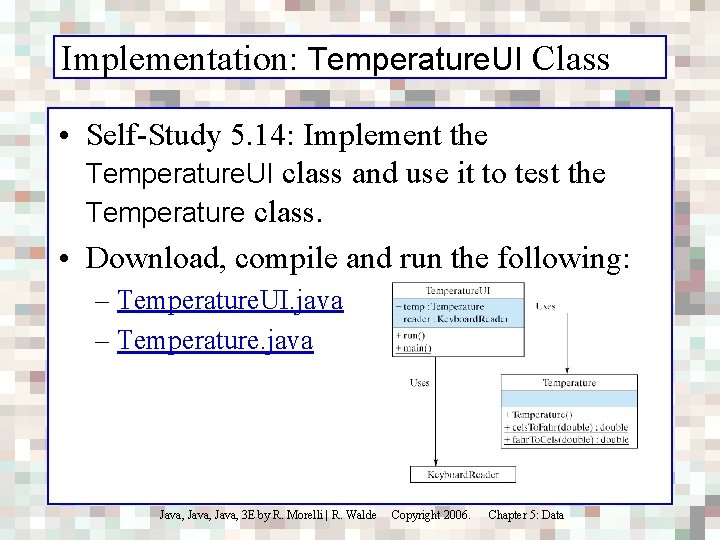
Implementation: Temperature. UI Class • Self-Study 5. 14: Implement the Temperature. UI class and use it to test the Temperature class. • Download, compile and run the following: – Temperature. UI. java – Temperature. java Java, 3 E by R. Morelli | R. Walde Copyright 2006. Chapter 5: Data
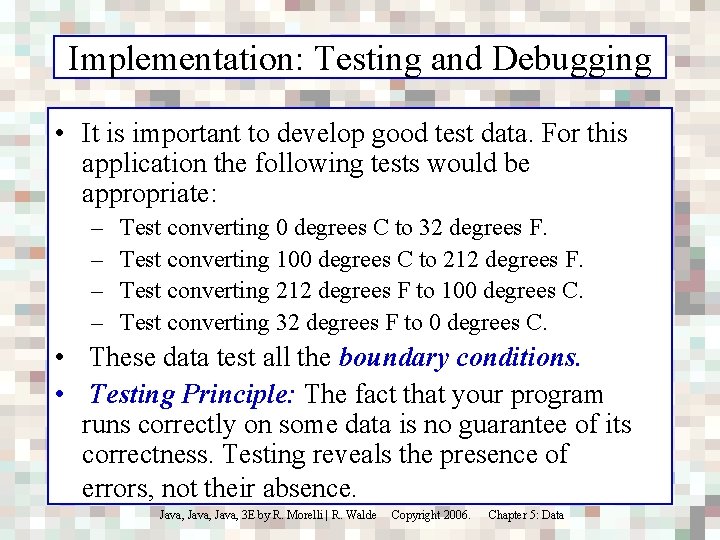
Implementation: Testing and Debugging • It is important to develop good test data. For this application the following tests would be appropriate: – – Test converting 0 degrees C to 32 degrees F. Test converting 100 degrees C to 212 degrees F. Test converting 212 degrees F to 100 degrees C. Test converting 32 degrees F to 0 degrees C. • These data test all the boundary conditions. • Testing Principle: The fact that your program runs correctly on some data is no guarantee of its correctness. Testing reveals the presence of errors, not their absence. Java, 3 E by R. Morelli | R. Walde Copyright 2006. Chapter 5: Data
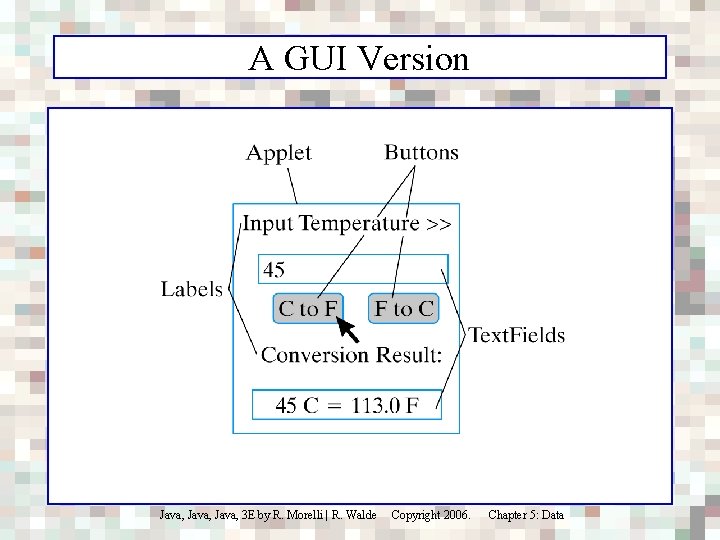
A GUI Version Java, 3 E by R. Morelli | R. Walde Copyright 2006. Chapter 5: Data
Implementation: Temperature. UI Class • Self-Study 5. 15: Implement the GUI following the design of the GUI in Chapter 4. • Click here for a Temperature applet demo. • Download, compile and run the following source files: – Temperature. JPanel. java – Temperature. JApplet. java – Temperature. java Java, 3 E by R. Morelli | R. Walde Copyright 2006. Chapter 5: Data
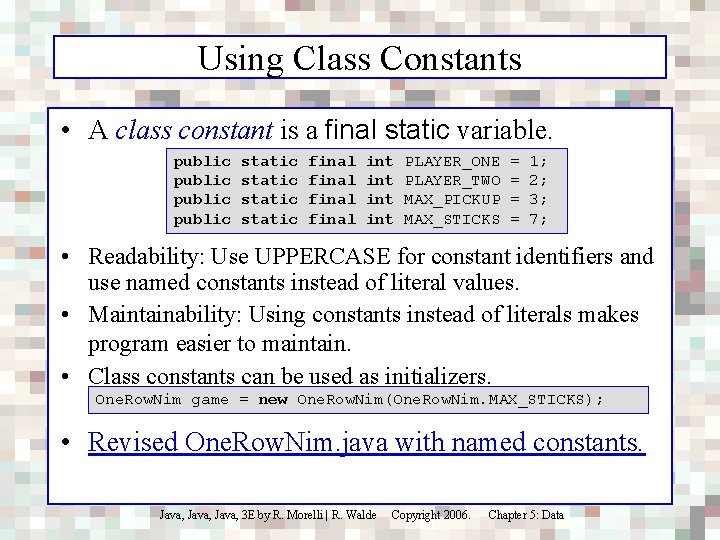
Using Class Constants • A class constant is a final static variable. public static final int int PLAYER_ONE PLAYER_TWO MAX_PICKUP MAX_STICKS = = 1; 2; 3; 7; • Readability: Use UPPERCASE for constant identifiers and use named constants instead of literal values. • Maintainability: Using constants instead of literals makes program easier to maintain. • Class constants can be used as initializers. One. Row. Nim game = new One. Row. Nim(One. Row. Nim. MAX_STICKS); • Revised One. Row. Nim. java with named constants. Java, 3 E by R. Morelli | R. Walde Copyright 2006. Chapter 5: Data
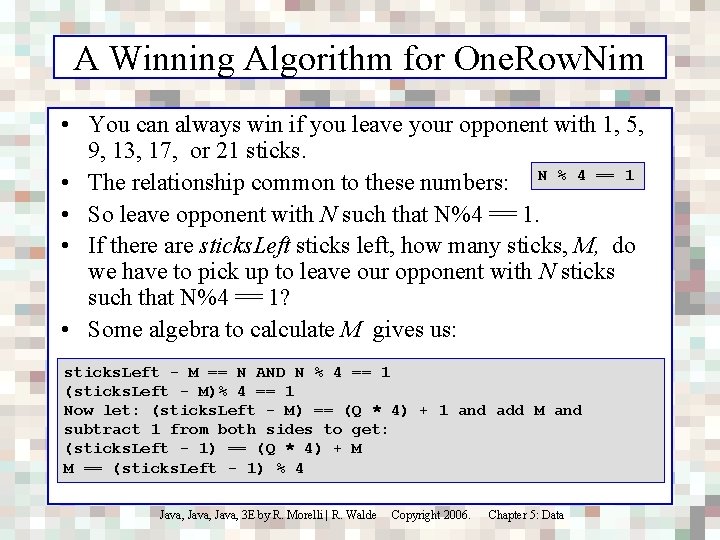
A Winning Algorithm for One. Row. Nim • You can always win if you leave your opponent with 1, 5, 9, 13, 17, or 21 sticks. • The relationship common to these numbers: N % 4 == 1 • So leave opponent with N such that N%4 == 1. • If there are sticks. Left sticks left, how many sticks, M, do we have to pick up to leave our opponent with N sticks such that N%4 == 1? • Some algebra to calculate M gives us: sticks. Left - M == N AND N % 4 == 1 (sticks. Left - M)% 4 == 1 Now let: (sticks. Left - M) == (Q * 4) + 1 and add M and subtract 1 from both sides to get: (sticks. Left - 1) == (Q * 4) + M M == (sticks. Left - 1) % 4 Java, 3 E by R. Morelli | R. Walde Copyright 2006. Chapter 5: Data
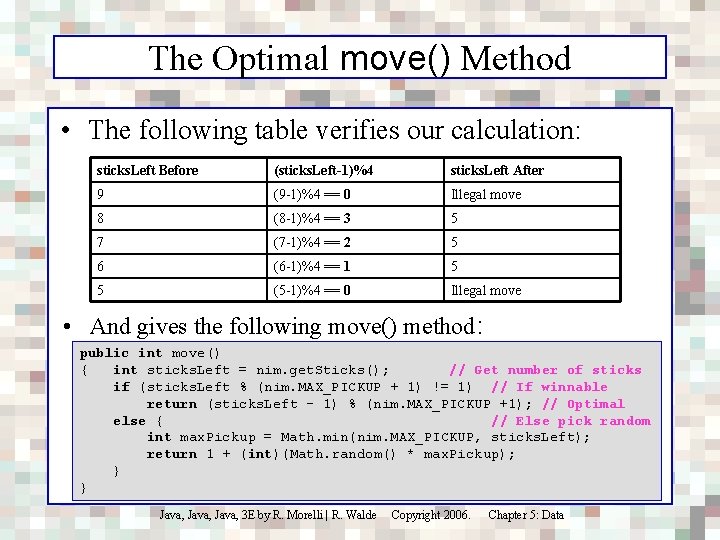
The Optimal move() Method • The following table verifies our calculation: sticks. Left Before (sticks. Left-1)%4 sticks. Left After 9 (9 -1)%4 == 0 Illegal move 8 (8 -1)%4 == 3 5 7 (7 -1)%4 == 2 5 6 (6 -1)%4 == 1 5 5 (5 -1)%4 == 0 Illegal move • And gives the following move() method: public int move() { int sticks. Left = nim. get. Sticks(); // Get number of sticks if (sticks. Left % (nim. MAX_PICKUP + 1) != 1) // If winnable return (sticks. Left - 1) % (nim. MAX_PICKUP +1); // Optimal else { // Else pick random int max. Pickup = Math. min(nim. MAX_PICKUP, sticks. Left); return 1 + (int)(Math. random() * max. Pickup); } } Java, 3 E by R. Morelli | R. Walde Copyright 2006. Chapter 5: Data
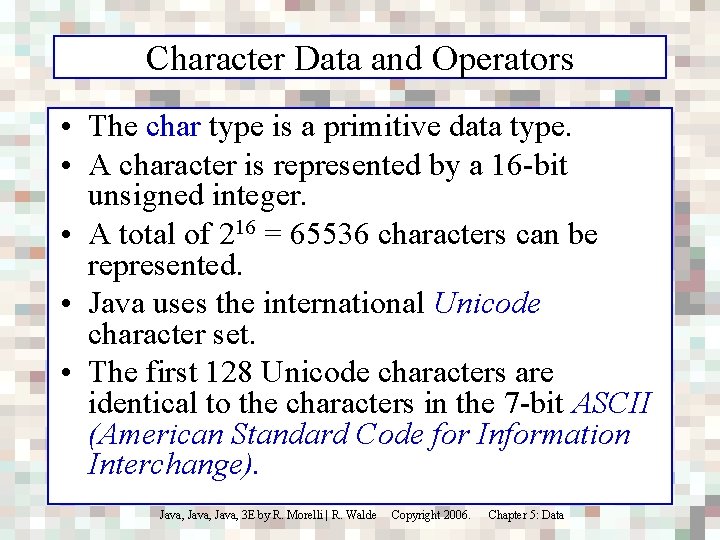
Character Data and Operators • The char type is a primitive data type. • A character is represented by a 16 -bit unsigned integer. • A total of 216 = 65536 characters can be represented. • Java uses the international Unicode character set. • The first 128 Unicode characters are identical to the characters in the 7 -bit ASCII (American Standard Code for Information Interchange). Java, 3 E by R. Morelli | R. Walde Copyright 2006. Chapter 5: Data
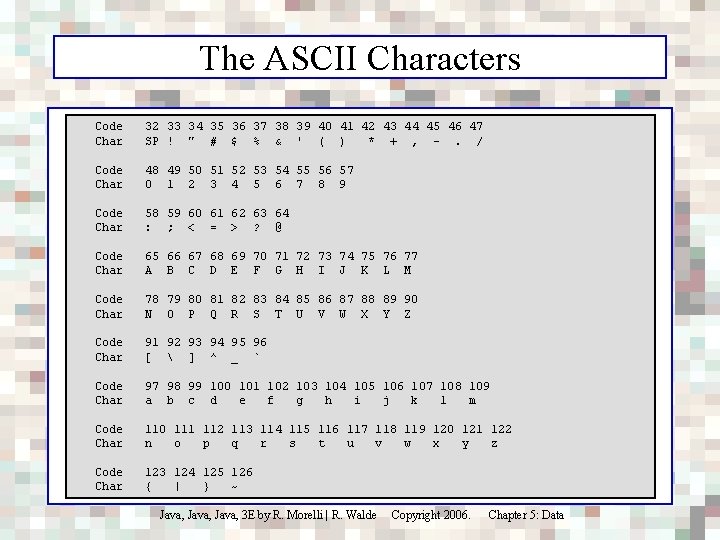
The ASCII Characters Code Char 32 33 34 35 36 37 38 39 40 41 42 43 44 45 46 47 SP ! " # $ % & ' ( ) * + , -. / Code Char 48 49 50 51 52 53 54 55 56 57 0 1 2 3 4 5 6 7 8 9 Code Char 58 59 60 61 62 63 64 : ; < = > ? @ Code Char 65 66 67 68 69 70 71 72 73 74 75 76 77 A B C D E F G H I J K L M Code Char 78 79 80 81 82 83 84 85 86 87 88 89 90 N O P Q R S T U V W X Y Z Code Char 91 92 93 94 95 96 [ ] ^ _ ` Code Char 97 98 99 100 101 102 103 104 105 106 107 108 109 a b c d e f g h i j k l m Code Char 110 111 112 113 114 115 116 117 118 119 120 121 122 n o p q r s t u v w x y z Code Char 123 124 125 126 { | } ~ Java, 3 E by R. Morelli | R. Walde Copyright 2006. Chapter 5: Data
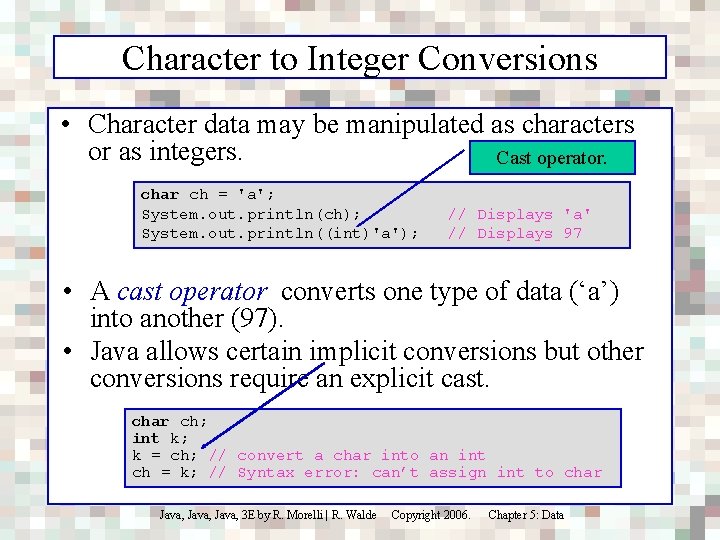
Character to Integer Conversions • Character data may be manipulated as characters or as integers. Cast operator. char ch = 'a'; System. out. println(ch); System. out. println((int)'a'); // Displays 'a' // Displays 97 • A cast operator converts one type of data (‘a’) into another (97). • Java allows certain implicit conversions but other conversions require an explicit cast. char ch; int k; k = ch; // convert a char into an int ch = k; // Syntax error: can’t assign int to char Java, 3 E by R. Morelli | R. Walde Copyright 2006. Chapter 5: Data
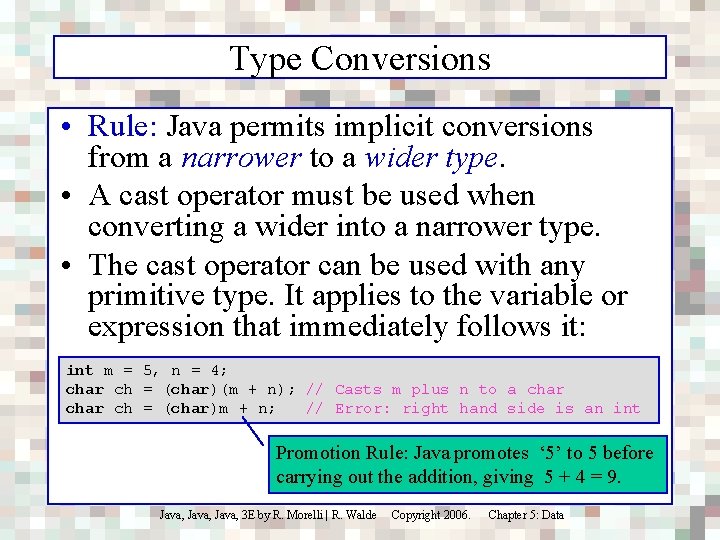
Type Conversions • Rule: Java permits implicit conversions from a narrower to a wider type. • A cast operator must be used when converting a wider into a narrower type. • The cast operator can be used with any primitive type. It applies to the variable or expression that immediately follows it: int m = 5, n = 4; char ch = (char)(m + n); // Casts m plus n to a char ch = (char)m + n; // Error: right hand side is an int Promotion Rule: Java promotes ‘ 5’ to 5 before carrying out the addition, giving 5 + 4 = 9. Java, 3 E by R. Morelli | R. Walde Copyright 2006. Chapter 5: Data
Relational Operators • Since char data are represented as integers, Java can use integer order to represent lexical order. Java, 3 E by R. Morelli | R. Walde Copyright 2006. Chapter 5: Data
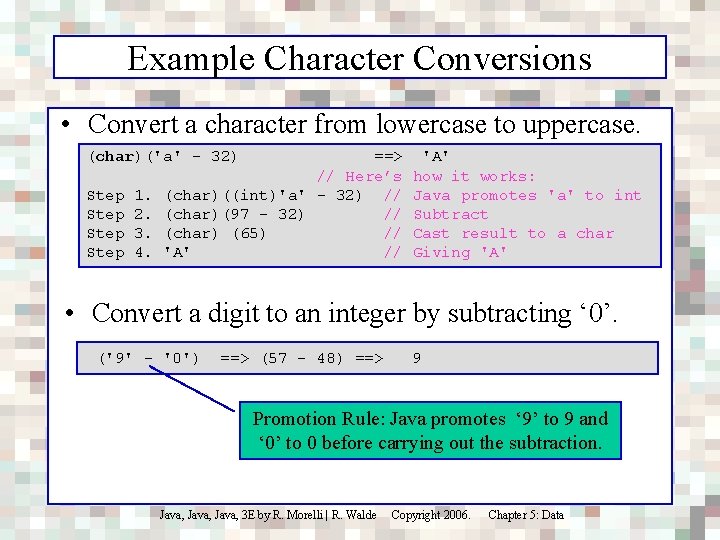
Example Character Conversions • Convert a character from lowercase to uppercase. (char)('a' - 32) ==> // Here’s Step 1. (char)((int)'a' - 32) // Step 2. (char)(97 - 32) // Step 3. (char) (65) // Step 4. 'A' // 'A' how it works: Java promotes 'a' to int Subtract Cast result to a char Giving 'A' • Convert a digit to an integer by subtracting ‘ 0’. ('9' - '0') ==> (57 - 48) ==> 9 Promotion Rule: Java promotes ‘ 9’ to 9 and ‘ 0’ to 0 before carrying out the subtraction. Java, 3 E by R. Morelli | R. Walde Copyright 2006. Chapter 5: Data
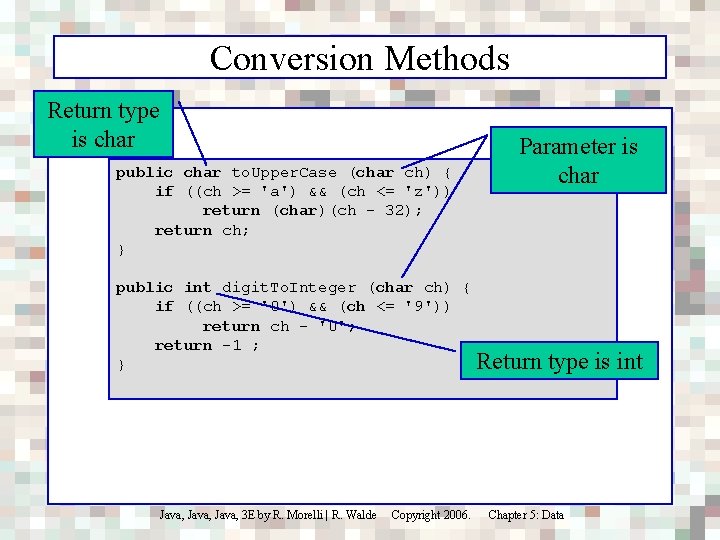
Conversion Methods Return type is char public char to. Upper. Case (char ch) { if ((ch >= 'a') && (ch <= 'z')) return (char)(ch - 32); return ch; } Parameter is char public int digit. To. Integer (char ch) { if ((ch >= '0') && (ch <= '9')) return ch - '0'; return -1 ; Return } Java, 3 E by R. Morelli | R. Walde Copyright 2006. type is int Chapter 5: Data
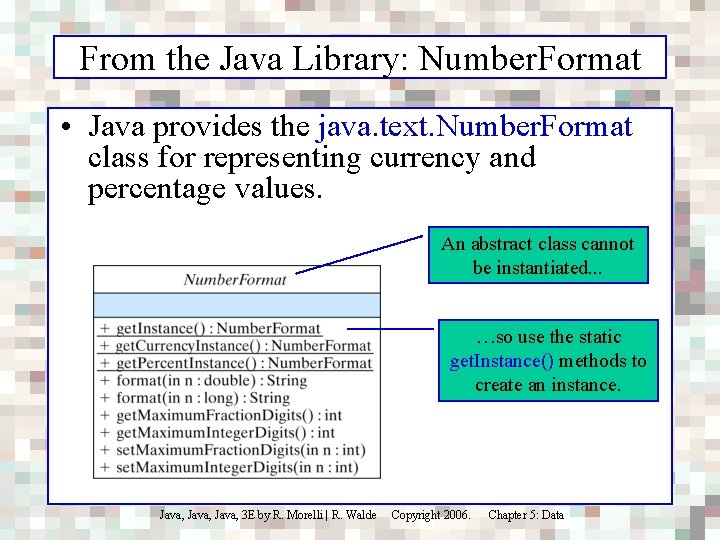
From the Java Library: Number. Format • Java provides the java. text. Number. Format class for representing currency and percentage values. An abstract class cannot be instantiated. . . …so use the static get. Instance() methods to create an instance. Java, 3 E by R. Morelli | R. Walde Copyright 2006. Chapter 5: Data
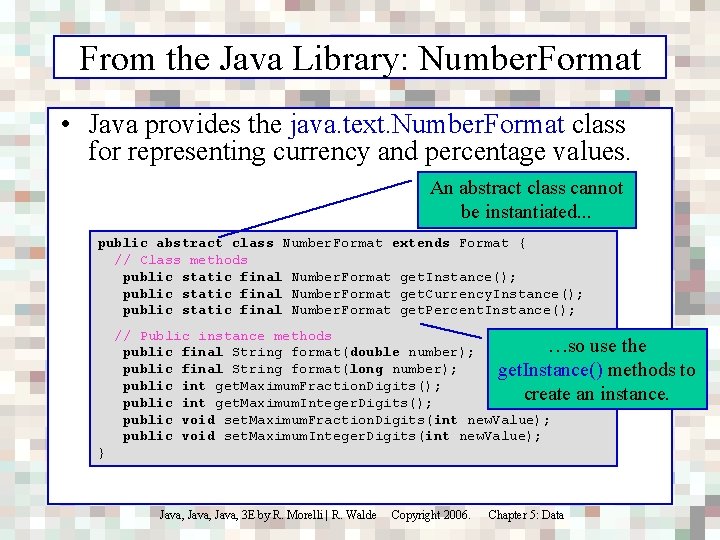
From the Java Library: Number. Format • Java provides the java. text. Number. Format class for representing currency and percentage values. An abstract class cannot be instantiated. . . public abstract class Number. Format extends Format { // Class methods public static final Number. Format get. Instance(); public static final Number. Format get. Currency. Instance(); public static final Number. Format get. Percent. Instance(); // Public instance methods …so use the public final String format(double number); public final String format(long number); get. Instance() methods public int get. Maximum. Fraction. Digits(); create an instance. public int get. Maximum. Integer. Digits(); public void set. Maximum. Fraction. Digits(int new. Value); public void set. Maximum. Integer. Digits(int new. Value); } Java, 3 E by R. Morelli | R. Walde Copyright 2006. Chapter 5: Data to
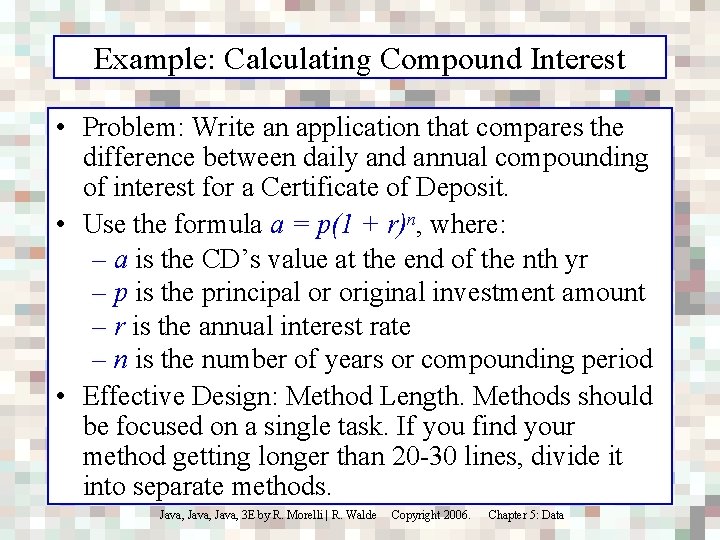
Example: Calculating Compound Interest • Problem: Write an application that compares the difference between daily and annual compounding of interest for a Certificate of Deposit. • Use the formula a = p(1 + r)n, where: – a is the CD’s value at the end of the nth yr – p is the principal or original investment amount – r is the annual interest rate – n is the number of years or compounding period • Effective Design: Method Length. Methods should be focused on a single task. If you find your method getting longer than 20 -30 lines, divide it into separate methods. Java, 3 E by R. Morelli | R. Walde Copyright 2006. Chapter 5: Data
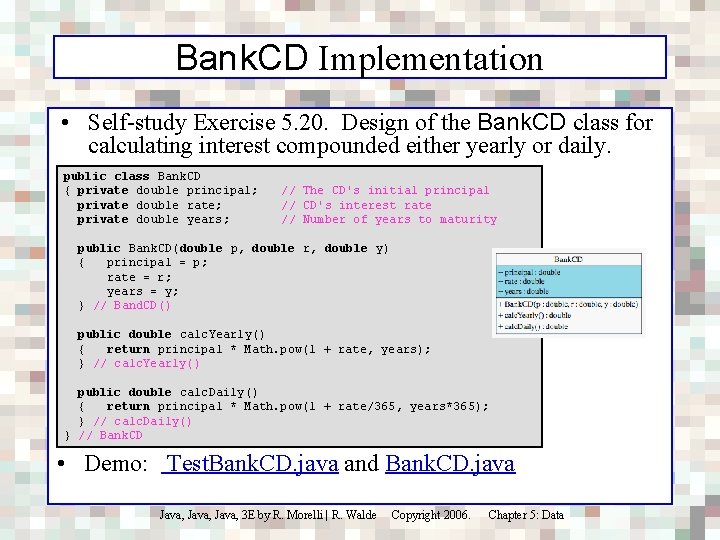
Bank. CD Implementation • Self-study Exercise 5. 20. Design of the Bank. CD class for calculating interest compounded either yearly or daily. public class Bank. CD { private double principal; private double rate; private double years; // The CD's initial principal // CD's interest rate // Number of years to maturity public Bank. CD(double p, double r, double y) { principal = p; rate = r; years = y; } // Band. CD() public double calc. Yearly() { return principal * Math. pow(1 + rate, years); } // calc. Yearly() public double calc. Daily() { return principal * Math. pow(1 + rate/365, years*365); } // calc. Daily() } // Bank. CD • Demo: Test. Bank. CD. java and Bank. CD. java Java, 3 E by R. Morelli | R. Walde Copyright 2006. Chapter 5: Data
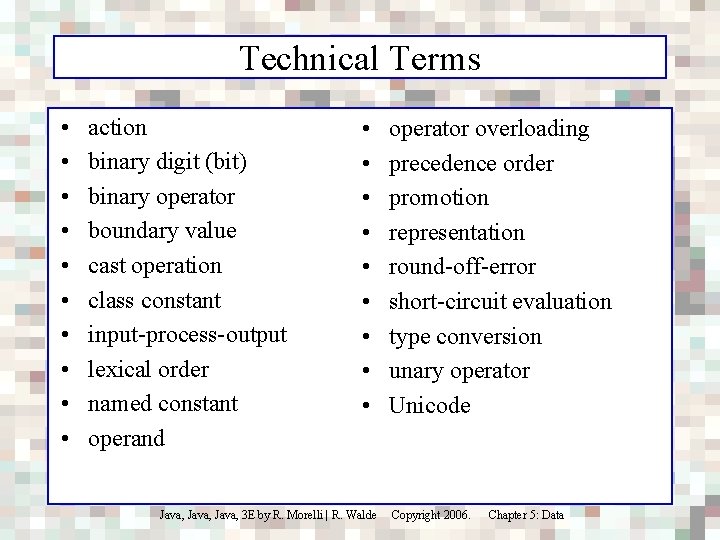
Technical Terms • • • action binary digit (bit) binary operator boundary value cast operation class constant input-process-output lexical order named constant operand • • • Java, 3 E by R. Morelli | R. Walde operator overloading precedence order promotion representation round-off-error short-circuit evaluation type conversion unary operator Unicode Copyright 2006. Chapter 5: Data
Summary Of Important Points • Choosing an appropriate representation for a problem is often the key to solving it. • Scalability principle: a well-designed model or representation should be easily extensible. • Modularity principle: a well-designed representation contains methods that do not have to be modified each time the model is extended. • To evaluate complex expressions, it is necessary to understand the precedence order and associativity of the operators involved. • Parentheses can always be used to override an operator's built-in precedence. Java, 3 E by R. Morelli | R. Walde Copyright 2006. Chapter 5: Data
Summary of Important Points (cont) • Java integer data: the 8 -bit byte, 16 -bit short, 32 bit int, and 64 -bit long types. Integer literals are represented as int data in a Java program. • Java floating point data: the 32 -bit float type and the 64 -bit double type. Floating point literals are represented as float data. • If a data type uses n bits in its representation then it can represent 2 n different values. • Platform independence: Java’s primitive types are defined in terms of a specific number of bits. • Strong typing: Java distinguishes integer operations from floating point operations: (7/2) is 3, while (7. 0/2) is 3. 0. Java, 3 E by R. Morelli | R. Walde Copyright 2006. Chapter 5: Data
Summary of Important Points • When revising a class that is used by other classes, it is a good idea to make it backward compatible. In revising a class that is used by other classes it is important to preserve as much of the class's interface as possible. • In Java, character data are based on the Unicode character set, which provides 216 = 65, 536 different character codes. To provide backwards compatibility with the ASCII code, the first 128 characters are the ASCII coded characters. Java, 3 E by R. Morelli | R. Walde Copyright 2006. Chapter 5: Data
- Slides: 47