
PRESENTATION ON SCHOOL MANAGEMENT SOFTWARE INDEX Master Module


- Slides: 68
PRESENTATION ON SCHOOL MANAGEMENT SOFTWARE
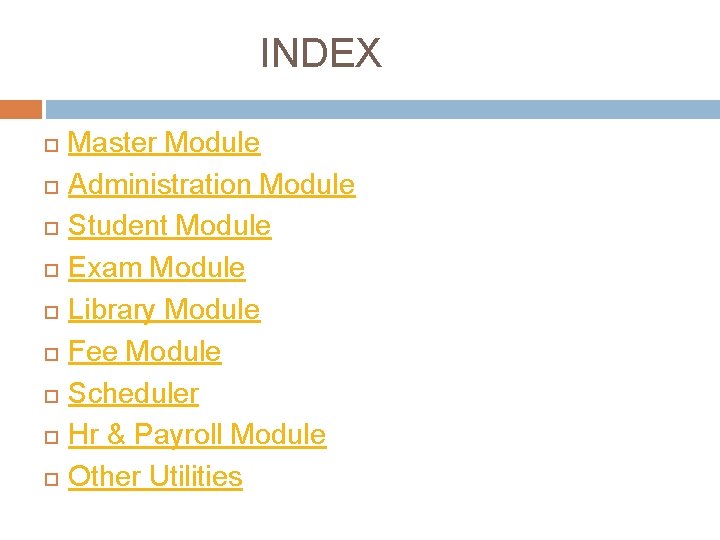
INDEX Master Module Administration Module Student Module Exam Module Library Module Fee Module Scheduler Hr & Payroll Module Other Utilities
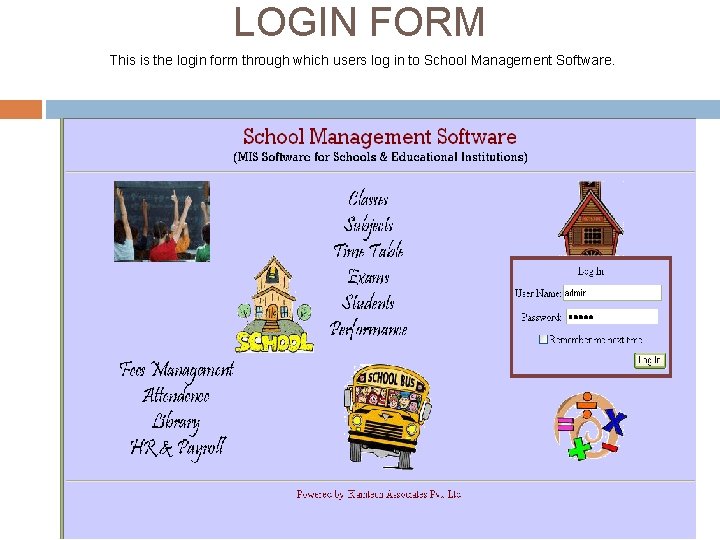
LOGIN FORM This is the login form through which users log in to School Management Software.
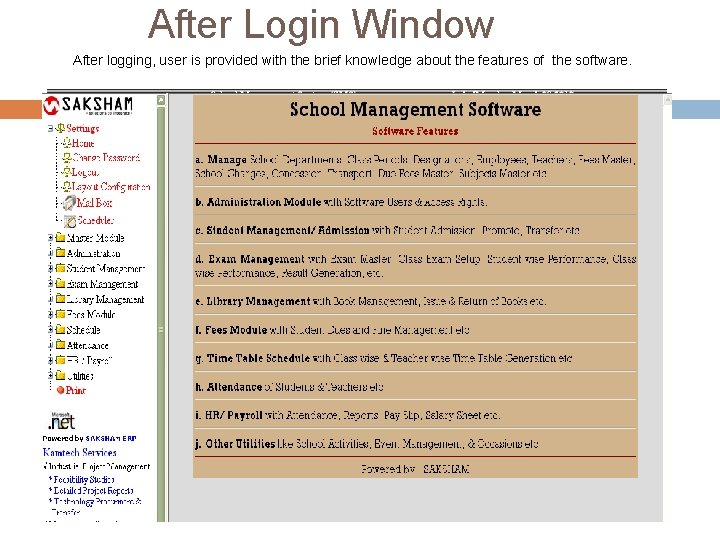
After Login Window After logging, user is provided with the brief knowledge about the features of the software.
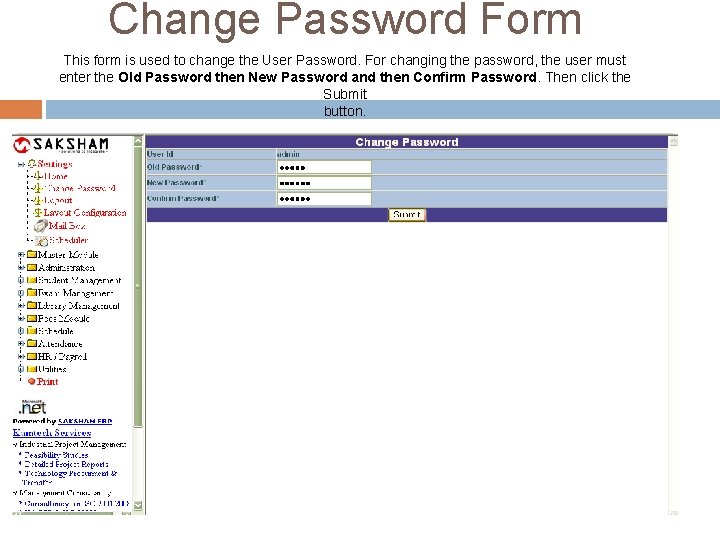
Change Password Form This form is used to change the User Password. For changing the password, the user must enter the Old Password then New Password and then Confirm Password. Then click the Submit button.
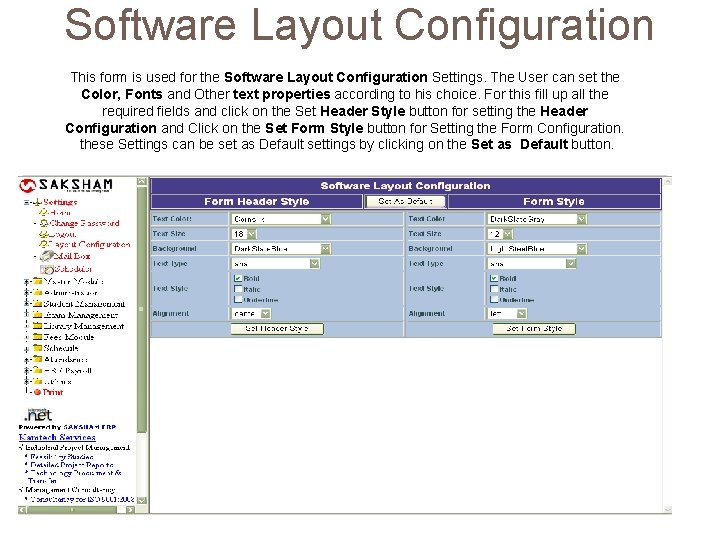
Software Layout Configuration This form is used for the Software Layout Configuration Settings. The User can set the Color, Fonts and Other text properties according to his choice. For this fill up all the required fields and click on the Set Header Style button for setting the Header Configuration and Click on the Set Form Style button for Setting the Form Configuration. these Settings can be set as Default settings by clicking on the Set as Default button.
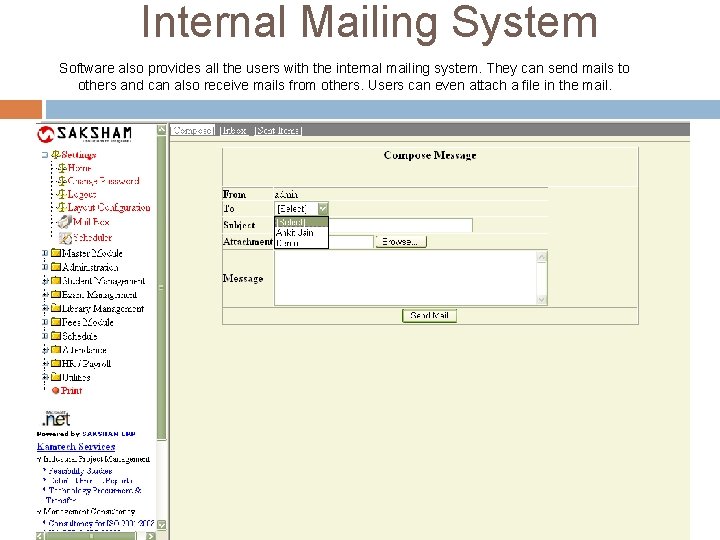
Internal Mailing System Software also provides all the users with the internal mailing system. They can send mails to others and can also receive mails from others. Users can even attach a file in the mail.
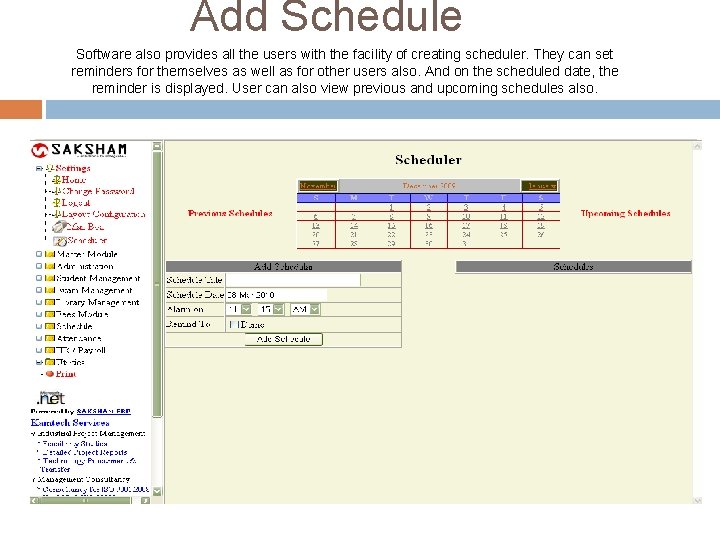
Add Schedule Software also provides all the users with the facility of creating scheduler. They can set reminders for themselves as well as for other users also. And on the scheduled date, the reminder is displayed. User can also view previous and upcoming schedules also.
Master Module
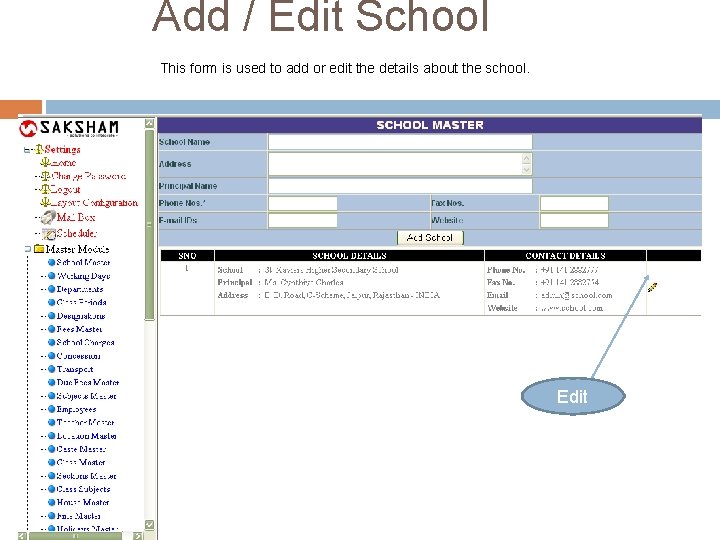
Add / Edit School This form is used to add or edit the details about the school. Edit
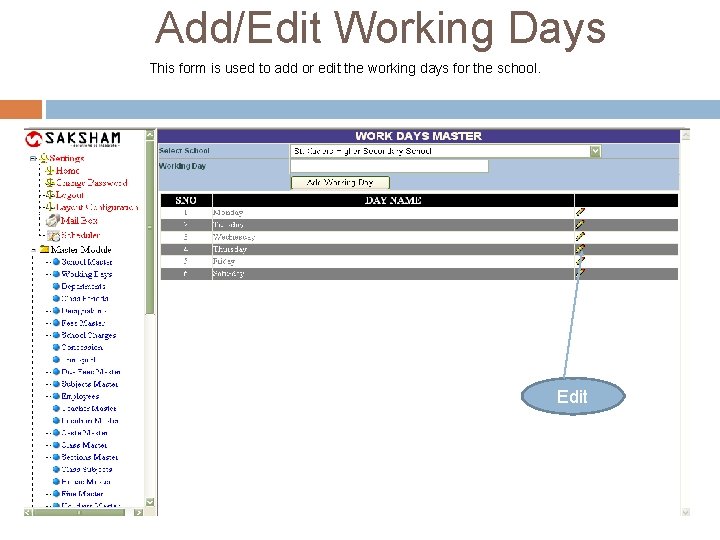
Add/Edit Working Days This form is used to add or edit the working days for the school. Edit
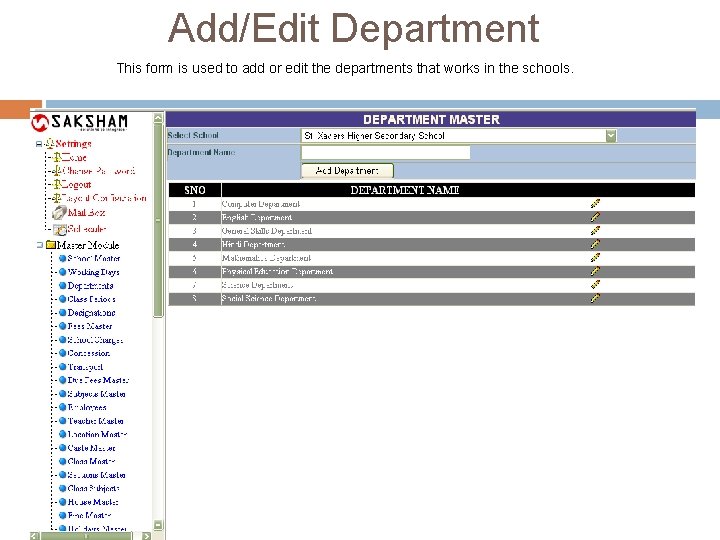
Add/Edit Department This form is used to add or edit the departments that works in the schools.
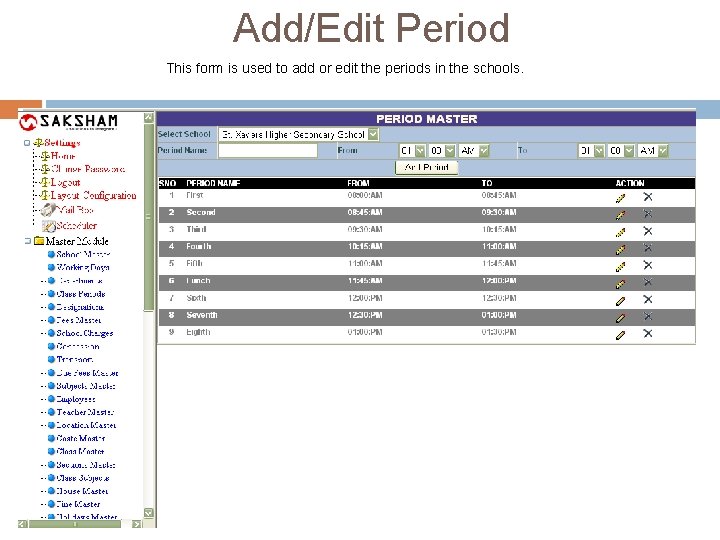
Add/Edit Period This form is used to add or edit the periods in the schools.
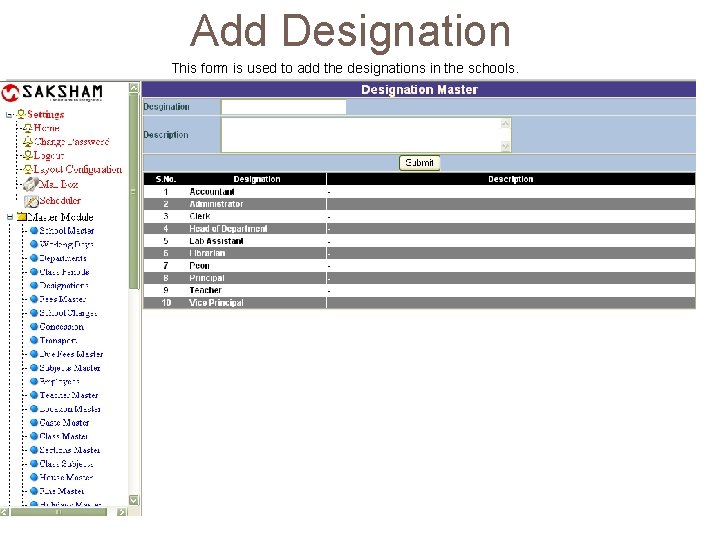
Add Designation This form is used to add the designations in the schools.
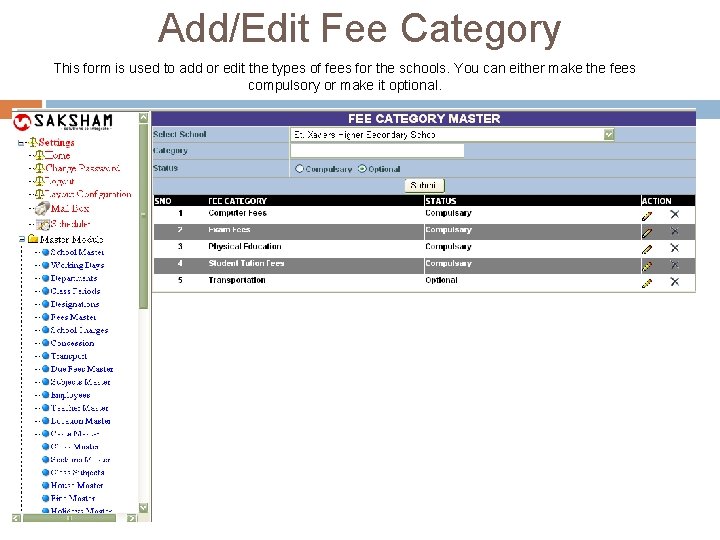
Add/Edit Fee Category This form is used to add or edit the types of fees for the schools. You can either make the fees compulsory or make it optional.
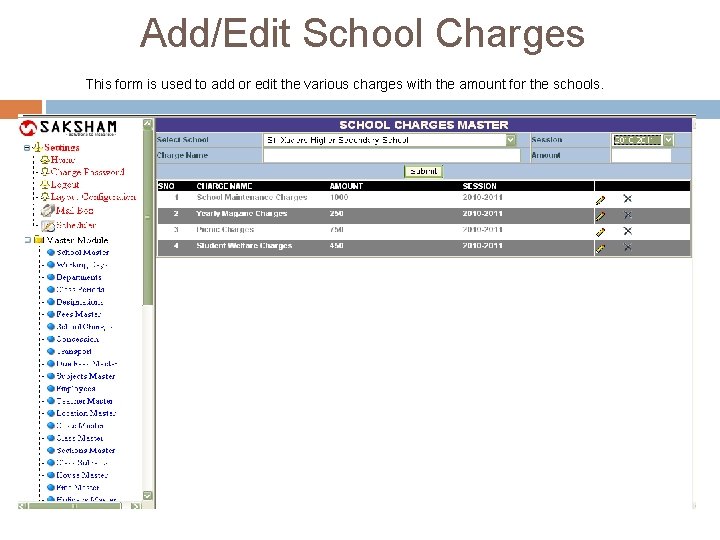
Add/Edit School Charges This form is used to add or edit the various charges with the amount for the schools.
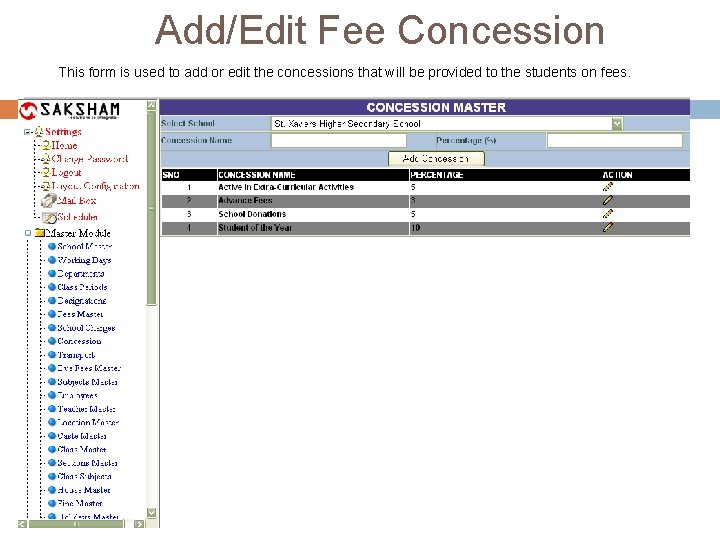
Add/Edit Fee Concession This form is used to add or edit the concessions that will be provided to the students on fees.
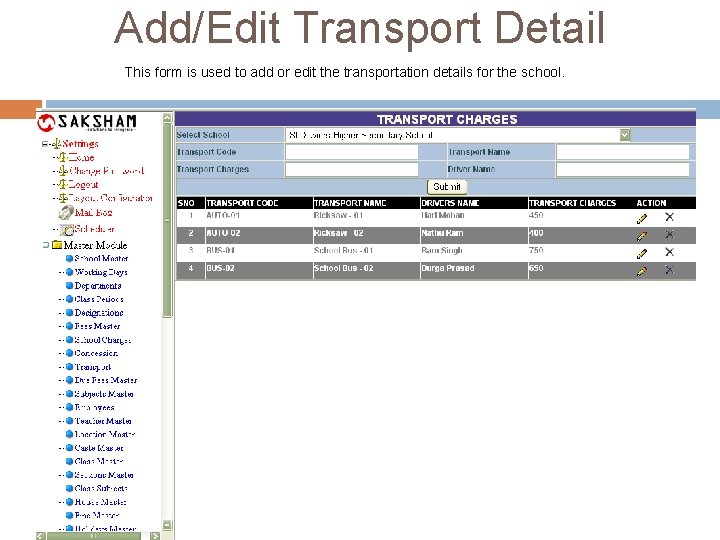
Add/Edit Transport Detail This form is used to add or edit the transportation details for the school.
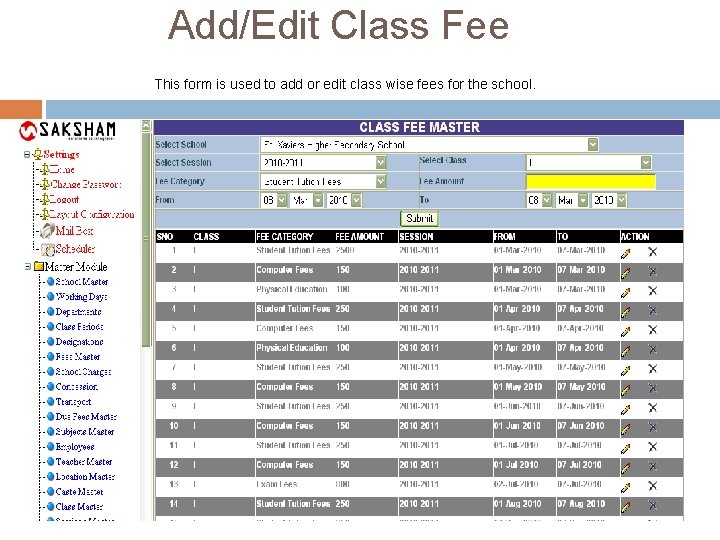
Add/Edit Class Fee This form is used to add or edit class wise fees for the school.
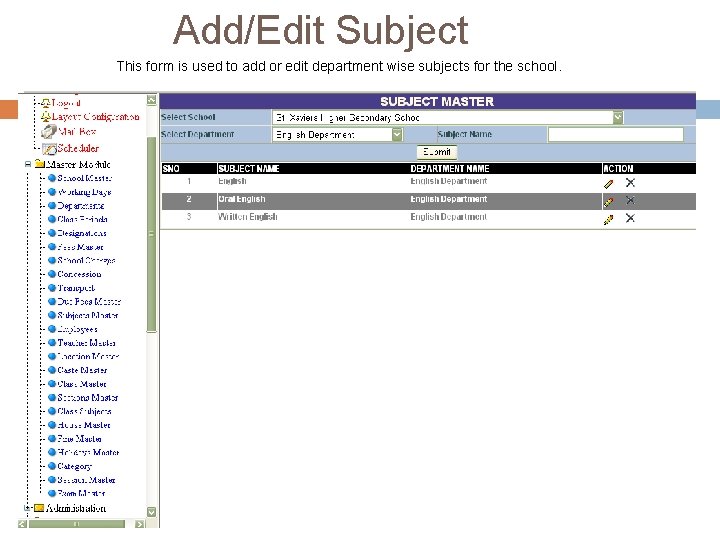
Add/Edit Subject This form is used to add or edit department wise subjects for the school.
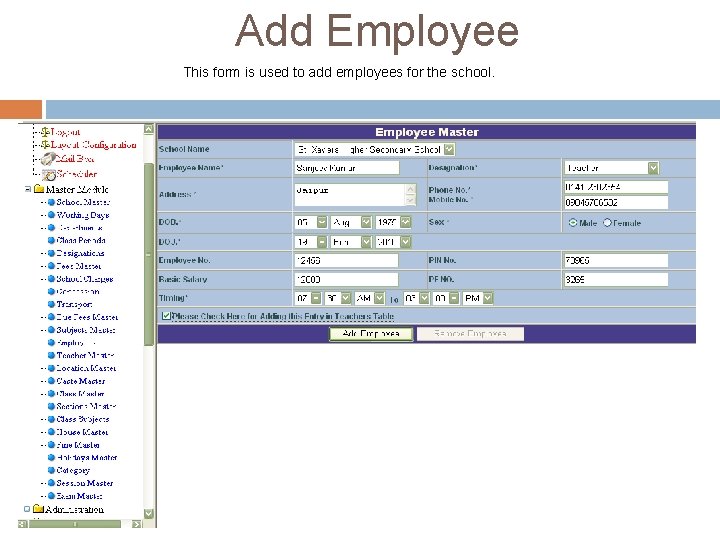
Add Employee This form is used to add employees for the school.
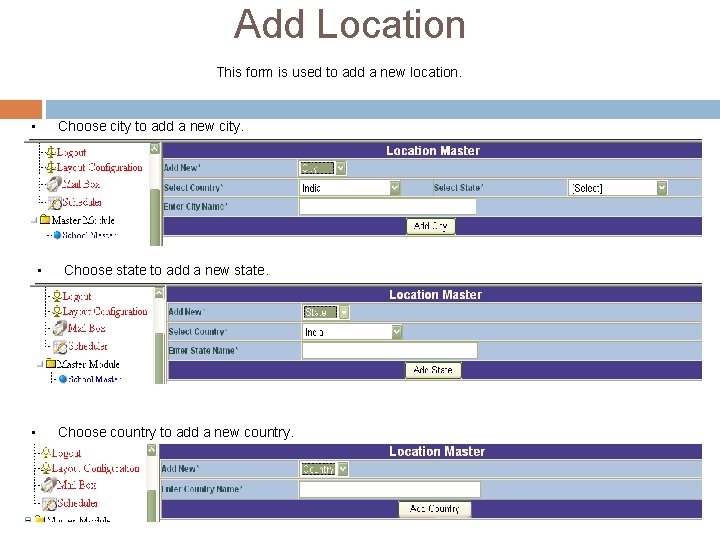
Add Location This form is used to add a new location. • Choose city to add a new city. • • Choose state to add a new state. Choose country to add a new country.
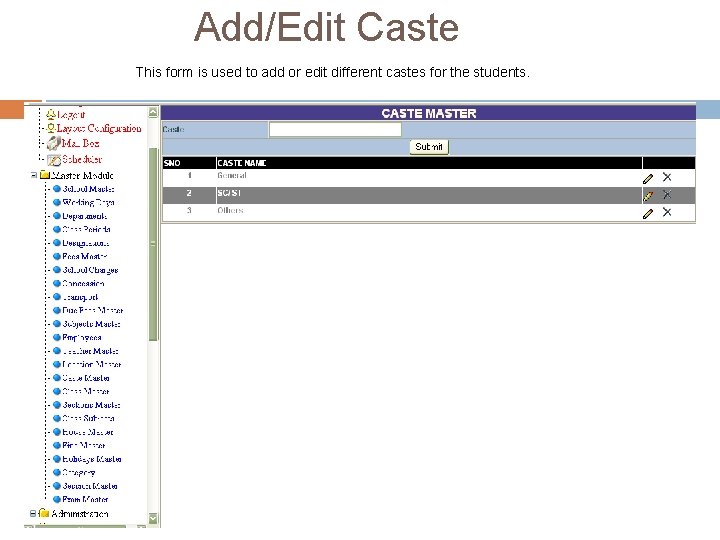
Add/Edit Caste This form is used to add or edit different castes for the students.
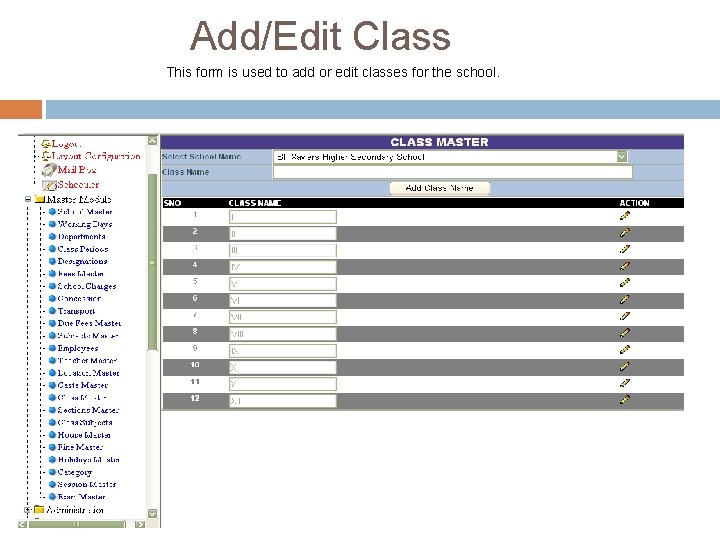
Add/Edit Class This form is used to add or edit classes for the school.
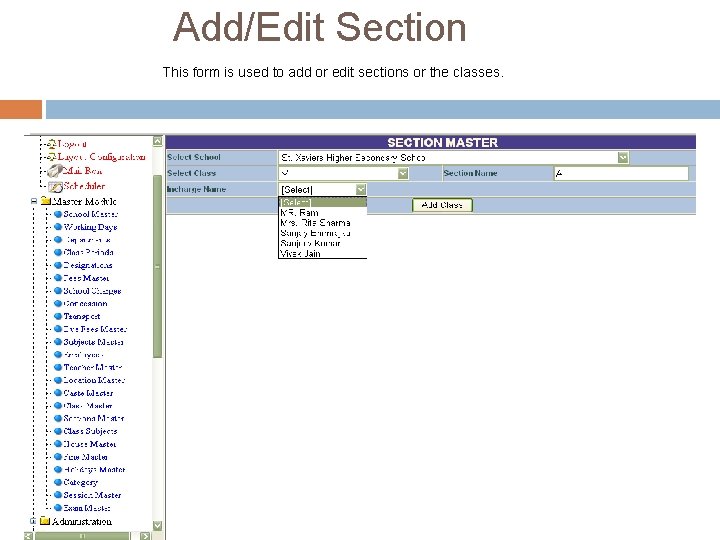
Add/Edit Section This form is used to add or edit sections or the classes.
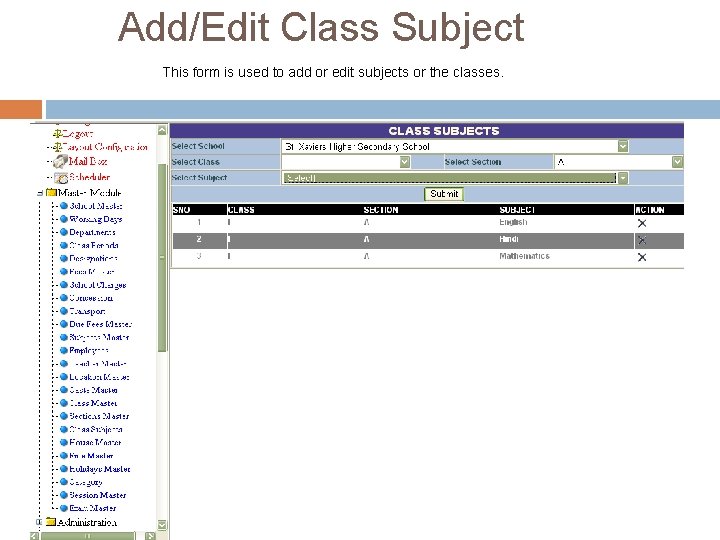
Add/Edit Class Subject This form is used to add or edit subjects or the classes.
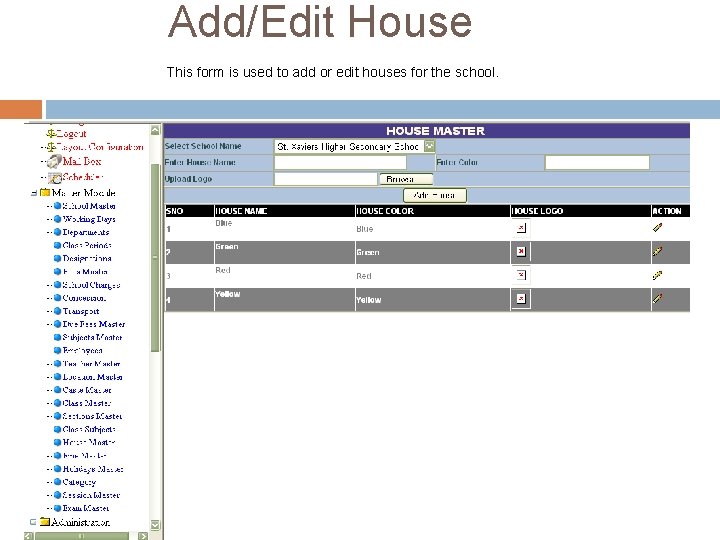
Add/Edit House This form is used to add or edit houses for the school.
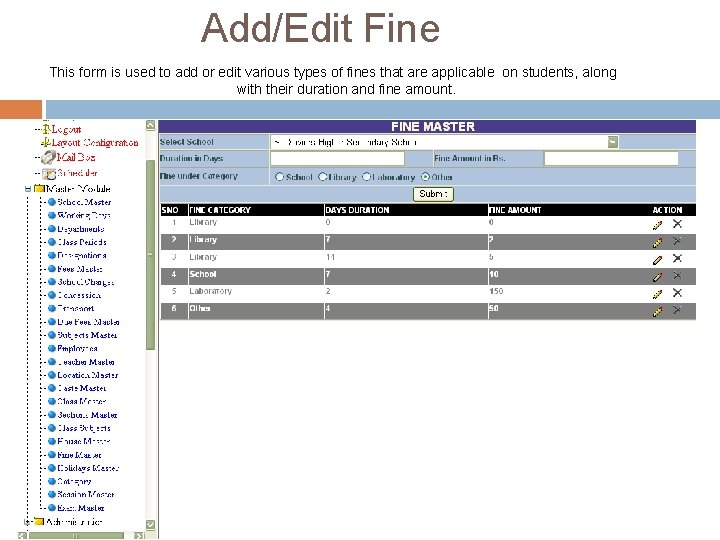
Add/Edit Fine This form is used to add or edit various types of fines that are applicable on students, along with their duration and fine amount.
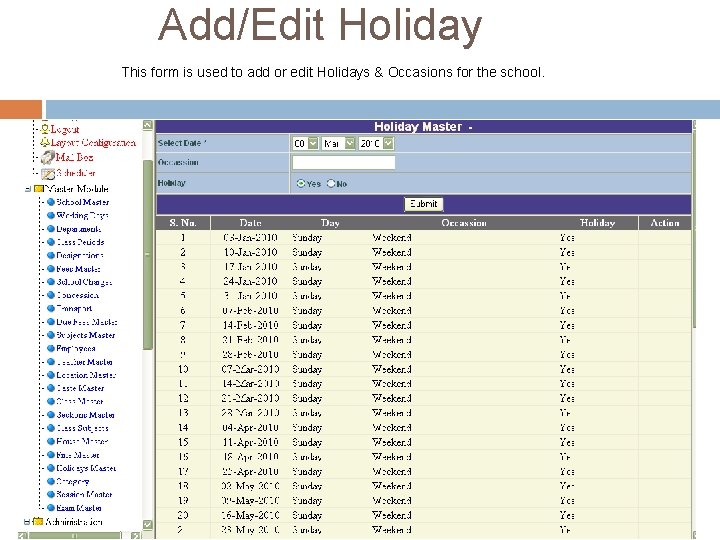
Add/Edit Holiday This form is used to add or edit Holidays & Occasions for the school.
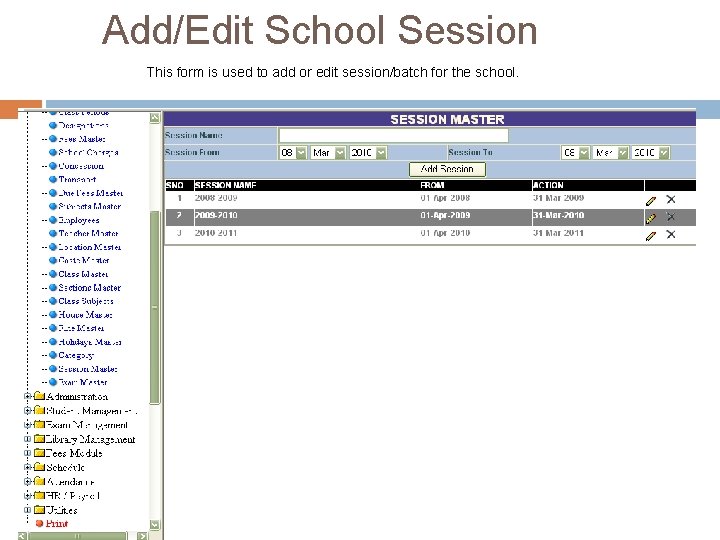
Add/Edit School Session This form is used to add or edit session/batch for the school.
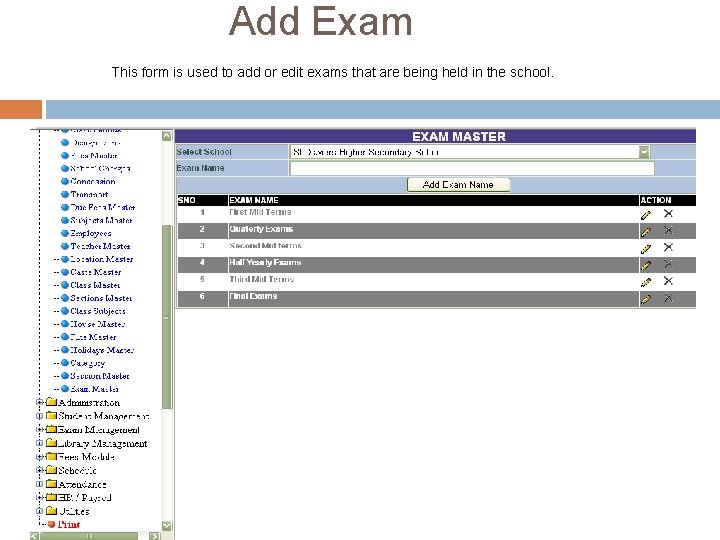
Add Exam This form is used to add or edit exams that are being held in the school.
Administration Module
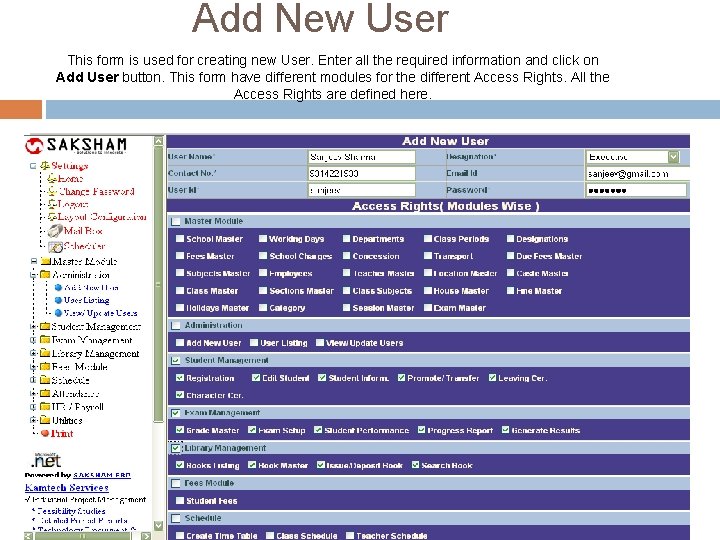
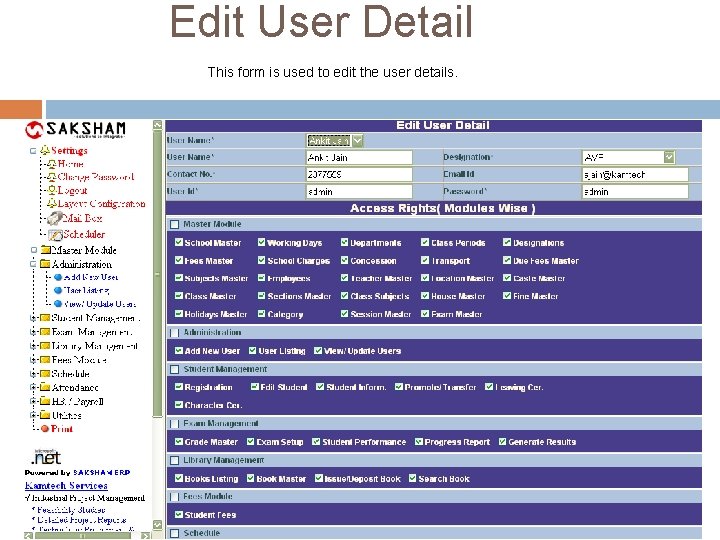
Add New User This form is used for creating new User. Enter all the required information and click on Add User button. This form have different modules for the different Access Rights. All the Access Rights are defined here.
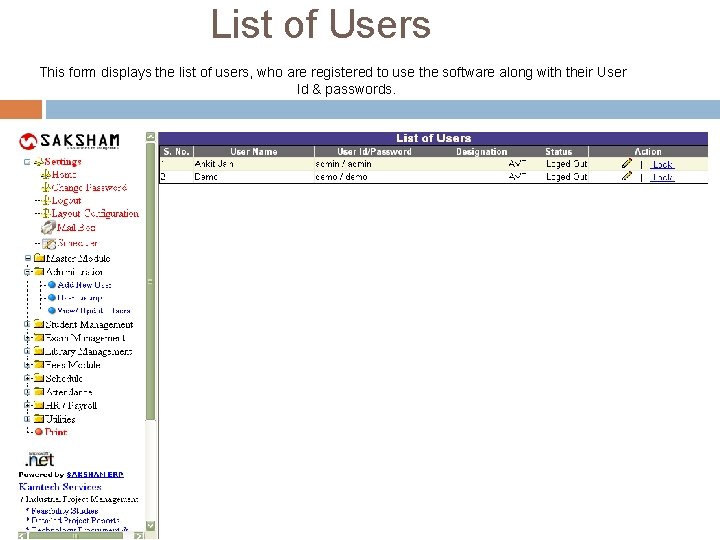
List of Users This form displays the list of users, who are registered to use the software along with their User Id & passwords.
Edit User Detail This form is used to edit the user details.
Student Module
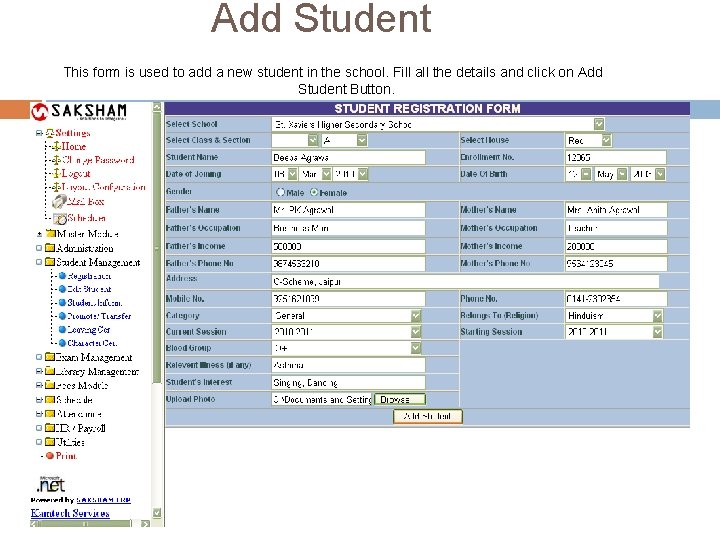
Add Student This form is used to add a new student in the school. Fill all the details and click on Add Student Button.
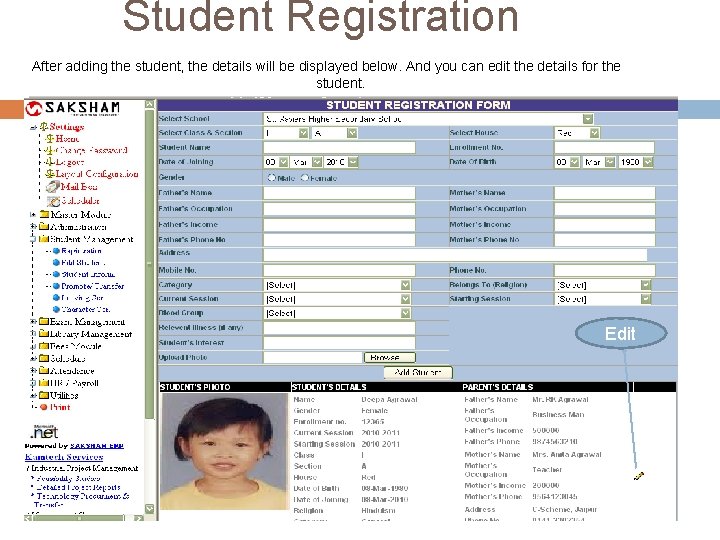
Student Registration After adding the student, the details will be displayed below. And you can edit the details for the student. Edit
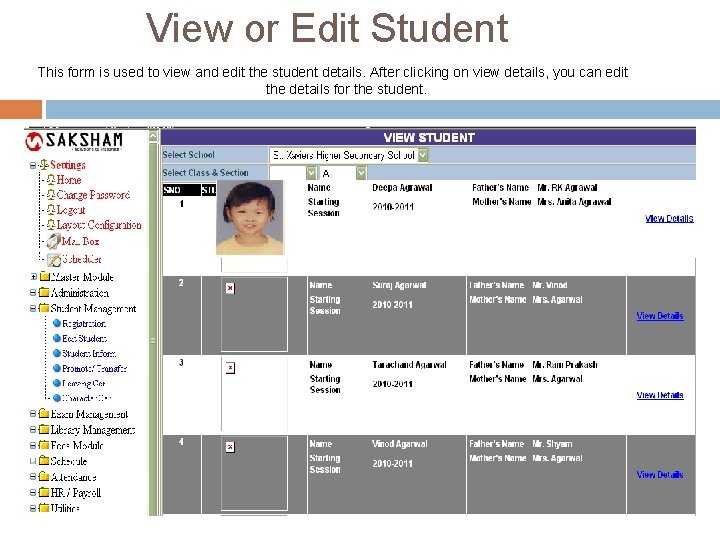
View or Edit Student This form is used to view and edit the student details. After clicking on view details, you can edit the details for the student.
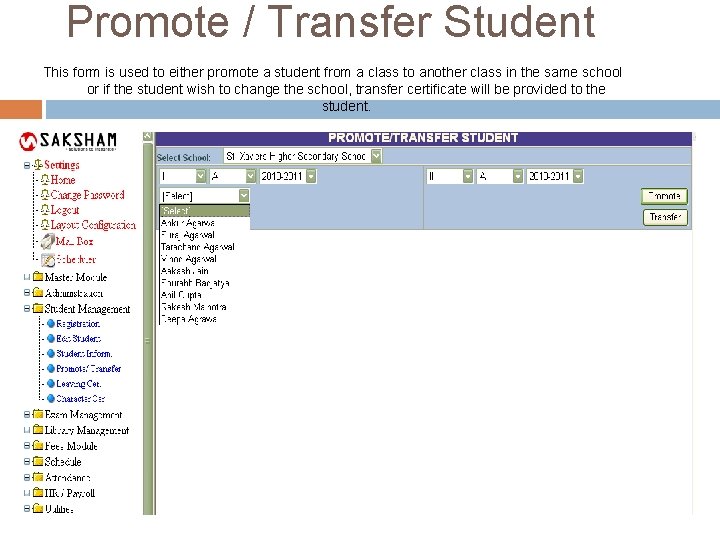
Promote / Transfer Student This form is used to either promote a student from a class to another class in the same school or if the student wish to change the school, transfer certificate will be provided to the student.
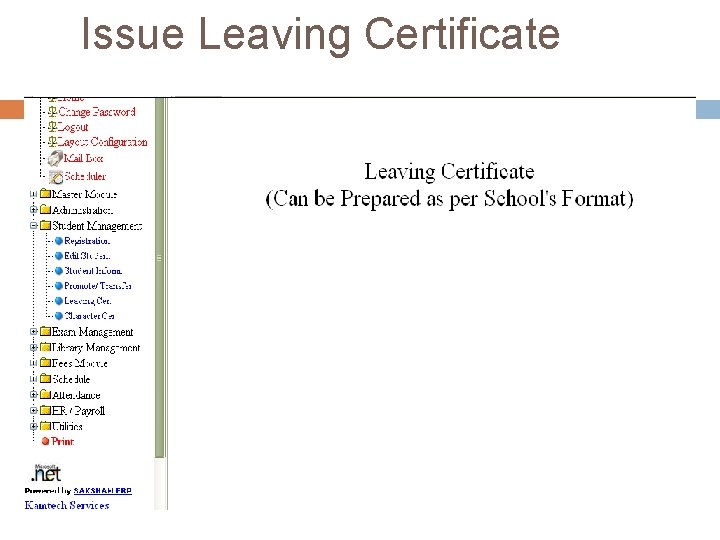
Issue Leaving Certificate
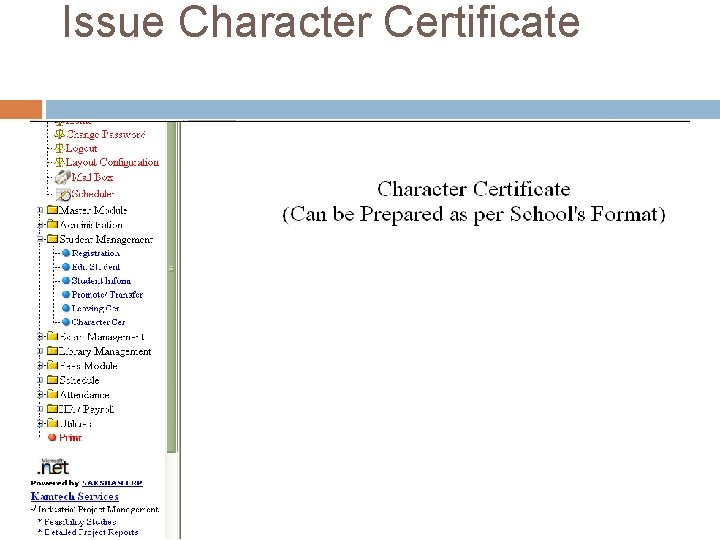
Issue Character Certificate
Exam Module
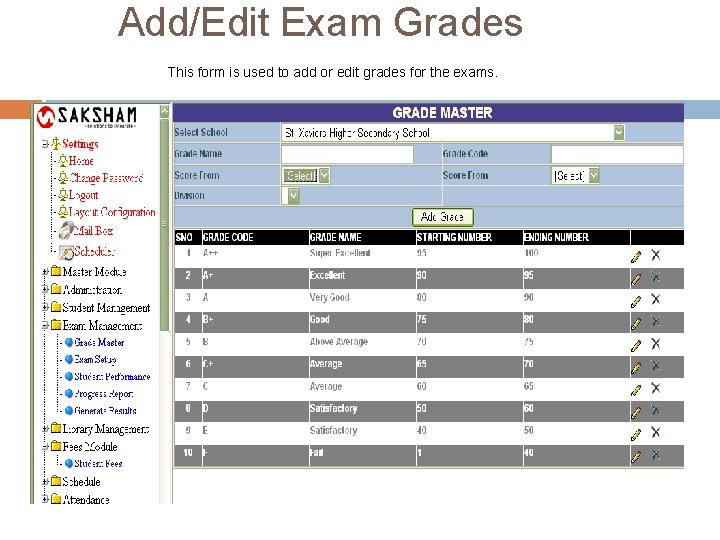
Add/Edit Exam Grades This form is used to add or edit grades for the exams.
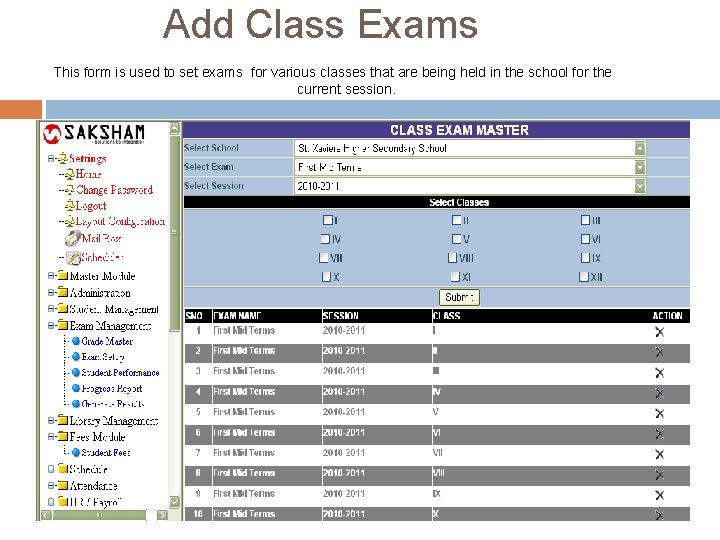
Add Class Exams This form is used to set exams for various classes that are being held in the school for the current session.
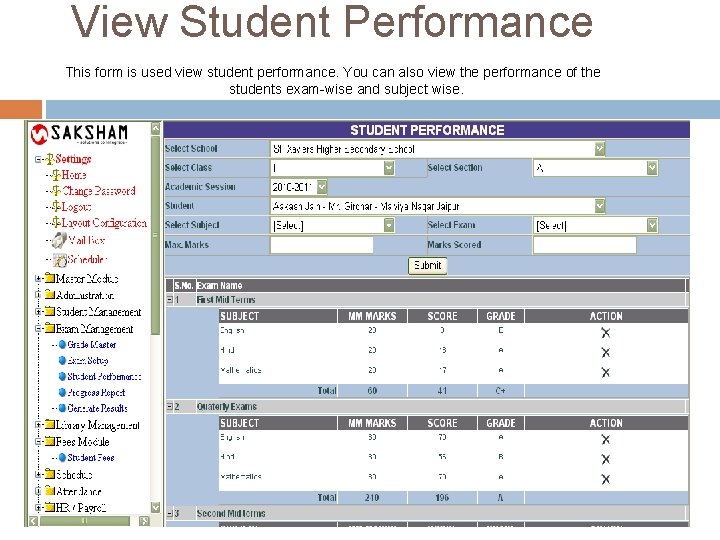
View Student Performance This form is used view student performance. You can also view the performance of the students exam-wise and subject wise.
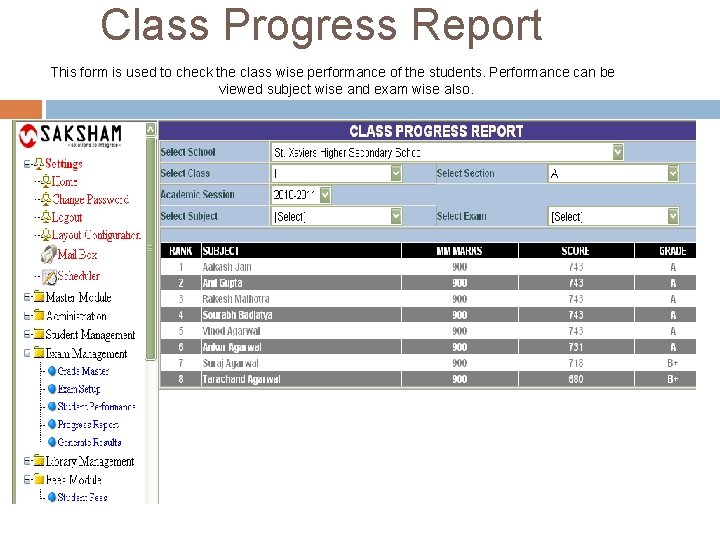
Class Progress Report This form is used to check the class wise performance of the students. Performance can be viewed subject wise and exam wise also.
Library Module
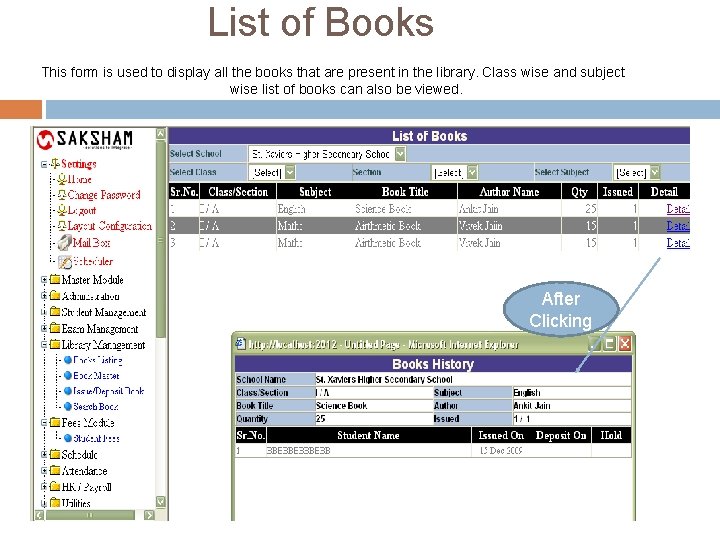
List of Books This form is used to display all the books that are present in the library. Class wise and subject wise list of books can also be viewed. After Clicking
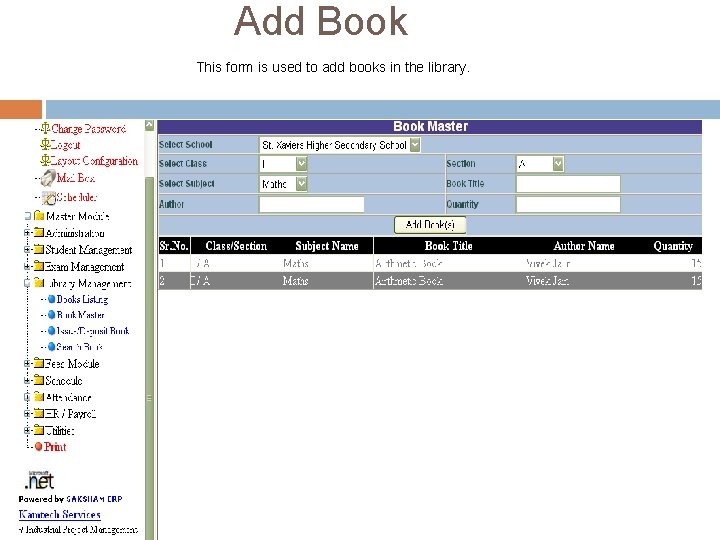
Add Book This form is used to add books in the library.
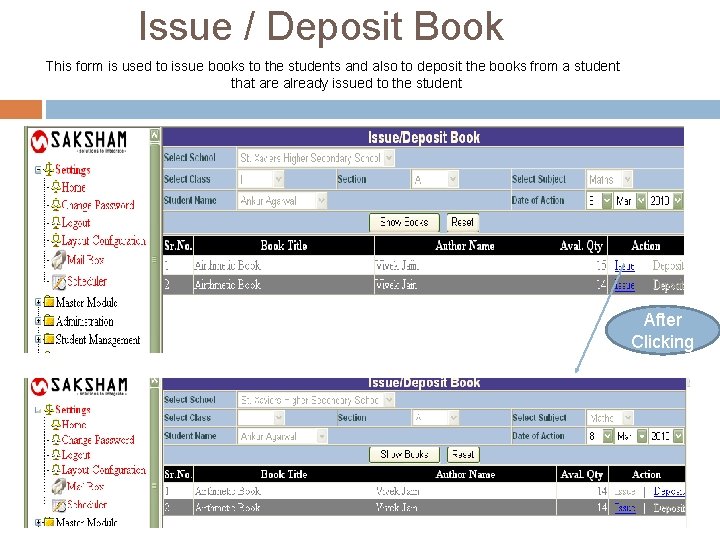
Issue / Deposit Book This form is used to issue books to the students and also to deposit the books from a student that are already issued to the student After Clicking
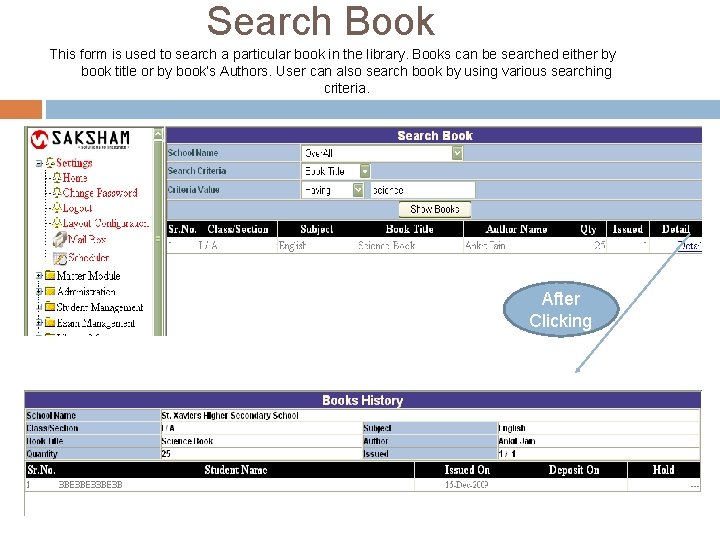
Search Book This form is used to search a particular book in the library. Books can be searched either by book title or by book’s Authors. User can also search book by using various searching criteria. After Clicking
Fee Module
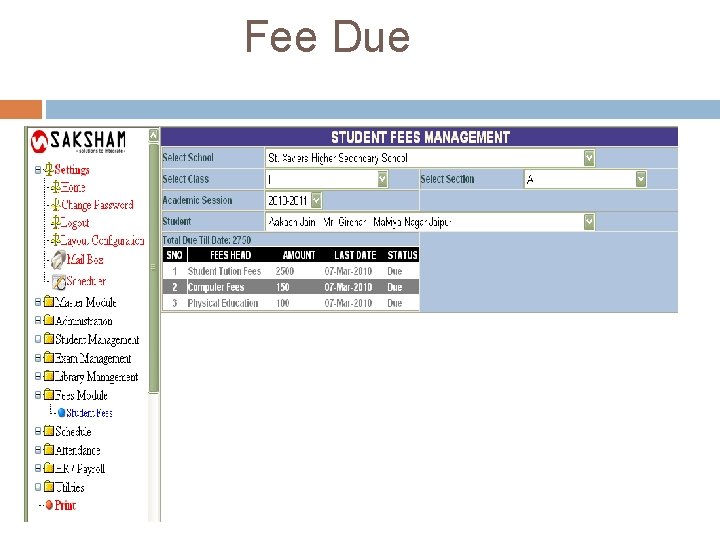
Fee Due
Scheduler
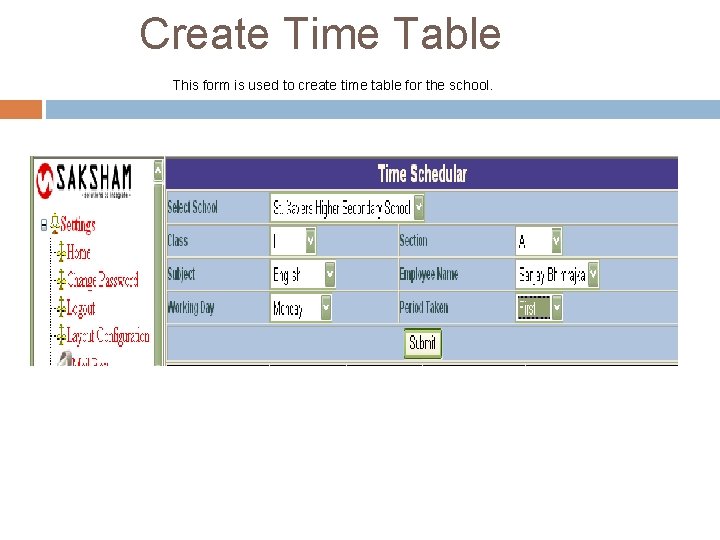
Create Time Table This form is used to create time table for the school.
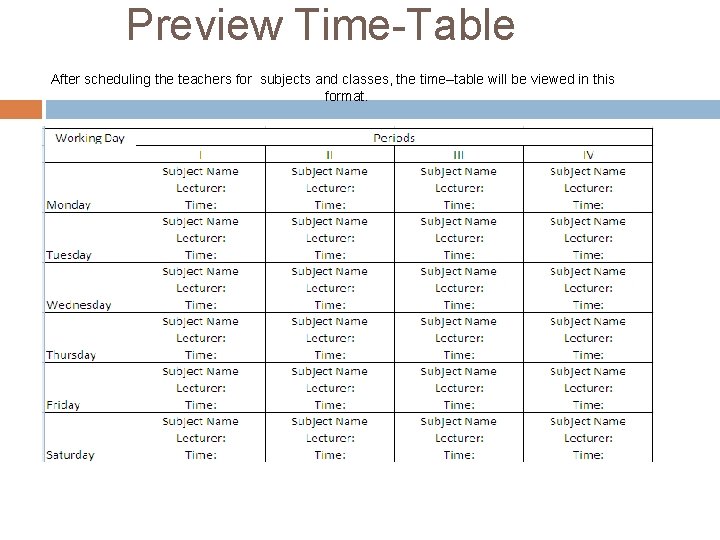
Preview Time-Table After scheduling the teachers for subjects and classes, the time–table will be viewed in this format.
Hr & Payroll Module
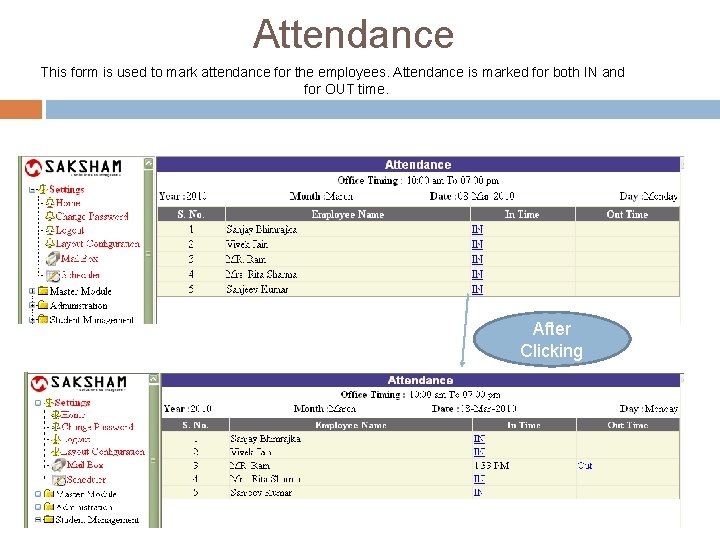
Attendance This form is used to mark attendance for the employees. Attendance is marked for both IN and for OUT time. After Clicking
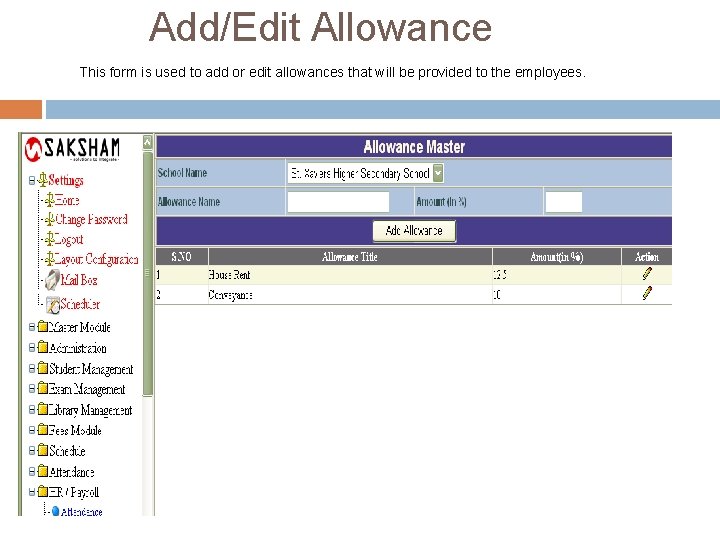
Add/Edit Allowance This form is used to add or edit allowances that will be provided to the employees.
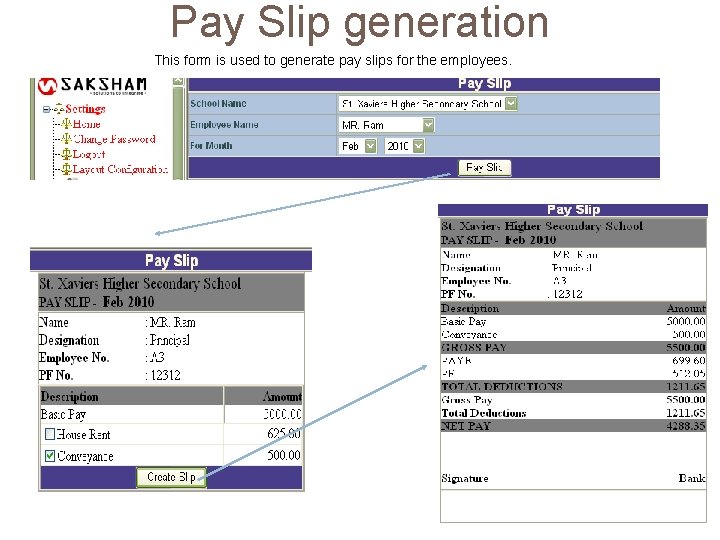
Pay Slip generation This form is used to generate pay slips for the employees.
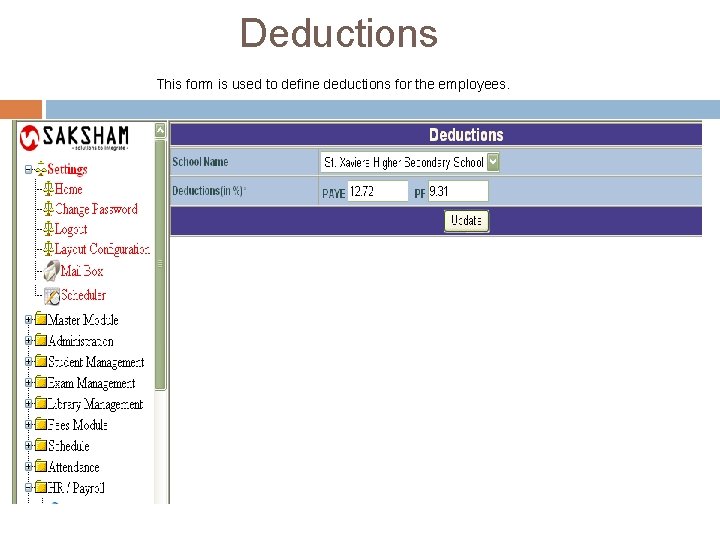
Deductions This form is used to define deductions for the employees.
Other Utilities
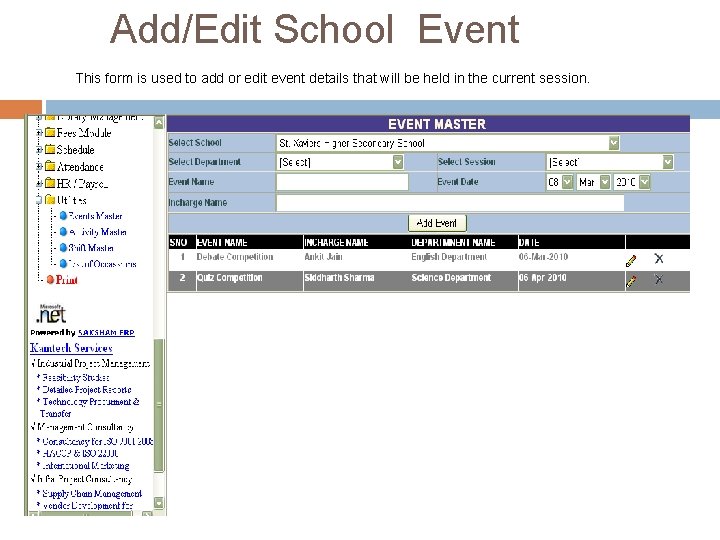
Add/Edit School Event This form is used to add or edit event details that will be held in the current session.
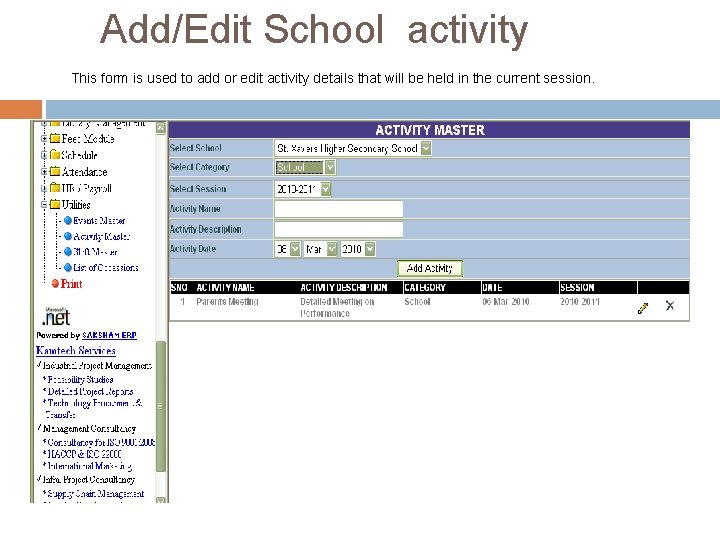
Add/Edit School activity This form is used to add or edit activity details that will be held in the current session.
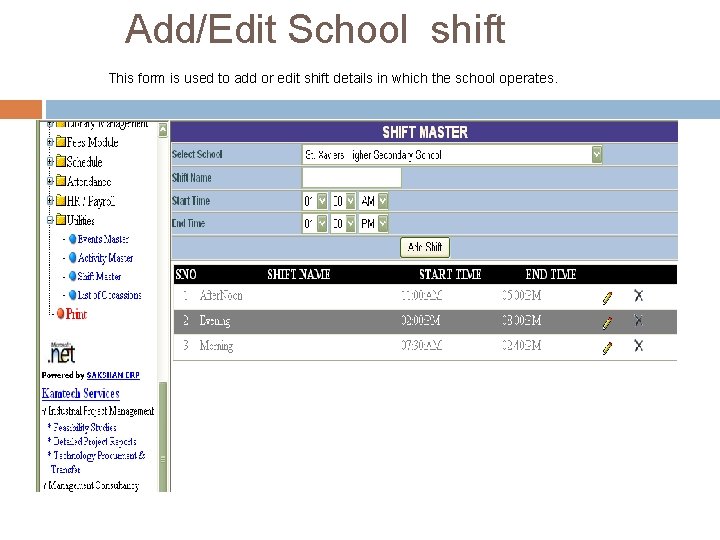
Add/Edit School shift This form is used to add or edit shift details in which the school operates.
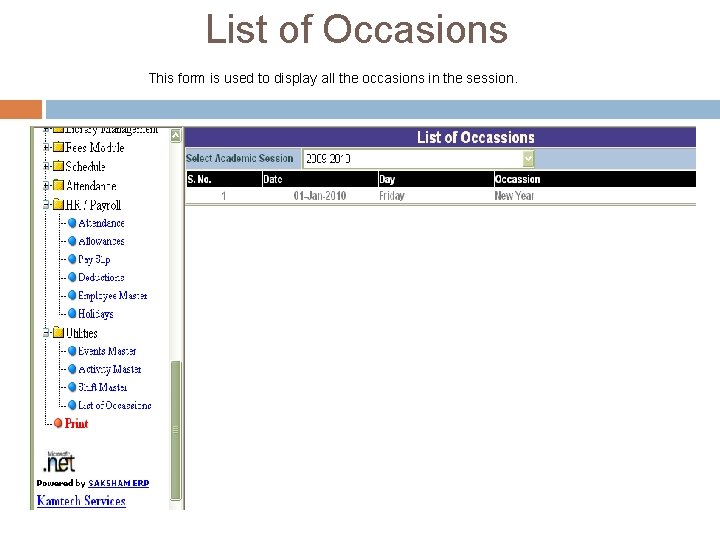
List of Occasions This form is used to display all the occasions in the session.
THANK YOU Kamtech Associates Pvt. Ltd. (RECIPIENT OF NATIONAL AWARD 2008, MINISTRY OF MSME, GOVERNMENT OF INDIA) Corporate Office : G-4, G-5, Gajraj Apartment, Sarojini Marg, C-Scheme, Jaipur-302001 (INDIA) Development Center : IT-23, IT Park, EPIP, Sitapura Indl. Area, Jaipur (India) – 302022 Ph : +91 -141 -2377559, 2371308, 5562620 Fax: +91 -141 -2371308 / Mobile: +91 -9414046876 Email : kamtechassociates@yahoo. com, kamtech@kamtechassociates. com Website : www. kamtechassociates. com