
Presentation on EMPulse HRIS Prepared by Kazi Md
Presentation on EMPulse HRIS Prepared by Kazi Md. Shakawat Hossain Project Lead, EMPulse HRIS HR Automation Ltd. Human Resources Information System (HRIS)
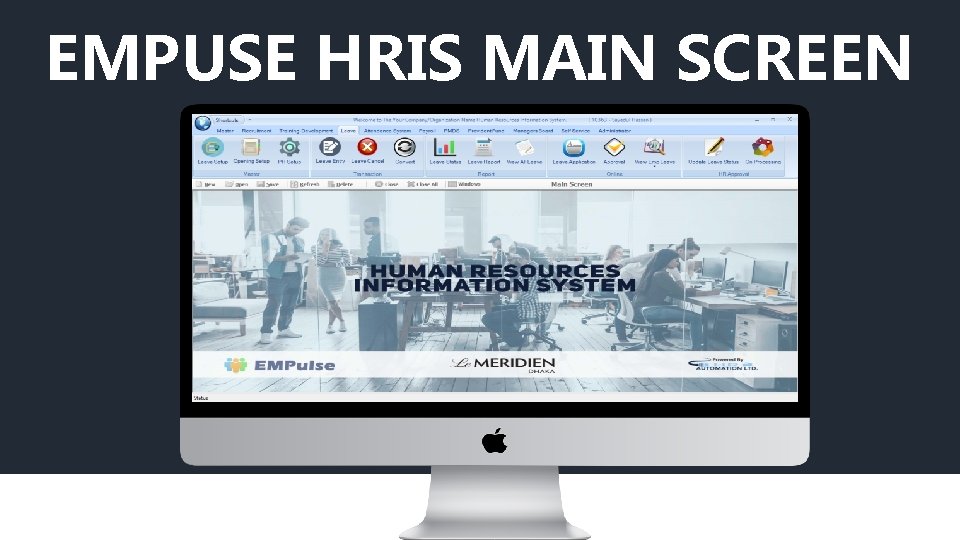
EMPUSE HRIS MAIN SCREEN
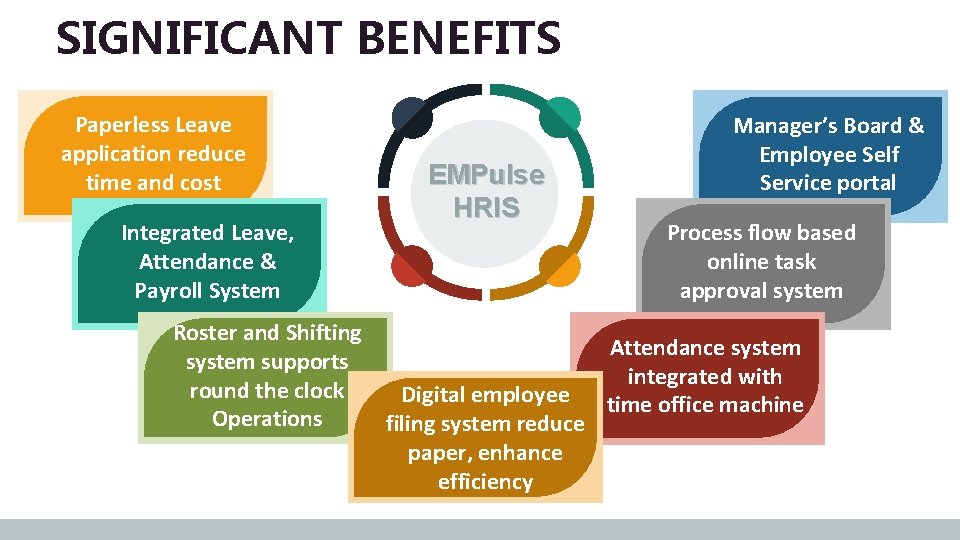
SIGNIFICANT BENEFITS Paperless Leave application reduce time and cost Integrated Leave, Attendance & Payroll System Roster and Shifting system supports round the clock Operations EMPulse HRIS Digital employee filing system reduce paper, enhance efficiency Manager’s Board & Employee Self Service portal Process flow based online task approval system Attendance system integrated with time office machine
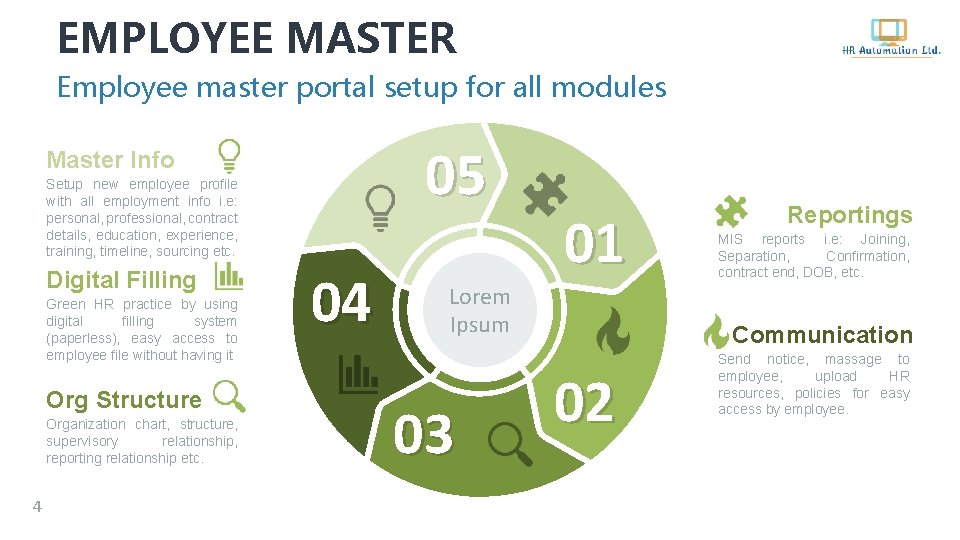
EMPLOYEE MASTER Employee master portal setup for all modules 05 Master Info Setup new employee profile with all employment info i. e: personal, professional, contract details, education, experience, training, timeline, sourcing etc. Digital Filling Green HR practice by using digital filling system (paperless), easy access to employee file without having it Org Structure Organization chart, structure, supervisory relationship, reporting relationship etc. 4 04 01 Lorem Ipsum 03 Reportings MIS reports i. e: Joining, Separation, Confirmation, contract end, DOB, etc. Communication 02 Send notice, massage to employee, upload HR resources, policies for easy access by employee.
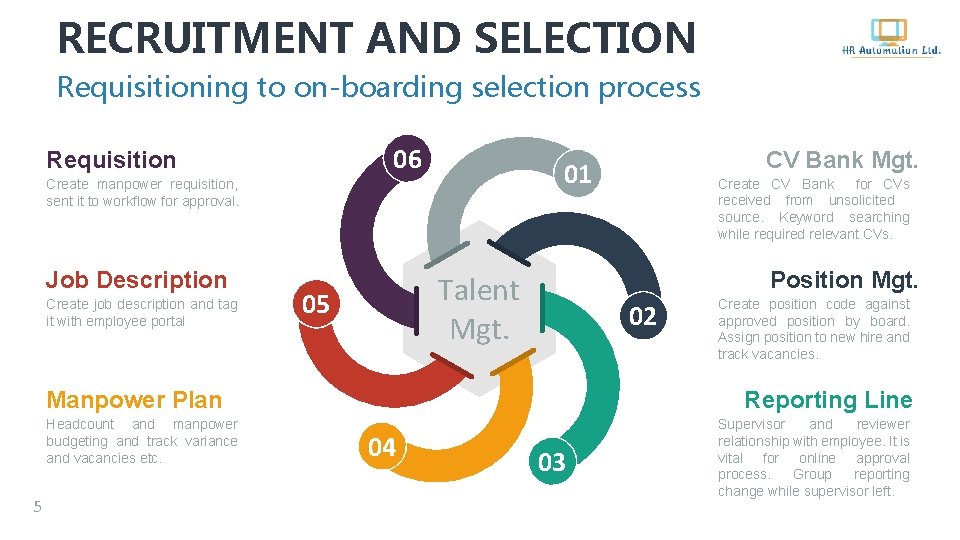
RECRUITMENT AND SELECTION Requisitioning to on-boarding selection process 06 Requisition 01 Create manpower requisition, sent it to workflow for approval. Job Description Create job description and tag it with employee portal 02 5 Create position code against approved position by board. Assign position to new hire and track vacancies. Reporting Line Manpower Plan Headcount and manpower budgeting and track variance and vacancies etc. Create CV Bank for CVs received from unsolicited source. Keyword searching while required relevant CVs. Position Mgt. Talent Mgt. 05 CV Bank Mgt. 04 03 Supervisor and reviewer relationship with employee. It is vital for online approval process. Group reporting change while supervisor left.
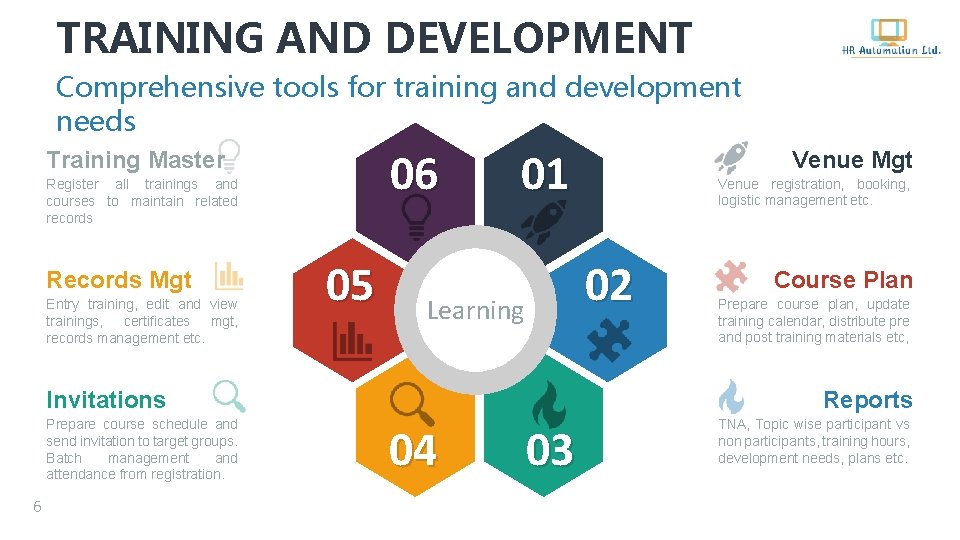
TRAINING AND DEVELOPMENT Comprehensive tools for training and development needs 06 Training Master Register all trainings and courses to maintain related records Records Mgt Entry training, edit and view trainings, certificates mgt, records management etc. 05 01 6 Venue registration, booking, logistic management etc. 02 Learning Course Plan Prepare course plan, update training calendar, distribute pre and post training materials etc, Reports Invitations Prepare course schedule and send invitation to target groups. Batch management and attendance from registration. Venue Mgt 04 03 TNA, Topic wise participant vs non participants, training hours, development needs, plans etc.
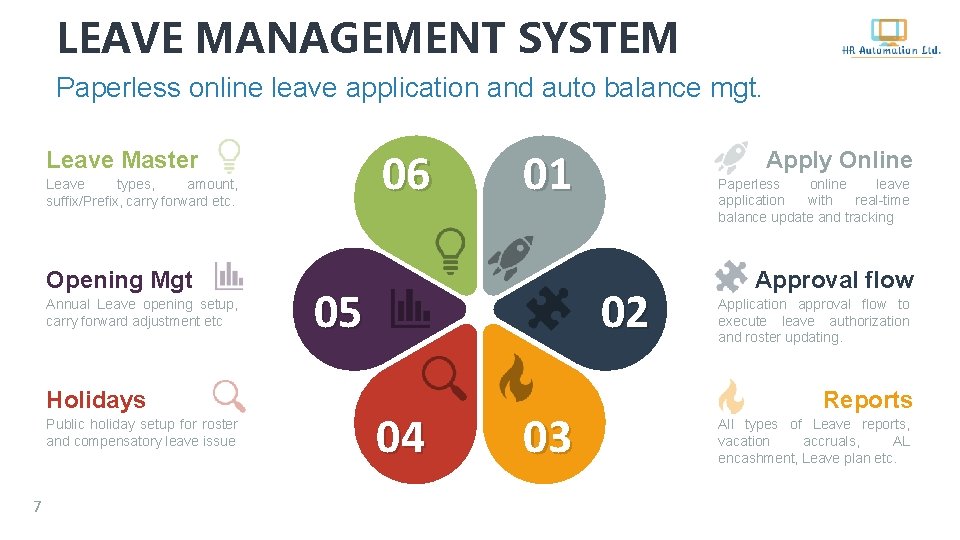
LEAVE MANAGEMENT SYSTEM Paperless online leave application and auto balance mgt. 06 Leave Master Leave types, amount, suffix/Prefix, carry forward etc. Opening Mgt Annual Leave opening setup, carry forward adjustment etc Holidays Public holiday setup for roster and compensatory leave issue 7 01 05 Apply Online Paperless online leave application with real-time balance update and tracking 02 04 03 Approval flow Application approval flow to execute leave authorization and roster updating. Reports All types of Leave reports, vacation accruals, AL encashment, Leave plan etc.
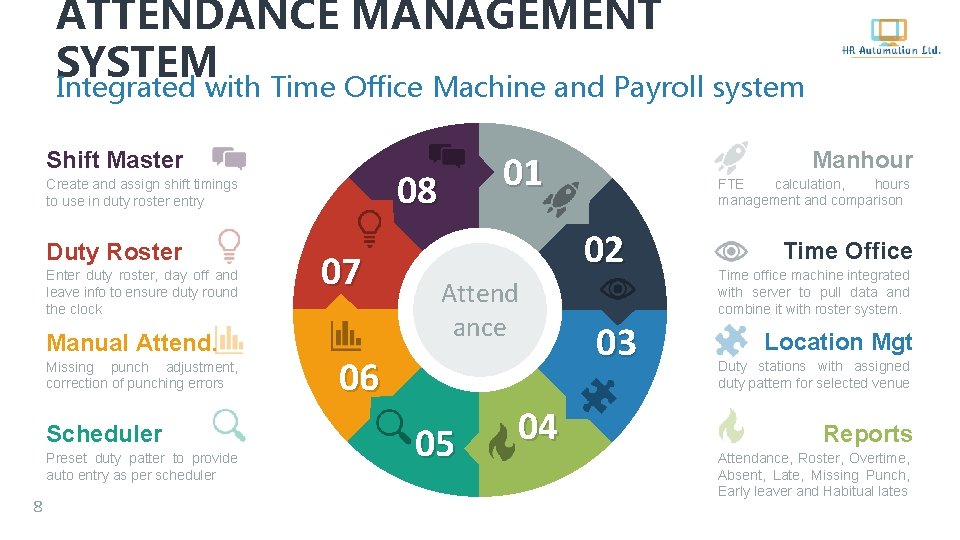
ATTENDANCE MANAGEMENT SYSTEM Integrated with Time Office Machine and Payroll system Shift Master Duty Roster Enter duty roster, day off and leave info to ensure duty round the clock Manual Attend. Missing punch adjustment, correction of punching errors Scheduler Preset duty patter to provide auto entry as per scheduler 8 01 08 Create and assign shift timings to use in duty roster entry 07 Manhour FTE calculation, hours management and comparison 02 Attend ance 06 05 04 03 Time Office Time office machine integrated with server to pull data and combine it with roster system. Location Mgt Duty stations with assigned duty pattern for selected venue Reports Attendance, Roster, Overtime, Absent, Late, Missing Punch, Early leaver and Habitual lates

PAYROLL MANAGEMENT Integrated with Employee Master, Attendance & Leave Master Info Set Master Financial Info for new joiner and salary change Loan/Advance Loan and Advance Scheduling and auto deduct from salary Salary File Create monthly salary and perform all transaction in it. 08 09 01 Service Charge Administer service chare setup and transaction for hotels 02 Payroll 07 03 Management 06 05 04 LWP & Absent Integrated LWP & Absent with Attendance & Leave Module 9 Taxation Auto/Fixed amount taxation system in line with NBR Journals Prepare journals for Finance to update Financial reports Pay & Benefits Bank Advice Complete salary and prepare bank advice to disburse Salary, Service Charge other, Festival Bonus, Overtime etc
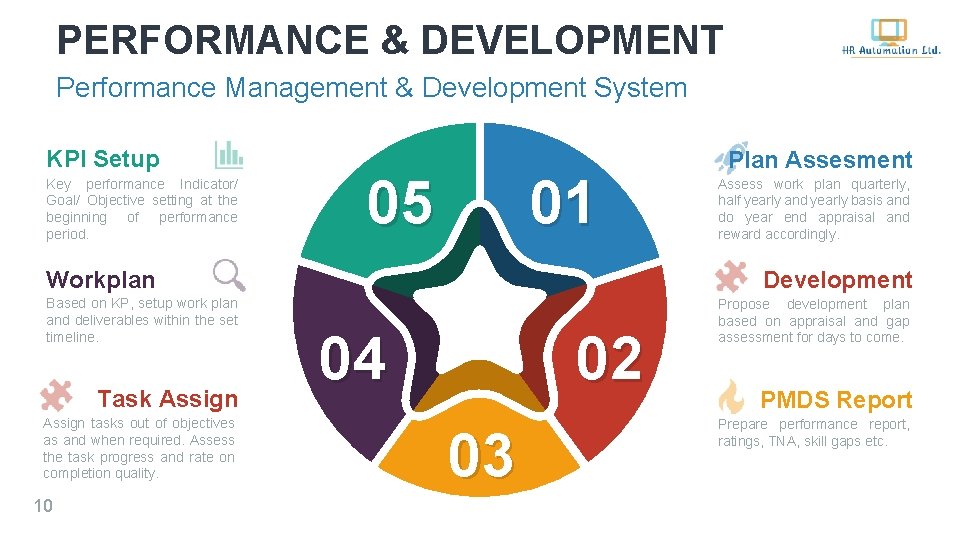
PERFORMANCE & DEVELOPMENT Performance Management & Development System KPI Setup Key performance Indicator/ Goal/ Objective setting at the beginning of performance period. 05 01 Workplan Based on KP, setup work plan and deliverables within the set timeline. Task Assign tasks out of objectives as and when required. Assess the task progress and rate on completion quality. 10 Plan Assesment Assess work plan quarterly, half yearly and yearly basis and do year end appraisal and reward accordingly. Development 04 02 03 Propose development plan based on appraisal and gap assessment for days to come. PMDS Report Prepare performance report, ratings, TNA, skill gaps etc.
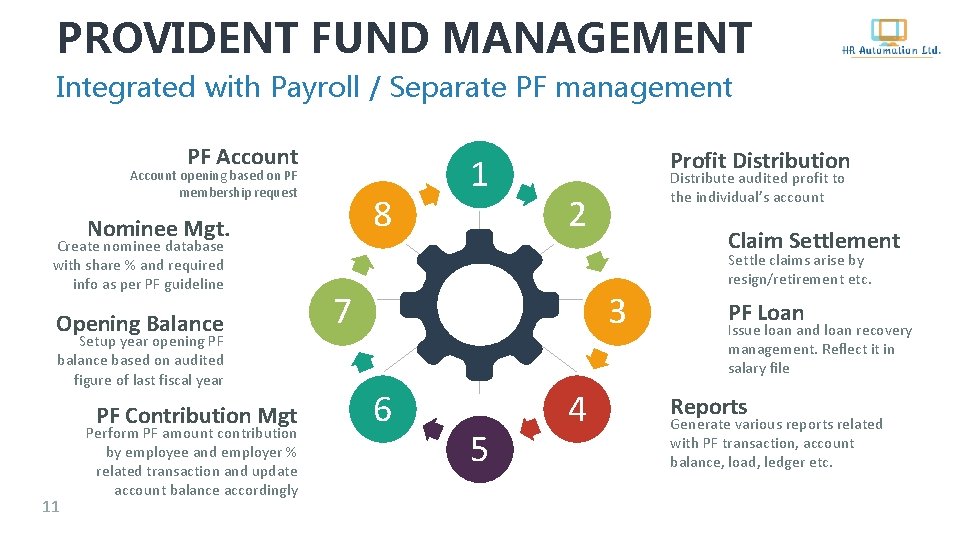
PROVIDENT FUND MANAGEMENT Integrated with Payroll / Separate PF management PF Account opening based on PF membership request 8 Nominee Mgt. Create nominee database with share % and required info as per PF guideline Opening Balance Setup year opening PF balance based on audited figure of last fiscal year PF Contribution Mgt 11 Perform PF amount contribution by employee and employer % related transaction and update account balance accordingly 1 Profit Distribution Distribute audited profit to the individual’s account 2 7 Claim Settlement 3 6 5 4 Settle claims arise by resign/retirement etc. PF Loan Issue loan and loan recovery management. Reflect it in salary file Reports Generate various reports related with PF transaction, account balance, load, ledger etc.
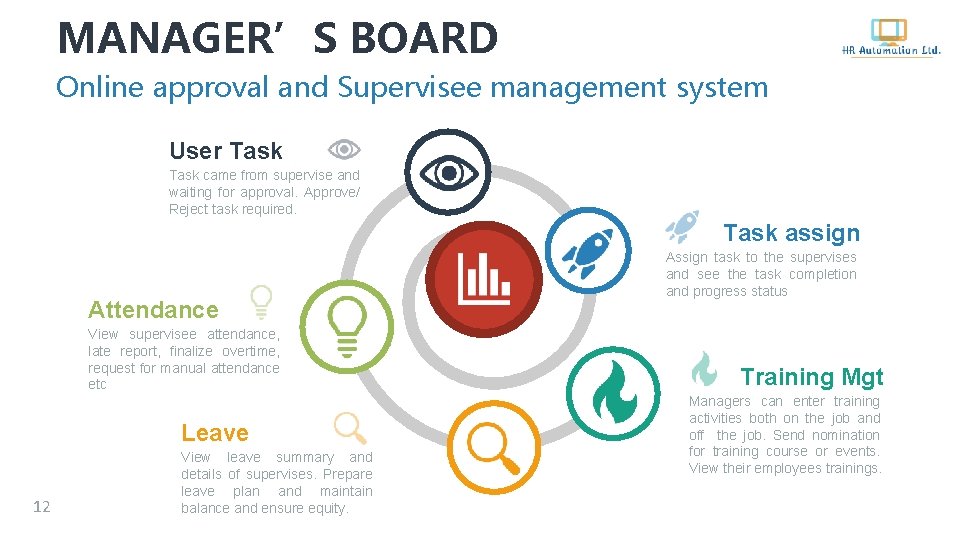
MANAGER’S BOARD Online approval and Supervisee management system User Task came from supervise and waiting for approval. Approve/ Reject task required. Task assign Attendance View supervisee attendance, late report, finalize overtime, request for manual attendance etc Leave 12 View leave summary and details of supervises. Prepare leave plan and maintain balance and ensure equity. Assign task to the supervises and see the task completion and progress status Training Mgt Managers can enter training activities both on the job and off the job. Send nomination for training course or events. View their employees trainings.
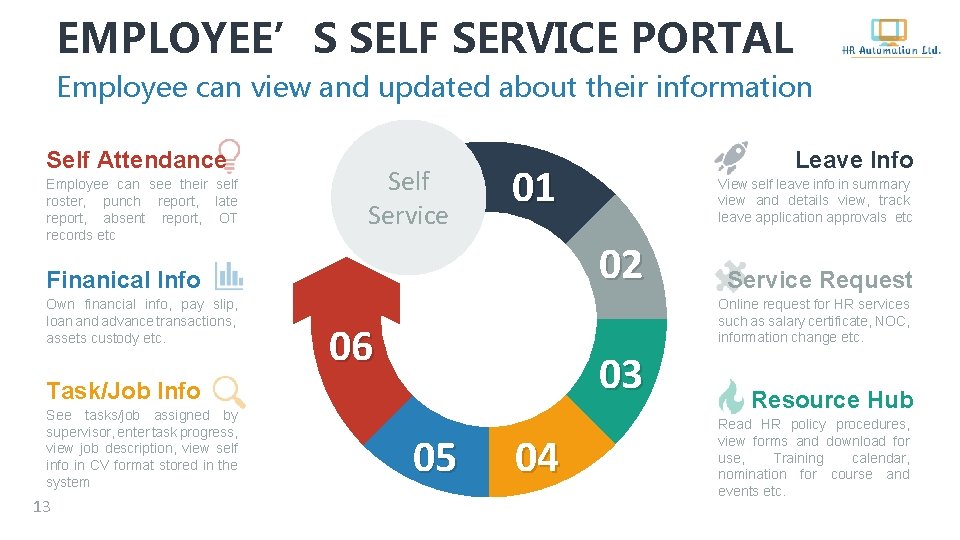
EMPLOYEE’S SELF SERVICE PORTAL Employee can view and updated about their information Self Attendance Employee can see their self roster, punch report, late report, absent report, OT records etc Self Service 01 13 Service Request Online request for HR services such as salary certificate, NOC, information change etc. 06 03 Task/Job Info See tasks/job assigned by supervisor, enter task progress, view job description, view self info in CV format stored in the system View self leave info in summary view and details view, track leave application approvals etc 02 Finanical Info Own financial info, pay slip, loan and advance transactions, assets custody etc. Leave Info 05 04 Resource Hub Read HR policy procedures, view forms and download for use, Training calendar, nomination for course and events etc.
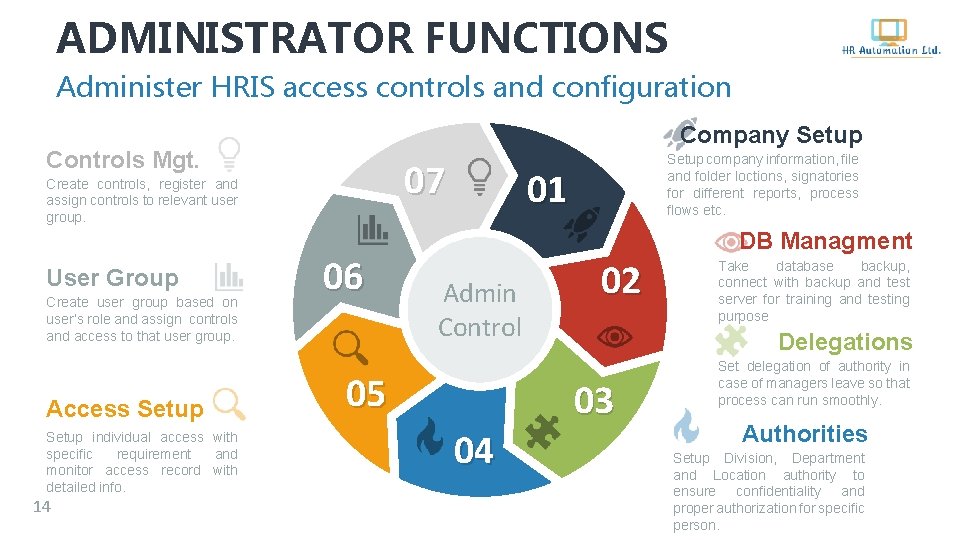
ADMINISTRATOR FUNCTIONS Administer HRIS access controls and configuration Company Setup Controls Mgt. 07 Create controls, register and assign controls to relevant user group. User Group Create user group based on user’s role and assign controls and access to that user group. Access Setup individual access with specific requirement and monitor access record with detailed info. 14 06 Setup company information, file and folder loctions, signatories for different reports, process flows etc. 01 DB Managment Admin Control 05 04 02 Take database backup, connect with backup and test server for training and testing purpose Delegations 03 Set delegation of authority in case of managers leave so that process can run smoothly. Authorities Setup Division, Department and Location authority to ensure confidentiality and proper authorization for specific person.
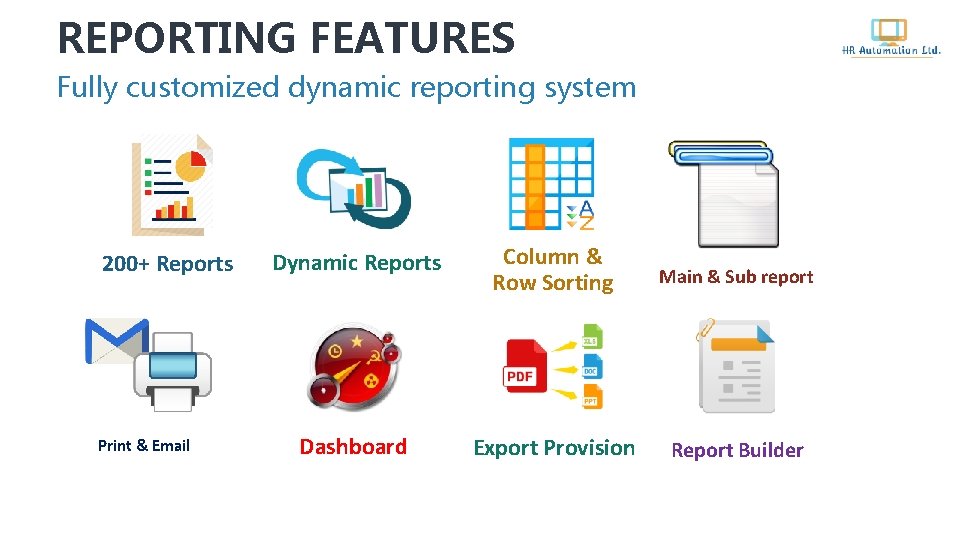
REPORTING FEATURES Fully customized dynamic reporting system 200+ Reports Print & Email Dynamic Reports Column & Row Sorting Main & Sub report Dashboard Export Provision Report Builder
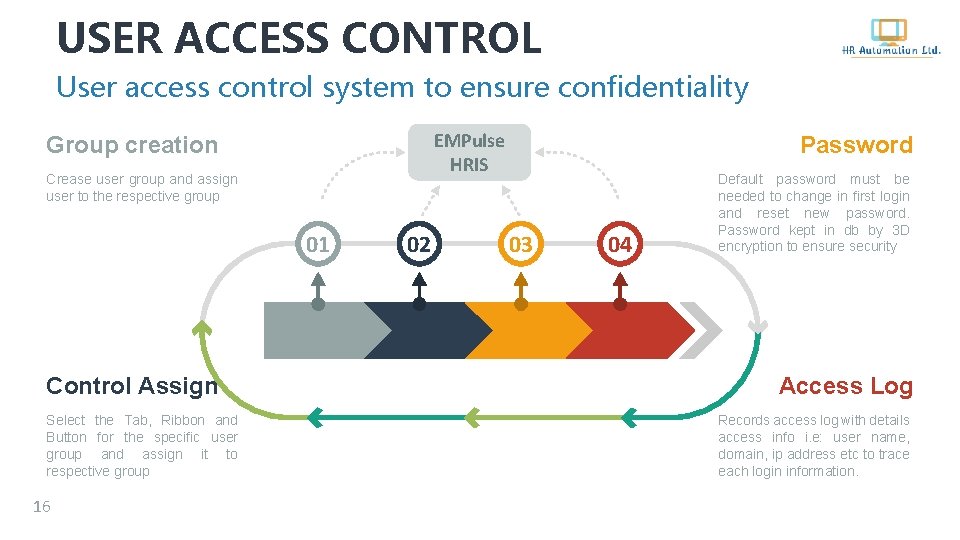
USER ACCESS CONTROL User access control system to ensure confidentiality EMPulse HRIS Group creation Crease user group and assign user to the respective group 01 Control Assign Select the Tab, Ribbon and Button for the specific user group and assign it to respective group 16 02 Password 03 04 Default password must be needed to change in first login and reset new password. Password kept in db by 3 D encryption to ensure security Access Log Records access log with details access info i. e: user name, domain, ip address etc to trace each login information.
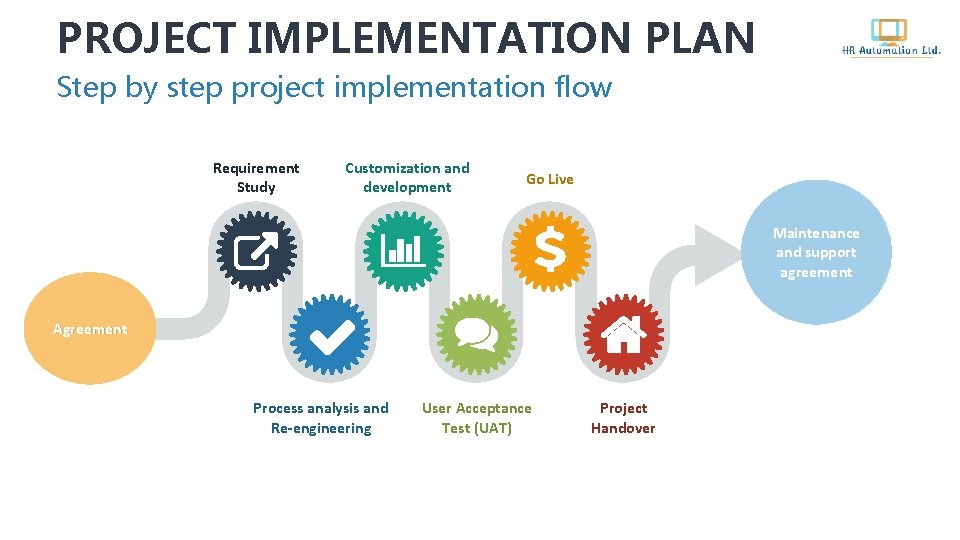
PROJECT IMPLEMENTATION PLAN Step by step project implementation flow Requirement Study Customization and development Go Live Maintenance and support agreement Agreement Process analysis and Re-engineering User Acceptance Test (UAT) Project Handover
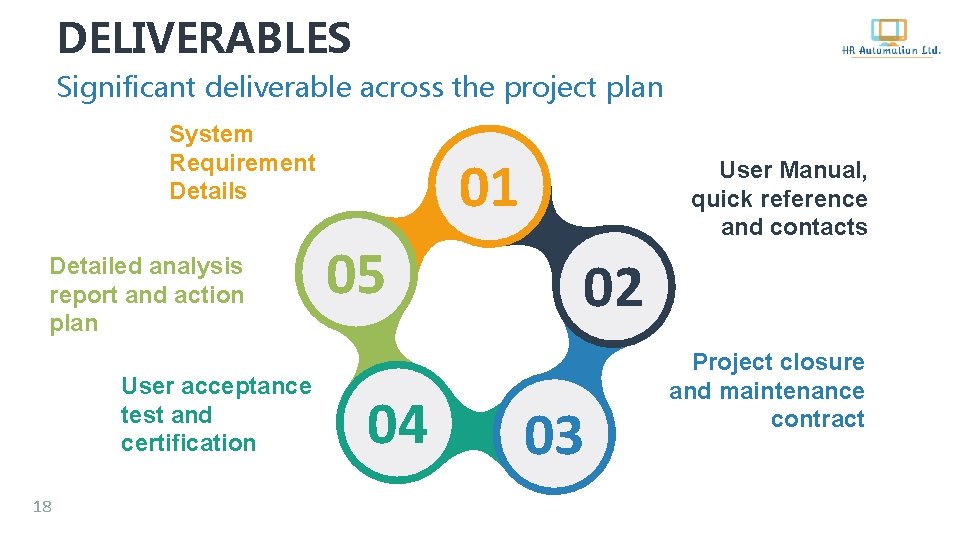
DELIVERABLES Significant deliverable across the project plan System Requirement Details Detailed analysis report and action plan User acceptance test and certification 18 01 05 04 User Manual, quick reference and contacts 02 03 Project closure and maintenance contract

SYSTEM REQUIREMENTS Server side and client side system related info 01 Server - Fully dedicated HR Server - Windows server 2016 - 100 GB storage - Multi core processor Conectivity - LAN connection - Common drive for update version preservation -Client’s access to common folder - Teamviewer/Anydesk for online support 19 04 EMPulse 03 Client PC -Screen regulation 1360 X 768 -Window 7 or higher -. NET framework 3. 5 or higher - LAN connectivity -Common drive access -Crystal Report runtime 02 Prerequisites Will be provided with HRIS - Crystal report runtime - Dev component dot net bar -. NET framework 3. 5 or higher
CONTACT US For demo version, presentation and further queries Office: 548, Shaheenbagh, Tejgaon, Dhaka, Bangladesh +88 01716 017 126, +88 01682 330 792 Write us on: empulsehris@yahoo. com; empulsehris@gmail. com View us https: //www. facebook. com/EMPulse. HRIS http: //empulsehris. weebly. com
- Slides: 21