
Presentation Guidelines Session number Example Session 4 04

Presentation Guidelines
Session number Example: Session 4 - 04 Title of the Paper Author names Address, Contact Information
Outline After your title slide, your next slide should be your Outline Slide n Briefly tell the audience what you are going to cover n Cover only the main points on the outline n
Motivation After your Outline slide, your next slide should be your “Motivation” Slide n Briefly tell the audience WHY you are doing your research. n Sell your audience on why your topic is important and of interest to them. . . n Generate interest in your topic. . . n
Style Guidelines Short phrases, not long sentences n Use Arial, or similar sans serif font n This line uses the Helvetica font n The rest of the document uses Arial n n 36 Point Titles or larger! 28 point text or larger! n Do not use fonts smaller than 28 point, so people in the back of the auditorium can read your slides! n
Style Guidelines Cont’ Roughly one slide per 1 or 2 minutes of talk n Each slide should have a title n 9 lines max on a text slide n 7 words max per line n In “File->Page Setup…” window specify: n ¨ Slides sized for: “On Screen Show” ¨ Slide orientation: Landscape
Contrast High contrast very important n Use light lines/text on a dark background n ¨ Foreground: Black, Red, Blue ¨ Background: White ¨ Caution: Yellow, Green or light Cyan letters and lines become unreadable when projected
Presentation Files Submit the final presentation file at least 15 min. before the session n One file per speaker n File totally self contained n No links to: n ¨ Other files ¨ The internet
Presentation Flow Title slide n Outline slide (of your talk, not your paper) n Motivation n Detail slides n Conclusion slide n Backup slides? ? n
Transition between slides Slides should display instantly n No transition effects. n No slow graphics, fonts and special effects. n No sound effect. n
Figures Use figures in stead of tables. n Keep figures simple. n Eliminate or subdue distracting grid lines. n Use large font sizes including the numbering on the axes! n
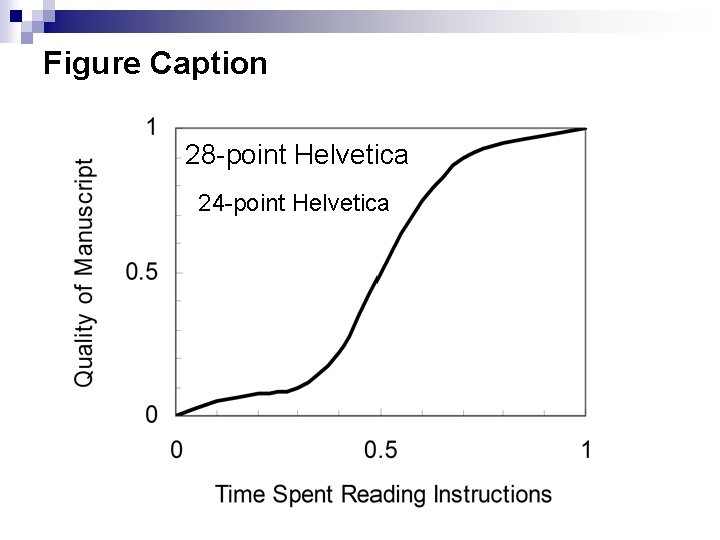
Figure Caption 28 -point Helvetica 24 -point Helvetica
Conclusion Keep your slides simple n Use large fonts for high visibility n ¨ 36 pt for titles ¨ 28 pt for details High contrast colors n Highlight, don’t detail n
- Slides: 13