
Presentation for use with the textbook Data Structures
Presentation for use with the textbook Data Structures and Algorithms in Java, 6 th edition, by M. T. Goodrich, R. Tamassia, and M. H. Goldwasser, Wiley, 2014 Java Primer 2: I/O Methods and Control Flow © 2014 Goodrich, Tamassia, Goldwasser Java Primer 2 1
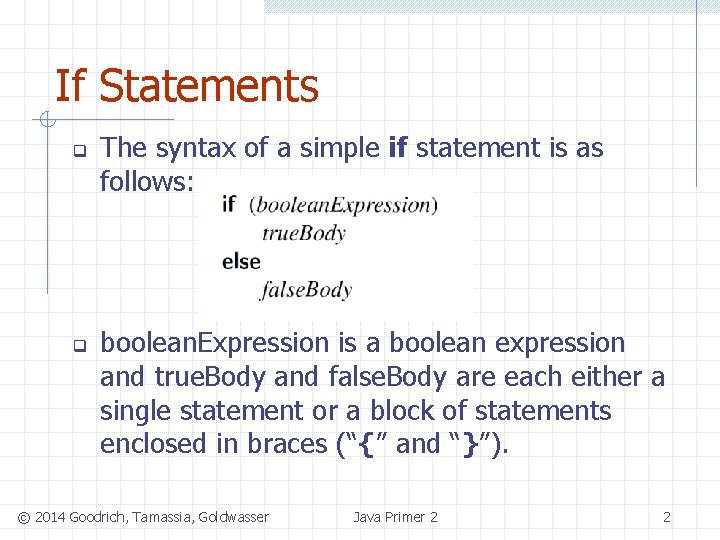
If Statements q q The syntax of a simple if statement is as follows: boolean. Expression is a boolean expression and true. Body and false. Body are each either a single statement or a block of statements enclosed in braces (“{” and “}”). © 2014 Goodrich, Tamassia, Goldwasser Java Primer 2 2
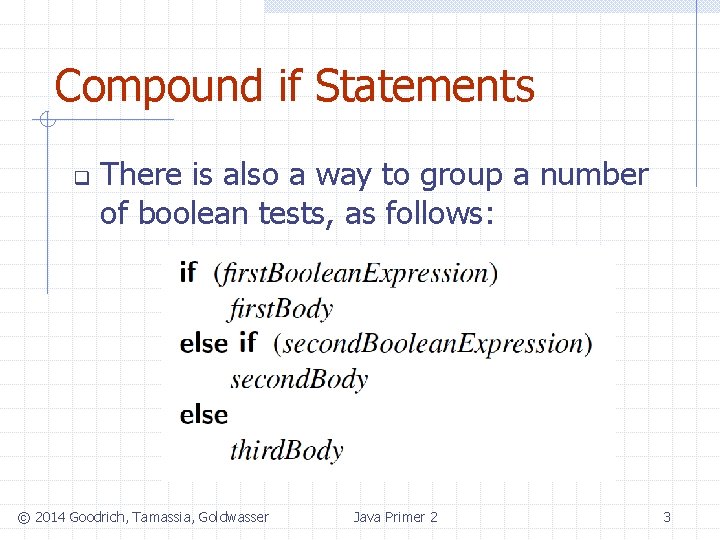
Compound if Statements q There is also a way to group a number of boolean tests, as follows: © 2014 Goodrich, Tamassia, Goldwasser Java Primer 2 3
Switch Statements q q Java provides for multiple-value control flow using the switch statement. The switch statement evaluates an integer, string, or enum expression and causes control flow to jump to the code location labeled with the value of this expression. If there is no matching label, then control flow jumps to the location labeled “default. ” This is the only explicit jump performed by the switch statement, however, so flow of control “falls through” to the next case if the code for a case is not ended with a break statement © 2014 Goodrich, Tamassia, Goldwasser Java Primer 2 4
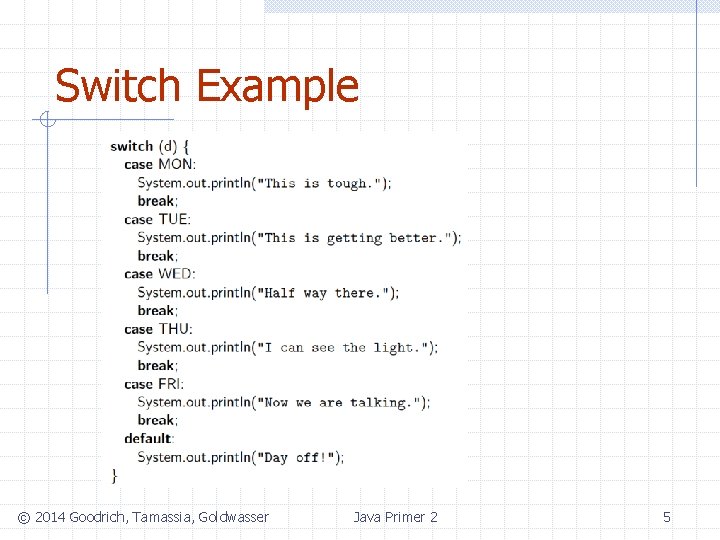
Switch Example © 2014 Goodrich, Tamassia, Goldwasser Java Primer 2 5
Break and Continue q q Java supports a break statement that immediately terminate a while or for loop when executed within its body. Java also supports a continue statement that causes the current iteration of a loop body to stop, but with subsequent passes of the loop proceeding as expected. © 2014 Goodrich, Tamassia, Goldwasser Java Primer 2 6

While Loops q q q The simplest kind of loop in Java is a while loop. Such a loop tests that a certain condition is satisfied and will perform the body of the loop each time this condition is evaluated to be true. The syntax for such a conditional test before a loop body is executed is as follows: while (boolean. Expression) loop. Body © 2014 Goodrich, Tamassia, Goldwasser Java Primer 2 7
Do-While Loops Java has another form of the while loop that allows the boolean condition to be checked at the end of each pass of the loop rather than before each pass. q This form is known as a do-while loop, and has syntax shown below: do loop. Body while (boolean. Expression) q © 2014 Goodrich, Tamassia, Goldwasser Java Primer 2 8
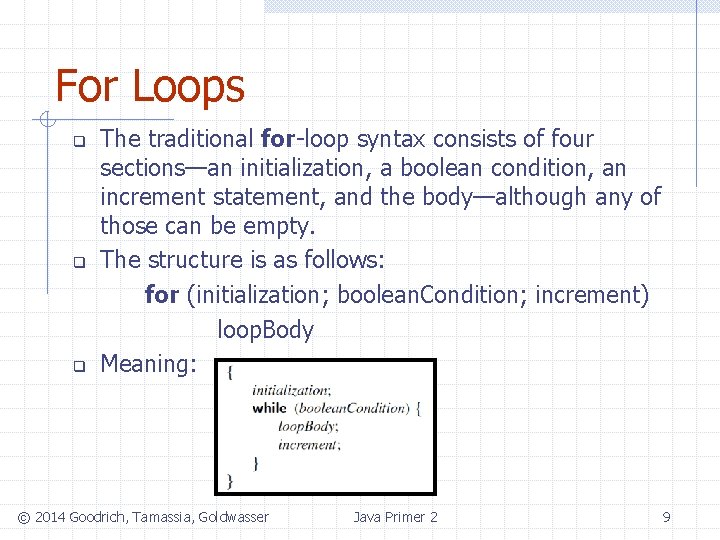
For Loops q q q The traditional for-loop syntax consists of four sections—an initialization, a boolean condition, an increment statement, and the body—although any of those can be empty. The structure is as follows: for (initialization; boolean. Condition; increment) loop. Body Meaning: © 2014 Goodrich, Tamassia, Goldwasser Java Primer 2 9
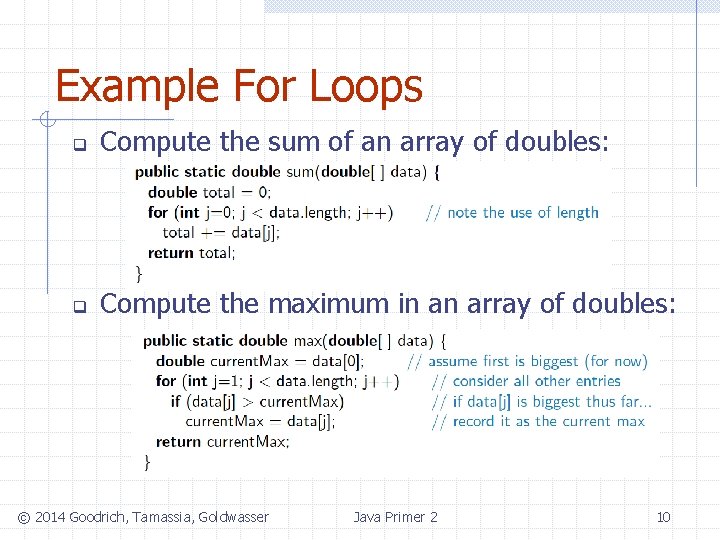
Example For Loops q Compute the sum of an array of doubles: q Compute the maximum in an array of doubles: © 2014 Goodrich, Tamassia, Goldwasser Java Primer 2 10
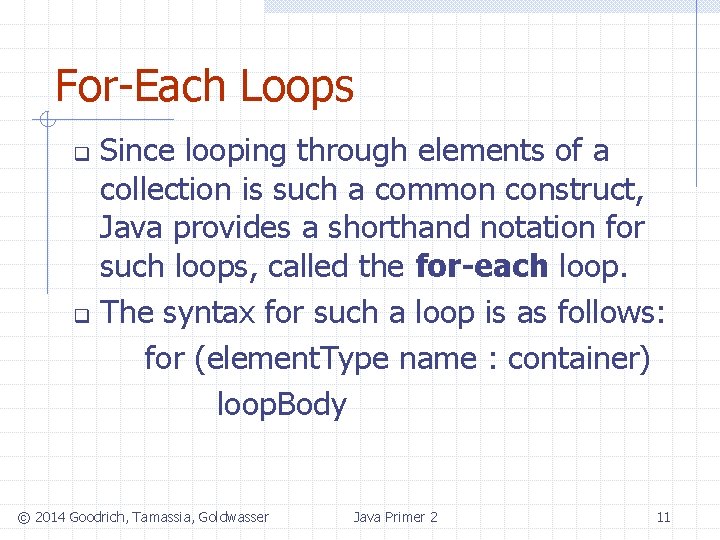
For-Each Loops Since looping through elements of a collection is such a common construct, Java provides a shorthand notation for such loops, called the for-each loop. q The syntax for such a loop is as follows: for (element. Type name : container) loop. Body q © 2014 Goodrich, Tamassia, Goldwasser Java Primer 2 11
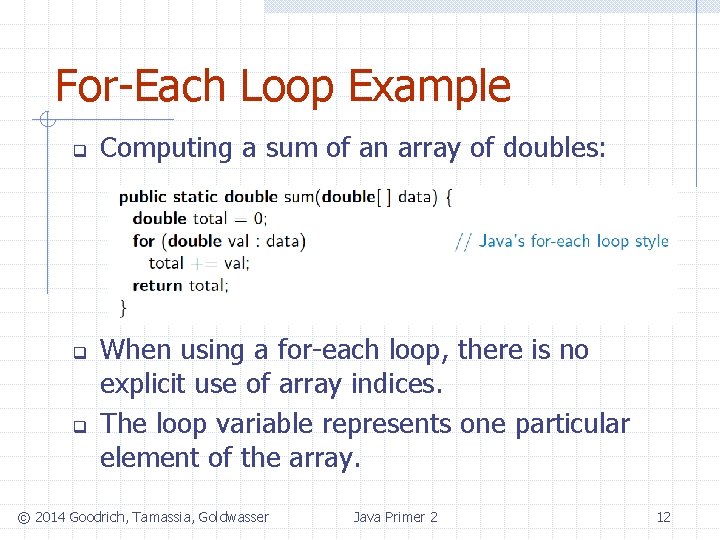
For-Each Loop Example q q q Computing a sum of an array of doubles: When using a for-each loop, there is no explicit use of array indices. The loop variable represents one particular element of the array. © 2014 Goodrich, Tamassia, Goldwasser Java Primer 2 12
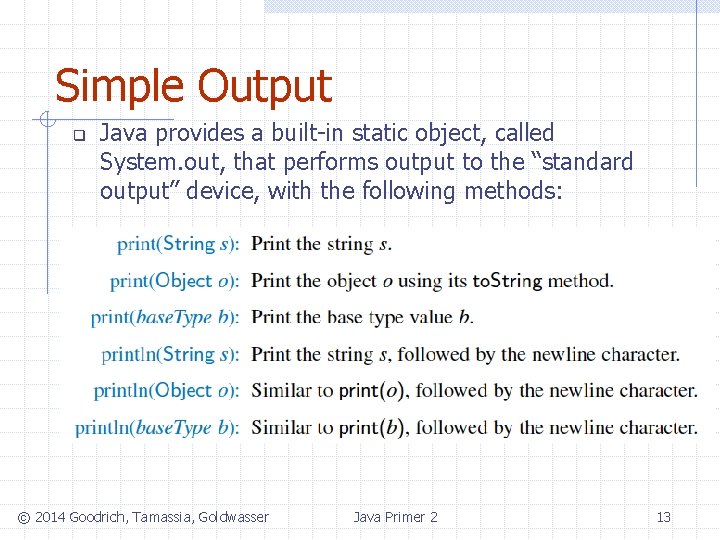
Simple Output q Java provides a built-in static object, called System. out, that performs output to the “standard output” device, with the following methods: © 2014 Goodrich, Tamassia, Goldwasser Java Primer 2 13
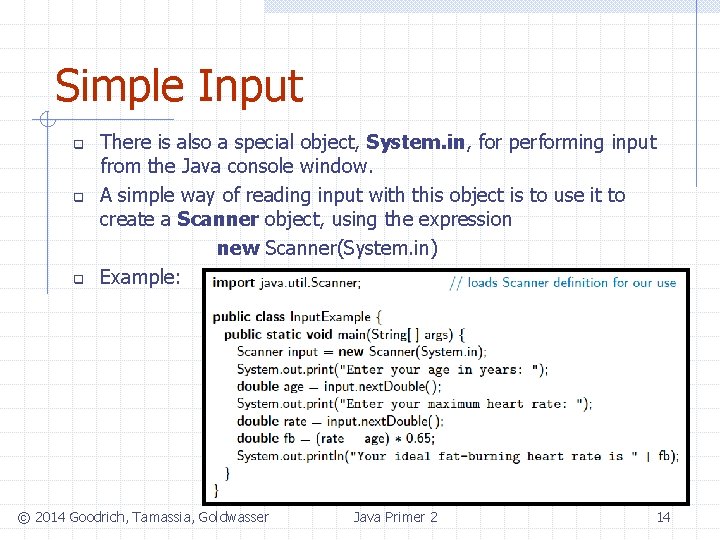
Simple Input q q q There is also a special object, System. in, for performing input from the Java console window. A simple way of reading input with this object is to use it to create a Scanner object, using the expression new Scanner(System. in) Example: © 2014 Goodrich, Tamassia, Goldwasser Java Primer 2 14
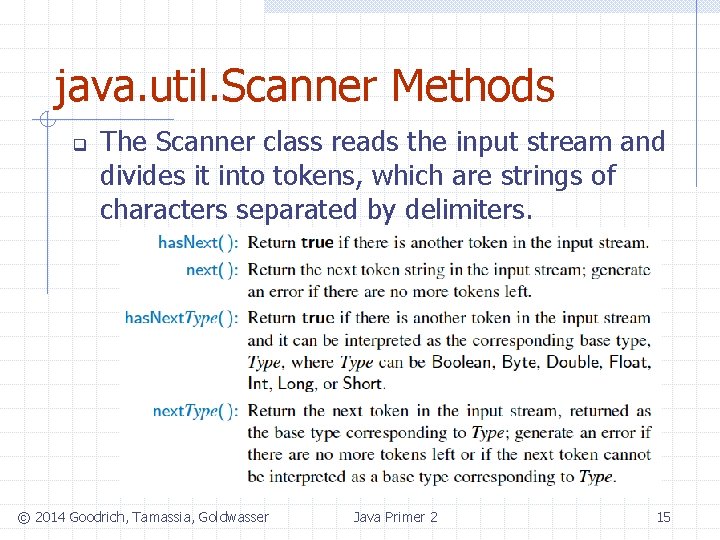
java. util. Scanner Methods q The Scanner class reads the input stream and divides it into tokens, which are strings of characters separated by delimiters. © 2014 Goodrich, Tamassia, Goldwasser Java Primer 2 15

Sample Program © 2014 Goodrich, Tamassia, Goldwasser Java Primer 2 16
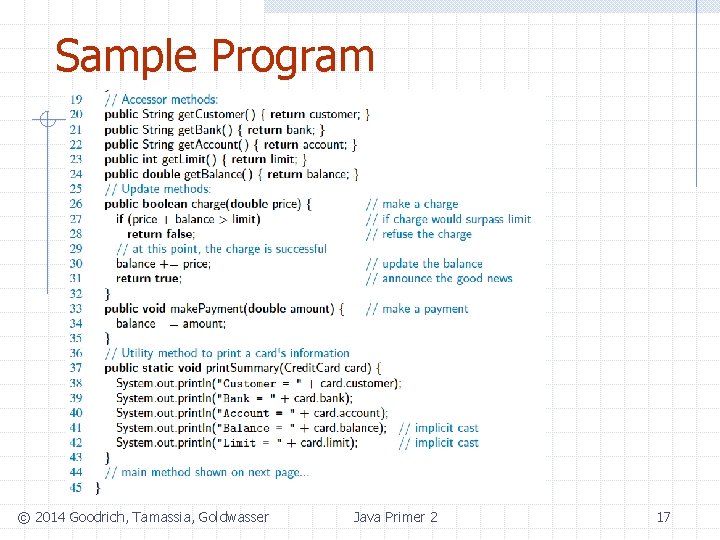
Sample Program © 2014 Goodrich, Tamassia, Goldwasser Java Primer 2 17
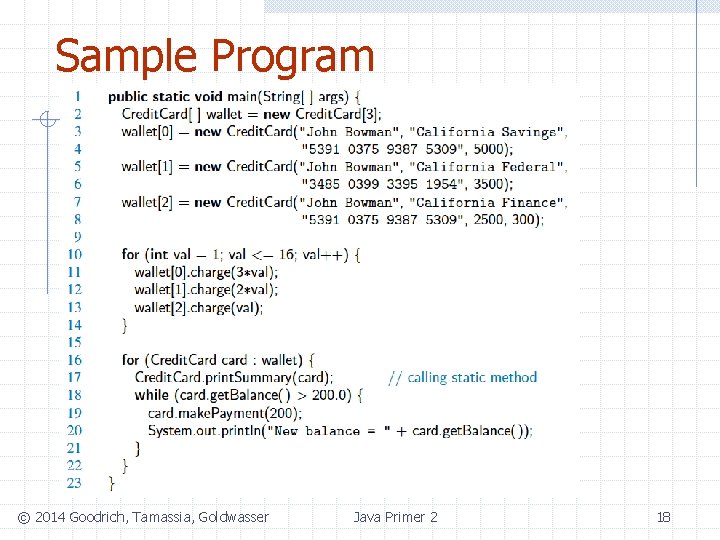
Sample Program © 2014 Goodrich, Tamassia, Goldwasser Java Primer 2 18
- Slides: 18