
Preparing the Developing Budget Contracts Report November 30
Preparing the Developing Budget Contracts Report November 30, 2020 Presenter Madhu Markanday
Purpose of Developing Budget Contracts (DBC) Report q Collect information from programs in OAD about the CBO Contracts that will be included in their developing year budget and uploaded into CAO System which will be included in the annual budget book of Alameda County q CBO Contracts module helps finance leads to calculate the CBO portion of their budget as part of the MOE process 2

Developing Budget Contracts (DBC) Report Process ❶ Obtain and create DBC Report (Coordinator) ❷ Create DBC Report for programs (Finance Leads) ❸ Consolidate DBC Reports (Coordinator) ❹ Upload CBO Contracts into the CAO System (Coordinator) ❺ Reconcile CBO Contracts in CAO System with consolidated DBC (Coordinator) 3
Preparing Developing Budget Contracts (DBC) Report ❶ Obtain and Create DBC Report Done by Coordinator 4
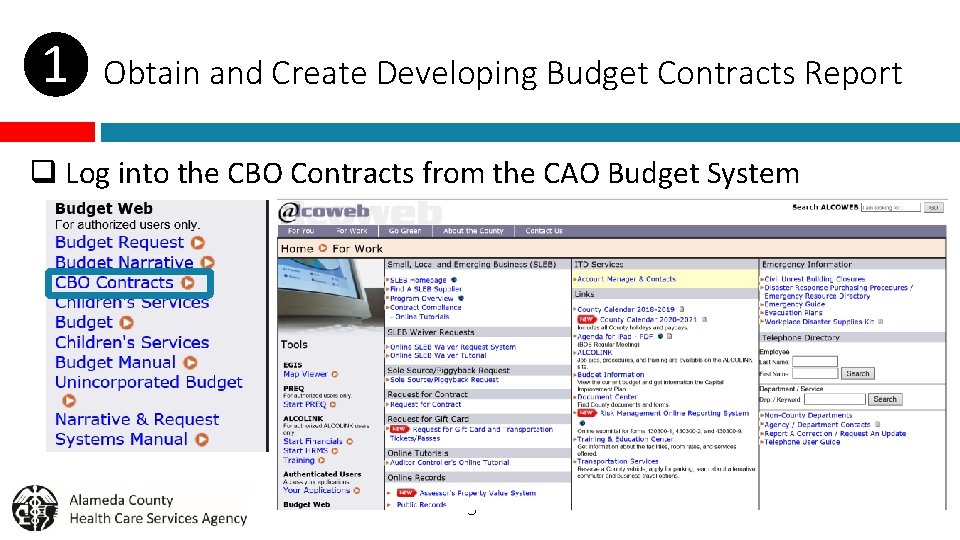
❶ Obtain and Create Developing Budget Contracts Report q Log into the CBO Contracts from the CAO Budget System 5
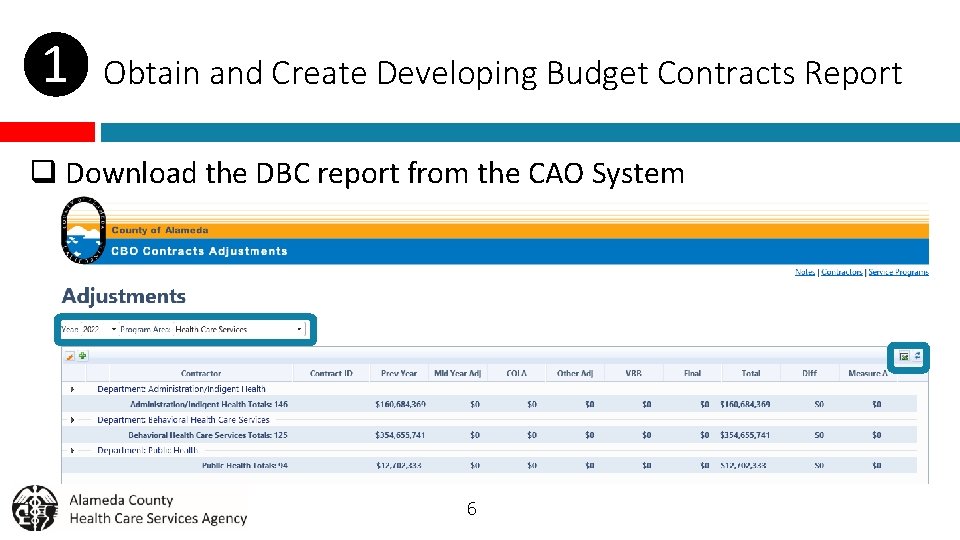
❶ Obtain and Create Developing Budget Contracts Report q Download the DBC report from the CAO System 6
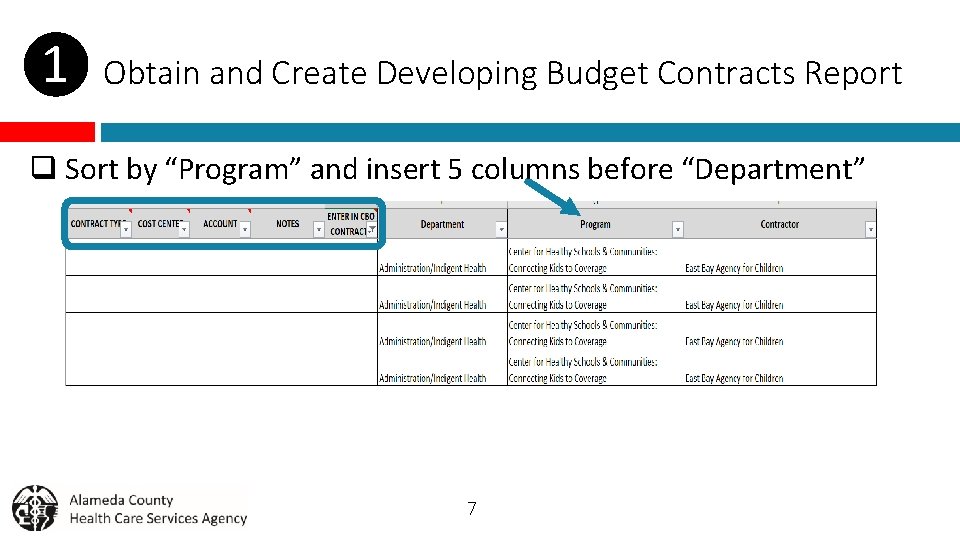
❶ Obtain and Create Developing Budget Contracts Report q Sort by “Program” and insert 5 columns before “Department” 7
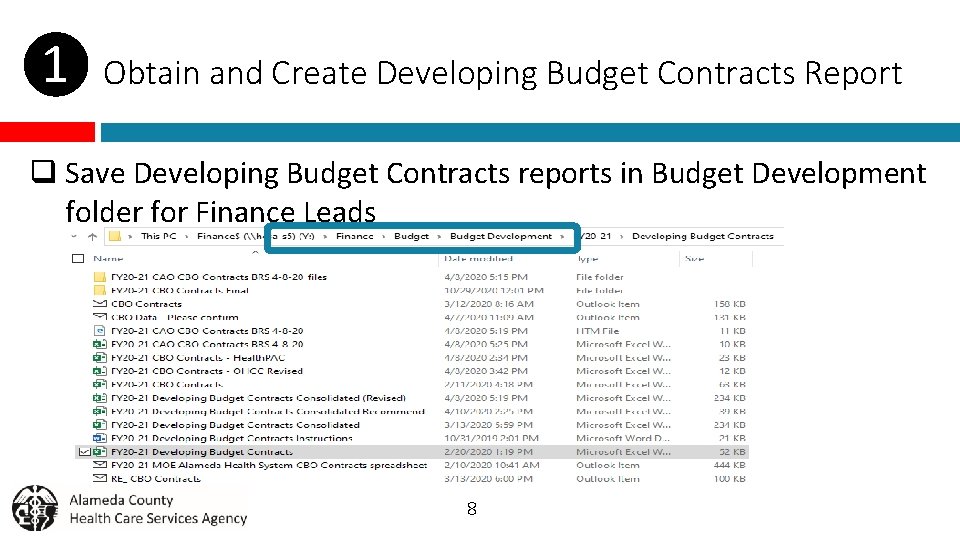
❶ Obtain and Create Developing Budget Contracts Report q Save Developing Budget Contracts reports in Budget Development folder for Finance Leads 8
Preparing Developing Budget Contracts (DBC) Report ❷ Create DBC Report for Programs Done by Finance Leads 9
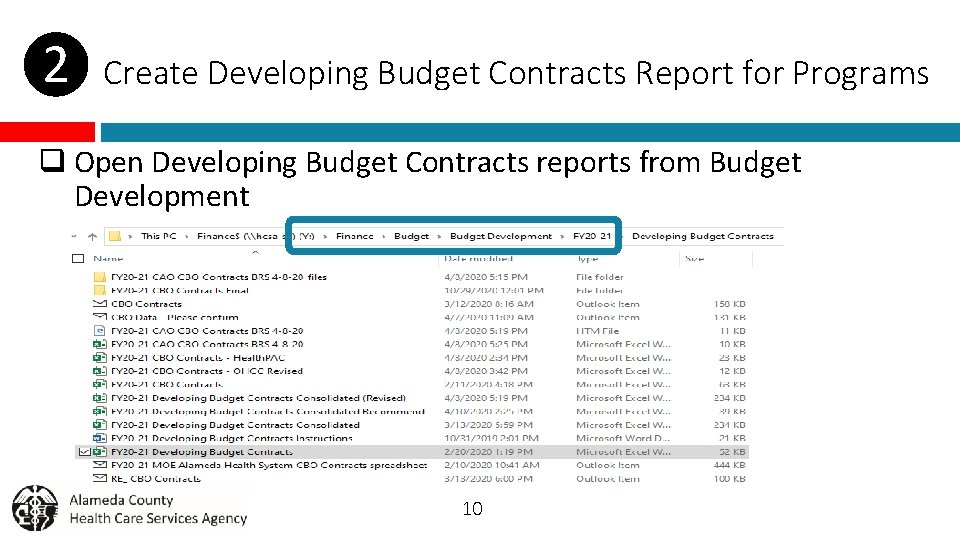
❷ Create Developing Budget Contracts Report for Programs q Open Developing Budget Contracts reports from Budget Development 10
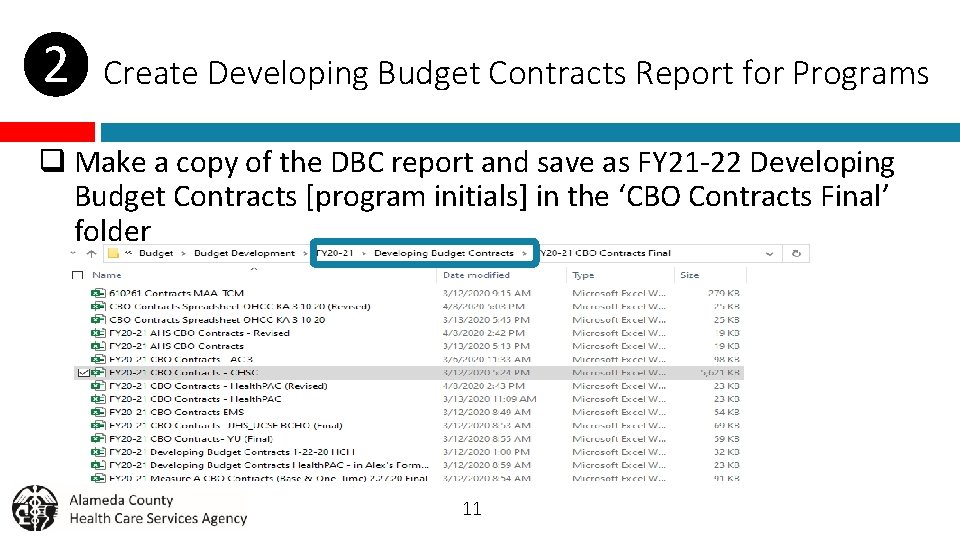
❷ Create Developing Budget Contracts Report for Programs q Make a copy of the DBC report and save as FY 21 -22 Developing Budget Contracts [program initials] in the ‘CBO Contracts Final’ folder 11
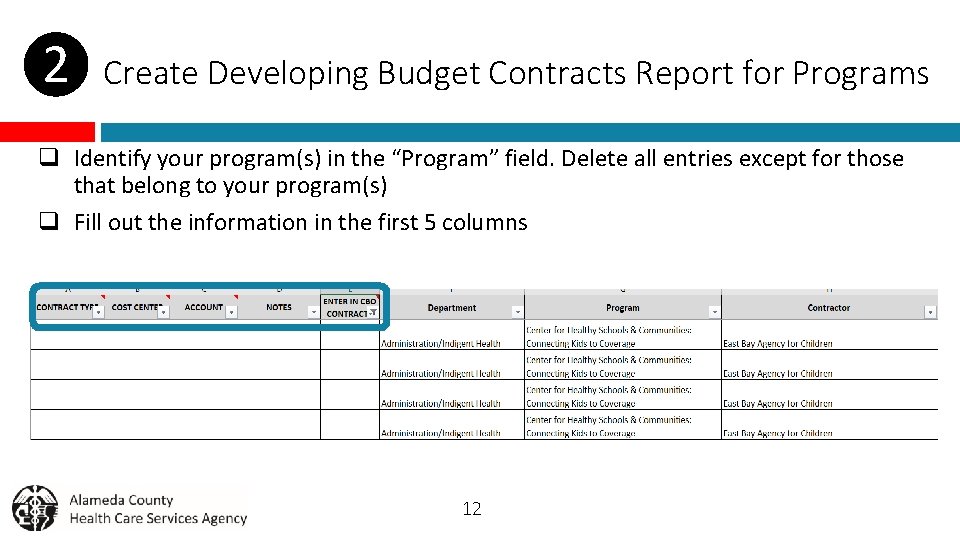
❷ Create Developing Budget Contracts Report for Programs q Identify your program(s) in the “Program” field. Delete all entries except for those that belong to your program(s) q Fill out the information in the first 5 columns 12
❷ Create Developing Budget Contracts Report for Programs q Make changes to last year’s CBO contracts that are not encumbered q Add contracts that were inadvertently left out of the CBO contracts module in FY 20 -21 q Add other contracts that should be included in the FY 21 -22 MOE 13
Consolidate Developing Budget Contracts (DBC) Report ❸ Consolidate DBC Reports Done by Coordinator 14
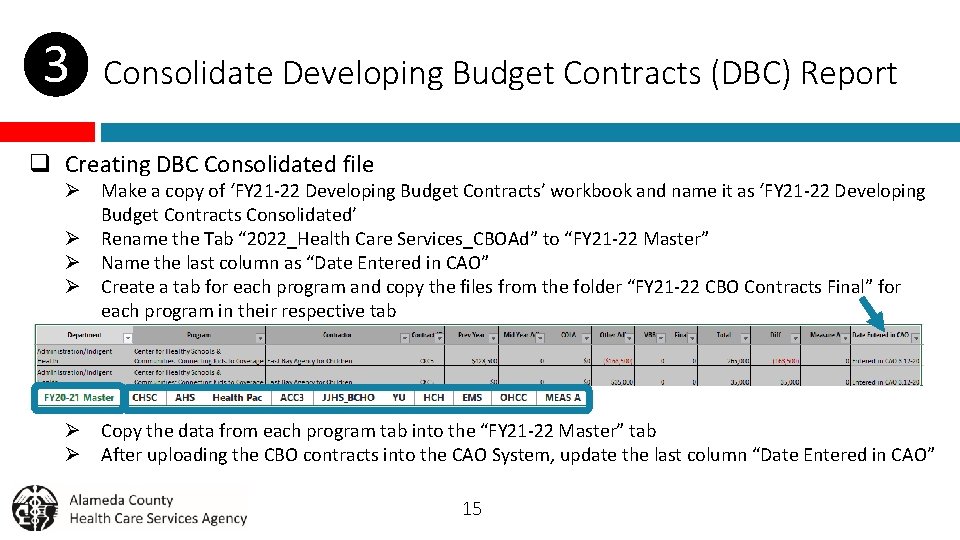
❸ Consolidate Developing Budget Contracts (DBC) Report q Creating DBC Consolidated file Ø Make a copy of ‘FY 21 -22 Developing Budget Contracts’ workbook and name it as ‘FY 21 -22 Developing Budget Contracts Consolidated’ Ø Rename the Tab “ 2022_Health Care Services_CBOAd” to “FY 21 -22 Master” Ø Name the last column as “Date Entered in CAO” Ø Create a tab for each program and copy the files from the folder “FY 21 -22 CBO Contracts Final” for each program in their respective tab Ø Copy the data from each program tab into the “FY 21 -22 Master” tab Ø After uploading the CBO contracts into the CAO System, update the last column “Date Entered in CAO” 15
Preparing Developing Budget Contracts (DBC) Report ❹Upload CBO Contracts into the CAO System Done by Coordinator 16
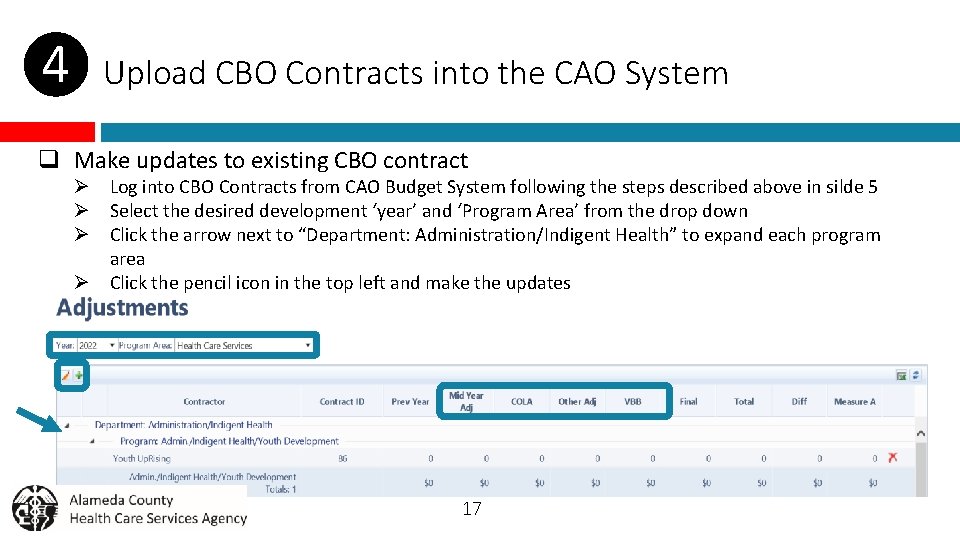
❹ Upload CBO Contracts into the CAO System q Make updates to existing CBO contract Ø Log into CBO Contracts from CAO Budget System following the steps described above in silde 5 Ø Select the desired development ‘year’ and ‘Program Area’ from the drop down Ø Click the arrow next to “Department: Administration/Indigent Health” to expand each program area Ø Click the pencil icon in the top left and make the updates 17
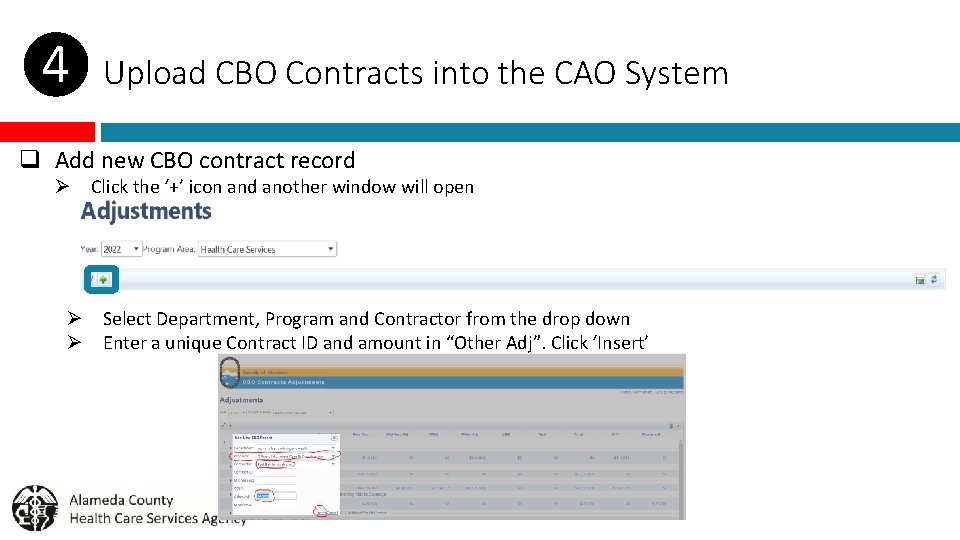
❹ Upload CBO Contracts into the CAO System q Add new CBO contract record Ø Click the ‘+’ icon and another window will open Ø Select Department, Program and Contractor from the drop down Ø Enter a unique Contract ID and amount in “Other Adj”. Click ‘Insert’ 18
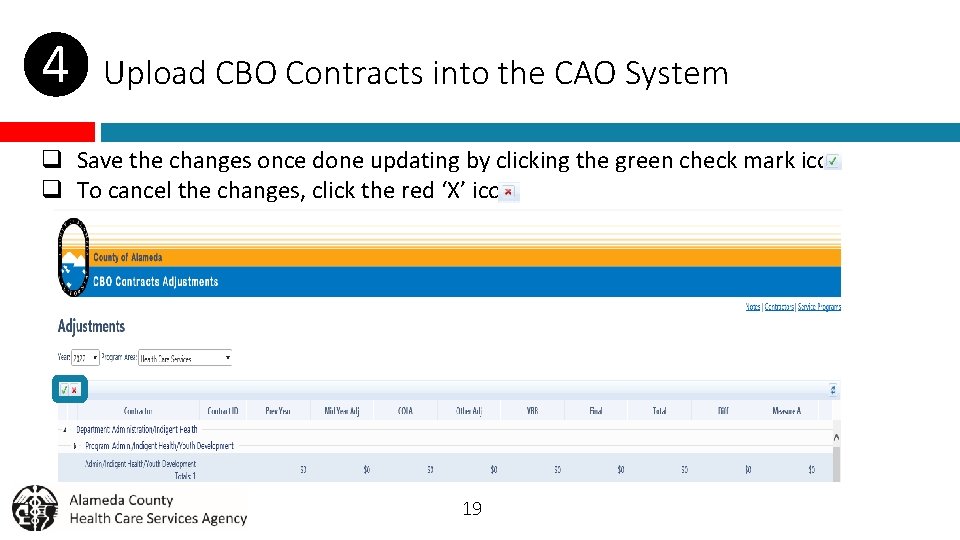
❹ Upload CBO Contracts into the CAO System q Save the changes once done updating by clicking the green check mark icon q To cancel the changes, click the red ‘X’ icon 19
Preparing Developing Budget Contracts (DBC) Report ❺ Reconcile CBO Contracts in CAO System with consolidated DBC Done by Coordinator 20
❺ Reconcile CBO Contracts in CAO System with DBC File q Reconcile DBC Consolidated file Ø Once all the CBO Contracts are uploaded into CAO System, check that the ‘Total Health Care Services Contracts’ tie to the totals in ‘FY 21 -22 Developing Budget Contracts Consolidated’ file Ø Also make sure that the totals for each program tie to the program totals in the CAO System 21
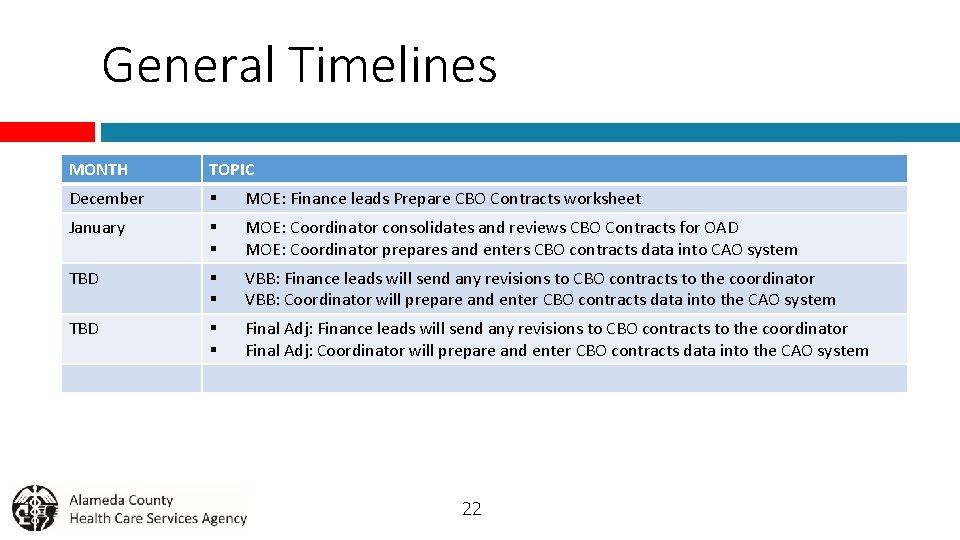
General Timelines MONTH TOPIC December § MOE: Finance leads Prepare CBO Contracts worksheet January § § MOE: Coordinator consolidates and reviews CBO Contracts for OAD MOE: Coordinator prepares and enters CBO contracts data into CAO system TBD § § VBB: Finance leads will send any revisions to CBO contracts to the coordinator VBB: Coordinator will prepare and enter CBO contracts data into the CAO system TBD § § Final Adj: Finance leads will send any revisions to CBO contracts to the coordinator Final Adj: Coordinator will prepare and enter CBO contracts data into the CAO system 22
Questions & Discussion
- Slides: 23