
Preparing a Validation work request template Quick Guide
- Slides: 13
Preparing a Validation work request template – Quick Guide Steve Robba, Director of Standards Development, GS 1 Global Office February 2021, Version 1. 3
Preliminary • This guide is only to help prepare the template • Validation work request template To learn how to create a proper validation, please refer to “How to write GDSN Validation Rules” document. • • https: //www. gs 1. org/sites/default/files/docs/gsmp/validation_rules_gmd_te mplate_feb_21. xlsx https: //www. gs 1. org/sites/default/files/docs/gsmp/how_to_write_gdsn_valid ation_rules_i 1 -3_a_2021 -02 -10. docx To learn how to fill out a GS 1 work request, please refer to “Work Request Form Guidance” https: //www. gs 1. org/sites/default/files/docs/gsmp/work_request_blank_questi on_template. docx © GS 1 2021 2
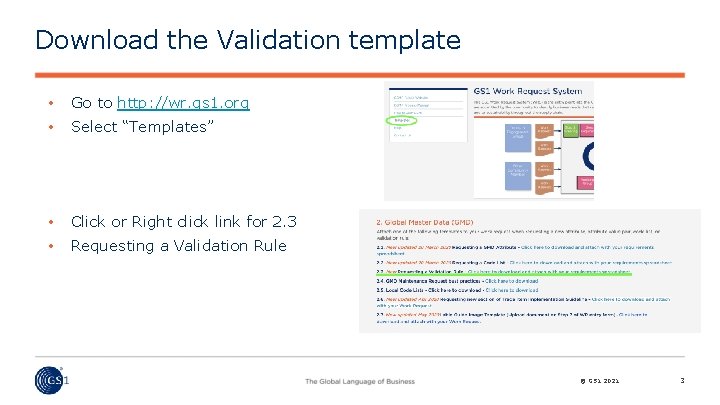
Download the Validation template • Go to http: //wr. gs 1. org • Select “Templates” • Click or Right click link for 2. 3 • Requesting a Validation Rule © GS 1 2021 3
Validation Template Always begin entering at line 5 • Never delete rows 1 through 4. • Row 1 the work request system uses to populate the proper fields in the system. • Row 2 & 3 are provided as examples and quick directions. • Row 4 is the line to notify user to start at row 5. © GS 1 2021 4
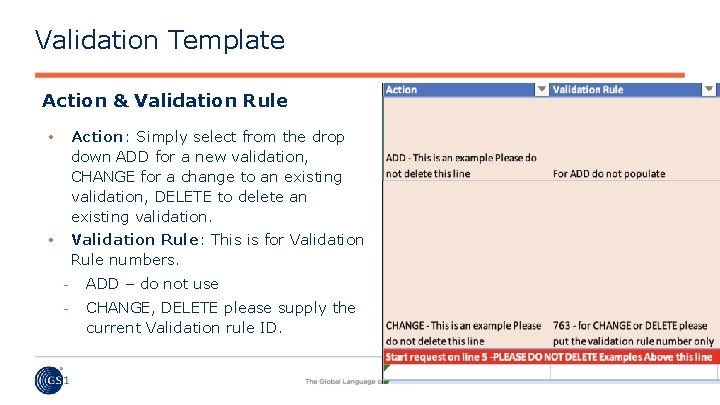
Validation Template Action & Validation Rule • Action: Simply select from the drop down ADD for a new validation, CHANGE for a change to an existing validation, DELETE to delete an existing validation. • Validation Rule: This is for Validation Rule numbers. ADD – do not use CHANGE, DELETE please supply the current Validation rule ID. © GS 1 2021 5
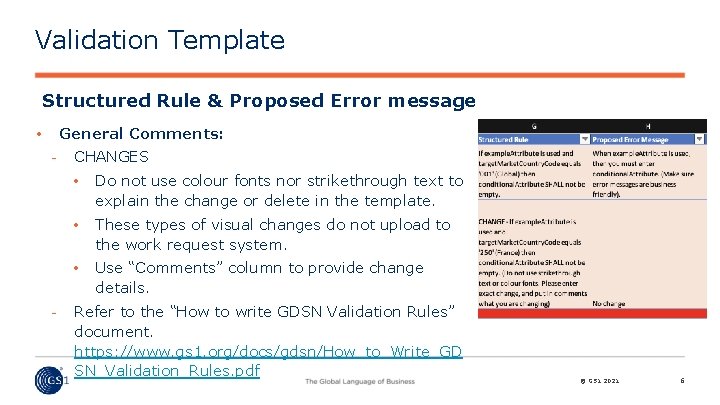
Validation Template Structured Rule & Proposed Error message General Comments: • CHANGES • Do not use colour fonts nor strikethrough text to explain the change or delete in the template. • These types of visual changes do not upload to the work request system. • Use “Comments” column to provide change details. Refer to the “How to write GDSN Validation Rules” document. https: //www. gs 1. org/docs/gdsn/How_to_Write_GD SN_Validation_Rules. pdf © GS 1 2021 6
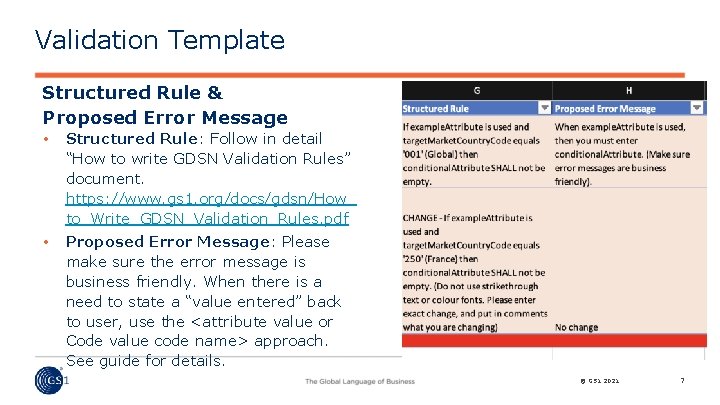
Validation Template Structured Rule & Proposed Error Message • Structured Rule: Follow in detail “How to write GDSN Validation Rules” document. https: //www. gs 1. org/docs/gdsn/How_ to_Write_GDSN_Validation_Rules. pdf • Proposed Error Message: Please make sure the error message is business friendly. When there is a need to state a “value entered” back to user, use the <attribute value or Code value code name> approach. See guide for details. © GS 1 2021 7
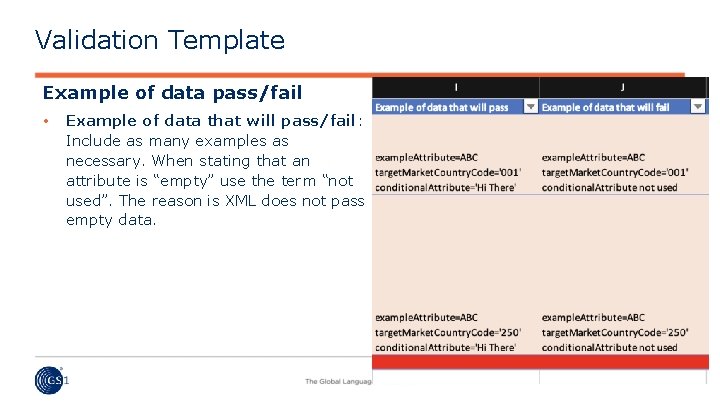
Validation Template Example of data pass/fail • Example of data that will pass/fail: Include as many examples as necessary. When stating that an attribute is “empty” use the term “not used”. The reason is XML does not pass empty data. © GS 1 2021 8
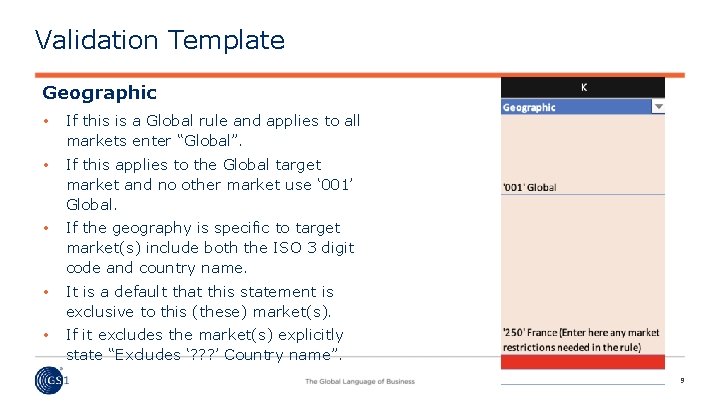
Validation Template Geographic • If this is a Global rule and applies to all markets enter “Global”. • If this applies to the Global target market and no other market use ‘ 001’ Global. • If the geography is specific to target market(s) include both the ISO 3 digit code and country name. • It is a default that this statement is exclusive to this (these) market(s). • If it excludes the market(s) explicitly state “Excludes ‘? ? ? ’ Country name”. © GS 1 2021 9
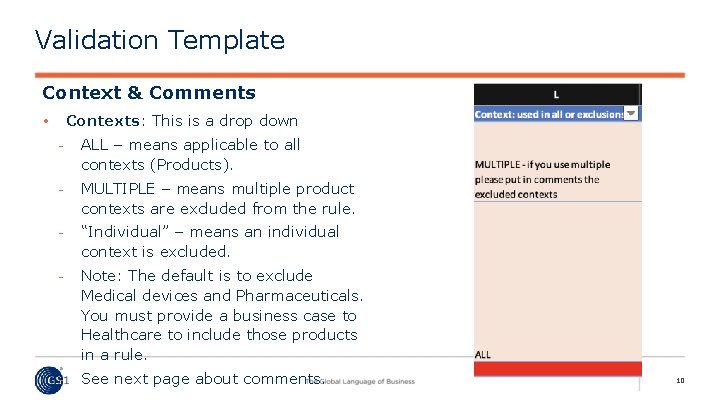
Validation Template Context & Comments Contexts: This is a drop down • ALL – means applicable to all contexts (Products). MULTIPLE – means multiple product contexts are excluded from the rule. “Individual” – means an individual context is excluded. Note: The default is to exclude Medical devices and Pharmaceuticals. You must provide a business case to Healthcare to include those products in a rule. See next page about comments. © GS 1 2021 10
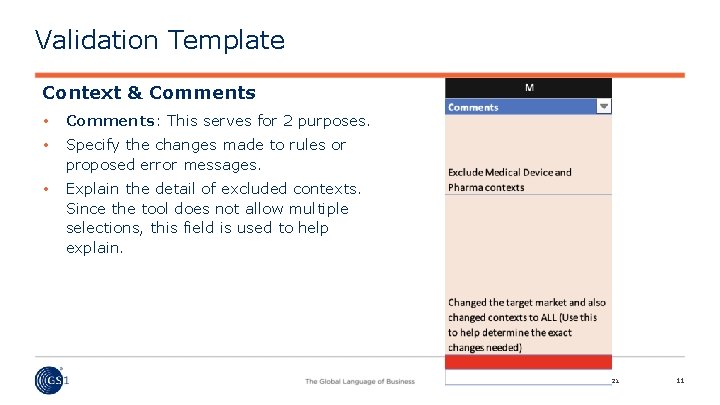
Validation Template Context & Comments • Comments: This serves for 2 purposes. • Specify the changes made to rules or proposed error messages. • Explain the detail of excluded contexts. Since the tool does not allow multiple selections, this field is used to help explain. © GS 1 2021 11
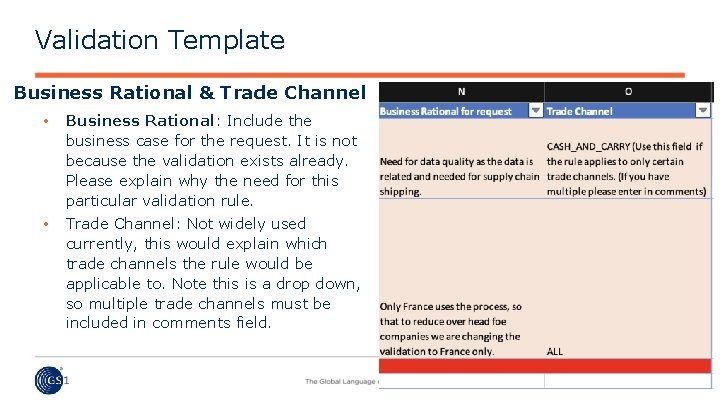
Validation Template Business Rational & Trade Channel • Business Rational: Include the business case for the request. It is not because the validation exists already. Please explain why the need for this particular validation rule. • Trade Channel: Not widely used currently, this would explain which trade channels the rule would be applicable to. Note this is a drop down, so multiple trade channels must be included in comments field. © GS 1 2021 12
Any questions please contact GSMP@gs 1. org © GS 1 2021 13