
Precept 2 Numbers Types in C Programs 2017
Precept 2: Numbers & Types in C Programs 2017. 03. 06.
Contents • Understanding basic C programs • C primitive data types • (unsigned) char, short, int, long, float, double, long double • C symbolic constants • #define, const, enum Goal: Show to use them in actual programming
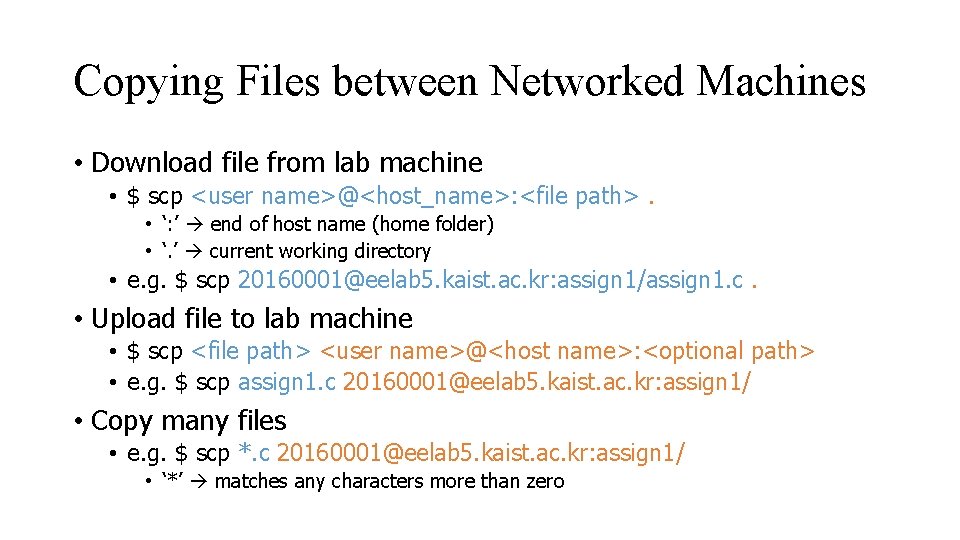
Copying Files between Networked Machines • Download file from lab machine • $ scp <user name>@<host_name>: <file path>. • ‘: ’ end of host name (home folder) • ‘. ’ current working directory • e. g. $ scp 20160001@eelab 5. kaist. ac. kr: assign 1/assign 1. c. • Upload file to lab machine • $ scp <file path> <user name>@<host name>: <optional path> • e. g. $ scp assign 1. c 20160001@eelab 5. kaist. ac. kr: assign 1/ • Copy many files • e. g. $ scp *. c 20160001@eelab 5. kaist. ac. kr: assign 1/ • ‘*’ matches any characters more than zero
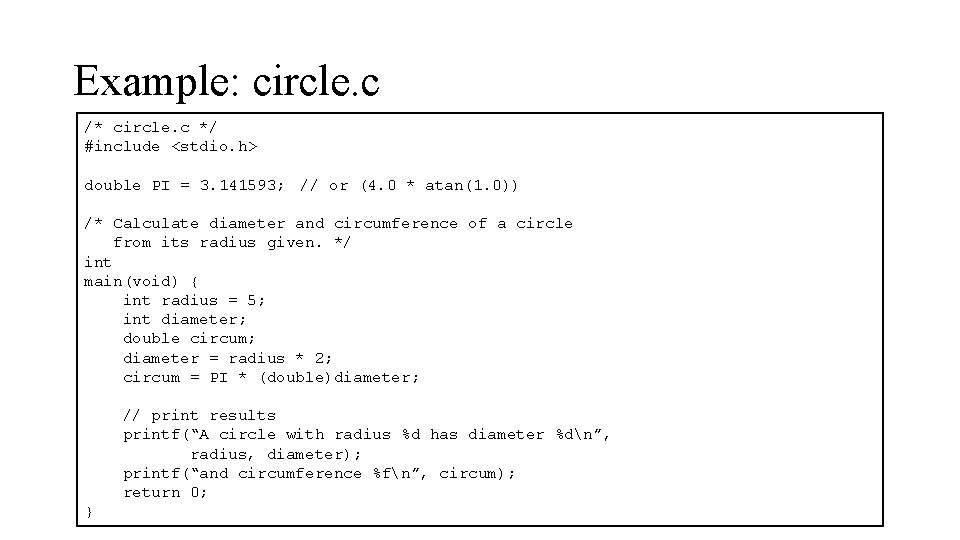
Example: circle. c /* circle. c */ #include <stdio. h> double PI = 3. 141593; // or (4. 0 * atan(1. 0)) /* Calculate diameter and circumference of a circle from its radius given. */ int main(void) { int radius = 5; int diameter; double circum; diameter = radius * 2; circum = PI * (double)diameter; // print results printf(“A circle with radius %d has diameter %dn”, radius, diameter); printf(“and circumference %fn”, circum); return 0; }
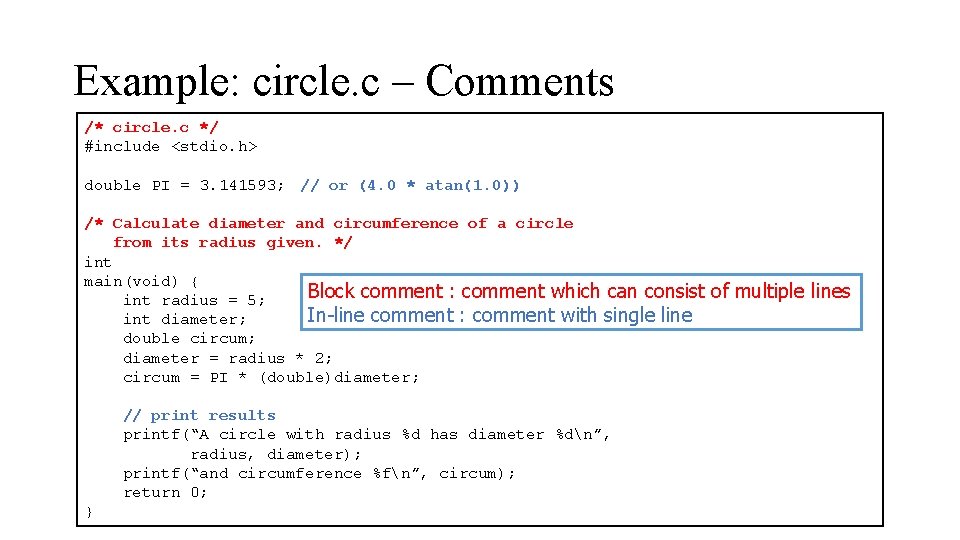
Example: circle. c – Comments /* circle. c */ #include <stdio. h> double PI = 3. 141593; // or (4. 0 * atan(1. 0)) /* Calculate diameter and circumference of a circle from its radius given. */ int main(void) { Block comment : comment which can consist int radius = 5; In-line comment : comment with single line int diameter; double circum; diameter = radius * 2; circum = PI * (double)diameter; // print results printf(“A circle with radius %d has diameter %dn”, radius, diameter); printf(“and circumference %fn”, circum); return 0; } of multiple lines
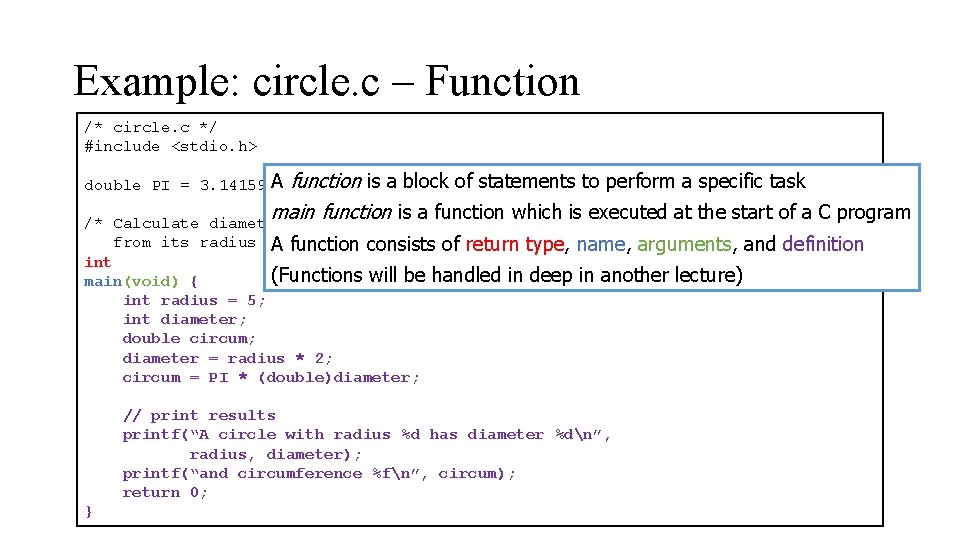
Example: circle. c – Function /* circle. c */ #include <stdio. h> A function is a block of statements double PI = 3. 141593; // or (4. 0 * atan(1. 0)) to perform a specific task main function is a function which is executed at the start of a C program /* Calculate diameter and circumference of a circle from its radius given. */ consists of return type, name, arguments, and A function int (Functions will be handled in deep in another lecture) main(void) { int radius = 5; int diameter; double circum; diameter = radius * 2; circum = PI * (double)diameter; // print results printf(“A circle with radius %d has diameter %dn”, radius, diameter); printf(“and circumference %fn”, circum); return 0; } definition
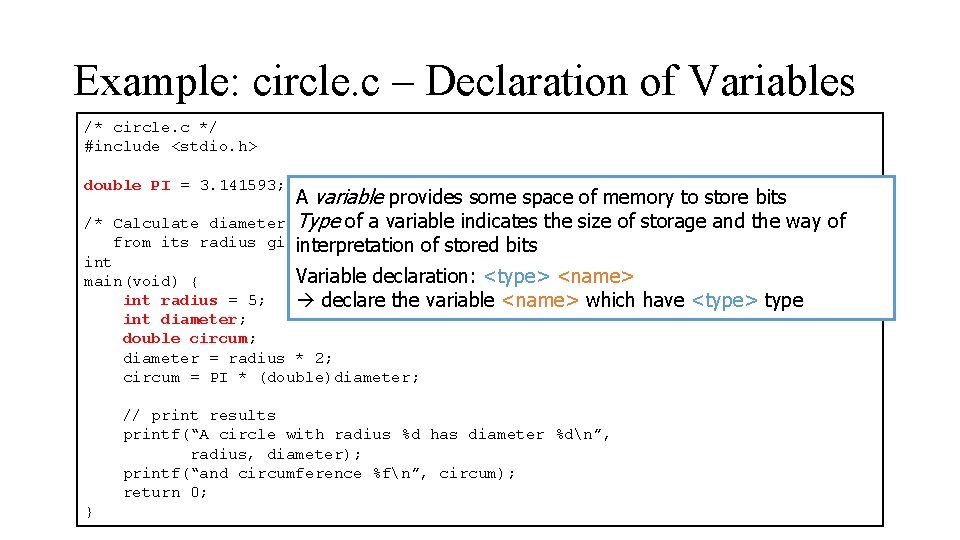
Example: circle. c – Declaration of Variables /* circle. c */ #include <stdio. h> double PI = 3. 141593; // or (4. 0 * atan(1. 0)) /* A variable provides some space of memory to store bits Typecircumference of a variable indicates the size of storage and the way of Calculate diameter and of a circle from its radius given. */ interpretation of stored bits int Variable declaration: <type> <name> main(void) { int radius = 5; declare the variable <name> which int diameter; double circum; diameter = radius * 2; circum = PI * (double)diameter; // print results printf(“A circle with radius %d has diameter %dn”, radius, diameter); printf(“and circumference %fn”, circum); return 0; } have <type> type
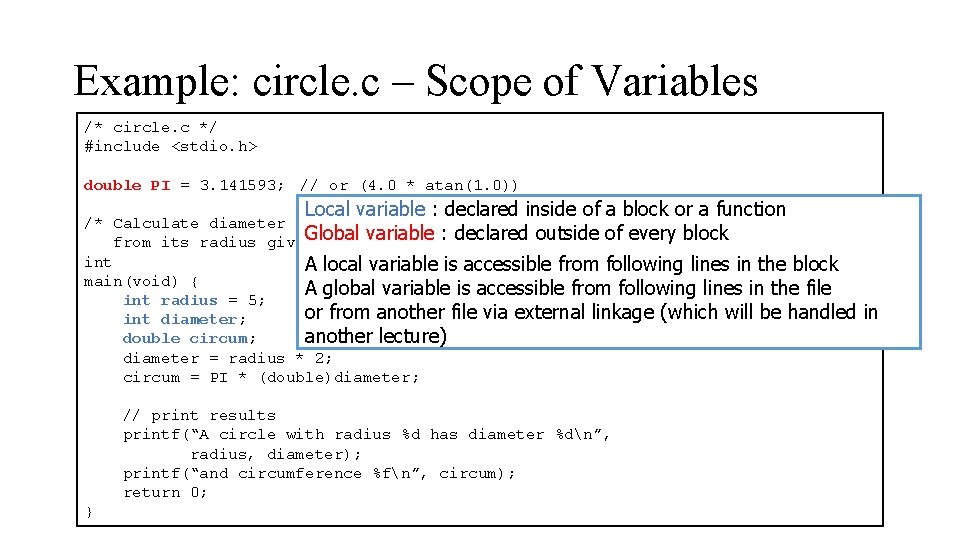
Example: circle. c – Scope of Variables /* circle. c */ #include <stdio. h> double PI = 3. 141593; // or (4. 0 * atan(1. 0)) Local variable : declared inside of a block or a function /* Calculate diameter and circumference of a circle Global from its radius given. */ variable : declared outside of every block int A local variable is accessible from following lines in the block main(void) { A global variable is accessible from following lines in the file int radius = 5; or from another file via external linkage (which will be handled int diameter; double circum; another lecture) diameter = radius * 2; circum = PI * (double)diameter; // print results printf(“A circle with radius %d has diameter %dn”, radius, diameter); printf(“and circumference %fn”, circum); return 0; } in
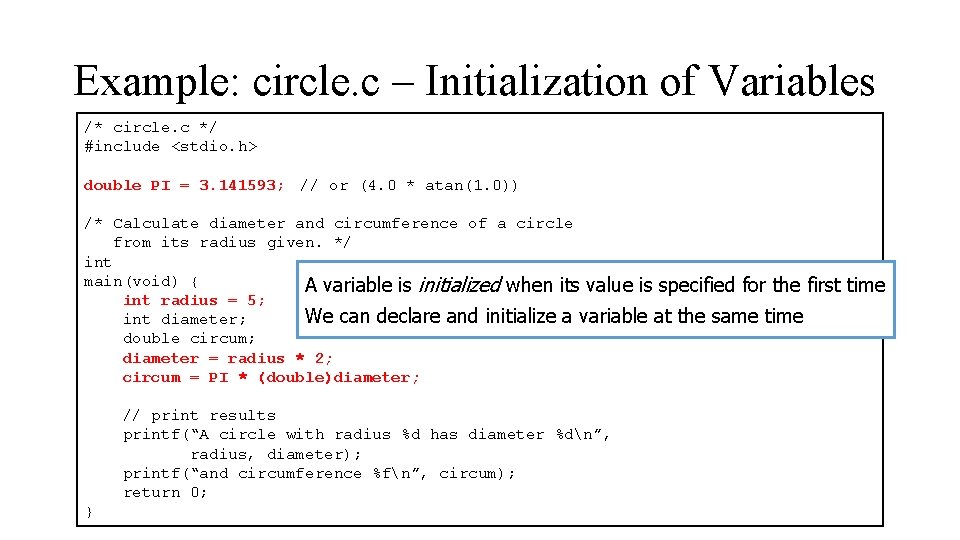
Example: circle. c – Initialization of Variables /* circle. c */ #include <stdio. h> double PI = 3. 141593; // or (4. 0 * atan(1. 0)) /* Calculate diameter and circumference of a circle from its radius given. */ int main(void) { A variable is initialized when its value is specified for the first int radius = 5; We can declare and initialize a variable at the same time int diameter; double circum; diameter = radius * 2; circum = PI * (double)diameter; // print results printf(“A circle with radius %d has diameter %dn”, radius, diameter); printf(“and circumference %fn”, circum); return 0; } time
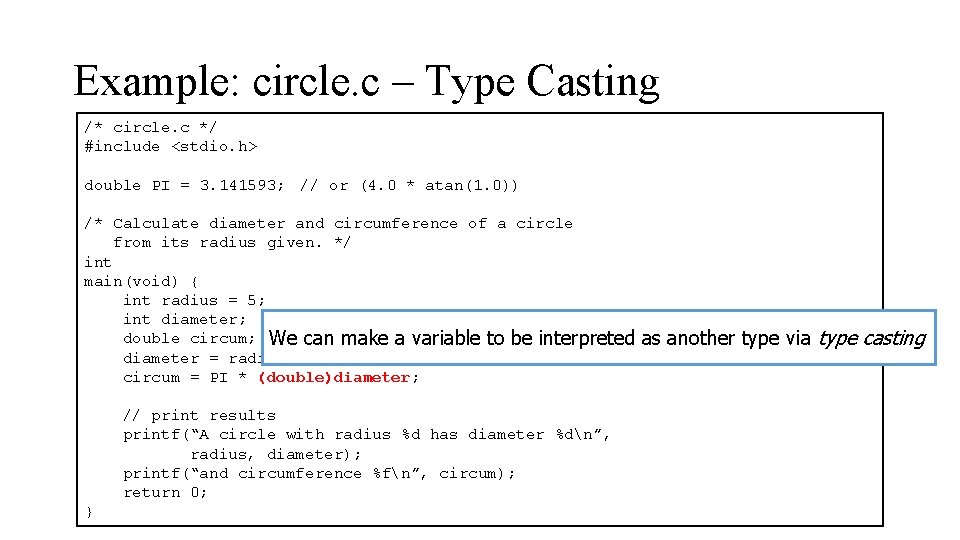
Example: circle. c – Type Casting /* circle. c */ #include <stdio. h> double PI = 3. 141593; // or (4. 0 * atan(1. 0)) /* Calculate diameter and circumference of a circle from its radius given. */ int main(void) { int radius = 5; int diameter; double circum; We can make a variable to be interpreted diameter = radius * 2; circum = PI * (double)diameter; // print results printf(“A circle with radius %d has diameter %dn”, radius, diameter); printf(“and circumference %fn”, circum); return 0; } as another type via type casting
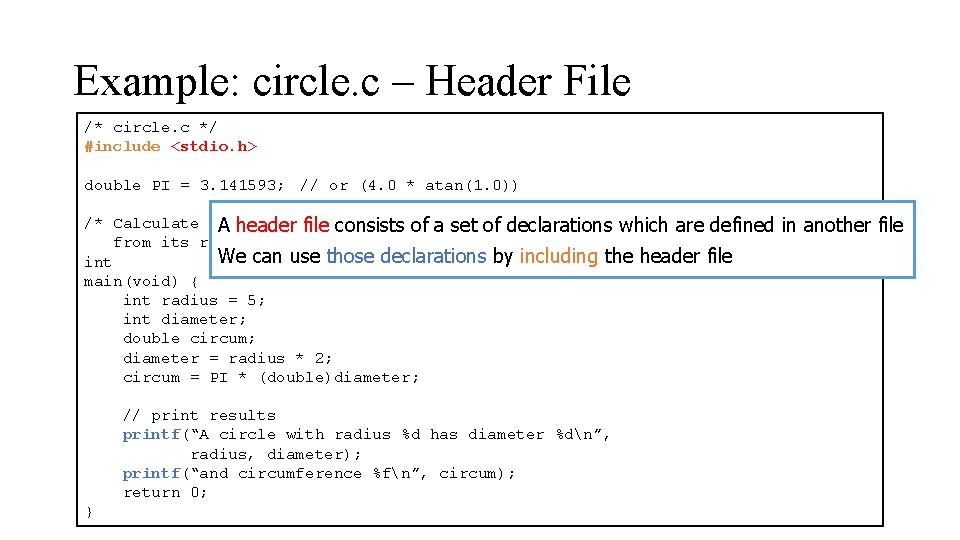
Example: circle. c – Header File /* circle. c */ #include <stdio. h> double PI = 3. 141593; // or (4. 0 * atan(1. 0)) /* Calculate diameter circle A headerand file circumference consists of a setofofadeclarations which are defined from its radius given. */ We can use those declarations by including the header file int main(void) { int radius = 5; int diameter; double circum; diameter = radius * 2; circum = PI * (double)diameter; // print results printf(“A circle with radius %d has diameter %dn”, radius, diameter); printf(“and circumference %fn”, circum); return 0; } in another file
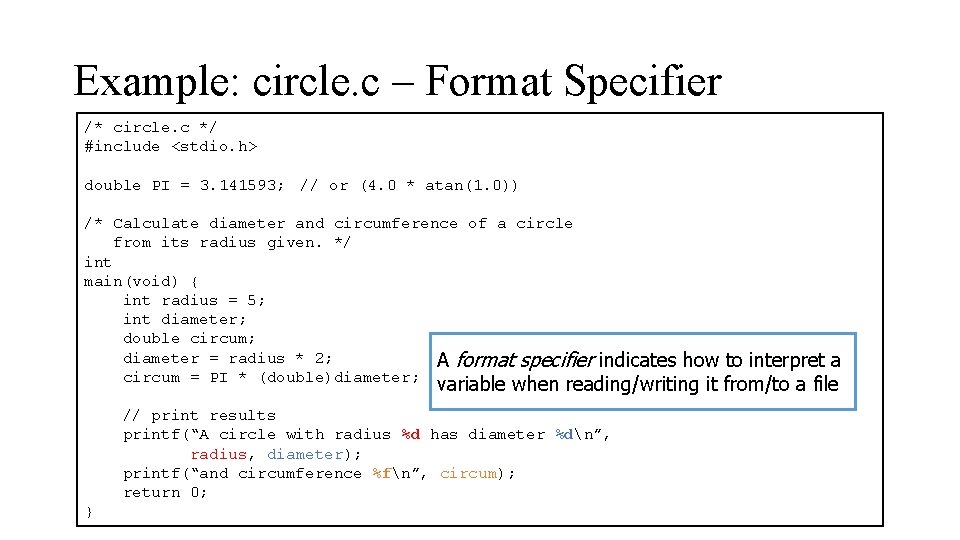
Example: circle. c – Format Specifier /* circle. c */ #include <stdio. h> double PI = 3. 141593; // or (4. 0 * atan(1. 0)) /* Calculate diameter and circumference of a circle from its radius given. */ int main(void) { int radius = 5; int diameter; double circum; diameter = radius * 2; A format specifier circum = PI * (double)diameter; indicates how to interpret a variable when reading/writing it from/to a file // print results printf(“A circle with radius %d has diameter %dn”, radius, diameter); printf(“and circumference %fn”, circum); return 0; }
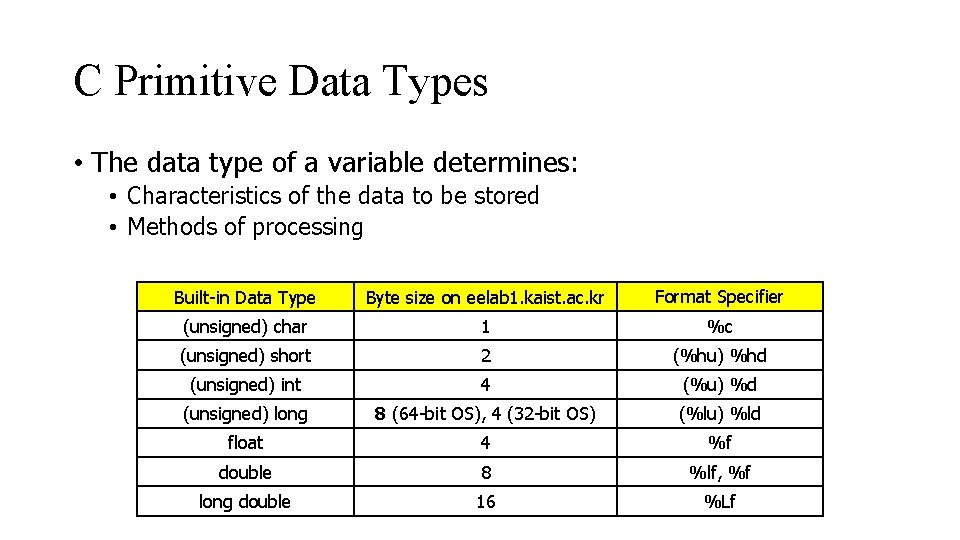
C Primitive Data Types • The data type of a variable determines: • Characteristics of the data to be stored • Methods of processing Built-in Data Type Byte size on eelab 1. kaist. ac. kr Format Specifier (unsigned) char 1 %c (unsigned) short 2 (%hu) %hd (unsigned) int 4 (%u) %d (unsigned) long 8 (64 -bit OS), 4 (32 -bit OS) (%lu) %ld float 4 %f double 8 %lf, %f long double 16 %Lf
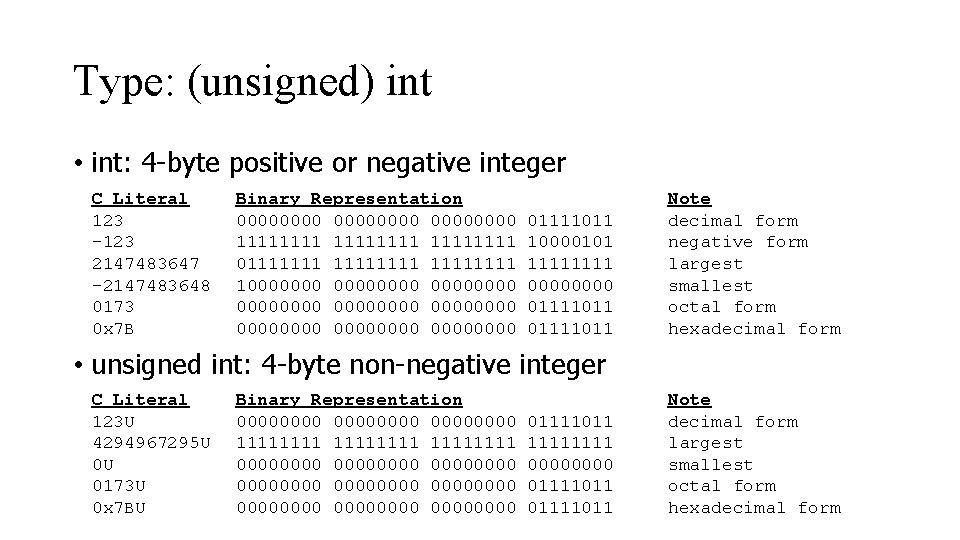
Type: (unsigned) int • int: 4 -byte positive or negative integer C Literal 123 -123 2147483647 -2147483648 0173 0 x 7 B Binary Representation 00000000 11111111 011111111 100000000 00000000 00000000 01111011 10000101 1111 0000 01111011 Note decimal form negative form largest smallest octal form hexadecimal form • unsigned int: 4 -byte non-negative integer C Literal 123 U 4294967295 U 0 U 0173 U 0 x 7 BU Binary Representation 00000000 11111111 00000000 00000000 0000 01111011 1111 0000 01111011 Note decimal form largest smallest octal form hexadecimal form
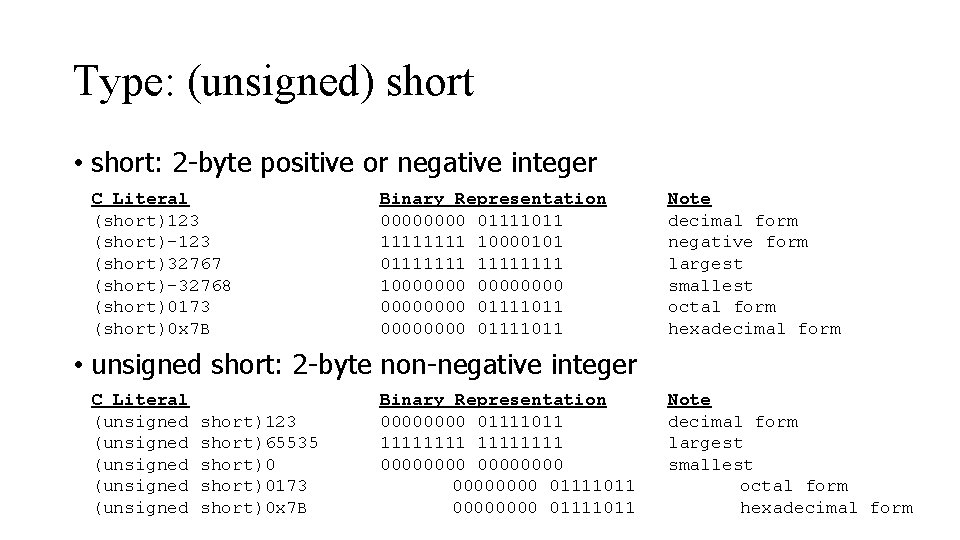
Type: (unsigned) short • short: 2 -byte positive or negative integer C Literal (short)123 (short)-123 (short)32767 (short)-32768 (short)0173 (short)0 x 7 B Binary Representation 0000 01111011 1111 10000101 01111111 100000000 01111011 0000 01111011 Note decimal form negative form largest smallest octal form hexadecimal form • unsigned short: 2 -byte non-negative integer C Literal (unsigned (unsigned short)123 short)65535 short)0173 short)0 x 7 B Binary Representation 0000 01111011 11111111 00000000 01111011 Note decimal form largest smallest octal form hexadecimal form
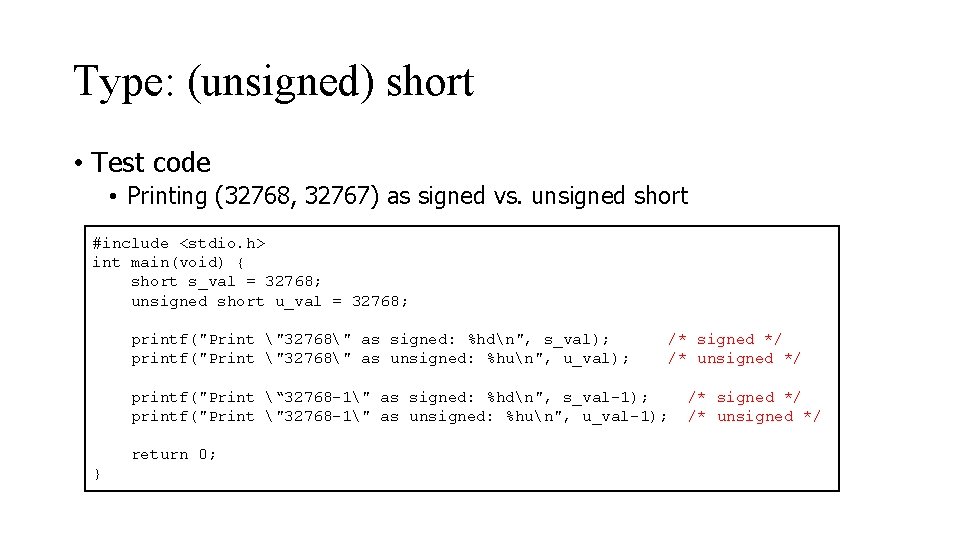
Type: (unsigned) short • Test code • Printing (32768, 32767) as signed vs. unsigned short #include <stdio. h> int main(void) { short s_val = 32768; unsigned short u_val = 32768; printf("Print "32768" as signed: %hdn", s_val); printf("Print "32768" as unsigned: %hun", u_val); /* signed */ /* unsigned */ printf("Print “ 32768 -1" as signed: %hdn", s_val-1); printf("Print "32768 -1" as unsigned: %hun", u_val-1); return 0; } /* signed */ /* unsigned */
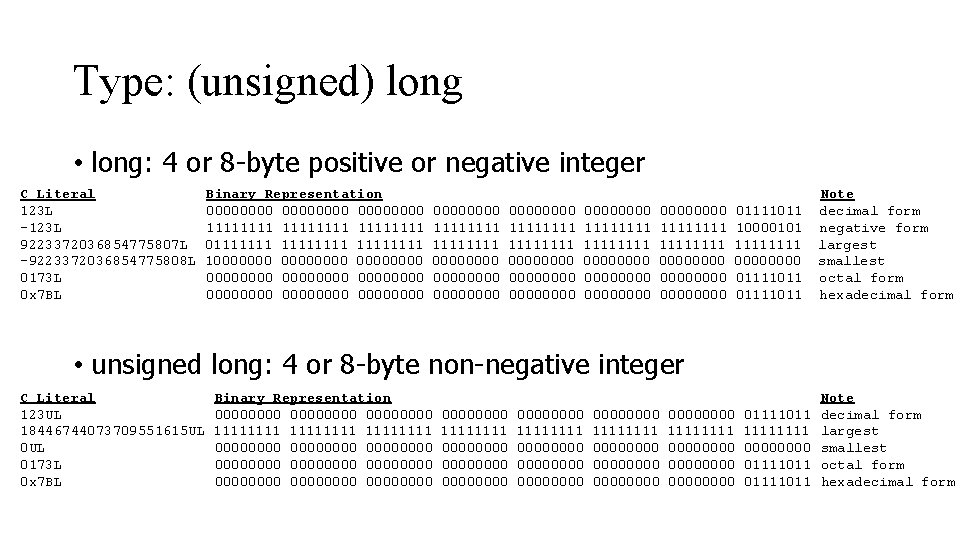
Type: (unsigned) long • long: 4 or 8 -byte positive or negative integer C Literal 123 L -123 L 9223372036854775807 L -9223372036854775808 L 0173 L 0 x 7 BL Binary Representation 00000000 11111111 011111111 100000000 00000000 00000000 00000000 00000000 11111111 11111111 00000000 00000000 01111011 10000101 1111 0000 01111011 Note decimal form negative form largest smallest octal form hexadecimal form • unsigned long: 4 or 8 -byte non-negative integer C Literal 123 UL 18446744073709551615 UL 0173 L 0 x 7 BL Binary Representation 00000000 11111111 00000000 00000000 00000000 11111111 00000000 00000000 1111 00000000 1111 00000000 01111011 1111 0000 01111011 Note decimal form largest smallest octal form hexadecimal form
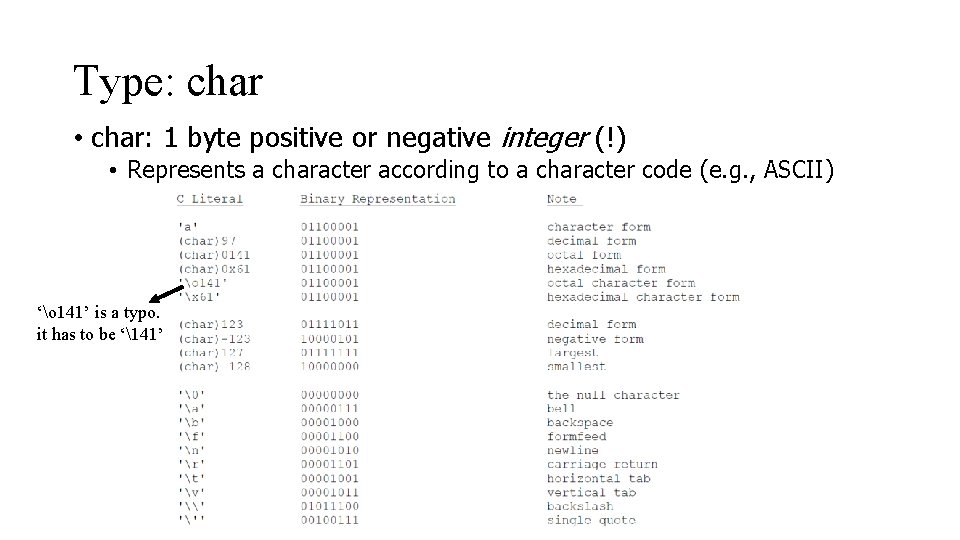
Type: char • char: 1 byte positive or negative integer (!) • Represents a character according to a character code (e. g. , ASCII) ‘o 141’ is a typo. it has to be ‘141’
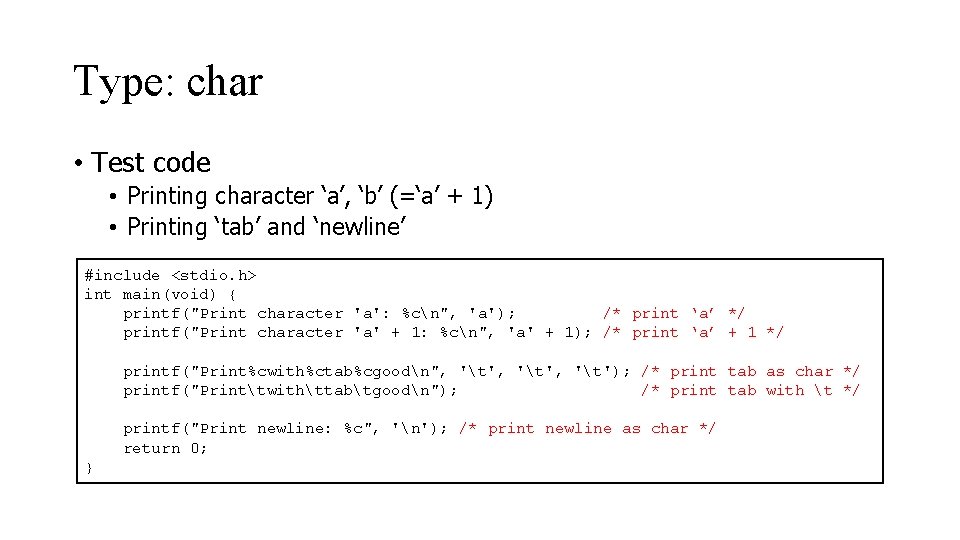
Type: char • Test code • Printing character ‘a’, ‘b’ (=‘a’ + 1) • Printing ‘tab’ and ‘newline’ #include <stdio. h> int main(void) { printf("Print character 'a': %cn", 'a'); /* print ‘a’ */ printf("Print character 'a' + 1: %cn", 'a' + 1); /* print ‘a’ + 1 */ printf("Print%cwith%ctab%cgoodn", 't', 't'); /* print tab as char */ printf("Printtwithttabtgoodn"); /* print tab with t */ printf("Print newline: %c", 'n'); /* print newline as char */ return 0; }
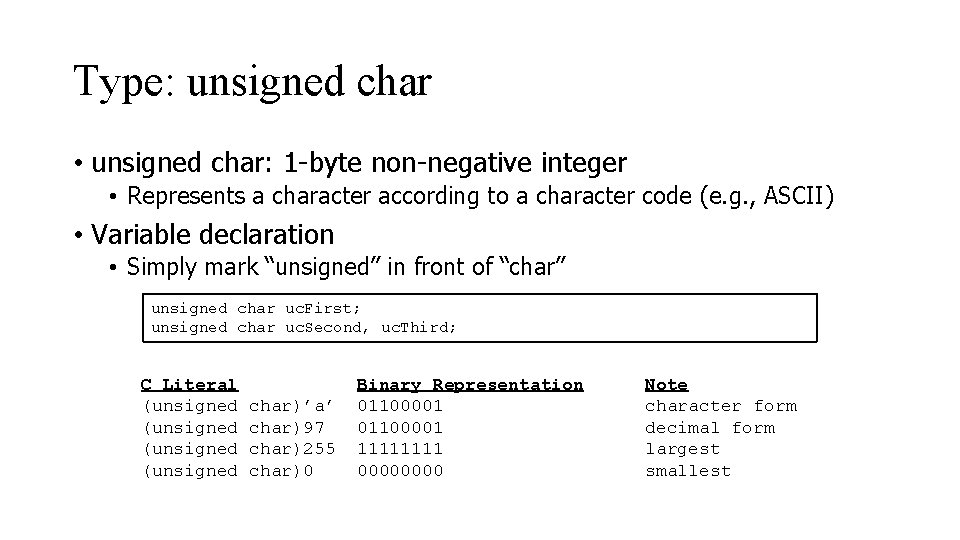
Type: unsigned char • unsigned char: 1 -byte non-negative integer • Represents a character according to a character code (e. g. , ASCII) • Variable declaration • Simply mark “unsigned” in front of “char” unsigned char uc. First; unsigned char uc. Second, uc. Third; C Literal (unsigned char)’a’ char)97 char)255 char)0 Binary Representation 01100001 1111 0000 Note character form decimal form largest smallest
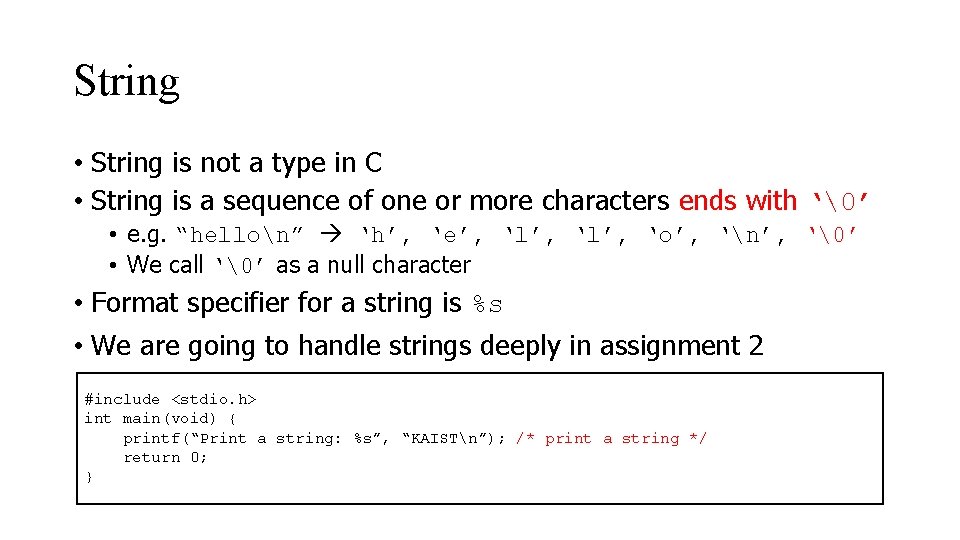
String • String is not a type in C • String is a sequence of one or more characters ends with ‘’ • e. g. “hellon” ‘h’, ‘e’, ‘l’, ‘o’, ‘n’, ‘’ • We call ‘’ as a null character • Format specifier for a string is %s • We are going to handle strings deeply in assignment 2 #include <stdio. h> int main(void) { printf(“Print a string: %s”, “KAISTn”); /* print a string */ return 0; }
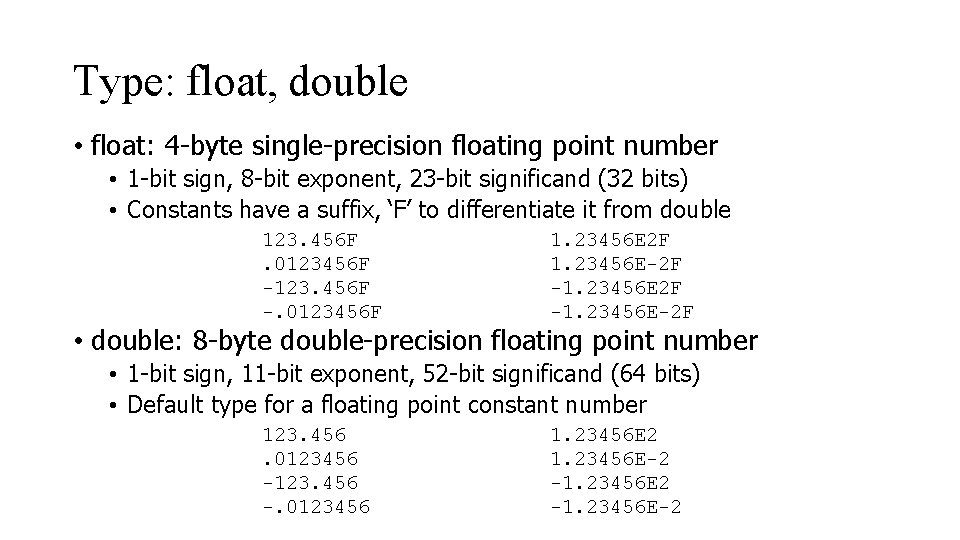
Type: float, double • float: 4 -byte single-precision floating point number • 1 -bit sign, 8 -bit exponent, 23 -bit significand (32 bits) • Constants have a suffix, ‘F’ to differentiate it from double 123. 456 F. 0123456 F -123. 456 F -. 0123456 F 1. 23456 E 2 F 1. 23456 E-2 F -1. 23456 E-2 F • double: 8 -byte double-precision floating point number • 1 -bit sign, 11 -bit exponent, 52 -bit significand (64 bits) • Default type for a floating point constant number 123. 456. 0123456 -123. 456 -. 0123456 1. 23456 E 2 1. 23456 E-2 -1. 23456 E-2
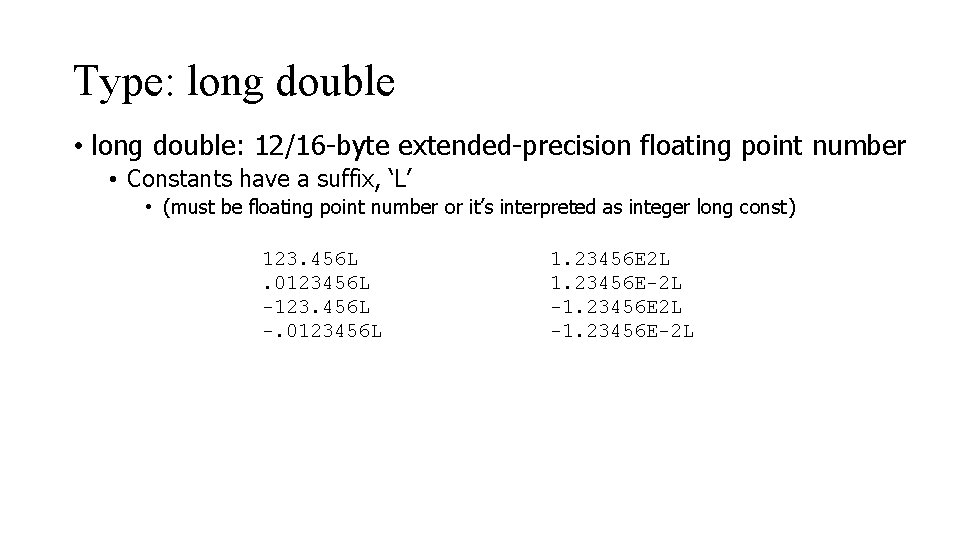
Type: long double • long double: 12/16 -byte extended-precision floating point number • Constants have a suffix, ‘L’ • (must be floating point number or it’s interpreted as integer long const) 123. 456 L. 0123456 L -123. 456 L -. 0123456 L 1. 23456 E 2 L 1. 23456 E-2 L -1. 23456 E-2 L
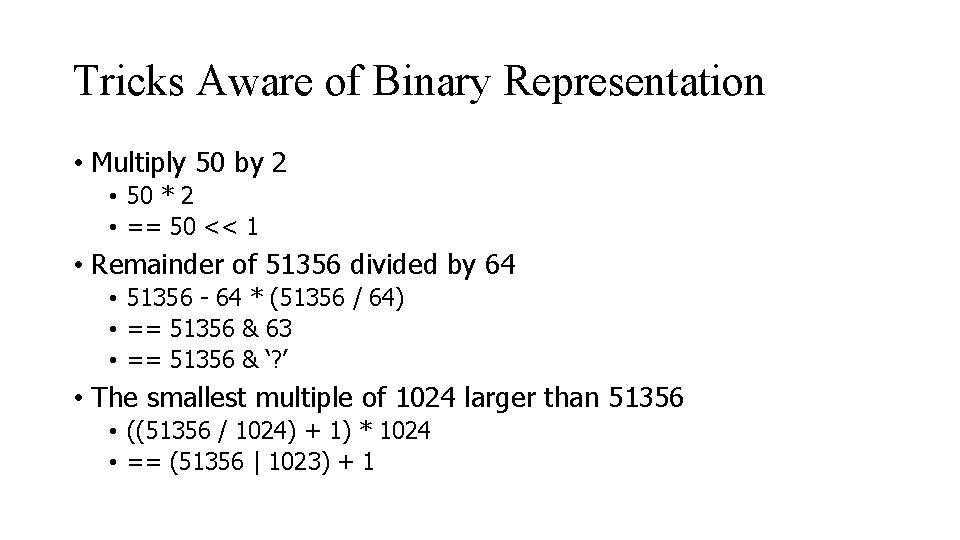
Tricks Aware of Binary Representation • Multiply 50 by 2 • 50 * 2 • == 50 << 1 • Remainder of 51356 divided by 64 • 51356 - 64 * (51356 / 64) • == 51356 & 63 • == 51356 & ‘? ’ • The smallest multiple of 1024 larger than 51356 • ((51356 / 1024) + 1) * 1024 • == (51356 | 1023) + 1
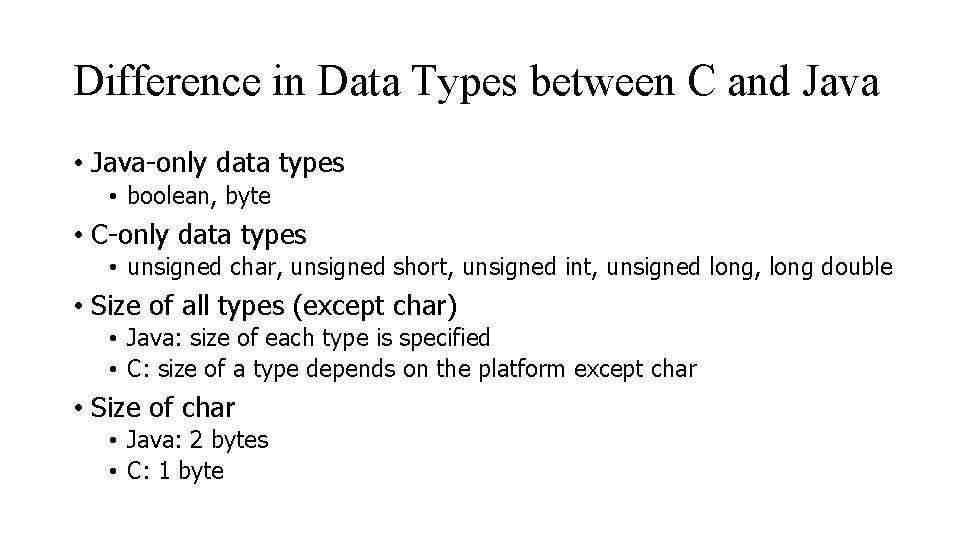
Difference in Data Types between C and Java • Java-only data types • boolean, byte • C-only data types • unsigned char, unsigned short, unsigned int, unsigned long, long double • Size of all types (except char) • Java: size of each type is specified • C: size of a type depends on the platform except char • Size of char • Java: 2 bytes • C: 1 byte
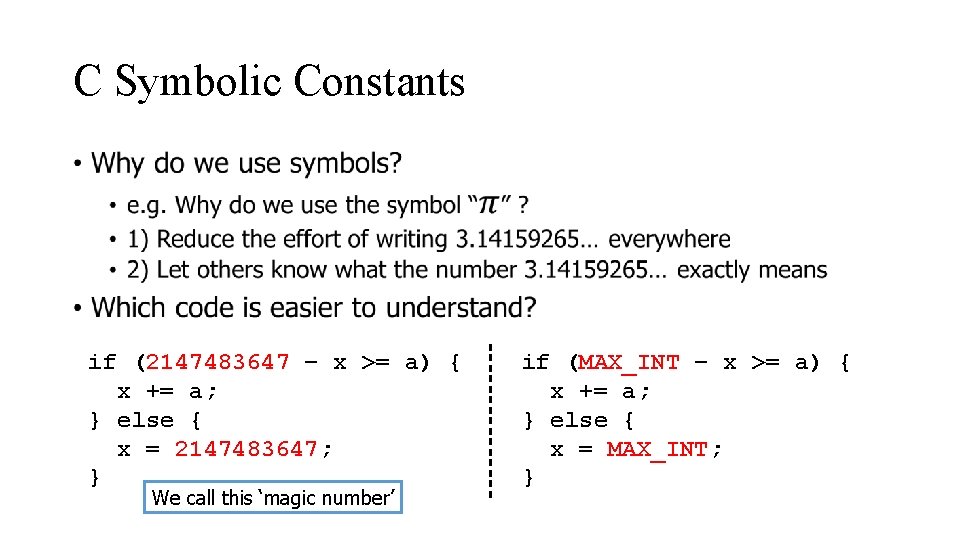
C Symbolic Constants if (2147483647 – x >= a) { x += a; } else { x = 2147483647; } We call this ‘magic number’ if (MAX_INT – x >= a) { x += a; } else { x = MAX_INT; }
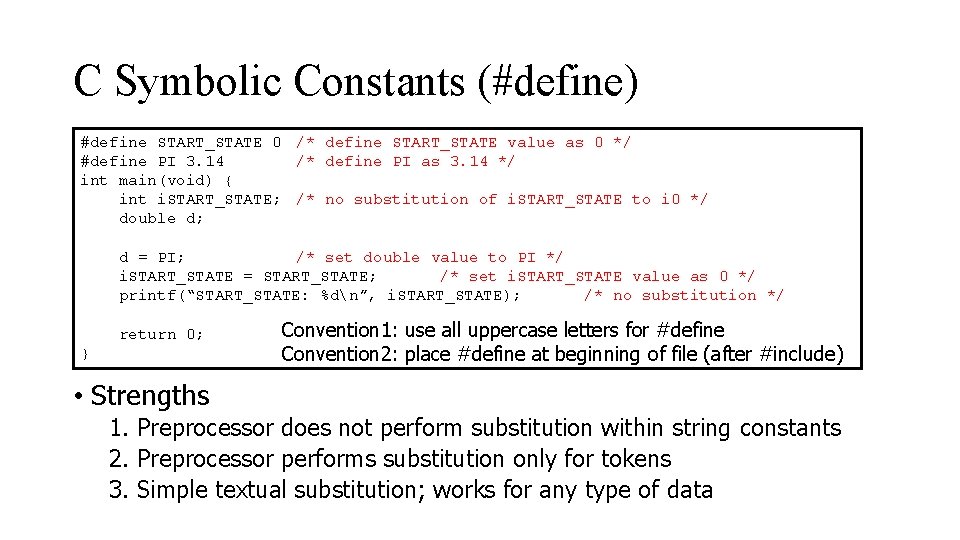
C Symbolic Constants (#define) #define START_STATE 0 /* define START_STATE value as 0 */ #define PI 3. 14 /* define PI as 3. 14 */ int main(void) { int i. START_STATE; /* no substitution of i. START_STATE to i 0 */ double d; d = PI; /* set double value to PI */ i. START_STATE = START_STATE; /* set i. START_STATE value as 0 */ printf(“START_STATE: %dn”, i. START_STATE); /* no substitution */ return 0; } Convention 1: use all uppercase letters for #define Convention 2: place #define at beginning of file (after #include) • Strengths 1. Preprocessor does not perform substitution within string constants 2. Preprocessor performs substitution only for tokens 3. Simple textual substitution; works for any type of data
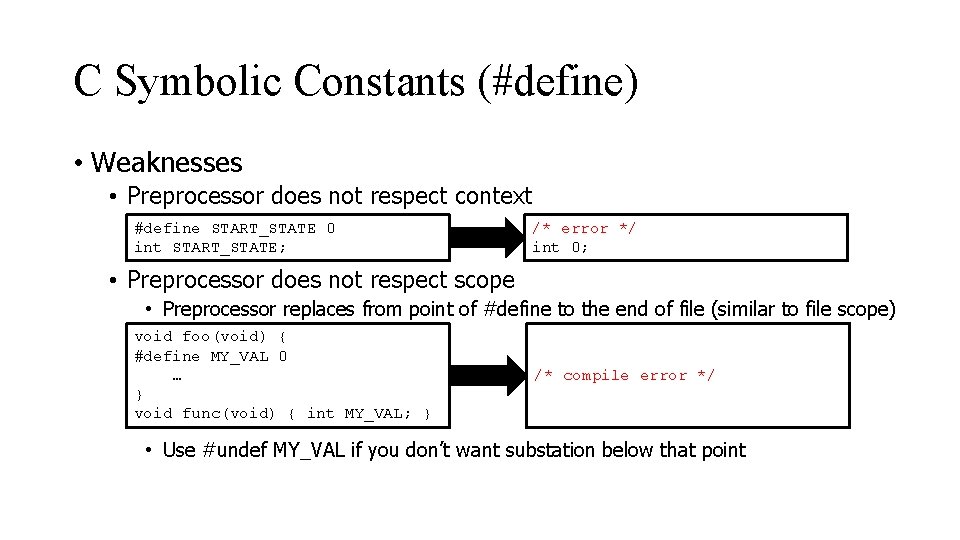
C Symbolic Constants (#define) • Weaknesses • Preprocessor does not respect context #define START_STATE 0 int START_STATE; /* error */ int 0; • Preprocessor does not respect scope • Preprocessor replaces from point of #define to the end of file (similar to file scope) void foo(void) { #define MY_VAL 0 … } void func(void) { int MY_VAL; } /* compile error */ • Use #undef MY_VAL if you don’t want substation below that point
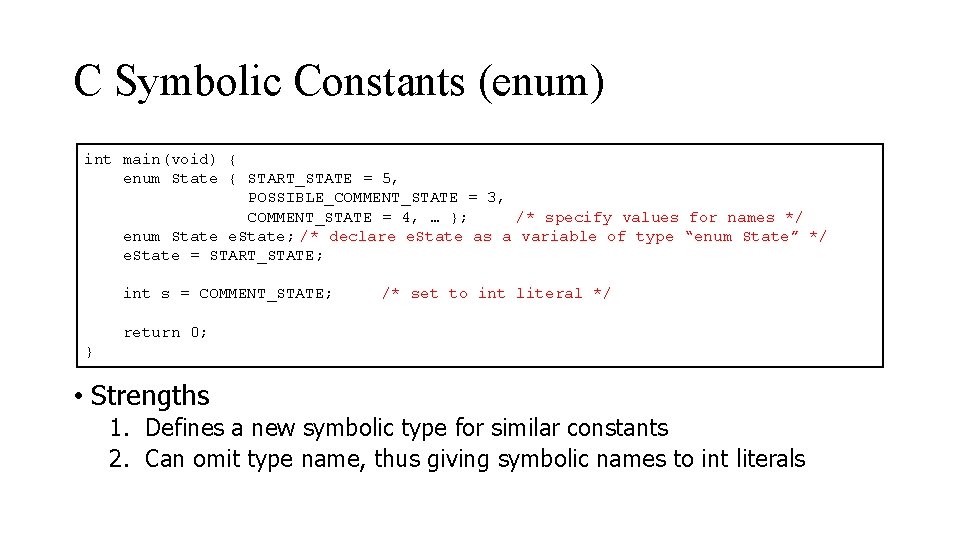
C Symbolic Constants (enum) int main(void) { enum State { START_STATE = 5, POSSIBLE_COMMENT_STATE = 3, COMMENT_STATE = 4, … }; /* specify values for names */ enum State e. State; /* declare e. State as a variable of type “enum State” */ e. State = START_STATE; int s = COMMENT_STATE; /* set to int literal */ return 0; } • Strengths 1. Defines a new symbolic type for similar constants 2. Can omit type name, thus giving symbolic names to int literals
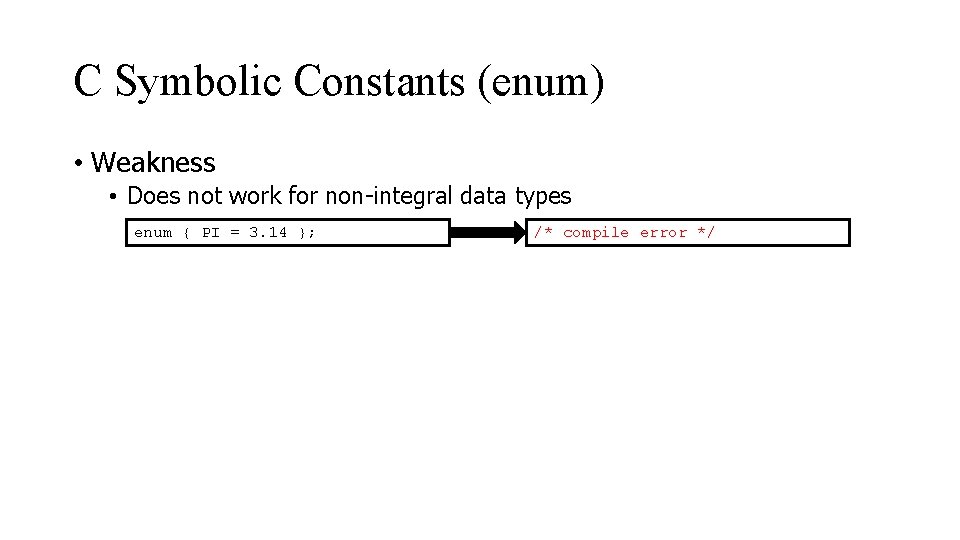
C Symbolic Constants (enum) • Weakness • Does not work for non-integral data types enum { PI = 3. 14 }; /* compile error */
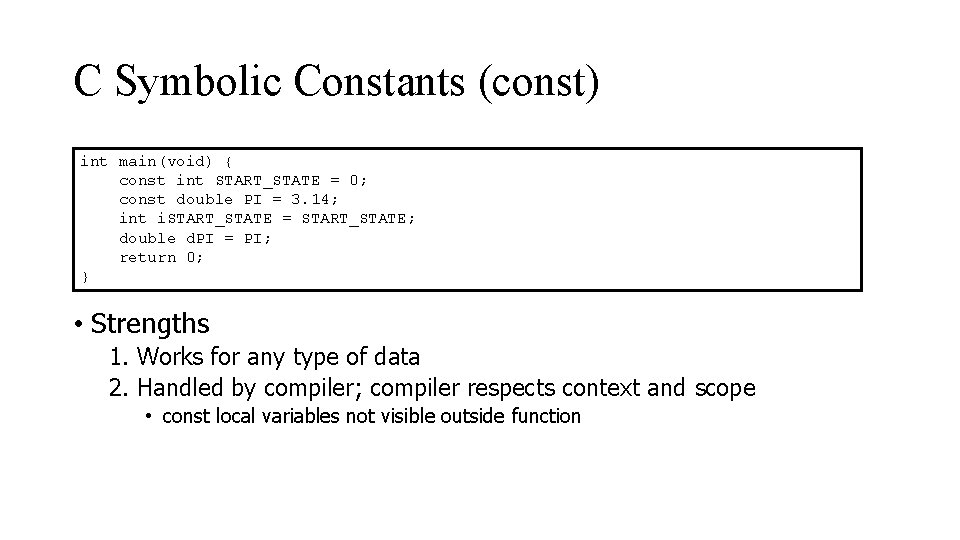
C Symbolic Constants (const) int main(void) { const int START_STATE = 0; const double PI = 3. 14; int i. START_STATE = START_STATE; double d. PI = PI; return 0; } • Strengths 1. Works for any type of data 2. Handled by compiler; compiler respects context and scope • const local variables not visible outside function
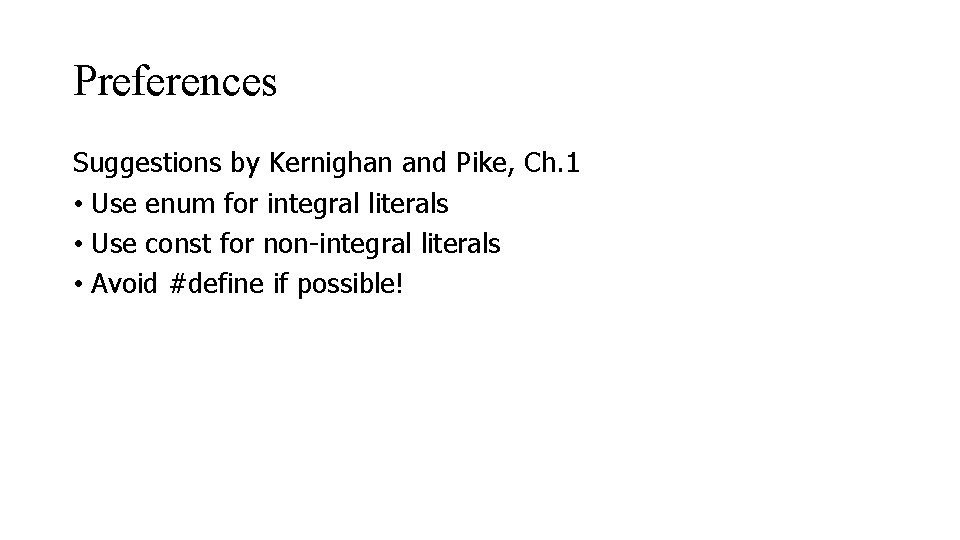
Preferences Suggestions by Kernighan and Pike, Ch. 1 • Use enum for integral literals • Use const for non-integral literals • Avoid #define if possible!
Q&A
- Slides: 33