
Practical Sys ML Applications A Method to Describe
Practical Sys. ML Applications: A Method to Describe the Problem Space Ray Jorgensen David Lempia © Copyright 2010 Rockwell Collins, Inc. All rights reserved.
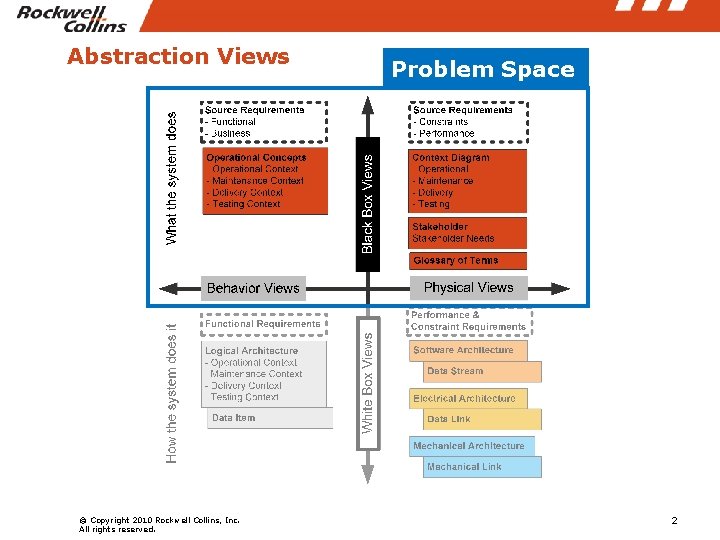
Abstraction Views © Copyright 2010 Rockwell Collins, Inc. All rights reserved. Problem Space 2
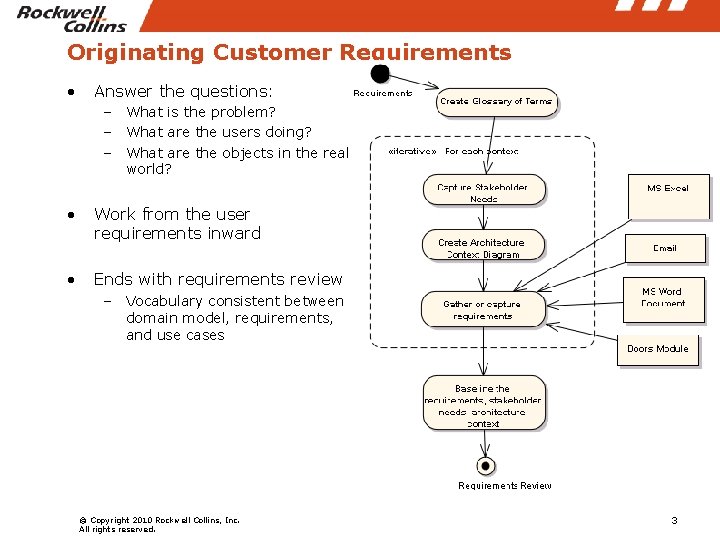
Originating Customer Requirements • Answer the questions: – What is the problem? – What are the users doing? – What are the objects in the real world? • Work from the user requirements inward • Ends with requirements review – Vocabulary consistent between domain model, requirements, and use cases © Copyright 2010 Rockwell Collins, Inc. All rights reserved. 3

Glossary of terms © Copyright 2010 Rockwell Collins, Inc. All rights reserved.
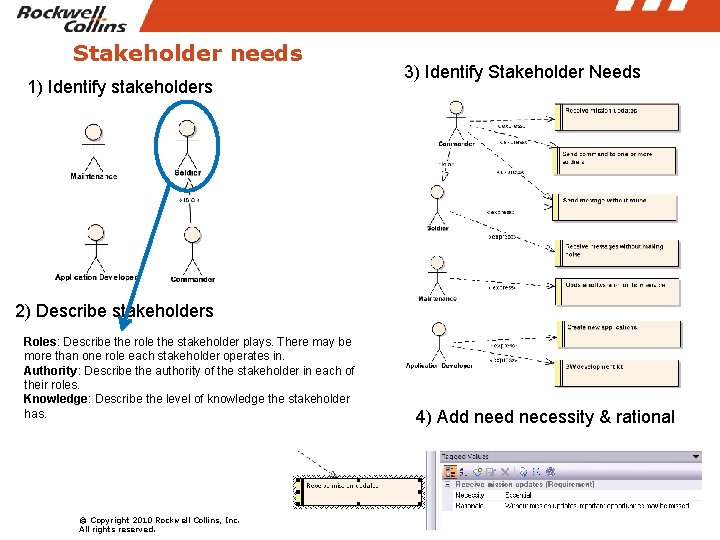
Stakeholder needs 1) Identify stakeholders 3) Identify Stakeholder Needs 2) Describe stakeholders Roles: Describe the role the stakeholder plays. There may be more than one role each stakeholder operates in. Authority: Describe the authority of the stakeholder in each of their roles. Knowledge: Describe the level of knowledge the stakeholder has. © Copyright 2010 Rockwell Collins, Inc. All rights reserved. 4) Add need necessity & rational 5
Source Requirements • Study in the application of Sys. ML concepts to avionics development and TCP workflow – INU Update: • 3. 2. 1. 8 Weather Radar • The existing weather radar system SHALL be integrated into the flight deck and provide control for skin-paint, ground mapping, and INU update functions to pilot, co-pilot, and navigator stations. © Copyright 2010 Rockwell Collins, Inc. All rights reserved.
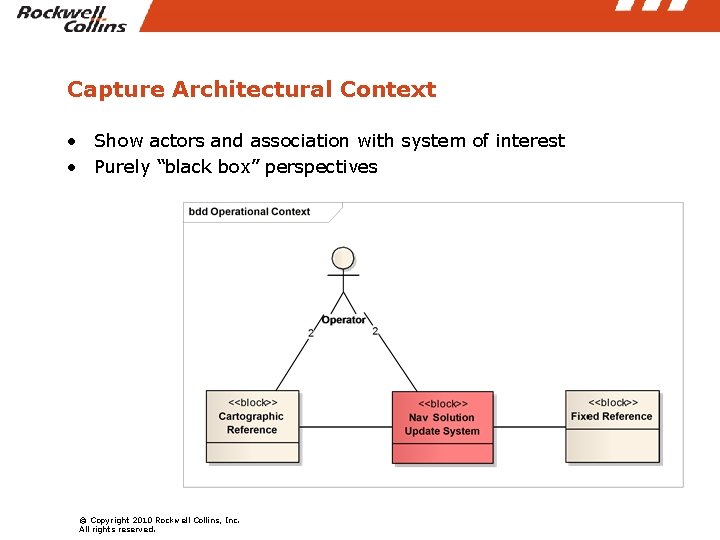
Capture Architectural Context • Show actors and association with system of interest • Purely “black box” perspectives © Copyright 2010 Rockwell Collins, Inc. All rights reserved.
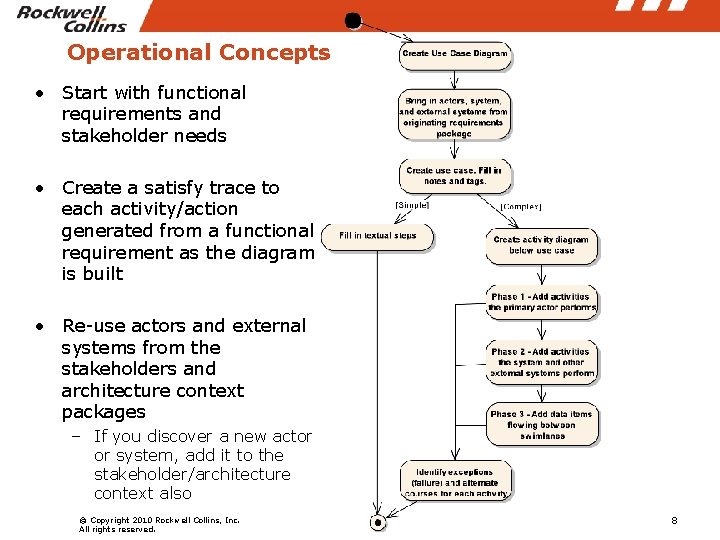
Operational Concepts • Start with functional requirements and stakeholder needs • Create a satisfy trace to each activity/action generated from a functional requirement as the diagram is built • Re-use actors and external systems from the stakeholders and architecture context packages – If you discover a new actor or system, add it to the stakeholder/architecture context also © Copyright 2010 Rockwell Collins, Inc. All rights reserved. 8
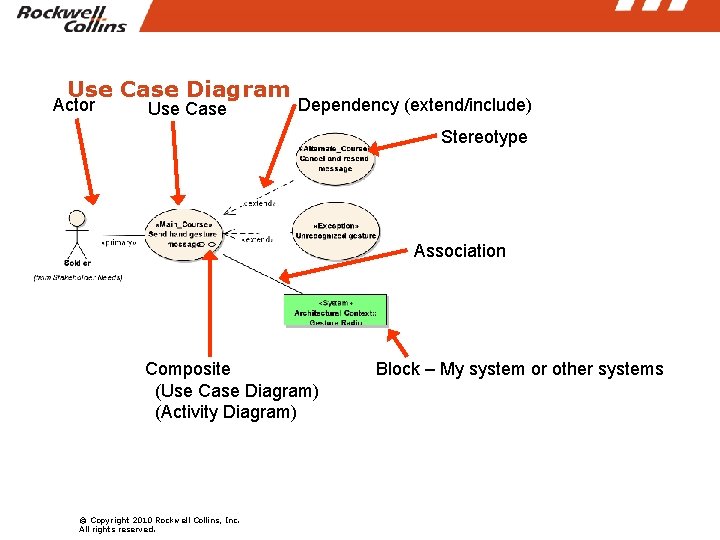
Use Case Diagram Actor Use Case Dependency (extend/include) Stereotype Association Composite (Use Case Diagram) (Activity Diagram) © Copyright 2010 Rockwell Collins, Inc. All rights reserved. Block – My system or other systems
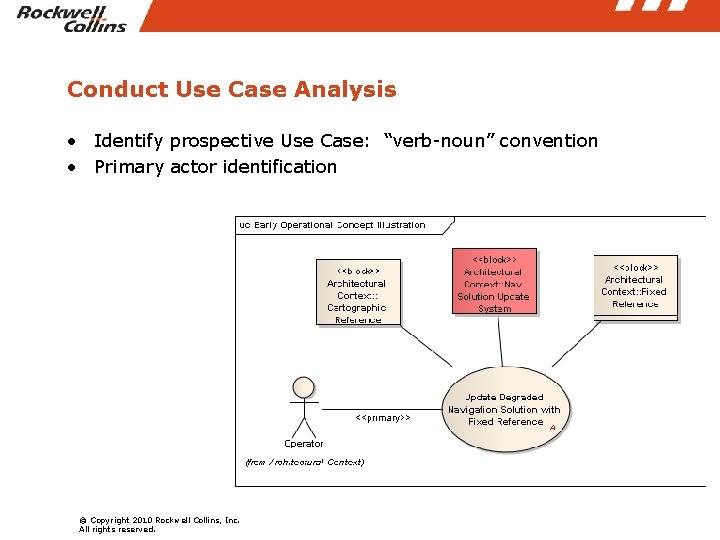
Conduct Use Case Analysis • Identify prospective Use Case: “verb-noun” convention • Primary actor identification © Copyright 2010 Rockwell Collins, Inc. All rights reserved.
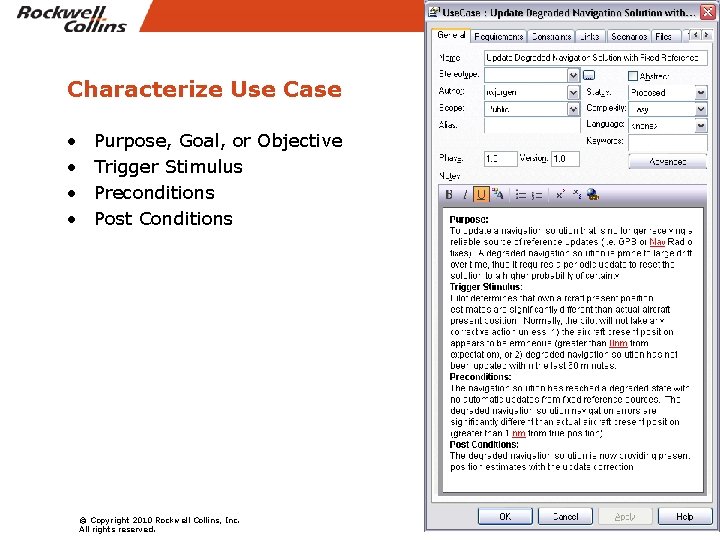
Characterize Use Case • • Purpose, Goal, or Objective Trigger Stimulus Preconditions Post Conditions © Copyright 2010 Rockwell Collins, Inc. All rights reserved.
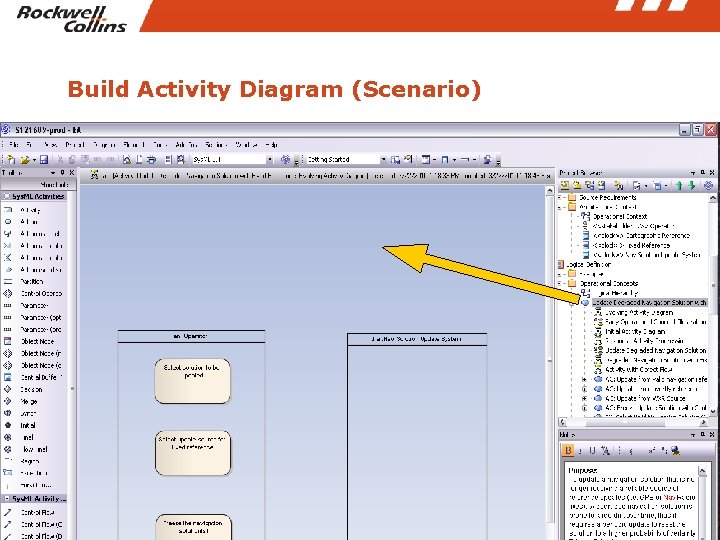
Build Activity Diagram (Scenario) © Copyright 2010 Rockwell Collins, Inc. All rights reserved.
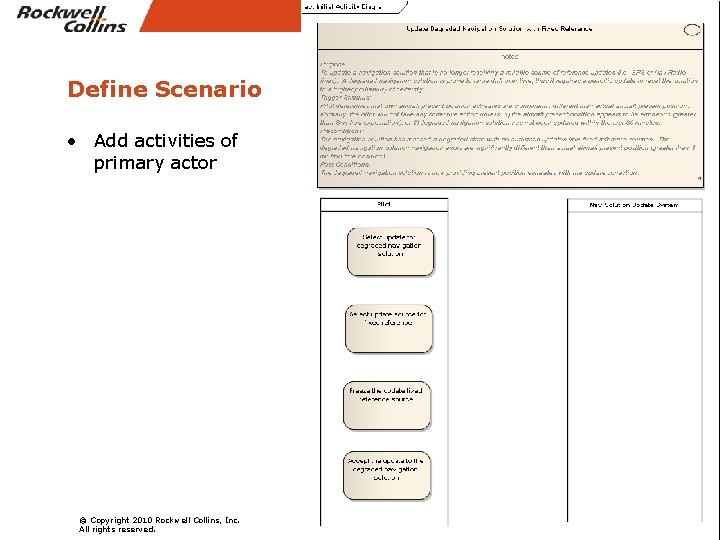
Define Scenario • Add activities of primary actor © Copyright 2010 Rockwell Collins, Inc. All rights reserved.
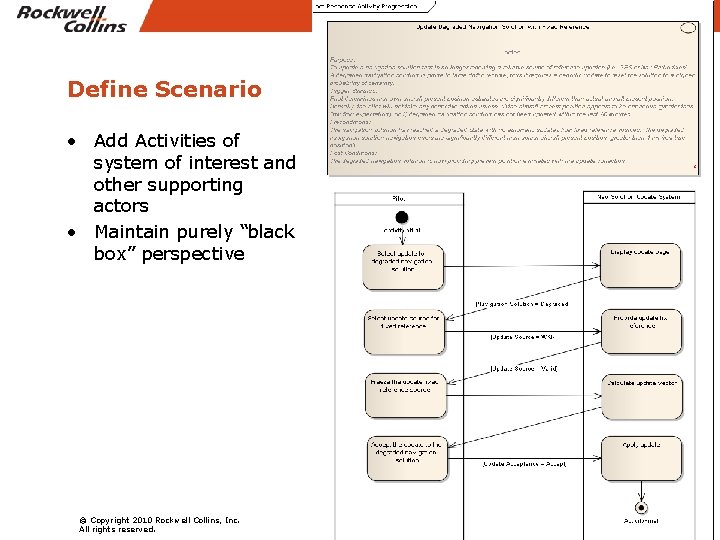
Define Scenario • Add Activities of system of interest and other supporting actors • Maintain purely “black box” perspective © Copyright 2010 Rockwell Collins, Inc. All rights reserved.
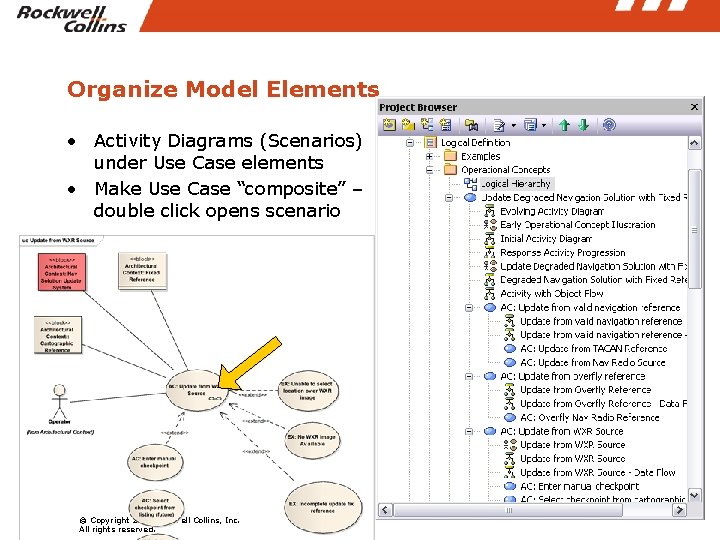
Organize Model Elements • Activity Diagrams (Scenarios) under Use Case elements • Make Use Case “composite” – double click opens scenario © Copyright 2010 Rockwell Collins, Inc. All rights reserved.
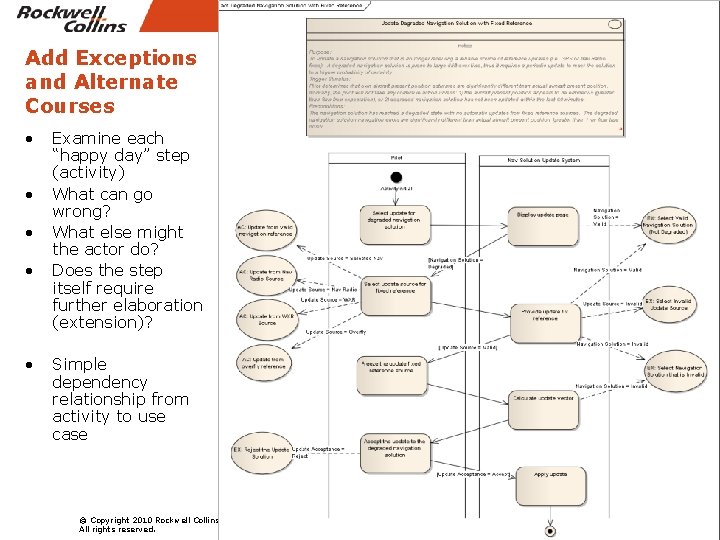
Add Exceptions and Alternate Courses • • • Examine each “happy day” step (activity) What can go wrong? What else might the actor do? Does the step itself require further elaboration (extension)? Simple dependency relationship from activity to use case © Copyright 2010 Rockwell Collins, Inc. All rights reserved.
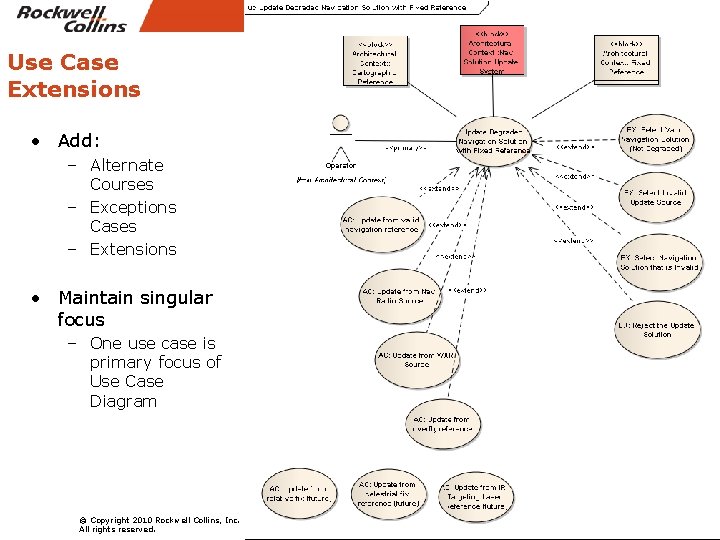
Use Case Extensions • Add: – Alternate Courses – Exceptions Cases – Extensions • Maintain singular focus – One use case is primary focus of Use Case Diagram © Copyright 2010 Rockwell Collins, Inc. All rights reserved.
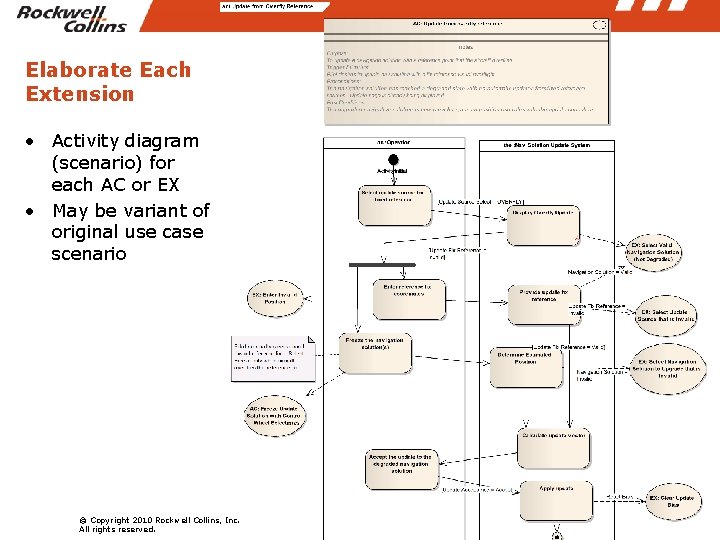
Elaborate Each Extension • Activity diagram (scenario) for each AC or EX • May be variant of original use case scenario © Copyright 2010 Rockwell Collins, Inc. All rights reserved.
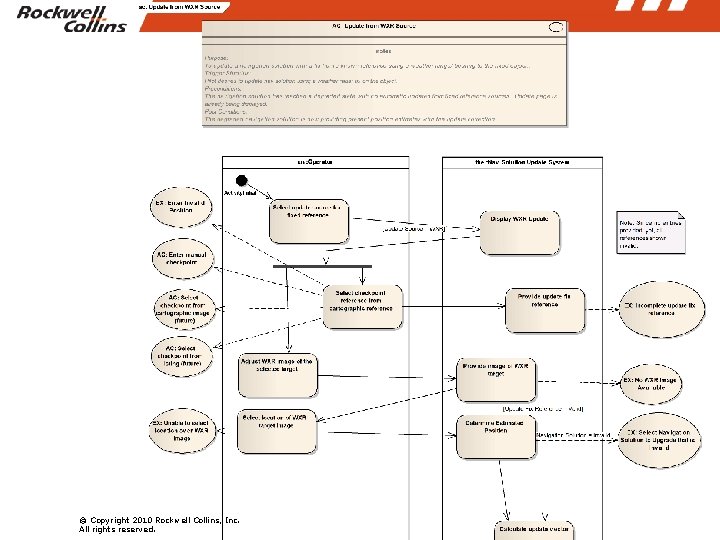
© Copyright 2010 Rockwell Collins, Inc. All rights reserved.
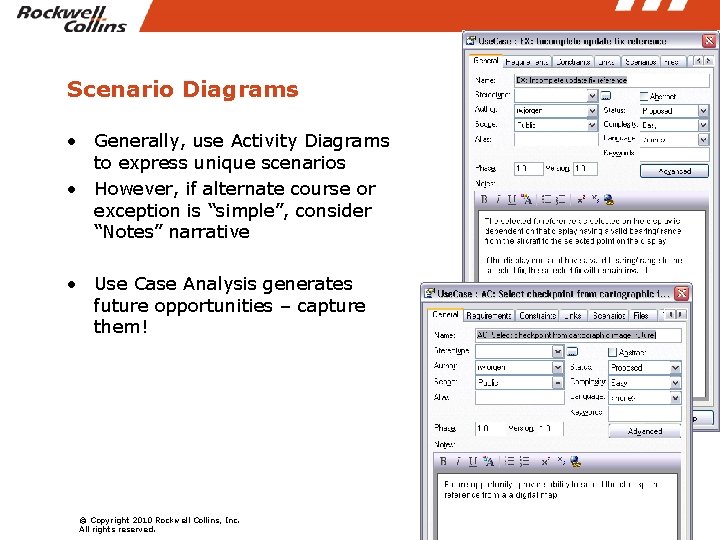
Scenario Diagrams • Generally, use Activity Diagrams to express unique scenarios • However, if alternate course or exception is “simple”, consider “Notes” narrative • Use Case Analysis generates future opportunities – capture them! © Copyright 2010 Rockwell Collins, Inc. All rights reserved.
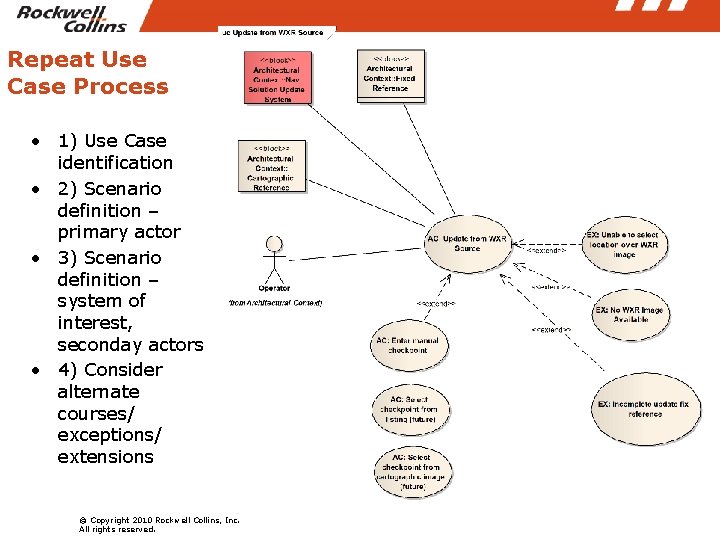
Repeat Use Case Process • 1) Use Case identification • 2) Scenario definition – primary actor • 3) Scenario definition – system of interest, seconday actors • 4) Consider alternate courses/ exceptions/ extensions © Copyright 2010 Rockwell Collins, Inc. All rights reserved.
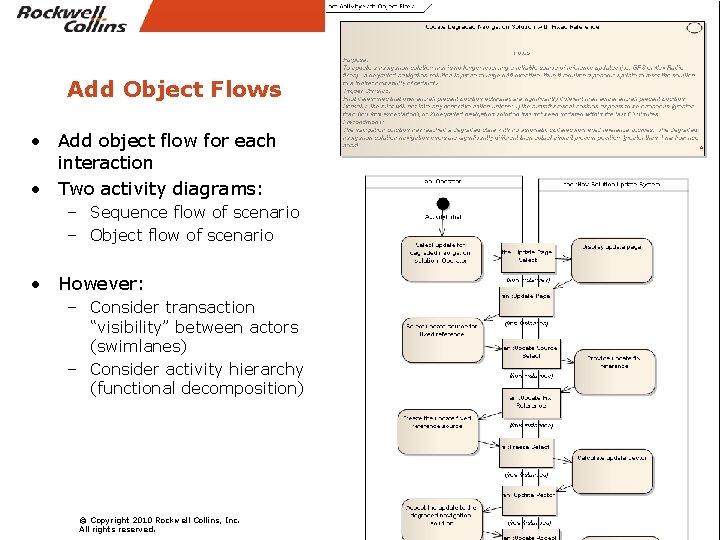
Add Object Flows • Add object flow for each interaction • Two activity diagrams: – Sequence flow of scenario – Object flow of scenario • However: – Consider transaction “visibility” between actors (swimlanes) – Consider activity hierarchy (functional decomposition) © Copyright 2010 Rockwell Collins, Inc. All rights reserved.
Further Consideration • When to use Actions vs. Activities • Object Flows vs. Object Nodes • Extended scenarios – from “black box” problem space into “white box” solution space • Functional Allocation – “Allocate” relationship vs. Tagged Value “Relationship” – Inheritance through instantiation • Interface Allocation – Object Flow/ Data Item allocation to Software Data Stream messages – Object Flow allocation to Human Machine Interface © Copyright 2010 Rockwell Collins, Inc. All rights reserved.
- Slides: 23