
Practical Session 12 Input Output IO IO Device
- Slides: 21
Practical Session 12 Input &Output (I/O)
I/O Device • Input / Output (I/O) devices provide Input / Output (I/O) devices the means to interact with the “outside world”. – mouse, screen, disks, printer, etc.
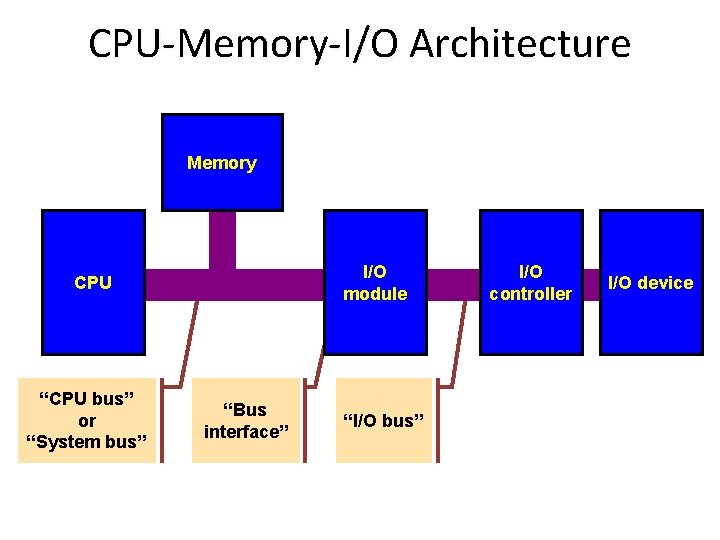
CPU-Memory-I/O Architecture Memory I/O module CPU “CPU bus” or “System bus” “Bus interface” “I/O bus” I/O controller I/O device
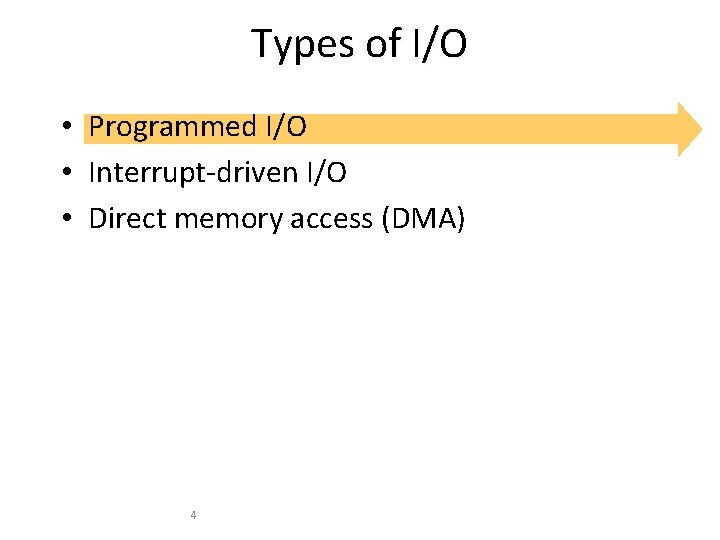
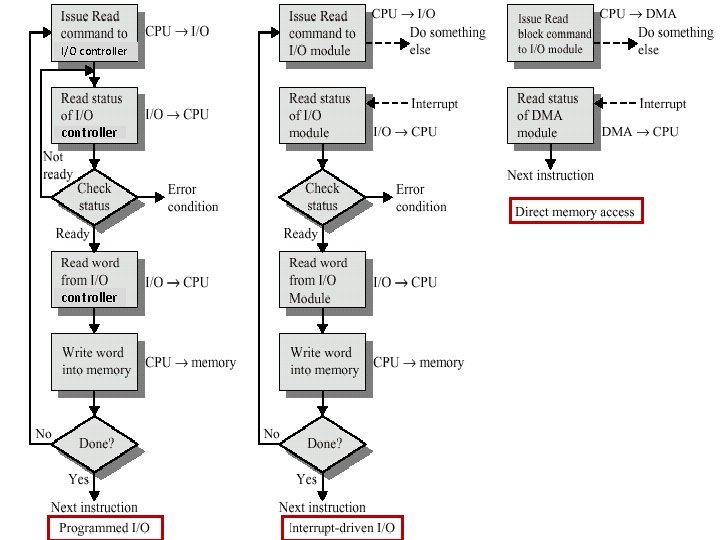
Types of I/O • Programmed I/O • Interrupt-driven I/O • Direct memory access (DMA) 4
Programmed I/O • I/O operations are under direct control of software (program) • Software initiates the I/O operation • Disadvantage: – Slow – Uses a lot of CPU resources • Advantage: – Simple 5
Types of I/O • Programmed I/O • Interrupt-driven I/O • Direct memory access (DMA) 6
Interrupt-driven I/O • I/O operations are initiated by the device • The device, or its I/O module, includes a signal to interrupt the CPU • When an interrupt occurs (and is accepted), a special routine executes to service the interrupt 7
Types of I/O • Programmed I/O • Interrupt-driven I/O • Direct memory access (DMA) 8
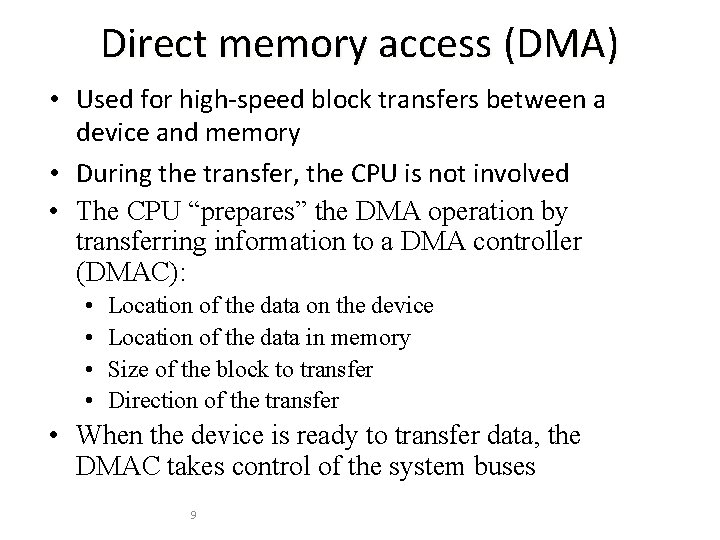
Direct memory access (DMA) • Used for high-speed block transfers between a device and memory • During the transfer, the CPU is not involved • The CPU “prepares” the DMA operation by transferring information to a DMA controller (DMAC): • • Location of the data on the device Location of the data in memory Size of the block to transfer Direction of the transfer • When the device is ready to transfer data, the DMAC takes control of the system buses 9
I/O controller to DMA module controller 10
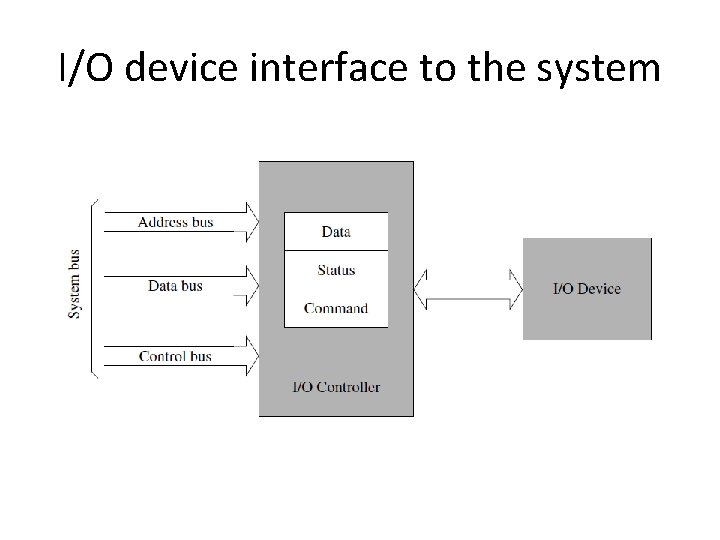
I/O Controller • I/O devices are not directly connected to the system bus. Instead, there is usually an I/O controller that acts as an interface I/O controller between the system and the I/O device
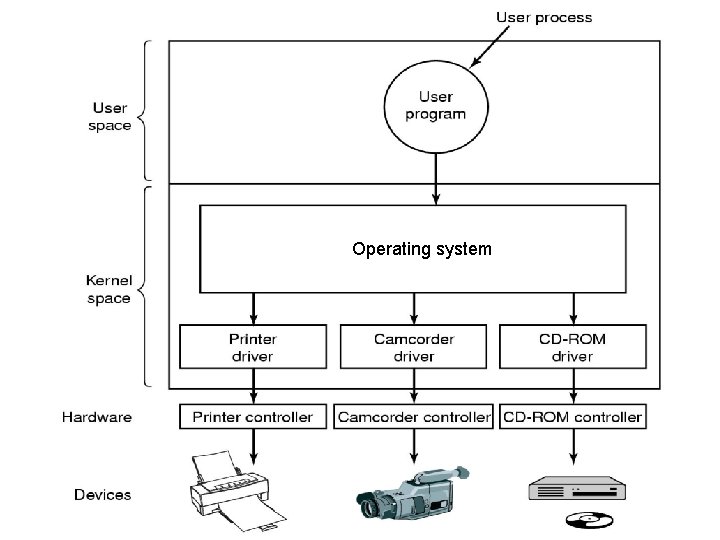
Operating system 12
I/O Controller • Typically I/O Controller has 3 internal registers: registers – Data register – Status register – Command register • CPU interacts with an I/O device via the associated I/O controller
I/O device interface to the system
Communication example – character output • Check the status register of I/O controller • e. g. busy, idle, offline • Put data into data register • Put command into command register • e. g. “send the character in the data register to the printer”
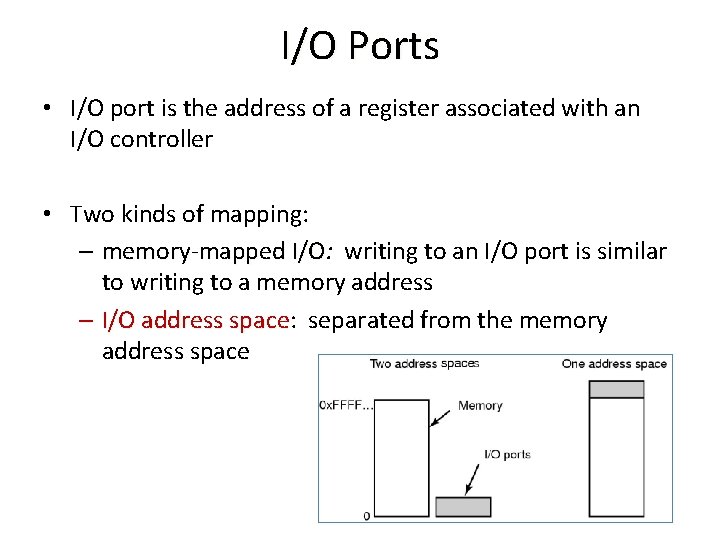
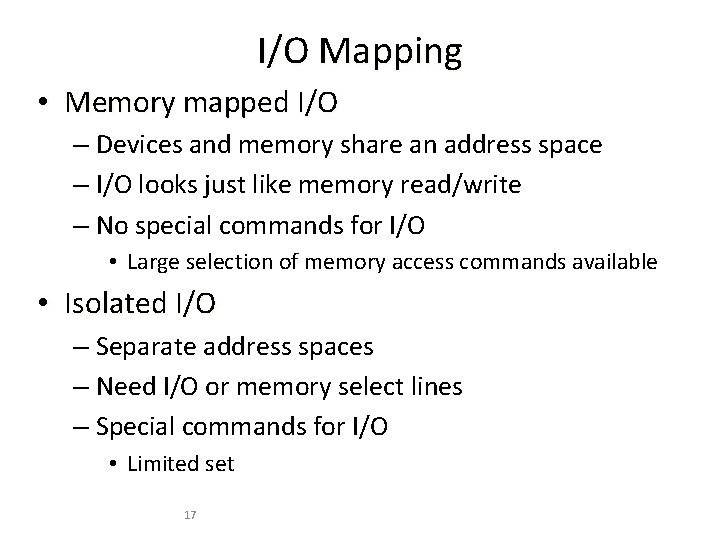
I/O Ports • I/O port is the address of a register associated with an I/O controller • Two kinds of mapping: – memory-mapped I/O: memory-mapped I/O writing to an I/O port is similar to writing to a memory address – I/O address space: separated from the memory I/O address space
I/O Mapping • Memory mapped I/O – Devices and memory share an address space – I/O looks just like memory read/write – No special commands for I/O • Large selection of memory access commands available • Isolated I/O – Separate address spaces – Need I/O or memory select lines – Special commands for I/O • Limited set 17
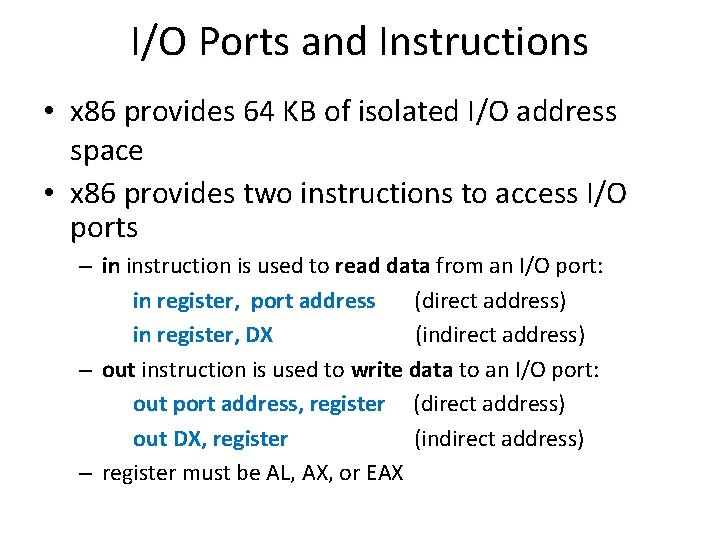
I/O Ports and Instructions • x 86 provides 64 KB of isolated I/O address space • x 86 provides two instructions to access I/O ports – in instruction is used to read data from an I/O port: in register, port address (direct address) in register, DX (indirect address) – out instruction is used to write data to an I/O port: out port address, register (direct address) out DX, register (indirect address) – register must be AL, AX, or EAX
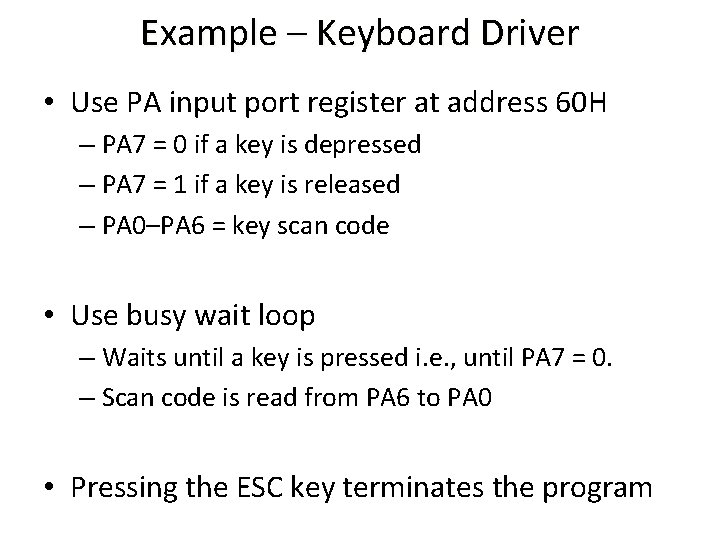
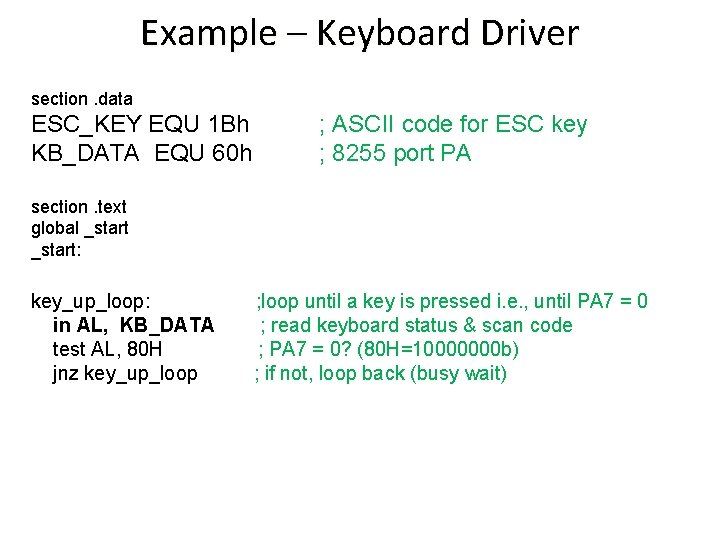
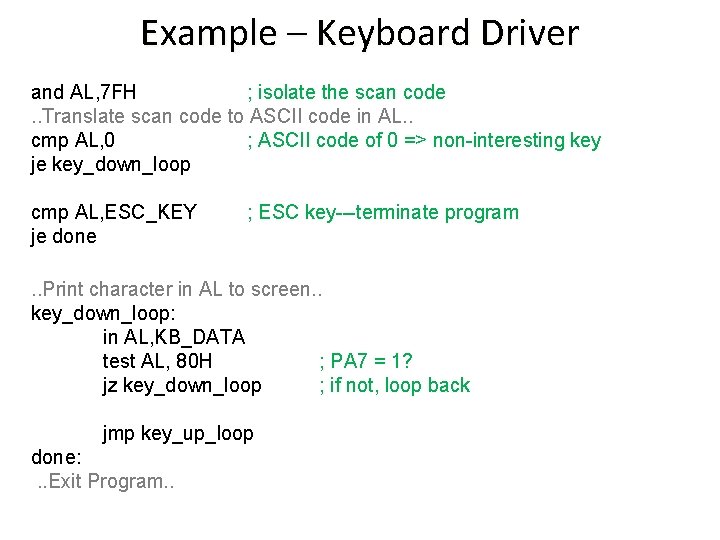
Example – Keyboard Driver • Use PA input port register at address 60 H – PA 7 = 0 if a key is depressed – PA 7 = 1 if a key is released – PA 0–PA 6 = key scan code • Use busy wait loop – Waits until a key is pressed i. e. , until PA 7 = 0. – Scan code is read from PA 6 to PA 0 • Pressing the ESC key terminates the program
Example – Keyboard Driver section. data ESC_KEY EQU 1 Bh KB_DATA EQU 60 h ; ASCII code for ESC key ; 8255 port PA section. text global _start: key_up_loop: in AL, KB_DATA test AL, 80 H jnz key_up_loop ; loop until a key is pressed i. e. , until PA 7 = 0 ; read keyboard status & scan code ; PA 7 = 0? (80 H=10000000 b) ; if not, loop back (busy wait)
Example – Keyboard Driver and AL, 7 FH ; isolate the scan code. . Translate scan code to ASCII code in AL. . cmp AL, 0 ; ASCII code of 0 => non-interesting key je key_down_loop cmp AL, ESC_KEY je done ; ESC key---terminate program . . Print character in AL to screen. . key_down_loop: in AL, KB_DATA test AL, 80 H ; PA 7 = 1? jz key_down_loop ; if not, loop back jmp key_up_loop done: . . Exit Program. .