
POWERPOINT REVISION Open the presentation named publishing ppt

POWERPOINT REVISION
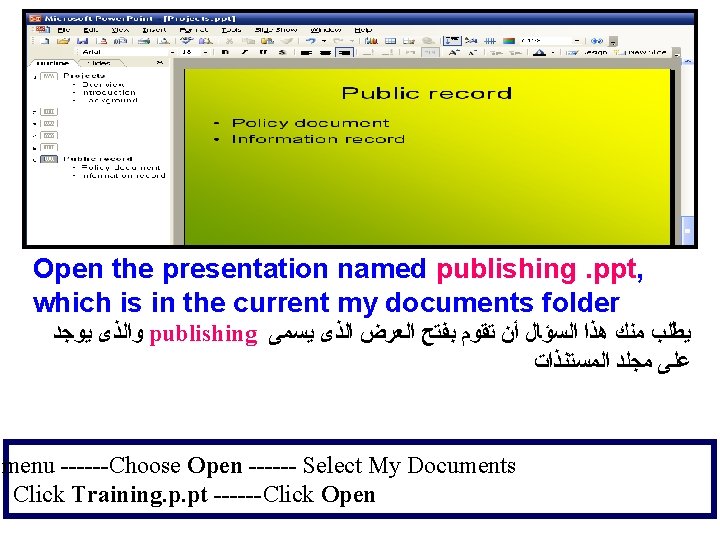
Open the presentation named publishing. ppt, which is in the current my documents folder ﻭﺍﻟﺬﻯ ﻳﻮﺟﺪ publishing ﻳﻄﻠﺐ ﻣﻨﻚ ﻫﺬﺍ ﺍﻟﺴﺆﺎﻝ ﺃﻦ ﺗﻘﻮﻡ ﺑﻔﺘﺢ ﺍﻟﻌﺮﺽ ﺍﻟﺬﻯ ﻳﺴﻤﻰ ﻋﻠﻰ ﻣﺠﻠﺪ ﺍﻟﻤﺴﺘﻨﺬﺍﺕ menu ------Choose Open ------ Select My Documents Click Training. p. pt ------Click Open
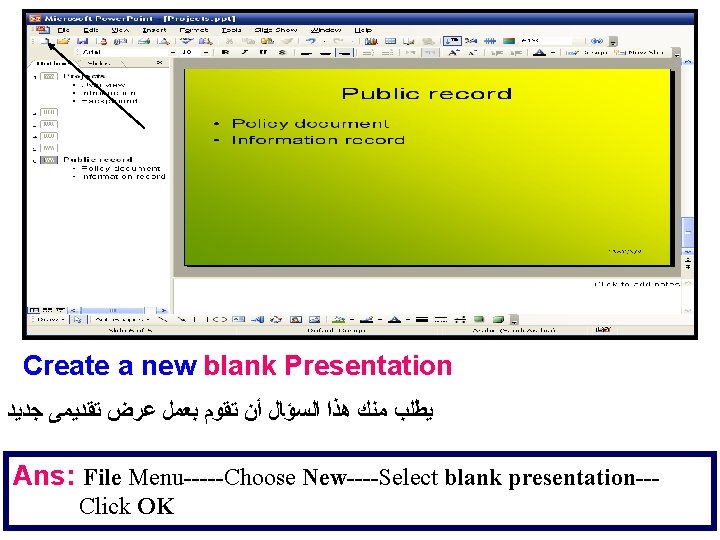
Create a new blank Presentation ﻳﻄﻠﺐ ﻣﻨﻚ ﻫﺬﺍ ﺍﻟﺴﺆﺎﻝ ﺃﻦ ﺗﻘﻮﻡ ﺑﻌﻤﻞ ﻋﺮﺽ ﺗﻘﺪﻳﻤﻰ ﺟﺪﻳﺪ Ans: File Menu-----Choose New----Select blank presentation--Click OK
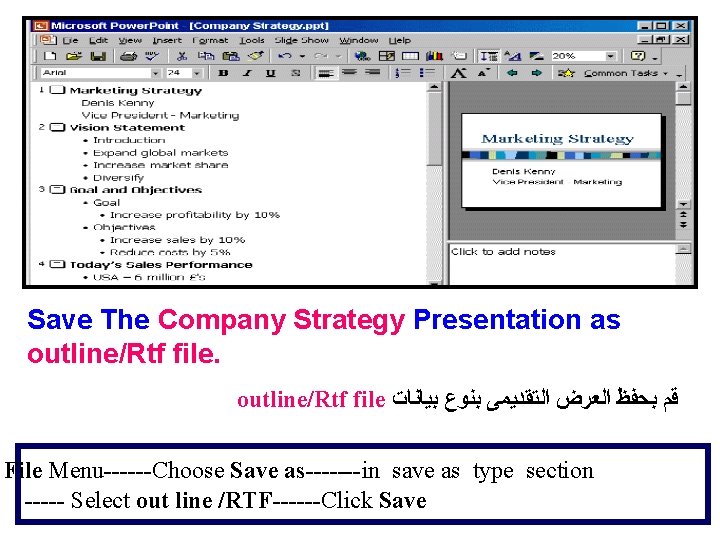
Save The Company Strategy Presentation as outline/Rtf file ﻗﻢ ﺑﺤﻔﻆ ﺍﻟﻌﺮﺽ ﺍﻟﺘﻘﺪﻳﻤﻰ ﺑﻨﻮﻉ ﺑﻴﺎﻧﺎﺕ File Menu------Choose Save as-------in save as type section ----- Select out line /RTF------Click Save
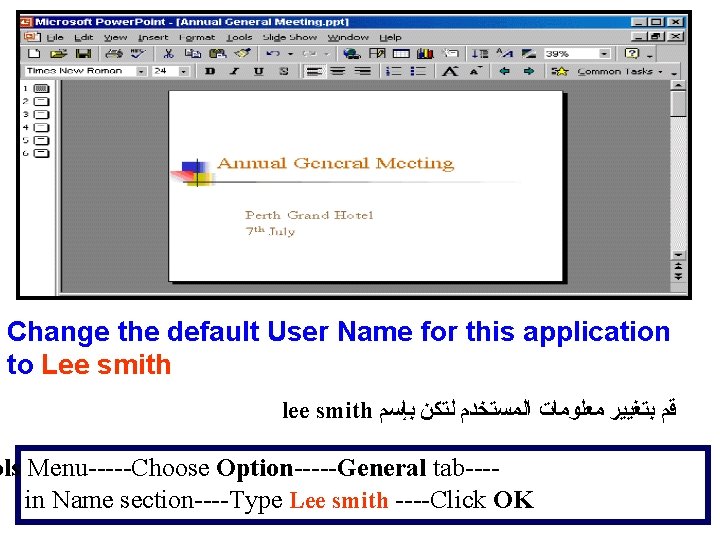
Change the default User Name for this application to Lee smith lee smith ﻗﻢ ﺑﺘﻐﻴﻴﺮ ﻣﻌﻠﻮﻣﺎﺕ ﺍﻟﻤﺴﺘﺨﺪﻡ ﻟﺘﻜﻦ ﺑﺈﺳﻢ ols Menu-----Choose Option-----General tab---in Name section----Type Lee smith ----Click OK
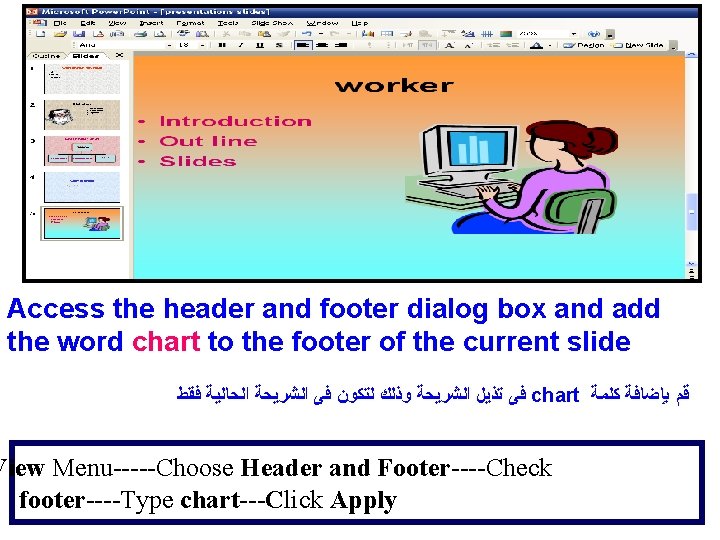
Access the header and footer dialog box and add the word chart to the footer of the current slide ﻓﻰ ﺗﺬﻳﻞ ﺍﻟﺸﺮﻳﺤﺔ ﻭﺫﻟﻚ ﻟﺘﻜﻮﻥ ﻓﻰ ﺍﻟﺸﺮﻳﺤﺔ ﺍﻟﺤﺎﻟﻴﺔ ﻓﻘﻂ chart ﻗﻢ ﺑﺈﺿﺎﻓﺔ ﻛﻠﻤﺔ View Menu-----Choose Header and Footer----Check footer----Type chart---Click Apply
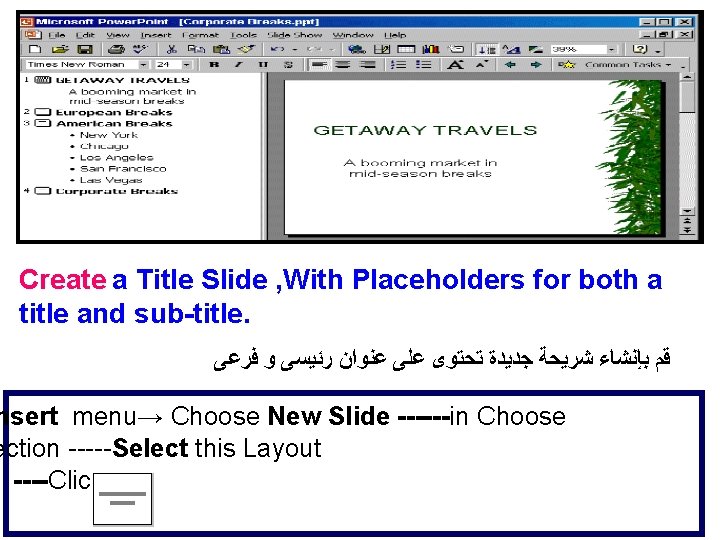
Create a Title Slide , With Placeholders for both a title and sub-title. ﻗﻢ ﺑﺈﻧﺸﺎﺀ ﺷﺮﻳﺤﺔ ﺟﺪﻳﺪﺓ ﺗﺤﺘﻮﻯ ﻋﻠﻰ ﻋﻨﻮﺍﻥ ﺭﺋﻴﺴﻰ ﻭ ﻓﺮﻋﻰ nsert menu→ Choose New Slide ------in Choose ection -----Select this Layout ----Click OK
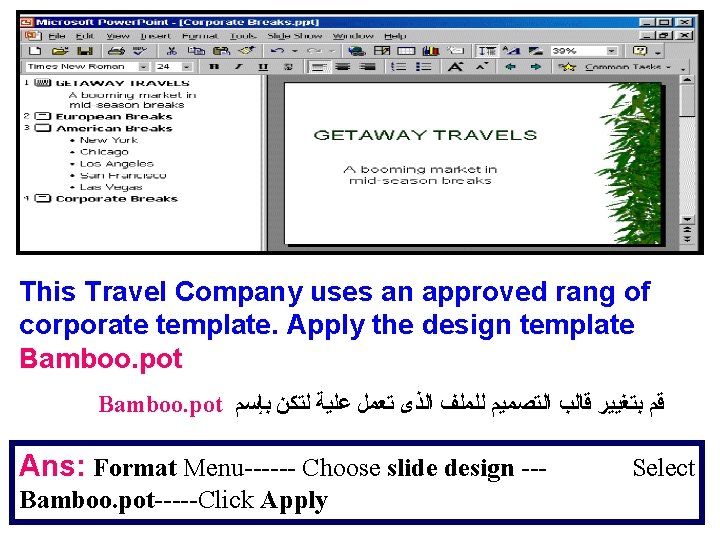
This Travel Company uses an approved rang of corporate template. Apply the design template Bamboo. pot ﻗﻢ ﺑﺘﻐﻴﻴﺮ ﻗﺎﻟﺐ ﺍﻟﺘﺼﻤﻴﻢ ﻟﻠﻤﻠﻒ ﺍﻟﺬﻯ ﺗﻌﻤﻞ ﻋﻠﻴﺔ ﻟﺘﻜﻦ ﺑﺈﺳﻢ Ans: Format Menu------ Choose slide design --Bamboo. pot-----Click Apply Select
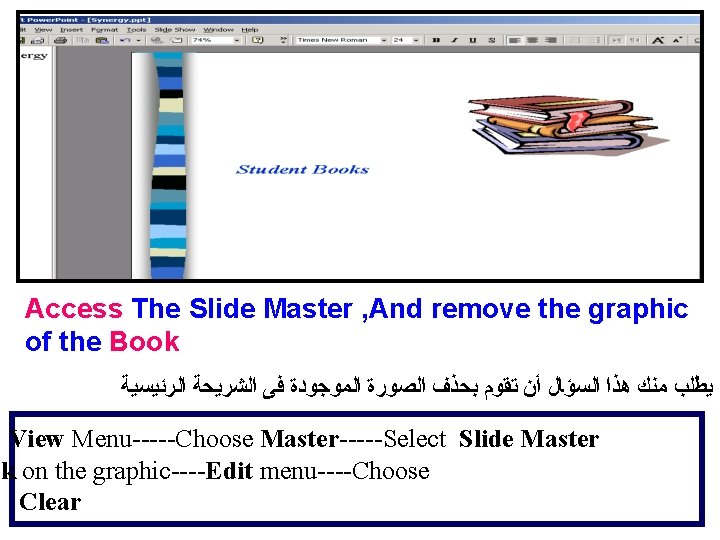
Access The Slide Master , And remove the graphic of the Book ﻳﻄﻠﺐ ﻣﻨﻚ ﻫﺬﺍ ﺍﻟﺴﺆﺎﻝ ﺃﻦ ﺗﻘﻮﻡ ﺑﺤﺬﻑ ﺍﻟﺼﻮﺭﺓ ﺍﻟﻤﻮﺟﻮﺩﺓ ﻓﻰ ﺍﻟﺸﺮﻳﺤﺔ ﺍﻟﺮﺋﻴﺴﻴﺔ : View Menu-----Choose Master-----Select Slide Master ck on the graphic----Edit menu----Choose Clear
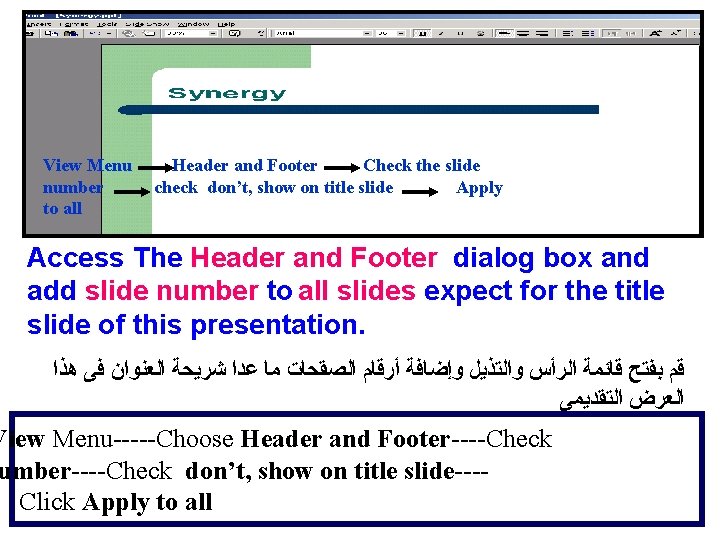
View Menu number to all Header and Footer Check the slide check don’t, show on title slide Apply Access The Header and Footer dialog box and add slide number to all slides expect for the title slide of this presentation. ﻗﻢ ﺑﻔﺘﺢ ﻗﺎﺋﻤﺔ ﺍﻟﺮﺃﺲ ﻭﺍﻟﺘﺬﻳﻞ ﻭﺇﺿﺎﻓﺔ ﺃﺮﻗﺎﻡ ﺍﻟﺼﻘﺤﺎﺕ ﻣﺎ ﻋﺪﺍ ﺷﺮﻳﺤﺔ ﺍﻟﻌﻨﻮﺍﻥ ﻓﻰ ﻫﺬﺍ ﺍﻟﻌﺮﺽ ﺍﻟﺘﻘﺪﻳﻤﻰ View Menu-----Choose Header and Footer----Check umber----Check don’t, show on title slide---Click Apply to all
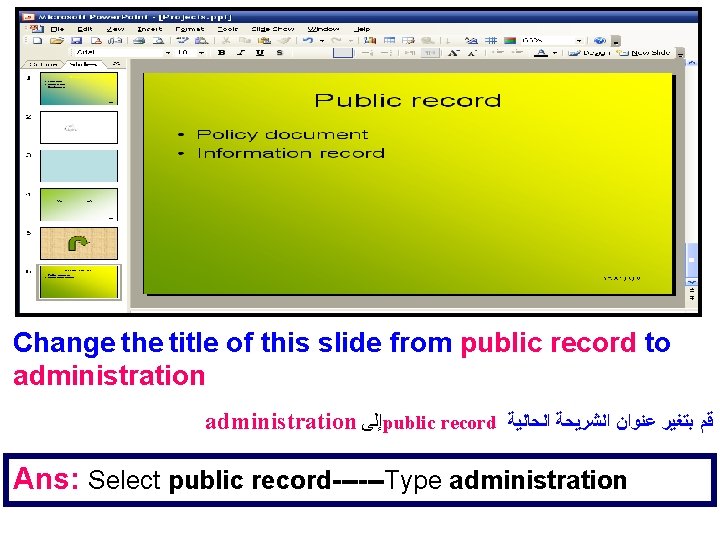
Change the title of this slide from public record to administration ﺇﻟﻰ public record ﻗﻢ ﺑﺘﻐﻴﺮ ﻋﻨﻮﺍﻥ ﺍﻟﺸﺮﻳﺤﺔ ﺍﻟﺤﺎﻟﻴﺔ Ans: Select public record------Type administration
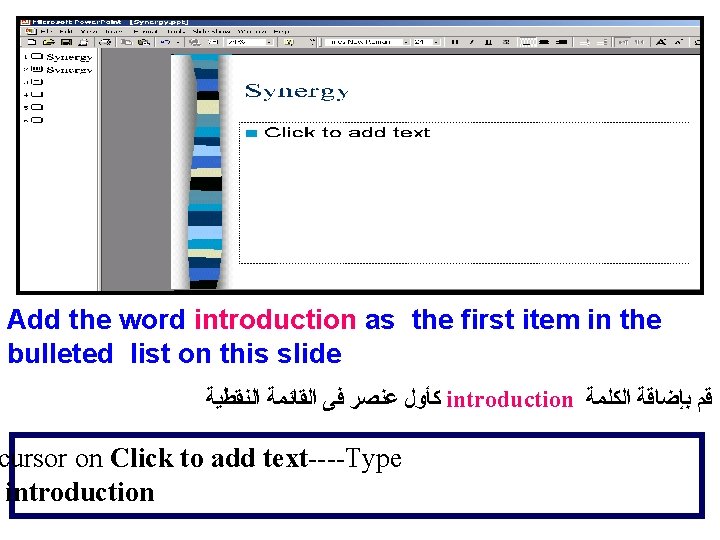
Add the word introduction as the first item in the bulleted list on this slide ﻛﺄﻮﻝ ﻋﻨﺼﺮ ﻓﻰ ﺍﻟﻘﺎﺋﻤﺔ ﺍﻟﻨﻘﻄﻴﺔ introduction ﻗﻢ ﺑﺈﺿﺎﻗﺔ ﺍﻟﻜﻠﻤﺔ cursor on Click to add text----Type introduction
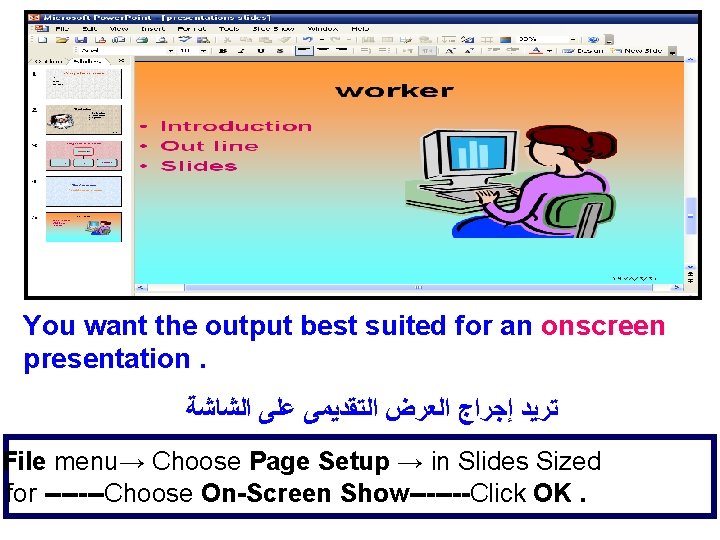
You want the output best suited for an onscreen presentation. ﺗﺮﻳﺪ ﺇﺟﺮﺍﺝ ﺍﻟﻌﺮﺽ ﺍﻟﺘﻘﺪﻳﻤﻰ ﻋﻠﻰ ﺍﻟﺸﺎﺷﺔ File menu→ Choose Page Setup → in Slides Sized for -------Choose On-Screen Show-------Click OK.
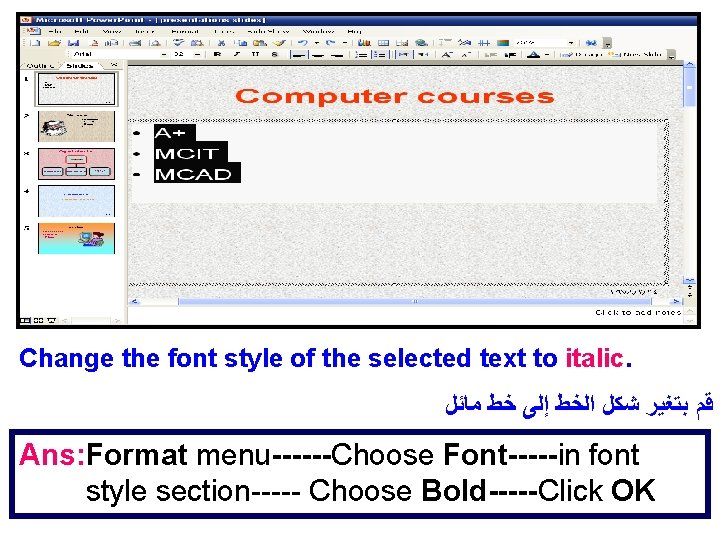
Change the font style of the selected text to italic. ﻗﻢ ﺑﺘﻐﻴﺮ ﺷﻜﻞ ﺍﻟﺨﻂ ﺇﻟﻰ ﺧﻂ ﻣﺎﺋﻞ Ans: Format menu------Choose Font-----in font style section----- Choose Bold-----Click OK
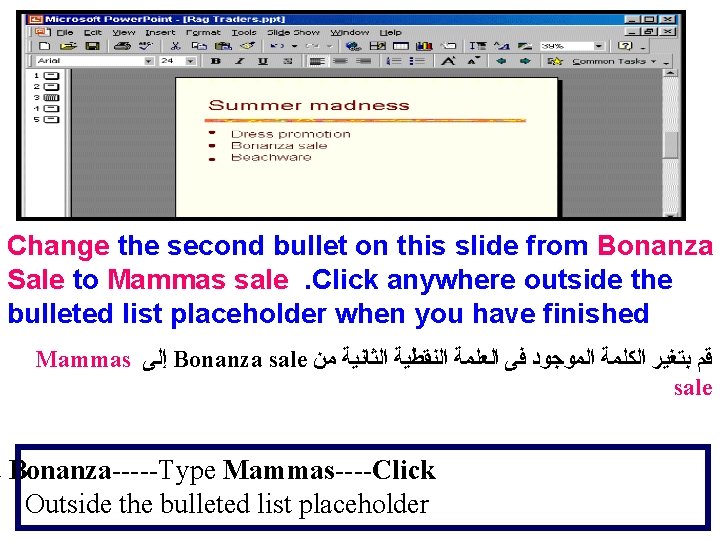
Change the second bullet on this slide from Bonanza Sale to Mammas sale. Click anywhere outside the bulleted list placeholder when you have finished Mammas ﺇﻟﻰ Bonanza sale ﻗﻢ ﺑﺘﻐﻴﺮ ﺍﻟﻜﻠﻤﺔ ﺍﻟﻤﻮﺟﻮﺩ ﻓﻰ ﺍﻟﻌﻠﻤﺔ ﺍﻟﻨﻘﻄﻴﺔ ﺍﻟﺜﺎﻧﻴﺔ ﻣﻦ sale t Bonanza-----Type Mammas----Click Outside the bulleted list placeholder
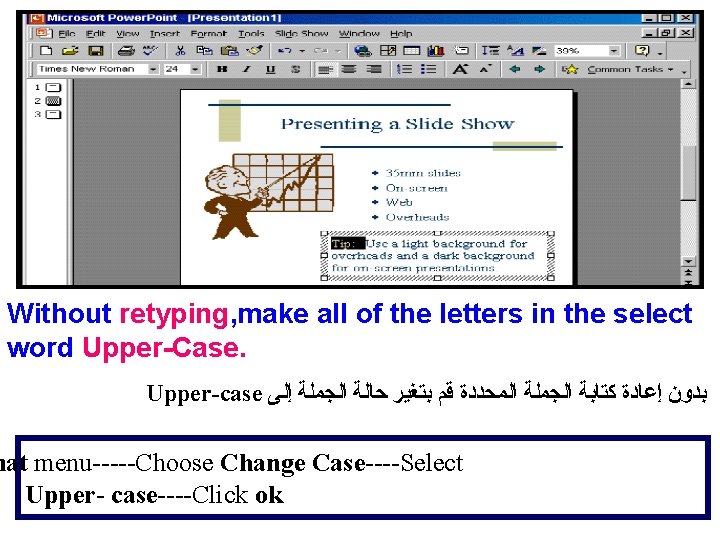
Without retyping, make all of the letters in the select word Upper-Case. Upper-case ﺑﺪﻭﻥ ﺇﻋﺎﺩﺓ ﻛﺘﺎﺑﺔ ﺍﻟﺠﻤﻠﺔ ﺍﻟﻤﺤﺪﺩﺓ ﻗﻢ ﺑﺘﻐﻴﺮ ﺣﺎﻟﺔ ﺍﻟﺠﻤﻠﺔ ﺇﻟﻰ mat menu-----Choose Change Case----Select Upper- case----Click ok
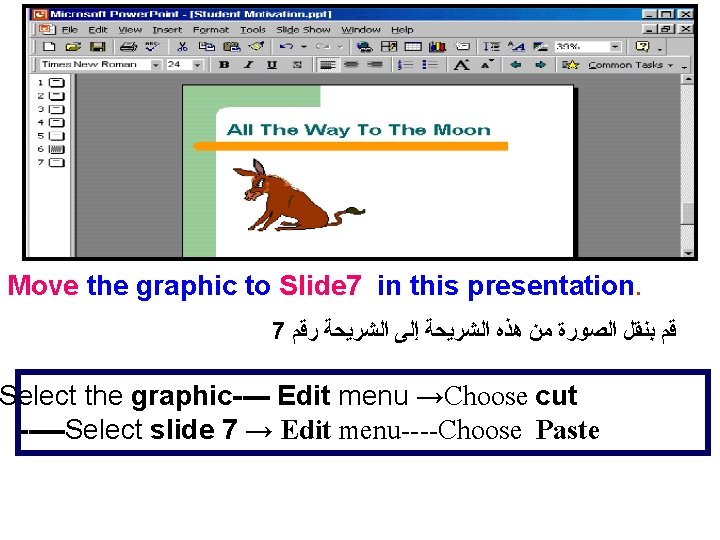
Move the graphic to Slide 7 in this presentation. 7 ﻗﻢ ﺑﻨﻘﻞ ﺍﻟﺼﻮﺭﺓ ﻣﻦ ﻫﺬﻩ ﺍﻟﺸﺮﻳﺤﺔ ﺇﻟﻰ ﺍﻟﺸﺮﻳﺤﺔ ﺭﻗﻢ Select the graphic---- Edit menu →Choose cut -----Select slide 7 → Edit menu----Choose Paste
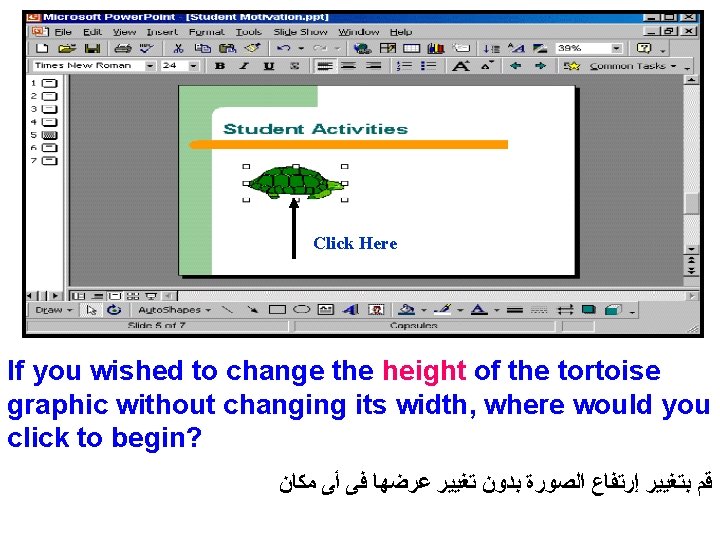
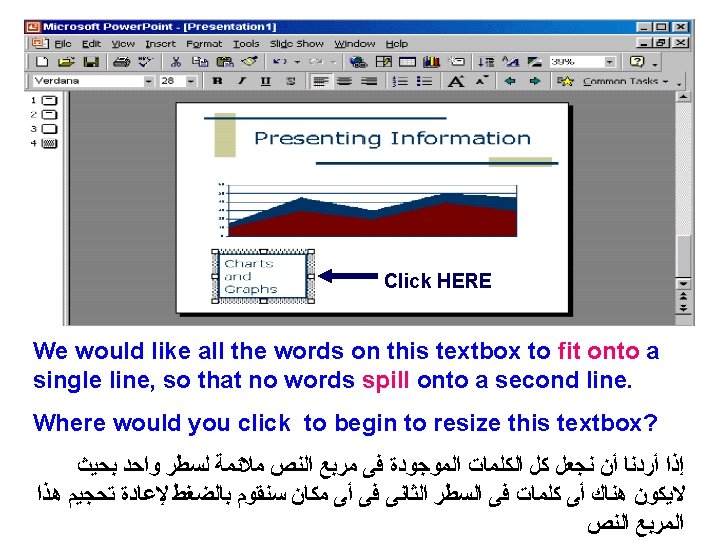
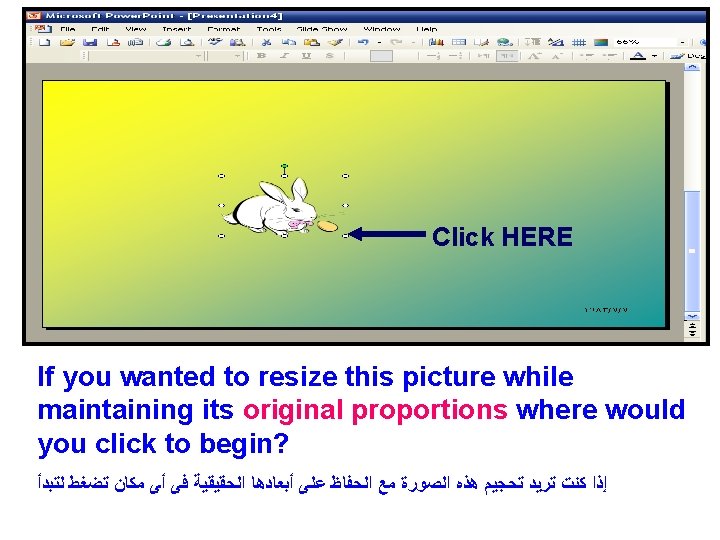
Click Here If you wished to change the height of the tortoise graphic without changing its width, where would you click to begin? ﻗﻢ ﺑﺘﻐﻴﻴﺮ ﺇﺭﺗﻔﺎﻉ ﺍﻟﺼﻮﺭﺓ ﺑﺪﻭﻥ ﺗﻐﻴﻴﺮ ﻋﺮﺿﻬﺎ ﻓﻰ ﺃﻰ ﻣﻜﺎﻥ
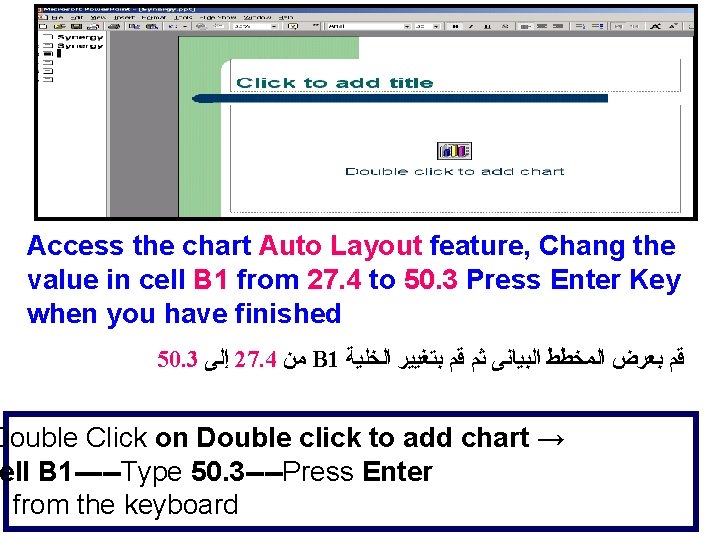
Access the chart Auto Layout feature, Chang the value in cell B 1 from 27. 4 to 50. 3 Press Enter Key when you have finished 50. 3 ﺇﻟﻰ 27. 4 ﻣﻦ B 1 ﻗﻢ ﺑﻌﺮﺽ ﺍﻟﻤﺨﻄﻂ ﺍﻟﺒﻴﺎﻧﻰ ﺛﻢ ﻗﻢ ﺑﺘﻐﻴﻴﺮ ﺍﻟﺨﻠﻴﺔ Double Click on Double click to add chart → ell B 1 -----Type 50. 3 ----Press Enter from the keyboard
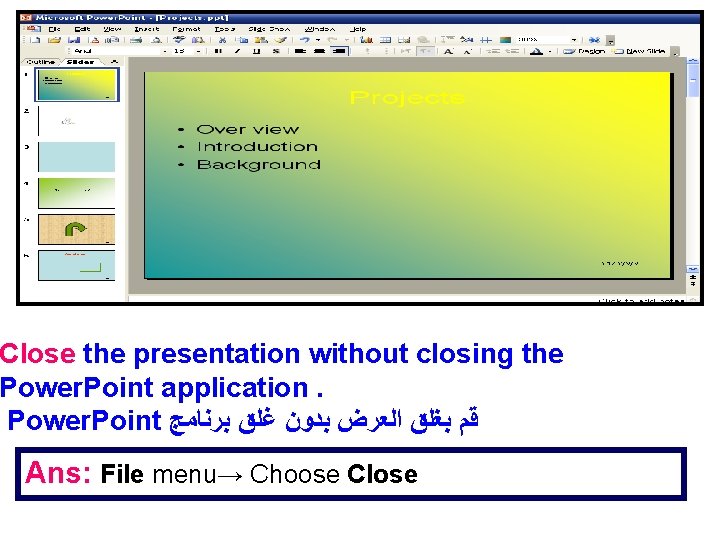
Close the presentation without closing the Power. Point application. Power. Point ﻗﻢ ﺑﻐﻠﻖ ﺍﻟﻌﺮﺽ ﺑﺪﻭﻥ ﻏﻠﻖ ﺑﺮﻧﺎﻣﺞ Ans: File menu→ Choose Close
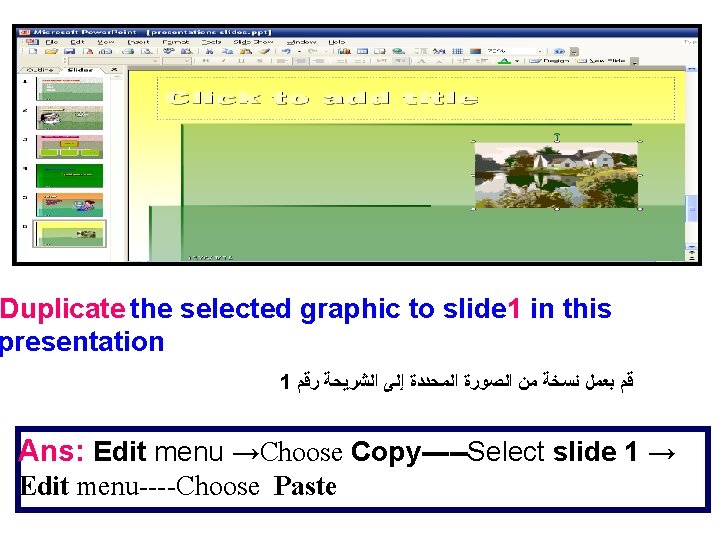
Duplicate the selected graphic to slide 1 in this presentation 1 ﻗﻢ ﺑﻌﻤﻞ ﻧﺴﺨﺔ ﻣﻦ ﺍﻟﺼﻮﺭﺓ ﺍﻟﻤﺤﺪﺩﺓ ﺇﻟﻰ ﺍﻟﺸﺮﻳﺤﺔ ﺭﻗﻢ Ans: Edit menu →Choose Copy-----Select slide 1 → Edit menu----Choose Paste
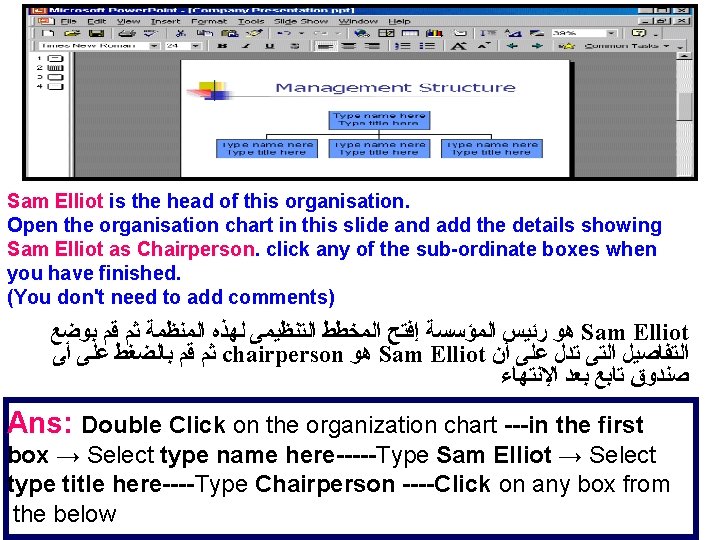
Sam Elliot is the head of this organisation. Open the organisation chart in this slide and add the details showing Sam Elliot as Chairperson. click any of the sub-ordinate boxes when you have finished. (You don't need to add comments) ﻫﻮ ﺭﺋﻴﺲ ﺍﻟﻤﺆﺴﺴﺔ ﺇﻓﺘﺢ ﺍﻟﻤﺨﻄﻂ ﺍﻟﺘﻨﻈﻴﻤﻰ ﻟﻬﺬﻩ ﺍﻟﻤﻨﻈﻤﺔ ﺛﻢ ﻗﻢ ﺑﻮﺿﻊ Sam Elliot ﺛﻢ ﻗﻢ ﺑﺎﻟﻀﻐﻂ ﻋﻠﻰ ﺃﻰ chairperson ﻫﻮ Sam Elliot ﺍﻟﺘﻔﺎﺻﻴﻞ ﺍﻟﺘﻰ ﺗﺪﻝ ﻋﻠﻰ ﺃﻦ ﺻﻨﺪﻭﻕ ﺗﺎﺑﻊ ﺑﻌﺪ ﺍﻹﻧﺘﻬﺎﺀ Ans: Double Click on the organization chart ---in the first box → Select type name here-----Type Sam Elliot → Select type title here----Type Chairperson ----Click on any box from the below
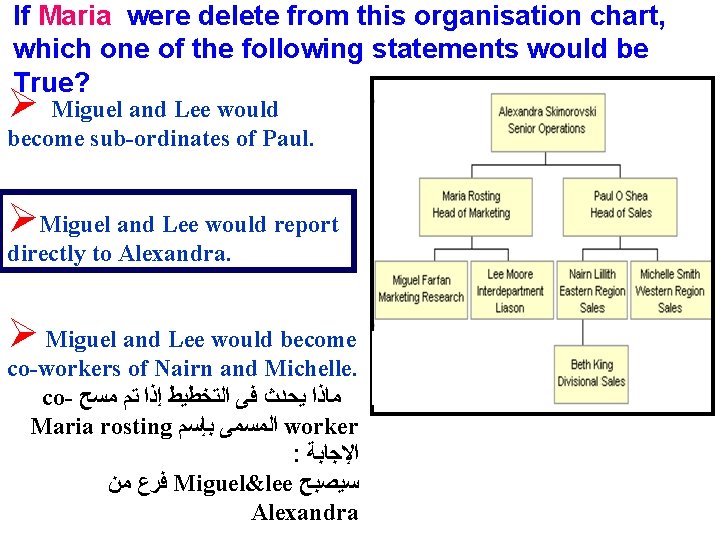
If Maria were delete from this organisation chart, which one of the following statements would be True? Ø Miguel and Lee would become sub-ordinates of Paul. ØMiguel and Lee would report directly to Alexandra. Ø Miguel and Lee would become co-workers of Nairn and Michelle. co- ﻣﺎﺫﺍ ﻳﺤﺪﺙ ﻓﻰ ﺍﻟﺘﺨﻄﻴﻂ ﺇﺫﺍ ﺗﻢ ﻣﺴﺢ Maria rosting ﺍﻟﻤﺴﻤﻰ ﺑﺈﺳﻢ worker : ﺍﻹﺟﺎﺑﺔ ﻓﺮﻉ ﻣﻦ Miguel&lee ﺳﻴﺼﺒﺢ Alexandra
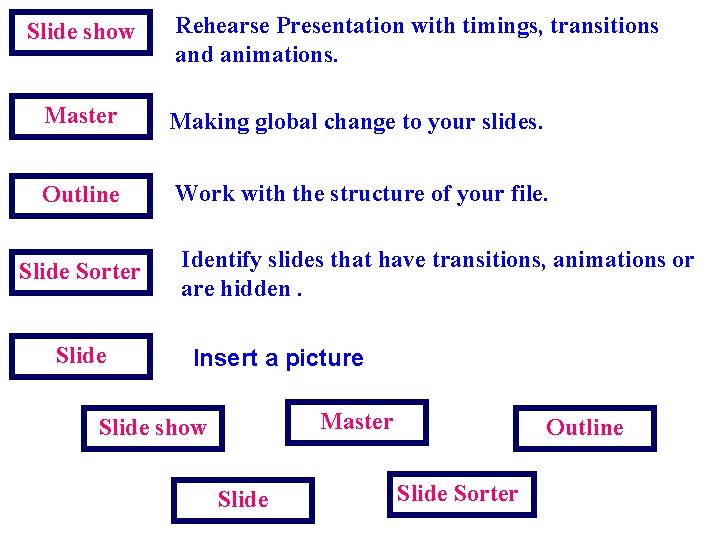
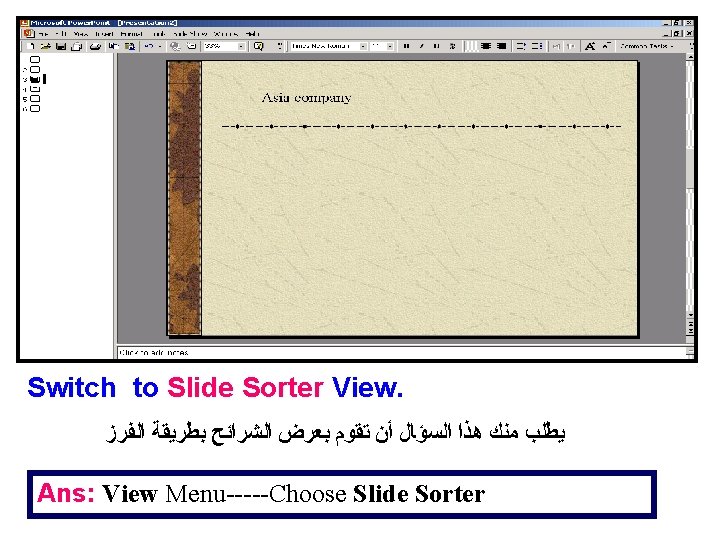
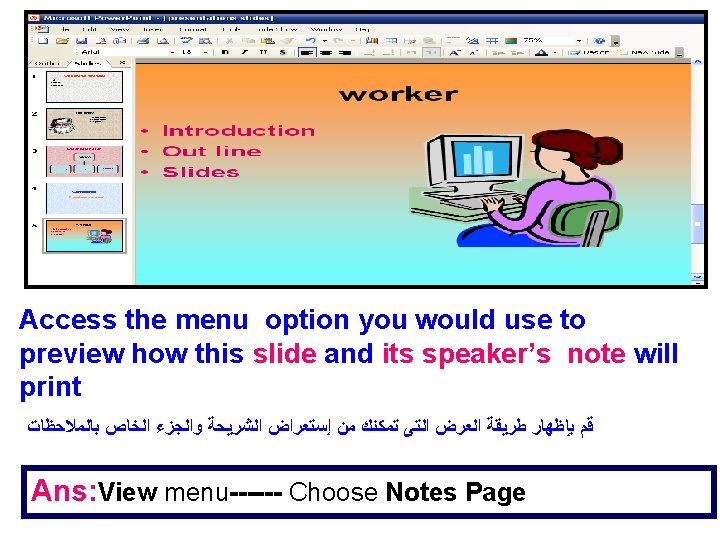
Slide show Rehearse Presentation with timings, transitions and animations. Master Making global change to your slides. Outline Work with the structure of your file. Slide Sorter Slide Identify slides that have transitions, animations or are hidden. Insert a picture Master Slide show Slide Outline Slide Sorter
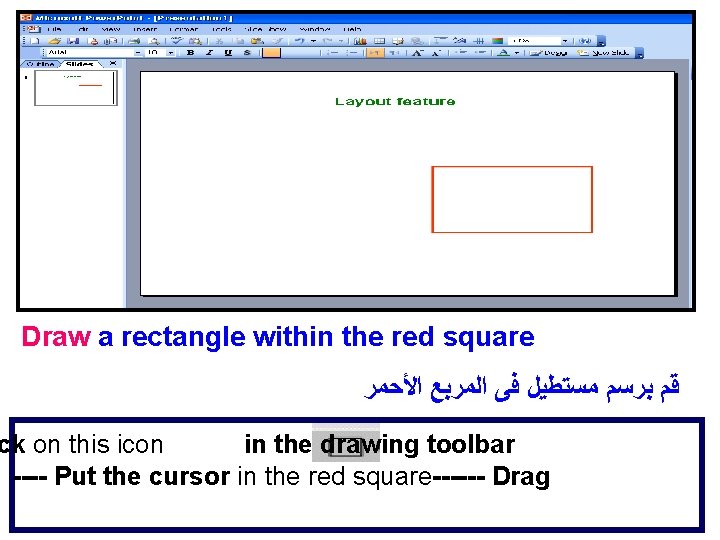
Draw a rectangle within the red square ﻗﻢ ﺑﺮﺳﻢ ﻣﺴﺘﻄﻴﻞ ﻓﻰ ﺍﻟﻤﺮﺑﻊ ﺍﻷﺤﻤﺮ ck on this icon in the drawing toolbar ---- Put the cursor in the red square------ Drag
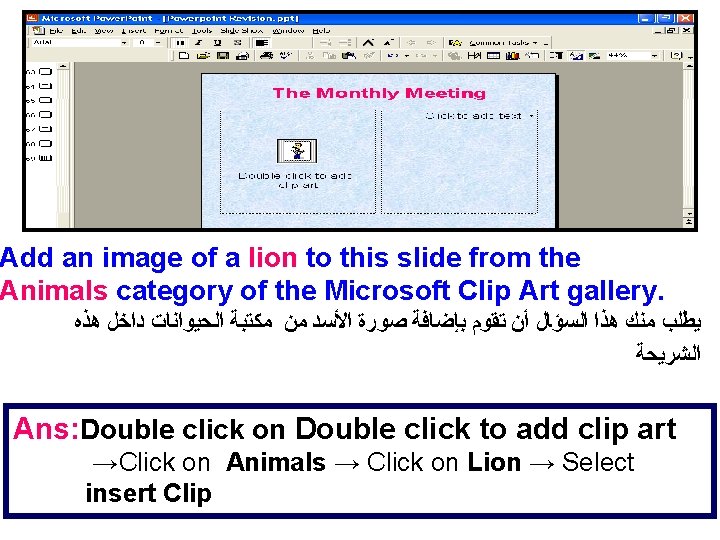
Add an image of a lion to this slide from the Animals category of the Microsoft Clip Art gallery. ﻳﻄﻠﺐ ﻣﻨﻚ ﻫﺬﺍ ﺍﻟﺴﺆﺎﻝ ﺃﻦ ﺗﻘﻮﻡ ﺑﺈﺿﺎﻓﺔ ﺻﻮﺭﺓ ﺍﻷﺴﺪ ﻣﻦ ﻣﻜﺘﺒﺔ ﺍﻟﺤﻴﻮﺍﻧﺎﺕ ﺩﺍﺧﻞ ﻫﺬﻩ ﺍﻟﺸﺮﻳﺤﺔ Ans: Double click on Double click to add clip art →Click on Animals → Click on Lion → Select insert Clip
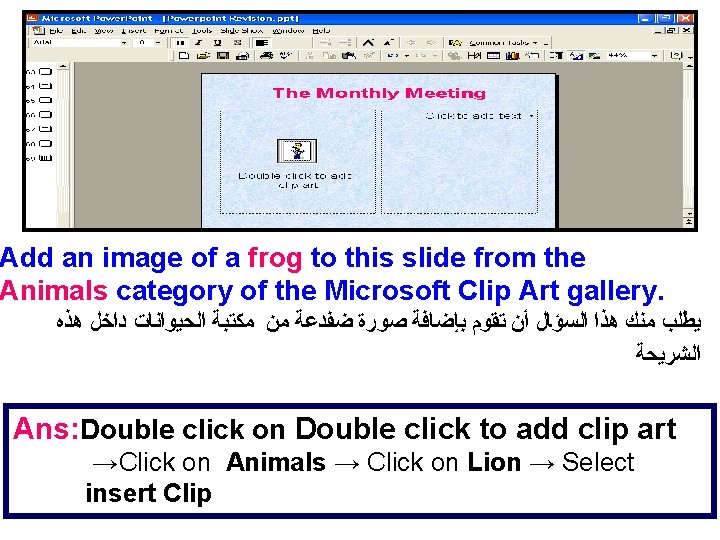
Add an image of a frog to this slide from the Animals category of the Microsoft Clip Art gallery. ﻳﻄﻠﺐ ﻣﻨﻚ ﻫﺬﺍ ﺍﻟﺴﺆﺎﻝ ﺃﻦ ﺗﻘﻮﻡ ﺑﺈﺿﺎﻓﺔ ﺻﻮﺭﺓ ﺿﻔﺪﻋﺔ ﻣﻦ ﻣﻜﺘﺒﺔ ﺍﻟﺤﻴﻮﺍﻧﺎﺕ ﺩﺍﺧﻞ ﻫﺬﻩ ﺍﻟﺸﺮﻳﺤﺔ Ans: Double click on Double click to add clip art →Click on Animals → Click on Lion → Select insert Clip
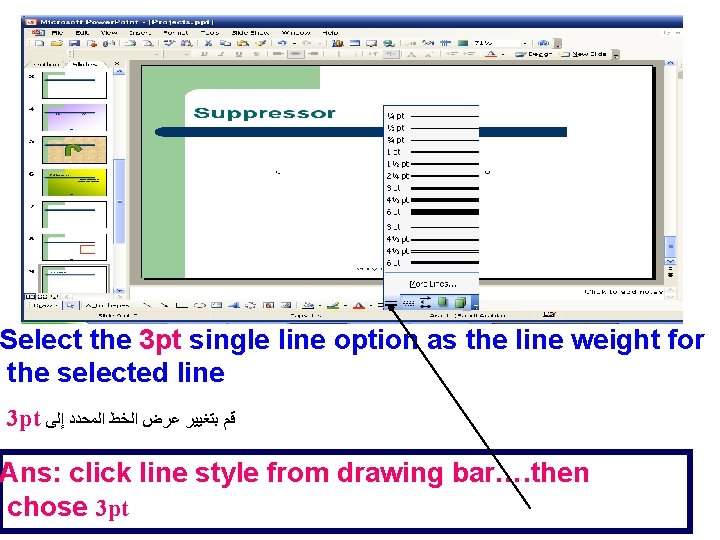
Select the 3 pt single line option as the line weight for the selected line 3 pt ﻗﻢ ﺑﺘﻐﻴﻴﺮ ﻋﺮﺽ ﺍﻟﺨﻂ ﺍﻟﻤﺤﺪﺩ ﺇﻟﻰ Ans: click line style from drawing bar…. then chose 3 pt
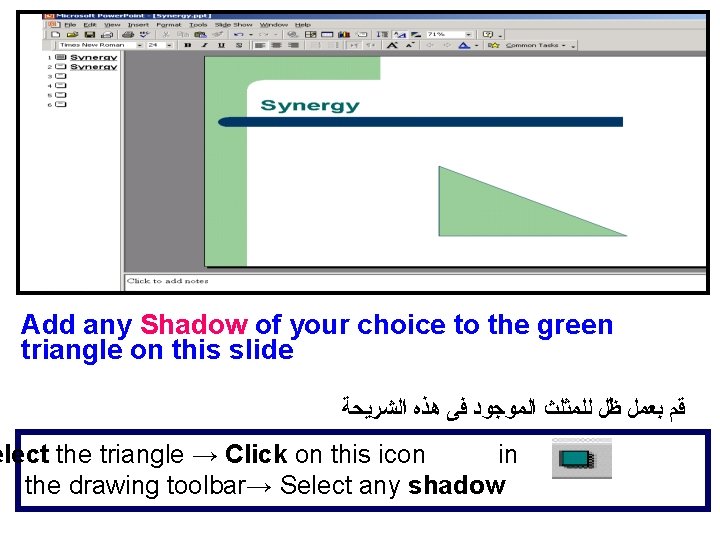
Add any Shadow of your choice to the green triangle on this slide ﻗﻢ ﺑﻌﻤﻞ ﻇﻞ ﻟﻠﻤﺜﻠﺚ ﺍﻟﻤﻮﺟﻮﺩ ﻓﻰ ﻫﺬﻩ ﺍﻟﺸﺮﻳﺤﺔ elect the triangle → Click on this icon in the drawing toolbar→ Select any shadow
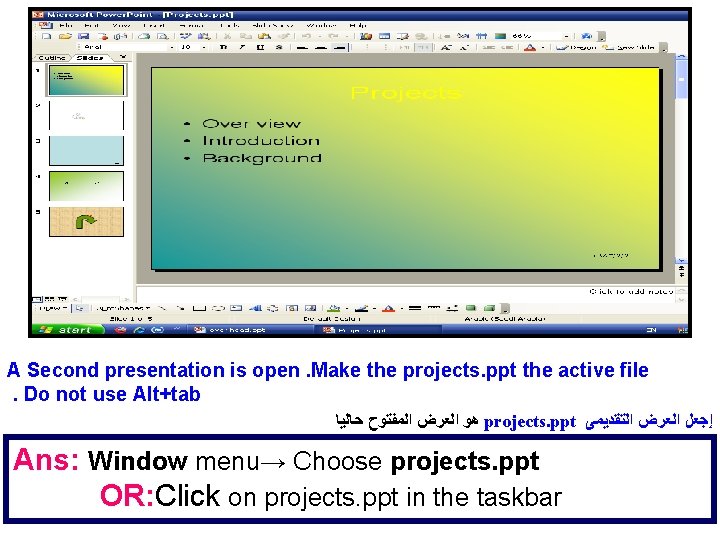
A Second presentation is open. Make the projects. ppt the active file. Do not use Alt+tab ﻫﻮ ﺍﻟﻌﺮﺽ ﺍﻟﻤﻔﺘﻮﺡ ﺣﺎﻟﻴﺎ projects. ppt ﺇﺟﻌﻞ ﺍﻟﻌﺮﺽ ﺍﻟﺘﻘﺪﻳﻤﻰ Ans: Window menu→ Choose projects. ppt OR: Click on projects. ppt in the taskbar
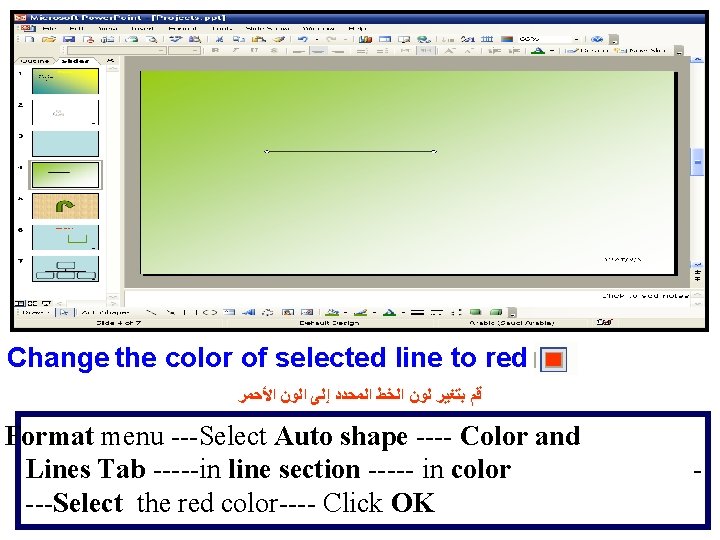
Change the color of selected line to red ﻗﻢ ﺑﺘﻐﻴﺮ ﻟﻮﻥ ﺍﻟﺨﻂ ﺍﻟﻤﺤﺪﺩ ﺇﻟﻰ ﺍﻟﻮﻥ ﺍﻷﺤﻤﺮ Format menu ---Select Auto shape ---- Color and Lines Tab -----in line section ----- in color ---Select the red color---- Click OK -
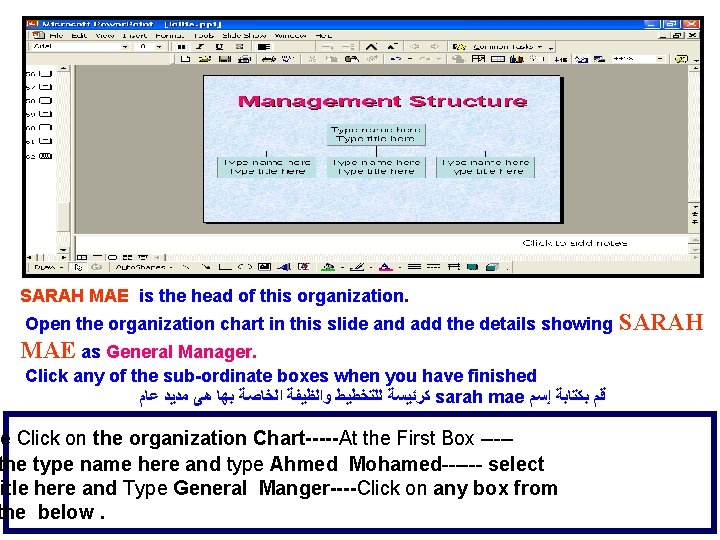
SARAH MAE is the head of this organization. Open the organization chart in this slide and add the details showing MAE as General Manager. Click any of the sub-ordinate boxes when you have finished ﻛﺮﺋﻴﺴﺔ ﻟﻠﺘﺨﻄﻴﻂ ﻭﺍﻟﻈﻴﻔﺔ ﺍﻟﺨﺎﺻﺔ ﺑﻬﺎ ﻫﻰ ﻣﺪﻳﺪ ﻋﺎﻡ sarah mae ﻗﻢ ﺑﻜﺘﺎﺑﺔ ﺇﺳﻢ e Click on the organization Chart-----At the First Box ----the type name here and type Ahmed Mohamed------ select itle here and Type General Manger----Click on any box from the below. SARAH
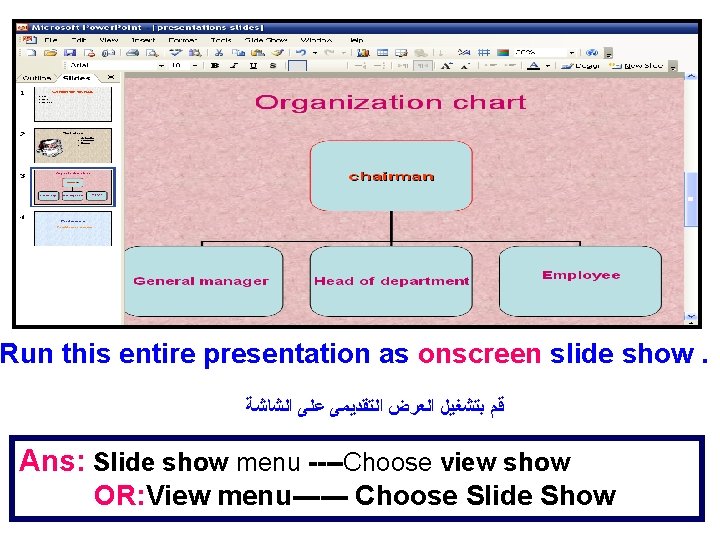
Run this entire presentation as onscreen slide show. ﻗﻢ ﺑﺘﺸﻐﻴﻞ ﺍﻟﻌﺮﺽ ﺍﻟﺘﻘﺪﻳﻤﻰ ﻋﻠﻰ ﺍﻟﺸﺎﺷﺔ Ans: Slide show menu ----Choose view show OR: View menu------ Choose Slide Show
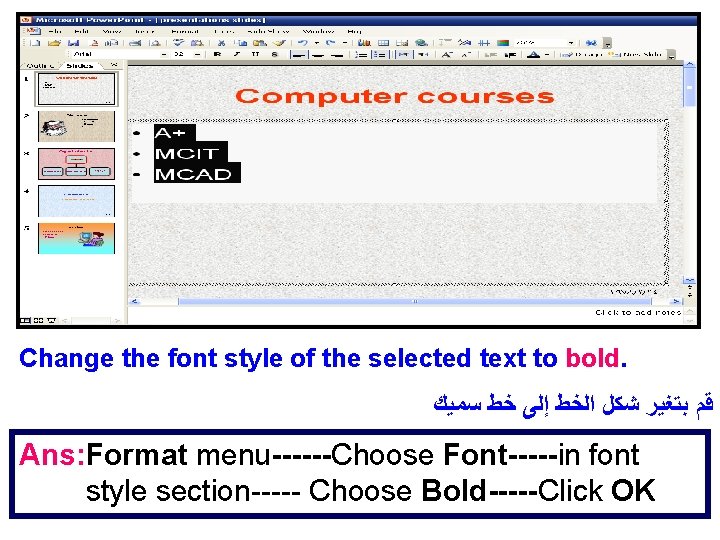
Change the font style of the selected text to bold. ﻗﻢ ﺑﺘﻐﻴﺮ ﺷﻜﻞ ﺍﻟﺨﻂ ﺇﻟﻰ ﺧﻂ ﺳﻤﻴﻚ Ans: Format menu------Choose Font-----in font style section----- Choose Bold-----Click OK
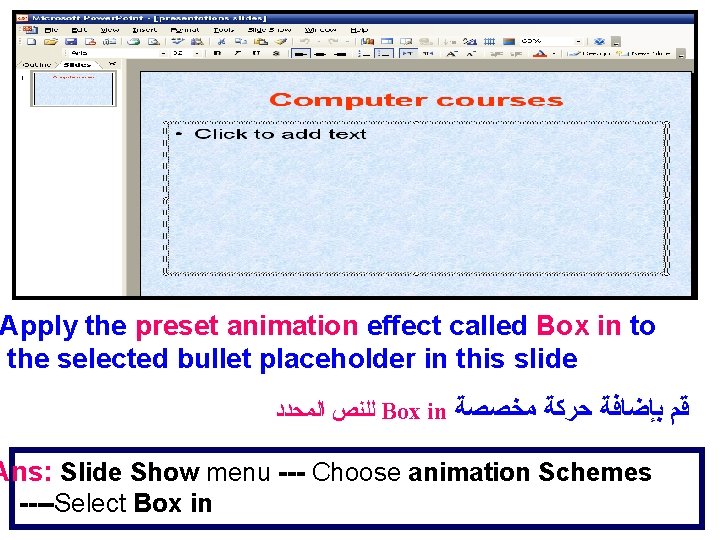
Apply the preset animation effect called Box in to the selected bullet placeholder in this slide ﻟﻠﻨﺺ ﺍﻟﻤﺤﺪﺩ Box in ﻗﻢ ﺑﺈﺿﺎﻓﺔ ﺣﺮﻛﺔ ﻣﺨﺼﺼﺔ Ans: Slide Show menu --- Choose animation Schemes ----Select Box in
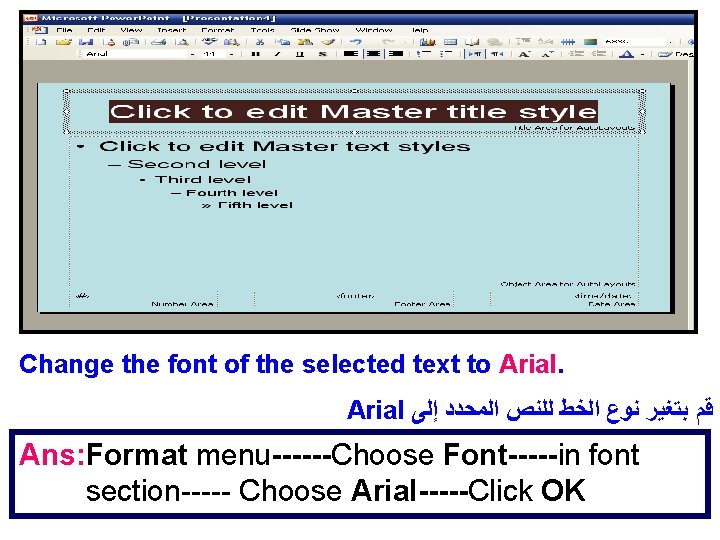
Change the font of the selected text to Arial ﻗﻢ ﺑﺘﻐﻴﺮ ﻧﻮﻉ ﺍﻟﺨﻂ ﻟﻠﻨﺺ ﺍﻟﻤﺤﺪﺩ ﺇﻟﻰ Ans: Format menu------Choose Font-----in font section----- Choose Arial-----Click OK
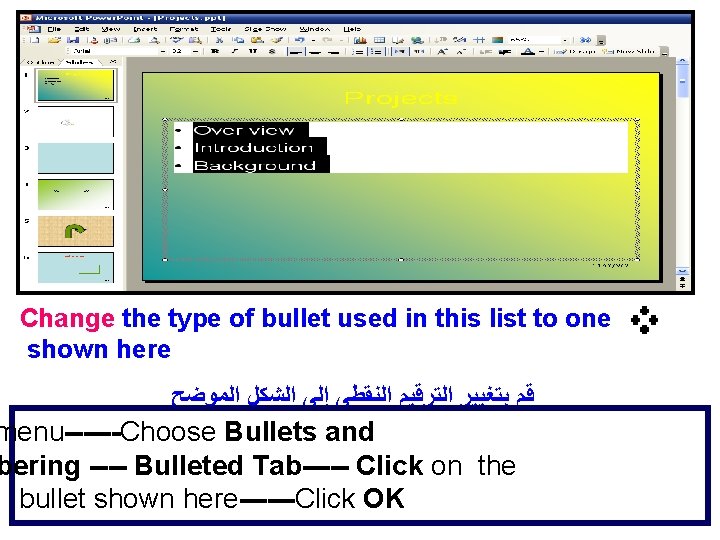
Change the type of bullet used in this list to one shown here ﻗﻢ ﺑﺘﻐﻴﻴﺮ ﺍﻟﺘﺮﻗﻴﻢ ﺍﻟﻨﻘﻄﻰ ﺇﻟﻰ ﺍﻟﺸﻜﻞ ﺍﻟﻤﻮﺿﺢ menu------Choose Bullets and bering ---- Bulleted Tab----- Click on the bullet shown here------Click OK
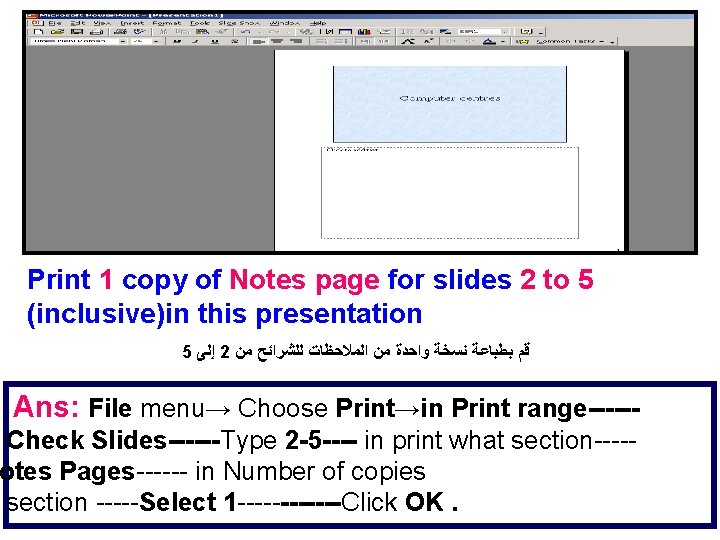
Print 1 copy of Notes page for slides 2 to 5 (inclusive)in this presentation 5 ﺇﻟﻰ 2 ﻗﻢ ﺑﻄﺒﺎﻋﺔ ﻧﺴﺨﺔ ﻭﺍﺣﺪﺓ ﻣﻦ ﺍﻟﻤﻼﺣﻈﺎﺕ ﻟﻠﺸﺮﺍﺋﺢ ﻣﻦ Ans: File menu→ Choose Print→in Print range------ Check Slides------Type 2 -5 ---- in print what section----otes Pages------ in Number of copies section -----Select 1 ------Click OK.
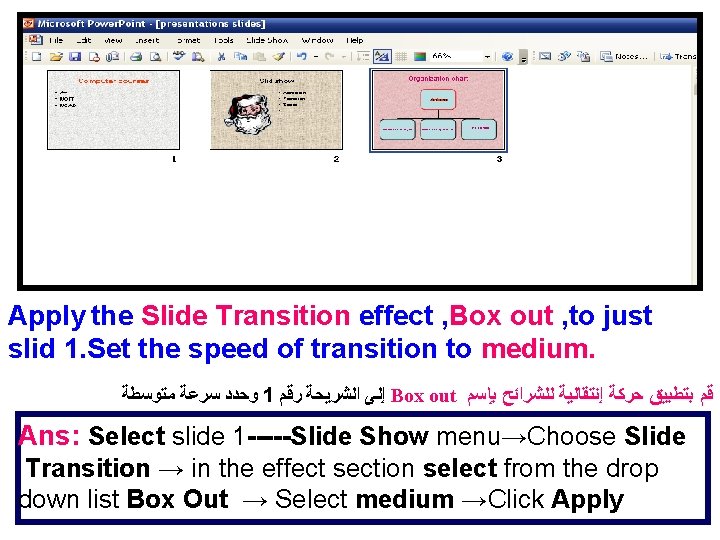
Apply the Slide Transition effect , Box out , to just slid 1. Set the speed of transition to medium. ﻭﺣﺪﺩ ﺳﺮﻋﺔ ﻣﺘﻮﺳﻄﺔ 1 ﺇﻟﻰ ﺍﻟﺸﺮﻳﺤﺔ ﺭﻗﻢ Box out ﻗﻢ ﺑﺘﻄﺒﻴﻖ ﺣﺮﻛﺔ ﺇﻧﺘﻘﺎﻟﻴﺔ ﻟﻠﺸﺮﺍﺋﺢ ﺑﺈﺳﻢ Ans: Select slide 1 -----Slide Show menu→Choose Slide Transition → in the effect section select from the drop down list Box Out → Select medium →Click Apply
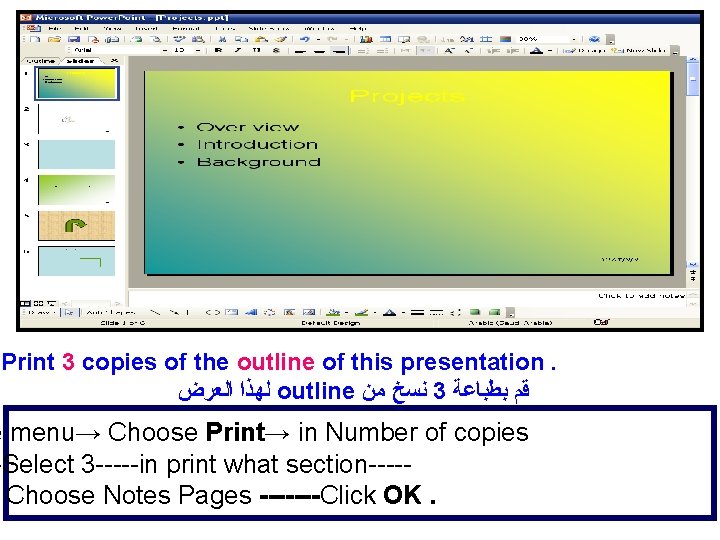
Print 3 copies of the outline of this presentation. ﻟﻬﺬﺍ ﺍﻟﻌﺮﺽ outline ﻧﺴﺦ ﻣﻦ 3 ﻗﻢ ﺑﻄﺒﺎﻋﺔ e menu→ Choose Print→ in Number of copies -Select 3 -----in print what section----Choose Notes Pages -------Click OK.
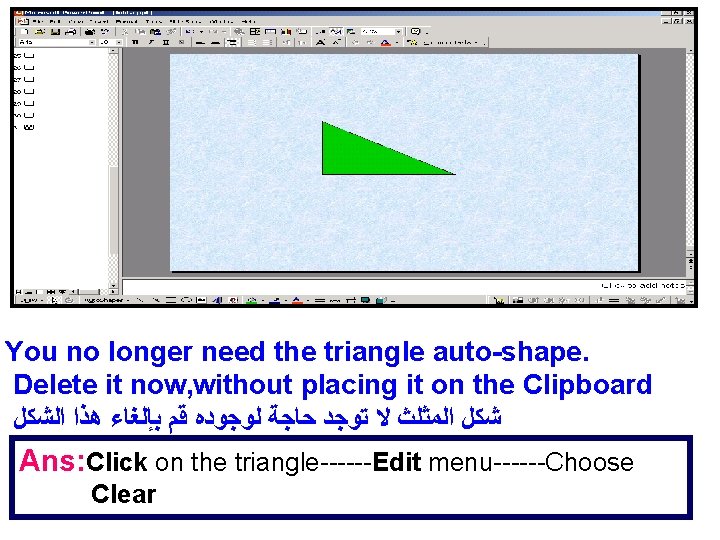
You no longer need the triangle auto-shape. Delete it now, without placing it on the Clipboard ﺷﻜﻞ ﺍﻟﻤﺜﻠﺚ ﻻ ﺗﻮﺟﺪ ﺣﺎﺟﺔ ﻟﻮﺟﻮﺩﻩ ﻗﻢ ﺑﺈﻟﻐﺎﺀ ﻫﺬﺍ ﺍﻟﺸﻜﻞ Ans: Click on the triangle------Edit menu------Choose Clear
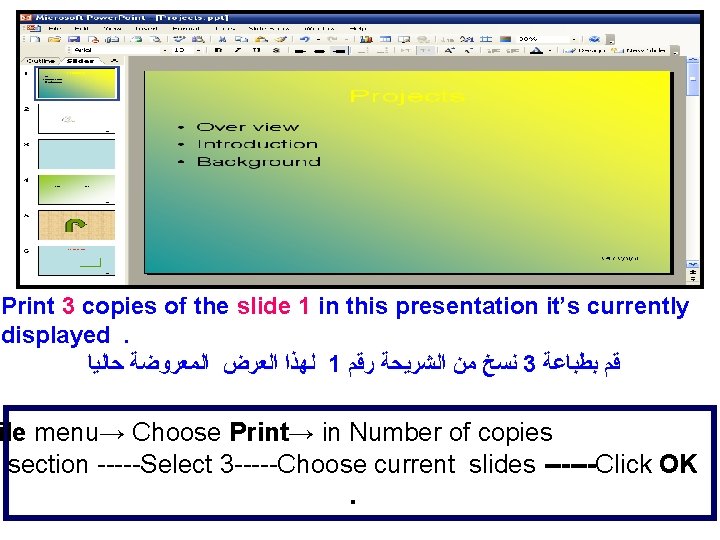
Print 3 copies of the slide 1 in this presentation it’s currently displayed. ﻟﻬﺬﺍ ﺍﻟﻌﺮﺽ ﺍﻟﻤﻌﺮﻭﺿﺔ ﺣﺎﻟﻴﺎ 1 ﻧﺴﺦ ﻣﻦ ﺍﻟﺸﺮﻳﺤﺔ ﺭﻗﻢ 3 ﻗﻢ ﺑﻄﺒﺎﻋﺔ ile menu→ Choose Print→ in Number of copies section -----Select 3 -----Choose current slides ------Click OK.
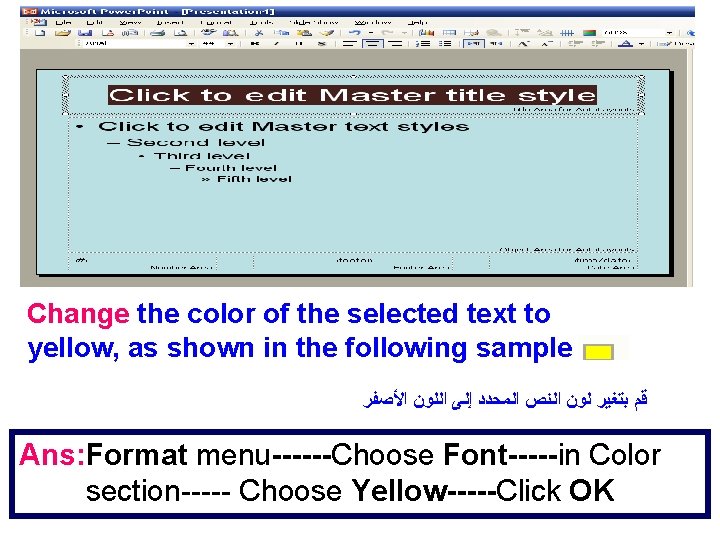
Change the color of the selected text to yellow, as shown in the following sample ﻗﻢ ﺑﺘﻐﻴﺮ ﻟﻮﻥ ﺍﻟﻨﺺ ﺍﻟﻤﺤﺪﺩ ﺇﻟﻰ ﺍﻟﻠﻮﻥ ﺍﻷﺼﻔﺮ Ans: Format menu------Choose Font-----in Color section----- Choose Yellow-----Click OK
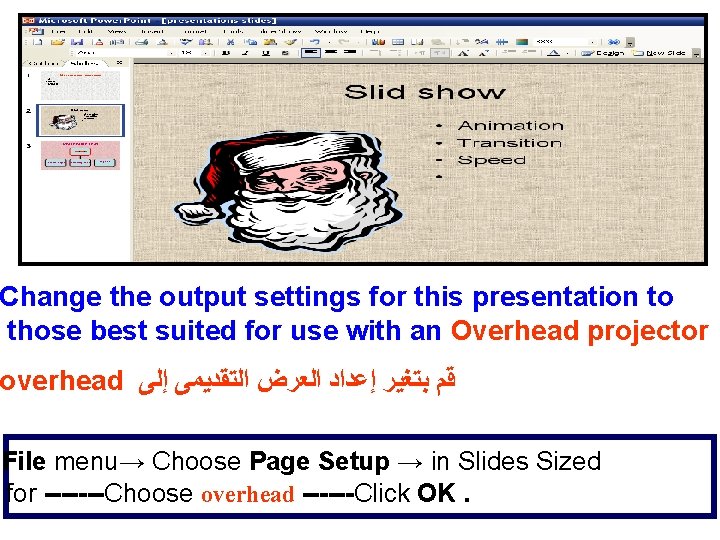
Change the output settings for this presentation to those best suited for use with an Overhead projector overhead ﻗﻢ ﺑﺘﻐﻴﺮ ﺇﻋﺪﺍﺩ ﺍﻟﻌﺮﺽ ﺍﻟﺘﻘﺪﻳﻤﻰ ﺇﻟﻰ File menu→ Choose Page Setup → in Slides Sized for -------Choose overhead ------Click OK.
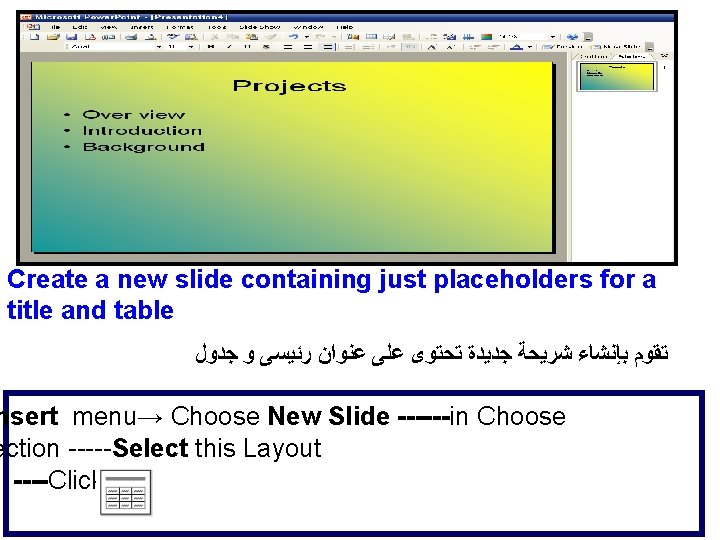
Create a new slide containing just placeholders for a title and table ﺗﻘﻮﻡ ﺑﺈﻧﺸﺎﺀ ﺷﺮﻳﺤﺔ ﺟﺪﻳﺪﺓ ﺗﺤﺘﻮﻯ ﻋﻠﻰ ﻋﻨﻮﺍﻥ ﺭﺋﻴﺴﻰ ﻭ ﺟﺪﻭﻝ nsert menu→ Choose New Slide ------in Choose ection -----Select this Layout ----Click OK
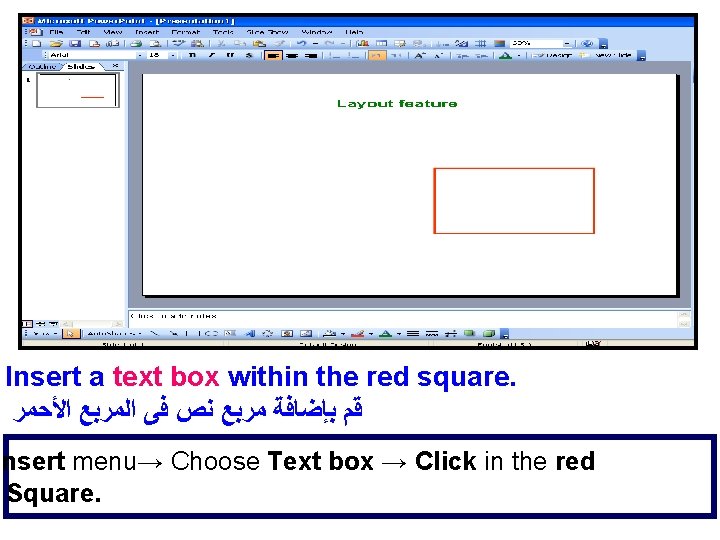
Insert a text box within the red square. ﻗﻢ ﺑﺈﺿﺎﻓﺔ ﻣﺮﺑﻊ ﻧﺺ ﻓﻰ ﺍﻟﻤﺮﺑﻊ ﺍﻷﺤﻤﺮ Insert menu→ Choose Text box → Click in the red Square.
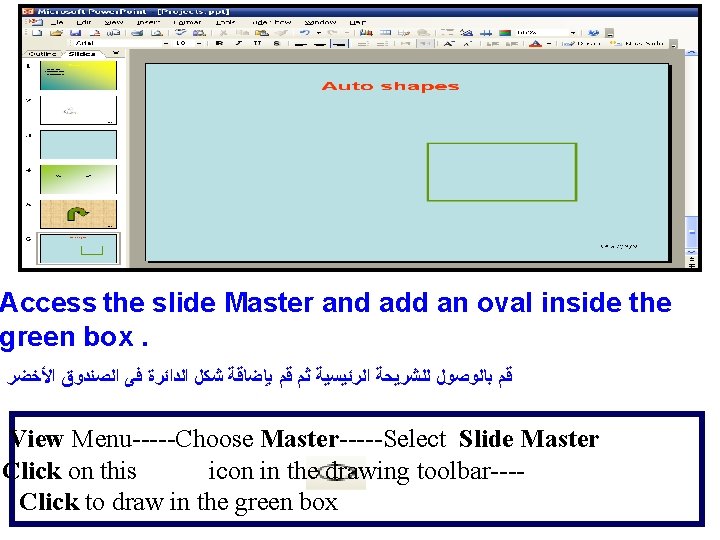
Access the slide Master and add an oval inside the green box. ﻗﻢ ﺑﺎﻟﻮﺻﻮﻝ ﻟﻠﺸﺮﻳﺤﺔ ﺍﻟﺮﺋﻴﺴﻴﺔ ﺛﻢ ﻗﻢ ﺑﺈﺿﺎﻗﺔ ﺷﻜﻞ ﺍﻟﺪﺍﺋﺮﺓ ﻓﻰ ﺍﻟﺼﻨﺪﻭﻕ ﺍﻷﺨﻀﺮ : View Menu-----Choose Master-----Select Slide Master Click on this icon in the drawing toolbar---Click to draw in the green box
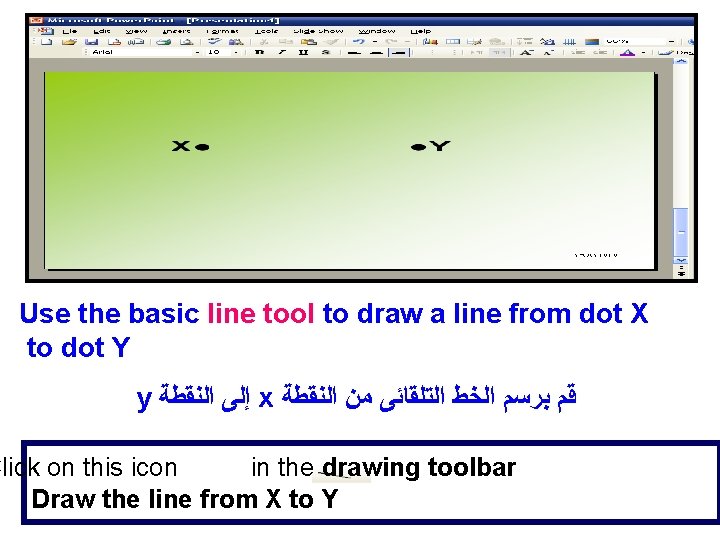
Use the basic line tool to draw a line from dot X to dot Y y ﺇﻟﻰ ﺍﻟﻨﻘﻄﺔ x ﻗﻢ ﺑﺮﺳﻢ ﺍﻟﺨﻂ ﺍﻟﺘﻠﻘﺎﺋﻰ ﻣﻦ ﺍﻟﻨﻘﻄﺔ Click on this icon in the drawing toolbar Draw the line from X to Y
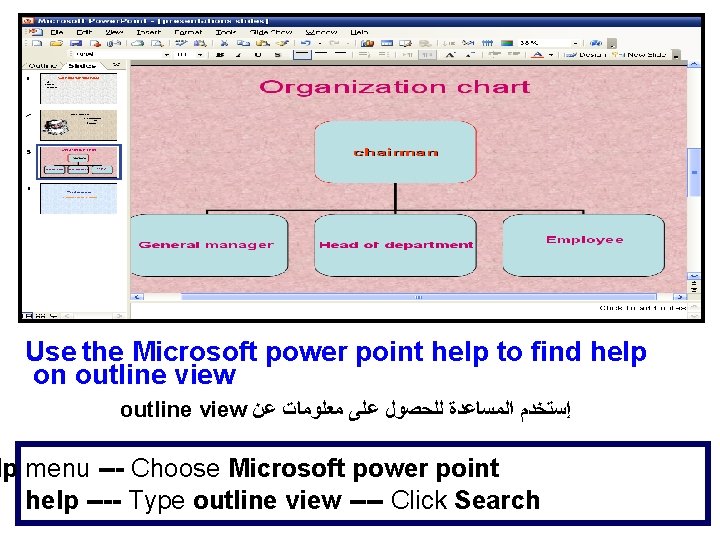
Use the Microsoft power point help to find help on outline view ﺇﺳﺘﺨﺪﻡ ﺍﻟﻤﺴﺎﻋﺪﺓ ﻟﻠﺤﺼﻮﻝ ﻋﻠﻰ ﻣﻌﻠﻮﻣﺎﺕ ﻋﻦ lp menu --- Choose Microsoft power point help ---- Type outline view ---- Click Search
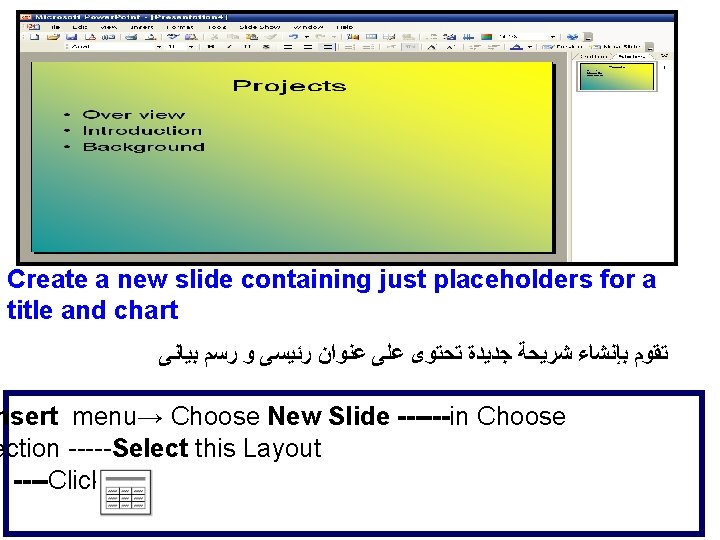
Create a new slide containing just placeholders for a title and chart ﺗﻘﻮﻡ ﺑﺈﻧﺸﺎﺀ ﺷﺮﻳﺤﺔ ﺟﺪﻳﺪﺓ ﺗﺤﺘﻮﻯ ﻋﻠﻰ ﻋﻨﻮﺍﻥ ﺭﺋﻴﺴﻰ ﻭ ﺭﺳﻢ ﺑﻴﺎﻧﻰ nsert menu→ Choose New Slide ------in Choose ection -----Select this Layout ----Click OK
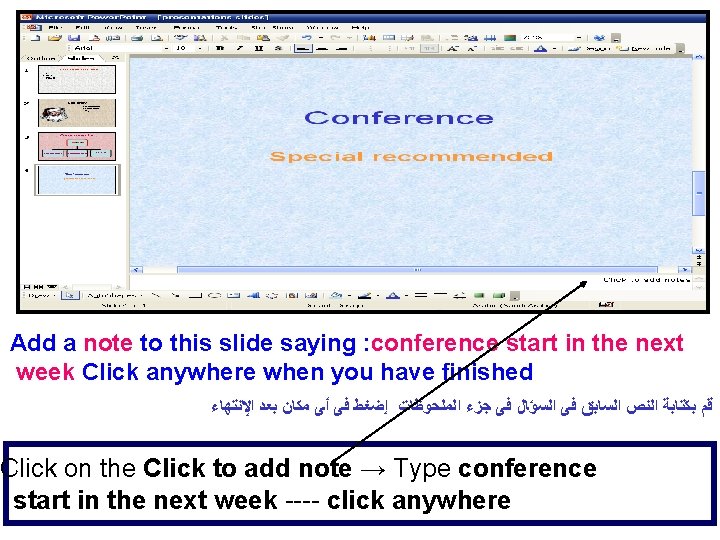
Add a note to this slide saying : conference start in the next week Click anywhere when you have finished ﻗﻢ ﺑﻜﺘﺎﺑﺔ ﺍﻟﻨﺺ ﺍﻟﺴﺎﺑﻖ ﻓﻰ ﺍﻟﺴﺆﺎﻝ ﻓﻰ ﺟﺰﺀ ﺍﻟﻤﻠﺤﻮﻇﺎﺕ ﺇﺿﻐﻂ ﻓﻰ ﺃﻰ ﻣﻜﺎﻥ ﺑﻌﺪ ﺍﻹﻧﺘﻬﺎﺀ Click on the Click to add note → Type conference start in the next week ---- click anywhere
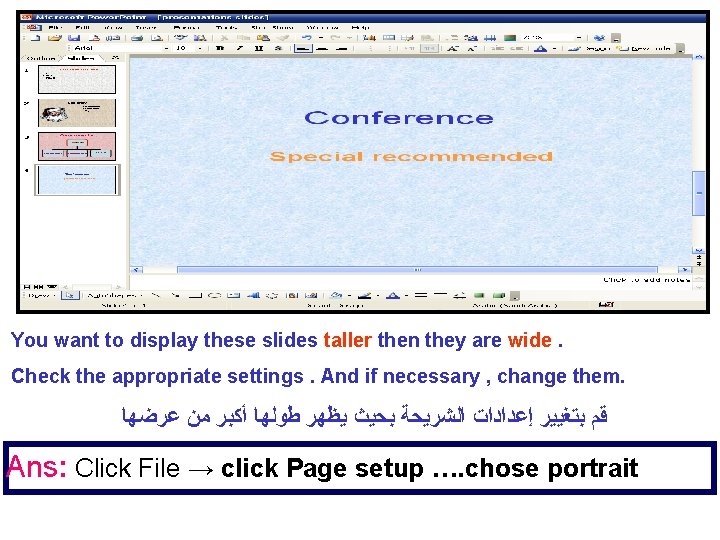
You want to display these slides taller then they are wide. Check the appropriate settings. And if necessary , change them. ﻗﻢ ﺑﺘﻐﻴﻴﺮ ﺇﻋﺪﺍﺩﺍﺕ ﺍﻟﺸﺮﻳﺤﺔ ﺑﺤﻴﺚ ﻳﻈﻬﺮ ﻃﻮﻟﻬﺎ ﺃﻜﺒﺮ ﻣﻦ ﻋﺮﺿﻬﺎ Ans: Click File → click Page setup …. chose portrait
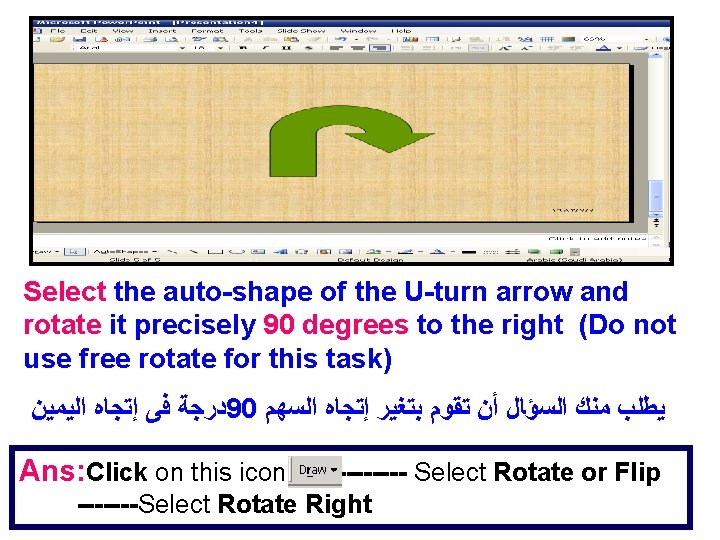
Select the auto-shape of the U-turn arrow and rotate it precisely 90 degrees to the right (Do not use free rotate for this task) ﺩﺭﺟﺔ ﻓﻰ ﺇﺗﺠﺎﻩ ﺍﻟﻴﻤﻴﻦ 90 ﻳﻄﻠﺐ ﻣﻨﻚ ﺍﻟﺴﺆﺎﻝ ﺃﻦ ﺗﻘﻮﻡ ﺑﺘﻐﻴﺮ ﺇﺗﺠﺎﻩ ﺍﻟﺴﻬﻢ Ans: Click on this icon ---- Select Rotate or Flip -------Select Rotate Right
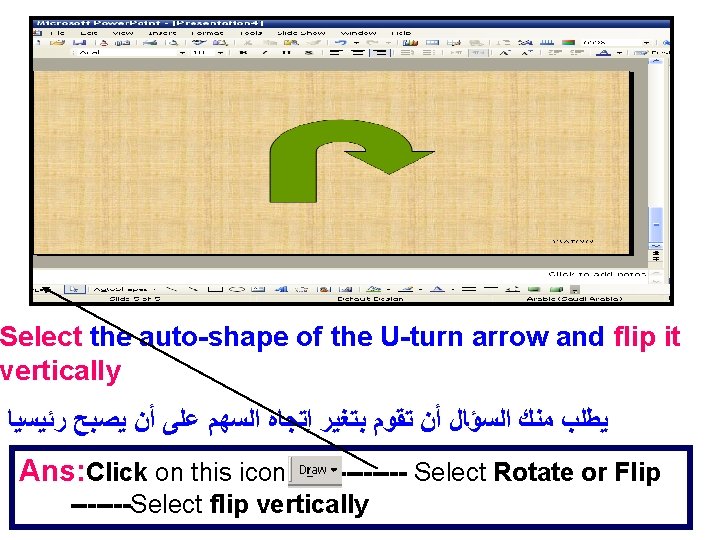
Select the auto-shape of the U-turn arrow and flip it vertically ﻳﻄﻠﺐ ﻣﻨﻚ ﺍﻟﺴﺆﺎﻝ ﺃﻦ ﺗﻘﻮﻡ ﺑﺘﻐﻴﺮ ﺇﺗﺠﺎﻩ ﺍﻟﺴﻬﻢ ﻋﻠﻰ ﺃﻦ ﻳﺼﺒﺢ ﺭﺋﻴﺴﻴﺎ Ans: Click on this icon ---- Select Rotate or Flip -------Select flip vertically
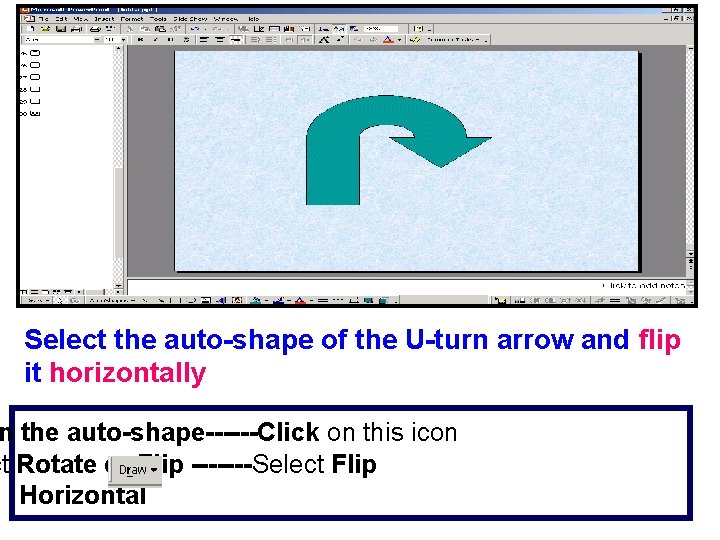
Select the auto-shape of the U-turn arrow and flip it horizontally n the auto-shape------Click on this icon ct Rotate or Flip -------Select Flip Horizontal
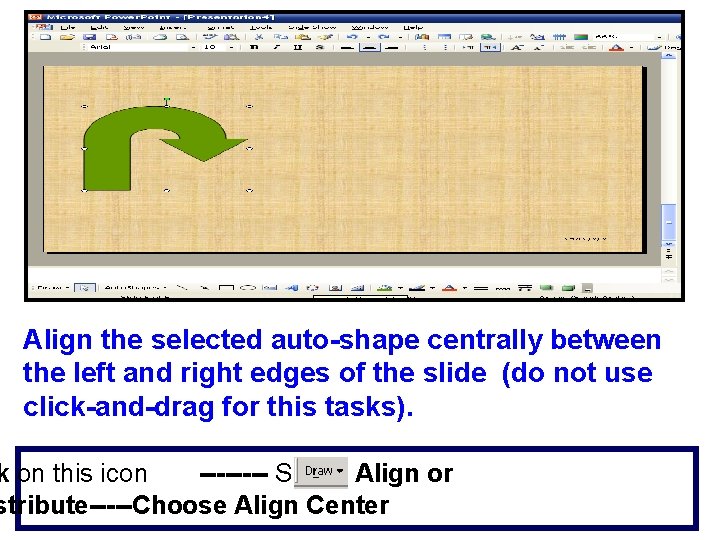
Align the selected auto-shape centrally between the left and right edges of the slide (do not use click-and-drag for this tasks). k on this icon ---- Select Align or stribute-----Choose Align Center
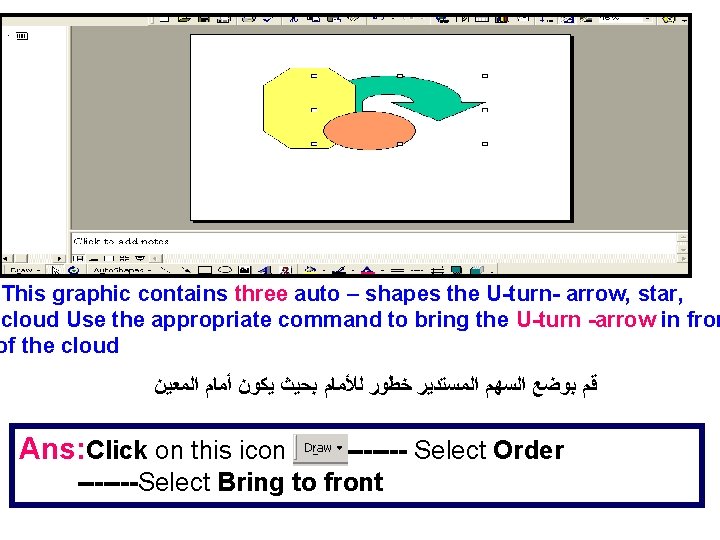
This graphic contains three auto – shapes the U-turn- arrow, star, cloud Use the appropriate command to bring the U-turn -arrow in fron of the cloud ﻗﻢ ﺑﻮﺿﻊ ﺍﻟﺴﻬﻢ ﺍﻟﻤﺴﺘﺪﻳﺮ ﺧﻄﻮﺭ ﻟﻸﻤﺎﻡ ﺑﺤﻴﺚ ﻳﻜﻮﻥ ﺃﻤﺎﻡ ﺍﻟﻤﻌﻴﻦ Ans: Click on this icon ---- Select Order -------Select Bring to front
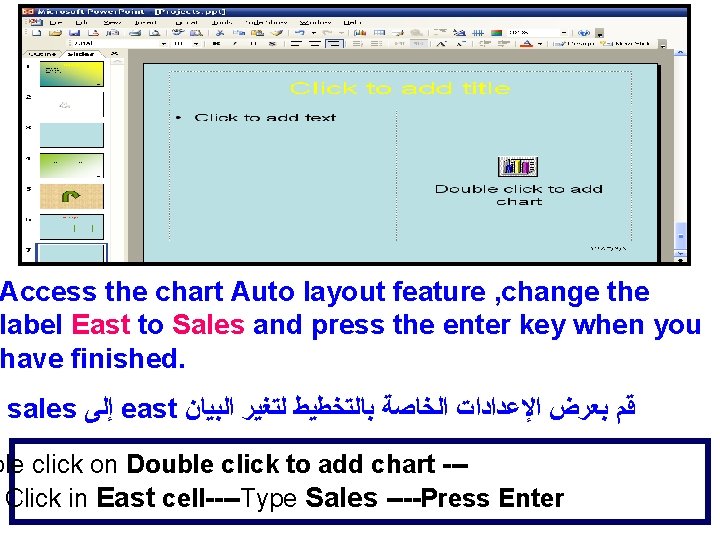
Access the chart Auto layout feature , change the label East to Sales and press the enter key when you have finished. sales ﺇﻟﻰ east ﻗﻢ ﺑﻌﺮﺽ ﺍﻹﻋﺪﺍﺩﺍﺕ ﺍﻟﺨﺎﺻﺔ ﺑﺎﻟﺘﺨﻄﻴﻂ ﻟﺘﻐﻴﺮ ﺍﻟﺒﻴﺎﻥ ble click on Double click to add chart --Click in East cell----Type Sales ----Press Enter
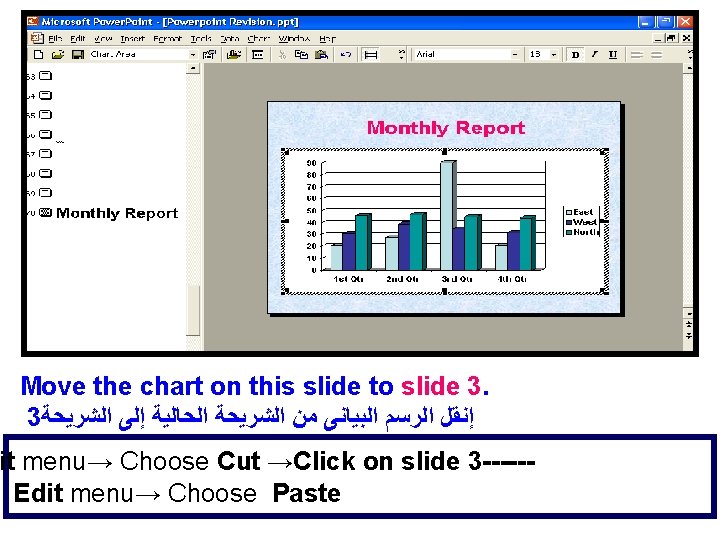
Move the chart on this slide to slide 3. 3 ﺇﻧﻘﻞ ﺍﻟﺮﺳﻢ ﺍﻟﺒﻴﺎﻧﻰ ﻣﻦ ﺍﻟﺸﺮﻳﺤﺔ ﺍﻟﺤﺎﻟﻴﺔ ﺇﻟﻰ ﺍﻟﺸﺮﻳﺤﺔ it menu→ Choose Cut →Click on slide 3 -----Edit menu→ Choose Paste
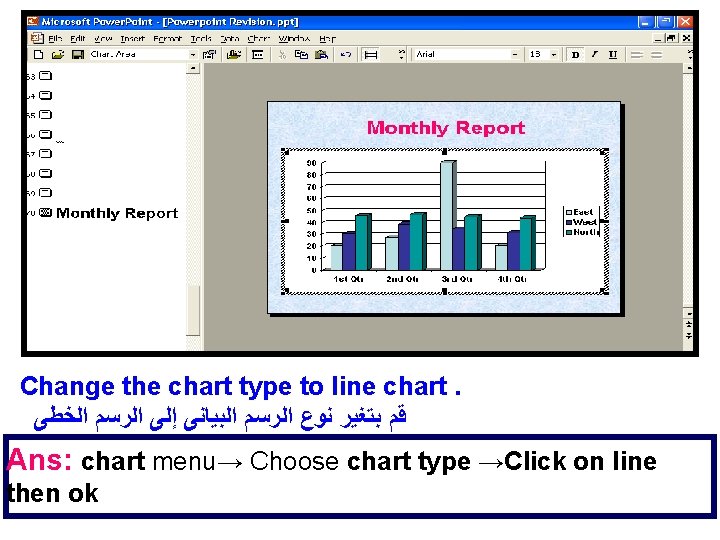
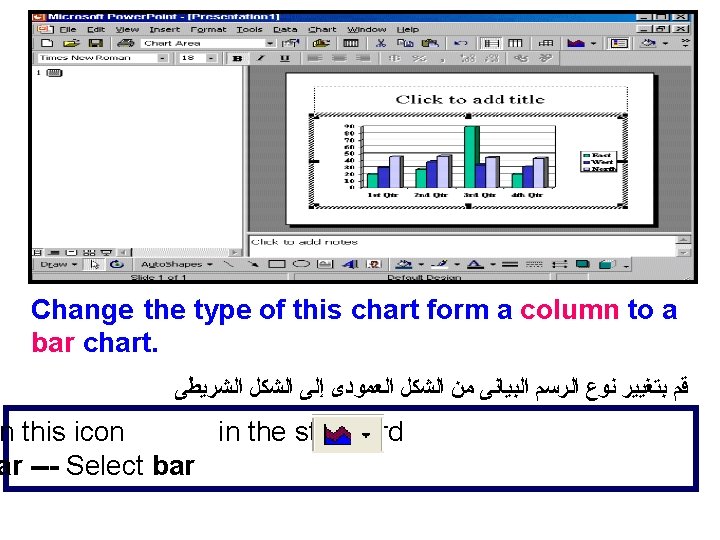
Change the chart type to line chart. ﻗﻢ ﺑﺘﻐﻴﺮ ﻧﻮﻉ ﺍﻟﺮﺳﻢ ﺍﻟﺒﻴﺎﻧﻰ ﺇﻟﻰ ﺍﻟﺮﺳﻢ ﺍﻟﺨﻄﻰ Ans: chart menu→ Choose chart type →Click on line then ok
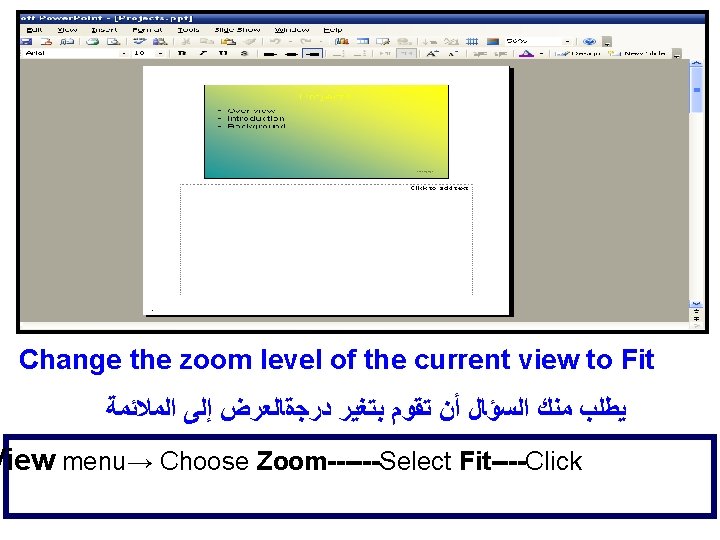
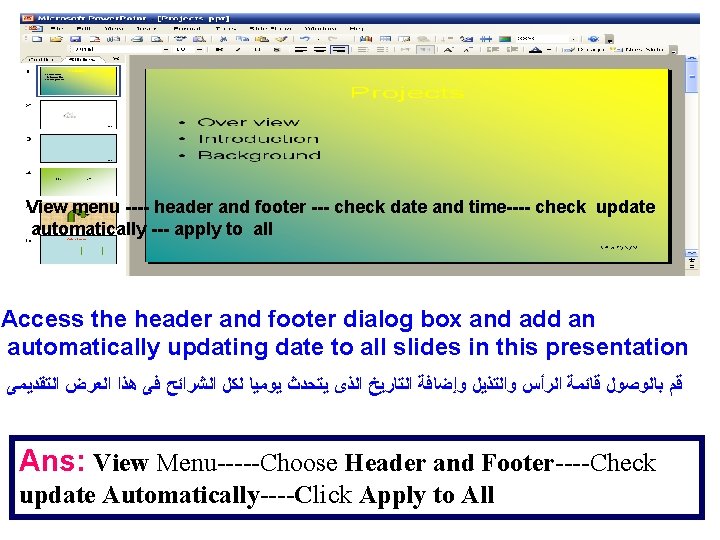
View menu ---- header and footer --- check date and time---- check update automatically --- apply to all Access the header and footer dialog box and add an automatically updating date to all slides in this presentation ﻗﻢ ﺑﺎﻟﻮﺻﻮﻝ ﻗﺎﺋﻤﺔ ﺍﻟﺮﺃﺲ ﻭﺍﻟﺘﺬﻳﻞ ﻭﺇﺿﺎﻓﺔ ﺍﻟﺘﺎﺭﻳﺦ ﺍﻟﺬﻯ ﻳﺘﺤﺪﺙ ﻳﻮﻣﻴﺎ ﻟﻜﻞ ﺍﻟﺸﺮﺍﺋﺢ ﻓﻰ ﻫﺬﺍ ﺍﻟﻌﺮﺽ ﺍﻟﺘﻘﺪﻳﻤﻰ Ans: View Menu-----Choose Header and Footer----Check update Automatically----Click Apply to All
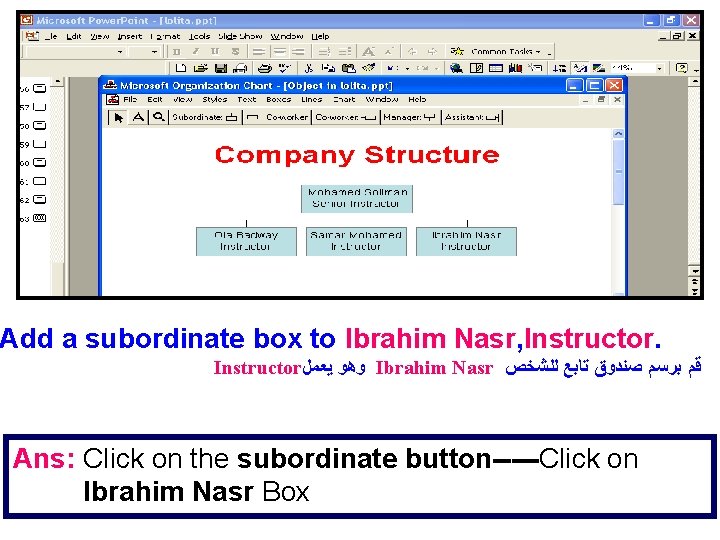
Add a subordinate box to Ibrahim Nasr, Instructor ﻭﻫﻮ ﻳﻌﻤﻞ Ibrahim Nasr ﻗﻢ ﺑﺮﺳﻢ ﺻﻨﺪﻭﻕ ﺗﺎﺑﻊ ﻟﻠﺸﺨﺺ Ans: Click on the subordinate button-----Click on Ibrahim Nasr Box
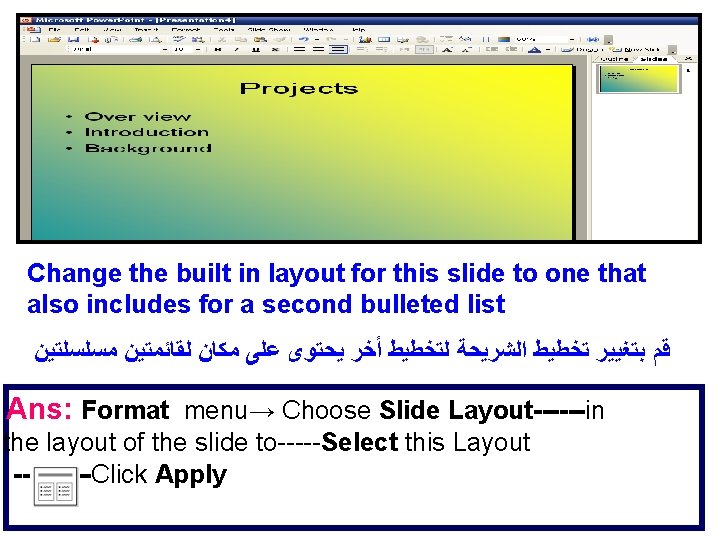
Change the built in layout for this slide to one that also includes for a second bulleted list ﻗﻢ ﺑﺘﻐﻴﻴﺮ ﺗﺨﻄﻴﻂ ﺍﻟﺸﺮﻳﺤﺔ ﻟﺘﺨﻄﻴﻂ ﺃﺨﺮ ﻳﺤﺘﻮﻯ ﻋﻠﻰ ﻣﻜﺎﻥ ﻟﻘﺎﺋﻤﺘﻴﻦ ﻣﺴﻠﺴﻠﺘﻴﻦ Ans: Format menu→ Choose Slide Layout------in the layout of the slide to-----Select this Layout -----Click Apply

Change the background color of just the current slide to blue ﻗﻢ ﺑﺘﻐﻴﺮ ﺍﻟﺨﻠﻔﻴﺔ ﻟﻠﺸﺮﻳﺤﺔ ﺍﻟﻤﻌﺮﻭﺿﺔ ﺣﺎﻟﻴﺎ ﻓﻘﻂ ﺇﻟﻰ ﺍﻟﻠﻮﻥ ﺍﻷﺰﺭﻕ ANS: Format menu-----Choose Background-----Choose the color------Click on Apply
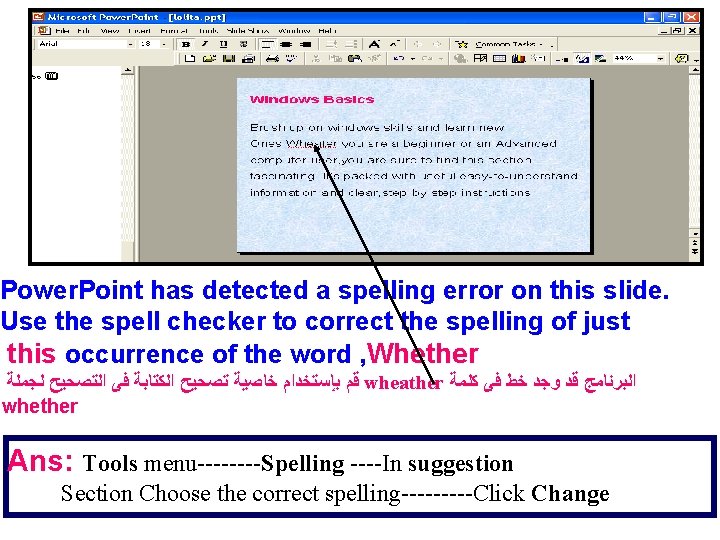
Power. Point has detected a spelling error on this slide. Use the spell checker to correct the spelling of just this occurrence of the word , Whether ﻗﻢ ﺑﺈﺳﺘﺨﺪﺍﻡ ﺧﺎﺻﻴﺔ ﺗﺼﺤﻴﺢ ﺍﻟﻜﺘﺎﺑﺔ ﻓﻰ ﺍﻟﺘﺼﺤﻴﺢ ﻟﺠﻤﻠﺔ wheather ﺍﻟﺒﺮﻧﺎﻣﺞ ﻗﺪ ﻭﺟﺪ ﺧﻂ ﻓﻰ ﻛﻠﻤﺔ whether Ans: Tools menu----Spelling ----In suggestion Section Choose the correct spelling-----Click Change
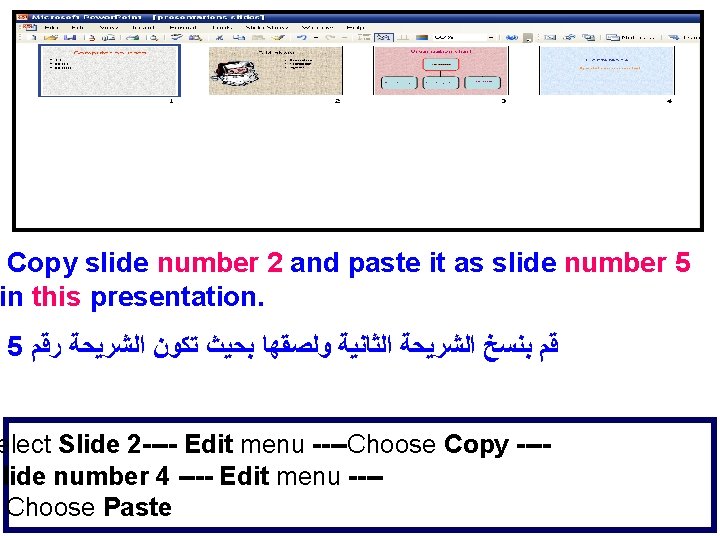
Copy slide number 2 and paste it as slide number 5 in this presentation. 5 ﻗﻢ ﺑﻨﺴﺦ ﺍﻟﺸﺮﻳﺤﺔ ﺍﻟﺜﺎﻧﻴﺔ ﻭﻟﺼﻘﻬﺎ ﺑﺤﻴﺚ ﺗﻜﻮﻥ ﺍﻟﺸﺮﻳﺤﺔ ﺭﻗﻢ elect Slide 2 ---- Edit menu ----Choose Copy ---slide number 4 ---- Edit menu ---Choose Paste
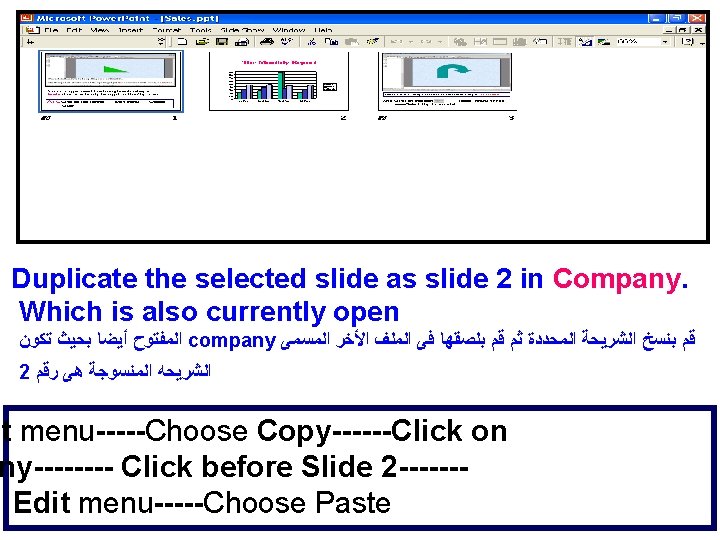
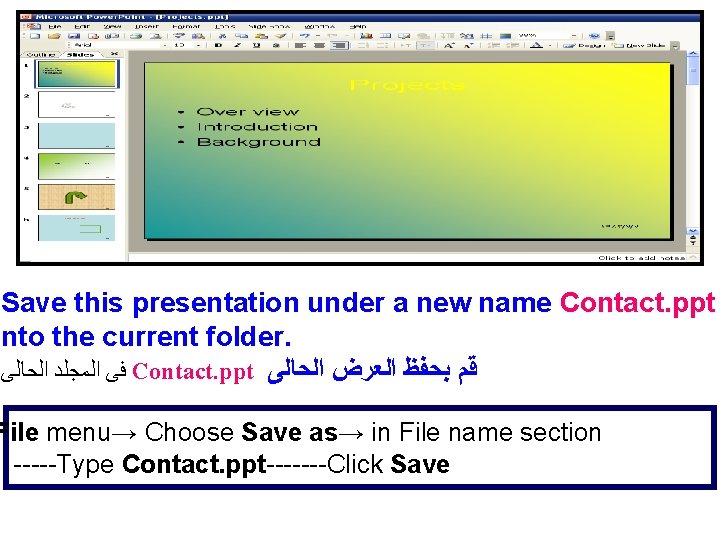
Save this presentation under a new name Contact. ppt into the current folder. ﻓﻰ ﺍﻟﻤﺠﻠﺪ ﺍﻟﺤﺎﻟﻰ Contact. ppt ﻗﻢ ﺑﺤﻔﻆ ﺍﻟﻌﺮﺽ ﺍﻟﺤﺎﻟﻰ File menu→ Choose Save as→ in File name section -----Type Contact. ppt-------Click Save
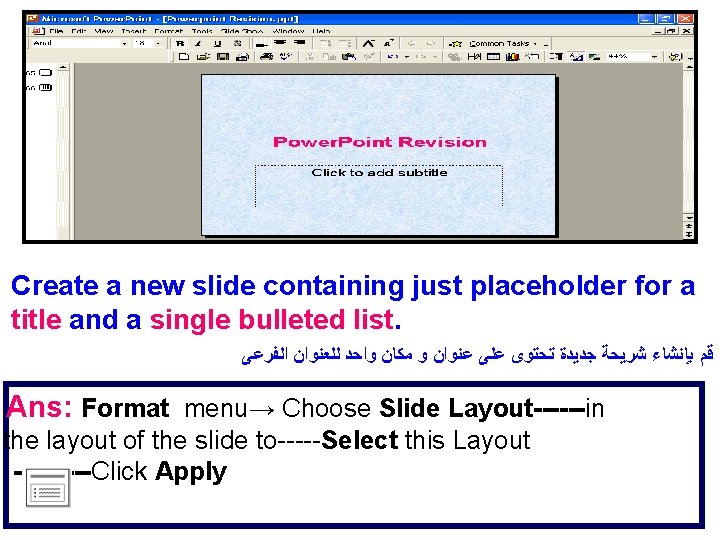
Create a new slide containing just placeholder for a title and a single bulleted list. ﻗﻢ ﺑﺈﻧﺸﺎﺀ ﺷﺮﻳﺤﺔ ﺟﺪﻳﺪﺓ ﺗﺤﺘﻮﻯ ﻋﻠﻰ ﻋﻨﻮﺍﻥ ﻭ ﻣﻜﺎﻥ ﻭﺍﺣﺪ ﻟﻠﻌﻨﻮﺍﻥ ﺍﻟﻔﺮﻋﻰ Ans: Format menu→ Choose Slide Layout------in the layout of the slide to-----Select this Layout -----Click Apply
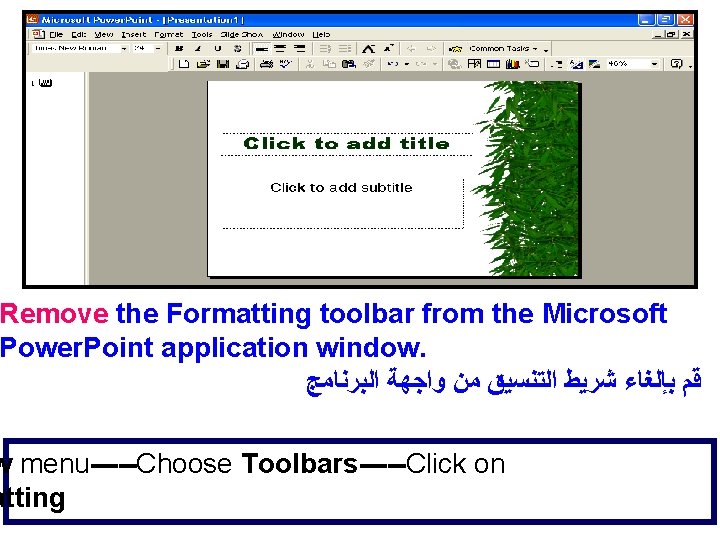
Remove the Formatting toolbar from the Microsoft Power. Point application window. ﻗﻢ ﺑﺈﻟﻐﺎﺀ ﺷﺮﻳﻂ ﺍﻟﺘﻨﺴﻴﻖ ﻣﻦ ﻭﺍﺟﻬﺔ ﺍﻟﺒﺮﻧﺎﻣﺞ w menu-----Choose Toolbars-----Click on atting
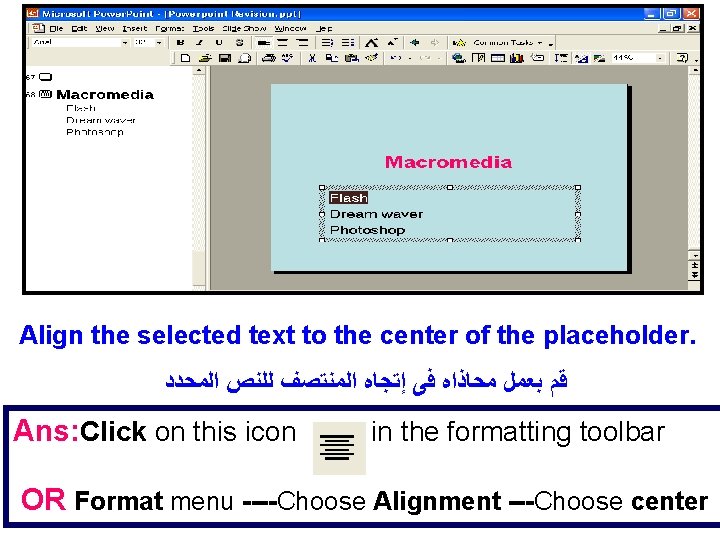
Align the selected text to the center of the placeholder. ﻗﻢ ﺑﻌﻤﻞ ﻣﺤﺎﺫﺍﻩ ﻓﻰ ﺇﺗﺠﺎﻩ ﺍﻟﻤﻨﺘﺼﻒ ﻟﻠﻨﺺ ﺍﻟﻤﺤﺪﺩ Ans: Click on this icon in the formatting toolbar OR Format menu ----Choose Alignment ---Choose center
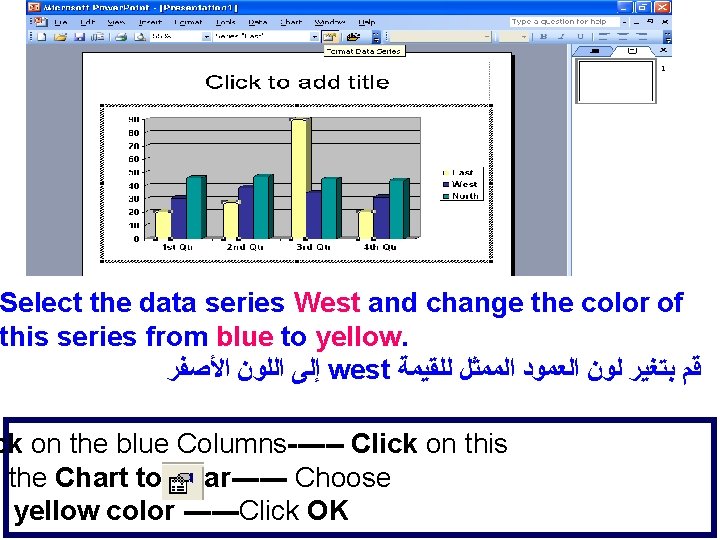
Select the data series West and change the color of this series from blue to yellow. ﺇﻟﻰ ﺍﻟﻠﻮﻥ ﺍﻷﺼﻔﺮ west ﻗﻢ ﺑﺘﻐﻴﺮ ﻟﻮﻥ ﺍﻟﻌﻤﻮﺩ ﺍﻟﻤﻤﺜﻞ ﻟﻠﻘﻴﻤﺔ ck on the blue Columns------ Click on this n the Chart toolbar------ Choose yellow color ------Click OK
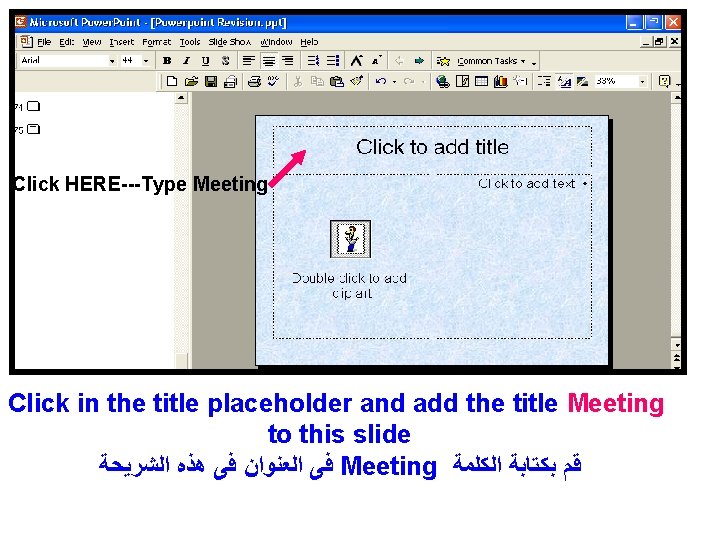
Click HERE---Type Meeting Click in the title placeholder and add the title Meeting to this slide ﻓﻰ ﺍﻟﻌﻨﻮﺍﻥ ﻓﻰ ﻫﺬﻩ ﺍﻟﺸﺮﻳﺤﺔ Meeting ﻗﻢ ﺑﻜﺘﺎﺑﺔ ﺍﻟﻜﻠﻤﺔ
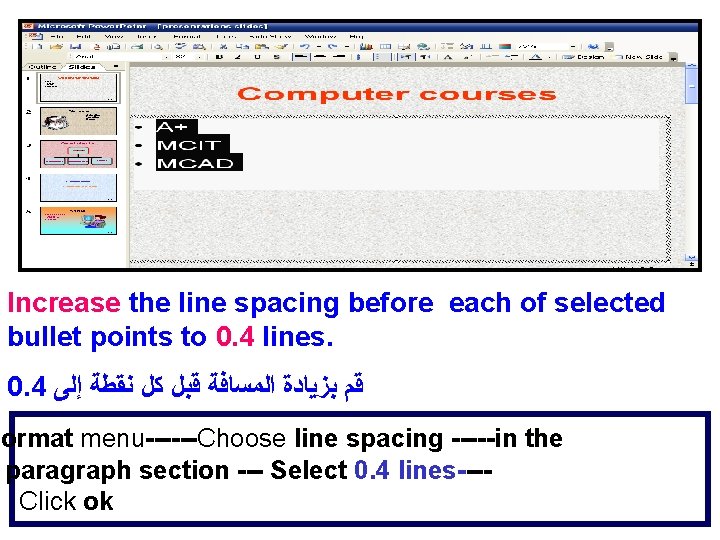
Increase the line spacing before each of selected bullet points to 0. 4 lines. 0. 4 ﻗﻢ ﺑﺰﻳﺎﺩﺓ ﺍﻟﻤﺴﺎﻓﺔ ﻗﺒﻞ ﻛﻞ ﻧﻘﻄﺔ ﺇﻟﻰ Format menu------Choose line spacing -----in the paragraph section --- Select 0. 4 lines---Click ok
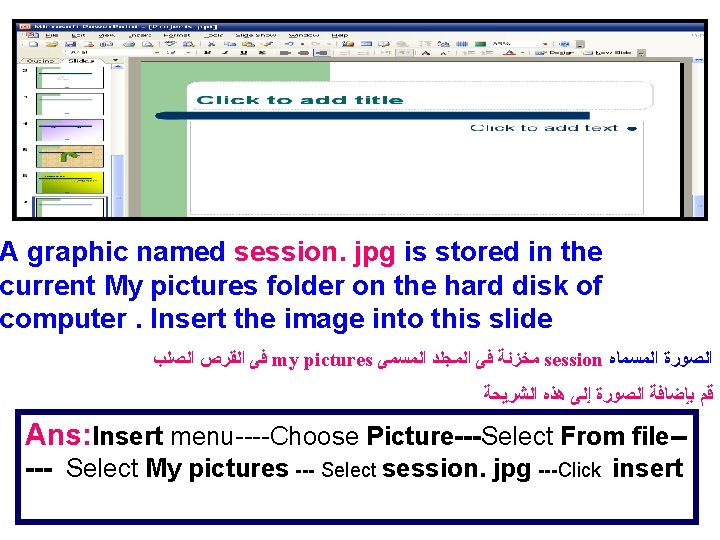
A graphic named session. jpg is stored in the current My pictures folder on the hard disk of computer. Insert the image into this slide ﻓﻰ ﺍﻟﻘﺮﺹ ﺍﻟﺼﻠﺐ my pictures ﻣﺨﺰﻧﺔ ﻓﻰ ﺍﻟﻤﺠﻠﺪ ﺍﻟﻤﺴﻤﻰ session ﺍﻟﺼﻮﺭﺓ ﺍﻟﻤﺴﻤﺎﻩ ﻗﻢ ﺑﺈﺿﺎﻓﺔ ﺍﻟﺼﻮﺭﺓ ﺇﻟﻰ ﻫﺬﻩ ﺍﻟﺸﺮﻳﺤﺔ Ans: Insert menu----Choose Picture---Select From file---- Select My pictures --- Select session. jpg ---Click insert
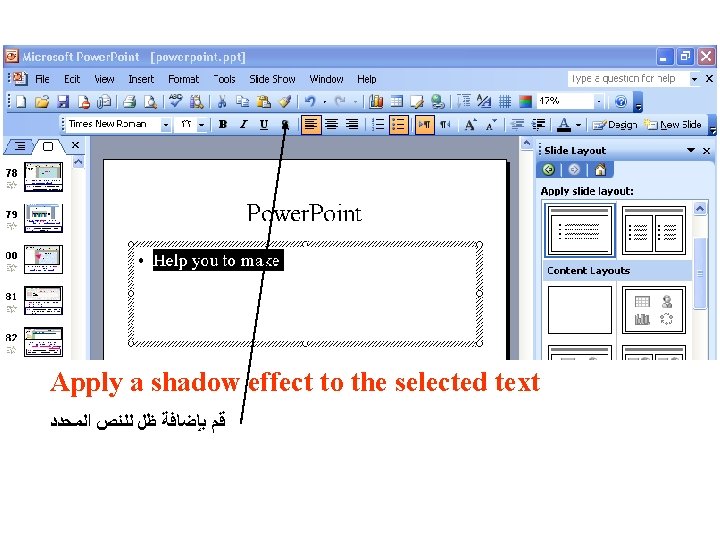
Apply a shadow effect to the selected text ﻗﻢ ﺑﺈﺿﺎﻓﺔ ﻇﻞ ﻟﻠﻨﺺ ﺍﻟﻤﺤﺪﺩ
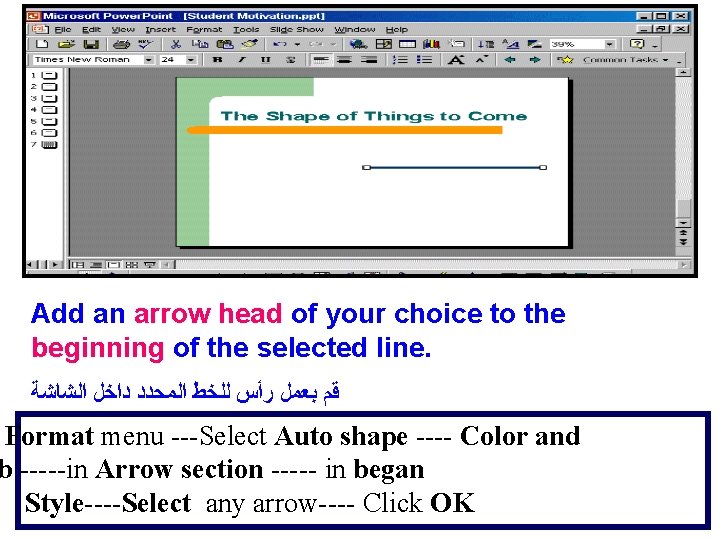
Add an arrow head of your choice to the beginning of the selected line. ﻗﻢ ﺑﻌﻤﻞ ﺭﺃﺲ ﻟﻠﺨﻂ ﺍﻟﻤﺤﺪﺩ ﺩﺍﺧﻞ ﺍﻟﺸﺎﺷﺔ Format menu ---Select Auto shape ---- Color and b -----in Arrow section ----- in began Style----Select any arrow---- Click OK
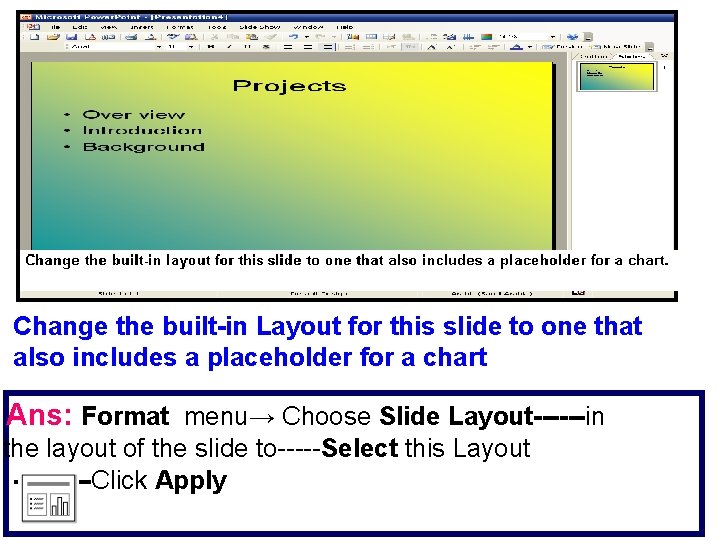
Change the built-in Layout for this slide to one that also includes a placeholder for a chart Ans: Format menu→ Choose Slide Layout------in the layout of the slide to-----Select this Layout -----Click Apply
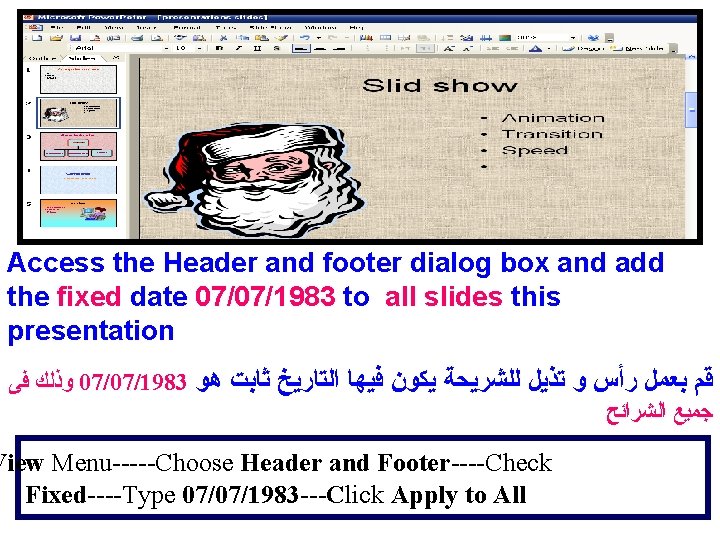
Access the Header and footer dialog box and add the fixed date 07/07/1983 to all slides this presentation ﻭﺫﻟﻚ ﻓﻰ 07/07/1983 ﻗﻢ ﺑﻌﻤﻞ ﺭﺃﺲ ﻭ ﺗﺬﻳﻞ ﻟﻠﺸﺮﻳﺤﺔ ﻳﻜﻮﻥ ﻓﻴﻬﺎ ﺍﻟﺘﺎﺭﻳﺦ ﺛﺎﺑﺖ ﻫﻮ ﺟﻤﻴﻊ ﺍﻟﺸﺮﺍﺋﺢ View Menu-----Choose Header and Footer----Check Fixed----Type 07/07/1983 ---Click Apply to All
- Slides: 86