
Powerful LAMS vs Simple LAMS The challenge of


- Slides: 54
Powerful LAMS vs Simple LAMS: The challenge of pleasing everyone James Dalziel Professor of Learning Technology, and Director, Macquarie E-Learning Centre Of Excellence (MELCOE) Macquarie University james@melcoe. mq. edu. au www. melcoe. mq. edu. au Keynote presentation for the Second International LAMS Conference, Macquarie University, Sydney, Australia, November 26 th, 2007
Overview • Not just another educational technology – Why Learning Design is of fundamental importance • Why Authoring and Monitoring are separate – Sharing “pedagogical know-how” • Introducing LAMS V 2. 1 via Role Plays – Branching, conditionality, tool outputs • Balancing simplicity and complexity
Not just another educational technology • The goal of Learning Design is the systematic description of teaching and learning processes – So they can be “run” with students using a prepared design – So that good practice ideas can be shared among educators • While there are many innovative technologies in education today, none are so fundamental in their goals – Almost any innovative tool could be incorporated into a Learning Design (ie, Learning Design provides a foundation) – …and Learning Design is not limited to educational technology, it can apply to all teaching and learning processes
Not just another educational technology • Learning Design is sometimes misunderstood as an educational approach like constructivism, PBL, etc • Rather, Learning Design is something new – it is a way of describing (and running) flows of educational activities, independent of particular educational theories – It describes the what and how of education, not the why • Of central importance to Learning Design is capturing the detail of how teaching and learning activities are conducted, so another educator could replicate this
Authoring and Monitoring? • Learning Design separates the creation of activity sequences from their instantiation with particular groups – This allows for sharing, re-use, adaptation, etc • This is unlike a typical LMS, where there is no separation – you edit your live course directly – This distinction is still not well understood by LMS addicts • This separation is powerful for sharing/re-using good ideas; but makes running a course more complex – Eg, create an “abstract” group in author; then later specify who
Sharing “pedagogical know-how” • A Learning Design need not describe every possible detail of a teaching and learning process – But it needs enough for another educator to understand/replicate • For me, a Learning Design authoring system needs to balance two goals: – (1) Be easy enough for a typical educator to use and understand – (2) Be powerful enough to capture important “process” details
Sharing “pedagogical know-how” • Example – Role Plays – Role plays are a great for helping students think through complex issues from different perspectives – Typically involve three main stages • Pre-role play exploration of designated role • Role play proper (playing your role in response to a scenario while interacting with others playing their roles) • Post-role play reflection on lessons learned/debriefing – Important “Process” elements include the timing of stages, private vs public discussion areas, and the nature of role groups – Role plays have helped drive the concept of Learning Design
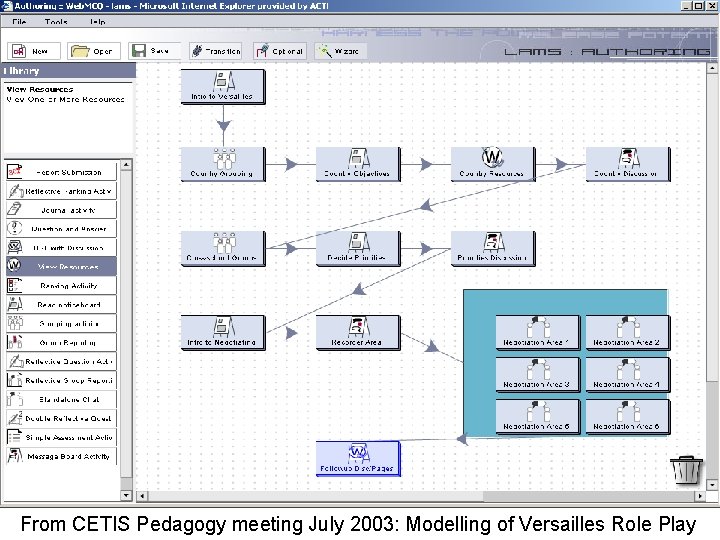
From CETIS Pedagogy meeting July 2003: Modelling of Versailles Role Play
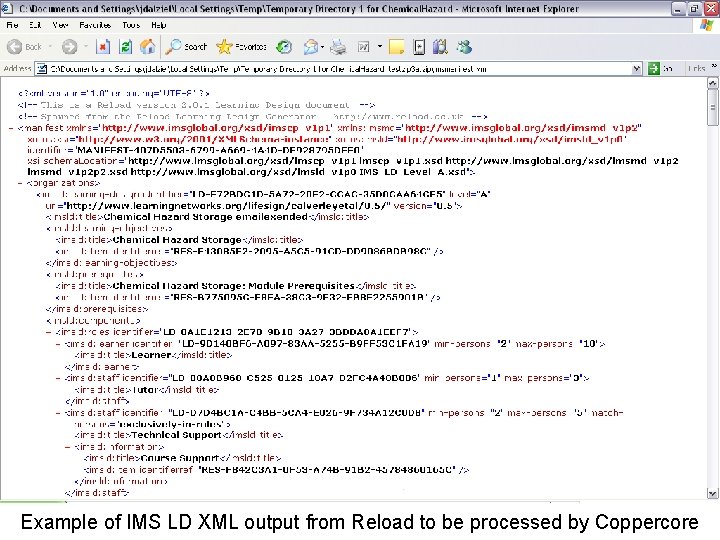
Reload Learning Design editor/authoring: Supports complex designs, but requires deep knowledge of the IMS Learning Design specification
Example of IMS LD XML output from Reload to be processed by Coppercore
The problem • It may be possible to describe complex “process elements” in IMS LD/Reload, but not in a way that is easily understood by typical educators • On the other hand, a visual sequence in LAMS authoring might show the key activities, but lack the ability to implement complex “process elements” like private areas • Can we find a way to implement complex process elements while retaining a simple and visual experience? – (No, but we’ll try…)
Interactive whiteboard adoption role play • Available in LAMS Community - developed as an adaptation of an earlier role play (on LAMS adoption) • Considers the adoption of interactive whiteboards in a typical secondary school from the perspective of 4 roles – – “Pro” teachers – who are very keen on IBs “Con” teachers – those concerned about wider adoption of IBs School management – see both benefits and issues Students – like IBs when well used, dislike tech for tech sake • Three main stages: Pre-role play role preparation, role play proper, then post-role play reflection
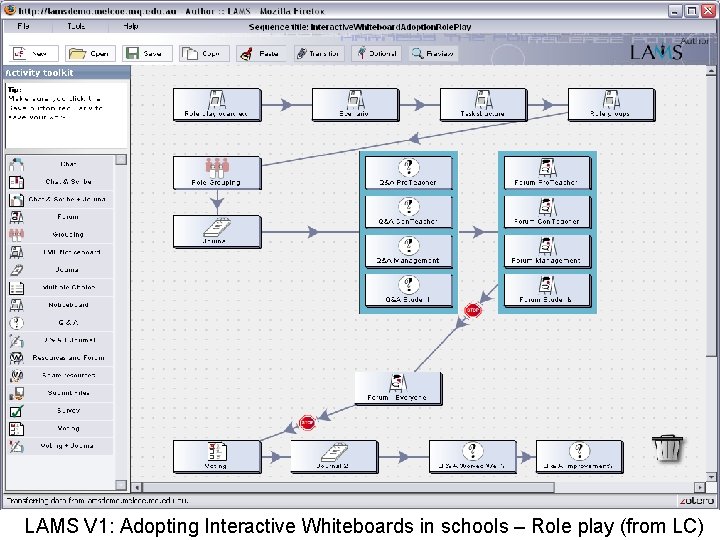
LAMS V 1: Adopting Interactive Whiteboards in schools – Role play (from LC)
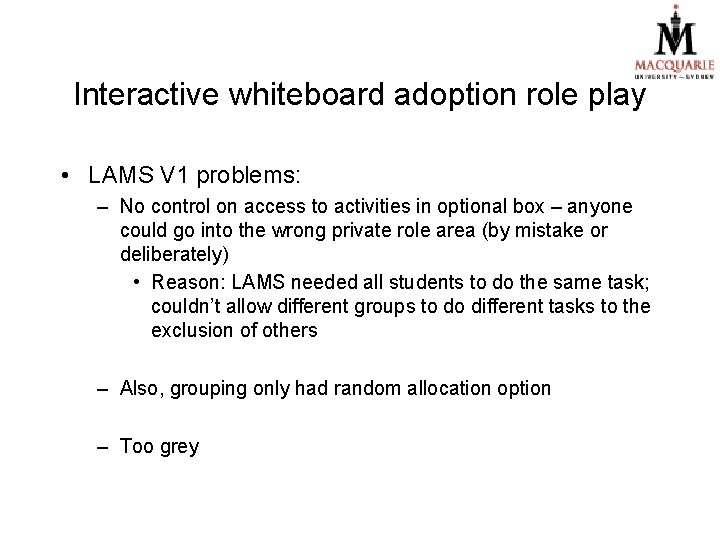
Interactive whiteboard adoption role play • LAMS V 1 problems: – No control on access to activities in optional box – anyone could go into the wrong private role area (by mistake or deliberately) • Reason: LAMS needed all students to do the same task; couldn’t allow different groups to do different tasks to the exclusion of others – Also, grouping only had random allocation option – Too grey
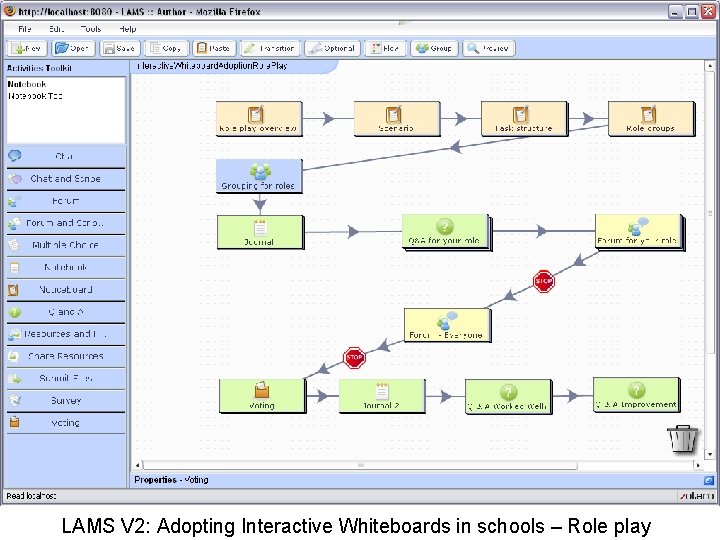
LAMS V 2: Adopting Interactive Whiteboards in schools – Role play
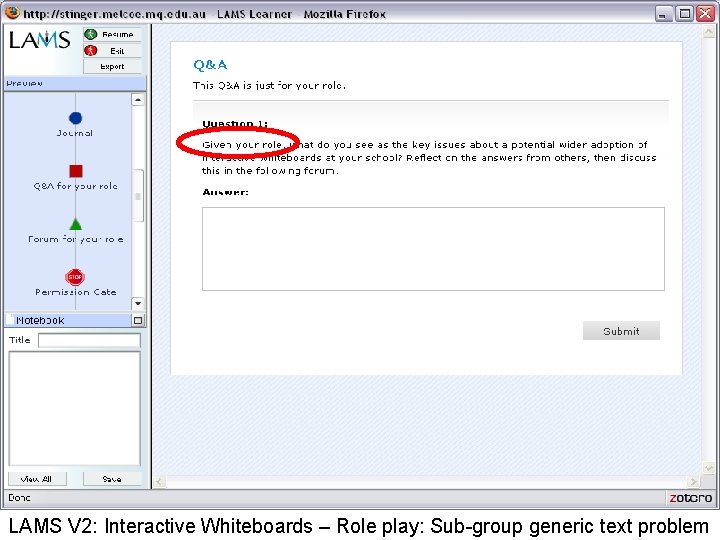
LAMS V 2: Interactive Whiteboards – Role play: Sub-group generic text problem
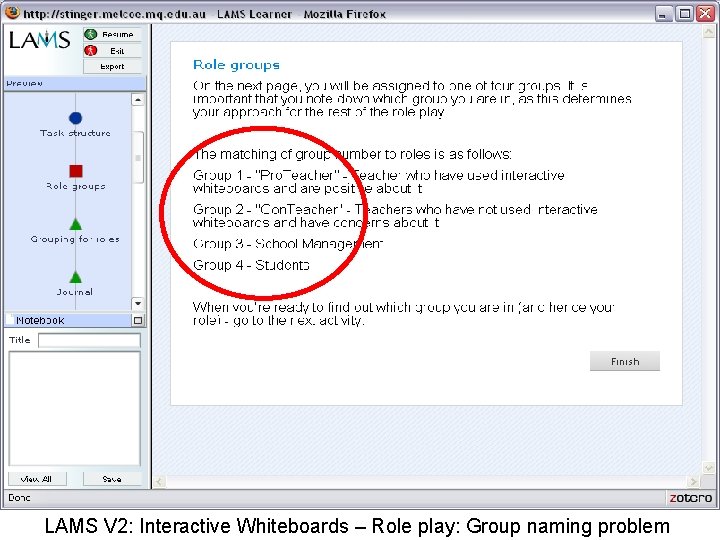
LAMS V 2: Interactive Whiteboards – Role play: Group naming problem
Interactive whiteboard adoption role play • LAMS V 2. 0 problems: – Each role had own private area, but instruction text had be written in a “generic” format, as each role group had the same text and had to infer the application to their specific role – Groups could be hand-allocated, but were named sequentially (Group 1/2/3/4), not in a meaningful way (Pro/Con/etc) – Both of these factors meant that although the sequence could work, it wasn’t always clear to students what to do
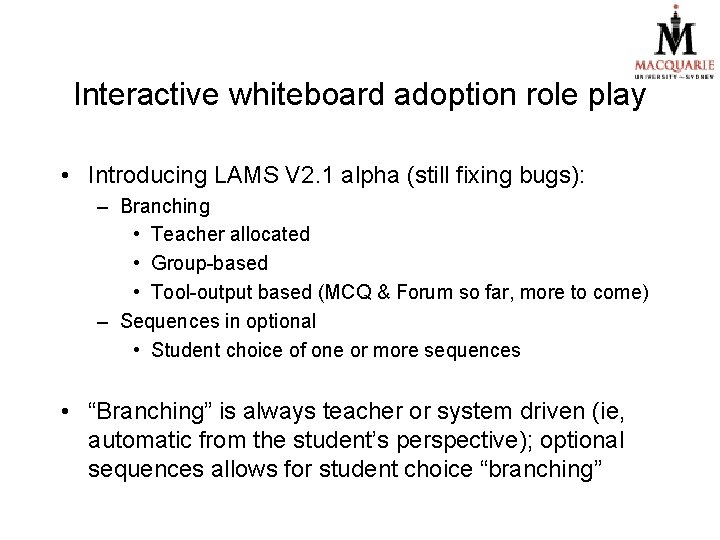
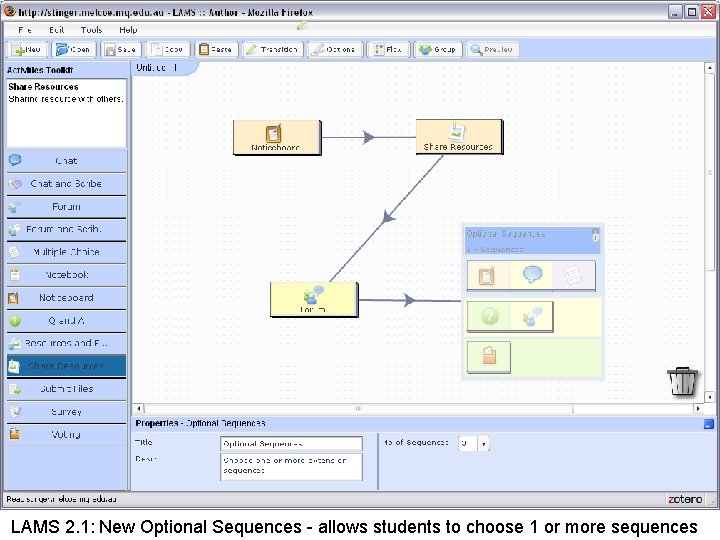
Interactive whiteboard adoption role play • Introducing LAMS V 2. 1 alpha (still fixing bugs): – Branching • Teacher allocated • Group-based • Tool-output based (MCQ & Forum so far, more to come) – Sequences in optional • Student choice of one or more sequences • “Branching” is always teacher or system driven (ie, automatic from the student’s perspective); optional sequences allows for student choice “branching”
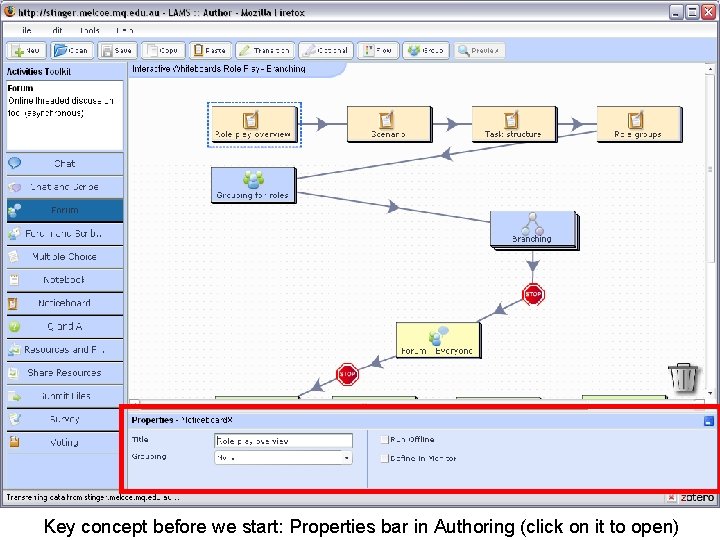
Key concept before we start: Properties bar in Authoring (click on it to open)
So… this is the LAMS V 2 (not 2. 1) approach – ie, no branching
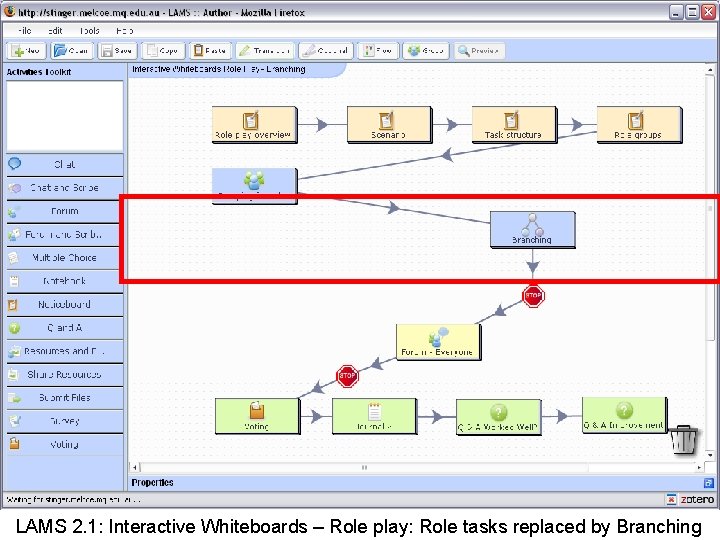
LAMS 2. 1: Interactive Whiteboards – Role play: Role tasks replaced by Branching
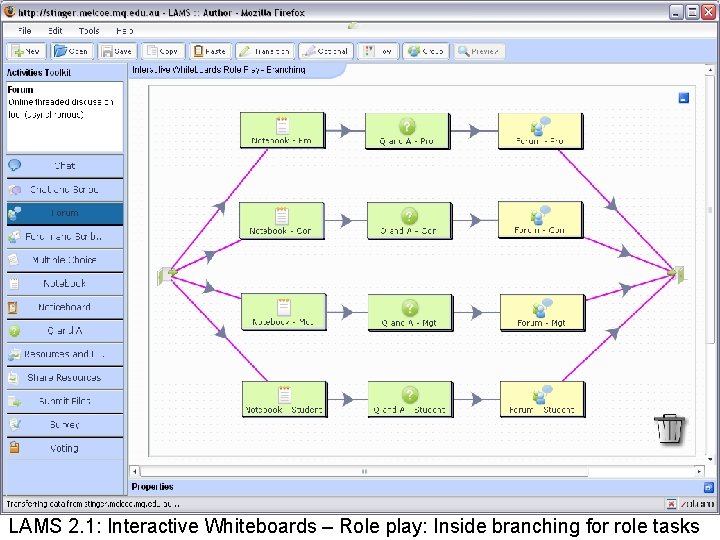
LAMS 2. 1: Interactive Whiteboards – Role play: Inside branching for role tasks
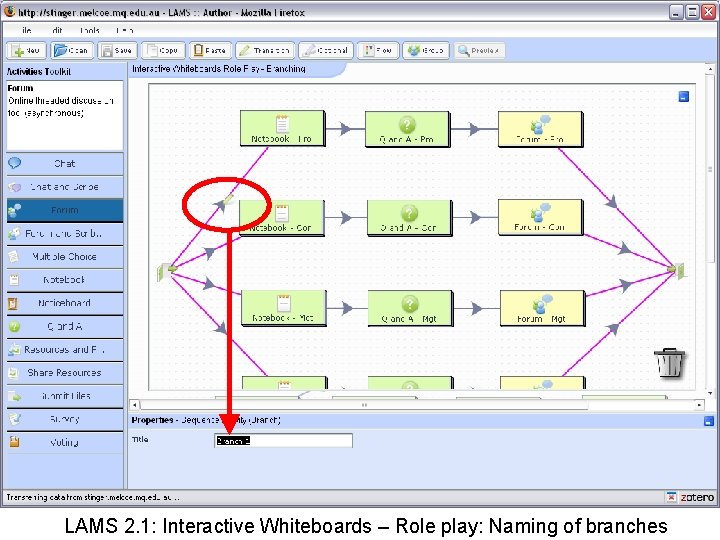
LAMS 2. 1: Interactive Whiteboards – Role play: Naming of branches
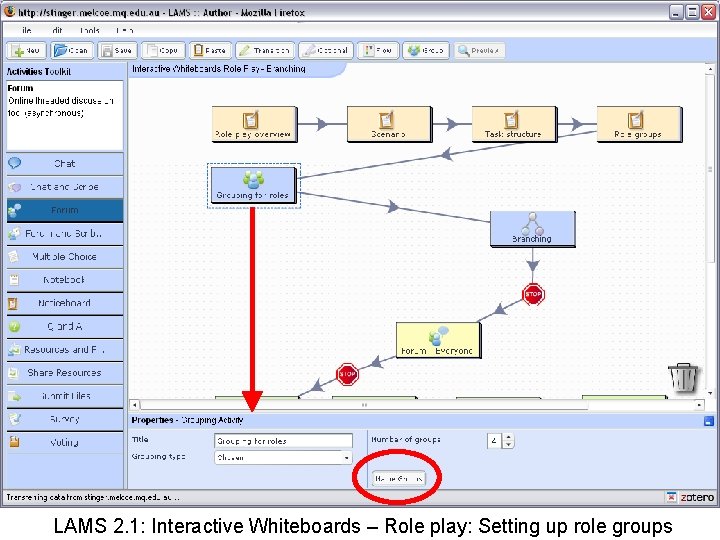
LAMS 2. 1: Interactive Whiteboards – Role play: Setting up role groups
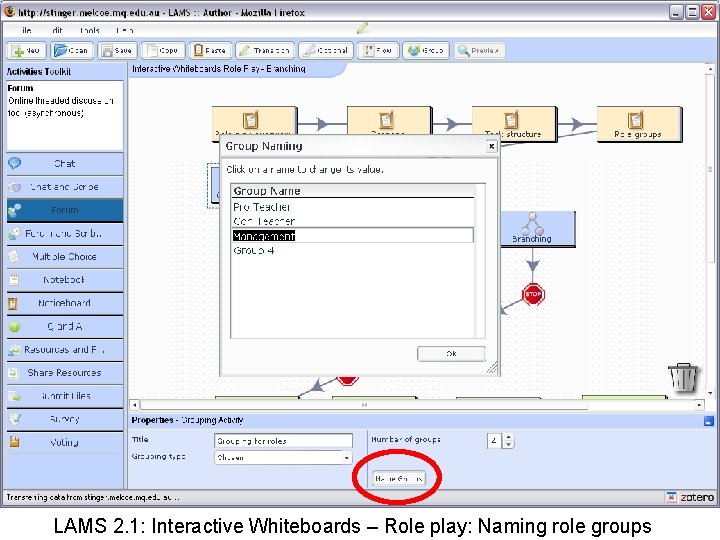
LAMS 2. 1: Interactive Whiteboards – Role play: Naming role groups
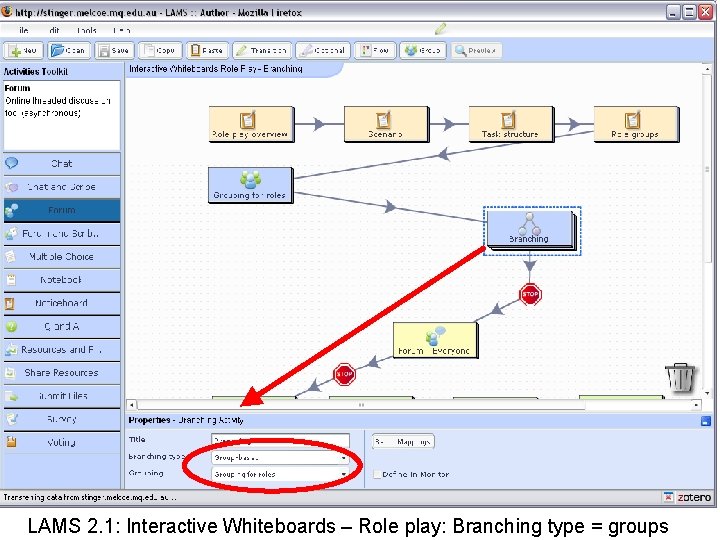
LAMS 2. 1: Interactive Whiteboards – Role play: Branching type = groups
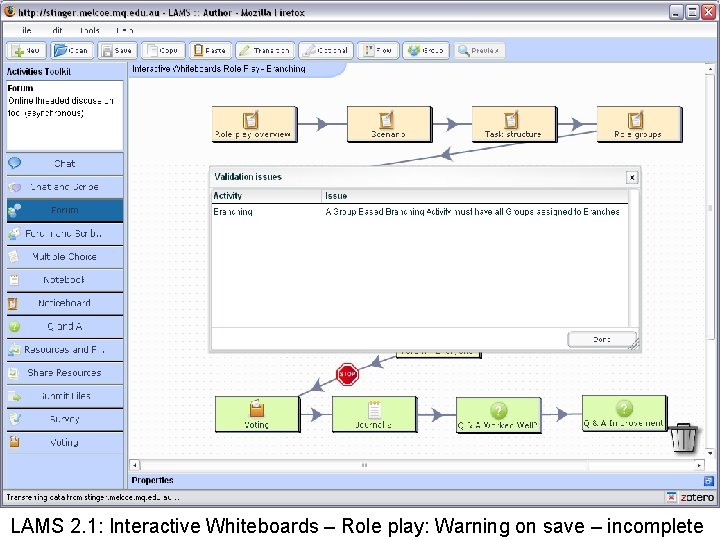
LAMS 2. 1: Interactive Whiteboards – Role play: Warning on save – incomplete
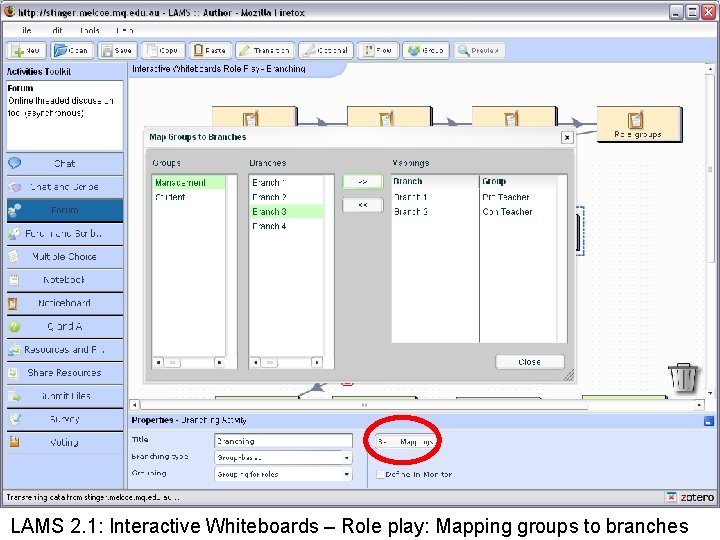
LAMS 2. 1: Interactive Whiteboards – Role play: Mapping groups to branches
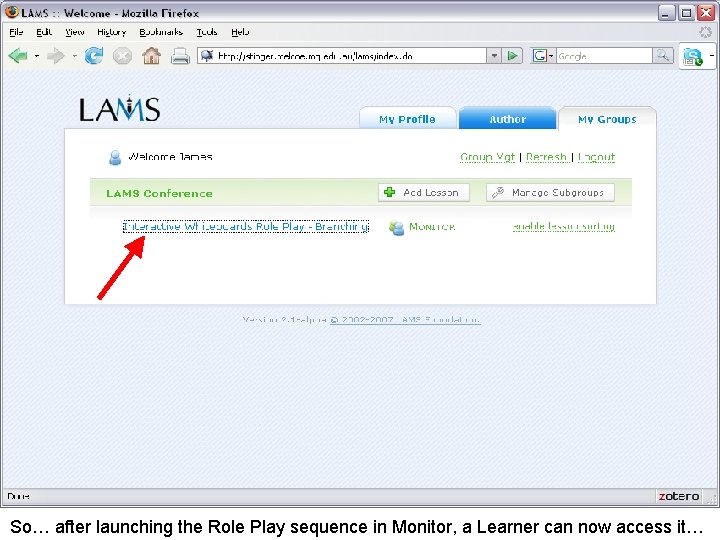
So… after launching the Role Play sequence in Monitor, a Learner can now access it…
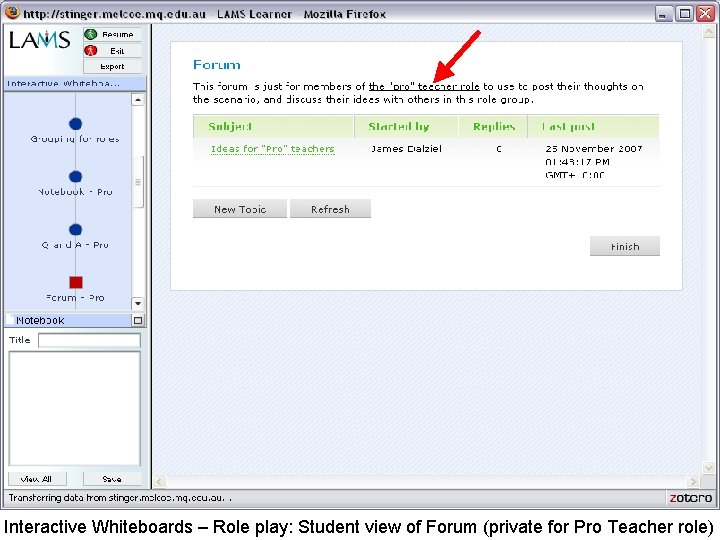
Interactive Whiteboards – Role play: Student view of Forum (private for Pro Teacher role)
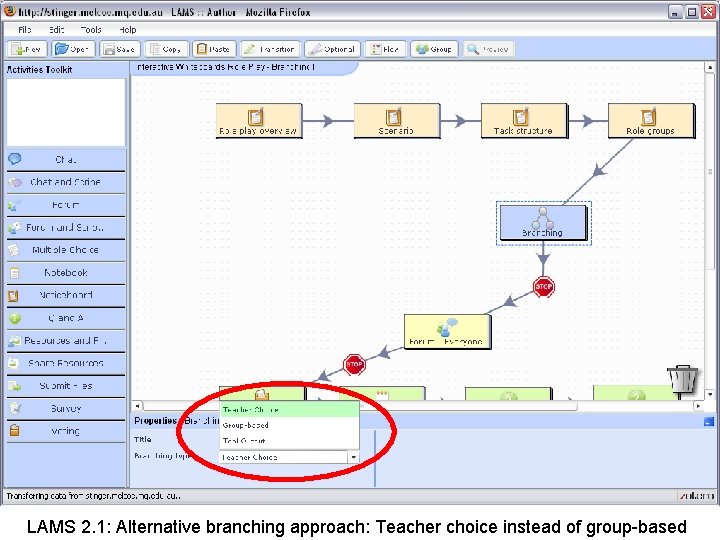
LAMS 2. 1: Alternative branching approach: Teacher choice instead of group-based
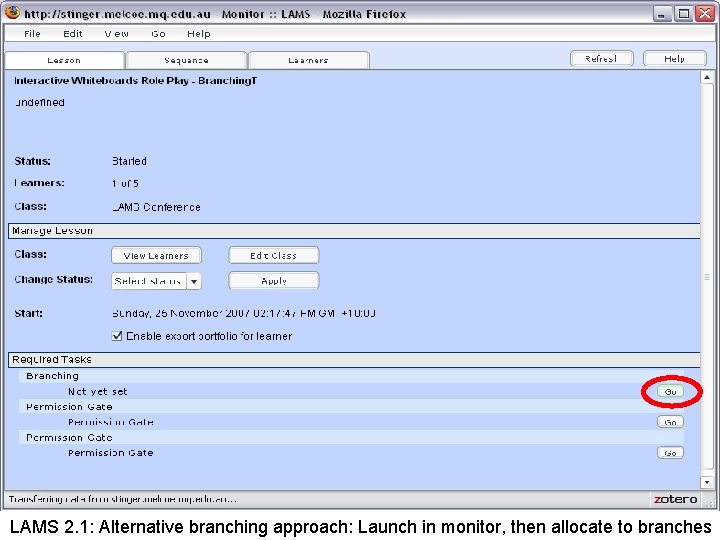
LAMS 2. 1: Alternative branching approach: Launch in monitor, then allocate to branches
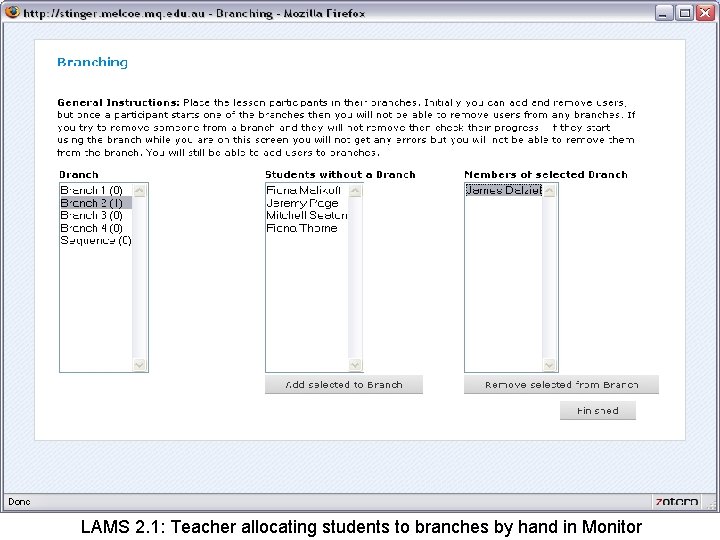
LAMS 2. 1: Teacher allocating students to branches by hand in Monitor
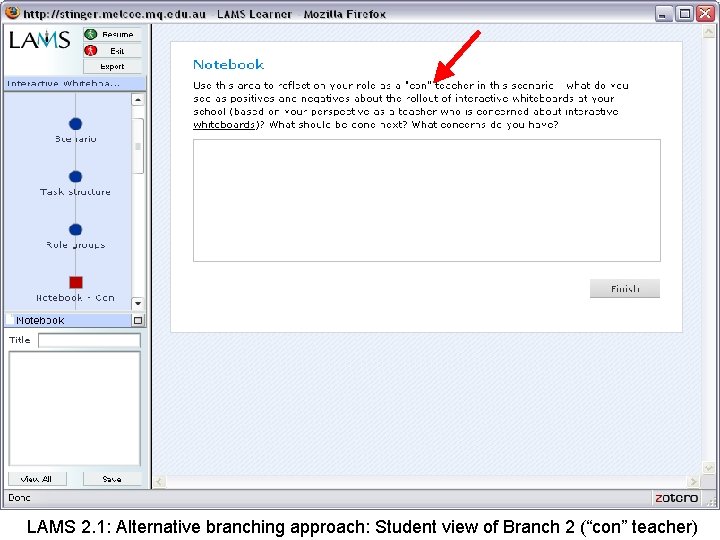
LAMS 2. 1: Alternative branching approach: Student view of Branch 2 (“con” teacher)
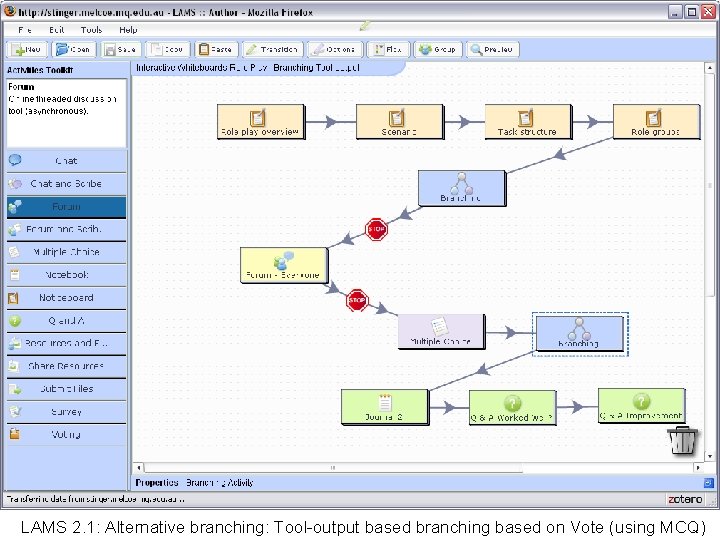
LAMS 2. 1: Alternative branching: Tool-output based branching based on Vote (using MCQ)
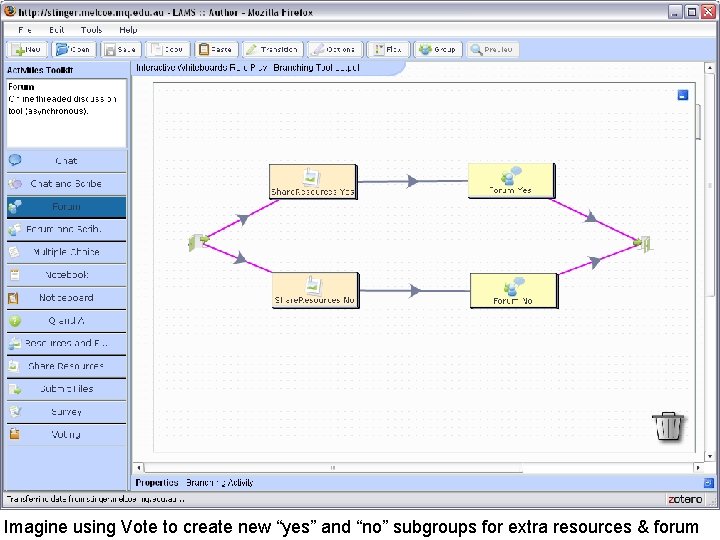
Imagine using Vote to create new “yes” and “no” subgroups for extra resources & forum
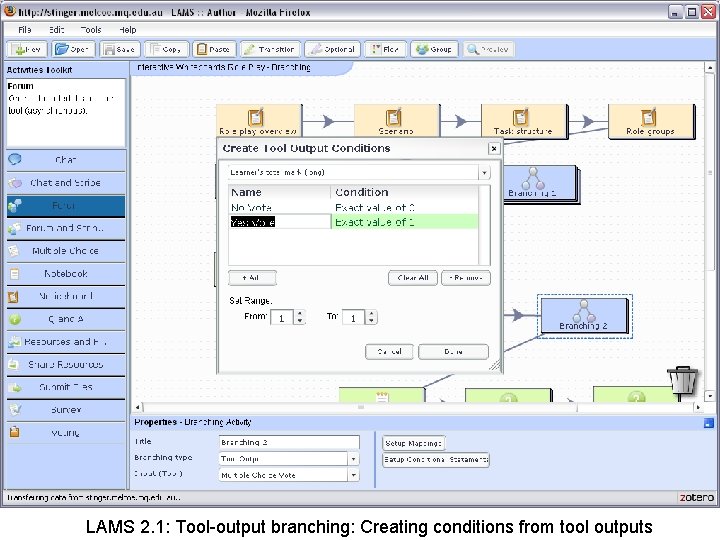
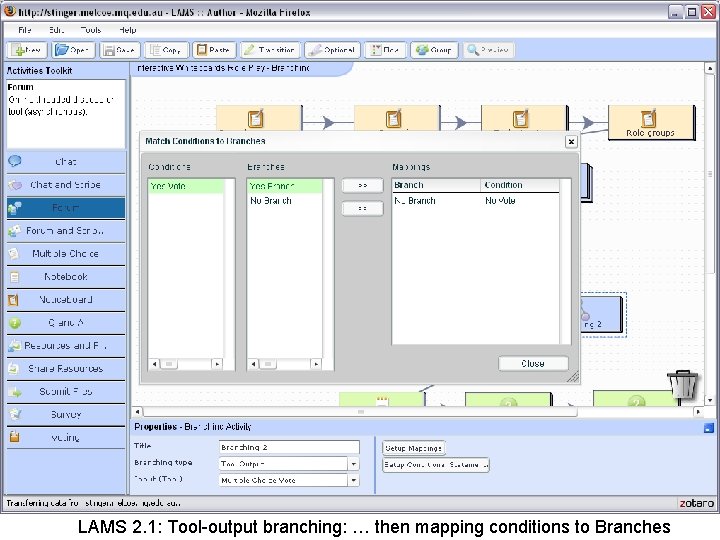
LAMS 2. 1: Tool-output branching: Creating conditions from tool outputs
LAMS 2. 1: Tool-output branching: … then mapping conditions to Branches
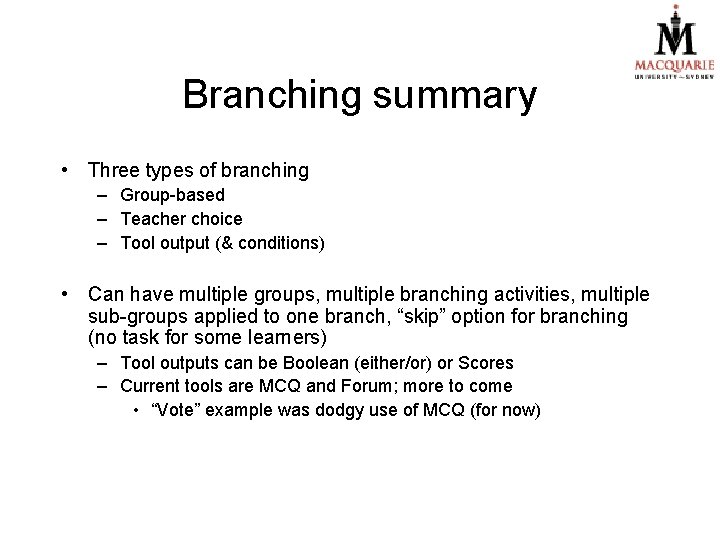
Branching summary • Three types of branching – Group-based – Teacher choice – Tool output (& conditions) • Can have multiple groups, multiple branching activities, multiple sub-groups applied to one branch, “skip” option for branching (no task for some learners) – Tool outputs can be Boolean (either/or) or Scores – Current tools are MCQ and Forum; more to come • “Vote” example was dodgy use of MCQ (for now)
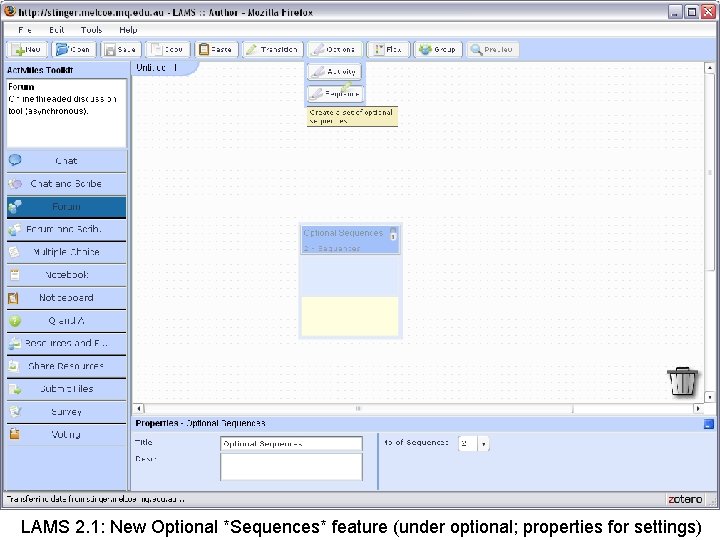
LAMS 2. 1: New Optional *Sequences* feature (under optional; properties for settings)
LAMS 2. 1: New Optional Sequences - allows students to choose 1 or more sequences
Pedagogical uses of new features • Can assign different students to different topics – Each group investigates a different aspect of a phenomenon, then reports findings back to the whole class • Can use Branching with Tool Output (and Skip) to provide remediation tasks for only some students (eg, quiz score < X, then do branch remediation activities; otherwise skip branch) • Can allow students to choose from different optional sequences (according to topic, skill, thoroughness, etc) • Can seek student opinion (eg, Role Play Vote), then create group tasks that respond to different opinions
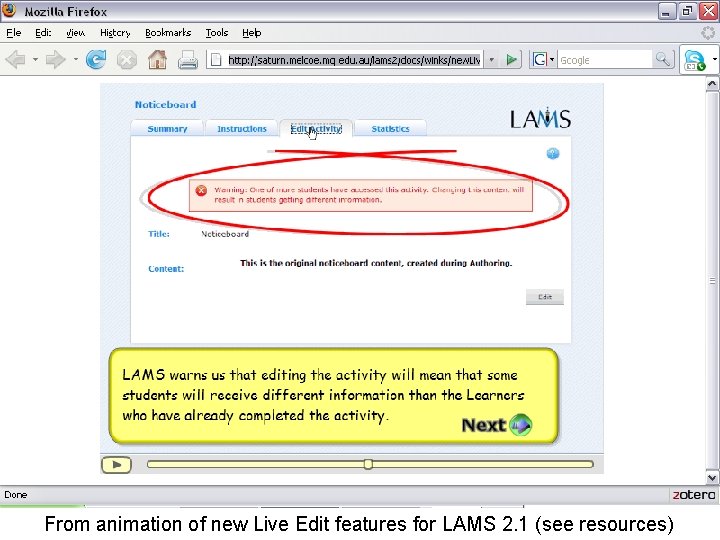
Future features (? ) • More advanced branching, grouping, tool outputs – Tool outputs: more current tools, new types of output, new tools – More complex conditions (multiple conditions, algorithms) • “Actionable” roles within tools – Different functionality by role (eg chat moderate/participate/view only) – Map “sequence level roles” to actionable tool roles – Link actionable roles to branching, grouping, tool outputs • Looping – Complex issues yet to solve (what constitutes task completion? ) – In the meantime, new Live Edit feature in 2. 1 allows ongoing edit of some tasks even after students enter (Noticeboard, Chat, Notebook, Submit Files, Share Resources); therefore Stop point + set of editable tasks could provide some elements of looping
From animation of new Live Edit features for LAMS 2. 1 (see resources)
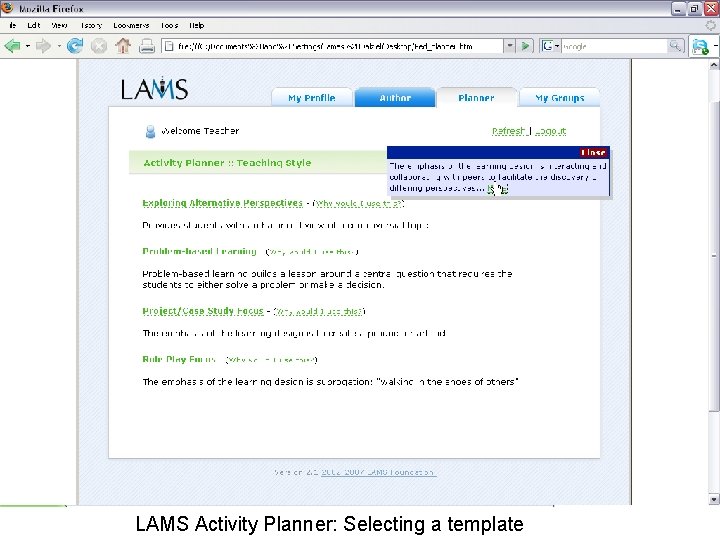
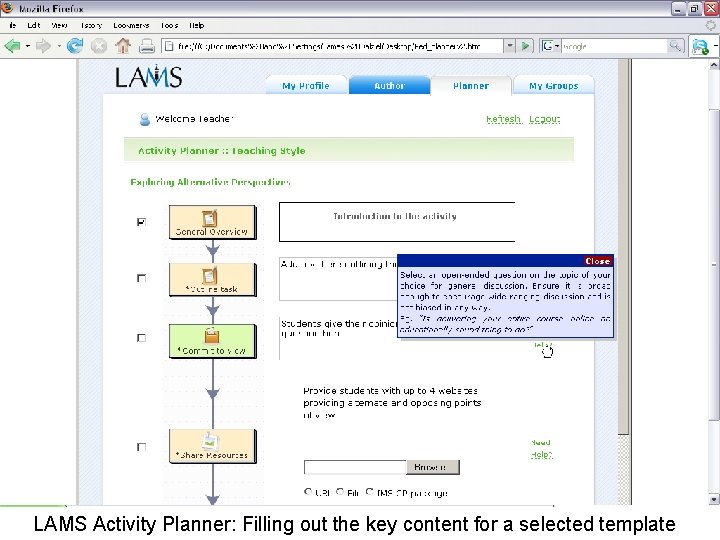
Simplicity and Complexity • LAMS has tried hard to make Learning Design simple, within the constraints of the concept (eg, separation of author & monitor) – Drag and drop authoring remains a very expensive part of our development, and LAMS could exist without it, but we keep developing it because of the simplicity that comes from visualisation • Branching is a powerful new feature, but also adds complexity, some of which is unavoidable • But… we welcome any feedback on how to make things clear and simple – particular now as we start to finalise branching • We’ve provided comprehensive technical and user wikis to help • Also, the power for branching adds to the case for simpler authoring templates like the Activity Planner – No funding during 2007; hope to make progress in 2008
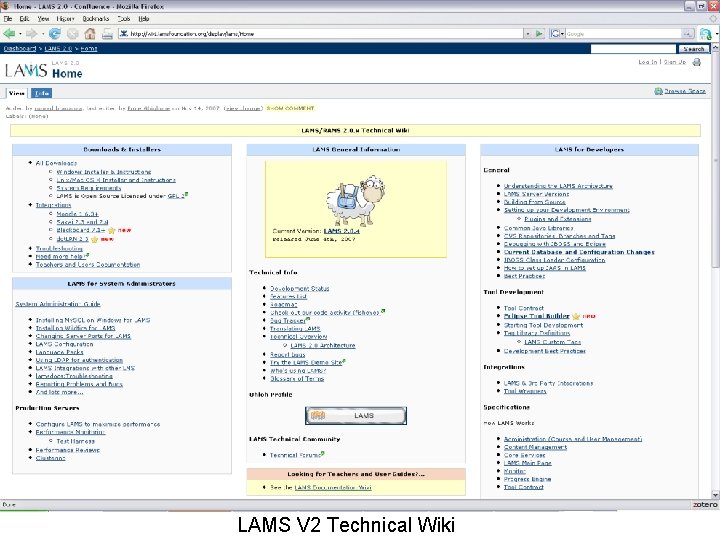
LAMS V 2 Technical Wiki
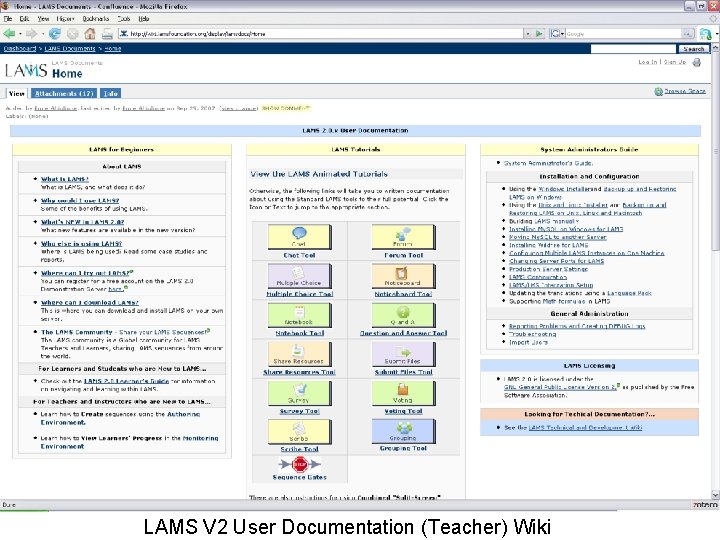
LAMS V 2 User Documentation (Teacher) Wiki
LAMS Activity Planner: Selecting a template
LAMS Activity Planner: Filling out the key content for a selected template
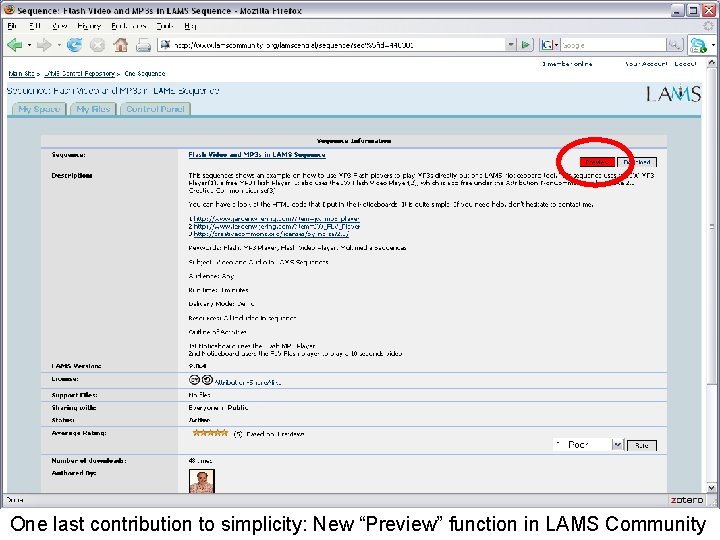
One last contribution to simplicity: New “Preview” function in LAMS Community
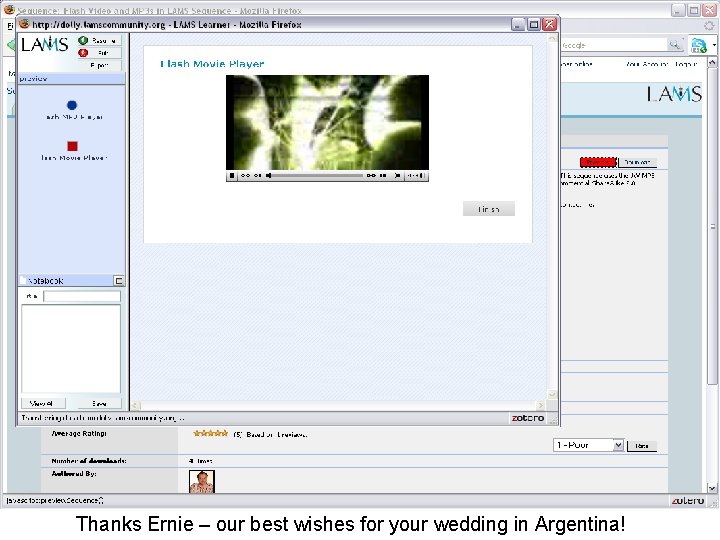
Thanks Ernie – our best wishes for your wedding in Argentina!
Thank You • • Department of Education Science and Training (DEST) for SII funding of RAMS under Backing Australia’s ability The LAMS development team, especially Ernie and Fiona, for a truly extraordinary effort The 61 LAMS translators, who have created and freely shared 25 translations of LAMS to date The many educators (and students!) who have shared sequences through the LAMS Community The early adopters of LAMS, who have often had to fight for fair consideration of this new approach Leanne Cameron for keeping the educator flame burning inside the LAMS team, and for co-ordinating both 2007 conferences Renee Vance for admin for this conference & helping me survive 2007 My wife Bronwen and daughter Zoe, who give up much for LAMS
Resources • • • Adoption of Interactive Whiteboards in schools Role Play – download sequence from http: //lamscommunity. org/lamscentral/sequence? seq_id=376440 CETIS Pedagogy meeting LAMS Presentation (July 2003) - Versailles http: //www. lamsfoundation. org/CD/html/resources/presentations/LAMS. Pedag ogy. ppt Live Edit new features 2. 1 http: //saturn. melcoe. mq. edu. au/lams 2/docs/winks/new. Live. Edit. htm Branching/grouping/tool outputs new features 2. 1 http: //wiki. lamsfoundation. org/display/lamsdocs/Branching+Demonstration Sign up to test LAMS V 2. 1 alpha (NB: Dev server – no promises!) http: //stinger. melcoe. mq. edu. au/