
Power Point to accompany A Concise Introduction to
- Slides: 35
Power. Point to accompany A Concise Introduction to MATLAB® William J. Palm III Chapter 7 Numerical Calculus and Differential Equations Copyright © 2005. The Mc. Graw-Hill Companies, Inc. Permission required for reproduction or display.
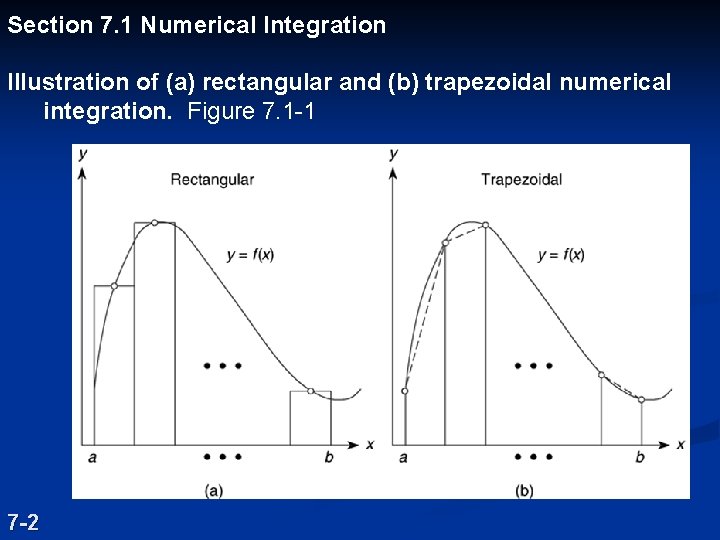
Section 7. 1 Numerical Integration Illustration of (a) rectangular and (b) trapezoidal numerical integration. Figure 7. 1 -1 7 -2
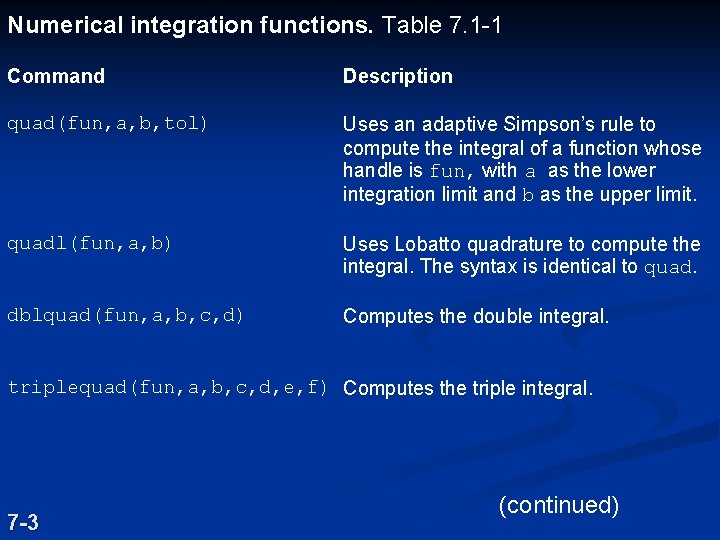
Numerical integration functions. Table 7. 1 -1 Command Description quad(fun, a, b, tol) Uses an adaptive Simpson’s rule to compute the integral of a function whose handle is fun, with a as the lower integration limit and b as the upper limit. quadl(fun, a, b) Uses Lobatto quadrature to compute the integral. The syntax is identical to quad. dblquad(fun, a, b, c, d) Computes the double integral. triplequad(fun, a, b, c, d, e, f) Computes the triple integral. 7 -3 (continued)
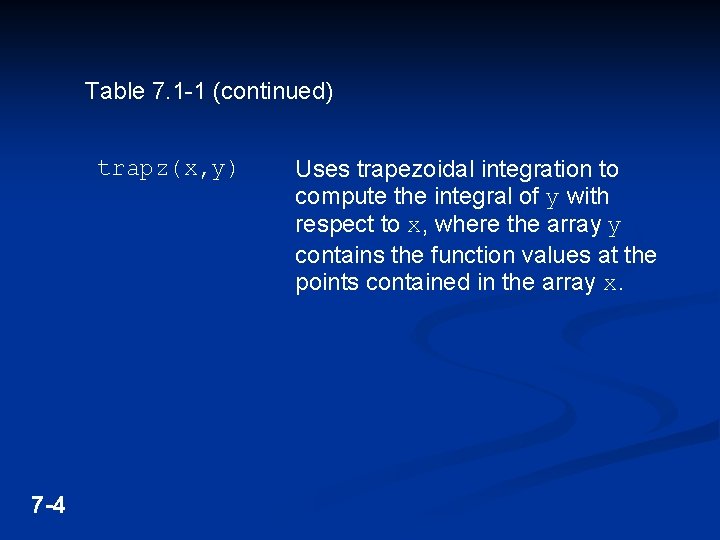
Table 7. 1 -1 (continued) trapz(x, y) 7 -4 Uses trapezoidal integration to compute the integral of y with respect to x, where the array y contains the function values at the points contained in the array x.
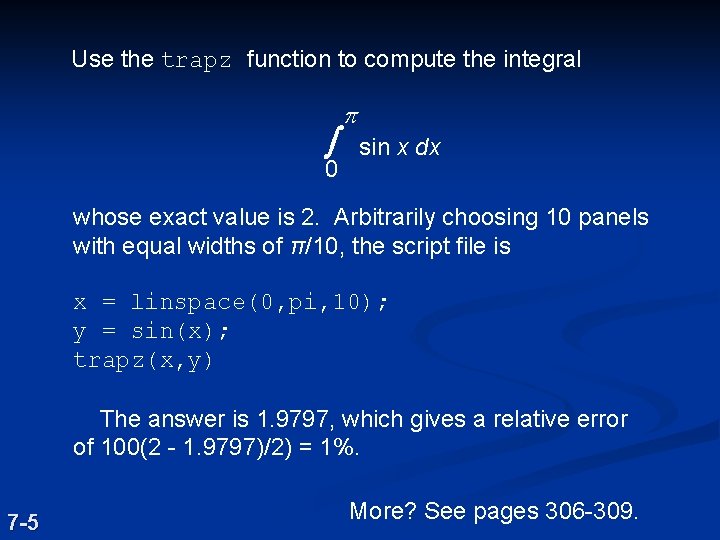
Use the trapz function to compute the integral ò 0 p sin x dx whose exact value is 2. Arbitrarily choosing 10 panels with equal widths of π/10, the script file is x = linspace(0, pi, 10); y = sin(x); trapz(x, y) The answer is 1. 9797, which gives a relative error of 100(2 - 1. 9797)/2) = 1%. 7 -5 More? See pages 306 -309.
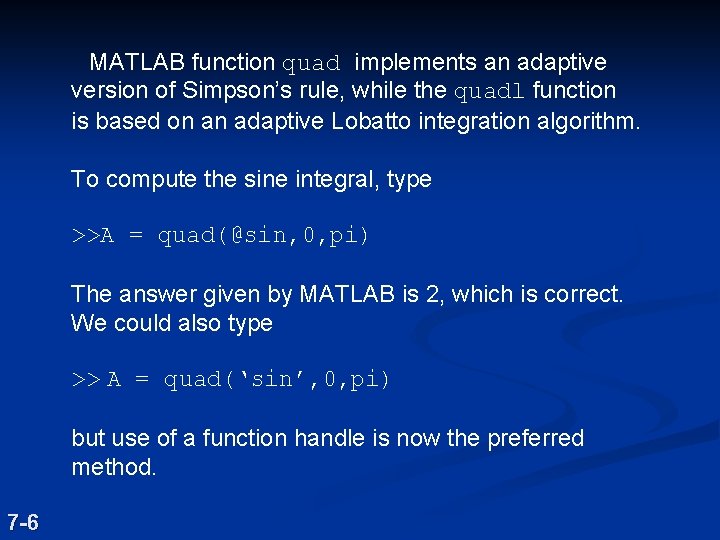
MATLAB function quad implements an adaptive version of Simpson’s rule, while the quadl function is based on an adaptive Lobatto integration algorithm. To compute the sine integral, type >>A = quad(@sin, 0, pi) The answer given by MATLAB is 2, which is correct. We could also type >> A = quad(‘sin’, 0, pi) but use of a function handle is now the preferred method. 7 -6
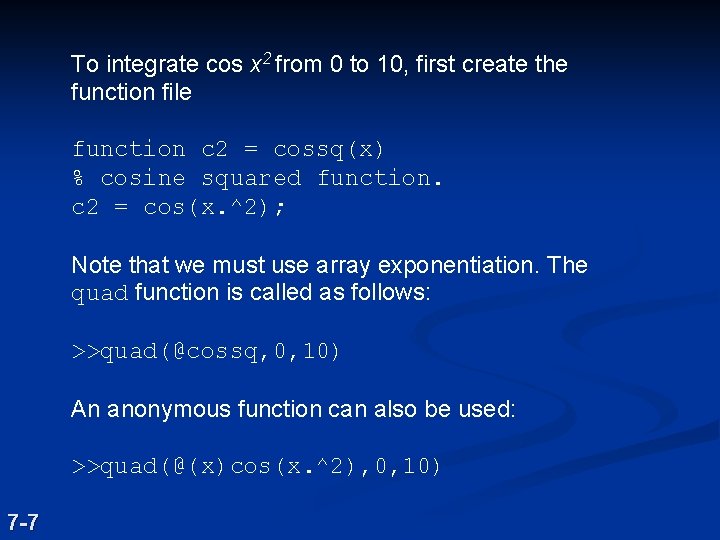
To integrate cos x 2 from 0 to 10, first create the function file function c 2 = cossq(x) % cosine squared function. c 2 = cos(x. ^2); Note that we must use array exponentiation. The quad function is called as follows: >>quad(@cossq, 0, 10) An anonymous function can also be used: >>quad(@(x)cos(x. ^2), 0, 10) 7 -7
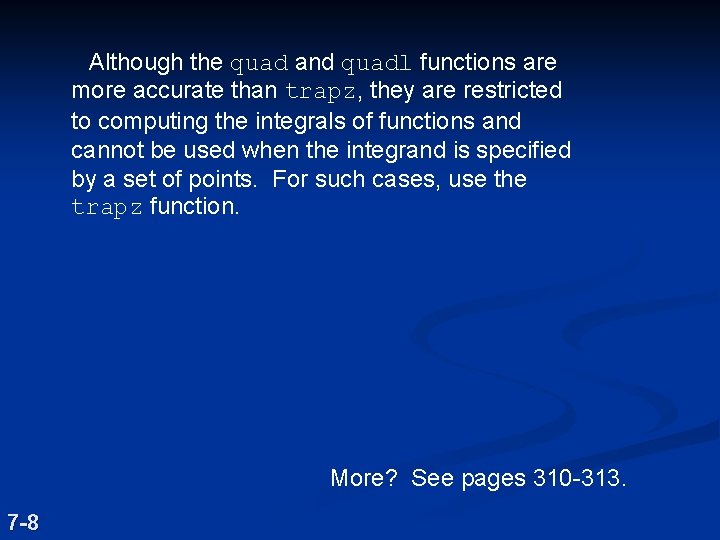
Although the quad and quadl functions are more accurate than trapz, they are restricted to computing the integrals of functions and cannot be used when the integrand is specified by a set of points. For such cases, use the trapz function. More? See pages 310 -313. 7 -8
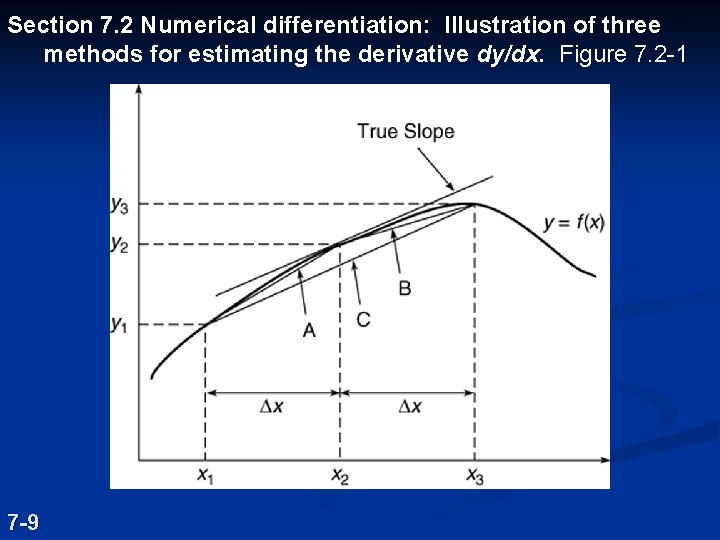
Section 7. 2 Numerical differentiation: Illustration of three methods for estimating the derivative dy/dx. Figure 7. 2 -1 7 -9
MATLAB provides the diff function to use for computing derivative estimates. Its syntax is d = diff(x), where x is a vector of values, and the result is a vector d containing the differences between adjacent elements in x. That is, if x has n elements, d will have n - 1 elements, where d = [x(2) - x(1), x(3) - x(2), . . . , x(n) - x(n -1)]. For example, if x = [5, 7, 12, -20], then diff(x) returns the vector [2, 5, -32]. 7 -10
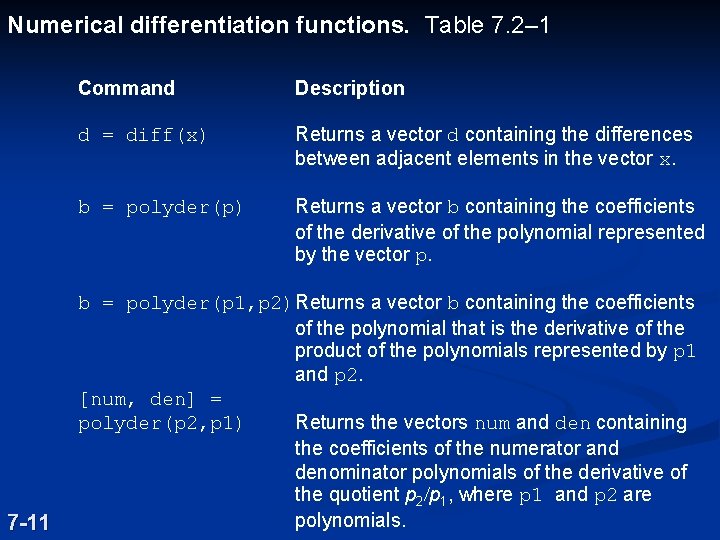
Numerical differentiation functions. Table 7. 2– 1 7 -11 Command Description d = diff(x) Returns a vector d containing the differences between adjacent elements in the vector x. b = polyder(p) Returns a vector b containing the coefficients of the derivative of the polynomial represented by the vector p. b = polyder(p 1, p 2) Returns a vector b containing the coefficients of the polynomial that is the derivative of the product of the polynomials represented by p 1 and p 2. [num, den] = polyder(p 2, p 1) Returns the vectors num and den containing the coefficients of the numerator and denominator polynomials of the derivative of the quotient p 2/p 1, where p 1 and p 2 are polynomials.
MATLAB can also be used to compute gradients. See Table 7. 2 -1. For examples, see pages 315 -318. 7 -12
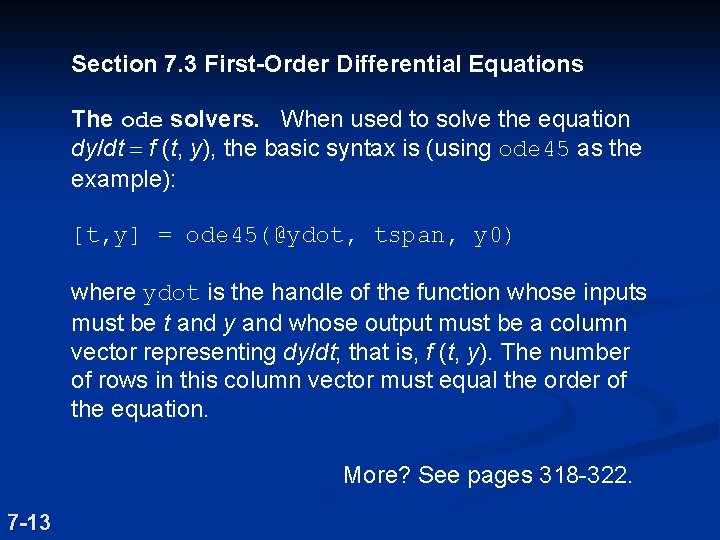
Section 7. 3 First-Order Differential Equations The ode solvers. When used to solve the equation dy/dt = f (t, y), the basic syntax is (using ode 45 as the example): [t, y] = ode 45(@ydot, tspan, y 0) where ydot is the handle of the function whose inputs must be t and y and whose output must be a column vector representing dy/dt; that is, f (t, y). The number of rows in this column vector must equal the order of the equation. More? See pages 318 -322. 7 -13
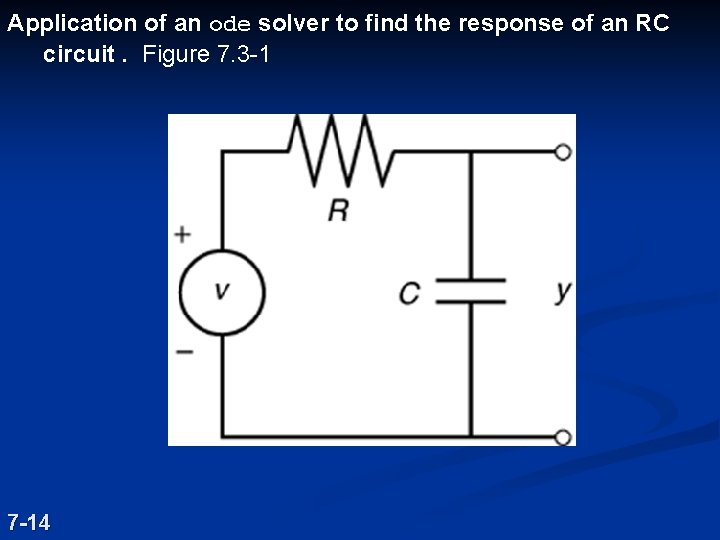
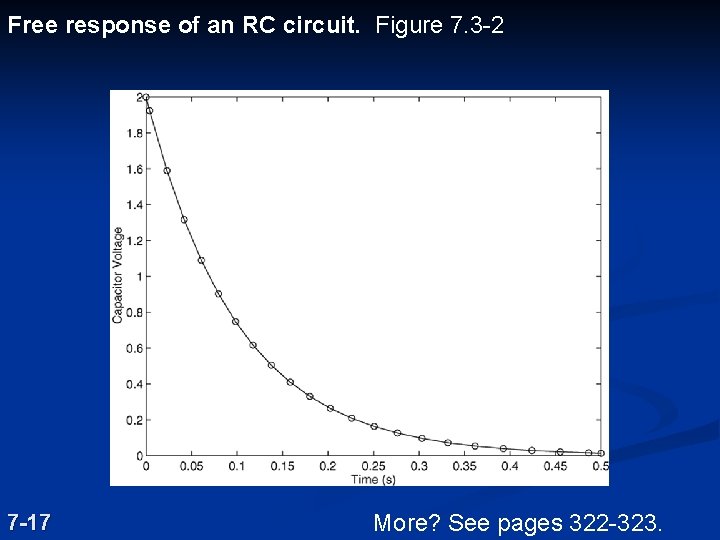
Application of an ode solver to find the response of an RC circuit. Figure 7. 3 -1 7 -14
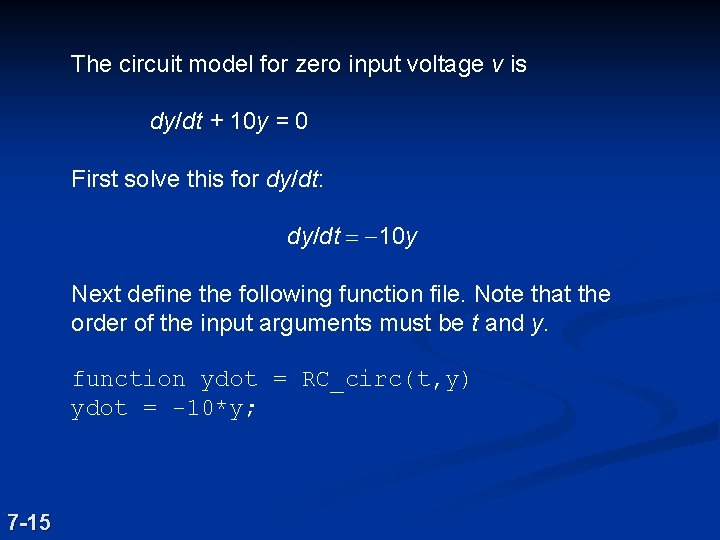
The circuit model for zero input voltage v is dy/dt + 10 y = 0 First solve this for dy/dt: dy/dt = -10 y Next define the following function file. Note that the order of the input arguments must be t and y. function ydot = RC_circ(t, y) ydot = -10*y; 7 -15
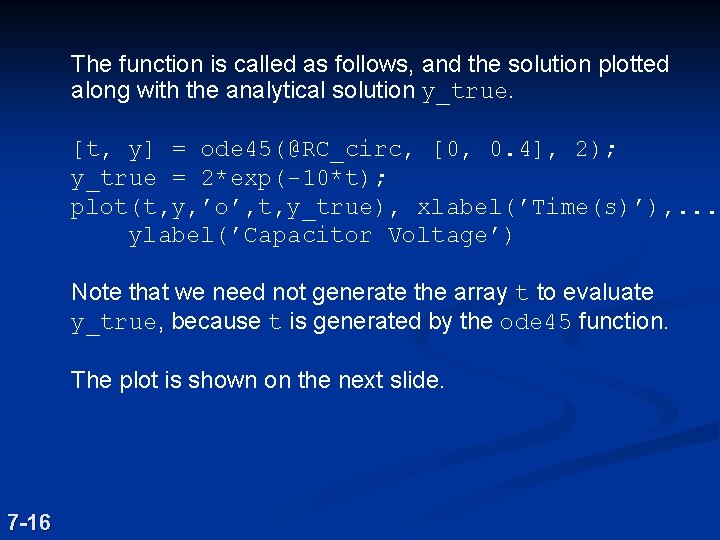
The function is called as follows, and the solution plotted along with the analytical solution y_true. [t, y] = ode 45(@RC_circ, [0, 0. 4], 2); y_true = 2*exp(-10*t); plot(t, y, ’o’, t, y_true), xlabel(’Time(s)’), . . . ylabel(’Capacitor Voltage’) Note that we need not generate the array t to evaluate y_true, because t is generated by the ode 45 function. The plot is shown on the next slide. 7 -16
Free response of an RC circuit. Figure 7. 3 -2 7 -17 More? See pages 322 -323.
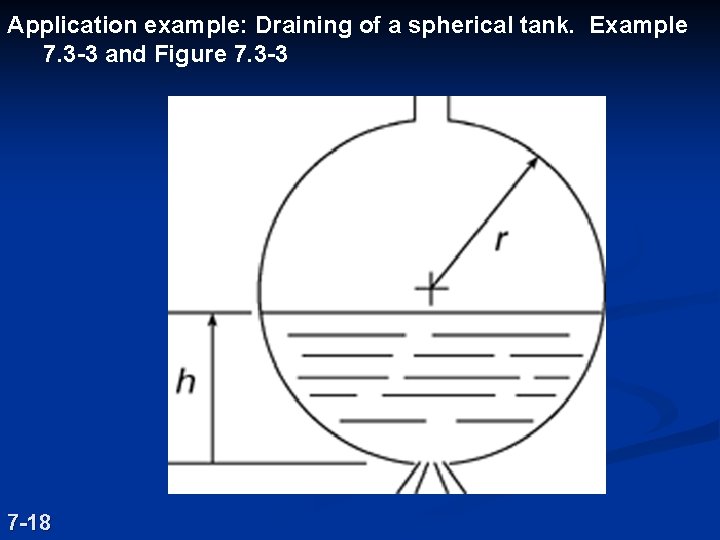
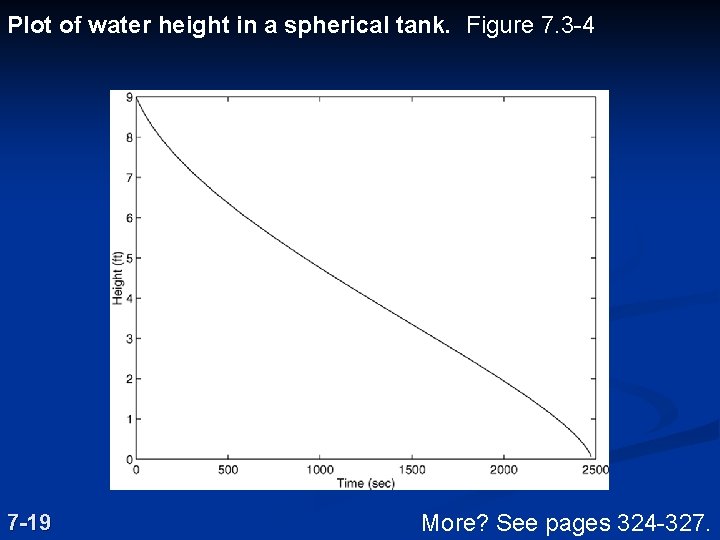
Application example: Draining of a spherical tank. Example 7. 3 -3 and Figure 7. 3 -3 7 -18
Plot of water height in a spherical tank. Figure 7. 3 -4 7 -19 More? See pages 324 -327.
Section 7. 4 Extension to Higher-Order Equations To use the ODE solvers to solve an equation higher than order 2, you must first write the equation as a set of firstorder equations. 7 -20
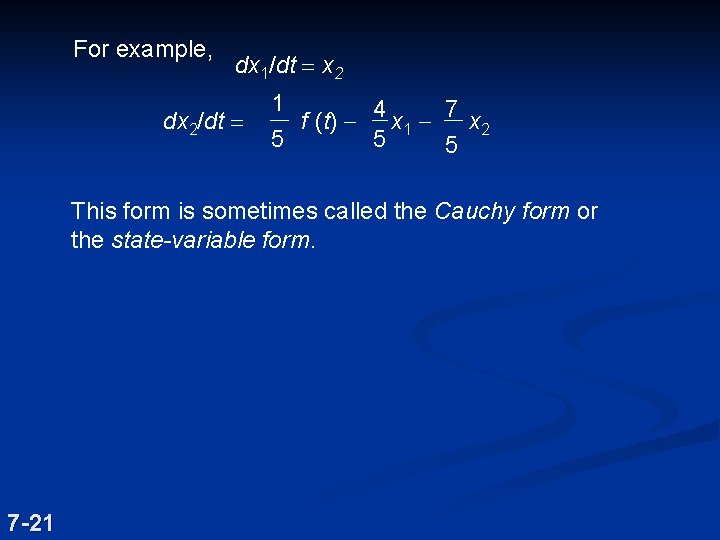
For example, dx 1/dt = x 2 dx 2/dt = 1 f (t) - 4 x 1 - 7 x 2 5 5 5 This form is sometimes called the Cauchy form or the state-variable form. 7 -21
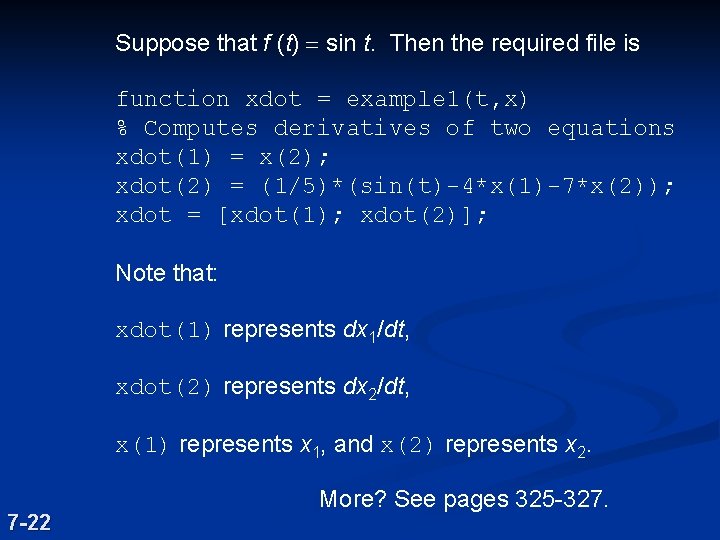
Suppose that f (t) = sin t. Then the required file is function xdot = example 1(t, x) % Computes derivatives of two equations xdot(1) = x(2); xdot(2) = (1/5)*(sin(t)-4*x(1)-7*x(2)); xdot = [xdot(1); xdot(2)]; Note that: xdot(1) represents dx 1/dt, xdot(2) represents dx 2/dt, x(1) represents x 1, and x(2) represents x 2. 7 -22 More? See pages 325 -327.
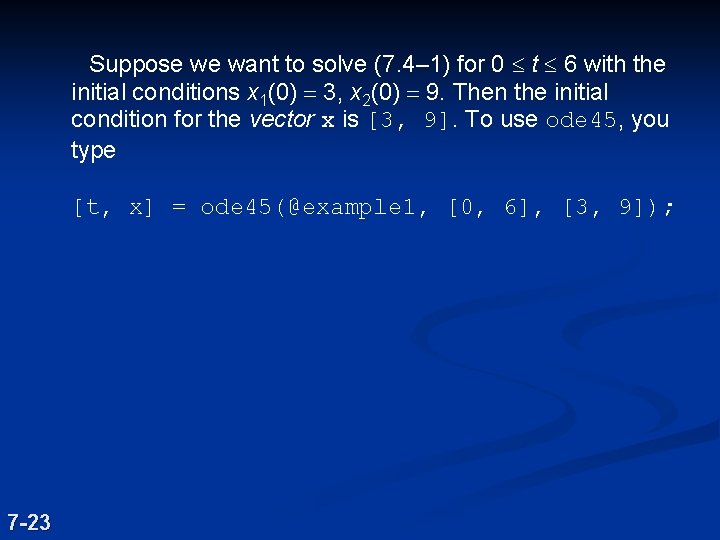
Suppose we want to solve (7. 4– 1) for 0 £ t £ 6 with the initial conditions x 1(0) = 3, x 2(0) = 9. Then the initial condition for the vector x is [3, 9]. To use ode 45, you type [t, x] = ode 45(@example 1, [0, 6], [3, 9]); 7 -23
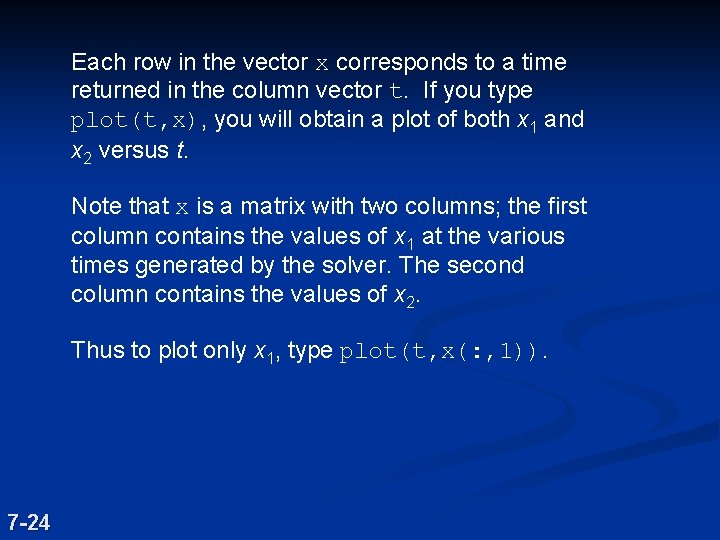
Each row in the vector x corresponds to a time returned in the column vector t. If you type plot(t, x), you will obtain a plot of both x 1 and x 2 versus t. Note that x is a matrix with two columns; the first column contains the values of x 1 at the various times generated by the solver. The second column contains the values of x 2. Thus to plot only x 1, type plot(t, x(: , 1)). 7 -24
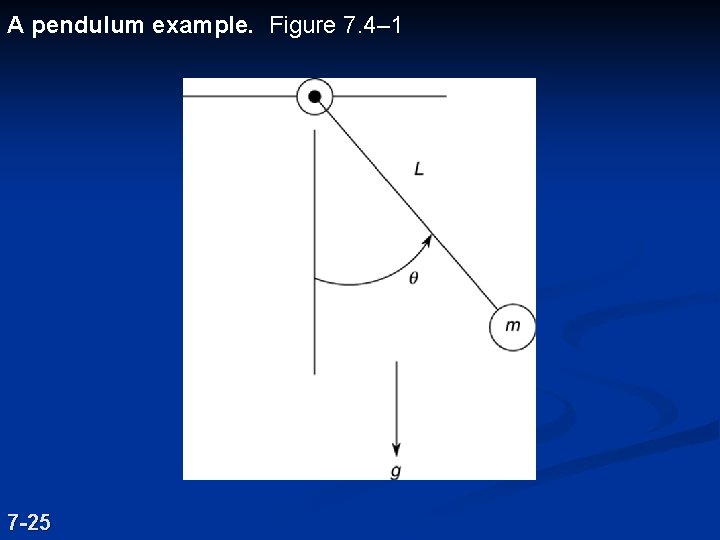
A pendulum example. Figure 7. 4– 1 7 -25
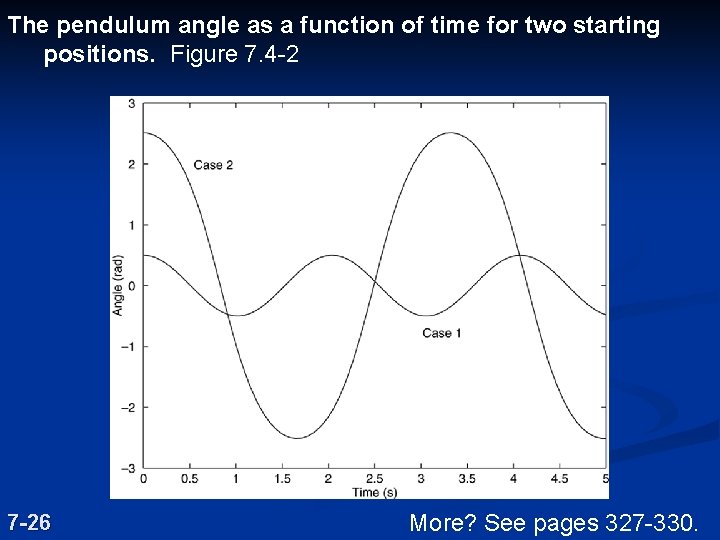
The pendulum angle as a function of time for two starting positions. Figure 7. 4 -2 7 -26 More? See pages 327 -330.
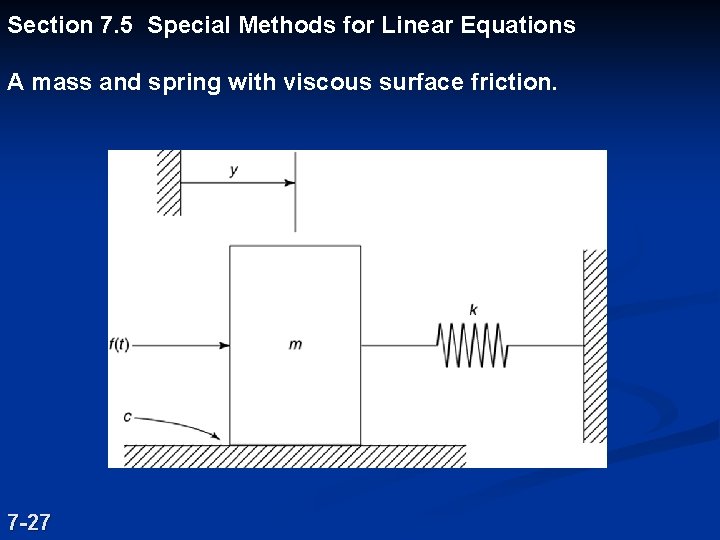
Section 7. 5 Special Methods for Linear Equations A mass and spring with viscous surface friction. 7 -27
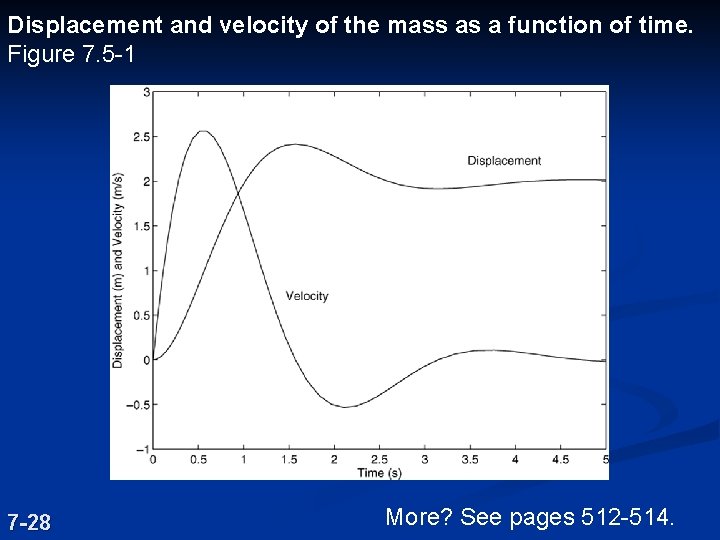
Displacement and velocity of the mass as a function of time. Figure 7. 5 -1 7 -28 More? See pages 512 -514.
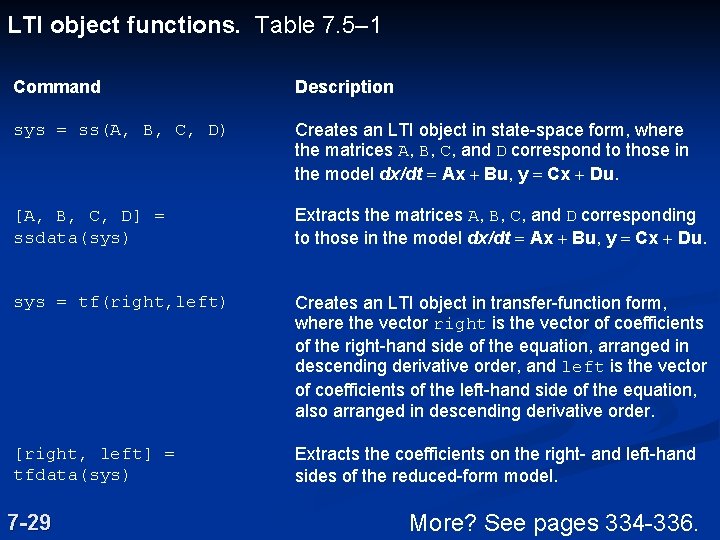
LTI object functions. Table 7. 5– 1 Command Description sys = ss(A, B, C, D) Creates an LTI object in state-space form, where the matrices A, B, C, and D correspond to those in the model dx/dt = Ax + Bu, y = Cx + Du. [A, B, C, D] = ssdata(sys) Extracts the matrices A, B, C, and D corresponding to those in the model dx/dt = Ax + Bu, y = Cx + Du. sys = tf(right, left) Creates an LTI object in transfer-function form, where the vector right is the vector of coefficients of the right-hand side of the equation, arranged in descending derivative order, and left is the vector of coefficients of the left-hand side of the equation, also arranged in descending derivative order. [right, left] = tfdata(sys) Extracts the coefficients on the right- and left-hand sides of the reduced-form model. 7 -29 More? See pages 334 -336.
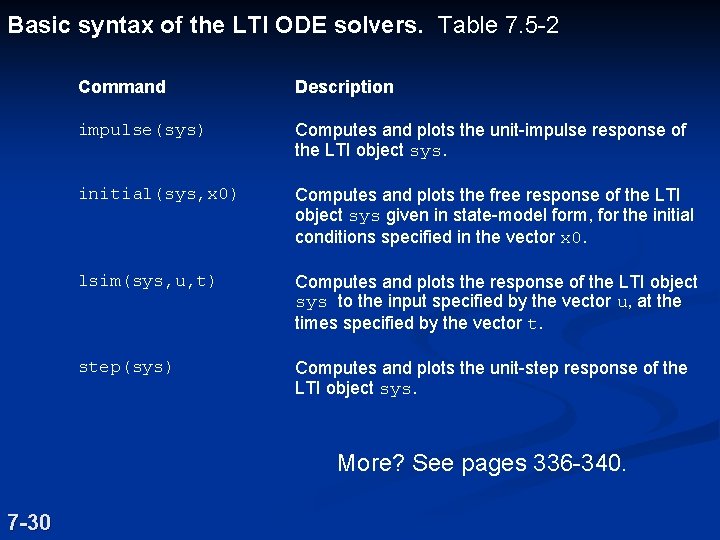
Basic syntax of the LTI ODE solvers. Table 7. 5 -2 Command Description impulse(sys) Computes and plots the unit-impulse response of the LTI object sys. initial(sys, x 0) Computes and plots the free response of the LTI object sys given in state-model form, for the initial conditions specified in the vector x 0. lsim(sys, u, t) Computes and plots the response of the LTI object sys to the input specified by the vector u, at the times specified by the vector t. step(sys) Computes and plots the unit-step response of the LTI object sys. More? See pages 336 -340. 7 -30
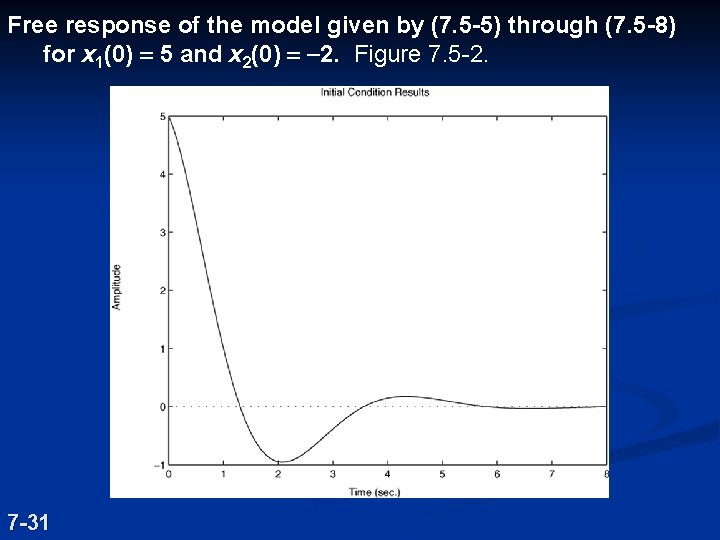
Free response of the model given by (7. 5 -5) through (7. 5 -8) for x 1(0) = 5 and x 2(0) = -2. Figure 7. 5 -2. 7 -31
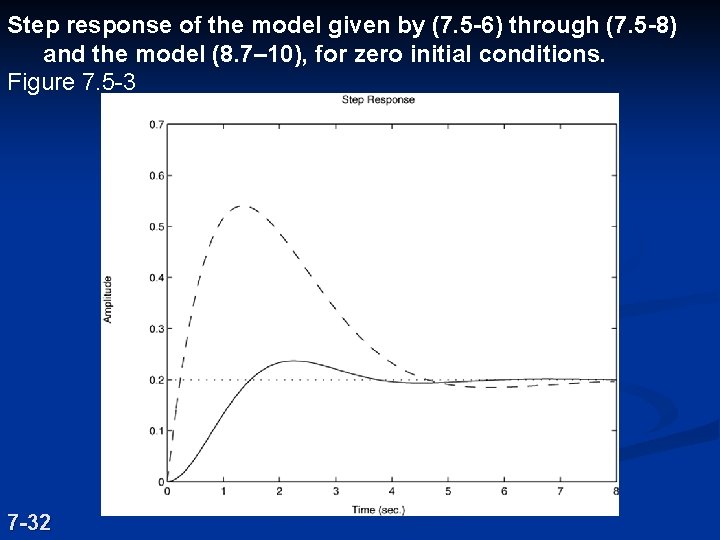
Step response of the model given by (7. 5 -6) through (7. 5 -8) and the model (8. 7– 10), for zero initial conditions. Figure 7. 5 -3 7 -32
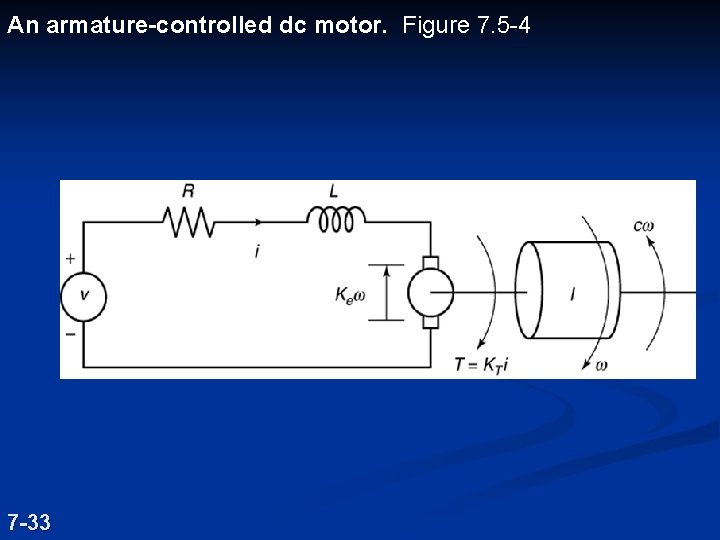
An armature-controlled dc motor. Figure 7. 5 -4 7 -33
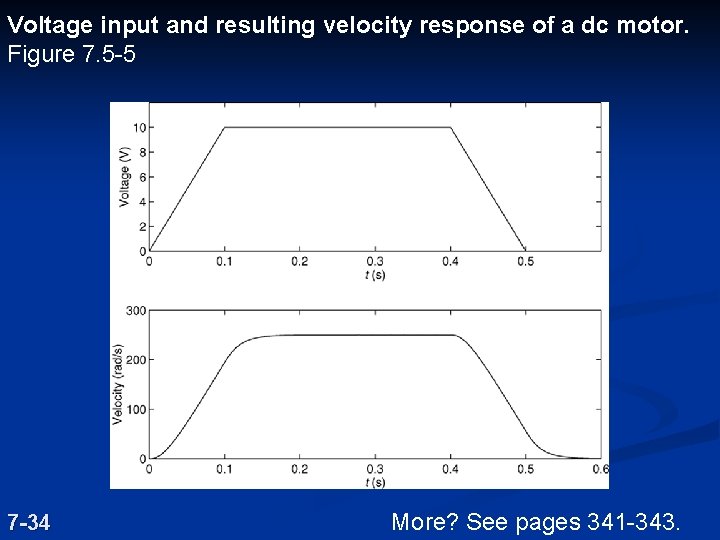
Voltage input and resulting velocity response of a dc motor. Figure 7. 5 -5 7 -34 More? See pages 341 -343.
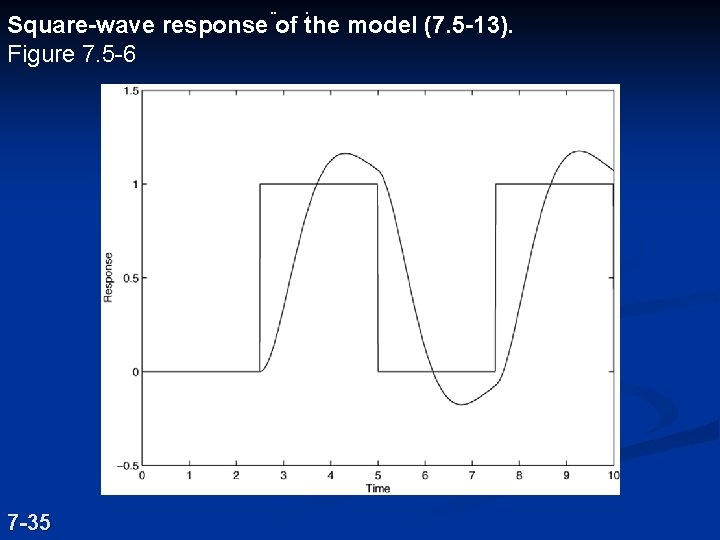
¨ . Square-wave response of the model (7. 5 -13). Figure 7. 5 -6 7 -35