
Power Point Slides Computer Organisation and Architecture Smruti
![Register Indirect Mode V ← [r 1] r 1 register file memory 26](https://slidetodoc.com/presentation_image_h/7ad96e2db2d4a3f9f89d503ac3f60ab9/image-26.jpg "Register Indirect Mode V ← [r 1] r 1 register file memory 26")
![Base-offset Addressing Mode V ← [r 1+offset] r 1 offset register file memory 27](https://slidetodoc.com/presentation_image_h/7ad96e2db2d4a3f9f89d503ac3f60ab9/image-27.jpg "Base-offset Addressing Mode V ← [r 1+offset] r 1 offset register file memory 27")
![Addressing Modes - II Base-index-offset V ← [r 1 + r 2 + offset]](https://slidetodoc.com/presentation_image_h/7ad96e2db2d4a3f9f89d503ac3f60ab9/image-28.jpg "Addressing Modes - II Base-index-offset V ← [r 1 + r 2 + offset]")
![Base-Index-Offset Addressing Mode V ← [r 1+r 2 +offset] r 1 offset r 2](https://slidetodoc.com/presentation_image_h/7ad96e2db2d4a3f9f89d503ac3f60ab9/image-29.jpg "Base-Index-Offset Addressing Mode V ← [r 1+r 2 +offset] r 1 offset r 2")
![Load-store instructions ld r 1, 10[r 2] st r 1, 10[r 2] r 1](https://slidetodoc.com/presentation_image_h/7ad96e2db2d4a3f9f89d503ac3f60ab9/image-47.jpg "Load-store instructions ld r 1, 10[r 2] st r 1, 10[r 2] r 1")
![Load-Store ld r 1, 10[r 2] register file r 1 r 2 st r](https://slidetodoc.com/presentation_image_h/7ad96e2db2d4a3f9f89d503ac3f60ab9/image-48.jpg "Load-Store ld r 1, 10[r 2] register file r 1 r 2 st r")
![Example – Load/Store Translate : int arr[10]; arr[3] = 5; arr[4] = 8; arr[5]](https://slidetodoc.com/presentation_image_h/7ad96e2db2d4a3f9f89d503ac3f60ab9/image-49.jpg "Example – Load/Store Translate : int arr[10]; arr[3] = 5; arr[4] = 8; arr[5]")
![Load and Store Instructions ld rd, imm[rs 1] rs 1 → base register Use](https://slidetodoc.com/presentation_image_h/7ad96e2db2d4a3f9f89d503ac3f60ab9/image-92.jpg "Load and Store Instructions ld rd, imm[rs 1] rs 1 → base register Use")
![Store Instruction Strange case of the store inst. st reg 1, imm[reg 2] has](https://slidetodoc.com/presentation_image_h/7ad96e2db2d4a3f9f89d503ac3f60ab9/image-93.jpg "Store Instruction Strange case of the store inst. st reg 1, imm[reg 2] has")

- Slides: 96
Power. Point Slides Computer Organisation and Architecture Smruti Ranjan Sarangi, IIT Delhi Chapter 3 - Assembly Language PROPRIETARY MATERIAL. © 2014 The Mc. Graw-Hill Companies, Inc. All rights reserved. No part of this Power. Point slide may be displayed, reproduced or distributed in any form or by any means, without the prior written permission of the publisher, or used beyond the limited distribution to teachers and educators permitted by Mc. Graw-Hill for their individual course preparation. Power. Point Slides are being provided only to authorized professors and instructors for use in preparing for classes using the affiliated textbook. No other use or distribution of this Power. Point slide is permitted. The Power. Point slide may not be sold and may not be distributed or be used by any student or any other third party. No part of the slide may be reproduced, displayed or distributed in any form or by any means, electronic or otherwise, without the prior written permission of Mc. Graw Hill Education (India) Private Limited.
These slides are meant to be used along with the book: Computer Organisation and Architecture, Smruti Ranjan Sarangi, Mc. Graw. Hill 2015 Visit: http: //www. cse. iitd. ernet. in/~srsarangi/archbooksoft. html
Outline Overview of Assembly Language Syntax Simple. Risc ISA Functions and Stacks Simple. Risc Encoding 3
What is Assembly Language A low level programming language uses simple statements that correspond to typically just one machine instruction. These languages are specific to the ISA. The term “assembly language” refers to a family of low-level programming languages that are specific to an ISA. They have a generic structure that consists of a sequence of assembly statements. Typically, each assembly statement has two parts: (1) an instruction code that is a mnemonic for a basic machine instruction, and (2) and a list of operands. 4
Why learn Assembly Language ? Software developers' perspective Write highly efficient code Suitable for the core parts of games, and mission critical software Write code for operating systems and device drivers Use features of the machine that are not supported by standard programming languages 5
Assemblers are programs that convert programs written in low level languages to machine code (0 s and 1 s) Examples : nasm, tasm, and masm for x 86 ISAs On a linux system try : gcc -S <filename. c> filename. s is its assembly representation Then type: gcc filename. s (will generate a binary: a. out) 6
Hardware Designers Perspective Learning the assembly language is the same as learning the intricacies of the instruction set Tells HW designers : what to build ? 7
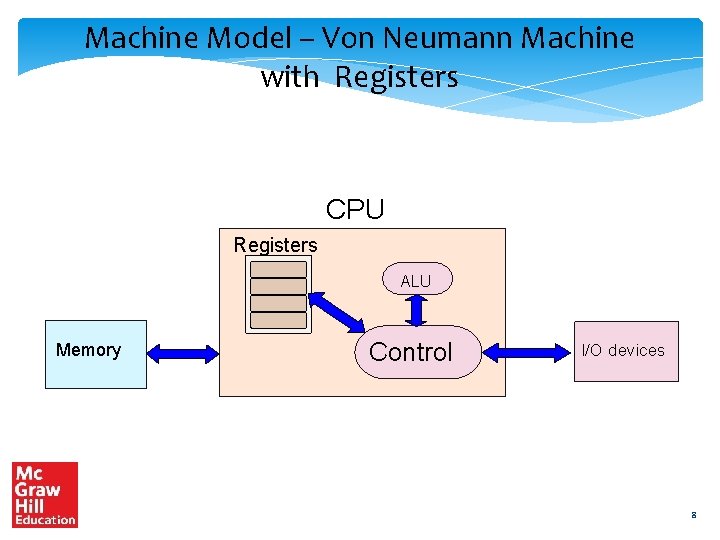
Machine Model – Von Neumann Machine with Registers CPU Registers ALU Memory Control I/O devices 8
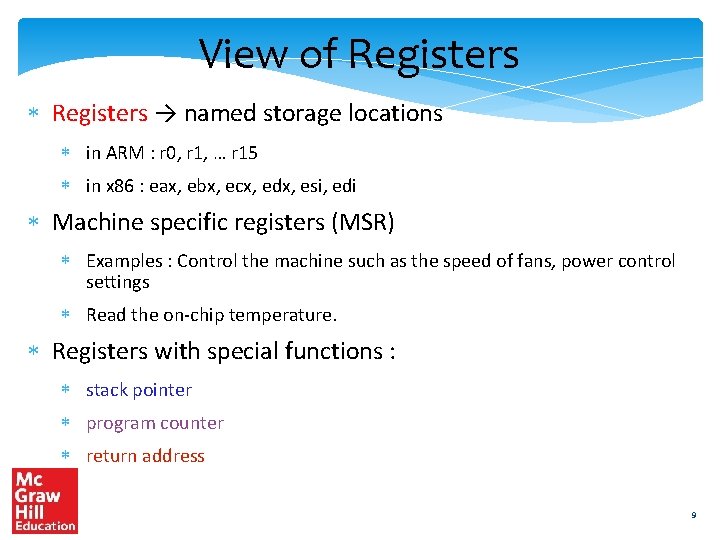
View of Registers → named storage locations in ARM : r 0, r 1, … r 15 in x 86 : eax, ebx, ecx, edx, esi, edi Machine specific registers (MSR) Examples : Control the machine such as the speed of fans, power control settings Read the on-chip temperature. Registers with special functions : stack pointer program counter return address 9
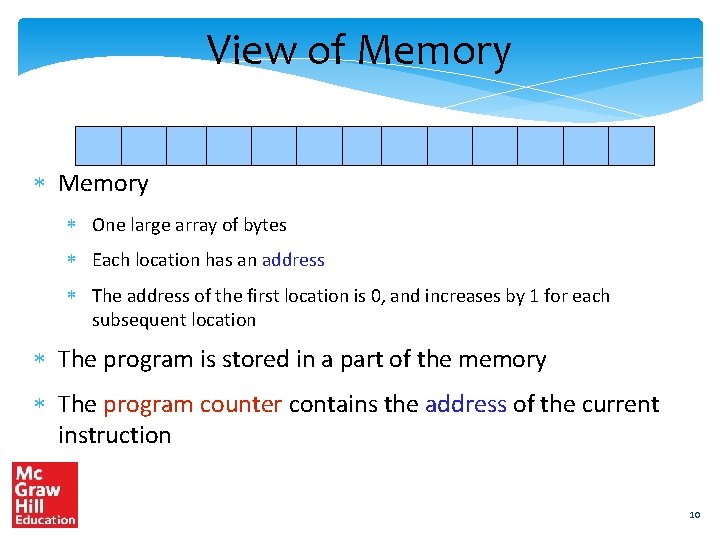
View of Memory One large array of bytes Each location has an address The address of the first location is 0, and increases by 1 for each subsequent location The program is stored in a part of the memory The program counter contains the address of the current instruction 10
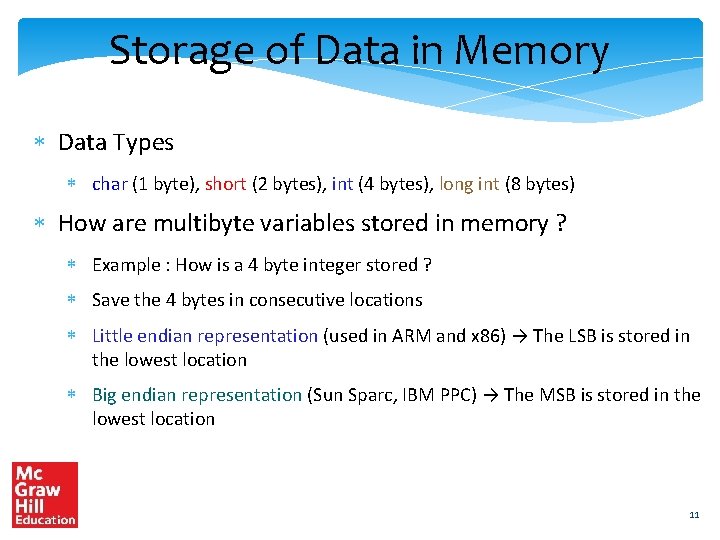
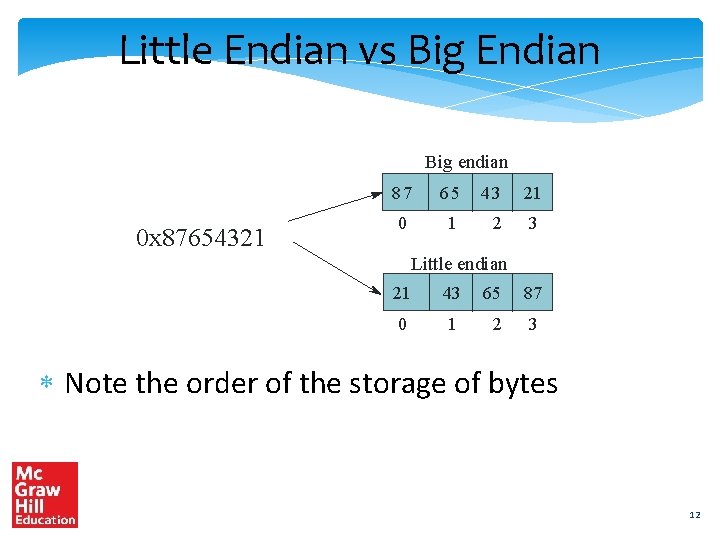
Storage of Data in Memory Data Types char (1 byte), short (2 bytes), int (4 bytes), long int (8 bytes) How are multibyte variables stored in memory ? Example : How is a 4 byte integer stored ? Save the 4 bytes in consecutive locations Little endian representation (used in ARM and x 86) → The LSB is stored in the lowest location Big endian representation (Sun Sparc, IBM PPC) → The MSB is stored in the lowest location 11
Little Endian vs Big Endian Big endian 0 x 87654321 87 65 43 21 0 1 2 3 Little endian 21 43 65 87 0 1 2 3 Note the order of the storage of bytes 12
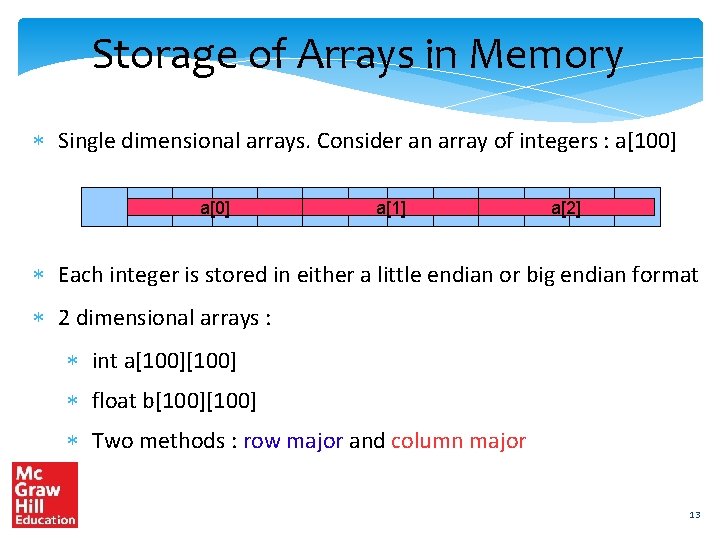
Storage of Arrays in Memory Single dimensional arrays. Consider an array of integers : a[100] a[1] a[2] Each integer is stored in either a little endian or big endian format 2 dimensional arrays : int a[100] float b[100] Two methods : row major and column major 13
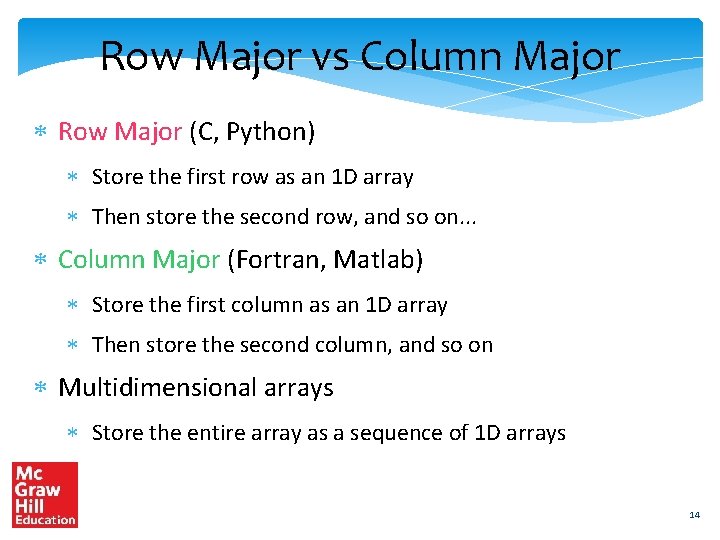
Row Major vs Column Major Row Major (C, Python) Store the first row as an 1 D array Then store the second row, and so on. . . Column Major (Fortran, Matlab) Store the first column as an 1 D array Then store the second column, and so on Multidimensional arrays Store the entire array as a sequence of 1 D arrays 14
Outline Overview of Assembly Language Syntax Simple. Risc ISA Functions and Stacks Simple. Risc Encoding 15
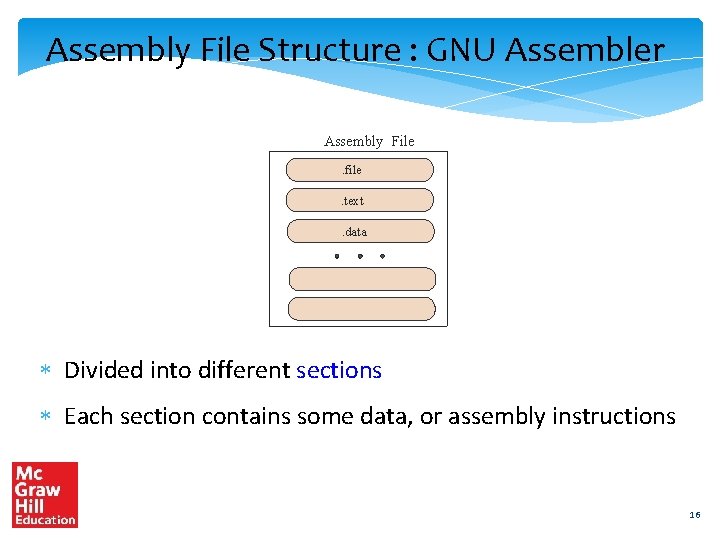
Assembly File Structure : GNU Assembler Assembly File. file. text. data Divided into different sections Each section contains some data, or assembly instructions 16
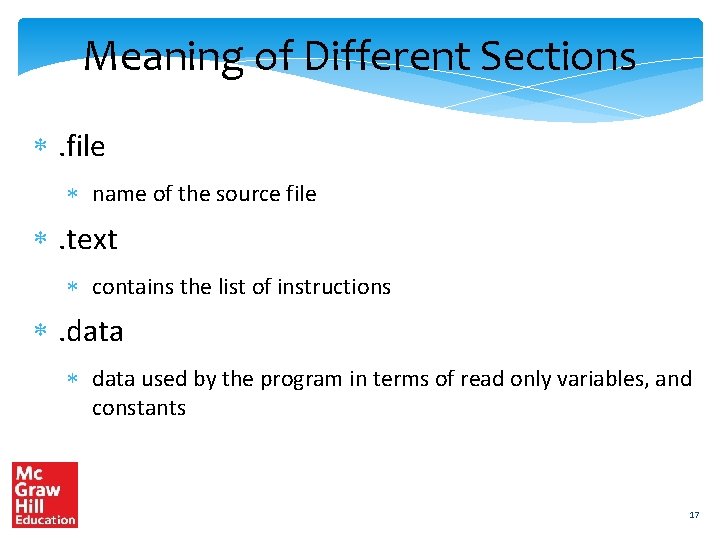
Meaning of Different Sections . file name of the source file . text contains the list of instructions . data used by the program in terms of read only variables, and constants 17
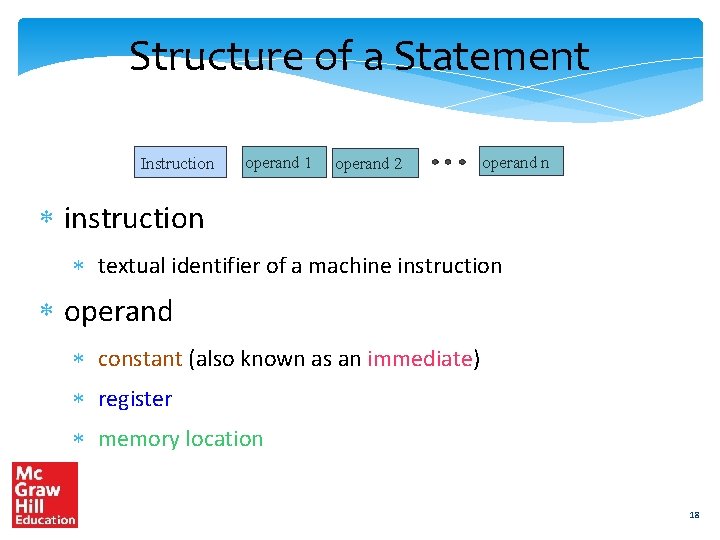
Structure of a Statement Instruction operand 1 operand 2 operand n instruction textual identifier of a machine instruction operand constant (also known as an immediate) register memory location 18
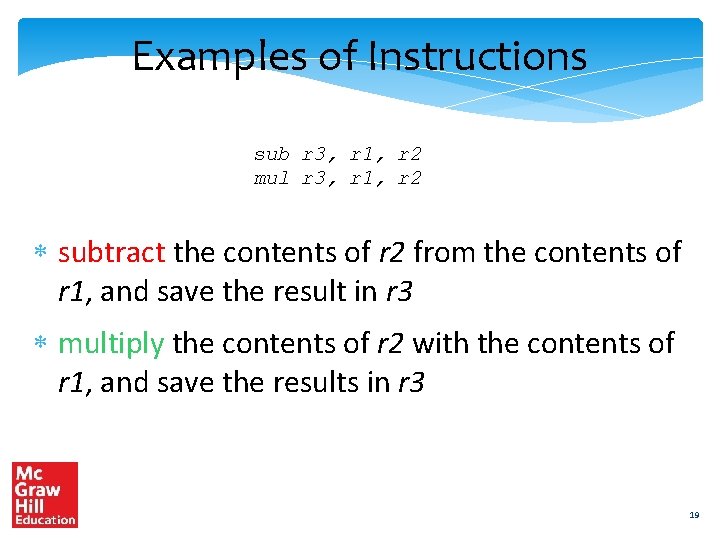
Examples of Instructions sub r 3, r 1, r 2 mul r 3, r 1, r 2 subtract the contents of r 2 from the contents of r 1, and save the result in r 3 multiply the contents of r 2 with the contents of r 1, and save the results in r 3 19
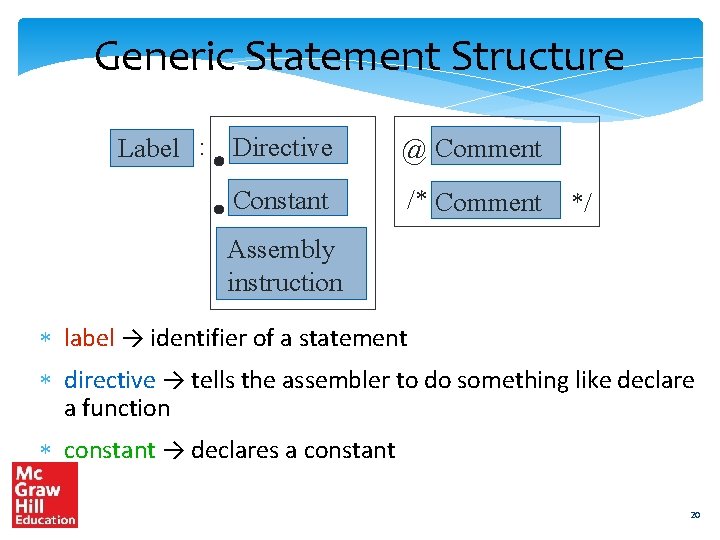
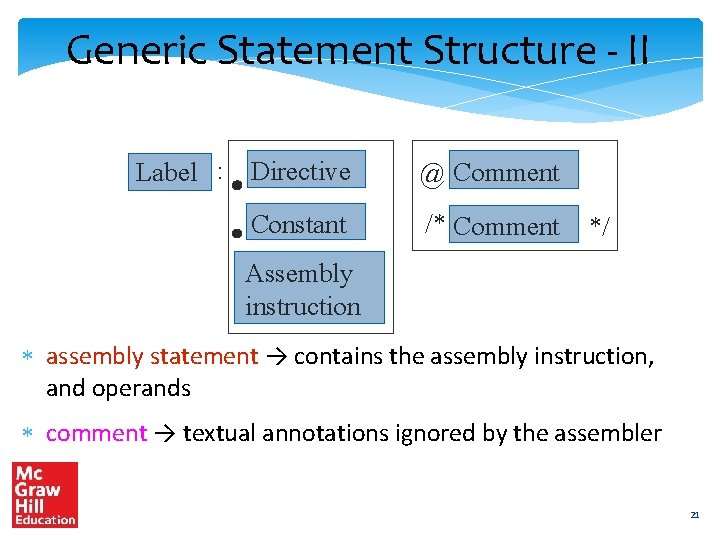
Generic Statement Structure Label : Directive @ Comment Constant /* Comment */ Assembly instruction label → identifier of a statement directive → tells the assembler to do something like declare a function constant → declares a constant 20
Generic Statement Structure - II Label : Directive @ Comment Constant /* Comment */ Assembly instruction assembly statement → contains the assembly instruction, and operands comment → textual annotations ignored by the assembler 21
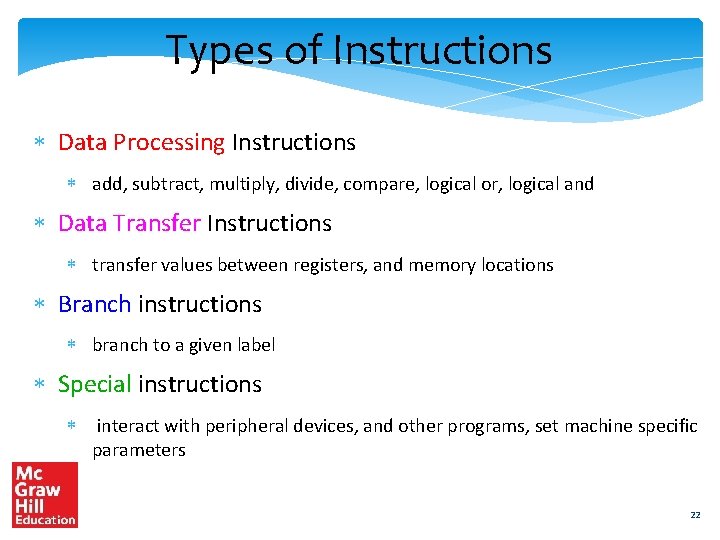
Types of Instructions Data Processing Instructions add, subtract, multiply, divide, compare, logical or, logical and Data Transfer Instructions transfer values between registers, and memory locations Branch instructions branch to a given label Special instructions interact with peripheral devices, and other programs, set machine specific parameters 22
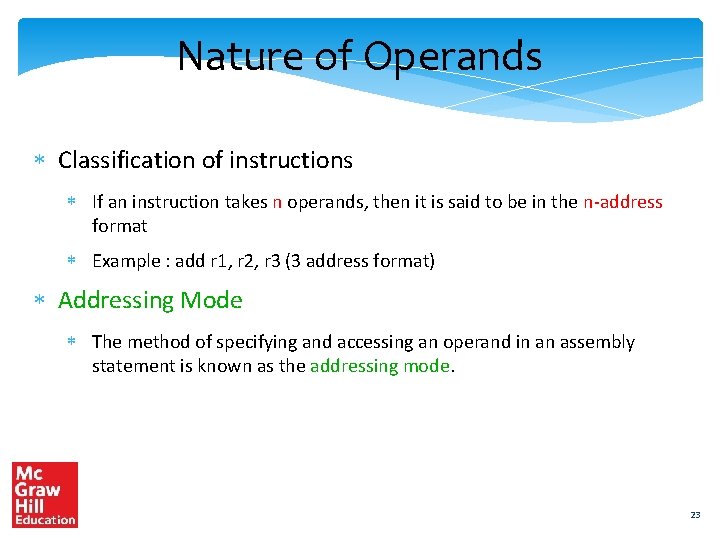
Nature of Operands Classification of instructions If an instruction takes n operands, then it is said to be in the n-address format Example : add r 1, r 2, r 3 (3 address format) Addressing Mode The method of specifying and accessing an operand in an assembly statement is known as the addressing mode. 23
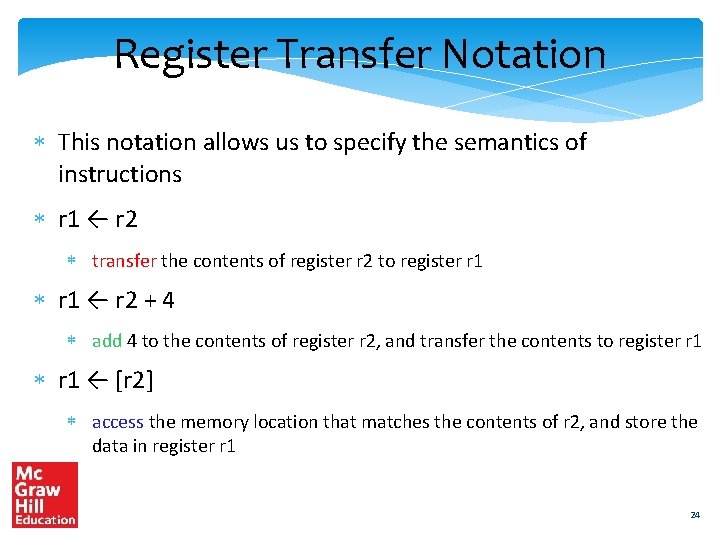
Register Transfer Notation This notation allows us to specify the semantics of instructions r 1 ← r 2 transfer the contents of register r 2 to register r 1 ← r 2 + 4 add 4 to the contents of register r 2, and transfer the contents to register r 1 ← [r 2] access the memory location that matches the contents of r 2, and store the data in register r 1 24
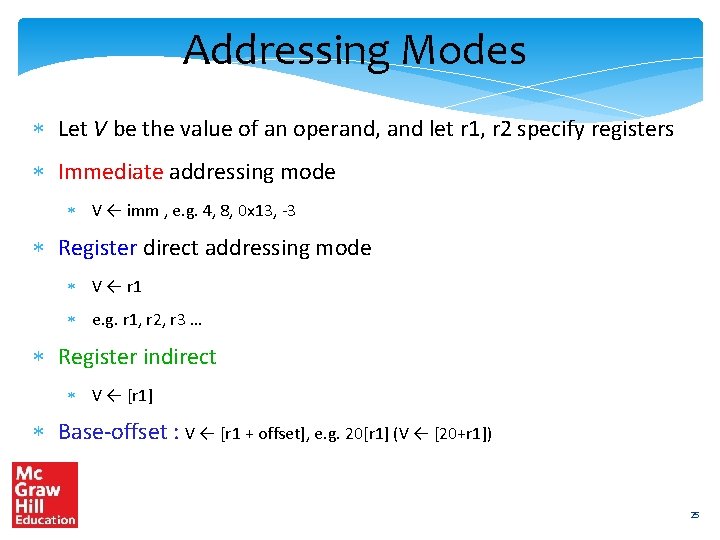
Addressing Modes Let V be the value of an operand, and let r 1, r 2 specify registers Immediate addressing mode V ← imm , e. g. 4, 8, 0 x 13, -3 Register direct addressing mode V ← r 1 e. g. r 1, r 2, r 3 … Register indirect V ← [r 1] Base-offset : V ← [r 1 + offset], e. g. 20[r 1] (V ← [20+r 1]) 25
Register Indirect Mode V ← [r 1] r 1 register file memory 26
Base-offset Addressing Mode V ← [r 1+offset] r 1 offset register file memory 27
Addressing Modes - II Base-index-offset V ← [r 1 + r 2 + offset] example: 100[r 1, r 2] (V ← [r 1 + r 2 + 100]) Memory Direct V ← [addr] example : [0 x 12 ABCD 03] PC Relative V ← [pc + offset] example: 100[pc] (V ← [pc + 100]) 28
Base-Index-Offset Addressing Mode V ← [r 1+r 2 +offset] r 1 offset r 2 register file memory 29
Outline Overview of Assembly Language Syntax Simple. Risc ISA Functions and Stacks Simple. Risc Encoding 30
Simple. Risc Simple RISC ISA Contains only 21 instructions We will design an assembly language for Simple. Risc Design a simple binary encoding, and then implement it. . . 31
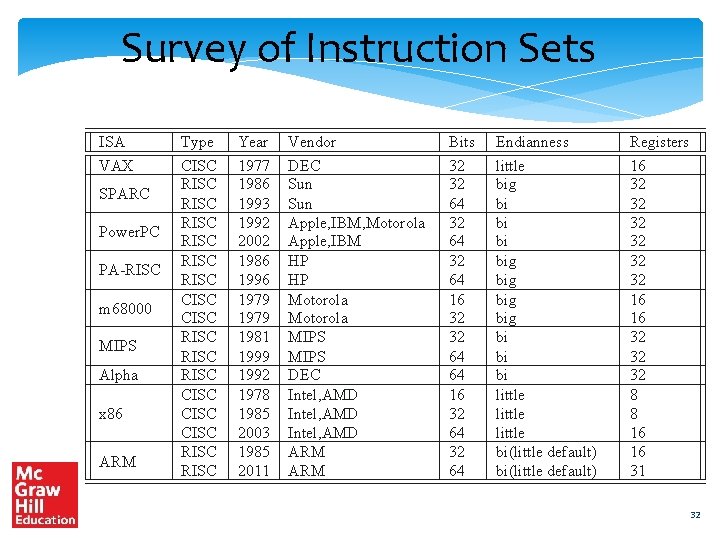
Survey of Instruction Sets ISA VAX SPARC Power. PC PA-RISC m 68000 MIPS Alpha x 86 ARM Type CISC RISC RISC CISC RISC CISC RISC Year 1977 1986 1993 1992 2002 1986 1996 1979 1981 1999 1992 1978 1985 2003 1985 2011 Vendor DEC Sun Apple, IBM, Motorola Apple, IBM HP HP Motorola MIPS DEC Intel, AMD ARM Bits 32 32 64 16 32 32 64 64 16 32 64 Endianness little big big bi bi bi little bi(little default) Registers 16 32 32 32 16 16 32 32 32 8 8 16 16 31 32
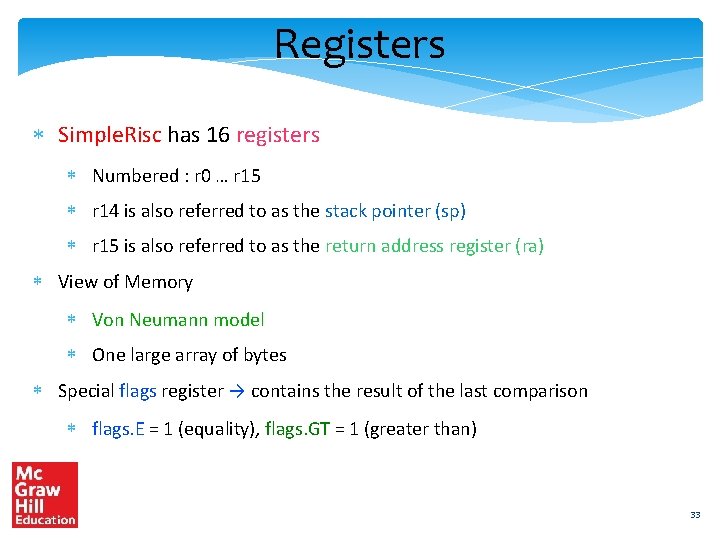
Registers Simple. Risc has 16 registers Numbered : r 0 … r 15 r 14 is also referred to as the stack pointer (sp) r 15 is also referred to as the return address register (ra) View of Memory Von Neumann model One large array of bytes Special flags register → contains the result of the last comparison flags. E = 1 (equality), flags. GT = 1 (greater than) 33
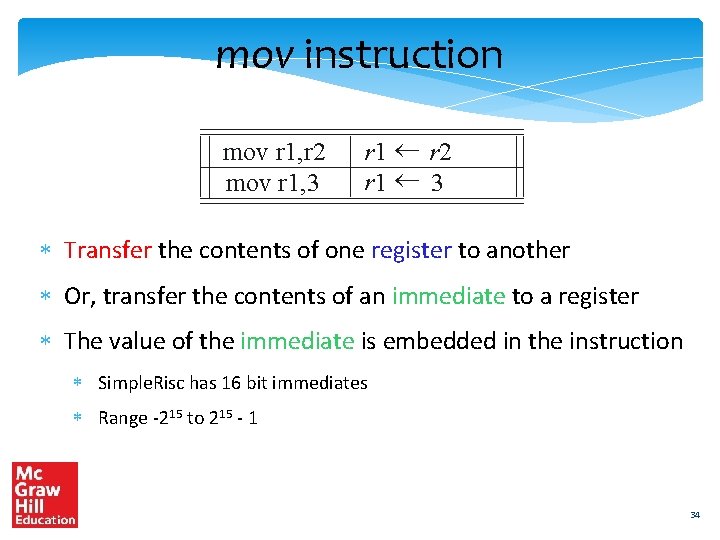
mov instruction mov r 1, r 2 mov r 1, 3 r 1 r 2 r 1 3 Transfer the contents of one register to another Or, transfer the contents of an immediate to a register The value of the immediate is embedded in the instruction Simple. Risc has 16 bit immediates Range -215 to 215 - 1 34
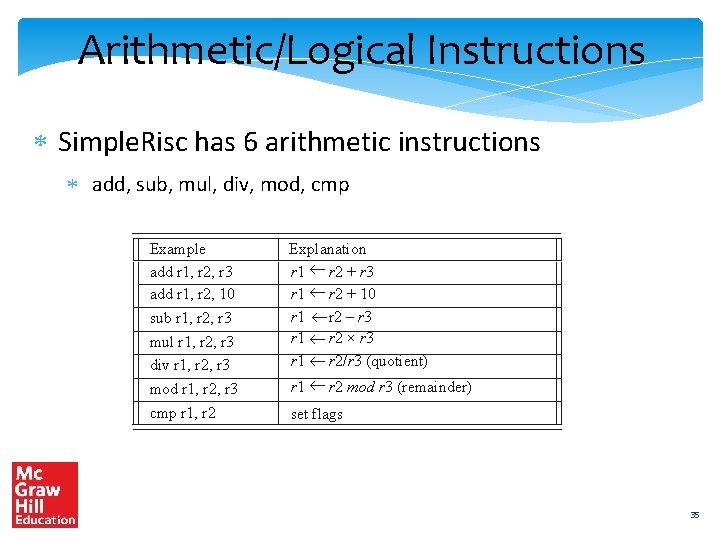
Arithmetic/Logical Instructions Simple. Risc has 6 arithmetic instructions add, sub, mul, div, mod, cmp Example add r 1, r 2, r 3 add r 1, r 2, 10 sub r 1, r 2, r 3 mul r 1, r 2, r 3 div r 1, r 2, r 3 mod r 1, r 2, r 3 cmp r 1, r 2 Explanation r 1 r 2 + r 3 r 1 r 2 + 10 r 1 r 2 – r 3 r 1 r 2 × r 3 r 1 r 2/r 3 (quotient) r 1 r 2 mod r 3 (remainder) set flags 35
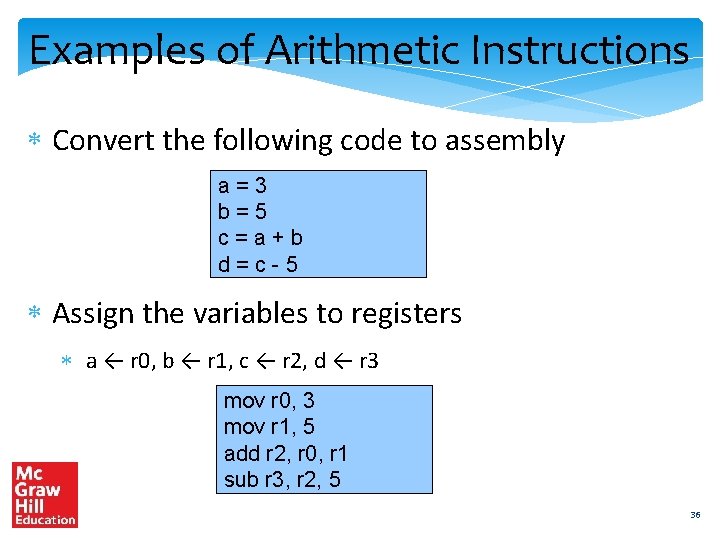
Examples of Arithmetic Instructions Convert the following code to assembly a=3 b=5 c=a+b d=c-5 Assign the variables to registers a ← r 0, b ← r 1, c ← r 2, d ← r 3 mov r 0, 3 mov r 1, 5 add r 2, r 0, r 1 sub r 3, r 2, 5 36
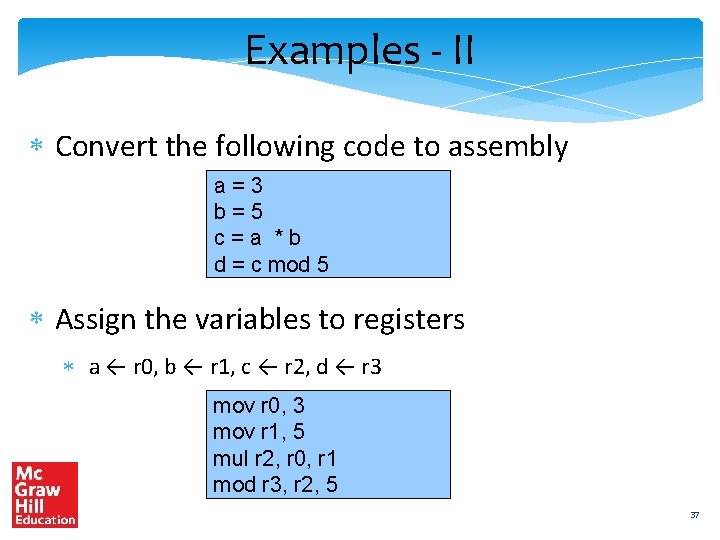
Examples - II Convert the following code to assembly a=3 b=5 c=a *b d = c mod 5 Assign the variables to registers a ← r 0, b ← r 1, c ← r 2, d ← r 3 mov r 0, 3 mov r 1, 5 mul r 2, r 0, r 1 mod r 3, r 2, 5 37
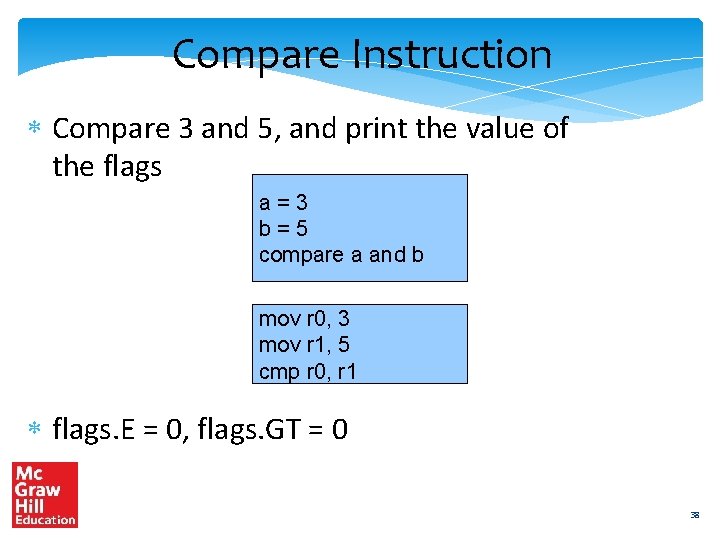
Compare Instruction Compare 3 and 5, and print the value of the flags a=3 b=5 compare a and b mov r 0, 3 mov r 1, 5 cmp r 0, r 1 flags. E = 0, flags. GT = 0 38
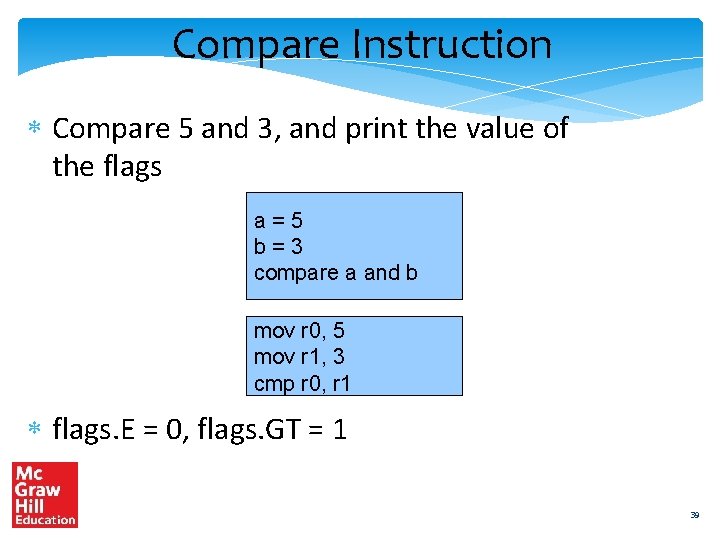
Compare Instruction Compare 5 and 3, and print the value of the flags a=5 b=3 compare a and b mov r 0, 5 mov r 1, 3 cmp r 0, r 1 flags. E = 0, flags. GT = 1 39
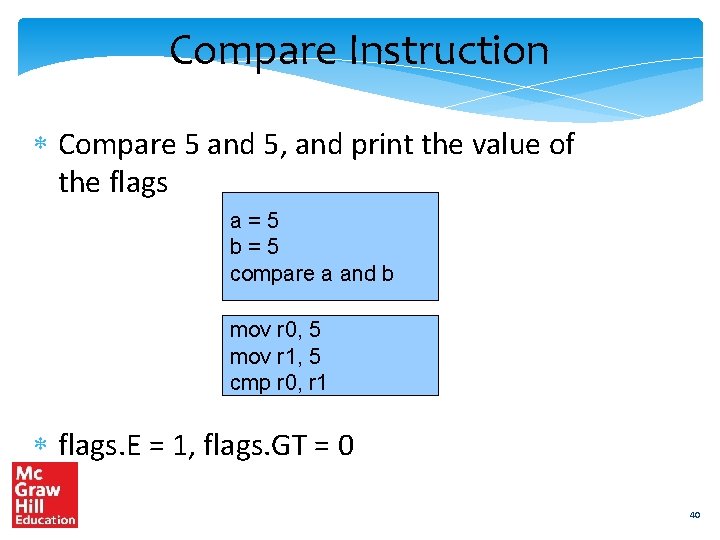
Compare Instruction Compare 5 and 5, and print the value of the flags a=5 b=5 compare a and b mov r 0, 5 mov r 1, 5 cmp r 0, r 1 flags. E = 1, flags. GT = 0 40
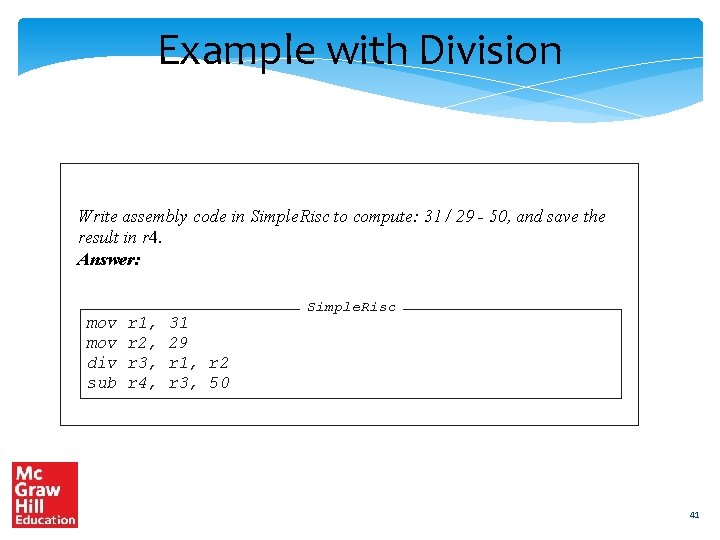
Example with Division Write assembly code in Simple. Risc to compute: 31 / 29 - 50, and save the result in r 4. Answer: mov div sub r 1, r 2, r 3, r 4, 31 29 r 1, r 2 r 3, 50 Simple. Risc 41
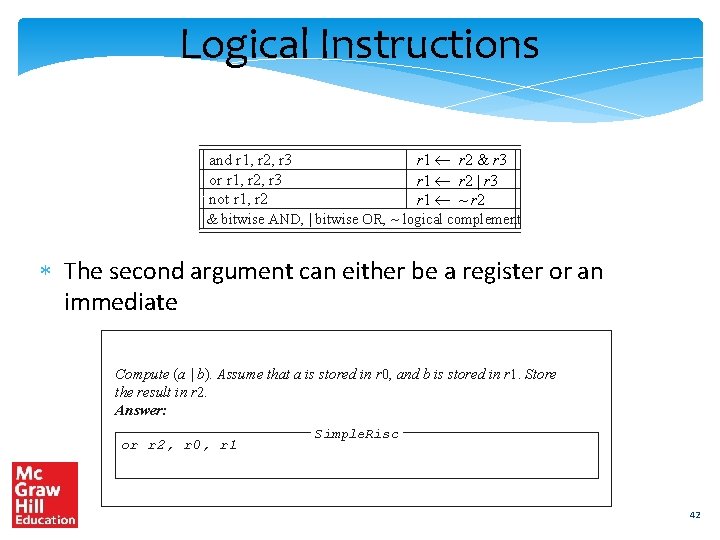
Logical Instructions r 1 r 2 & r 3 r 1 r 2 | r 3 r 1 ~ r 2 and r 1, r 2, r 3 or r 1, r 2, r 3 not r 1, r 2 & bitwise AND, | bitwise OR, ~ logical complement The second argument can either be a register or an immediate Compute (a | b). Assume that a is stored in r 0, and b is stored in r 1. Store the result in r 2. Answer: or r 2, r 0, r 1 Simple. Risc 42
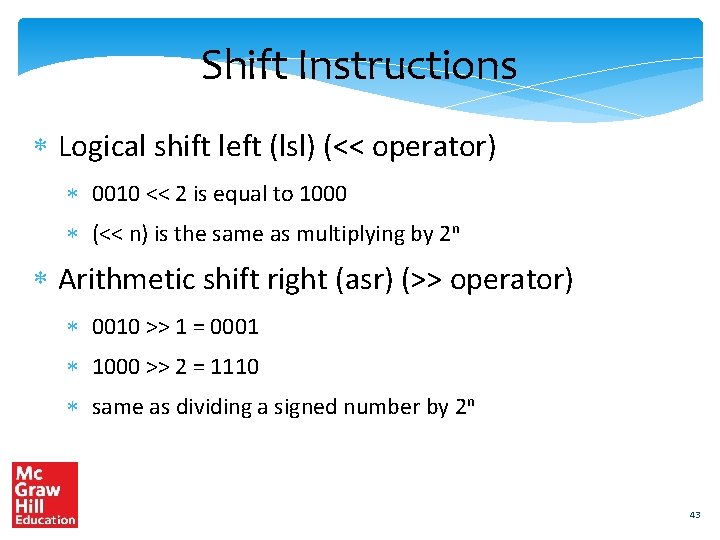
Shift Instructions Logical shift left (lsl) (<< operator) 0010 << 2 is equal to 1000 (<< n) is the same as multiplying by 2 n Arithmetic shift right (asr) (>> operator) 0010 >> 1 = 0001 1000 >> 2 = 1110 same as dividing a signed number by 2 n 43
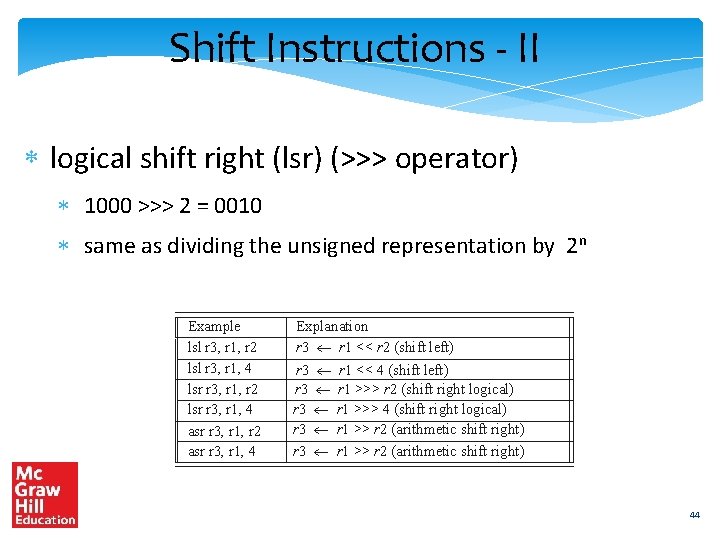
Shift Instructions - II logical shift right (lsr) (>>> operator) 1000 >>> 2 = 0010 same as dividing the unsigned representation by 2 n Example lsl r 3, r 1, r 2 lsl r 3, r 1, 4 lsr r 3, r 1, r 2 lsr r 3, r 1, 4 asr r 3, r 1, r 2 asr r 3, r 1, 4 Explanation r 3 r 1 << r 2 (shift left) r 3 r 3 r 1 << 4 (shift left) r 1 >>> r 2 (shift right logical) r 1 >>> 4 (shift right logical) r 1 >> r 2 (arithmetic shift right) 44
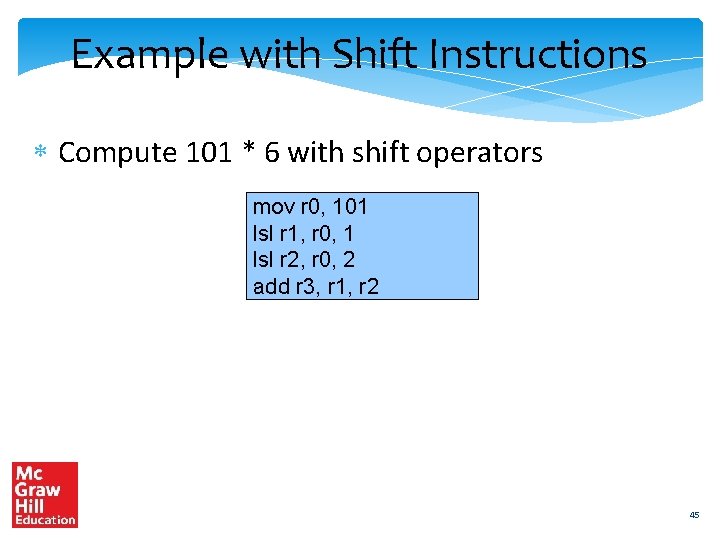
Example with Shift Instructions Compute 101 * 6 with shift operators mov r 0, 101 lsl r 1, r 0, 1 lsl r 2, r 0, 2 add r 3, r 1, r 2 45
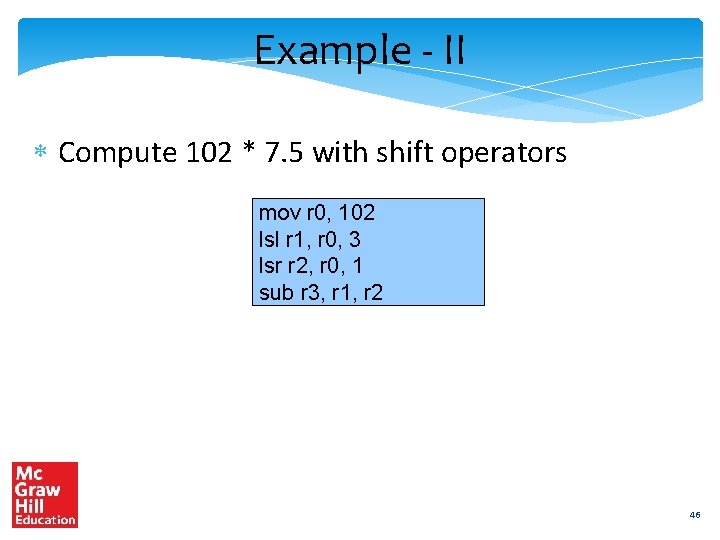
Example - II Compute 102 * 7. 5 with shift operators mov r 0, 102 lsl r 1, r 0, 3 lsr r 2, r 0, 1 sub r 3, r 1, r 2 46
Load-store instructions ld r 1, 10[r 2] st r 1, 10[r 2] r 1 [r 2 +10] [r 2+10] r 1 2 address format, base-offset addressing Fetch the contents of r 2, add the offset (10), and then perform the memory access 47
Load-Store ld r 1, 10[r 2] register file r 1 r 2 st r 1, 10[r 2] memory 10 register file r 1 r 2 (a) memory 10 (b) 48
Example – Load/Store Translate : int arr[10]; arr[3] = 5; arr[4] = 8; arr[5] = arr[4] + arr[3]; /* assume base of array saved in r 0 */ mov r 1, 5 st r 1, 12[r 0] mov r 2, 8 st r 2, 16[r 0] add r 3, r 1, r 2 st r 3, 20[r 0] 49
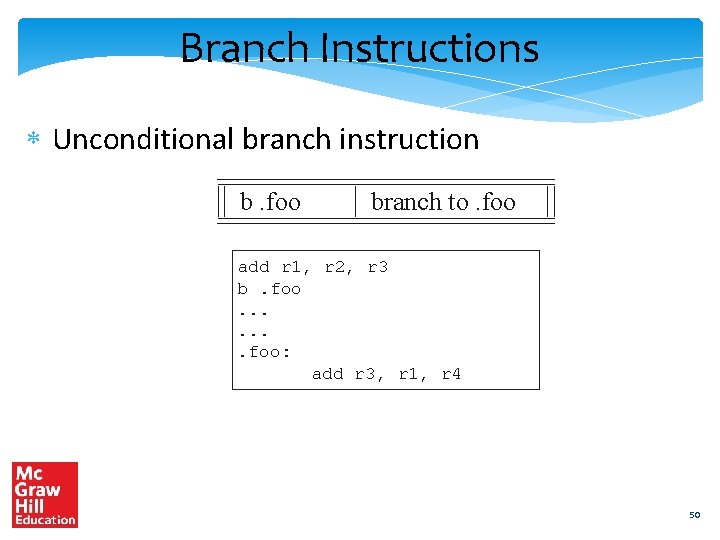
Branch Instructions Unconditional branch instruction b. foo branch to. foo add r 1, r 2, r 3 b. foo. . . . foo: add r 3, r 1, r 4 50
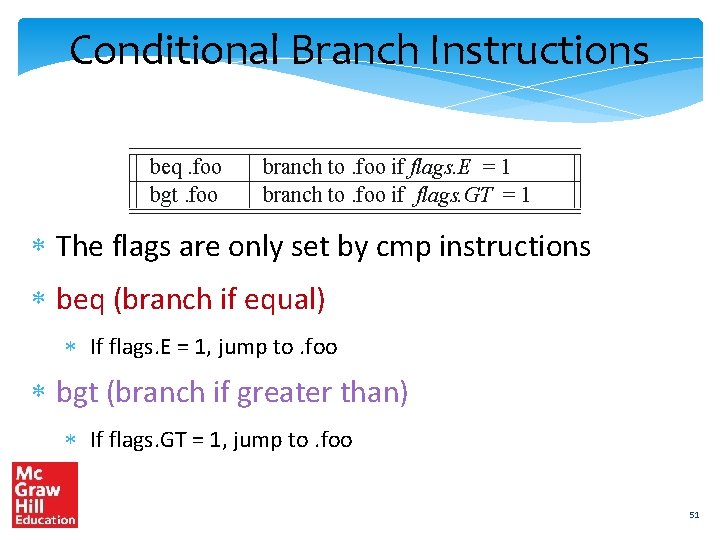
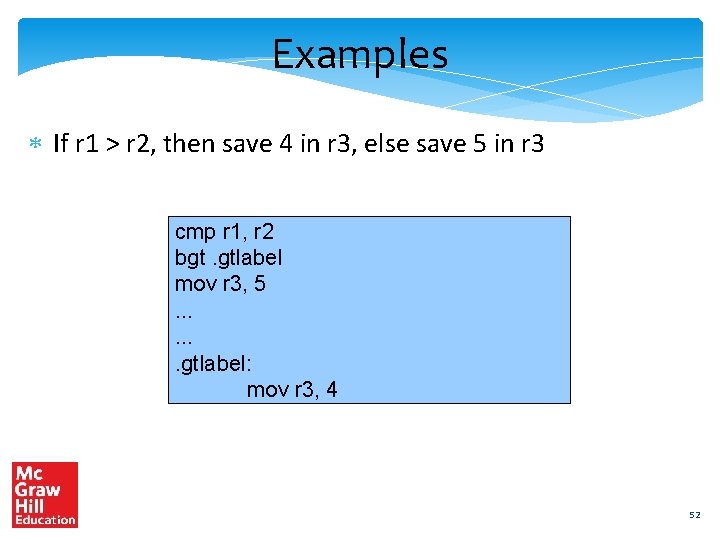
Conditional Branch Instructions beq. foo bgt. foo branch to. foo if flags. E = 1 branch to. foo if flags. GT = 1 The flags are only set by cmp instructions beq (branch if equal) If flags. E = 1, jump to. foo bgt (branch if greater than) If flags. GT = 1, jump to. foo 51
Examples If r 1 > r 2, then save 4 in r 3, else save 5 in r 3 cmp r 1, r 2 bgt. gtlabel mov r 3, 5. . . . gtlabel: mov r 3, 4 52
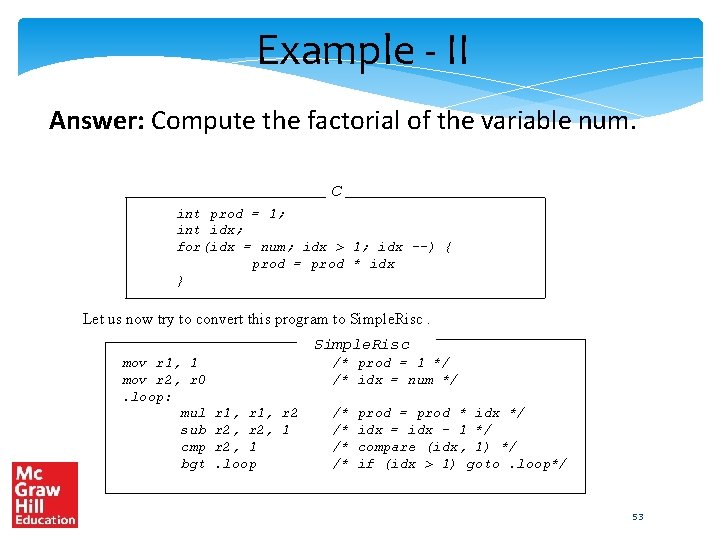
Example - II Answer: Compute the factorial of the variable num. C int prod = 1; int idx; for(idx = num; idx > 1; idx --) { prod = prod * idx } Let us now try to convert this program to Simple. Risc mov r 1, 1 mov r 2, r 0. loop: mul sub cmp bgt /* prod = 1 */ /* idx = num */ r 1, r 2, 1. loop /* /* prod = prod * idx */ idx = idx - 1 */ compare (idx, 1) */ if (idx > 1) goto. loop*/ 53
Write a Simple. Risc assembly program to find the smallest number that is a sum of two cubes in two different ways → 1729 54
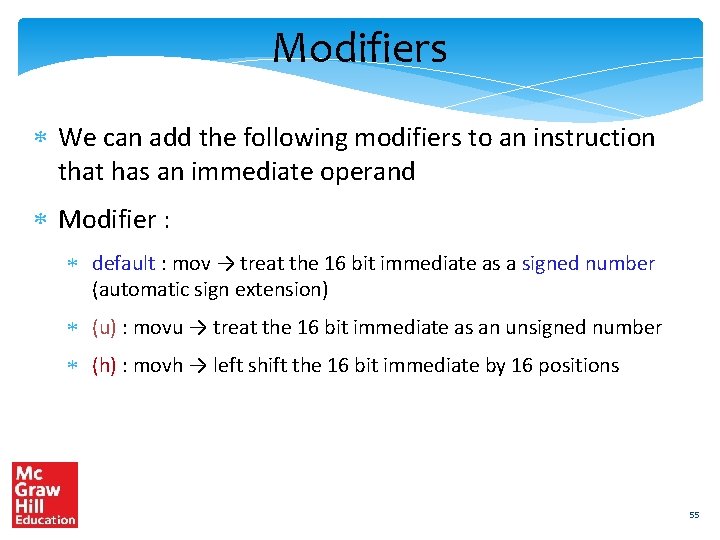
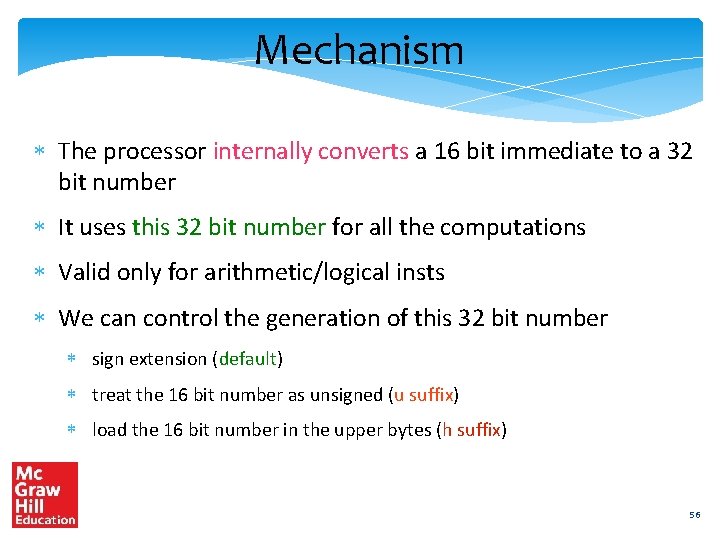
Modifiers We can add the following modifiers to an instruction that has an immediate operand Modifier : default : mov → treat the 16 bit immediate as a signed number (automatic sign extension) (u) : movu → treat the 16 bit immediate as an unsigned number (h) : movh → left shift the 16 bit immediate by 16 positions 55
Mechanism The processor internally converts a 16 bit immediate to a 32 bit number It uses this 32 bit number for all the computations Valid only for arithmetic/logical insts We can control the generation of this 32 bit number sign extension (default) treat the 16 bit number as unsigned (u suffix) load the 16 bit number in the upper bytes (h suffix) 56
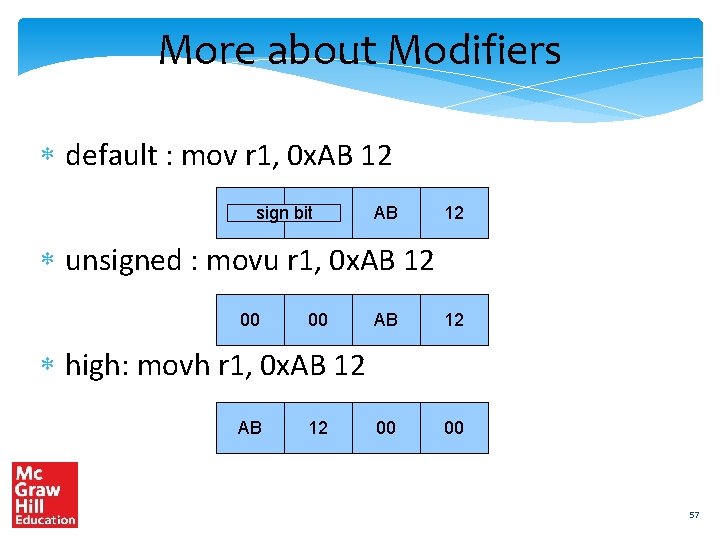
More about Modifiers default : mov r 1, 0 x. AB 12 sign bit AB 12 unsigned : movu r 1, 0 x. AB 12 00 00 high: movh r 1, 0 x. AB 12 57
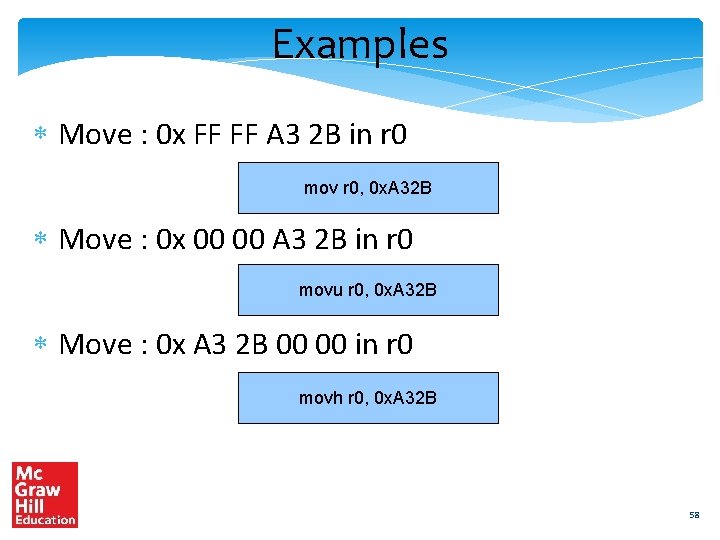
Examples Move : 0 x FF FF A 3 2 B in r 0 mov r 0, 0 x. A 32 B Move : 0 x 00 00 A 3 2 B in r 0 movu r 0, 0 x. A 32 B Move : 0 x A 3 2 B 00 00 in r 0 movh r 0, 0 x. A 32 B 58
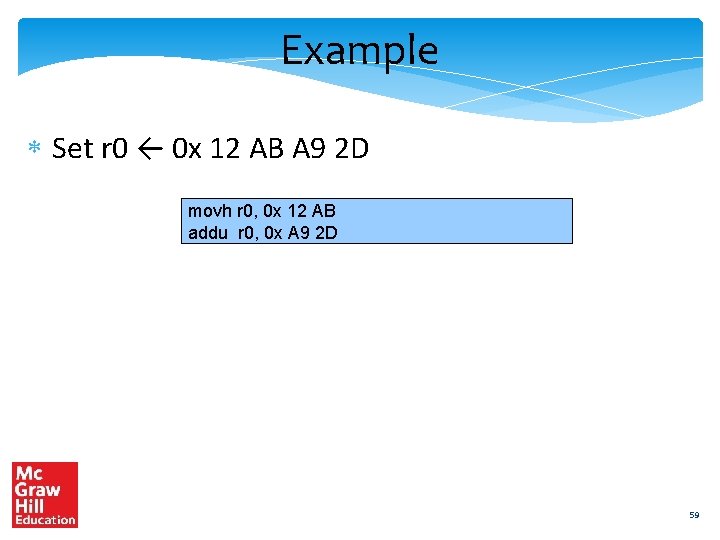
Example Set r 0 ← 0 x 12 AB A 9 2 D movh r 0, 0 x 12 AB addu r 0, 0 x A 9 2 D 59
Outline Overview of Assembly Language Syntax Simple. Risc ISA Functions and Stacks Simple. Risc Encoding 60
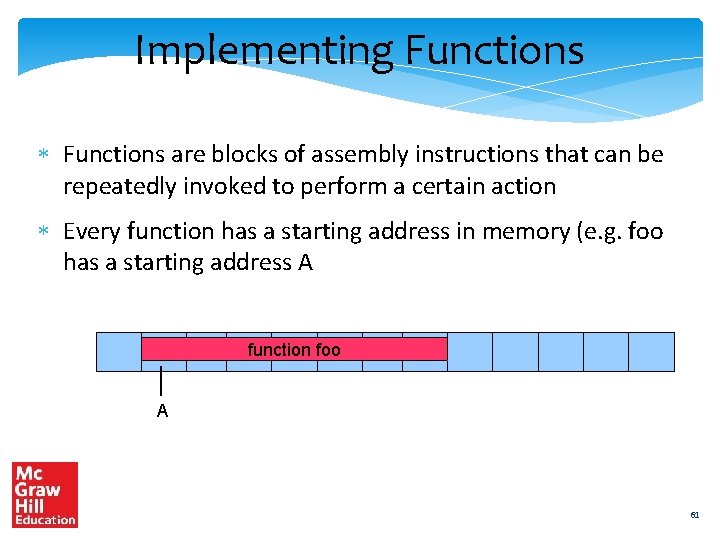
Implementing Functions are blocks of assembly instructions that can be repeatedly invoked to perform a certain action Every function has a starting address in memory (e. g. foo has a starting address A function foo A 61
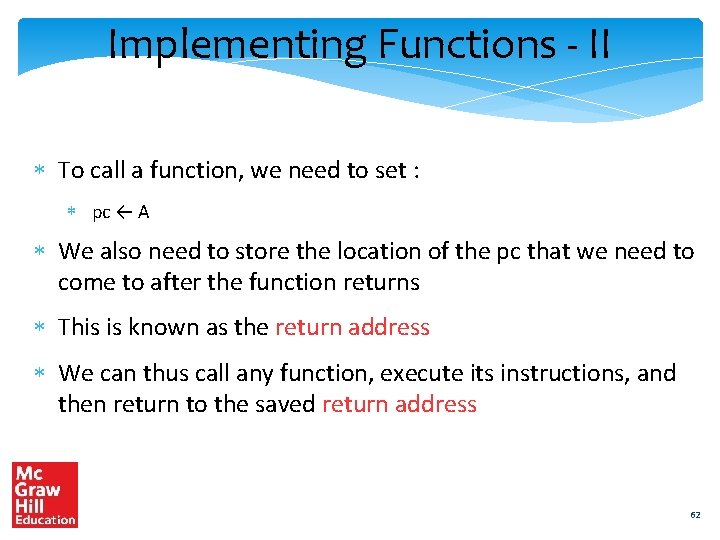
Implementing Functions - II To call a function, we need to set : pc ← A We also need to store the location of the pc that we need to come to after the function returns This is known as the return address We can thus call any function, execute its instructions, and then return to the saved return address 62
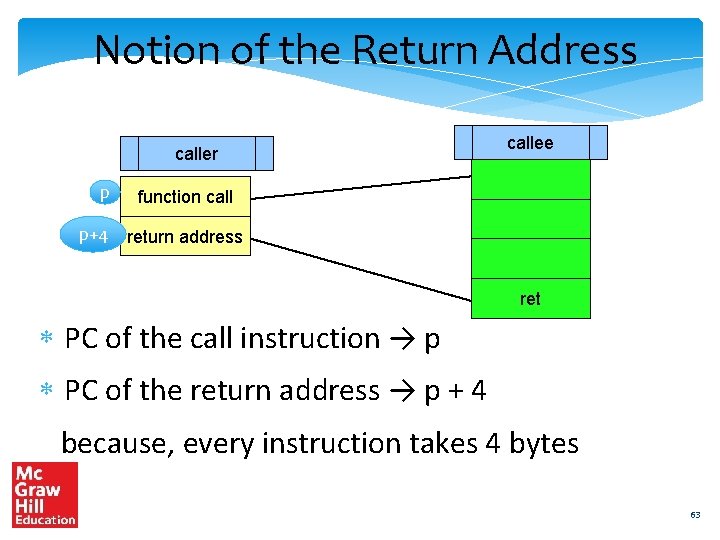
Notion of the Return Address caller p p+4 callee function call return address ret PC of the call instruction → p PC of the return address → p + 4 because, every instruction takes 4 bytes 63
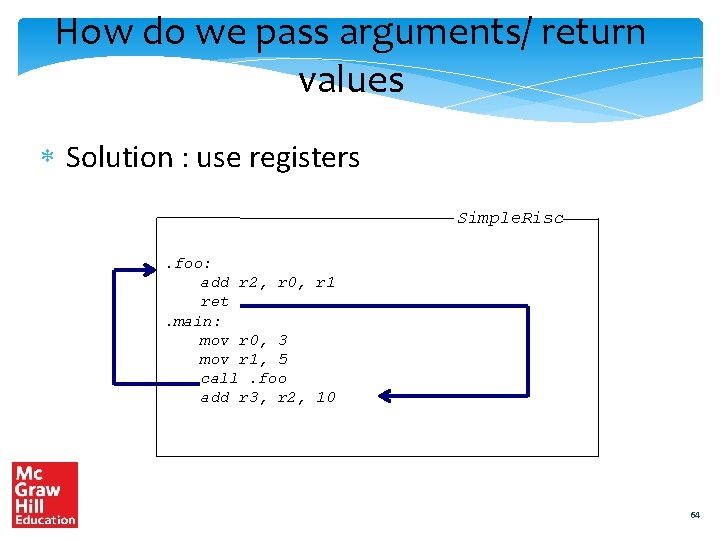
How do we pass arguments/ return values Solution : use registers Simple. Risc. foo: add r 2, r 0, r 1 ret. main: mov r 0, 3 mov r 1, 5 call. foo add r 3, r 2, 10 64
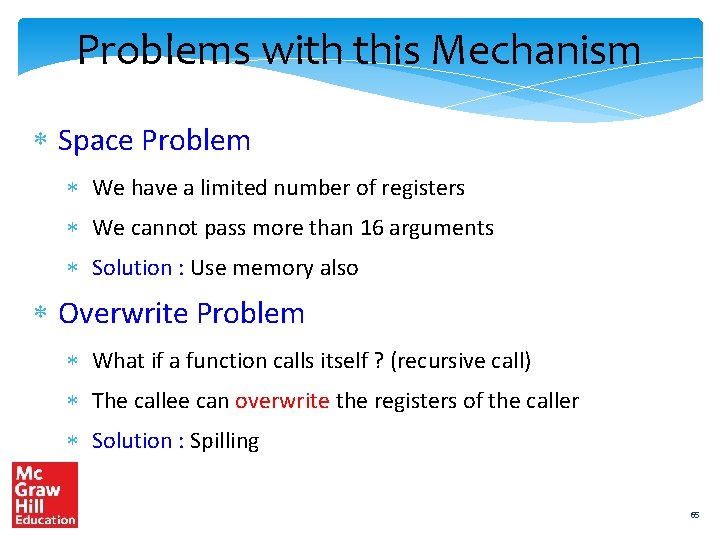
Problems with this Mechanism Space Problem We have a limited number of registers We cannot pass more than 16 arguments Solution : Use memory also Overwrite Problem What if a function calls itself ? (recursive call) The callee can overwrite the registers of the caller Solution : Spilling 65
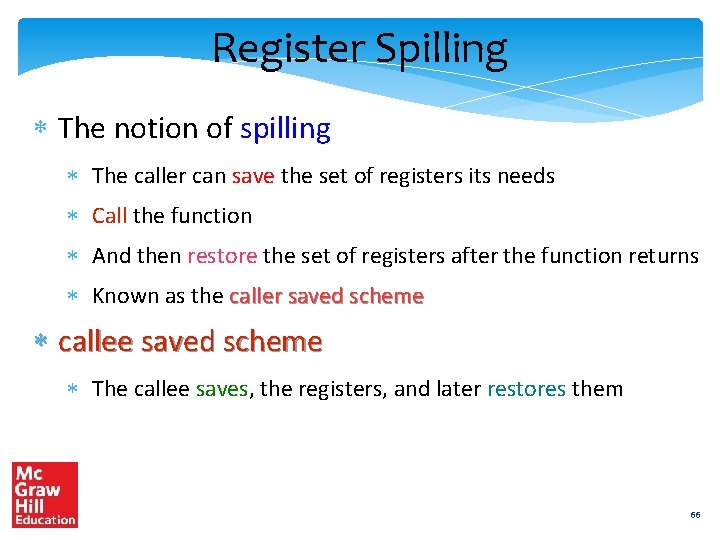
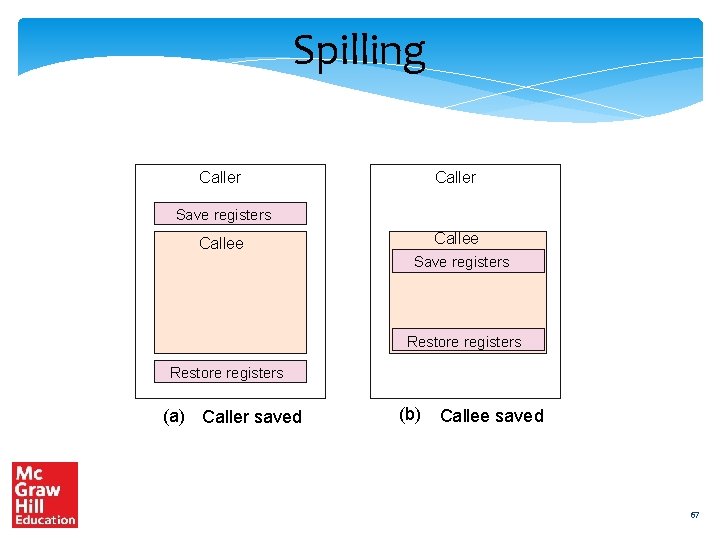
Register Spilling The notion of spilling The caller can save the set of registers its needs Call the function And then restore the set of registers after the function returns Known as the caller saved scheme callee saved scheme The callee saves, the registers, and later restores them 66
Spilling Caller Save registers Callee Save registers Restore registers (a) Caller saved (b) Callee saved 67
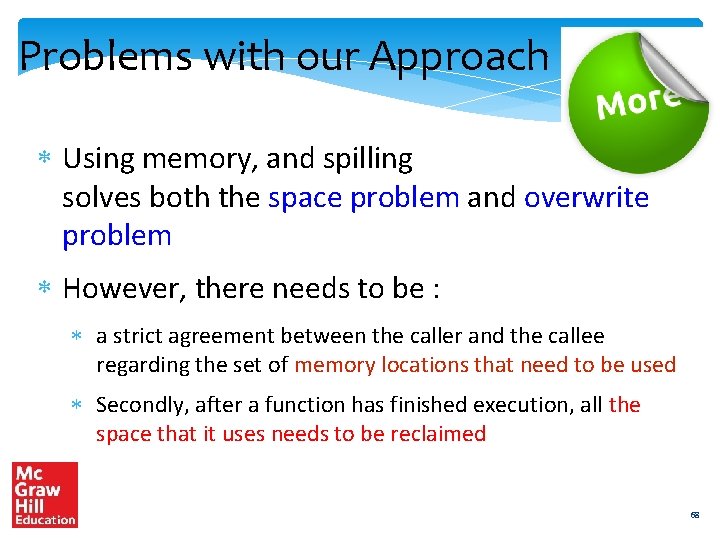
Problems with our Approach Using memory, and spilling solves both the space problem and overwrite problem However, there needs to be : a strict agreement between the caller and the callee regarding the set of memory locations that need to be used Secondly, after a function has finished execution, all the space that it uses needs to be reclaimed 68
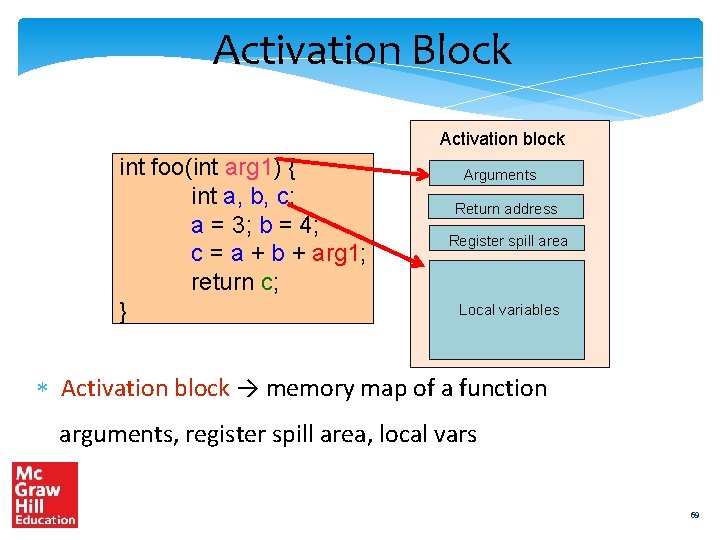
Activation Block Activation block int foo(int arg 1) { int a, b, c; a = 3; b = 4; c = a + b + arg 1; return c; } Arguments Return address Register spill area Local variables Activation block → memory map of a function arguments, register spill area, local vars 69
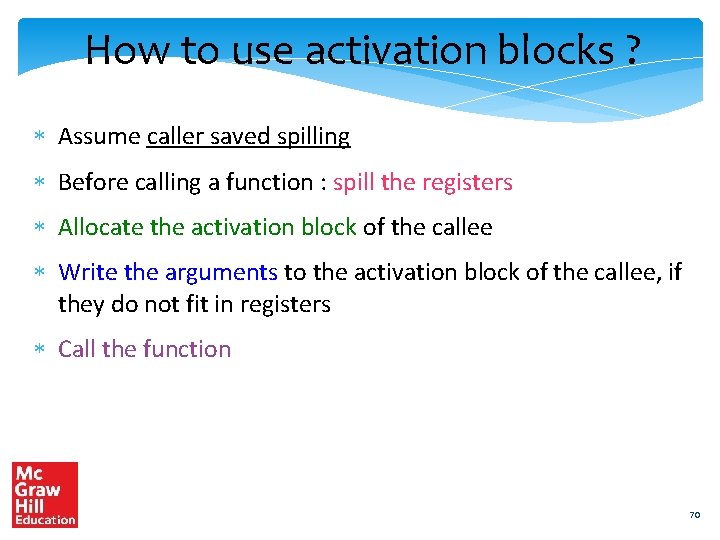
How to use activation blocks ? Assume caller saved spilling Before calling a function : spill the registers Allocate the activation block of the callee Write the arguments to the activation block of the callee, if they do not fit in registers Call the function 70
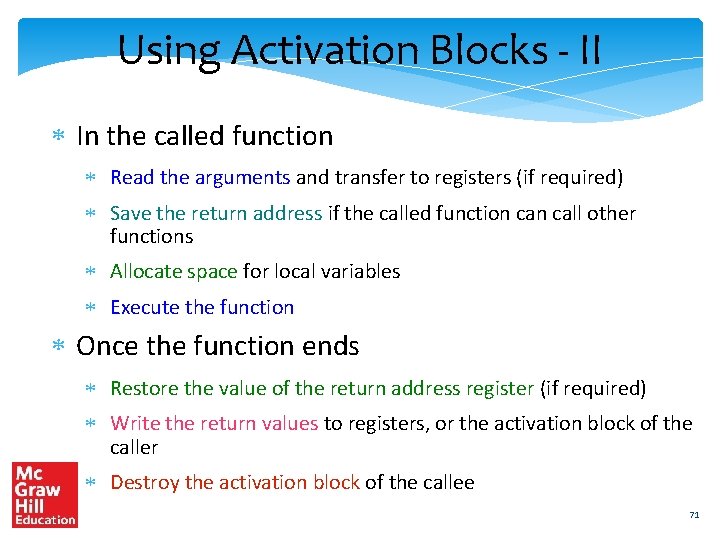
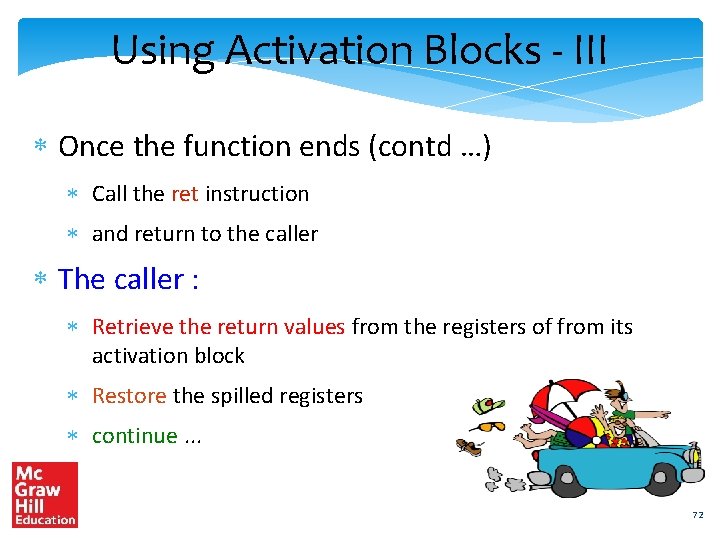
Using Activation Blocks - II In the called function Read the arguments and transfer to registers (if required) Save the return address if the called function call other functions Allocate space for local variables Execute the function Once the function ends Restore the value of the return address register (if required) Write the return values to registers, or the activation block of the caller Destroy the activation block of the callee 71
Using Activation Blocks - III Once the function ends (contd …) Call the ret instruction and return to the caller The caller : Retrieve the return values from the registers of from its activation block Restore the spilled registers continue. . . 72
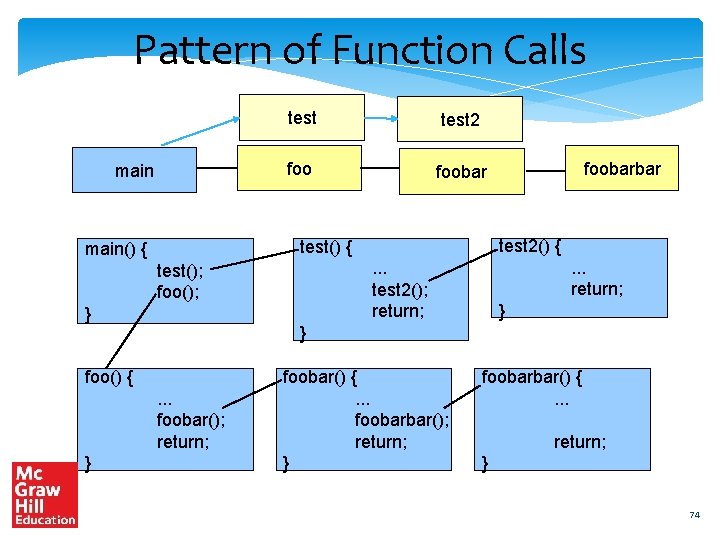
Organising Activation Blocks All the information of an executing function is stored in its activation block These blocks need to be dynamically created and destroyed – millions of times What is the correct way of managing them, and ensuring their fast creation and deletion ? Is there a pattern ? 73
Pattern of Function Calls main test 2 foobar } . . . return; . . . test 2(); return; test(); foo(); } } foo() {. . . foobar(); return; } test 2() { test() { main() { foobarbar foobar() {. . . foobarbar(); return; } foobarbar() {. . . return; } 74
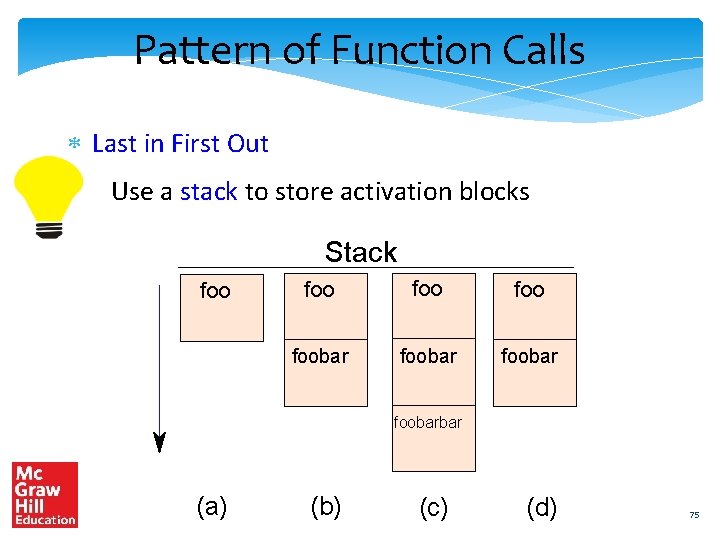
Pattern of Function Calls Last in First Out Use a stack to store activation blocks Stack foo foo foobarbar (a) (b) (c) (d) 75
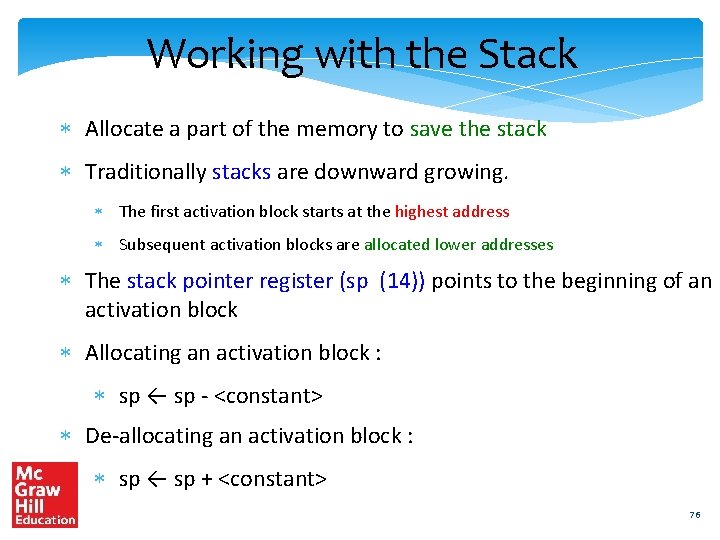
Working with the Stack Allocate a part of the memory to save the stack Traditionally stacks are downward growing. The first activation block starts at the highest address Subsequent activation blocks are allocated lower addresses The stack pointer register (sp (14)) points to the beginning of an activation block Allocating an activation block : sp ← sp - <constant> De-allocating an activation block : sp ← sp + <constant> 76
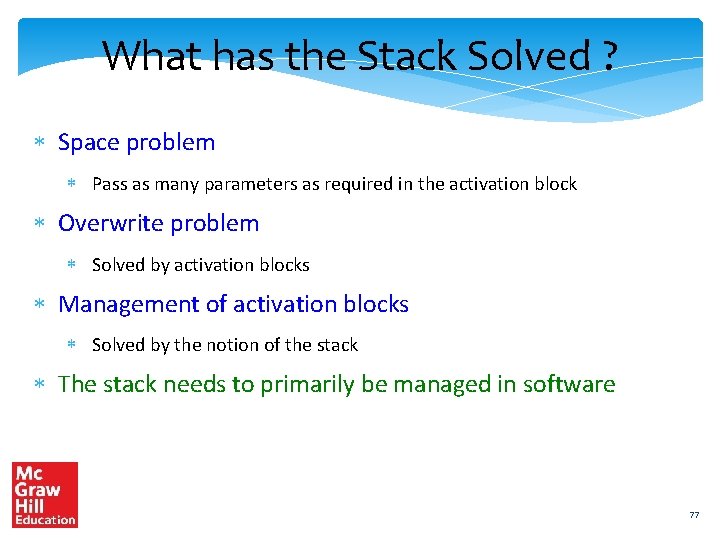
What has the Stack Solved ? Space problem Pass as many parameters as required in the activation block Overwrite problem Solved by activation blocks Management of activation blocks Solved by the notion of the stack The stack needs to primarily be managed in software 77
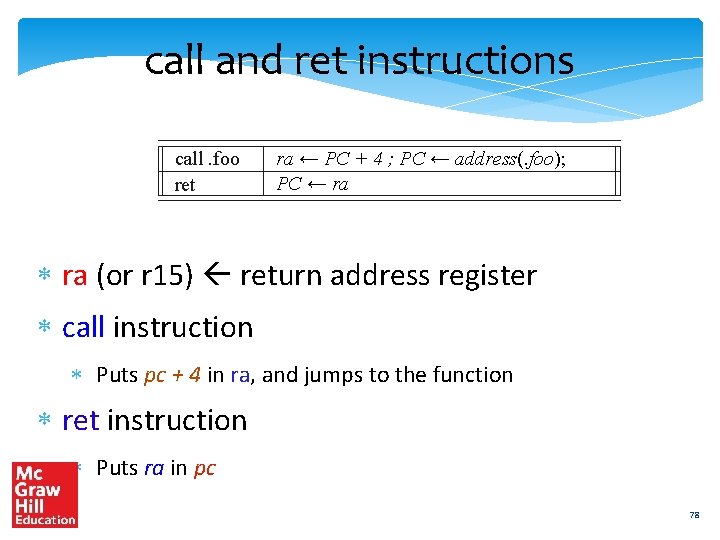
call and ret instructions call. foo ret ra ← PC + 4 ; PC ← address(. foo); PC ← ra (or r 15) return address register call instruction Puts pc + 4 in ra, and jumps to the function ret instruction Puts ra in pc 78
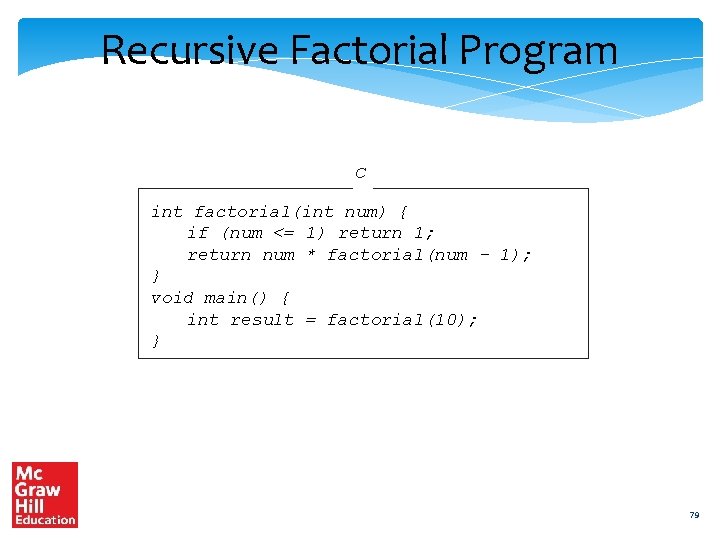
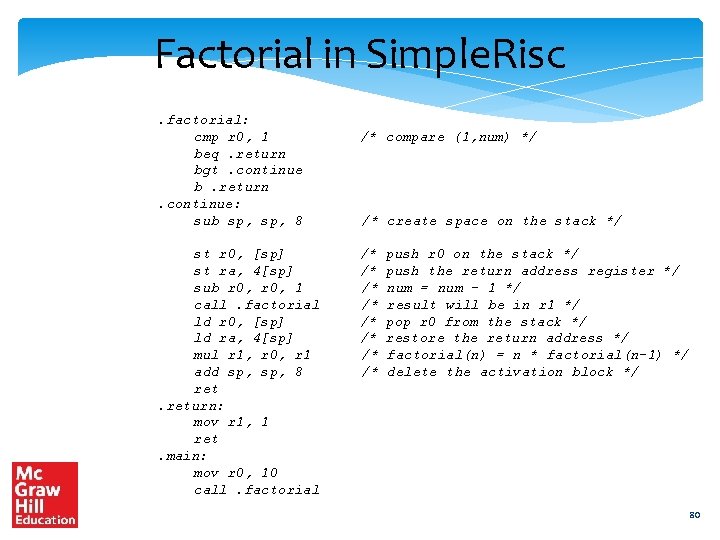
Recursive Factorial Program C int factorial(int num) { if (num <= 1) return 1; return num * factorial(num - 1); } void main() { int result = factorial(10); } 79
Factorial in Simple. Risc. factorial: cmp r 0, 1 beq. return bgt. continue b. return. continue: sub sp, 8 st r 0, [sp] st ra, 4[sp] sub r 0, 1 call. factorial ld r 0, [sp] ld ra, 4[sp] mul r 1, r 0, r 1 add sp, 8 return: mov r 1, 1 ret. main: mov r 0, 10 call. factorial /* compare (1, num) */ /* create space on the stack */ /* /* push r 0 on the stack */ push the return address register */ num = num - 1 */ result will be in r 1 */ pop r 0 from the stack */ restore the return address */ factorial(n) = n * factorial(n-1) */ delete the activation block */ 80
nop instruction nop → does nothing Example : nop 81
Outline Overview of Assembly Language Syntax Simple. Risc ISA Functions and Stacks Simple. Risc Encoding 82
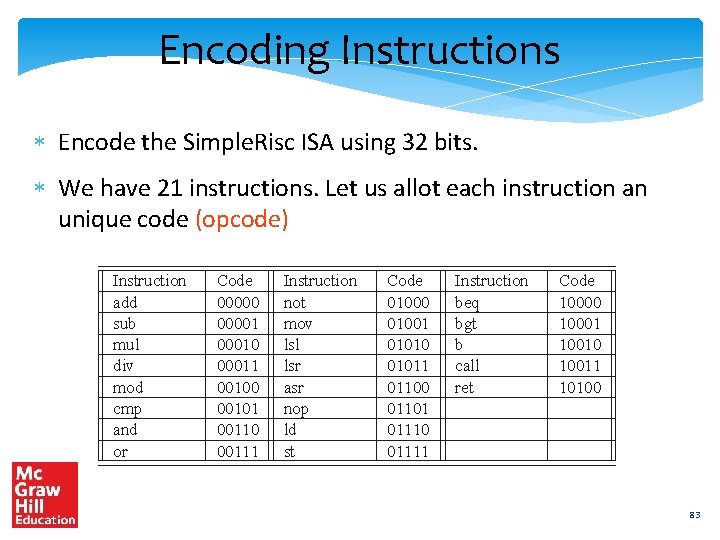
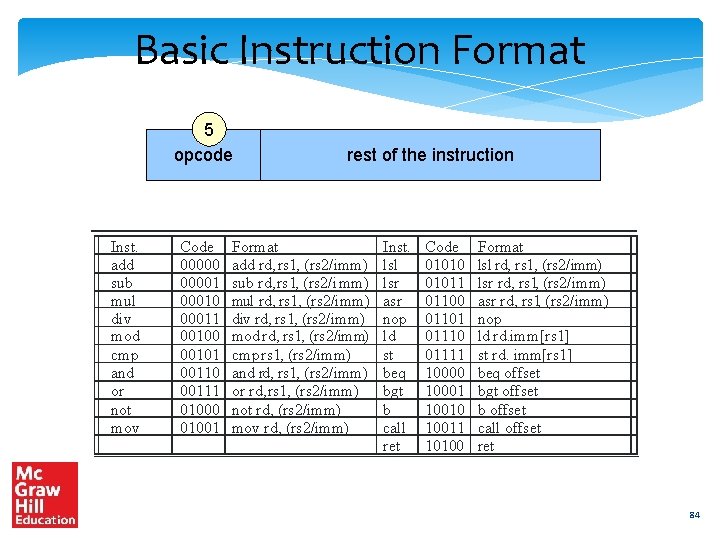
Encoding Instructions Encode the Simple. Risc ISA using 32 bits. We have 21 instructions. Let us allot each instruction an unique code (opcode) Instruction add sub mul div mod cmp and or Code 000001 00010 00011 00100 00101 00110 00111 Instruction not mov lsl lsr asr nop ld st Code 01000 01001 01010 01011 01100 01101 01110 01111 Instruction beq bgt b call ret Code 10000 10001 10010 10011 10100 83
Basic Instruction Format 5 opcode Inst. add sub mul div mod cmp and or not mov Code 000001 00010 00011 00100 00101 00110 00111 01000 01001 rest of the instruction Format add rd, rs 1, (rs 2/imm) sub rd, rs 1, (rs 2/i mm) mul rd, rs 1, (rs 2/imm) div rd, rs 1, (rs 2/imm) mod rd, rs 1, (rs 2/imm) cmp rs 1, (rs 2/imm) and rd, rs 1, (rs 2/imm) or rd, rs 1, (rs 2/imm) not rd, (rs 2/imm) mov rd, (rs 2/imm) Inst. lsl lsr asr nop ld st beq bgt b call ret Code 01010 01011 01100 01101 01110 01111 10000 10001 10010 10011 10100 Format lsl rd, rs 1, (rs 2/imm) lsr rd, rs 1, (rs 2/imm) asr rd, rs 1, (rs 2/imm) nop ld rd. imm[rs 1] st rd. imm[rs 1] beq offset bgt offset b offset call offset ret 84
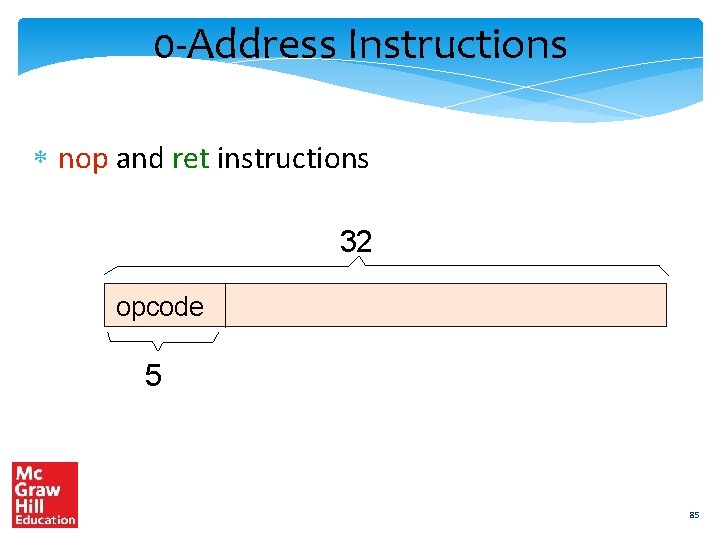
0 -Address Instructions nop and ret instructions 32 opcode 5 85
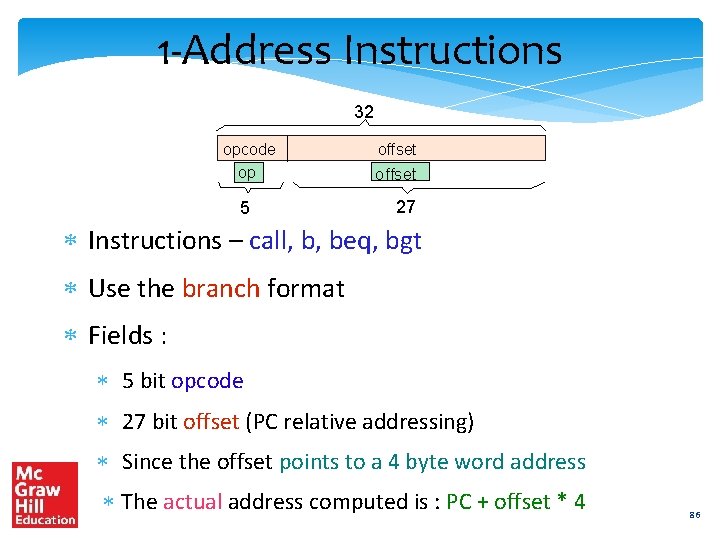
1 -Address Instructions 32 opcode offset op offset 5 27 Instructions – call, b, beq, bgt Use the branch format Fields : 5 bit opcode 27 bit offset (PC relative addressing) Since the offset points to a 4 byte word address The actual address computed is : PC + offset * 4 86
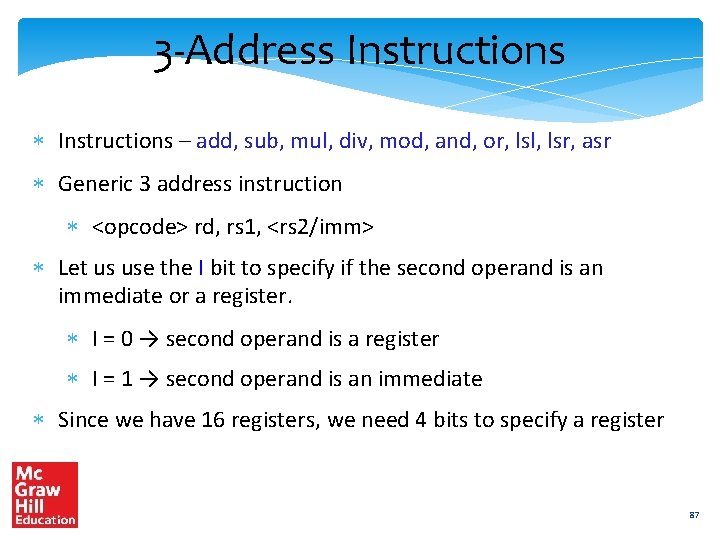
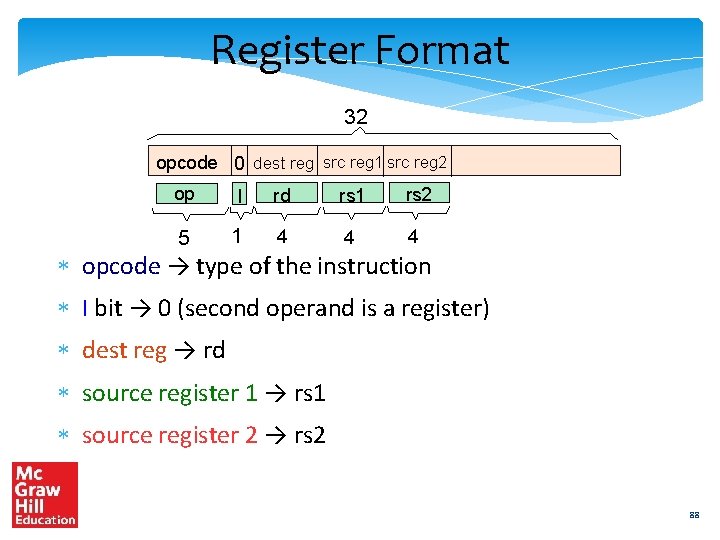
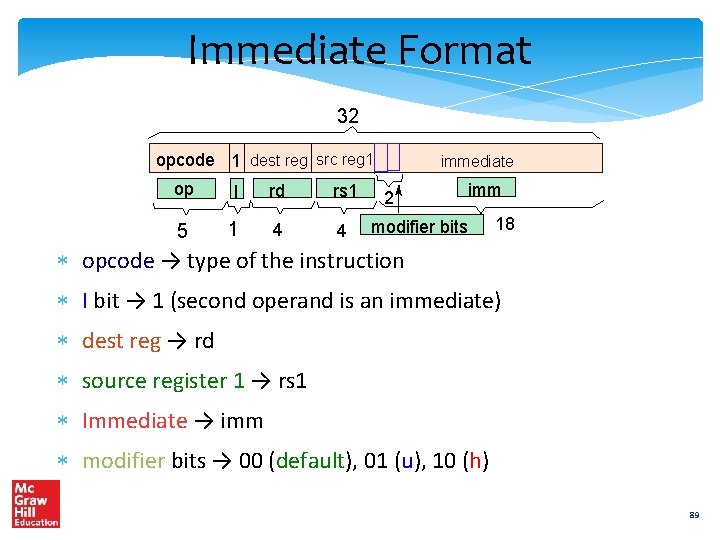
3 -Address Instructions – add, sub, mul, div, mod, and, or, lsl, lsr, asr Generic 3 address instruction <opcode> rd, rs 1, <rs 2/imm> Let us use the I bit to specify if the second operand is an immediate or a register. I = 0 → second operand is a register I = 1 → second operand is an immediate Since we have 16 registers, we need 4 bits to specify a register 87
Register Format 32 opcode 0 dest reg src reg 1 src reg 2 op I rd rs 1 rs 2 5 1 4 4 4 opcode → type of the instruction I bit → 0 (second operand is a register) dest reg → rd source register 1 → rs 1 source register 2 → rs 2 88
Immediate Format 32 opcode 1 dest reg src reg 1 op I rd rs 1 5 1 4 4 immediate 2 imm modifier bits 18 opcode → type of the instruction I bit → 1 (second operand is an immediate) dest reg → rd source register 1 → rs 1 Immediate → imm modifier bits → 00 (default), 01 (u), 10 (h) 89
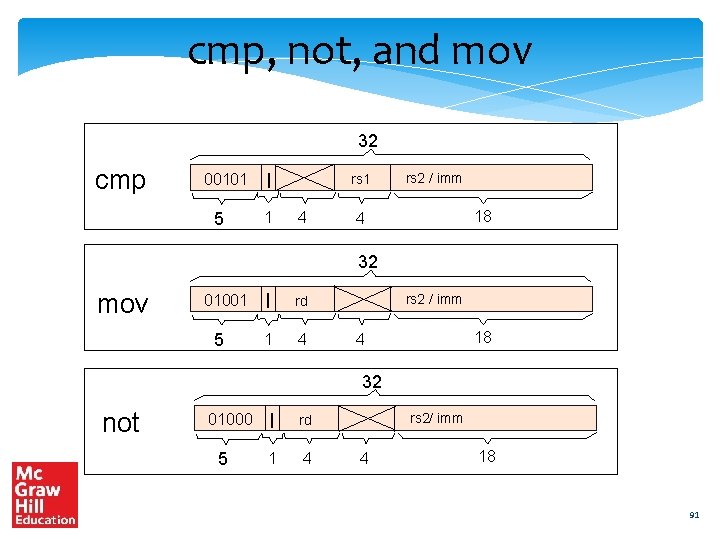
2 Address Instructions cmp, not, and mov Use the 3 address : immediate or register formats Do not use one of the fields 90
cmp, not, and mov 32 cmp 00101 5 I 1 rs 1 4 rs 2 / imm 18 4 32 mov 01001 5 I rd 1 4 rs 2 / imm 18 4 32 not 01000 5 I rd 1 4 rs 2/ imm 4 18 91
Load and Store Instructions ld rd, imm[rs 1] rs 1 → base register Use the immediate format. 32 ld rd, imm[rs 1] 01110 5 1 rd 1 4 rs 1 imm 4 18 92
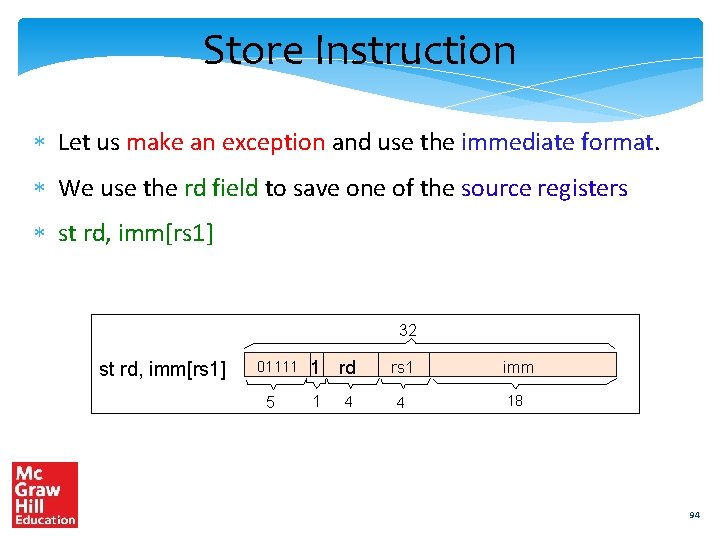
Store Instruction Strange case of the store inst. st reg 1, imm[reg 2] has two register sources, no register destination, 1 immediate Cannot fit in the immediate format, because the second operand can be either be a register OR an immediate (not both) Should we define a new format for store instructions ? Maybe not 93
Store Instruction Let us make an exception and use the immediate format. We use the rd field to save one of the source registers st rd, imm[rs 1] 32 st rd, imm[rs 1] 01111 5 1 rd 1 4 rs 1 imm 4 18 94
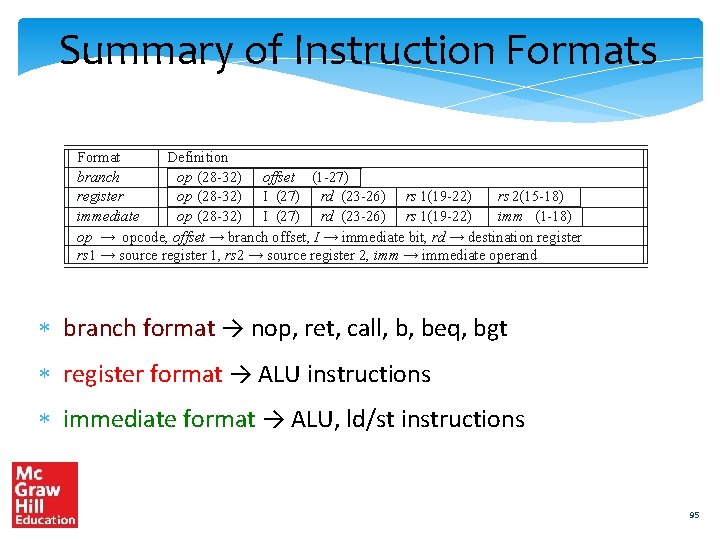
Summary of Instruction Formats Format Definition branch op (28 -32) offset (1 -27) register op (28 -32) I (27) rd (23 -26) rs 1(19 -22) rs 2(15 -18) immediate op (28 -32) I (27) rd (23 -26) rs 1(19 -22) imm (1 -18) op → opcode, offset → branch offset, I → immediate bit, rd → destination register rs 1 → source register 1, rs 2 → source register 2, imm → immediate operand branch format → nop, ret, call, b, beq, bgt register format → ALU instructions immediate format → ALU, ld/st instructions 95
THE END 96