
Power Point Feynman Diagram Tool Kit Scott Goelzer
- Slides: 10
Power Point Feynman Diagram Tool Kit Scott Goelzer CERN HST Program 2002
Contents • • • Title Contents Instructions Templates Examples You should NOT run this presentation. Use it in the Power Point editor
Before you start. . . • You should not alter this file. It is your template for other work. Now would be good • Save a copy <save as…> • Then open your new copy and use it to work. • Oddly, you will be using this file to compose diagrams, not present them.
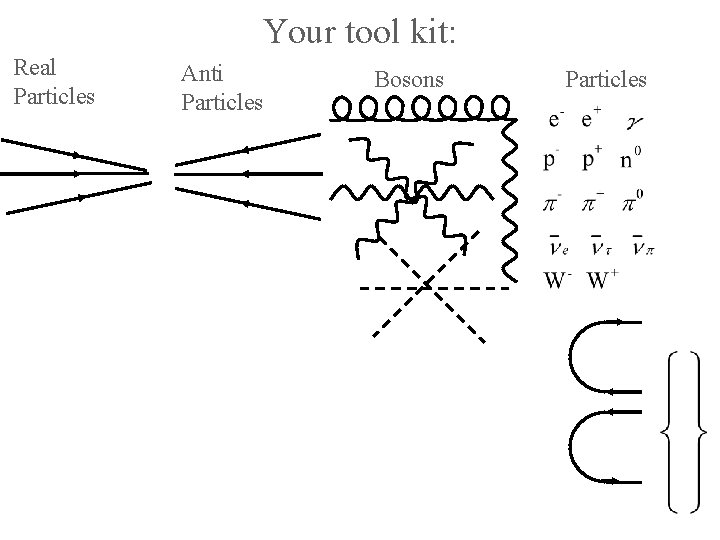
Making Diagrams • In the following slides you will find some parts of Feynman diagrams that you can rearrange to make your own. • Remember, Power Point is a drawing program not a painting program. Each element is an object layered on the screen.
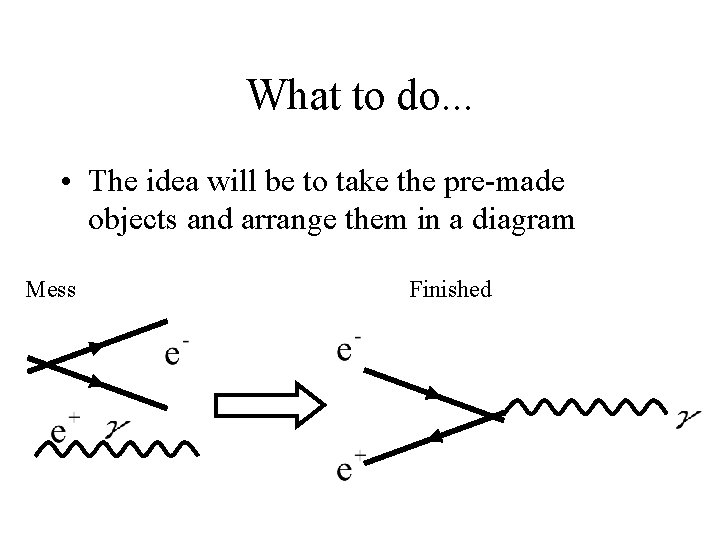
What to do. . . • The idea will be to take the pre-made objects and arrange them in a diagram Mess Finished
How to do it. . . • When you are at the tools page, select <Duplicate Slide> from the <Insert> menu • Simply grab the objects and drag them into place. • Duplicate objects with <Cmd-D>, flip objects with the <Draw Menu> • Arrow keys can move a selected object with greater precision. Alt and Control Key can increase precision.
Hints • Select two or more objects and choose <Group> from the <Drawing> menus. This will allow these objects to be treated as one. This is good when pasting into word. • Need a particle I did not provide? Use MS Equation Editor by double clicking on a previously made particle and then editing. Closing the Eqn. Editor will update P. Point.
After you finish. . . • If you do not care for the colors, double click on an object and change the color. If you select more than one object, you may change all objects simultaneously. • To save an image to disk just <Save As> a GIF file. Then you can make it a transparent GIF in a graphics file.
Your tool kit: Real Particles Anti Particles Bosons Particles
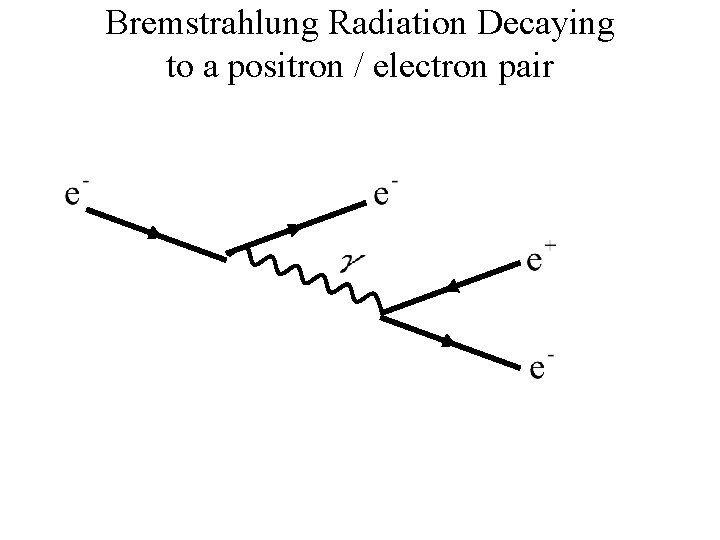
Bremstrahlung Radiation Decaying to a positron / electron pair