
Power Optimizations For Windows Platforms Pat Stemen Senior


- Slides: 36
Power Optimizations For Windows Platforms Pat Stemen Senior Program Manager Windows Platform Architecture Group Microsoft Corporation
Key Takeaways Enable system designers to optimize Windows Vista power policy for energy efficiency Provide guidance on platform design best practices for energy efficiency
Agenda Energy Efficiency Evaluating Energy Efficiency Configuring Windows Vista Power Policy Other Windows Vista Power Optimizations Platform Design Best Practices
Energy Efficiency Introduction Energy efficiency enables more than extended mobile PC battery life Regulatory compliance for desktop and server systems Increased density of server deployments Operational energy expense reduction
Improving Energy Efficiency Evaluate system power consumption Configure platform hardware and software policies Trade performance for power savings Examples Enable a short monitor blanking timeout Enable power save mode for 802. 11 Wi-Fi adapter Use energy-efficient hardware components
Evaluating Energy Efficiency Methods to measure mobile PC battery life First, choose a scenario Idle, DVD playback, Industry-standard benchmark Perform run-down tests for first-level validation Measure full-charge to empty drain duration Repeat several times and average Instrumented systems can be used to validate finegrained changes E. g. , changes in video device / driver power management Desktop and server power consumption Average AC power consumption
Evaluating Energy Efficiency Indirect indicators of system power consumption Effective use of deep processor idle states Observe with Perfmon, Pwr. Test, or processor vendor utilities Effective use of processor performance states System should be in lowest performance state when processor utilization is low for maximum power savings Observe with Perfmon or Pwr. Test Default platform timer tick interval Platform timer should be at the default 15. 6 ms value Use event logging to see when applications change the timer frequency
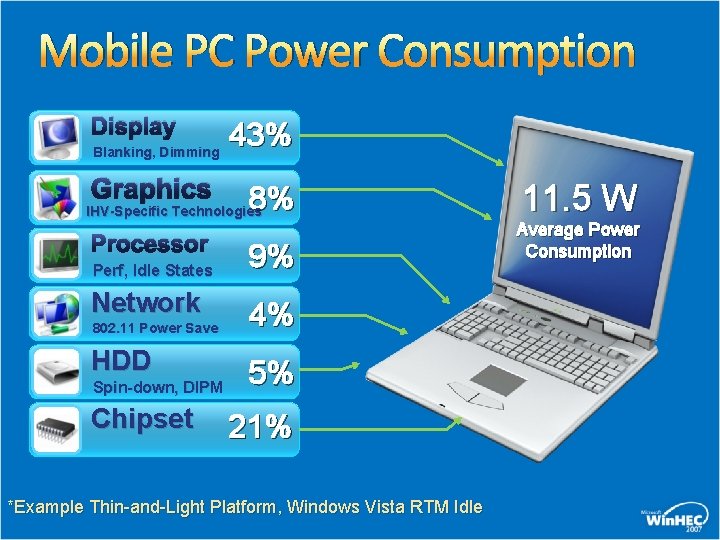
Mobile PC Power Consumption Display Blanking, Dimming Graphics 43% 8% IHV-Specific Technologies Processor Perf, Idle States Network 802. 11 Power Save HDD Spin-down, DIPM Chipset 9% 4% 5% 21% *Example Thin-and-Light Platform, Windows Vista RTM Idle 11. 5 W Average Power Consumption
Windows Power Policy Windows Vista power policy defaults are generalized for multiple platforms and scenarios “Balanced” power plan by default Adaptive behaviors enabled where possible Timeouts are conservative System manufacturers may configure policy for aggressive power savings Help improve mobile PC battery life Meet regulatory compliance guidelines
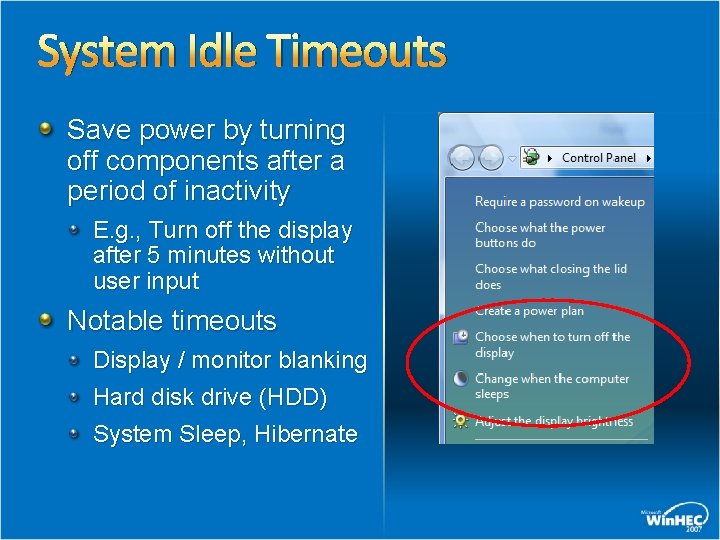
System Idle Timeouts Save power by turning off components after a period of inactivity E. g. , Turn off the display after 5 minutes without user input Notable timeouts Display / monitor blanking Hard disk drive (HDD) System Sleep, Hibernate
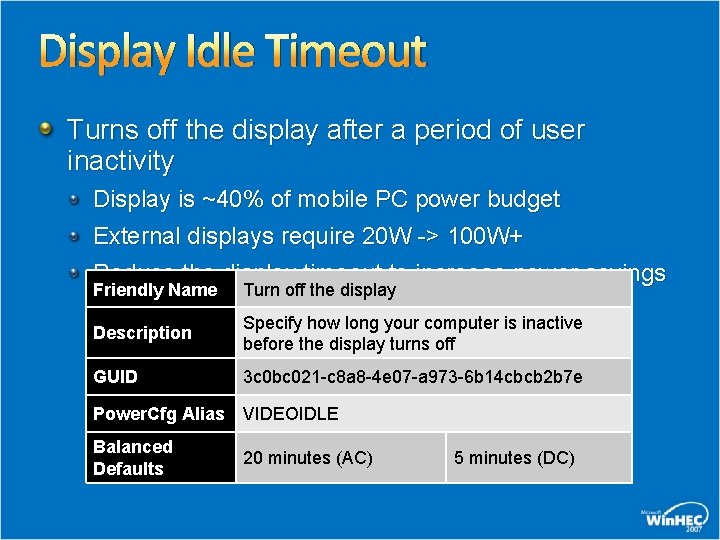
Display Idle Timeout Turns off the display after a period of user inactivity Display is ~40% of mobile PC power budget External displays require 20 W -> 100 W+ Reduce the display timeout to increase power savings Friendly Name Turn off the display Description Specify how long your computer is inactive before the display turns off GUID 3 c 0 bc 021 -c 8 a 8 -4 e 07 -a 973 -6 b 14 cbcb 2 b 7 e Power. Cfg Alias VIDEOIDLE Balanced Defaults 20 minutes (AC) 5 minutes (DC)
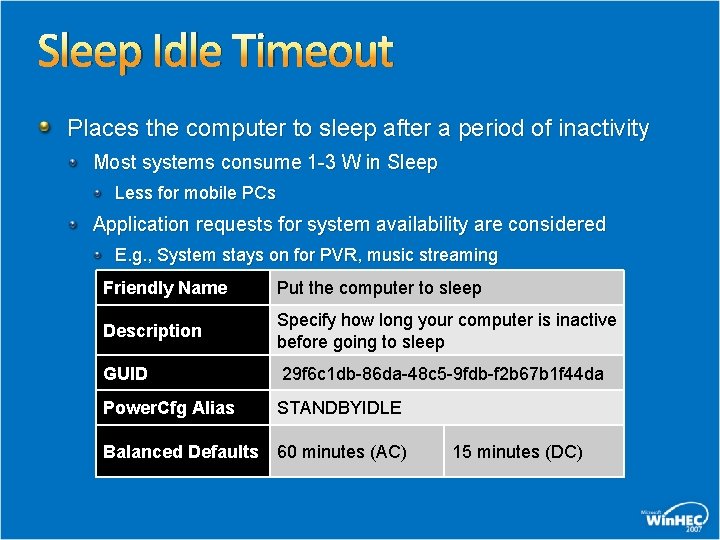
Sleep Idle Timeout Places the computer to sleep after a period of inactivity Most systems consume 1 -3 W in Sleep Less for mobile PCs Application requests for system availability are considered E. g. , System stays on for PVR, music streaming Friendly Name Put the computer to sleep Description Specify how long your computer is inactive before going to sleep GUID 29 f 6 c 1 db-86 da-48 c 5 -9 fdb-f 2 b 67 b 1 f 44 da Power. Cfg Alias STANDBYIDLE Balanced Defaults 60 minutes (AC) 15 minutes (DC)
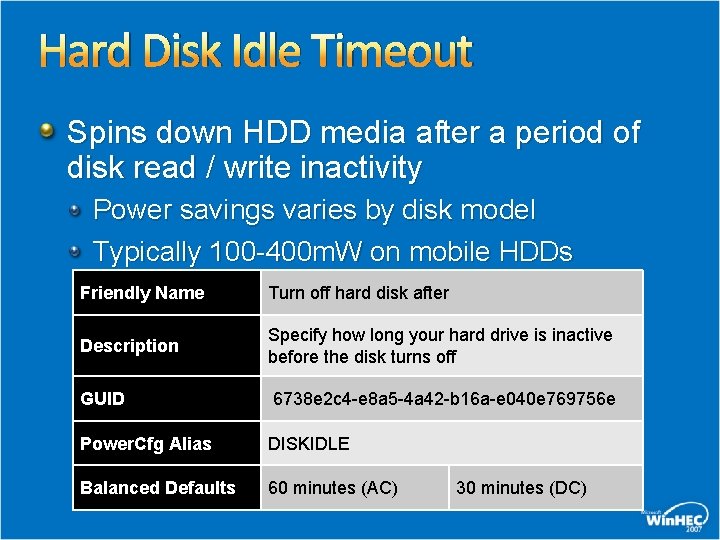
Hard Disk Idle Timeout Spins down HDD media after a period of disk read / write inactivity Power savings varies by disk model Typically 100 -400 m. W on mobile HDDs Friendly Name Turn off hard disk after Description Specify how long your hard drive is inactive before the disk turns off GUID 6738 e 2 c 4 -e 8 a 5 -4 a 42 -b 16 a-e 040 e 769756 e Power. Cfg Alias DISKIDLE Balanced Defaults 60 minutes (AC) 30 minutes (DC)
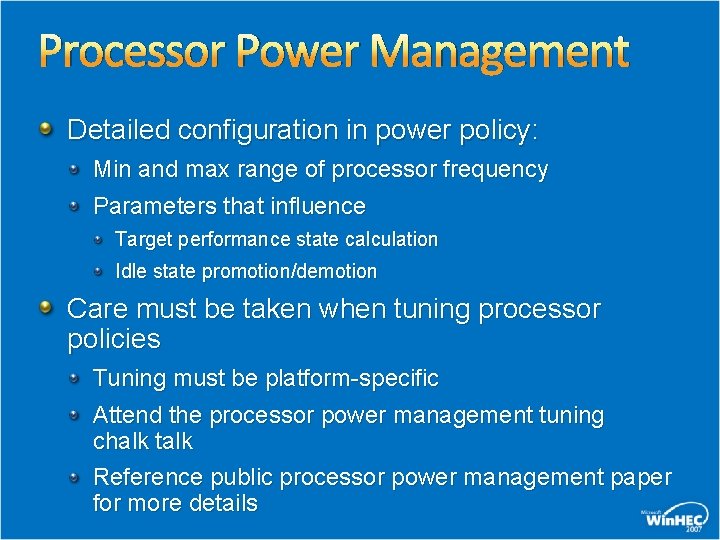
Processor Power Management Detailed configuration in power policy: Min and max range of processor frequency Parameters that influence Target performance state calculation Idle state promotion/demotion Care must be taken when tuning processor policies Tuning must be platform-specific Attend the processor power management tuning chalk talk Reference public processor power management paper for more details
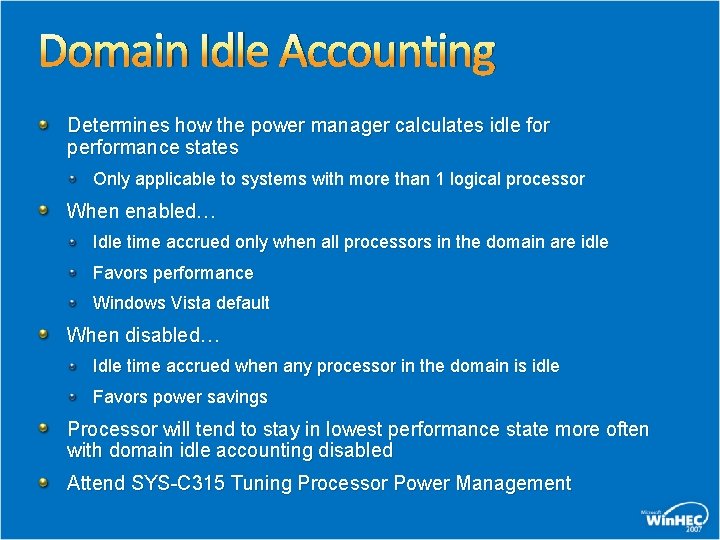
Domain Idle Accounting Determines how the power manager calculates idle for performance states Only applicable to systems with more than 1 logical processor When enabled… Idle time accrued only when all processors in the domain are idle Favors performance Windows Vista default When disabled… Idle time accrued when any processor in the domain is idle Favors power savings Processor will tend to stay in lowest performance state more often with domain idle accounting disabled Attend SYS-C 315 Tuning Processor Power Management
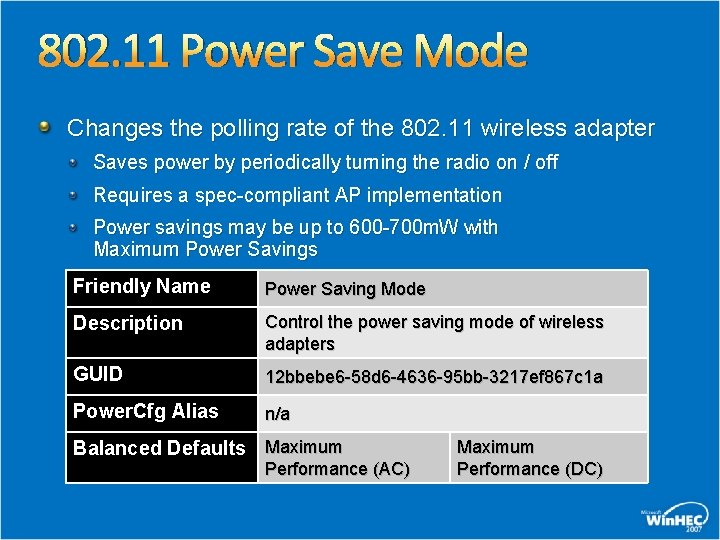
802. 11 Power Save Mode Changes the polling rate of the 802. 11 wireless adapter Saves power by periodically turning the radio on / off Requires a spec-compliant AP implementation Power savings may be up to 600 -700 m. W with Maximum Power Savings Friendly Name Power Saving Mode Description Control the power saving mode of wireless adapters GUID 12 bbebe 6 -58 d 6 -4636 -95 bb-3217 ef 867 c 1 a Power. Cfg Alias n/a Balanced Defaults Maximum Performance (AC) Maximum Performance (DC)
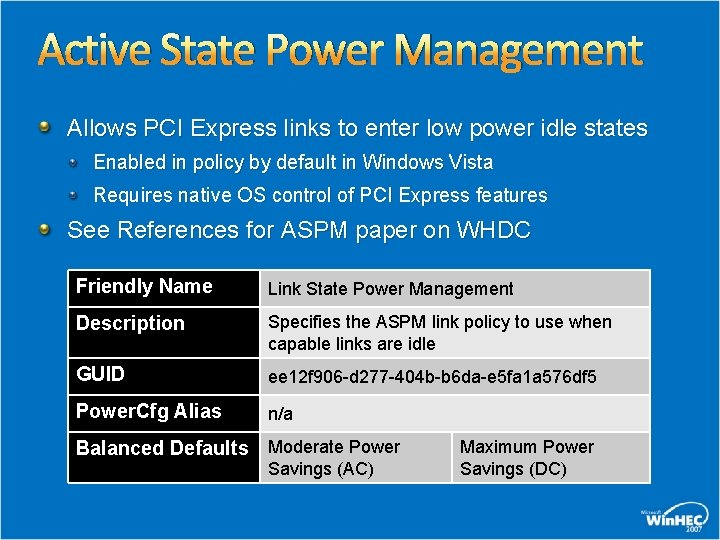
Active State Power Management Allows PCI Express links to enter low power idle states Enabled in policy by default in Windows Vista Requires native OS control of PCI Express features See References for ASPM paper on WHDC Friendly Name Link State Power Management Description Specifies the ASPM link policy to use when capable links are idle GUID ee 12 f 906 -d 277 -404 b-b 6 da-e 5 fa 1 a 576 df 5 Power. Cfg Alias n/a Balanced Defaults Moderate Power Savings (AC) Maximum Power Savings (DC)
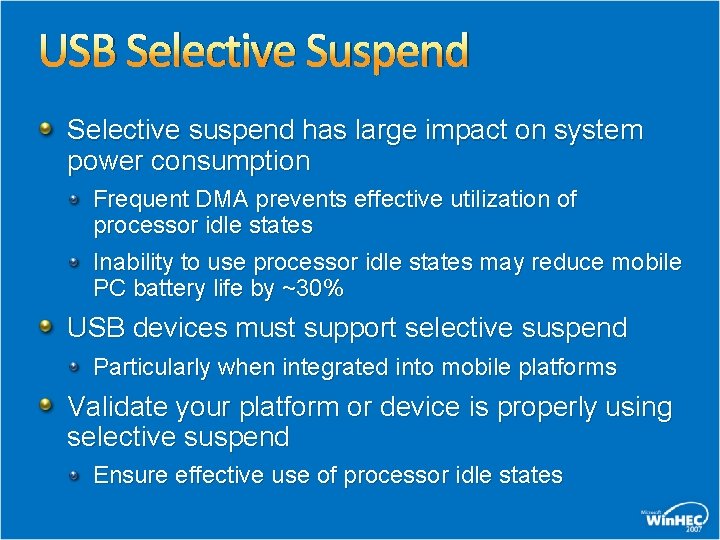
USB Selective Suspend Selective suspend has large impact on system power consumption Frequent DMA prevents effective utilization of processor idle states Inability to use processor idle states may reduce mobile PC battery life by ~30% USB devices must support selective suspend Particularly when integrated into mobile platforms Validate your platform or device is properly using selective suspend Ensure effective use of processor idle states
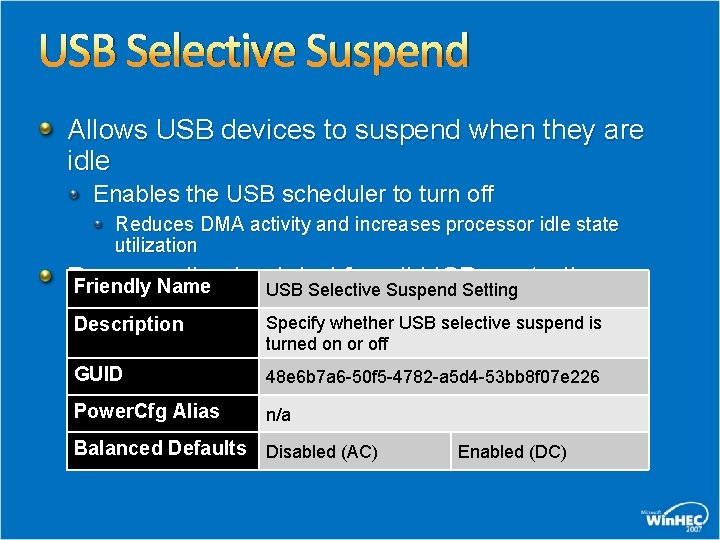
USB Selective Suspend Allows USB devices to suspend when they are idle Enables the USB scheduler to turn off Reduces DMA activity and increases processor idle state utilization Power policy is global for all USB controllers Friendly Name USB Selective Suspend Setting and devices Specify whether USB selective suspend is Description turned on or off GUID 48 e 6 b 7 a 6 -50 f 5 -4782 -a 5 d 4 -53 bb 8 f 07 e 226 Power. Cfg Alias n/a Balanced Defaults Disabled (AC) Enabled (DC)
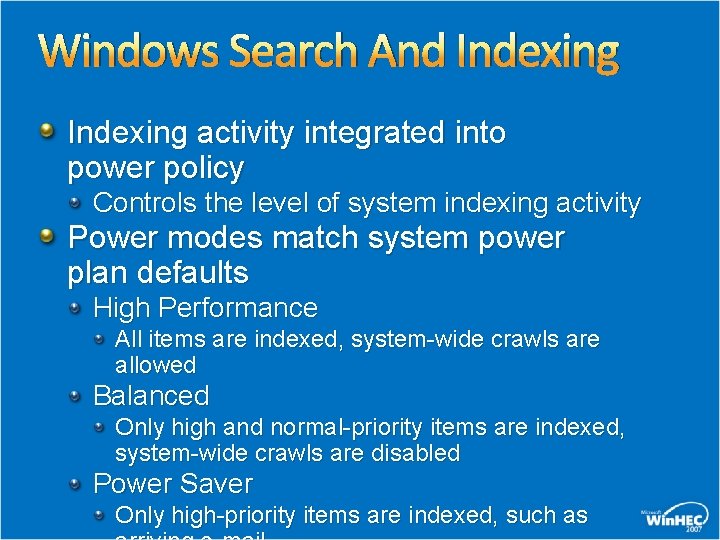
Windows Search And Indexing activity integrated into power policy Controls the level of system indexing activity Power modes match system power plan defaults High Performance All items are indexed, system-wide crawls are allowed Balanced Only high and normal-priority items are indexed, system-wide crawls are disabled Power Saver Only high-priority items are indexed, such as
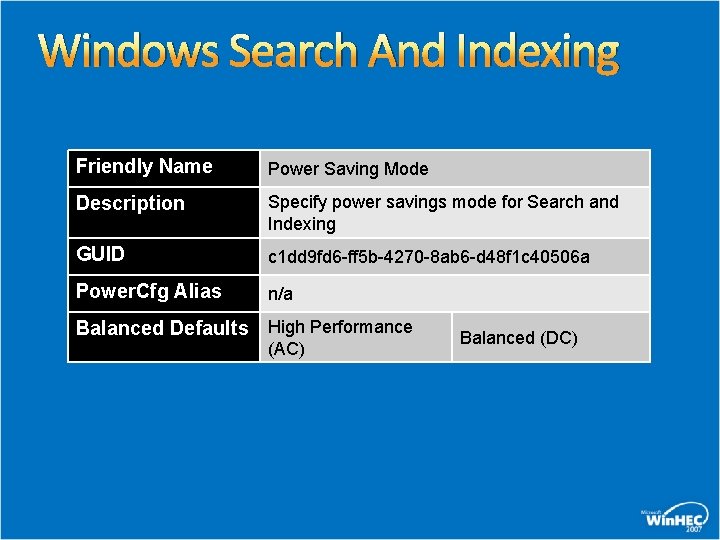
Windows Search And Indexing Friendly Name Power Saving Mode Description Specify power savings mode for Search and Indexing GUID c 1 dd 9 fd 6 -ff 5 b-4270 -8 ab 6 -d 48 f 1 c 40506 a Power. Cfg Alias n/a Balanced Defaults High Performance (AC) Balanced (DC)
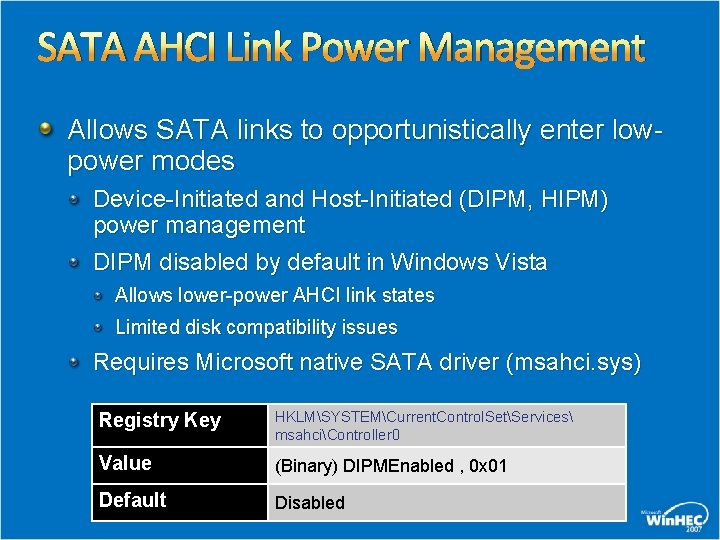
SATA AHCI Link Power Management Allows SATA links to opportunistically enter lowpower modes Device-Initiated and Host-Initiated (DIPM, HIPM) power management DIPM disabled by default in Windows Vista Allows lower-power AHCI link states Limited disk compatibility issues Requires Microsoft native SATA driver (msahci. sys) Registry Key HKLMSYSTEMCurrent. Control. SetServices msahciController 0 Value (Binary) DIPMEnabled , 0 x 01 Default Disabled
Sleep Power Policies
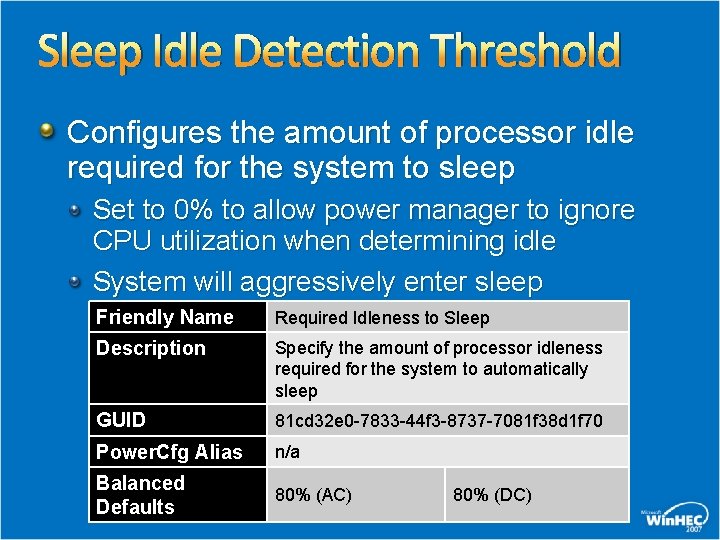
Sleep Idle Detection Threshold Configures the amount of processor idle required for the system to sleep Set to 0% to allow power manager to ignore CPU utilization when determining idle System will aggressively enter sleep Friendly Name Required Idleness to Sleep Description Specify the amount of processor idleness required for the system to automatically sleep GUID 81 cd 32 e 0 -7833 -44 f 3 -8737 -7081 f 38 d 1 f 70 Power. Cfg Alias n/a Balanced Defaults 80% (AC) 80% (DC)
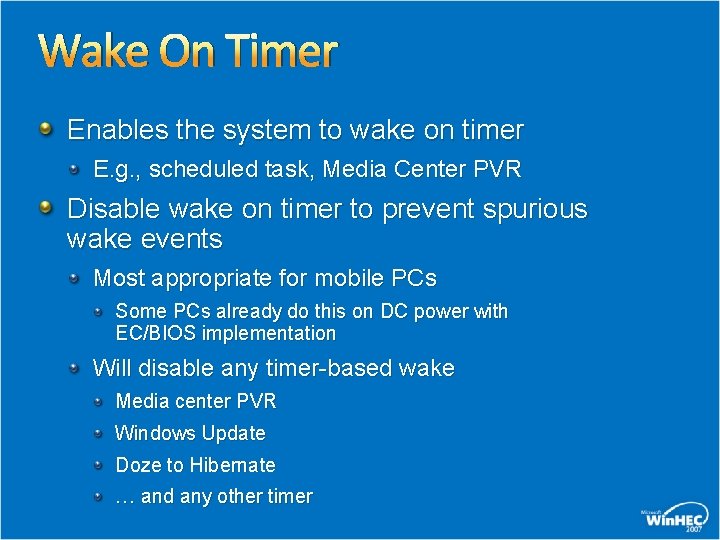
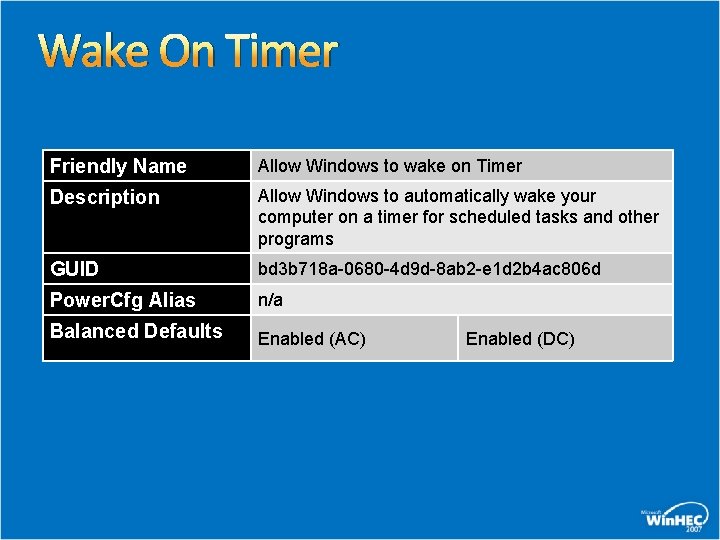
Wake On Timer Enables the system to wake on timer E. g. , scheduled task, Media Center PVR Disable wake on timer to prevent spurious wake events Most appropriate for mobile PCs Some PCs already do this on DC power with EC/BIOS implementation Will disable any timer-based wake Media center PVR Windows Update Doze to Hibernate … and any other timer
Wake On Timer Friendly Name Allow Windows to wake on Timer Description Allow Windows to automatically wake your computer on a timer for scheduled tasks and other programs GUID bd 3 b 718 a-0680 -4 d 9 d-8 ab 2 -e 1 d 2 b 4 ac 806 d Power. Cfg Alias n/a Balanced Defaults Enabled (AC) Enabled (DC)
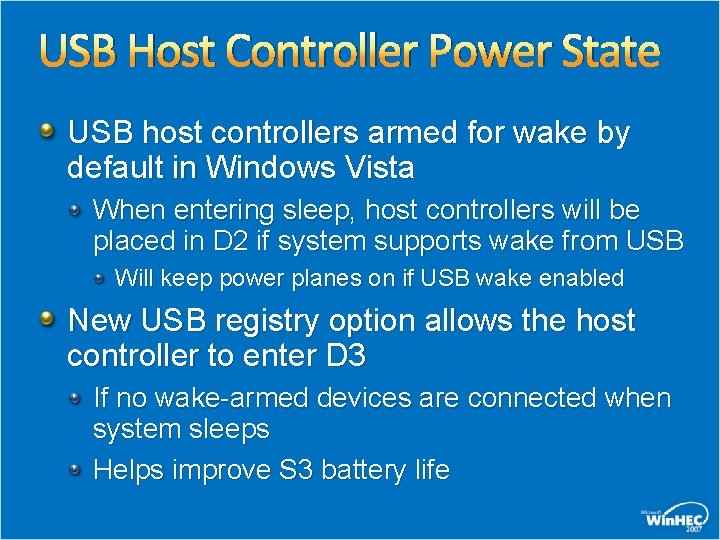
USB Host Controller Power State USB host controllers armed for wake by default in Windows Vista When entering sleep, host controllers will be placed in D 2 if system supports wake from USB Will keep power planes on if USB wake enabled New USB registry option allows the host controller to enter D 3 If no wake-armed devices are connected when system sleeps Helps improve S 3 battery life
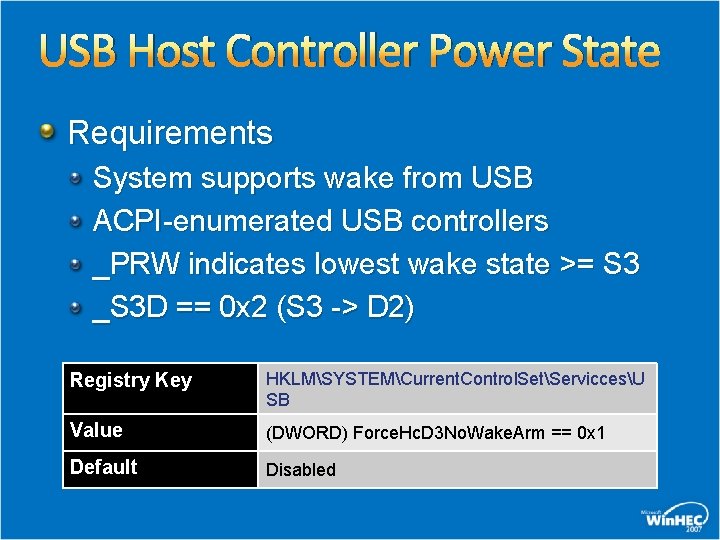
USB Host Controller Power State Requirements System supports wake from USB ACPI-enumerated USB controllers _PRW indicates lowest wake state >= S 3 _S 3 D == 0 x 2 (S 3 -> D 2) Registry Key HKLMSYSTEMCurrent. Control. SetServiccesU SB Value (DWORD) Force. Hc. D 3 No. Wake. Arm == 0 x 1 Default Disabled
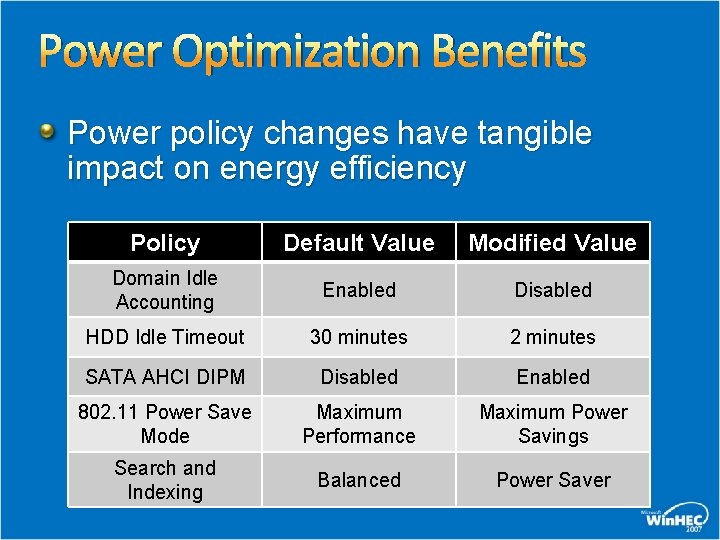
Power Optimization Benefits Power policy changes have tangible impact on energy efficiency Policy Default Value Modified Value Domain Idle Accounting Enabled Disabled HDD Idle Timeout 30 minutes 2 minutes SATA AHCI DIPM Disabled Enabled 802. 11 Power Save Mode Maximum Performance Maximum Power Savings Search and Indexing Balanced Power Saver
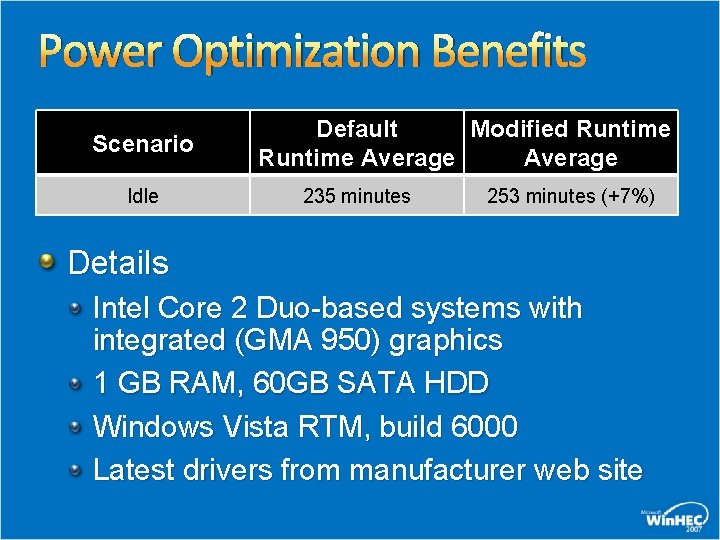
Power Optimization Benefits Scenario Idle Default Modified Runtime Average 235 minutes 253 minutes (+7%) Details Intel Core 2 Duo-based systems with integrated (GMA 950) graphics 1 GB RAM, 60 GB SATA HDD Windows Vista RTM, build 6000 Latest drivers from manufacturer web site
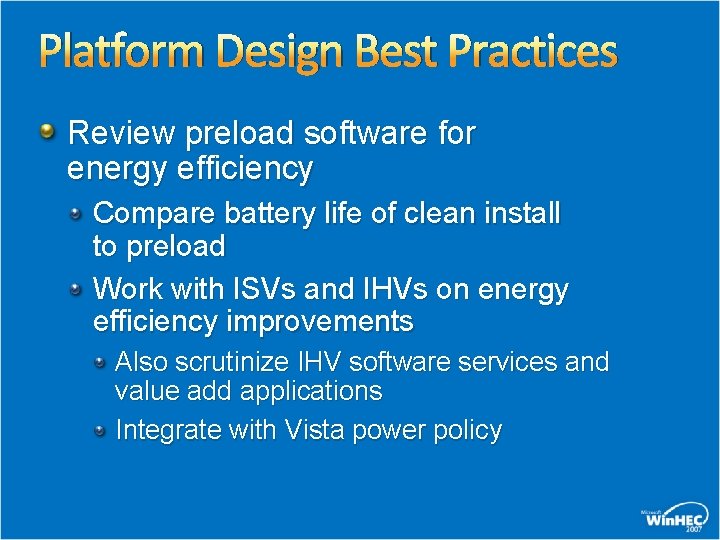
Platform Design Best Practices Review preload software for energy efficiency Compare battery life of clean install to preload Work with ISVs and IHVs on energy efficiency improvements Also scrutinize IHV software services and value add applications Integrate with Vista power policy
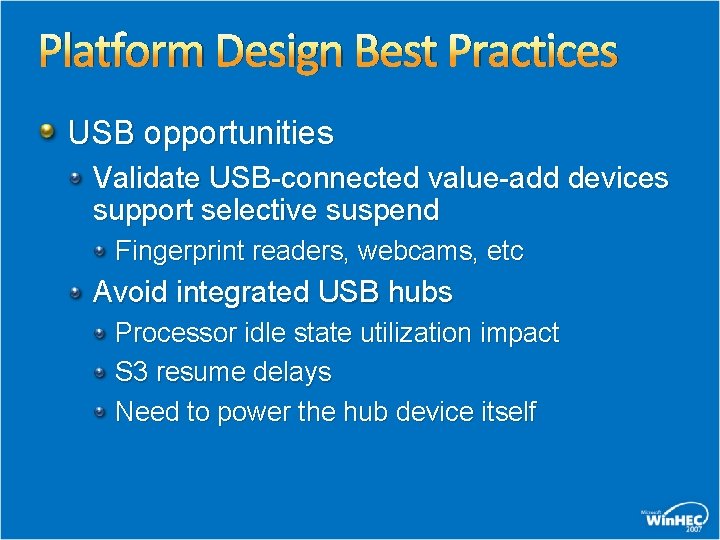
Platform Design Best Practices USB opportunities Validate USB-connected value-add devices support selective suspend Fingerprint readers, webcams, etc Avoid integrated USB hubs Processor idle state utilization impact S 3 resume delays Need to power the hub device itself
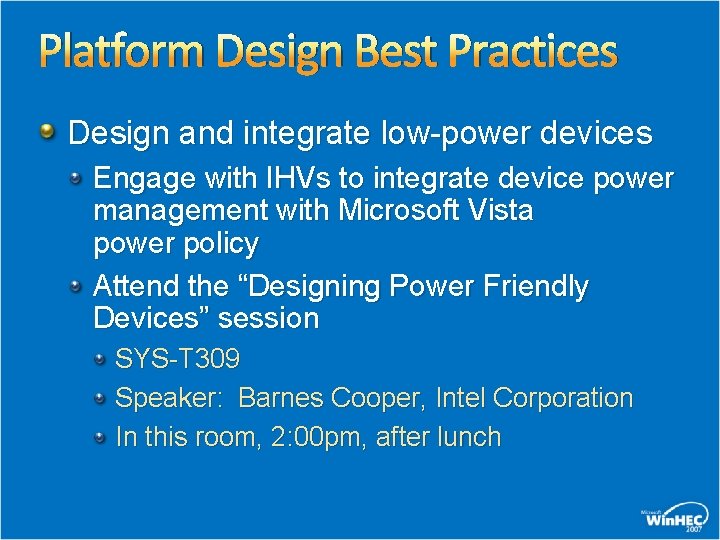
Platform Design Best Practices Design and integrate low-power devices Engage with IHVs to integrate device power management with Microsoft Vista power policy Attend the “Designing Power Friendly Devices” session SYS-T 309 Speaker: Barnes Cooper, Intel Corporation In this room, 2: 00 pm, after lunch
Call To Action Evaluate energy efficiency and battery life on your platform Tailor Windows Vista power policy to hardware platform Design hardware and preload software for energy efficiency and power savings
Additional Resources Web Resources Power Policy Configuration and Deployment in Windows Vista http: //www. microsoft. com/whdc/system/pnppwr/powermgmt/PMpol icy_Vista. mspx Windows Vista Energy Conservation http: //www. microsoft. com/whdc/system/pnppwr/powermgmt/Vista. E nergy. Conserv. mspx Related Sessions SYS-T 300 – “Designing Power Friendly Devices” SYS-T 494 – “PCs and Energy Efficiency: Implications for IHVs” SYS-C 316 - “How To Power Optimize Your Windows Platform SYS-C 315 -”Tuning Processor Power Management” E-mail: Onnow @ microsoft. com Battlife @ microsoft. com
© 2007 Microsoft Corporation. All rights reserved. Microsoft, Windows Vista and other product names are or may be registered trademarks and/or trademarks in the U. S. and/or other countries. The information herein is for informational purposes only and represents the current view of Microsoft Corporation as of the date of this presentation. Because Microsoft must respond to changing market conditions, it should not be interpreted to be a commitment on the part of Microsoft, and Microsoft cannot guarantee the accuracy of any information provided after the date of this presentation. MICROSOFT MAKES NO WARRANTIES, EXPRESS, IMPLIED OR STATUTORY, AS TO THE INFORMATION IN THIS PRESENTATION.