
Posting Chapter 7 1 Accounting data in this
- Slides: 22
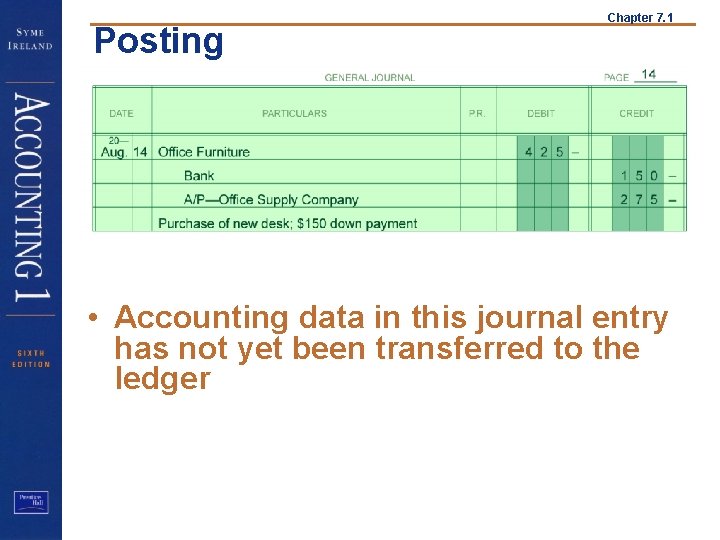
Posting Chapter 7. 1 • Accounting data in this journal entry has not yet been transferred to the ledger
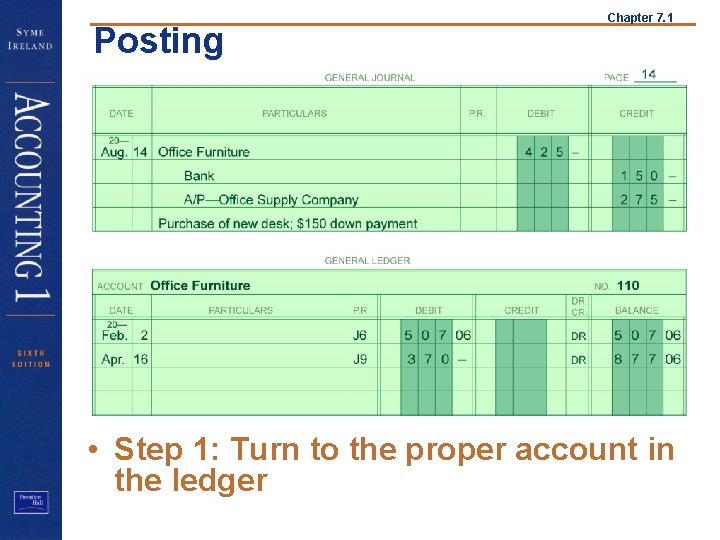
Posting Chapter 7. 1 • Step 1: Turn to the proper account in the ledger
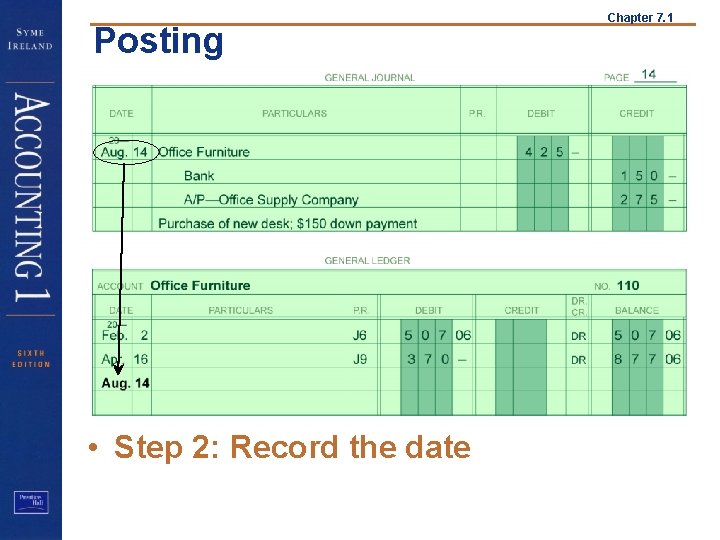
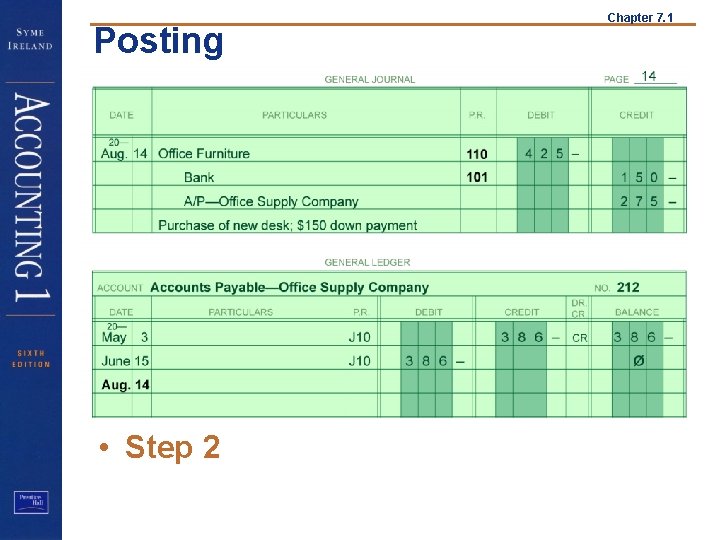
Posting • Step 2: Record the date Chapter 7. 1
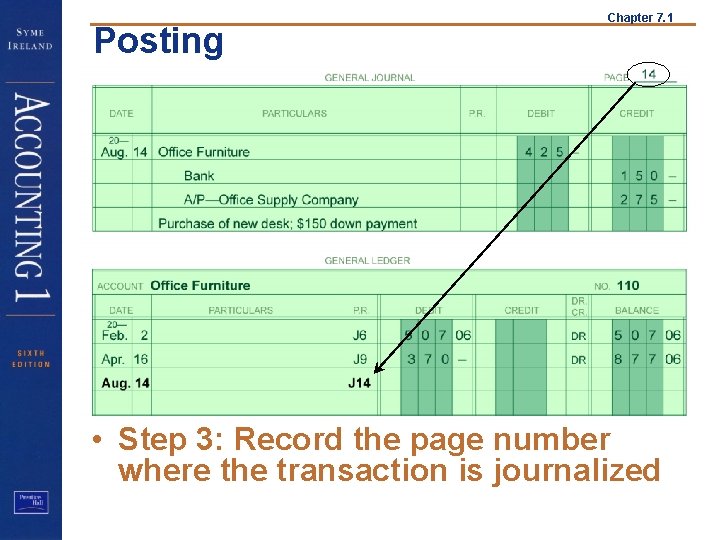
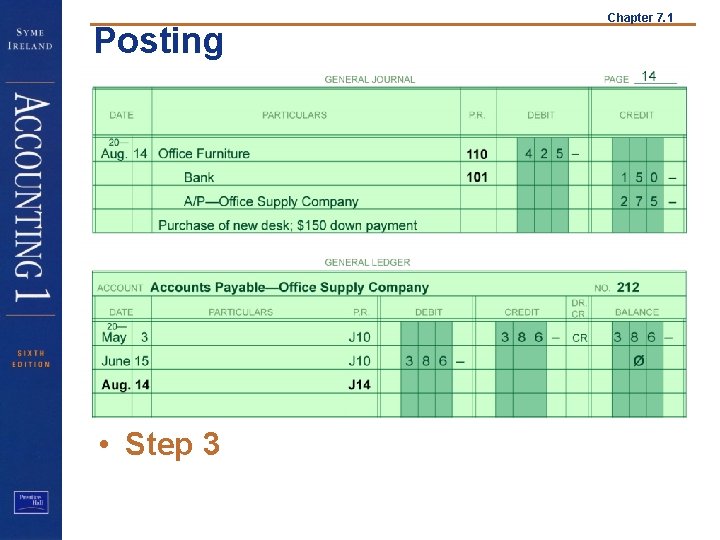
Posting Chapter 7. 1 • Step 3: Record the page number where the transaction is journalized
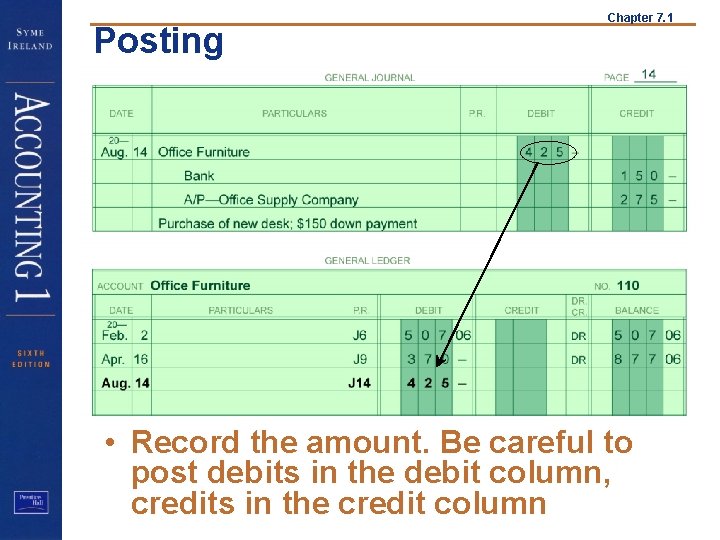
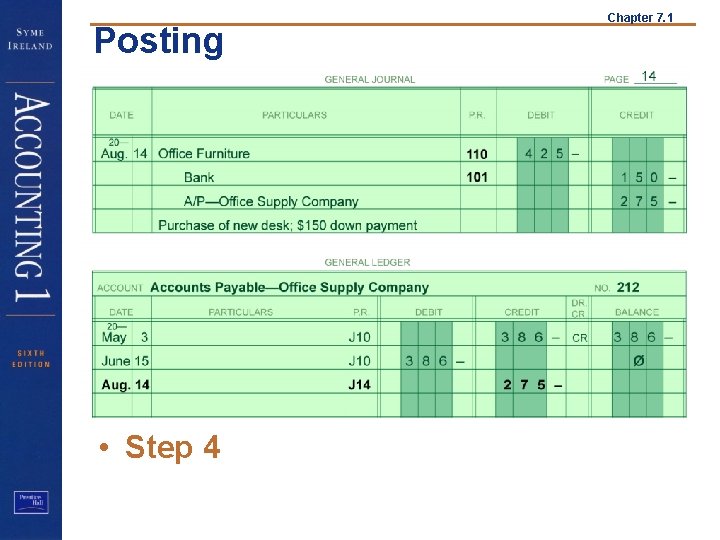
Posting Chapter 7. 1 • Record the amount. Be careful to post debits in the debit column, credits in the credit column
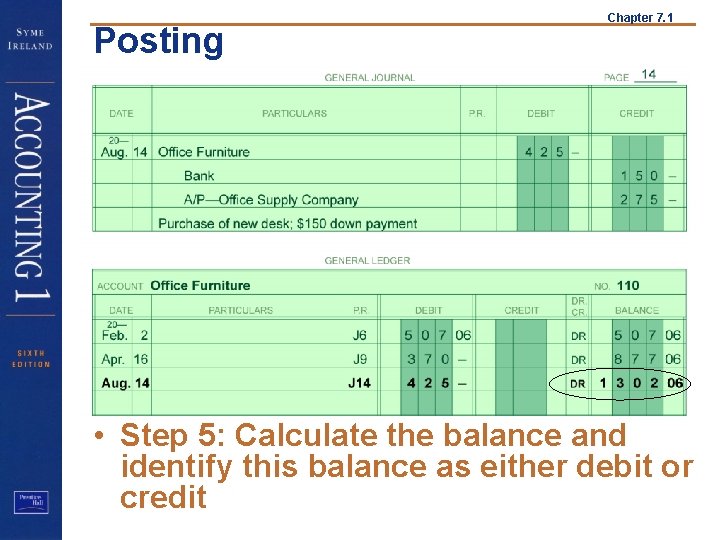
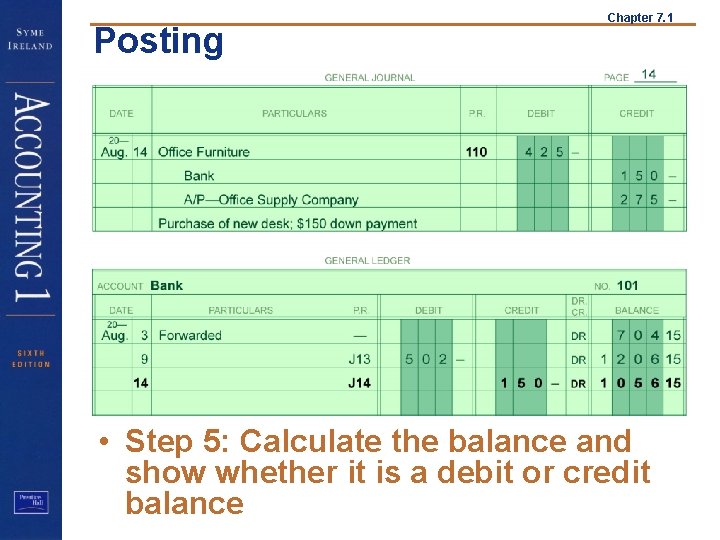
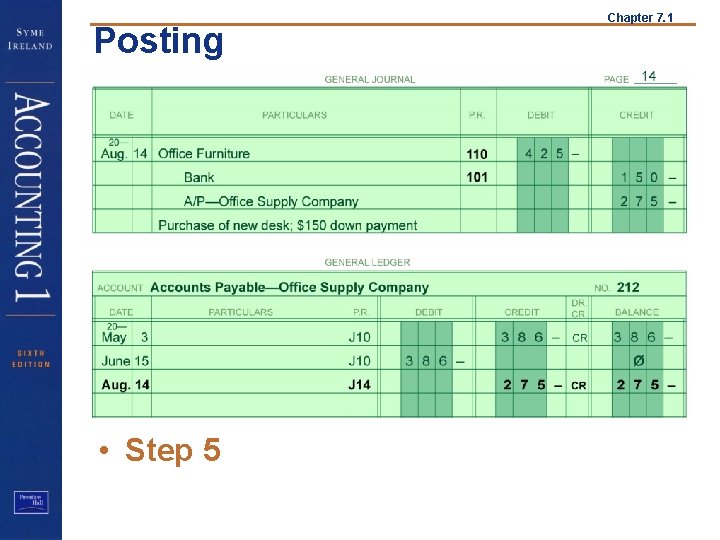
Posting Chapter 7. 1 • Step 5: Calculate the balance and identify this balance as either debit or credit
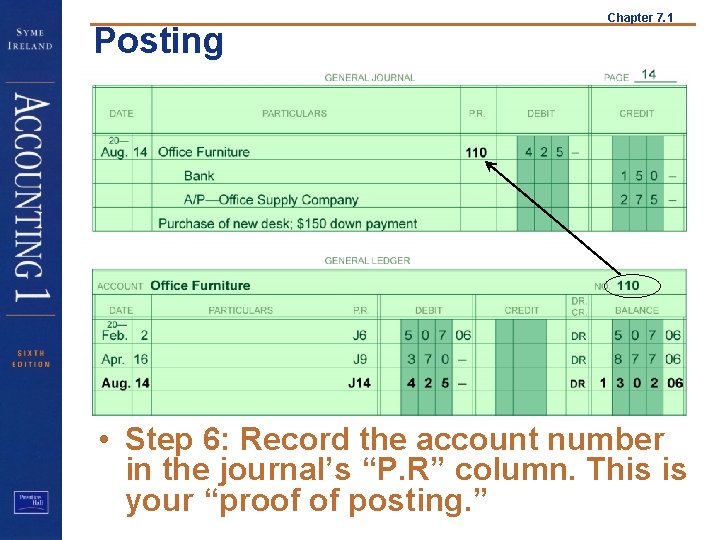
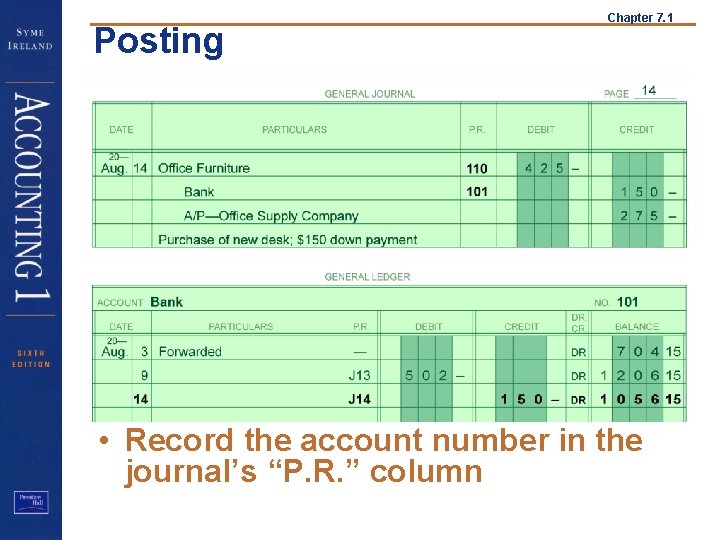
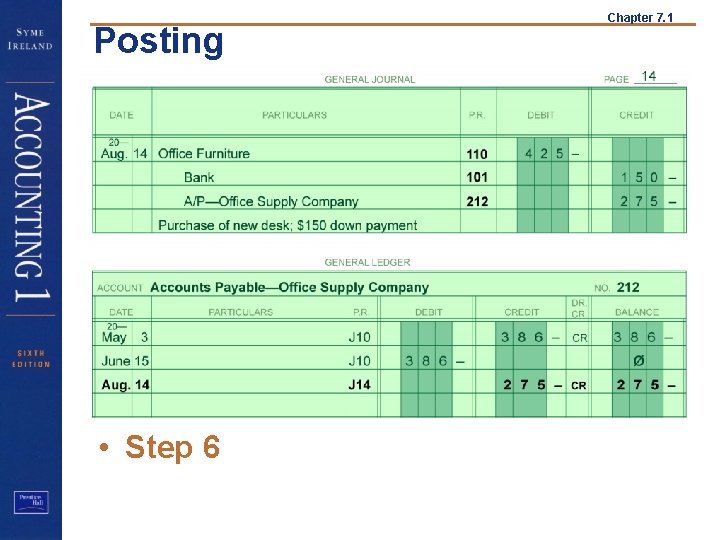
Posting Chapter 7. 1 • Step 6: Record the account number in the journal’s “P. R” column. This is your “proof of posting. ”
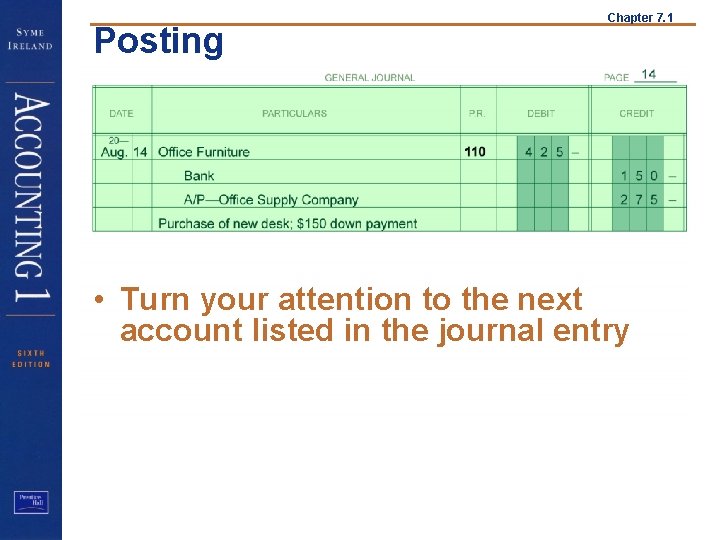
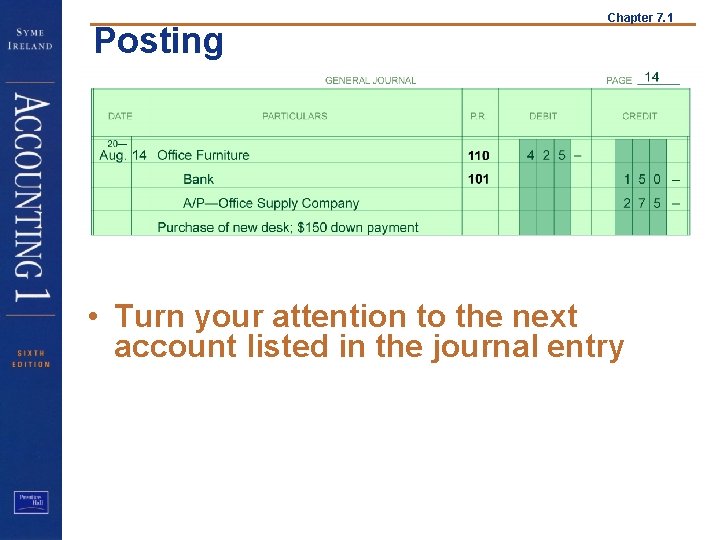
Posting Chapter 7. 1 • Turn your attention to the next account listed in the journal entry
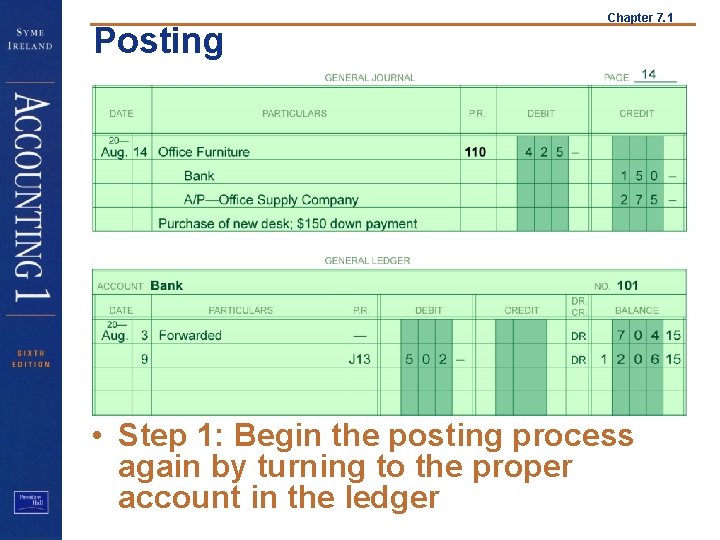
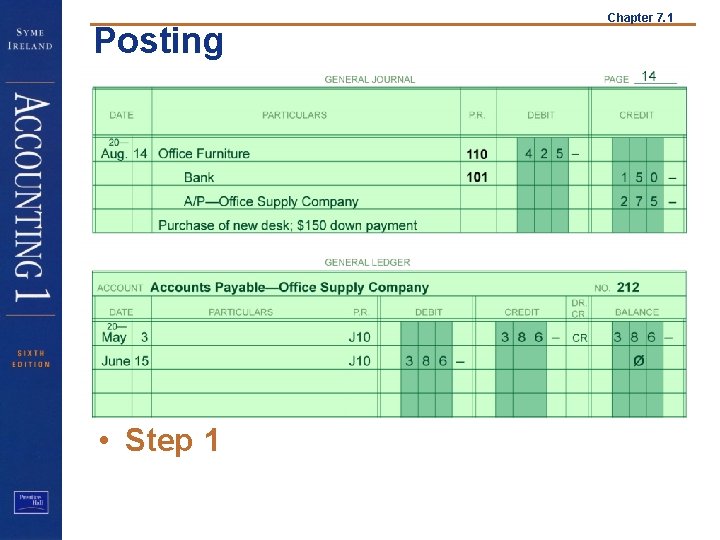
Posting Chapter 7. 1 • Step 1: Begin the posting process again by turning to the proper account in the ledger
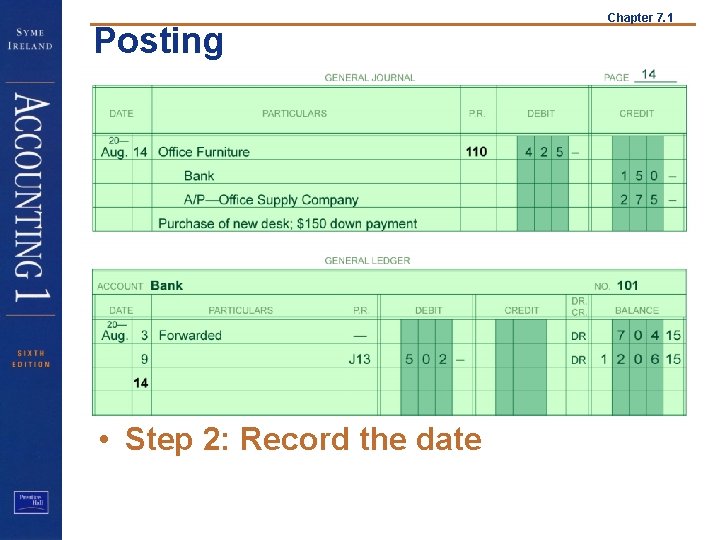
Posting • Step 2: Record the date Chapter 7. 1
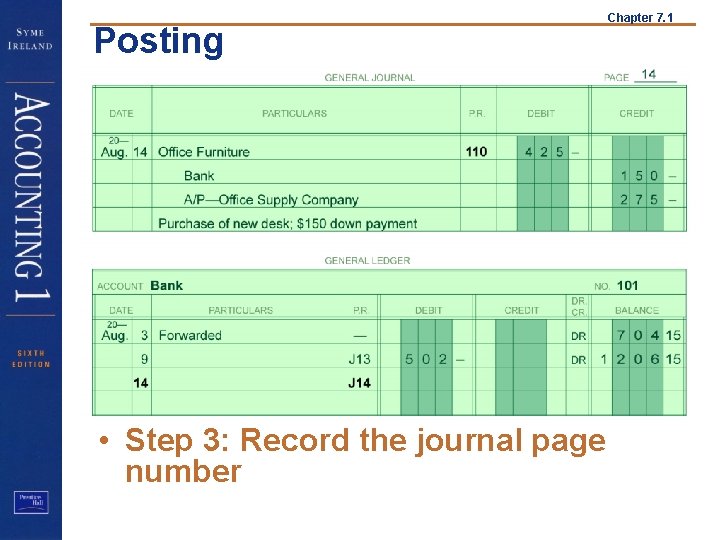
Posting • Step 3: Record the journal page number Chapter 7. 1
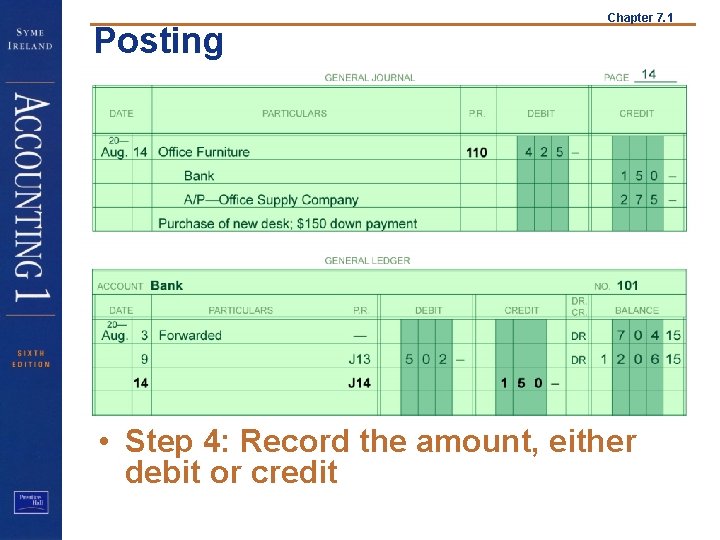
Posting Chapter 7. 1 • Step 4: Record the amount, either debit or credit
Posting Chapter 7. 1 • Step 5: Calculate the balance and show whether it is a debit or credit balance
Posting Chapter 7. 1 • Record the account number in the journal’s “P. R. ” column
Posting Chapter 7. 1 • Turn your attention to the next account listed in the journal entry
Posting • Step 1 Chapter 7. 1
Posting • Step 2 Chapter 7. 1
Posting • Step 3 Chapter 7. 1
Posting • Step 4 Chapter 7. 1
Posting • Step 5 Chapter 7. 1
Posting • Step 6 Chapter 7. 1
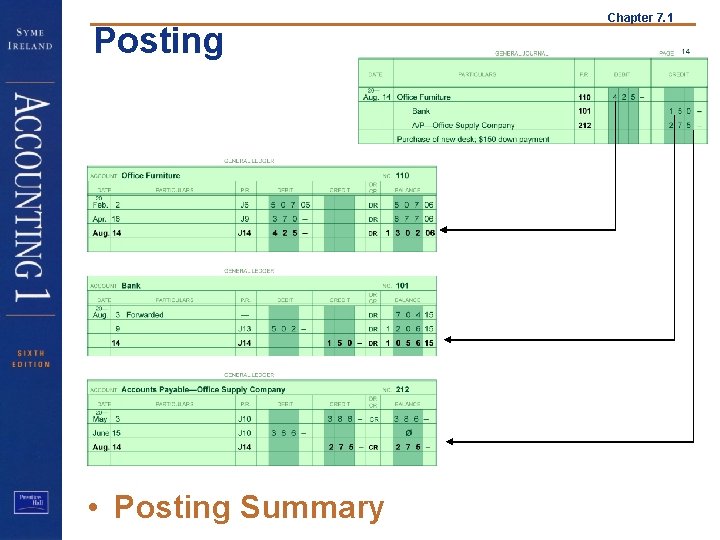
Posting • Posting Summary Chapter 7. 1