
Postfix lctseng LiangChi Tseng Computer Center CS NCTU


- Slides: 119
Postfix lctseng / Liang-Chi Tseng
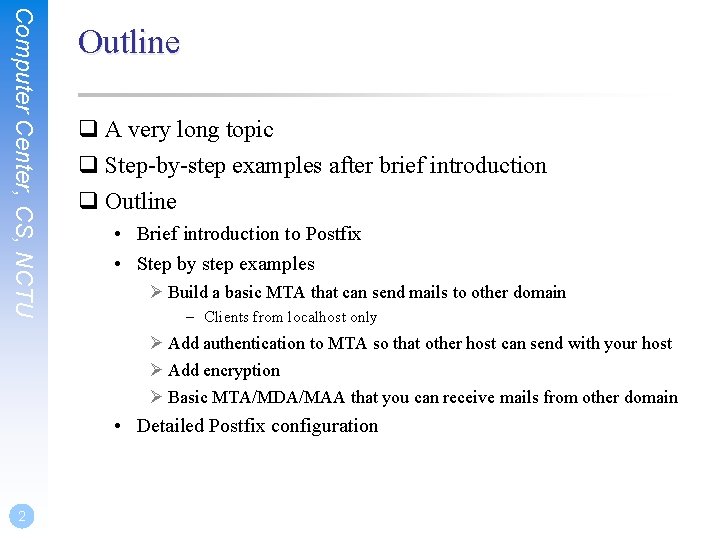
Computer Center, CS, NCTU Outline q A very long topic q Step-by-step examples after brief introduction q Outline • Brief introduction to Postfix • Step by step examples Ø Build a basic MTA that can send mails to other domain – Clients from localhost only Ø Add authentication to MTA so that other host can send with your host Ø Add encryption Ø Basic MTA/MDA/MAA that you can receive mails from other domain • Detailed Postfix configuration 2
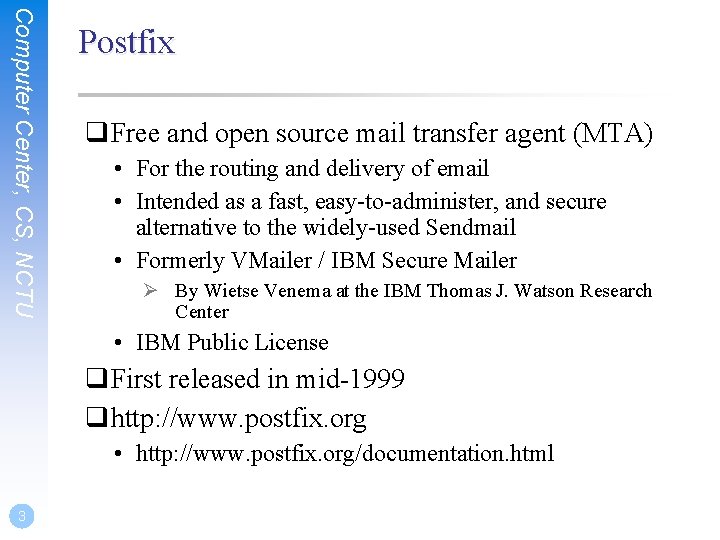
Computer Center, CS, NCTU Postfix q. Free and open source mail transfer agent (MTA) • For the routing and delivery of email • Intended as a fast, easy-to-administer, and secure alternative to the widely-used Sendmail • Formerly VMailer / IBM Secure Mailer Ø By Wietse Venema at the IBM Thomas J. Watson Research Center • IBM Public License q. First released in mid-1999 qhttp: //www. postfix. org • http: //www. postfix. org/documentation. html 3 3
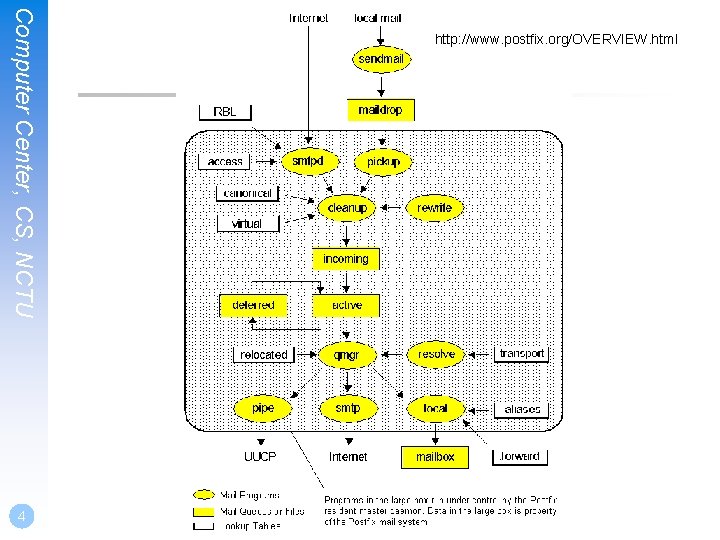
Computer Center, CS, NCTU 4 http: //www. postfix. org/OVERVIEW. html
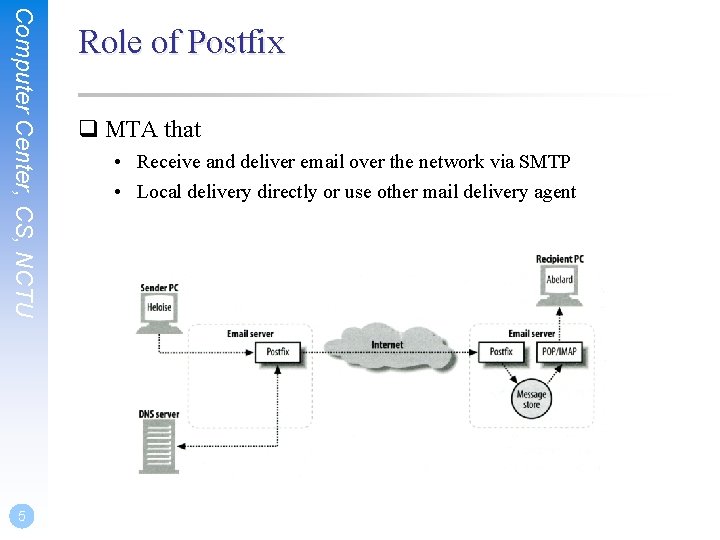
Computer Center, CS, NCTU 5 Role of Postfix q MTA that • Receive and deliver email over the network via SMTP • Local delivery directly or use other mail delivery agent
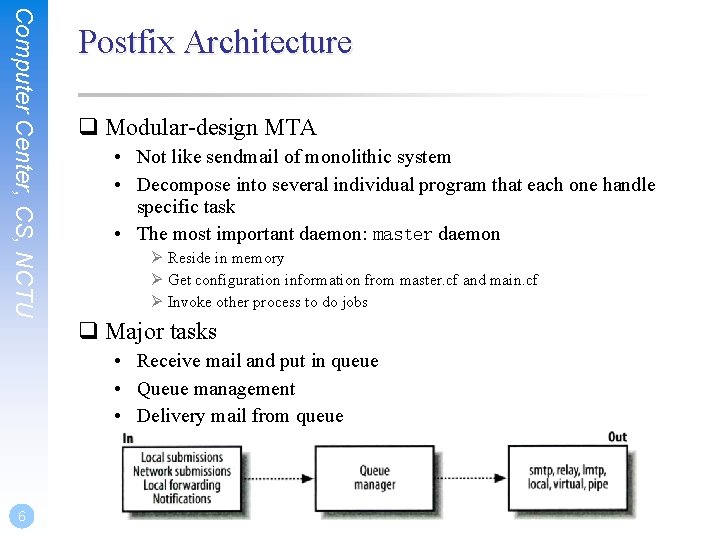
Computer Center, CS, NCTU Postfix Architecture q Modular-design MTA • Not like sendmail of monolithic system • Decompose into several individual program that each one handle specific task • The most important daemon: master daemon Ø Reside in memory Ø Get configuration information from master. cf and main. cf Ø Invoke other process to do jobs q Major tasks • Receive mail and put in queue • Queue management • Delivery mail from queue 6
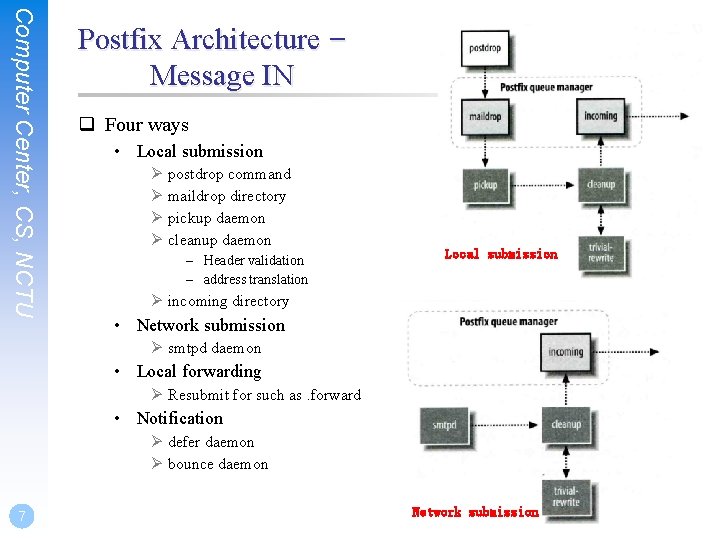
Computer Center, CS, NCTU Postfix Architecture – Message IN q Four ways • Local submission Ø postdrop command Ø maildrop directory Ø pickup daemon Ø cleanup daemon – Header validation – address translation Local submission Ø incoming directory • Network submission Ø smtpd daemon • Local forwarding Ø Resubmit for such as. forward • Notification Ø defer daemon Ø bounce daemon 7 Network submission
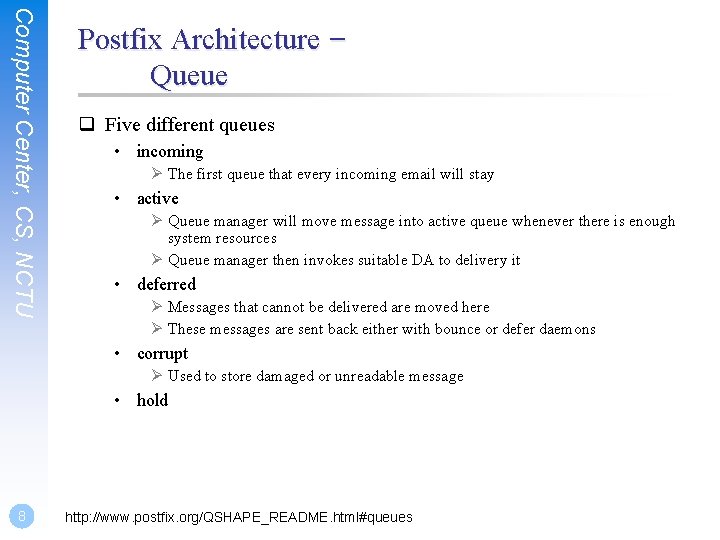
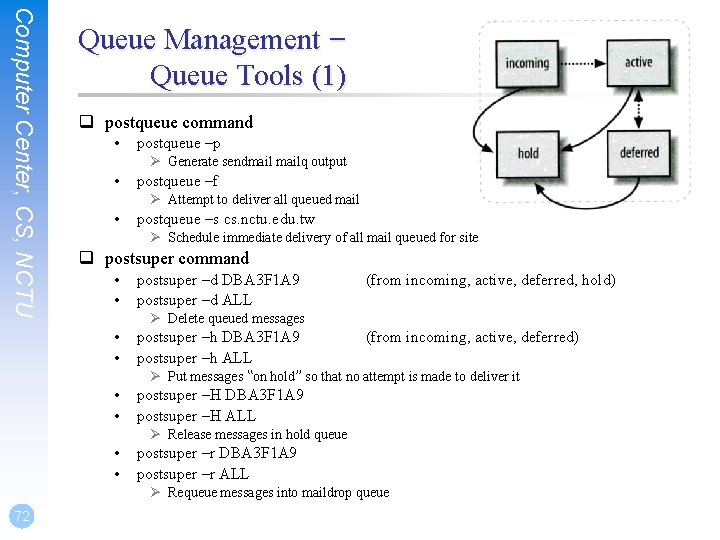
Computer Center, CS, NCTU Postfix Architecture – Queue q Five different queues • incoming Ø The first queue that every incoming email will stay • active Ø Queue manager will move message into active queue whenever there is enough system resources Ø Queue manager then invokes suitable DA to delivery it • deferred Ø Messages that cannot be delivered are moved here Ø These messages are sent back either with bounce or defer daemons • corrupt Ø Used to store damaged or unreadable message • hold 8 http: //www. postfix. org/QSHAPE_README. html#queues
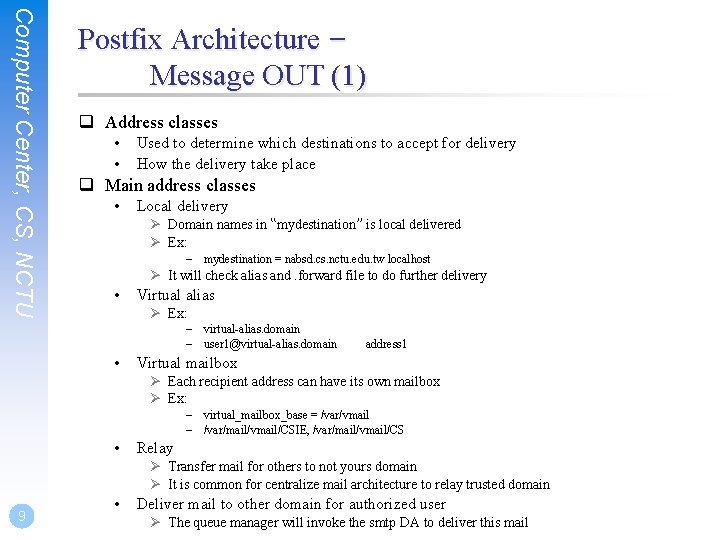
Computer Center, CS, NCTU Postfix Architecture – Message OUT (1) q Address classes • • Used to determine which destinations to accept for delivery How the delivery take place q Main address classes • Local delivery Ø Domain names in “mydestination” is local delivered Ø Ex: – mydestination = nabsd. cs. nctu. edu. tw localhost Ø It will check alias and. forward file to do further delivery • Virtual alias Ø Ex: – virtual-alias. domain – user 1@virtual-alias. domain • address 1 Virtual mailbox Ø Each recipient address can have its own mailbox Ø Ex: – virtual_mailbox_base = /var/vmail – /var/mail/vmail/CSIE, /var/mail/vmail/CS • Relay Ø Transfer mail for others to not yours domain Ø It is common for centralize mail architecture to relay trusted domain 9 • Deliver mail to other domain for authorized user Ø The queue manager will invoke the smtp DA to deliver this mail
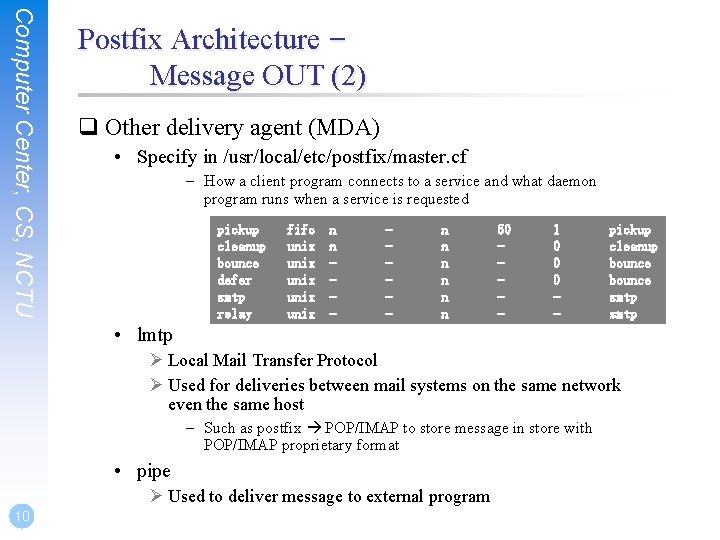
Computer Center, CS, NCTU Postfix Architecture – Message OUT (2) q Other delivery agent (MDA) • Specify in /usr/local/etc/postfix/master. cf – How a client program connects to a service and what daemon program runs when a service is requested pickup cleanup bounce defer smtp relay fifo unix unix n n - - n n n 60 - 1 0 0 0 - pickup cleanup bounce smtp • lmtp Ø Local Mail Transfer Protocol Ø Used for deliveries between mail systems on the same network even the same host – Such as postfix POP/IMAP to store message in store with POP/IMAP proprietary format • pipe Ø Used to deliver message to external program 10
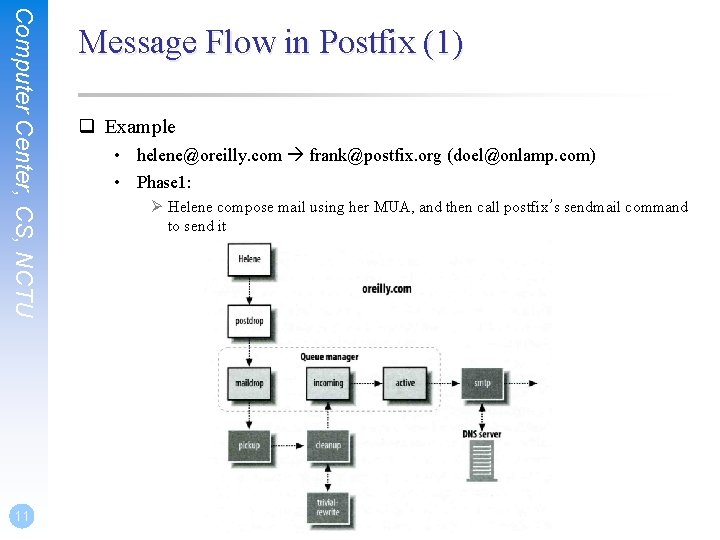
Computer Center, CS, NCTU 11 Message Flow in Postfix (1) q Example • helene@oreilly. com frank@postfix. org (doel@onlamp. com) • Phase 1: Ø Helene compose mail using her MUA, and then call postfix’s sendmail command to send it
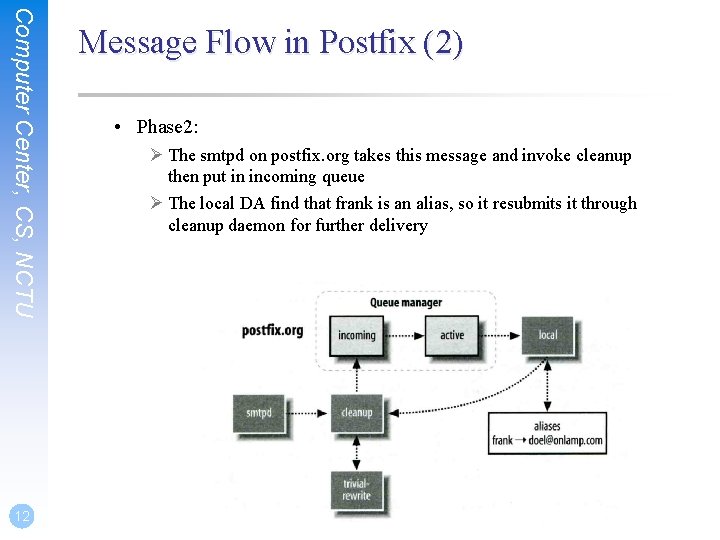
Computer Center, CS, NCTU 12 Message Flow in Postfix (2) • Phase 2: Ø The smtpd on postfix. org takes this message and invoke cleanup then put in incoming queue Ø The local DA find that frank is an alias, so it resubmits it through cleanup daemon for further delivery
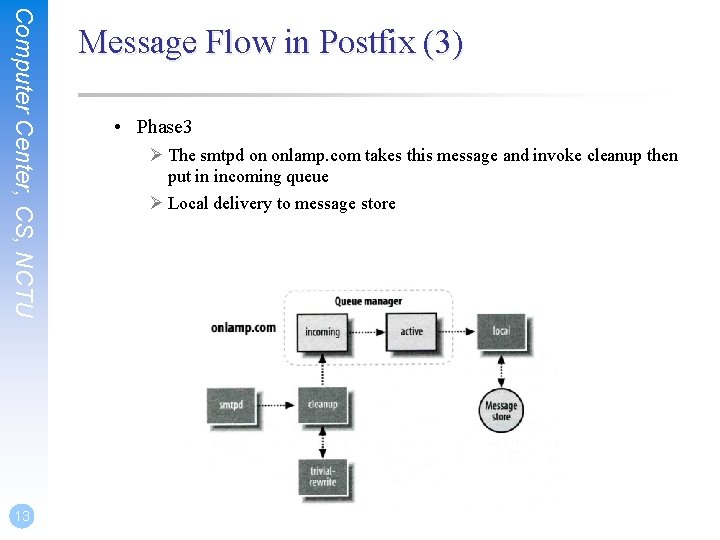
Computer Center, CS, NCTU 13 Message Flow in Postfix (3) • Phase 3 Ø The smtpd on onlamp. com takes this message and invoke cleanup then put in incoming queue Ø Local delivery to message store
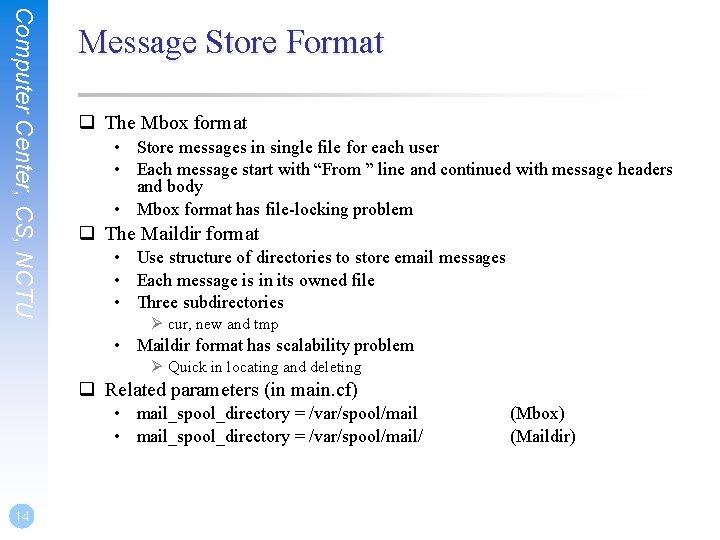
Computer Center, CS, NCTU Message Store Format q The Mbox format • Store messages in single file for each user • Each message start with “From ” line and continued with message headers and body • Mbox format has file-locking problem q The Maildir format • Use structure of directories to store email messages • Each message is in its owned file • Three subdirectories Ø cur, new and tmp • Maildir format has scalability problem Ø Quick in locating and deleting q Related parameters (in main. cf) • mail_spool_directory = /var/spool/mail/ 14 (Mbox) (Maildir)
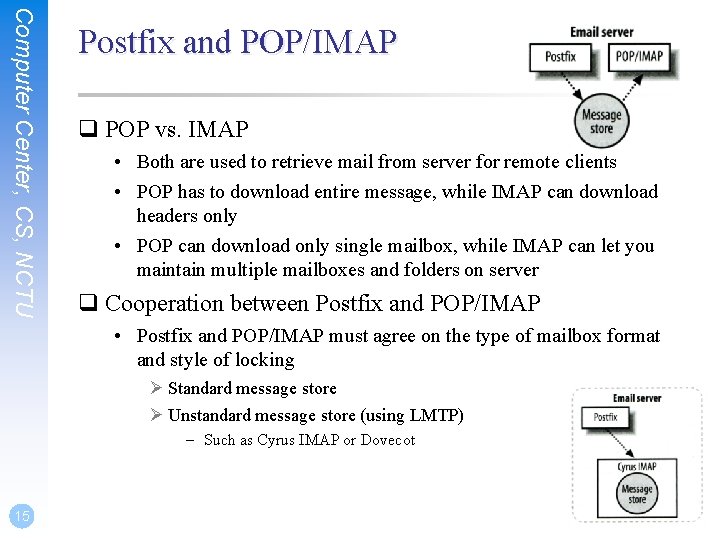
Computer Center, CS, NCTU Postfix and POP/IMAP q POP vs. IMAP • Both are used to retrieve mail from server for remote clients • POP has to download entire message, while IMAP can download headers only • POP can download only single mailbox, while IMAP can let you maintain multiple mailboxes and folders on server q Cooperation between Postfix and POP/IMAP • Postfix and POP/IMAP must agree on the type of mailbox format and style of locking Ø Standard message store Ø Unstandard message store (using LMTP) – Such as Cyrus IMAP or Dovecot 15
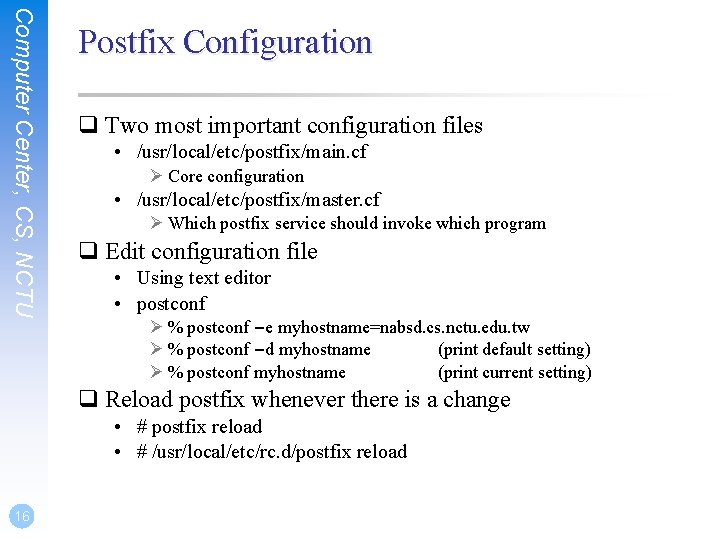
Computer Center, CS, NCTU Postfix Configuration q Two most important configuration files • /usr/local/etc/postfix/main. cf Ø Core configuration • /usr/local/etc/postfix/master. cf Ø Which postfix service should invoke which program q Edit configuration file • Using text editor • postconf Ø % postconf –e myhostname=nabsd. cs. nctu. edu. tw Ø % postconf –d myhostname (print default setting) Ø % postconf myhostname (print current setting) q Reload postfix whenever there is a change • # postfix reload • # /usr/local/etc/rc. d/postfix reload 16
Step by Step Examples Let’s learn from examples
Computer Center, CS, NCTU 18 Step by Step Examples q Build a Basic MTA • Send test mails to verify your MTA • Check whether your mail is sent or not q MTA Authentication q MTA Encryption q MAA for POP 3 and IMAP
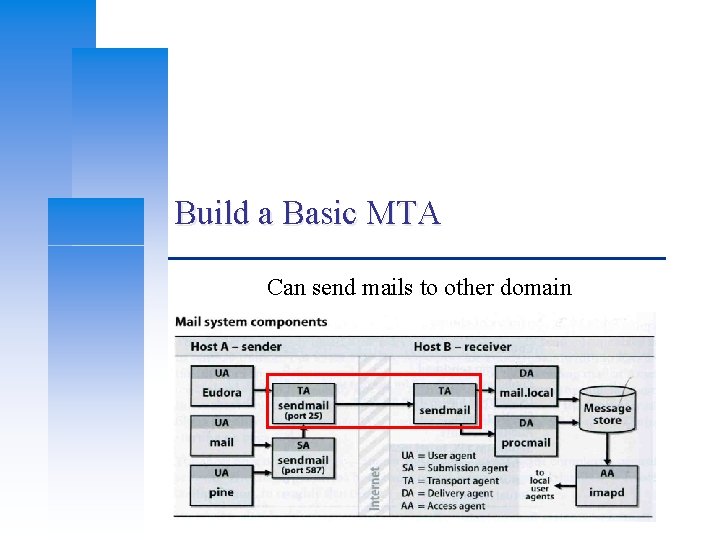
Build a Basic MTA Can send mails to other domain
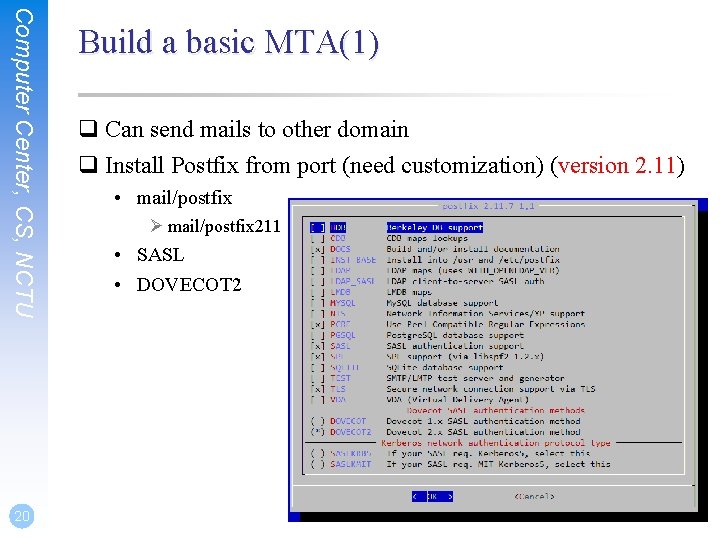
Computer Center, CS, NCTU 20 Build a basic MTA(1) q Can send mails to other domain q Install Postfix from port (need customization) (version 2. 11) • mail/postfix Ø mail/postfix 211 • SASL • DOVECOT 2
Computer Center, CS, NCTU 21 Build a basic MTA(2) q The default version of Postfix is changed to 3. 1 q You can install them from package q There may be some compatibility issue • All configuration in this slide is based on Postfix 2. 11 • Postfix can run in backwards-compatible mode q Reference: http: //www. postfix. org/COMPATIBILITY_README. html
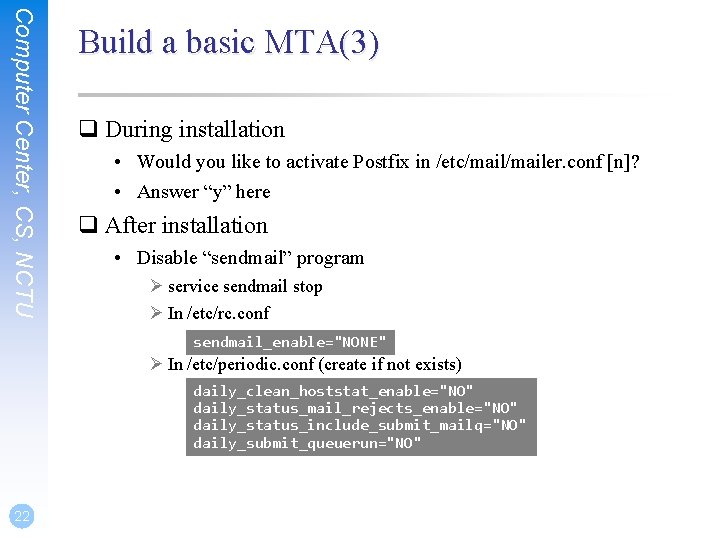
Computer Center, CS, NCTU Build a basic MTA(3) q During installation • Would you like to activate Postfix in /etc/mailer. conf [n]? • Answer “y” here q After installation • Disable “sendmail” program Ø service sendmail stop Ø In /etc/rc. conf sendmail_enable="NONE" Ø In /etc/periodic. conf (create if not exists) daily_clean_hoststat_enable="NO" daily_status_mail_rejects_enable="NO" daily_status_include_submit_mailq="NO" daily_submit_queuerun="NO" 22
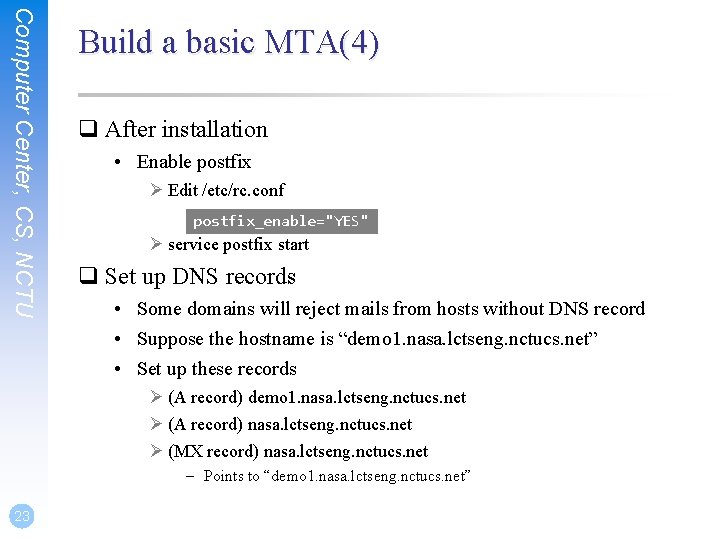
Computer Center, CS, NCTU Build a basic MTA(4) q After installation • Enable postfix Ø Edit /etc/rc. conf postfix_enable="YES" Ø service postfix start q Set up DNS records • Some domains will reject mails from hosts without DNS record • Suppose the hostname is “demo 1. nasa. lctseng. nctucs. net” • Set up these records Ø (A record) demo 1. nasa. lctseng. nctucs. net Ø (A record) nasa. lctseng. nctucs. net Ø (MX record) nasa. lctseng. nctucs. net – Points to “demo 1. nasa. lctseng. nctucs. net” 23
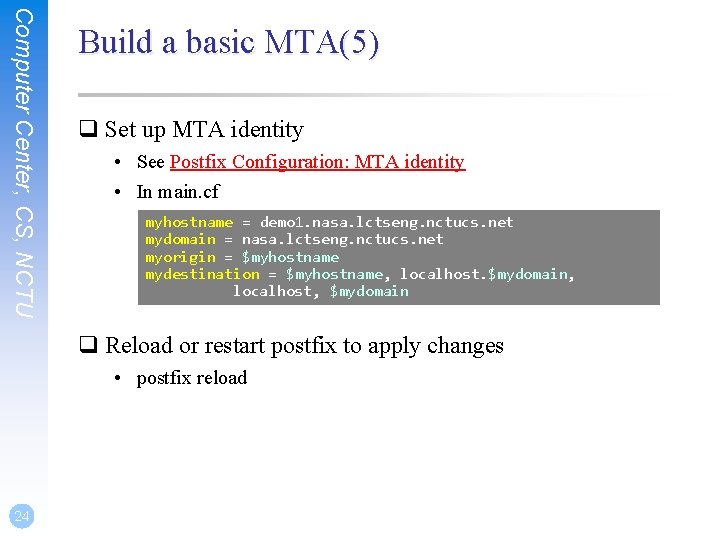
Computer Center, CS, NCTU Build a basic MTA(5) q Set up MTA identity • See Postfix Configuration: MTA identity • In main. cf myhostname = demo 1. nasa. lctseng. nctucs. net mydomain = nasa. lctseng. nctucs. net myorigin = $myhostname mydestination = $myhostname, localhost. $mydomain, localhost, $mydomain q Reload or restart postfix to apply changes • postfix reload 24
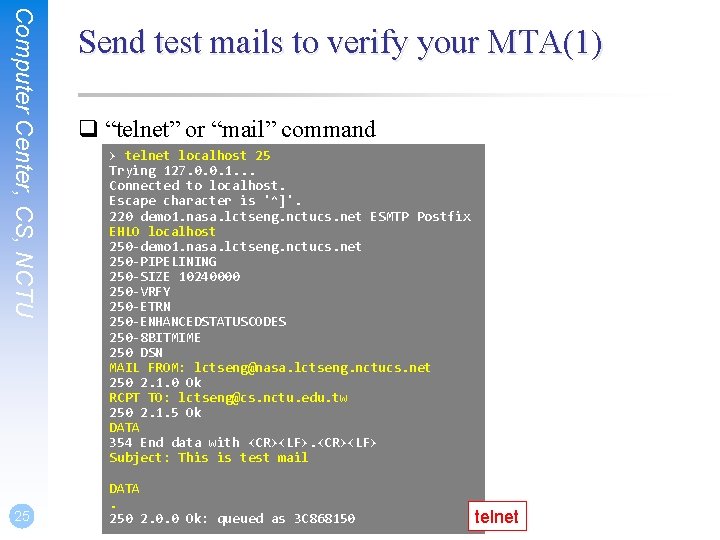
Computer Center, CS, NCTU 25 Send test mails to verify your MTA(1) q “telnet” or “mail” command > telnet localhost 25 Trying 127. 0. 0. 1. . . Connected to localhost. Escape character is '^]'. 220 demo 1. nasa. lctseng. nctucs. net ESMTP Postfix EHLO localhost 250 -demo 1. nasa. lctseng. nctucs. net 250 -PIPELINING 250 -SIZE 10240000 250 -VRFY 250 -ETRN 250 -ENHANCEDSTATUSCODES 250 -8 BITMIME 250 DSN MAIL FROM: lctseng@nasa. lctseng. nctucs. net 250 2. 1. 0 Ok RCPT TO: lctseng@cs. nctu. edu. tw 250 2. 1. 5 Ok DATA 354 End data with <CR><LF> Subject: This is test mail DATA. 250 2. 0. 0 Ok: queued as 3 C 868150 telnet
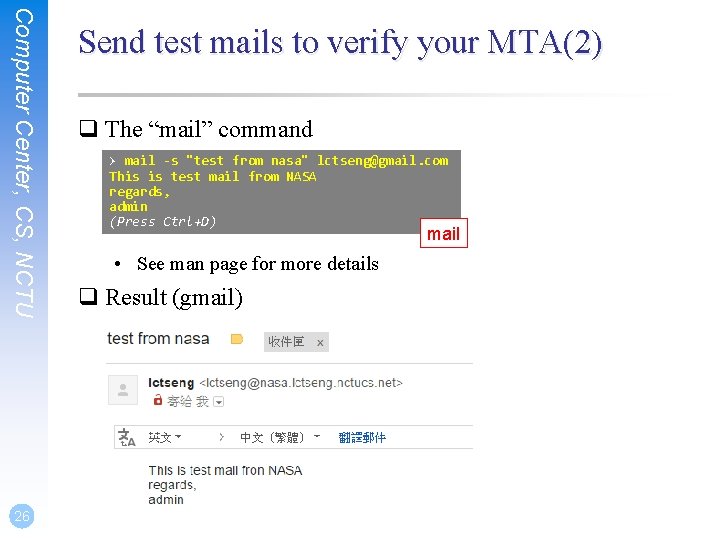
Computer Center, CS, NCTU 26 Send test mails to verify your MTA(2) q The “mail” command > mail -s "test from nasa" lctseng@gmail. com This is test mail from NASA regards, admin (Press Ctrl+D) mail • See man page for more details q Result (gmail)
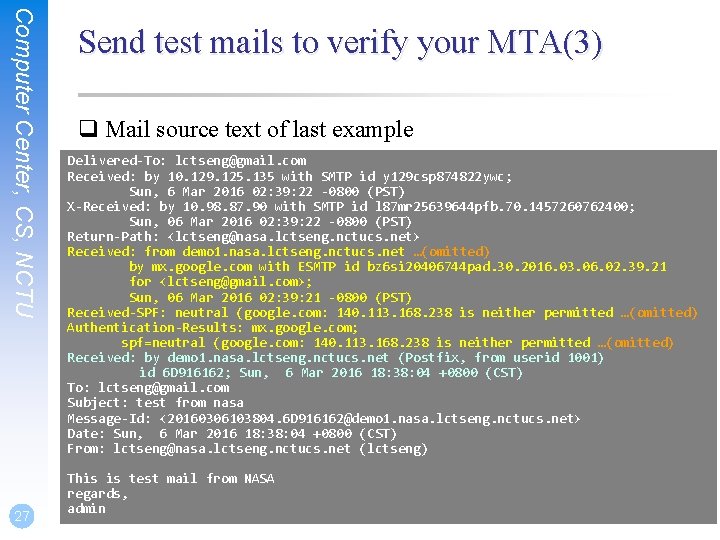
Computer Center, CS, NCTU 27 Send test mails to verify your MTA(3) q Mail source text of last example Delivered-To: lctseng@gmail. com Received: by 10. 129. 125. 135 with SMTP id y 129 csp 874822 ywc; Sun, 6 Mar 2016 02: 39: 22 -0800 (PST) X-Received: by 10. 98. 87. 90 with SMTP id l 87 mr 25639644 pfb. 70. 1457260762400; Sun, 06 Mar 2016 02: 39: 22 -0800 (PST) Return-Path: <lctseng@nasa. lctseng. nctucs. net> Received: from demo 1. nasa. lctseng. nctucs. net …(omitted) by mx. google. com with ESMTP id bz 6 si 20406744 pad. 30. 2016. 03. 06. 02. 39. 21 for <lctseng@gmail. com>; Sun, 06 Mar 2016 02: 39: 21 -0800 (PST) Received-SPF: neutral (google. com: 140. 113. 168. 238 is neither permitted …(omitted) Authentication-Results: mx. google. com; spf=neutral (google. com: 140. 113. 168. 238 is neither permitted …(omitted) Received: by demo 1. nasa. lctseng. nctucs. net (Postfix, from userid 1001) id 6 D 916162; Sun, 6 Mar 2016 18: 38: 04 +0800 (CST) To: lctseng@gmail. com Subject: test from nasa Message-Id: <20160306103804. 6 D 916162@demo 1. nasa. lctseng. nctucs. net> Date: Sun, 6 Mar 2016 18: 38: 04 +0800 (CST) From: lctseng@nasa. lctseng. nctucs. net (lctseng) This is test mail from NASA regards, admin
Computer Center, CS, NCTU 28 Check whether your mail is sent or not (1) q Sometimes, we do not receive mails immediately q There may be some errors when your MTA sending mails to other domain q Mails will stay in queues • Contain information about each mail q Tools to management mail queues • See Postfix Configuration: Queue Management - Queue Tools
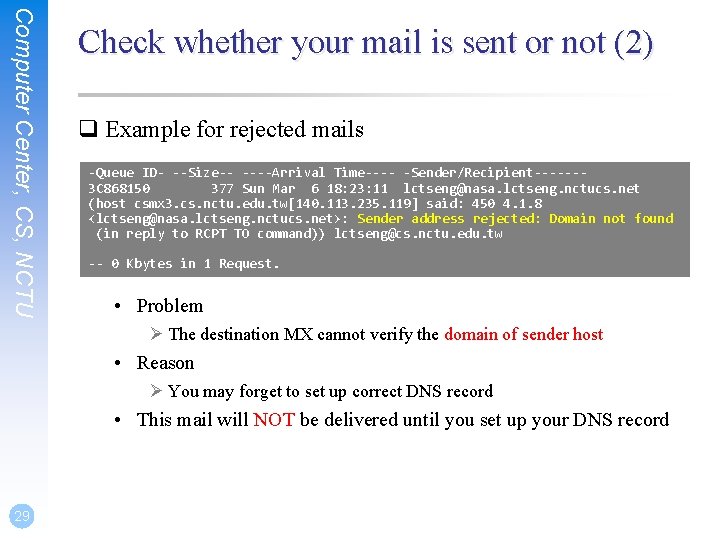
Computer Center, CS, NCTU Check whether your mail is sent or not (2) q Example for rejected mails -Queue ID- --Size-- ----Arrival Time---- -Sender/Recipient------3 C 868150 377 Sun Mar 6 18: 23: 11 lctseng@nasa. lctseng. nctucs. net (host csmx 3. cs. nctu. edu. tw[140. 113. 235. 119] said: 450 4. 1. 8 <lctseng@nasa. lctseng. nctucs. net>: Sender address rejected: Domain not found (in reply to RCPT TO command)) lctseng@cs. nctu. edu. tw -- 0 Kbytes in 1 Request. • Problem Ø The destination MX cannot verify the domain of sender host • Reason Ø You may forget to set up correct DNS record • This mail will NOT be delivered until you set up your DNS record 29
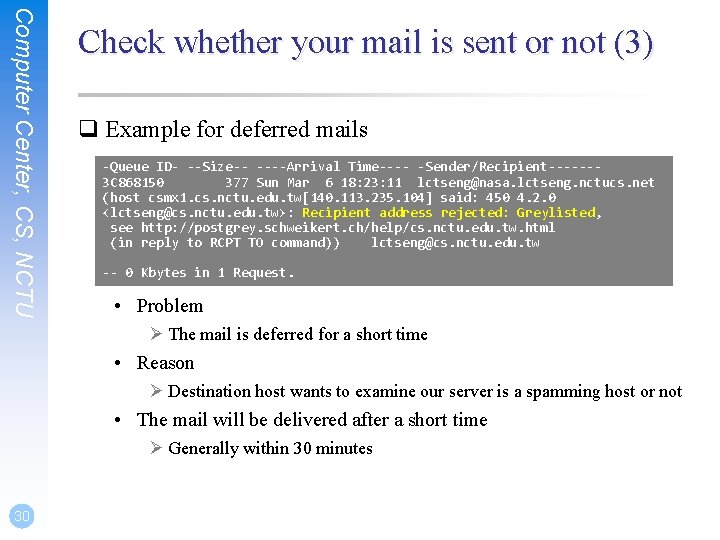
Computer Center, CS, NCTU Check whether your mail is sent or not (3) q Example for deferred mails -Queue ID- --Size-- ----Arrival Time---- -Sender/Recipient------3 C 868150 377 Sun Mar 6 18: 23: 11 lctseng@nasa. lctseng. nctucs. net (host csmx 1. cs. nctu. edu. tw[140. 113. 235. 104] said: 450 4. 2. 0 <lctseng@cs. nctu. edu. tw>: Recipient address rejected: Greylisted, see http: //postgrey. schweikert. ch/help/cs. nctu. edu. tw. html (in reply to RCPT TO command)) lctseng@cs. nctu. edu. tw -- 0 Kbytes in 1 Request. • Problem Ø The mail is deferred for a short time • Reason Ø Destination host wants to examine our server is a spamming host or not • The mail will be delivered after a short time Ø Generally within 30 minutes 30
MTA Authentication We don’t want unauthorized user to access our MTA
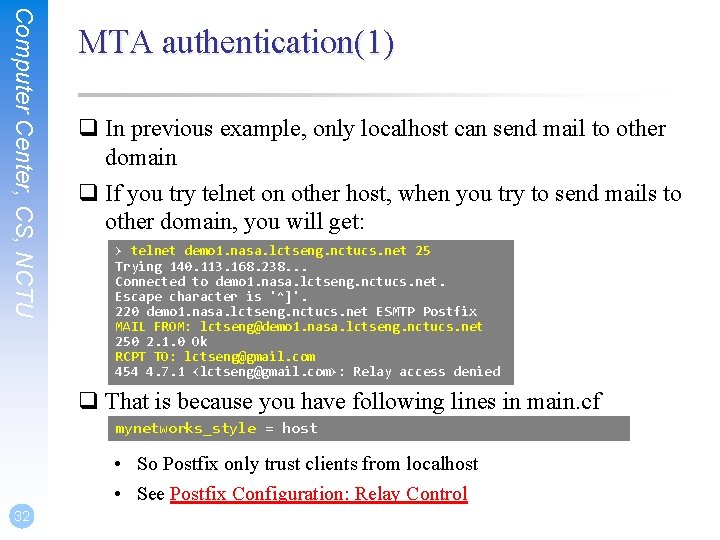
Computer Center, CS, NCTU MTA authentication(1) q In previous example, only localhost can send mail to other domain q If you try telnet on other host, when you try to send mails to other domain, you will get: > telnet demo 1. nasa. lctseng. nctucs. net 25 Trying 140. 113. 168. 238. . . Connected to demo 1. nasa. lctseng. nctucs. net. Escape character is '^]'. 220 demo 1. nasa. lctseng. nctucs. net ESMTP Postfix MAIL FROM: lctseng@demo 1. nasa. lctseng. nctucs. net 250 2. 1. 0 Ok RCPT TO: lctseng@gmail. com 454 4. 7. 1 <lctseng@gmail. com>: Relay access denied q That is because you have following lines in main. cf mynetworks_style = host • So Postfix only trust clients from localhost • See Postfix Configuration: Relay Control 32
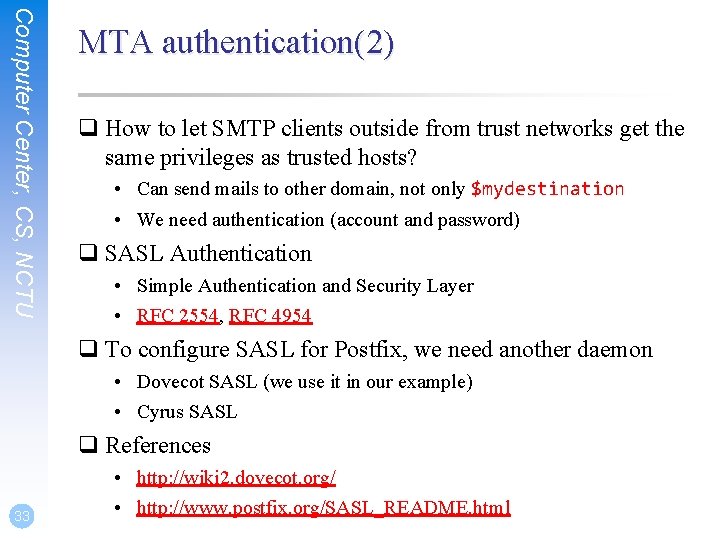
Computer Center, CS, NCTU MTA authentication(2) q How to let SMTP clients outside from trust networks get the same privileges as trusted hosts? • Can send mails to other domain, not only $mydestination • We need authentication (account and password) q SASL Authentication • Simple Authentication and Security Layer • RFC 2554, RFC 4954 q To configure SASL for Postfix, we need another daemon • Dovecot SASL (we use it in our example) • Cyrus SASL q References 33 • http: //wiki 2. dovecot. org/ • http: //www. postfix. org/SASL_README. html
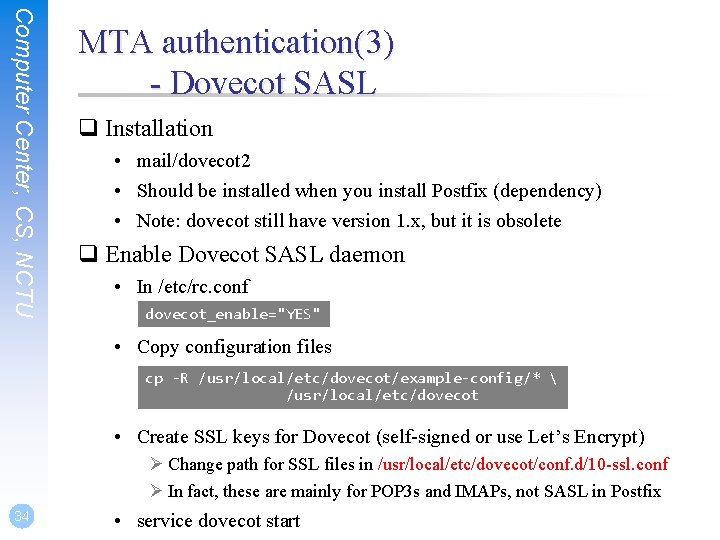
Computer Center, CS, NCTU MTA authentication(3) - Dovecot SASL q Installation • mail/dovecot 2 • Should be installed when you install Postfix (dependency) • Note: dovecot still have version 1. x, but it is obsolete q Enable Dovecot SASL daemon • In /etc/rc. conf dovecot_enable="YES" • Copy configuration files cp -R /usr/local/etc/dovecot/example-config/* /usr/local/etc/dovecot • Create SSL keys for Dovecot (self-signed or use Let’s Encrypt) Ø Change path for SSL files in /usr/local/etc/dovecot/conf. d/10 -ssl. conf Ø In fact, these are mainly for POP 3 s and IMAPs, not SASL in Postfix 34 • service dovecot start
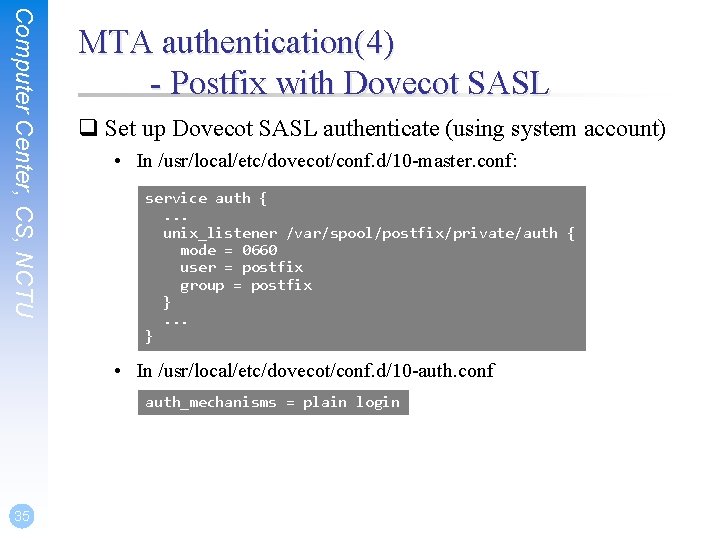
Computer Center, CS, NCTU MTA authentication(4) - Postfix with Dovecot SASL q Set up Dovecot SASL authenticate (using system account) • In /usr/local/etc/dovecot/conf. d/10 -master. conf: service auth {. . . unix_listener /var/spool/postfix/private/auth { mode = 0660 user = postfix group = postfix }. . . } • In /usr/local/etc/dovecot/conf. d/10 -auth. conf auth_mechanisms = plain login 35
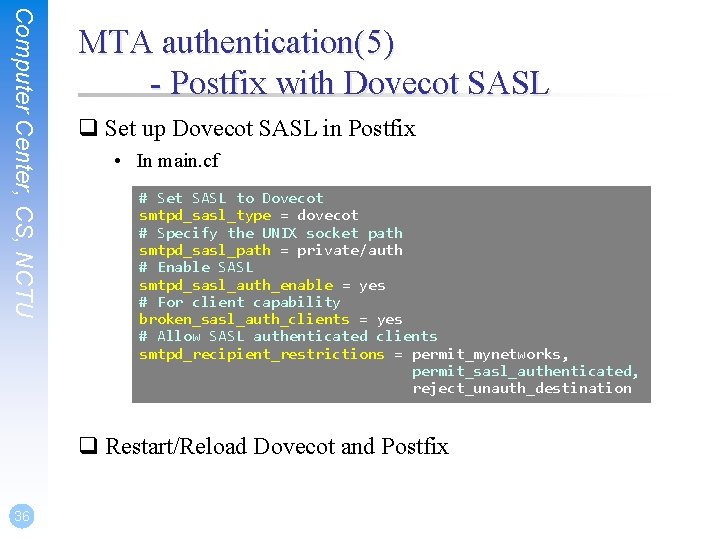
Computer Center, CS, NCTU MTA authentication(5) - Postfix with Dovecot SASL q Set up Dovecot SASL in Postfix • In main. cf # Set SASL to Dovecot smtpd_sasl_type = dovecot # Specify the UNIX socket path smtpd_sasl_path = private/auth # Enable SASL smtpd_sasl_auth_enable = yes # For client capability broken_sasl_auth_clients = yes # Allow SASL authenticated clients smtpd_recipient_restrictions = permit_mynetworks, permit_sasl_authenticated, reject_unauth_destination q Restart/Reload Dovecot and Postfix 36
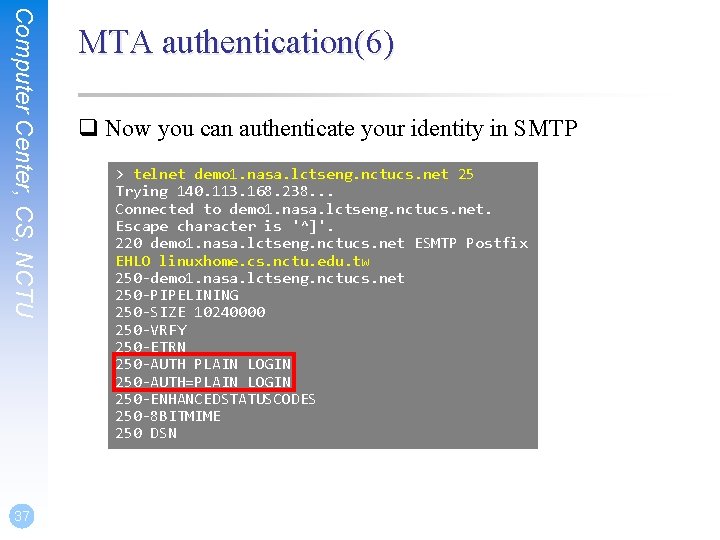
Computer Center, CS, NCTU 37 MTA authentication(6) q Now you can authenticate your identity in SMTP > telnet demo 1. nasa. lctseng. nctucs. net 25 Trying 140. 113. 168. 238. . . Connected to demo 1. nasa. lctseng. nctucs. net. Escape character is '^]'. 220 demo 1. nasa. lctseng. nctucs. net ESMTP Postfix EHLO linuxhome. cs. nctu. edu. tw 250 -demo 1. nasa. lctseng. nctucs. net 250 -PIPELINING 250 -SIZE 10240000 250 -VRFY 250 -ETRN 250 -AUTH PLAIN LOGIN 250 -AUTH=PLAIN LOGIN 250 -ENHANCEDSTATUSCODES 250 -8 BITMIME 250 DSN
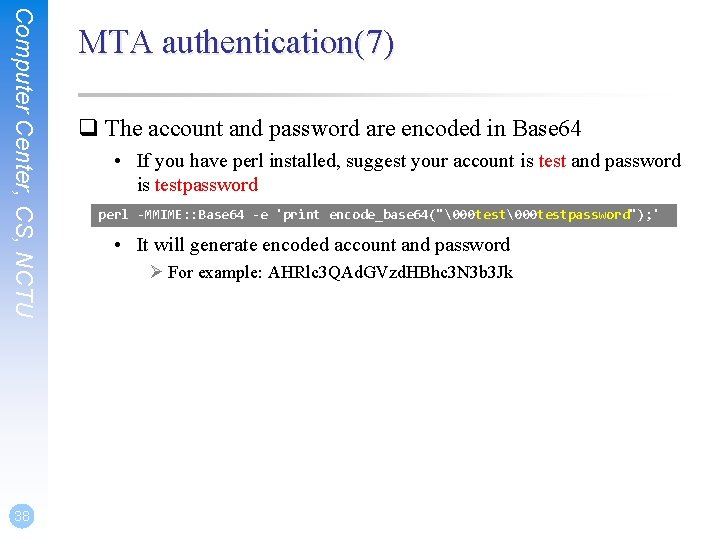
Computer Center, CS, NCTU 38 MTA authentication(7) q The account and password are encoded in Base 64 • If you have perl installed, suggest your account is test and password is testpassword perl -MMIME: : Base 64 -e 'print encode_base 64("00 testpassword"); ' • It will generate encoded account and password Ø For example: AHRlc 3 QAd. GVzd. HBhc 3 N 3 b 3 Jk
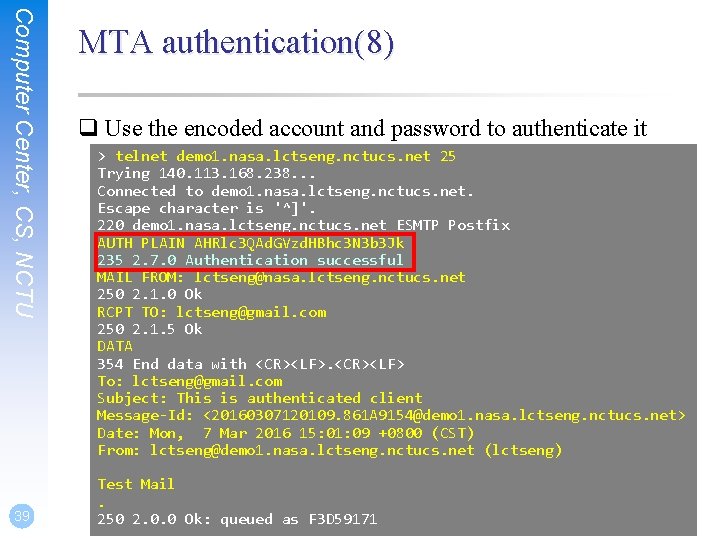
Computer Center, CS, NCTU 39 MTA authentication(8) q Use the encoded account and password to authenticate it > telnet demo 1. nasa. lctseng. nctucs. net 25 Trying 140. 113. 168. 238. . . Connected to demo 1. nasa. lctseng. nctucs. net. Escape character is '^]'. 220 demo 1. nasa. lctseng. nctucs. net ESMTP Postfix AUTH PLAIN AHRlc 3 QAd. GVzd. HBhc 3 N 3 b 3 Jk 235 2. 7. 0 Authentication successful MAIL FROM: lctseng@nasa. lctseng. nctucs. net 250 2. 1. 0 Ok RCPT TO: lctseng@gmail. com 250 2. 1. 5 Ok DATA 354 End data with <CR><LF> To: lctseng@gmail. com Subject: This is authenticated client Message-Id: <20160307120109. 861 A 9154@demo 1. nasa. lctseng. nctucs. net> Date: Mon, 7 Mar 2016 15: 01: 09 +0800 (CST) From: lctseng@demo 1. nasa. lctseng. nctucs. net (lctseng) Test Mail. 250 2. 0. 0 Ok: queued as F 3 D 59171
MTA Encryption The Internet is dangerous. We need to protect ourselves from sniffing.
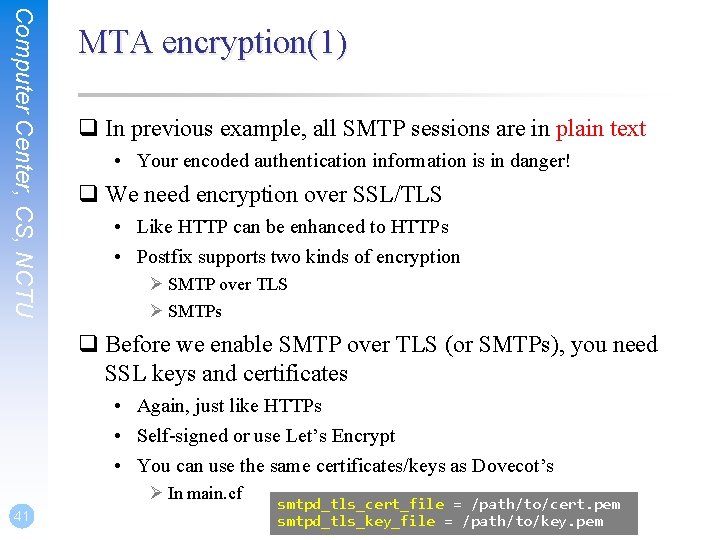
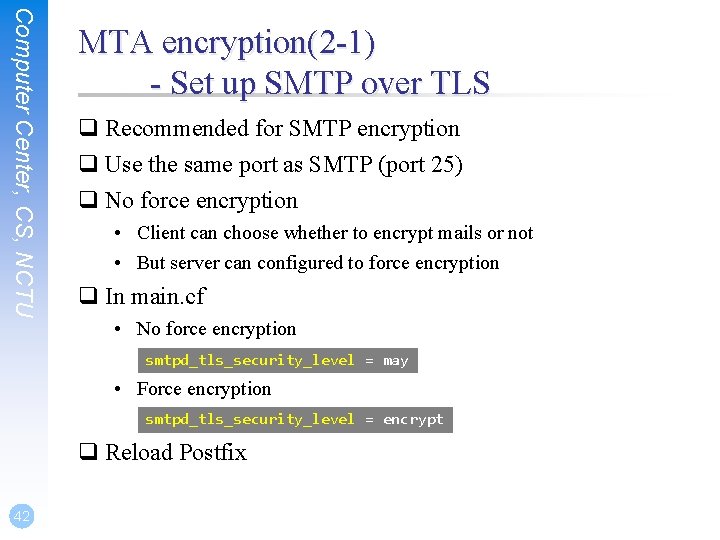
Computer Center, CS, NCTU MTA encryption(1) q In previous example, all SMTP sessions are in plain text • Your encoded authentication information is in danger! q We need encryption over SSL/TLS • Like HTTP can be enhanced to HTTPs • Postfix supports two kinds of encryption Ø SMTP over TLS Ø SMTPs q Before we enable SMTP over TLS (or SMTPs), you need SSL keys and certificates • Again, just like HTTPs • Self-signed or use Let’s Encrypt • You can use the same certificates/keys as Dovecot’s Ø In main. cf 41 smtpd_tls_cert_file = /path/to/cert. pem smtpd_tls_key_file = /path/to/key. pem
Computer Center, CS, NCTU MTA encryption(2 -1) - Set up SMTP over TLS q Recommended for SMTP encryption q Use the same port as SMTP (port 25) q No force encryption • Client can choose whether to encrypt mails or not • But server can configured to force encryption q In main. cf • No force encryption smtpd_tls_security_level = may • Force encryption smtpd_tls_security_level = encrypt q Reload Postfix 42
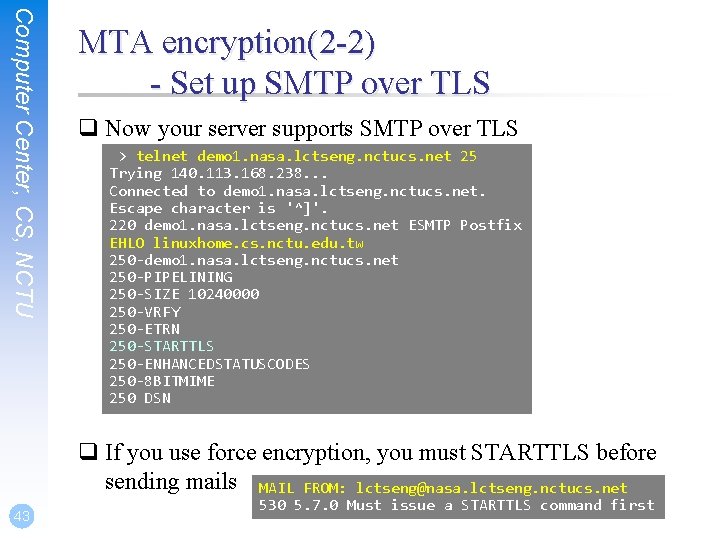
Computer Center, CS, NCTU MTA encryption(2 -2) - Set up SMTP over TLS q Now your server supports SMTP over TLS > telnet demo 1. nasa. lctseng. nctucs. net 25 Trying 140. 113. 168. 238. . . Connected to demo 1. nasa. lctseng. nctucs. net. Escape character is '^]'. 220 demo 1. nasa. lctseng. nctucs. net ESMTP Postfix EHLO linuxhome. cs. nctu. edu. tw 250 -demo 1. nasa. lctseng. nctucs. net 250 -PIPELINING 250 -SIZE 10240000 250 -VRFY 250 -ETRN 250 -STARTTLS 250 -ENHANCEDSTATUSCODES 250 -8 BITMIME 250 DSN q If you use force encryption, you must STARTTLS before sending mails MAIL FROM: lctseng@nasa. lctseng. nctucs. net 43 530 5. 7. 0 Must issue a STARTTLS command first
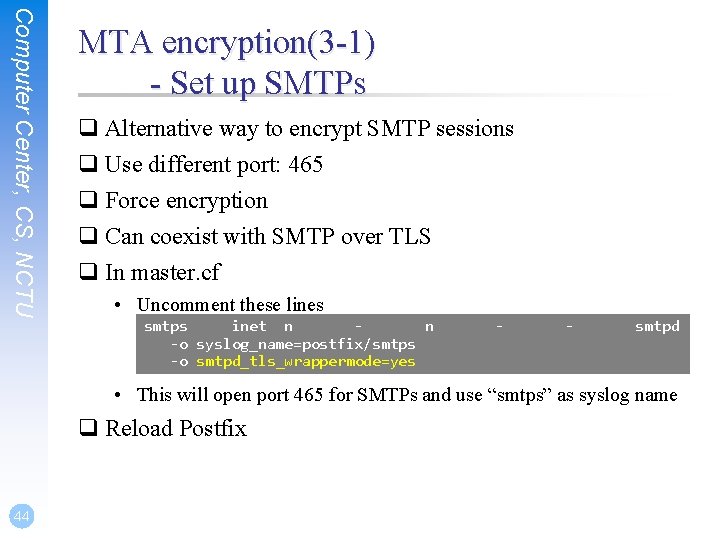
Computer Center, CS, NCTU MTA encryption(3 -1) - Set up SMTPs q Alternative way to encrypt SMTP sessions q Use different port: 465 q Force encryption q Can coexist with SMTP over TLS q In master. cf • Uncomment these lines smtps inet n n -o syslog_name=postfix/smtps -o smtpd_tls_wrappermode=yes - - smtpd • This will open port 465 for SMTPs and use “smtps” as syslog name q Reload Postfix 44
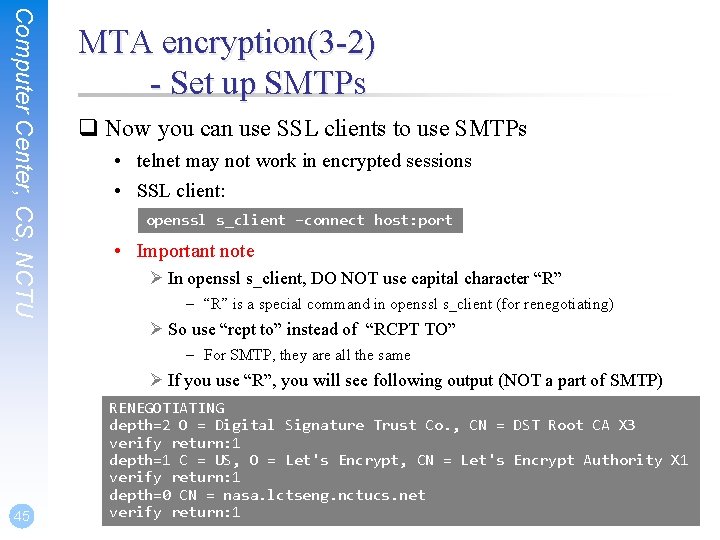
Computer Center, CS, NCTU MTA encryption(3 -2) - Set up SMTPs q Now you can use SSL clients to use SMTPs • telnet may not work in encrypted sessions • SSL client: openssl s_client –connect host: port • Important note Ø In openssl s_client, DO NOT use capital character “R” – “R” is a special command in openssl s_client (for renegotiating) Ø So use “rcpt to” instead of “RCPT TO” – For SMTP, they are all the same Ø If you use “R”, you will see following output (NOT a part of SMTP) 45 RENEGOTIATING depth=2 O = Digital Signature Trust Co. , CN = DST Root CA X 3 verify return: 1 depth=1 C = US, O = Let's Encrypt, CN = Let's Encrypt Authority X 1 verify return: 1 depth=0 CN = nasa. lctseng. nctucs. net verify return: 1
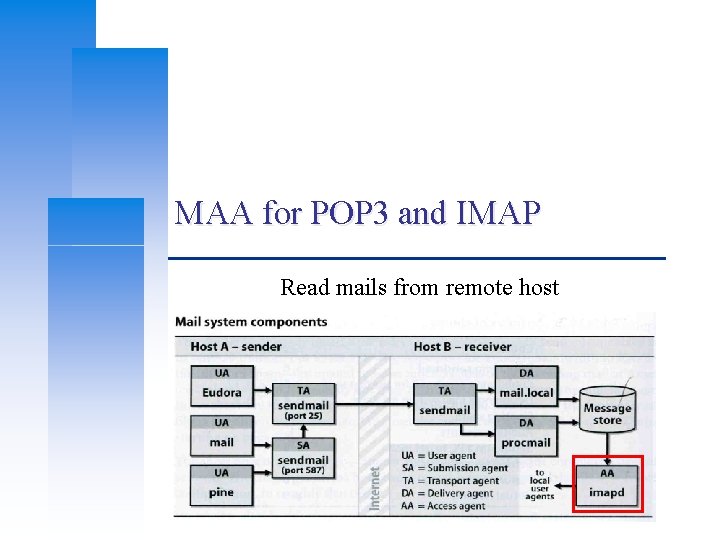
MAA for POP 3 and IMAP Read mails from remote host
Computer Center, CS, NCTU MAA for POP 3 and IMAP (1) - Read mails from terminal q In fact, you mail server can receive mails now • But all messages are store in local disk q To read mails, you must login via ssh • Built-in command to read mail: “mail” • Friendly command-line MUA: “mutt” Ø Packages: – zh-mutt (Chinese version) – mutt (English version) Ø Ports: – chinese/mutt – mail/mutt q How to read mails from remote host? 47 • MUA like Outlook, Thunderbird, or even Gmail • We need MAA
Computer Center, CS, NCTU MAA for POP 3 and IMAP (2) q Fortunately, the Dovecot already provides POP 3 and IMAP services • Include SSL versions: POP 3 s, IMAPs Ø That why we need SSL certificates and keys for Dovecot q When you activate Dovecot service, these MAA services are also brought up. q But you cannot access mail directly, you need some configuration • Configuration files are in : /usr/local/etc/dovecot/ • There are many files included by dovecot. conf Ø In conf. d directory Ø Splitting configuration files is easier to management • Reference: http: //wiki 2. dovecot. org/Quick. Configuration 48
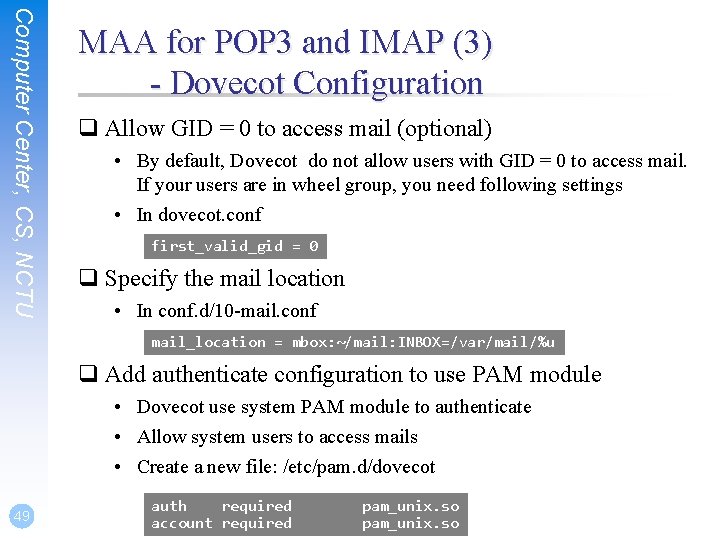
Computer Center, CS, NCTU MAA for POP 3 and IMAP (3) - Dovecot Configuration q Allow GID = 0 to access mail (optional) • By default, Dovecot do not allow users with GID = 0 to access mail. If your users are in wheel group, you need following settings • In dovecot. conf first_valid_gid = 0 q Specify the mail location • In conf. d/10 -mail. conf mail_location = mbox: ~/mail: INBOX=/var/mail/%u q Add authenticate configuration to use PAM module • Dovecot use system PAM module to authenticate • Allow system users to access mails • Create a new file: /etc/pam. d/dovecot 49 auth required account required pam_unix. so
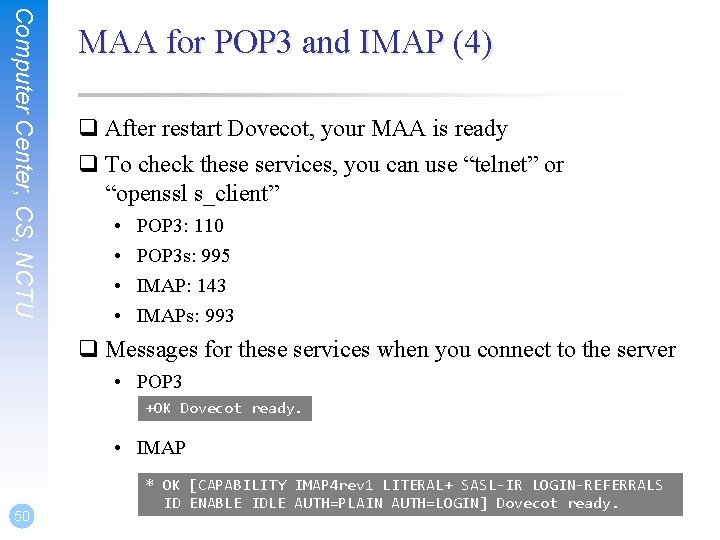
Computer Center, CS, NCTU MAA for POP 3 and IMAP (4) q After restart Dovecot, your MAA is ready q To check these services, you can use “telnet” or “openssl s_client” • • POP 3: 110 POP 3 s: 995 IMAP: 143 IMAPs: 993 q Messages for these services when you connect to the server • POP 3 +OK Dovecot ready. • IMAP 50 * OK [CAPABILITY IMAP 4 rev 1 LITERAL+ SASL-IR LOGIN-REFERRALS ID ENABLE IDLE AUTH=PLAIN AUTH=LOGIN] Dovecot ready.
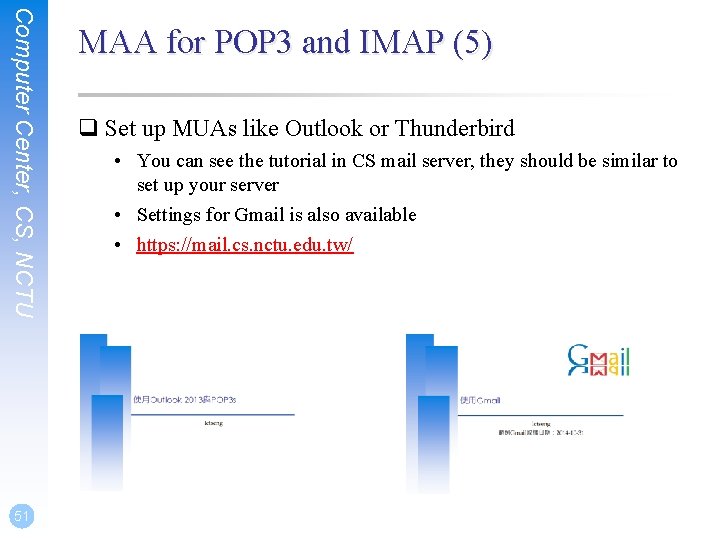
Computer Center, CS, NCTU 51 MAA for POP 3 and IMAP (5) q Set up MUAs like Outlook or Thunderbird • You can see the tutorial in CS mail server, they should be similar to set up your server • Settings for Gmail is also available • https: //mail. cs. nctu. edu. tw/
Postfix Configuration Reference: http: //www. postfix. org/postconf. 5. html
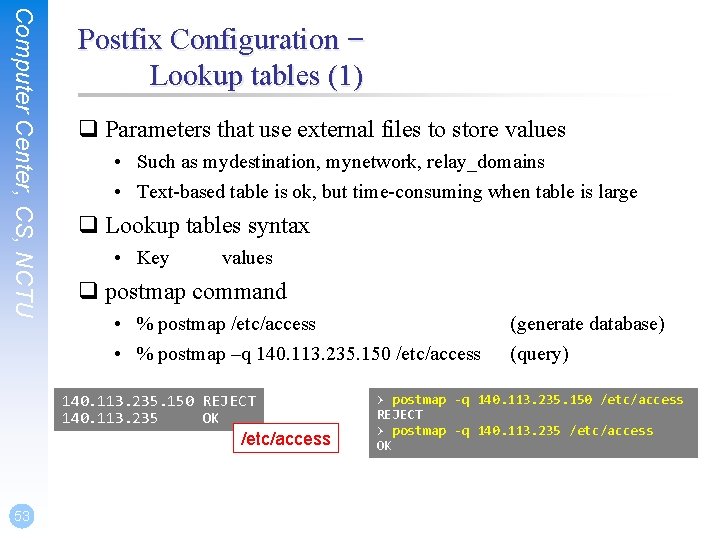
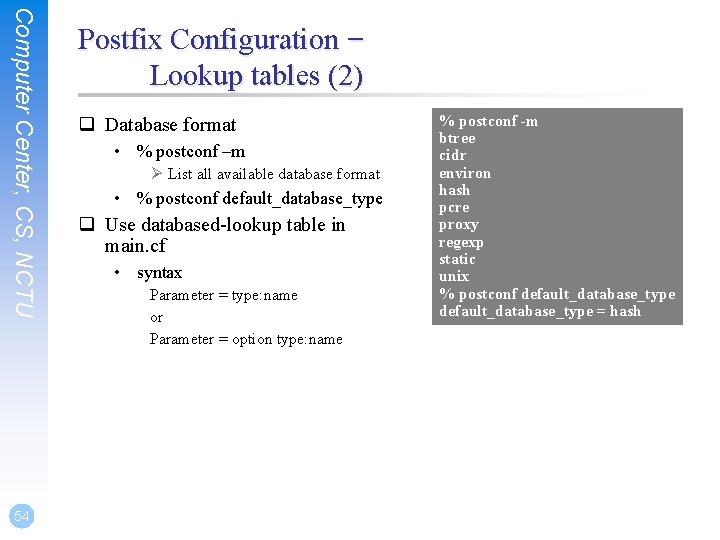
Computer Center, CS, NCTU Postfix Configuration – Lookup tables (1) q Parameters that use external files to store values • Such as mydestination, mynetwork, relay_domains • Text-based table is ok, but time-consuming when table is large q Lookup tables syntax • Key values q postmap command • % postmap /etc/access • % postmap –q 140. 113. 235. 150 /etc/access 140. 113. 235. 150 REJECT 140. 113. 235 OK /etc/access 53 (generate database) (query) > postmap -q 140. 113. 235. 150 /etc/access REJECT > postmap -q 140. 113. 235 /etc/access OK
Computer Center, CS, NCTU 54 Postfix Configuration – Lookup tables (2) q Database format • % postconf –m Ø List all available database format • % postconf default_database_type q Use databased-lookup table in main. cf • syntax Parameter = type: name or Parameter = option type: name % postconf -m btree cidr environ hash pcre proxy regexp static unix % postconf default_database_type = hash
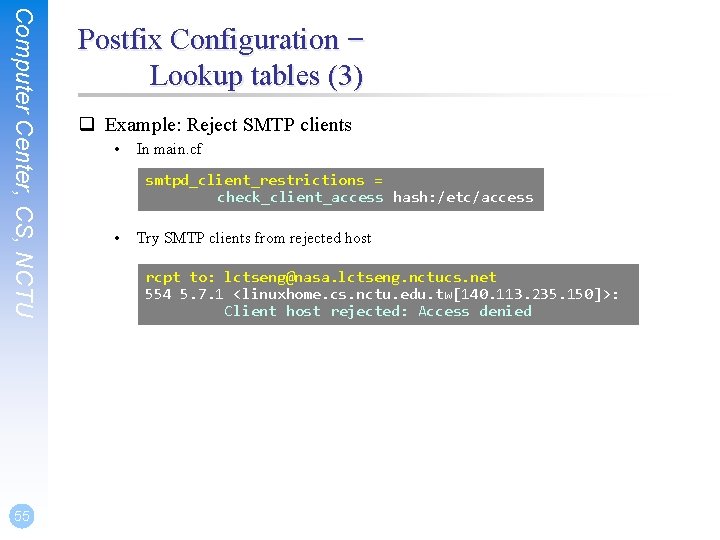
Computer Center, CS, NCTU 55 Postfix Configuration – Lookup tables (3) q Example: Reject SMTP clients • In main. cf smtpd_client_restrictions = check_client_access hash: /etc/access • Try SMTP clients from rejected host rcpt to: lctseng@nasa. lctseng. nctucs. net 554 5. 7. 1 <linuxhome. cs. nctu. edu. tw[140. 113. 235. 150]>: Client host rejected: Access denied
Computer Center, CS, NCTU Postfix Configuration – Lookup tables (4) q Regular expression tables • More flexible for matching keys in lookup tables • Two regular expression libraries used in Postfix Ø POSIX extended regular expression (regexp, default) Ø Perl-Compatible regular expression (PCRE) • Usage Ø /pattern/ value Ø It is useful to use regular expression tables to do checks, such as – header_checks parameters – body_checks parameters 56
Computer Center, CS, NCTU Postfix Configuration – system-wide aliases files q Using aliases in Postfix • alias_maps = hash: /etc/aliases • • alias_maps = hash: /etc/aliases, nis: mail. aliases alias_database = hash: /etc/aliases Ø Tell newaliases command which aliases file to build alias_maps: may not control by Postfix (may be NIS) alias_database: under control by Postfix q To Build alias database file • % postalias /etc/aliases q Alias file format (same as sendmail) • RHS can be Ø Email address, filename, |command, : include: q Alias restriction • allow_mail_to_commands = alias, forward • allow_mail_to_files = alias, forward 57
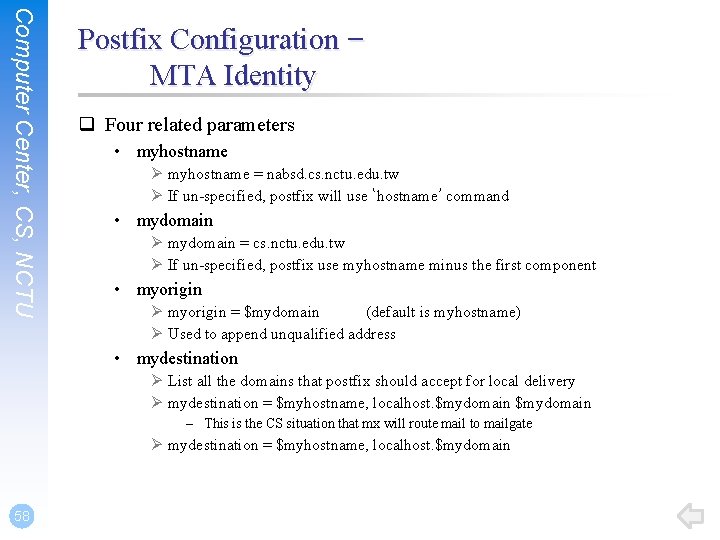
Computer Center, CS, NCTU Postfix Configuration – MTA Identity q Four related parameters • myhostname Ø myhostname = nabsd. cs. nctu. edu. tw Ø If un-specified, postfix will use ‘hostname’ command • mydomain Ø mydomain = cs. nctu. edu. tw Ø If un-specified, postfix use myhostname minus the first component • myorigin Ø myorigin = $mydomain (default is myhostname) Ø Used to append unqualified address • mydestination Ø List all the domains that postfix should accept for local delivery Ø mydestination = $myhostname, localhost. $mydomain – This is the CS situation that mx will route mail to mailgate Ø mydestination = $myhostname, localhost. $mydomain 58
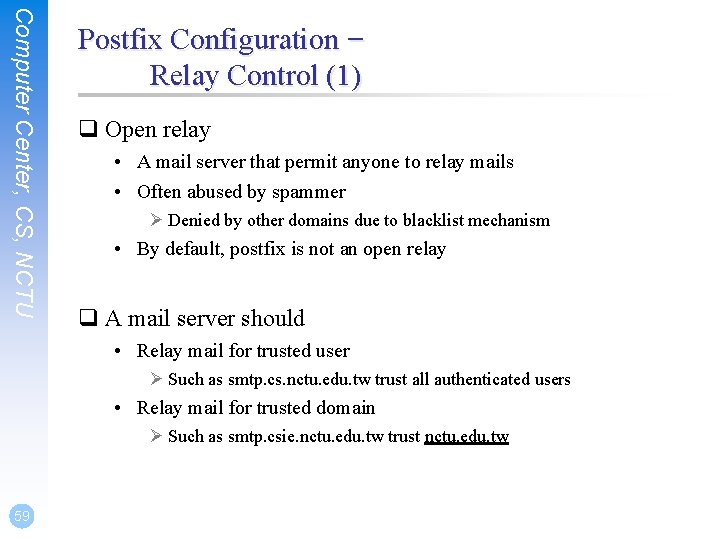
Computer Center, CS, NCTU Postfix Configuration – Relay Control (1) q Open relay • A mail server that permit anyone to relay mails • Often abused by spammer Ø Denied by other domains due to blacklist mechanism • By default, postfix is not an open relay q A mail server should • Relay mail for trusted user Ø Such as smtp. cs. nctu. edu. tw trust all authenticated users • Relay mail for trusted domain Ø Such as smtp. csie. nctu. edu. tw trust nctu. edu. tw 59
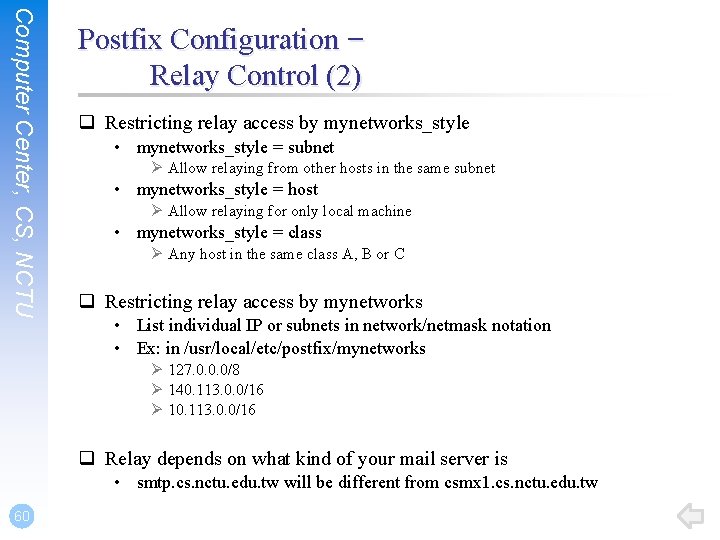
Computer Center, CS, NCTU Postfix Configuration – Relay Control (2) q Restricting relay access by mynetworks_style • mynetworks_style = subnet Ø Allow relaying from other hosts in the same subnet • mynetworks_style = host Ø Allow relaying for only local machine • mynetworks_style = class Ø Any host in the same class A, B or C q Restricting relay access by mynetworks • List individual IP or subnets in network/netmask notation • Ex: in /usr/local/etc/postfix/mynetworks Ø 127. 0. 0. 0/8 Ø 140. 113. 0. 0/16 Ø 10. 113. 0. 0/16 q Relay depends on what kind of your mail server is • smtp. cs. nctu. edu. tw will be different from csmx 1. cs. nctu. edu. tw 60
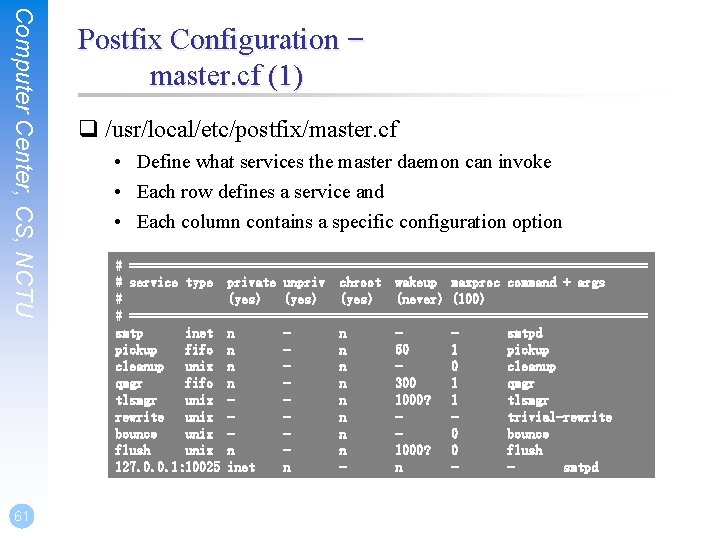
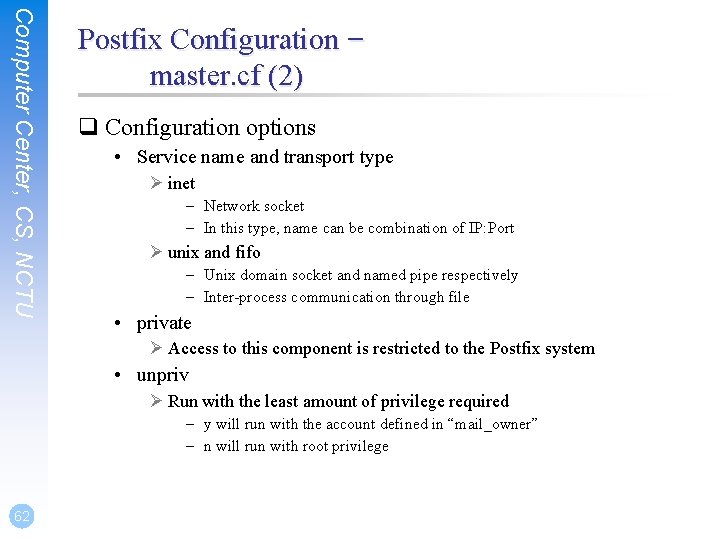
Computer Center, CS, NCTU 61 Postfix Configuration – master. cf (1) q /usr/local/etc/postfix/master. cf • Define what services the master daemon can invoke • Each row defines a service and • Each column contains a specific configuration option # ===================================== # service type private unpriv chroot wakeup maxproc command + args # (yes) (never) (100) # ===================================== smtp inet n n smtpd pickup fifo n n 60 1 pickup cleanup unix n n 0 cleanup qmgr fifo n n 300 1 qmgr tlsmgr unix n 1000? 1 tlsmgr rewrite unix n trivial-rewrite bounce unix n 0 bounce flush unix n n 1000? 0 flush 127. 0. 0. 1: 10025 inet n n smtpd
Computer Center, CS, NCTU Postfix Configuration – master. cf (2) q Configuration options • Service name and transport type Ø inet – Network socket – In this type, name can be combination of IP: Port Ø unix and fifo – Unix domain socket and named pipe respectively – Inter-process communication through file • private Ø Access to this component is restricted to the Postfix system • unpriv Ø Run with the least amount of privilege required – y will run with the account defined in “mail_owner” – n will run with root privilege 62
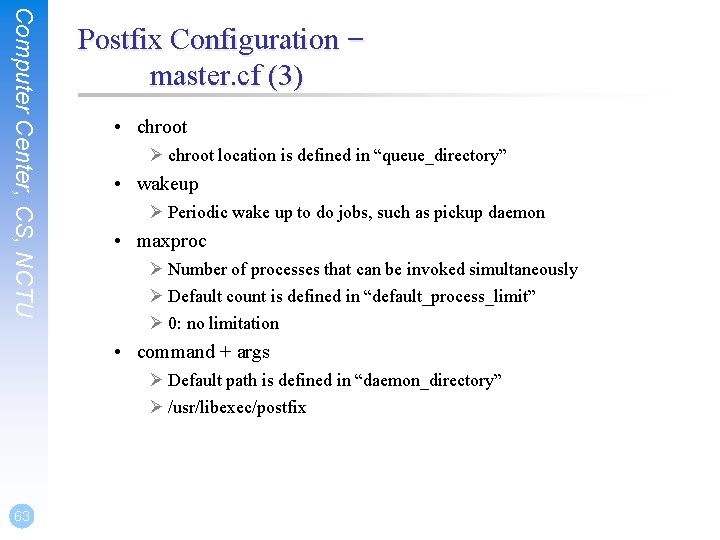
Computer Center, CS, NCTU Postfix Configuration – master. cf (3) • chroot Ø chroot location is defined in “queue_directory” • wakeup Ø Periodic wake up to do jobs, such as pickup daemon • maxproc Ø Number of processes that can be invoked simultaneously Ø Default count is defined in “default_process_limit” Ø 0: no limitation • command + args Ø Default path is defined in “daemon_directory” Ø /usr/libexec/postfix 63
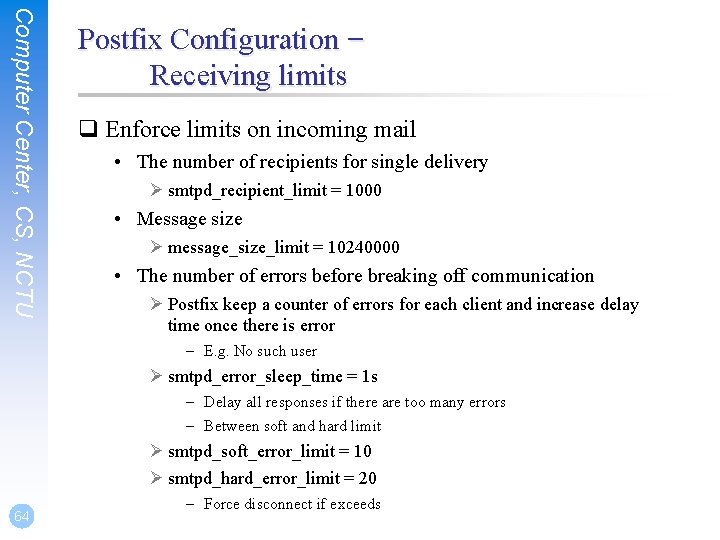
Computer Center, CS, NCTU Postfix Configuration – Receiving limits q Enforce limits on incoming mail • The number of recipients for single delivery Ø smtpd_recipient_limit = 1000 • Message size Ø message_size_limit = 10240000 • The number of errors before breaking off communication Ø Postfix keep a counter of errors for each client and increase delay time once there is error – E. g. No such user Ø smtpd_error_sleep_time = 1 s – Delay all responses if there are too many errors – Between soft and hard limit Ø smtpd_soft_error_limit = 10 Ø smtpd_hard_error_limit = 20 64 – Force disconnect if exceeds
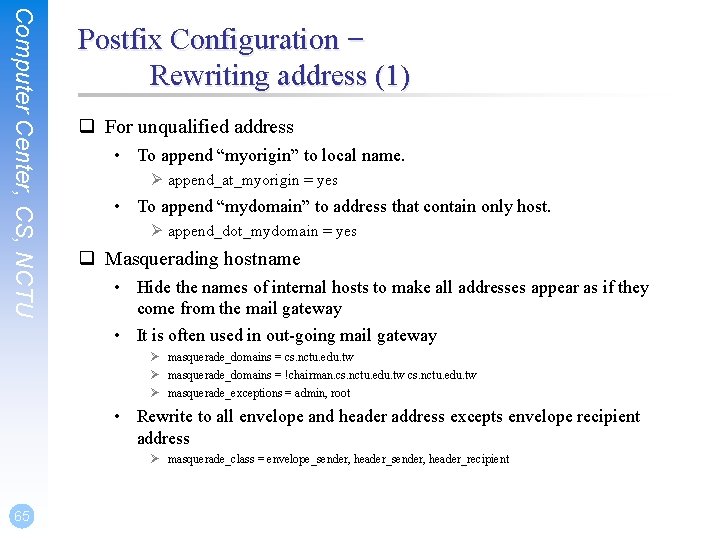
Computer Center, CS, NCTU Postfix Configuration – Rewriting address (1) q For unqualified address • To append “myorigin” to local name. Ø append_at_myorigin = yes • To append “mydomain” to address that contain only host. Ø append_dot_mydomain = yes q Masquerading hostname • Hide the names of internal hosts to make all addresses appear as if they come from the mail gateway • It is often used in out-going mail gateway Ø masquerade_domains = cs. nctu. edu. tw Ø masquerade_domains = !chairman. cs. nctu. edu. tw Ø masquerade_exceptions = admin, root • Rewrite to all envelope and header address excepts envelope recipient address Ø masquerade_class = envelope_sender, header_recipient 65
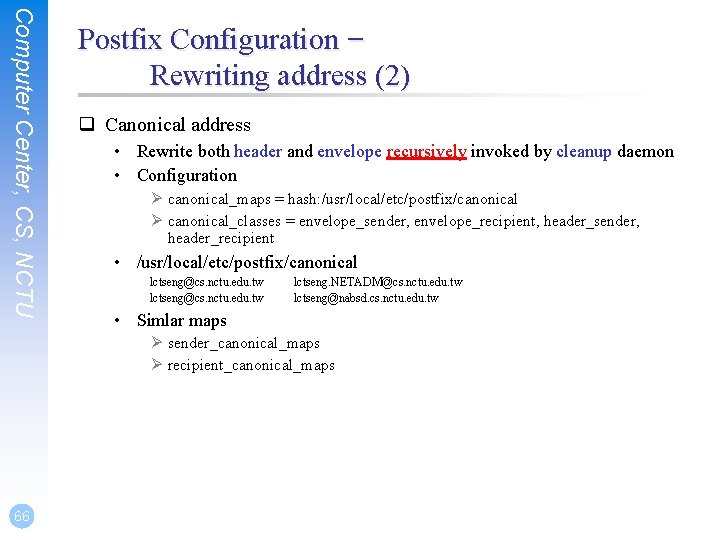
Computer Center, CS, NCTU Postfix Configuration – Rewriting address (2) q Canonical address • Rewrite both header and envelope recursively invoked by cleanup daemon • Configuration Ø canonical_maps = hash: /usr/local/etc/postfix/canonical Ø canonical_classes = envelope_sender, envelope_recipient, header_sender, header_recipient • /usr/local/etc/postfix/canonical lctseng@cs. nctu. edu. tw lctseng. NETADM@cs. nctu. edu. tw lctseng@nabsd. cs. nctu. edu. tw • Simlar maps Ø sender_canonical_maps Ø recipient_canonical_maps 66
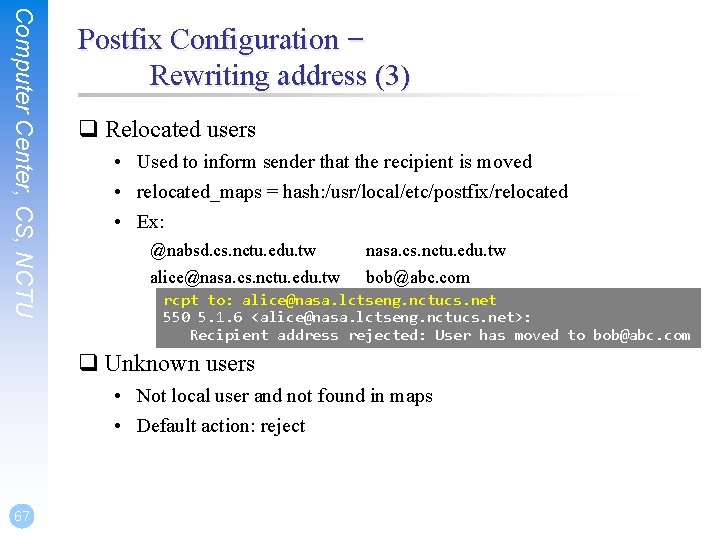
Computer Center, CS, NCTU Postfix Configuration – Rewriting address (3) q Relocated users • Used to inform sender that the recipient is moved • relocated_maps = hash: /usr/local/etc/postfix/relocated • Ex: @nabsd. cs. nctu. edu. tw alice@nasa. cs. nctu. edu. tw bob@abc. com rcpt to: alice@nasa. lctseng. nctucs. net 550 5. 1. 6 <alice@nasa. lctseng. nctucs. net>: Recipient address rejected: User has moved to bob@abc. com q Unknown users • Not local user and not found in maps • Default action: reject 67
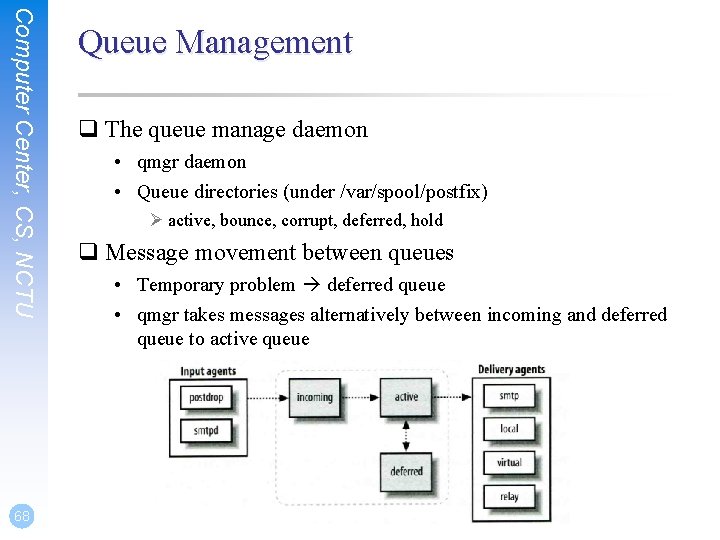
Computer Center, CS, NCTU 68 Queue Management q The queue manage daemon • qmgr daemon • Queue directories (under /var/spool/postfix) Ø active, bounce, corrupt, deferred, hold q Message movement between queues • Temporary problem deferred queue • qmgr takes messages alternatively between incoming and deferred queue to active queue
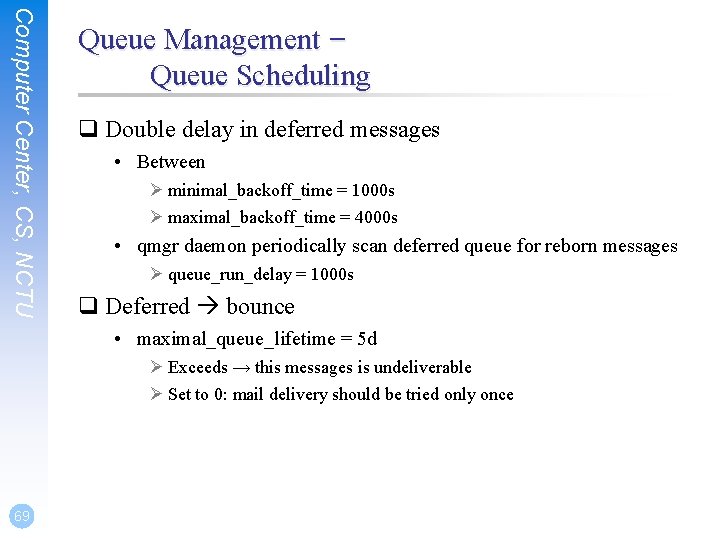
Computer Center, CS, NCTU Queue Management – Queue Scheduling q Double delay in deferred messages • Between Ø minimal_backoff_time = 1000 s Ø maximal_backoff_time = 4000 s • qmgr daemon periodically scan deferred queue for reborn messages Ø queue_run_delay = 1000 s q Deferred bounce • maximal_queue_lifetime = 5 d Ø Exceeds → this messages is undeliverable Ø Set to 0: mail delivery should be tried only once 69
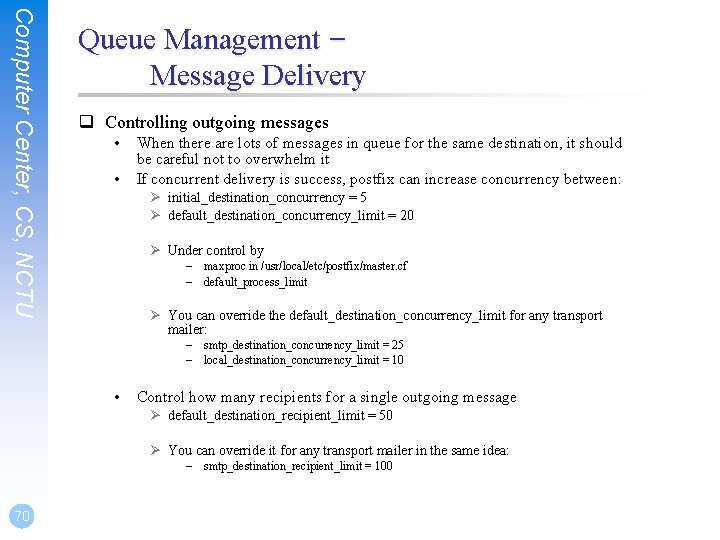
Computer Center, CS, NCTU Queue Management – Message Delivery q Controlling outgoing messages • • When there are lots of messages in queue for the same destination, it should be careful not to overwhelm it If concurrent delivery is success, postfix can increase concurrency between: Ø initial_destination_concurrency = 5 Ø default_destination_concurrency_limit = 20 Ø Under control by – maxproc in /usr/local/etc/postfix/master. cf – default_process_limit Ø You can override the default_destination_concurrency_limit for any transport mailer: – smtp_destination_concurrency_limit = 25 – local_destination_concurrency_limit = 10 • Control how many recipients for a single outgoing message Ø default_destination_recipient_limit = 50 Ø You can override it for any transport mailer in the same idea: – smtp_destination_recipient_limit = 100 70
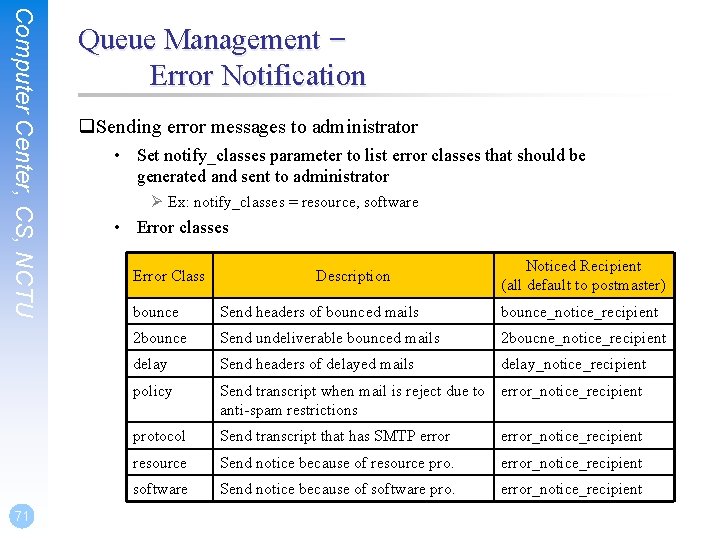
Computer Center, CS, NCTU 71 Queue Management – Error Notification q. Sending error messages to administrator • Set notify_classes parameter to list error classes that should be generated and sent to administrator Ø Ex: notify_classes = resource, software • Error classes Error Class Description Noticed Recipient (all default to postmaster) bounce Send headers of bounced mails bounce_notice_recipient 2 bounce Send undeliverable bounced mails 2 boucne_notice_recipient delay Send headers of delayed mails delay_notice_recipient policy Send transcript when mail is reject due to error_notice_recipient anti-spam restrictions protocol Send transcript that has SMTP error_notice_recipient resource Send notice because of resource pro. error_notice_recipient software Send notice because of software pro. error_notice_recipient
Computer Center, CS, NCTU Queue Management – Queue Tools (1) q postqueue command • postqueue –p Ø Generate sendmailq output • postqueue –f Ø Attempt to deliver all queued mail • postqueue –s cs. nctu. edu. tw Ø Schedule immediate delivery of all mail queued for site q postsuper command • • postsuper –d DBA 3 F 1 A 9 postsuper –d ALL (from incoming, active, deferred, hold) Ø Delete queued messages • • postsuper –h DBA 3 F 1 A 9 postsuper –h ALL (from incoming, active, deferred) Ø Put messages “on hold” so that no attempt is made to deliver it • • postsuper –H DBA 3 F 1 A 9 postsuper –H ALL Ø Release messages in hold queue • • postsuper –r DBA 3 F 1 A 9 postsuper –r ALL Ø Requeue messages into maildrop queue 72
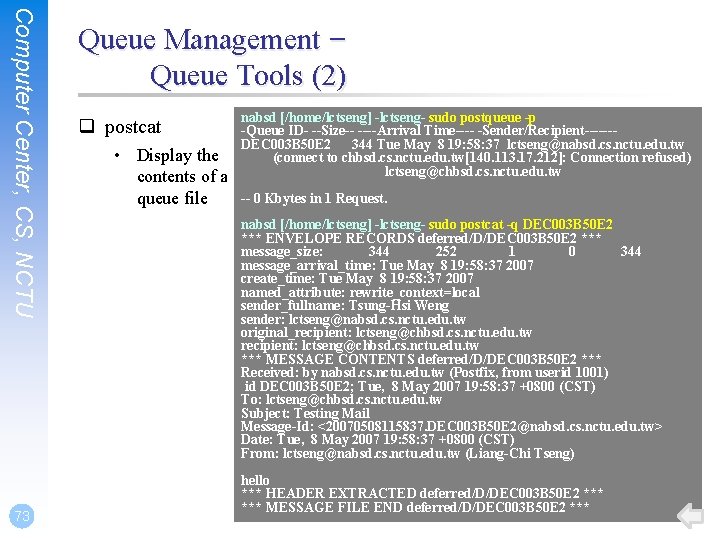
Computer Center, CS, NCTU 73 Queue Management – Queue Tools (2) q postcat • Display the contents of a queue file nabsd [/home/lctseng] -lctseng- sudo postqueue -p -Queue ID- --Size-- ----Arrival Time---- -Sender/Recipient------DEC 003 B 50 E 2 344 Tue May 8 19: 58: 37 lctseng@nabsd. cs. nctu. edu. tw (connect to chbsd. cs. nctu. edu. tw[140. 113. 17. 212]: Connection refused) lctseng@chbsd. cs. nctu. edu. tw -- 0 Kbytes in 1 Request. nabsd [/home/lctseng] -lctseng- sudo postcat -q DEC 003 B 50 E 2 *** ENVELOPE RECORDS deferred/D/DEC 003 B 50 E 2 *** message_size: 344 252 1 0 344 message_arrival_time: Tue May 8 19: 58: 37 2007 create_time: Tue May 8 19: 58: 37 2007 named_attribute: rewrite_context=local sender_fullname: Tsung-Hsi Weng sender: lctseng@nabsd. cs. nctu. edu. tw original_recipient: lctseng@chbsd. cs. nctu. edu. tw *** MESSAGE CONTENTS deferred/D/DEC 003 B 50 E 2 *** Received: by nabsd. cs. nctu. edu. tw (Postfix, from userid 1001) id DEC 003 B 50 E 2; Tue, 8 May 2007 19: 58: 37 +0800 (CST) To: lctseng@chbsd. cs. nctu. edu. tw Subject: Testing Mail Message-Id: <20070508115837. DEC 003 B 50 E 2@nabsd. cs. nctu. edu. tw> Date: Tue, 8 May 2007 19: 58: 37 +0800 (CST) From: lctseng@nabsd. cs. nctu. edu. tw (Liang-Chi Tseng) hello *** HEADER EXTRACTED deferred/D/DEC 003 B 50 E 2 *** MESSAGE FILE END deferred/D/DEC 003 B 50 E 2 ***
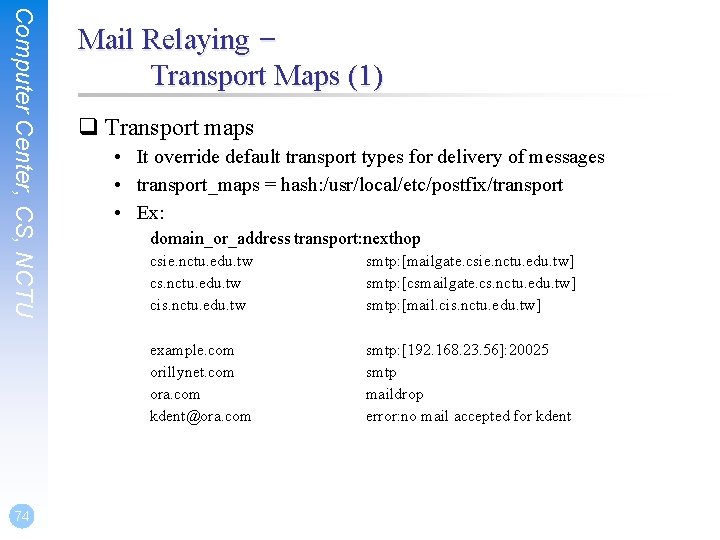
Computer Center, CS, NCTU 74 Mail Relaying – Transport Maps (1) q Transport maps • It override default transport types for delivery of messages • transport_maps = hash: /usr/local/etc/postfix/transport • Ex: domain_or_address transport: nexthop csie. nctu. edu. tw cs. nctu. edu. tw cis. nctu. edu. tw smtp: [mailgate. csie. nctu. edu. tw] smtp: [csmailgate. cs. nctu. edu. tw] smtp: [mail. cis. nctu. edu. tw] example. com orillynet. com ora. com kdent@ora. com smtp: [192. 168. 23. 56]: 20025 smtp maildrop error: no mail accepted for kdent
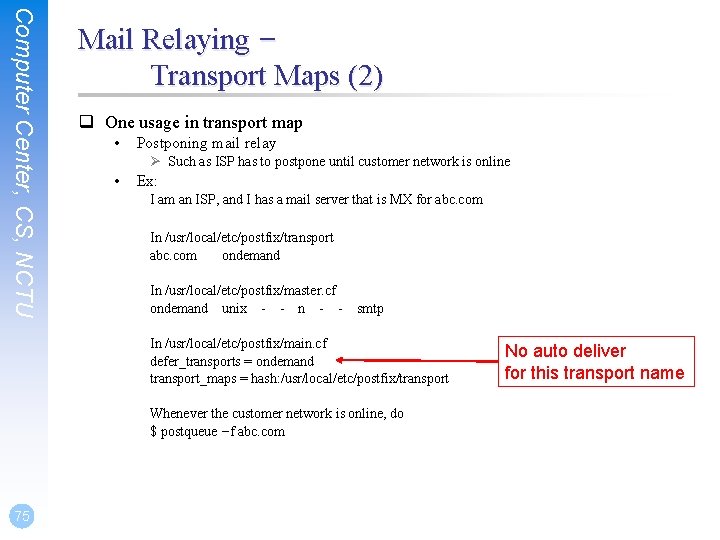
Computer Center, CS, NCTU Mail Relaying – Transport Maps (2) q One usage in transport map • Postponing mail relay Ø Such as ISP has to postpone until customer network is online • Ex: I am an ISP, and I has a mail server that is MX for abc. com In /usr/local/etc/postfix/transport abc. com ondemand In /usr/local/etc/postfix/master. cf ondemand unix - - n - - smtp In /usr/local/etc/postfix/main. cf defer_transports = ondemand transport_maps = hash: /usr/local/etc/postfix/transport Whenever the customer network is online, do $ postqueue –f abc. com 75 No auto deliver for this transport name
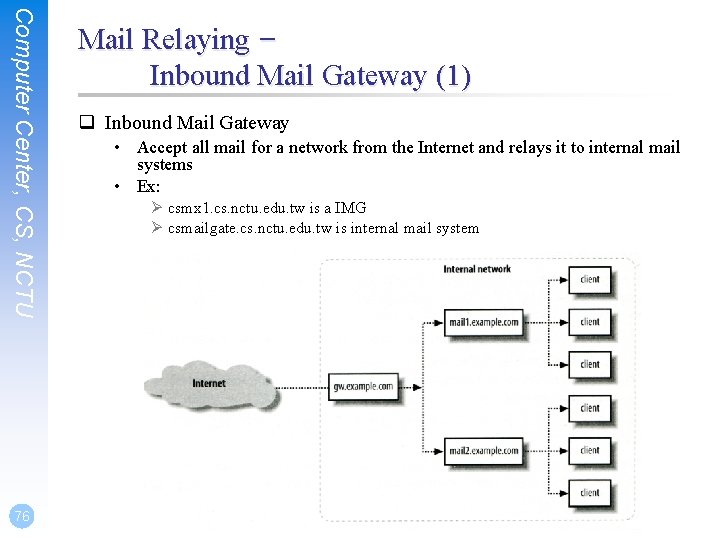
Computer Center, CS, NCTU 76 Mail Relaying – Inbound Mail Gateway (1) q Inbound Mail Gateway • Accept all mail for a network from the Internet and relays it to internal mail systems • Ex: Ø csmx 1. cs. nctu. edu. tw is a IMG Ø csmailgate. cs. nctu. edu. tw is internal mail system
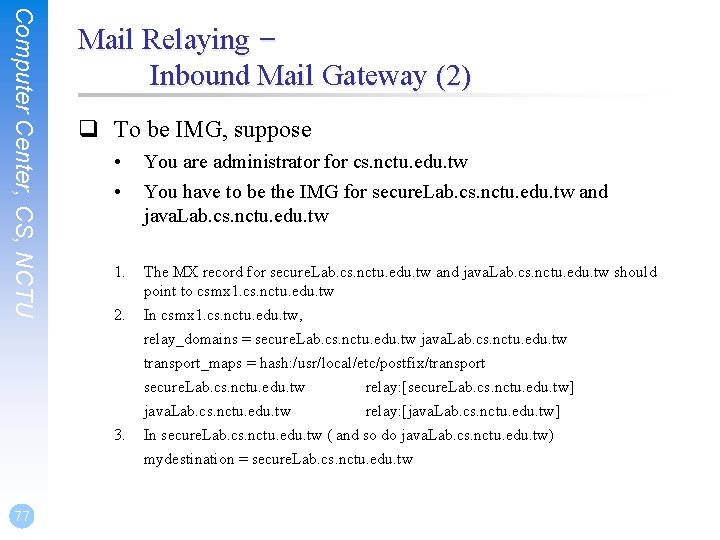
Computer Center, CS, NCTU Mail Relaying – Inbound Mail Gateway (2) q To be IMG, suppose • • You are administrator for cs. nctu. edu. tw You have to be the IMG for secure. Lab. cs. nctu. edu. tw and java. Lab. cs. nctu. edu. tw 1. The MX record for secure. Lab. cs. nctu. edu. tw and java. Lab. cs. nctu. edu. tw should point to csmx 1. cs. nctu. edu. tw In csmx 1. cs. nctu. edu. tw, relay_domains = secure. Lab. cs. nctu. edu. tw java. Lab. cs. nctu. edu. tw transport_maps = hash: /usr/local/etc/postfix/transport secure. Lab. cs. nctu. edu. tw relay: [secure. Lab. cs. nctu. edu. tw] java. Lab. cs. nctu. edu. tw relay: [java. Lab. cs. nctu. edu. tw] In secure. Lab. cs. nctu. edu. tw ( and so do java. Lab. cs. nctu. edu. tw) mydestination = secure. Lab. cs. nctu. edu. tw 2. 3. 77
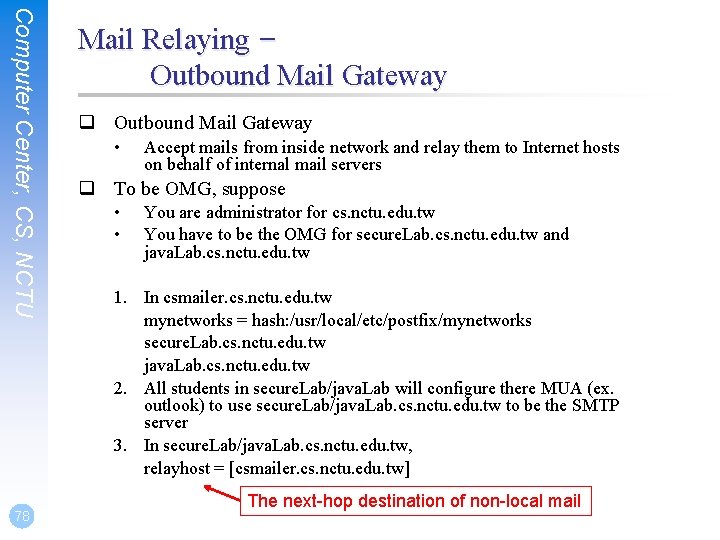
Computer Center, CS, NCTU 78 Mail Relaying – Outbound Mail Gateway q Outbound Mail Gateway • Accept mails from inside network and relay them to Internet hosts on behalf of internal mail servers q To be OMG, suppose • • You are administrator for cs. nctu. edu. tw You have to be the OMG for secure. Lab. cs. nctu. edu. tw and java. Lab. cs. nctu. edu. tw 1. In csmailer. cs. nctu. edu. tw mynetworks = hash: /usr/local/etc/postfix/mynetworks secure. Lab. cs. nctu. edu. tw java. Lab. cs. nctu. edu. tw 2. All students in secure. Lab/java. Lab will configure there MUA (ex. outlook) to use secure. Lab/java. Lab. cs. nctu. edu. tw to be the SMTP server 3. In secure. Lab/java. Lab. cs. nctu. edu. tw, relayhost = [csmailer. cs. nctu. edu. tw] The next-hop destination of non-local mail
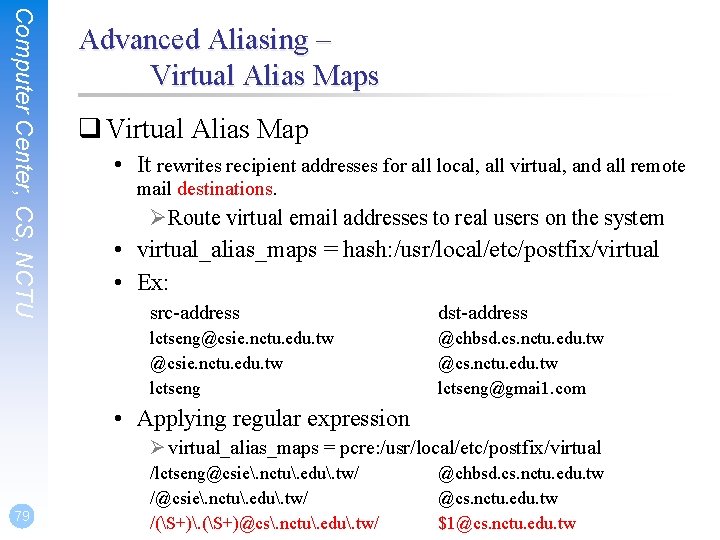
Computer Center, CS, NCTU Advanced Aliasing – Virtual Alias Maps q Virtual Alias Map • It rewrites recipient addresses for all local, all virtual, and all remote mail destinations. ØRoute virtual email addresses to real users on the system • virtual_alias_maps = hash: /usr/local/etc/postfix/virtual • Ex: src-address dst-address lctseng@csie. nctu. edu. tw lctseng @chbsd. cs. nctu. edu. tw @cs. nctu. edu. tw lctseng@gmai 1. com • Applying regular expression Ø virtual_alias_maps = pcre: /usr/local/etc/postfix/virtual 79 /lctseng@csie. nctu. edu. tw/ /(S+). (S+)@cs. nctu. edu. tw/ @chbsd. cs. nctu. edu. tw @cs. nctu. edu. tw $1@cs. nctu. edu. tw
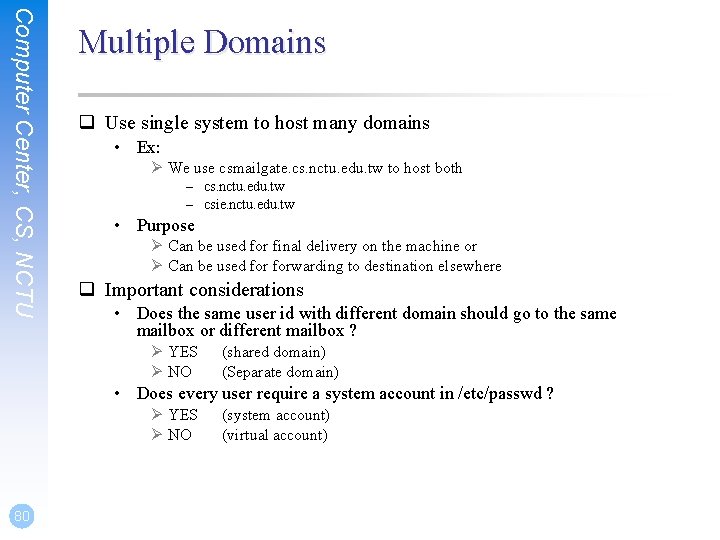
Computer Center, CS, NCTU Multiple Domains q Use single system to host many domains • Ex: Ø We use csmailgate. cs. nctu. edu. tw to host both – cs. nctu. edu. tw – csie. nctu. edu. tw • Purpose Ø Can be used for final delivery on the machine or Ø Can be used forwarding to destination elsewhere q Important considerations • Does the same user id with different domain should go to the same mailbox or different mailbox ? Ø YES Ø NO (shared domain) (Separate domain) • Does every user require a system account in /etc/passwd ? Ø YES Ø NO 80 (system account) (virtual account)
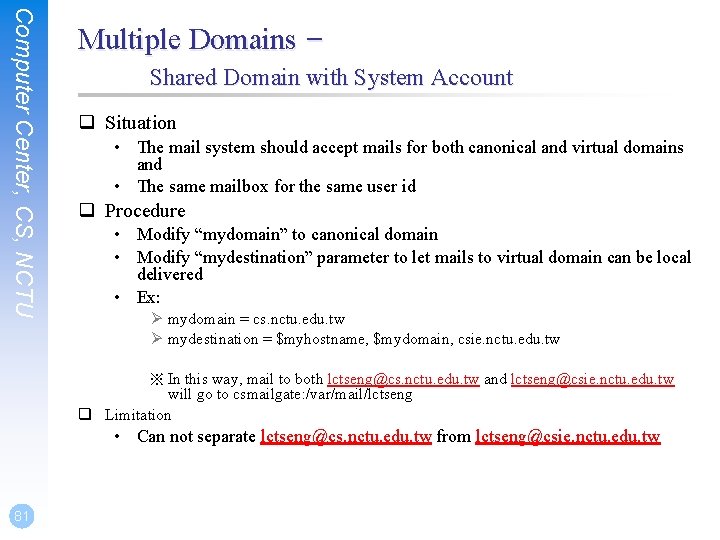
Computer Center, CS, NCTU Multiple Domains – Shared Domain with System Account q Situation • The mail system should accept mails for both canonical and virtual domains and • The same mailbox for the same user id q Procedure • Modify “mydomain” to canonical domain • Modify “mydestination” parameter to let mails to virtual domain can be local delivered • Ex: Ø mydomain = cs. nctu. edu. tw Ø mydestination = $myhostname, $mydomain, csie. nctu. edu. tw ※ In this way, mail to both lctseng@cs. nctu. edu. tw and lctseng@csie. nctu. edu. tw will go to csmailgate: /var/mail/lctseng q Limitation • Can not separate lctseng@cs. nctu. edu. tw from lctseng@csie. nctu. edu. tw 81
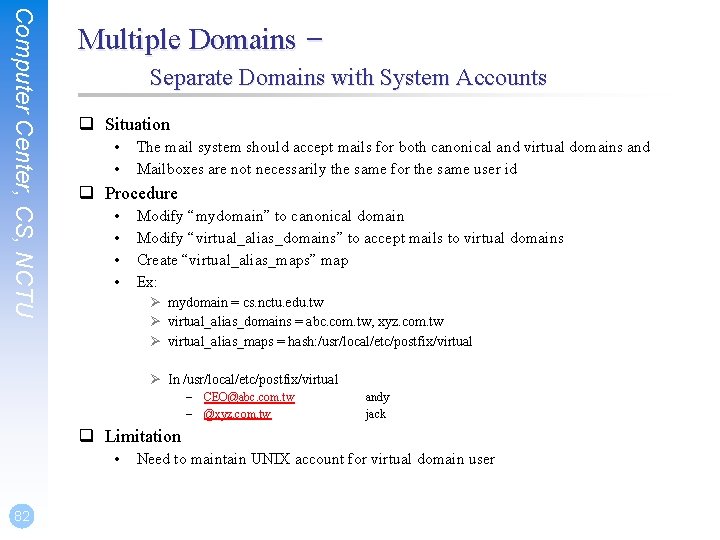
Computer Center, CS, NCTU Multiple Domains – Separate Domains with System Accounts q Situation • • The mail system should accept mails for both canonical and virtual domains and Mailboxes are not necessarily the same for the same user id q Procedure • • Modify “mydomain” to canonical domain Modify “virtual_alias_domains” to accept mails to virtual domains Create “virtual_alias_maps” map Ex: Ø mydomain = cs. nctu. edu. tw Ø virtual_alias_domains = abc. com. tw, xyz. com. tw Ø virtual_alias_maps = hash: /usr/local/etc/postfix/virtual Ø In /usr/local/etc/postfix/virtual – CEO@abc. com. tw – @xyz. com. tw andy jack q Limitation • 82 Need to maintain UNIX account for virtual domain user
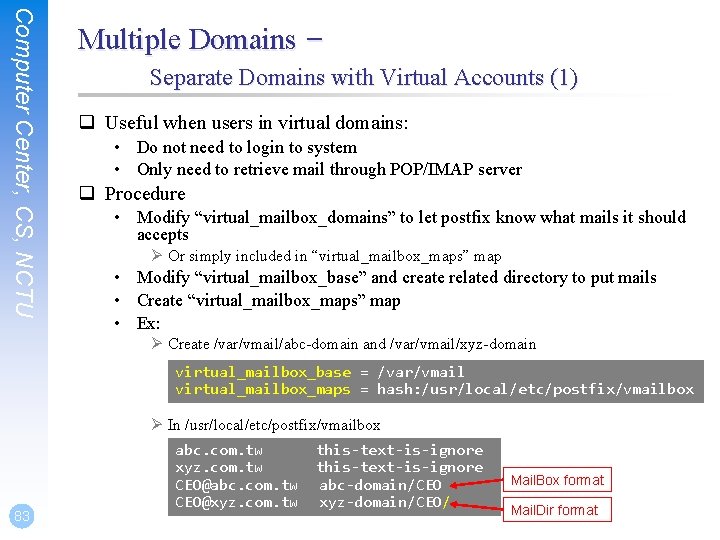
Computer Center, CS, NCTU Multiple Domains – Separate Domains with Virtual Accounts (1) q Useful when users in virtual domains: • Do not need to login to system • Only need to retrieve mail through POP/IMAP server q Procedure • Modify “virtual_mailbox_domains” to let postfix know what mails it should accepts Ø Or simply included in “virtual_mailbox_maps” map • Modify “virtual_mailbox_base” and create related directory to put mails • Create “virtual_mailbox_maps” map • Ex: Ø Create /var/vmail/abc-domain and /var/vmail/xyz-domain virtual_mailbox_base = /var/vmail virtual_mailbox_maps = hash: /usr/local/etc/postfix/vmailbox Ø In /usr/local/etc/postfix/vmailbox 83 abc. com. tw xyz. com. tw CEO@abc. com. tw CEO@xyz. com. tw this-text-is-ignore abc-domain/CEO xyz-domain/CEO/ Mail. Box format Mail. Dir format
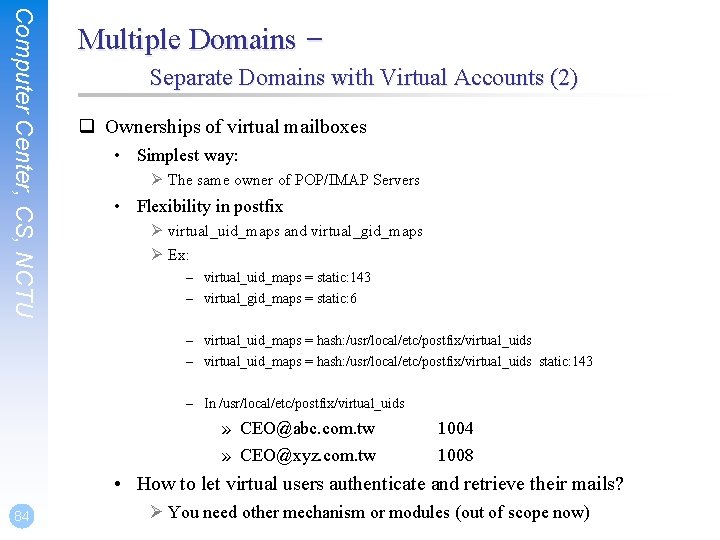
Computer Center, CS, NCTU Multiple Domains – Separate Domains with Virtual Accounts (2) q Ownerships of virtual mailboxes • Simplest way: Ø The same owner of POP/IMAP Servers • Flexibility in postfix Ø virtual_uid_maps and virtual_gid_maps Ø Ex: – virtual_uid_maps = static: 143 – virtual_gid_maps = static: 6 – virtual_uid_maps = hash: /usr/local/etc/postfix/virtual_uids static: 143 – In /usr/local/etc/postfix/virtual_uids » CEO@abc. com. tw » CEO@xyz. com. tw 1004 1008 • How to let virtual users authenticate and retrieve their mails? 84 Ø You need other mechanism or modules (out of scope now)
Handling Spam in Postfix
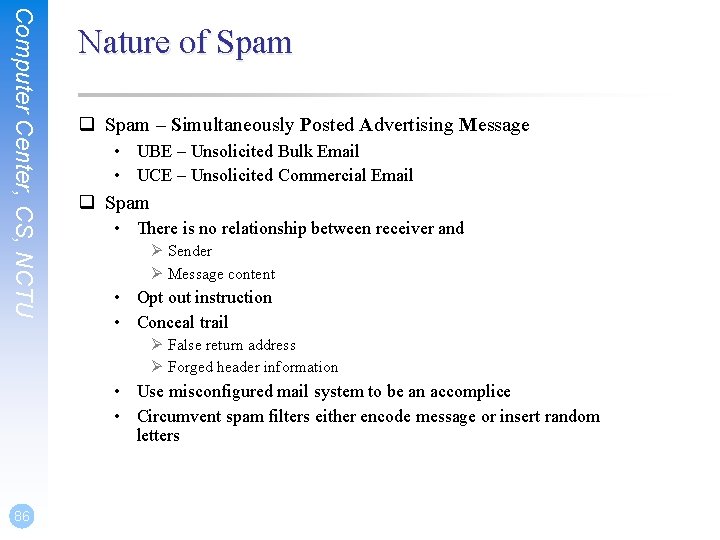
Computer Center, CS, NCTU Nature of Spam q Spam – Simultaneously Posted Advertising Message • UBE – Unsolicited Bulk Email • UCE – Unsolicited Commercial Email q Spam • There is no relationship between receiver and Ø Sender Ø Message content • Opt out instruction • Conceal trail Ø False return address Ø Forged header information • Use misconfigured mail system to be an accomplice • Circumvent spam filters either encode message or insert random letters 86
Computer Center, CS, NCTU Problems of Spam q Cost • • Waste bandwidth and disk space Do. S like side-effect Waste time and false deletion Bounce messages of nonexistent users Ø Nonexistent return address Ø Forged victim return address q Detection • Aggressive spam policy may cause high false positive 87
Computer Center, CS, NCTU Anti-Spam – Client-Based Detection (1) q Client-blocking • Use IP address, hostnames or email address supplied by clients when they connect to send a message • Compared with Spammer list • Problems Ø IP address, hostname, email address are forged Ø Innocent victim open relay host q DNSBL (DNS-based Blacklist) • Maintain large database of systems that are known to be open relays or that have been used for spam q Grey Listing q SPF – Sender Policy Framework q… 88
Computer Center, CS, NCTU Anti-Spam – Client-Based Detection (2) q What DNSBL maintainers do • Suppose csie has a Blacklist DNS database Ø Suppose DNSBL Domain “dnsbl. cs. nctu. edu. tw” • If 140. 112. 23. 118 is detected as open relay Ø There will be a new entry in cs’s blacklist DB – 118. 23. 112. 140. dnsbl. cs. nctu. edu. tw • When we receive a connection from 140. 112. 23. 118 Ø Compose 118. 23. 112. 140. dnsbl. cs. nctu. edu. tw Ø DNS query for this hostname – Successful means this IP address is suspicious – Failed means ok q Using DNSBL • Review their service options and policies carefully 89
Computer Center, CS, NCTU 90 Anti-Spam – Content-Based Detection q Spam patterns in message body q Detection difficulties • Embed HTML codes within words of their message to break up phrases • Randomly inserted words • Content-based detection is slower
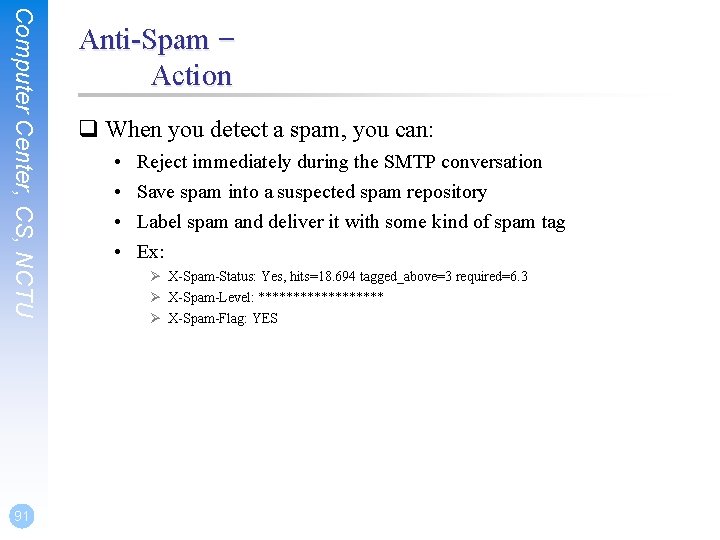
Computer Center, CS, NCTU 91 Anti-Spam – Action q When you detect a spam, you can: • • Reject immediately during the SMTP conversation Save spam into a suspected spam repository Label spam and deliver it with some kind of spam tag Ex: Ø X-Spam-Status: Yes, hits=18. 694 tagged_above=3 required=6. 3 Ø X-Spam-Level: ********* Ø X-Spam-Flag: YES
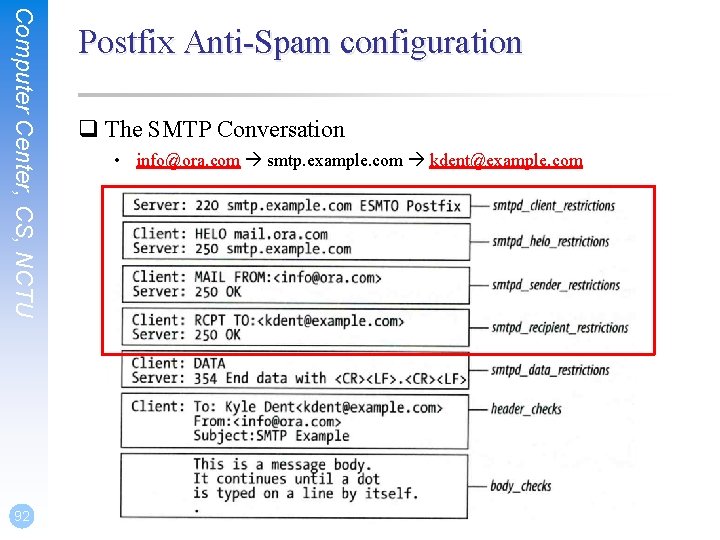
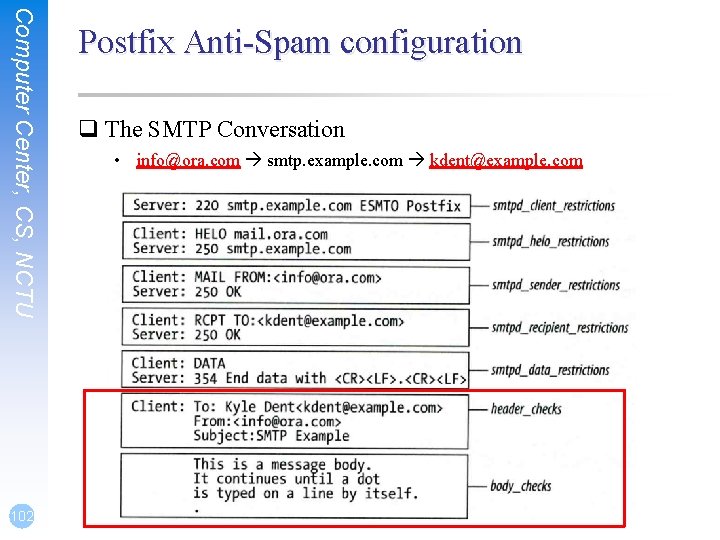
Computer Center, CS, NCTU 92 Postfix Anti-Spam configuration q The SMTP Conversation • info@ora. com smtp. example. com kdent@example. com
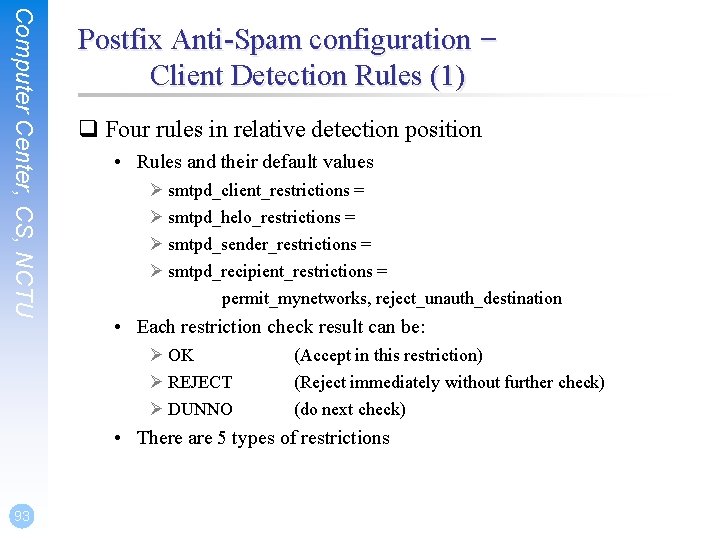
Computer Center, CS, NCTU Postfix Anti-Spam configuration – Client Detection Rules (1) q Four rules in relative detection position • Rules and their default values Ø smtpd_client_restrictions = Ø smtpd_helo_restrictions = Ø smtpd_sender_restrictions = Ø smtpd_recipient_restrictions = permit_mynetworks, reject_unauth_destination • Each restriction check result can be: Ø OK Ø REJECT Ø DUNNO (Accept in this restriction) (Reject immediately without further check) (do next check) • There are 5 types of restrictions 93
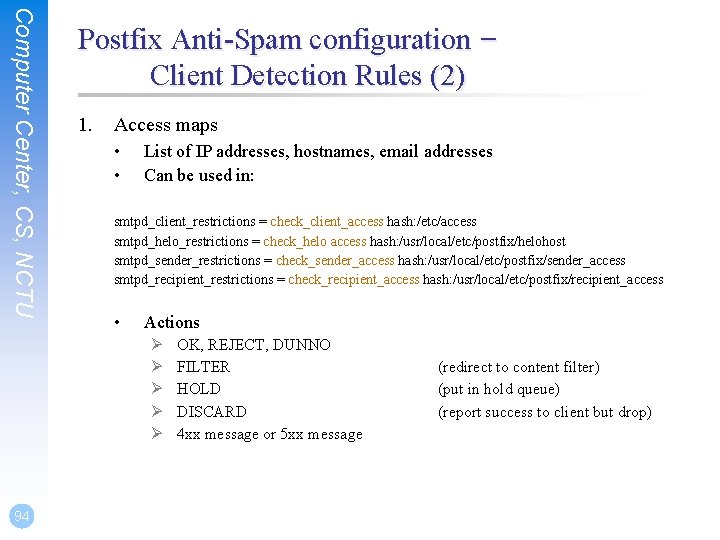
Computer Center, CS, NCTU Postfix Anti-Spam configuration – Client Detection Rules (2) 1. Access maps • • List of IP addresses, hostnames, email addresses Can be used in: smtpd_client_restrictions = check_client_access hash: /etc/access smtpd_helo_restrictions = check_helo access hash: /usr/local/etc/postfix/helohost smtpd_sender_restrictions = check_sender_access hash: /usr/local/etc/postfix/sender_access smtpd_recipient_restrictions = check_recipient_access hash: /usr/local/etc/postfix/recipient_access • Actions Ø Ø Ø 94 OK, REJECT, DUNNO FILTER HOLD DISCARD 4 xx message or 5 xx message (redirect to content filter) (put in hold queue) (report success to client but drop)
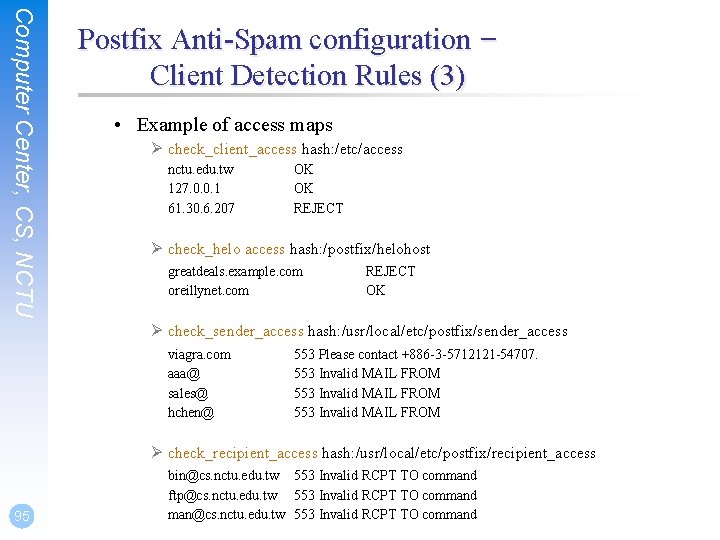
Computer Center, CS, NCTU Postfix Anti-Spam configuration – Client Detection Rules (3) • Example of access maps Ø check_client_access hash: /etc/access nctu. edu. tw 127. 0. 0. 1 61. 30. 6. 207 OK OK REJECT Ø check_helo access hash: /postfix/helohost greatdeals. example. com oreillynet. com REJECT OK Ø check_sender_access hash: /usr/local/etc/postfix/sender_access viagra. com aaa@ sales@ hchen@ 553 Please contact +886 -3 -5712121 -54707. 553 Invalid MAIL FROM Ø check_recipient_access hash: /usr/local/etc/postfix/recipient_access 95 bin@cs. nctu. edu. tw 553 Invalid RCPT TO command ftp@cs. nctu. edu. tw 553 Invalid RCPT TO command man@cs. nctu. edu. tw 553 Invalid RCPT TO command
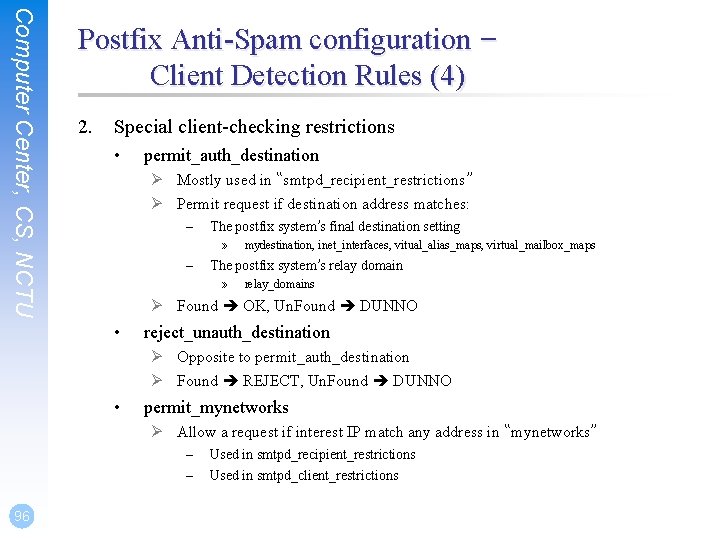
Computer Center, CS, NCTU Postfix Anti-Spam configuration – Client Detection Rules (4) 2. Special client-checking restrictions • permit_auth_destination Ø Mostly used in “smtpd_recipient_restrictions” Ø Permit request if destination address matches: – The postfix system’s final destination setting » – mydestination, inet_interfaces, vitual_alias_maps, virtual_mailbox_maps The postfix system’s relay domain » relay_domains Ø Found OK, Un. Found DUNNO • reject_unauth_destination Ø Opposite to permit_auth_destination Ø Found REJECT, Un. Found DUNNO • permit_mynetworks Ø Allow a request if interest IP match any address in “mynetworks” – – 96 Used in smtpd_recipient_restrictions Used in smtpd_client_restrictions
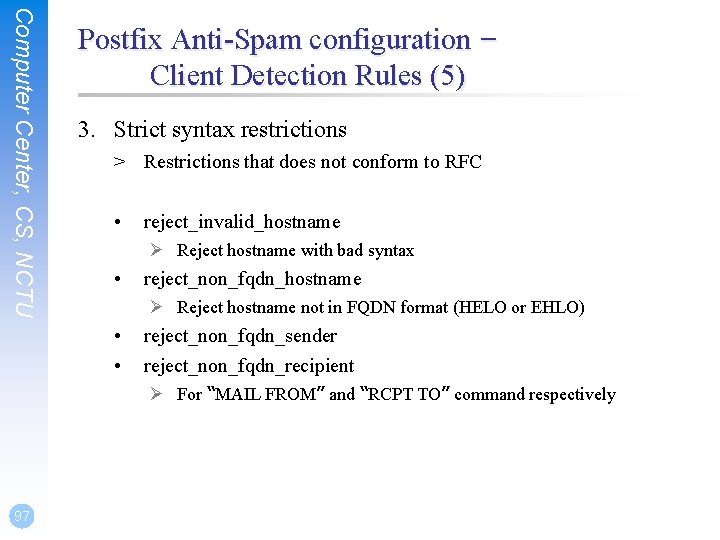
Computer Center, CS, NCTU Postfix Anti-Spam configuration – Client Detection Rules (5) 3. Strict syntax restrictions > Restrictions that does not conform to RFC • reject_invalid_hostname Ø Reject hostname with bad syntax • reject_non_fqdn_hostname Ø Reject hostname not in FQDN format (HELO or EHLO) • • reject_non_fqdn_sender reject_non_fqdn_recipient Ø For “MAIL FROM” and “RCPT TO” command respectively 97
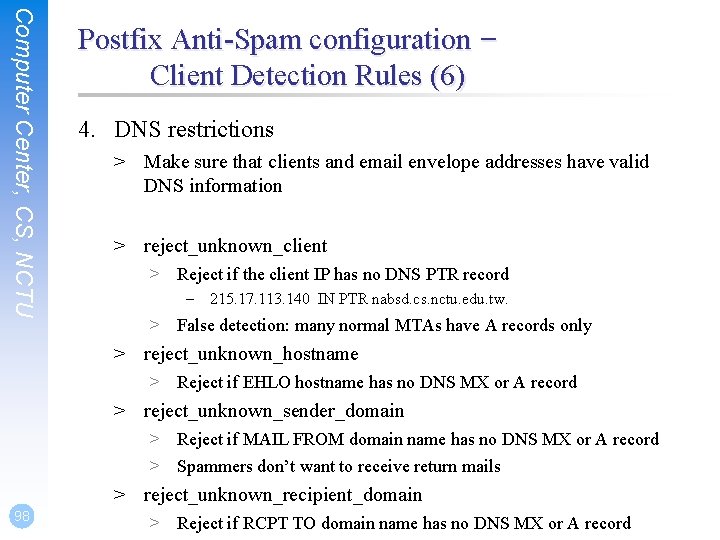
Computer Center, CS, NCTU Postfix Anti-Spam configuration – Client Detection Rules (6) 4. DNS restrictions > Make sure that clients and email envelope addresses have valid DNS information > reject_unknown_client > Reject if the client IP has no DNS PTR record – 215. 17. 113. 140 IN PTR nabsd. cs. nctu. edu. tw. > False detection: many normal MTAs have A records only > reject_unknown_hostname > Reject if EHLO hostname has no DNS MX or A record > reject_unknown_sender_domain > Reject if MAIL FROM domain name has no DNS MX or A record > Spammers don’t want to receive return mails > reject_unknown_recipient_domain 98 > Reject if RCPT TO domain name has no DNS MX or A record
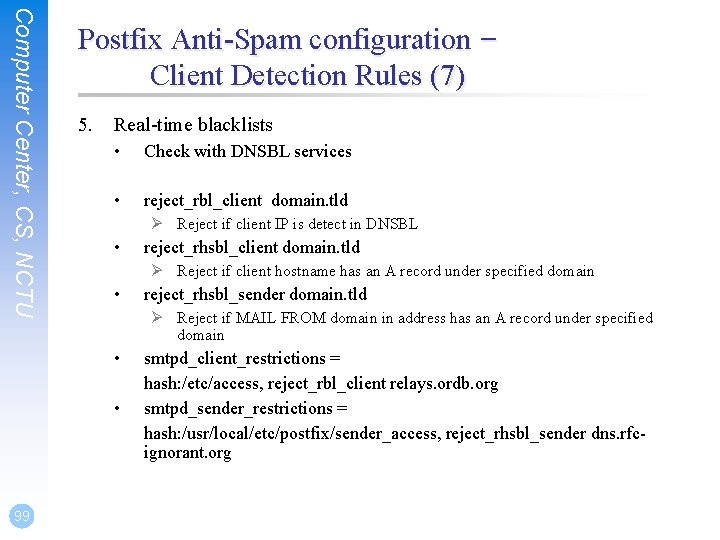
Computer Center, CS, NCTU Postfix Anti-Spam configuration – Client Detection Rules (7) 5. Real-time blacklists • Check with DNSBL services • reject_rbl_client domain. tld Ø Reject if client IP is detect in DNSBL • Ø Reject if client hostname has an A record under specified domain • reject_rhsbl_sender domain. tld Ø Reject if MAIL FROM domain in address has an A record under specified domain • • 99 reject_rhsbl_client domain. tld smtpd_client_restrictions = hash: /etc/access, reject_rbl_client relays. ordb. org smtpd_sender_restrictions = hash: /usr/local/etc/postfix/sender_access, reject_rhsbl_sender dns. rfcignorant. org
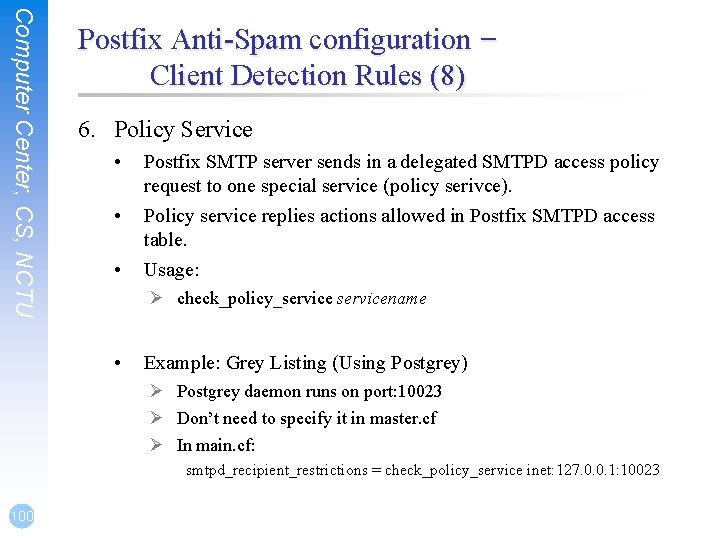
Computer Center, CS, NCTU Postfix Anti-Spam configuration – Client Detection Rules (8) 6. Policy Service • • • Postfix SMTP server sends in a delegated SMTPD access policy request to one special service (policy serivce). Policy service replies actions allowed in Postfix SMTPD access table. Usage: Ø check_policy_servicename • Example: Grey Listing (Using Postgrey) Ø Postgrey daemon runs on port: 10023 Ø Don’t need to specify it in master. cf Ø In main. cf: smtpd_recipient_restrictions = check_policy_service inet: 127. 0. 0. 1: 10023 100
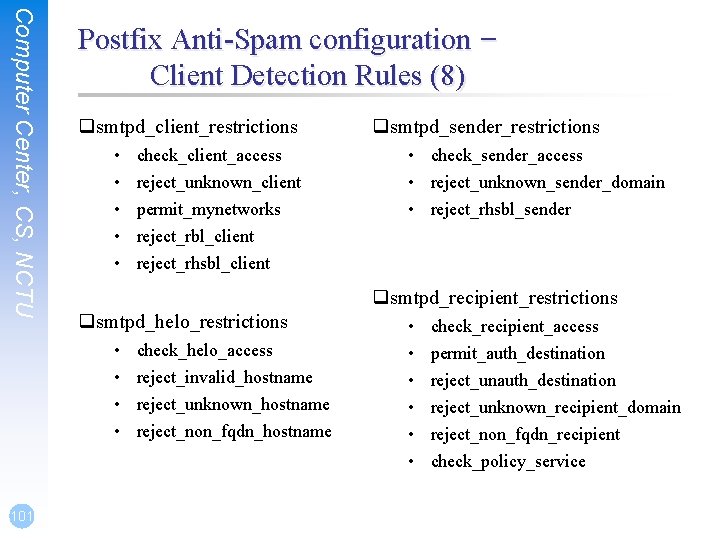
Computer Center, CS, NCTU Postfix Anti-Spam configuration – Client Detection Rules (8) qsmtpd_client_restrictions • • • check_sender_access • reject_unknown_sender_domain • reject_rhsbl_sender qsmtpd_recipient_restrictions qsmtpd_helo_restrictions • • 101 check_client_access reject_unknown_client permit_mynetworks reject_rbl_client reject_rhsbl_client qsmtpd_sender_restrictions check_helo_access reject_invalid_hostname reject_unknown_hostname reject_non_fqdn_hostname • • • check_recipient_access permit_auth_destination reject_unknown_recipient_domain reject_non_fqdn_recipient check_policy_service
Computer Center, CS, NCTU 102 Postfix Anti-Spam configuration q The SMTP Conversation • info@ora. com smtp. example. com kdent@example. com
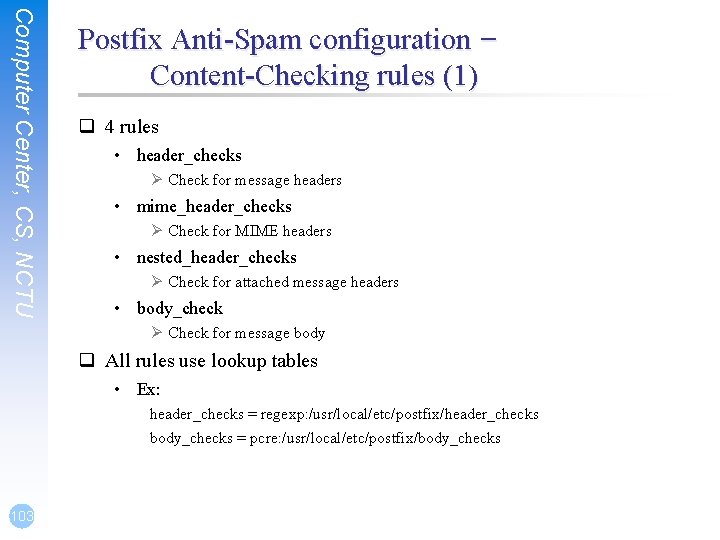
Computer Center, CS, NCTU Postfix Anti-Spam configuration – Content-Checking rules (1) q 4 rules • header_checks Ø Check for message headers • mime_header_checks Ø Check for MIME headers • nested_header_checks Ø Check for attached message headers • body_check Ø Check for message body q All rules use lookup tables • Ex: header_checks = regexp: /usr/local/etc/postfix/header_checks body_checks = pcre: /usr/local/etc/postfix/body_checks 103
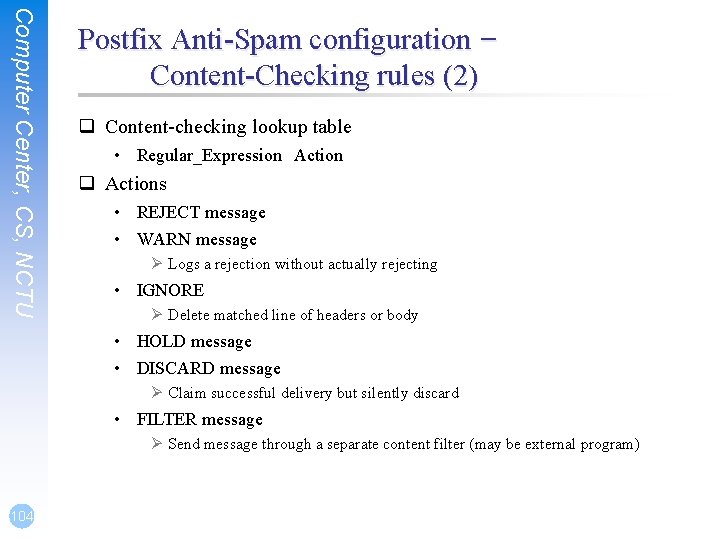
Computer Center, CS, NCTU Postfix Anti-Spam configuration – Content-Checking rules (2) q Content-checking lookup table • Regular_Expression Action q Actions • REJECT message • WARN message Ø Logs a rejection without actually rejecting • IGNORE Ø Delete matched line of headers or body • HOLD message • DISCARD message Ø Claim successful delivery but silently discard • FILTER message Ø Send message through a separate content filter (may be external program) 104
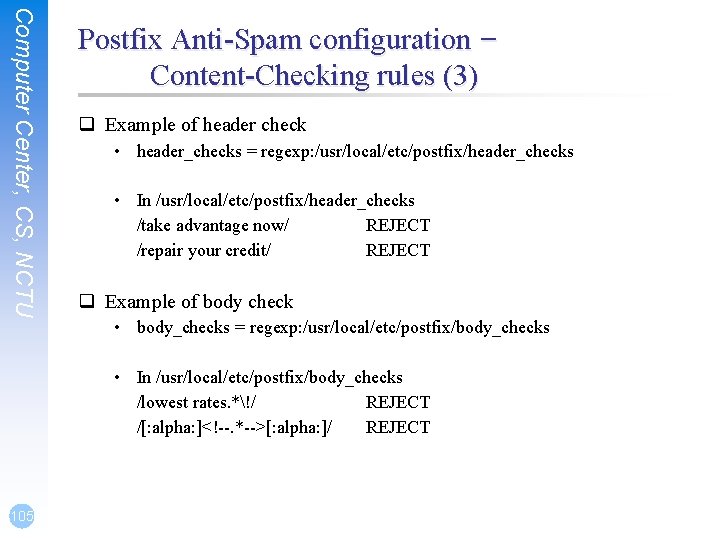
Computer Center, CS, NCTU Postfix Anti-Spam configuration – Content-Checking rules (3) q Example of header check • header_checks = regexp: /usr/local/etc/postfix/header_checks • In /usr/local/etc/postfix/header_checks /take advantage now/ REJECT /repair your credit/ REJECT q Example of body check • body_checks = regexp: /usr/local/etc/postfix/body_checks • In /usr/local/etc/postfix/body_checks /lowest rates. *!/ REJECT /[: alpha: ]<!--. *-->[: alpha: ]/ REJECT 105
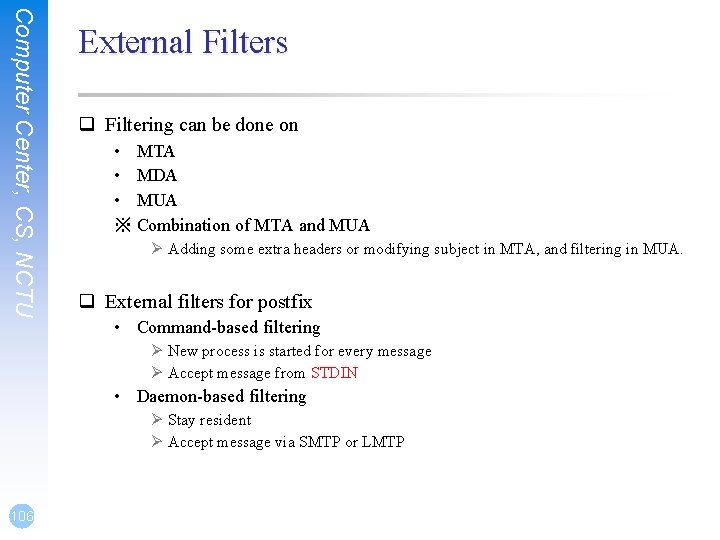
Computer Center, CS, NCTU External Filters q Filtering can be done on • MTA • MDA • MUA ※ Combination of MTA and MUA Ø Adding some extra headers or modifying subject in MTA, and filtering in MUA. q External filters for postfix • Command-based filtering Ø New process is started for every message Ø Accept message from STDIN • Daemon-based filtering Ø Stay resident Ø Accept message via SMTP or LMTP 106
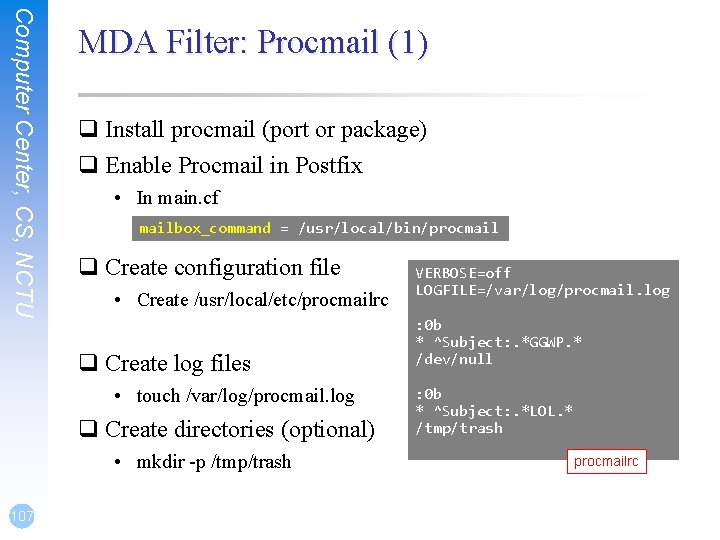
Computer Center, CS, NCTU MDA Filter: Procmail (1) q Install procmail (port or package) q Enable Procmail in Postfix • In main. cf mailbox_command = /usr/local/bin/procmail q Create configuration file • Create /usr/local/etc/procmailrc q Create log files • touch /var/log/procmail. log q Create directories (optional) • mkdir -p /tmp/trash 107 VERBOSE=off LOGFILE=/var/log/procmail. log : 0 b * ^Subject: . *GGWP. * /dev/null : 0 b * ^Subject: . *LOL. * /tmp/trash procmailrc
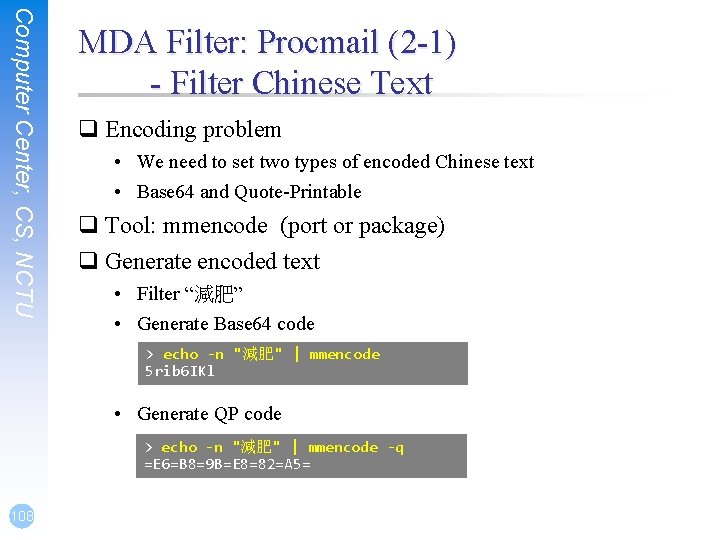
Computer Center, CS, NCTU MDA Filter: Procmail (2 -1) - Filter Chinese Text q Encoding problem • We need to set two types of encoded Chinese text • Base 64 and Quote-Printable q Tool: mmencode (port or package) q Generate encoded text • Filter “減肥” • Generate Base 64 code > echo -n "減肥" | mmencode 5 rib 6 IKl • Generate QP code > echo -n "減肥" | mmencode -q =E 6=B 8=9 B=E 8=82=A 5= 108
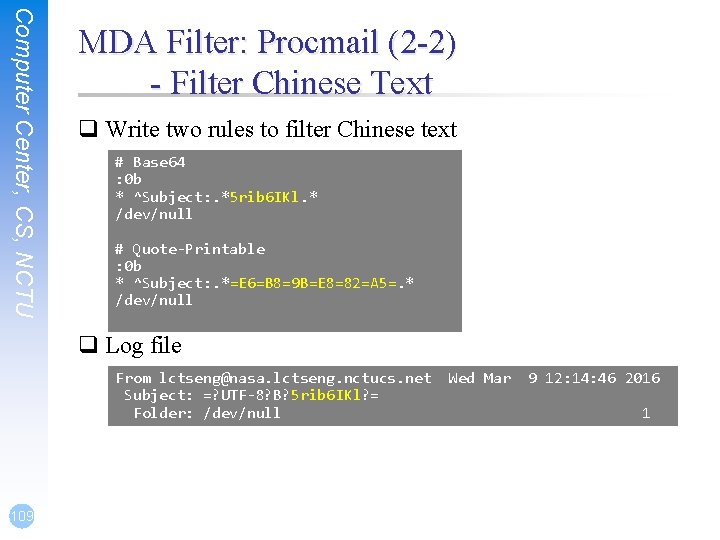
Computer Center, CS, NCTU MDA Filter: Procmail (2 -2) - Filter Chinese Text q Write two rules to filter Chinese text # Base 64 : 0 b * ^Subject: . *5 rib 6 IKl. * /dev/null # Quote-Printable : 0 b * ^Subject: . *=E 6=B 8=9 B=E 8=82=A 5=. * /dev/null q Log file From lctseng@nasa. lctseng. nctucs. net Subject: =? UTF-8? B? 5 rib 6 IKl? = Folder: /dev/null 109 Wed Mar 9 12: 14: 46 2016 1
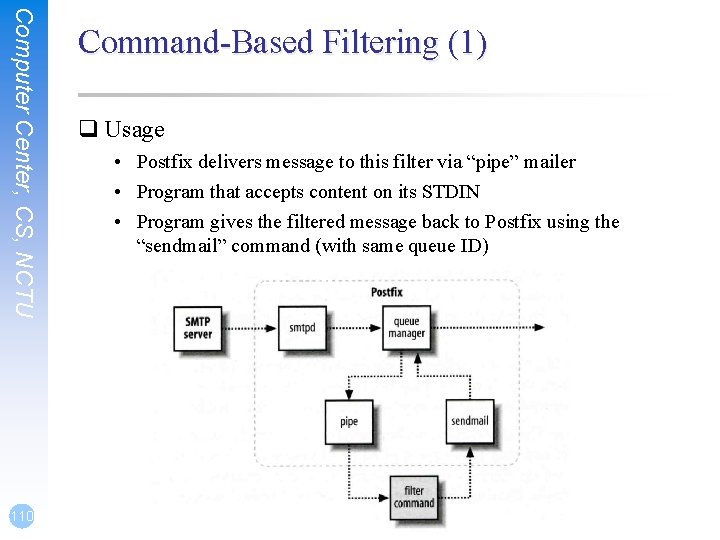
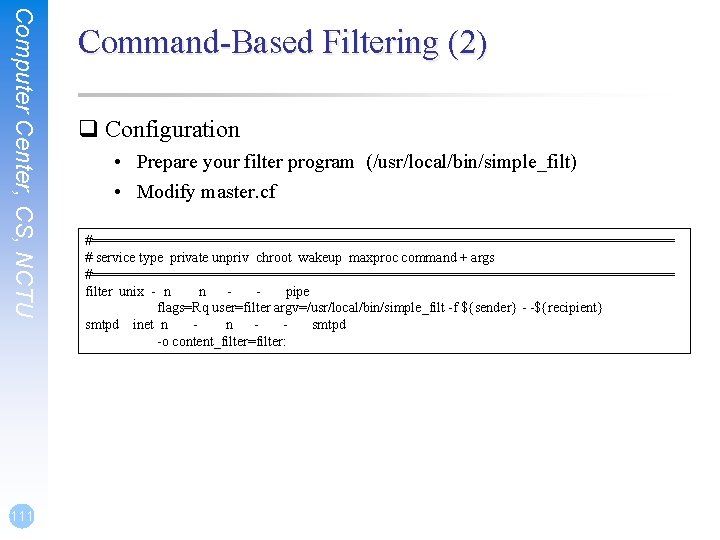
Computer Center, CS, NCTU 110 Command-Based Filtering (1) q Usage • Postfix delivers message to this filter via “pipe” mailer • Program that accepts content on its STDIN • Program gives the filtered message back to Postfix using the “sendmail” command (with same queue ID)
Computer Center, CS, NCTU 111 Command-Based Filtering (2) q Configuration • Prepare your filter program (/usr/local/bin/simple_filt) • Modify master. cf #===================================== # service type private unpriv chroot wakeup maxproc command + args #===================================== filter unix - n n pipe flags=Rq user=filter argv=/usr/local/bin/simple_filt -f ${sender} - -${recipient} smtpd inet n n smtpd -o content_filter=filter:
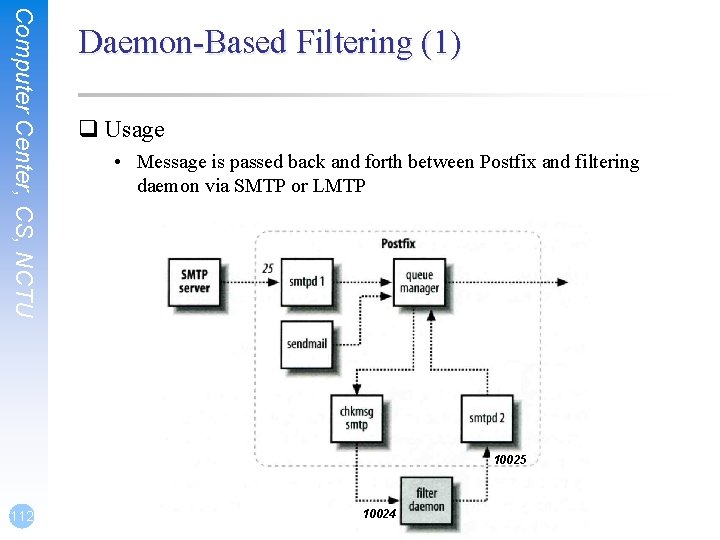
Computer Center, CS, NCTU Daemon-Based Filtering (1) q Usage • Message is passed back and forth between Postfix and filtering daemon via SMTP or LMTP 10025 112 10024
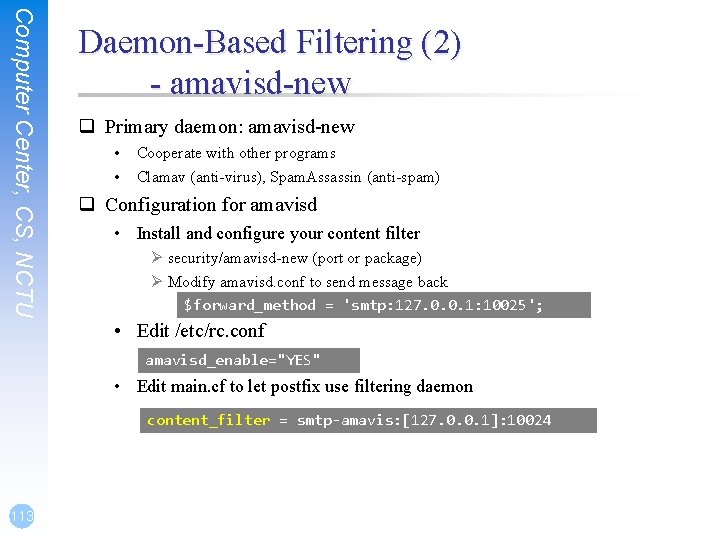
Computer Center, CS, NCTU Daemon-Based Filtering (2) - amavisd-new q Primary daemon: amavisd-new • • Cooperate with other programs Clamav (anti-virus), Spam. Assassin (anti-spam) q Configuration for amavisd • Install and configure your content filter Ø security/amavisd-new (port or package) Ø Modify amavisd. conf to send message back $forward_method = 'smtp: 127. 0. 0. 1: 10025'; • Edit /etc/rc. conf amavisd_enable="YES" • Edit main. cf to let postfix use filtering daemon content_filter = smtp-amavis: [127. 0. 0. 1]: 10024 113
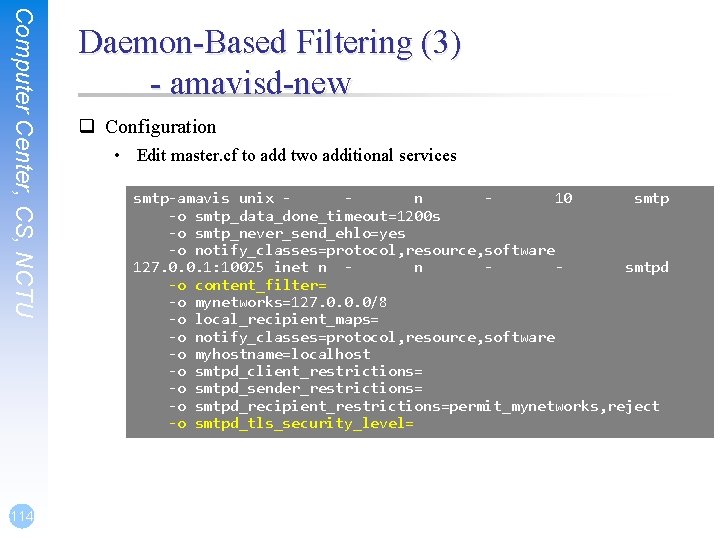
Computer Center, CS, NCTU 114 Daemon-Based Filtering (3) - amavisd-new q Configuration • Edit master. cf to add two additional services smtp-amavis unix n 10 smtp -o smtp_data_done_timeout=1200 s -o smtp_never_send_ehlo=yes -o notify_classes=protocol, resource, software 127. 0. 0. 1: 10025 inet n n smtpd -o content_filter= -o mynetworks=127. 0. 0. 0/8 -o local_recipient_maps= -o notify_classes=protocol, resource, software -o myhostname=localhost -o smtpd_client_restrictions= -o smtpd_sender_restrictions= -o smtpd_recipient_restrictions=permit_mynetworks, reject -o smtpd_tls_security_level=
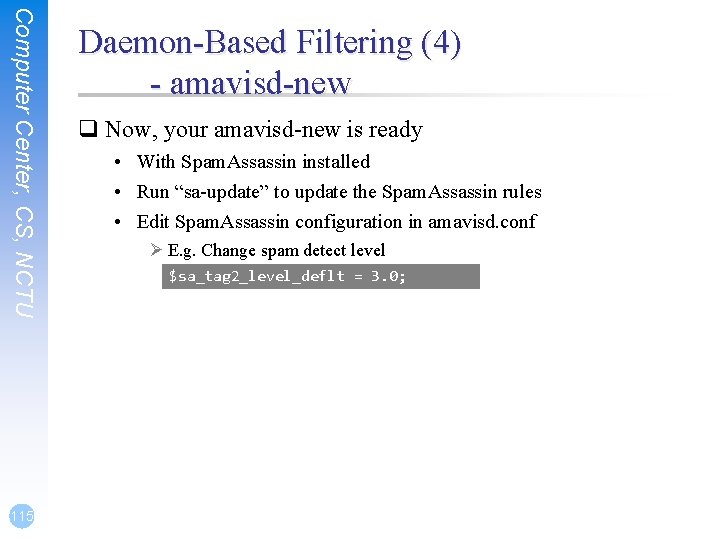
Computer Center, CS, NCTU 115 Daemon-Based Filtering (4) - amavisd-new q Now, your amavisd-new is ready • With Spam. Assassin installed • Run “sa-update” to update the Spam. Assassin rules • Edit Spam. Assassin configuration in amavisd. conf Ø E. g. Change spam detect level $sa_tag 2_level_deflt = 3. 0;
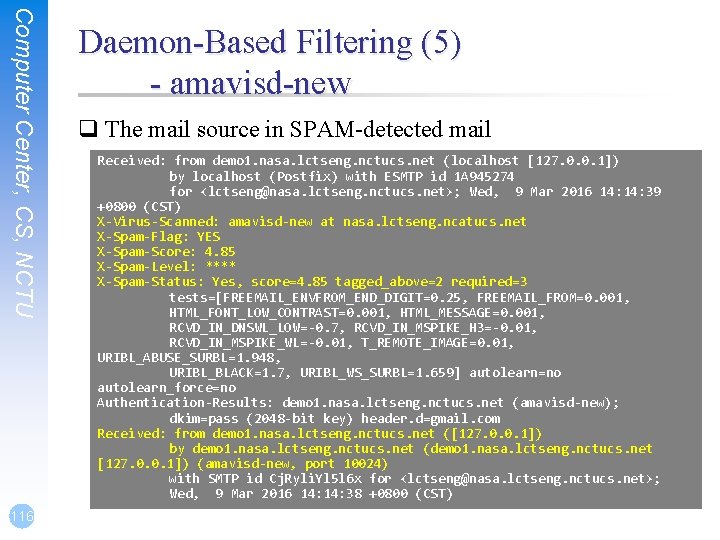
Computer Center, CS, NCTU 116 Daemon-Based Filtering (5) - amavisd-new q The mail source in SPAM-detected mail Received: from demo 1. nasa. lctseng. nctucs. net (localhost [127. 0. 0. 1]) by localhost (Postfix) with ESMTP id 1 A 945274 for <lctseng@nasa. lctseng. nctucs. net>; Wed, 9 Mar 2016 14: 39 +0800 (CST) X-Virus-Scanned: amavisd-new at nasa. lctseng. ncatucs. net X-Spam-Flag: YES X-Spam-Score: 4. 85 X-Spam-Level: **** X-Spam-Status: Yes, score=4. 85 tagged_above=2 required=3 tests=[FREEMAIL_ENVFROM_END_DIGIT=0. 25, FREEMAIL_FROM=0. 001, HTML_FONT_LOW_CONTRAST=0. 001, HTML_MESSAGE=0. 001, RCVD_IN_DNSWL_LOW=-0. 7, RCVD_IN_MSPIKE_H 3=-0. 01, RCVD_IN_MSPIKE_WL=-0. 01, T_REMOTE_IMAGE=0. 01, URIBL_ABUSE_SURBL=1. 948, URIBL_BLACK=1. 7, URIBL_WS_SURBL=1. 659] autolearn=no autolearn_force=no Authentication-Results: demo 1. nasa. lctseng. nctucs. net (amavisd-new); dkim=pass (2048 -bit key) header. d=gmail. com Received: from demo 1. nasa. lctseng. nctucs. net ([127. 0. 0. 1]) by demo 1. nasa. lctseng. nctucs. net (demo 1. nasa. lctseng. nctucs. net [127. 0. 0. 1]) (amavisd-new, port 10024) with SMTP id Cj. Ryli. Yl 5 l 6 x for <lctseng@nasa. lctseng. nctucs. net>; Wed, 9 Mar 2016 14: 38 +0800 (CST)
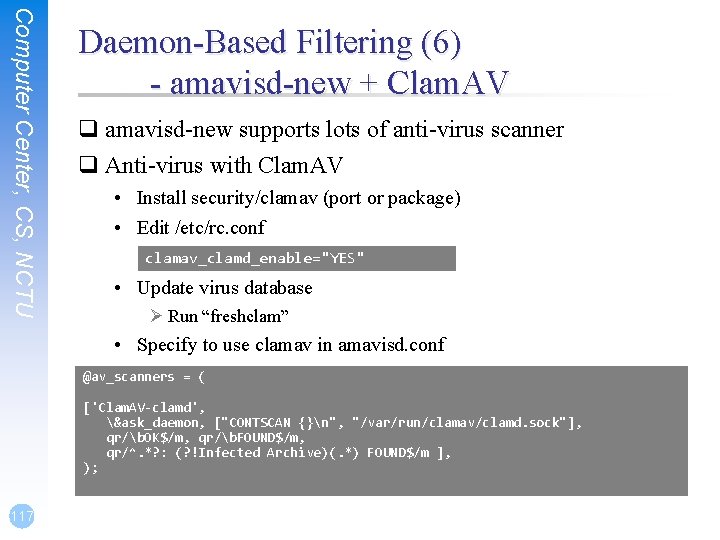
Computer Center, CS, NCTU Daemon-Based Filtering (6) - amavisd-new + Clam. AV q amavisd-new supports lots of anti-virus scanner q Anti-virus with Clam. AV • Install security/clamav (port or package) • Edit /etc/rc. conf clamav_clamd_enable="YES" • Update virus database Ø Run “freshclam” • Specify to use clamav in amavisd. conf @av_scanners = ( ['Clam. AV-clamd', &ask_daemon, ["CONTSCAN {}n", "/var/run/clamav/clamd. sock"], qr/b. OK$/m, qr/b. FOUND$/m, qr/^. *? : (? !Infected Archive)(. *) FOUND$/m ], ); 117
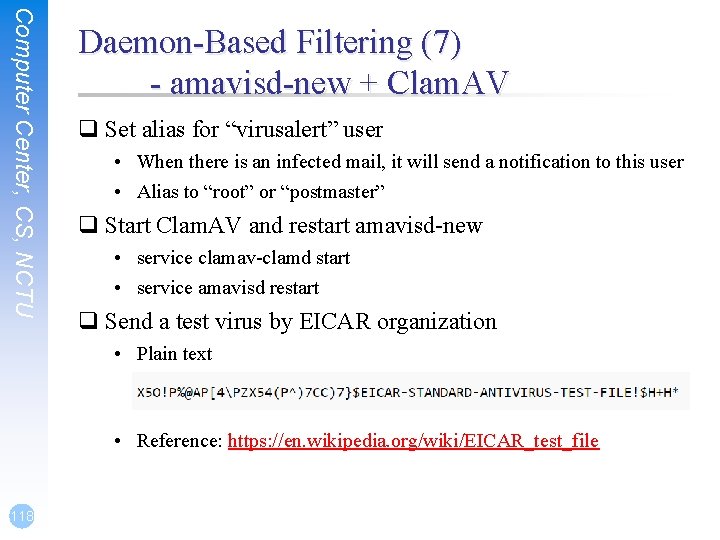
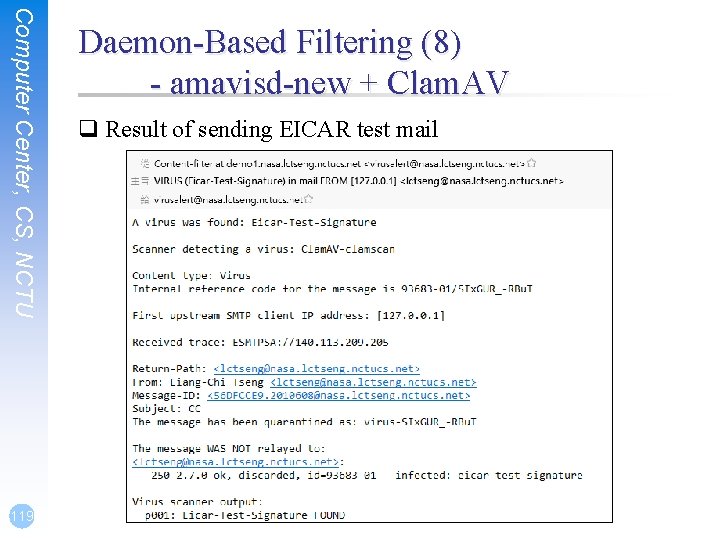
Computer Center, CS, NCTU Daemon-Based Filtering (7) - amavisd-new + Clam. AV q Set alias for “virusalert” user • When there is an infected mail, it will send a notification to this user • Alias to “root” or “postmaster” q Start Clam. AV and restart amavisd-new • service clamav-clamd start • service amavisd restart q Send a test virus by EICAR organization • Plain text • Reference: https: //en. wikipedia. org/wiki/EICAR_test_file 118
Computer Center, CS, NCTU 119 Daemon-Based Filtering (8) - amavisd-new + Clam. AV q Result of sending EICAR test mail