
POSITIONING POSITIONING TOP BOTTOM ELEMENT RIGHT Elements have

POSITIONING

POSITIONING TOP BOTTOM ELEMENT RIGHT Elements have position value of static by default Using a value other than static LEFT makes it a positioned element May use: top, left, bottom, & right properties to control placement

CSS POSITION PROPERTIES 1. static 2. relative 3. absolute 4. fixed 5. inherit
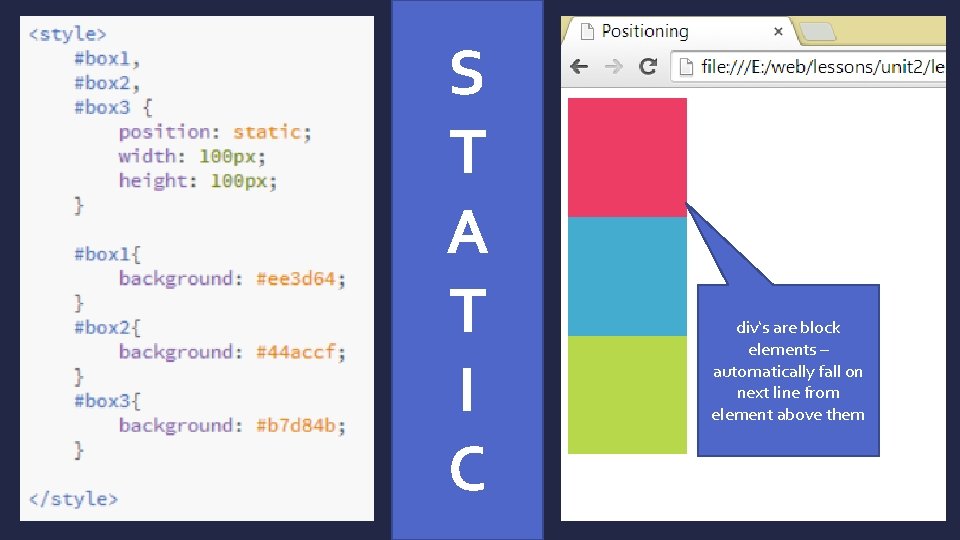
S T A T I C div‘s are block elements – automatically fall on next line from element above them
RELATIVE POSITIONING Renders in normal page flow Then shifts via left, right, top, and bottom relative to that original position
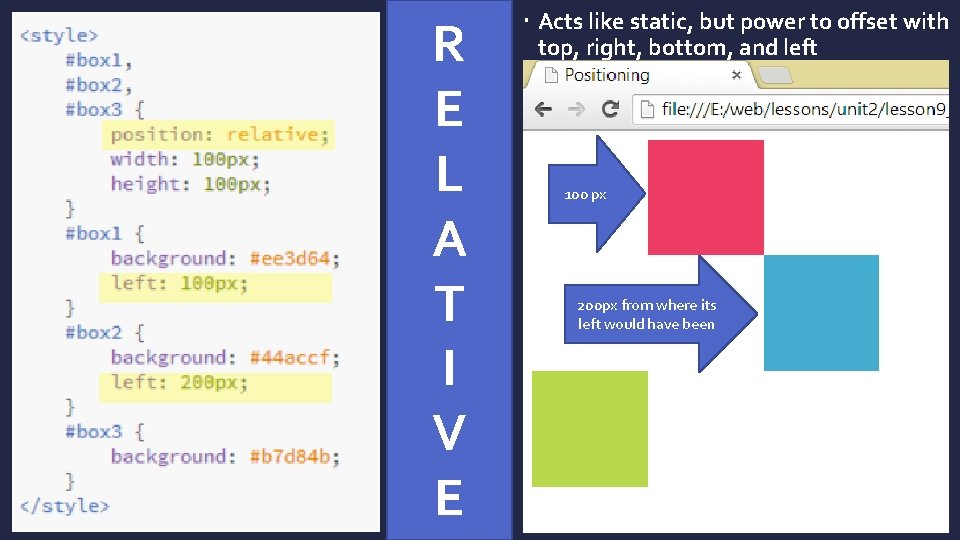
R E L A T I V E Acts like static, but power to offset with top, right, bottom, and left 100 px 200 px from where its left would have been
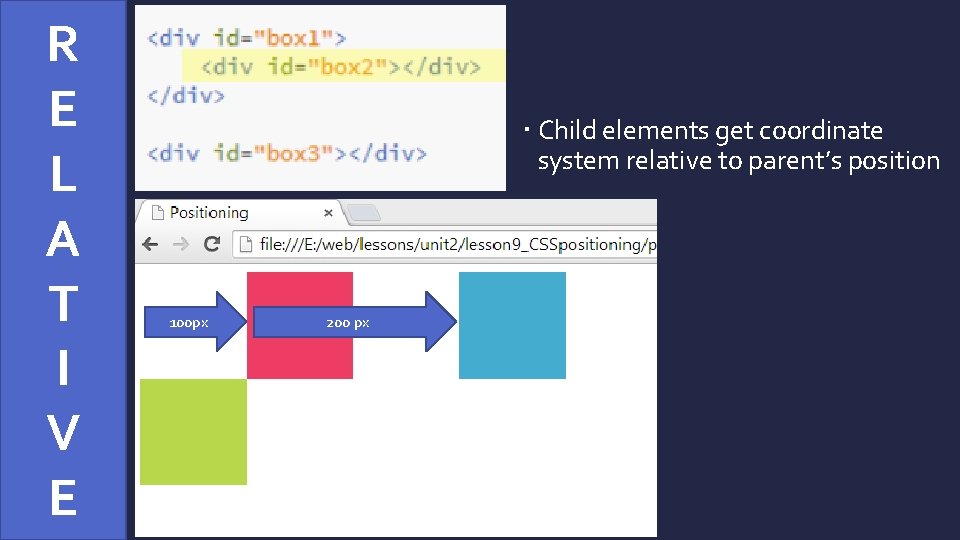
R E L A T I V E Child elements get coordinate system relative to parent’s position 100 px 200 px
ABSOLUTE POSITIONING Removes element from normal page flow Positions via left, right, top, and bottom based on edges of viewport Viewport = what you can see in browser
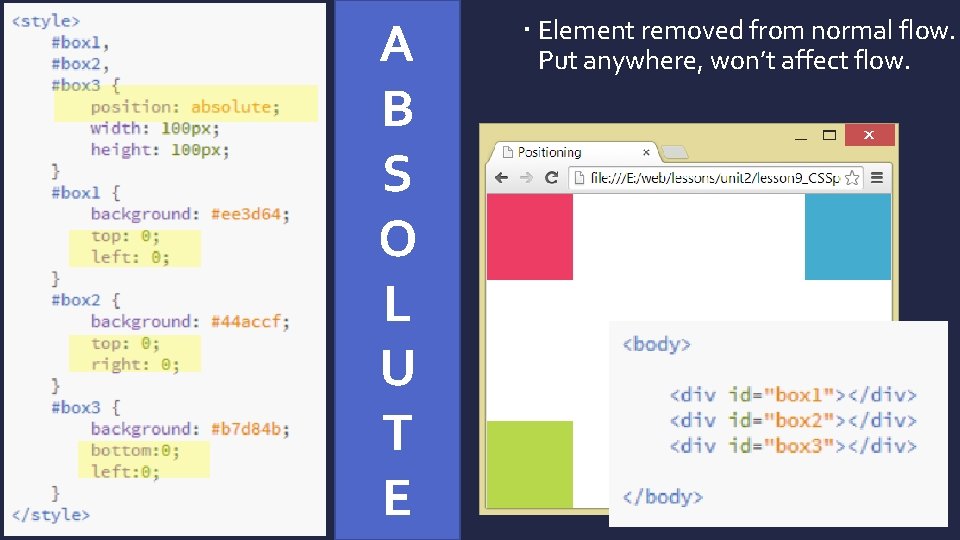
A B S O L U T E Element removed from normal flow. Put anywhere, won’t affect flow.
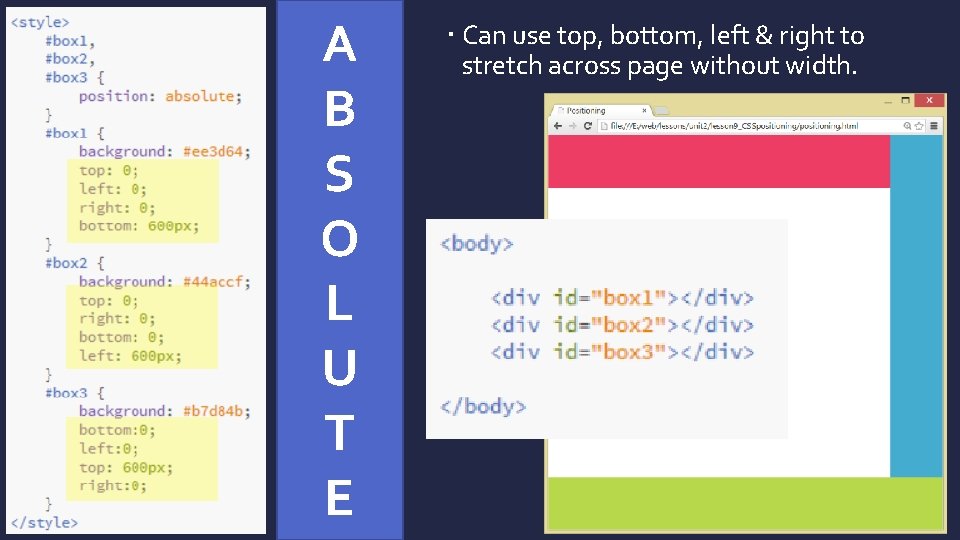
A B S O L U T E Can use top, bottom, left & right to stretch across page without width.
ABSOLUTE Child elements will get new coordinate system relative to parent’s position just like with relative positioning. BE CAREFUL: If user has changed resolution or resized their window, your absolutely positioned elements may not show at all or may be on top of or underneath other content you don’t intend!
FIXED POSITIONING Affixes element to specific place in window, where it will stay regardless of scrolling
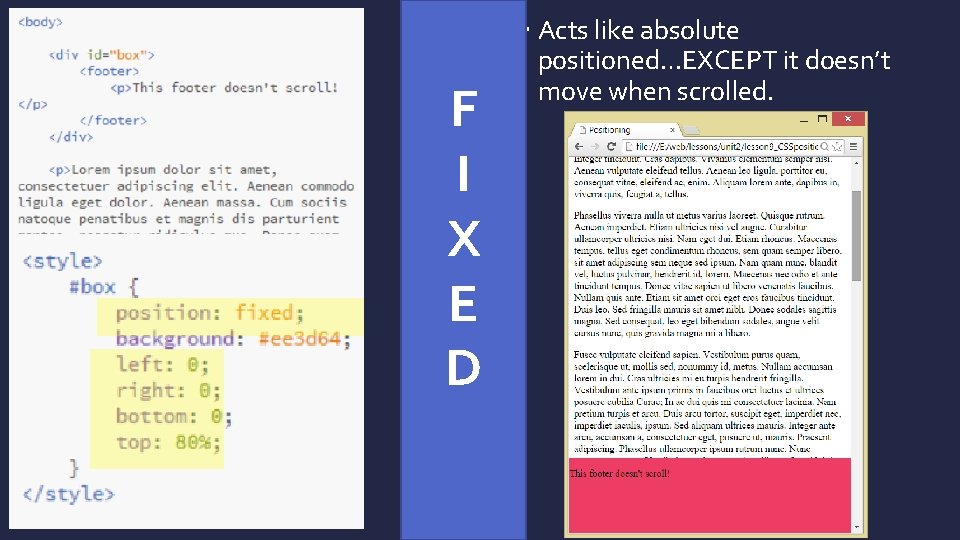
F I X E D Acts like absolute positioned…EXCEPT it doesn’t move when scrolled.
FIXED BE CAREFUL: If user has changed resolution or resized their window, your fixed positioned elements may not show at all or may be on top of or underneath other content you don’t intend!
Z-INDEX control where element appears in the depth of field (front to back) By default, elements added later in the html have higher z-index (are closer to you and will sit on top of other elements when they occupy the same space). You can set values specifically. Higher numbers stacked on TOP of lower numbers.
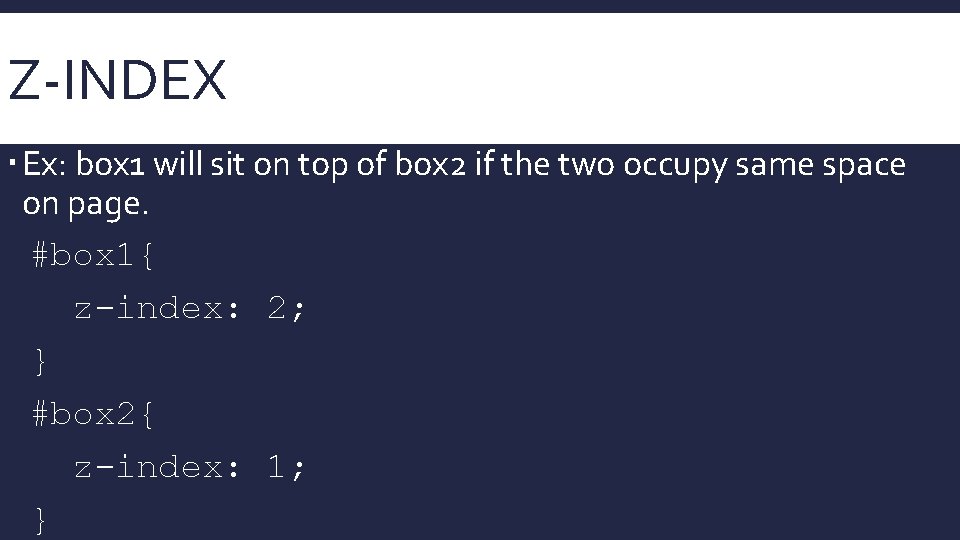
Z-INDEX Ex: box 1 will sit on top of box 2 if the two occupy same space on page. #box 1{ z-index: 2; } #box 2{ z-index: 1; }
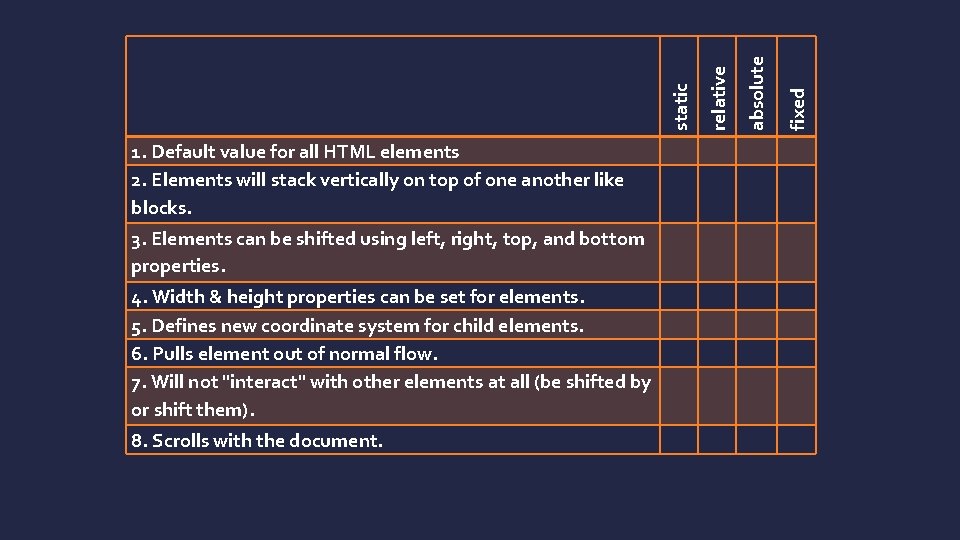
3. Elements can be shifted using left, right, top, and bottom properties. 4. Width & height properties can be set for elements. 5. Defines new coordinate system for child elements. 6. Pulls element out of normal flow. 7. Will not "interact" with other elements at all (be shifted by or shift them). 8. Scrolls with the document. fixed absolute relative static 1. Default value for all HTML elements 2. Elements will stack vertically on top of one another like blocks.
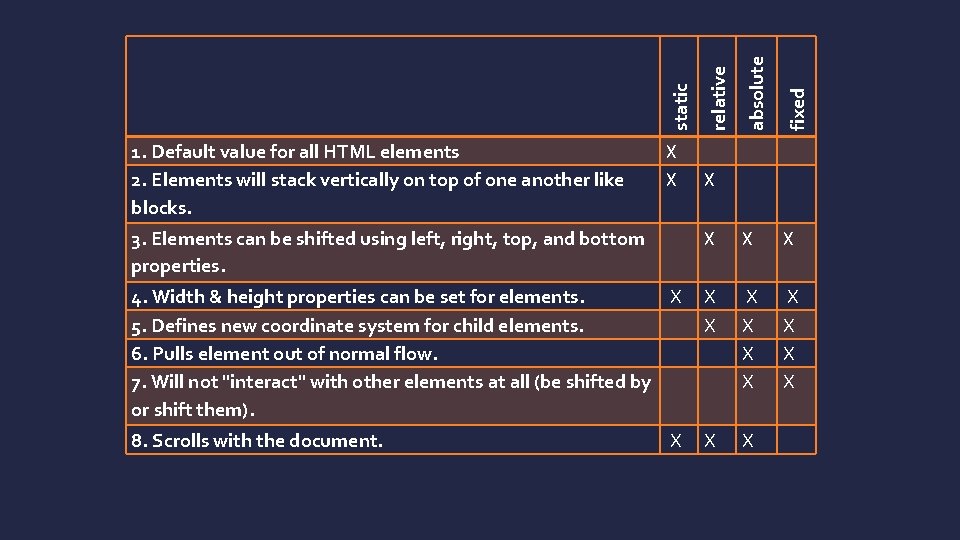
absolute fixed X X 4. Width & height properties can be set for elements. X 5. Defines new coordinate system for child elements. 6. Pulls element out of normal flow. 7. Will not "interact" with other elements at all (be shifted by or shift them). X X X X X 8. Scrolls with the document. X X relative X static 3. Elements can be shifted using left, right, top, and bottom properties. 1. Default value for all HTML elements 2. Elements will stack vertically on top of one another like blocks. X X
- Slides: 18