
Porting your engine to Vulkan or DX 12

- Slides: 45
Porting your engine to Vulkan™ or DX 12 ADAM SAWICKI DEVELOPER TECHNOLOGY ENGINEER, AMD
AGENDA Introduction Porting • Memory management • API of your renderer • Pipelines, descriptors, command buffers • Objects lifetime • Multithreading on CPU • Using multiple GPU queues • Barriers • Frame graph • Additional considerations Conclusion 2 | MAY 2018
Introduction Why port to Vulkan™ or DX 12? 3 | MAY 2018
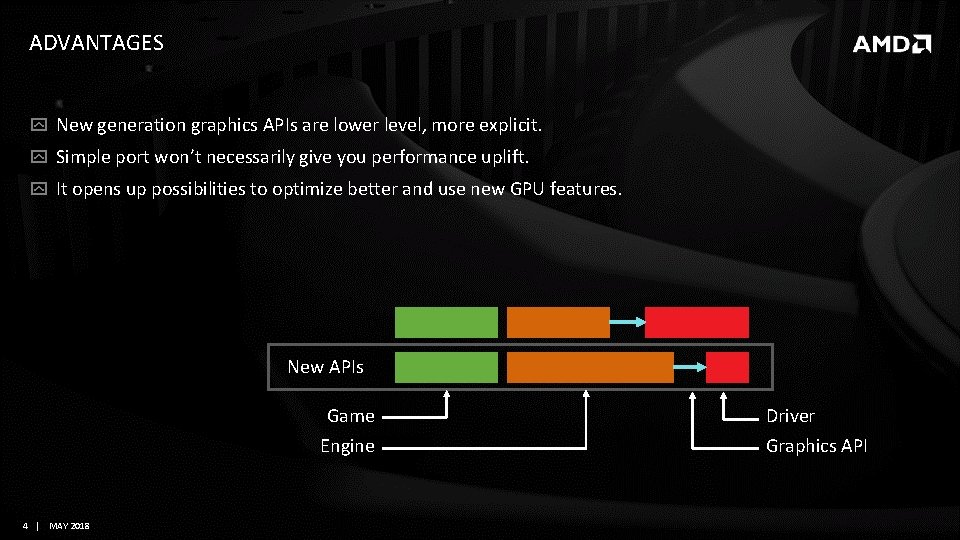
ADVANTAGES New generation graphics APIs are lower level, more explicit. Simple port won’t necessarily give you performance uplift. It opens up possibilities to optimize better and use new GPU features. New APIs Game Engine 4 | MAY 2018 Driver Graphics API
ADVANTAGES multithreading on CPU using multiple GPU queues explicit multi-GPU better optimization for specific platforms less CPU overhead opportunity to improve engine architecture 5 | MAY 2018
Porting How to port your engine? 6 | MAY 2018
RESPONSIBILITIES In the new APIs it is now your responsibility to do: memory allocation and management objects lifetime management command buffer recording and submission synchronization memory barriers for resources 7 | MAY 2018
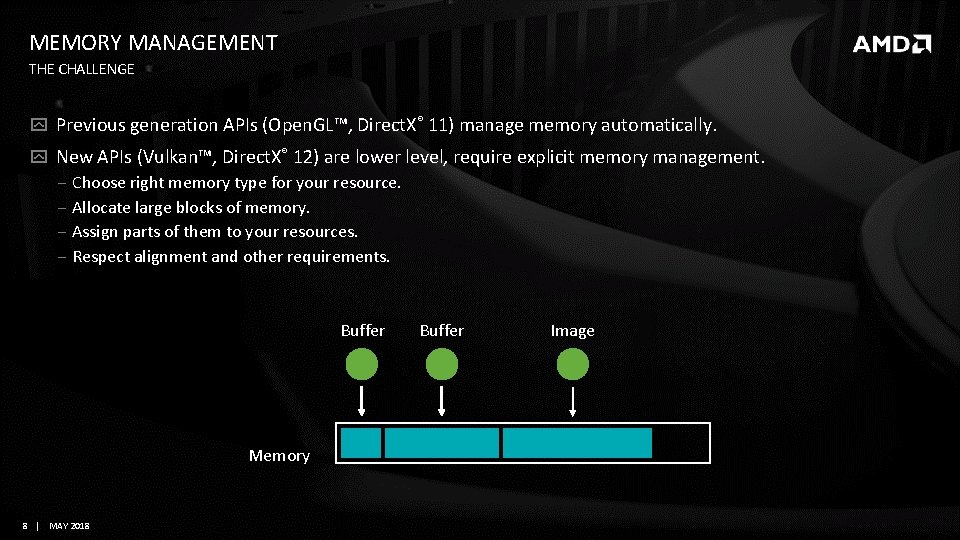
MEMORY MANAGEMENT THE CHALLENGE Previous generation APIs (Open. GL™, Direct. X® 11) manage memory automatically. New APIs (Vulkan™, Direct. X® 12) are lower level, require explicit memory management. ‒ Choose right memory type for your resource. ‒ Allocate large blocks of memory. ‒ Assign parts of them to your resources. ‒ Respect alignment and other requirements. Buffer Memory 8 | MAY 2018 Buffer Image
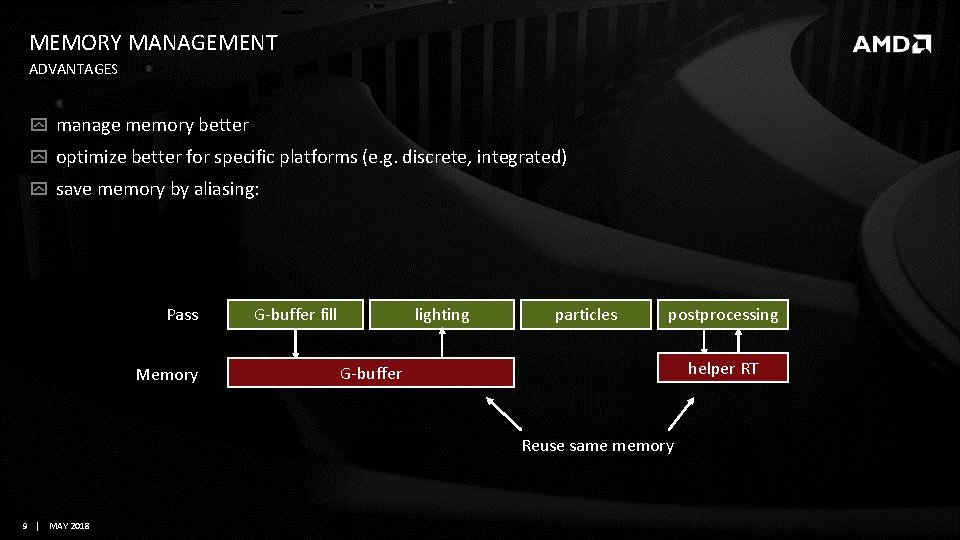
MEMORY MANAGEMENT ADVANTAGES manage memory better optimize better for specific platforms (e. g. discrete, integrated) save memory by aliasing: Pass Memory G-buffer fill lighting particles postprocessing helper RT G-buffer Reuse same memory 9 | MAY 2018
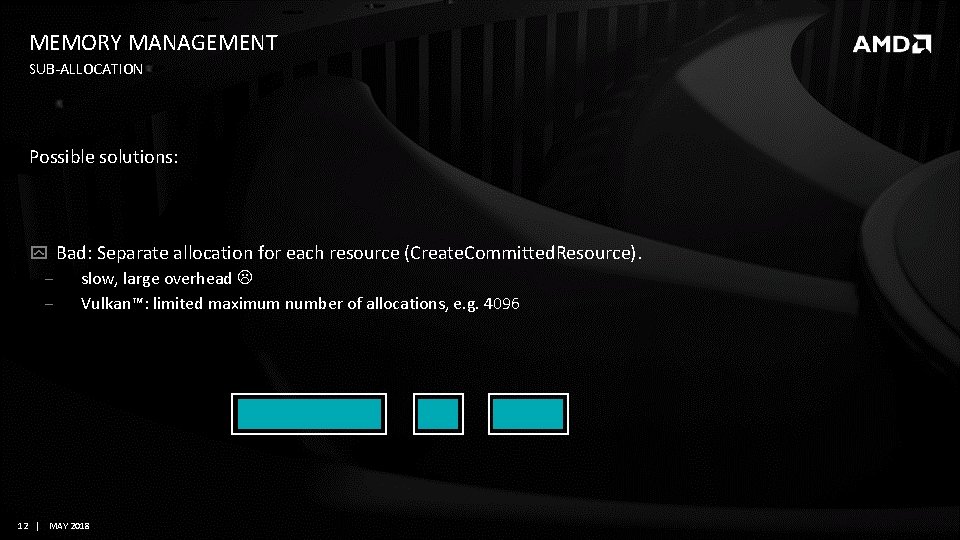
MEMORY MANAGEMENT SUB-ALLOCATION Possible solutions: Bad: Separate allocation for each resource (Create. Committed. Resource). ‒ slow, large overhead ‒ Vulkan™: limited maximum number of allocations, e. g. 4096 12 | MAY 2018
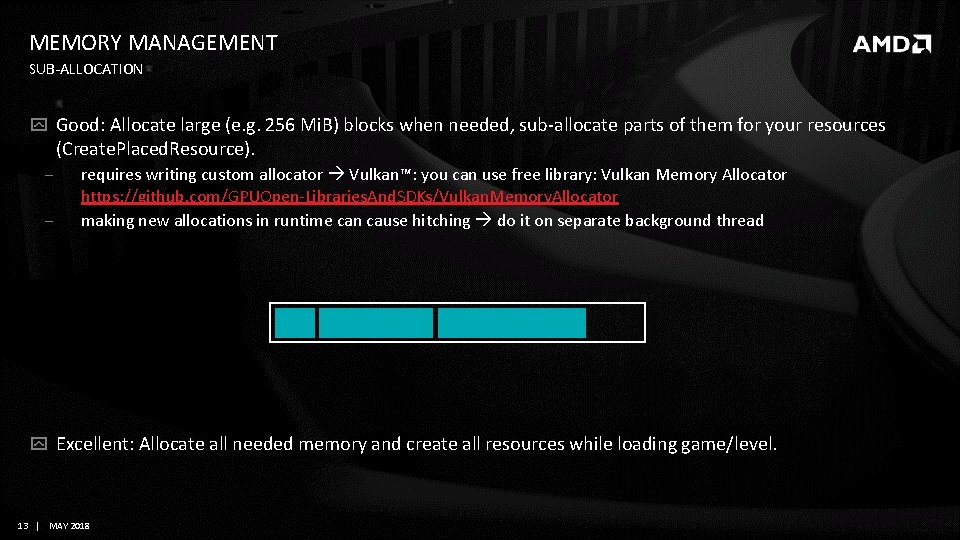
MEMORY MANAGEMENT SUB-ALLOCATION Good: Allocate large (e. g. 256 Mi. B) blocks when needed, sub-allocate parts of them for your resources (Create. Placed. Resource). ‒ ‒ requires writing custom allocator Vulkan™: you can use free library: Vulkan Memory Allocator https: //github. com/GPUOpen-Libraries. And. SDKs/Vulkan. Memory. Allocator making new allocations in runtime can cause hitching do it on separate background thread Excellent: Allocate all needed memory and create all resources while loading game/level. 13 | MAY 2018
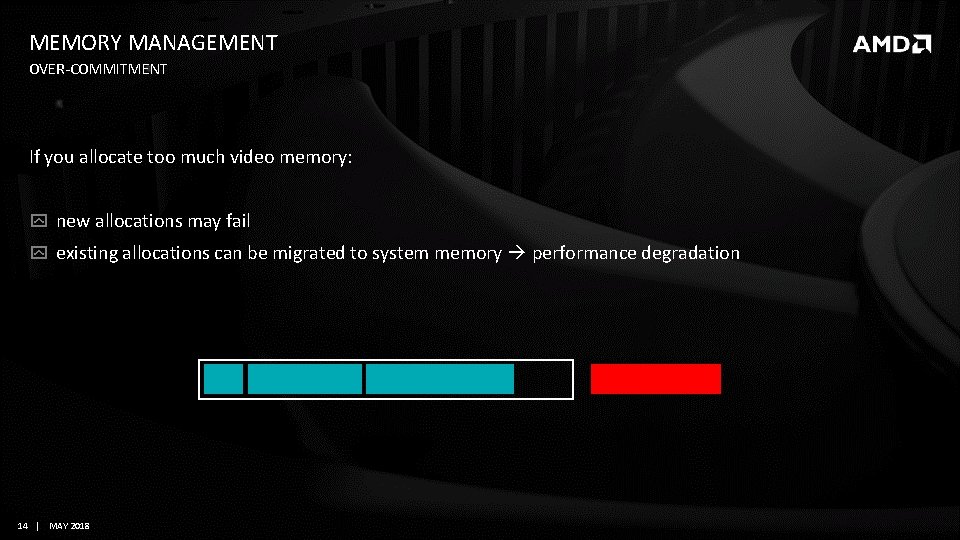
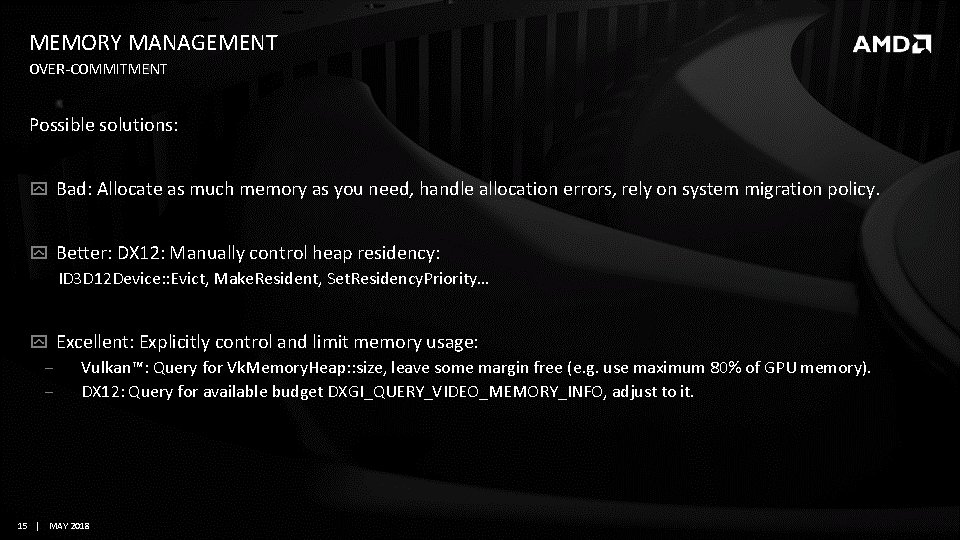
MEMORY MANAGEMENT OVER-COMMITMENT If you allocate too much video memory: new allocations may fail existing allocations can be migrated to system memory performance degradation 14 | MAY 2018
MEMORY MANAGEMENT OVER-COMMITMENT Possible solutions: Bad: Allocate as much memory as you need, handle allocation errors, rely on system migration policy. Better: DX 12: Manually control heap residency: ID 3 D 12 Device: : Evict, Make. Resident, Set. Residency. Priority… Excellent: Explicitly control and limit memory usage: ‒ Vulkan™: Query for Vk. Memory. Heap: : size, leave some margin free (e. g. use maximum 80% of GPU memory). ‒ DX 12: Query for available budget DXGI_QUERY_VIDEO_MEMORY_INFO, adjust to it. 15 | MAY 2018
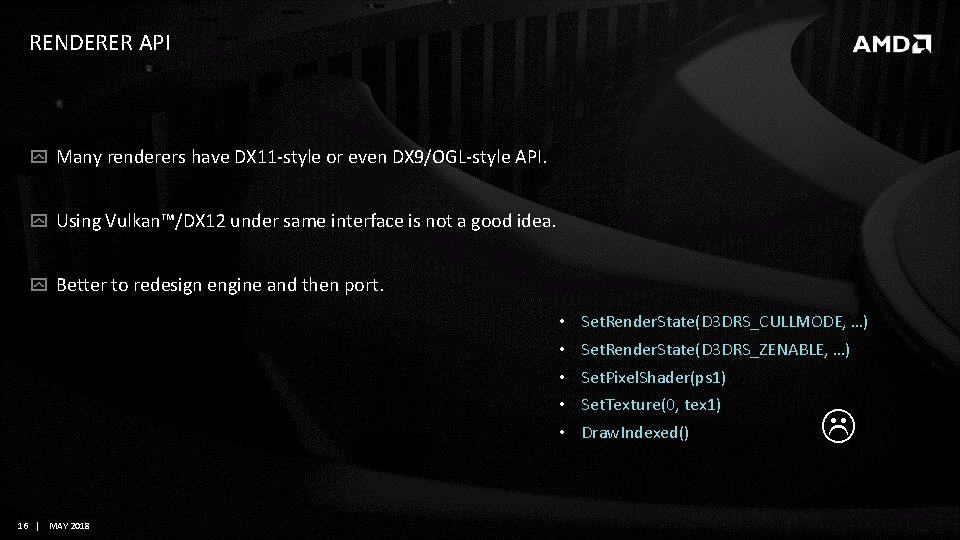
RENDERER API Many renderers have DX 11 -style or even DX 9/OGL-style API. Using Vulkan™/DX 12 under same interface is not a good idea. Better to redesign engine and then port. • • • 16 | MAY 2018 Set. Render. State(D 3 DRS_CULLMODE, …) Set. Render. State(D 3 DRS_ZENABLE, …) Set. Pixel. Shader(ps 1) Set. Texture(0, tex 1) Draw. Indexed()
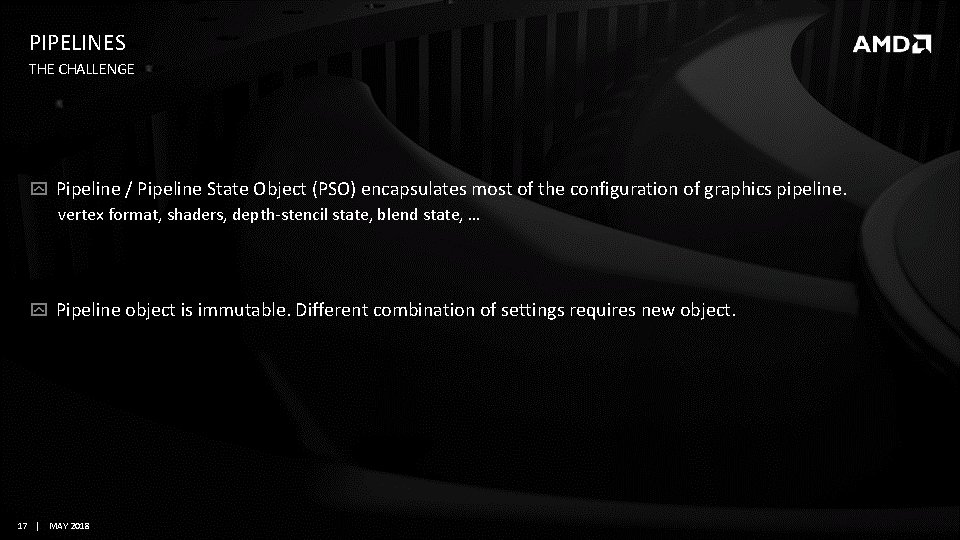
PIPELINES THE CHALLENGE Pipeline / Pipeline State Object (PSO) encapsulates most of the configuration of graphics pipeline. vertex format, shaders, depth-stencil state, blend state, … Pipeline object is immutable. Different combination of settings requires new object. 17 | MAY 2018
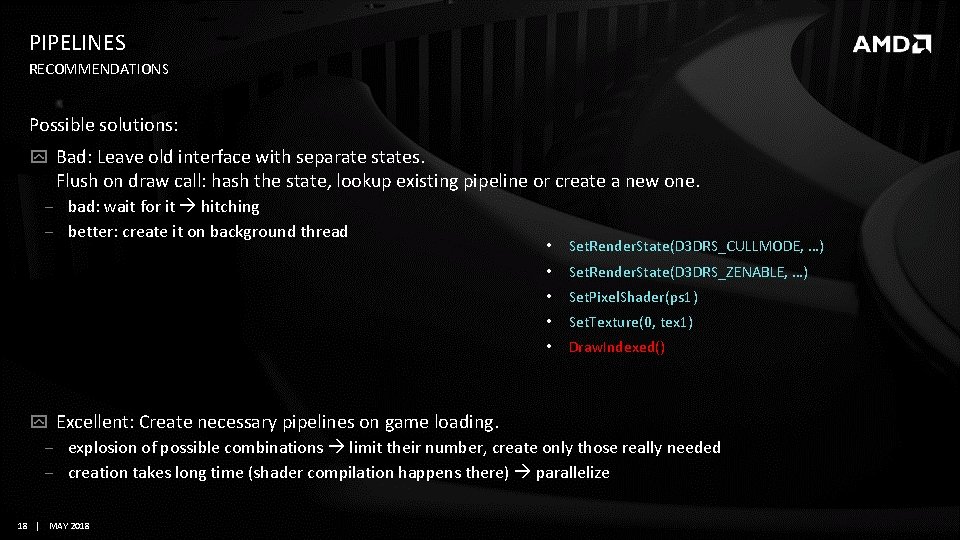
PIPELINES RECOMMENDATIONS Possible solutions: Bad: Leave old interface with separate states. Flush on draw call: hash the state, lookup existing pipeline or create a new one. ‒ bad: wait for it hitching ‒ better: create it on background thread • Set. Render. State(D 3 DRS_CULLMODE, …) • Set. Render. State(D 3 DRS_ZENABLE, …) • Set. Pixel. Shader(ps 1) • Set. Texture(0, tex 1) • Draw. Indexed() Excellent: Create necessary pipelines on game loading. ‒ explosion of possible combinations limit their number, create only those really needed ‒ creation takes long time (shader compilation happens there) parallelize 18 | MAY 2018
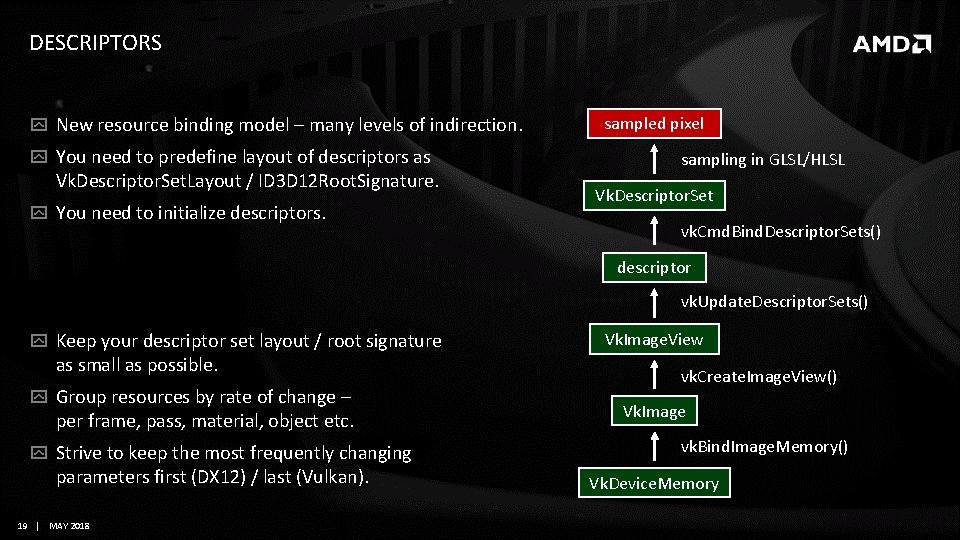
DESCRIPTORS New resource binding model – many levels of indirection. You need to predefine layout of descriptors as Vk. Descriptor. Set. Layout / ID 3 D 12 Root. Signature. You need to initialize descriptors. sampled pixel sampling in GLSL/HLSL Vk. Descriptor. Set vk. Cmd. Bind. Descriptor. Sets() descriptor vk. Update. Descriptor. Sets() Keep your descriptor set layout / root signature as small as possible. Group resources by rate of change – per frame, pass, material, object etc. Strive to keep the most frequently changing parameters first (DX 12) / last (Vulkan). 19 | MAY 2018 Vk. Image. View vk. Create. Image. View() Vk. Image vk. Bind. Image. Memory() Vk. Device. Memory
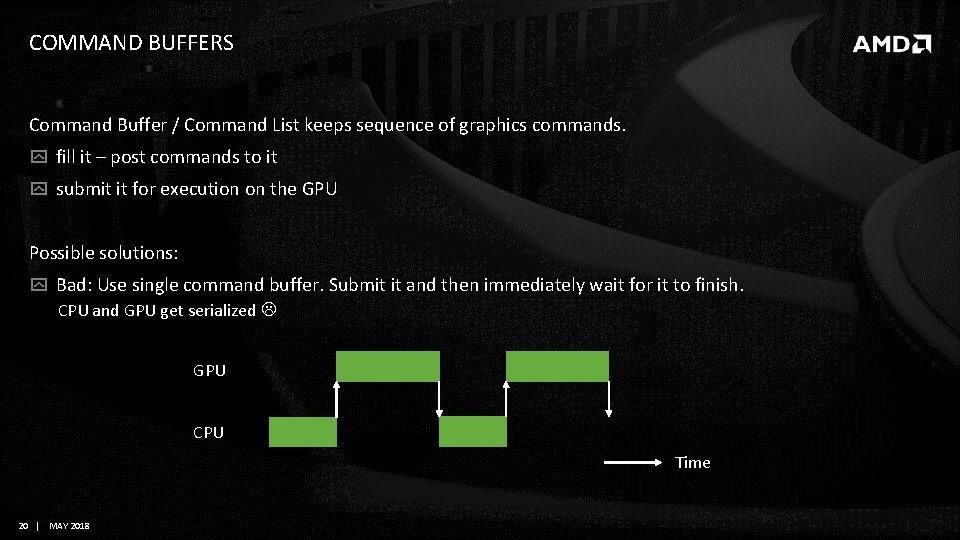
COMMAND BUFFERS Command Buffer / Command List keeps sequence of graphics commands. fill it – post commands to it submit it for execution on the GPU Possible solutions: Bad: Use single command buffer. Submit it and then immediately wait for it to finish. CPU and GPU get serialized GPU CPU Time 20 | MAY 2018
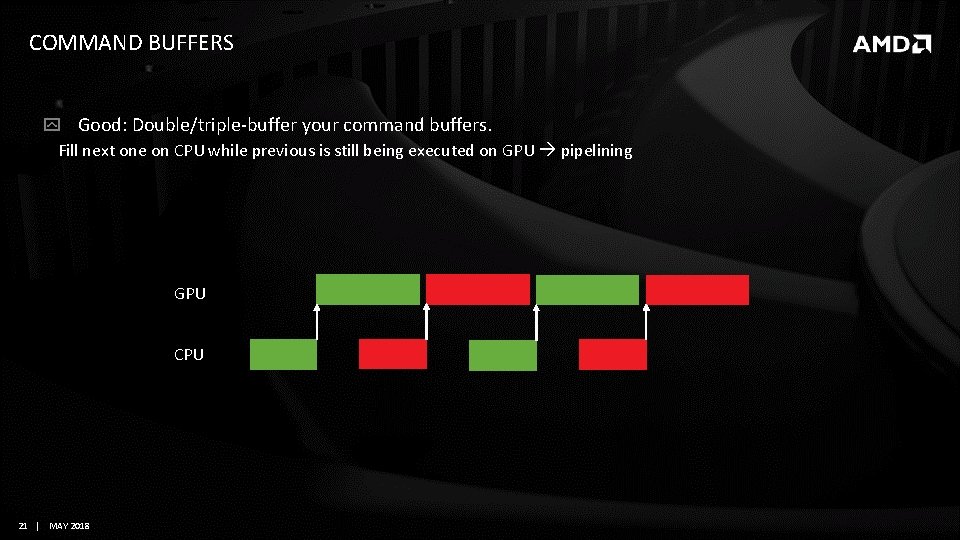
COMMAND BUFFERS Good: Double/triple-buffer your command buffers. Fill next one on CPU while previous is still being executed on GPU pipelining GPU CPU 21 | MAY 2018
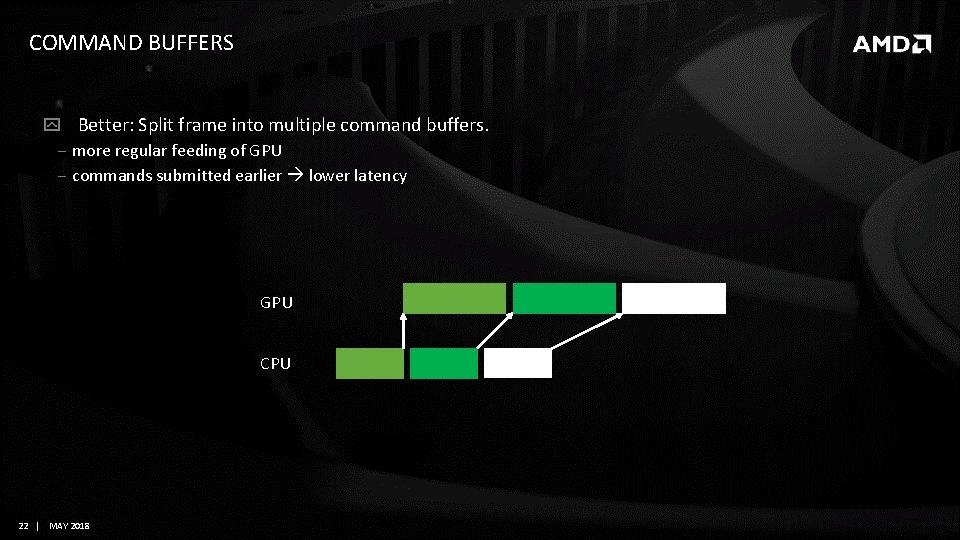
COMMAND BUFFERS Better: Split frame into multiple command buffers. ‒ more regular feeding of GPU ‒ commands submitted earlier lower latency GPU CPU 22 | MAY 2018
COMMAND BUFFERS There is an overhead associated with each command buffer/submit/synchronization. Limit number of command buffers. Aim for 15 -30 per frame. Batch multiple command buffers into one submit call. Limit number of submits. Aim for 5 per queue per frame. Control granularity of your command buffers. Submit large chunks of work. 23 | MAY 2018
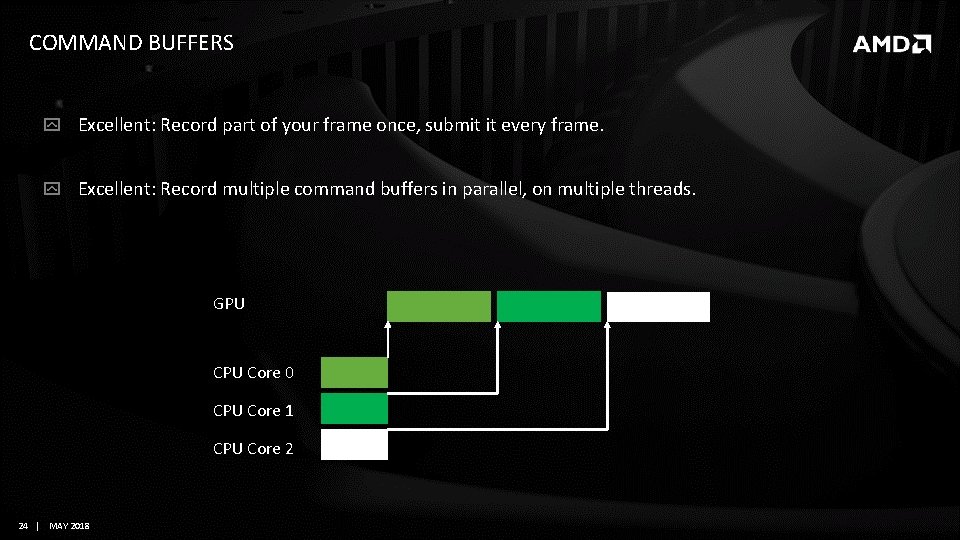
COMMAND BUFFERS Excellent: Record part of your frame once, submit it every frame. Excellent: Record multiple command buffers in parallel, on multiple threads. GPU Core 0 CPU Core 1 CPU Core 2 24 | MAY 2018
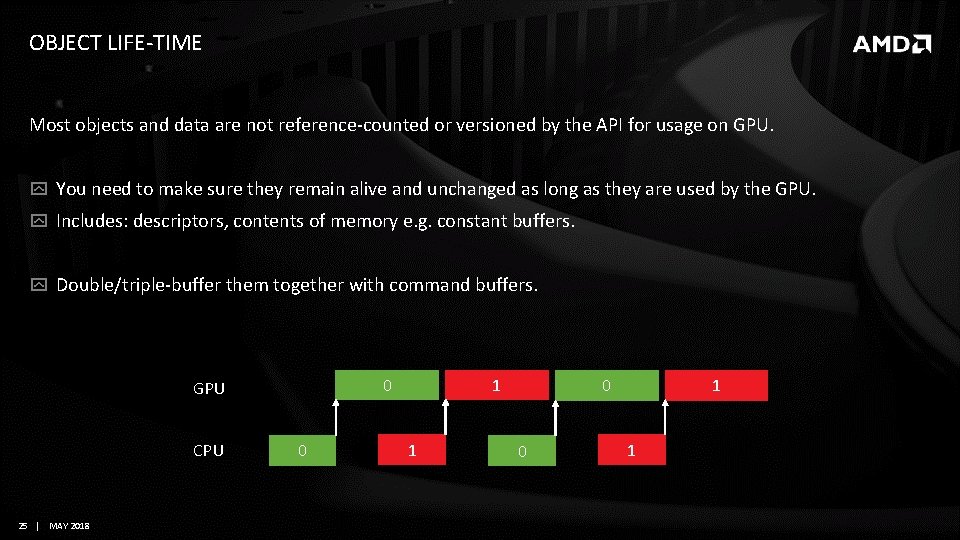
OBJECT LIFE-TIME Most objects and data are not reference-counted or versioned by the API for usage on GPU. You need to make sure they remain alive and unchanged as long as they are used by the GPU. Includes: descriptors, contents of memory e. g. constant buffers. Double/triple-buffer them together with command buffers. 0 GPU CPU 25 | MAY 2018 0 1 1 0 0 1 1
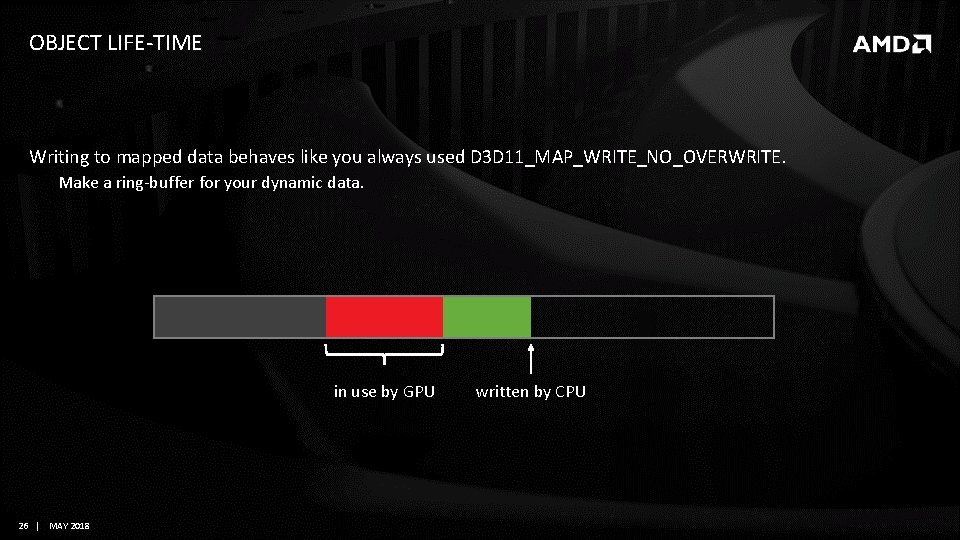
OBJECT LIFE-TIME Writing to mapped data behaves like you always used D 3 D 11_MAP_WRITE_NO_OVERWRITE. Make a ring-buffer for your dynamic data. in use by GPU 26 | MAY 2018 written by CPU
MULTITHREADING (CPU) Possible solutions: Bad: single-threaded game: while(playing) { Update(); Render(); } Better: Main thread with gameplay logic, scripting etc. + separate render thread + some background threads, e. g. AI, resource loading. 27 | MAY 2018
MULTITHREADING (CPU) Excellent: Task system ‒ Pool of persistent threads, one per hardware thread, waiting for tasks. ‒ Each frame consists of many tasks with dependencies between them. ‒ Generic, scalable architecture 28 | MAY 2018
MULTITHREADING (GPU) Make use of multiple GPU queues to parallelize rendering. Graphics Async compute Transfer 29 | MAY 2018
MULTITHREADING (GPU) Async compute General computations e. g. particles. Convert fullscreen passes to compute shaders. Execute parts of the frame in async compute. ‒ preferably in parallel with geometry-intensive graphics work ‒ finish frame by doing postprocessing and Present in async compute 30 | MAY 2018
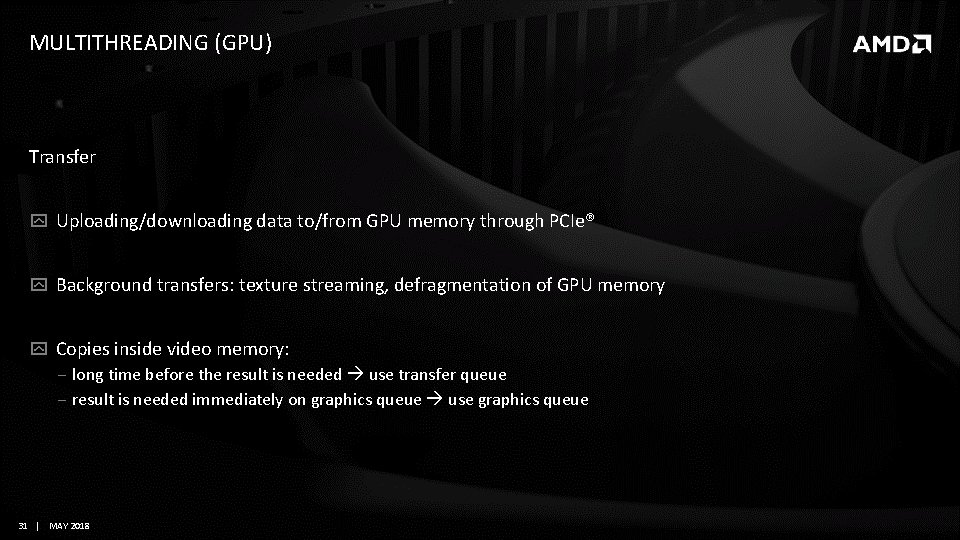
MULTITHREADING (GPU) Transfer Uploading/downloading data to/from GPU memory through PCIe® Background transfers: texture streaming, defragmentation of GPU memory Copies inside video memory: ‒ long time before the result is needed use transfer queue ‒ result is needed immediately on graphics queue use graphics queue 31 | MAY 2018
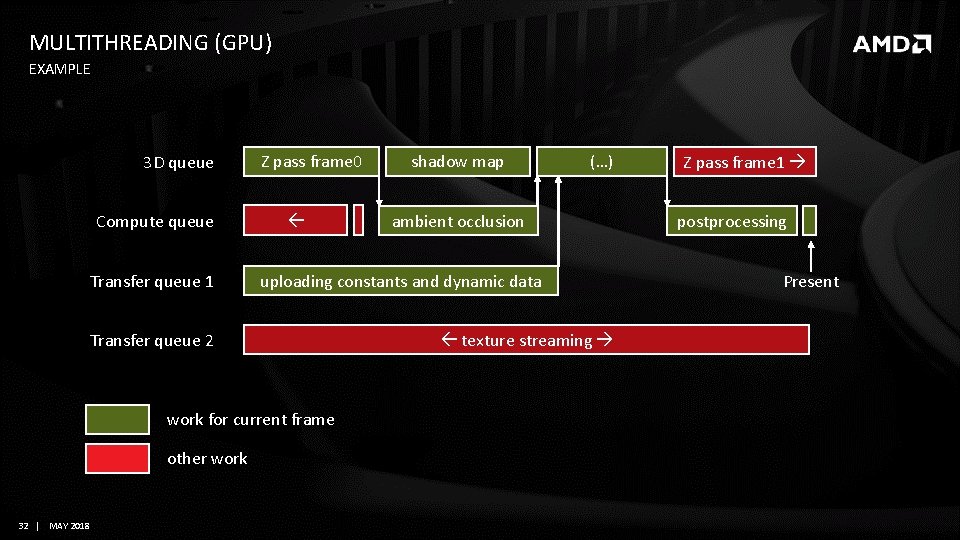
MULTITHREADING (GPU) EXAMPLE 3 D queue Compute queue Transfer queue 1 Z pass frame 0 work for current frame 32 | MAY 2018 (…) ambient occlusion uploading constants and dynamic data Transfer queue 2 other work shadow map texture streaming Z pass frame 1 postprocessing Present
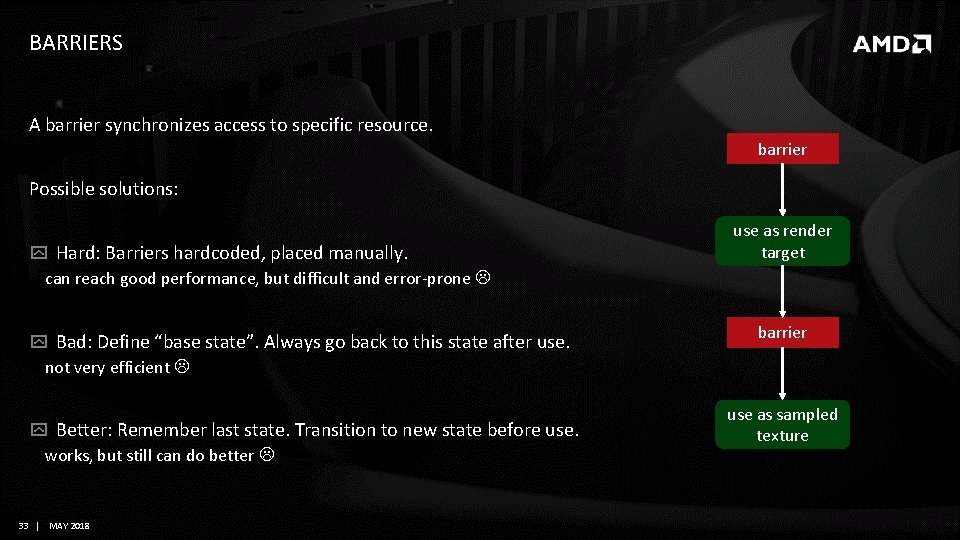
BARRIERS A barrier synchronizes access to specific resource. barrier Possible solutions: Hard: Barriers hardcoded, placed manually. can reach good performance, but difficult and error-prone Bad: Define “base state”. Always go back to this state after use. not very efficient Better: Remember last state. Transition to new state before use. works, but still can do better 33 | MAY 2018 use as render target barrier use as sampled texture
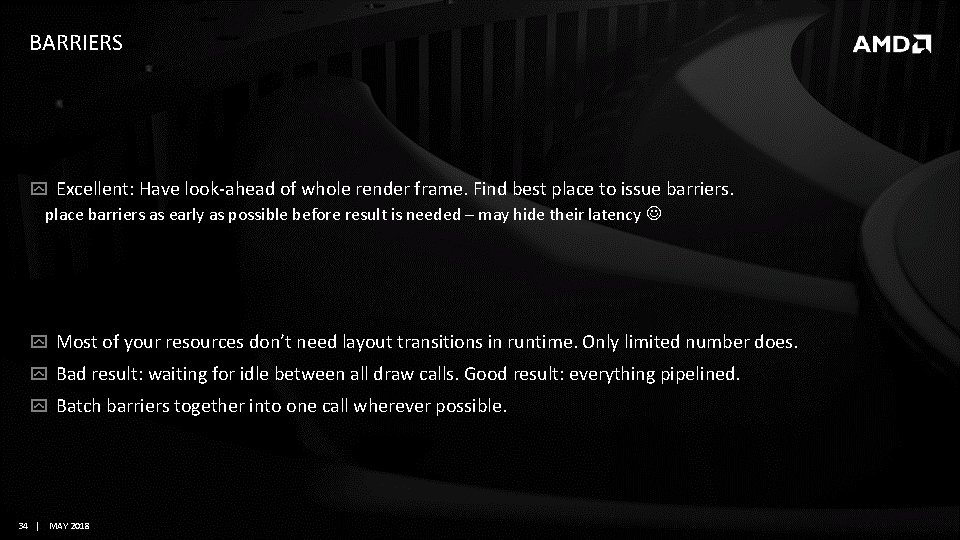
BARRIERS Excellent: Have look-ahead of whole render frame. Find best place to issue barriers. place barriers as early as possible before result is needed – may hide their latency Most of your resources don’t need layout transitions in runtime. Only limited number does. Bad result: waiting for idle between all draw calls. Good result: everything pipelined. Batch barriers together into one call wherever possible. 34 | MAY 2018
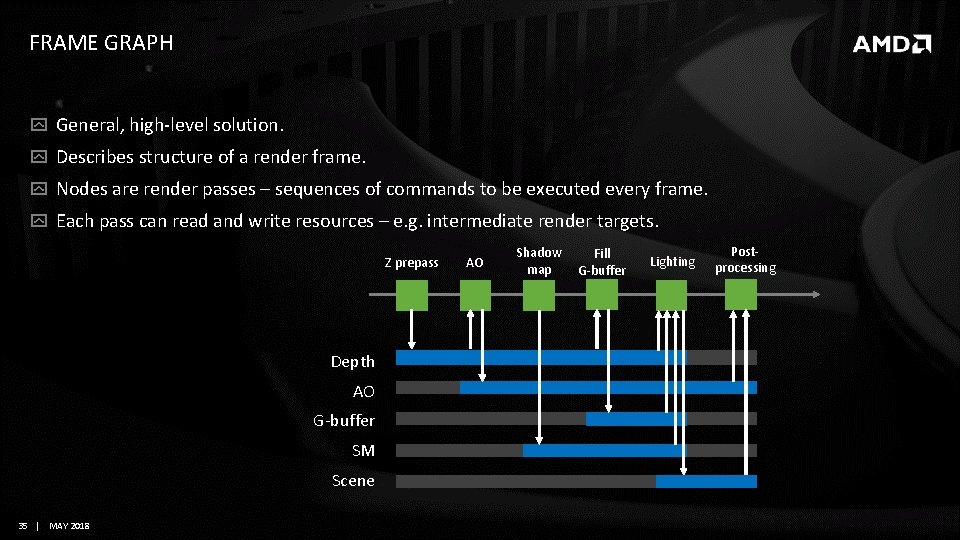
FRAME GRAPH General, high-level solution. Describes structure of a render frame. Nodes are render passes – sequences of commands to be executed every frame. Each pass can read and write resources – e. g. intermediate render targets. Z prepass Depth AO G-buffer SM Scene 35 | MAY 2018 AO Shadow map Fill G-buffer Lighting Postprocessing
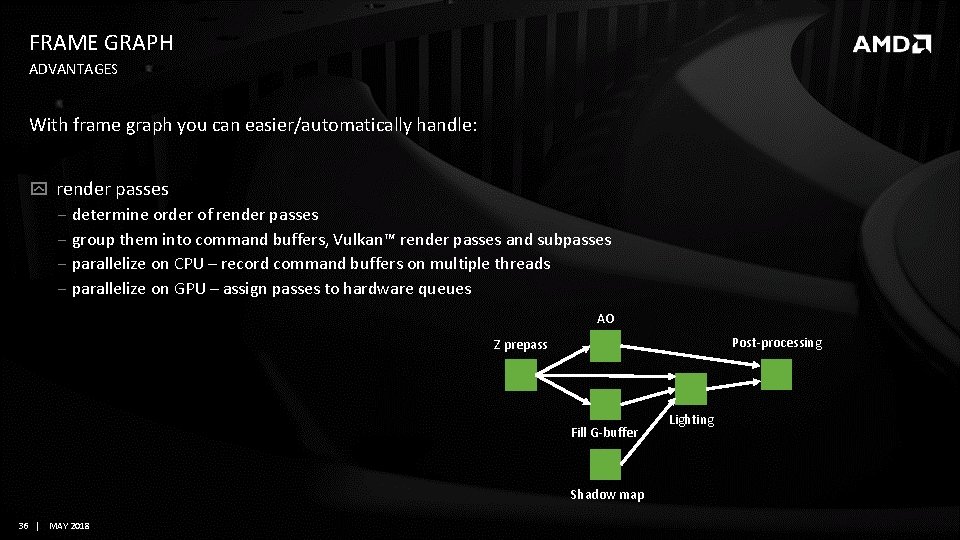
FRAME GRAPH ADVANTAGES With frame graph you can easier/automatically handle: render passes ‒ determine order of render passes ‒ group them into command buffers, Vulkan™ render passes and subpasses ‒ parallelize on CPU – record command buffers on multiple threads ‒ parallelize on GPU – assign passes to hardware queues AO Post-processing Z prepass Fill G-buffer Shadow map 36 | MAY 2018 Lighting
FRAME GRAPH ADVANTAGES With frame graph you can easier/automatically handle: resources ‒ determine what barriers are needed ‒ find the most optimal place to issue barriers ‒ alias memory, if lifetime of resources don’t overlap 37 | MAY 2018
ADDITIONAL CONSIDERATIONS 1/3 Update Vulkan™ SDK regularly Update graphics driver regularly and tell your players to do the same Use Validation Layers ‒ they don’t check everything ‒ there may be false positives (when using extensions, bugs in validation layers) ‒ but still consider each message, fix it or add to your ignore list Please do report bugs. Vulkan™ ecosystem needs your help! 38 | MAY 2018
ADDITIONAL CONSIDERATIONS 2/3 Make your game easy to debug ‒ Support enable/disable switches for as many features as possible ‒ Use debug markers to annotate rendering commands and give names to resources Vulkan™: VK_EXT_debug_marker, DX 12: PIXBegin. Event ‒ Integrate system for debugging driver crashes and TDR VK_AMD_buffer_marker, … Use debugging and profiling tools, e. g. : Render. Doc, Microsoft PIX, Radeon GPU Profiler (RGP), etc… 39 | MAY 2018
ADDITIONAL CONSIDERATIONS 3/3 First stability, then correctness, then performance. Use good software engineering practices. ‒ Test early, test often, test on various GPUs. ‒ Track regressions. 40 | MAY 2018
Conclusion 41 | MAY 2018
CONCLUSION New graphics APIs (Vulkan™, Direct 3 D 12) are lower level, more explicit. Porting your engine to a new API: ‒ requires some additional work ‒ can result in better performance There are recommended good practices, software libraries, and tools that can help you with that. 42 | MAY 2018
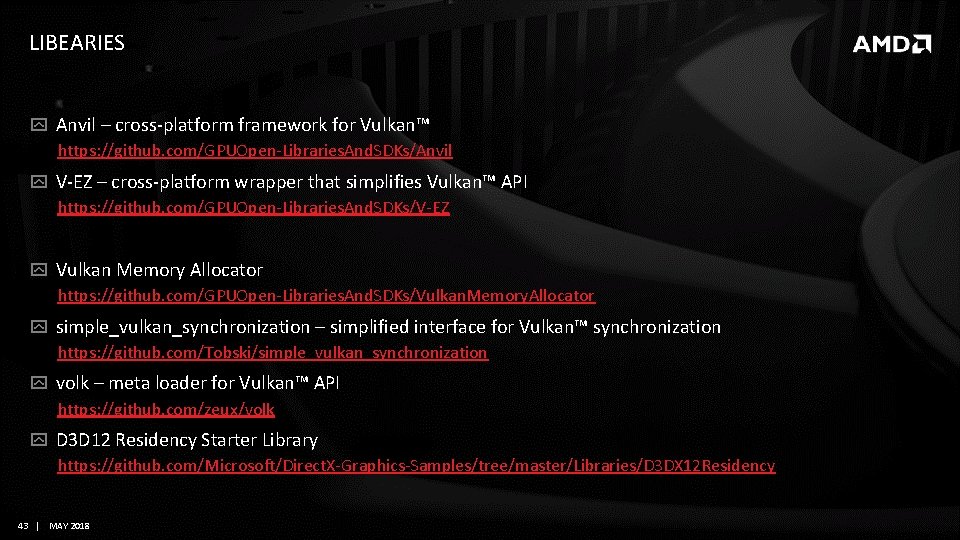
LIBEARIES Anvil – cross-platform framework for Vulkan™ https: //github. com/GPUOpen-Libraries. And. SDKs/Anvil V-EZ – cross-platform wrapper that simplifies Vulkan™ API https: //github. com/GPUOpen-Libraries. And. SDKs/V-EZ Vulkan Memory Allocator https: //github. com/GPUOpen-Libraries. And. SDKs/Vulkan. Memory. Allocator simple_vulkan_synchronization – simplified interface for Vulkan™ synchronization https: //github. com/Tobski/simple_vulkan_synchronization volk – meta loader for Vulkan™ API https: //github. com/zeux/volk D 3 D 12 Residency Starter Library https: //github. com/Microsoft/Direct. X-Graphics-Samples/tree/master/Libraries/D 3 DX 12 Residency 43 | MAY 2018
FURTHER READING Rodrigues, Tiago (Ubisoft Montreal). Moving to Direct. X ® 12: Lessons Learned. GDC 2017. Sawicki, Adam (AMD). Memory management in Vulkan™ and DX 12. GDC 2018. 44 | MAY 2018
Thank you Questions? 45 | MAY 2018
DISCLAIMER & ATTRIBUTION The information presented in this document is for informational purposes only and may contain technical inaccuracies, omissions and typographical errors. The information contained herein is subject to change and may be rendered inaccurate for many reasons, including but not limited to product and roadmap changes, component and motherboard version changes, new model and/or product releases, product differences between differing manufacturers, software changes, BIOS flashes, firmware upgrades, or the like. AMD assumes no obligation to update or otherwise correct or revise this information. However, AMD reserves the right to revise this information and to make changes from time to the content hereof without obligation of AMD to notify any person of such revisions or changes. AMD MAKES NO REPRESENTATIONS OR WARRANTIES WITH RESPECT TO THE CONTENTS HEREOF AND ASSUMES NO RESPONSIBILITY FOR ANY INACCURACIES, ERRORS OR OMISSIONS THAT MAY APPEAR IN THIS INFORMATION. AMD SPECIFICALLY DISCLAIMS ANY IMPLIED WARRANTIES OF MERCHANTABILITY OR FITNESS FOR ANY PARTICULAR PURPOSE. IN NO EVENT WILL AMD BE LIABLE TO ANY PERSON FOR ANY DIRECT, INDIRECT, SPECIAL OR OTHER CONSEQUENTIAL DAMAGES ARISING FROM THE USE OF ANY INFORMATION CONTAINED HEREIN, EVEN IF AMD IS EXPRESSLY ADVISED OF THE POSSIBILITY OF SUCH DAMAGES. ATTRIBUTION © 2016 Advanced Micro Devices, Inc. All rights reserved. AMD, the AMD Arrow logo and combinations thereof are trademarks of Advanced Micro Devices, Inc. in the United States and/or other jurisdictions. Other names are for informational purposes only and may be trademarks of their respective owners. 47 | MAY 2018