
Portfolio Analysis Introduction Office of Portfolio Analysis Division

- Slides: 60
Portfolio Analysis: Introduction Office of Portfolio Analysis Division of Program Coordination, Planning, and Strategic Initiatives National Institutes of Health
Office of Portfolio Analysis • Director – Dr. George Santangelo • Established in 2011 OPA Mission Statement: • Our purpose is to enhance the impact of NIH-supported research by enabling NIH research administrators and decision makers to evaluate and prioritize current, as well as emerging, areas of research that will advance knowledge and improve human health.
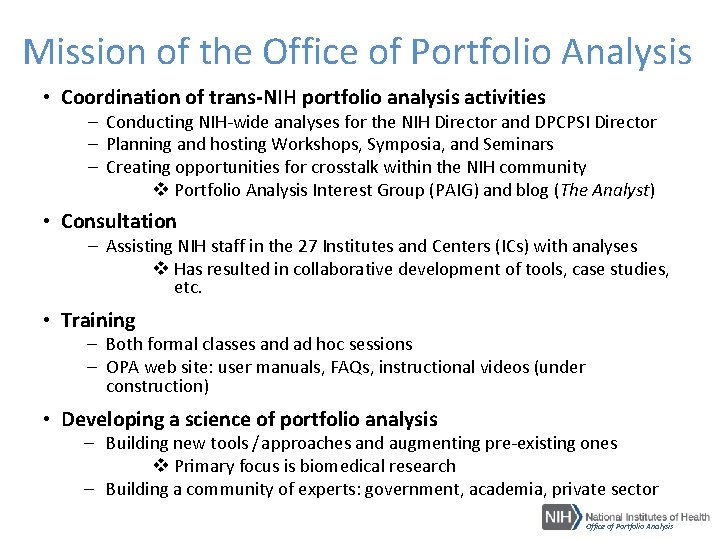
Mission of the Office of Portfolio Analysis • Coordination of trans-NIH portfolio analysis activities – Conducting NIH-wide analyses for the NIH Director and DPCPSI Director – Planning and hosting Workshops, Symposia, and Seminars – Creating opportunities for crosstalk within the NIH community v Portfolio Analysis Interest Group (PAIG) and blog (The Analyst) • Consultation – Assisting NIH staff in the 27 Institutes and Centers (ICs) with analyses v Has resulted in collaborative development of tools, case studies, etc. • Training – Both formal classes and ad hoc sessions – OPA web site: user manuals, FAQs, instructional videos (under construction) • Developing a science of portfolio analysis – Building new tools / approaches and augmenting pre-existing ones v Primary focus is biomedical research – Building a community of experts: government, academia, private sector Office of Portfolio Analysis
WHY DO WE CARRY OUT ANALYSES? Office of Portfolio Analysis
Why are portfolio analyses carried out? • In response to questions from senior leadership or external requests • Strategic planning and Program management • Evaluation • Exploration and discovery Office of Portfolio Analysis
WHAT QUESTIONS CAN WE ASK? Office of Portfolio Analysis
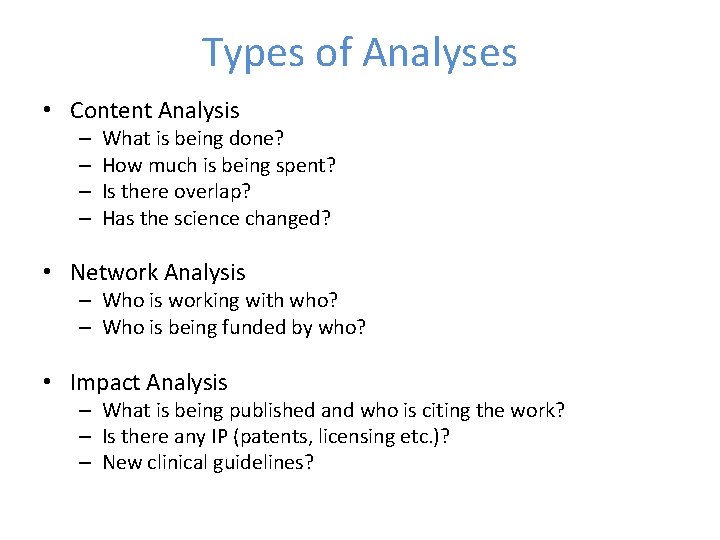
Types of Analyses • Content Analysis – – What is being done? How much is being spent? Is there overlap? Has the science changed? • Network Analysis – Who is working with who? – Who is being funded by who? • Impact Analysis – What is being published and who is citing the work? – Is there any IP (patents, licensing etc. )? – New clinical guidelines?
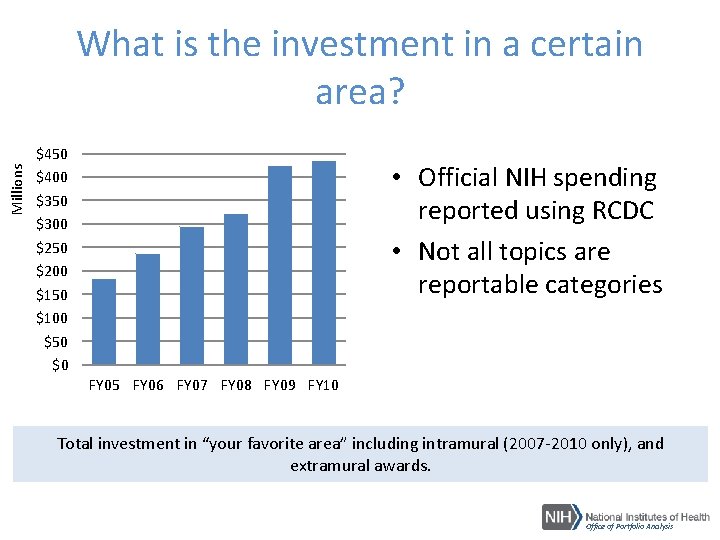
Millions What is the investment in a certain area? $450 $400 $350 $300 $250 $200 $150 $100 $50 $0 • Official NIH spending reported using RCDC • Not all topics are reportable categories FY 05 FY 06 FY 07 FY 08 FY 09 FY 10 Total investment in “your favorite area” including intramural (2007 -2010 only), and extramural awards. Office of Portfolio Analysis
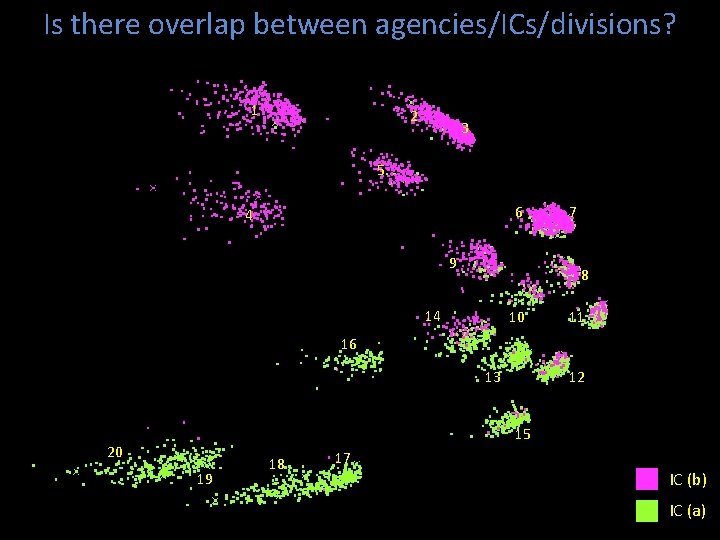
Is there overlap between agencies/ICs/divisions? 1 2 3 5 6 4 9 7 8 14 10 11 16 13 12 15 20 19 18 17 IC (b) IC (a)
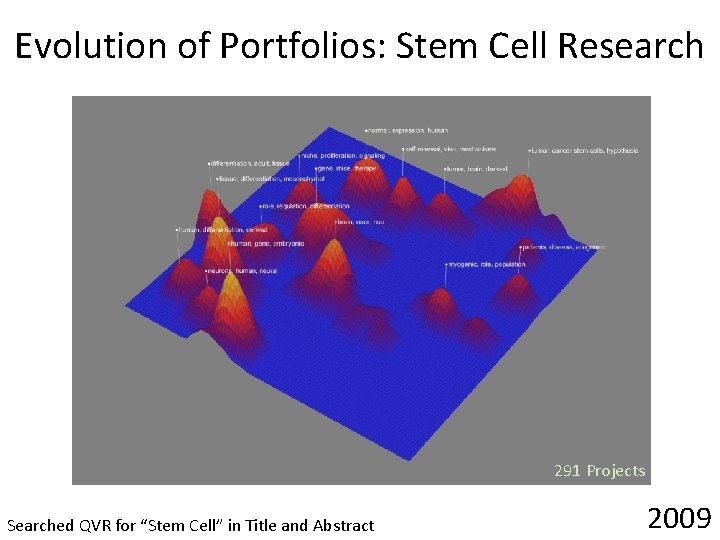
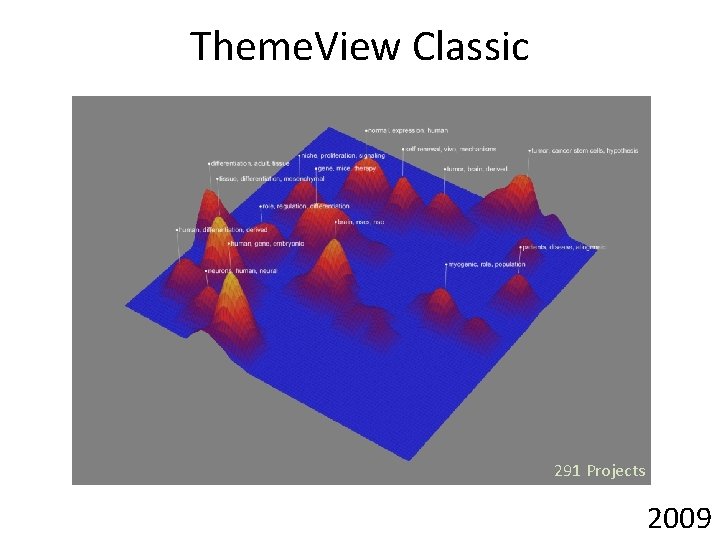
Evolution of Portfolios: Stem Cell Research 291 Projects Searched QVR for “Stem Cell” in Title and Abstract 2009
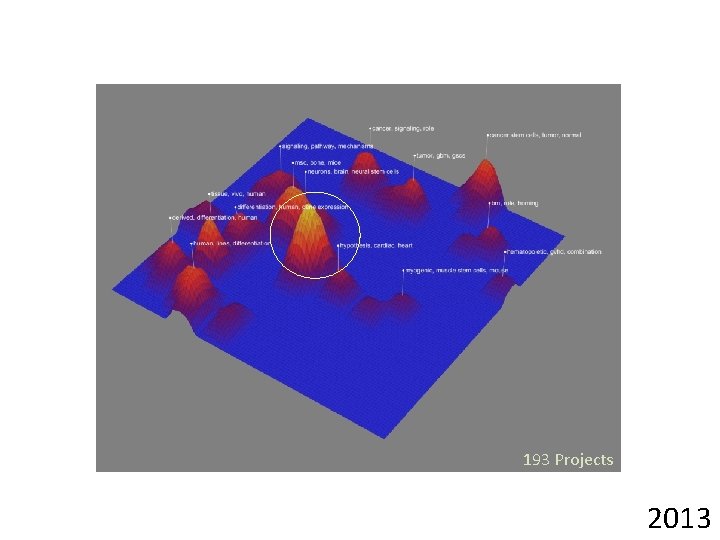
193 Projects 2013
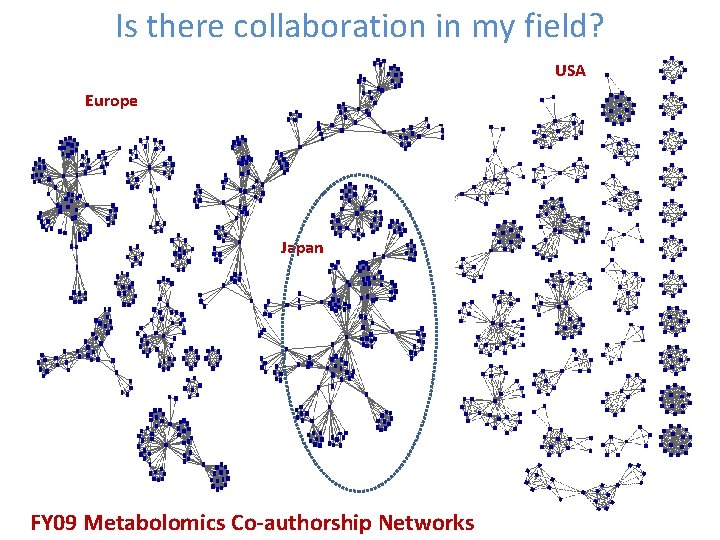
Is there collaboration in my field? USA Europe Japan FY 09 Metabolomics Co-authorship Networks
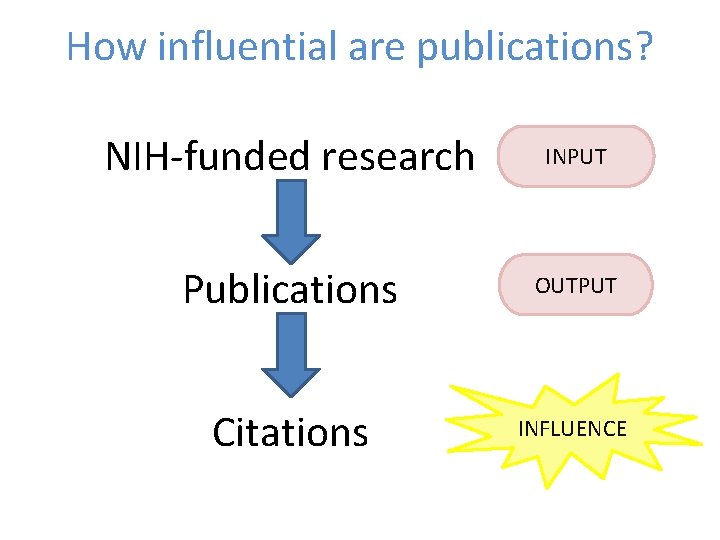
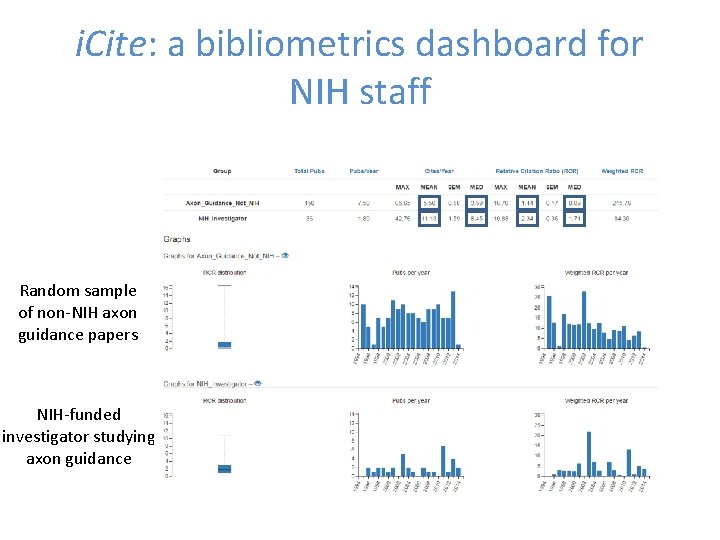
How influential are publications? NIH-funded research INPUT Publications OUTPUT Citations INFLUENCE
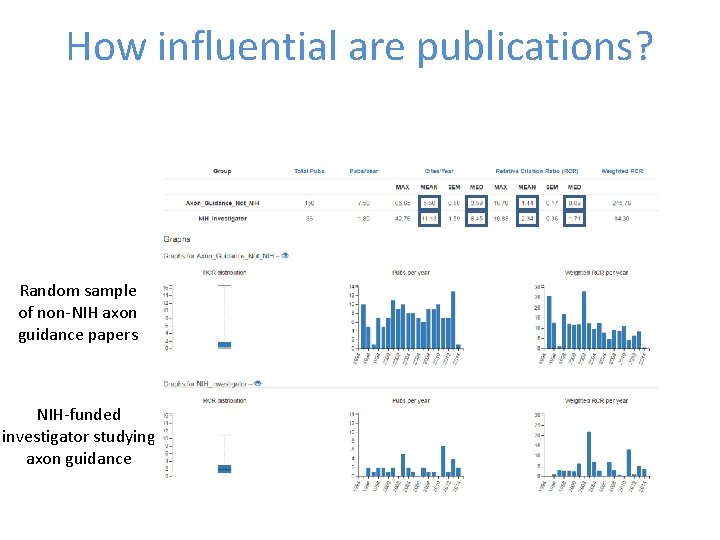
How influential are publications? Random sample of non-NIH axon guidance papers NIH-funded investigator studying axon guidance
HOW DO WE GET STARTED? Office of Portfolio Analysis
The Basics • Define the question you are trying to answer • Define the data you are going to use • Identify the tools you are going to use Office of Portfolio Analysis
The Basics: Part One STEP 1: DEFINE YOUR QUESTION Office of Portfolio Analysis
What is the question you are trying to answer? • Start general and then get specific • How will the analysis be used? • Who will the analysis be shown to? ALWAYS have a question Office of Portfolio Analysis
The Basics: Part Two STEP 2: DEFINE YOUR DATASETS Office of Portfolio Analysis
What data are you going to use? Office of Portfolio Analysis
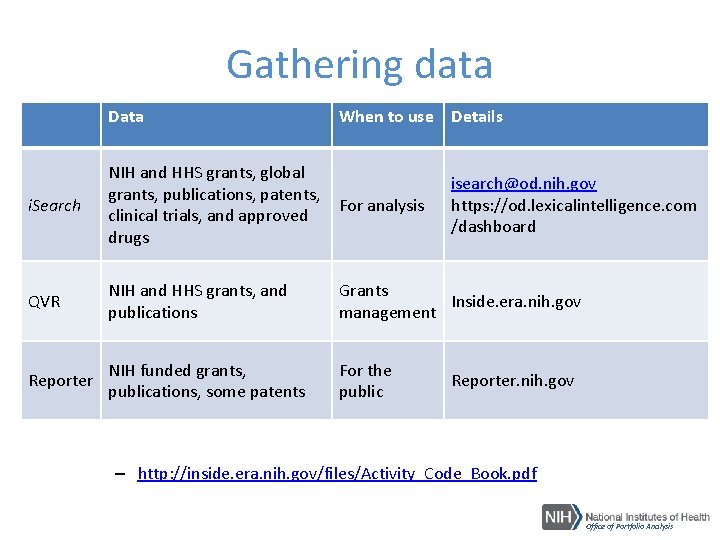
Gathering data Data When to use Details i. Search NIH and HHS grants, global grants, publications, patents, For analysis clinical trials, and approved drugs QVR NIH and HHS grants, and publications Grants Inside. era. nih. gov management Reporter NIH funded grants, publications, some patents For the public isearch@od. nih. gov https: //od. lexicalintelligence. com /dashboard Reporter. nih. gov – http: //inside. era. nih. gov/files/Activity_Code_Book. pdf Office of Portfolio Analysis
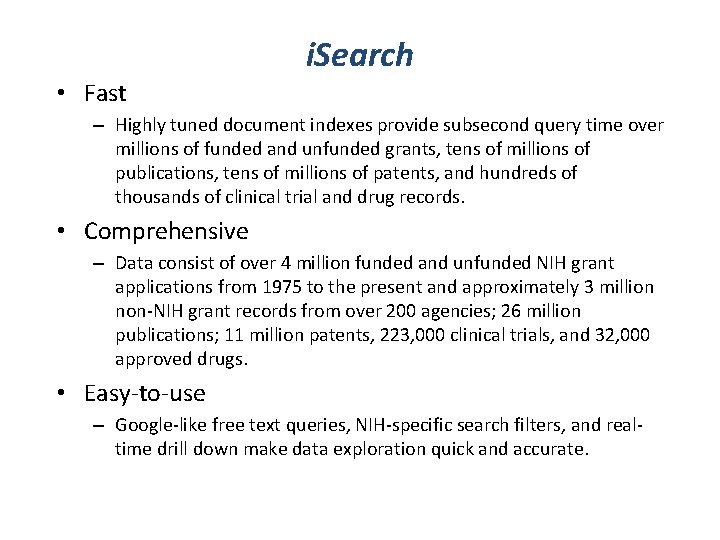
i. Search • Fast – Highly tuned document indexes provide subsecond query time over millions of funded and unfunded grants, tens of millions of publications, tens of millions of patents, and hundreds of thousands of clinical trial and drug records. • Comprehensive – Data consist of over 4 million funded and unfunded NIH grant applications from 1975 to the present and approximately 3 million non-NIH grant records from over 200 agencies; 26 million publications; 11 million patents, 223, 000 clinical trials, and 32, 000 approved drugs. • Easy-to-use – Google-like free text queries, NIH-specific search filters, and realtime drill down make data exploration quick and accurate.
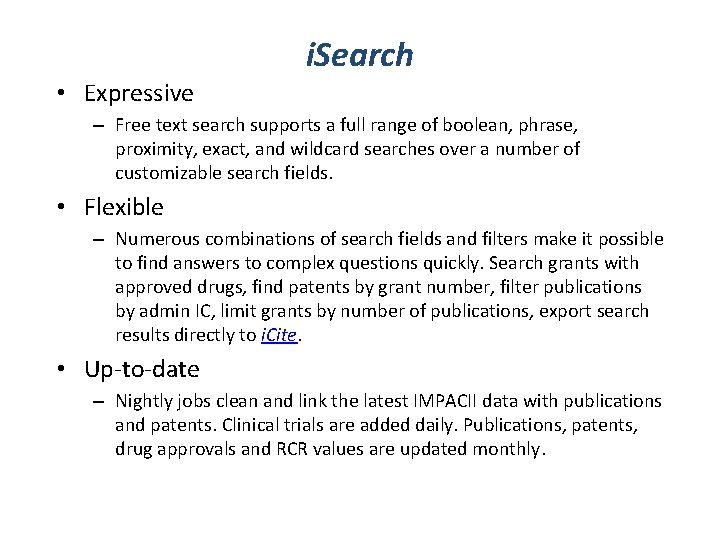
i. Search • Expressive – Free text search supports a full range of boolean, phrase, proximity, exact, and wildcard searches over a number of customizable search fields. • Flexible – Numerous combinations of search fields and filters make it possible to find answers to complex questions quickly. Search grants with approved drugs, find patents by grant number, filter publications by admin IC, limit grants by number of publications, export search results directly to i. Cite. • Up-to-date – Nightly jobs clean and link the latest IMPACII data with publications and patents. Clinical trials are added daily. Publications, patents, drug approvals and RCR values are updated monthly.
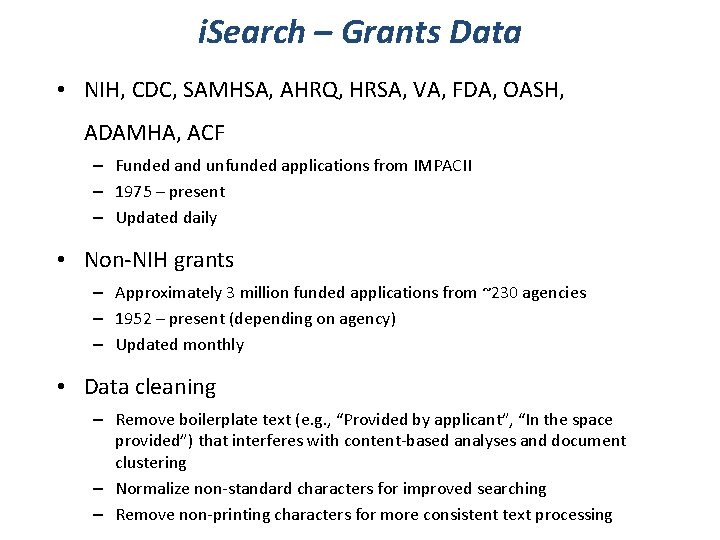
i. Search – Grants Data • NIH, CDC, SAMHSA, AHRQ, HRSA, VA, FDA, OASH, ADAMHA, ACF – Funded and unfunded applications from IMPACII – 1975 – present – Updated daily • Non-NIH grants – Approximately 3 million funded applications from ~230 agencies – 1952 – present (depending on agency) – Updated monthly • Data cleaning – Remove boilerplate text (e. g. , “Provided by applicant”, “In the space provided”) that interferes with content-based analyses and document clustering – Normalize non-standard characters for improved searching – Remove non-printing characters for more consistent text processing
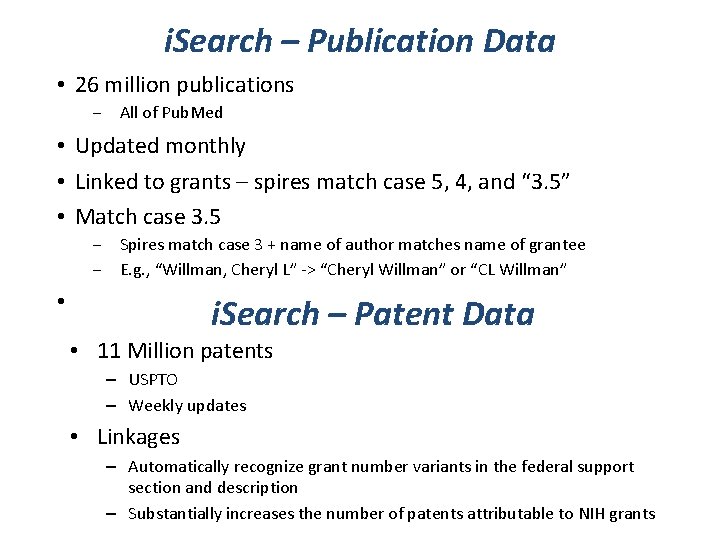
i. Search – Publication Data • 26 million publications ‒ All of Pub. Med • Updated monthly • Linked to grants – spires match case 5, 4, and “ 3. 5” • Match case 3. 5 ‒ Spires match case 3 + name of author matches name of grantee ‒ E. g. , “Willman, Cheryl L” -> “Cheryl Willman” or “CL Willman” • i. Search – Patent Data • 11 Million patents – USPTO – Weekly updates • Linkages – Automatically recognize grant number variants in the federal support section and description – Substantially increases the number of patents attributable to NIH grants
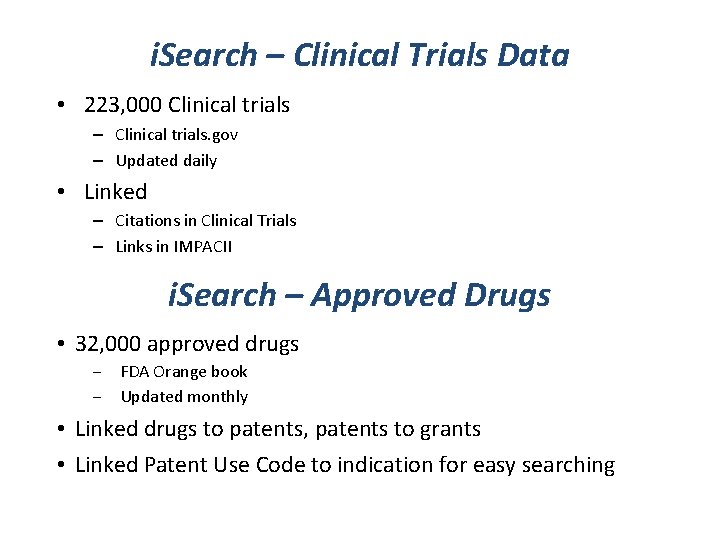
i. Search – Clinical Trials Data • 223, 000 Clinical trials – Clinical trials. gov – Updated daily • Linked – Citations in Clinical Trials – Links in IMPACII i. Search – Approved Drugs • 32, 000 approved drugs ‒ FDA Orange book ‒ Updated monthly • Linked drugs to patents, patents to grants • Linked Patent Use Code to indication for easy searching
Who can use i. Search? • i. Search is designed for extramural staff at the NIH log-in and QVR credentials are required to access i. Search. For access to i. Search or requests for additional details, please contact isearch@od. nih. gov
Exercise Searching for Publications • i. Search – Fast, interactive grant search – Export to OPA web apps to gather publication data and analyze • https: //od. lexicalintelligence. com/dashboard Office of Portfolio Analysis
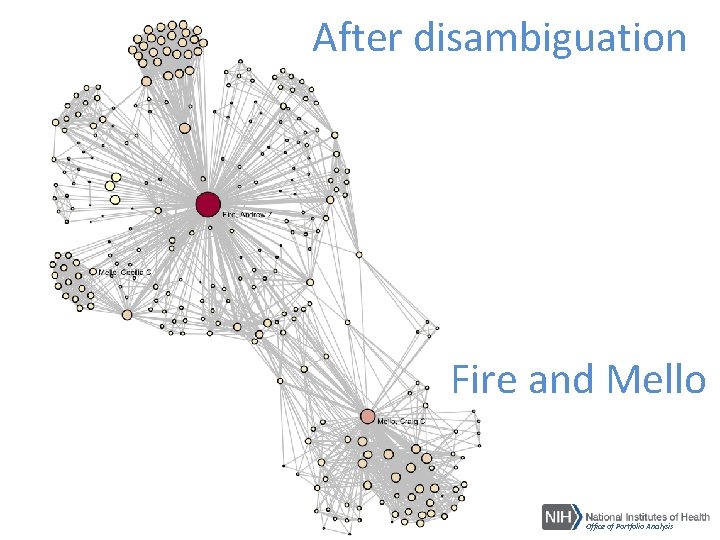
Step 3: Clean your Data • Missing data – Is there data for all the fields you are interested in? – Need a minimum of Title and Abstract to do content analysis • Ambiguous data – Names • Individuals – problems with attribution of authorship • Departments – useful for defining fields? • Institutions – many ways to refer to the same place • Allow enough time to gather and clean the data • Data cleaning: – Comprehensive and accurate data – Opportunity to become familiar with the data Approximately 90% of the time is spent at this part of the analysis
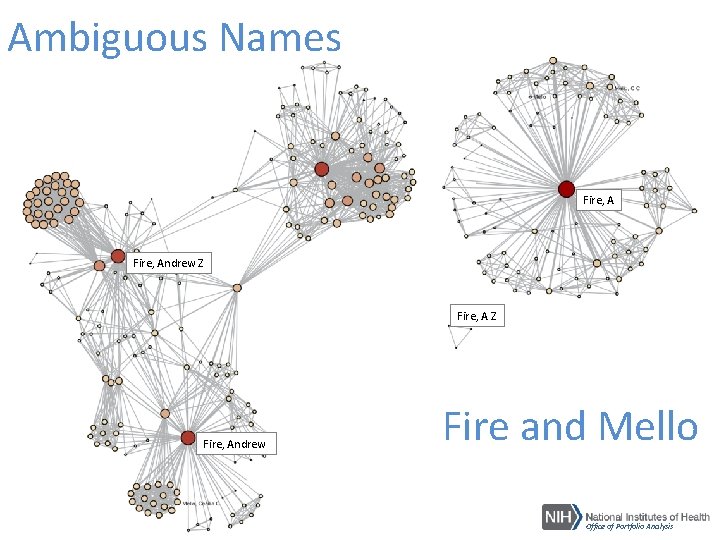
Ambiguous Names Fire, Andrew Z Fire, Andrew Fire and Mello Office of Portfolio Analysis
After disambiguation Fire and Mello Office of Portfolio Analysis
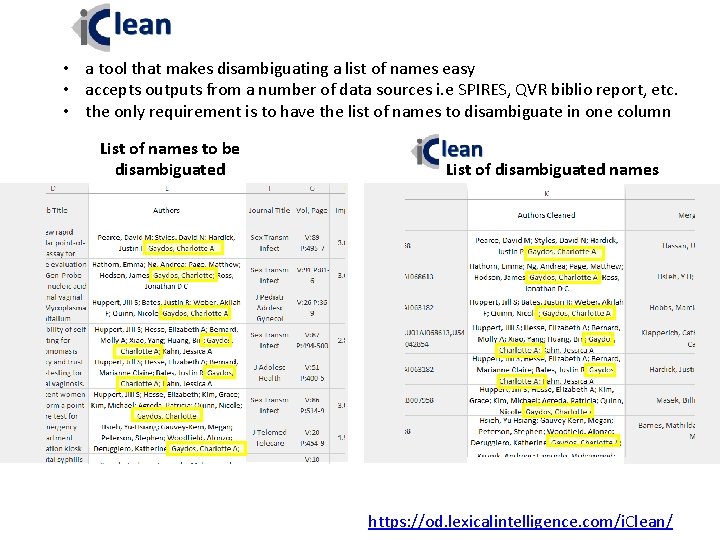
• a tool that makes disambiguating a list of names easy • accepts outputs from a number of data sources i. e SPIRES, QVR biblio report, etc. • the only requirement is to have the list of names to disambiguate in one column List of names to be disambiguated List of disambiguated names https: //od. lexicalintelligence. com/i. Clean/
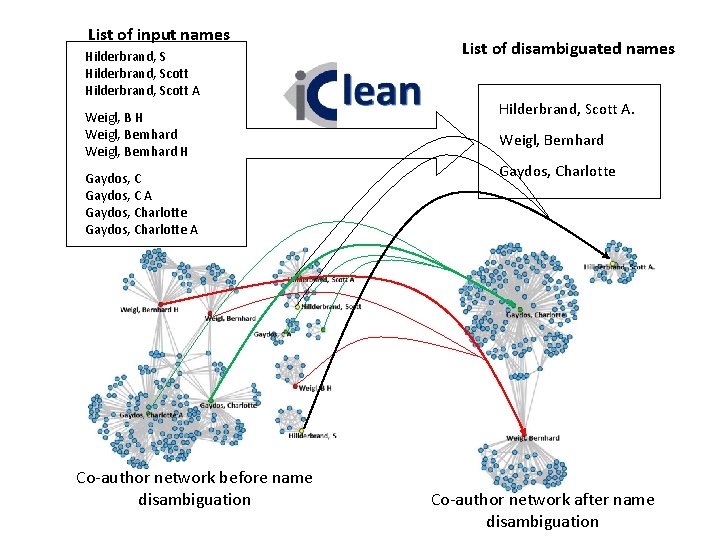
List of input names Hilderbrand, Scott A Weigl, B H Weigl, Bernhard H Gaydos, C A Gaydos, Charlotte A Co-author network before name disambiguation List of disambiguated names Hilderbrand, Scott A. Weigl, Bernhard Gaydos, Charlotte Co-author network after name disambiguation
The Basics: Part Three IDENTIFY THE TOOLS Office of Portfolio Analysis
What tools are you going to use? • Select the tool for the job, not the other way around • Sometimes the simplest tool is the right tool Office of Portfolio Analysis
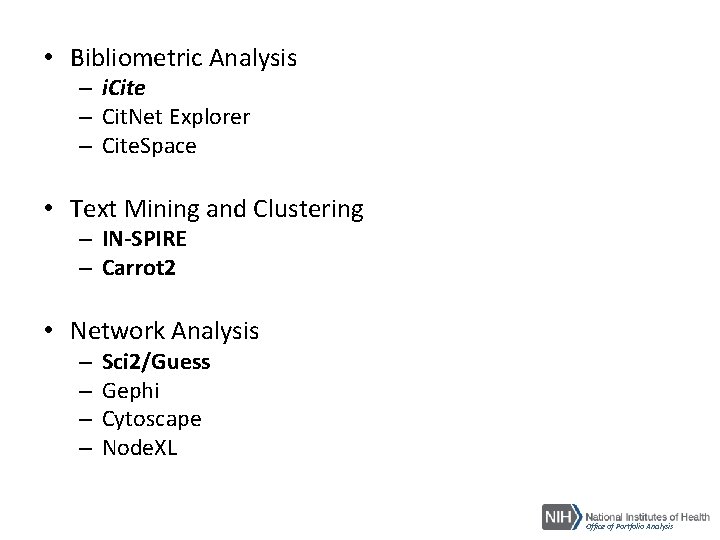
• Bibliometric Analysis – i. Cite – Cit. Net Explorer – Cite. Space • Text Mining and Clustering – IN-SPIRE – Carrot 2 • Network Analysis – – Sci 2/Guess Gephi Cytoscape Node. XL Office of Portfolio Analysis
Abandoning Impact Factor: a growing consensus Office of Portfolio Analysis
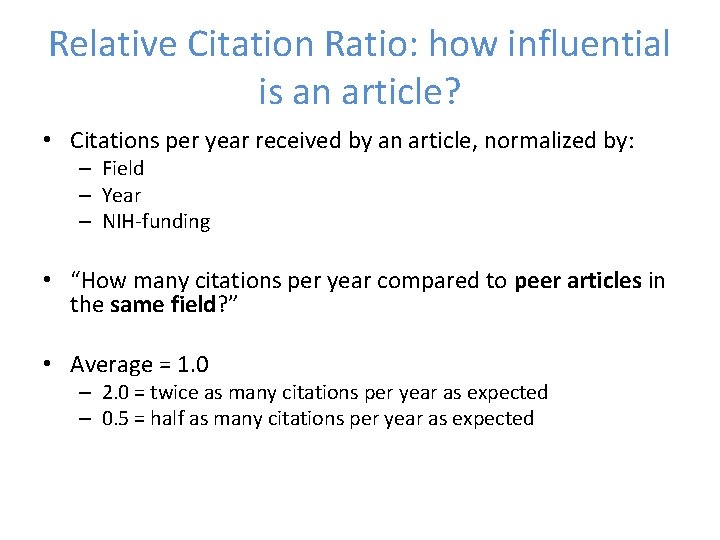
Relative Citation Ratio: how influential is an article? • Citations per year received by an article, normalized by: – Field – Year – NIH-funding • “How many citations per year compared to peer articles in the same field? ” • Average = 1. 0 – 2. 0 = twice as many citations per year as expected – 0. 5 = half as many citations per year as expected
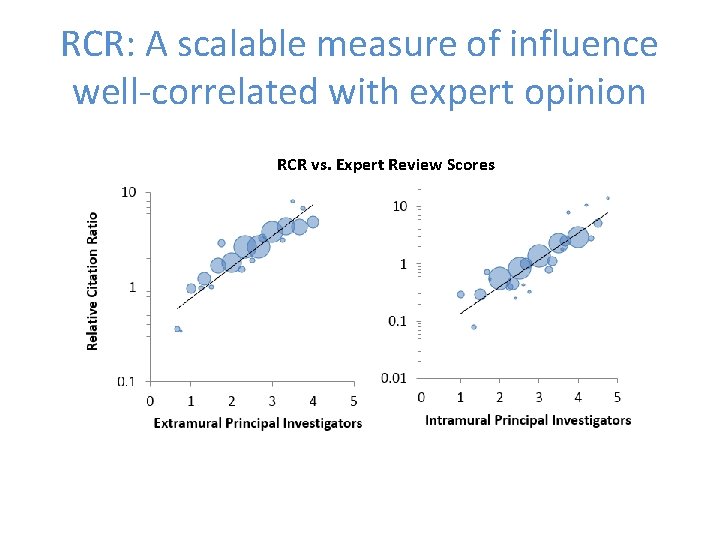
RCR: A scalable measure of influence well-correlated with expert opinion RCR vs. Expert Review Scores
i. Cite: a bibliometrics dashboard for NIH staff Random sample of non-NIH axon guidance papers NIH-funded investigator studying axon guidance
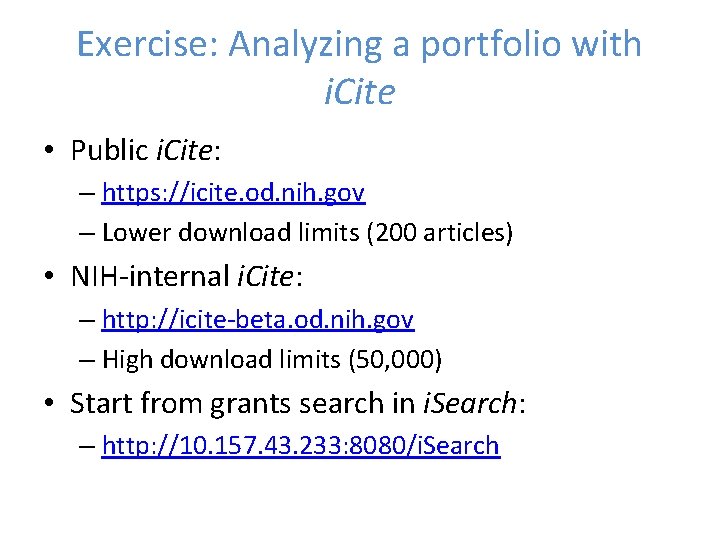
Exercise: Analyzing a portfolio with i. Cite • Public i. Cite: – https: //icite. od. nih. gov – Lower download limits (200 articles) • NIH-internal i. Cite: – http: //icite-beta. od. nih. gov – High download limits (50, 000) • Start from grants search in i. Search: – http: //10. 157. 43. 233: 8080/i. Search
Text Mining and Clustering: IN-SPIRE • Developed by PNNL (Pacific Northwest National Laboratory) • Clusters free text and provides a useful overview of the scientific landscape of a portfolio • Free for government use • http: //in-spire. pnnl. gov/ Office of Portfolio Analysis
IN-SPIRE Text Processing • Extract text from documents – Create a mathematical vector for each document • Organize according to key topics – Cluster the document vectors in n-space • Present each document as a “docustar” where proximity suggests similar themes – Project the n-space clusters into a 2 -D visualization Office of Portfolio Analysis
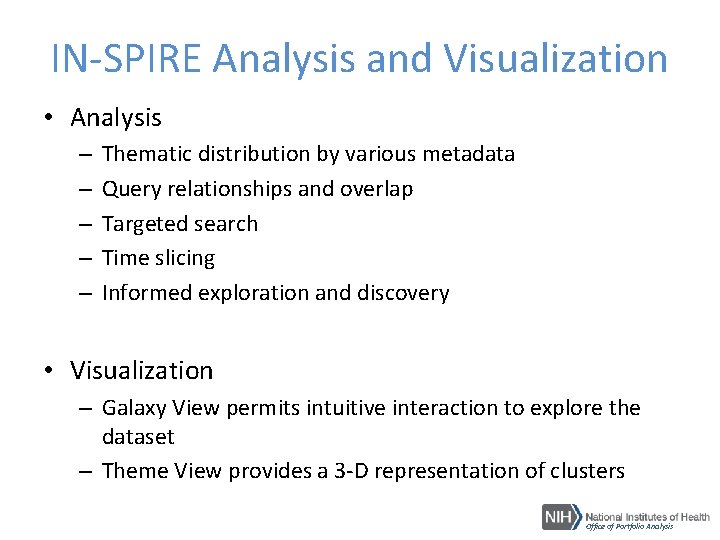
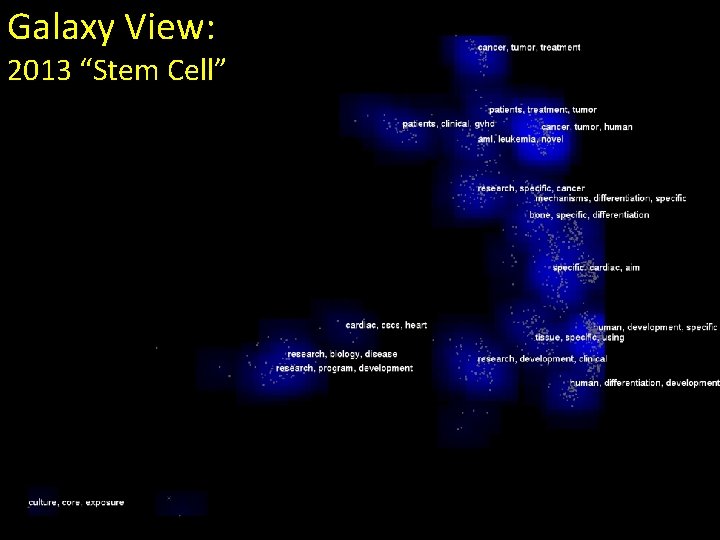
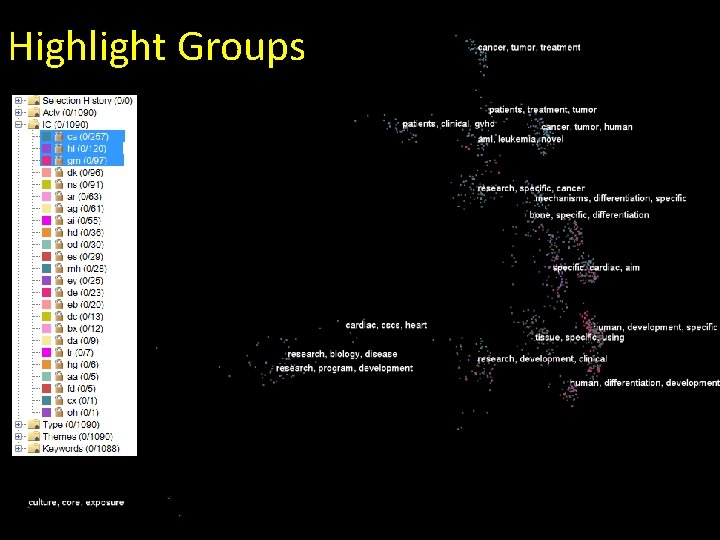
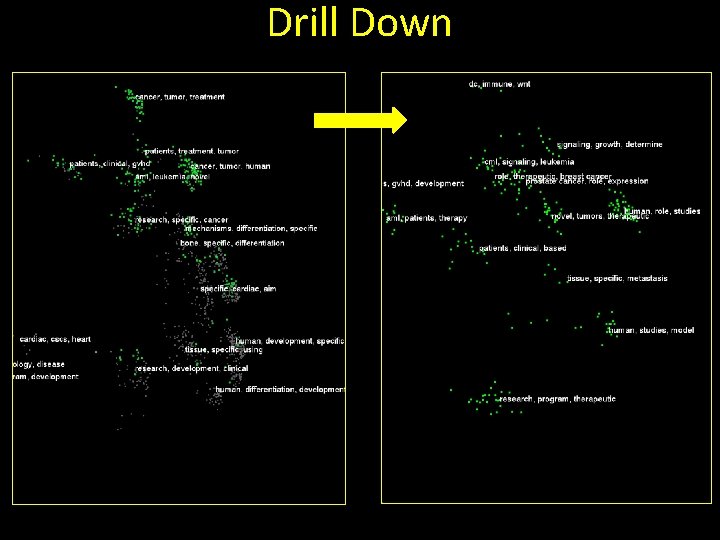
IN-SPIRE Analysis and Visualization • Analysis – – – Thematic distribution by various metadata Query relationships and overlap Targeted search Time slicing Informed exploration and discovery • Visualization – Galaxy View permits intuitive interaction to explore the dataset – Theme View provides a 3 -D representation of clusters Office of Portfolio Analysis
Galaxy View: 2013 “Stem Cell”
Highlight Groups
Drill Down
Theme. View Classic 291 Projects 2009
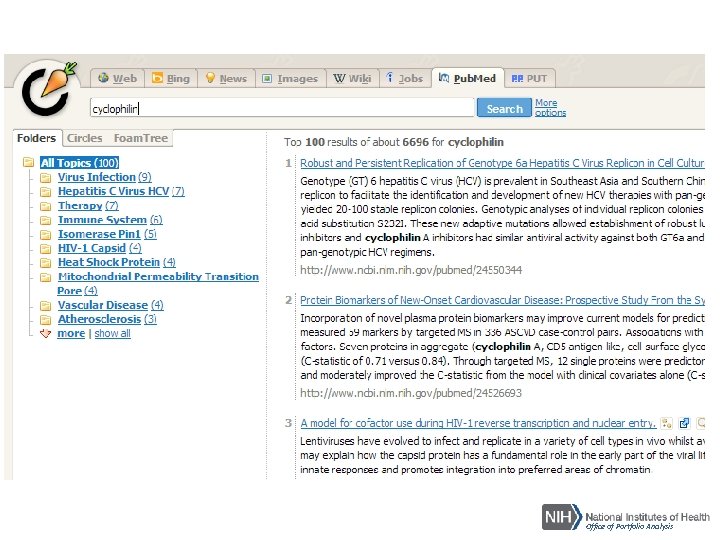
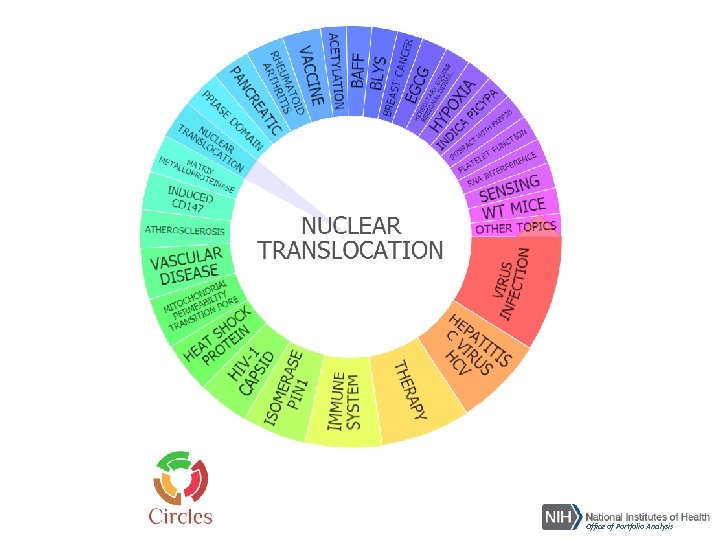
Text Mining and Clustering: Carrot • Carrot 2 is a framework for building document clustering engines – Two specialized document clustering algorithms – Ready-to-use components for fetching search results from various sources such as public search engines • http: //carrotsearch. com/opensource-overview • http: //search. carrot 2. org/stable/search Office of Portfolio Analysis
Office of Portfolio Analysis
Office of Portfolio Analysis
Office of Portfolio Analysis
Network Analysis Tools Sci 2 • Supports the temporal, topical and network analysis, and visualization of scholarly datasets • Free software • https: //sci 2. cns. iu. edu/user/index. php Office of Portfolio Analysis
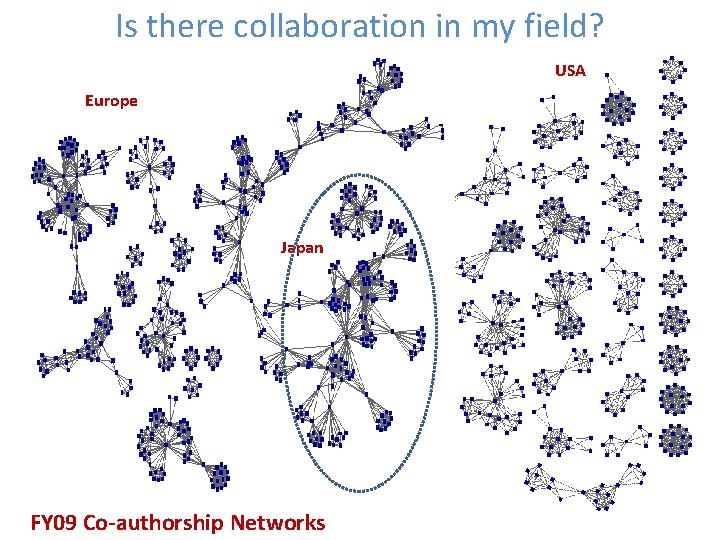
Is there collaboration in my field? USA Europe Japan FY 09 Co-authorship Networks
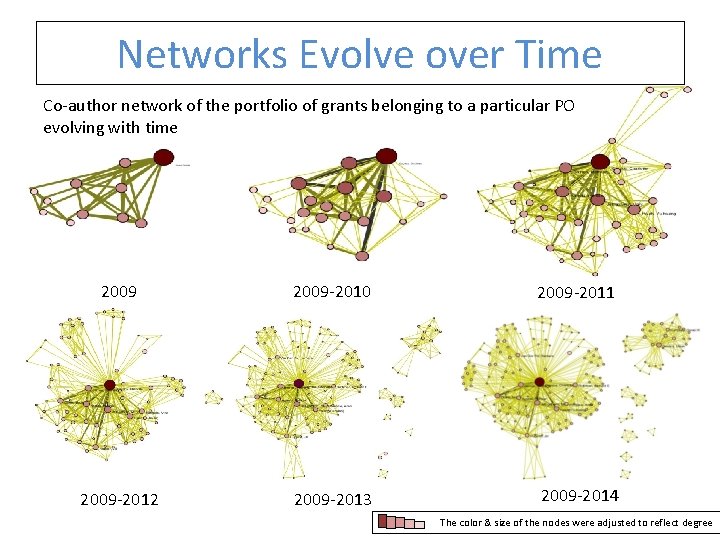
Networks Evolve over Time Co-author network of the portfolio of grants belonging to a particular PO evolving with time 2009 -2010 2009 -2011 2009 -2012 2009 -2013 2009 -2014 The color & size of the nodes were adjusted to reflect degree
FINAL POINTS Office of Portfolio Analysis
• Take contemporaneous notes while you are carrying your analysis • Take time to define the portfolio • Present your results in the context of the question that you posed • Make the visualizations count – Simplify, don’t complicate • Clean your data, clean your data! Office of Portfolio Analysis
Contact Us NIH https: //list. nih. gov/cgibin/wa. exe? A 0=portfolio_analysis Office of Portfolio Analysis