
PMS Eagle Maintenance Management System Op Ex Works
- Slides: 130
PMS Eagle Maintenance Management System. Op. Ex. Works. Com 1
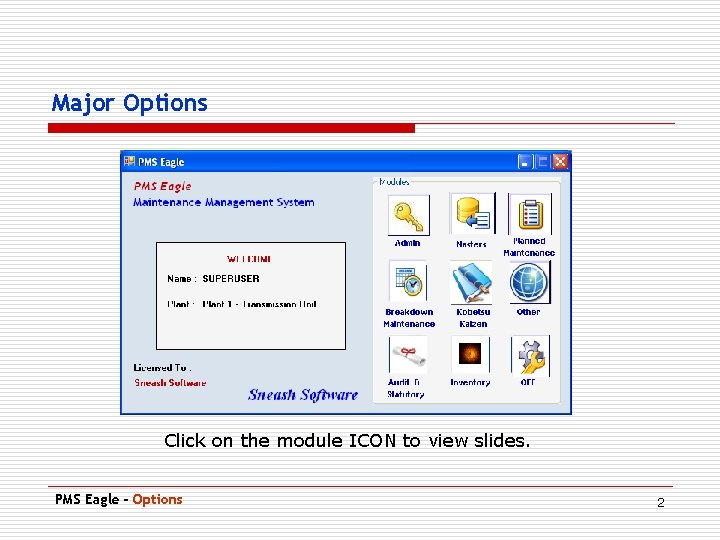
Major Options Click on the module ICON to view slides. PMS Eagle - Options 2
Administration Use Pg. Dn to scroll to next slide • Available to the SUPERUSER of the system. • Software user management can be performed. • New Users of the software created and maintained. • Role based access to the software features is provided. PMS Eagle - ADMIN Main Menu 3
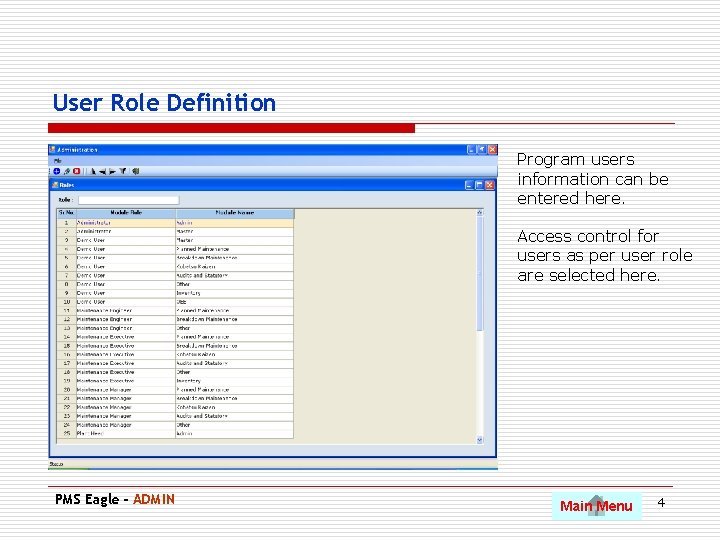
User Role Definition Program users information can be entered here. Access control for users as per user role are selected here. PMS Eagle - ADMIN Main Menu 4
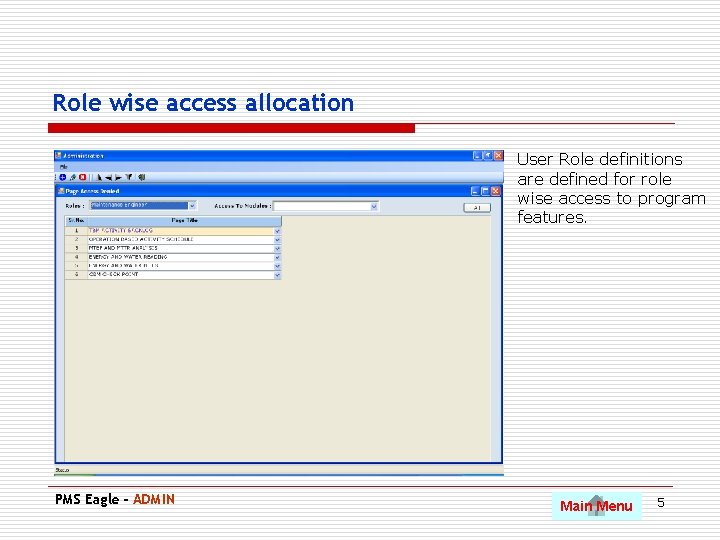
Role wise access allocation User Role definitions are defined for role wise access to program features. PMS Eagle - ADMIN Main Menu 5
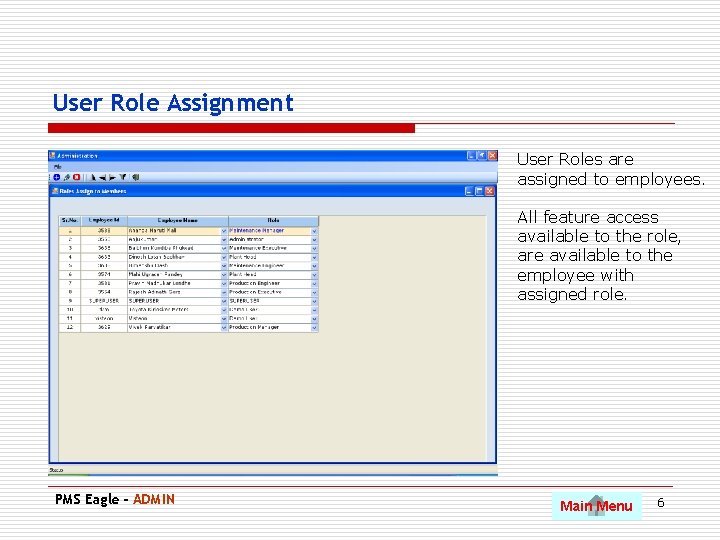
User Role Assignment User Roles are assigned to employees. All feature access available to the role, are available to the employee with assigned role. PMS Eagle - ADMIN Main Menu 6
Master Data Use Pg. Dn to scroll to next slide • Equipment grouping, categorization of similar equipments. • Equipment specifications and data. • Equipment wise spares. • Employees and Vendors. • Time based maintenance activities • Condition based maintenance check points PMS Eagle - Master Main Menu 7
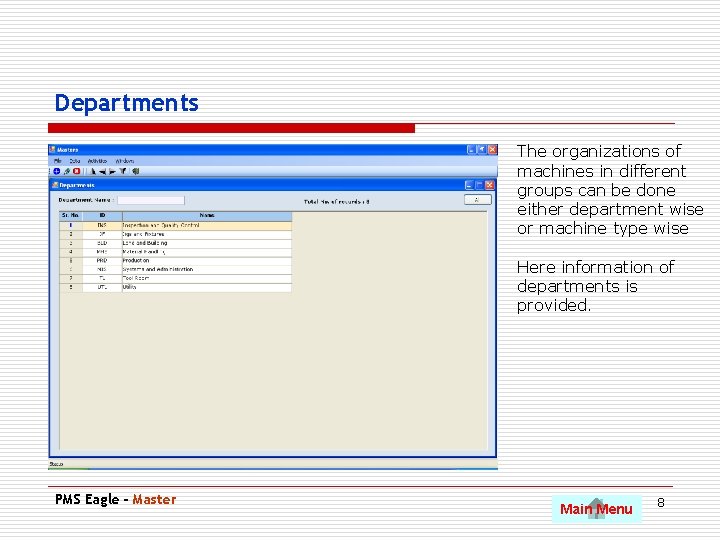
Departments The organizations of machines in different groups can be done either department wise or machine type wise Here information of departments is provided. PMS Eagle - Master Main Menu 8
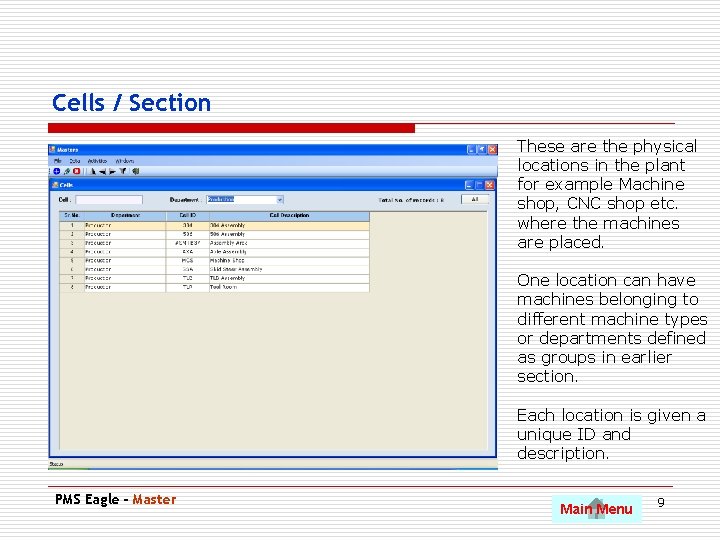
Cells / Section These are the physical locations in the plant for example Machine shop, CNC shop etc. where the machines are placed. One location can have machines belonging to different machine types or departments defined as groups in earlier section. Each location is given a unique ID and description. PMS Eagle - Master Main Menu 9
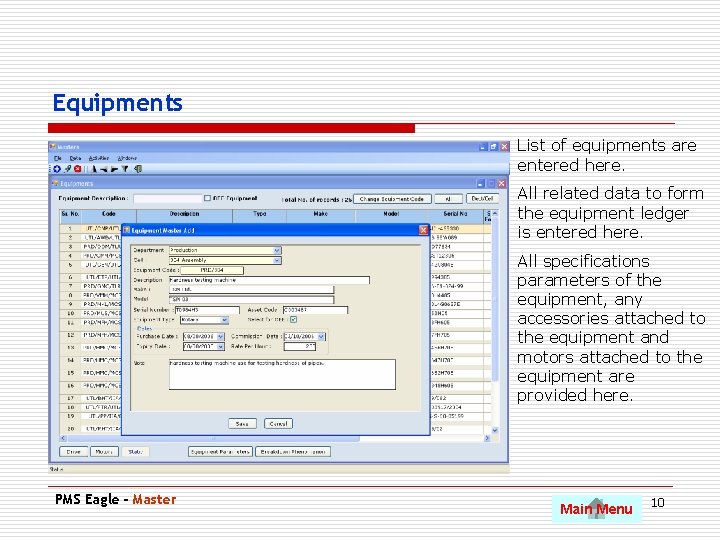
Equipments List of equipments are entered here. All related data to form the equipment ledger is entered here. All specifications parameters of the equipment, any accessories attached to the equipment and motors attached to the equipment are provided here. PMS Eagle - Master Main Menu 10
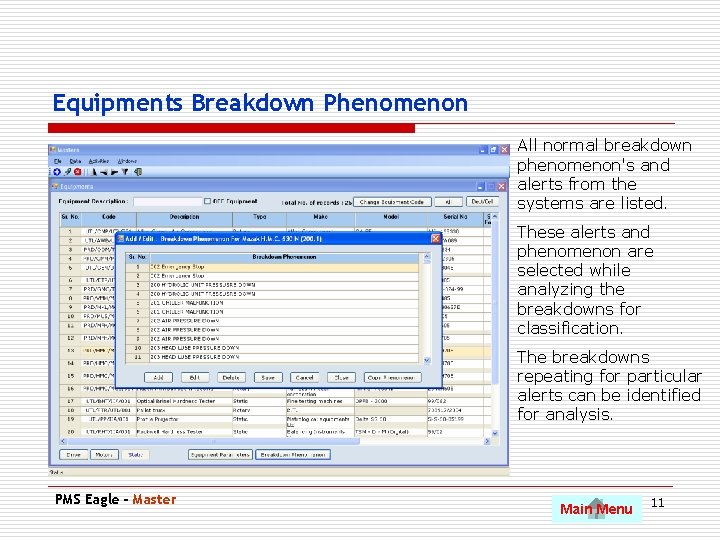
Equipments Breakdown Phenomenon All normal breakdown phenomenon's and alerts from the systems are listed. These alerts and phenomenon are selected while analyzing the breakdowns for classification. The breakdowns repeating for particular alerts can be identified for analysis. PMS Eagle - Master Main Menu 11
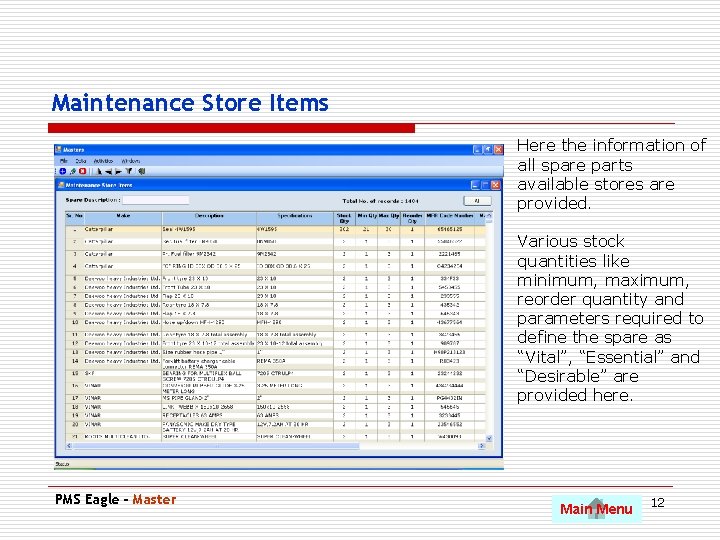
Maintenance Store Items Here the information of all spare parts available stores are provided. Various stock quantities like minimum, maximum, reorder quantity and parameters required to define the spare as “Vital”, “Essential” and “Desirable” are provided here. PMS Eagle - Master Main Menu 12
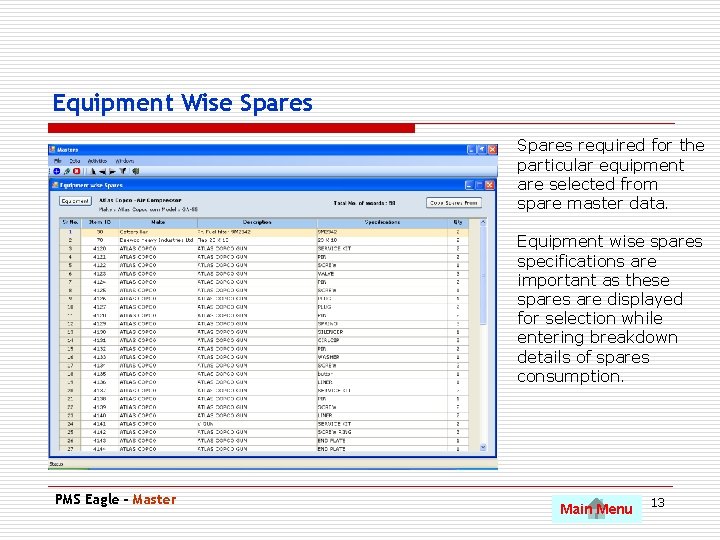
Equipment Wise Spares required for the particular equipment are selected from spare master data. Equipment wise spares specifications are important as these spares are displayed for selection while entering breakdown details of spares consumption. PMS Eagle - Master Main Menu 13
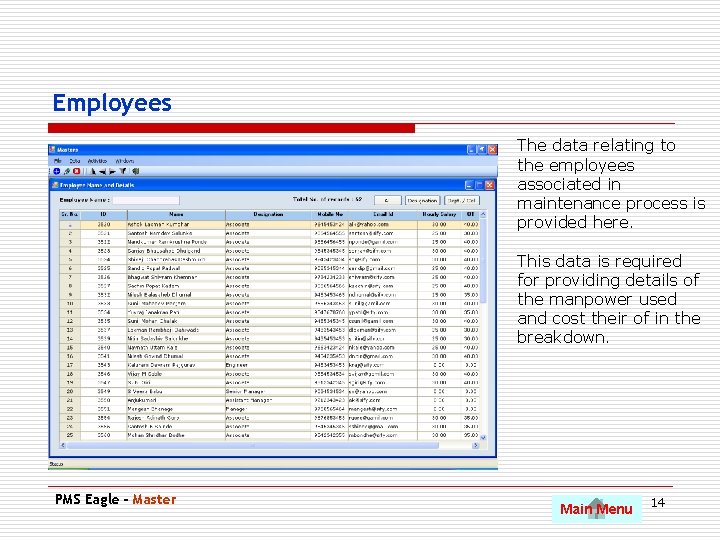
Employees The data relating to the employees associated in maintenance process is provided here. This data is required for providing details of the manpower used and cost their of in the breakdown. PMS Eagle - Master Main Menu 14
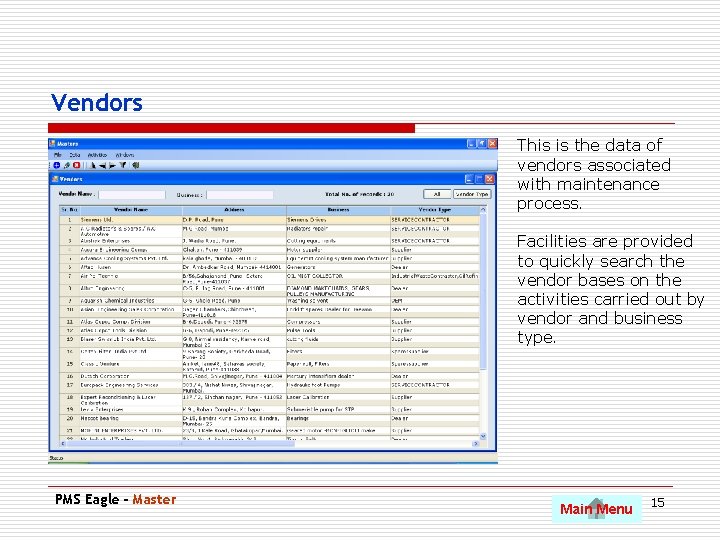
Vendors This is the data of vendors associated with maintenance process. Facilities are provided to quickly search the vendor bases on the activities carried out by vendor and business type. PMS Eagle - Master Main Menu 15
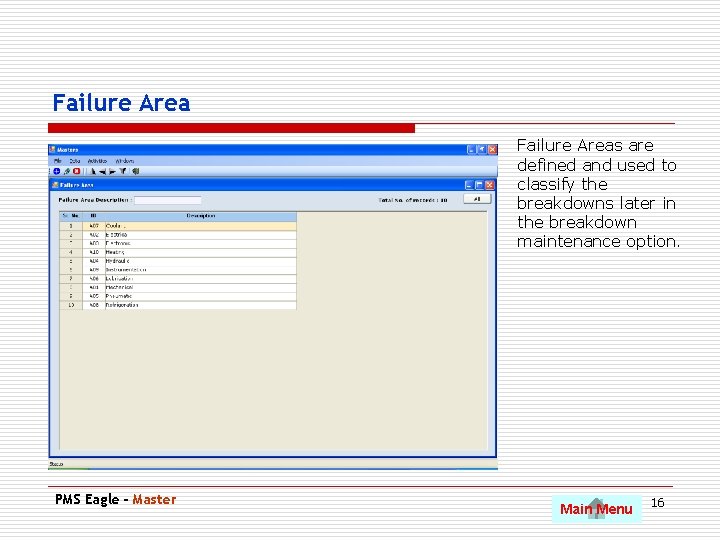
Failure Areas are defined and used to classify the breakdowns later in the breakdown maintenance option. PMS Eagle - Master Main Menu 16
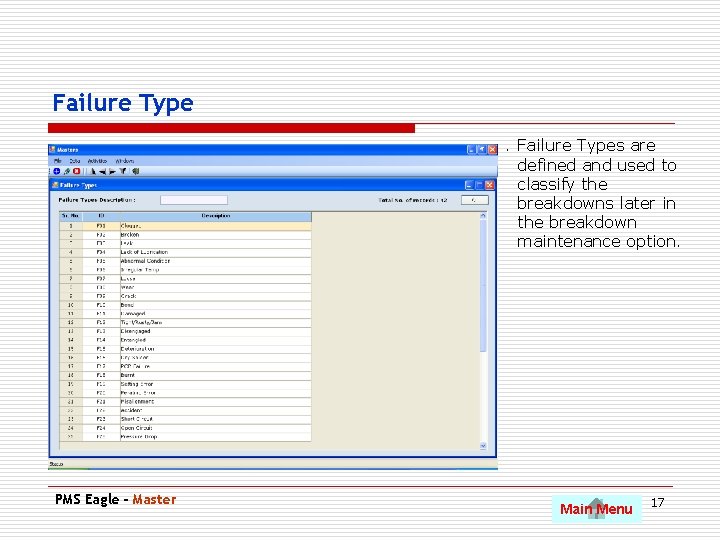
Failure Types are defined and used to classify the breakdowns later in the breakdown maintenance option. PMS Eagle - Master Main Menu 17
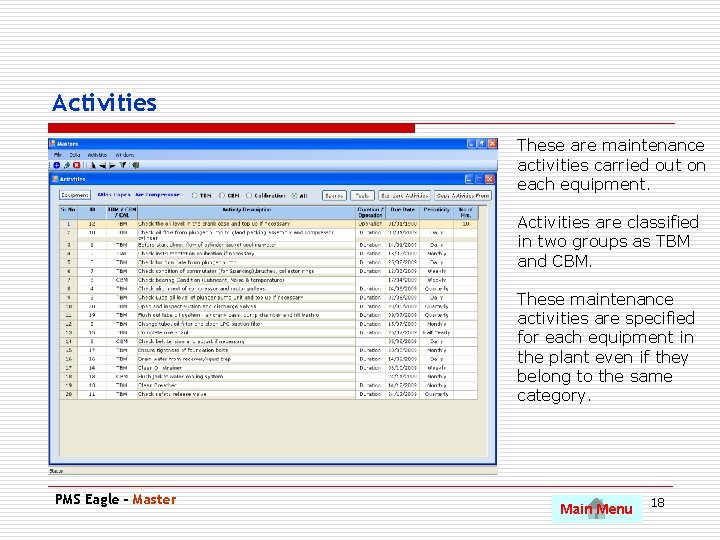
Activities These are maintenance activities carried out on each equipment. Activities are classified in two groups as TBM and CBM. These maintenance activities are specified for each equipment in the plant even if they belong to the same category. PMS Eagle - Master Main Menu 18
Planned Maintenance Use Pg. Dn to scroll to next slide • TBM activities and CBM Checkpoint schedule. • Backlog of TBM activities and CBM Checkpoint schedule. • Calibration Schedule. • Condition Based Maintenance Activities. • Spares consumed in TBM and CBM activities • Status of TBM and CBM activities planned against completion. PMS Eagle – Planned Maintenance Main Menu 19
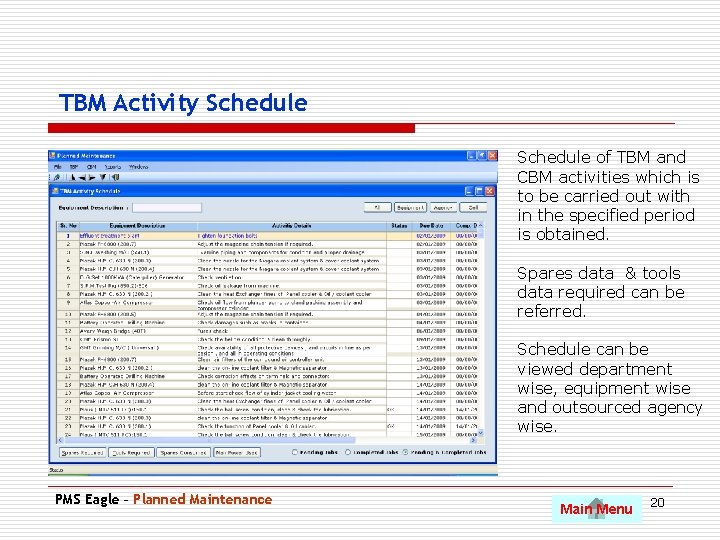
TBM Activity Schedule of TBM and CBM activities which is to be carried out with in the specified period is obtained. Spares data & tools data required can be referred. Schedule can be viewed department wise, equipment wise and outsourced agency wise. PMS Eagle – Planned Maintenance Main Menu 20
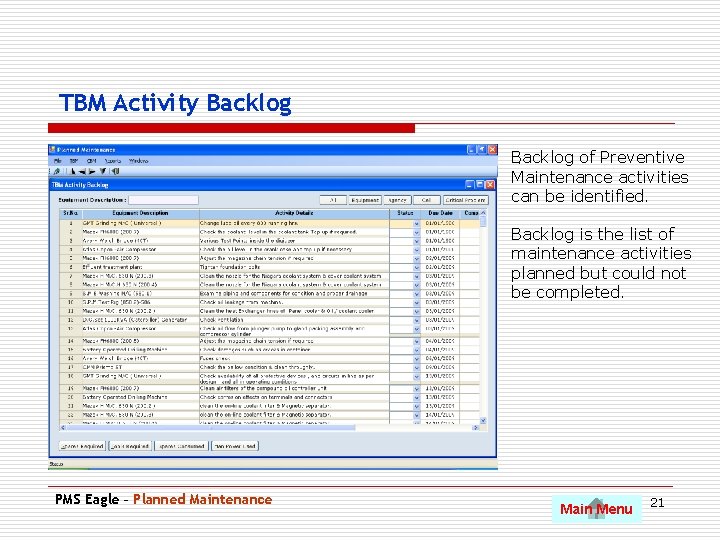
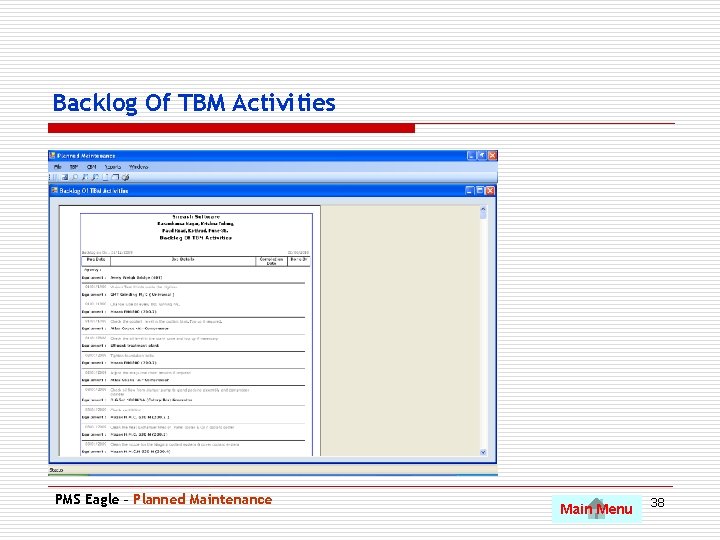
TBM Activity Backlog of Preventive. Maintenance activities can be identified. Backlog is the list of maintenance activities planned but could not be completed. PMS Eagle – Planned Maintenance Main Menu 21
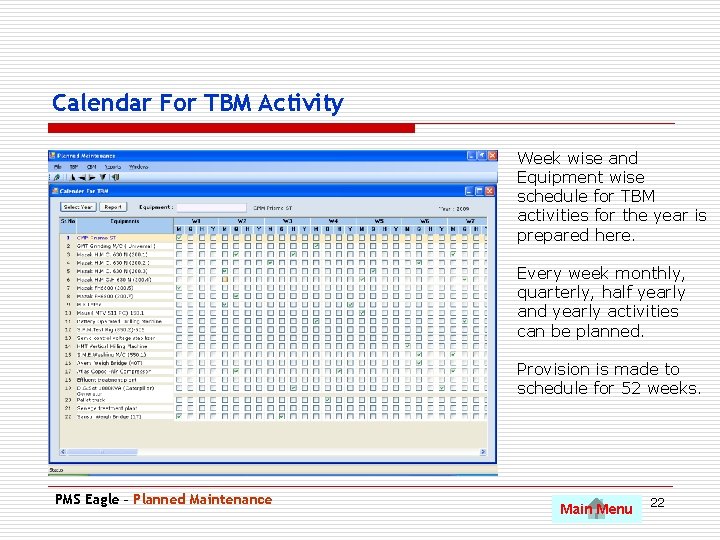
Calendar For TBM Activity Week wise and Equipment wise schedule for TBM activities for the year is prepared here. Every week monthly, quarterly, half yearly and yearly activities can be planned. Provision is made to schedule for 52 weeks. PMS Eagle – Planned Maintenance Main Menu 22
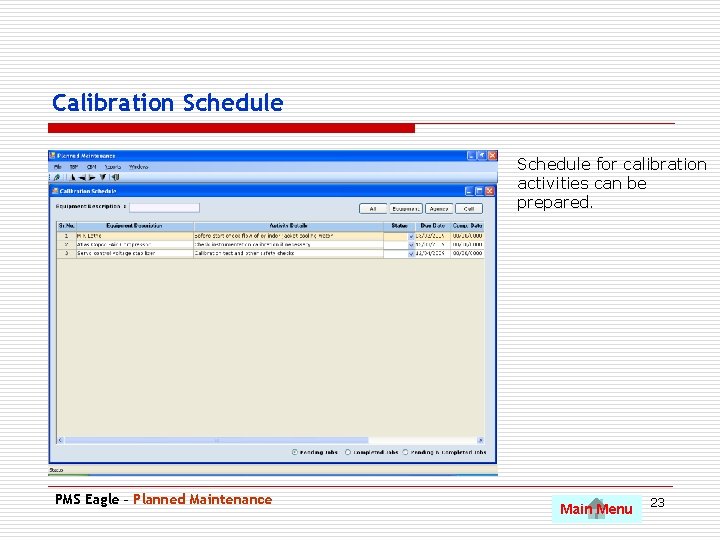
Calibration Schedule for calibration activities can be prepared. PMS Eagle – Planned Maintenance Main Menu 23
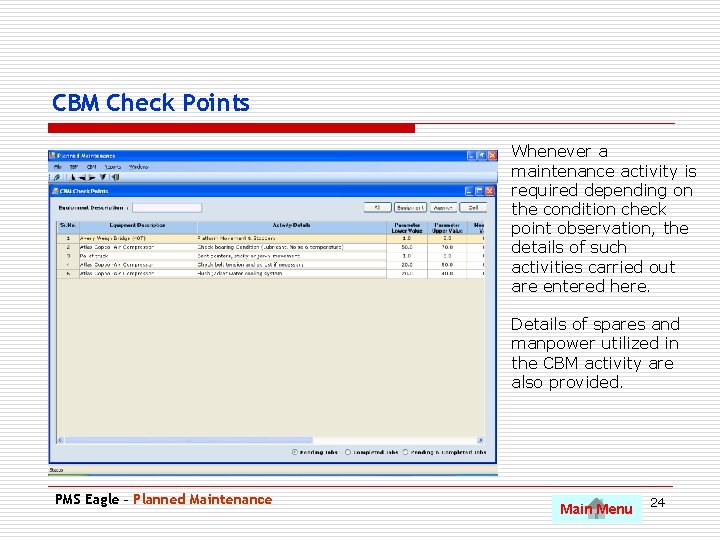
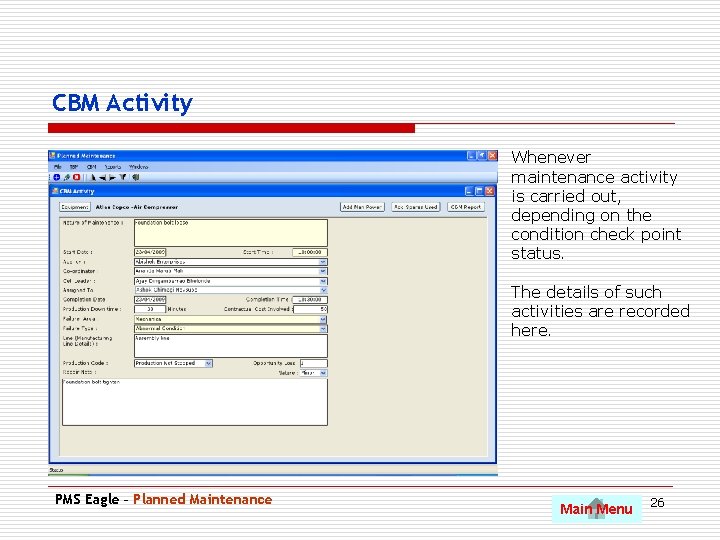
CBM Check Points Whenever a maintenance activity is required depending on the condition check point observation, the details of such activities carried out are entered here. Details of spares and manpower utilized in the CBM activity are also provided. PMS Eagle – Planned Maintenance Main Menu 24
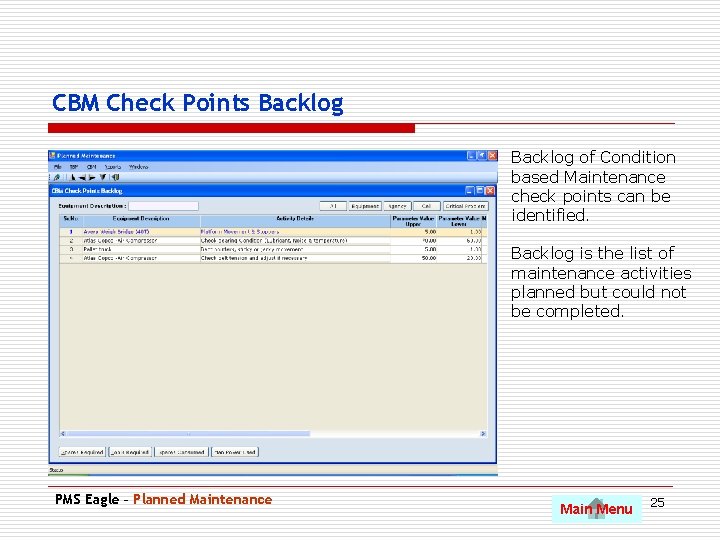
CBM Check Points Backlog of Condition based Maintenance check points can be identified. Backlog is the list of maintenance activities planned but could not be completed. PMS Eagle – Planned Maintenance Main Menu 25
CBM Activity. Whenever maintenance activity is carried out, depending on the condition check point status. The details of such activities are recorded here. PMS Eagle – Planned Maintenance Main Menu 26
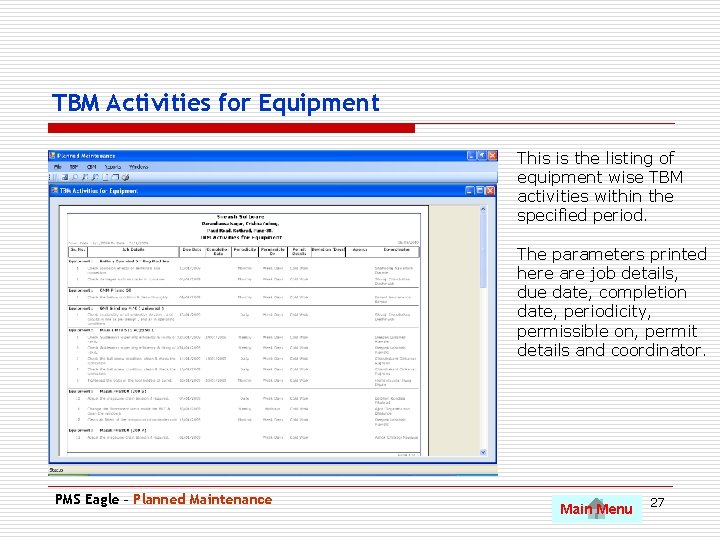
TBM Activities for Equipment This is the listing of equipment wise TBM activities within the specified period. The parameters printed here are job details, due date, completion date, periodicity, permissible on, permit details and coordinator. PMS Eagle – Planned Maintenance Main Menu 27
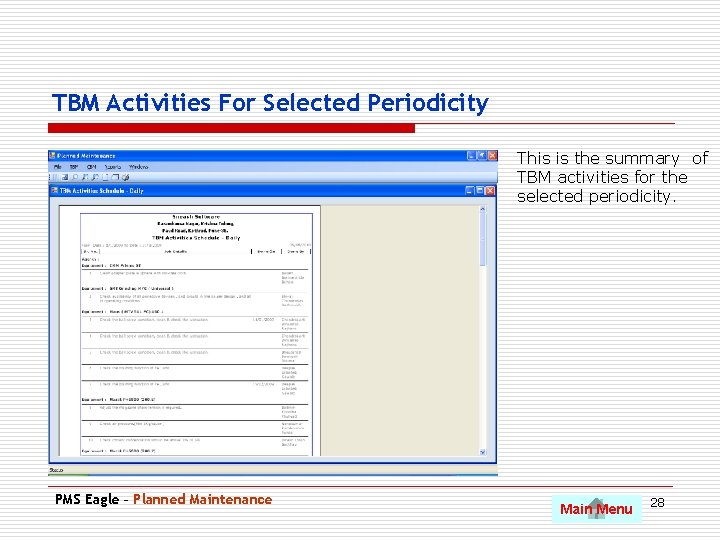
TBM Activities For Selected Periodicity This is the summary of TBM activities for the selected periodicity. PMS Eagle – Planned Maintenance Main Menu 28
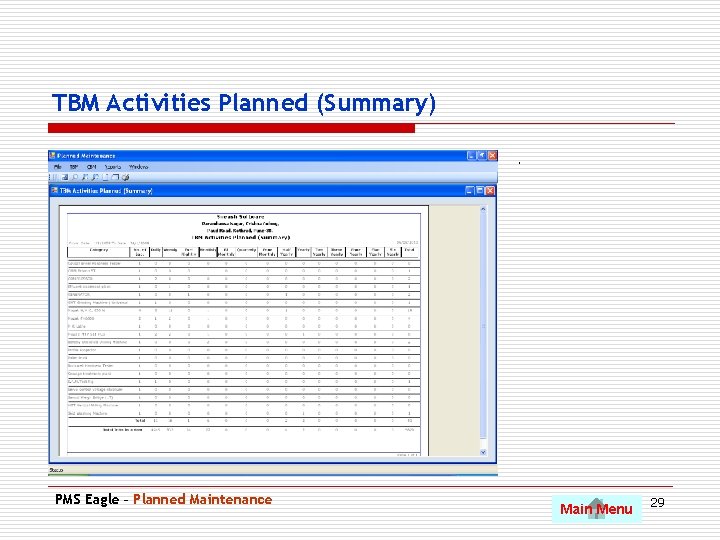
TBM Activities Planned (Summary). PMS Eagle – Planned Maintenance Main Menu 29
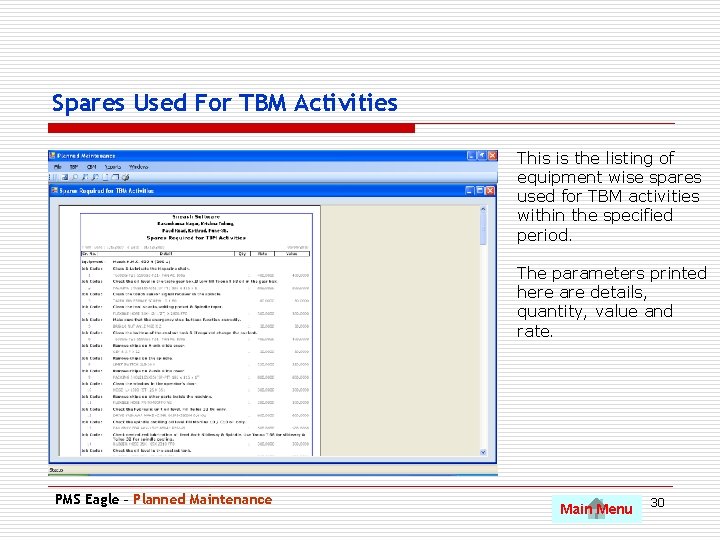
Spares Used For TBM Activities This is the listing of equipment wise spares used for TBM activities within the specified period. The parameters printed here are details, quantity, value and rate. PMS Eagle – Planned Maintenance Main Menu 30
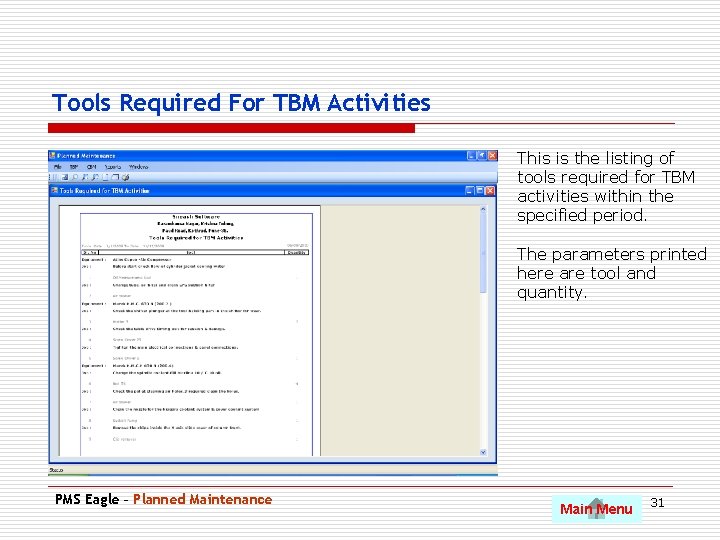
Tools Required For TBM Activities This is the listing of tools required for TBM activities within the specified period. The parameters printed here are tool and quantity. PMS Eagle – Planned Maintenance Main Menu 31
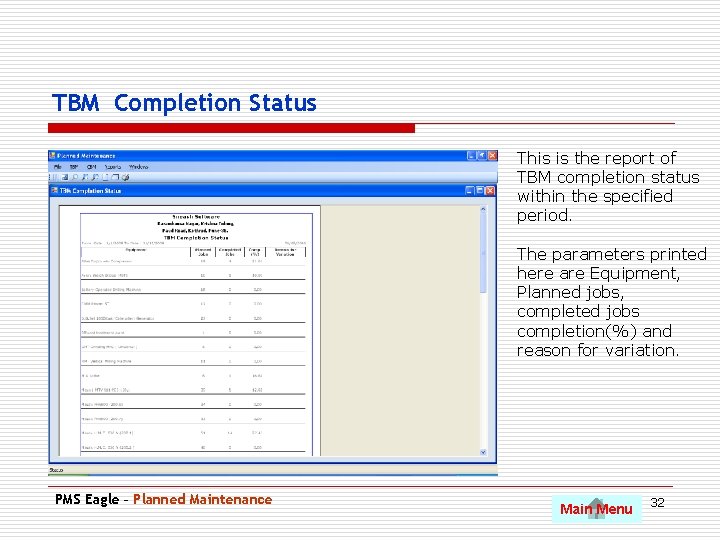
TBM Completion Status This is the report of TBM completion status within the specified period. The parameters printed here are Equipment, Planned jobs, completed jobs completion(%) and reason for variation. PMS Eagle – Planned Maintenance Main Menu 32
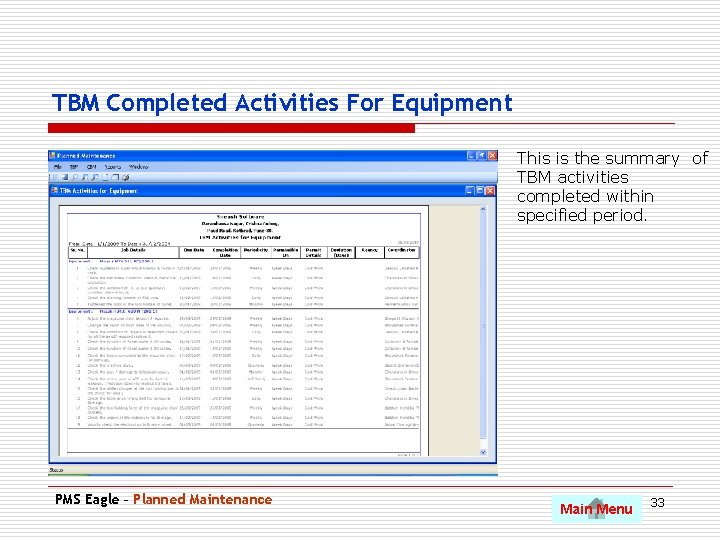
TBM Completed Activities For Equipment This is the summary of TBM activities completed within specified period. PMS Eagle – Planned Maintenance Main Menu 33
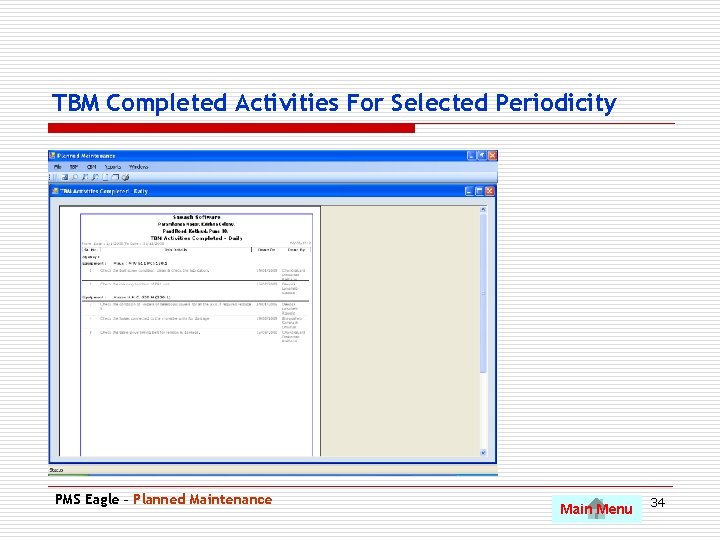
TBM Completed Activities For Selected Periodicity PMS Eagle – Planned Maintenance Main Menu 34
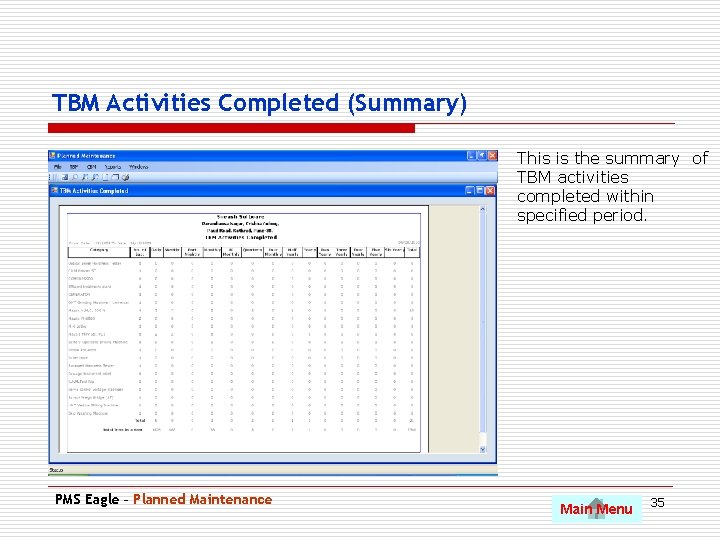
TBM Activities Completed (Summary) This is the summary of TBM activities completed within specified period. PMS Eagle – Planned Maintenance Main Menu 35
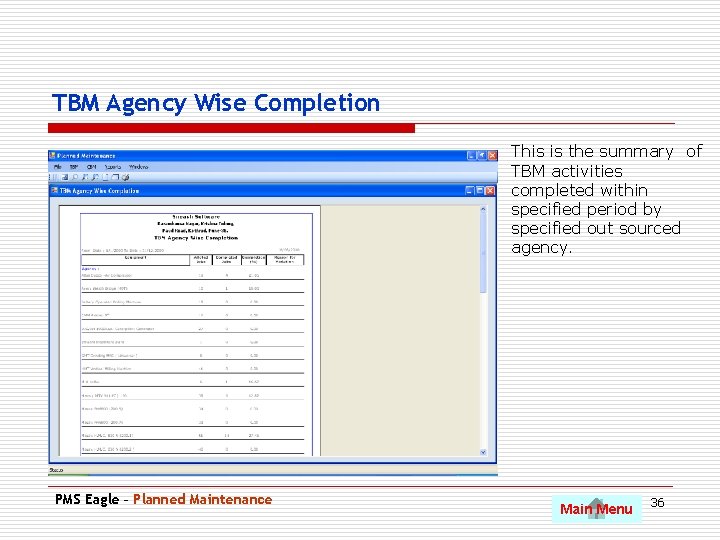
TBM Agency Wise Completion This is the summary of TBM activities completed within specified period by specified out sourced agency. PMS Eagle – Planned Maintenance Main Menu 36
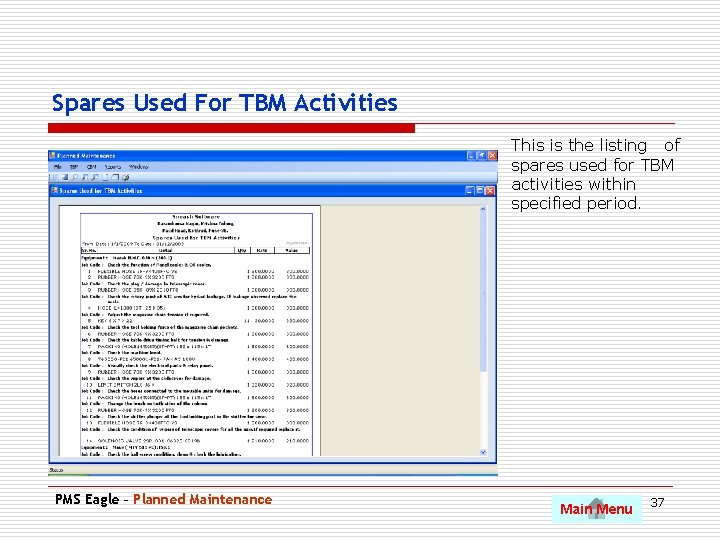
Spares Used For TBM Activities This is the listing of spares used for TBM activities within specified period. PMS Eagle – Planned Maintenance Main Menu 37
Backlog Of TBM Activities PMS Eagle – Planned Maintenance Main Menu 38
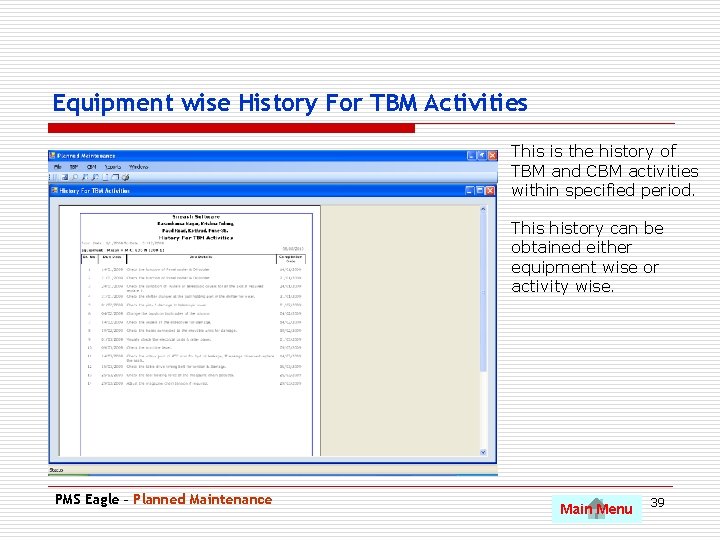
Equipment wise History For TBM Activities This is the history of TBM and CBM activities within specified period. This history can be obtained either equipment wise or activity wise. PMS Eagle – Planned Maintenance Main Menu 39
Breakdown Maintenance Use Pg. Dn to scroll to next slide • Breakdown reporting by production department. • Breakdown analysis and completion record by maintenance. • Why why analysis for root cause identification. • MTBF and MTTR analysis. • Variety of MIS report on breakdown analysis. • Spares consumed in breakdown. PMS Eagle – Planned Maintenance Main Menu 40
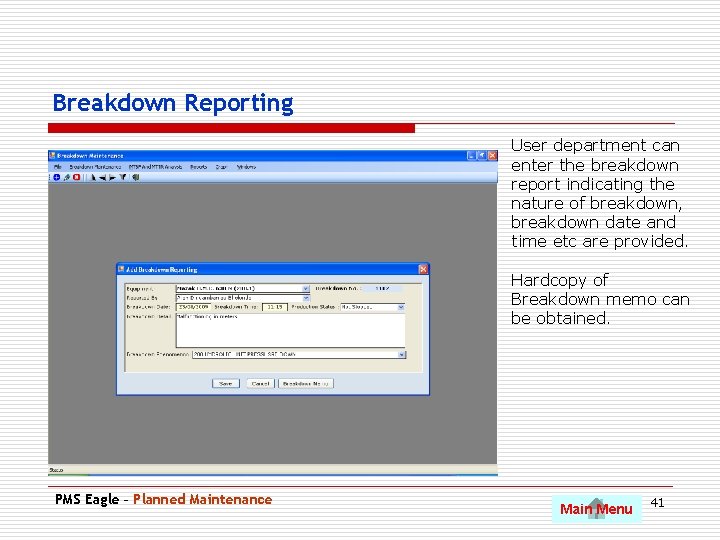
Breakdown Reporting User department can enter the breakdown report indicating the nature of breakdown, breakdown date and time etc are provided. Hardcopy of Breakdown memo can be obtained. PMS Eagle – Planned Maintenance Main Menu 41
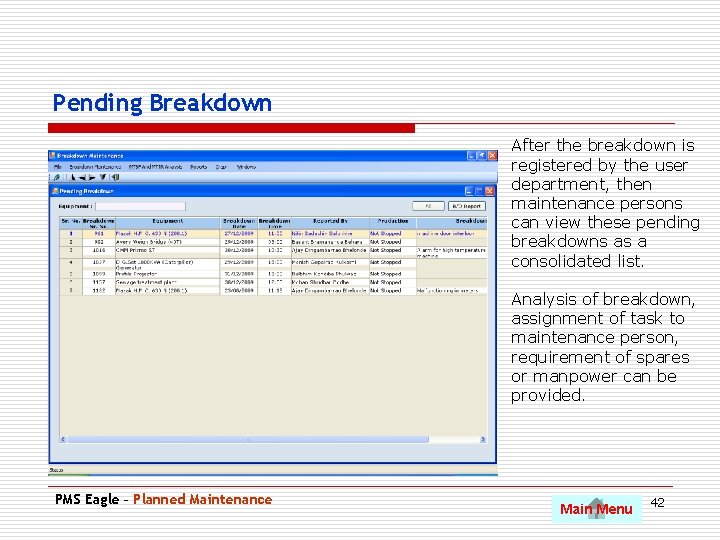
Pending Breakdown After the breakdown is registered by the user department, then maintenance persons can view these pending breakdowns as a consolidated list. Analysis of breakdown, assignment of task to maintenance person, requirement of spares or manpower can be provided. PMS Eagle – Planned Maintenance Main Menu 42
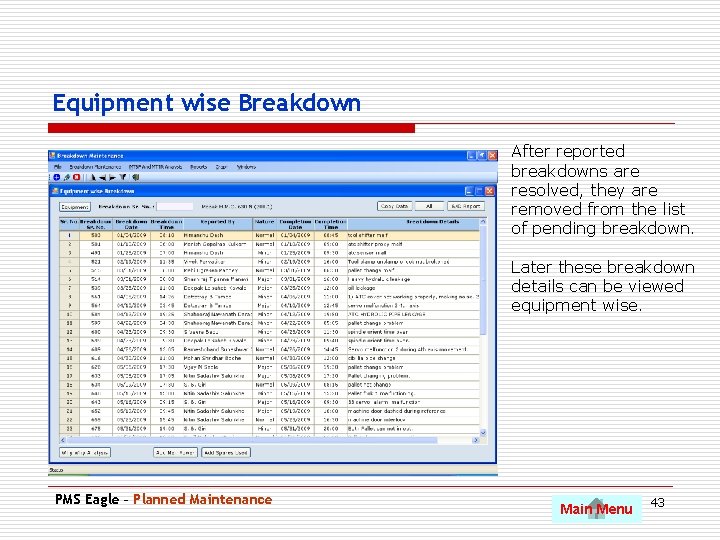
Equipment wise Breakdown After reported breakdowns are resolved, they are removed from the list of pending breakdown. Later these breakdown details can be viewed equipment wise. PMS Eagle – Planned Maintenance Main Menu 43
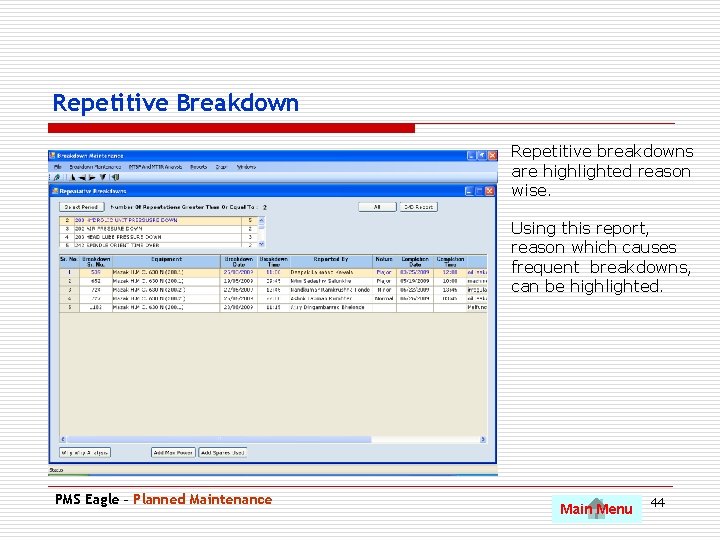
Repetitive Breakdown Repetitive breakdowns are highlighted reason wise. Using this report, reason which causes frequent breakdowns, can be highlighted. PMS Eagle – Planned Maintenance Main Menu 44
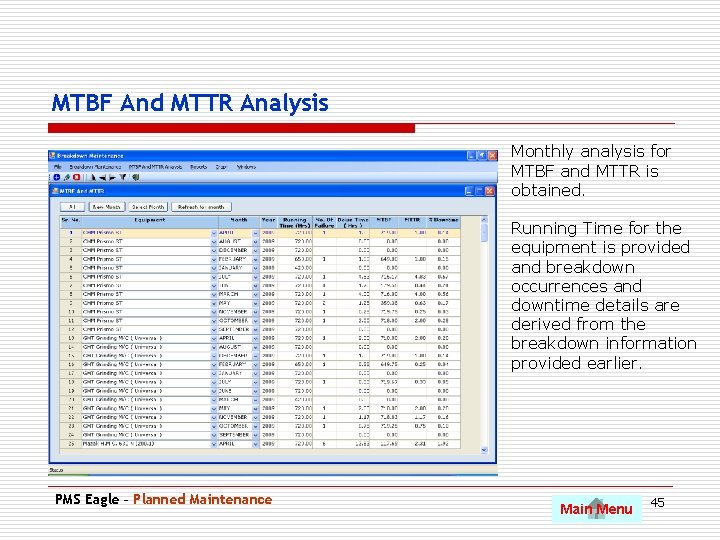
MTBF And MTTR Analysis Monthly analysis for MTBF and MTTR is obtained. Running Time for the equipment is provided and breakdown occurrences and downtime details are derived from the breakdown information provided earlier. PMS Eagle – Planned Maintenance Main Menu 45
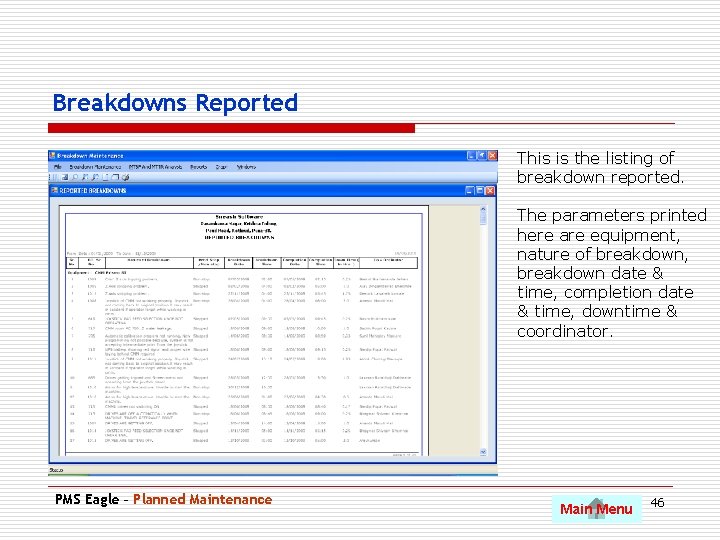
Breakdowns Reported This is the listing of breakdown reported. The parameters printed here are equipment, nature of breakdown, breakdown date & time, completion date & time, downtime & coordinator. PMS Eagle – Planned Maintenance Main Menu 46
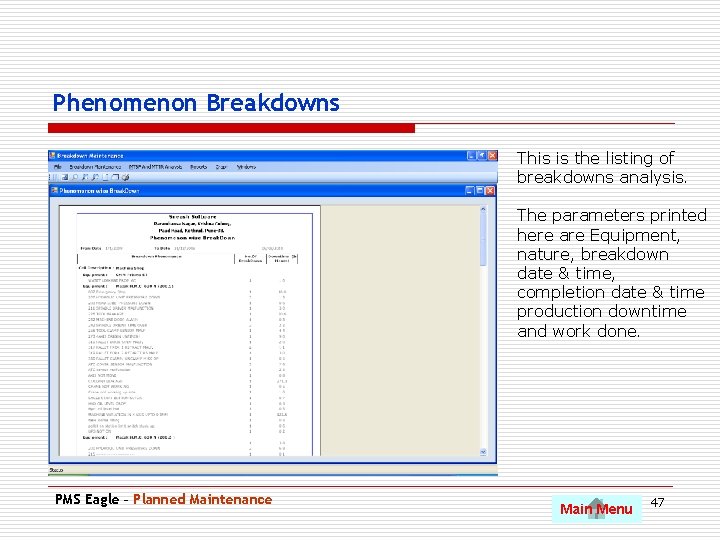
Phenomenon Breakdowns This is the listing of breakdowns analysis. The parameters printed here are Equipment, nature, breakdown date & time, completion date & time production downtime and work done. PMS Eagle – Planned Maintenance Main Menu 47
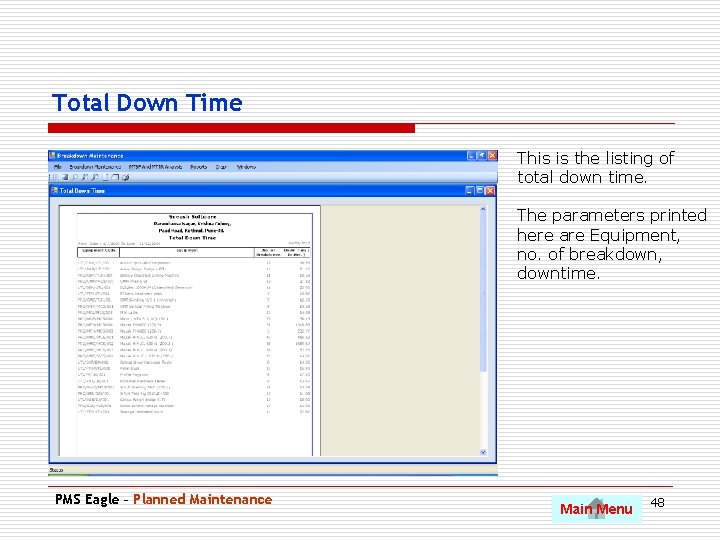
Total Down Time This is the listing of total down time. The parameters printed here are Equipment, no. of breakdown, downtime. PMS Eagle – Planned Maintenance Main Menu 48
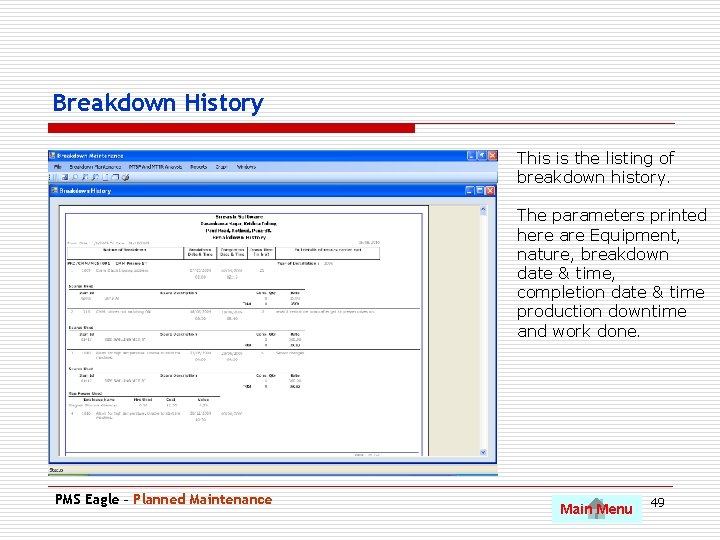
Breakdown History This is the listing of breakdown history. The parameters printed here are Equipment, nature, breakdown date & time, completion date & time production downtime and work done. PMS Eagle – Planned Maintenance Main Menu 49
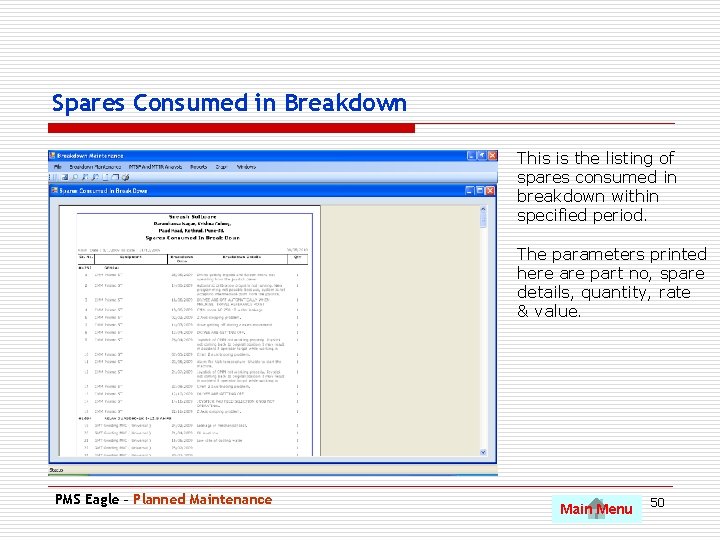
Spares Consumed in Breakdown This is the listing of spares consumed in breakdown within specified period. The parameters printed here are part no, spare details, quantity, rate & value. PMS Eagle – Planned Maintenance Main Menu 50
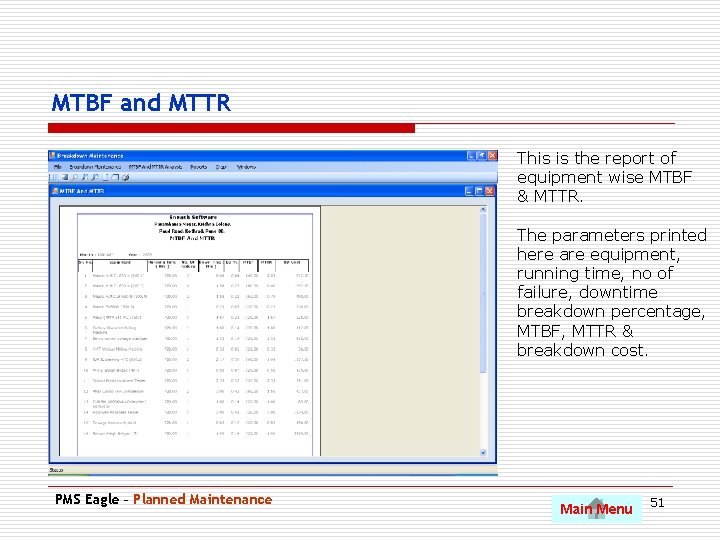
MTBF and MTTR This is the report of equipment wise MTBF & MTTR. The parameters printed here are equipment, running time, no of failure, downtime breakdown percentage, MTBF, MTTR & breakdown cost. PMS Eagle – Planned Maintenance Main Menu 51
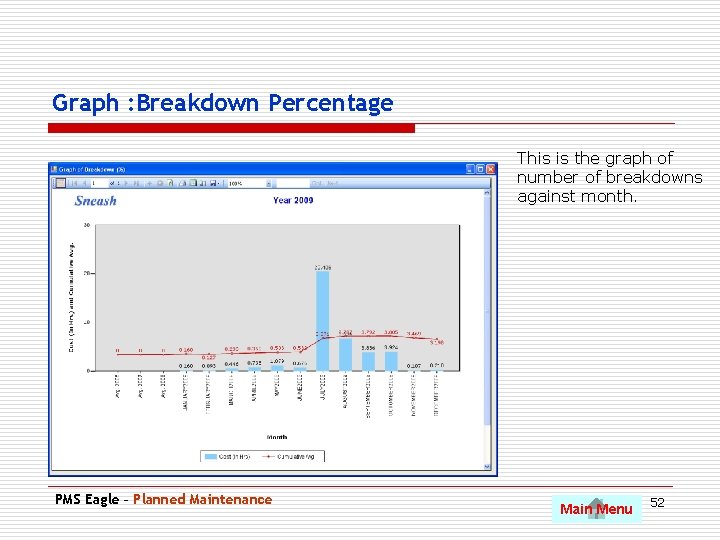
Graph : Breakdown Percentage This is the graph of number of breakdowns against month. PMS Eagle – Planned Maintenance Main Menu 52
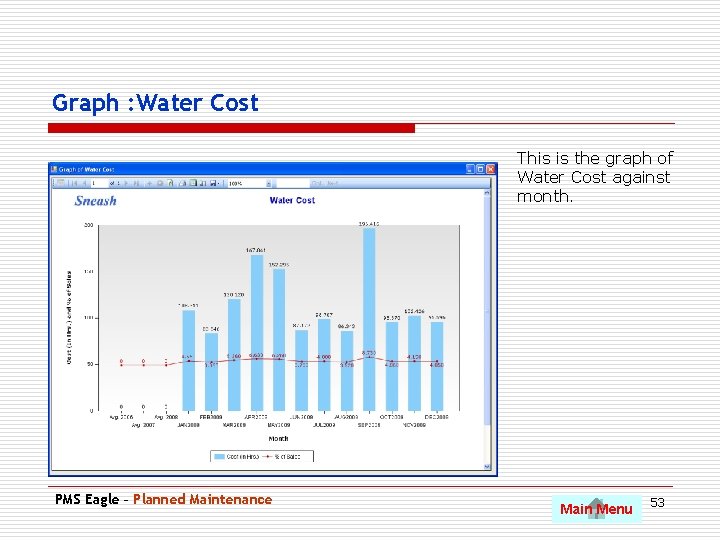
Graph : Water Cost This is the graph of Water Cost against month. PMS Eagle – Planned Maintenance Main Menu 53
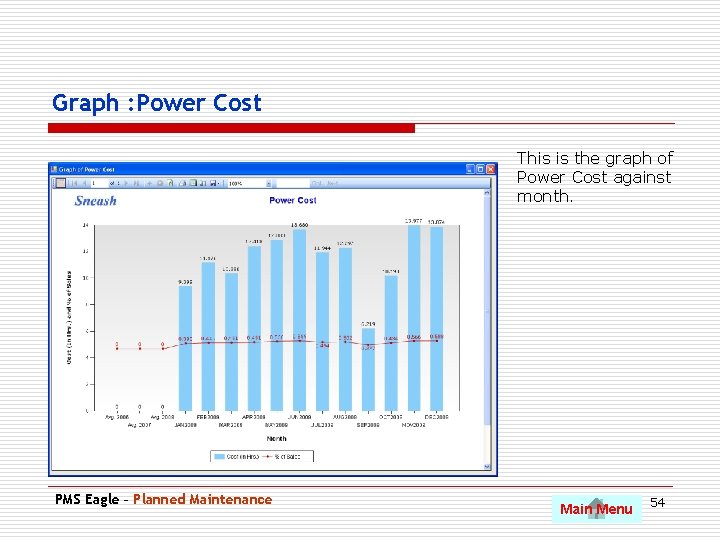
Graph : Power Cost This is the graph of Power Cost against month. PMS Eagle – Planned Maintenance Main Menu 54
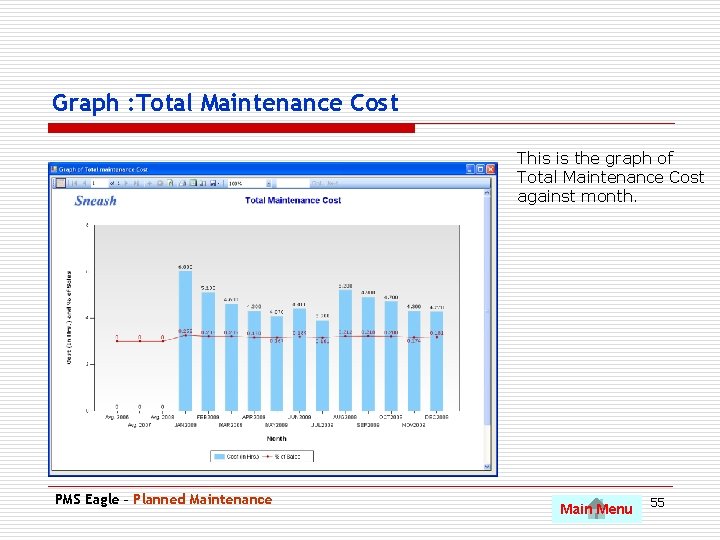
Graph : Total Maintenance Cost This is the graph of Total Maintenance Cost against month. PMS Eagle – Planned Maintenance Main Menu 55
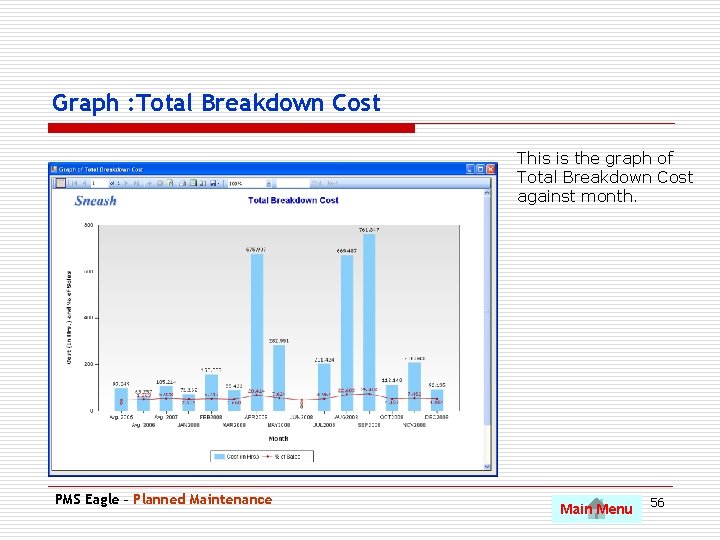
Graph : Total Breakdown Cost This is the graph of Total Breakdown Cost against month. PMS Eagle – Planned Maintenance Main Menu 56
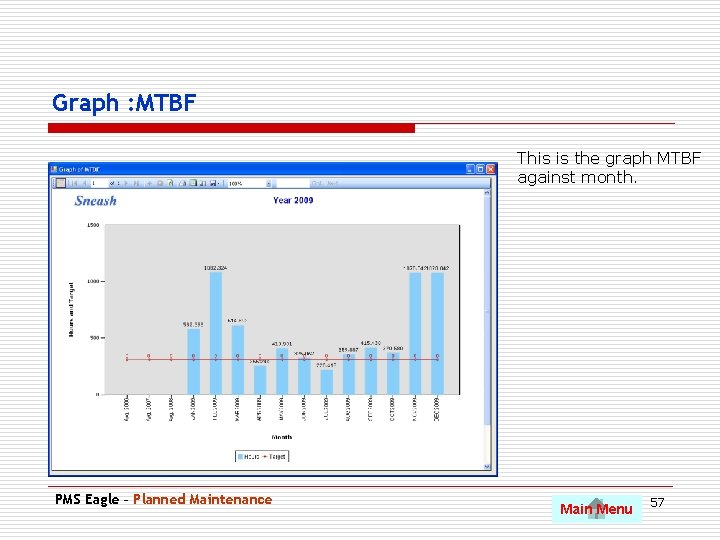
Graph : MTBF This is the graph MTBF against month. PMS Eagle – Planned Maintenance Main Menu 57
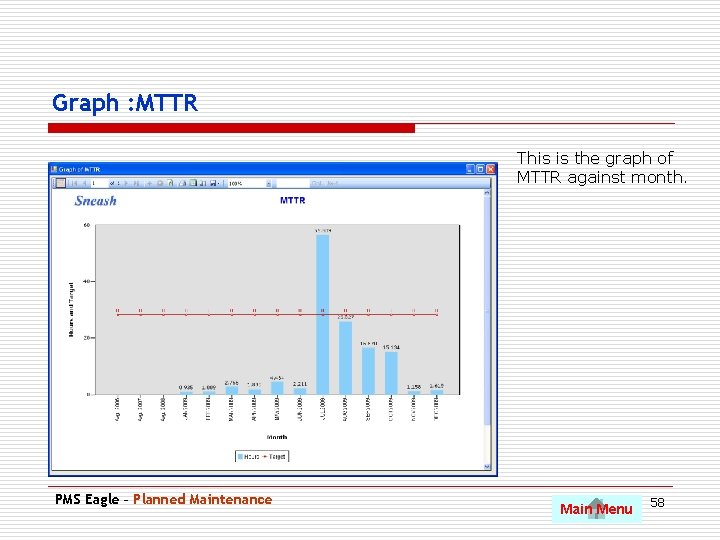
Graph : MTTR This is the graph of MTTR against month. PMS Eagle – Planned Maintenance Main Menu 58
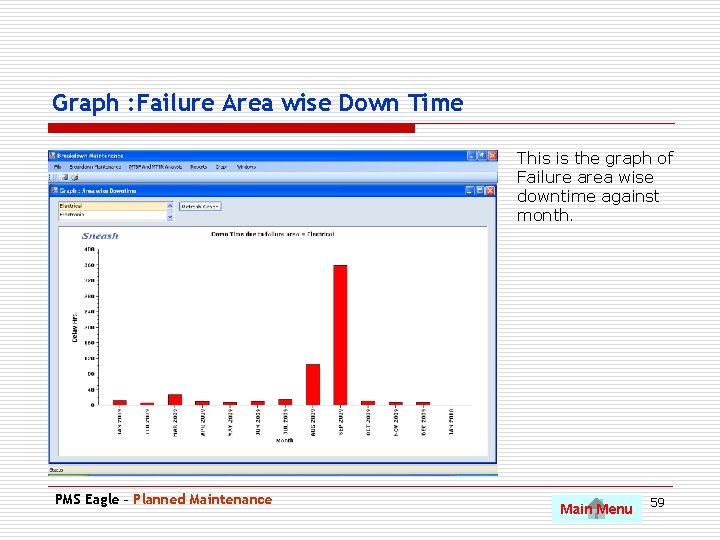
Graph : Failure Area wise Down Time This is the graph of Failure area wise downtime against month. PMS Eagle – Planned Maintenance Main Menu 59
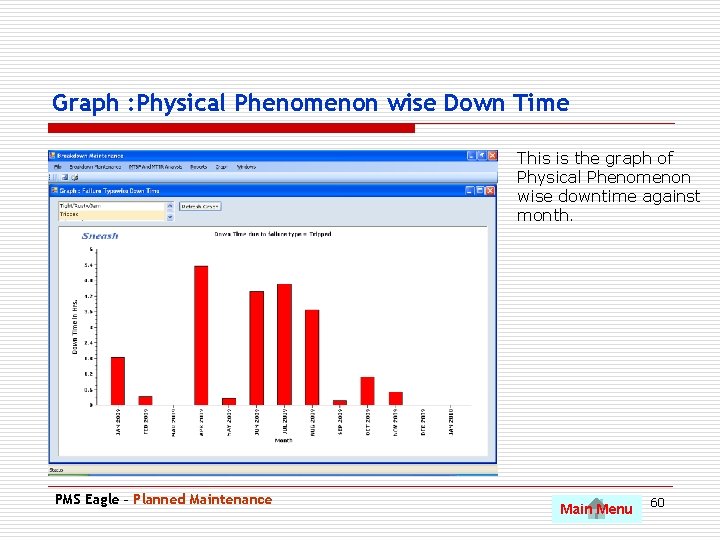
Graph : Physical Phenomenon wise Down Time This is the graph of Physical Phenomenon wise downtime against month. PMS Eagle – Planned Maintenance Main Menu 60
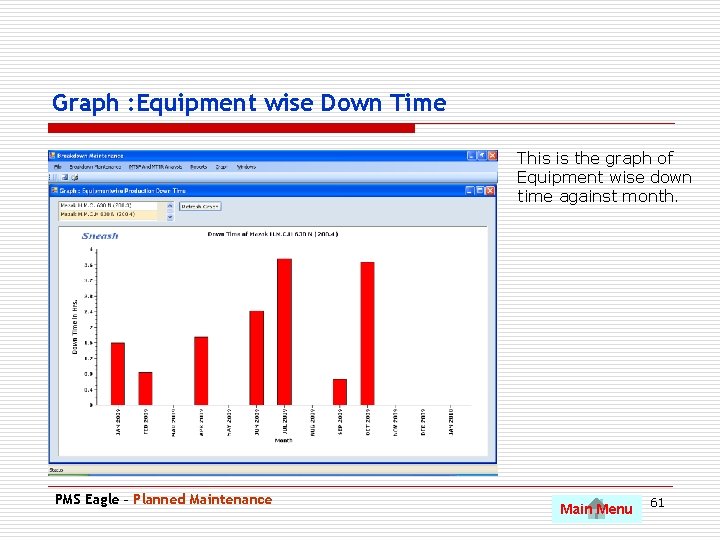
Graph : Equipment wise Down Time This is the graph of Equipment wise down time against month. PMS Eagle – Planned Maintenance Main Menu 61
Kobetsu Kaizen Use Pg. Dn to scroll to next slide • Equipment and Losses • Teams or Circle definition • Equipment losses and history • Why analysis • Kaizen registration • Kaizen idea sheet print • Kaizen MIS reports PMS Eagle – Kobetsu Kaizen Main Menu 62
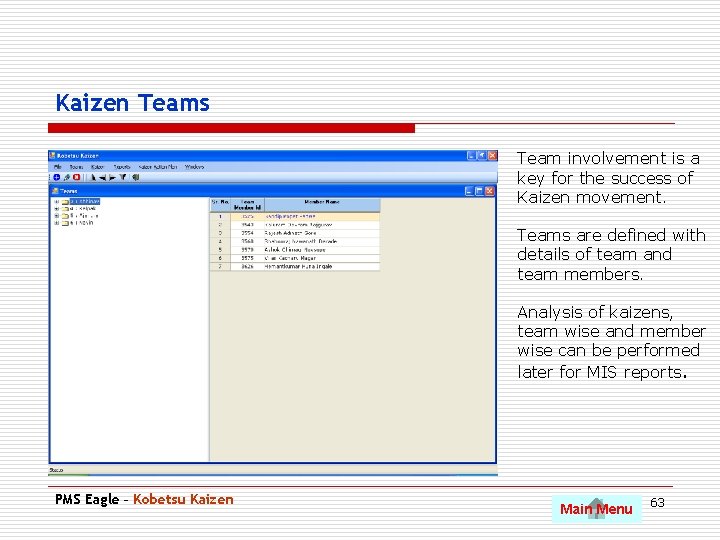
Kaizen Teams Team involvement is a key for the success of Kaizen movement. Teams are defined with details of team and team members. Analysis of kaizens, team wise and member wise can be performed later for MIS reports. PMS Eagle – Kobetsu Kaizen Main Menu 63
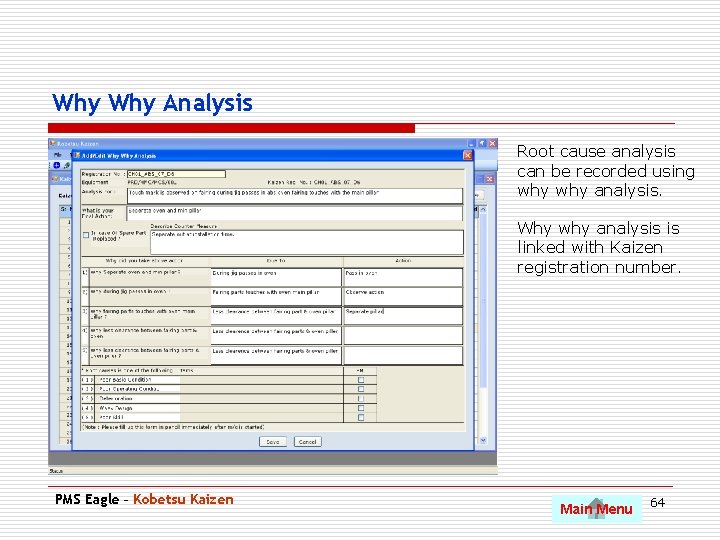
Why Analysis Root cause analysis can be recorded using why analysis. Why why analysis is linked with Kaizen registration number. PMS Eagle – Kobetsu Kaizen Main Menu 64
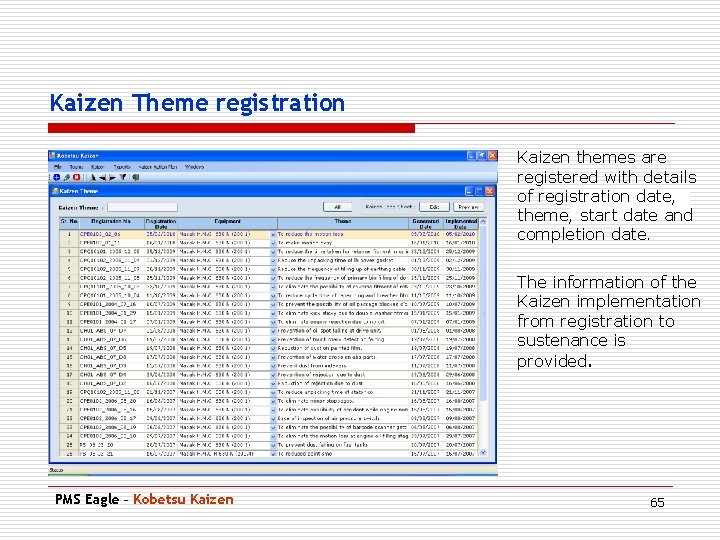
Kaizen Theme registration Kaizen themes are registered with details of registration date, theme, start date and completion date. The information of the Kaizen implementation from registration to sustenance is provided. PMS Eagle – Kobetsu Kaizen 65
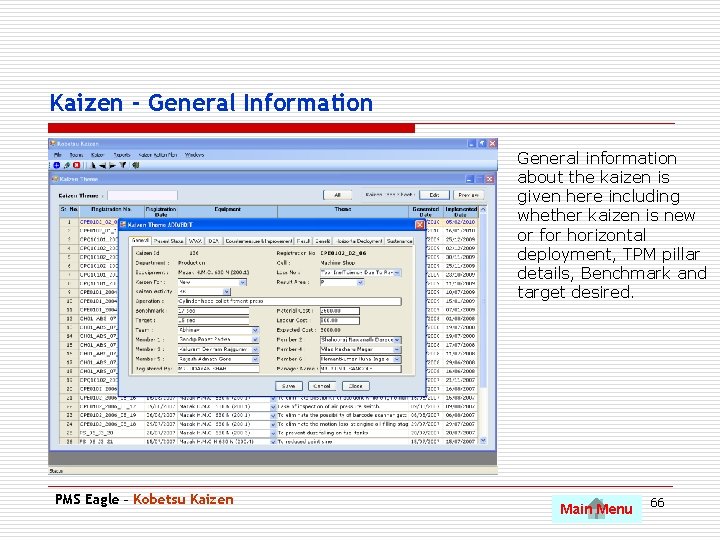
Kaizen - General Information General information about the kaizen is given here including whether kaizen is new or for horizontal deployment, TPM pillar details, Benchmark and target desired. PMS Eagle – Kobetsu Kaizen Main Menu 66
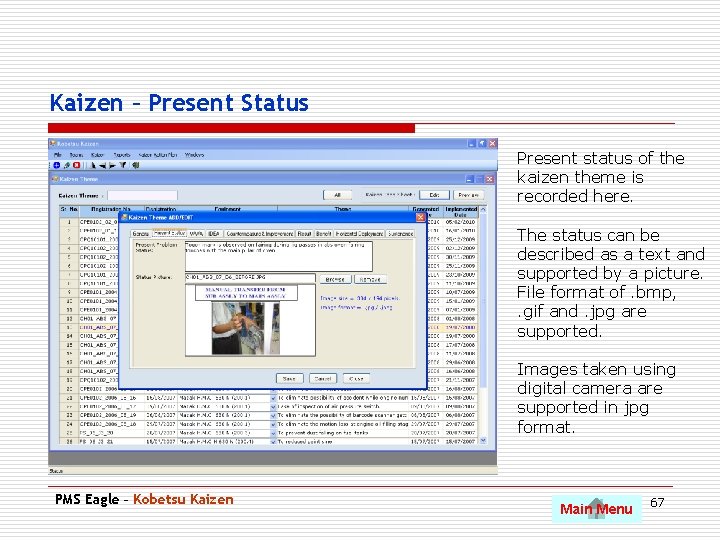
Kaizen – Present Status Present status of the kaizen theme is recorded here. The status can be described as a text and supported by a picture. File format of. bmp, . gif and. jpg are supported. Images taken using digital camera are supported in jpg format. PMS Eagle – Kobetsu Kaizen Main Menu 67
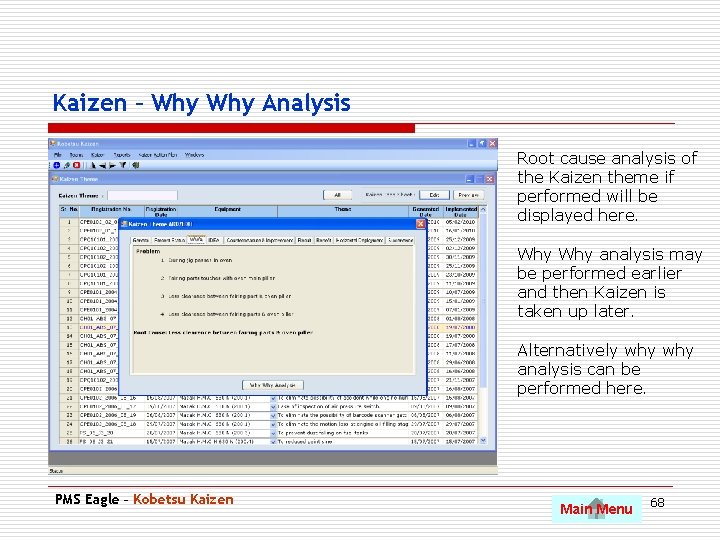
Kaizen – Why Analysis Root cause analysis of the Kaizen theme if performed will be displayed here. Why analysis may be performed earlier and then Kaizen is taken up later. Alternatively why analysis can be performed here. PMS Eagle – Kobetsu Kaizen Main Menu 68
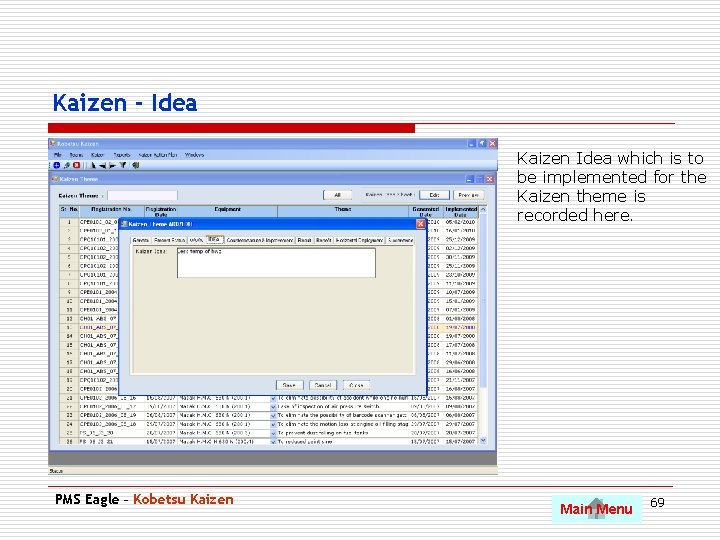
Kaizen - Idea Kaizen Idea which is to be implemented for the Kaizen theme is recorded here. PMS Eagle – Kobetsu Kaizen Main Menu 69
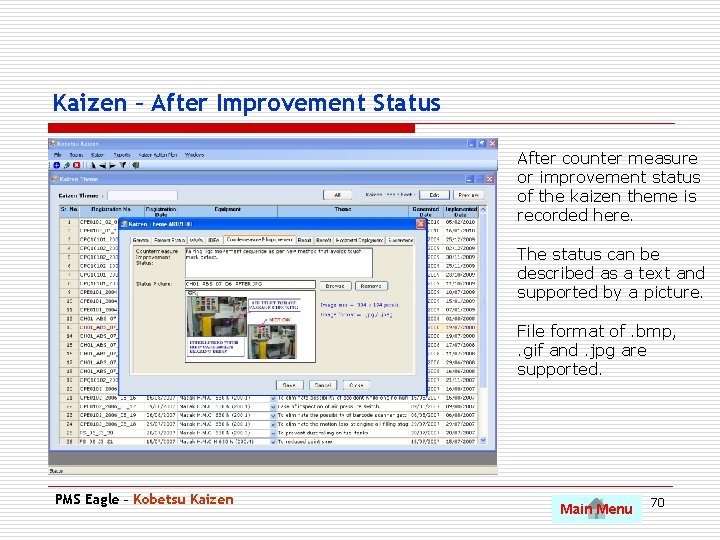
Kaizen – After Improvement Status After counter measure or improvement status of the kaizen theme is recorded here. The status can be described as a text and supported by a picture. File format of. bmp, . gif and. jpg are supported. PMS Eagle – Kobetsu Kaizen Main Menu 70
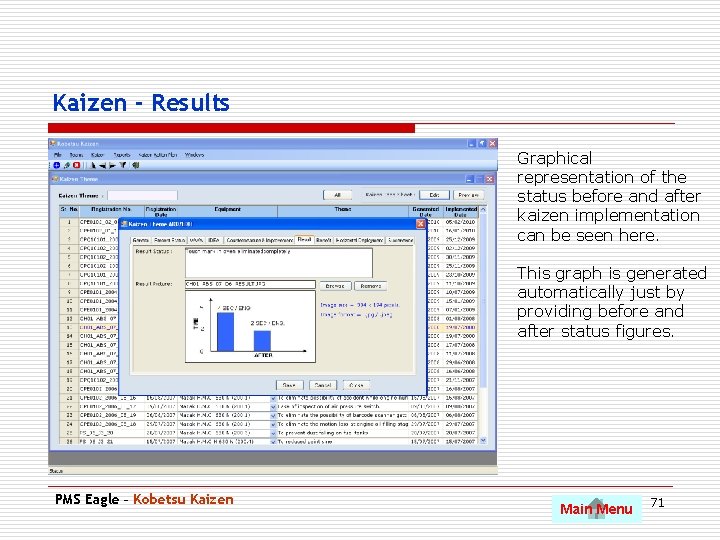
Kaizen - Results Graphical representation of the status before and after kaizen implementation can be seen here. This graph is generated automatically just by providing before and after status figures. PMS Eagle – Kobetsu Kaizen Main Menu 71
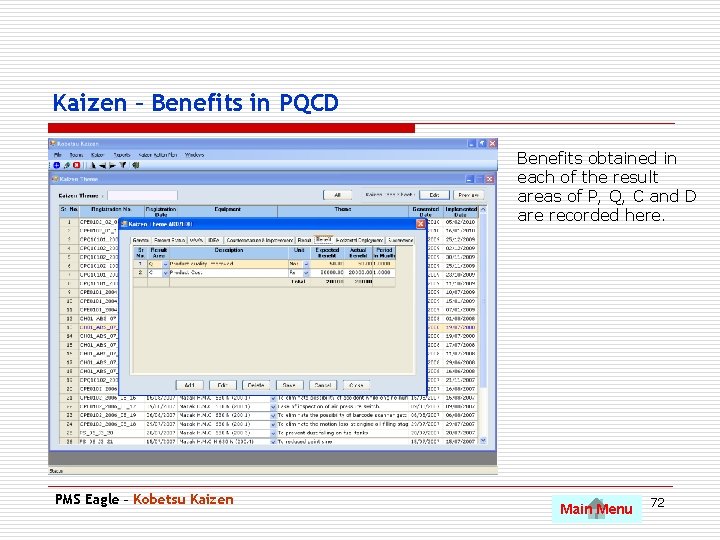
Kaizen – Benefits in PQCD Benefits obtained in each of the result areas of P, Q, C and D are recorded here. PMS Eagle – Kobetsu Kaizen Main Menu 72
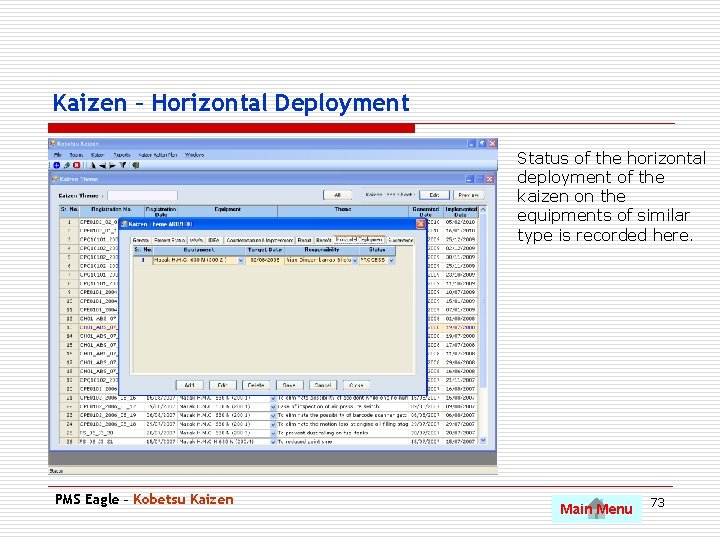
Kaizen – Horizontal Deployment Status of the horizontal deployment of the kaizen on the equipments of similar type is recorded here. PMS Eagle – Kobetsu Kaizen Main Menu 73
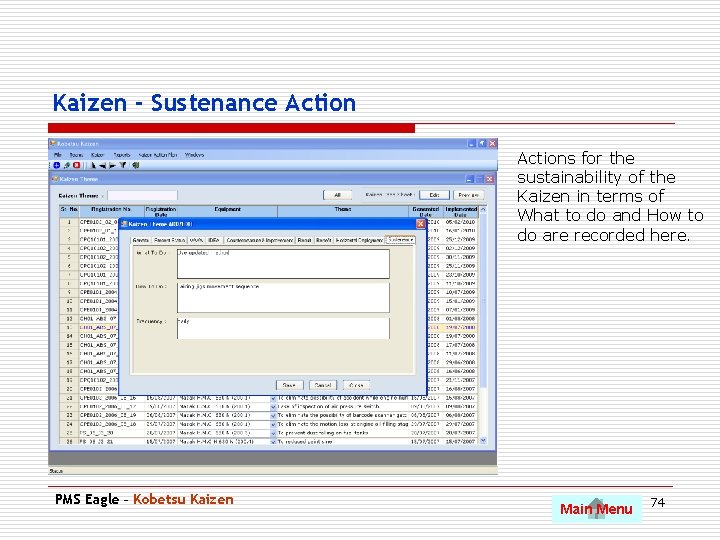
Kaizen - Sustenance Actions for the sustainability of the Kaizen in terms of What to do and How to do are recorded here. PMS Eagle – Kobetsu Kaizen Main Menu 74
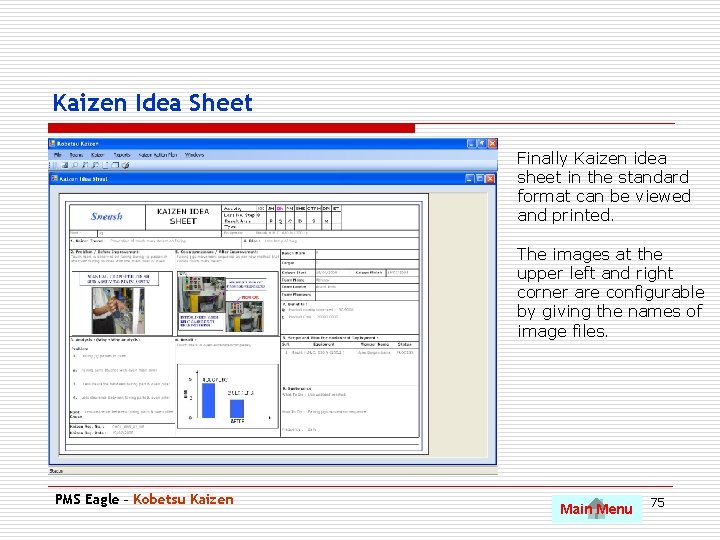
Kaizen Idea Sheet Finally Kaizen idea sheet in the standard format can be viewed and printed. The images at the upper left and right corner are configurable by giving the names of image files. PMS Eagle – Kobetsu Kaizen Main Menu 75
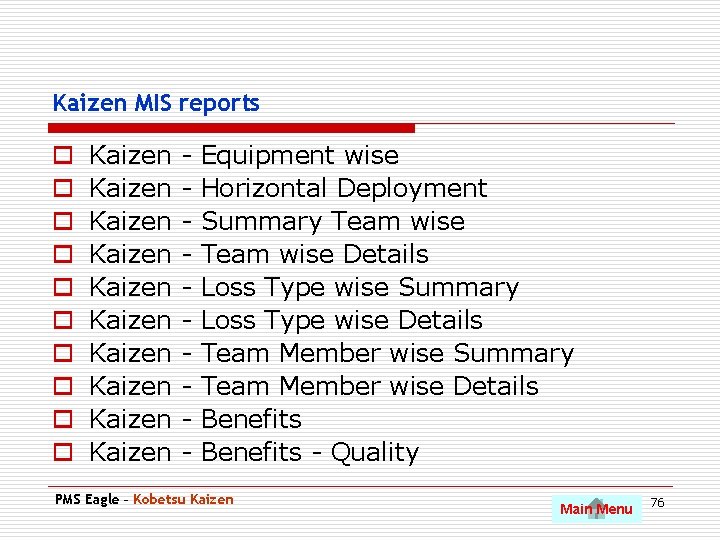
Kaizen MIS reports o o o o o Kaizen Kaizen Kaizen - Equipment wise Horizontal Deployment Summary Team wise Details Loss Type wise Summary Loss Type wise Details Team Member wise Summary Team Member wise Details Benefits - Quality PMS Eagle – Kobetsu Kaizen Main Menu 76
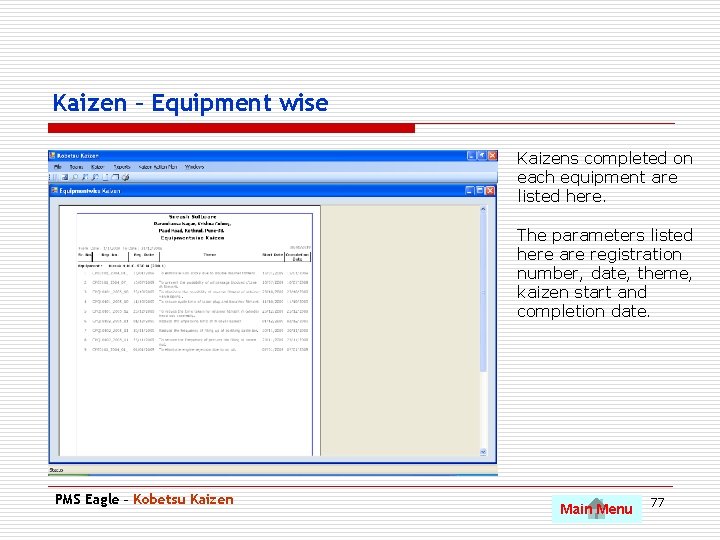
Kaizen – Equipment wise Kaizens completed on each equipment are listed here. The parameters listed here are registration number, date, theme, kaizen start and completion date. PMS Eagle – Kobetsu Kaizen Main Menu 77
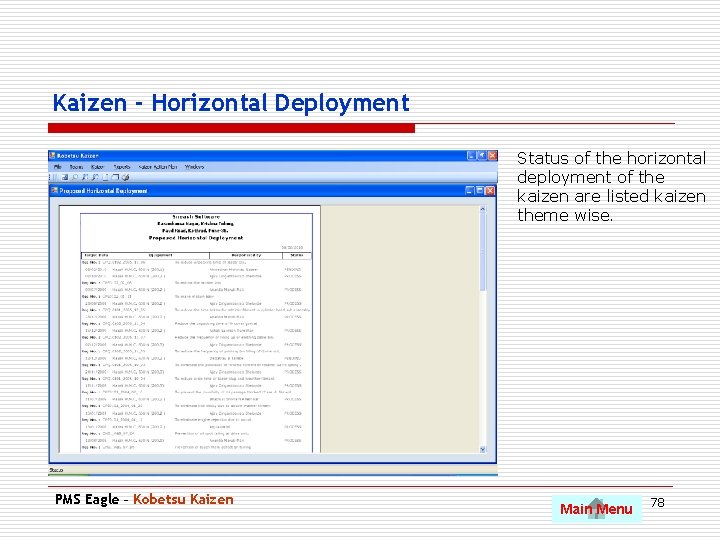
Kaizen - Horizontal Deployment Status of the horizontal deployment of the kaizen are listed kaizen theme wise. PMS Eagle – Kobetsu Kaizen Main Menu 78
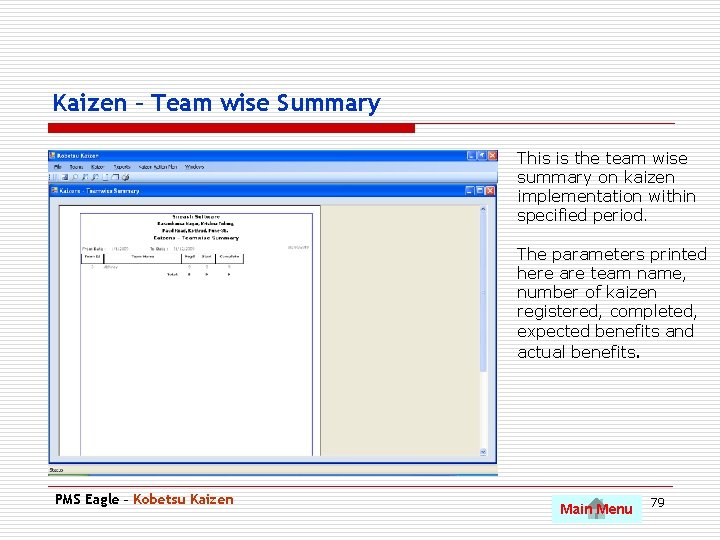
Kaizen – Team wise Summary This is the team wise summary on kaizen implementation within specified period. The parameters printed here are team name, number of kaizen registered, completed, expected benefits and actual benefits. PMS Eagle – Kobetsu Kaizen Main Menu 79
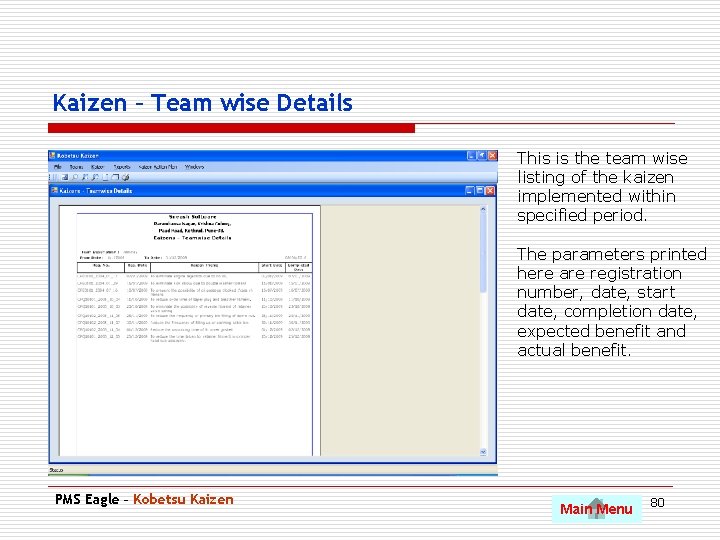
Kaizen – Team wise Details This is the team wise listing of the kaizen implemented within specified period. The parameters printed here are registration number, date, start date, completion date, expected benefit and actual benefit. PMS Eagle – Kobetsu Kaizen Main Menu 80
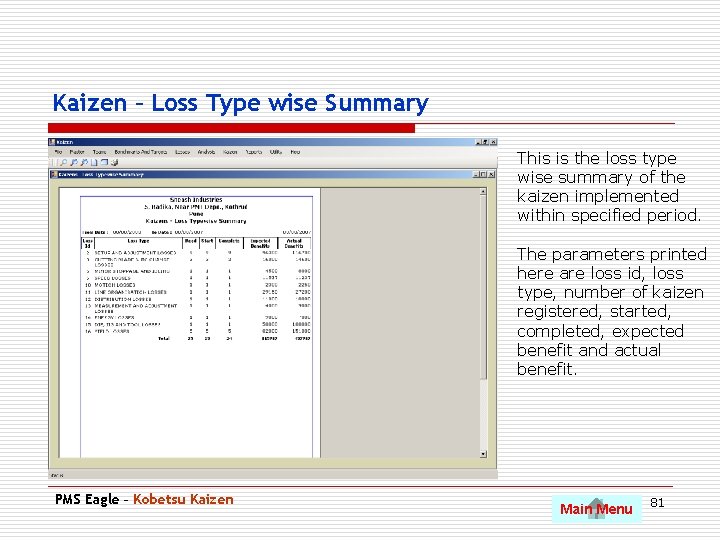
Kaizen – Loss Type wise Summary This is the loss type wise summary of the kaizen implemented within specified period. The parameters printed here are loss id, loss type, number of kaizen registered, started, completed, expected benefit and actual benefit. PMS Eagle – Kobetsu Kaizen Main Menu 81
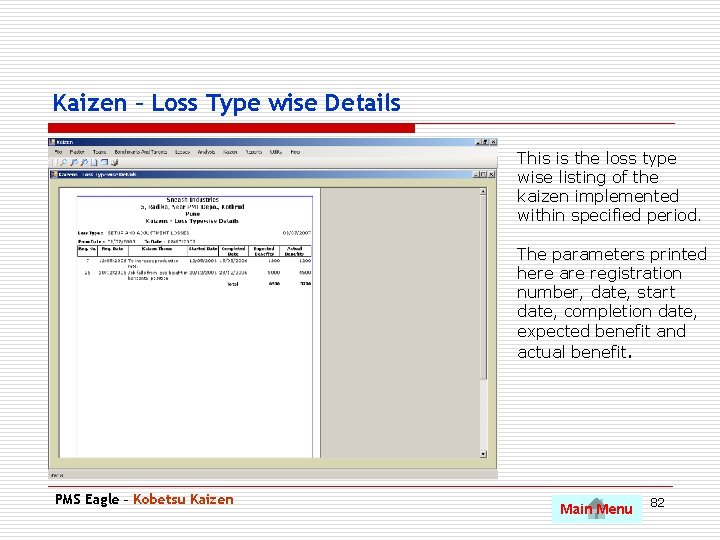
Kaizen – Loss Type wise Details This is the loss type wise listing of the kaizen implemented within specified period. The parameters printed here are registration number, date, start date, completion date, expected benefit and actual benefit. PMS Eagle – Kobetsu Kaizen Main Menu 82
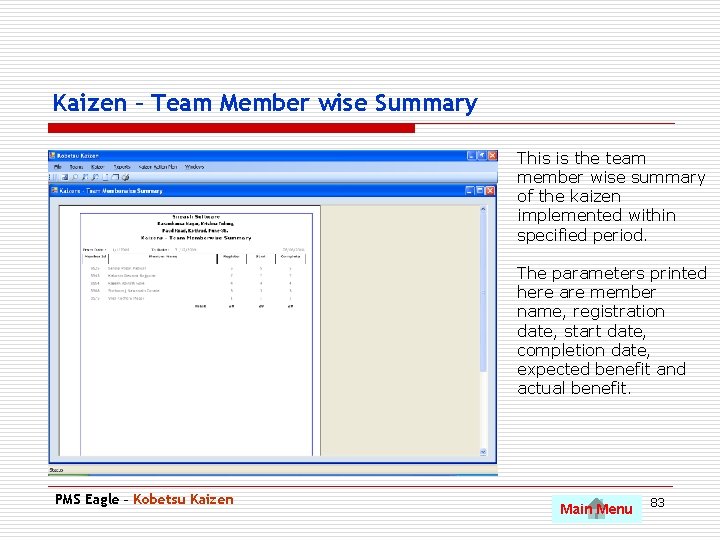
Kaizen – Team Member wise Summary This is the team member wise summary of the kaizen implemented within specified period. The parameters printed here are member name, registration date, start date, completion date, expected benefit and actual benefit. PMS Eagle – Kobetsu Kaizen Main Menu 83
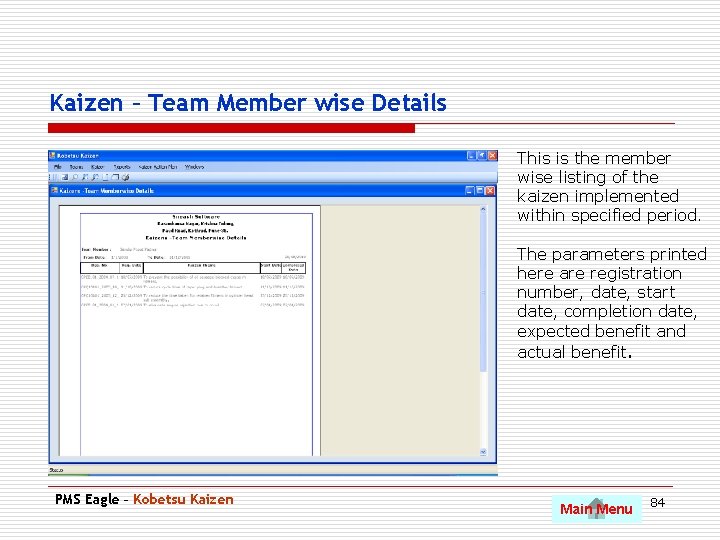
Kaizen – Team Member wise Details This is the member wise listing of the kaizen implemented within specified period. The parameters printed here are registration number, date, start date, completion date, expected benefit and actual benefit. PMS Eagle – Kobetsu Kaizen Main Menu 84
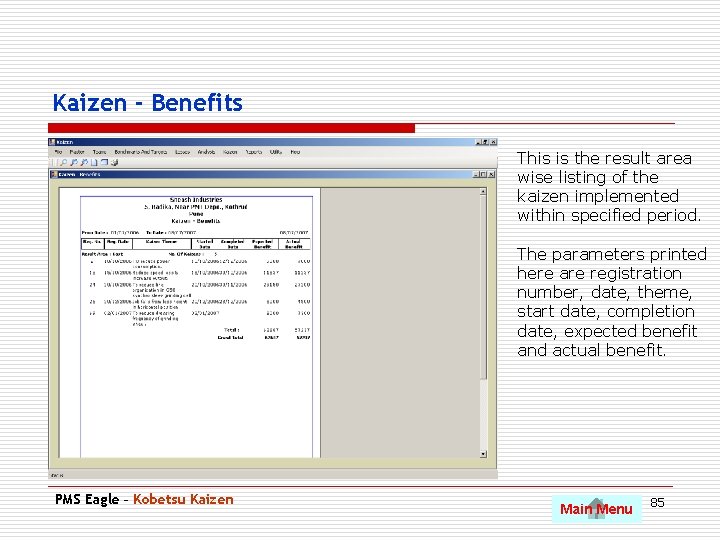
Kaizen - Benefits This is the result area wise listing of the kaizen implemented within specified period. The parameters printed here are registration number, date, theme, start date, completion date, expected benefit and actual benefit. PMS Eagle – Kobetsu Kaizen Main Menu 85
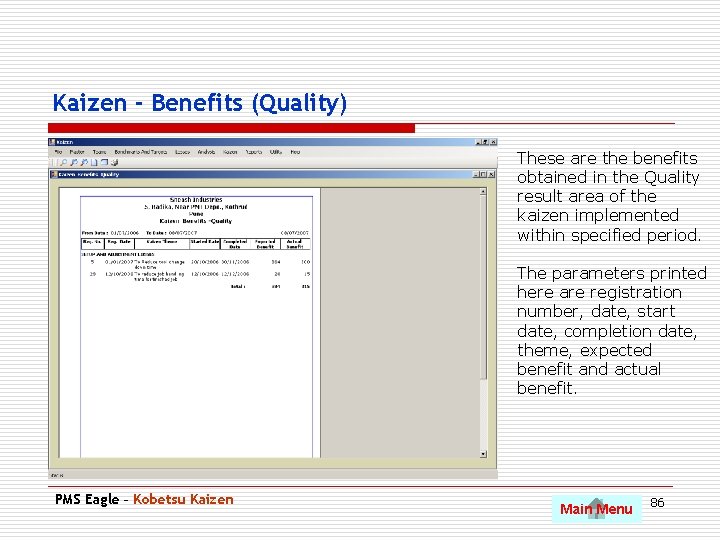
Kaizen - Benefits (Quality) These are the benefits obtained in the Quality result area of the kaizen implemented within specified period. The parameters printed here are registration number, date, start date, completion date, theme, expected benefit and actual benefit. PMS Eagle – Kobetsu Kaizen Main Menu 86
OEE Management o Manufactured products and machine wise setup time definition. o Production process losses recording product wise and shift wise o Shift wise OEE for equipments o Periodical losses and OEE analysis o Shift wise, Product wise, Operator wise analysis of losses and OEE o Identification of areas for improvement PMS Eagle – OEE Main Menu 87
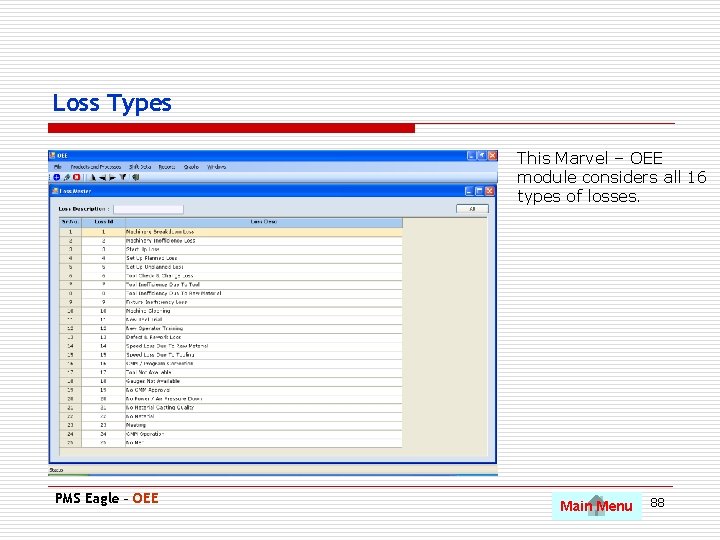
Loss Types This Marvel – OEE module considers all 16 types of losses. PMS Eagle – OEE Main Menu 88
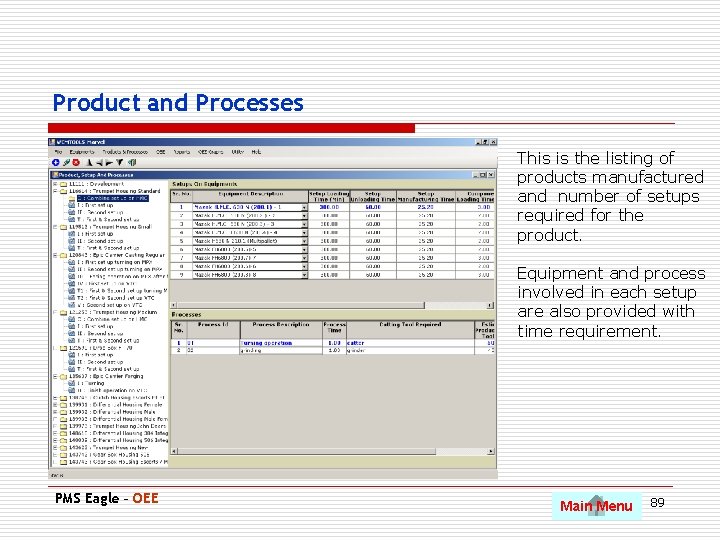
Product and Processes This is the listing of products manufactured and number of setups required for the product. Equipment and process involved in each setup are also provided with time requirement. PMS Eagle – OEE Main Menu 89
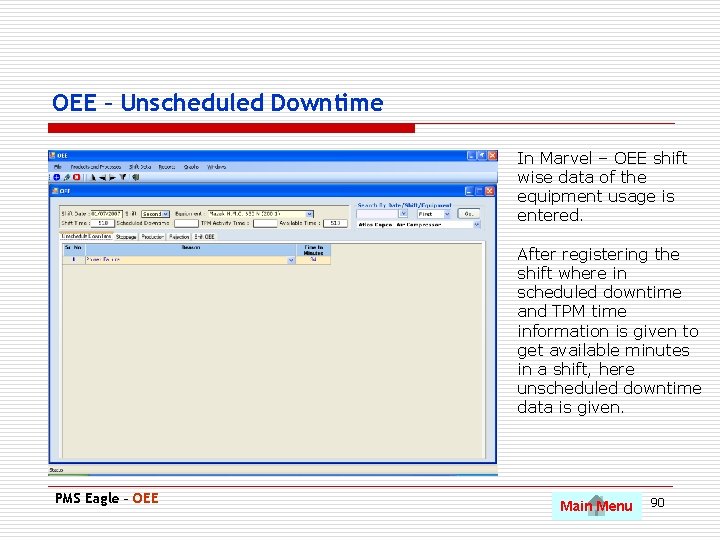
OEE – Unscheduled Downtime In Marvel – OEE shift wise data of the equipment usage is entered. After registering the shift where in scheduled downtime and TPM time information is given to get available minutes in a shift, here unscheduled downtime data is given. PMS Eagle – OEE Main Menu 90
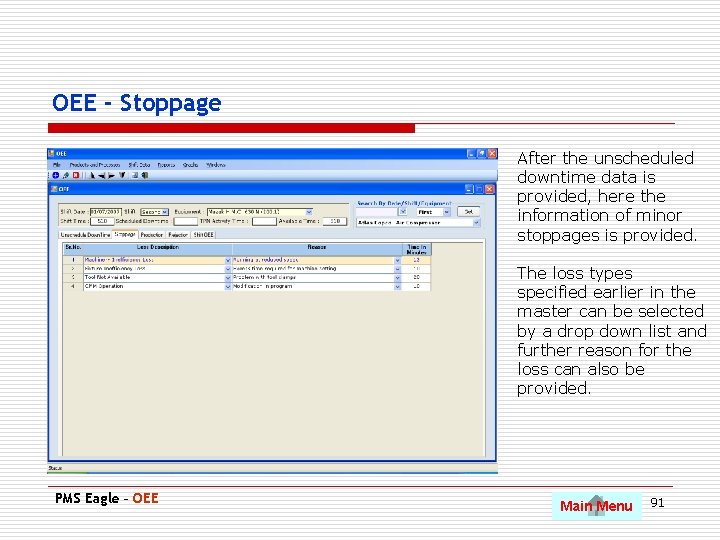
OEE - Stoppage After the unscheduled downtime data is provided, here the information of minor stoppages is provided. The loss types specified earlier in the master can be selected by a drop down list and further reason for the loss can also be provided. PMS Eagle – OEE Main Menu 91
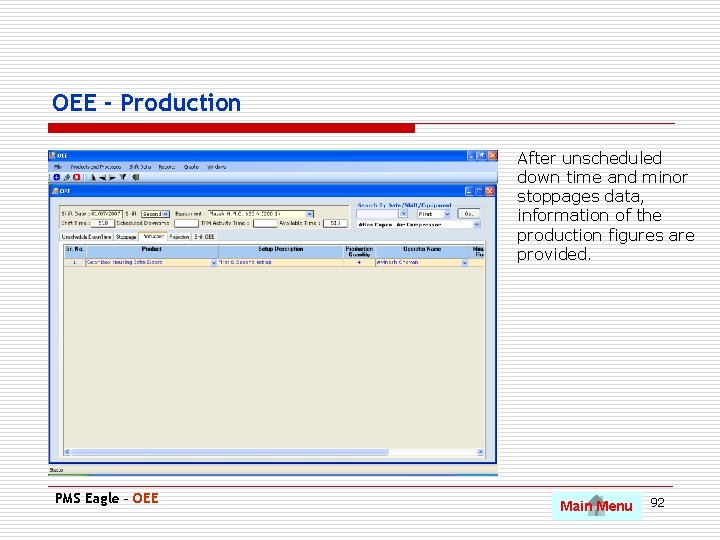
OEE - Production After unscheduled down time and minor stoppages data, information of the production figures are provided. PMS Eagle – OEE Main Menu 92
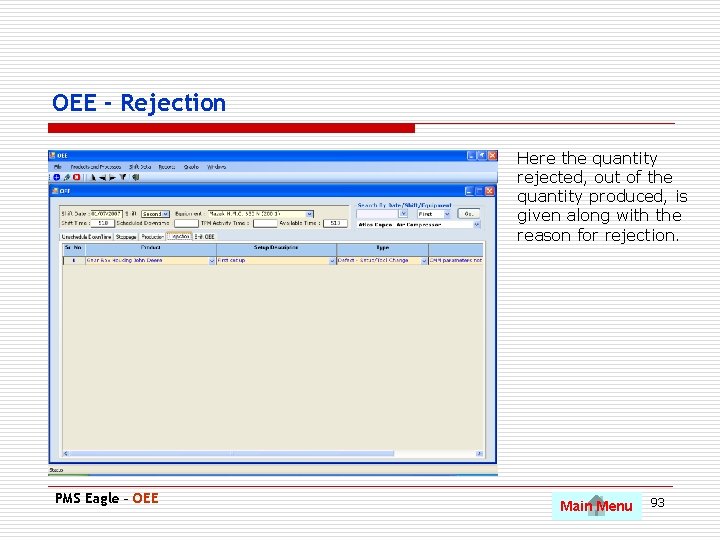
OEE - Rejection Here the quantity rejected, out of the quantity produced, is given along with the reason for rejection. PMS Eagle – OEE Main Menu 93
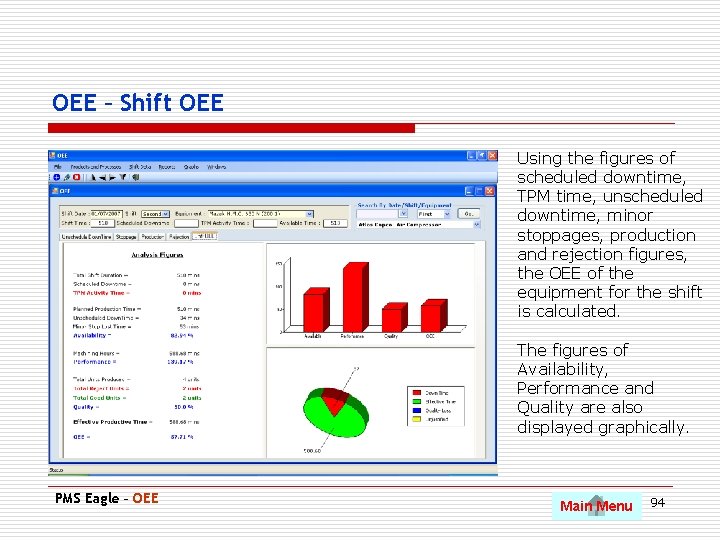
OEE – Shift OEE Using the figures of scheduled downtime, TPM time, unscheduled downtime, minor stoppages, production and rejection figures, the OEE of the equipment for the shift is calculated. The figures of Availability, Performance and Quality are also displayed graphically. PMS Eagle – OEE Main Menu 94
MIS Reports o Equipment wise and period wise losses and OEE. o Product wise, Equipment wise, Shift wise and Operator wise losses and OEE analysis for any given period. o Analysis in report and graph format. PMS Eagle – OEE Main Menu 95
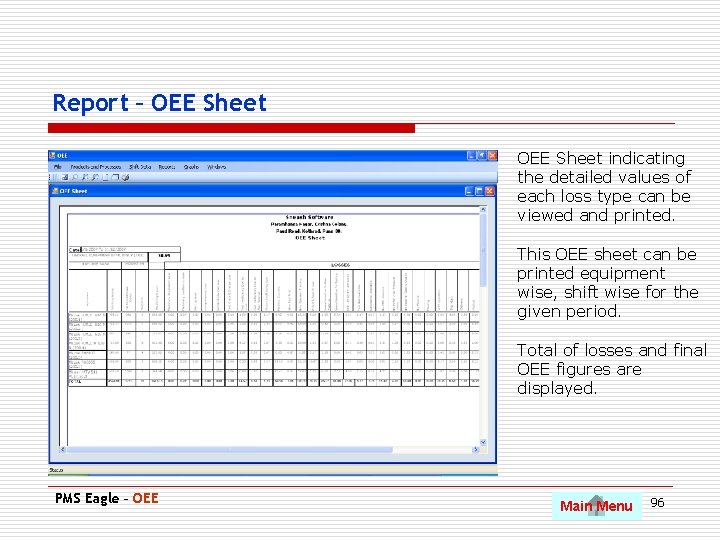
Report – OEE Sheet indicating the detailed values of each loss type can be viewed and printed. This OEE sheet can be printed equipment wise, shift wise for the given period. Total of losses and final OEE figures are displayed. PMS Eagle – OEE Main Menu 96
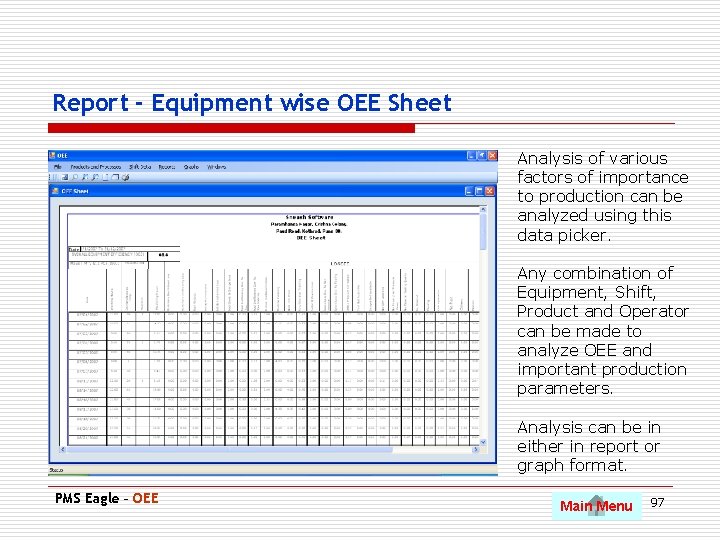
Report - Equipment wise OEE Sheet Analysis of various factors of importance to production can be analyzed using this data picker. Any combination of Equipment, Shift, Product and Operator can be made to analyze OEE and important production parameters. Analysis can be in either in report or graph format. PMS Eagle – OEE Main Menu 97
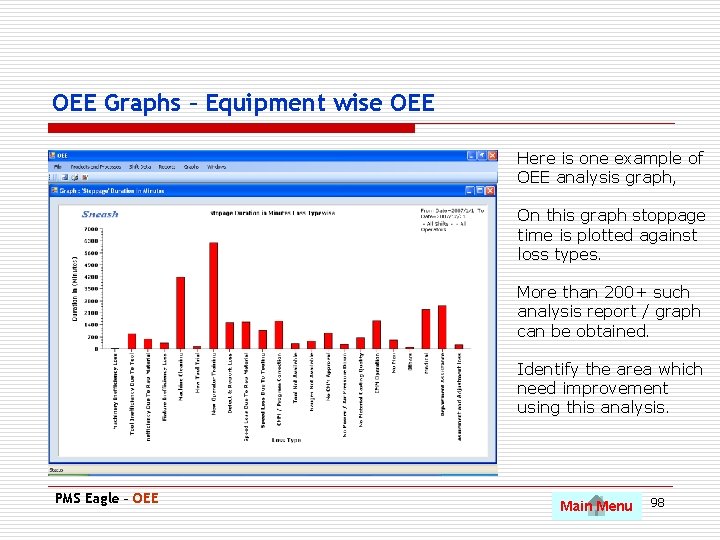
OEE Graphs – Equipment wise OEE Here is one example of OEE analysis graph, On this graph stoppage time is plotted against loss types. More than 200+ such analysis report / graph can be obtained. Identify the area which need improvement using this analysis. PMS Eagle – OEE Main Menu 98
PMS Inventory Use Pg. Dn to scroll to next slide • Stock related information in Spare master. • Indents or purchase requisition generation. • Purchase orders. • Goods receipt note • Issues • Returnable material In and Out. • Variety of MIS reports • Vendors database PMS Eagle – Inventory Main Menu 99
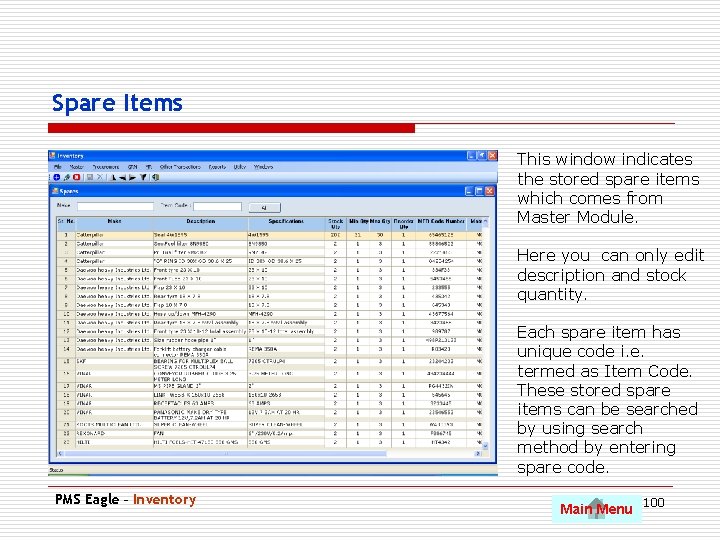
Spare Items This window indicates the stored spare items which comes from Master Module. Here you can only edit description and stock quantity. Each spare item has unique code i. e. termed as Item Code. These stored spare items can be searched by using search method by entering spare code. PMS Eagle – Inventory Main Menu 100
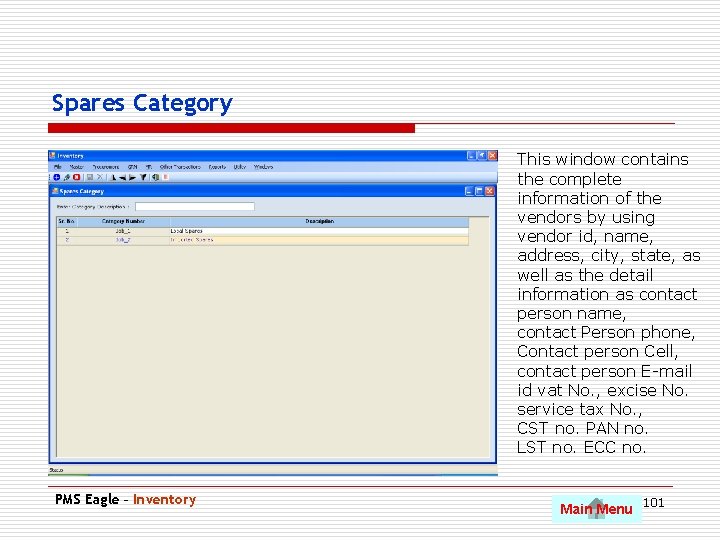
Spares Category This window contains the complete information of the vendors by using vendor id, name, address, city, state, as well as the detail information as contact person name, contact Person phone, Contact person Cell, contact person E-mail id vat No. , excise No. service tax No. , CST no. PAN no. LST no. ECC no. PMS Eagle – Inventory Main Menu 101
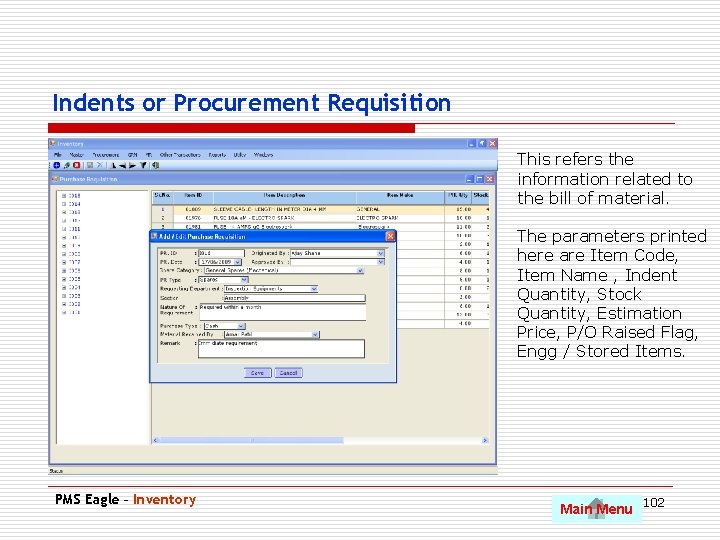
Indents or Procurement Requisition This refers the information related to the bill of material. The parameters printed here are Item Code, Item Name , Indent Quantity, Stock Quantity, Estimation Price, P/O Raised Flag, Engg / Stored Items. PMS Eagle – Inventory Main Menu 102
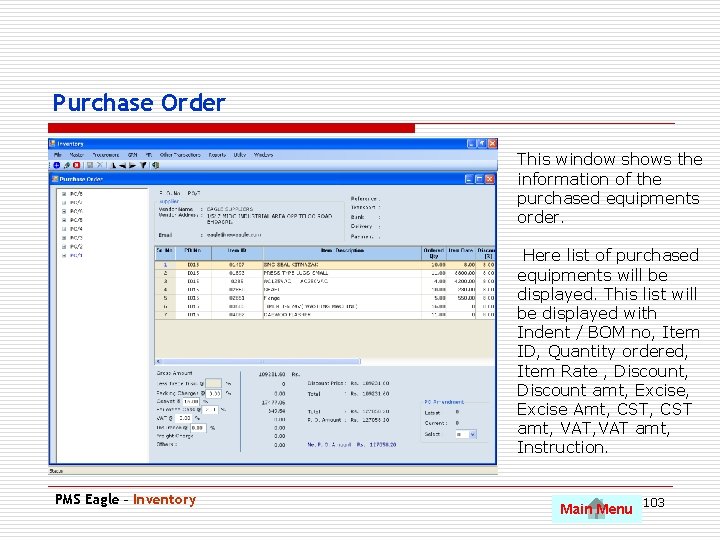
Purchase Order This window shows the information of the purchased equipments order. Here list of purchased equipments will be displayed. This list will be displayed with Indent / BOM no, Item ID, Quantity ordered, Item Rate , Discount amt, Excise Amt, CST amt, VAT amt, Instruction. PMS Eagle – Inventory Main Menu 103
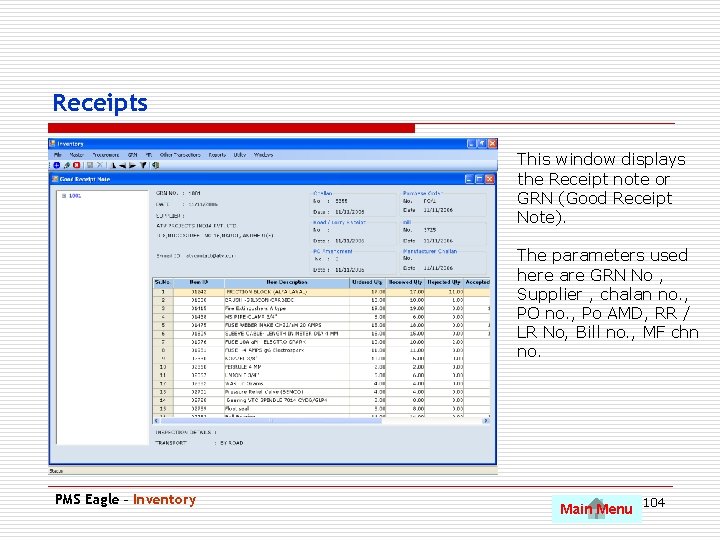
Receipts This window displays the Receipt note or GRN (Good Receipt Note). The parameters used here are GRN No , Supplier , chalan no. , PO no. , Po AMD, RR / LR No, Bill no. , MF chn no. PMS Eagle – Inventory Main Menu 104
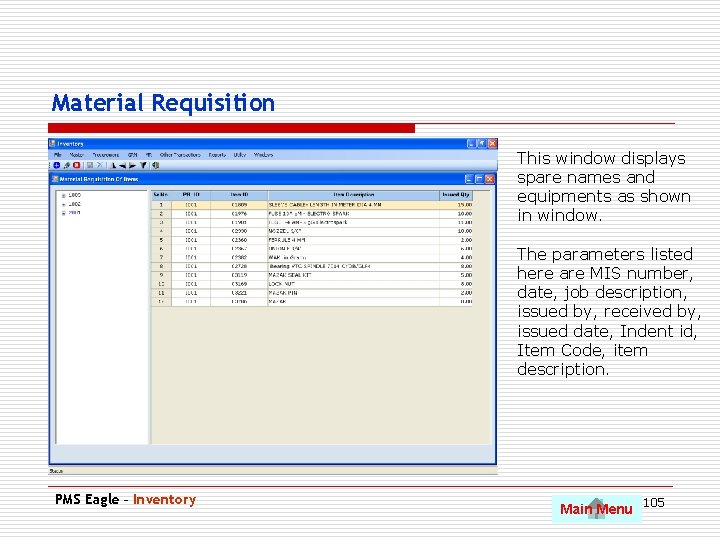
Material Requisition This window displays spare names and equipments as shown in window. The parameters listed here are MIS number, date, job description, issued by, received by, issued date, Indent id, Item Code, item description. PMS Eagle – Inventory Main Menu 105
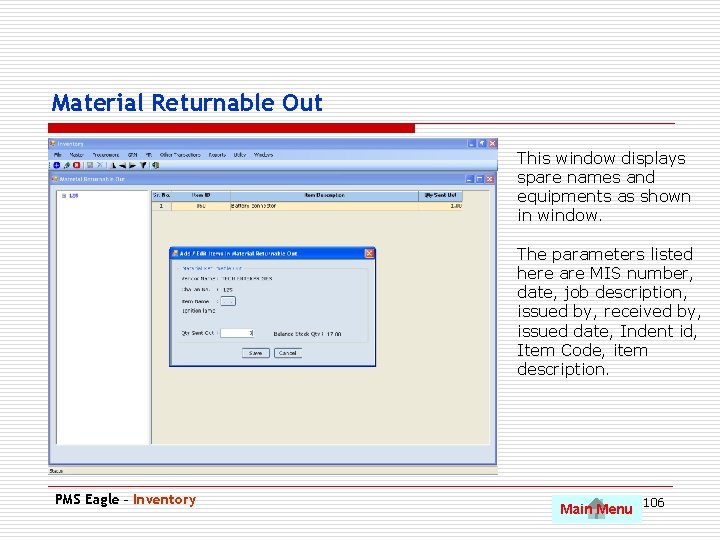
Material Returnable Out This window displays spare names and equipments as shown in window. The parameters listed here are MIS number, date, job description, issued by, received by, issued date, Indent id, Item Code, item description. PMS Eagle – Inventory Main Menu 106
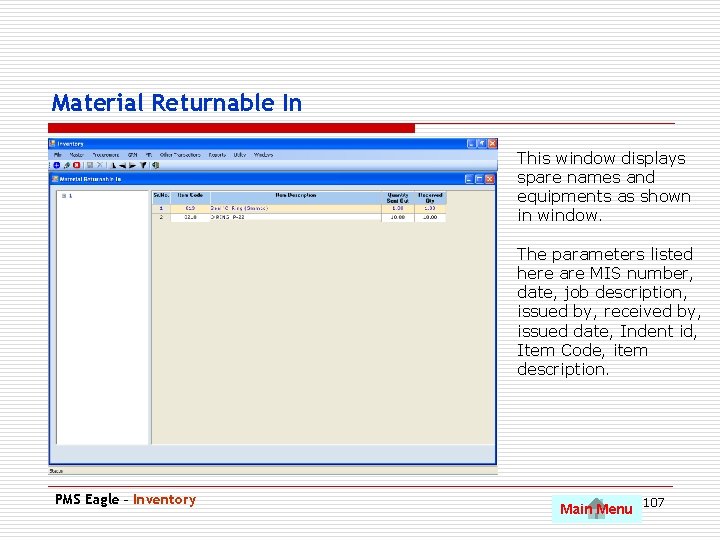
Material Returnable In This window displays spare names and equipments as shown in window. The parameters listed here are MIS number, date, job description, issued by, received by, issued date, Indent id, Item Code, item description. PMS Eagle – Inventory Main Menu 107
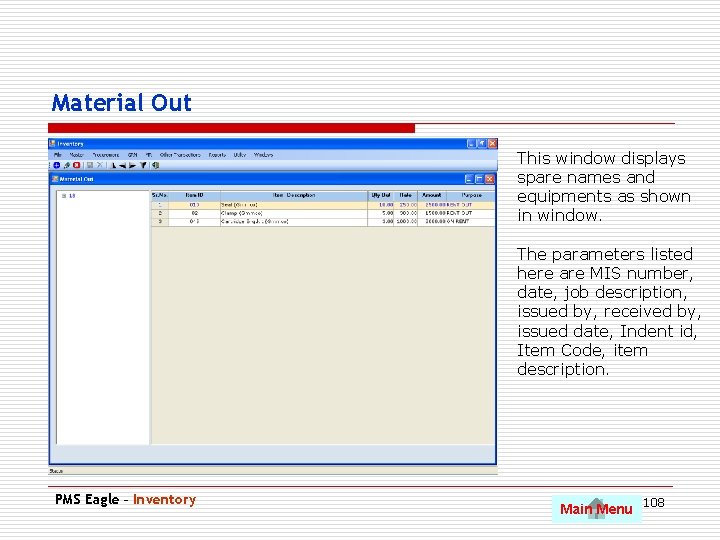
Material Out This window displays spare names and equipments as shown in window. The parameters listed here are MIS number, date, job description, issued by, received by, issued date, Indent id, Item Code, item description. PMS Eagle – Inventory Main Menu 108
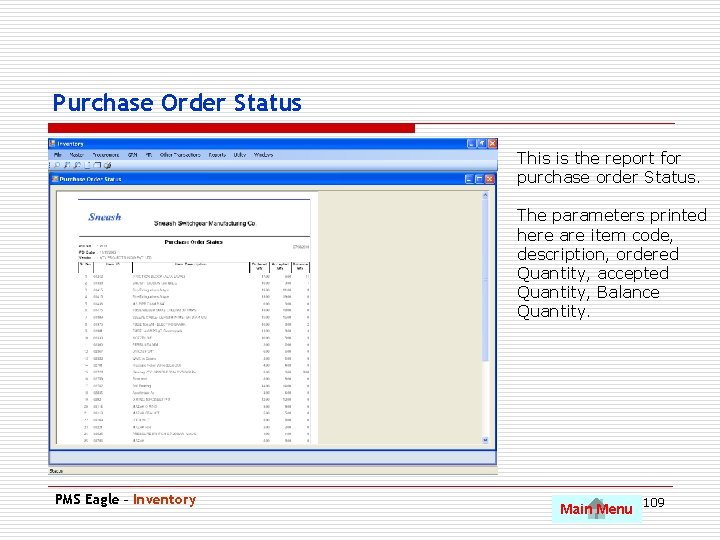
Purchase Order Status This is the report for purchase order Status. The parameters printed here are item code, description, ordered Quantity, accepted Quantity, Balance Quantity. PMS Eagle – Inventory Main Menu 109
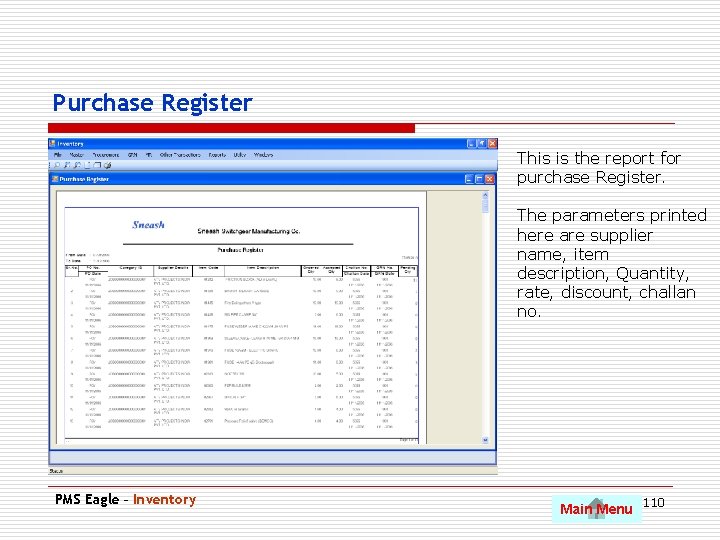
Purchase Register This is the report for purchase Register. The parameters printed here are supplier name, item description, Quantity, rate, discount, challan no. PMS Eagle – Inventory Main Menu 110
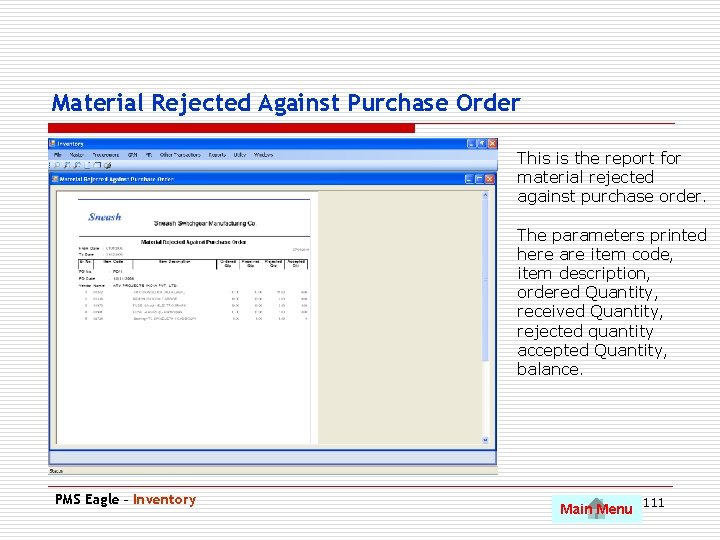
Material Rejected Against Purchase Order This is the report for material rejected against purchase order. The parameters printed here are item code, item description, ordered Quantity, received Quantity, rejected quantity accepted Quantity, balance. PMS Eagle – Inventory Main Menu 111
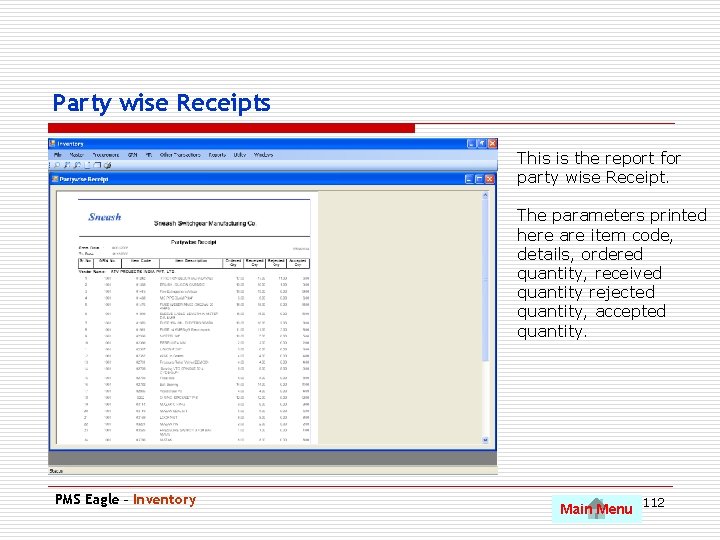
Party wise Receipts This is the report for party wise Receipt. The parameters printed here are item code, details, ordered quantity, received quantity rejected quantity, accepted quantity. PMS Eagle – Inventory Main Menu 112
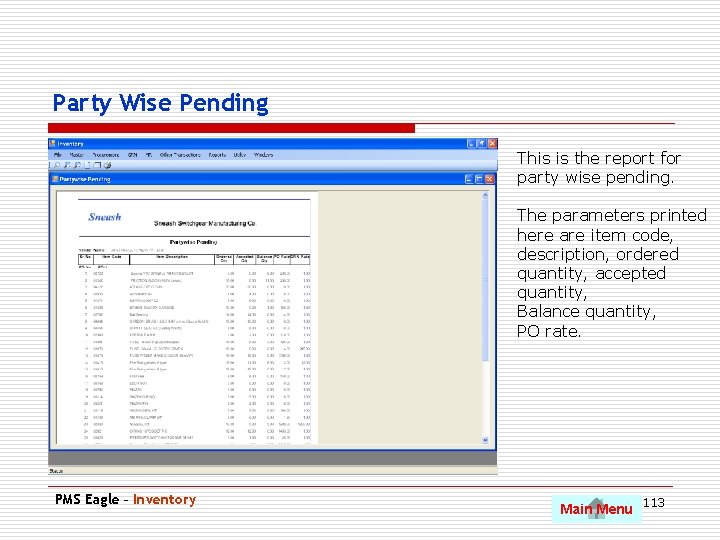
Party Wise Pending This is the report for party wise pending. The parameters printed here are item code, description, ordered quantity, accepted quantity, Balance quantity, PO rate. PMS Eagle – Inventory Main Menu 113
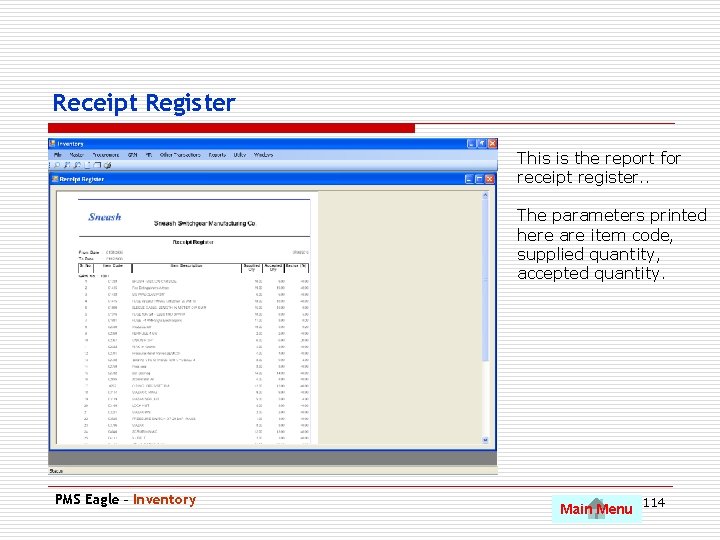
Receipt Register This is the report for receipt register. . The parameters printed here are item code, supplied quantity, accepted quantity. PMS Eagle – Inventory Main Menu 114
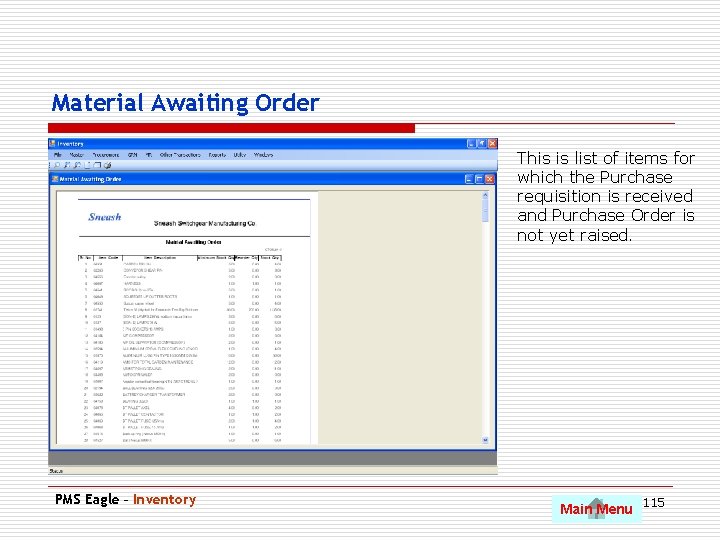
Material Awaiting Order This is list of items for which the Purchase requisition is received and Purchase Order is not yet raised. PMS Eagle – Inventory Main Menu 115
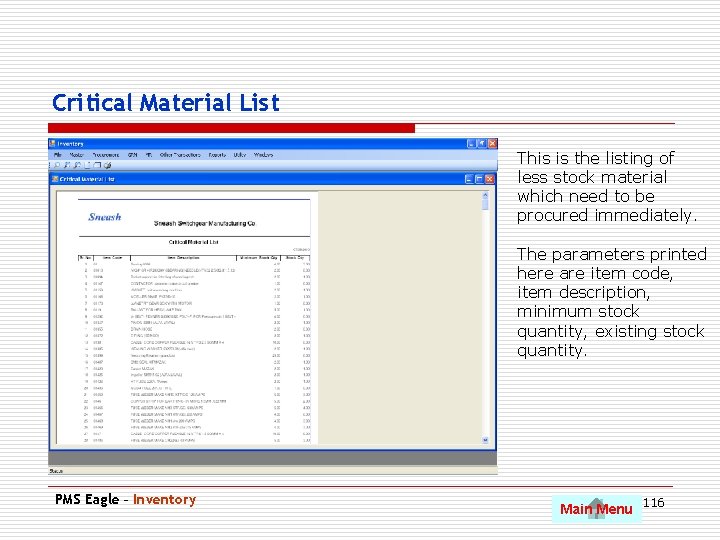
Critical Material List This is the listing of less stock material which need to be procured immediately. The parameters printed here are item code, item description, minimum stock quantity, existing stock quantity. PMS Eagle – Inventory Main Menu 116
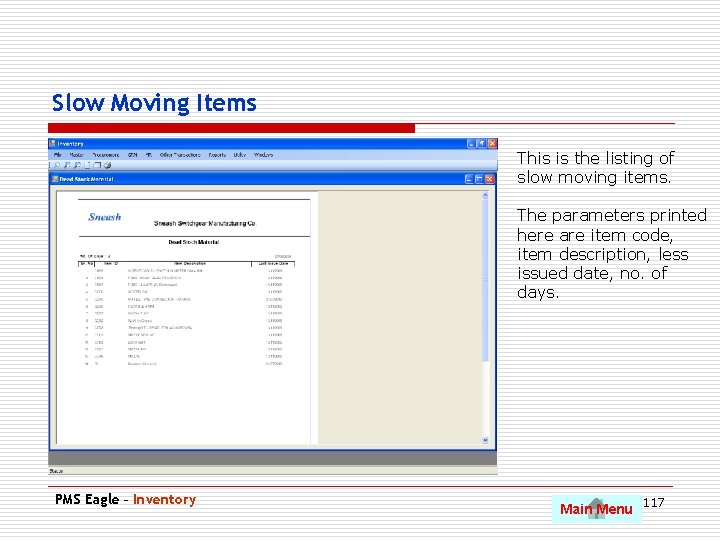
Slow Moving Items This is the listing of slow moving items. The parameters printed here are item code, item description, less issued date, no. of days. PMS Eagle – Inventory Main Menu 117
Others Use Pg. Dn to scroll to next slide • Energy and Water Consumption. • Energy and Water Bills. • Monthly Sales. • DG Set • User Tracking System • Targets. PMS Eagle – Inventory Main Menu 118
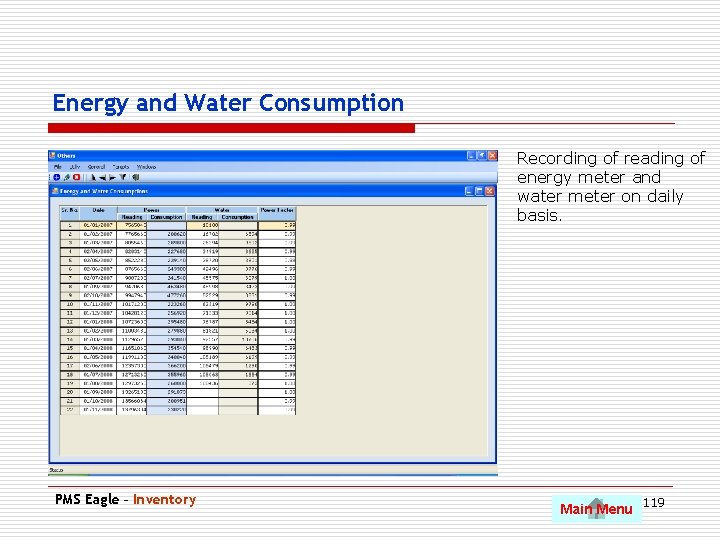
Energy and Water Consumption Recording of reading of energy meter and water meter on daily basis. PMS Eagle – Inventory Main Menu 119
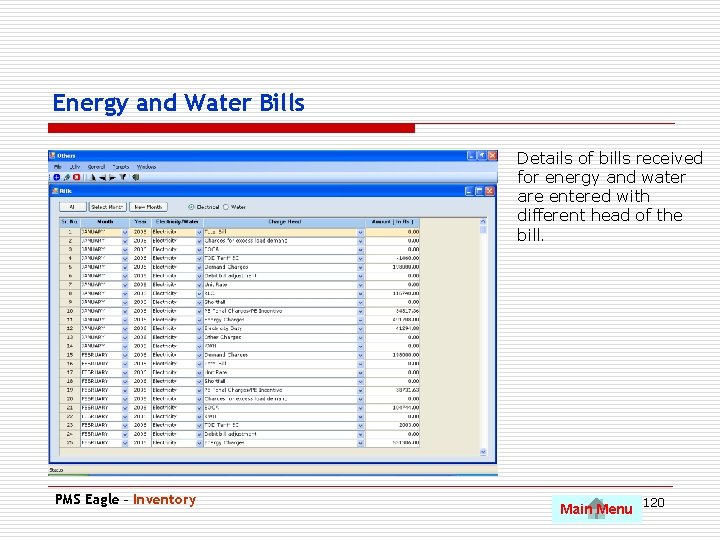
Energy and Water Bills Details of bills received for energy and water are entered with different head of the bill. PMS Eagle – Inventory Main Menu 120
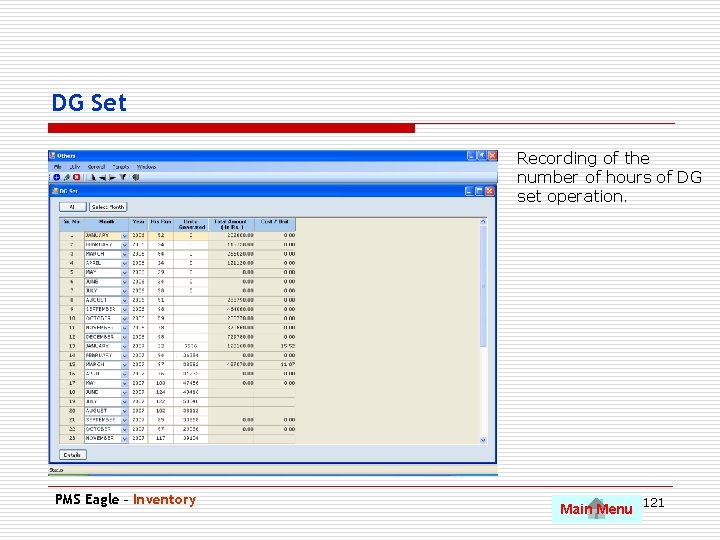
DG Set Recording of the number of hours of DG set operation. PMS Eagle – Inventory Main Menu 121
Audit and Statutory Use Pg. Dn to scroll to next slide • Audit Master Types. • Audit Master Points. • Licenses and Permits. • New Audits • Audit Pending Points • Reports. PMS Eagle – Inventory Main Menu 122
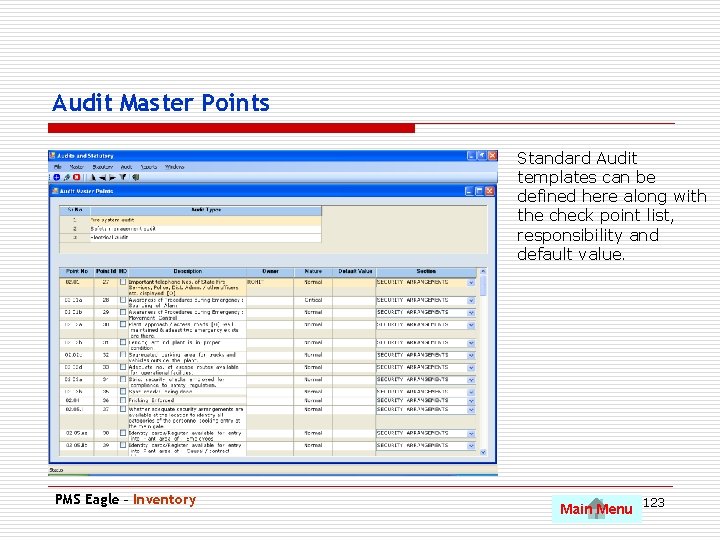
Audit Master Points Standard Audit templates can be defined here along with the check point list, responsibility and default value. PMS Eagle – Inventory Main Menu 123
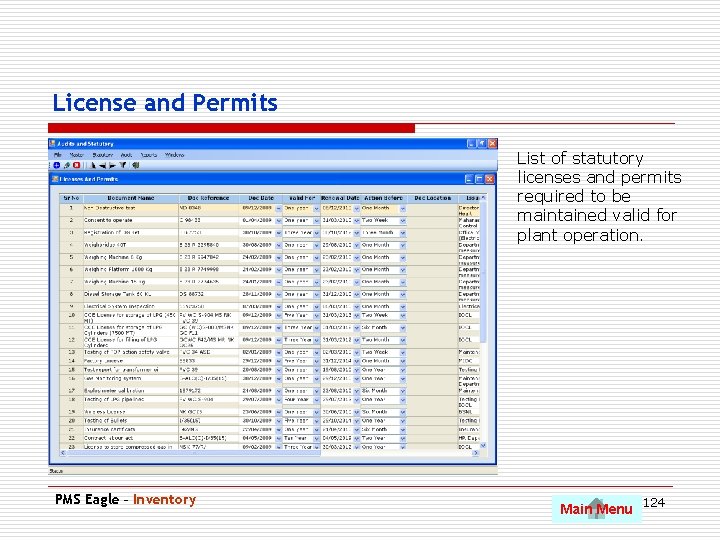
License and Permits List of statutory licenses and permits required to be maintained valid for plant operation. PMS Eagle – Inventory Main Menu 124
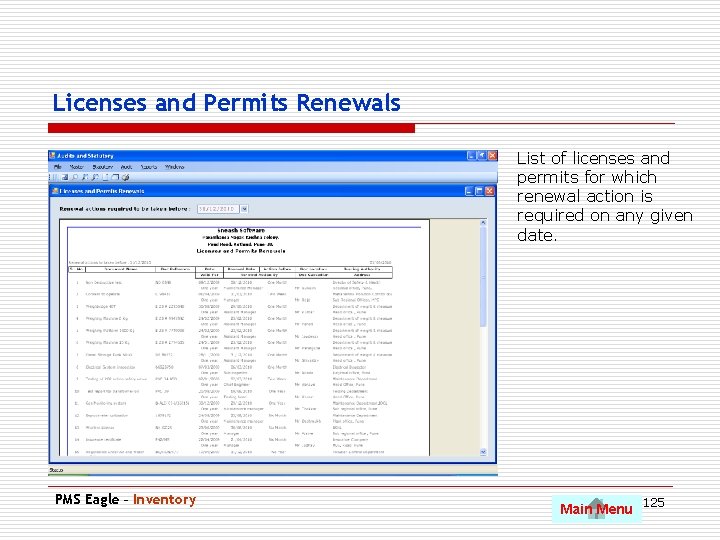
Licenses and Permits Renewals List of licenses and permits for which renewal action is required on any given date. PMS Eagle – Inventory Main Menu 125
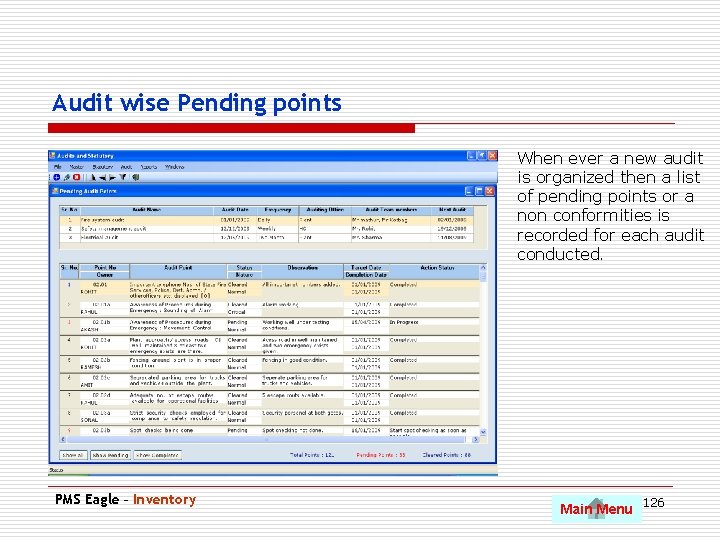
Audit wise Pending points When ever a new audit is organized then a list of pending points or a non conformities is recorded for each audit conducted. PMS Eagle – Inventory Main Menu 126
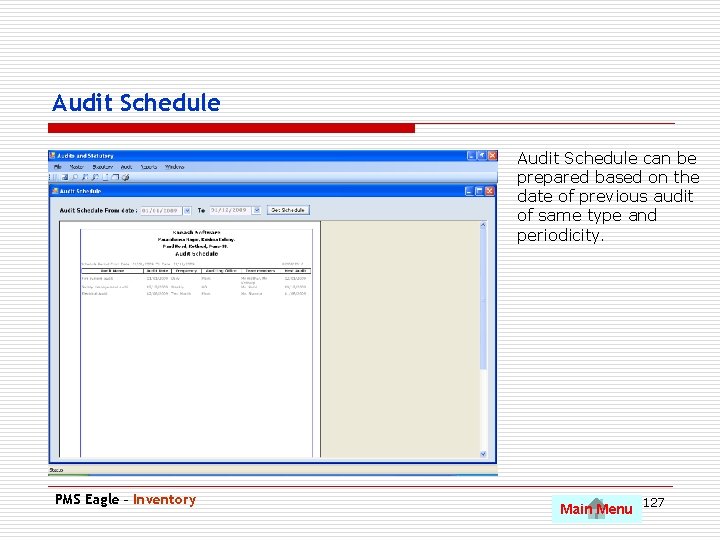
Audit Schedule can be prepared based on the date of previous audit of same type and periodicity. PMS Eagle – Inventory Main Menu 127
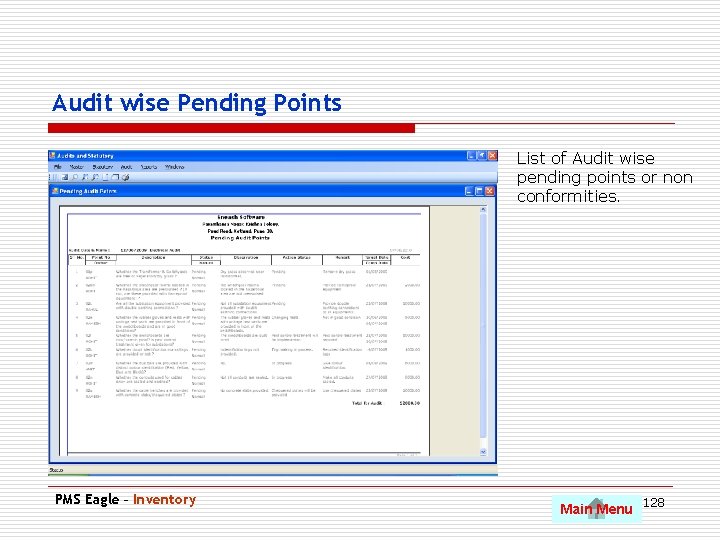
Audit wise Pending Points List of Audit wise pending points or non conformities. PMS Eagle – Inventory Main Menu 128
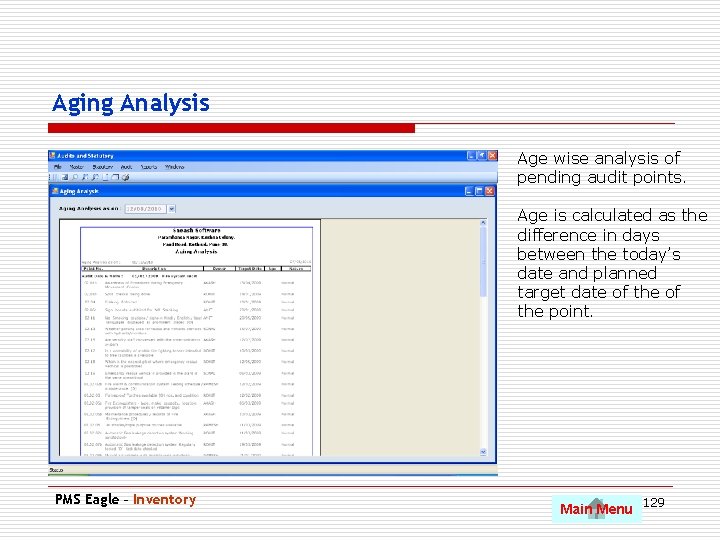
Aging Analysis Age wise analysis of pending audit points. Age is calculated as the difference in days between the today’s date and planned target date of the point. PMS Eagle – Inventory Main Menu 129
Contact Us Op. Ex. Works. Com Op. Ex. Works Solutions Pvt. Ltd. 107, Sai Sayaji Puja, Lane 10, Paramhansa Nagar, Krishna Colony, Paud Road, Pune -411 038. India. Web Email Phone : www. sneash. in : info@opexworks. com : +91 83800 69538 Sneash Software 130