
PLT Programming Language for Time Supervised by Professor
PL/T Programming Language for Time Supervised by Professor Alfred V. Aho Teaching Assistant: Mr. Yan Zou Laurent Charignon (lc 2817): Project Manager Sameer Choudhary (sc 3363): System Integrator Imré Frotier de la Messelière (imf 2108): Language Guru Tao Song (ts 2695): System Architect Abhijeet Tirthgirikar (apt 2120): Tester and Validator
Introduction to PL/T Example Scenario You want to make an alarm clock. Set it up to ring at 8: 00 pm today. You can input “y” to snooze it for another 10 mins. You have to terminate the program to stop the alarm otherwise it will keep on running for an hour. The alarm clock will ring for 1 s and wait for input to snooze for 1 s, and it will keep doing that for 1 hour.

Introduction to PL/T (Continued…) PL/T has following properties: • Simple and Easy to Learn • Powerful • Robust • Portable • Intuitive • Precise
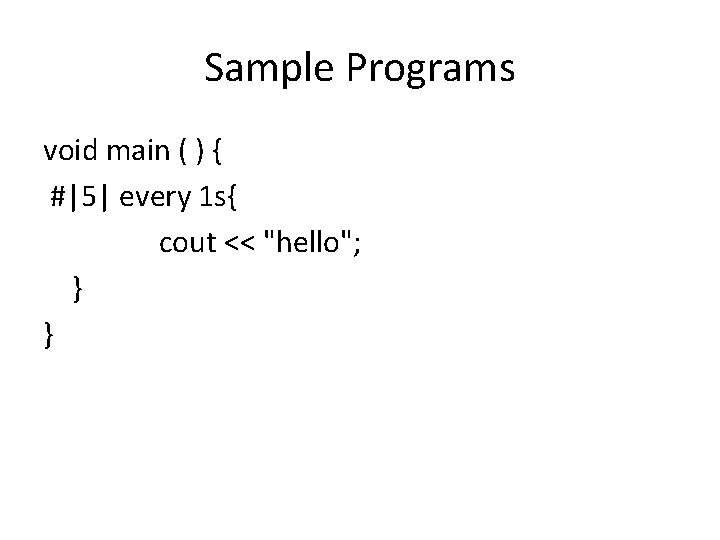
Sample Programs void main ( ) { #|5| every 1 s{ cout << "hello"; } }
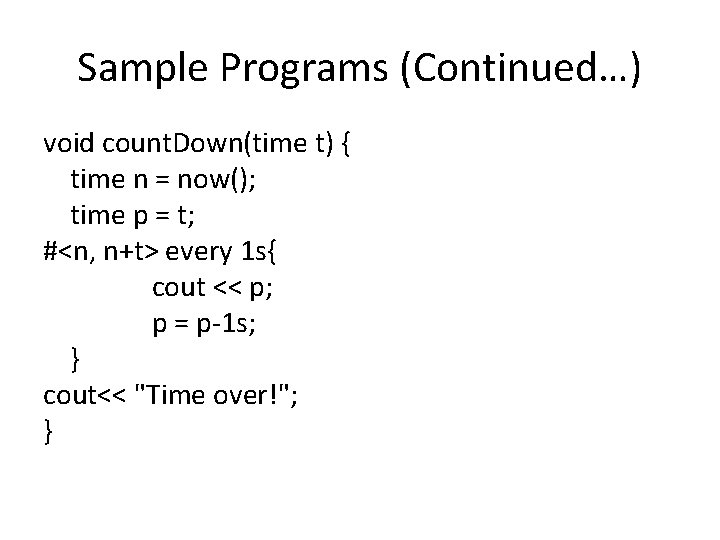
Sample Programs (Continued…) void count. Down(time t) { time n = now(); time p = t; #<n, n+t> every 1 s{ cout << p; p = p-1 s; } cout<< "Time over!"; }
Motivation • In general purpose programing languages it is difficult to write time based programs • Requires knowledge of threads • Idea of having time as a primitive data type • To make writing time based general purpose operations like looping etc. easy
Project Management What we wanted • Avoid stress by having something working quickly • Don't have to cross our fingers the last day • Learn new practices
Project Management (Continued…) What we have actually did • Made some compromises on the scope of the project when it was needed • Considered the individual comfort as a top priority • Tried several paths when we are blocked • Refactored a lot • Tested the most critical features to feel confident and avoid this
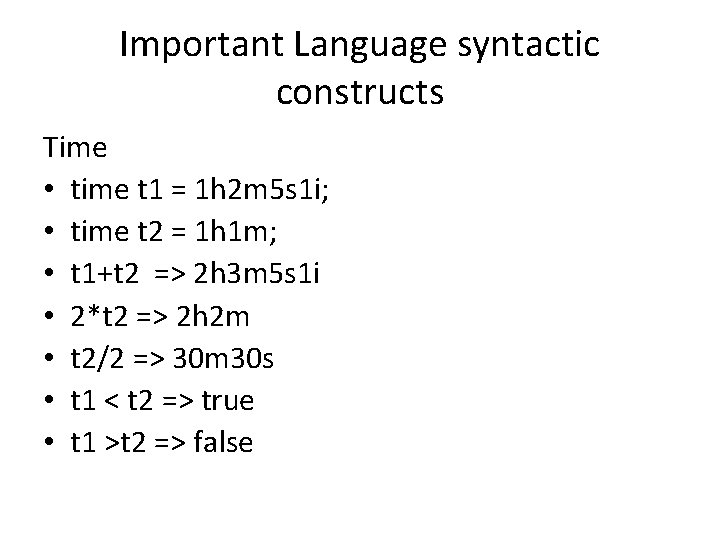
Important Language syntactic constructs Time • time t 1 = 1 h 2 m 5 s 1 i; • time t 2 = 1 h 1 m; • t 1+t 2 => 2 h 3 m 5 s 1 i • 2*t 2 => 2 h 2 m • t 2/2 => 30 m 30 s • t 1 < t 2 => true • t 1 >t 2 => false

Important Language syntactic constructs Time • time t = now(); cin >> t; cout << t; • number n = 5; t = Number. To. Time(n); n=Time. To. Number(t);
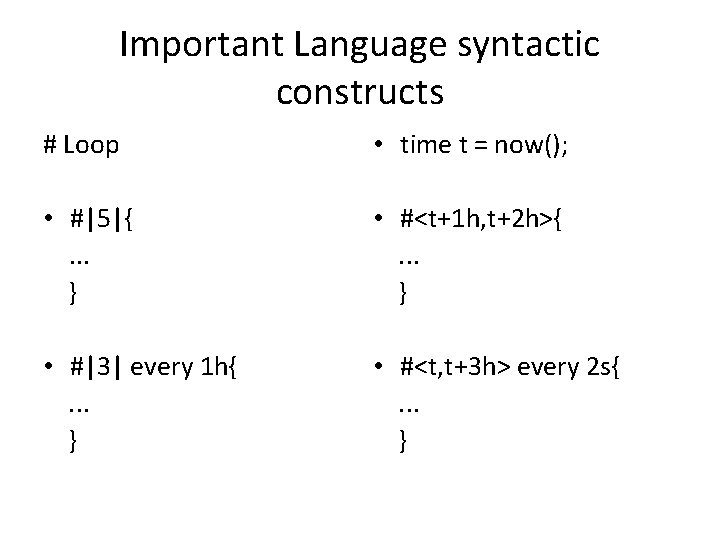
Important Language syntactic constructs # Loop • time t = now(); • #|5|{. . . } • #<t+1 h, t+2 h>{. . . } • #|3| every 1 h{. . . } • #<t, t+3 h> every 2 s{. . . }
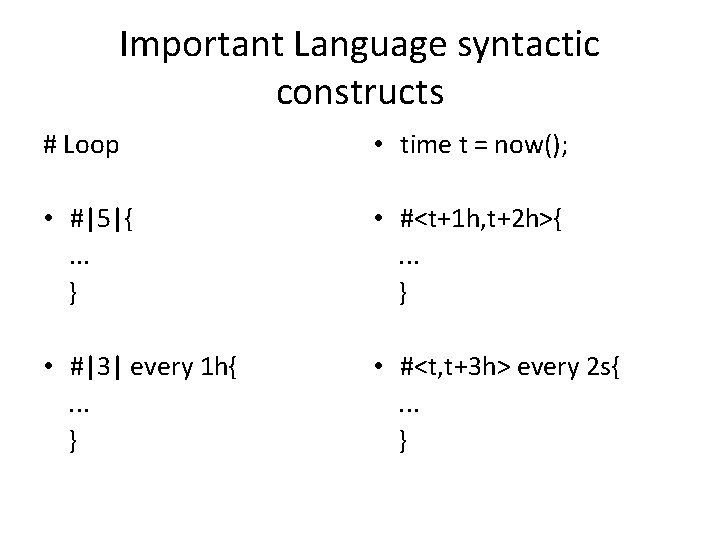
Important Language syntactic constructs # Loop • time t = now(); • #|5|{. . . } • #<t+1 h, t+2 h>{. . . } • #|3| every 1 h{. . . } • #<t, t+3 h> every 2 s{. . . }
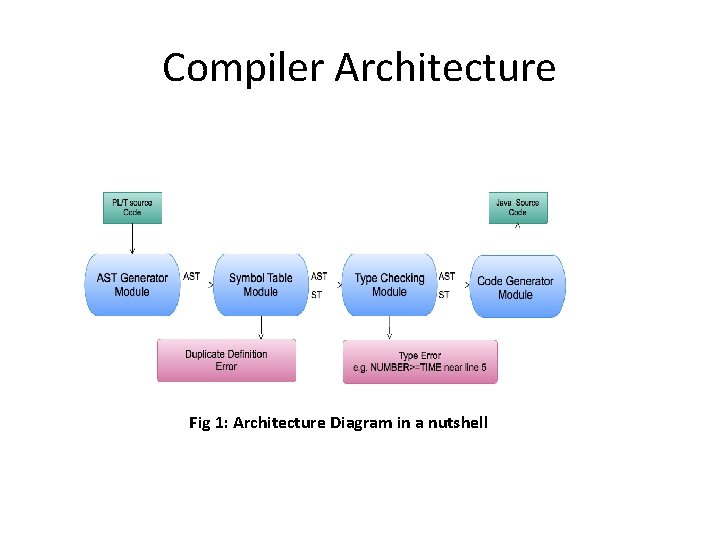
Compiler Architecture Fig 1: Architecture Diagram in a nutshell
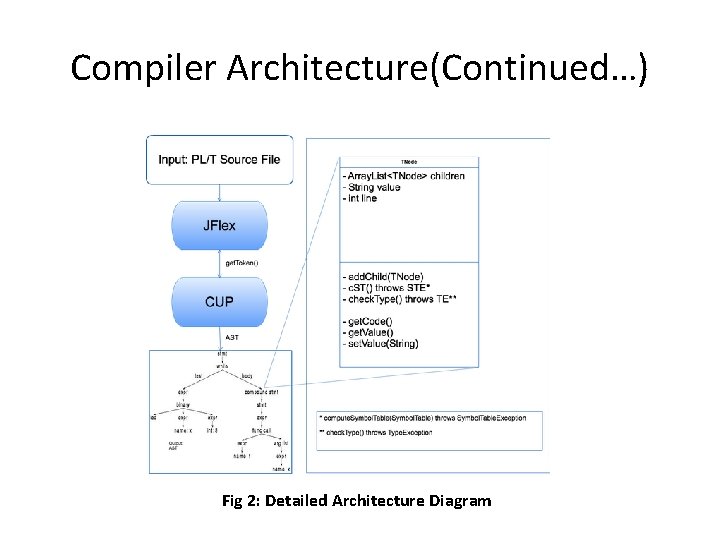
Compiler Architecture(Continued…) Fig 2: Detailed Architecture Diagram
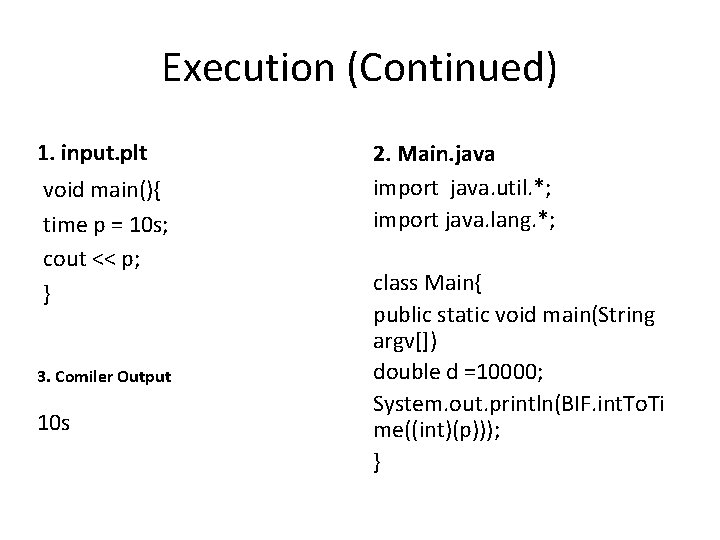
Execution (Continued) 1. input. plt void main(){ time p = 10 s; cout << p; } 3. Comiler Output 10 s 2. Main. java import java. util. *; import java. lang. *; class Main{ public static void main(String argv[]) double d =10000; System. out. println(BIF. int. To. Ti me((int)(p))); }
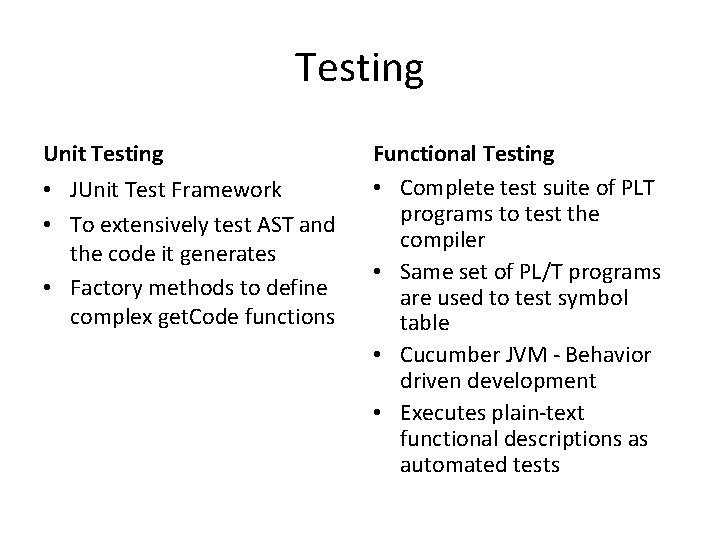
Testing Unit Testing • JUnit Test Framework • To extensively test AST and the code it generates • Factory methods to define complex get. Code functions Functional Testing • Complete test suite of PLT programs to test the compiler • Same set of PL/T programs are used to test symbol table • Cucumber JVM - Behavior driven development • Executes plain-text functional descriptions as automated tests
Tools Used • • • JFlex CUP Eclipse Egit Cucumber • • • http: //git-scm. com/ http: //docs. oracle. com/javase/tutori al/ http: //en. wikipedia. org/wiki/La. Te. X http: //www. python. org/ http: //cukes. info/images/cuke_logo. png http: //junit. sourceforge. net/ A voir sur cette page pour reproduir ele logo en texte http: //www. eclipse. org/egit/ a decouper http: //www. eclipse. org/mylyn/ http: //jflex. de/ http: //www. cs. princeton. edu/~appel /modern/java/CUP/
Conclusions • Communication! The minutes and the meetings matter more than the code, be sure that everybody knows the status of the project • Have a good morale condition: no rush and focus on building a prototype early • Keep the iteration shorts and switch roles to maintain a good morale condition. • Welcome ideas from everyone and discuss it altogether • DVCS is a very important tool, it saves you a great amount of time • Use a set of tools you are confident with, it will matter a lot • Team building matters • Don't hesitate to change your idea • Trust your tests to refactor often and have a maintainable code
- Slides: 18