
PLSQL CURSORS 4 1 Copyright 2006 Oracle All
![IF Statements Syntax: IF condition THEN statements; [ELSIF condition THEN statements; ] [ELSE statements;](https://slidetodoc.com/presentation_image_h/a96a05efd678556f89ce7f976bf3f38a/image-17.jpg "IF Statements Syntax: IF condition THEN statements; [ELSIF condition THEN statements; ] [ELSE statements;")
![Basic Loops Syntax: LOOP statement 1; . . . EXIT [WHEN condition]; END LOOP;](https://slidetodoc.com/presentation_image_h/a96a05efd678556f89ce7f976bf3f38a/image-22.jpg "Basic Loops Syntax: LOOP statement 1; . . . EXIT [WHEN condition]; END LOOP;")
![Cursors with Parameters Syntax: CURSOR cursor_name [(parameter_name datatype, . . . )] IS select_statement;](https://slidetodoc.com/presentation_image_h/a96a05efd678556f89ce7f976bf3f38a/image-46.jpg "Cursors with Parameters Syntax: CURSOR cursor_name [(parameter_name datatype, . . . )] IS select_statement;")

- Slides: 48
PL/SQL CURSORS 4 -1 Copyright © 2006, Oracle. All rights reserved.
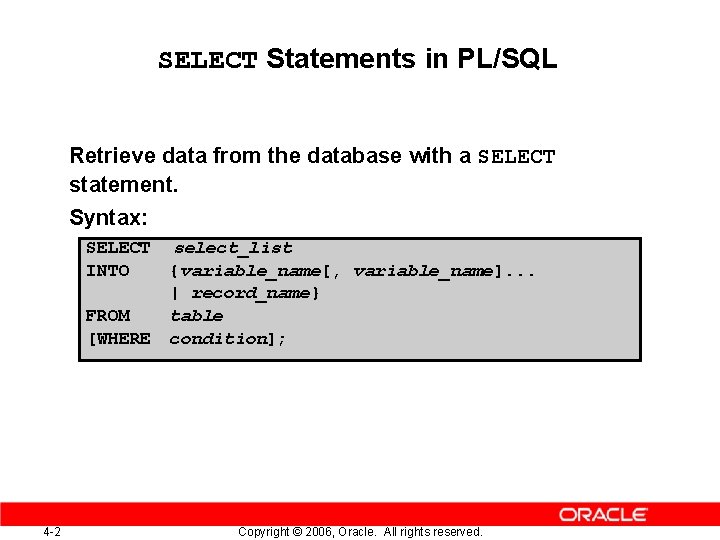
SELECT Statements in PL/SQL Retrieve data from the database with a SELECT statement. Syntax: SELECT INTO FROM [WHERE 4 -2 select_list {variable_name[, variable_name]. . . | record_name} table condition]; Copyright © 2006, Oracle. All rights reserved.
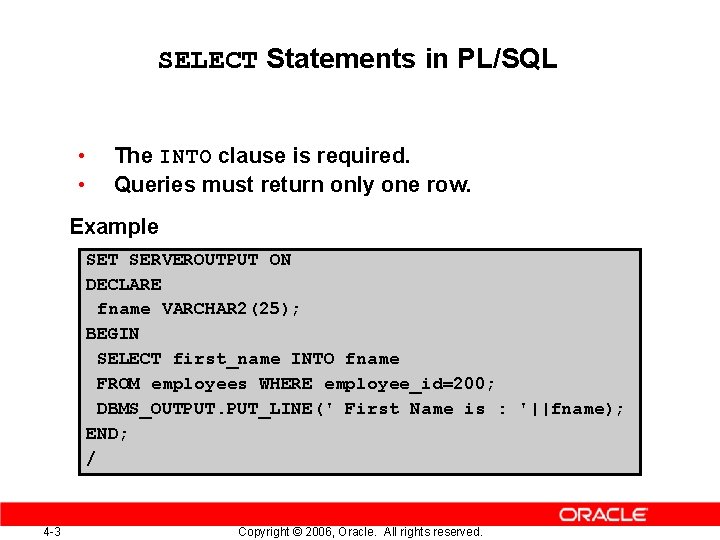
SELECT Statements in PL/SQL • • The INTO clause is required. Queries must return only one row. Example SET SERVEROUTPUT ON DECLARE fname VARCHAR 2(25); BEGIN SELECT first_name INTO fname FROM employees WHERE employee_id=200; DBMS_OUTPUT. PUT_LINE(' First Name is : '||fname); END; / 4 -3 Copyright © 2006, Oracle. All rights reserved.
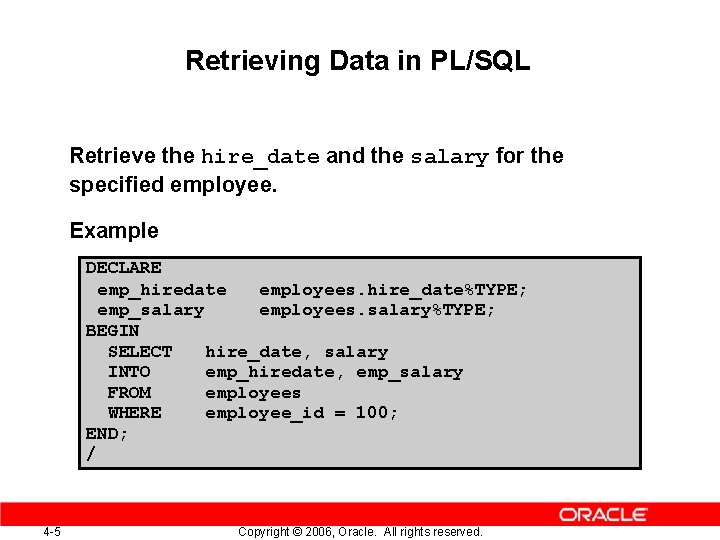
Retrieve the hire_date and the salary for the specified employee. 4 -4 Copyright © 2006, Oracle. All rights reserved.
Retrieving Data in PL/SQL Retrieve the hire_date and the salary for the specified employee. Example DECLARE emp_hiredate employees. hire_date%TYPE; emp_salary employees. salary%TYPE; BEGIN SELECT hire_date, salary INTO emp_hiredate, emp_salary FROM employees WHERE employee_id = 100; END; / 4 -5 Copyright © 2006, Oracle. All rights reserved.
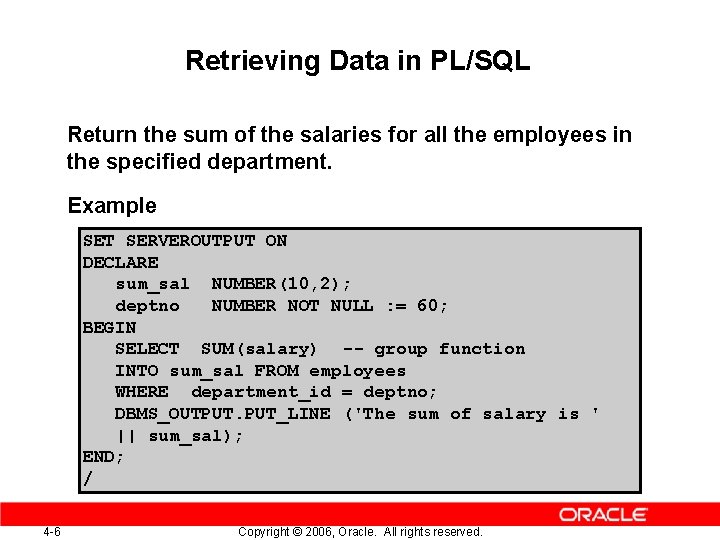
Retrieving Data in PL/SQL Return the sum of the salaries for all the employees in the specified department. Example SET SERVEROUTPUT ON DECLARE sum_sal NUMBER(10, 2); deptno NUMBER NOT NULL : = 60; BEGIN SELECT SUM(salary) -- group function INTO sum_sal FROM employees WHERE department_id = deptno; DBMS_OUTPUT. PUT_LINE ('The sum of salary is ' || sum_sal); END; / 4 -6 Copyright © 2006, Oracle. All rights reserved.
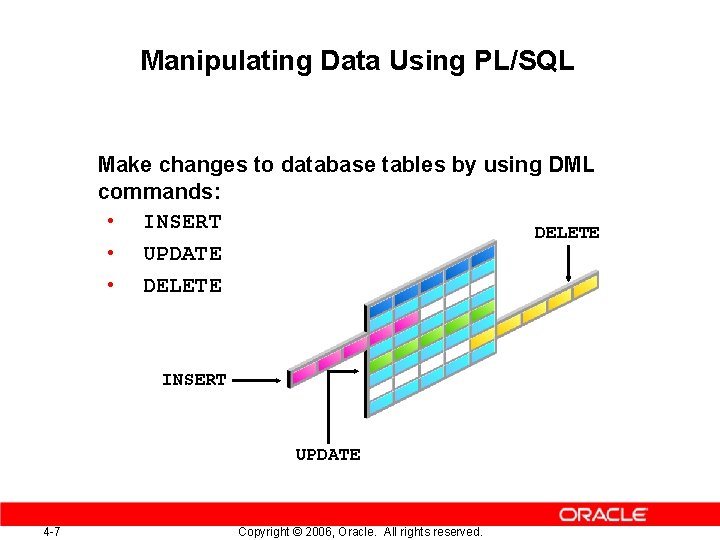
Manipulating Data Using PL/SQL Make changes to database tables by using DML commands: • INSERT DELETE • UPDATE • DELETE INSERT UPDATE 4 -7 Copyright © 2006, Oracle. All rights reserved.
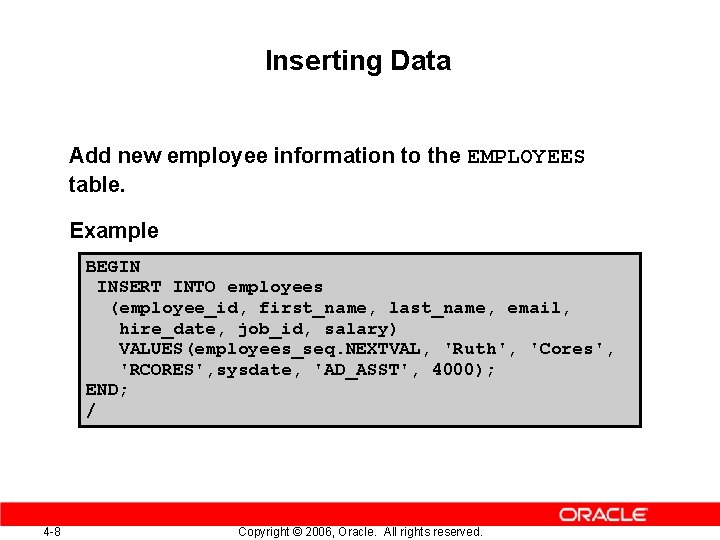
Inserting Data Add new employee information to the EMPLOYEES table. Example BEGIN INSERT INTO employees (employee_id, first_name, last_name, email, hire_date, job_id, salary) VALUES(employees_seq. NEXTVAL, 'Ruth', 'Cores', 'RCORES', sysdate, 'AD_ASST', 4000); END; / 4 -8 Copyright © 2006, Oracle. All rights reserved.
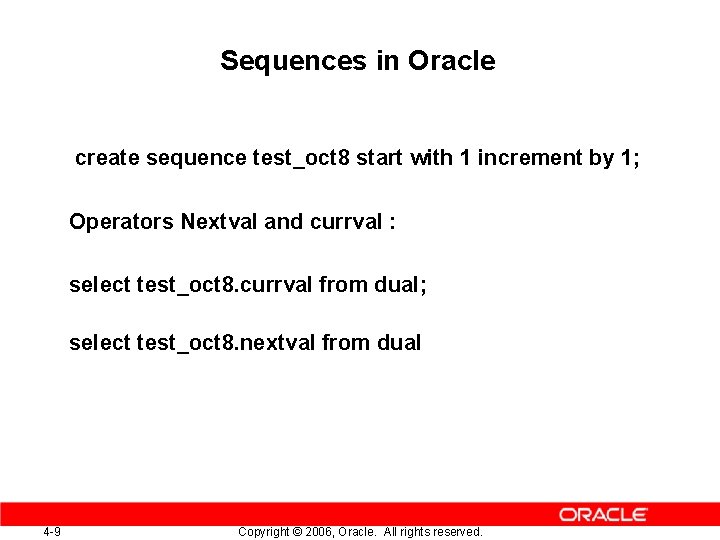
Sequences in Oracle create sequence test_oct 8 start with 1 increment by 1; Operators Nextval and currval : select test_oct 8. currval from dual; select test_oct 8. nextval from dual 4 -9 Copyright © 2006, Oracle. All rights reserved.
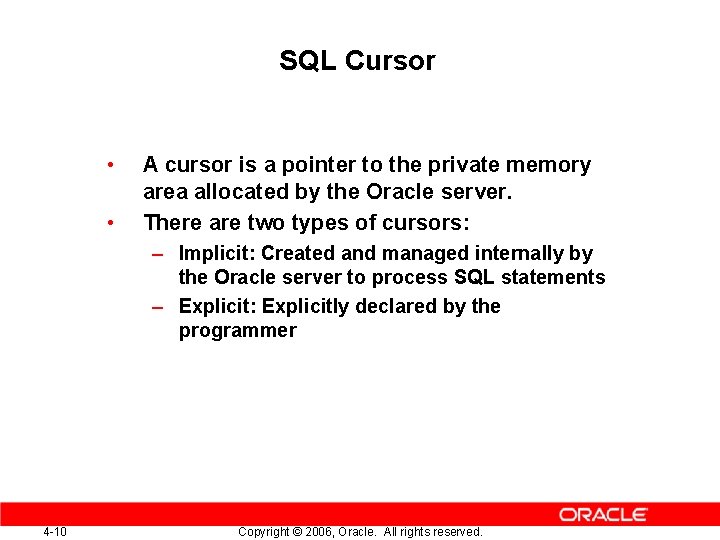
SQL Cursor • • A cursor is a pointer to the private memory area allocated by the Oracle server. There are two types of cursors: – Implicit: Created and managed internally by the Oracle server to process SQL statements – Explicit: Explicitly declared by the programmer 4 -10 Copyright © 2006, Oracle. All rights reserved.
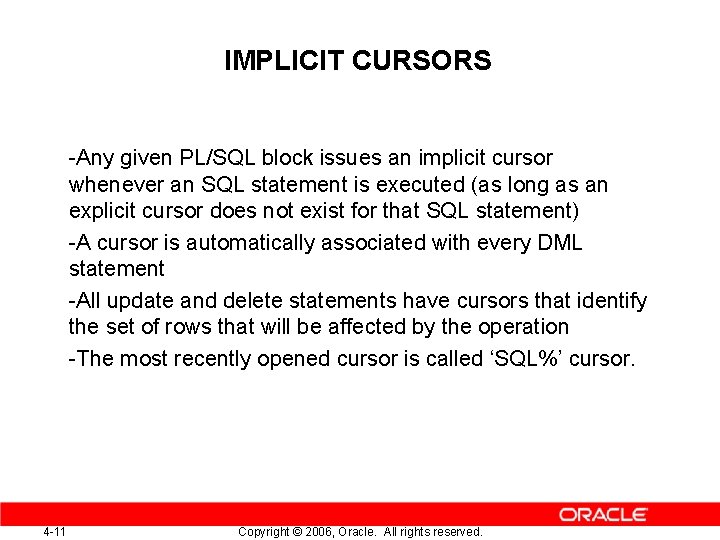
IMPLICIT CURSORS -Any given PL/SQL block issues an implicit cursor whenever an SQL statement is executed (as long as an explicit cursor does not exist for that SQL statement) -A cursor is automatically associated with every DML statement -All update and delete statements have cursors that identify the set of rows that will be affected by the operation -The most recently opened cursor is called ‘SQL%’ cursor. 4 -11 Copyright © 2006, Oracle. All rights reserved.
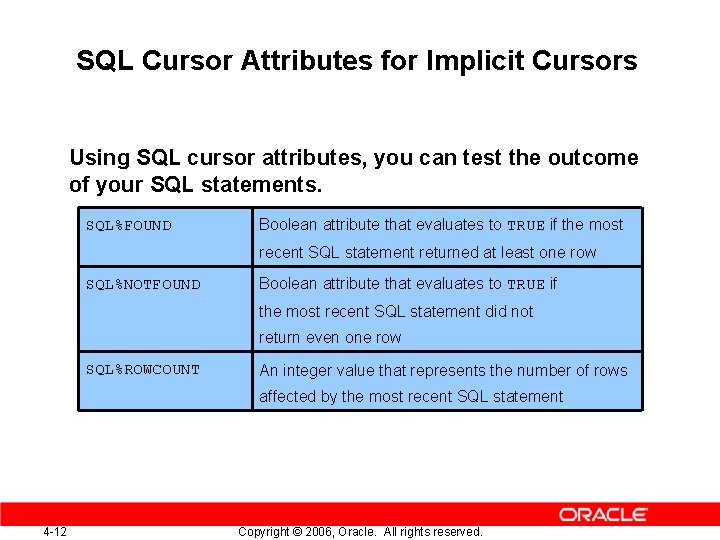
SQL Cursor Attributes for Implicit Cursors Using SQL cursor attributes, you can test the outcome of your SQL statements. SQL%FOUND Boolean attribute that evaluates to TRUE if the most recent SQL statement returned at least one row SQL%NOTFOUND Boolean attribute that evaluates to TRUE if the most recent SQL statement did not return even one row SQL%ROWCOUNT An integer value that represents the number of rows affected by the most recent SQL statement 4 -12 Copyright © 2006, Oracle. All rights reserved.
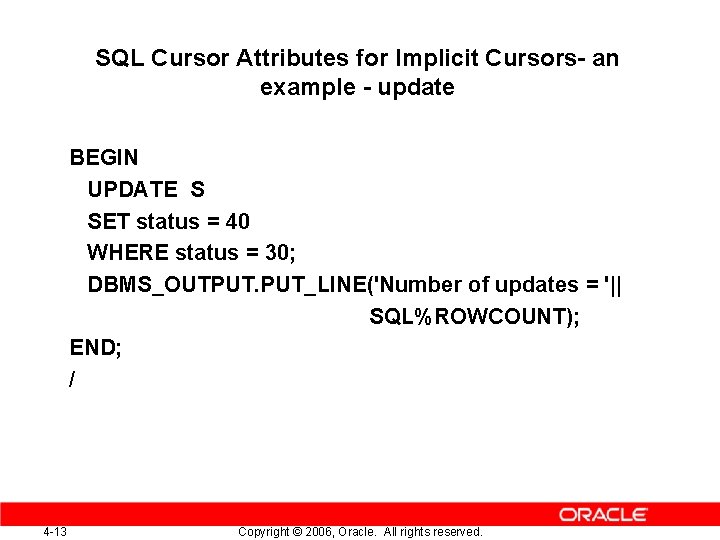
SQL Cursor Attributes for Implicit Cursors- an example - update BEGIN UPDATE S SET status = 40 WHERE status = 30; DBMS_OUTPUT. PUT_LINE('Number of updates = '|| SQL%ROWCOUNT); END; / 4 -13 Copyright © 2006, Oracle. All rights reserved.
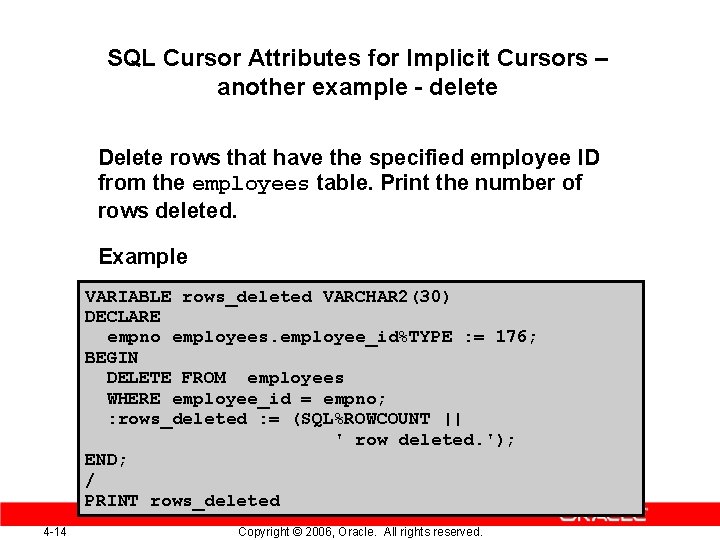
SQL Cursor Attributes for Implicit Cursors – another example - delete Delete rows that have the specified employee ID from the employees table. Print the number of rows deleted. Example VARIABLE rows_deleted VARCHAR 2(30) DECLARE empno employees. employee_id%TYPE : = 176; BEGIN DELETE FROM employees WHERE employee_id = empno; : rows_deleted : = (SQL%ROWCOUNT || ' row deleted. '); END; / PRINT rows_deleted 4 -14 Copyright © 2006, Oracle. All rights reserved.
COMMIT, ROLLBACK, SAVEPOINT Self – read ! 4 -15 Copyright © 2006, Oracle. All rights reserved.
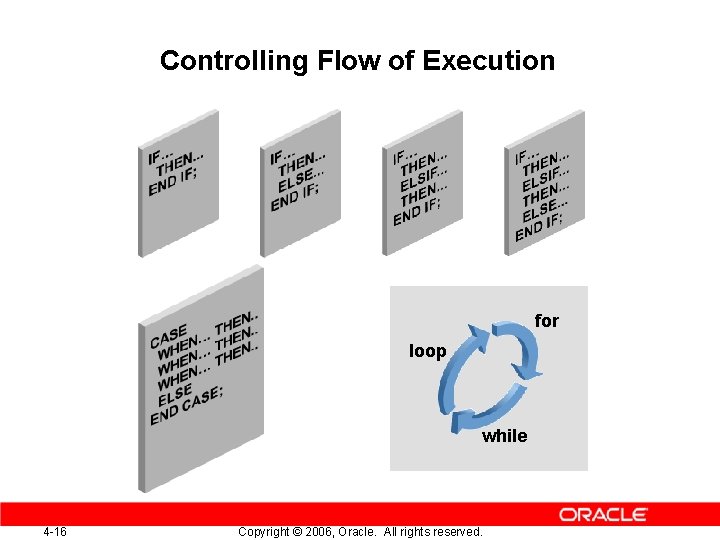
Controlling Flow of Execution for loop while 4 -16 Copyright © 2006, Oracle. All rights reserved.
IF Statements Syntax: IF condition THEN statements; [ELSIF condition THEN statements; ] [ELSE statements; ] END IF; 4 -17 Copyright © 2006, Oracle. All rights reserved.
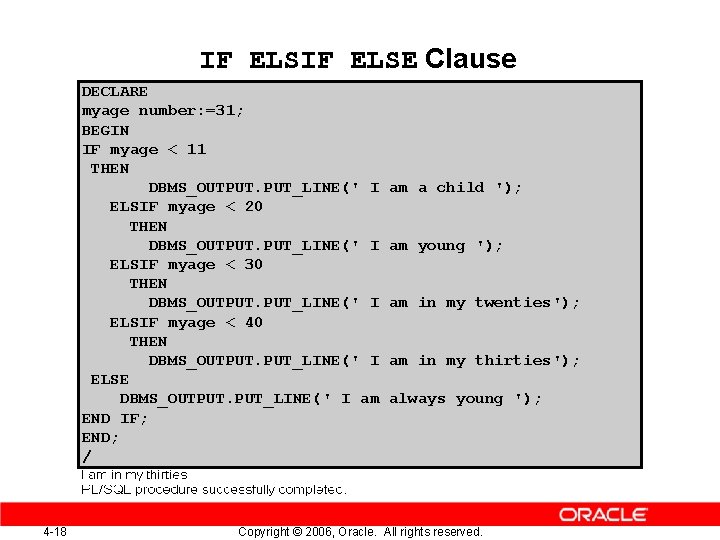
IF ELSE Clause DECLARE myage number: =31; BEGIN IF myage < 11 THEN DBMS_OUTPUT. PUT_LINE(' I ELSIF myage < 20 THEN DBMS_OUTPUT. PUT_LINE(' I ELSIF myage < 30 THEN DBMS_OUTPUT. PUT_LINE(' I ELSIF myage < 40 THEN DBMS_OUTPUT. PUT_LINE(' I ELSE DBMS_OUTPUT. PUT_LINE(' I am END IF; END; / 4 -18 am a child '); am young '); am in my twenties'); am in my thirties'); always young '); Copyright © 2006, Oracle. All rights reserved.
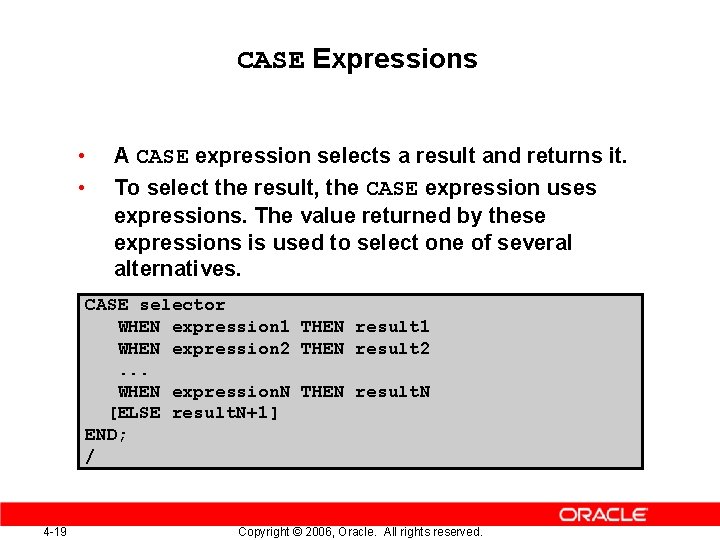
CASE Expressions • • A CASE expression selects a result and returns it. To select the result, the CASE expression uses expressions. The value returned by these expressions is used to select one of several alternatives. CASE selector WHEN expression 1 THEN result 1 WHEN expression 2 THEN result 2. . . WHEN expression. N THEN result. N [ELSE result. N+1] END; / 4 -19 Copyright © 2006, Oracle. All rights reserved.
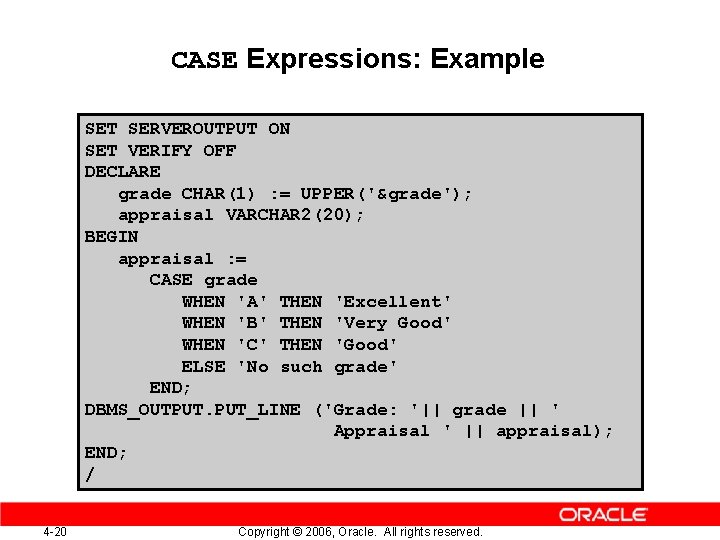
CASE Expressions: Example SET SERVEROUTPUT ON SET VERIFY OFF DECLARE grade CHAR(1) : = UPPER('&grade'); appraisal VARCHAR 2(20); BEGIN appraisal : = CASE grade WHEN 'A' THEN 'Excellent' WHEN 'B' THEN 'Very Good' WHEN 'C' THEN 'Good' ELSE 'No such grade' END; DBMS_OUTPUT. PUT_LINE ('Grade: '|| grade || ' Appraisal ' || appraisal); END; / 4 -20 Copyright © 2006, Oracle. All rights reserved.
Iterative Control: LOOP Statements • • Loops repeat a statement or sequence of statements multiple times. There are three loop types: – Basic loop – FOR loop – WHILE loop 4 -21 Copyright © 2006, Oracle. All rights reserved.
Basic Loops Syntax: LOOP statement 1; . . . EXIT [WHEN condition]; END LOOP; 4 -22 Copyright © 2006, Oracle. All rights reserved.
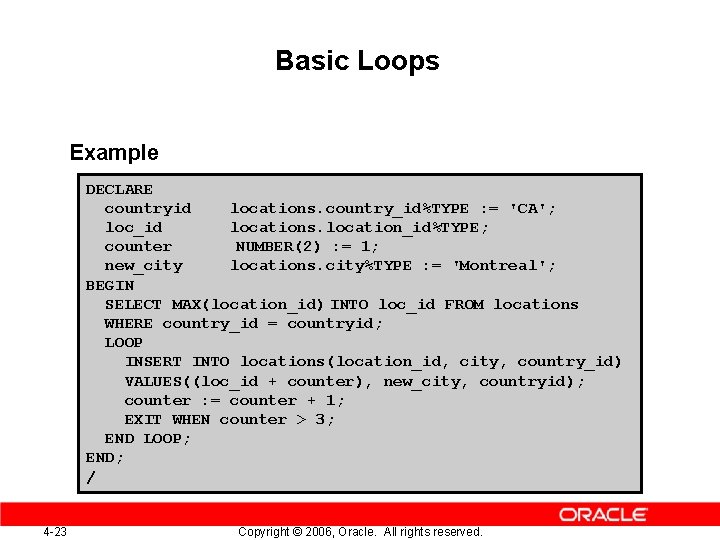
Basic Loops Example DECLARE countryid locations. country_id%TYPE : = 'CA'; loc_id locations. location_id%TYPE; counter NUMBER(2) : = 1; new_city locations. city%TYPE : = 'Montreal'; BEGIN SELECT MAX(location_id) INTO loc_id FROM locations WHERE country_id = countryid; LOOP INSERT INTO locations(location_id, city, country_id) VALUES((loc_id + counter), new_city, countryid); counter : = counter + 1; EXIT WHEN counter > 3; END LOOP; END; / 4 -23 Copyright © 2006, Oracle. All rights reserved.
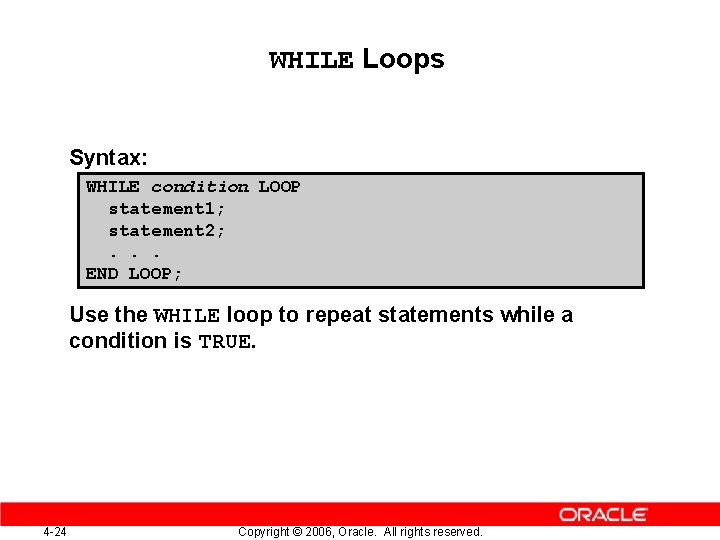
WHILE Loops Syntax: WHILE condition LOOP statement 1; statement 2; . . . END LOOP; Use the WHILE loop to repeat statements while a condition is TRUE. 4 -24 Copyright © 2006, Oracle. All rights reserved.
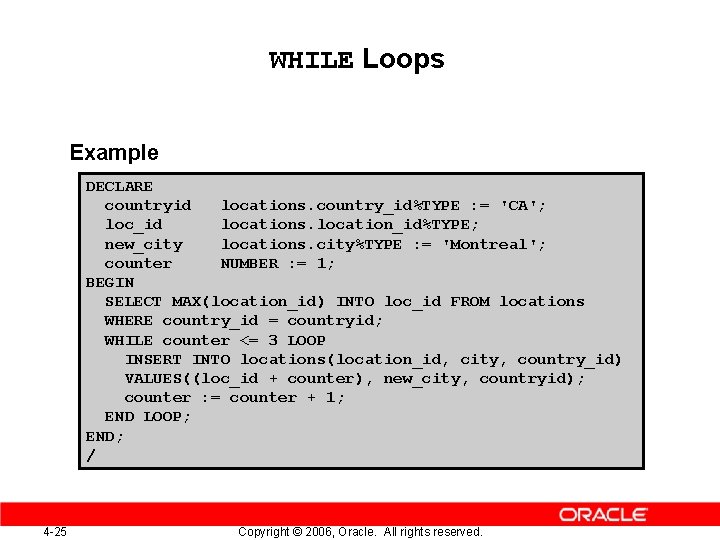
WHILE Loops Example DECLARE countryid locations. country_id%TYPE : = 'CA'; loc_id locations. location_id%TYPE; new_city locations. city%TYPE : = 'Montreal'; counter NUMBER : = 1; BEGIN SELECT MAX(location_id) INTO loc_id FROM locations WHERE country_id = countryid; WHILE counter <= 3 LOOP INSERT INTO locations(location_id, city, country_id) VALUES((loc_id + counter), new_city, countryid); counter : = counter + 1; END LOOP; END; / 4 -25 Copyright © 2006, Oracle. All rights reserved.
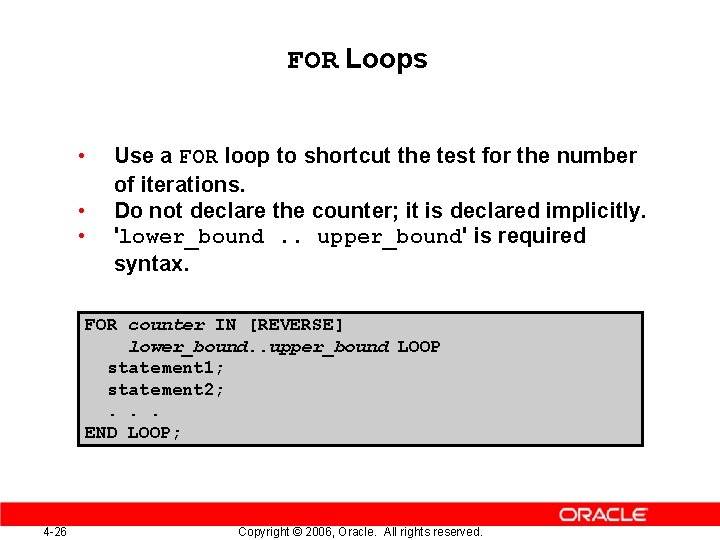
FOR Loops • • • Use a FOR loop to shortcut the test for the number of iterations. Do not declare the counter; it is declared implicitly. 'lower_bound. . upper_bound' is required syntax. FOR counter IN [REVERSE] lower_bound. . upper_bound LOOP statement 1; statement 2; . . . END LOOP; 4 -26 Copyright © 2006, Oracle. All rights reserved.
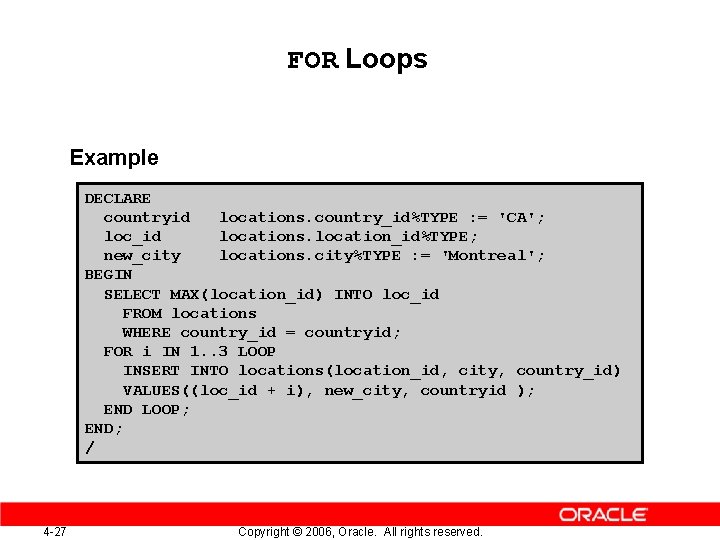
FOR Loops Example DECLARE countryid locations. country_id%TYPE : = 'CA'; loc_id locations. location_id%TYPE; new_city locations. city%TYPE : = 'Montreal'; BEGIN SELECT MAX(location_id) INTO loc_id FROM locations WHERE country_id = countryid; FOR i IN 1. . 3 LOOP INSERT INTO locations(location_id, city, country_id) VALUES((loc_id + i), new_city, countryid ); END LOOP; END; / 4 -27 Copyright © 2006, Oracle. All rights reserved.
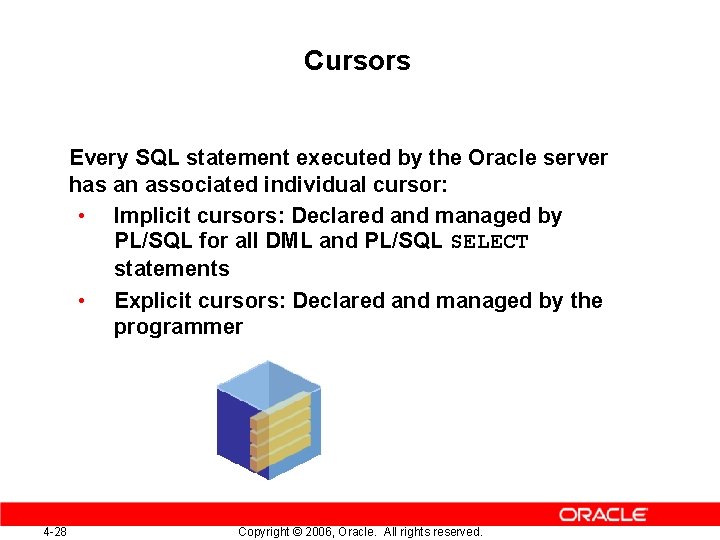
Cursors Every SQL statement executed by the Oracle server has an associated individual cursor: • Implicit cursors: Declared and managed by PL/SQL for all DML and PL/SQL SELECT statements • Explicit cursors: Declared and managed by the programmer 4 -28 Copyright © 2006, Oracle. All rights reserved.
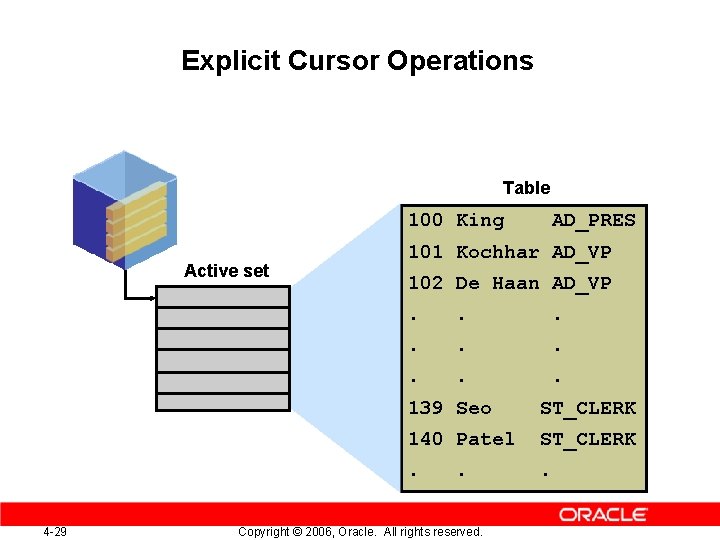
Explicit Cursor Operations Table 100 King Active set 4 -29 AD_PRES 101 Kochhar AD_VP 102 De Haan AD_VP. . 139 Seo ST_CLERK 140 Patel ST_CLERK . . . Copyright © 2006, Oracle. All rights reserved.
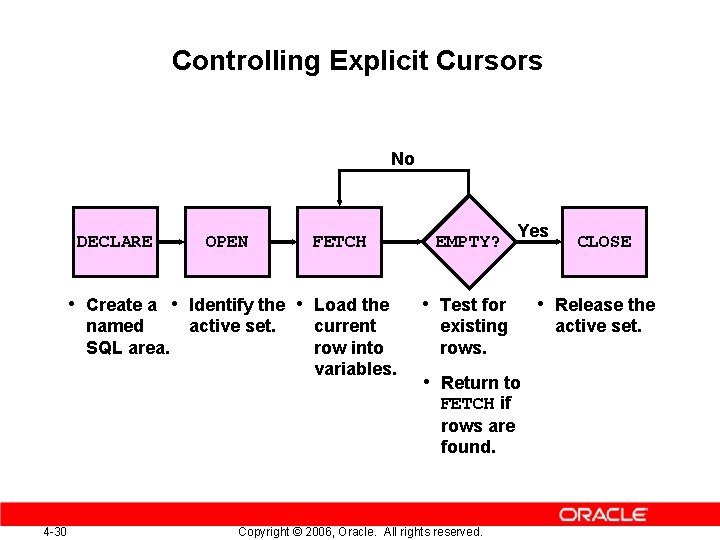
Controlling Explicit Cursors No DECLARE OPEN FETCH • Create a • Identify the • Load the named SQL area. active set. current row into variables. EMPTY? Yes • Test for existing rows. • Return to FETCH if rows are found. 4 -30 Copyright © 2006, Oracle. All rights reserved. CLOSE • Release the active set.
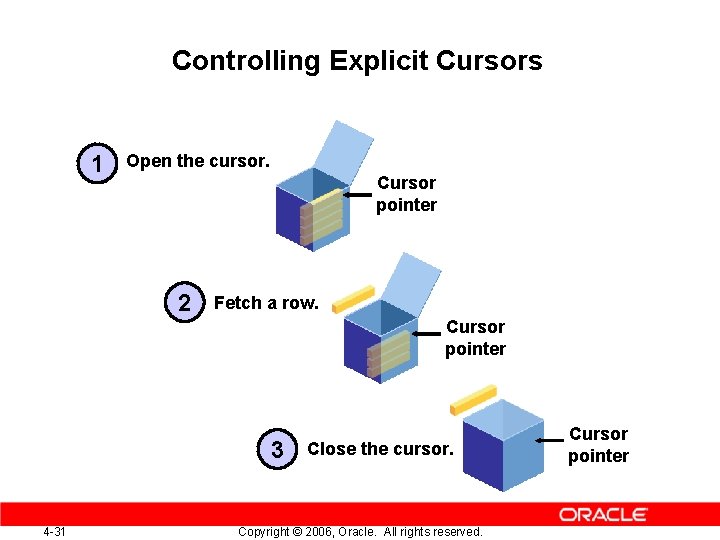
Controlling Explicit Cursors 1 Open the cursor. Cursor pointer 2 Fetch a row. Cursor pointer 3 4 -31 Close the cursor. Copyright © 2006, Oracle. All rights reserved. Cursor pointer
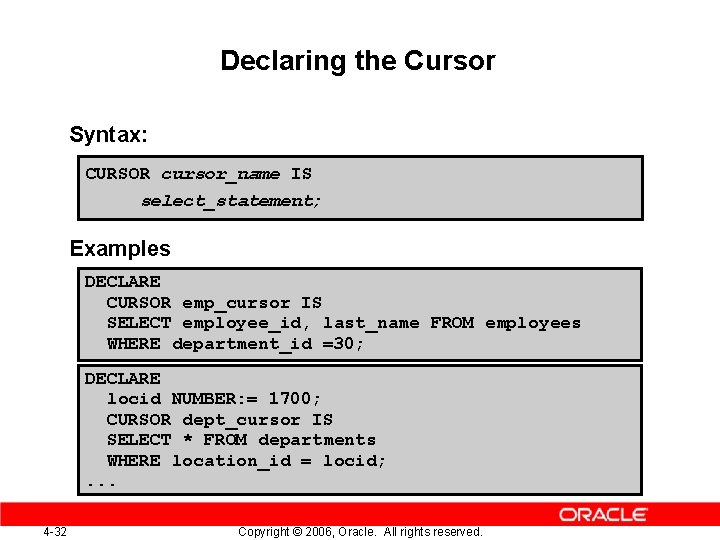
Declaring the Cursor Syntax: CURSOR cursor_name IS select_statement; Examples DECLARE CURSOR emp_cursor IS SELECT employee_id, last_name FROM employees WHERE department_id =30; DECLARE locid NUMBER: = 1700; CURSOR dept_cursor IS SELECT * FROM departments WHERE location_id = locid; . . . 4 -32 Copyright © 2006, Oracle. All rights reserved.
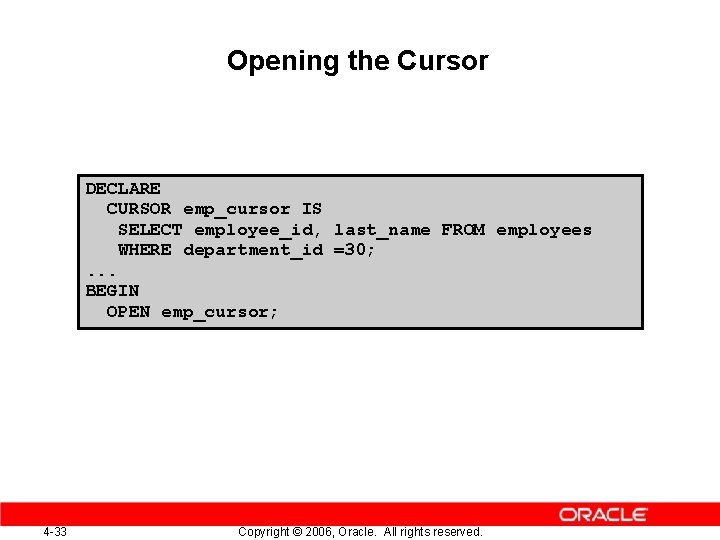
Opening the Cursor DECLARE CURSOR emp_cursor IS SELECT employee_id, last_name FROM employees WHERE department_id =30; . . . BEGIN OPEN emp_cursor; 4 -33 Copyright © 2006, Oracle. All rights reserved.
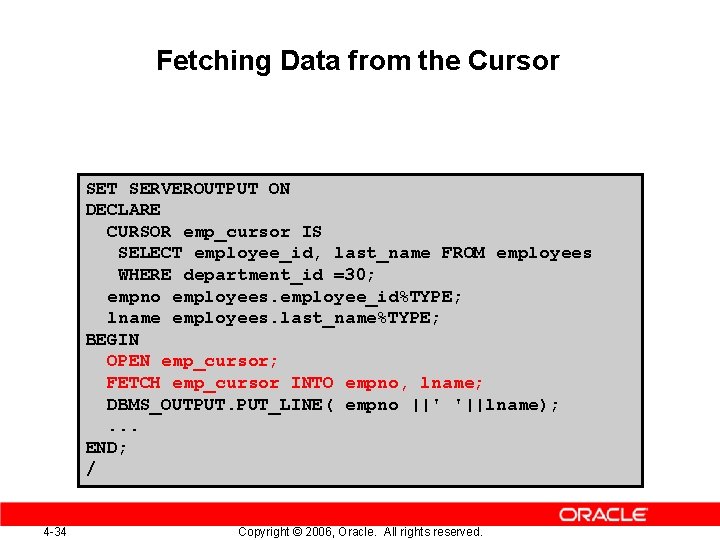
Fetching Data from the Cursor SET SERVEROUTPUT ON DECLARE CURSOR emp_cursor IS SELECT employee_id, last_name FROM employees WHERE department_id =30; empno employees. employee_id%TYPE; lname employees. last_name%TYPE; BEGIN OPEN emp_cursor; FETCH emp_cursor INTO empno, lname; DBMS_OUTPUT. PUT_LINE( empno ||' '||lname); . . . END; / 4 -34 Copyright © 2006, Oracle. All rights reserved.
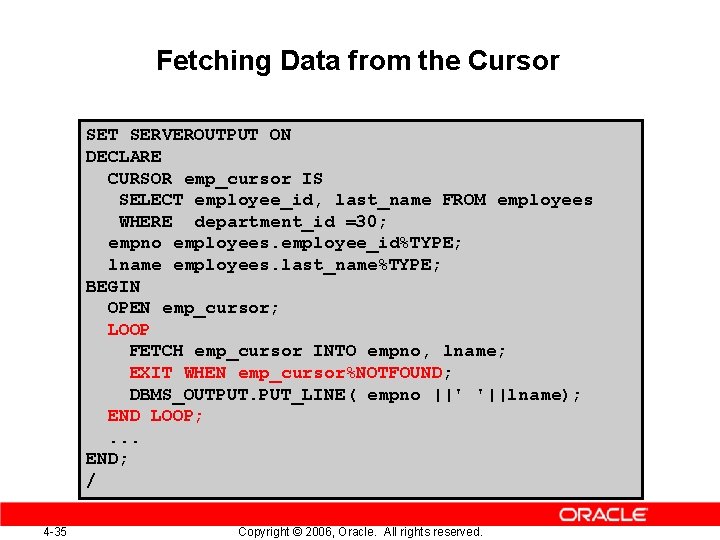
Fetching Data from the Cursor SET SERVEROUTPUT ON DECLARE CURSOR emp_cursor IS SELECT employee_id, last_name FROM employees WHERE department_id =30; empno employees. employee_id%TYPE; lname employees. last_name%TYPE; BEGIN OPEN emp_cursor; LOOP FETCH emp_cursor INTO empno, lname; EXIT WHEN emp_cursor%NOTFOUND; DBMS_OUTPUT. PUT_LINE( empno ||' '||lname); END LOOP; . . . END; / 4 -35 Copyright © 2006, Oracle. All rights reserved.
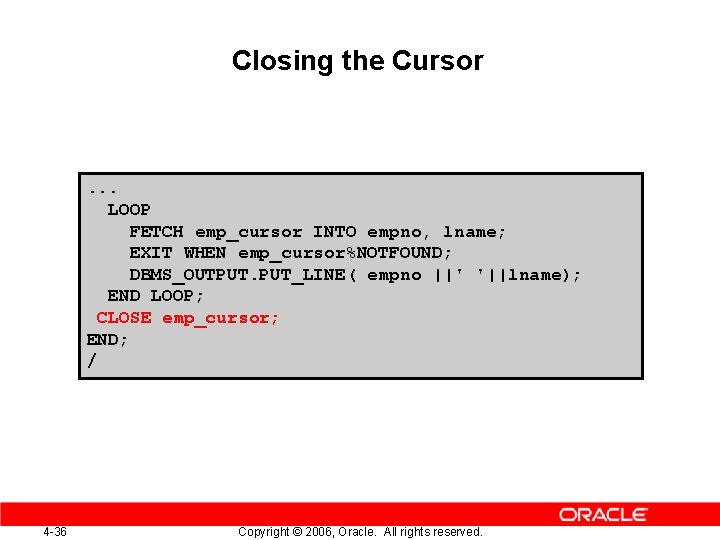
Closing the Cursor . . . LOOP FETCH emp_cursor INTO empno, lname; EXIT WHEN emp_cursor%NOTFOUND; DBMS_OUTPUT. PUT_LINE( empno ||' '||lname); END LOOP; CLOSE emp_cursor; END; / 4 -36 Copyright © 2006, Oracle. All rights reserved.
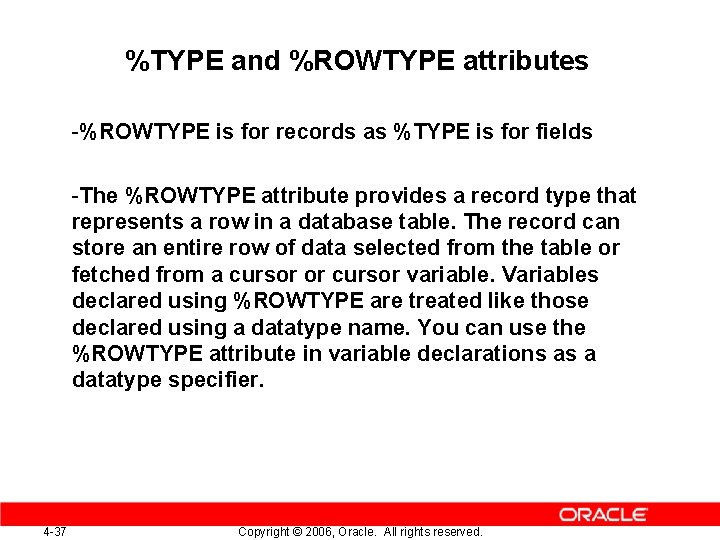
%TYPE and %ROWTYPE attributes -%ROWTYPE is for records as %TYPE is for fields -The %ROWTYPE attribute provides a record type that represents a row in a database table. The record can store an entire row of data selected from the table or fetched from a cursor or cursor variable. Variables declared using %ROWTYPE are treated like those declared using a datatype name. You can use the %ROWTYPE attribute in variable declarations as a datatype specifier. 4 -37 Copyright © 2006, Oracle. All rights reserved.
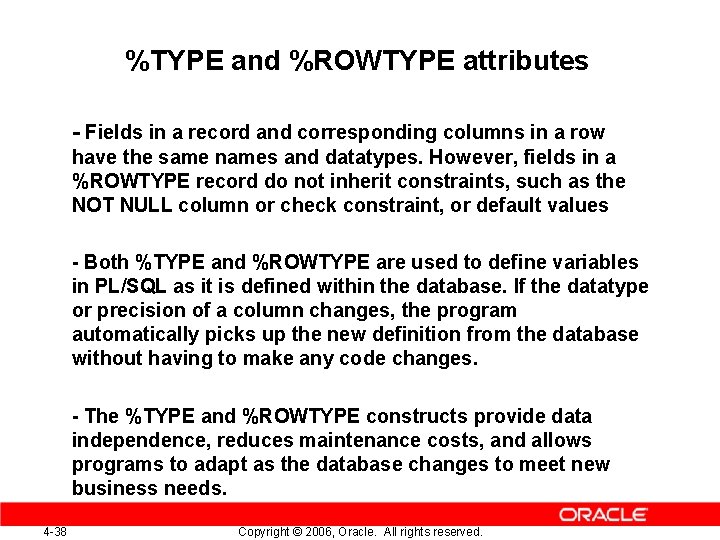
%TYPE and %ROWTYPE attributes - Fields in a record and corresponding columns in a row have the same names and datatypes. However, fields in a %ROWTYPE record do not inherit constraints, such as the NOT NULL column or check constraint, or default values - Both %TYPE and %ROWTYPE are used to define variables in PL/SQL as it is defined within the database. If the datatype or precision of a column changes, the program automatically picks up the new definition from the database without having to make any code changes. - The %TYPE and %ROWTYPE constructs provide data independence, reduces maintenance costs, and allows programs to adapt as the database changes to meet new business needs. 4 -38 Copyright © 2006, Oracle. All rights reserved.
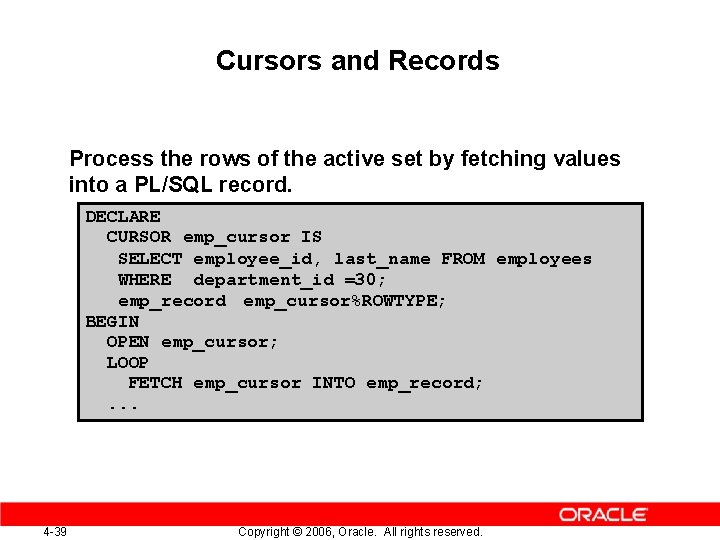
Cursors and Records Process the rows of the active set by fetching values into a PL/SQL record. DECLARE CURSOR emp_cursor IS SELECT employee_id, last_name FROM employees WHERE department_id =30; emp_record emp_cursor%ROWTYPE; BEGIN OPEN emp_cursor; LOOP FETCH emp_cursor INTO emp_record; . . . 4 -39 Copyright © 2006, Oracle. All rights reserved.
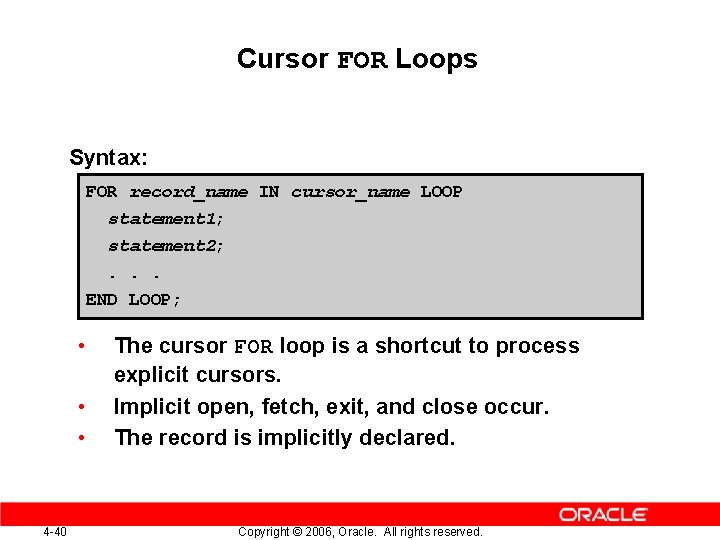
Cursor FOR Loops Syntax: FOR record_name IN cursor_name LOOP statement 1; statement 2; . . . END LOOP; • • • 4 -40 The cursor FOR loop is a shortcut to process explicit cursors. Implicit open, fetch, exit, and close occur. The record is implicitly declared. Copyright © 2006, Oracle. All rights reserved.
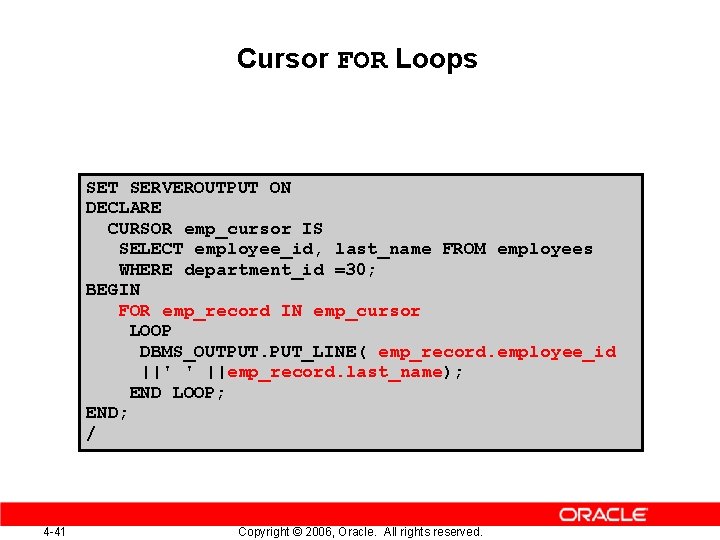
Cursor FOR Loops SET SERVEROUTPUT ON DECLARE CURSOR emp_cursor IS SELECT employee_id, last_name FROM employees WHERE department_id =30; BEGIN FOR emp_record IN emp_cursor LOOP DBMS_OUTPUT. PUT_LINE( emp_record. employee_id ||' ' ||emp_record. last_name); END LOOP; END; / 4 -41 Copyright © 2006, Oracle. All rights reserved.
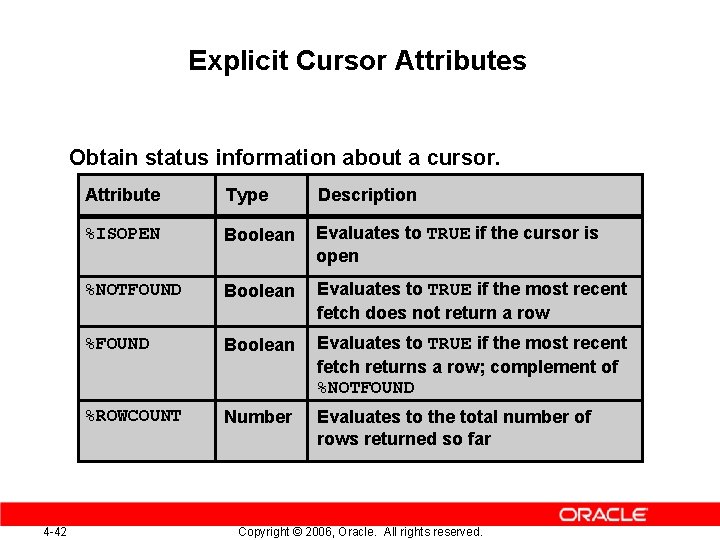
Explicit Cursor Attributes Obtain status information about a cursor. Attribute 4 -42 Type Description %ISOPEN Boolean Evaluates to TRUE if the cursor is open %NOTFOUND Boolean Evaluates to TRUE if the most recent fetch does not return a row %FOUND Boolean Evaluates to TRUE if the most recent fetch returns a row; complement of %NOTFOUND %ROWCOUNT Number Evaluates to the total number of rows returned so far Copyright © 2006, Oracle. All rights reserved.
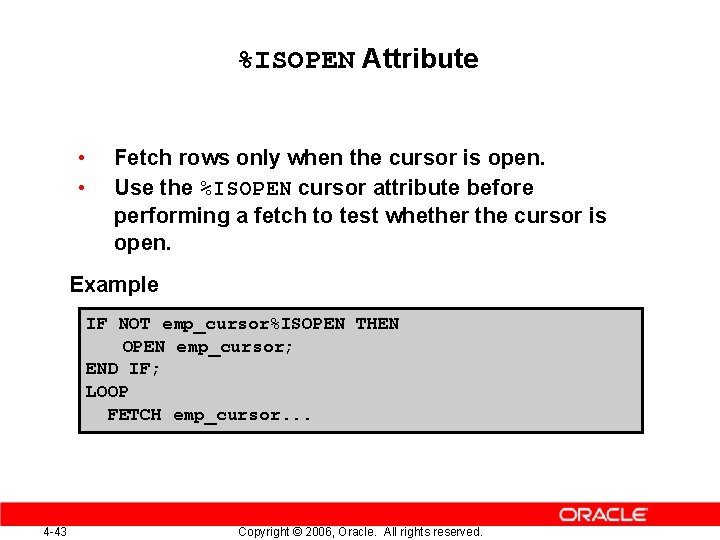
%ISOPEN Attribute • • Fetch rows only when the cursor is open. Use the %ISOPEN cursor attribute before performing a fetch to test whether the cursor is open. Example IF NOT emp_cursor%ISOPEN THEN OPEN emp_cursor; END IF; LOOP FETCH emp_cursor. . . 4 -43 Copyright © 2006, Oracle. All rights reserved.
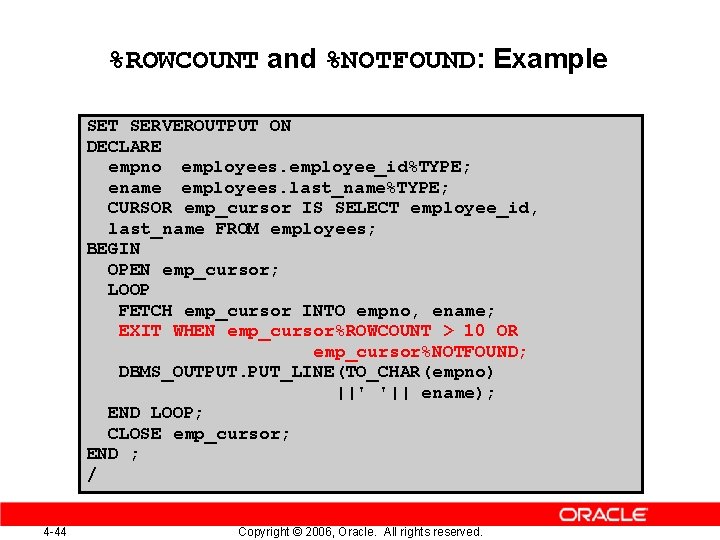
%ROWCOUNT and %NOTFOUND: Example SET SERVEROUTPUT ON DECLARE empno employees. employee_id%TYPE; ename employees. last_name%TYPE; CURSOR emp_cursor IS SELECT employee_id, last_name FROM employees; BEGIN OPEN emp_cursor; LOOP FETCH emp_cursor INTO empno, ename; EXIT WHEN emp_cursor%ROWCOUNT > 10 OR emp_cursor%NOTFOUND; DBMS_OUTPUT. PUT_LINE(TO_CHAR(empno) ||' '|| ename); END LOOP; CLOSE emp_cursor; END ; / 4 -44 Copyright © 2006, Oracle. All rights reserved.
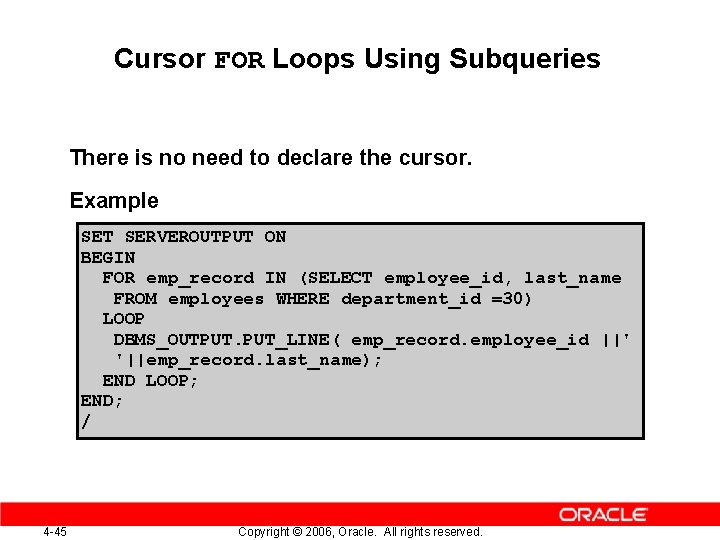
Cursor FOR Loops Using Subqueries There is no need to declare the cursor. Example SET SERVEROUTPUT ON BEGIN FOR emp_record IN (SELECT employee_id, last_name FROM employees WHERE department_id =30) LOOP DBMS_OUTPUT. PUT_LINE( emp_record. employee_id ||' '||emp_record. last_name); END LOOP; END; / 4 -45 Copyright © 2006, Oracle. All rights reserved.
Cursors with Parameters Syntax: CURSOR cursor_name [(parameter_name datatype, . . . )] IS select_statement; • • Pass parameter values to a cursor when the cursor is opened and the query is executed. Open an explicit cursor several times with a different active set each time. OPEN cursor_name(parameter_value, . . . ) ; 4 -46 Copyright © 2006, Oracle. All rights reserved.
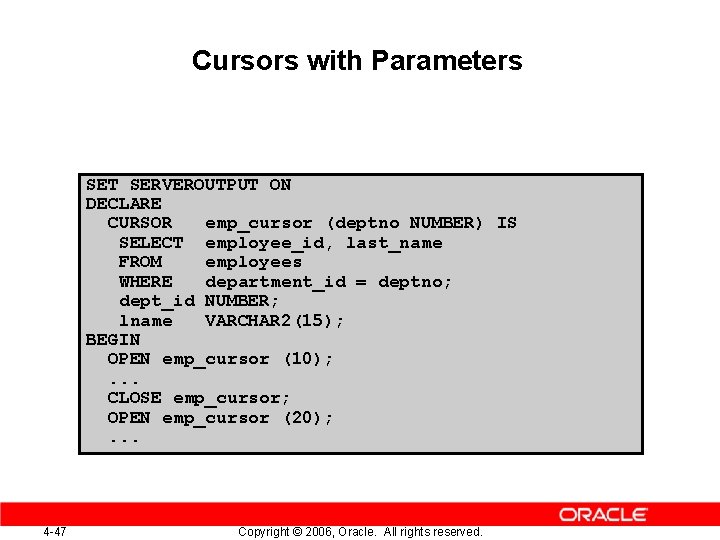
Cursors with Parameters SET SERVEROUTPUT ON DECLARE CURSOR emp_cursor (deptno NUMBER) IS SELECT employee_id, last_name FROM employees WHERE department_id = deptno; dept_id NUMBER; lname VARCHAR 2(15); BEGIN OPEN emp_cursor (10); . . . CLOSE emp_cursor; OPEN emp_cursor (20); . . . 4 -47 Copyright © 2006, Oracle. All rights reserved.
4 -48 Copyright © 2006, Oracle. All rights reserved.