
Platform Independent Petri net Editor 2 PIPE 2
- Slides: 14
Platform Independent Petri net Editor 2 (PIPE 2) CS 2650 Distributed Multimedia Systems Wen Xu November 23 rd, 2010
2 About PIPE 2 is an Java-based, open source, platform independent tool for creating and analyzing Petri nets including Generalized Stochastic Petri nets. PIPE 2 began life in 2002/3 as an MSc. Group Project at the Department of Computing, Imperial College London. Website: http: //pipe 2. sourceforge. net/index. html
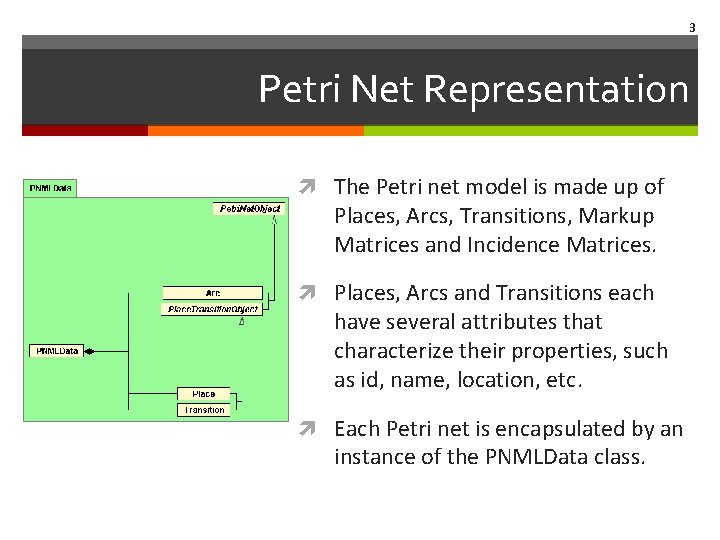
3 Petri Net Representation The Petri net model is made up of Places, Arcs, Transitions, Markup Matrices and Incidence Matrices. Places, Arcs and Transitions each have several attributes that characterize their properties, such as id, name, location, etc. Each Petri net is encapsulated by an instance of the PNMLData class.
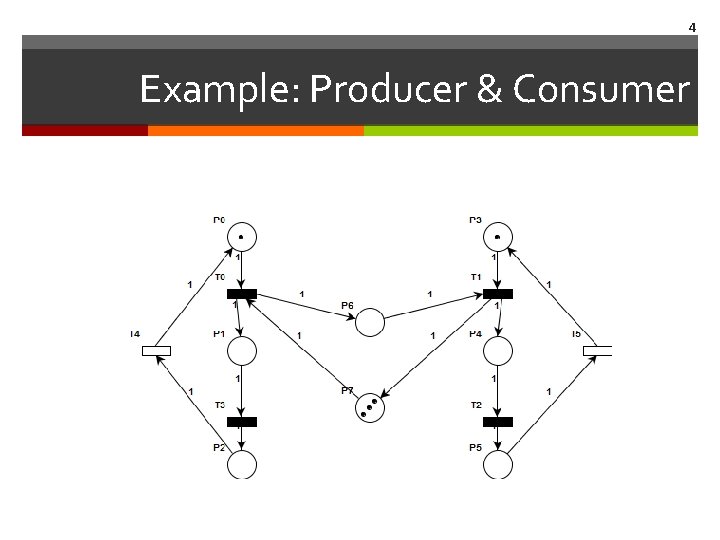
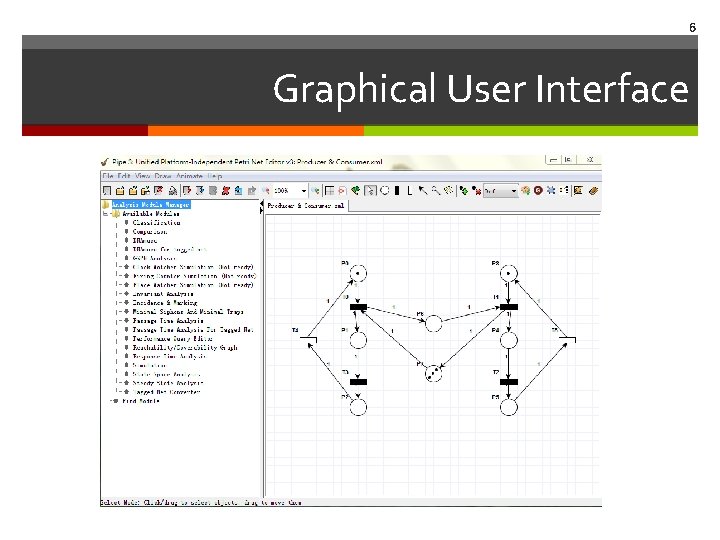
4 Example: Producer & Consumer
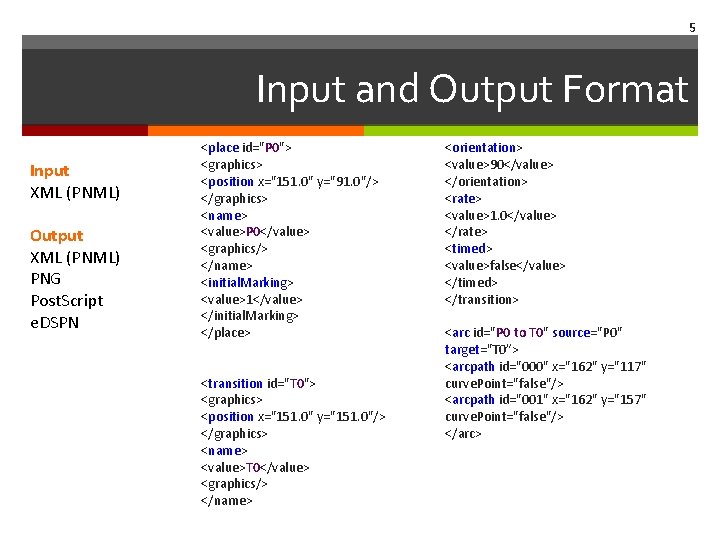
5 Input and Output Format Input XML (PNML) Output XML (PNML) PNG Post. Script e. DSPN <place id="P 0"> <graphics> <position x="151. 0" y="91. 0"/> </graphics> <name> <value>P 0</value> <graphics/> </name> <initial. Marking> <value>1</value> </initial. Marking> </place> <transition id="T 0"> <graphics> <position x="151. 0" y="151. 0"/> </graphics> <name> <value>T 0</value> <graphics/> </name> <orientation> <value>90</value> </orientation> <rate> <value>1. 0</value> </rate> <timed> <value>false</value> </timed> </transition> <arc id="P 0 to T 0" source="P 0" target="T 0”> <arcpath id="000" x="162" y="117" curve. Point="false"/> <arcpath id="001" x="162" y="157" curve. Point="false"/> </arc>
6 Graphical User Interface
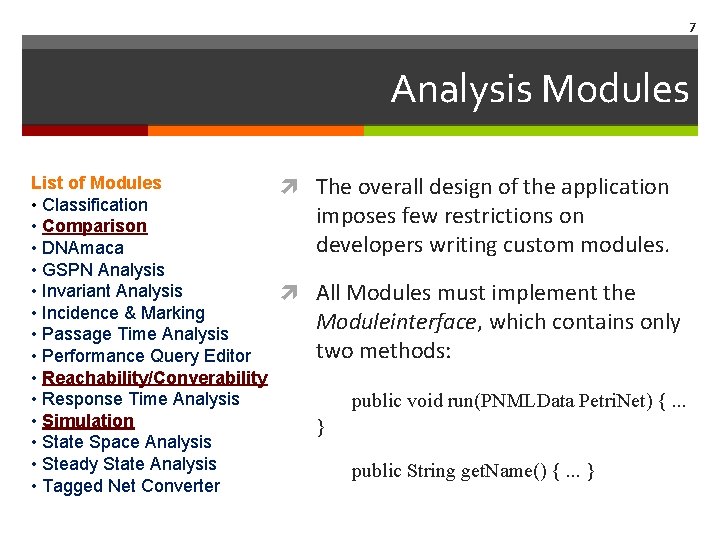
7 Analysis Modules List of Modules • Classification • Comparison • DNAmaca • GSPN Analysis • Invariant Analysis • Incidence & Marking • Passage Time Analysis • Performance Query Editor • Reachability/Converability • Response Time Analysis • Simulation • State Space Analysis • Steady State Analysis • Tagged Net Converter The overall design of the application imposes few restrictions on developers writing custom modules. All Modules must implement the Moduleinterface, which contains only two methods: public void run(PNMLData Petri. Net) {. . . } public String get. Name() {. . . }
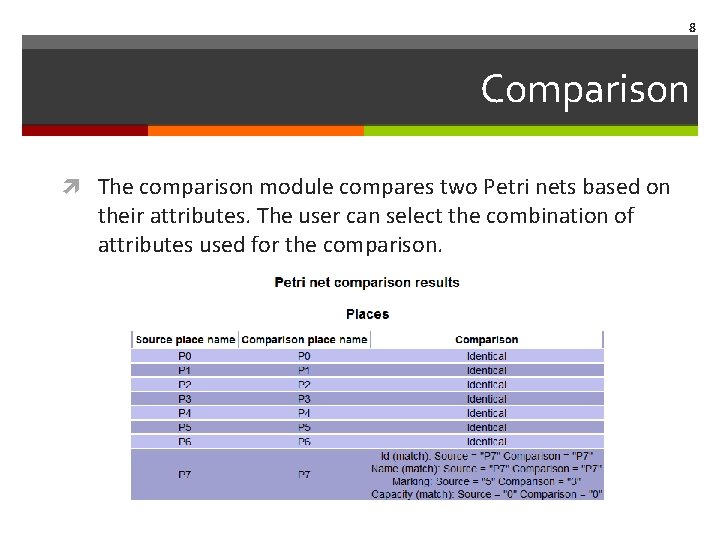
8 Comparison The comparison module compares two Petri nets based on their attributes. The user can select the combination of attributes used for the comparison.
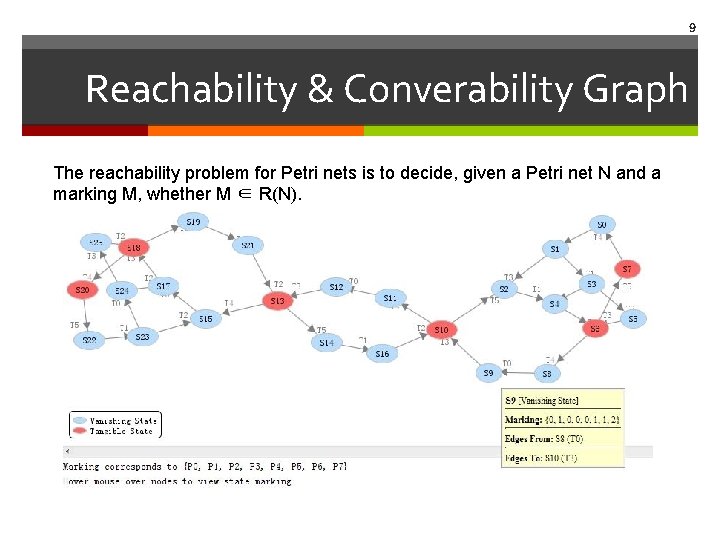
9 Reachability & Converability Graph The reachability problem for Petri nets is to decide, given a Petri net N and a marking M, whether M ∈ R(N).
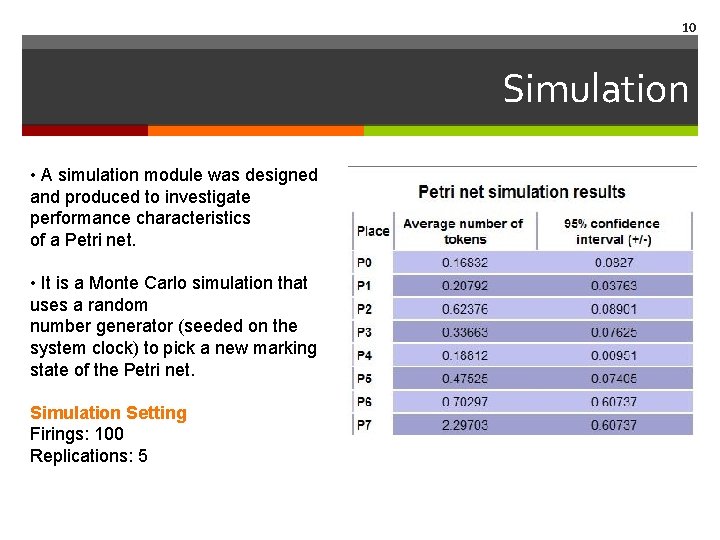
10 Simulation • A simulation module was designed and produced to investigate performance characteristics of a Petri net. • It is a Monte Carlo simulation that uses a random number generator (seeded on the system clock) to pick a new marking state of the Petri net. Simulation Setting Firings: 100 Replications: 5
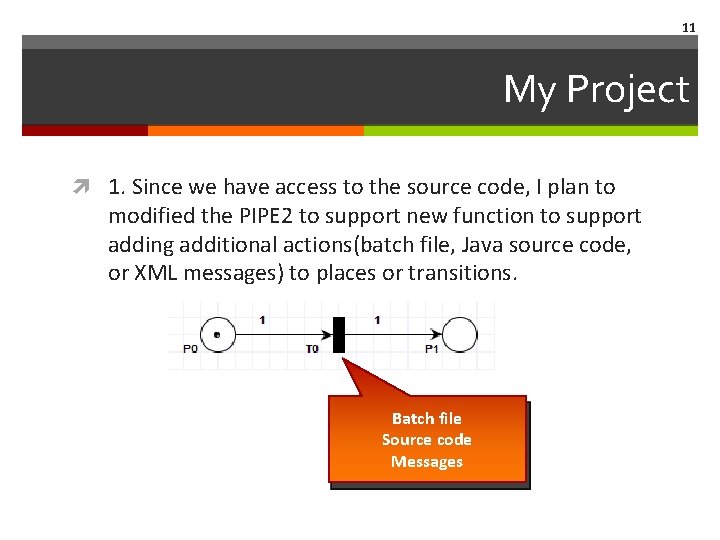
11 My Project 1. Since we have access to the source code, I plan to modified the PIPE 2 to support new function to support adding additional actions(batch file, Java source code, or XML messages) to places or transitions. Batch file Source code Messages
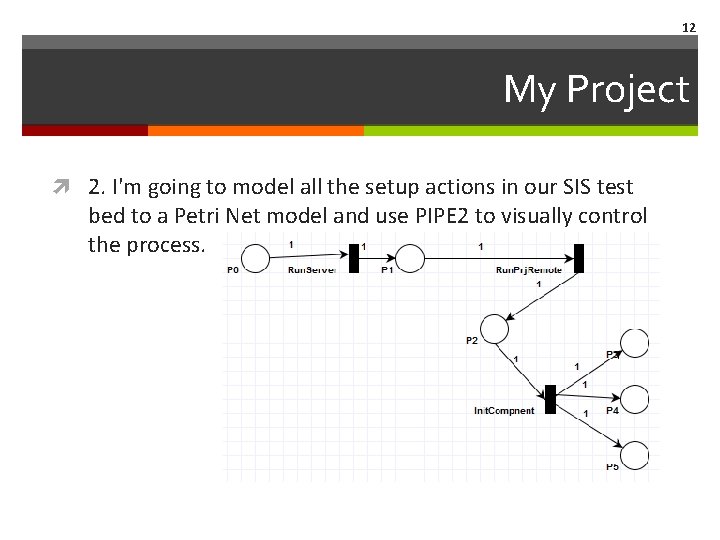
12 My Project 2. I'm going to model all the setup actions in our SIS test bed to a Petri Net model and use PIPE 2 to visually control the process.
13 My Project 3. Define XML labels for actions and add actions information to the output PNML files. This part might be integrated to Callen’s project.
14 The End THANKS