
Planning and Analyzing Wireless LAN Hidden Node Scenario
- Slides: 21
Planning and Analyzing Wireless LAN Hidden Node Scenario and RTS/CTS Solution Lab 10
WLAN Support in Opnet • Based on IEEE 802. 11 and IEEE 802. 11 b standards • Modeled data rates – – 1. 0 Mbps 2. 0 Mbps 5. 5 Mbps 11. 0 Mbps • Supported physical layers – Direct-sequence spread-spectrum (DSSS) – Frequency Hopping spread-spectrum (FHSS) – Infrared light (IR) • DCF MAC operation: Contention based (CSMA/CA) • PCF MAC operation: Poll based
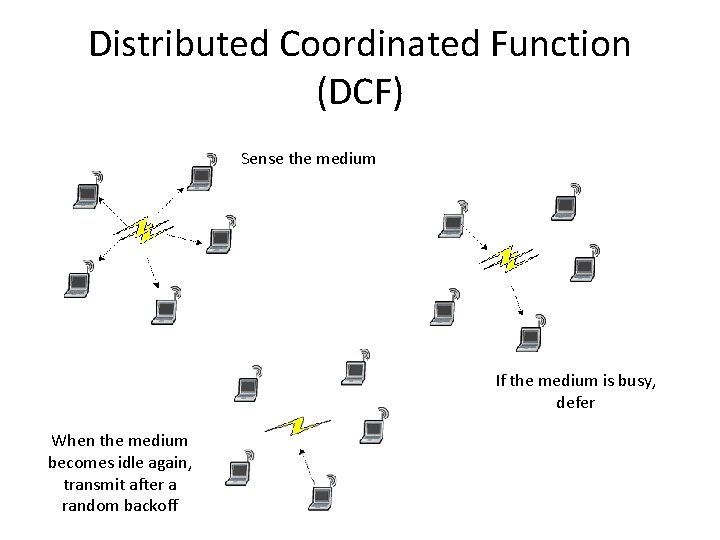
Distributed Coordinated Function (DCF) Sense the medium If the medium is busy, defer When the medium becomes idle again, transmit after a random backoff
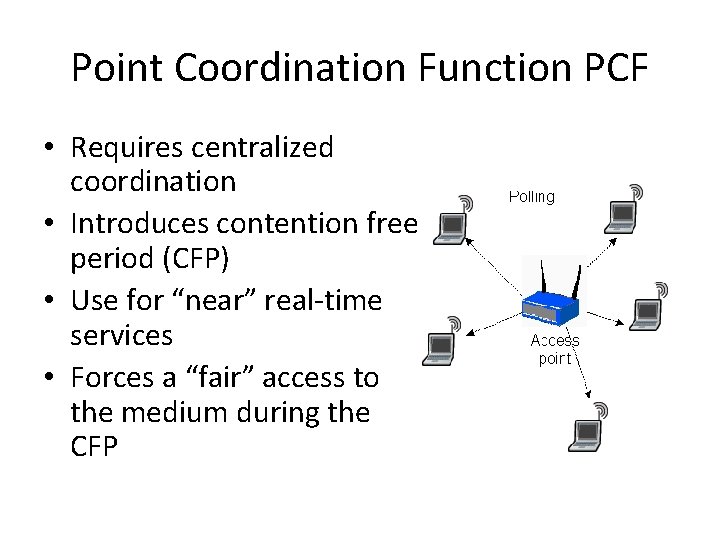
Point Coordination Function PCF • Requires centralized coordination • Introduces contention free period (CFP) • Use for “near” real-time services • Forces a “fair” access to the medium during the CFP
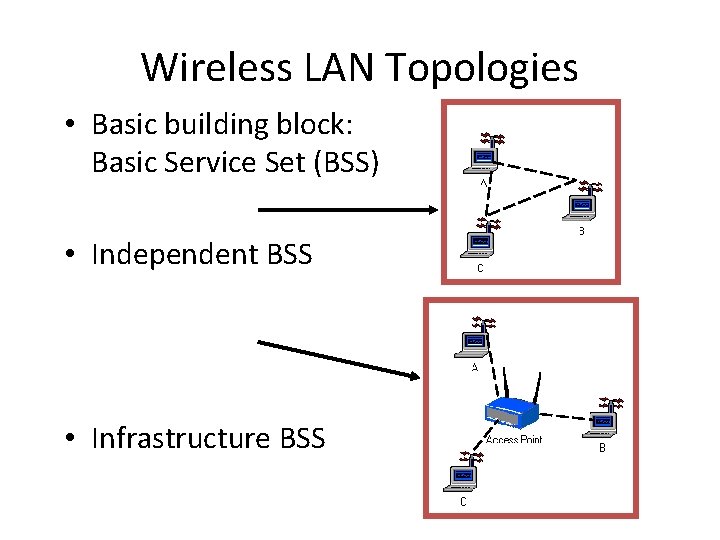
Wireless LAN Topologies • Basic building block: Basic Service Set (BSS) • Independent BSS • Infrastructure BSS
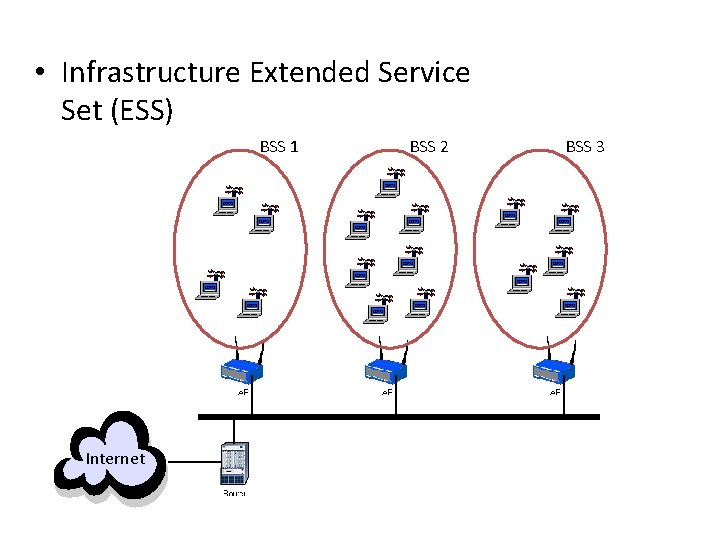
• Infrastructure Extended Service Set (ESS) BSS 1 Internet BSS 2 BSS 3
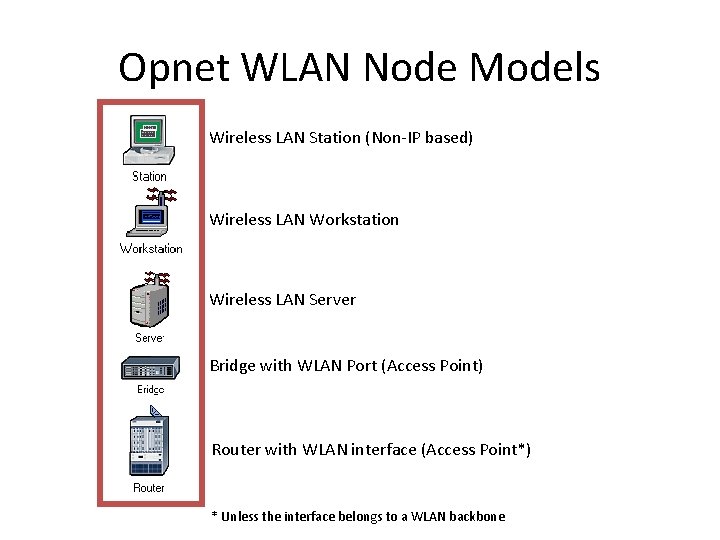
Opnet WLAN Node Models Wireless LAN Station (Non-IP based) Wireless LAN Workstation Wireless LAN Server Bridge with WLAN Port (Access Point) Router with WLAN interface (Access Point*) * Unless the interface belongs to a WLAN backbone
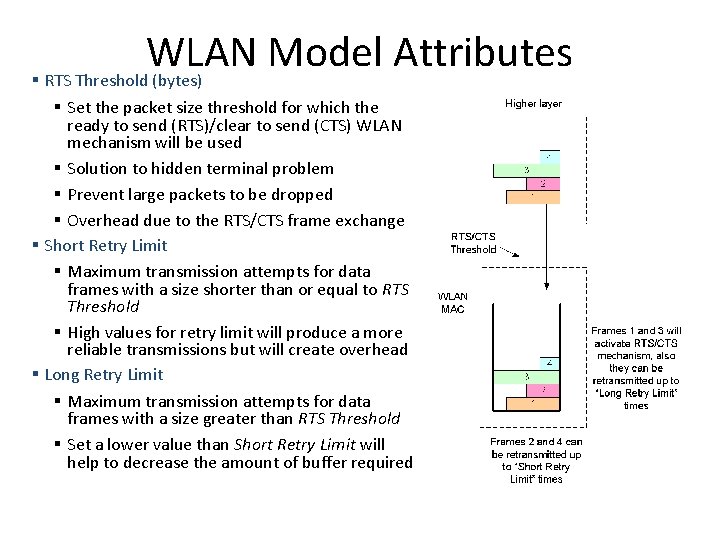
WLAN Model Attributes § RTS Threshold (bytes) § Set the packet size threshold for which the ready to send (RTS)/clear to send (CTS) WLAN mechanism will be used § Solution to hidden terminal problem § Prevent large packets to be dropped § Overhead due to the RTS/CTS frame exchange § Short Retry Limit § Maximum transmission attempts for data frames with a size shorter than or equal to RTS Threshold § High values for retry limit will produce a more reliable transmissions but will create overhead § Long Retry Limit § Maximum transmission attempts for data frames with a size greater than RTS Threshold § Set a lower value than Short Retry Limit will help to decrease the amount of buffer required
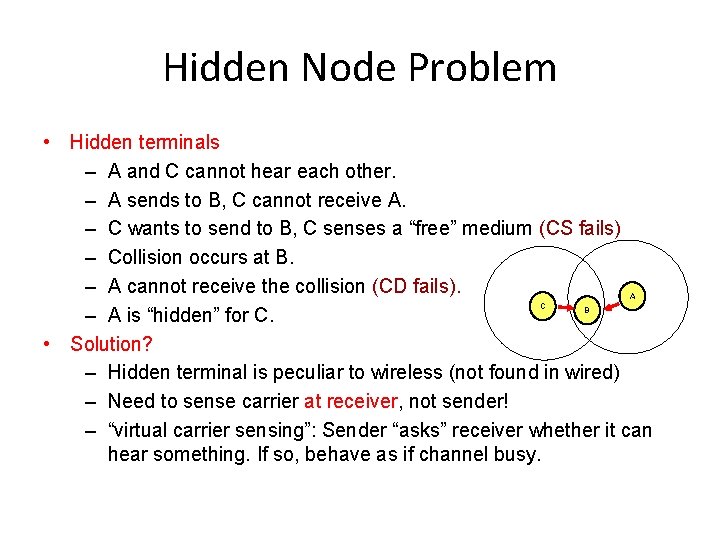
Hidden Node Problem • Hidden terminals – A and C cannot hear each other. – A sends to B, C cannot receive A. – C wants to send to B, C senses a “free” medium (CS fails) – Collision occurs at B. – A cannot receive the collision (CD fails). – A is “hidden” for C. • Solution? – Hidden terminal is peculiar to wireless (not found in wired) – Need to sense carrier at receiver, not sender! – “virtual carrier sensing”: Sender “asks” receiver whether it can hear something. If so, behave as if channel busy. A C B
Lab Objective • Set up independent BSS networks and evaluate their performance under different traffic and configurations.
Lab Overview • In this lab you will set up a Wireless LAN to study the impact of different datarates on throughput and delay. • Also analyze the use of RTS and CTS as part of IEEE 802. 11 protocol to solve Hidden Node problem
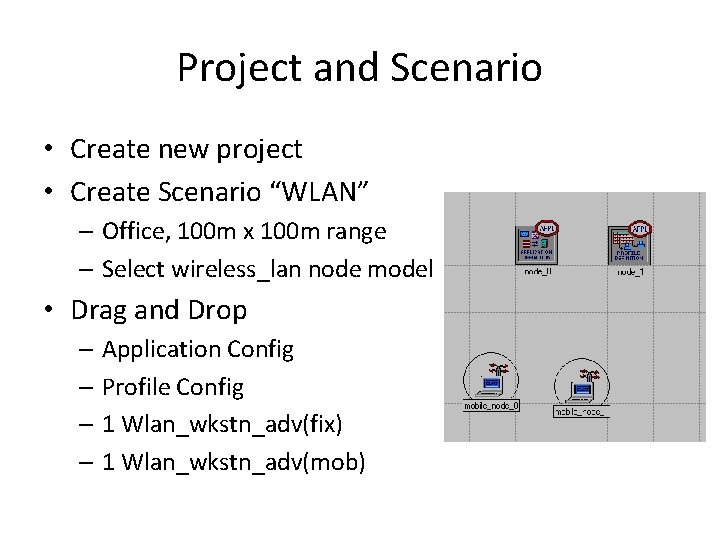
Project and Scenario • Create new project • Create Scenario “WLAN” – Office, 100 m x 100 m range – Select wireless_lan node model • Drag and Drop – Application Config – Profile Config – 1 Wlan_wkstn_adv(fix) – 1 Wlan_wkstn_adv(mob)
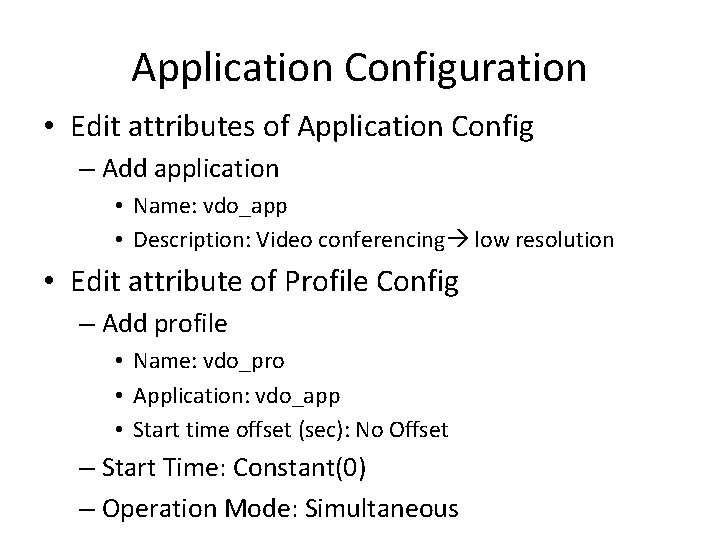
Application Configuration • Edit attributes of Application Config – Add application • Name: vdo_app • Description: Video conferencing low resolution • Edit attribute of Profile Config – Add profile • Name: vdo_pro • Application: vdo_app • Start time offset (sec): No Offset – Start Time: Constant(0) – Operation Mode: Simultaneous
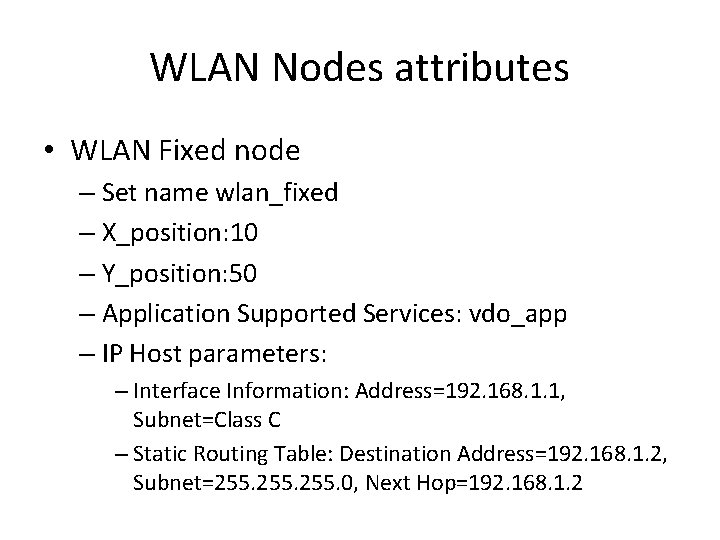
WLAN Nodes attributes • WLAN Fixed node – Set name wlan_fixed – X_position: 10 – Y_position: 50 – Application Supported Services: vdo_app – IP Host parameters: – Interface Information: Address=192. 168. 1. 1, Subnet=Class C – Static Routing Table: Destination Address=192. 168. 1. 2, Subnet=255. 0, Next Hop=192. 168. 1. 2
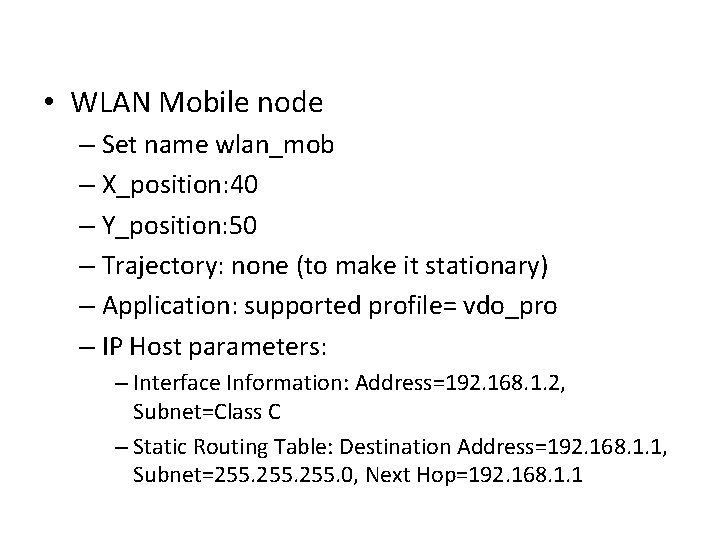
• WLAN Mobile node – Set name wlan_mob – X_position: 40 – Y_position: 50 – Trajectory: none (to make it stationary) – Application: supported profile= vdo_pro – IP Host parameters: – Interface Information: Address=192. 168. 1. 2, Subnet=Class C – Static Routing Table: Destination Address=192. 168. 1. 1, Subnet=255. 0, Next Hop=192. 168. 1. 1
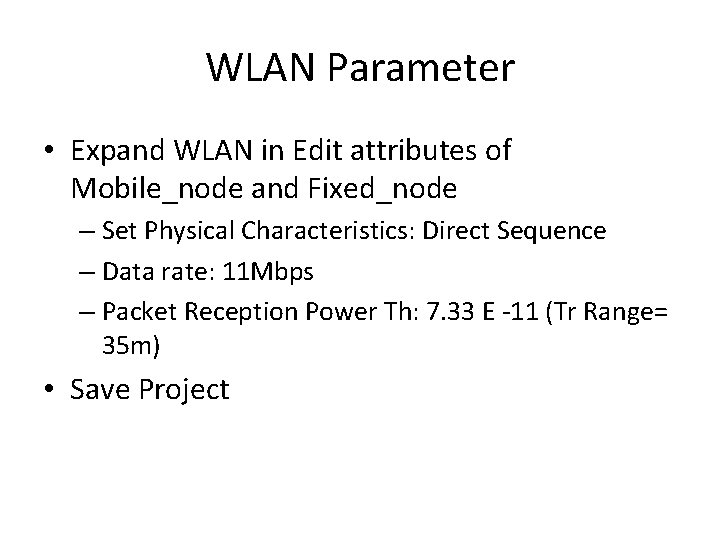
WLAN Parameter • Expand WLAN in Edit attributes of Mobile_node and Fixed_node – Set Physical Characteristics: Direct Sequence – Data rate: 11 Mbps – Packet Reception Power Th: 7. 33 E -11 (Tr Range= 35 m) • Save Project
Statistics • Collect Individual Statistics: WLAN – Delay(sec) – Throughput(bits/sec) – Data Dropped(Buffer Overflow) • Global Statistics – Delay(Sec) – Throughput(bits/sec) – Retransmission Attempt(pkt) – Load(bits/sec) • Run Simulation for 5 min
Duplicate Scenario: Scenario 2 • Duplicate Scenario: Basic_Datarate • Edit WLAN parameters of both nodes – Change datarate to 2 Mbps • Run and collect statistics • What Difference have you observed in delay and Throughput? • Check data drop rate due to buffer overflow. Explain the graph
Duplicate Scenario: Scenario 3 • Add another mobile nodes wlan_wkstn_adv(mob) – – – Edit Attributes X_position: 10 Y_position: 80 Trajectory: none (to make it stationary) Application: supported profile= vdo_pro IP Host parameters: – Interface Information: Address=192. 168. 1. 3, Subnet=Class C – Static Routing Table: Destination Address=192. 168. 1. 1, Subnet=255. 0, Next Hop=192. 168. 1. 1 – – WLAN Parameter Set Physical Characteristics: Direct Sequence Data rate: 11 Mbps Packet Reception Power Th: 7. 33 E -11 (Tr Range= 36 m)
Duplicate Scenario 3 • Duplicate Scenario 3 – Set WLAN Datarate=2 Mbps • Compare statistics of all scenarios • Observe and Explain the difference of Throughput, Delay, and Load for all four scenarios.
Lab Task • Duplicate Scenario 1, add another mobile node to a distance such that the network represents Hidden Node problem (as explained in lab) i. e the difference between there x-position is equal to 36 m, if y-position is fixed – IP Host parameters of new Mobile node: – Interface Information: Address=192. 168. 1. 3, Subnet=Class C – Static Routing Table: Destination Address=192. 168. 1. 1, Subnet=255. 0, Next Hop=192. 168. 1. 1 • Edit Application Config: – Select Print Application, Description: Print Inter-arrival time= Constant(0. 001), File Size=Constant(1024) • Run and Record WLAN throughput, Data Dropped, Load and Media access delay for all stations • Duplicate scenario and Enable RTS Threshold from WLAN parameters of all nodes. Set RTS Threshold=256 – Observe the difference in Global attributes: Data Dropped, Throughput, Load and Delay • Explain Hidden Node Problem and the effect caused by enabling RTS on network performance.