
Planning a Search Strategy Family Medicine PICO Concept




- Slides: 65
Planning a Search Strategy Family Medicine PICO, Concept Boxes and Boolean Operators Presented by Sandra Kendall, Mary Mc. Diarmid & Bailey Urso November 2016
TAAAC Library Science Program Team Leader: Sandra Kendall Ms. Kendall is currently Director of the Health Sciences Library at Mount Sinai Hospital in Toronto, Ontario. She received her masters degree in Library Science from the University of Toronto. Since then she has worked in corporate, public and not-for-profit libraries and has extensive business experience. She has presented at major library conferences including Internet Librarian and the Medical Libraries Association, and has published in major Canadian journals
TAAAC Library Science Program Team Trainer: Mary Mc. Diarmid, MISt, is the librarian at Ontario Shores Centre for Mental Health Sciences in Whitby, Ontario Shores is a psychiatric hospital with a forensics program and serves clients from adolescents to older adults. She has previously worked in libraries in a geriatric teaching hospital, trauma care teaching hospital, and general hospital setting. Mary holds a Master of Information Studies degree from the University of Toronto and has received many health libraries association awards in honour of her service and contributions. Team Trainer: Bailey Urso is a librarian at Health Sciences North in Sudbury, ON. She holds a Masters of Library and Information Science degree from Western University, and a Bachelor of Arts in Archaeology from Wilfrid Laurier University. Outside the library world, Bailey is a yoga instructor and a knitting/sewing/crafting enthusiast.
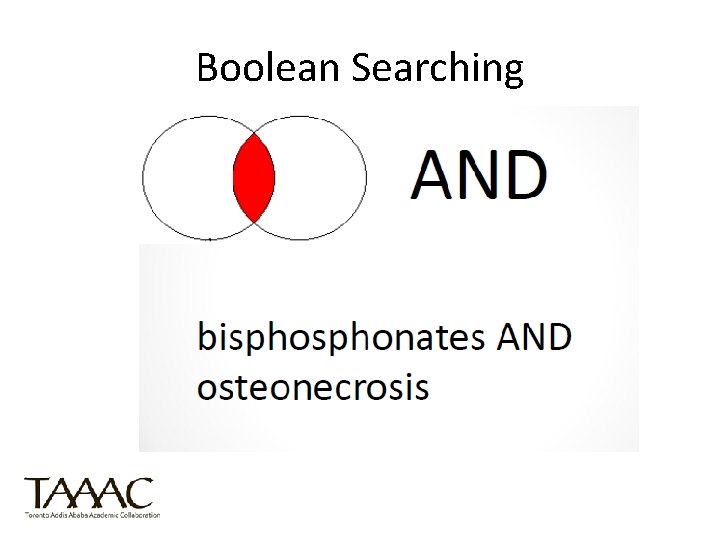
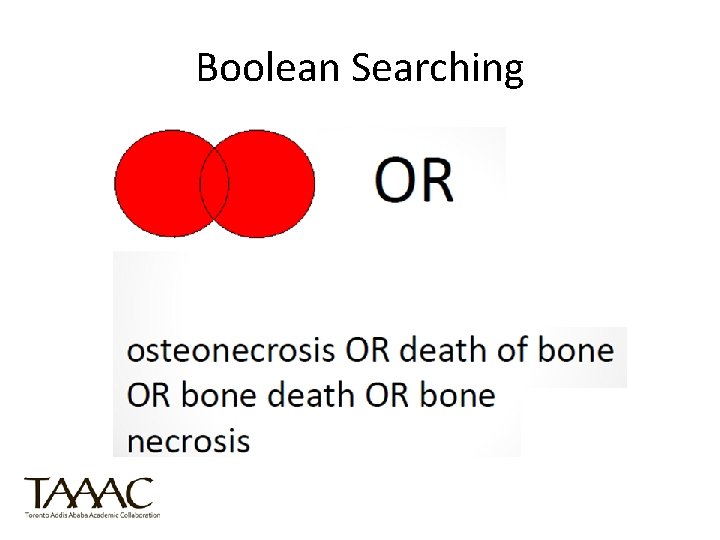
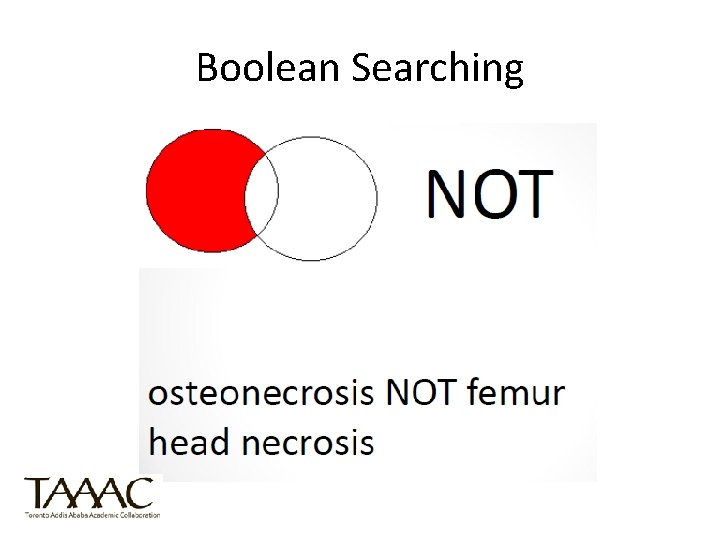
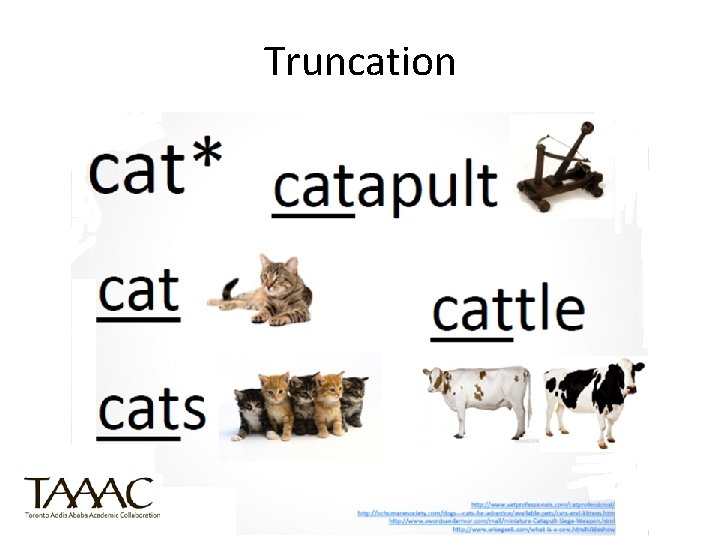
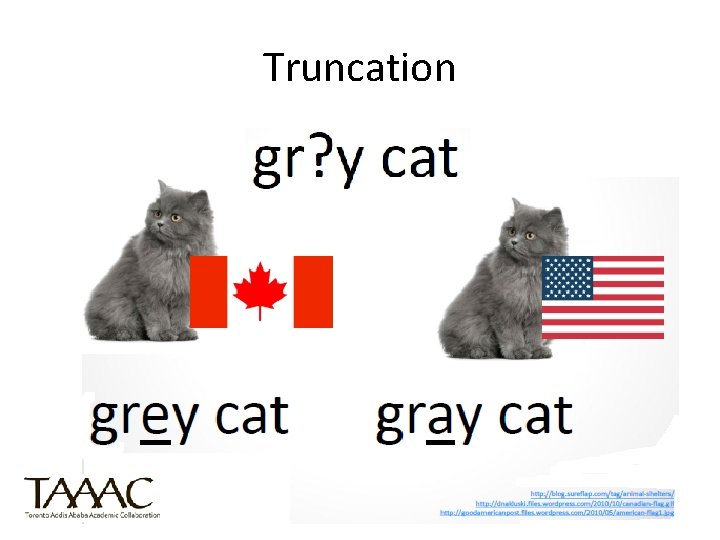
Online Searching at a Glance • Useful terminology: – Pearl Searching: find a good article aka pearl and look at the references – Boolean operators: most databases allow boolean operators to narrow or broaden a search (AND, OR, NOT) – Truncation: most databases use symbols such as * for truncation
Boolean Searching Using AND, OR, and NOT
Boolean Searching
Boolean Searching
Boolean Searching
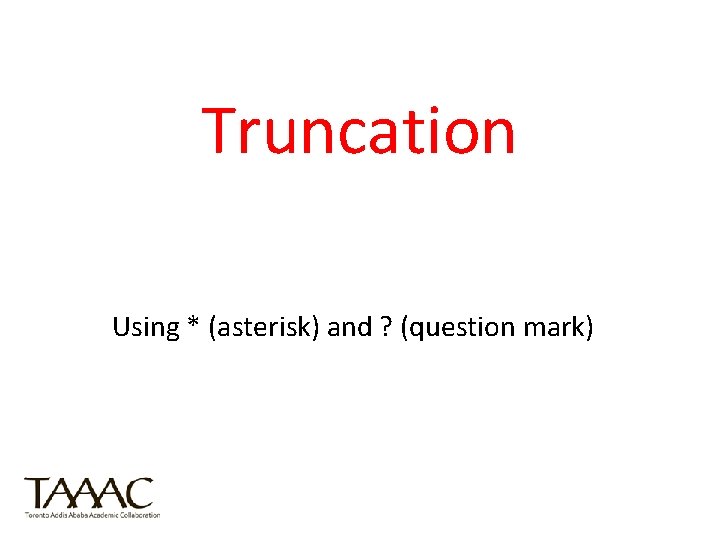
Truncation Using * (asterisk) and ? (question mark)
Truncation
Truncation
Truncation
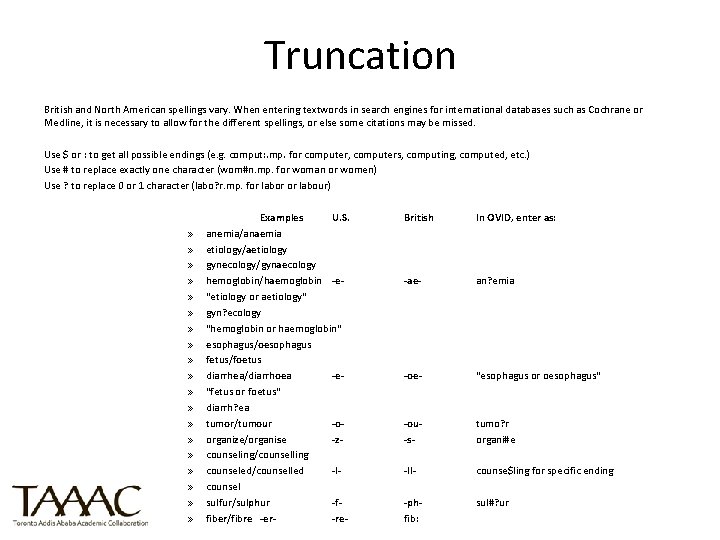
Truncation British and North American spellings vary. When entering textwords in search engines for international databases such as Cochrane or Medline, it is necessary to allow for the different spellings, or else some citations may be missed. Use $ or : to get all possible endings (e. g. comput: . mp. for computer, computers, computing, computed, etc. ) Use # to replace exactly one character (wom#n. mp. for woman or women) Use ? to replace 0 or 1 character (labo? r. mp. for labor or labour) » » » » » Examples U. S. anemia/anaemia etiology/aetiology gynecology/gynaecology hemoglobin/haemoglobin -e"etiology or aetiology" gyn? ecology "hemoglobin or haemoglobin" esophagus/oesophagus fetus/foetus diarrhea/diarrhoea -e"fetus or foetus" diarrh? ea tumor/tumour -oorganize/organise -zcounseling/counselling counseled/counselled -lcounsel sulfur/sulphur -ffiber/fibre -er-re- British In OVID, enter as: -ae- an? emia -oe- "esophagus or oesophagus" -ou-s- tumo? r organi#e -ll- counse$ling for specific ending -phfib: sul#? ur
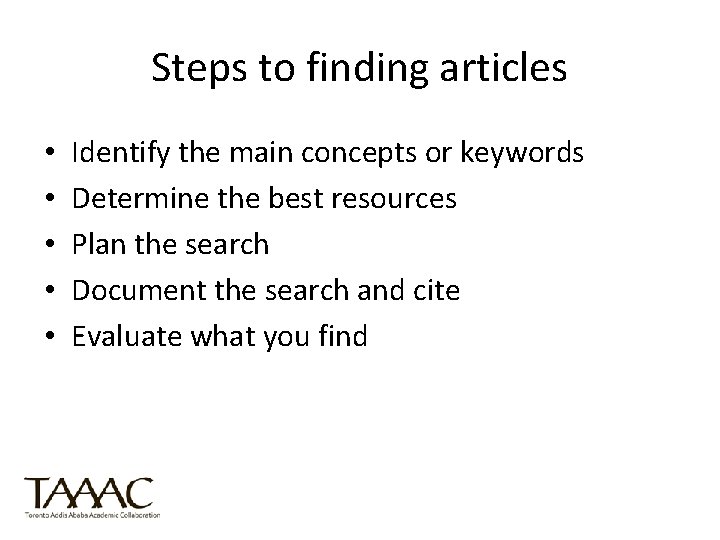
Steps to finding articles • • • Identify the main concepts or keywords Determine the best resources Plan the search Document the search and cite Evaluate what you find
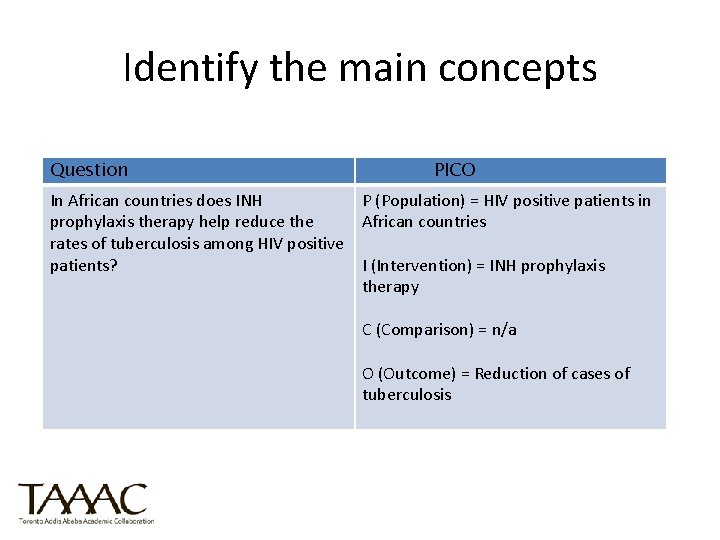
Example Topic In African countries does INH prophylaxis therapy help reduce the rates of tuberculosis among HIV positive patients?
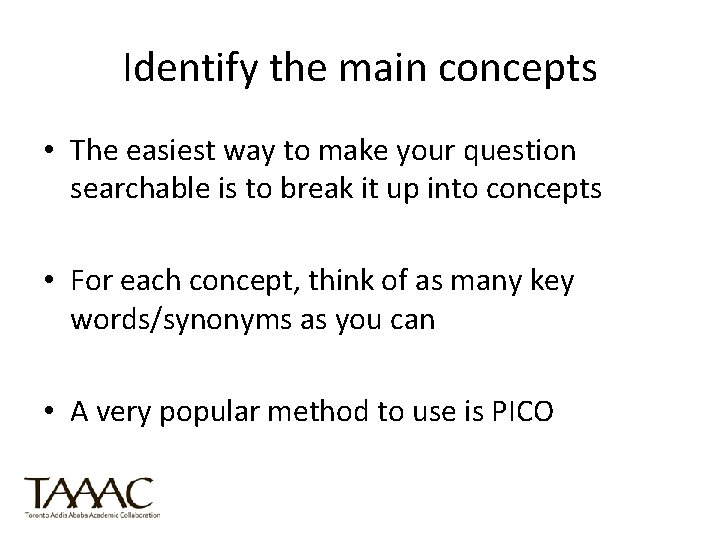
Identify the main concepts • The easiest way to make your question searchable is to break it up into concepts • For each concept, think of as many key words/synonyms as you can • A very popular method to use is PICO
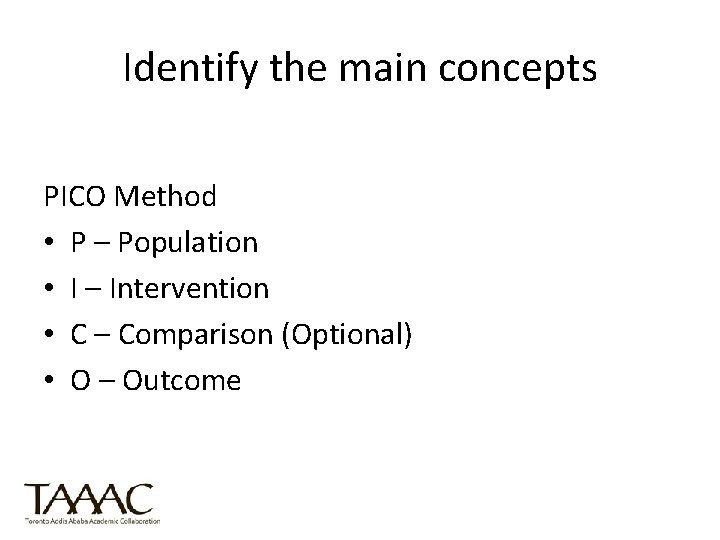
Identify the main concepts PICO Method • P – Population • I – Intervention • C – Comparison (Optional) • O – Outcome
Identify the main concepts Question PICO In African countries does INH P (Population) = HIV positive patients in prophylaxis therapy help reduce the African countries rates of tuberculosis among HIV positive patients? I (Intervention) = INH prophylaxis therapy C (Comparison) = n/a O (Outcome) = Reduction of cases of tuberculosis
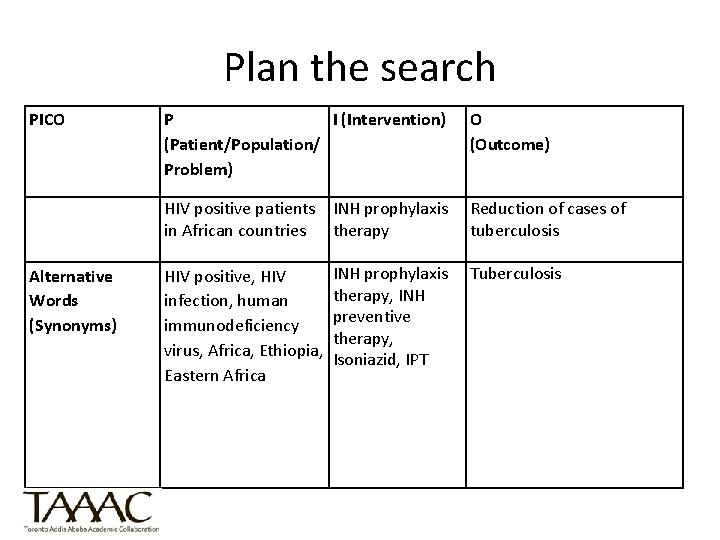
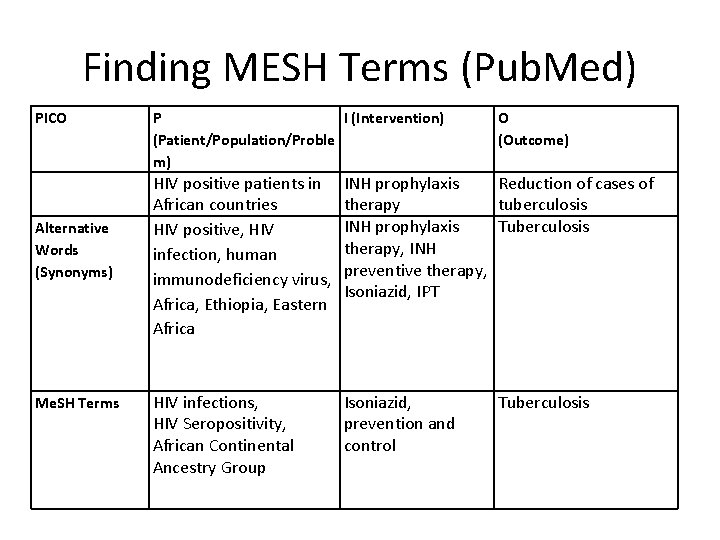
Plan the search PICO Alternative Words (Synonyms) P I (Intervention) (Patient/Population/ Problem) O (Outcome) HIV positive patients INH prophylaxis in African countries therapy Reduction of cases of tuberculosis HIV positive, HIV infection, human immunodeficiency virus, Africa, Ethiopia, Eastern Africa INH prophylaxis therapy, INH preventive therapy, Isoniazid, IPT Tuberculosis
Determine the best resources There are hundreds of article databases available. Which one will you use? • Pub. Med • CINAHL • Cochrane Library • Google Scholar
Plan the search • Now you have your question and keywords. Where do you start? • Each database has its own indexing system. Many have their own thesaurus or list of subject headings. If the database you are using has a thesaurus, match your keywords to thesaurus for a more efficient search.
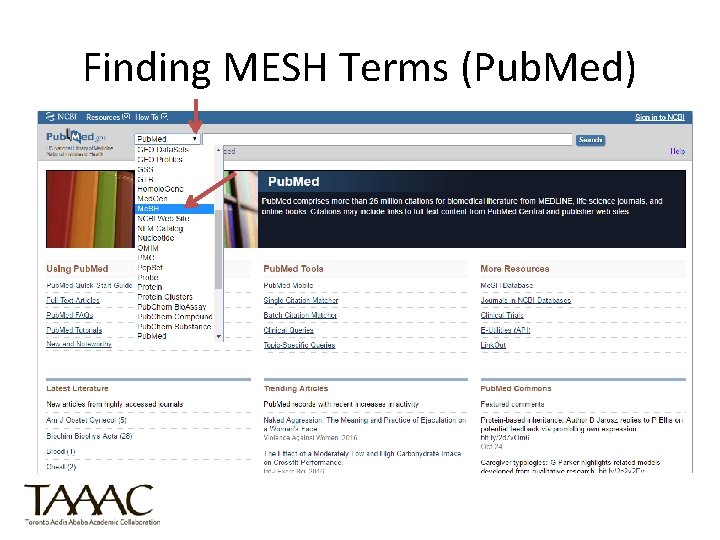
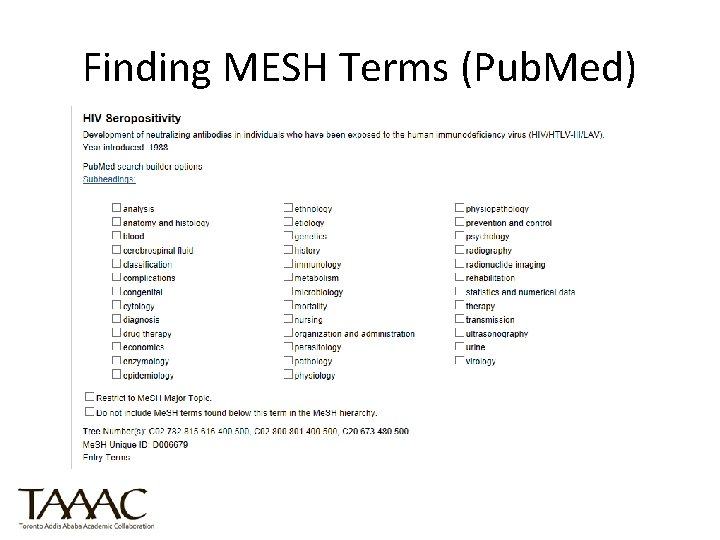
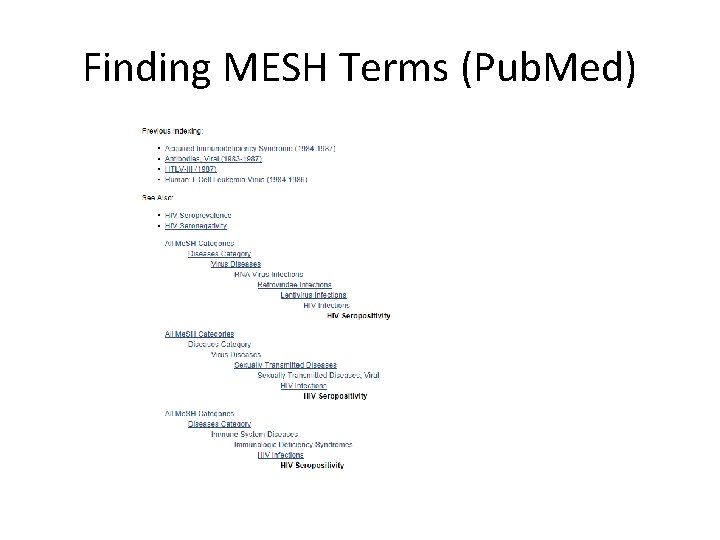
Plan the search • For Pub. MEd, the indexing system is called Me. SH = Medical Subject Headings (created in 1960 by a group of doctors at NLM) • You can search for Me. SH terms in the database Pub. Med
Using HINARI to Access Pub. Med
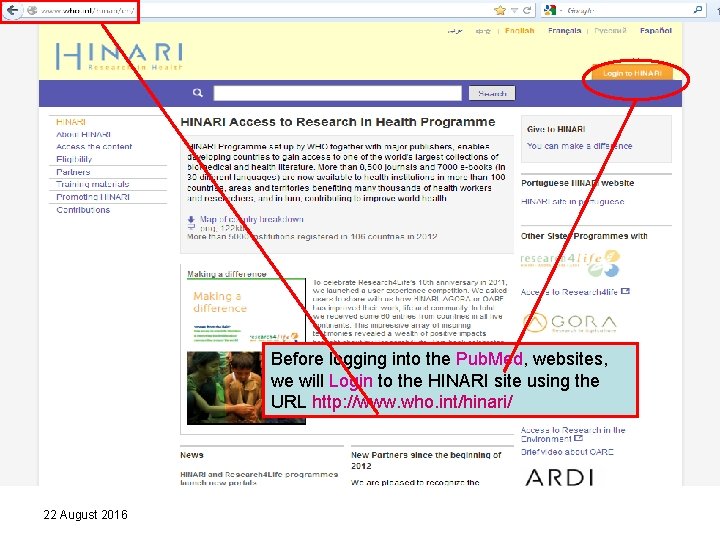
Before logging into the Pub. Med, websites, we will Login to the HINARI site using the URL http: //www. who. int/hinari/ 22 August 2016
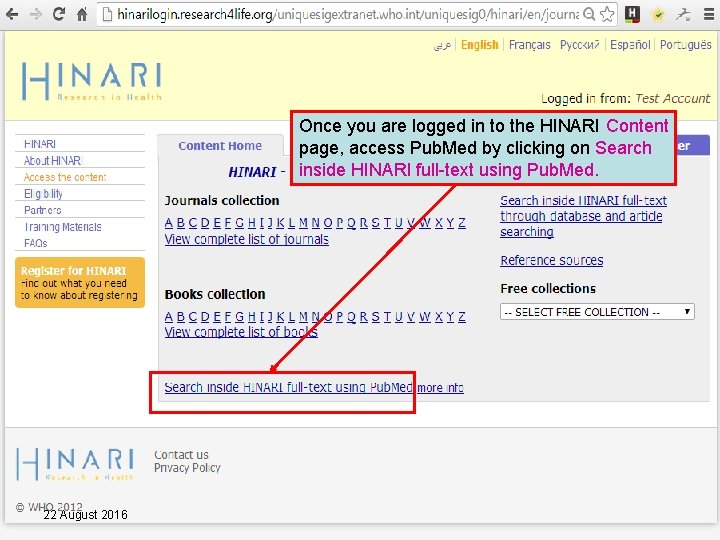
Once you are logged in to the HINARI Content page, access Pub. Med by clicking on Search inside HINARI full-text using Pub. Med. 22 August 2016
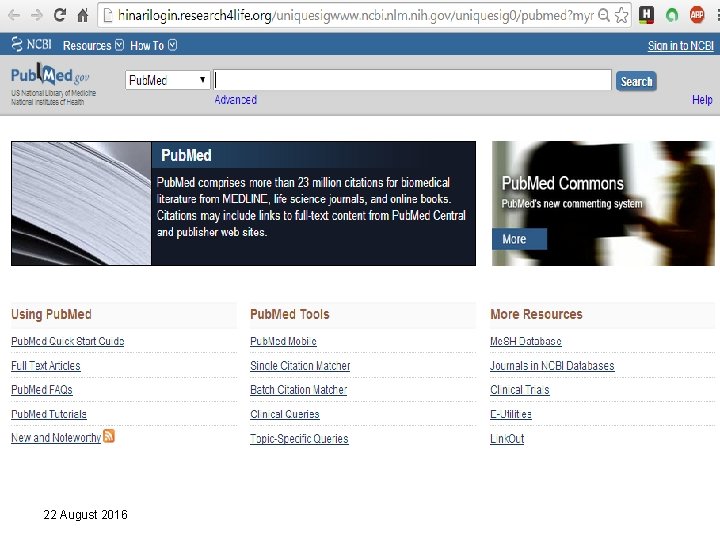
22 August 2016
Finding MESH Terms (Pub. Med)
Finding MESH Terms (Pub. Med)
Finding MESH Terms (Pub. Med)
Finding MESH Terms (Pub. Med) PICO Alternative Words (Synonyms) Me. SH Terms P I (Intervention) (Patient/Population/Proble m) O (Outcome) HIV positive patients in African countries HIV positive, HIV infection, human immunodeficiency virus, Africa, Ethiopia, Eastern Africa INH prophylaxis Reduction of cases of therapy tuberculosis INH prophylaxis Tuberculosis therapy, INH preventive therapy, Isoniazid, IPT HIV infections, HIV Seropositivity, African Continental Ancestry Group Isoniazid, prevention and control Tuberculosis
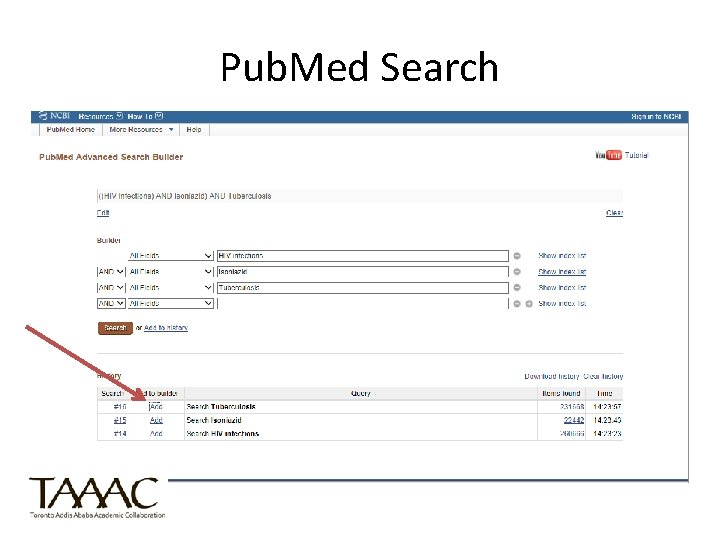
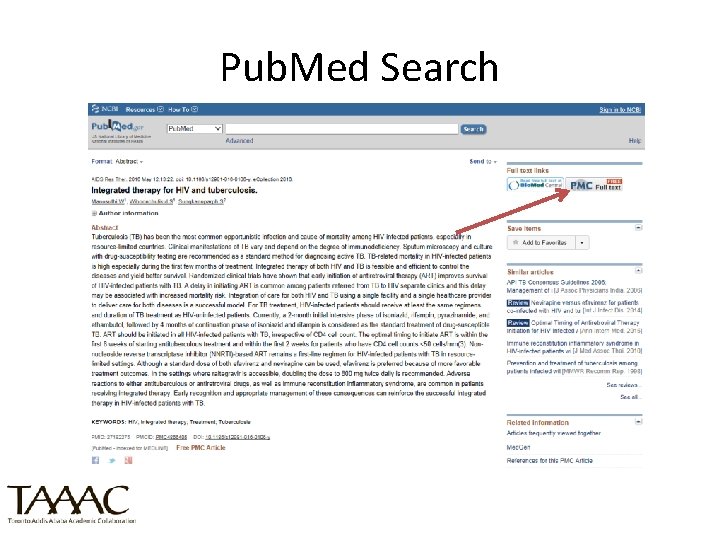
Pub. Med Search (HINARI)
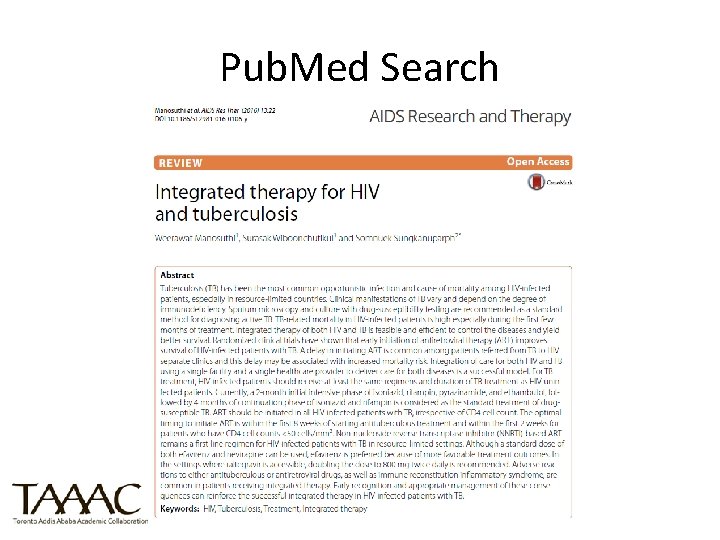
Pub. Med Search
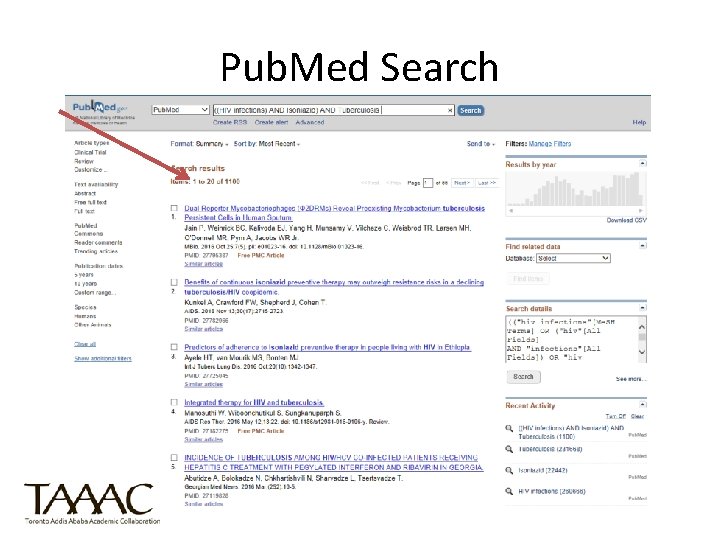
Pub. Med Search
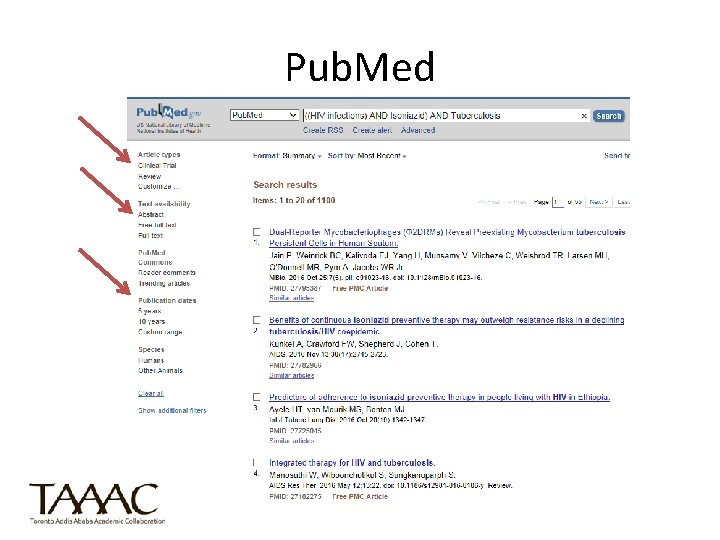
Pub. Med
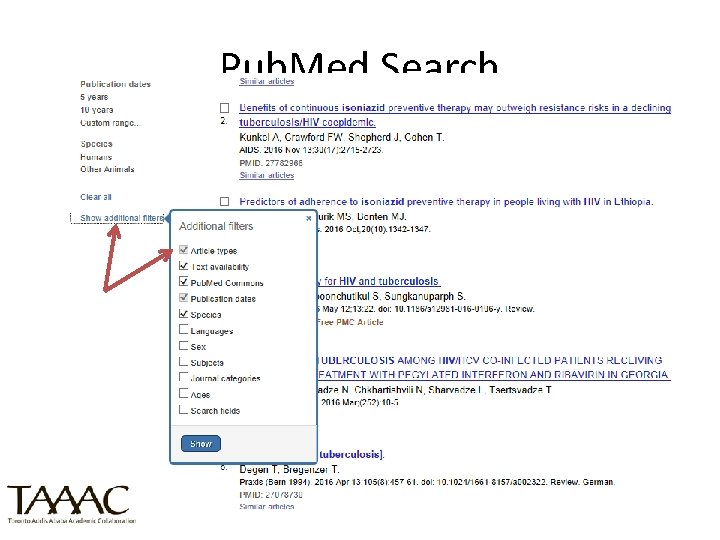
Pub. Med Search
Pub. Med Search
Pub. Med Search
Document the search and cite • Save your searches by creating an account in each database that you use • Use a citation management tool such as Zotero to export your citations from multiple databases
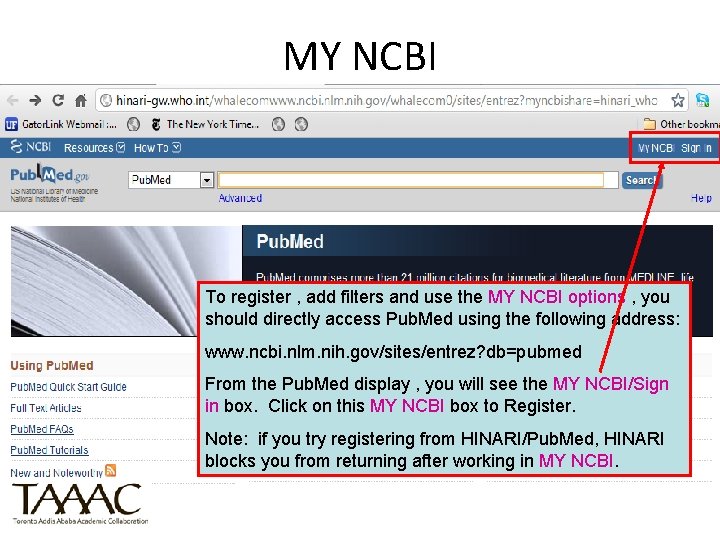
MY NCBI To register , add filters and use the MY NCBI options , you should directly access Pub. Med using the following address: www. ncbi. nlm. nih. gov/sites/entrez? db=pubmed From the Pub. Med display , you will see the MY NCBI/Sign in box. Click on this MY NCBI box to Register. Note: if you try registering from HINARI/Pub. Med, HINARI blocks you from returning after working in MY NCBI.
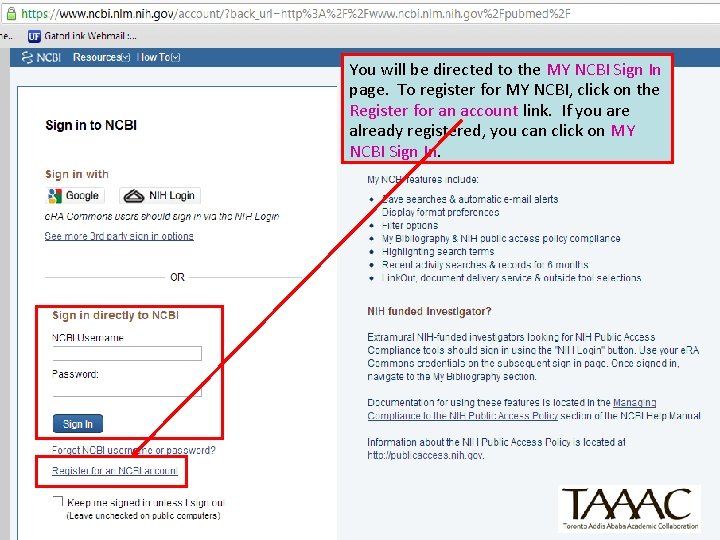
You will be directed to the MY NCBI Sign In page. To register for MY NCBI, click on the Register for an account link. If you are already registered, you can click on MY NCBI Sign In.
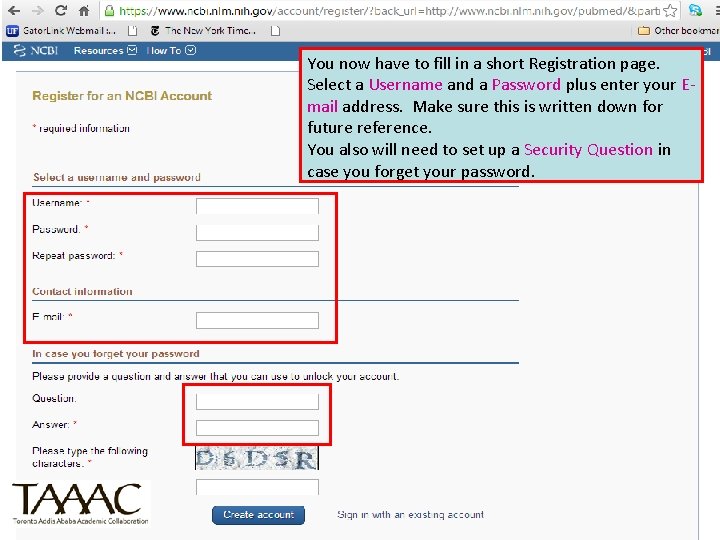
You now have to fill in a short Registration page. Select a Username and a Password plus enter your Email address. Make sure this is written down for future reference. You also will need to set up a Security Question in case you forget your password.
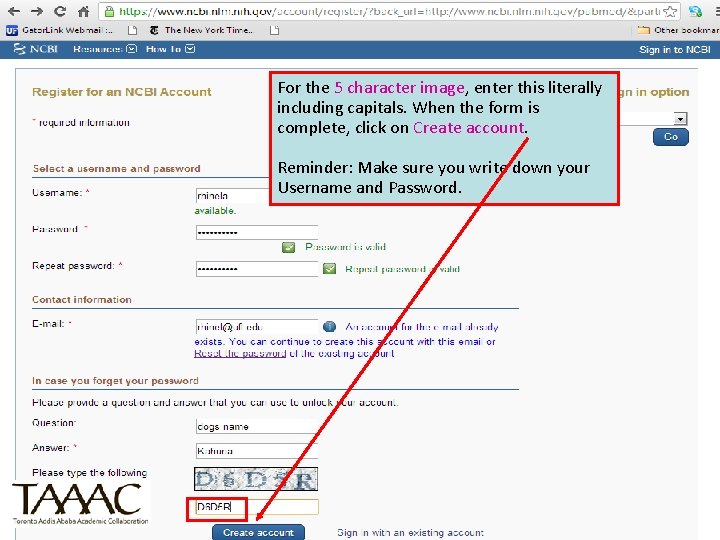
For the 5 character image, enter this literally including capitals. When the form is complete, click on Create account. Reminder: Make sure you write down your Username and Password.
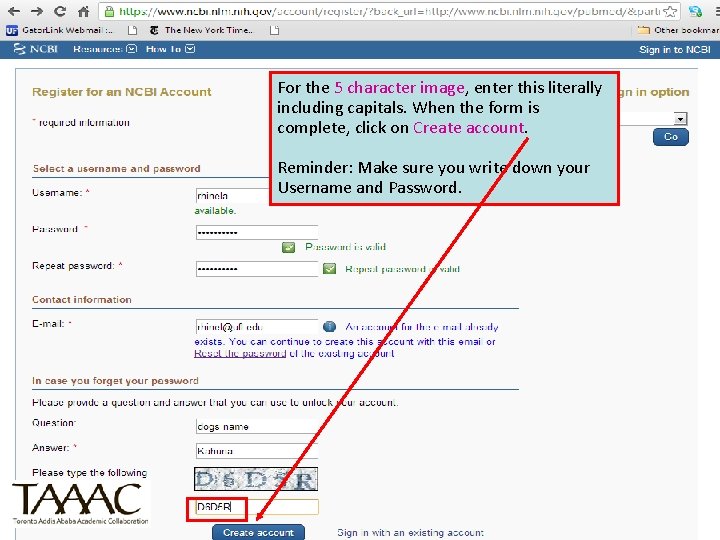
For the 5 character image, enter this literally including capitals. When the form is complete, click on Create account. Reminder: Make sure you write down your Username and Password.
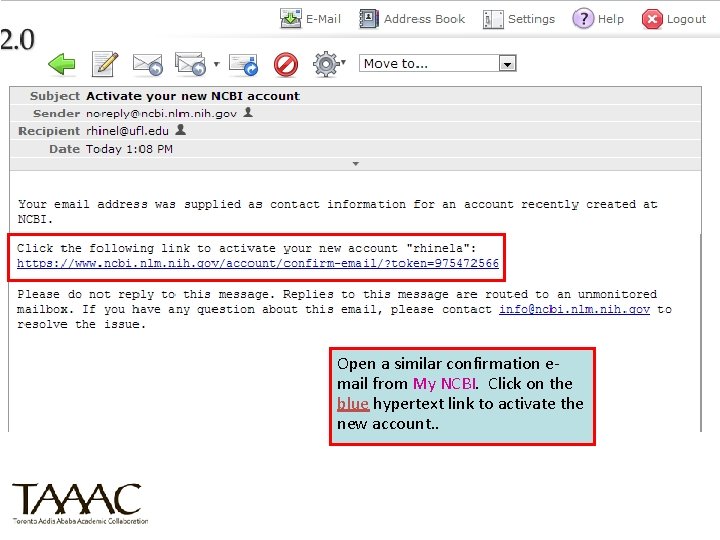
Open a similar confirmation email from My NCBI. Click on the blue hypertext link to activate the new account. .
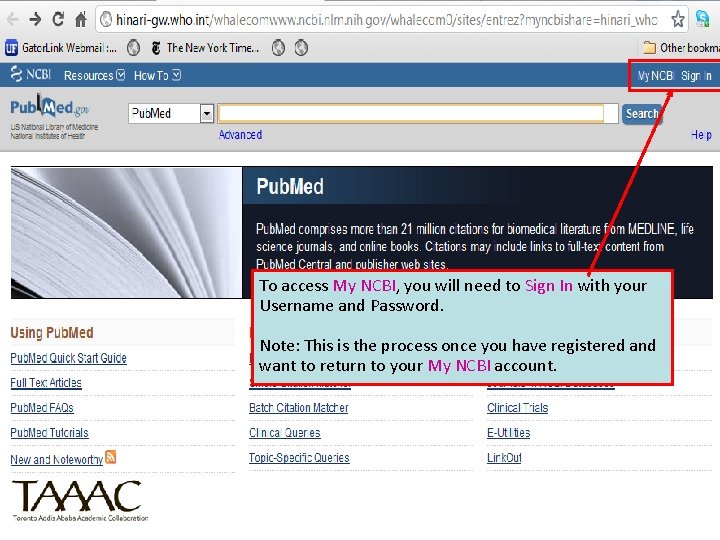
To access My NCBI, you will need to Sign In with your Username and Password. Note: This is the process once you have registered and want to return to your My NCBI account.
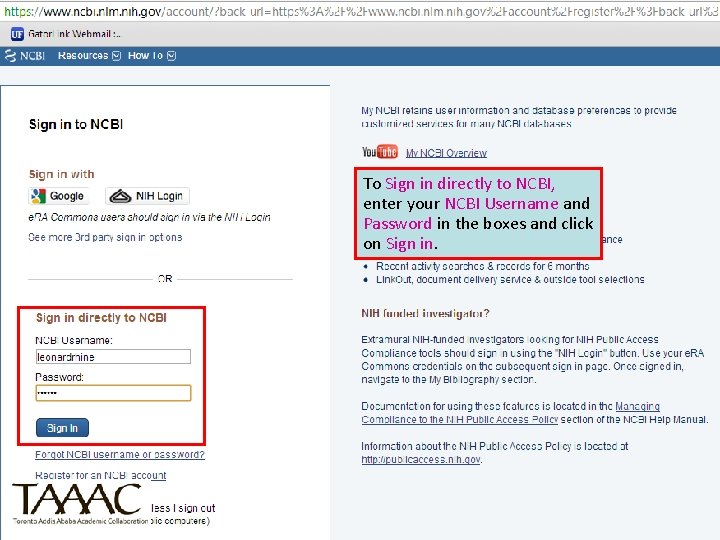
To Sign in directly to NCBI, enter your NCBI Username and Password in the boxes and click on Sign in.
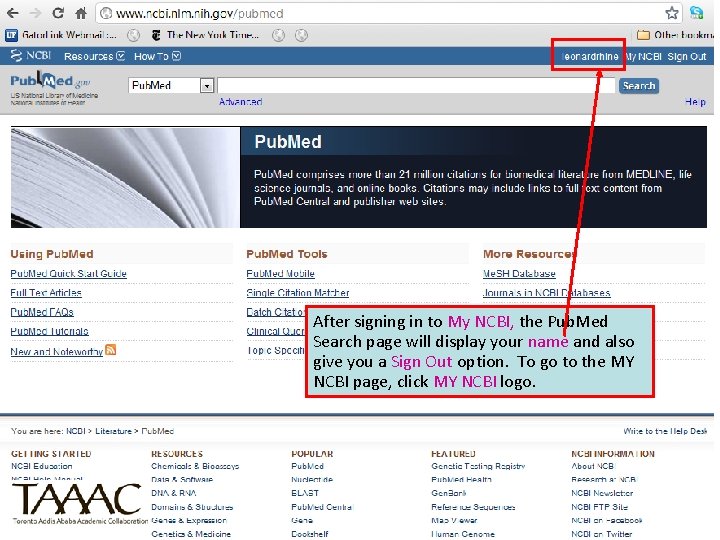
After signing in to My NCBI, the Pub. Med Search page will display your name and also give you a Sign Out option. To go to the MY NCBI page, click MY NCBI logo.
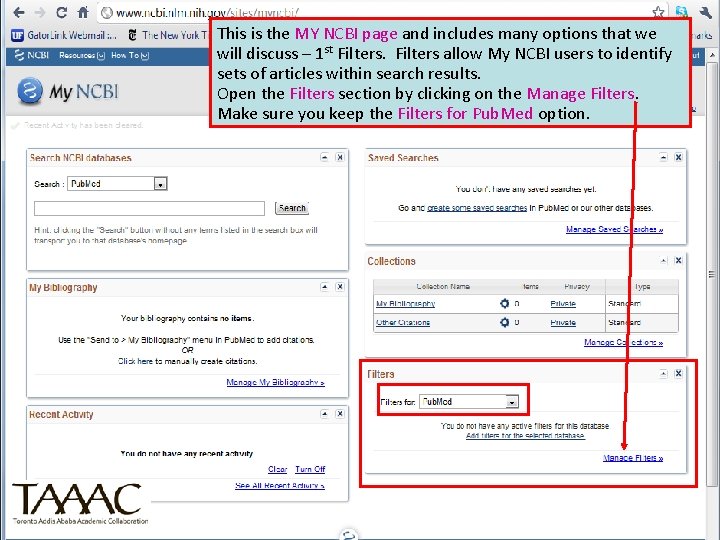
This is the MY NCBI page and includes many options that we will discuss – 1 st Filters allow My NCBI users to identify sets of articles within search results. Open the Filters section by clicking on the Manage Filters. Make sure you keep the Filters for Pub. Med option.
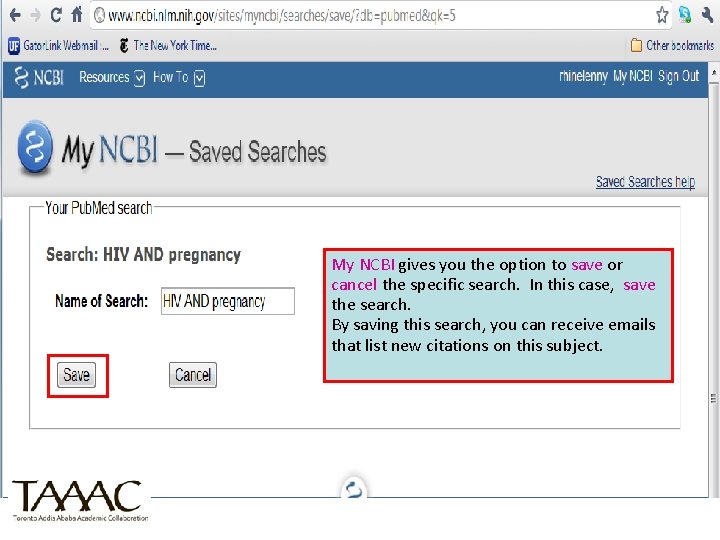
My NCBI gives you the option to save or cancel the specific search. In this case, save the search. By saving this search, you can receive emails that list new citations on this subject.
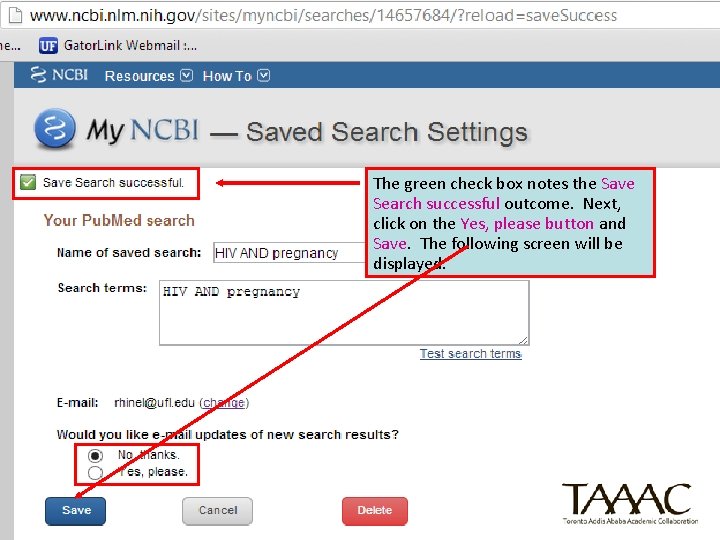
The green check box notes the Save Search successful outcome. Next, click on the Yes, please button and Save. The following screen will be displayed.
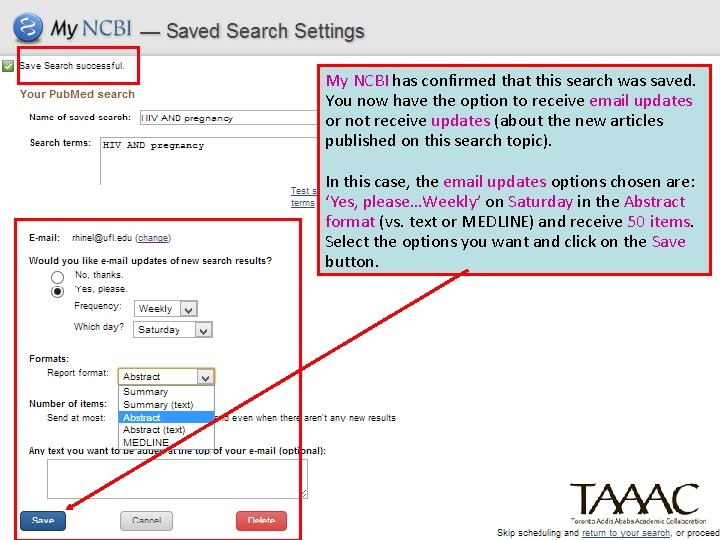
My NCBI has confirmed that this search was saved. You now have the option to receive email updates or not receive updates (about the new articles published on this search topic). In this case, the email updates options chosen are: ‘Yes, please…Weekly’ on Saturday in the Abstract format (vs. text or MEDLINE) and receive 50 items. Select the options you want and click on the Save button.
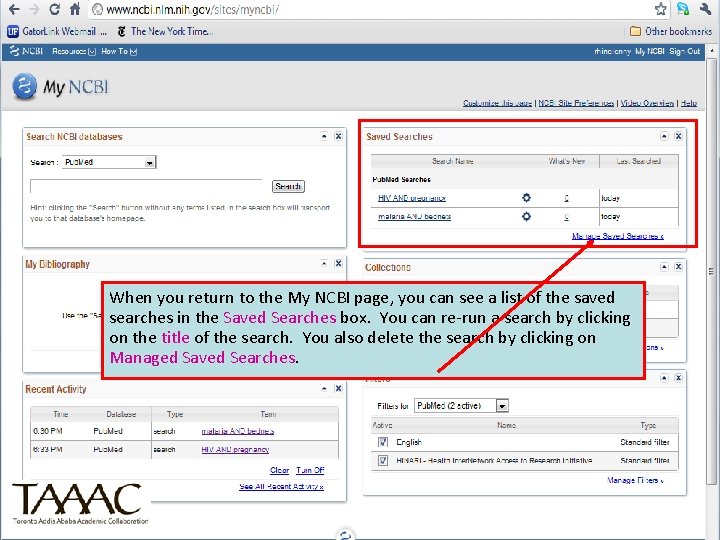
When you return to the My NCBI page, you can see a list of the saved searches in the Saved Searches box. You can re-run a search by clicking on the title of the search. You also delete the search by clicking on Managed Saved Searches.
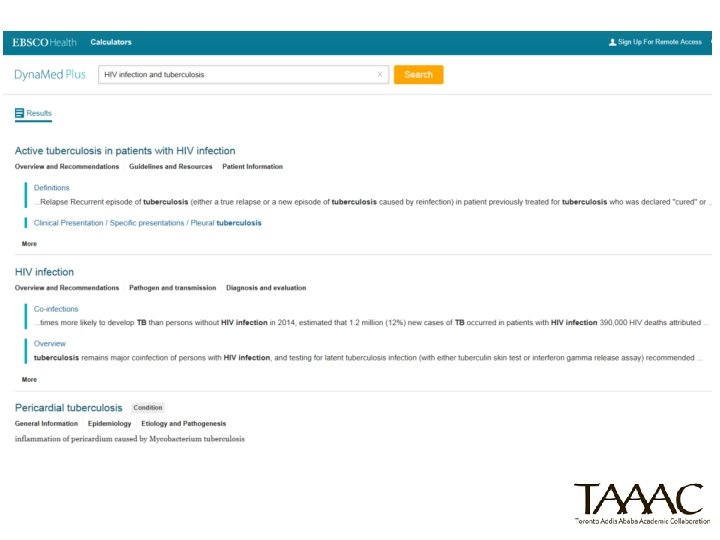
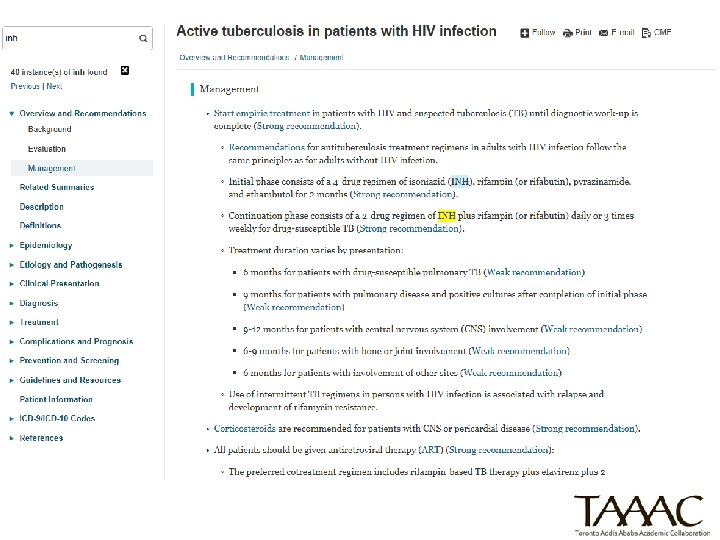
Searching in Dynamed Plus
Notes • We have used regular Pub. Med to register and add the filters to your MY NCBI account. • When want to make changes to your MY NCBI profile or add/save more searches, you must go to regular Pub. Med and open your MY NCBI account. (http: //www. ncbi. nlm. nih. gov/pubmed/)
Evaluate what you find To evaluate a journal article look for: • Purpose of Article: Why was the article written? To: persuade the reader to do something? inform the reader? prove something? • Type of Journal: For college-level term papers, information should be obtained mostly from scholarly journals. • Organization and Content: Is the material organized and focused? Is the argument or presentation understandable? Is this original research, a review of previous research, or an informative piece?
Evaluate what you find Bias (of the publisher) Date of Article Bibliography Usefulness: Is the article relevant to the current research project? • Authority/author: Is the author an expert in this field? Where is the author employed? What else has he/she written? Has he/she won awards or honors? • •
Evaluate what you find • Coverage: Does the article cover the topic comprehensively, partially, or is it an overview? • Audience: For what type of reader is the author writing? • Illustrations: Are charts, graphs, maps, photographs, etc. used to illustrate concepts? Are the illustrations relevant? Are they clear and professional-looking? (Colorado State University Libraries, http: //lib. colostate. edu/howto/evaljrl. html, Accessed 25/10/2016)
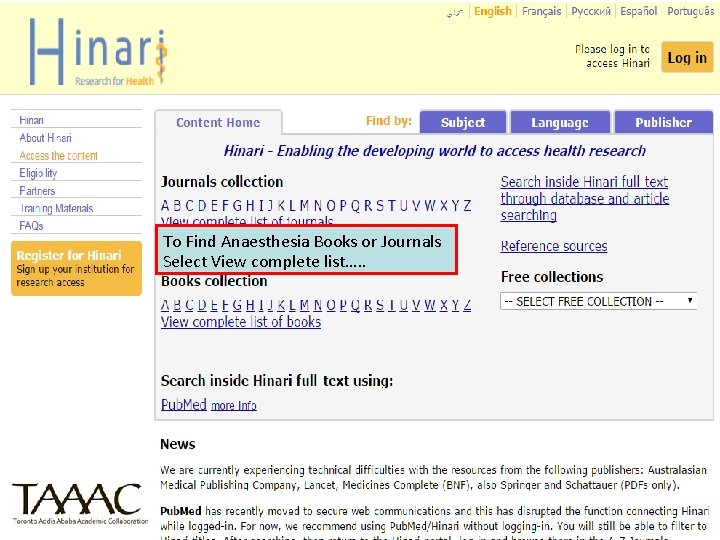
To Find Anaesthesia Books or Journals Select View complete list…. .
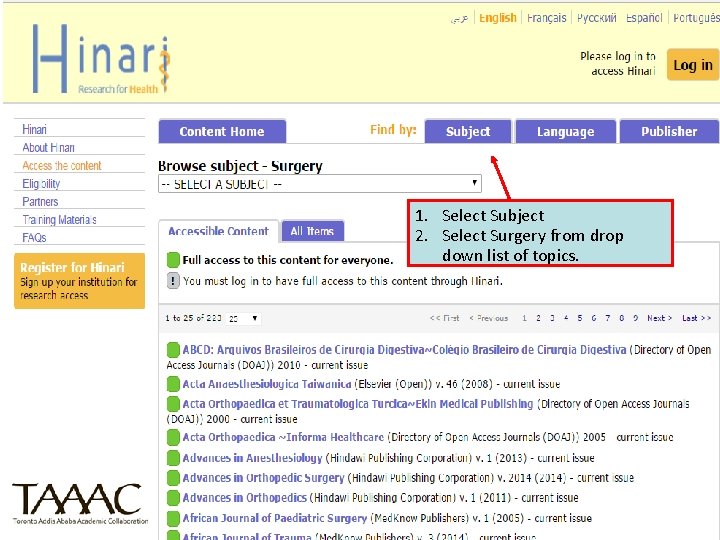
1. Select Subject 2. Select Surgery from drop down list of topics.
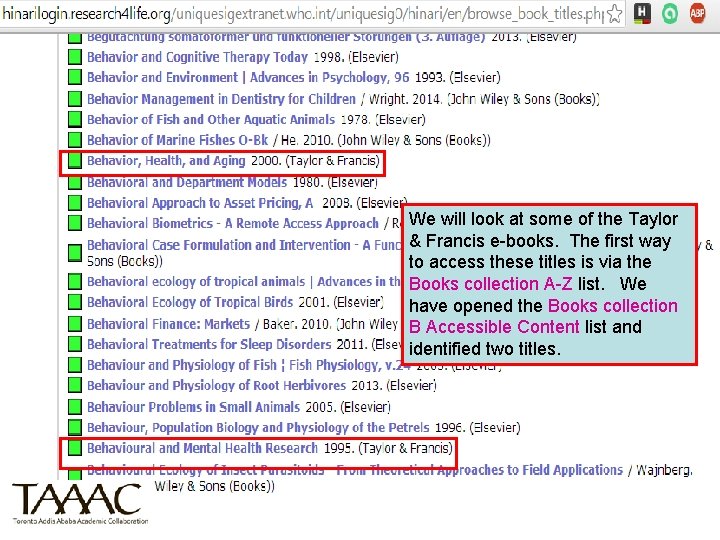
We will look at some of the Taylor & Francis e-books. The first way to access these titles is via the Books collection A-Z list. We have opened the Books collection B Accessible Content list and identified two titles. 17 July 2016
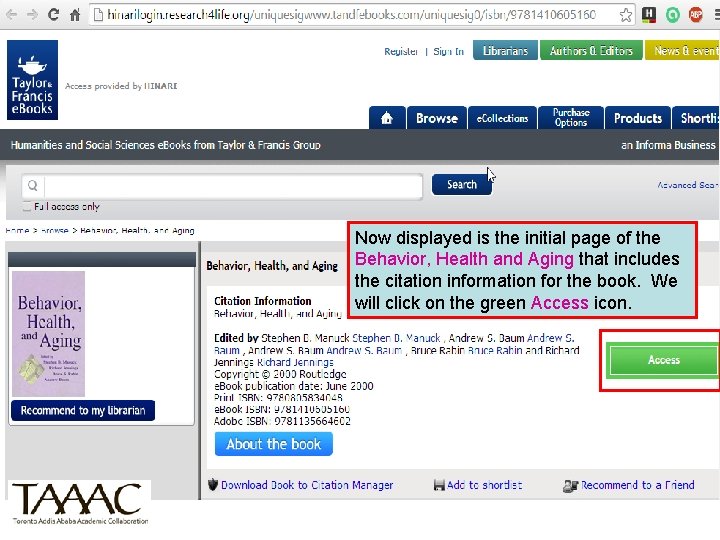
Now displayed is the initial page of the Behavior, Health and Aging that includes the citation information for the book. We will click on the green Access icon. 17 July 2016
Questions/Comments?