
PIX in a Day 10302020 Objective This is

PIX in a Day 10/30/2020
Objective This is a two part course designed for people with good knowledge of IP and some knowledge. It is presented in two parts. The first part, this course, shows how to configure a PIX V 6 firewall in a number of scenarios. The second covers trouble shooting. This is not a security course – base principles are not covered - a good knowledge of Networks. It will not teach anyone to design a firewall (leave that to experts like me) only how to implement one. 10/30/2020

Marketing fluff 10/30/2020
Pix Features according to Cisco • Embedded system (Cisco PIX firewall OS) is real-time and secure; not subject to operating system vulnerabilities • Adaptive security Algorithm (ASA) provides stateful connection control. Packet information is placed in a table; information from the packet must match information in the table • Cut-through proxy; user-based authentication of inbound and outbound connections Improved performance over proxy filters Low overhead processing = better performance • Stateful failover/hot standby Fully redundant topology (failover) can be configured 10/30/2020
PIX Firewall ASA Adaptive Security Algorithm is Cisco's name for the subroutines that performs stateful packet filtering. A data packet is analyzed, and its information is placed in a table – the state table or xlate table. On the receipt of return traffic, the incoming packet is checked against the table. In order for the connection to be established, there must be a match between the two. ASA is part of the PIX operating system. 10/30/2020
PIX Firewall Cut-Through Proxy The cut-through proxy provides a method for user-based authentication. Inbound and outbound connections can be authenticated. Better performance than a proxy filter because the processing overhead on the PIX is reduced by using the cut-through proxy feature. Sockets are not terminated and re-opened – the device never becomes an end point. After authentication by a TACACS+ or RADIUS server, per-user connection state information is maintained by the firewall. For protocols that don’t support authentication, a virtual telnet server exists. 10/30/2020
PIX: Stateful Filtering PIX obtains the IP address and port from each layer 4 protocol. PIX logs the connection data in the statefull connection table. A session object is created at this stage of the process. The inbound and outbound packets are compared to the table. If a connection entry exists, the packets are allowed to pass. Once the connection is terminated, the connection information, including the session object, is eventually deleted. For protocols where no state exists timers are used to “tear down” the connection object 10/30/2020
PIX Firewall features Failover Pix supports active-passive in a stateful and non-stateful mode. Two PIX Firewalls must be identical models. which are identically configured. In stateful failover, connections do not have to be restarted 10/30/2020
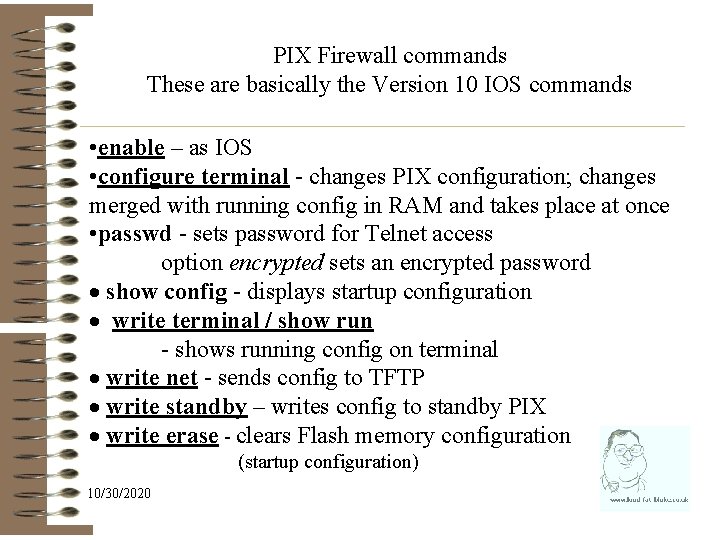
PIX Firewall commands These are basically the Version 10 IOS commands • enable – as IOS • configure terminal - changes PIX configuration; changes merged with running config in RAM and takes place at once • passwd - sets password for Telnet access option encrypted sets an encrypted password · show config - displays startup configuration · write terminal / show run - shows running config on terminal · write net - sends config to TFTP · write standby – writes config to standby PIX · write erase - clears Flash memory configuration (startup configuration) 10/30/2020
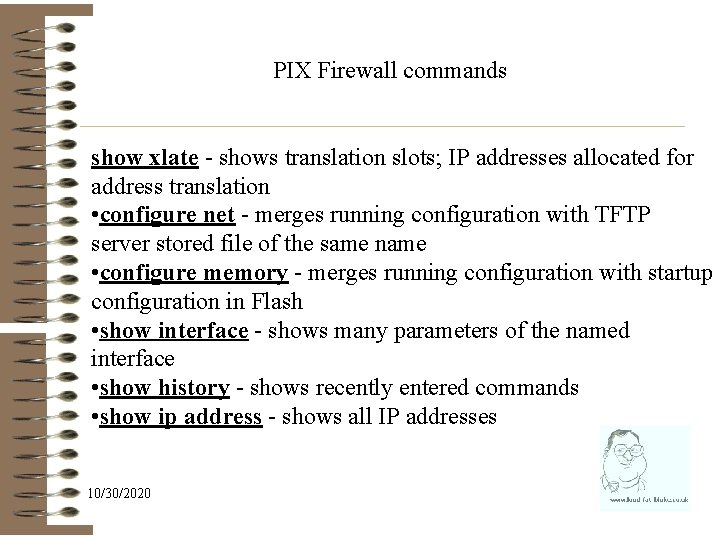
PIX Firewall commands show xlate - shows translation slots; IP addresses allocated for address translation • configure net - merges running configuration with TFTP server stored file of the same name • configure memory - merges running configuration with startup configuration in Flash • show interface - shows many parameters of the named interface • show history - shows recently entered commands • show ip address - shows all IP addresses 10/30/2020
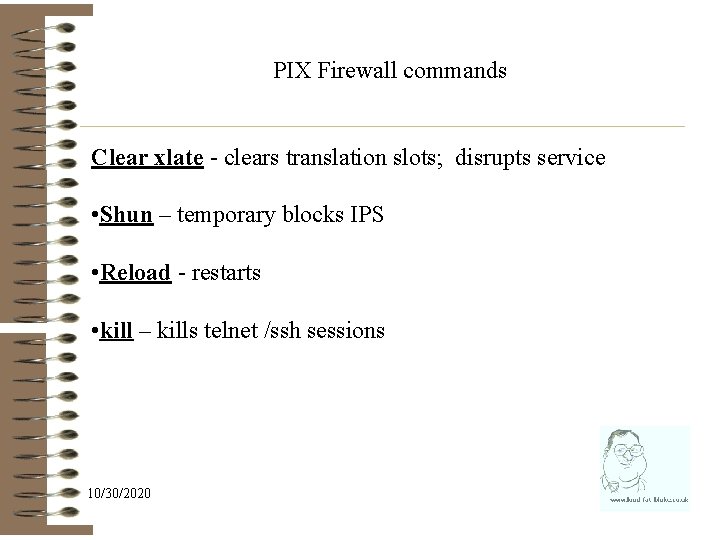
PIX Firewall commands Clear xlate - clears translation slots; disrupts service • Shun – temporary blocks IPS • Reload - restarts • kill – kills telnet /ssh sessions 10/30/2020
The basic configuration 10/30/2020
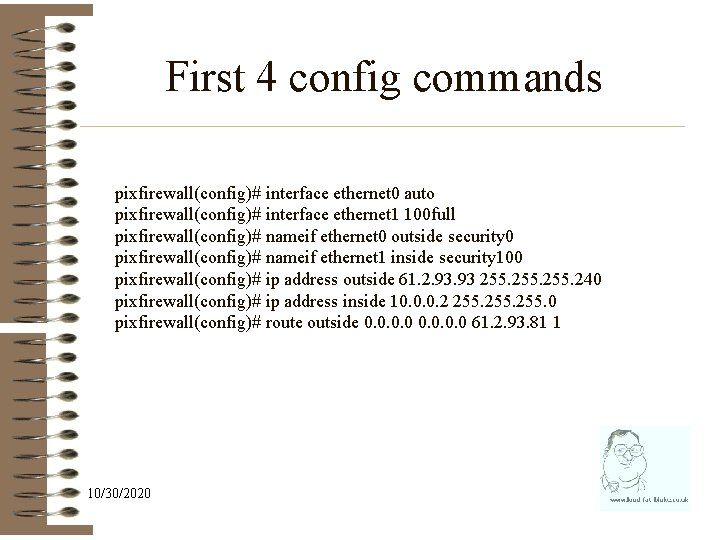
First 4 config commands pixfirewall(config)# interface ethernet 0 auto pixfirewall(config)# interface ethernet 1 100 full pixfirewall(config)# nameif ethernet 0 outside security 0 pixfirewall(config)# nameif ethernet 1 inside security 100 pixfirewall(config)# ip address outside 61. 2. 93 255. 240 pixfirewall(config)# ip address inside 10. 0. 0. 2 255. 0 pixfirewall(config)# route outside 0. 0 61. 2. 93. 81 1 10/30/2020
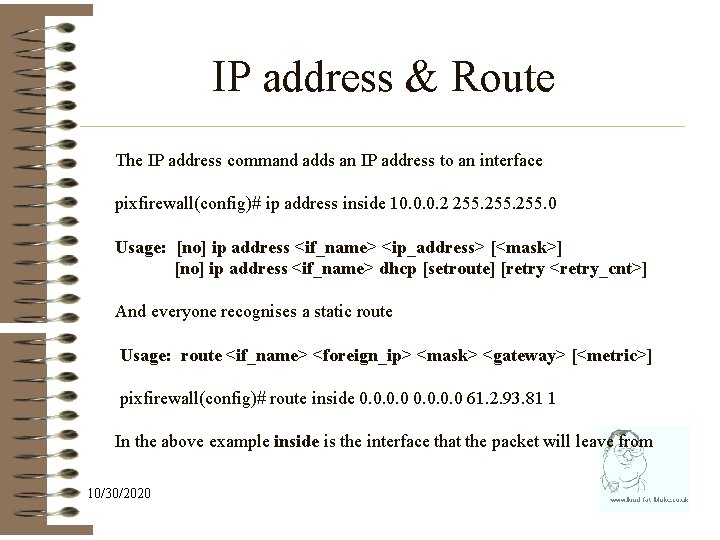
IP address & Route The IP address command adds an IP address to an interface pixfirewall(config)# ip address inside 10. 0. 0. 2 255. 0 Usage: [no] ip address <if_name> <ip_address> [<mask>] [no] ip address <if_name> dhcp [setroute] [retry <retry_cnt>] And everyone recognises a static route Usage: route <if_name> <foreign_ip> <mask> <gateway> [<metric>] pixfirewall(config)# route inside 0. 0 61. 2. 93. 81 1 In the above example inside is the interface that the packet will leave from 10/30/2020
![Interface command pixfirewall(config)# interface ethernet 1 100 full Usage: interface <hardware_id> [<hw_speed> [shutdown]] The](http://slidetodoc.com/presentation_image/2ba246cbac78f569ad8636c7161acc73/image-15.jpg "Interface command pixfirewall(config)# interface ethernet 1 100 full Usage: interface <hardware_id> [<hw_speed> [shutdown]] The")
Interface command pixfirewall(config)# interface ethernet 1 100 full Usage: interface <hardware_id> [<hw_speed> [shutdown]] The interface command enables properties of an interface. Options include Auto / 10 base. T / 10 full 100 base. TX / 100 full / 1000 auto 1000 full / 1000 full nonegotiate For dot 1 q virtual interfaces: Usage: interface hardware_id vlan_id logical pixfirewall(config)# interface ethernet 1 vlan 99 logical 10/30/2020
PIX ASA Security Levels One of two interfaces must be of a higher level. Packets can pass from lower to higher level interfaces but not from higher to lower level interfaces without an access list. (except ICMP) Security levels range from 0 through 100 is most secure: default for inside interface: can't be changed 0 is least secure: default for outside interface: can't be changed 1 through 99 can be assigned to other interfaces such as a DMZ 10/30/2020
PIX ASA Security Levels Inside to outside: data traveling from more secure to less secure requires an address translation (only – see caveat) Outside to inside: data traveling from a less secure to a more secure interface needs one of the following to pass through a Static translation AND an Access list No traffic can pass through identical security level interfaces. For example, if two DMZS have a security level of 50, they can't talk to each other. Don’t rely on this – it has changed in versions 10/30/2020
EXCEPT ICMP Inside to outside: data traveling from more secure to less secure requires an address translation (only) Security people DON’T LIKE ICMP THEREFORE WE MAKE IT DIFFICULT TO USE TO GET A RETURNED ECHO-REPLY YOU NEED A ACCESS_LIST 10/30/2020
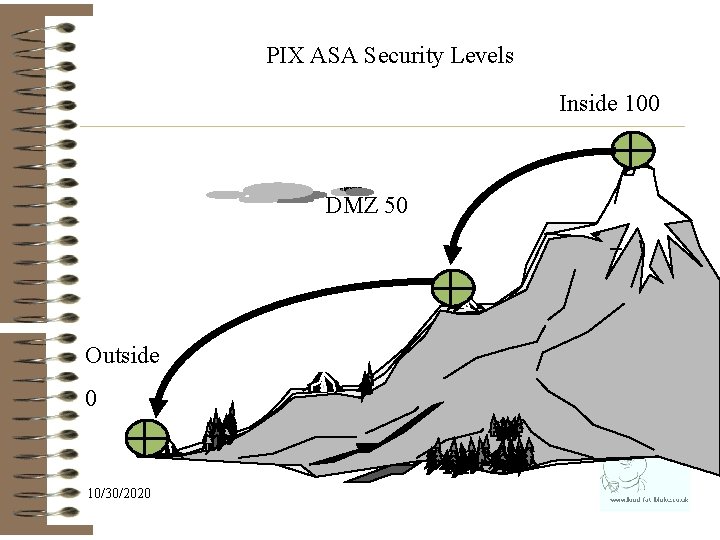
PIX ASA Security Levels Inside 100 DMZ 50 Outside 0 10/30/2020
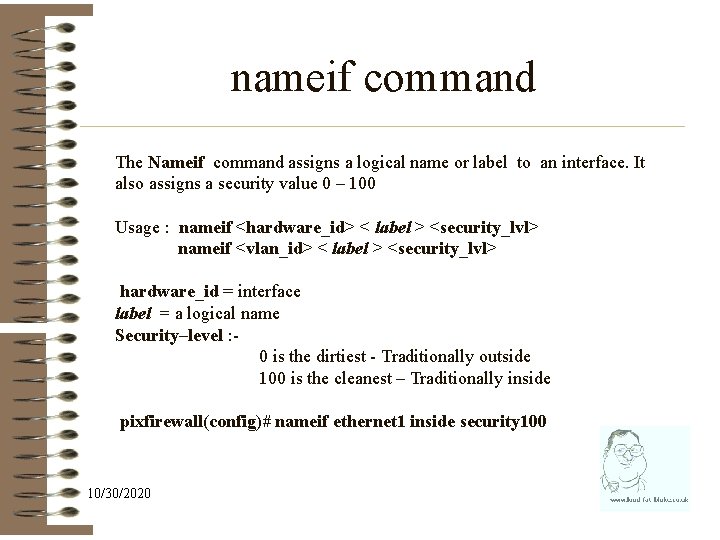
nameif command The Nameif command assigns a logical name or label to an interface. It also assigns a security value 0 – 100 Usage : nameif <hardware_id> < label > <security_lvl> nameif <vlan_id> < label > <security_lvl> hardware_id = interface label = a logical name Security–level : 0 is the dirtiest - Traditionally outside 100 is the cleanest – Traditionally inside pixfirewall(config)# nameif ethernet 1 inside security 100 10/30/2020
But your firewall still won’t work You need GLOBAL and NAT 10/30/2020
Global & Nat PIX relies on address translation to provide security. Under normal circumstances connection will have its: • Source address translated on outbound connections • Dest address translated on inbound connection For the Exam – Global address is a valid outside address - Local is a internal address - Private is an 1918 address 10/30/2020
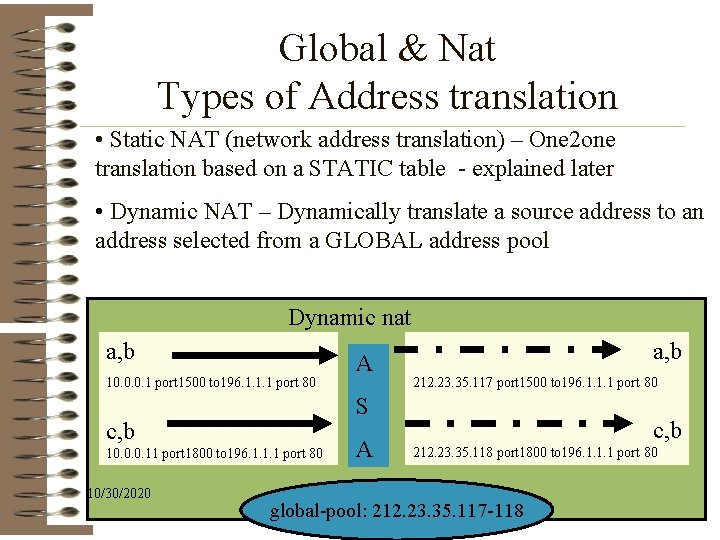
Global & Nat Types of Address translation • Static NAT (network address translation) – One 2 one translation based on a STATIC table - explained later • Dynamic NAT – Dynamically translate a source address to an address selected from a GLOBAL address pool Dynamic nat a, b 10. 0. 0. 1 port 1500 to 196. 1. 1. 1 port 80 a, b 212. 23. 35. 117 port 1500 to 196. 1. 1. 1 port 80 S c, b 10. 0. 0. 11 port 1800 to 196. 1. 1. 1 port 80 10/30/2020 A A c, b 212. 23. 35. 118 port 1800 to 196. 1. 1. 1 port 80 global-pool: 212. 23. 35. 117 -118
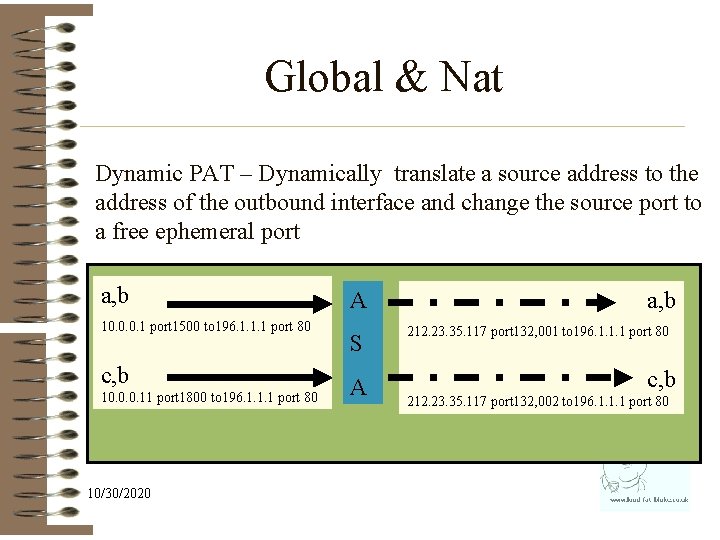
Global & Nat Dynamic PAT – Dynamically translate a source address to the address of the outbound interface and change the source port to a free ephemeral port a, b 10. 0. 0. 1 port 1500 to 196. 1. 1. 1 port 80 c, b 10. 0. 0. 11 port 1800 to 196. 1. 1. 1 port 80 10/30/2020 A S A a, b 212. 23. 35. 117 port 132, 001 to 196. 1. 1. 1 port 80 c, b 212. 23. 35. 117 port 132, 002 to 196. 1. 1. 1 port 80
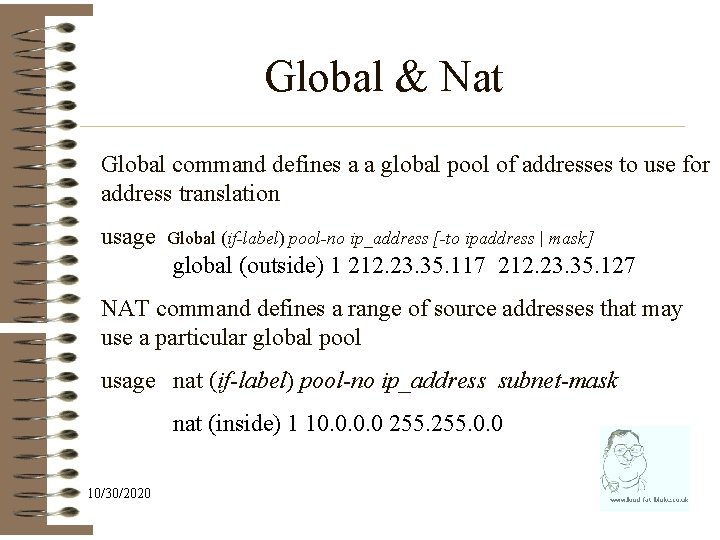
Global & Nat Global command defines a a global pool of addresses to use for address translation usage Global (if-label) pool-no ip_address [-to ipaddress | mask] global (outside) 1 212. 23. 35. 117 212. 23. 35. 127 NAT command defines a range of source addresses that may use a particular global pool usage nat (if-label) pool-no ip_address subnet-mask nat (inside) 1 10. 0 255. 0. 0 10/30/2020
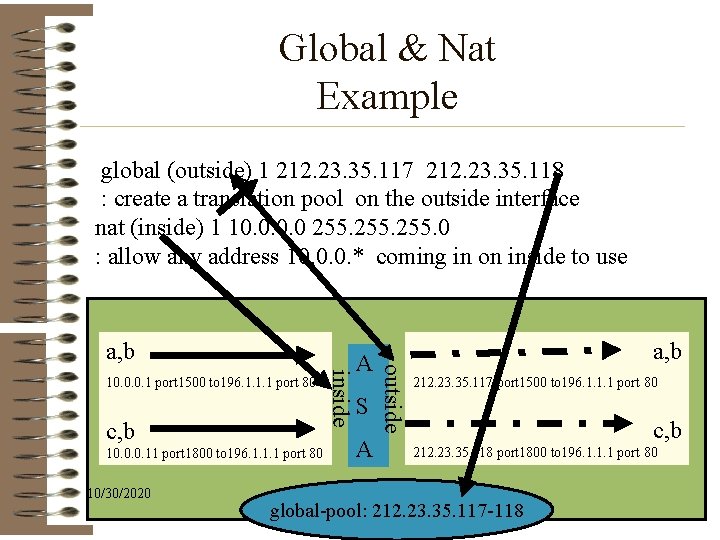
Global & Nat Example global (outside) 1 212. 23. 35. 117 212. 23. 35. 118 : create a translation pool on the outside interface nat (inside) 1 10. 0 255. 0 : allow any address 10. 0. 0. * coming in on inside to use c, b 10. 0. 0. 11 port 1800 to 196. 1. 1. 1 port 80 10/30/2020 inside 10. 0. 0. 1 port 1500 to 196. 1. 1. 1 port 80 A S A a, b outside a, b 212. 23. 35. 117 port 1500 to 196. 1. 1. 1 port 80 c, b 212. 23. 35. 118 port 1800 to 196. 1. 1. 1 port 80 global-pool: 212. 23. 35. 117 -118
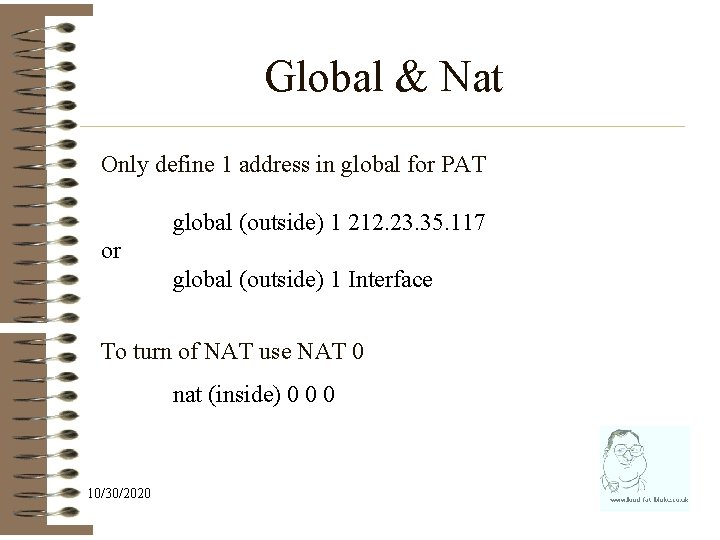
Global & Nat Only define 1 address in global for PAT global (outside) 1 212. 23. 35. 117 or global (outside) 1 Interface To turn of NAT use NAT 0 nat (inside) 0 0 0 10/30/2020
Nat Or to be a right smart arse use an access-list nat (inside) 1 access-list natlist 10/30/2020
You now know enough to get a basic firewall working 10/30/2020
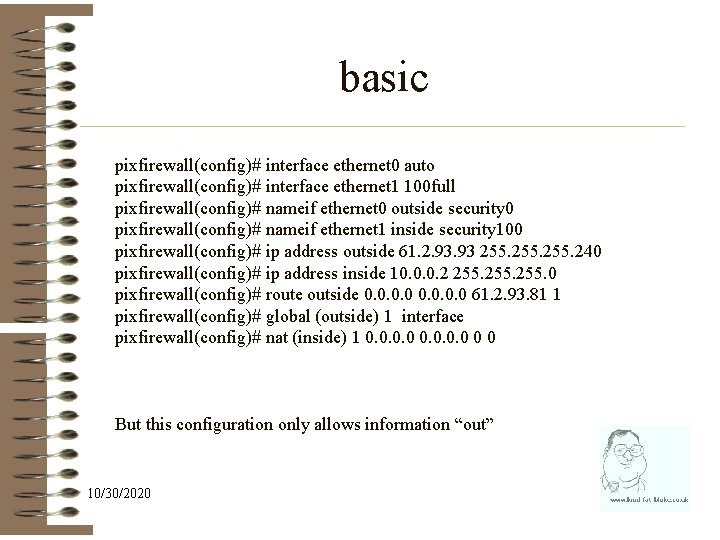
basic pixfirewall(config)# interface ethernet 0 auto pixfirewall(config)# interface ethernet 1 100 full pixfirewall(config)# nameif ethernet 0 outside security 0 pixfirewall(config)# nameif ethernet 1 inside security 100 pixfirewall(config)# ip address outside 61. 2. 93 255. 240 pixfirewall(config)# ip address inside 10. 0. 0. 2 255. 0 pixfirewall(config)# route outside 0. 0 61. 2. 93. 81 1 pixfirewall(config)# global (outside) 1 interface pixfirewall(config)# nat (inside) 1 0. 0 0 0 But this configuration only allows information “out” 10/30/2020
Lab • Configure a PIX to have the addresses provided • So that it can browse the WWW • PATs all requests to the outside interface • Allows no traffic in Time: 45 minutes 10/30/2020
Allowing information “IN” 10/30/2020
Static The ASA will only allow traffic to travel from a “low” to a “high” interface if a static address translation is configured This is done with the static command usage: static (if-src, if-dest) ip-dest ip-src netmask static (inside, outside) 61. 2. 93. 82 10. 0. 0. 2 netmask 255 0 0 You now have an external address – but it has an implied access-list of ip deny any 10/30/2020
Access-lists 10/30/2020
access-list Pix access-list are different from IOS access-lists. The key differences are: • They are stateful – so they allow return traffic • The mask is a genuine subnet mask • The identifier (i. e. name) is alphanumeric – ØIOS = access-list 101 permit ØPIX = access-list one 0 one • Line numbers can be used to edit access-lists 10/30/2020
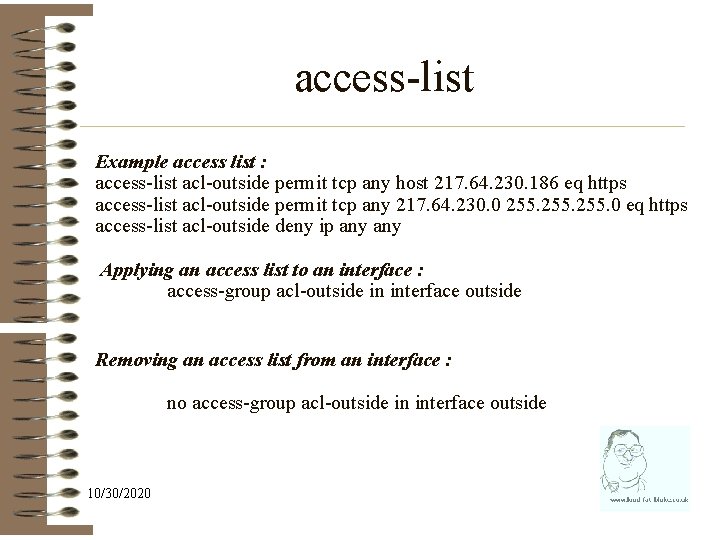
access-list Example access list : access-list acl-outside permit tcp any host 217. 64. 230. 186 eq https access-list acl-outside permit tcp any 217. 64. 230. 0 255. 0 eq https access-list acl-outside deny ip any Applying an access list to an interface : access-group acl-outside in interface outside Removing an access list from an interface : no access-group acl-outside in interface outside 10/30/2020
Object-group 10/30/2020
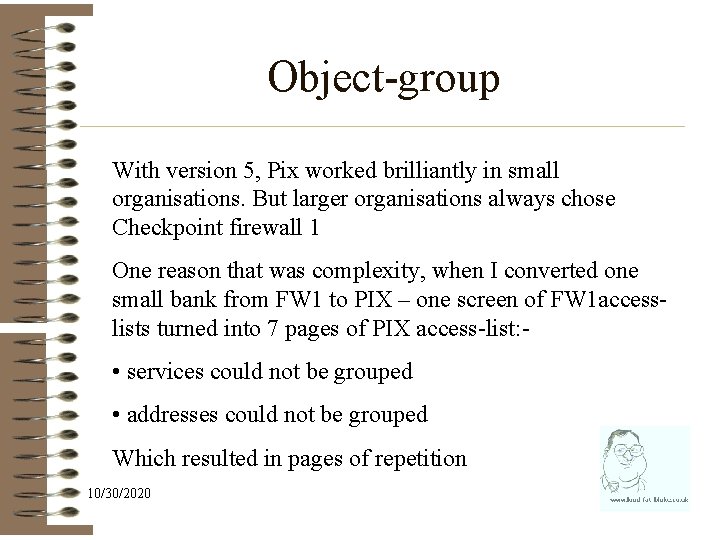
Object-group With version 5, Pix worked brilliantly in small organisations. But larger organisations always chose Checkpoint firewall 1 One reason that was complexity, when I converted one small bank from FW 1 to PIX – one screen of FW 1 accesslists turned into 7 pages of PIX access-list: - • services could not be grouped • addresses could not be grouped Which resulted in pages of repetition 10/30/2020
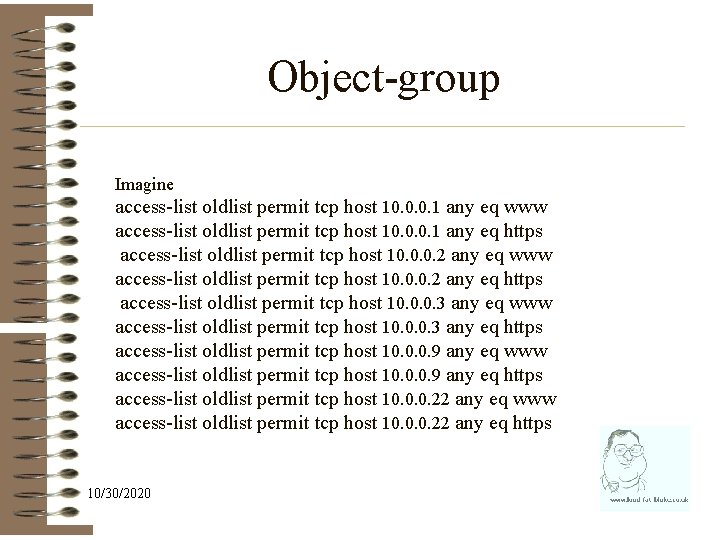
Object-group Imagine access-list oldlist permit tcp host 10. 0. 0. 1 any eq www access-list oldlist permit tcp host 10. 0. 0. 1 any eq https access-list oldlist permit tcp host 10. 0. 0. 2 any eq www access-list oldlist permit tcp host 10. 0. 0. 2 any eq https access-list oldlist permit tcp host 10. 0. 0. 3 any eq www access-list oldlist permit tcp host 10. 0. 0. 3 any eq https access-list oldlist permit tcp host 10. 0. 0. 9 any eq www access-list oldlist permit tcp host 10. 0. 0. 9 any eq https access-list oldlist permit tcp host 10. 0. 0. 22 any eq www access-list oldlist permit tcp host 10. 0. 0. 22 any eq https 10/30/2020
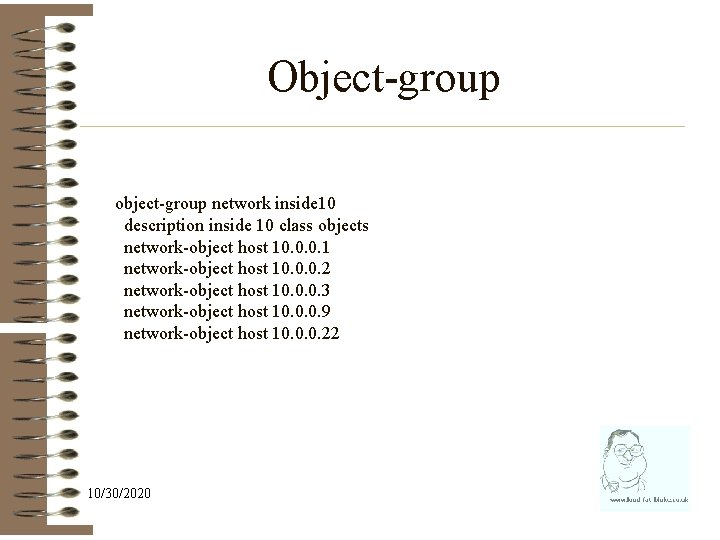
Object-group object-group network inside 10 description inside 10 class objects network-object host 10. 0. 0. 1 network-object host 10. 0. 0. 2 network-object host 10. 0. 0. 3 network-object host 10. 0. 0. 9 network-object host 10. 0. 0. 22 10/30/2020
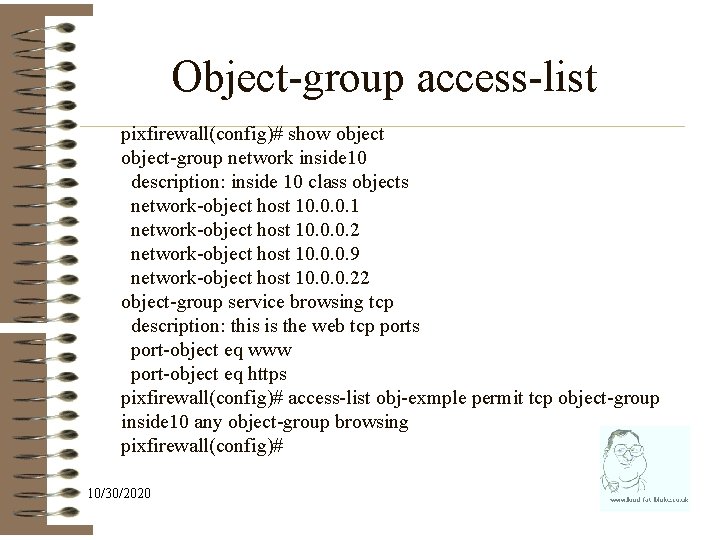
Object-group access-list pixfirewall(config)# show object-group network inside 10 description: inside 10 class objects network-object host 10. 0. 0. 1 network-object host 10. 0. 0. 2 network-object host 10. 0. 0. 9 network-object host 10. 0. 0. 22 object-group service browsing tcp description: this is the web tcp ports port-object eq www port-object eq https pixfirewall(config)# access-list obj-exmple permit tcp object-group inside 10 any object-group browsing pixfirewall(config)# 10/30/2020
Legacy access-lists 10/30/2020
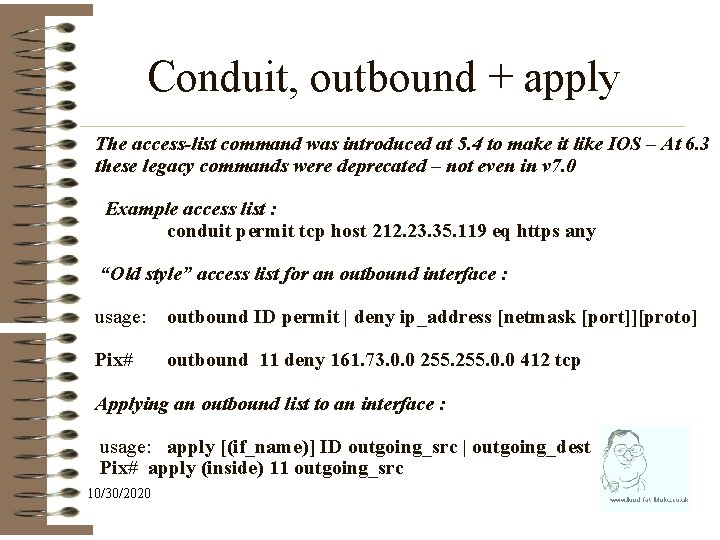
Conduit, outbound + apply The access-list command was introduced at 5. 4 to make it like IOS – At 6. 3 these legacy commands were deprecated – not even in v 7. 0 Example access list : conduit permit tcp host 212. 23. 35. 119 eq https any “Old style” access list for an outbound interface : usage: outbound ID permit | deny ip_address [netmask [port]][proto] Pix# outbound 11 deny 161. 73. 0. 0 255. 0. 0 412 tcp Applying an outbound list to an interface : usage: apply [(if_name)] ID outgoing_src | outgoing_dest Pix# apply (inside) 11 outgoing_src 10/30/2020
Advanced PIX Proto analysis 10/30/2020
fixup Protocols are not designed with security in mind – they often have features that are insecure or difficult to embody in access-list Firewalls use packet inspection and protocol analysis to overcome these difficulties Pix enables the protocol feature and assign the processing to a particular port with the fixup command 10/30/2020
![fixup protocol ftp [strict] [port] fixup protocol http [port[-port] fixup protocol h 323 {h](http://slidetodoc.com/presentation_image/2ba246cbac78f569ad8636c7161acc73/image-46.jpg "fixup protocol ftp [strict] [port] fixup protocol http [port[-port] fixup protocol h 323 {h")
fixup protocol ftp [strict] [port] fixup protocol http [port[-port] fixup protocol h 323 {h 225 | ras} port [-port] fixup protocol ils [port[-port]] fixup protocol rsh [514] fixup protocol rtsp [port] Fixup disappears fixup protocol sip [5060] with version 7 fixup protocol skinny [2000] fixup protocol smtp [port[-port]] fixup protocol sqlnet [port[-port]] fixup protocol skinny port [-port] 10/30/2020 Add at version 6. 3 fixup protocol icmp errors <- theres always 1 smart arse fixup protocol ctiqbe 2748 [no] fixup protocol dns [maximum-length] fixup protocol esp-ike fixup protocol snmp [161[-162]] fixup protocol tftp [port[-port]]
Other protection Mail. Guard (enabled by fixup protocol smtp ) only allows the smtp commands mail to, rcpt frm, data, end & quit Dns. Guard (enabled by fixup protocol dns or on by default pre 6. 3 ) only accespts first dns datagram Flood. Guard (Flood. Guard enable ) enables flood protection Frag. Guard ( sysopt security fragguard replaced by the fragment command) 10/30/2020
Advanced PIX Dealing with attacks 10/30/2020
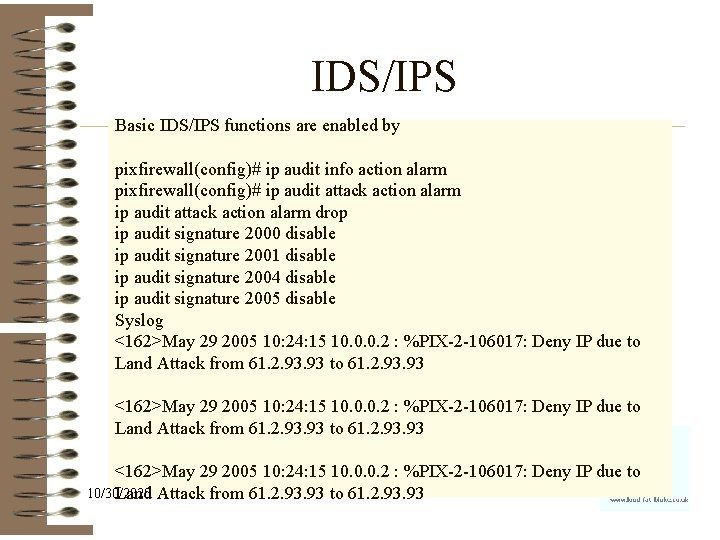
IDS/IPS Basic IDS/IPS functions are enabled by pixfirewall(config)# ip audit info action alarm pixfirewall(config)# ip audit attack action alarm drop ip audit signature 2000 disable ip audit signature 2001 disable ip audit signature 2004 disable ip audit signature 2005 disable Syslog <162>May 29 2005 10: 24: 15 10. 0. 0. 2 : %PIX-2 -106017: Deny IP due to Land Attack from 61. 2. 93. 93 to 61. 2. 93. 93 <162>May 29 2005 10: 24: 15 10. 0. 0. 2 : %PIX-2 -106017: Deny IP due to 10/30/2020 Land Attack from 61. 2. 93 to 61. 2. 93
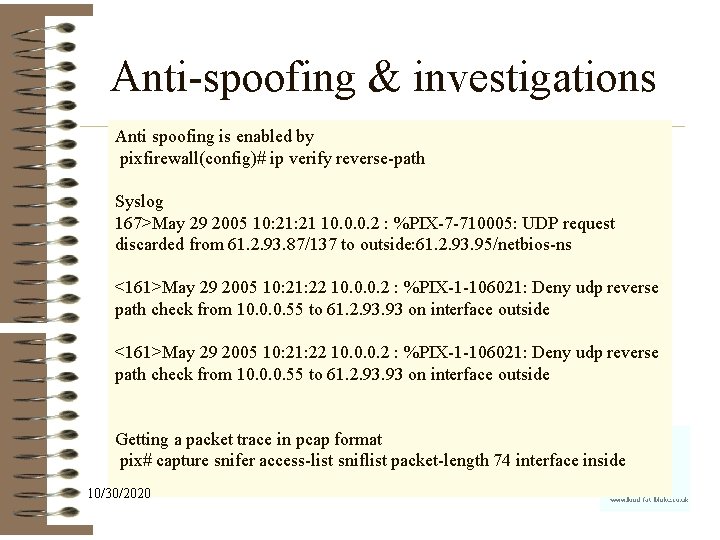
Anti-spoofing & investigations Anti spoofing is enabled by pixfirewall(config)# ip verify reverse-path Syslog 167>May 29 2005 10: 21 10. 0. 0. 2 : %PIX-7 -710005: UDP request discarded from 61. 2. 93. 87/137 to outside: 61. 2. 93. 95/netbios-ns <161>May 29 2005 10: 21: 22 10. 0. 0. 2 : %PIX-1 -106021: Deny udp reverse path check from 10. 0. 0. 55 to 61. 2. 93. 93 on interface outside Getting a packet trace in pcap format pix# capture snifer access-list sniflist packet-length 74 interface inside 10/30/2020

10/30/2020
Site 2 site VPN 10/30/2020
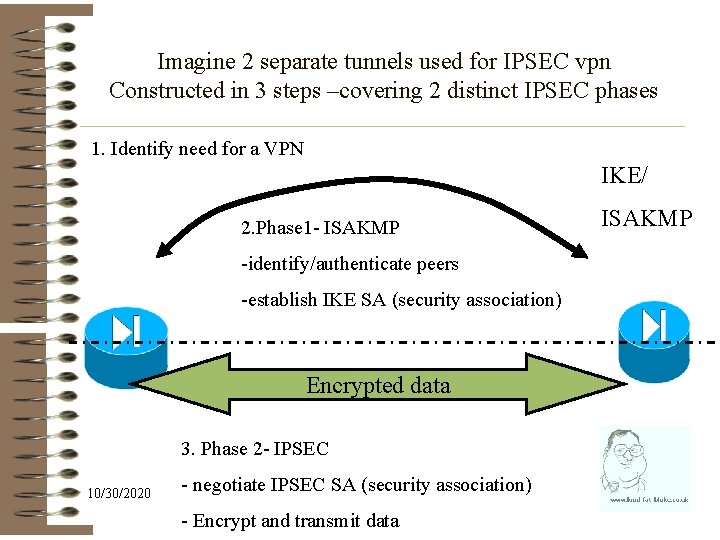
Imagine 2 separate tunnels used for IPSEC vpn Constructed in 3 steps –covering 2 distinct IPSEC phases 1. Identify need for a VPN IKE/ 2. Phase 1 - ISAKMP -identify/authenticate peers -establish IKE SA (security association) Encrypted data 3. Phase 2 - IPSEC 10/30/2020 - negotiate IPSEC SA (security association) - Encrypt and transmit data ISAKMP
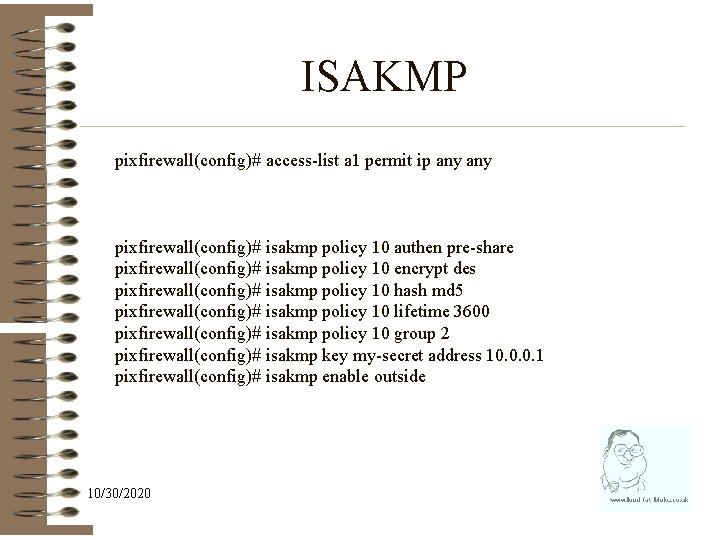
ISAKMP pixfirewall(config)# access-list a 1 permit ip any pixfirewall(config)# isakmp policy 10 authen pre-share pixfirewall(config)# isakmp policy 10 encrypt des pixfirewall(config)# isakmp policy 10 hash md 5 pixfirewall(config)# isakmp policy 10 lifetime 3600 pixfirewall(config)# isakmp policy 10 group 2 pixfirewall(config)# isakmp key my-secret address 10. 0. 0. 1 pixfirewall(config)# isakmp enable outside 10/30/2020
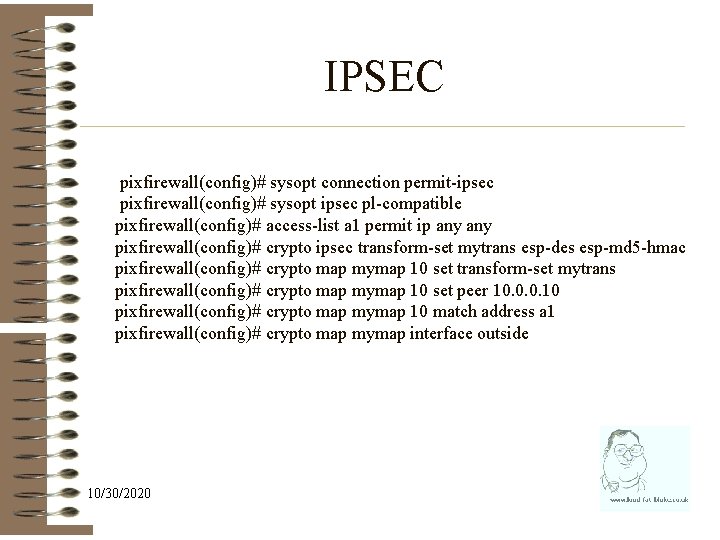
IPSEC pixfirewall(config)# sysopt connection permit-ipsec pixfirewall(config)# sysopt ipsec pl-compatible pixfirewall(config)# access-list a 1 permit ip any pixfirewall(config)# crypto ipsec transform-set mytrans esp-des esp-md 5 -hmac pixfirewall(config)# crypto map mymap 10 set transform-set mytrans pixfirewall(config)# crypto map mymap 10 set peer 10. 0. 0. 10 pixfirewall(config)# crypto map mymap 10 match address a 1 pixfirewall(config)# crypto map mymap interface outside 10/30/2020
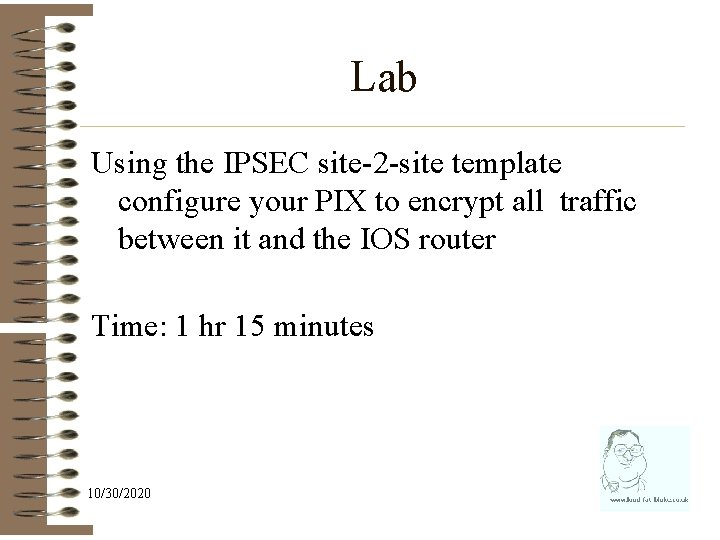
Lab Using the IPSEC site-2 -site template configure your PIX to encrypt all traffic between it and the IOS router Time: 1 hr 15 minutes 10/30/2020
Secure client VPN 10/30/2020
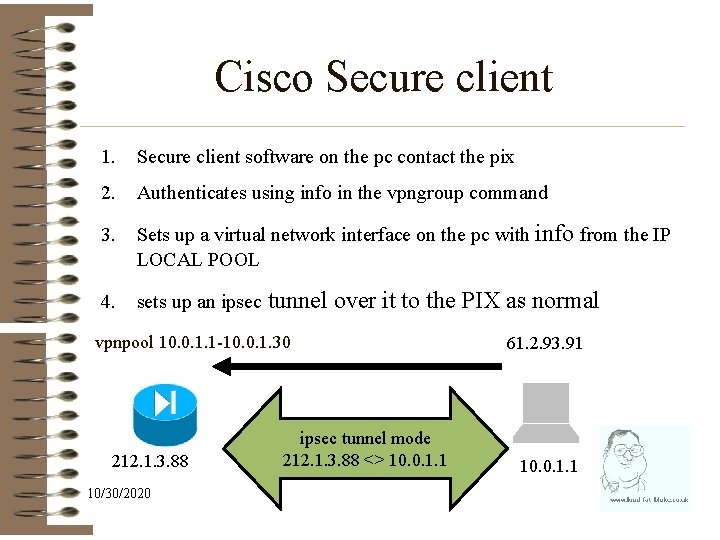
Cisco Secure client 1. Secure client software on the pc contact the pix 2. Authenticates using info in the vpngroup command 3. Sets up a virtual network interface on the pc with info from the IP LOCAL POOL 4. sets up an ipsec tunnel over it to the PIX as normal vpnpool 10. 0. 1. 1 -10. 0. 1. 30 212. 1. 3. 88 10/30/2020 ipsec tunnel mode 212. 1. 3. 88 <> 10. 0. 1. 1 61. 2. 93. 91 10. 0. 1. 1
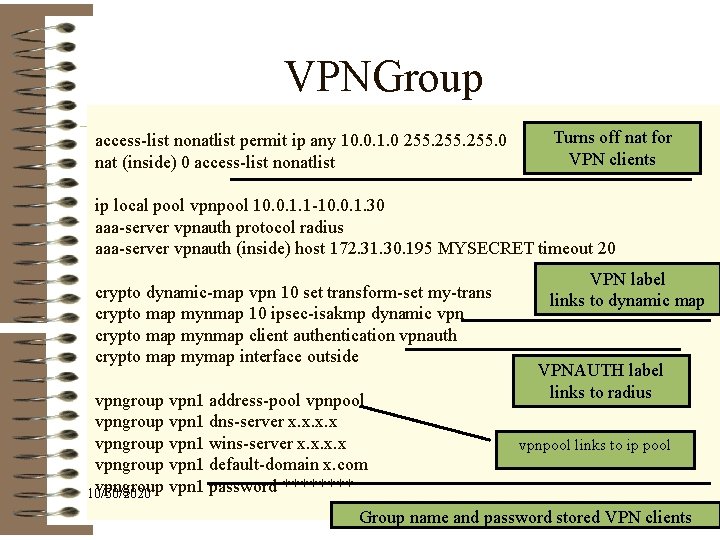
VPNGroup access-list nonatlist permit ip any 10. 0. 1. 0 255. 0 nat (inside) 0 access-list nonatlist Turns off nat for VPN clients ip local pool vpnpool 10. 0. 1. 1 -10. 0. 1. 30 aaa-server vpnauth protocol radius aaa-server vpnauth (inside) host 172. 31. 30. 195 MYSECRET timeout 20 crypto dynamic-map vpn 10 set transform-set my-trans crypto map mynmap 10 ipsec-isakmp dynamic vpn crypto map mynmap client authentication vpnauth crypto map mymap interface outside vpngroup vpn 1 address-pool vpngroup vpn 1 dns-server x. x vpngroup vpn 1 wins-server x. x vpngroup vpn 1 default-domain x. com vpngroup vpn 1 password **** 10/30/2020 VPN label links to dynamic map VPNAUTH label links to radius vpnpool links to ip pool Group name and password stored VPN clients
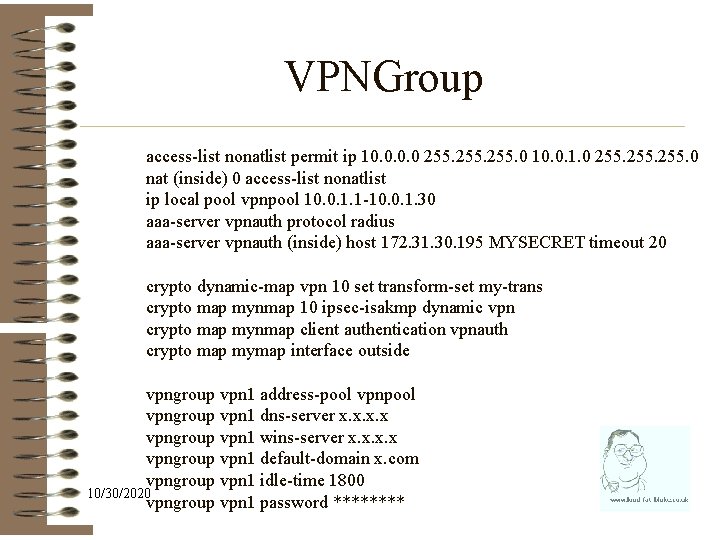
VPNGroup access-list nonatlist permit ip 10. 0 255. 0 10. 0. 1. 0 255. 0 nat (inside) 0 access-list nonatlist ip local pool vpnpool 10. 0. 1. 1 -10. 0. 1. 30 aaa-server vpnauth protocol radius aaa-server vpnauth (inside) host 172. 31. 30. 195 MYSECRET timeout 20 crypto dynamic-map vpn 10 set transform-set my-trans crypto map mynmap 10 ipsec-isakmp dynamic vpn crypto map mynmap client authentication vpnauth crypto map mymap interface outside vpngroup vpn 1 address-pool vpngroup vpn 1 dns-server x. x vpngroup vpn 1 wins-server x. x vpngroup vpn 1 default-domain x. com vpngroup vpn 1 idle-time 1800 10/30/2020 vpngroup vpn 1 password ****
Lab Using the IPSEC Secure Client template configure your PIX to allow connection from secure client Time: 1 hr 15 minutes 10/30/2020

10/30/2020
Additional 10/30/2020
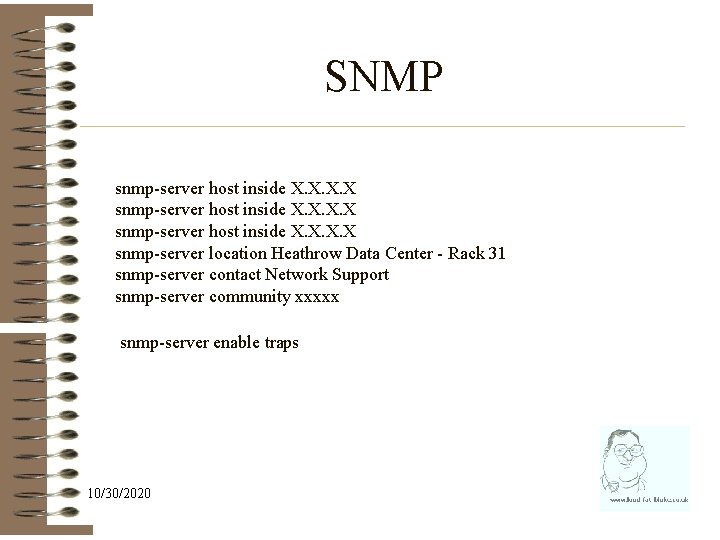
SNMP snmp-server host inside X. X snmp-server location Heathrow Data Center - Rack 31 snmp-server contact Network Support snmp-server community xxxxx snmp-server enable traps 10/30/2020
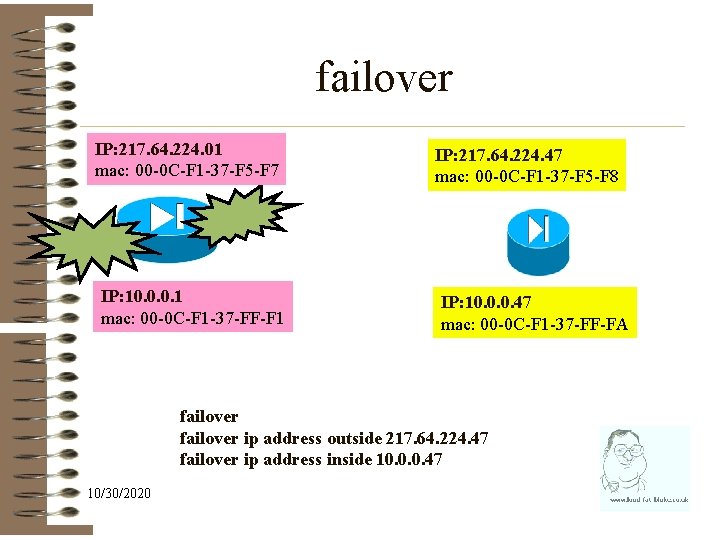
failover IP: 217. 64. 224. 01 mac: 00 -0 C-F 1 -37 -F 5 -F 7 IP: 10. 0. 0. 1 mac: 00 -0 C-F 1 -37 -FF-F 1 IP: 217. 64. 224. 47 mac: 00 -0 C-F 1 -37 -F 5 -F 8 IP: 10. 0. 0. 47 mac: 00 -0 C-F 1 -37 -FF-FA failover ip address outside 217. 64. 224. 47 failover ip address inside 10. 0. 0. 47 10/30/2020
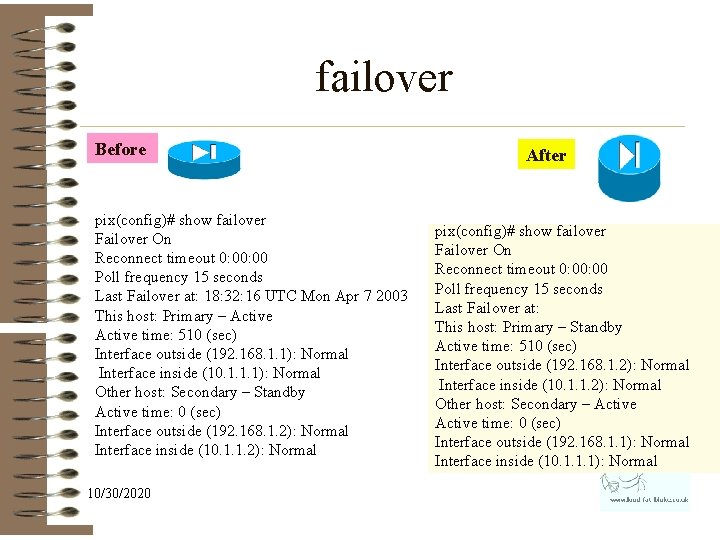
failover Before pix(config)# show failover Failover On Reconnect timeout 0: 00 Poll frequency 15 seconds Last Failover at: 18: 32: 16 UTC Mon Apr 7 2003 This host: Primary – Active time: 510 (sec) Interface outside (192. 168. 1. 1): Normal Interface inside (10. 1. 1. 1): Normal Other host: Secondary – Standby Active time: 0 (sec) Interface outside (192. 168. 1. 2): Normal Interface inside (10. 1. 1. 2): Normal 10/30/2020 After pix(config)# show failover Failover On Reconnect timeout 0: 00 Poll frequency 15 seconds Last Failover at: This host: Primary – Standby Active time: 510 (sec) Interface outside (192. 168. 1. 2): Normal Interface inside (10. 1. 1. 2): Normal Other host: Secondary – Active time: 0 (sec) Interface outside (192. 168. 1. 1): Normal Interface inside (10. 1. 1. 1): Normal
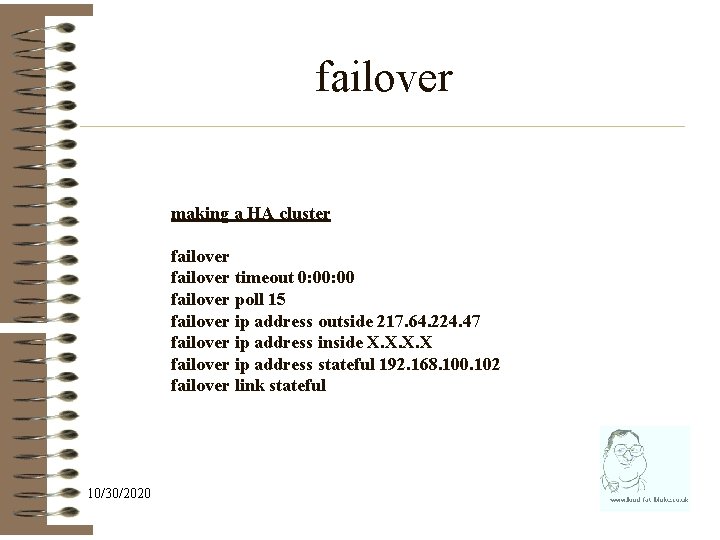
failover making a HA cluster failover timeout 0: 00 failover poll 15 failover ip address outside 217. 64. 224. 47 failover ip address inside X. X failover ip address stateful 192. 168. 100. 102 failover link stateful 10/30/2020
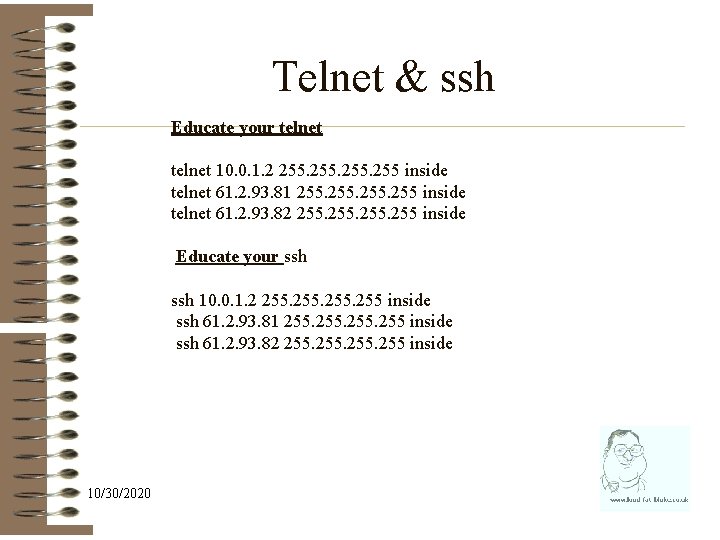
Telnet & ssh Educate your telnet 10. 0. 1. 2 255 inside telnet 61. 2. 93. 81 255 inside telnet 61. 2. 93. 82 255 inside Educate your ssh 10. 0. 1. 2 255 inside ssh 61. 2. 93. 81 255 inside ssh 61. 2. 93. 82 255 inside 10/30/2020
Operating the Pix 10/30/2020
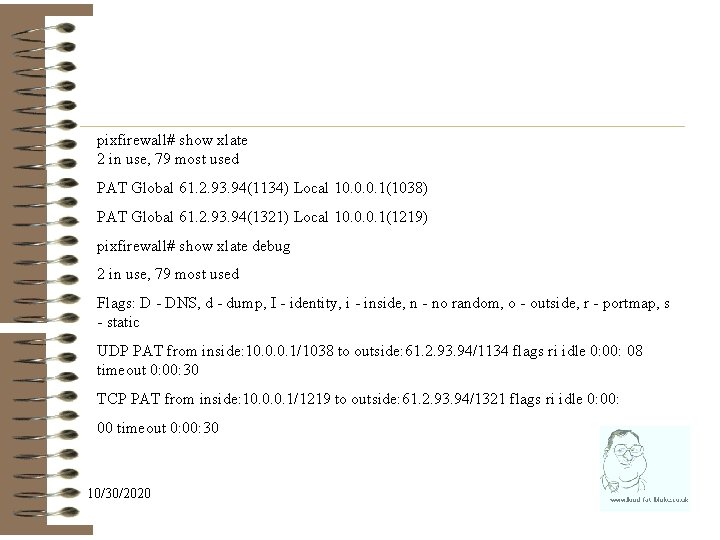
pixfirewall# show xlate 2 in use, 79 most used PAT Global 61. 2. 93. 94(1134) Local 10. 0. 0. 1(1038) PAT Global 61. 2. 93. 94(1321) Local 10. 0. 0. 1(1219) pixfirewall# show xlate debug 2 in use, 79 most used Flags: D - DNS, d - dump, I - identity, i - inside, n - no random, o - outside, r - portmap, s - static UDP PAT from inside: 10. 0. 0. 1/1038 to outside: 61. 2. 93. 94/1134 flags ri idle 0: 08 timeout 0: 00: 30 TCP PAT from inside: 10. 0. 0. 1/1219 to outside: 61. 2. 93. 94/1321 flags ri idle 0: 00 timeout 0: 00: 30 10/30/2020
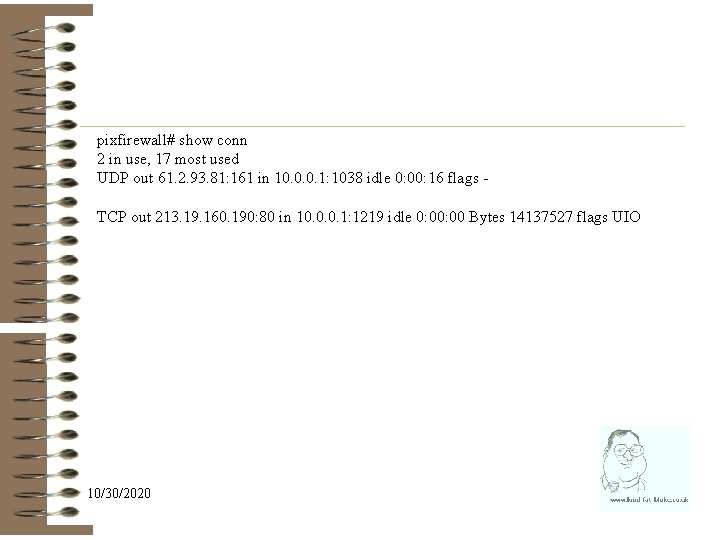
pixfirewall# show conn 2 in use, 17 most used UDP out 61. 2. 93. 81: 161 in 10. 0. 0. 1: 1038 idle 0: 00: 16 flags TCP out 213. 19. 160. 190: 80 in 10. 0. 0. 1: 1219 idle 0: 00 Bytes 14137527 flags UIO 10/30/2020
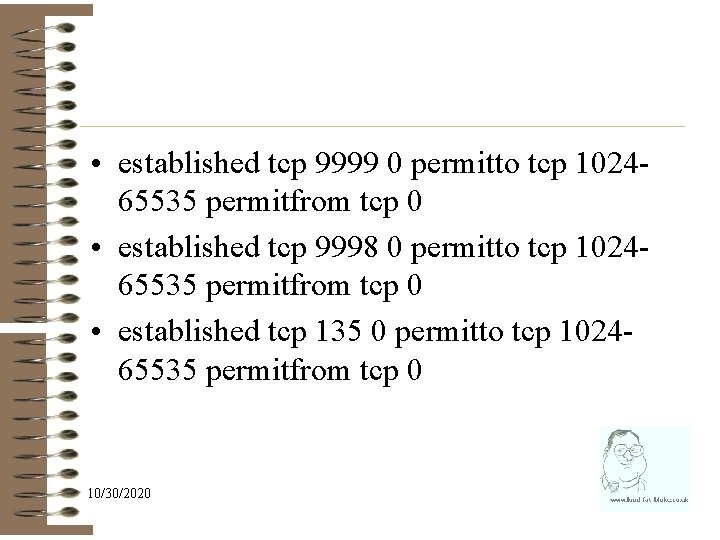
• established tcp 9999 0 permitto tcp 102465535 permitfrom tcp 0 • established tcp 9998 0 permitto tcp 102465535 permitfrom tcp 0 • established tcp 135 0 permitto tcp 102465535 permitfrom tcp 0 10/30/2020
![Alias alias [<(if_name)>] <dnat_ip> <foreign_ip> [<mask>] 10/30/2020](http://slidetodoc.com/presentation_image/2ba246cbac78f569ad8636c7161acc73/image-73.jpg "Alias alias [<(if_name)>] <dnat_ip> <foreign_ip> [<mask>] 10/30/2020")
Alias alias [<(if_name)>] <dnat_ip> <foreign_ip> [<mask>] 10/30/2020
![Alias alias [<(if_name)>] <dnat_ip> <foreign_ip> [<mask>] alias (inside) 84. 233. 190. 80 69. 57.](http://slidetodoc.com/presentation_image/2ba246cbac78f569ad8636c7161acc73/image-74.jpg "Alias alias [<(if_name)>] <dnat_ip> <foreign_ip> [<mask>] alias (inside) 84. 233. 190. 80 69. 57.")
Alias alias [<(if_name)>] <dnat_ip> <foreign_ip> [<mask>] alias (inside) 84. 233. 190. 80 69. 57. 146. 21 255 If the PIX Firewall gets a packet destined for the dnat_IP_address, send it to the foreign_IP_address. • When the PIX gets a DNS packet containing foreign_network_address, it will change the contents of the DNS packet - foreign network address to dnat_network_address. 10/30/2020
- Slides: 74