
PIVOT TABLE EXERCISE DSC 340 Summer 2015 DSC

PIVOT TABLE EXERCISE DSC 340 Summer 2015 DSC 340 YIN 1
READINGS FROM MICROSOFT Create a Pivot. Table to analyze external data https: //support. office. com/en-us/article/Create-a-Pivot. Tableto-analyze-external-data-db 50 d 01 d-2 e 1 c-43 bd-bfb 5 b 76 a 818 a 927 b Use the Field List to arrange fields in a Pivot. Table https: //support. office. com/en-us/article/Use-the-Field-List-toarrange-fields-in-a-Pivot. Table-43980 e 05 -a 585 -4 fcd-bd 9180160 adfebec DSC 340 YIN 2
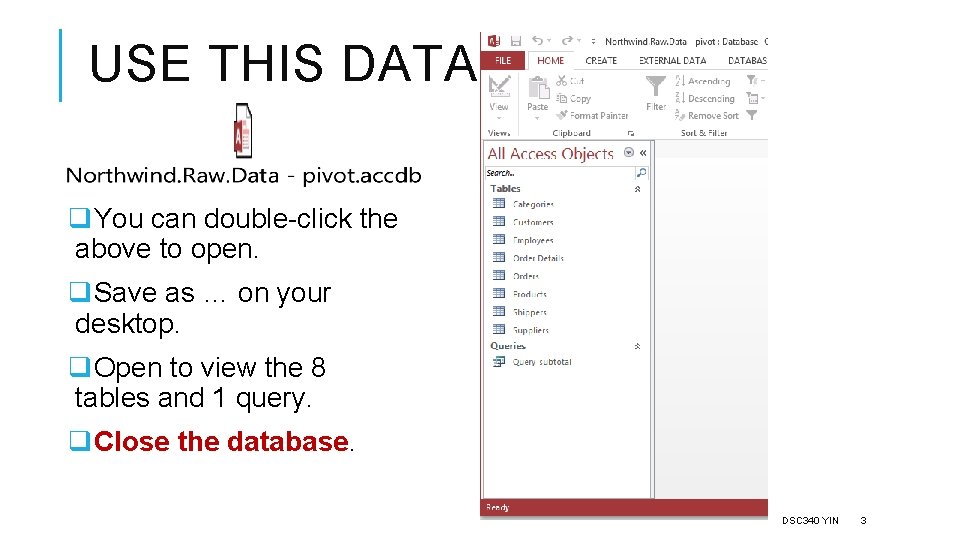
USE THIS DATABASE q. You can double-click the above to open. q. Save as … on your desktop. q. Open to view the 8 tables and 1 query. q. Close the database. DSC 340 YIN 3
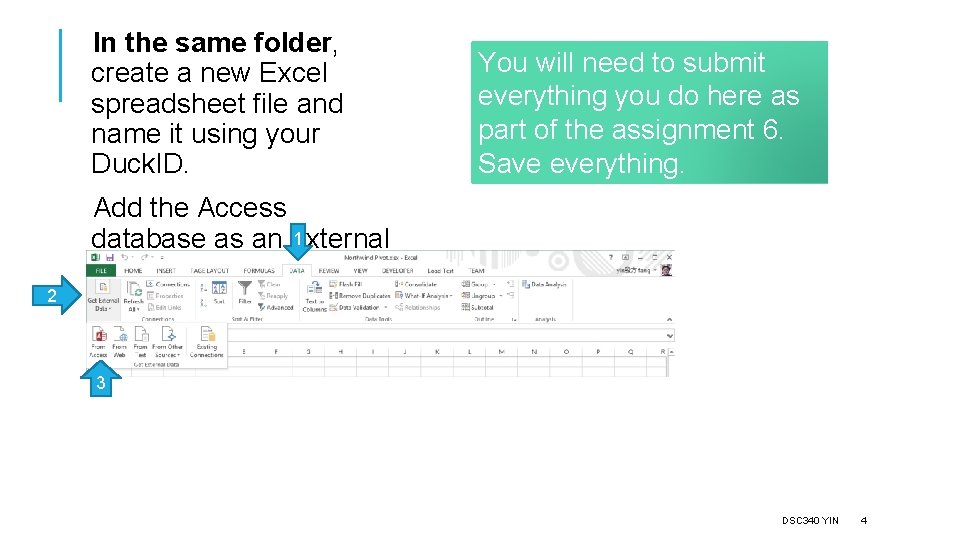
In the same folder, create a new Excel spreadsheet file and name it using your Duck. ID. You will need to submit everything you do here as part of the assignment 6. Save everything. Add the Access 1 database as an external data source. 2 3 DSC 340 YIN 4
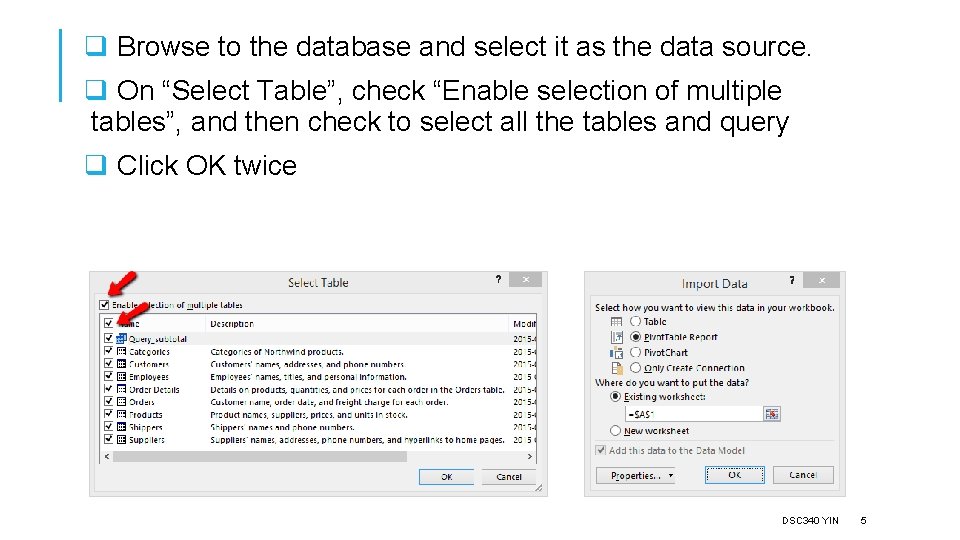
q Browse to the database and select it as the data source. q On “Select Table”, check “Enable selection of multiple tables”, and then check to select all the tables and query q Click OK twice DSC 340 YIN 5
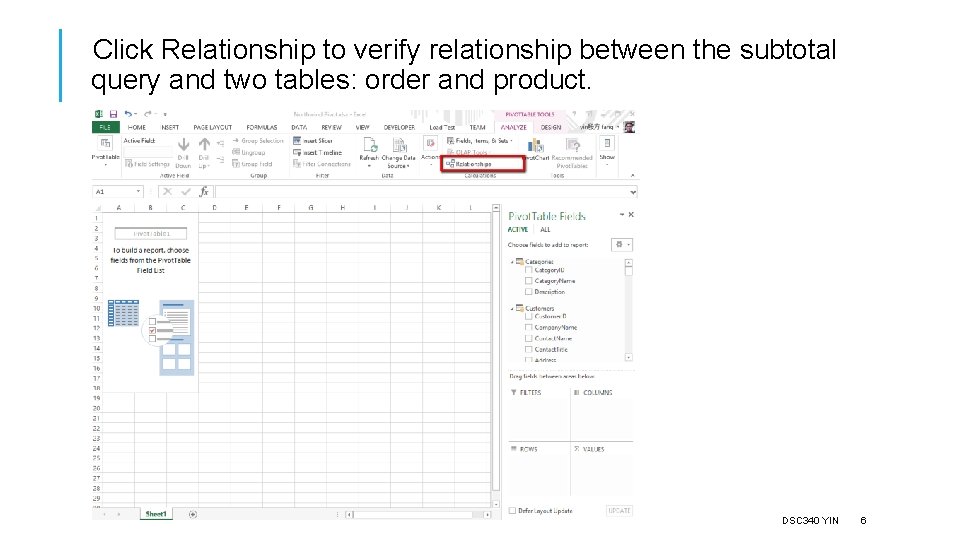
Click Relationship to verify relationship between the subtotal query and two tables: order and product. DSC 340 YIN 6
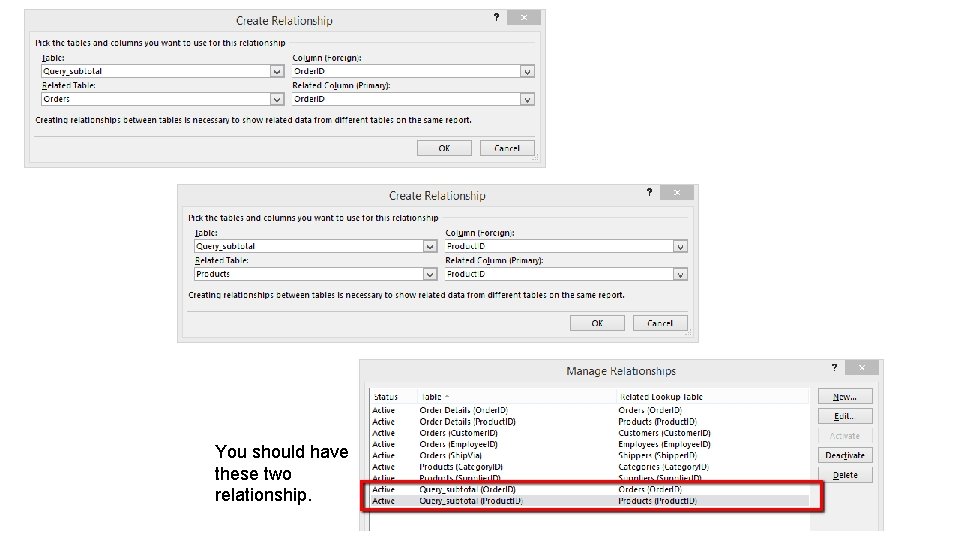
You should have these two relationship. DSC 340 YIN 7
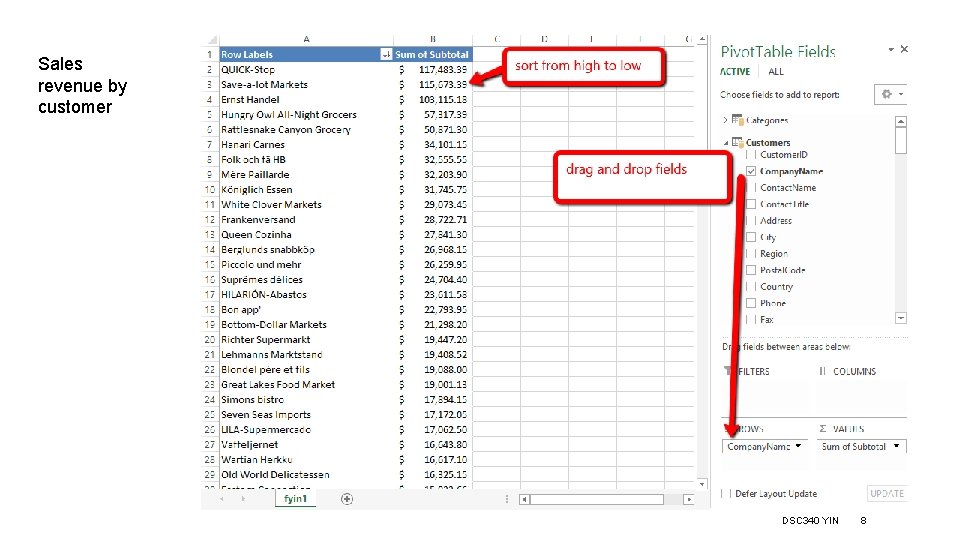
Sales revenue by customer DSC 340 YIN 8
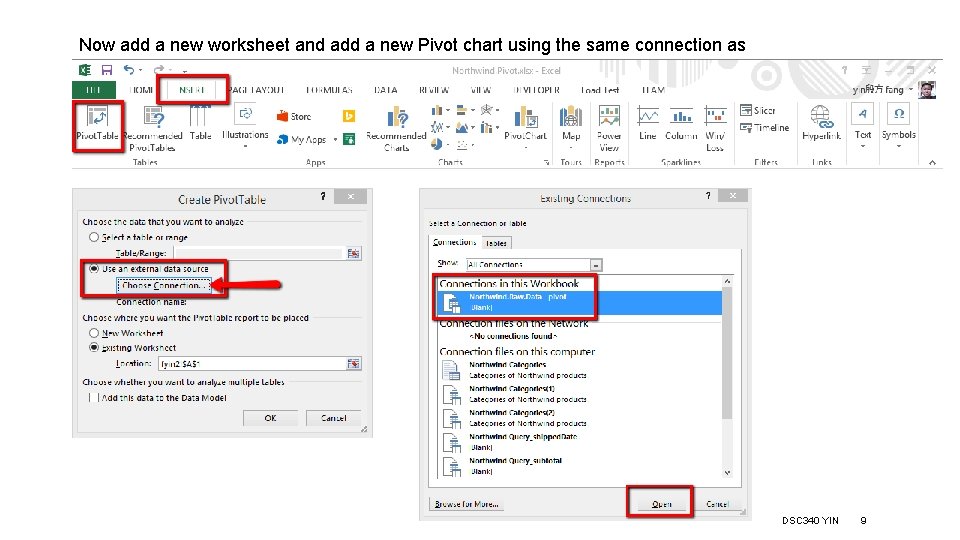
Now add a new worksheet and add a new Pivot chart using the same connection as source DSC 340 YIN 9
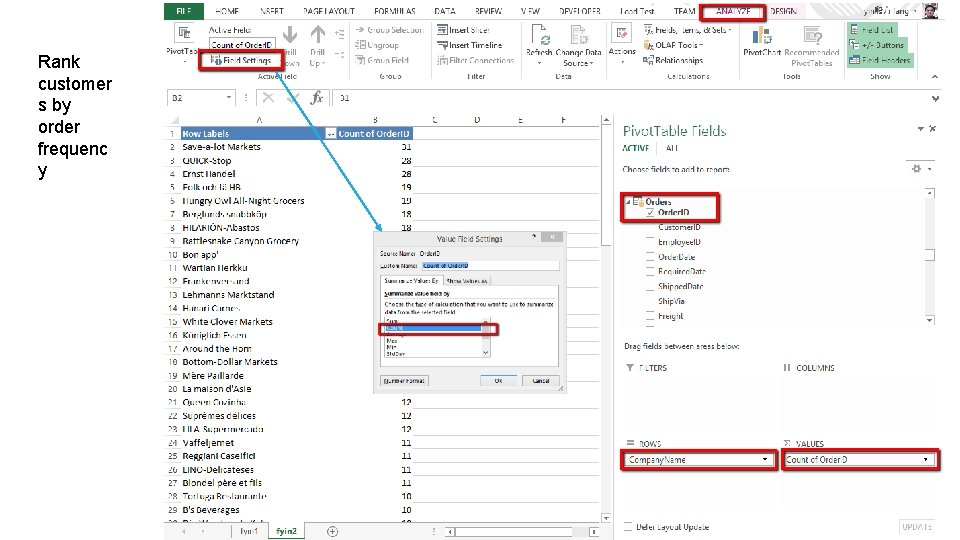
Rank customer s by order frequenc y DSC 340 YIN 10
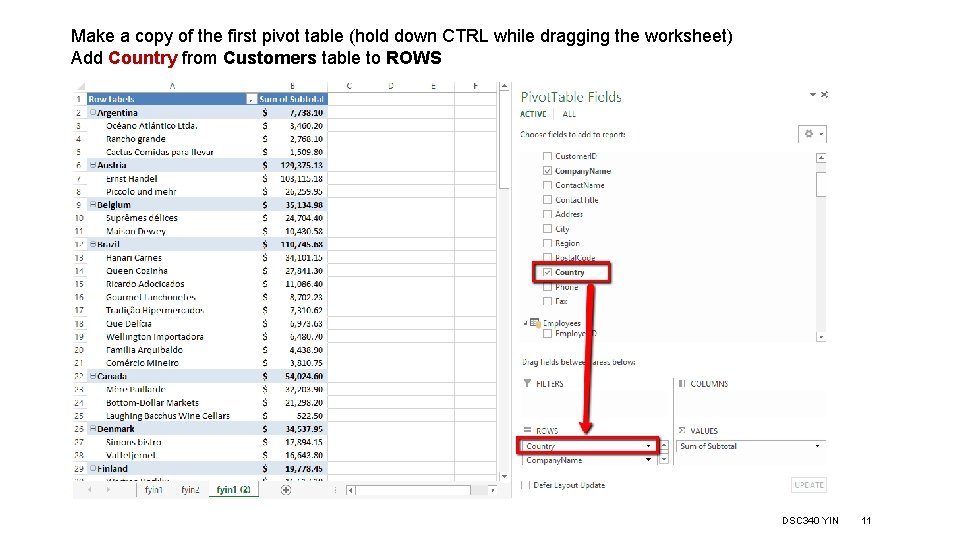
Make a copy of the first pivot table (hold down CTRL while dragging the worksheet) Add Country from Customers table to ROWS DSC 340 YIN 11
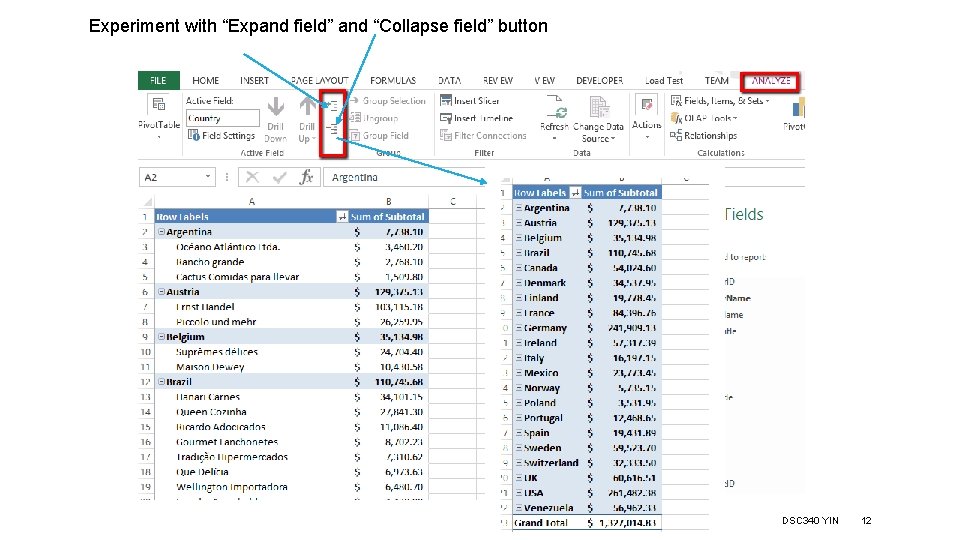
Experiment with “Expand field” and “Collapse field” button DSC 340 YIN 12
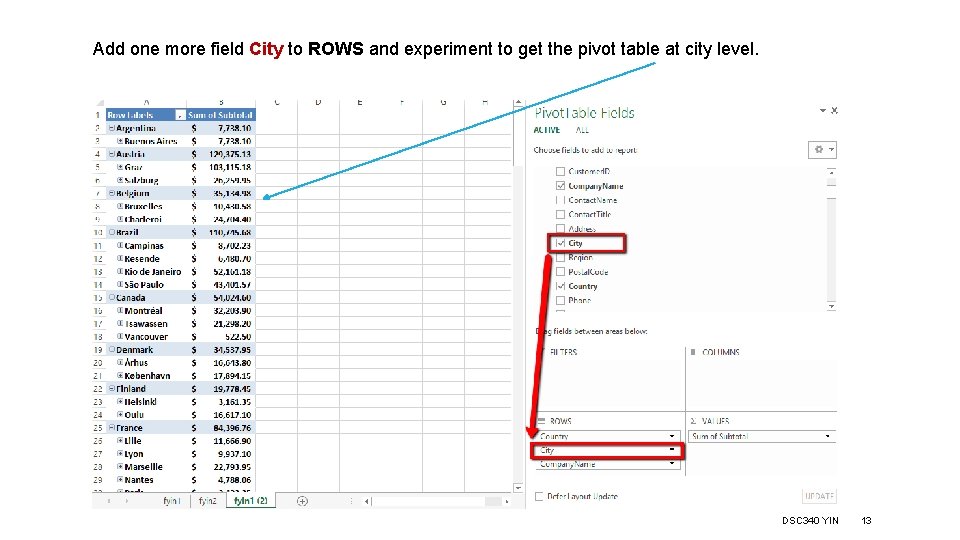
Add one more field City to ROWS and experiment to get the pivot table at city level. DSC 340 YIN 13
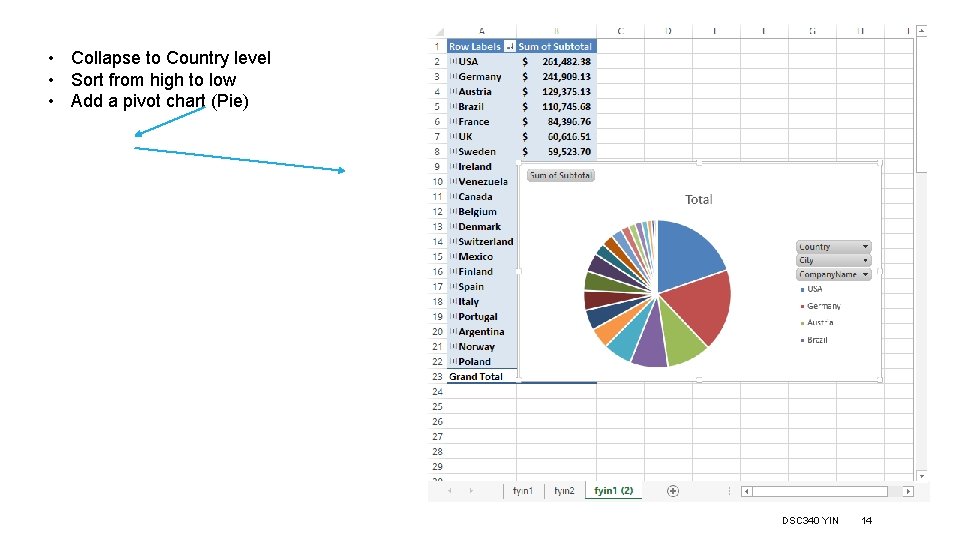
• Collapse to Country level • Sort from high to low • Add a pivot chart (Pie) DSC 340 YIN 14
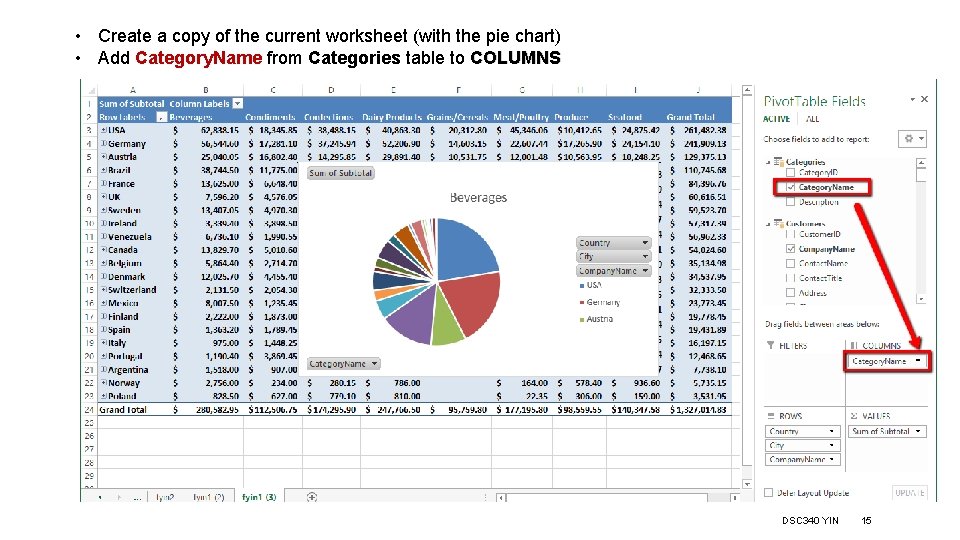
• Create a copy of the current worksheet (with the pie chart) • Add Category. Name from Categories table to COLUMNS DSC 340 YIN 15
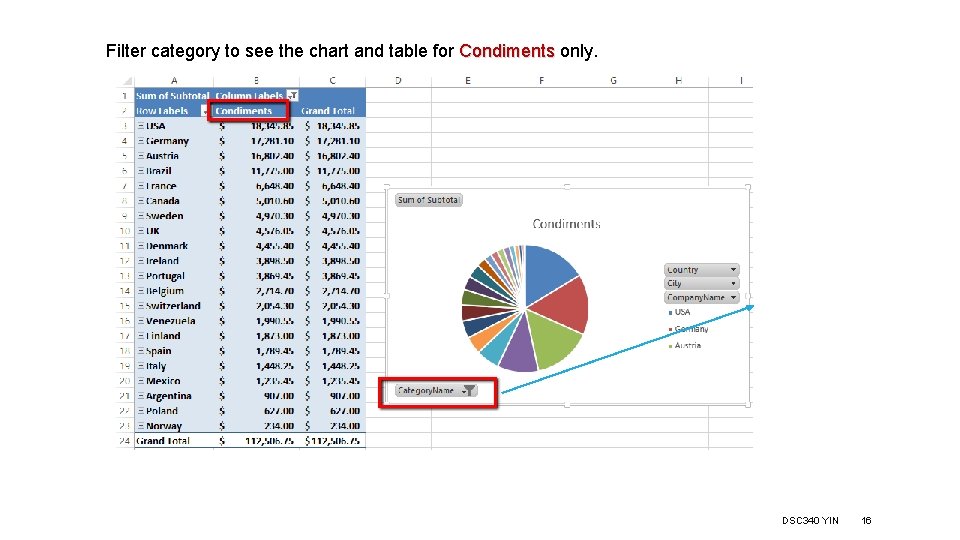
Filter category to see the chart and table for Condiments only. DSC 340 YIN 16
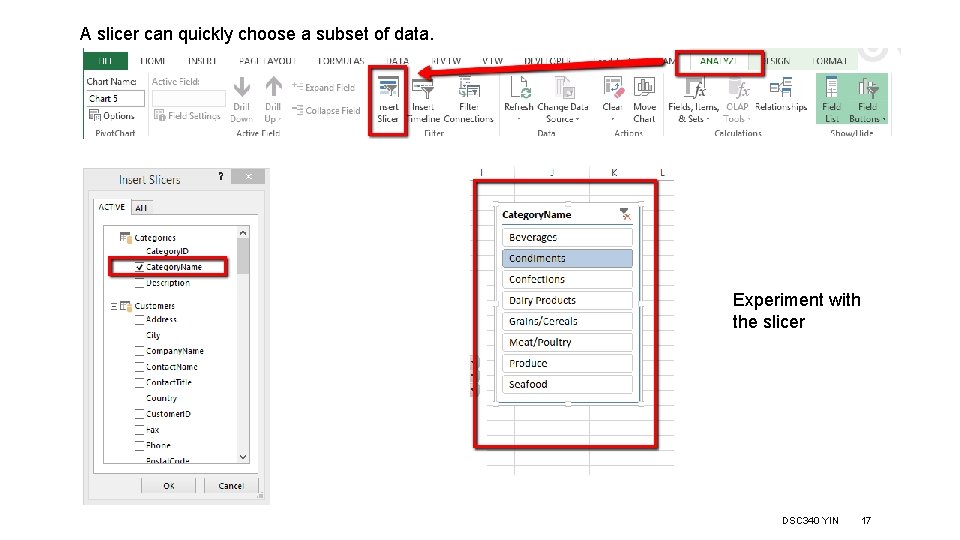
A slicer can quickly choose a subset of data. Experiment with the slicer DSC 340 YIN 17
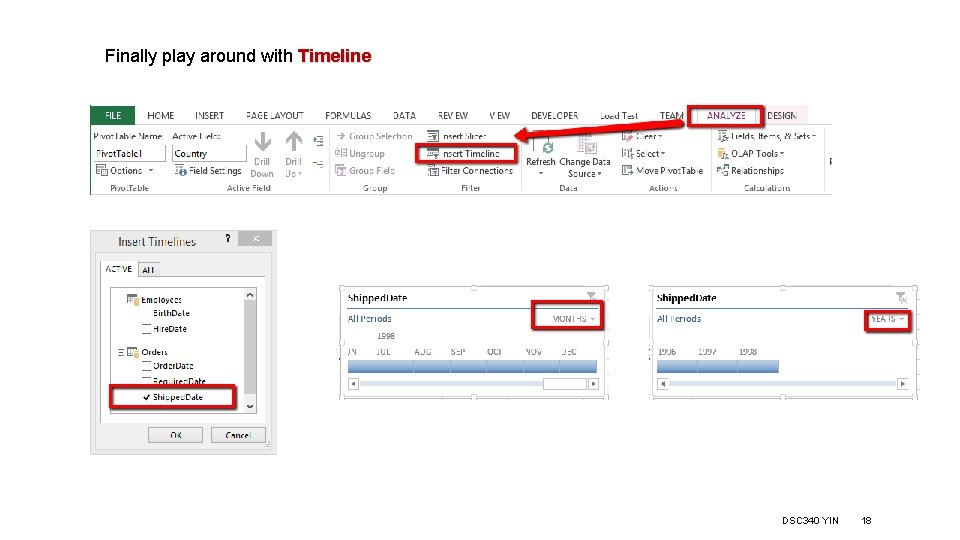
Finally play around with Timeline DSC 340 YIN 18

You need to submit all the above exercises as part of the assignment 6, too. DSC 340 YIN 19
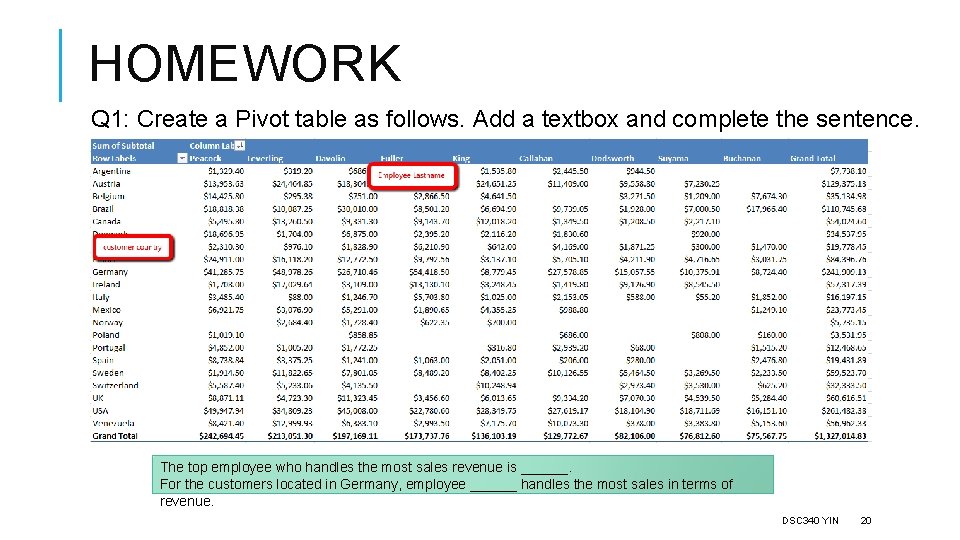
HOMEWORK Q 1: Create a Pivot table as follows. Add a textbox and complete the sentence. The top employee who handles the most sales revenue is ______. For the customers located in Germany, employee ______ handles the most sales in terms of revenue. DSC 340 YIN 20
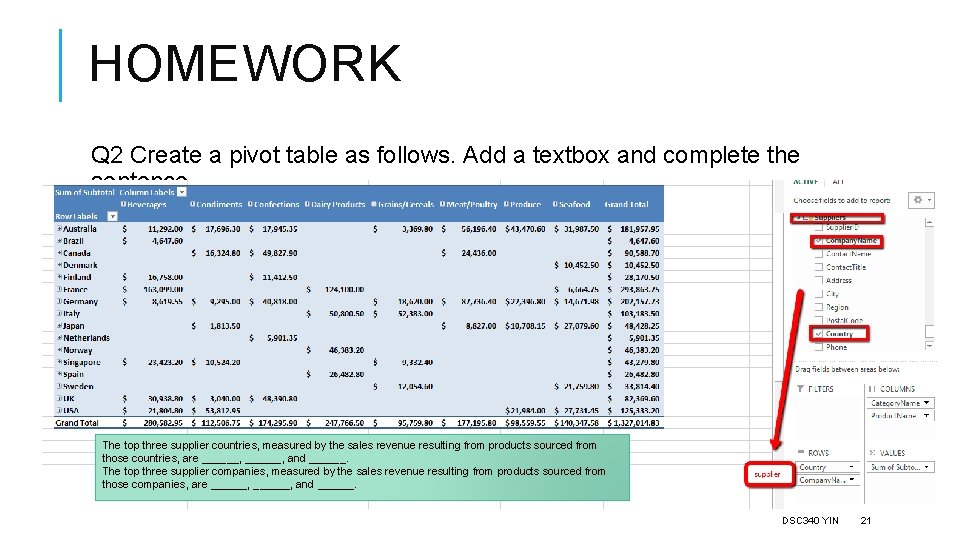
HOMEWORK Q 2 Create a pivot table as follows. Add a textbox and complete the sentence. The top three supplier countries, measured by the sales revenue resulting from products sourced from those countries, are ______, and ______. The top three supplier companies, measured by the sales revenue resulting from products sourced from those companies, are ______, and ______. DSC 340 YIN 21
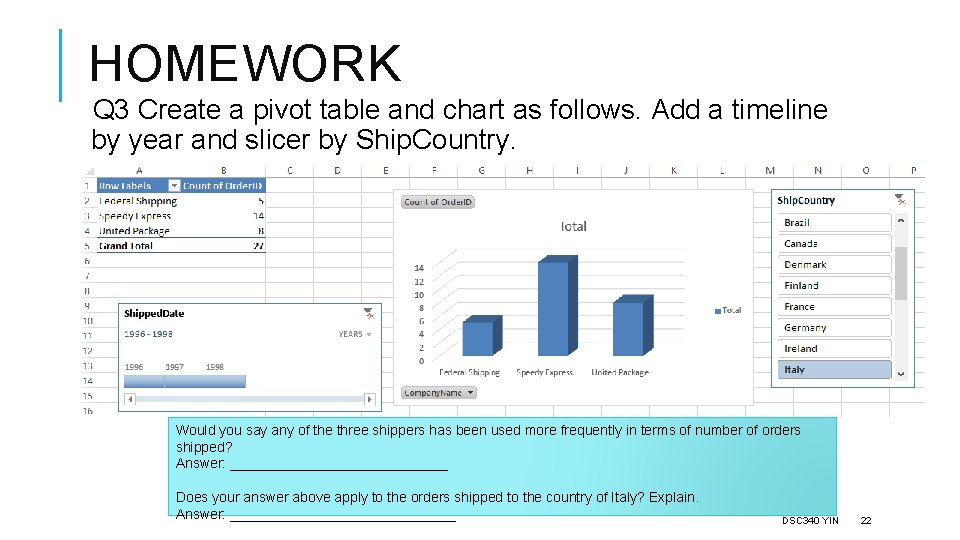
HOMEWORK Q 3 Create a pivot table and chart as follows. Add a timeline by year and slicer by Ship. Country. Would you say any of the three shippers has been used more frequently in terms of number of orders shipped? Answer: ______________ Does your answer above apply to the orders shipped to the country of Italy? Explain. Answer: _______________ DSC 340 YIN 22
HOMEWORK Q 4 Create any pivot table, coupled with a chart. Explain what insight you can gain from this table and chart. Provide the explanation in a textbox on the same worksheet. Make sure this pivot table is not similar to any of the ones we have done. DSC 340 YIN 23
- Slides: 23