
Pipes redirection and REGEX ls fake output txt
![Regular Expression Matches . Any single character [] A list or range of characters](https://slidetodoc.com/presentation_image_h2/7b986a96761d38e2cb644325831ff265/image-10.jpg "Regular Expression Matches . Any single character [] A list or range of characters")
- Slides: 37
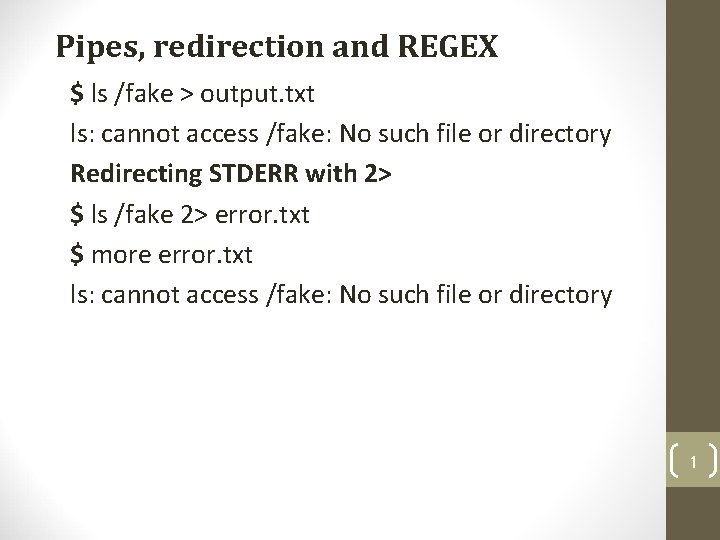
Pipes, redirection and REGEX $ ls /fake > output. txt ls: cannot access /fake: No such file or directory Redirecting STDERR with 2> $ ls /fake 2> error. txt $ more error. txt ls: cannot access /fake: No such file or directory 1
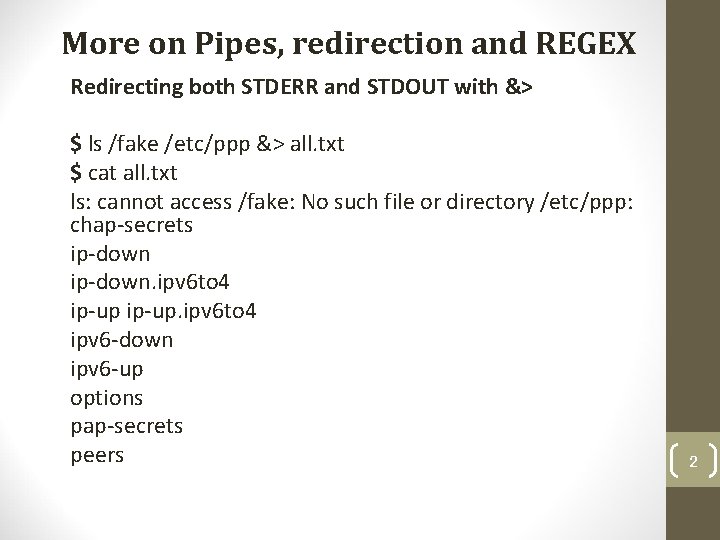
More on Pipes, redirection and REGEX Redirecting both STDERR and STDOUT with &> $ ls /fake /etc/ppp &> all. txt $ cat all. txt ls: cannot access /fake: No such file or directory /etc/ppp: chap-secrets ip-down. ipv 6 to 4 ip-up. ipv 6 to 4 ipv 6 -down ipv 6 -up options pap-secrets peers 2
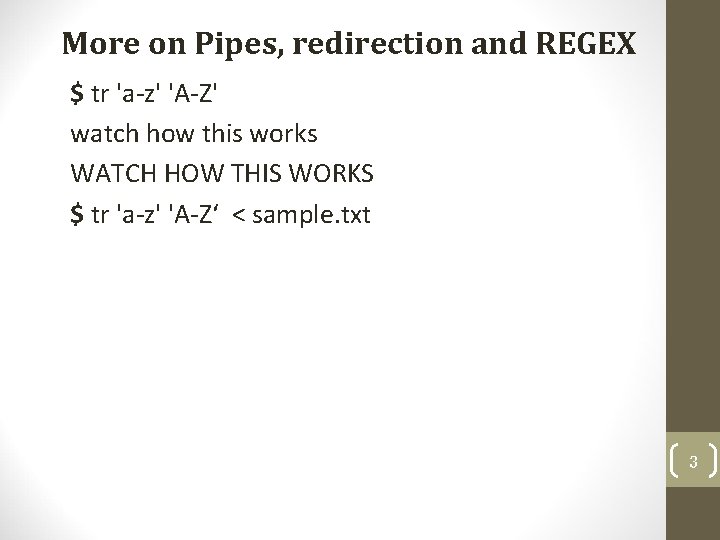
More on Pipes, redirection and REGEX $ tr 'a-z' 'A-Z' watch how this works WATCH HOW THIS WORKS $ tr 'a-z' 'A-Z‘ < sample. txt 3
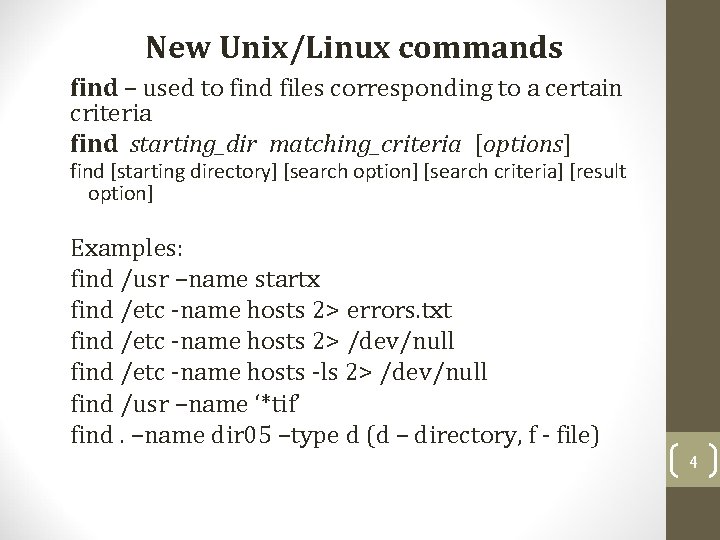
New Unix/Linux commands find – used to find files corresponding to a certain criteria find starting_dir matching_criteria [options] find [starting directory] [search option] [search criteria] [result option] Examples: find /usr –name startx find /etc -name hosts 2> errors. txt find /etc -name hosts 2> /dev/null find /etc -name hosts -ls 2> /dev/null find /usr –name ‘*tif’ find. –name dir 05 –type d (d – directory, f - file) 4
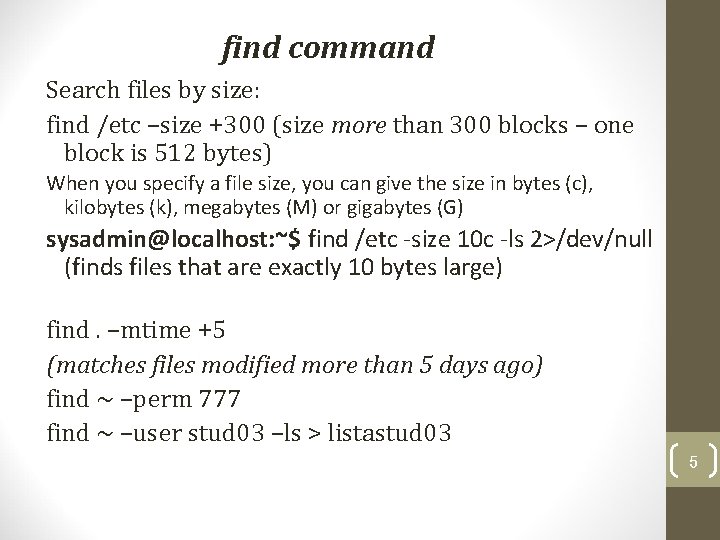
find command Search files by size: find /etc –size +300 (size more than 300 blocks – one block is 512 bytes) When you specify a file size, you can give the size in bytes (c), kilobytes (k), megabytes (M) or gigabytes (G) sysadmin@localhost: ~$ find /etc -size 10 c -ls 2>/dev/null (finds files that are exactly 10 bytes large) find. –mtime +5 (matches files modified more than 5 days ago) find ~ –perm 777 find ~ –user stud 03 –ls > listastud 03 5
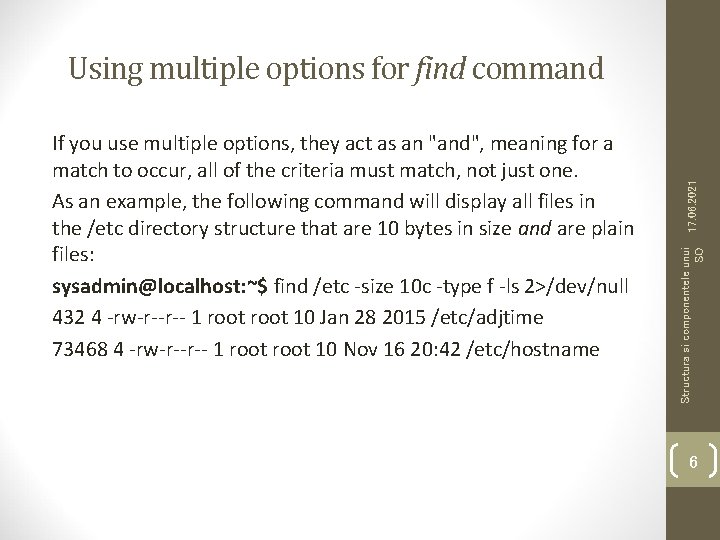
Structura si componentele unui SO If you use multiple options, they act as an "and", meaning for a match to occur, all of the criteria must match, not just one. As an example, the following command will display all files in the /etc directory structure that are 10 bytes in size and are plain files: sysadmin@localhost: ~$ find /etc -size 10 c -type f -ls 2>/dev/null 432 4 -rw-r--r-- 1 root 10 Jan 28 2015 /etc/adjtime 73468 4 -rw-r--r-- 1 root 10 Nov 16 20: 42 /etc/hostname 17. 06. 2021 Using multiple options for find command 6
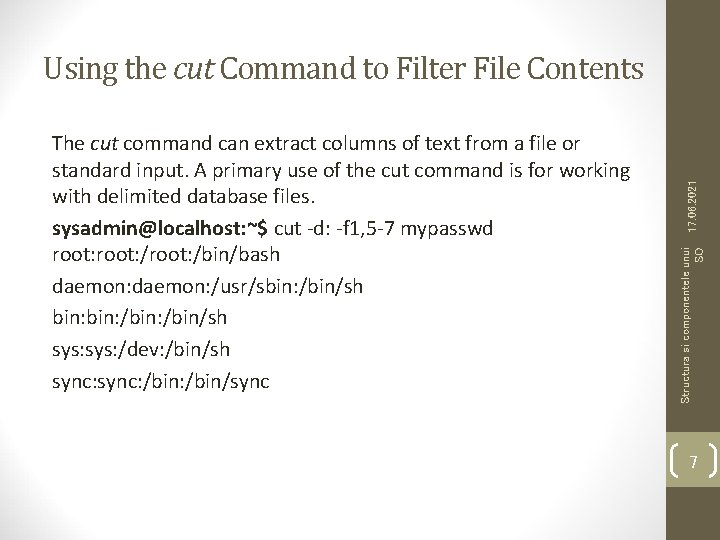
Structura si componentele unui SO The cut command can extract columns of text from a file or standard input. A primary use of the cut command is for working with delimited database files. sysadmin@localhost: ~$ cut -d: -f 1, 5 -7 mypasswd root: /root: /bin/bash daemon: /usr/sbin: /bin/sh bin: /bin: /bin/sh sys: /dev: /bin/sh sync: /bin: /bin/sync 17. 06. 2021 Using the cut Command to Filter File Contents 7
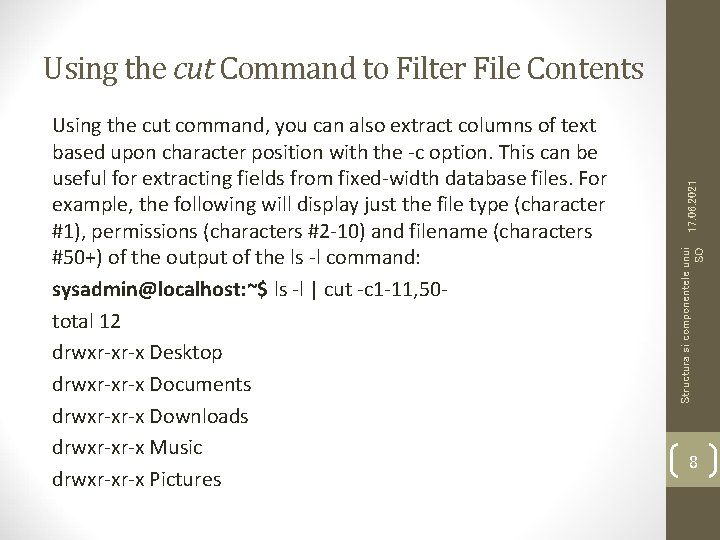
Structura si componentele unui SO Using the cut command, you can also extract columns of text based upon character position with the -c option. This can be useful for extracting fields from fixed-width database files. For example, the following will display just the file type (character #1), permissions (characters #2 -10) and filename (characters #50+) of the output of the ls -l command: sysadmin@localhost: ~$ ls -l | cut -c 1 -11, 50 total 12 drwxr-xr-x Desktop drwxr-xr-x Documents drwxr-xr-x Downloads drwxr-xr-x Music drwxr-xr-x Pictures 17. 06. 2021 Using the cut Command to Filter File Contents 8
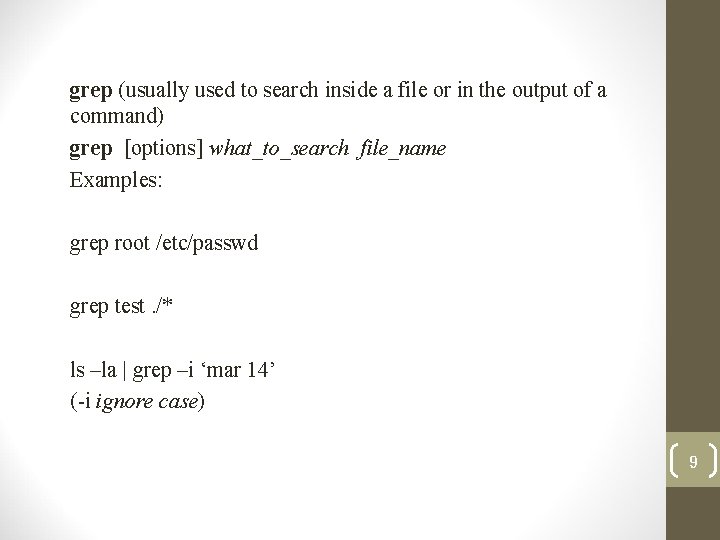
grep (usually used to search inside a file or in the output of a command) grep [options] what_to_search file_name Examples: grep root /etc/passwd grep test. /* ls –la | grep –i ‘mar 14’ (-i ignore case) 9
Regular Expression Matches . Any single character [] A list or range of characters to match one character, unless the first character is the caret ^, and then it means any character not in the list * Previous character repeated zero or more times ^ Following text must appear at beginning of line $ Preceding text must appear at the end of the line Structura si componentele unui SO • A Regular Expression is a collection of "normal" and "special" characters that are used to match simple or complex patterns. Normal characters are alphanumeric characters which match themselves. For example, an a would match an a. 17. 06. 2021 Regular expressions 10
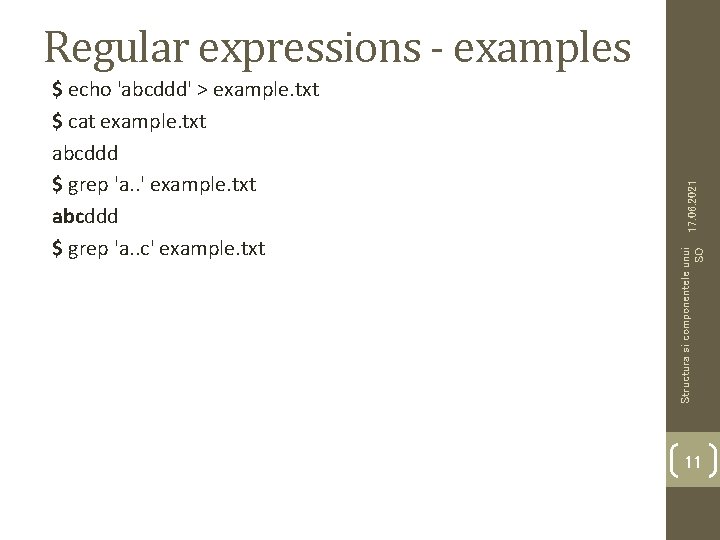
Structura si componentele unui SO $ echo 'abcddd' > example. txt $ cat example. txt abcddd $ grep 'a. . ' example. txt abcddd $ grep 'a. . c' example. txt 17. 06. 2021 Regular expressions - examples 11
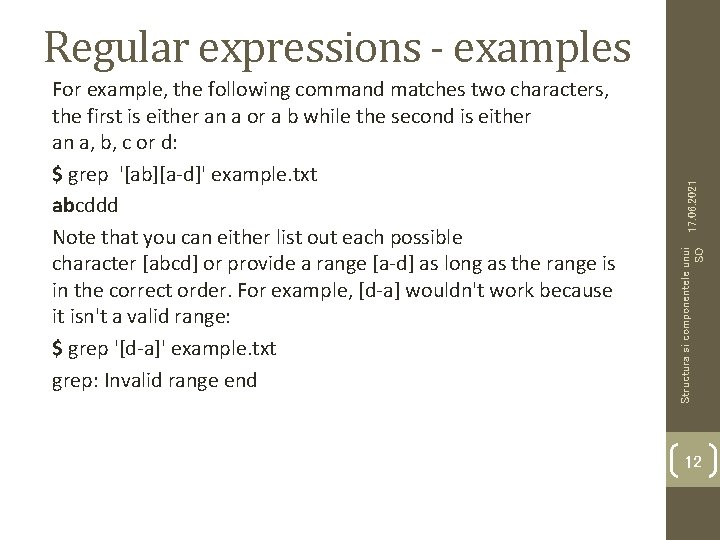
Structura si componentele unui SO For example, the following command matches two characters, the first is either an a or a b while the second is either an a, b, c or d: $ grep '[ab][a-d]' example. txt abcddd Note that you can either list out each possible character [abcd] or provide a range [a-d] as long as the range is in the correct order. For example, [d-a] wouldn't work because it isn't a valid range: $ grep '[d-a]' example. txt grep: Invalid range end 17. 06. 2021 Regular expressions - examples 12
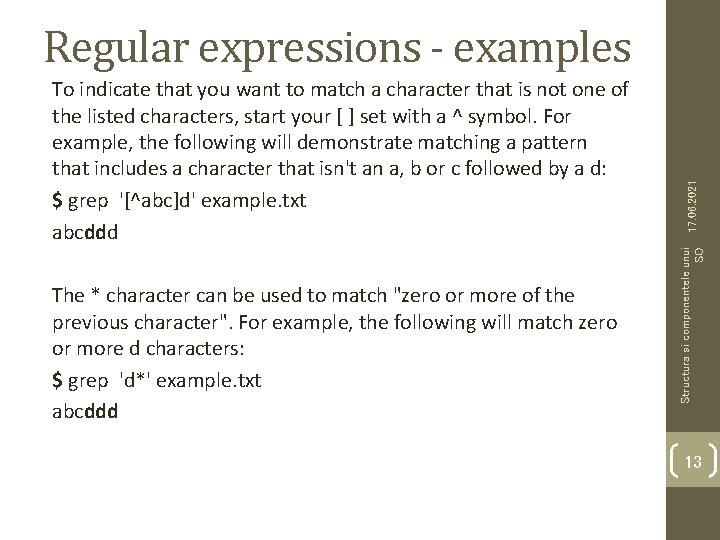
The * character can be used to match "zero or more of the previous character". For example, the following will match zero or more d characters: $ grep 'd*' example. txt abcddd Structura si componentele unui SO To indicate that you want to match a character that is not one of the listed characters, start your [ ] set with a ^ symbol. For example, the following will demonstrate matching a pattern that includes a character that isn't an a, b or c followed by a d: $ grep '[^abc]d' example. txt abcddd 17. 06. 2021 Regular expressions - examples 13
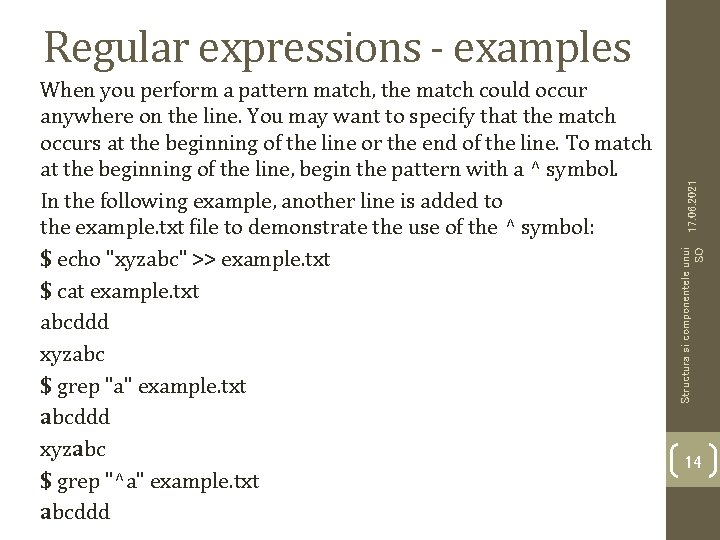
Structura si componentele unui SO When you perform a pattern match, the match could occur anywhere on the line. You may want to specify that the match occurs at the beginning of the line or the end of the line. To match at the beginning of the line, begin the pattern with a ^ symbol. In the following example, another line is added to the example. txt file to demonstrate the use of the ^ symbol: $ echo "xyzabc" >> example. txt $ cat example. txt abcddd xyzabc $ grep "a" example. txt abcddd xyzabc $ grep "^a" example. txt abcddd 17. 06. 2021 Regular expressions - examples 14
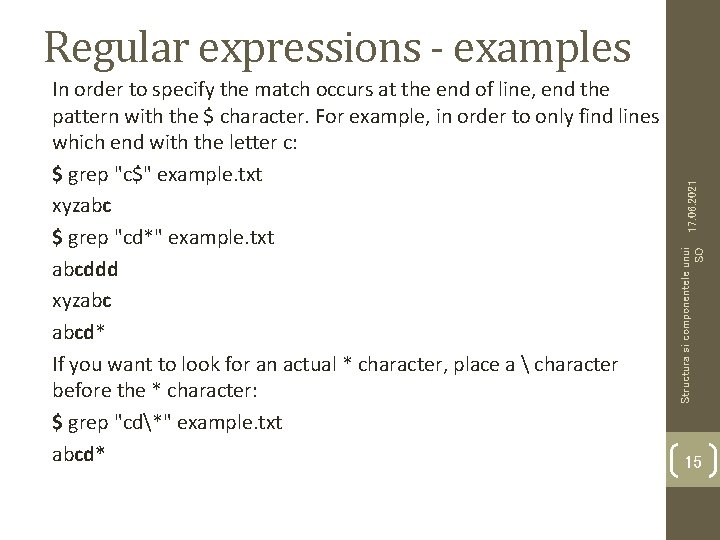
Structura si componentele unui SO In order to specify the match occurs at the end of line, end the pattern with the $ character. For example, in order to only find lines which end with the letter c: $ grep "c$" example. txt xyzabc $ grep "cd*" example. txt abcddd xyzabc abcd* If you want to look for an actual * character, place a character before the * character: $ grep "cd*" example. txt abcd* 17. 06. 2021 Regular expressions - examples 15
OS structure and components http: //zota. ase. ro/os 16
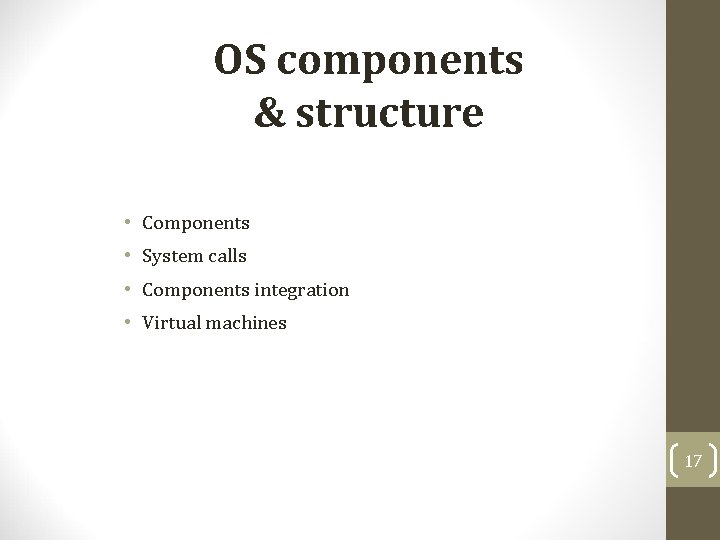
OS components & structure • Components • System calls • Components integration • Virtual machines 17
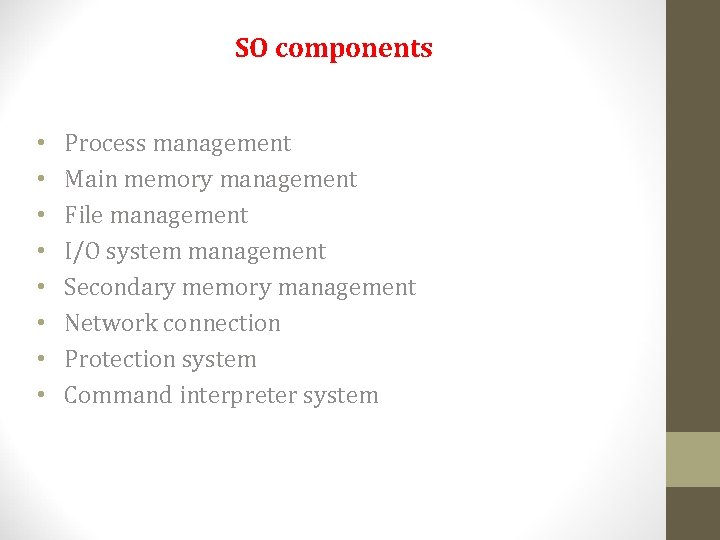
SO components • • Process management Main memory management File management I/O system management Secondary memory management Network connection Protection system Command interpreter system
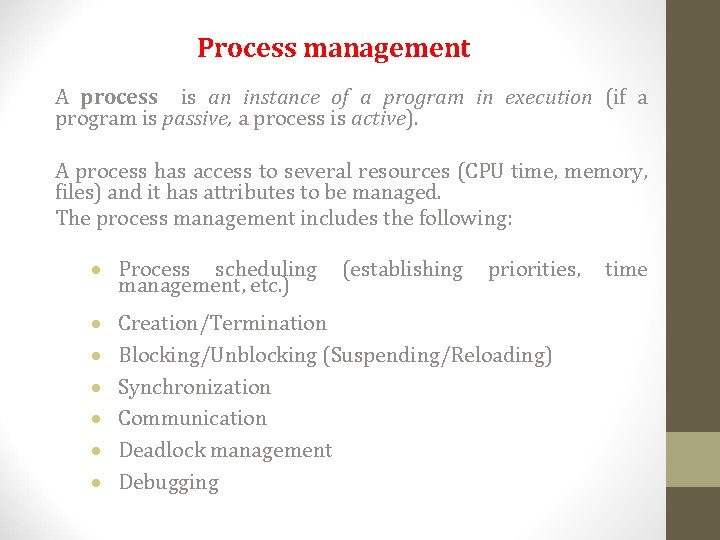
Process management A process is an instance of a program in execution (if a program is passive, a process is active). A process has access to several resources (CPU time, memory, files) and it has attributes to be managed. The process management includes the following: · Process scheduling management, etc. ) · · · (establishing priorities, Creation/Termination Blocking/Unblocking (Suspending/Reloading) Synchronization Communication Deadlock management Debugging time
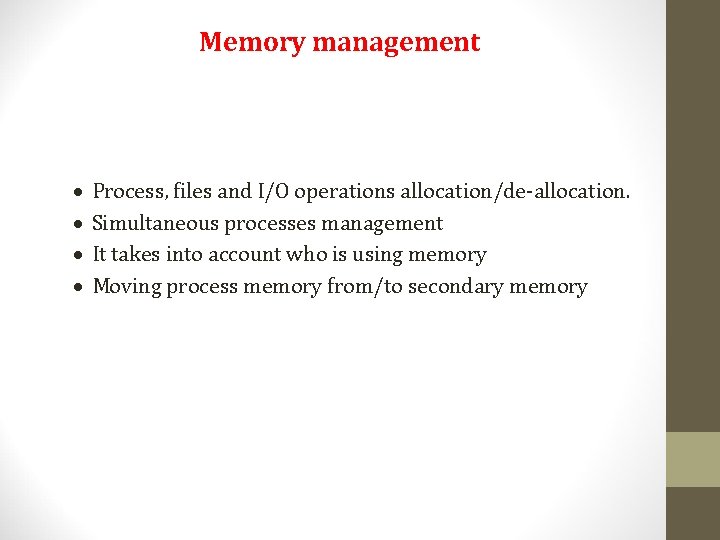
Memory management · · Process, files and I/O operations allocation/de-allocation. Simultaneous processes management It takes into account who is using memory Moving process memory from/to secondary memory
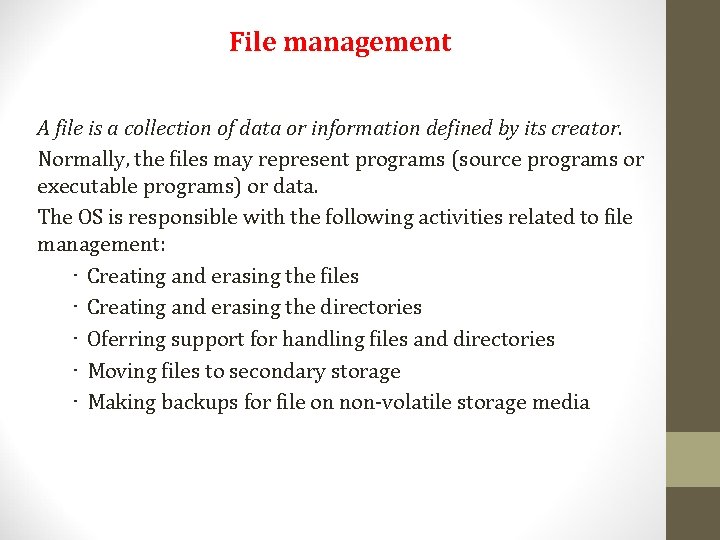
File management A file is a collection of data or information defined by its creator. Normally, the files may represent programs (source programs or executable programs) or data. The OS is responsible with the following activities related to file management: • Creating and erasing the files • Creating and erasing the directories • Oferring support for handling files and directories • Moving files to secondary storage • Making backups for file on non-volatile storage media
I/O & secondary memory management I/O · Generic code for device drivers · Drivers for each device – translate the reading/writing demands in positioning commands on disk Secondary memory · Disks, magnetic-optical storage, etc. · Free space management (paging/swapping) · Allocating space on disk (what data are written and where on the disk) · Scheduling reading/writing from/to disk
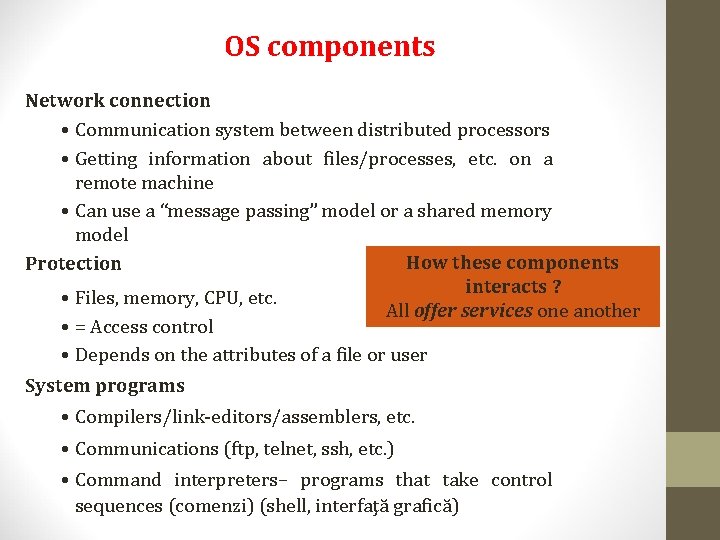
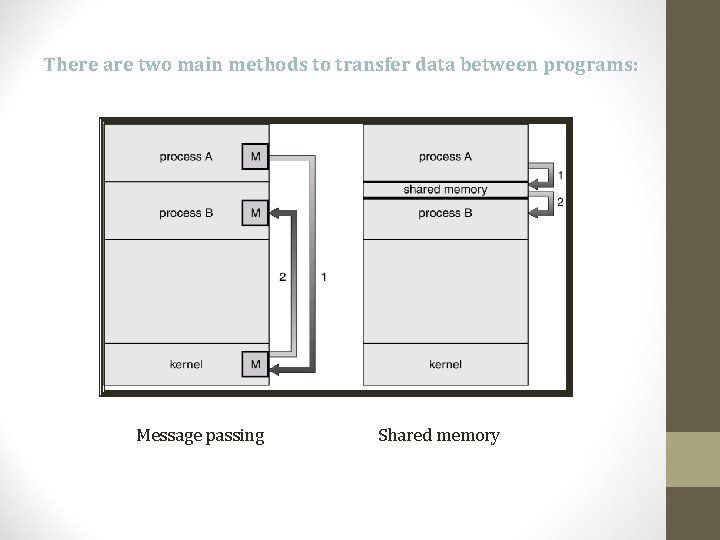
OS components Network connection • Communication system between distributed processors • Getting information about files/processes, etc. on a remote machine • Can use a “message passing” model or a shared memory model How these components Protection interacts ? • Files, memory, CPU, etc. All offer services one another • = Access control • Depends on the attributes of a file or user System programs • Compilers/link-editors/assemblers, etc. • Communications (ftp, telnet, ssh, etc. ) • Command interpreters– programs that take control sequences (comenzi) (shell, interfaţă grafică)
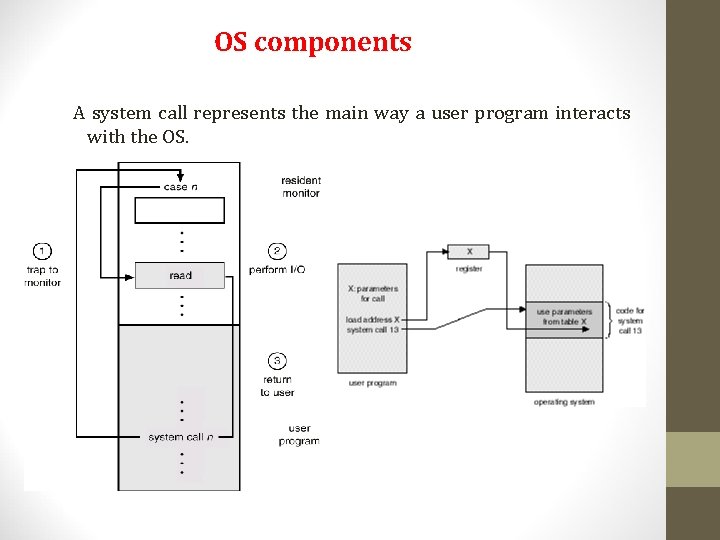
OS components A system call represents the main way a user program interacts with the OS.
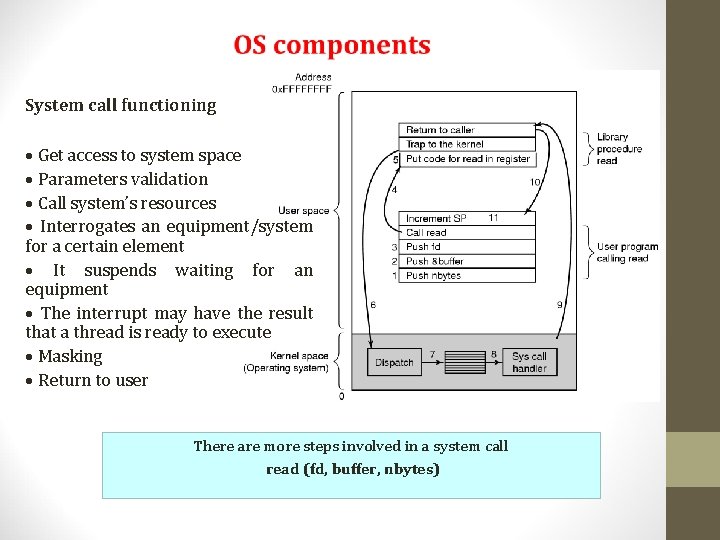
System call functioning · Get access to system space · Parameters validation · Call system’s resources · Interrogates an equipment/system for a certain element · It suspends waiting for an equipment · The interrupt may have the result that a thread is ready to execute · Masking · Return to user There are more steps involved in a system call read (fd, buffer, nbytes)
There are two main methods to transfer data between programs: Message passing Shared memory
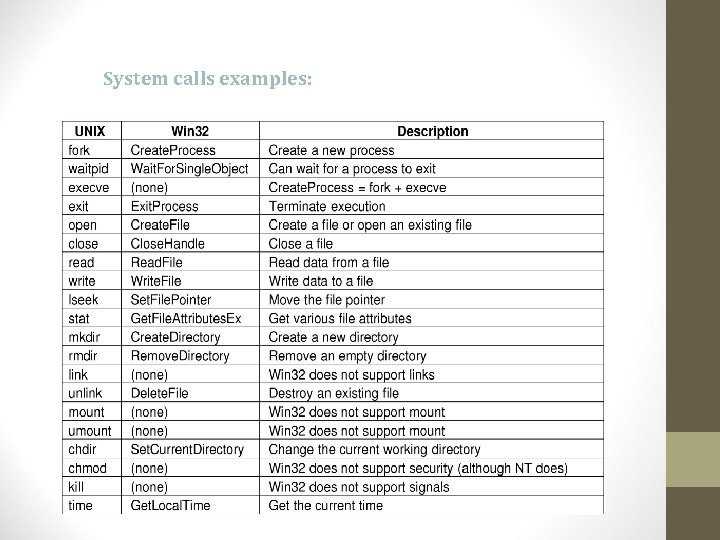
System calls examples:
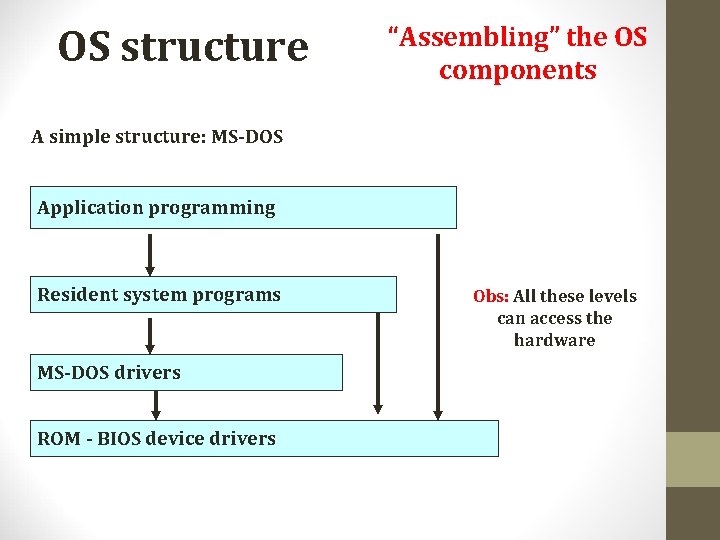
OS structure “Assembling” the OS components A simple structure: MS-DOS Application programming Resident system programs MS-DOS drivers ROM - BIOS device drivers Obs: All these levels can access the hardware
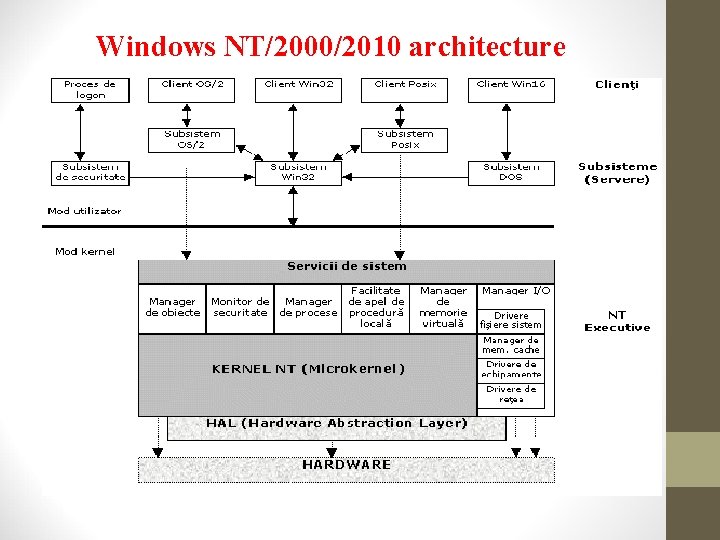
Windows NT/2000/2010 architecture
Kernel The kernel is dealing with the whole traffic of messages inside the OS and is running over HAL. The kernel is occupied with interrupts & exceptions handling for the communication between the subsystems and the hardware resources of the OS. An integral part of the communication management of the subsystems, the kernel is responsible with the constant checking with the security subsystem of the NT executive in order to assure the fact that demand services were authorized accordingly.
Kernel The kernel is responsible for: • Synchronizing multiple processors when Windows is running on a computer with symmetrical multiprocessing (multiprocessor machine); • Handling interrupts and exceptions; • System recovery in case of failure; • Checking security restrictions and/or violations; • Threads programming in the multi-threading environment Interrupt handling is occupying the most part of the kernel time, an interrupt being generated for each interaction of the NT executive subsystems. The kernel is running in privileged mode and it cannot expelled from memory.
NT Executive The NT Executive is made of the kernel plus a variety of subsystems known as system services. Examples of this kind of services are: • I/O manager • Local procedure call manager; • Object manager; • Process manager; • Virtual memory manager; • Security monitor.
I/O manager The main task of it is to manage all the inputs and outputs for the OS. The I/O manager manages the communications between device drivers, network drivers, cache memory management and file system drivers. Device drivers are written specially to support certain peripherals like printers, keyboards and mouse. Due to this standardized medium the device drivers can run on any platform which supporting Windows. These drivers are written in C and can be easily modified. Among the network drivers we may find: Net. BIOS, SMB server interface. Alco, there are included the most common communication protocols like TCP/IP, IPX/SPX, Net. BEUI, etc.
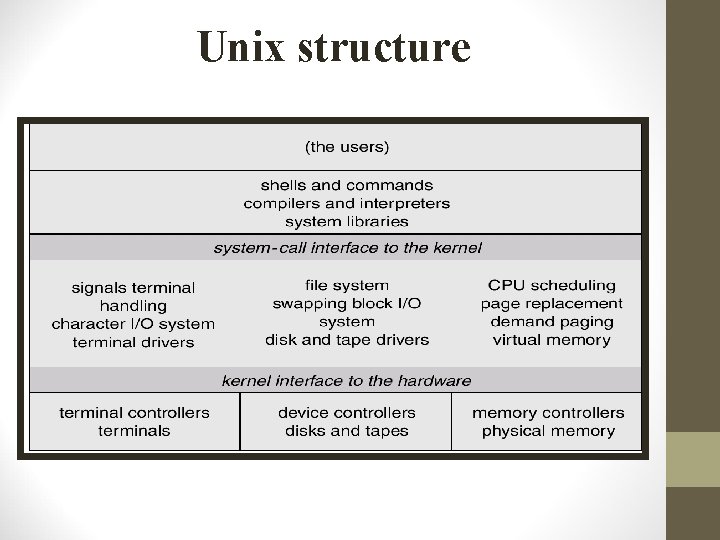
Unix structure
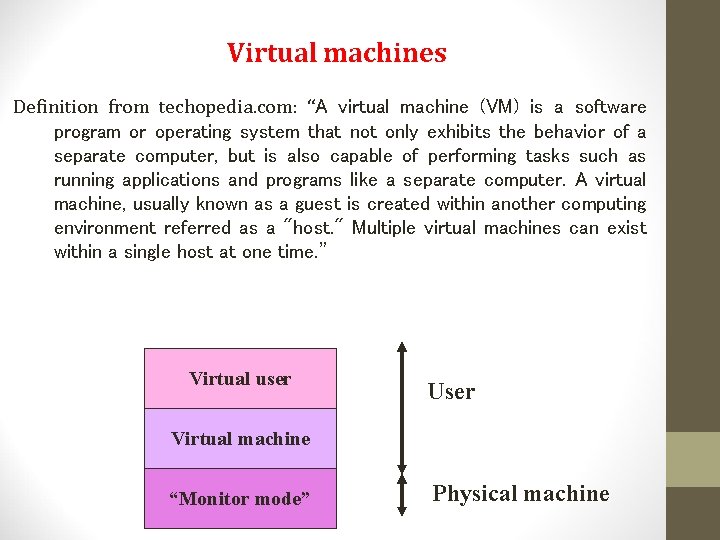
Virtual machines Definition from techopedia. com: “A virtual machine (VM) is a software program or operating system that not only exhibits the behavior of a separate computer, but is also capable of performing tasks such as running applications and programs like a separate computer. A virtual machine, usually known as a guest is created within another computing environment referred as a "host. " Multiple virtual machines can exist within a single host at one time. ” Virtual user User Virtual machine “Monitor mode” Physical machine
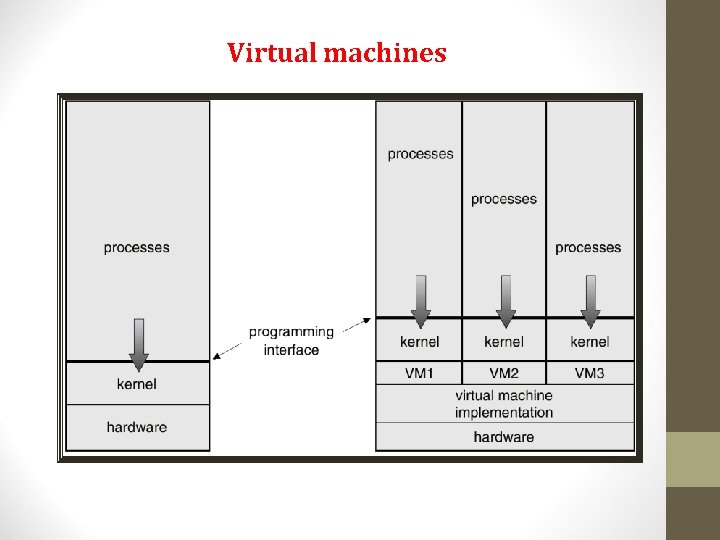
Virtual machines
Virtual machines applications Examples (free apps): Virtual. Box (Win/Mac/Linux), VMware (Win/Linux), QEMU (Linux) Virtual. Box (Sun/Oracle) http: //www. virtualbox. org/wiki/Virtual. Box VMware http: //www. vmware. com/products/player/faqs. html QEMU – wiki. qemu. org