
PIMS What is pims Pims Stands for Personal
- Slides: 9
PIMS
What is pims Pims Stands for Personal Information Manager. A PIM is a software application that serves as a planner, notebook, and address book all in one. It can also include things like a calculator, clock , and photo album.
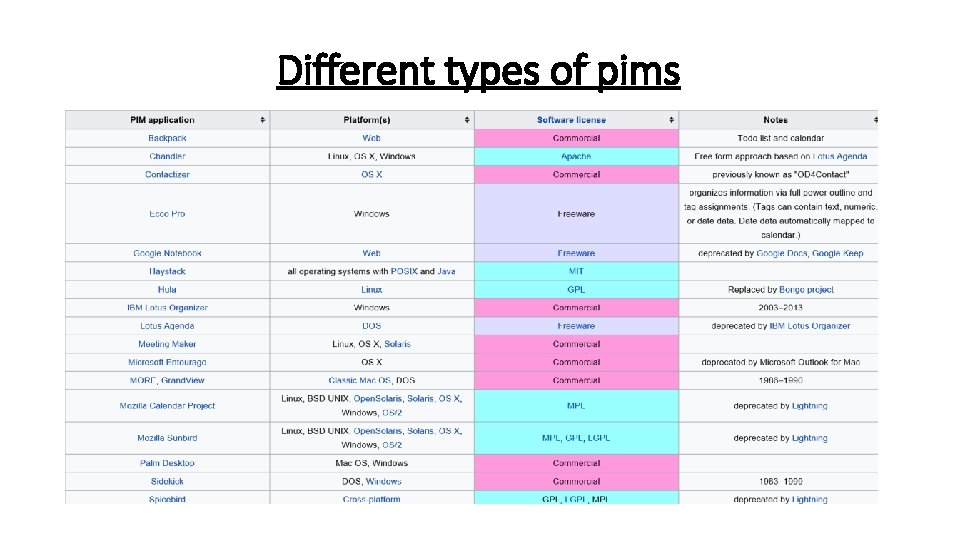
Different types of pims
10 useful personal information manager (free pim software) Chandler is a free and open source personal information manager also known as a Note to Self Organizer specially designed for personal and small-group task management and calendaring. it’s a free software written in a mixture of Python and C-based extensions and released under the Apache License. Evolution – Contact manager, address manager and calendar for Gnome Evolution is an Outlook clone for Linux that provides integrated e-mail, address book, task list management and calendaring functionality to users of the GNOME desktop. It has Microsoft Outlook style User interface and functionality. features include : i. Calendar support, full-text indexing of all incoming mail, powerful email filters writable in Scheme and a “Search Folders” feature.
Open IRIS – Java based Semantic Desktop wrapper open IRIS is an open source version of IRIS, a semantic desktop application framework that enables users to create a “personal map” across their officerelated information objects. It include a machine-learning platform to help automate this process and provide “dashboard” views, contextual navigation, and relationship-based structure across an extensible suite of office applications, including a calendar, web and file browser, e-mail client, and instant messaging client. Org-mode is an simple editing mode for keeping notes, maintaining TODO lists, and doing project planning with a fast and effective plain-text system. Org-mode is a simple outliner for note-taking and list management. it is implemented on top of outline-mode, which makes it possible to keep the content of large files well structured. It can even publish reports charting your work for your personal web page, your conscience, or your soon-to-beimpressed boss.
Kontact – integrated personal information manager for KDE Kontact is a integrated personal information manager and groupware application suite specially designed for KDE. it has a intuitive drag-anddrop between appointment handling, task lists and contacts and also support various groupware servers. When using these servers your workgroup has access to features like shared email folders, group task lists, calendar sharing, central address books and meeting Spicebird – cross platform personal information manager Spicebird is an open source email and collaboration suite which provides integrated access to e-mail, calendaring and instant messaging with intuitive user interface and integration. It runs on Windows and Linux and can connect to any standards based email and calendar server directly from Desktop. it’s an open source version of Synovel’s Desktop Client.
Essential. PIM is a simple personal information manager that help you to keep all your information in electronic form like appointments, tasks, to do lists, notes, contacts and email messages are stored in a graphical and easily accessible form. Essential. PIM is a fully Netbook compatible PIM where every user can easily Synchronize there data with Google Calendar and Contacts, Yahoo contacts, Outlook, Windows Mobile devices and Palm. it has very good looking color-coded scheduler where you can read daily, weekly and monthly schedules, even easily printout the daily, weekly, or monthly schedule Super. Cool PIM Super. Cool is a multi user personal information manager where every user has his own contact info, diary, note & plan and password protection. You can also create several database files for different needs and store them in different locations. It’s also possible to share your information with other users. All contact info can be previewed and printed in different styles. Builtin WYSIWYG editor allow you to edit diary and note & plan.
Planner is a free Personal Information Manager by John Wiegley. it specially use to manage your tasks, schedule, notes, and anything else you want to store in a plaintext hyperlinked personal information manager for Emacs. Because it’s in Emacs, user can easily tweaked Planner PIM to support your particular way of planning, and it can draw upon the data and functions you already have in Emacs. 1 Palm Desktop pim organizer Palm Desktop is a free desktop personal information manager for Microsoft Windows or Mac OS/Mac OS X and can be used alone or in combination with a Palm OS personal digital assistant. it allow you to sync your Palm device with your computer, so your info is backed up and easily editable on your computer. Keep your information up to date wherever you are. When you sync, any changes you’ve made to Calendar, Contacts, Tasks and Memos are automatically added to your computer or your Palm device.
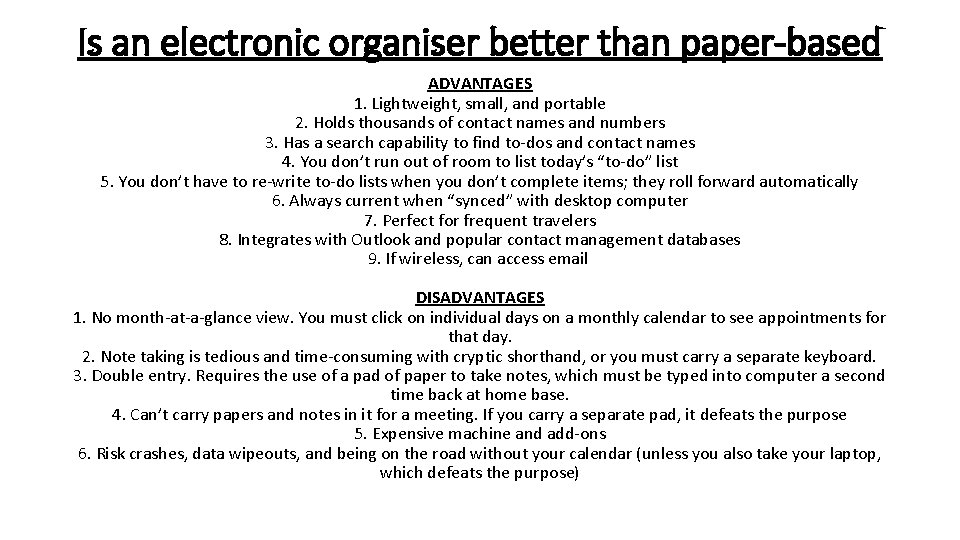
Is an electronic organiser better than paper-based ADVANTAGES 1. Lightweight, small, and portable 2. Holds thousands of contact names and numbers 3. Has a search capability to find to-dos and contact names 4. You don’t run out of room to list today’s “to-do” list 5. You don’t have to re-write to-do lists when you don’t complete items; they roll forward automatically 6. Always current when “synced” with desktop computer 7. Perfect for frequent travelers 8. Integrates with Outlook and popular contact management databases 9. If wireless, can access email DISADVANTAGES 1. No month-at-a-glance view. You must click on individual days on a monthly calendar to see appointments for that day. 2. Note taking is tedious and time-consuming with cryptic shorthand, or you must carry a separate keyboard. 3. Double entry. Requires the use of a pad of paper to take notes, which must be typed into computer a second time back at home base. 4. Can’t carry papers and notes in it for a meeting. If you carry a separate pad, it defeats the purpose 5. Expensive machine and add-ons 6. Risk crashes, data wipeouts, and being on the road without your calendar (unless you also take your laptop, which defeats the purpose)