
Physics 2025 Lab 1 Sound Purpose Visualize the
Physics 2025 Lab 1: Sound Purpose • Visualize the wavelike nature of sound by using a sound-to-voltage transducer (otherwise known as a microphone…. ). • Measure the speed of sound in a variety of ways.
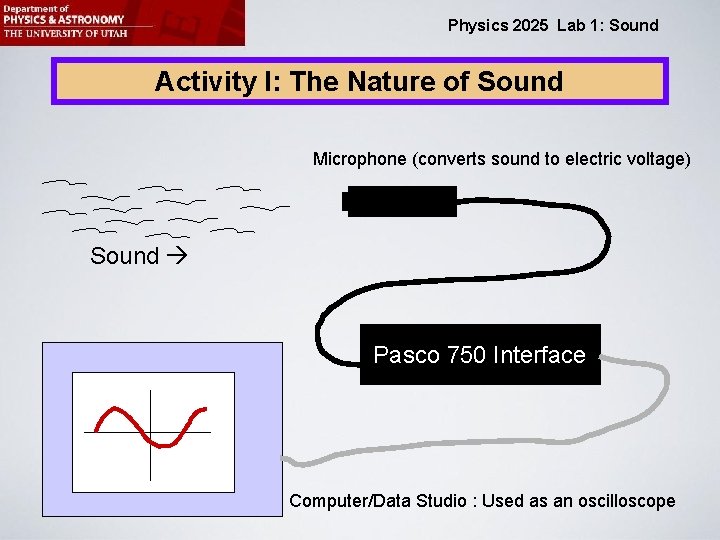
Physics 2025 Lab 1: Sound Activity I: The Nature of Sound Microphone (converts sound to electric voltage) Sound Pasco 750 Interface Computer/Data Studio : Used as an oscilloscope
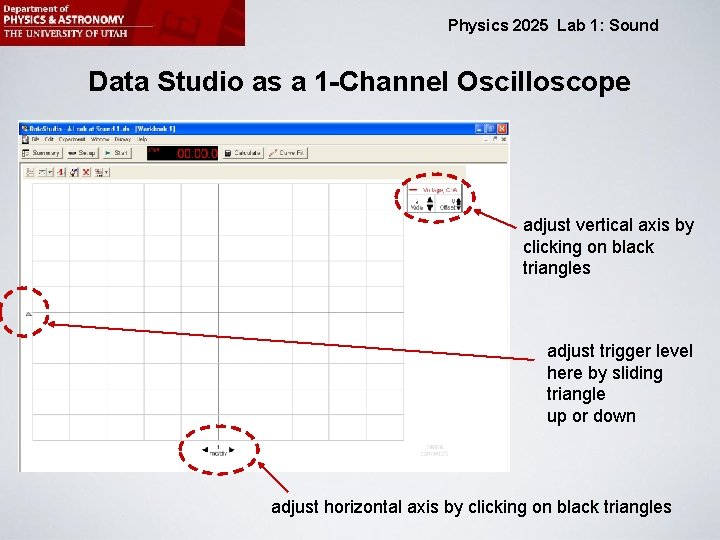
Physics 2025 Lab 1: Sound Data Studio as a 1 -Channel Oscilloscope adjust vertical axis by clicking on black triangles adjust trigger level here by sliding triangle up or down adjust horizontal axis by clicking on black triangles
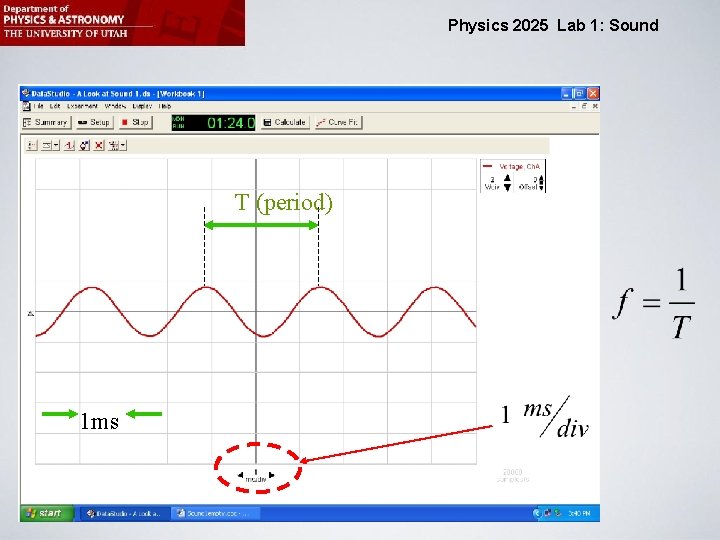
Physics 2025 Lab 1: Sound T (period) 1 ms
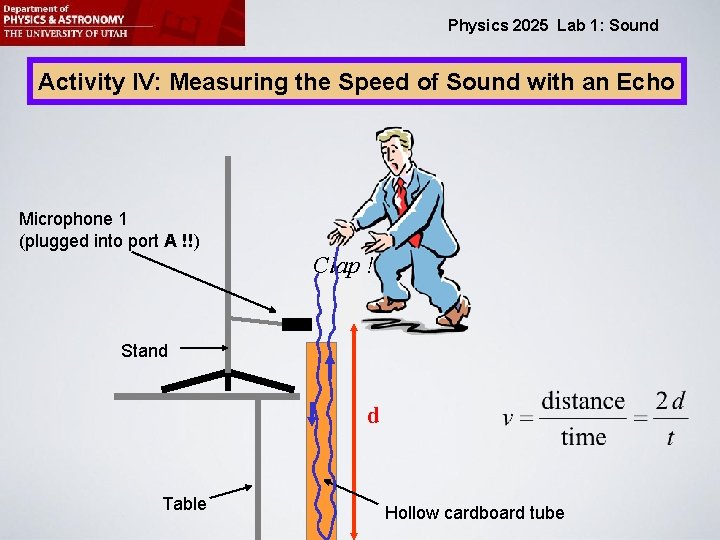
Physics 2025 Lab 1: Sound Activity IV: Measuring the Speed of Sound with an Echo Microphone 1 (plugged into port A !!) Clap ! Stand d Table Hollow cardboard tube
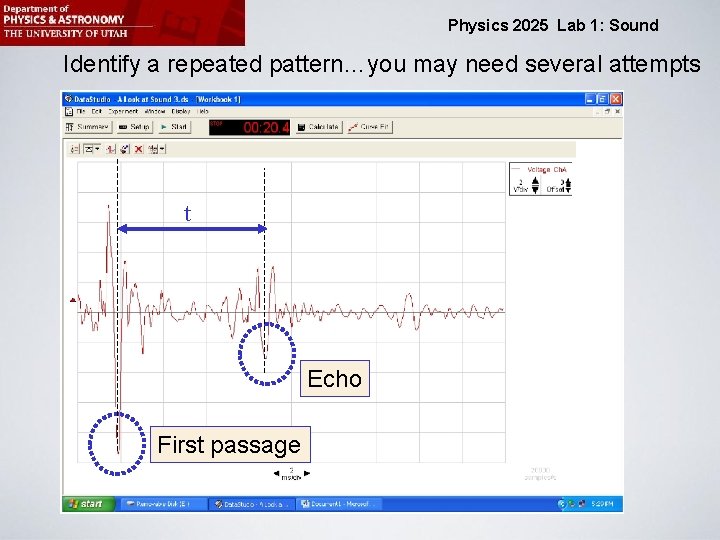
Physics 2025 Lab 1: Sound Identify a repeated pattern…you may need several attempts t Echo First passage
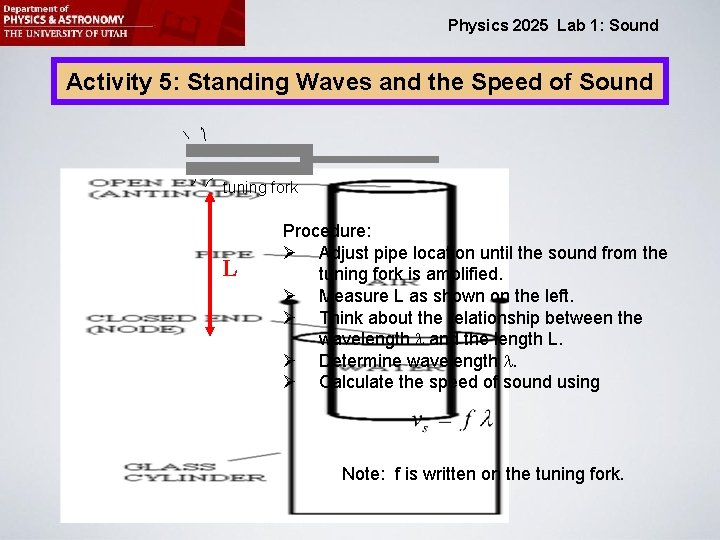
Physics 2025 Lab 1: Sound Activity 5: Standing Waves and the Speed of Sound tuning fork L Procedure: Ø Adjust pipe location until the sound from the tuning fork is amplified. Ø Measure L as shown on the left. Ø Think about the relationship between the wavelength l and the length L. Ø Determine wavelength l. Ø Calculate the speed of sound using Note: f is written on the tuning fork.
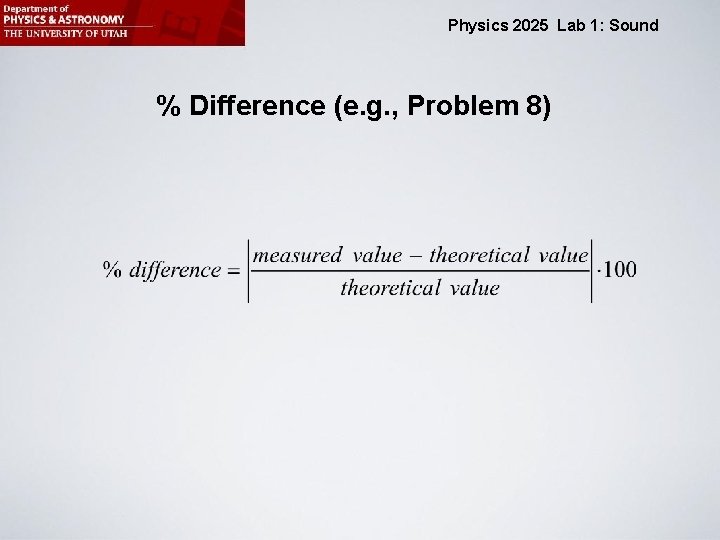
Physics 2025 Lab 1: Sound % Difference (e. g. , Problem 8)
Physics 2025 Lab 1: Sound Important Ø We will need to use “Data Studio” instead of “Capstone” in this activity. The file cannot be loaded from the website. You need to go to the desktop of your computer and find the shortcut “Physics Lab”. Then click your way through the folders to the Data Studio activity called “Sound”. Ø Whenever you launch a new Data Studio file, you must first close all other existing Data Studio files and all Capstone activities. Then launch the new Data Studio Activity. Still, sometimes the “Start Button” won’t work. If that happens, close the file and launch it again.
- Slides: 9