
Physical Database Design File Organizations and Indexes ISYS
Physical Database Design File Organizations and Indexes ISYS 464
Disk Devices • Disk drive: Read/write head and access arm. • Single-sided, double-sided, disk pack • Track, sector, cylinder (tracks with the same diameter on the various disks) • Page, block, or physical record: It is the unit of transfer between disk and primary storage, and vice versa. • Blocking factor: the number of records in a block
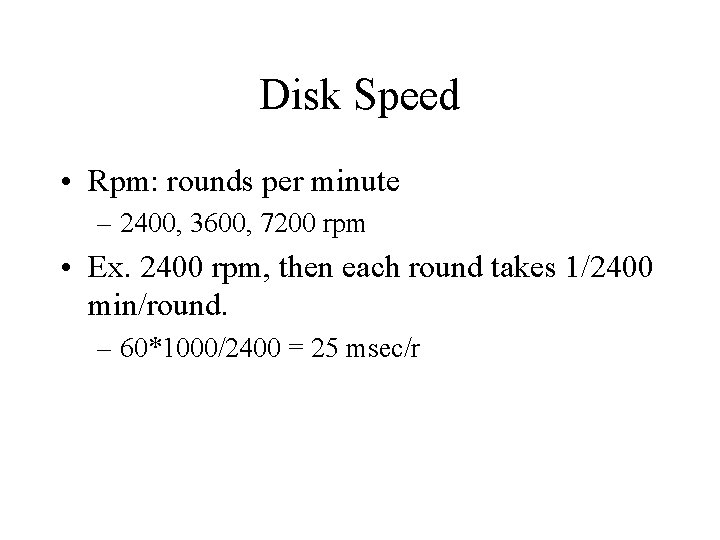
Disk Speed • Rpm: rounds per minute – 2400, 3600, 7200 rpm • Ex. 2400 rpm, then each round takes 1/2400 min/round. – 60*1000/2400 = 25 msec/r
Time Required to Read One Block • Seek time • Rotational delay – Half round • Block transfer time
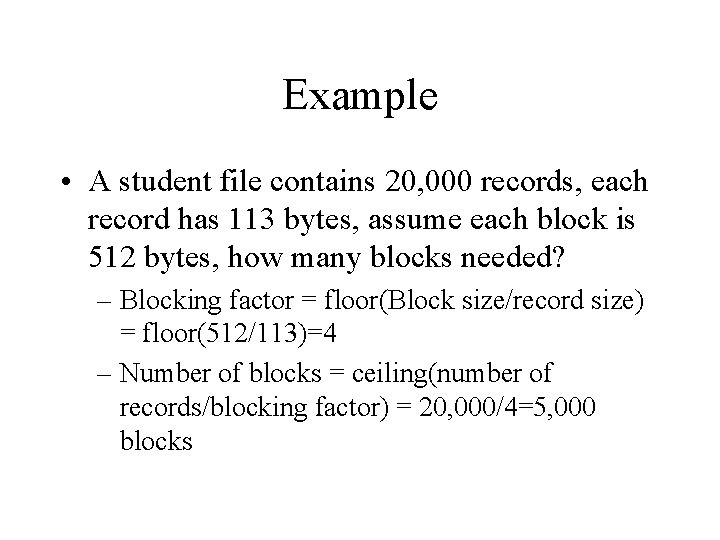
Example • A student file contains 20, 000 records, each record has 113 bytes, assume each block is 512 bytes, how many blocks needed? – Blocking factor = floor(Block size/record size) = floor(512/113)=4 – Number of blocks = ceiling(number of records/blocking factor) = 20, 000/4=5, 000 blocks
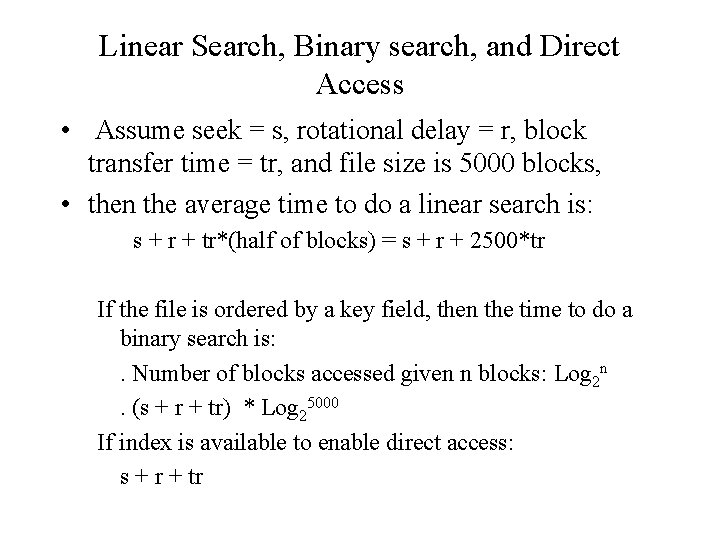
Linear Search, Binary search, and Direct Access • Assume seek = s, rotational delay = r, block transfer time = tr, and file size is 5000 blocks, • then the average time to do a linear search is: s + r + tr*(half of blocks) = s + r + 2500*tr If the file is ordered by a key field, then the time to do a binary search is: . Number of blocks accessed given n blocks: Log 2 n. (s + r + tr) * Log 25000 If index is available to enable direct access: s + r + tr
Updating a Record • Read the block into main memory. • Change the record in main memory. • Write the block back to disk.
File Organization • The physical arrangement of data in a file into records and pages on secondary storage. • Access method: The steps involved in storing and retrieving records from a file. – Searching and updating
Unordered Files (Heap Files) • Records are placed in the file in the same order as they are inserted. • Searching: must do a linear search if index is not available. • Updating: – Insertion: Read the last page, append to the last page, then write the page back. – Modification: Search and read the block to main memory. Write the block back after making changes. – Deletion: Mark the record for deletion (deletion flag) and periodically reorganize the file.
Ordered Files • Enable binary search • Insertion: May need a temporary overflow file and periodically the overflow file is merged with the ordered file. • Deletion: May need periodical reorganization.
Hash Files (Direct Files) • The page a record is to be stored is determined by a hash function. • Hash function calculates the address of the page based on the key field of the file: – Address = H(Key) • Typical hash function: division/remainder: – 0 <= Key Mod M <= M-1 – Where M is the number of blocks
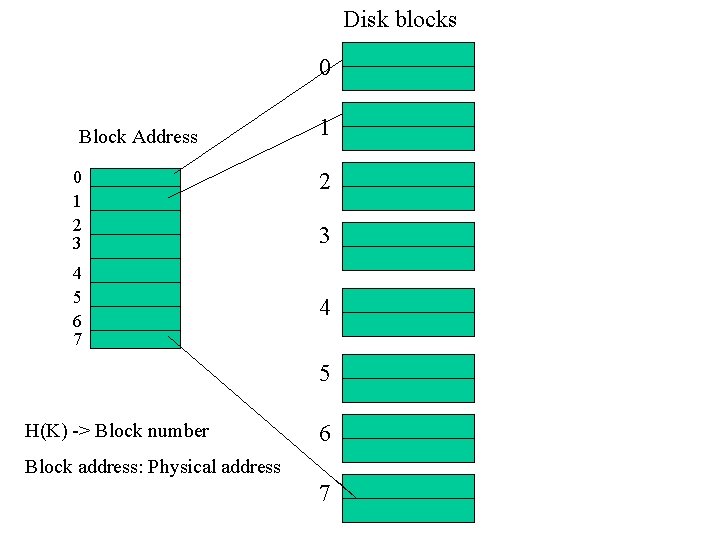
Disk blocks 0 Block Address 0 1 2 3 4 5 6 7 1 2 3 4 5 H(K) -> Block number 6 Block address: Physical address 7
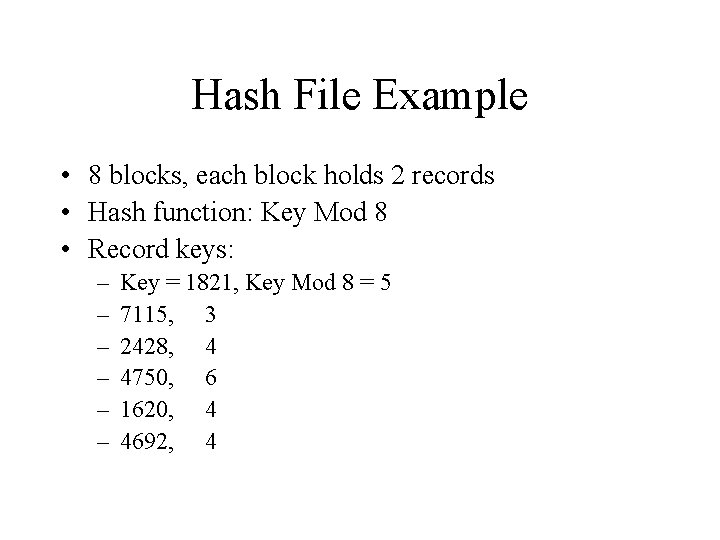
Hash File Example • 8 blocks, each block holds 2 records • Hash function: Key Mod 8 • Record keys: – – – Key = 1821, Key Mod 8 = 5 7115, 3 2428, 4 4750, 6 1620, 4 4692, 4
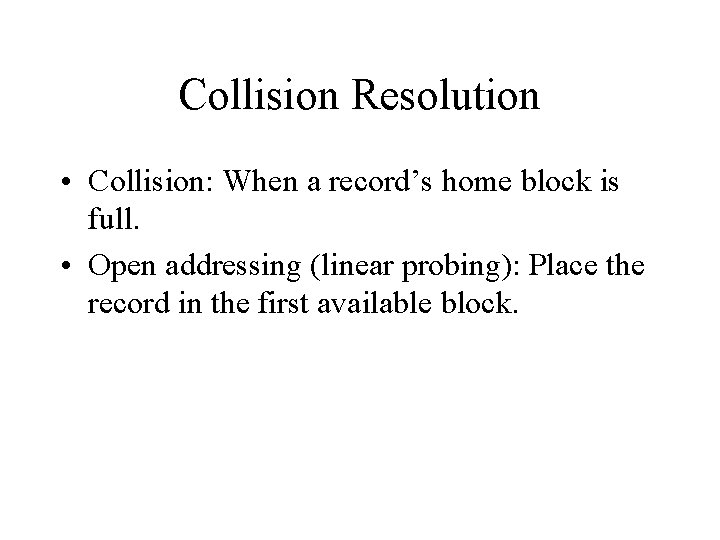
Collision Resolution • Collision: When a record’s home block is full. • Open addressing (linear probing): Place the record in the first available block.
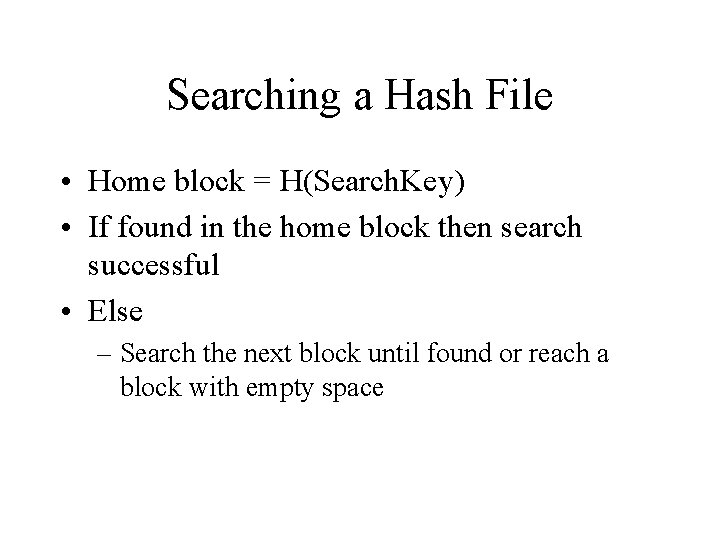
Searching a Hash File • Home block = H(Search. Key) • If found in the home block then search successful • Else – Search the next block until found or reach a block with empty space
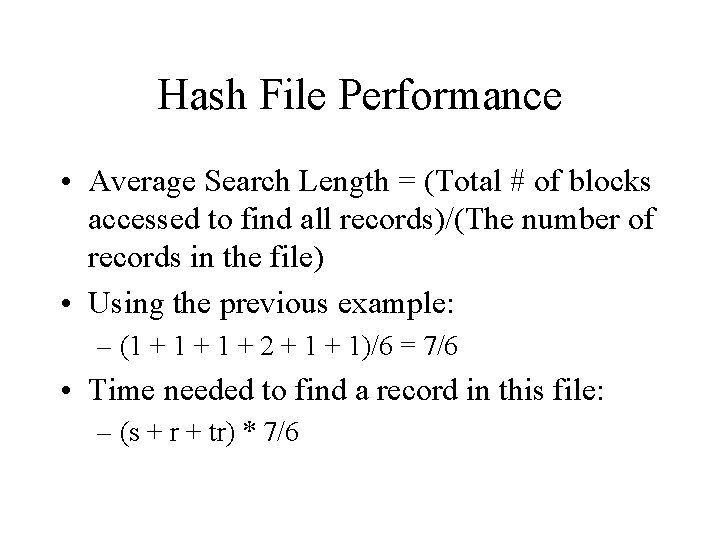
Hash File Performance • Average Search Length = (Total # of blocks accessed to find all records)/(The number of records in the file) • Using the previous example: – (1 + 1 + 2 + 1)/6 = 7/6 • Time needed to find a record in this file: – (s + r + tr) * 7/6
Factors Affecting Hash File Performance • Hash file should spread the records evenly over the disk space. • Use of a low load factor: – (# of records)/(# of available spaces) • Allow each block to hold more records
Limitations of Hash File • Cannot be accessed by other order: – Direct access only • Fixed amount of space allocated to the file: – Static hashing – Waste space, hard to grow • Inappropriate for retrievals based on ranges of values: – Find Emp. ID = 123 – Find Emp. ID > 123
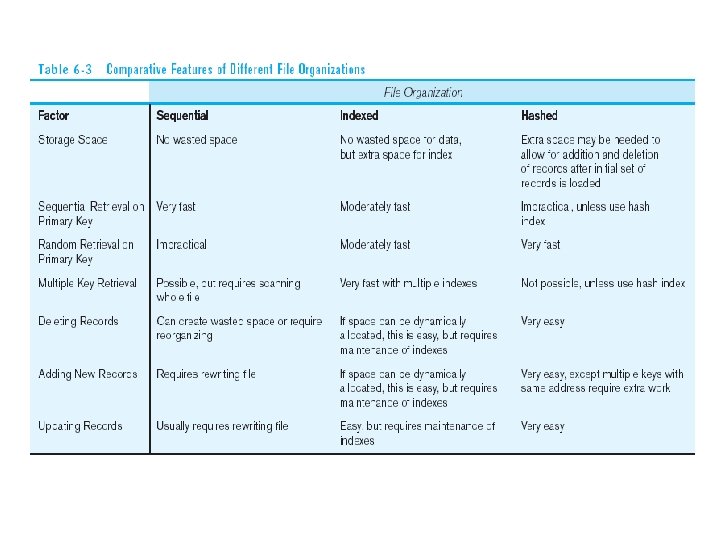
Factors for selecting file organization • • Fast data retrieval Efficient storage space utilization Minimizing need for file reorganization Accommodating growth
Index • A data structure that allows the DBMS to locate particular records in a file more quickly. • Index file: – Index. Field + Record. Pointer – Ordered according to the indexing field
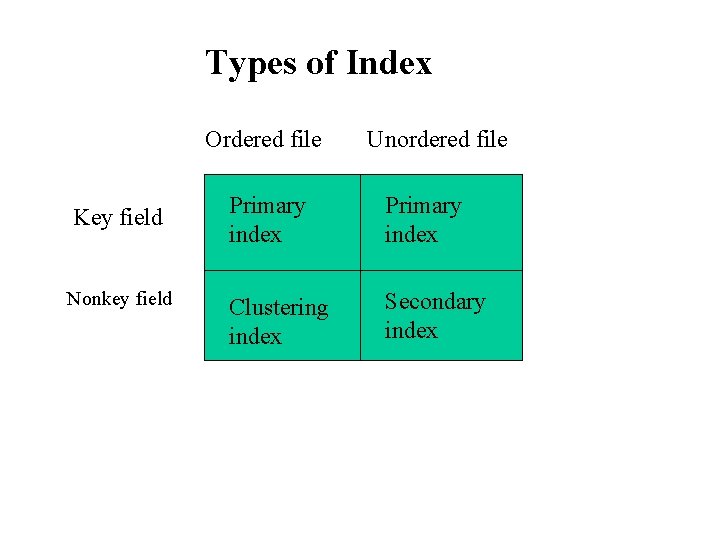
Types of Index Ordered file Key field Nonkey field Unordered file Primary index Clustering index Secondary index
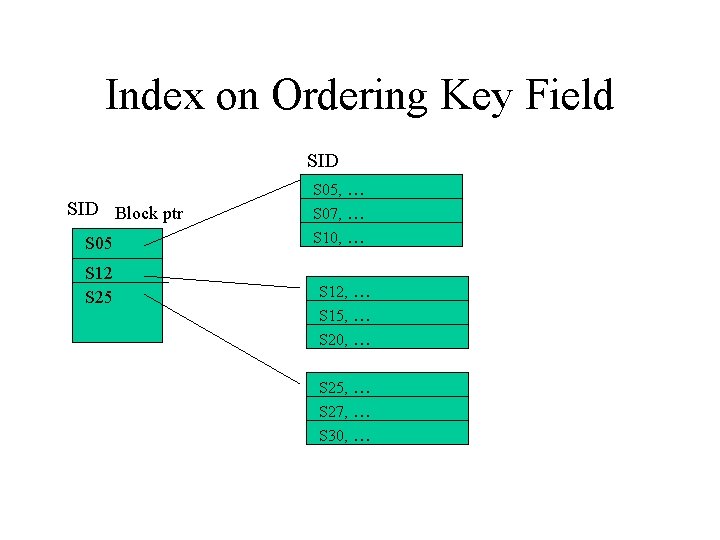
Index on Ordering Key Field SID Block ptr S 05 S 12 S 25 S 05, … S 07, … S 10, … S 12, … S 15, … S 20, … S 25, … S 27, … S 30, …
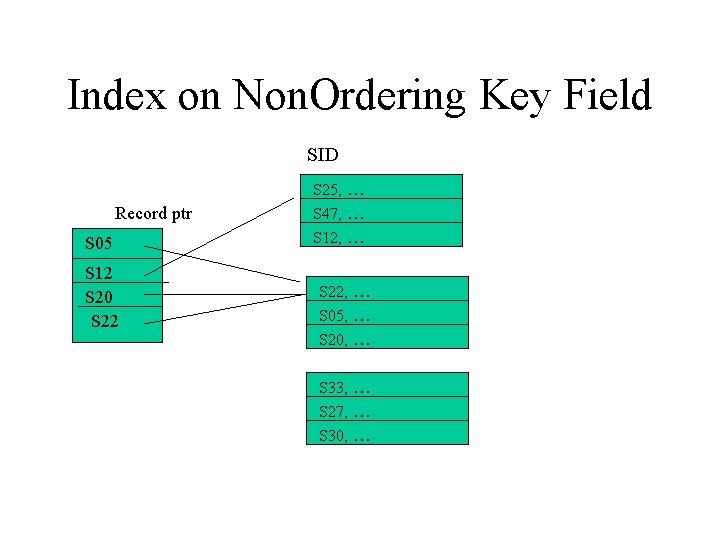
Index on Non. Ordering Key Field SID Record ptr S 05 S 12 S 20 S 22 S 25, … S 47, … S 12, … S 22, … S 05, … S 20, … S 33, … S 27, … S 30, …
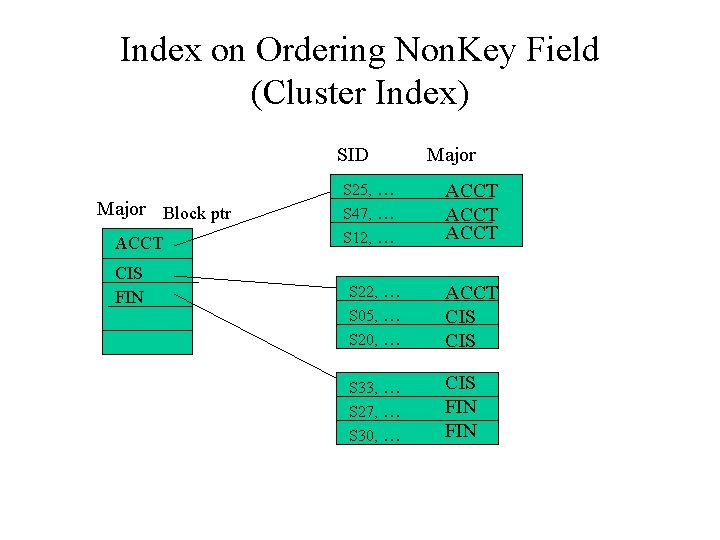
Index on Ordering Non. Key Field (Cluster Index) SID Major Block ptr ACCT CIS FIN S 25, … S 47, … S 12, … Major ACCT S 22, … S 05, … S 20, … ACCT CIS S 33, … S 27, … S 30, … CIS FIN
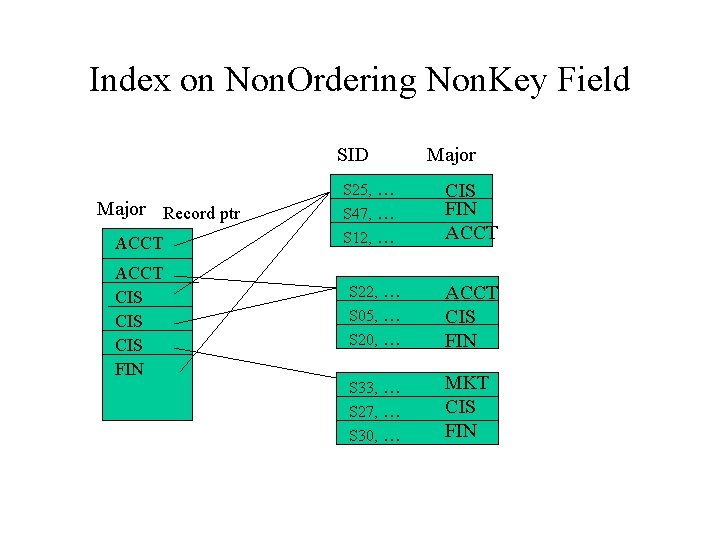
Index on Non. Ordering Non. Key Field SID Major Record ptr ACCT CIS CIS FIN S 25, … S 47, … S 12, … Major CIS FIN ACCT S 22, … S 05, … S 20, … ACCT CIS FIN S 33, … S 27, … S 30, … MKT CIS FIN
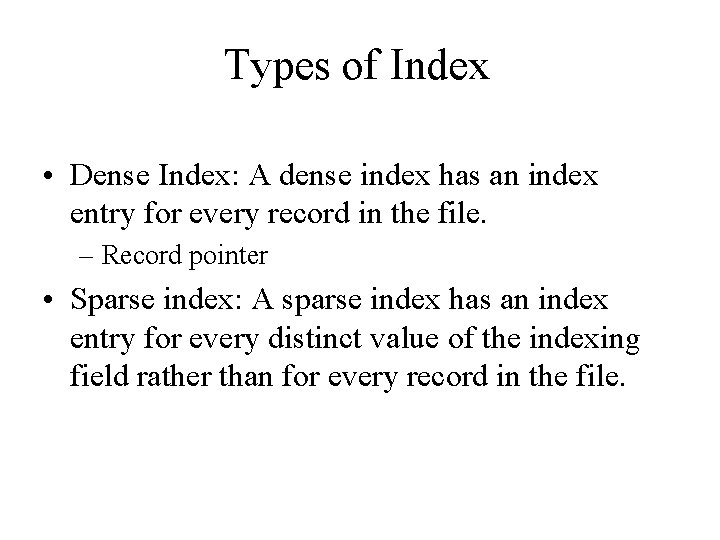
Types of Index • Dense Index: A dense index has an index entry for every record in the file. – Record pointer • Sparse index: A sparse index has an index entry for every distinct value of the indexing field rather than for every record in the file.
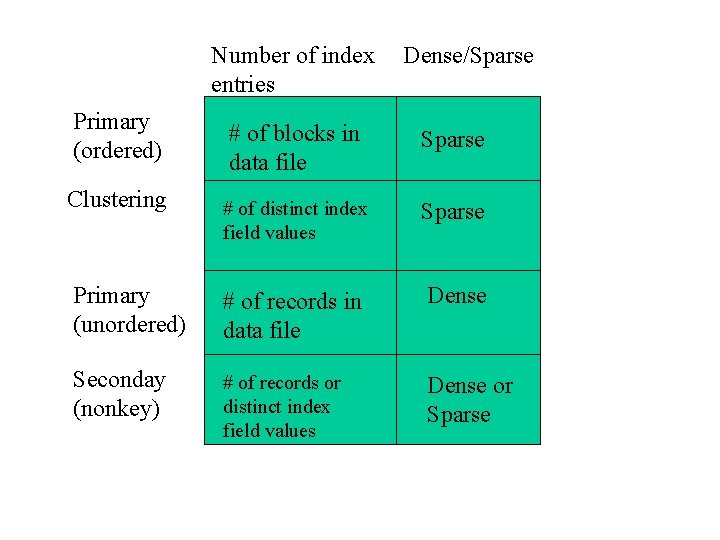
Number of index entries Primary (ordered) Dense/Sparse # of blocks in data file Sparse # of distinct index field values Sparse Primary (unordered) # of records in data file Dense Seconday (nonkey) # of records or distinct index field values Dense or Sparse Clustering
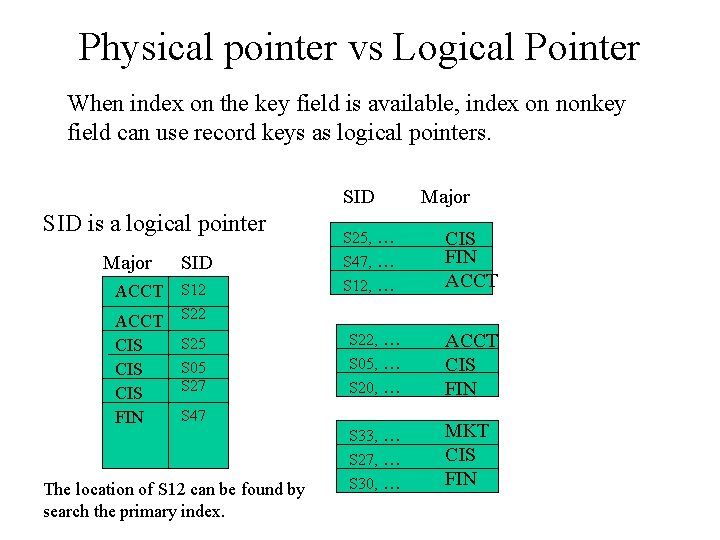
Physical pointer vs Logical Pointer When index on the key field is available, index on nonkey field can use record keys as logical pointers. SID is a logical pointer Major ACCT CIS CIS FIN SID S 12 S 25 S 05 S 27 S 25, … S 47, … S 12, … CIS FIN ACCT S 22, … S 05, … S 20, … ACCT CIS FIN S 33, … S 27, … S 30, … MKT CIS FIN S 47 The location of S 12 can be found by search the primary index. Major
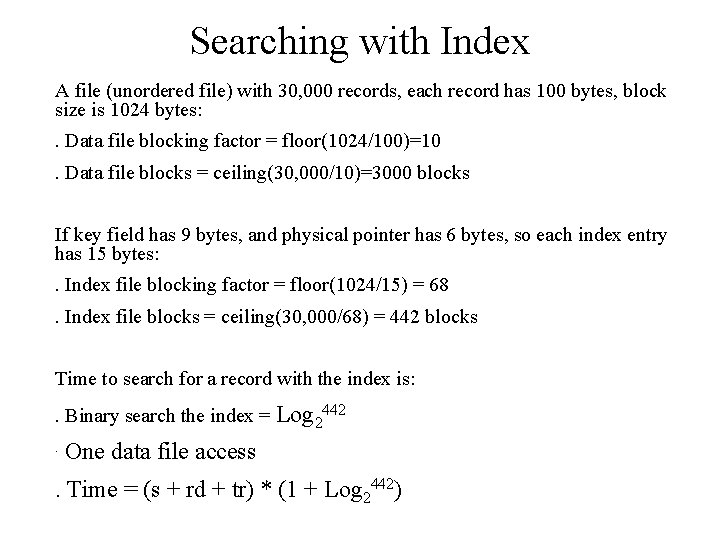
Searching with Index A file (unordered file) with 30, 000 records, each record has 100 bytes, block size is 1024 bytes: . Data file blocking factor = floor(1024/100)=10. Data file blocks = ceiling(30, 000/10)=3000 blocks If key field has 9 bytes, and physical pointer has 6 bytes, so each index entry has 15 bytes: . Index file blocking factor = floor(1024/15) = 68. Index file blocks = ceiling(30, 000/68) = 442 blocks Time to search for a record with the index is: . Binary search the index = Log 2442. One data file access . Time = (s + rd + tr) * (1 + Log 2442)
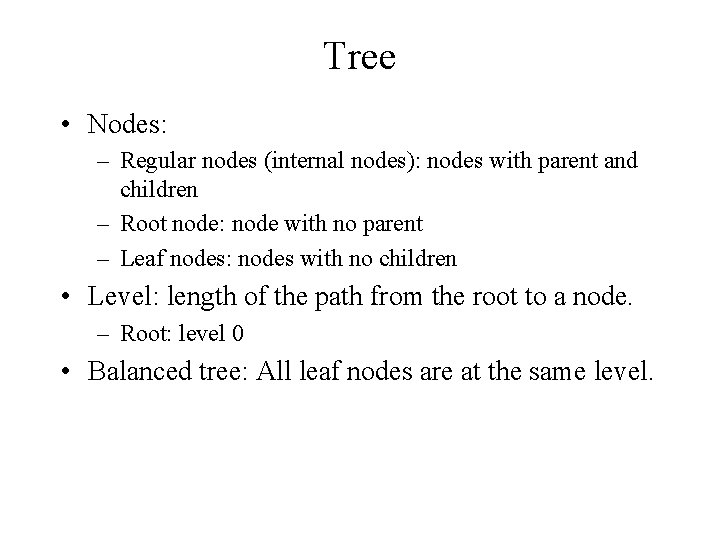
Tree • Nodes: – Regular nodes (internal nodes): nodes with parent and children – Root node: node with no parent – Leaf nodes: nodes with no children • Level: length of the path from the root to a node. – Root: level 0 • Balanced tree: All leaf nodes are at the same level.
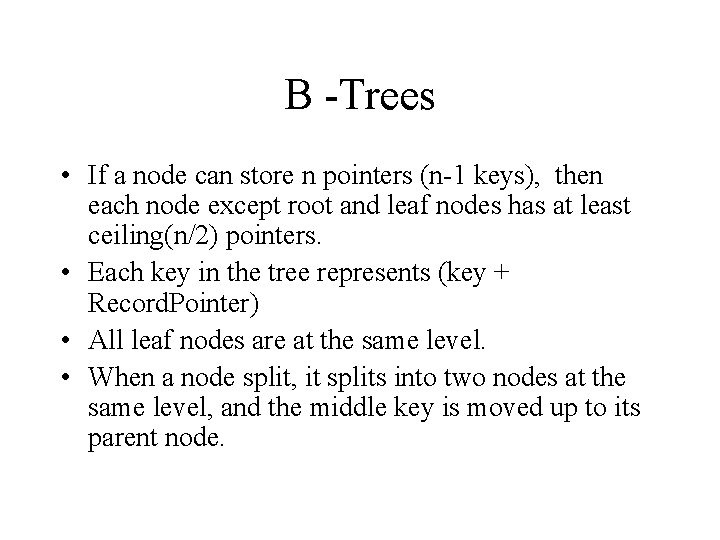
B -Trees • If a node can store n pointers (n-1 keys), then each node except root and leaf nodes has at least ceiling(n/2) pointers. • Each key in the tree represents (key + Record. Pointer) • All leaf nodes are at the same level. • When a node split, it splits into two nodes at the same level, and the middle key is moved up to its parent node.
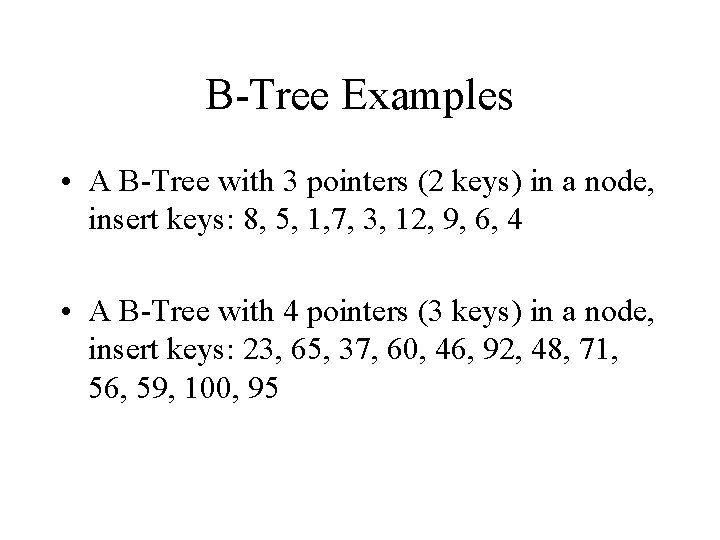
B-Tree Examples • A B-Tree with 3 pointers (2 keys) in a node, insert keys: 8, 5, 1, 7, 3, 12, 9, 6, 4 • A B-Tree with 4 pointers (3 keys) in a node, insert keys: 23, 65, 37, 60, 46, 92, 48, 71, 56, 59, 100, 95
B+ Trees • Record pointers are stored only at the leaf nodes. – More keys in a node, shorter path • Every key must exist at the leaf nodes. • Every leaf node contains pointer to the next leaf node. • Node Split: – Leaf node split: keep the middle key in the left node and duplicate it in the parent node. – Internal node split: move up the middle key as B-Tree.
B+ Tree Examples • A B+ Tree with 3 pointers (2 keys) in a node, insert keys: 8, 5, 1, 7, 3, 12, 9, 6 • A B+ Tree with 4 pointers (3 keys) in a node, insert keys: 23, 65, 37, 60, 46, 92, 48, 71, 56, 59, 100, 95
B+ Tree Advantages • Shorter tree: Because internal nodes do not include record pointers, internal nodes can have more keys. • All keys in the leaf nodes are already in sorted order. • B+ Tree can be used to store data file.
• Too many indexes will slow down update operations.
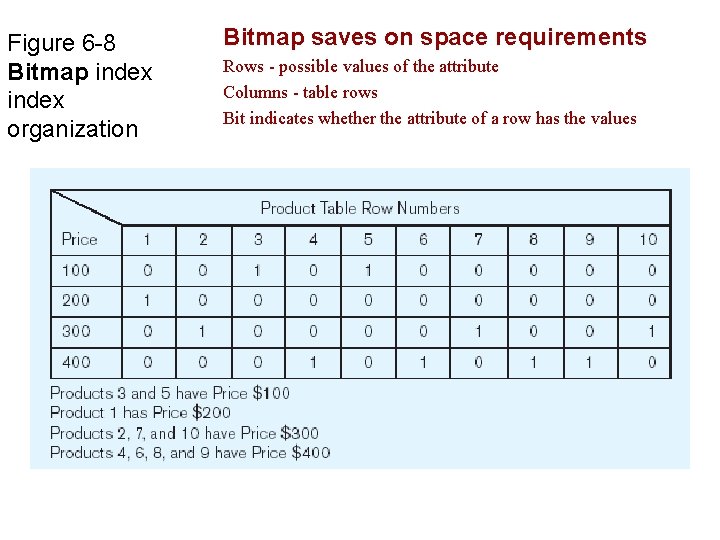
Figure 6 -8 Bitmap index organization Bitmap saves on space requirements Rows - possible values of the attribute Columns - table rows Bit indicates whether the attribute of a row has the values
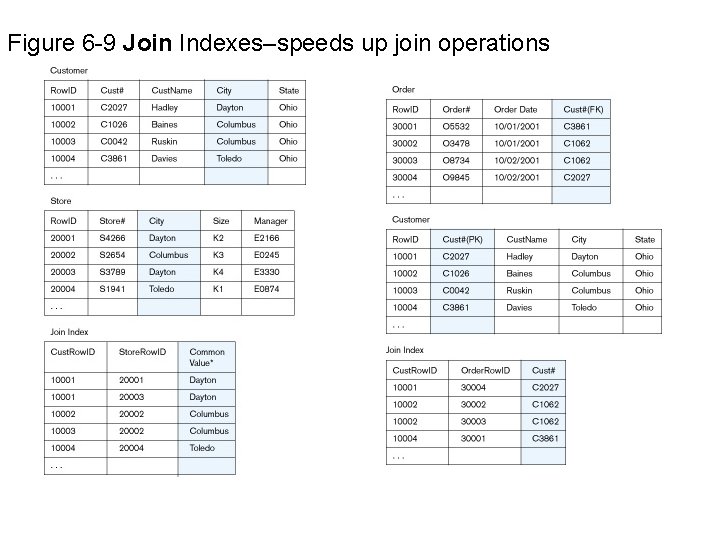
Figure 6 -9 Join Indexes–speeds up join operations
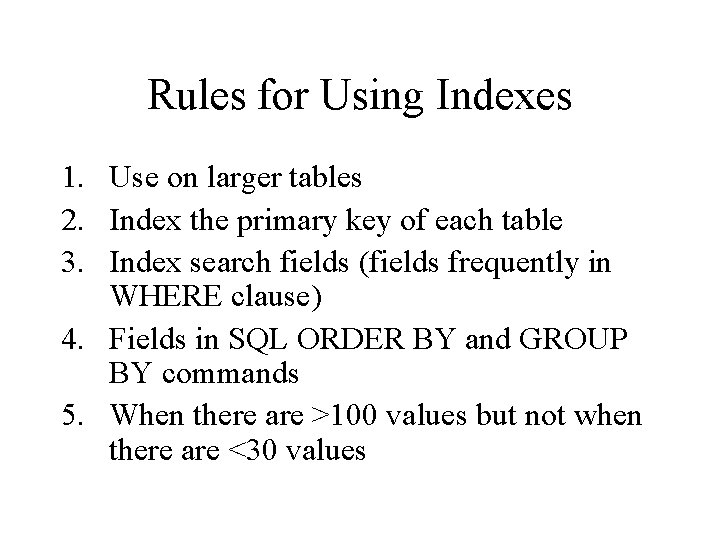
Rules for Using Indexes 1. Use on larger tables 2. Index the primary key of each table 3. Index search fields (fields frequently in WHERE clause) 4. Fields in SQL ORDER BY and GROUP BY commands 5. When there are >100 values but not when there are <30 values
Rules for Using Indexes (cont. ) Avoid use of indexes for fields with long values; perhaps compress values first 7. DBMS may have limit on number of indexes per table and number of bytes per indexed field(s) 8. Null values will not be referenced from an index 9. Use indexes heavily for non-volatile databases; limit the use of indexes for volatile databases 6. Why? Because modifications (e. g. inserts, deletes) require updates to occur in index files
Redundant Arrays of Inexpensive (Independent) Disks • RAID is a method to group more than one drive and make them appear as a single drive.
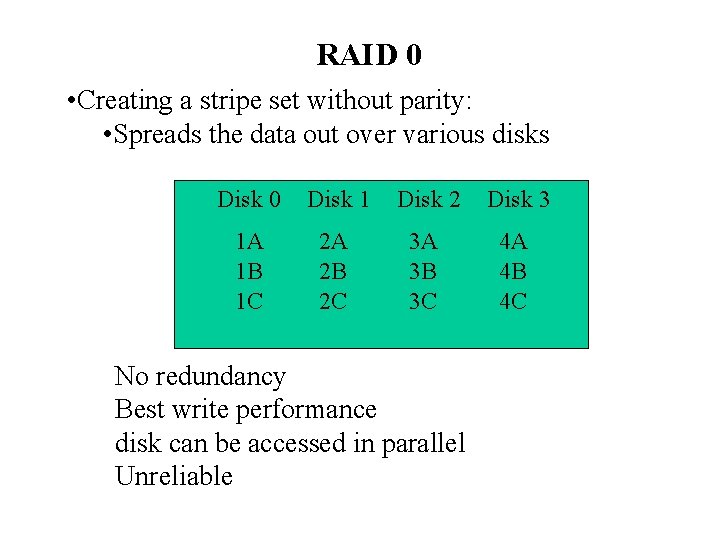
RAID 0 • Creating a stripe set without parity: • Spreads the data out over various disks Disk 0 Disk 1 Disk 2 Disk 3 1 A 1 B 1 C 2 A 2 B 2 C 3 A 3 B 3 C 4 A 4 B 4 C No redundancy Best write performance disk can be accessed in parallel Unreliable
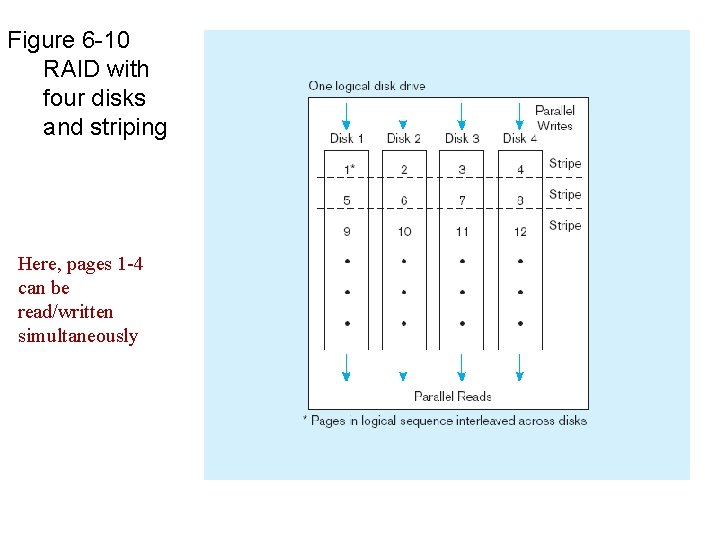
Figure 6 -10 RAID with four disks and striping Here, pages 1 -4 can be read/written simultaneously
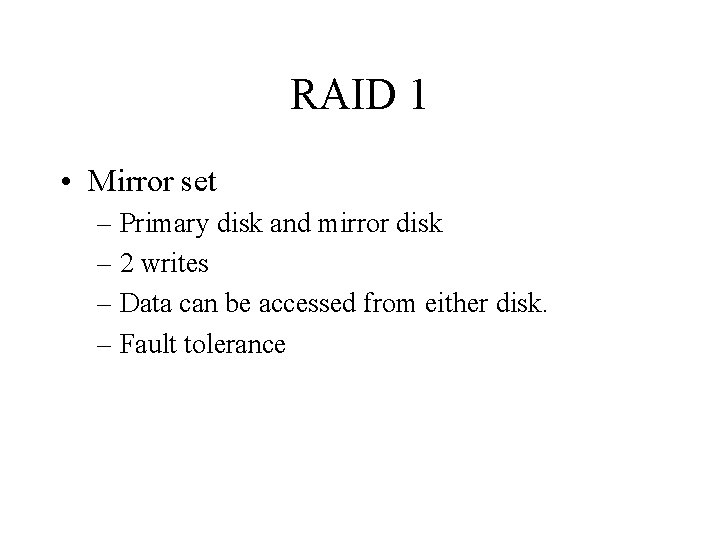
RAID 1 • Mirror set – Primary disk and mirror disk – 2 writes – Data can be accessed from either disk. – Fault tolerance
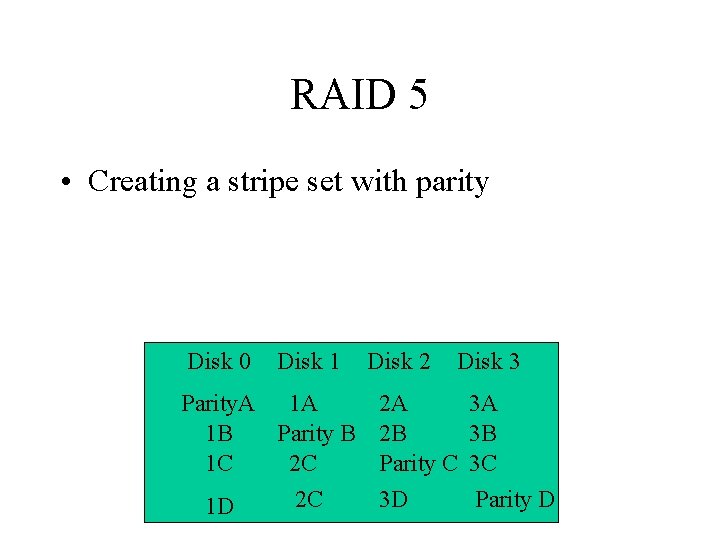
RAID 5 • Creating a stripe set with parity Disk 0 Disk 1 Parity. A 1 A 1 B Parity B 1 C 2 C 2 C 1 D Disk 2 Disk 3 2 A 2 B Parity C 3 D 3 A 3 B 3 C Parity D
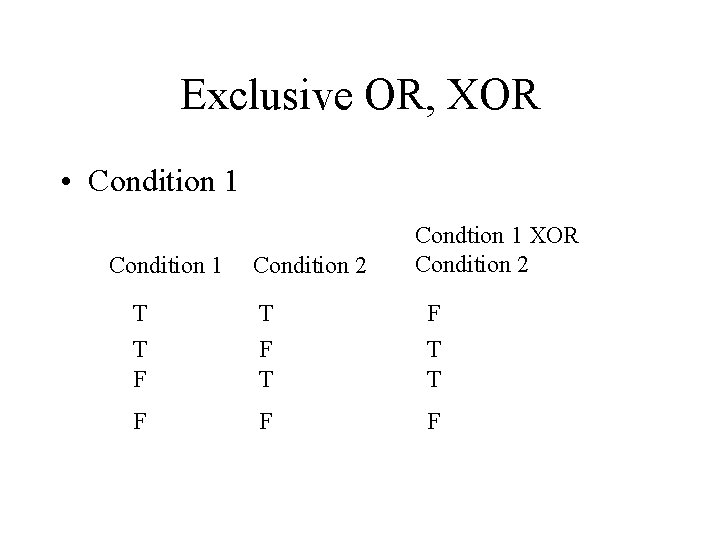
Exclusive OR, XOR • Condition 1 Condition 2 Condtion 1 XOR Condition 2 T T F T F T T F F F
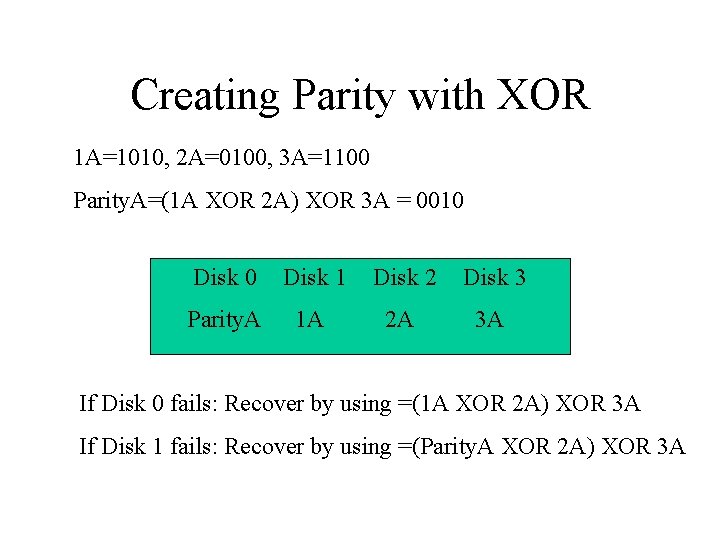
Creating Parity with XOR 1 A=1010, 2 A=0100, 3 A=1100 Parity. A=(1 A XOR 2 A) XOR 3 A = 0010 Disk 1 Disk 2 Disk 3 Parity. A 1 A 2 A 3 A If Disk 0 fails: Recover by using =(1 A XOR 2 A) XOR 3 A If Disk 1 fails: Recover by using =(Parity. A XOR 2 A) XOR 3 A
- Slides: 48