
Phase 2 of database design Mapping an EER
Phase 2 of database design: Mapping an (E)ER diagram to a relational model Information Structures and Implications 2016 Bettina Berendt Last updated: 2016 -10 -18 1
About • These slides show what we did on the board on 18 -10 -2016: – Transform the EU Parliament debates diagram into a relational model • Relational model means: – think of the database in terms of a collection of tables • The model builds on the mathematical notion of relations (hence the name), but you don‘t need to know about that – Model the tables‘ names and column titles – Basic idea: Entities and relationships become relation / table names, attributes become column titles (still called attributes) – The actual tables with actual data in them follow in the next step. • This slide set follows Elmasri & Navathe‘s 8 -step model (see the Chapter 9 on Toledo), but uses a slightly simplified syntax and does step 8 (mapping subclasses) earlier. • Sometimes, only selected/preferred modelling options are shown, see the chapter for full details. 2
Syntax for relations Relationname (key_attribute, . . . ) • Rules for naming and ordering: – Use the entity or relationship type name as the Relationname. – Use the attribute names from the ER model – unless it‘s clearer to disambiguate them (e. g. Turning Acronym into Country. Acronym in Represents below). – The order of the attributes doesn‘t matter (mathematically), but it‘s recommended to order them in a “nicely readable“ order. – The keys could also be anyhwere in the list of attributes, but it‘s recommended to list them at the beginning. 3
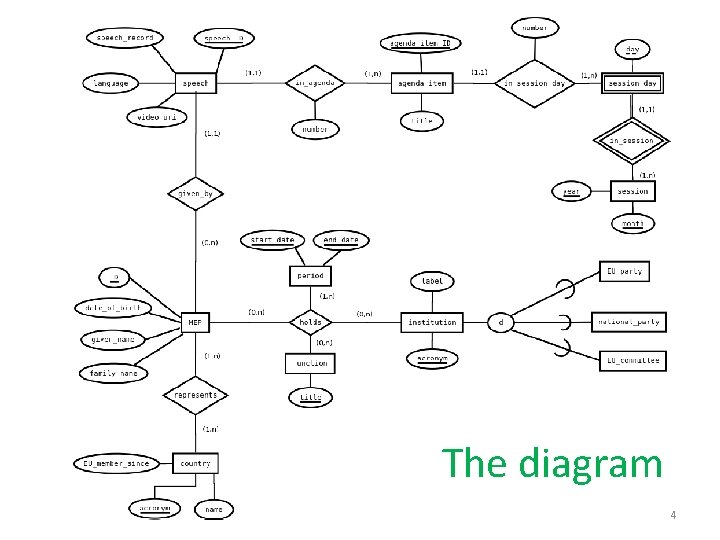
The diagram 4
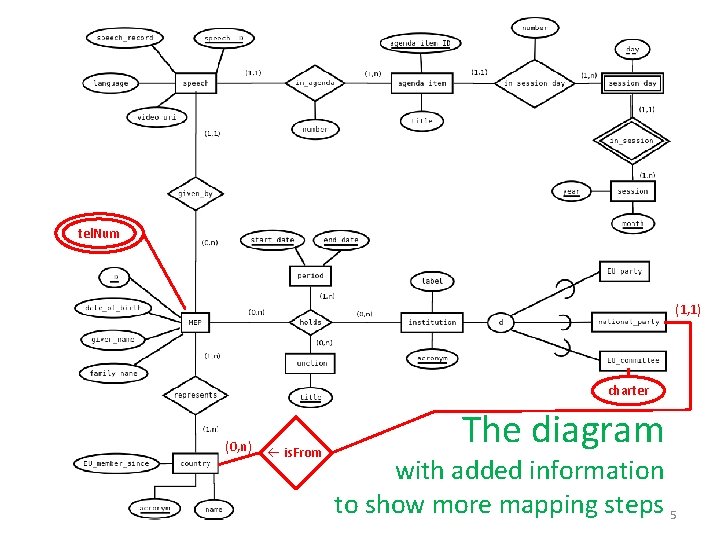
tel. Num (1, 1) charter (0, n) is. From The diagram with added information to show more mapping steps 5
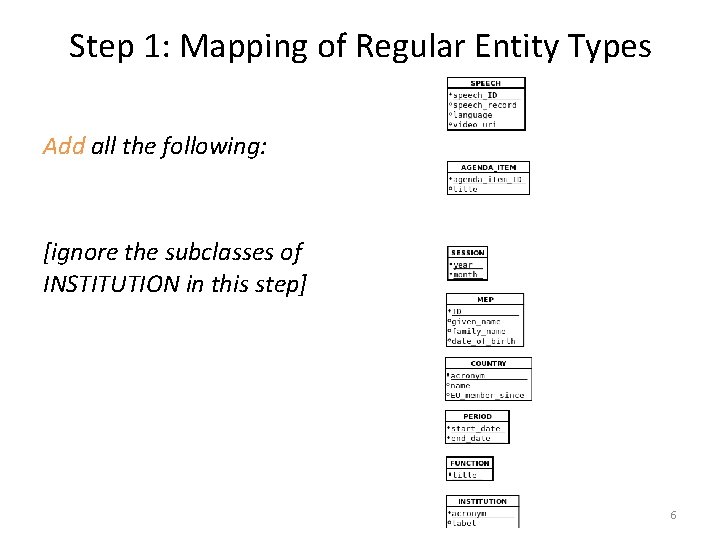
Step 1: Mapping of Regular Entity Types Add all the following: [ignore the subclasses of INSTITUTION in this step] 6
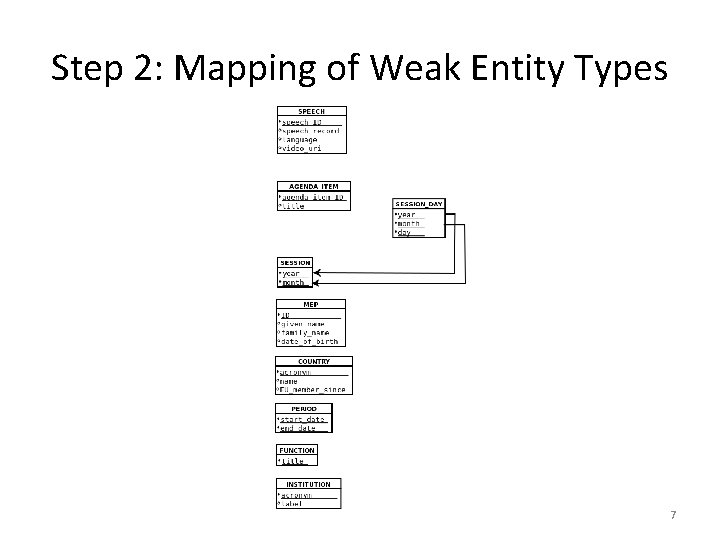
Step 2: Mapping of Weak Entity Types 7

Step 3: Mapping of Binary 1: 1 Relationship Types Not applicable, since our diagram does not contain binary 1: 1 relationship types - See the writers‘ database exercise in the exercise session for an example. - Or the variation of the EP model on slide 15. 8
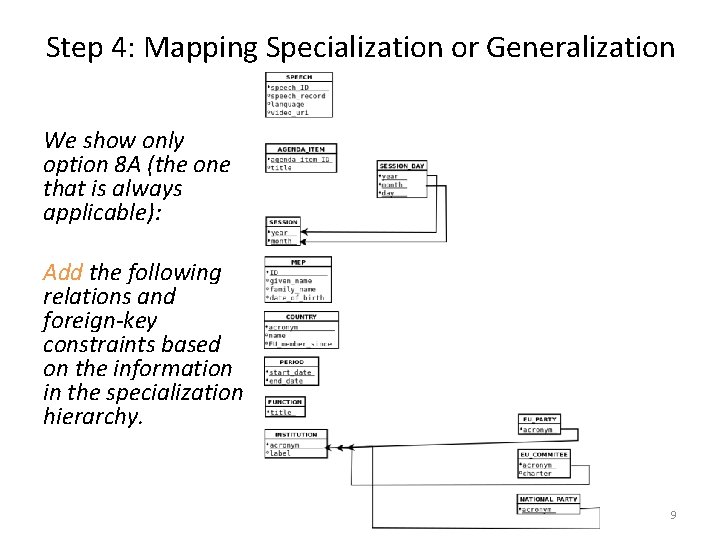
Step 4: Mapping Specialization or Generalization We show only option 8 A (the one that is always applicable): Add the following relations and foreign-key constraints based on the information in the specialization hierarchy. 9

Step 5: Mapping of Binary 1: N Relationship Types Modify the following relations and include foreign-key constraints based on information in the following relationships (the others remain unchanged): 10

Step 6: Mapping of Binary M: N Relationship Types Add the following relations and foreignkey constraints based on information in the following relationships (the others remain unchanged in this step): 11
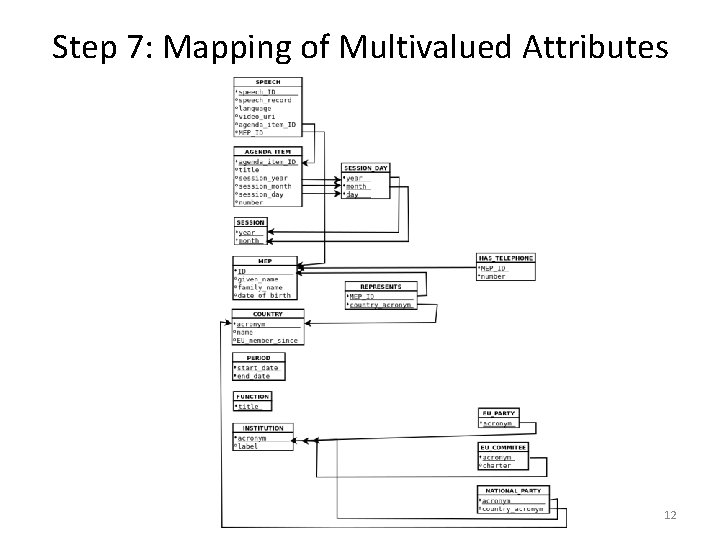
Step 7: Mapping of Multivalued Attributes 12
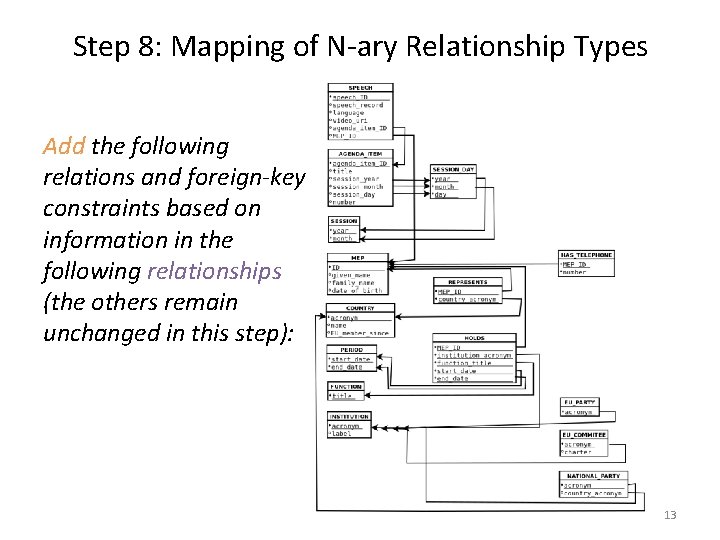
Step 8: Mapping of N-ary Relationship Types Add the following relations and foreign-key constraints based on information in the following relationships (the others remain unchanged in this step): 13
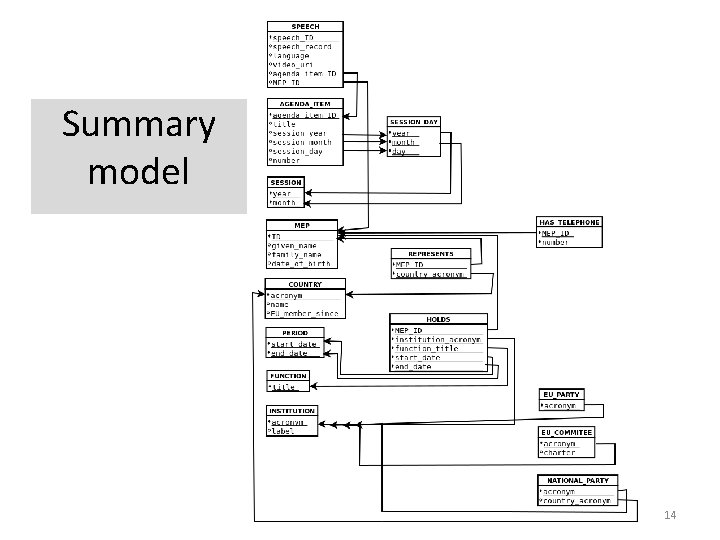
Summary model 14
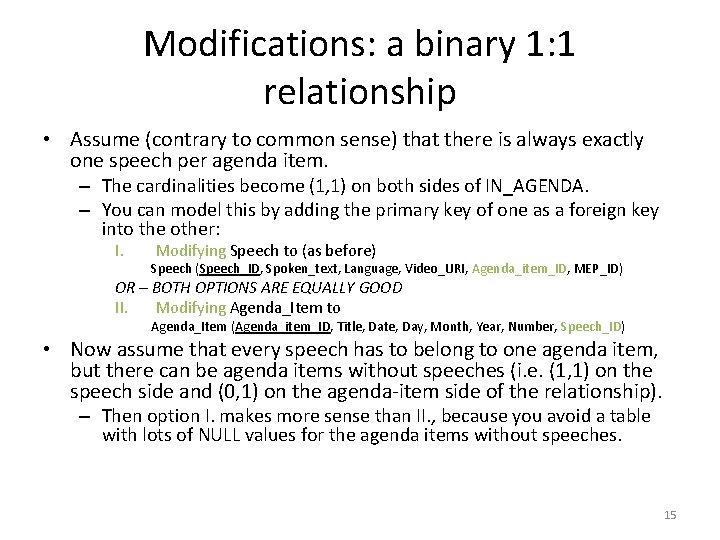
Modifications: a binary 1: 1 relationship • Assume (contrary to common sense) that there is always exactly one speech per agenda item. – The cardinalities become (1, 1) on both sides of IN_AGENDA. – You can model this by adding the primary key of one as a foreign key into the other: I. Modifying Speech to (as before) Speech (Speech_ID, Spoken_text, Language, Video_URI, Agenda_item_ID, MEP_ID) OR – BOTH OPTIONS ARE EQUALLY GOOD II. Modifying Agenda_Item to Agenda_Item (Agenda_item_ID, Title, Date, Day, Month, Year, Number, Speech_ID) • Now assume that every speech has to belong to one agenda item, but there can be agenda items without speeches (i. e. (1, 1) on the speech side and (0, 1) on the agenda-item side of the relationship). – Then option I. makes more sense than II. , because you avoid a table with lots of NULL values for the agenda items without speeches. 15
Next week 1. How (E)ER modelling and “cookbook recipes for mapping from diagram“ can also support – “your problems“ – XML representations 2. Tables! – With actual data! – i. e. SQL and querying real databases 16
- Slides: 16