
PERULANGAN Flow of Control Flow of Control refers

- Slides: 25
PERULANGAN
Flow of Control • Flow of Control refers to the order that the computer processes the statements in a program. – Sequentially; baris per baris – Conditionally; dengan perintah percabangan – Repetitively; memakai perulangan • Today we will consider repetition constructs in this lecture. 2
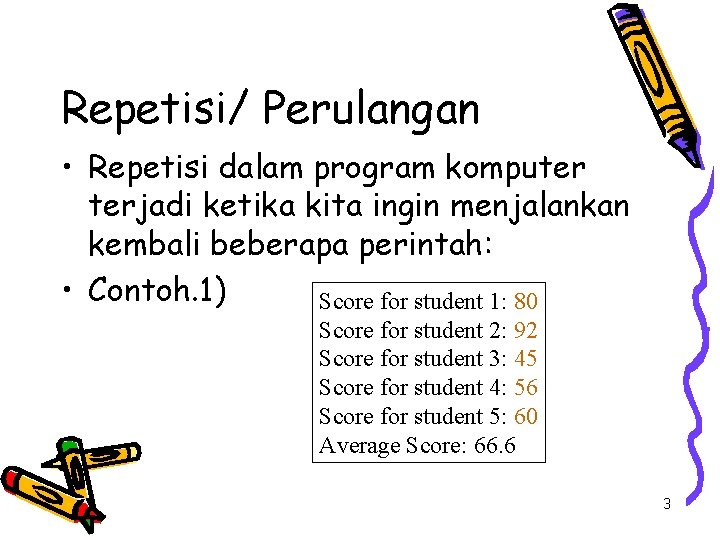
Repetisi/ Perulangan • Repetisi dalam program komputer terjadi ketika kita ingin menjalankan kembali beberapa perintah: • Contoh. 1) Score for student 1: 80 Score for student 2: 92 Score for student 3: 45 Score for student 4: 56 Score for student 5: 60 Average Score: 66. 6 3
Repetition Constructs • Bentuk perintah perulangan dalam Java: – for Loop – while Loop – do-while Loop • Which one to use depending on: – when the loop should start/ kapan dimulai – when the loop should stop/ kapan berakhir – what kind of action the loop body will take/ tindakan apa yang akan dilakukan 4
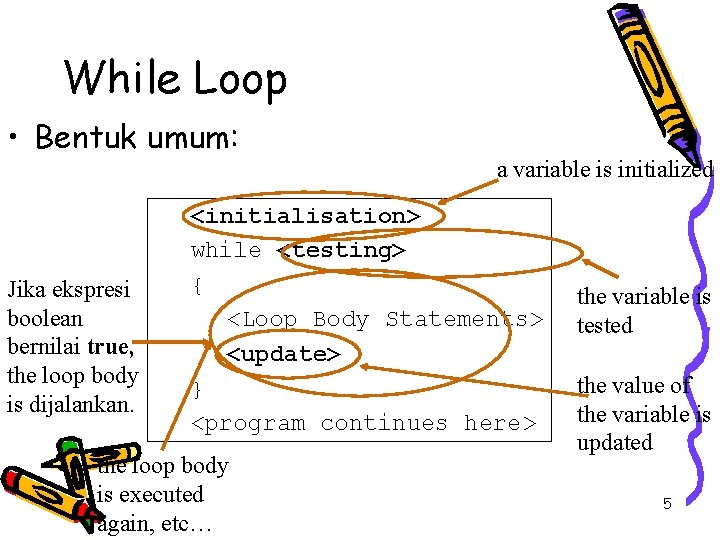
While Loop • Bentuk umum: Jika ekspresi boolean bernilai true, the loop body is dijalankan. a variable is initialized <initialisation> while <testing> { <Loop Body Statements> <update> } <program continues here> the loop body is executed again, etc… the variable is tested the value of the variable is updated 5
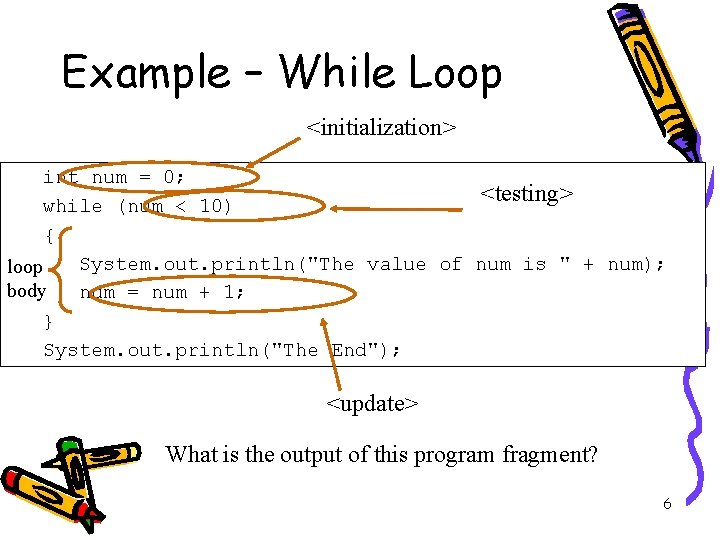
Example – While Loop <initialization> int num = 0; <testing> while (num < 10) { System. out. println("The value of num is " + num); loop body num = num + 1; } System. out. println("The End"); <update> What is the output of this program fragment? 6
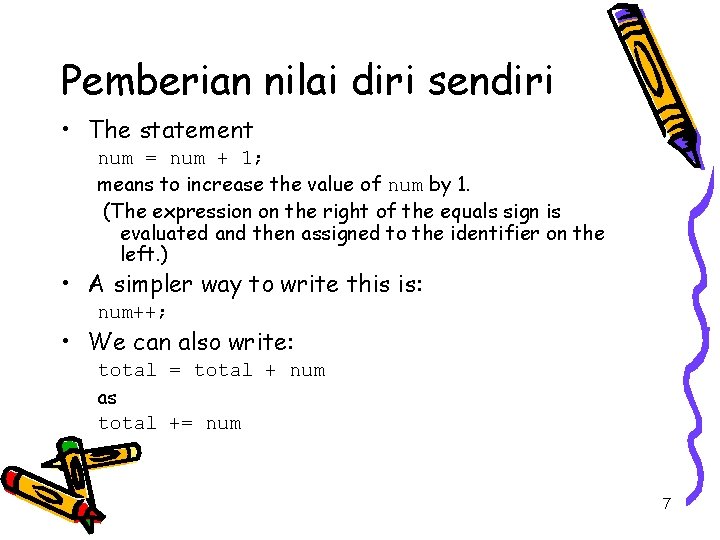
Pemberian nilai diri sendiri • The statement num = num + 1; means to increase the value of num by 1. (The expression on the right of the equals sign is evaluated and then assigned to the identifier on the left. ) • A simpler way to write this is: num++; • We can also write: total = total + num as total += num 7
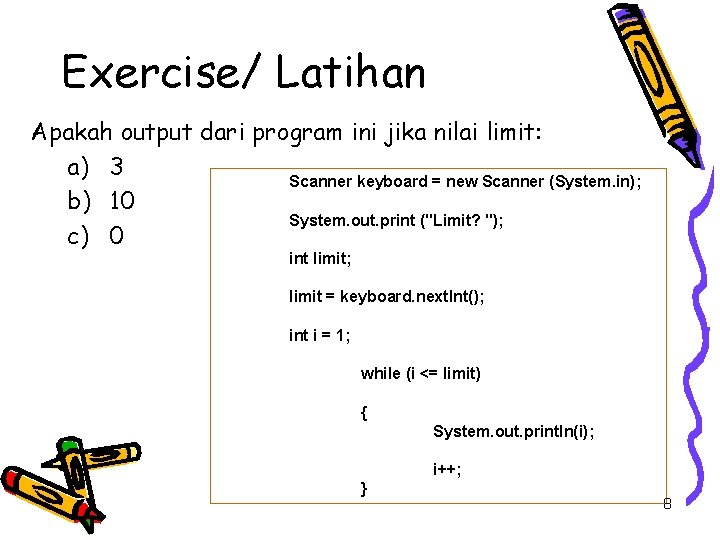
Exercise/ Latihan Apakah output dari program ini jika nilai limit: a) 3 Scanner keyboard = new Scanner (System. in); b) 10 System. out. print ("Limit? "); c) 0 int limit; limit = keyboard. next. Int(); int i = 1; while (i <= limit) { System. out. println(i); i++; } 8
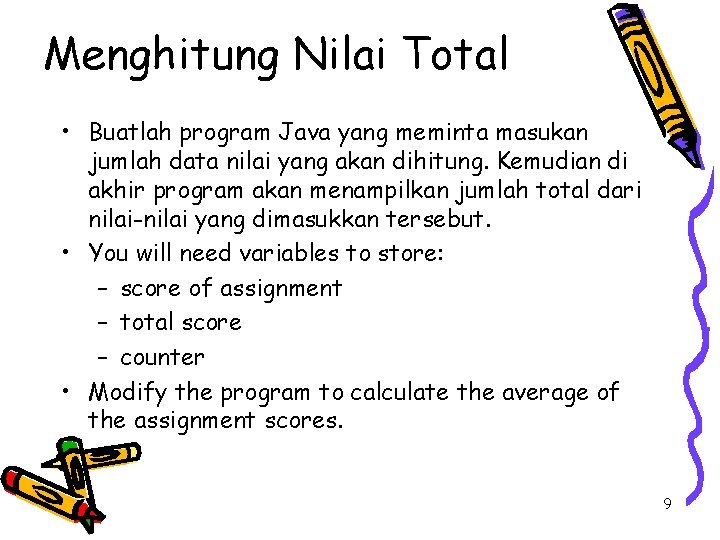
Menghitung Nilai Total • Buatlah program Java yang meminta masukan jumlah data nilai yang akan dihitung. Kemudian di akhir program akan menampilkan jumlah total dari nilai-nilai yang dimasukkan tersebut. • You will need variables to store: – score of assignment – total score – counter • Modify the program to calculate the average of the assignment scores. 9
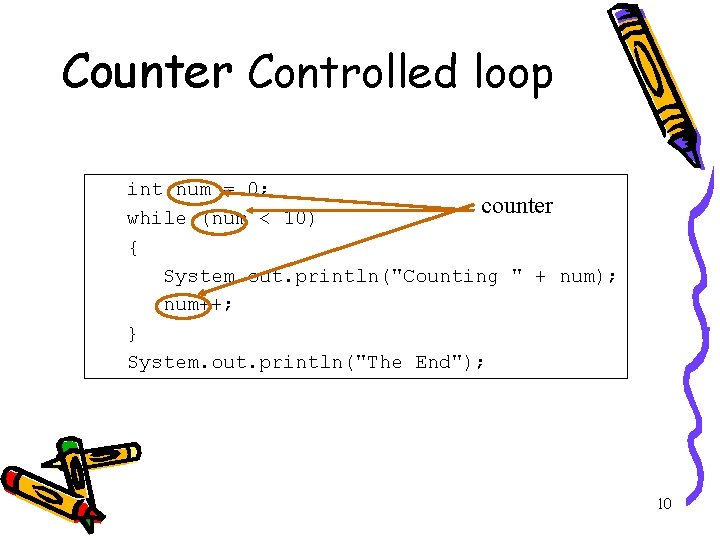
Counter Controlled loop int num = 0; counter while (num < 10) { System. out. println("Counting " + num); num++; } System. out. println("The End"); 10
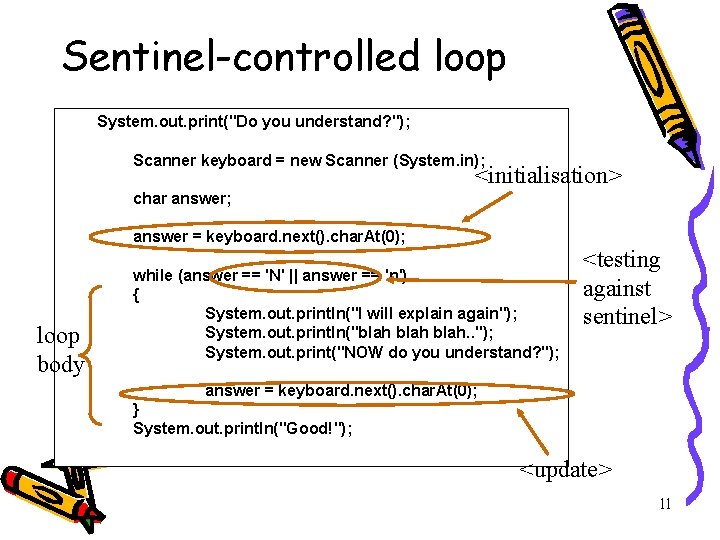
Sentinel-controlled loop System. out. print("Do you understand? "); Scanner keyboard = new Scanner (System. in); <initialisation> char answer; answer = keyboard. next(). char. At(0); loop body while (answer == 'N' || answer == 'n') { System. out. println("I will explain again"); System. out. println("blah. . "); System. out. print("NOW do you understand? "); <testing against sentinel> answer = keyboard. next(). char. At(0); } System. out. println("Good!"); <update> 11
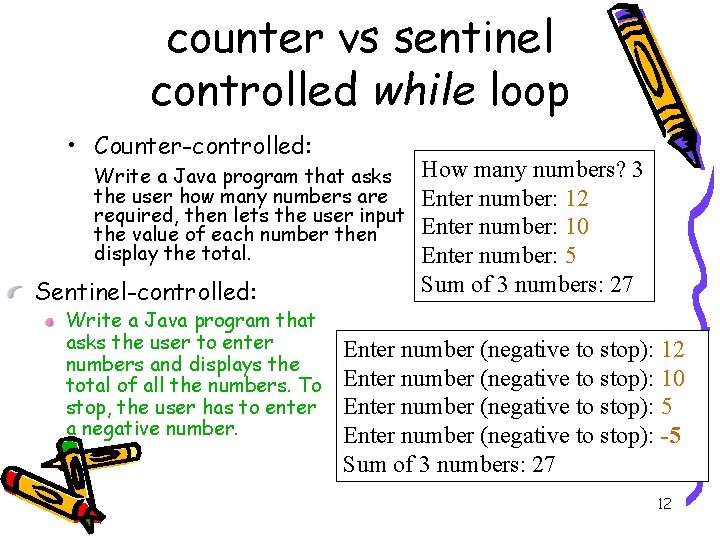
counter vs sentinel controlled while loop • Counter-controlled: Write a Java program that asks the user how many numbers are required, then lets the user input the value of each number then display the total. Sentinel-controlled: Write a Java program that asks the user to enter numbers and displays the total of all the numbers. To stop, the user has to enter a negative number. How many numbers? 3 Enter number: 12 Enter number: 10 Enter number: 5 Sum of 3 numbers: 27 Enter number (negative to stop): 12 Enter number (negative to stop): 10 Enter number (negative to stop): 5 Enter number (negative to stop): -5 Sum of 3 numbers: 27 12
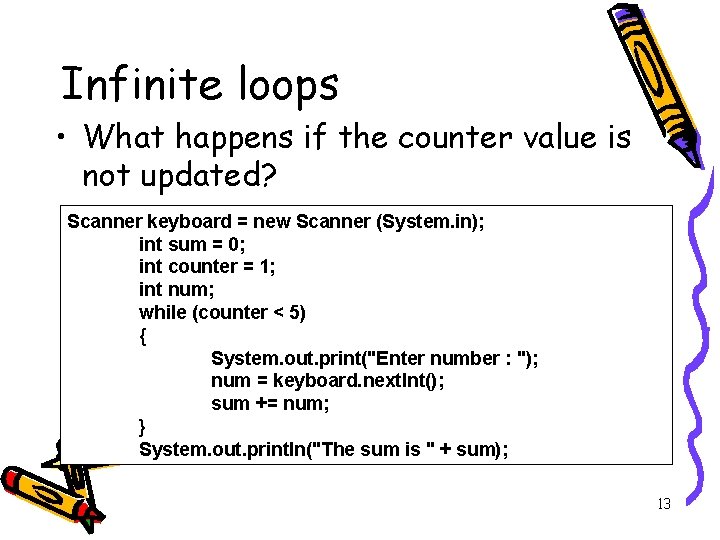
Infinite loops • What happens if the counter value is not updated? Scanner keyboard = new Scanner (System. in); int sum = 0; int counter = 1; int num; while (counter < 5) { System. out. print("Enter number : "); num = keyboard. next. Int(); sum += num; } System. out. println("The sum is " + sum); 13
Tugas Individu 1. 2. 3. 4. 5. 6. Buat website/ blog (kecuali yang sudah punya). Tambahkan link di blog Anda ke www. upnjatim. ac. id. Buat resume tentang: 1. NPM ganjil : perintah for 2. NPM genap : perintah do-while 3. Berisi : 1 halaman teori, 1 halaman contoh program, output dan pembahasan/tracing-nya. Posting resume Anda ke blog masing-masing. Tuliskan alamat blog Anda di bagian komentar artikel “Tugas Loop BP” di blog http: //bluejundi. wordpress. com Paling lambat 24 Oktober 2010 pukul 24. 00 WIB 14
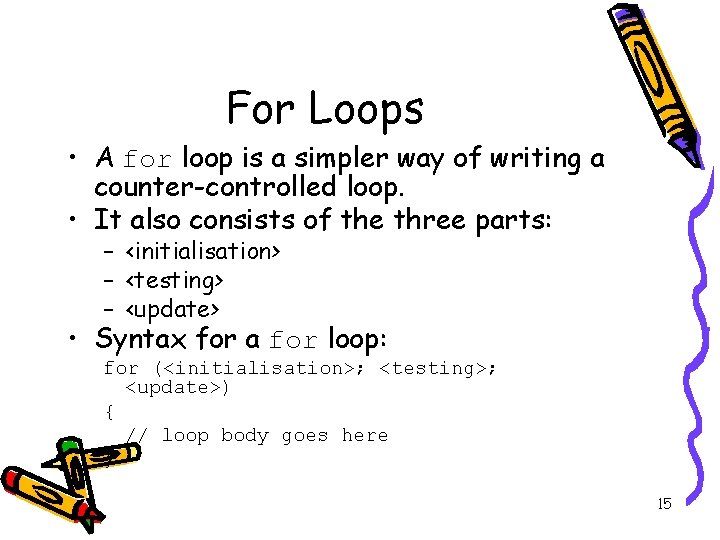
For Loops • A for loop is a simpler way of writing a counter-controlled loop. • It also consists of the three parts: – <initialisation> – <testing> – <update> • Syntax for a for loop: for (<initialisation>; <testing>; <update>) { // loop body goes here } 15
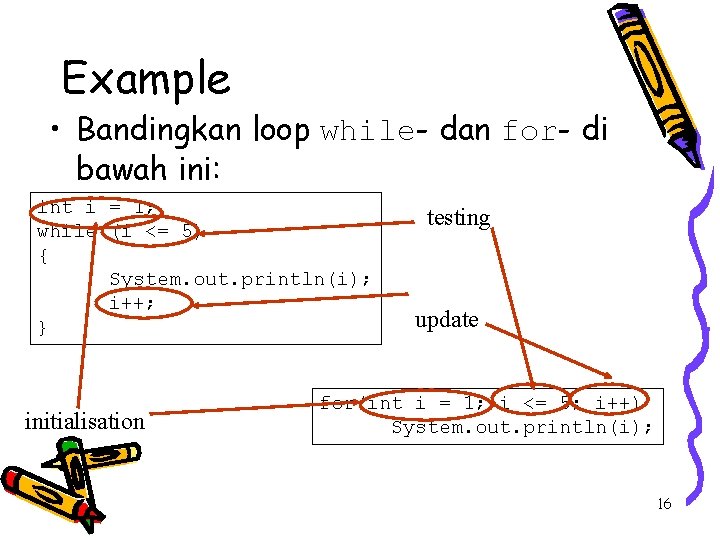
Example • Bandingkan loop while- dan for- di bawah ini: int i = 1; while (i <= 5) { System. out. println(i); i++; } initialisation testing update for(int i = 1; i <= 5; i++) System. out. println(i); 16
Exercise/ Latihan • Write a Java program that finds the square roots of the numbers 100, 110, 120, … 200. • Hint: – – what is the initialisation? What is the update? What will you be testing? What's in the loop body? • The for loop should be used when it is clearly a counter-controlled loop. 17
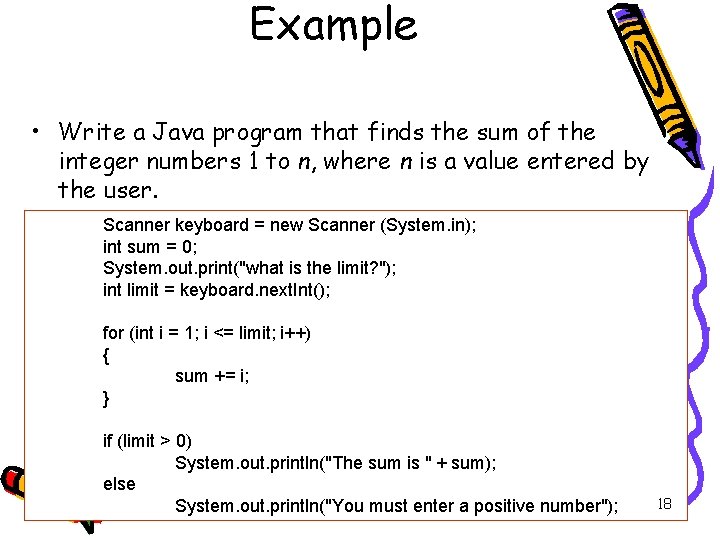
Example • Write a Java program that finds the sum of the integer numbers 1 to n, where n is a value entered by the user. sum Scanner = 1 + 2 + =3 new + Scanner 4 + …(System. in); + n keyboard int sum = 0; System. out. print("what is the limit? "); int limit = keyboard. next. Int(); for (int i = 1; i <= limit; i++) { sum += i; } if (limit > 0) System. out. println("The sum is " + sum); else System. out. println("You must enter a positive number"); 18
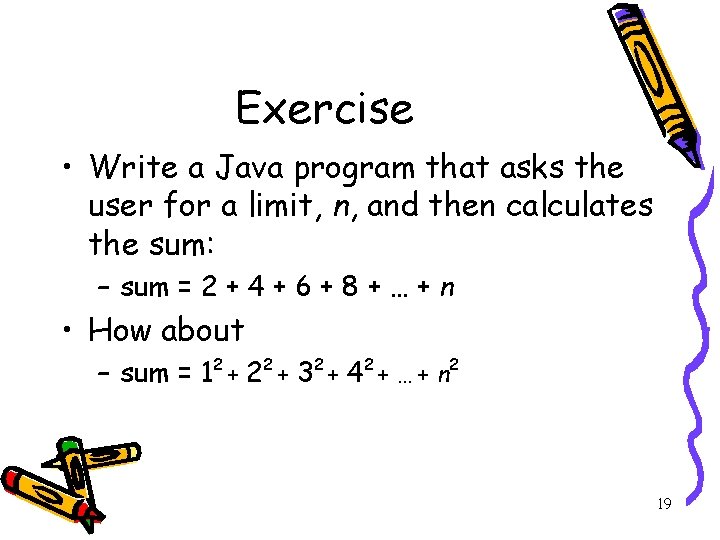
Exercise • Write a Java program that asks the user for a limit, n, and then calculates the sum: – sum = 2 + 4 + 6 + 8 + … + n • How about – sum = 12 + 22 + 32 + 42 + … + n 2 19
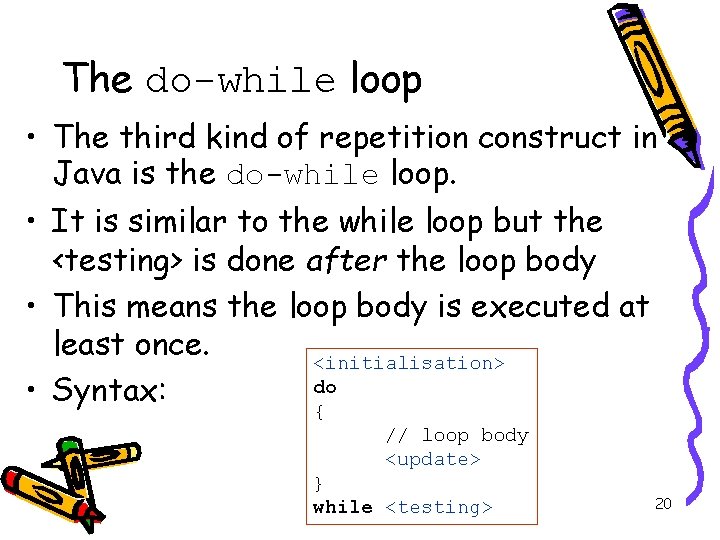
The do-while loop • The third kind of repetition construct in Java is the do-while loop. • It is similar to the while loop but the <testing> is done after the loop body • This means the loop body is executed at least once. <initialisation> do • Syntax: { // loop body <update> } while <testing> 20
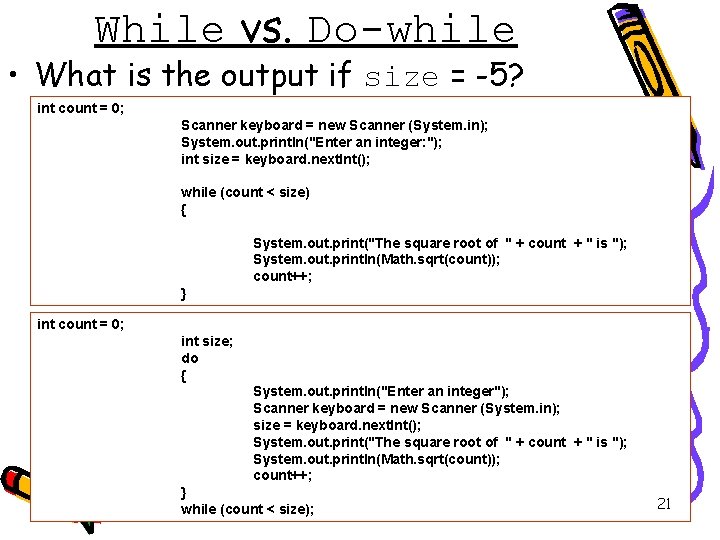
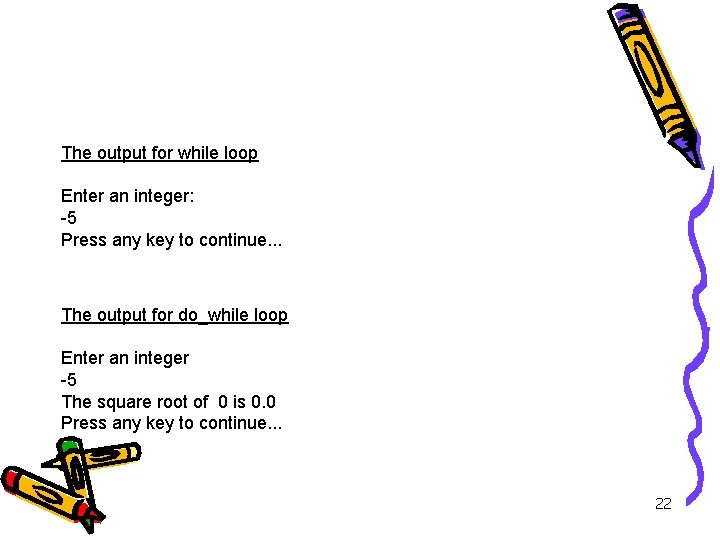
While vs. Do-while • What is the output if size = -5? int count = 0; Scanner keyboard = new Scanner (System. in); System. out. println("Enter an integer: "); int size = keyboard. next. Int(); while (count < size) { System. out. print("The square root of " + count + " is "); System. out. println(Math. sqrt(count)); count++; } int count = 0; int size; do { System. out. println("Enter an integer"); Scanner keyboard = new Scanner (System. in); size = keyboard. next. Int(); System. out. print("The square root of " + count + " is "); System. out. println(Math. sqrt(count)); count++; } while (count < size); 21
Output The output for while loop Enter an integer: -5 Press any key to continue. . . The output for do_while loop Enter an integer -5 The square root of 0 is 0. 0 Press any key to continue. . . 22
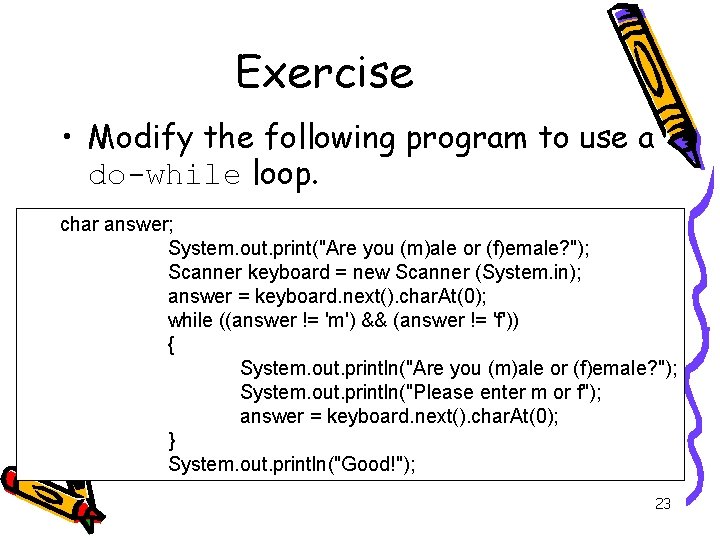
Exercise • Modify the following program to use a do-while loop. char answer; System. out. print("Are you (m)ale or (f)emale? "); Scanner keyboard = new Scanner (System. in); answer = keyboard. next(). char. At(0); while ((answer != 'm') && (answer != 'f')) { System. out. println("Are you (m)ale or (f)emale? "); System. out. println("Please enter m or f"); answer = keyboard. next(). char. At(0); } System. out. println("Good!"); 23
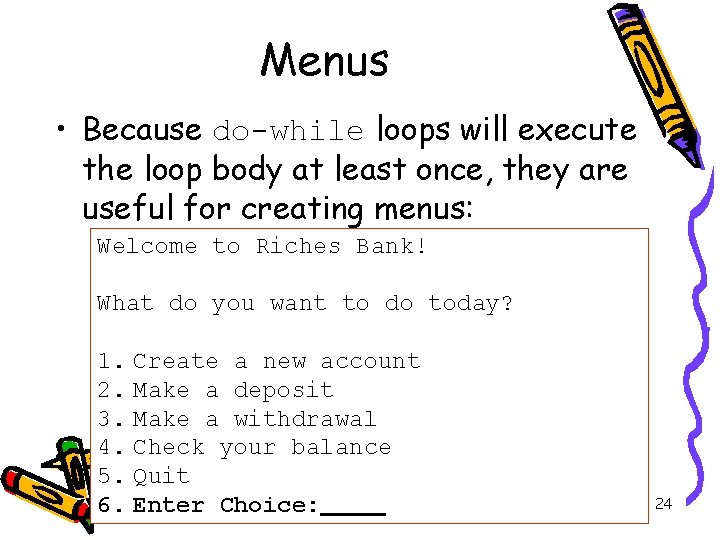
Menus • Because do-while loops will execute the loop body at least once, they are useful for creating menus: Welcome to Riches Bank! What do you want to do today? 1. Create a new account 2. Make a deposit 3. Make a withdrawal 4. Check your balance 5. Quit 6. Enter Choice: 24
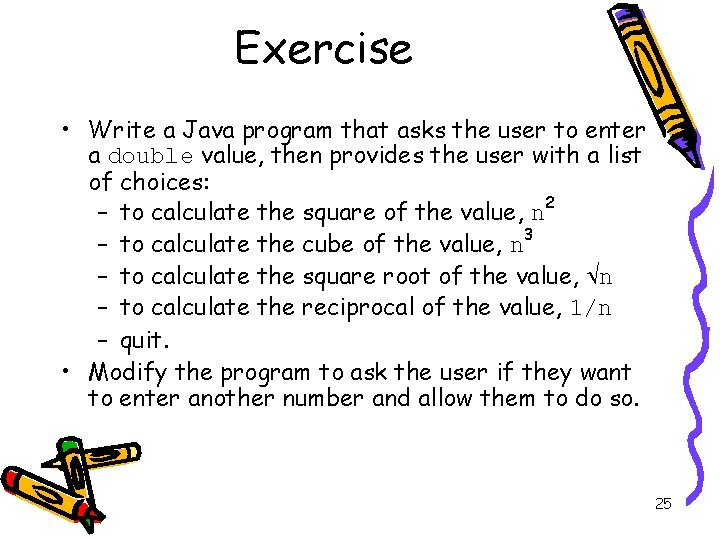
Exercise • Write a Java program that asks the user to enter a double value, then provides the user with a list of choices: – to calculate the square of the value, n 2 – to calculate the cube of the value, n 3 – to calculate the square root of the value, n – to calculate the reciprocal of the value, 1/n – quit. • Modify the program to ask the user if they want to enter another number and allow them to do so. 25