
Personal Jukebox PJB Systems Research Center and PAAD
Personal Jukebox (PJB) Systems Research Center and PAAD Last updated October 13, 2000
What Is This? § Cool consumer device, exploring convergence of: – cheap, low power, fast, imbedded computers – powerful, common, home PC’s with Internet access § Portable audio system: 100 CD’s in your pocket – Take all your music everywhere § Research project that became a product 2
The Technology § CD-quality audio compression: 11 -to-1 (1 MB/min) § 2. 5” disk is 6. 5 GBytes, 4 ounces, 3/8” thick – 110 hours of CD-quality music (340 hrs on 20 GB) § Lithium-Ion cell: 5 Watt-hour, 2 ounces – We achieve 11 -hour playing time between charges § PC for acquisition, management, content labeling 3
Using the PJB § Everywhere: – On that 11 -hour flight – In your car – In your office – At home § Choose your music after you leave home 4
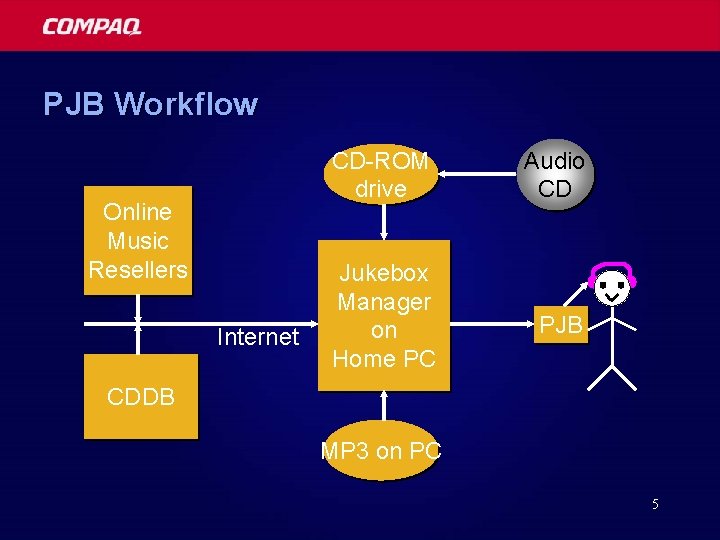
PJB Workflow Online Music Resellers Internet CD-ROM drive Audio CD Jukebox Manager on Home PC PJB CDDB MP 3 on PC 5
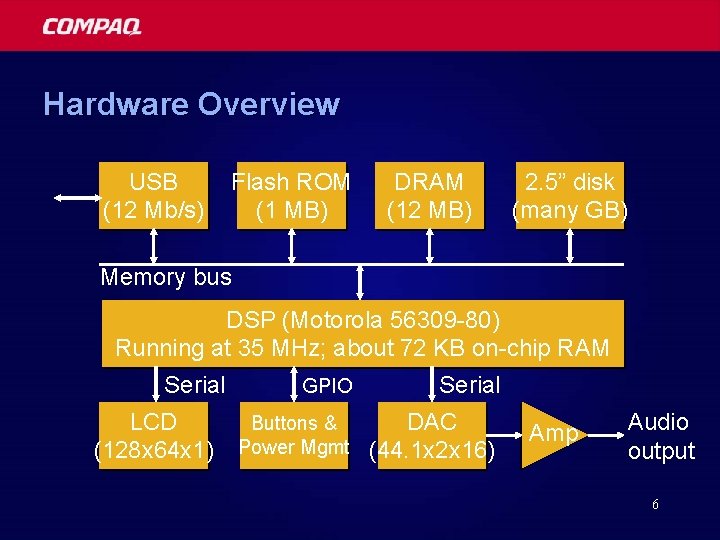
Hardware Overview USB (12 Mb/s) Flash ROM (1 MB) DRAM (12 MB) 2. 5” disk (many GB) Memory bus DSP (Motorola 56309 -80) Running at 35 MHz; about 72 KB on-chip RAM Serial LCD (128 x 64 x 1) GPIO Serial Buttons & Power Mgmt DAC (44. 1 x 2 x 16) Amp Audio output 6

Hardware Reality 7
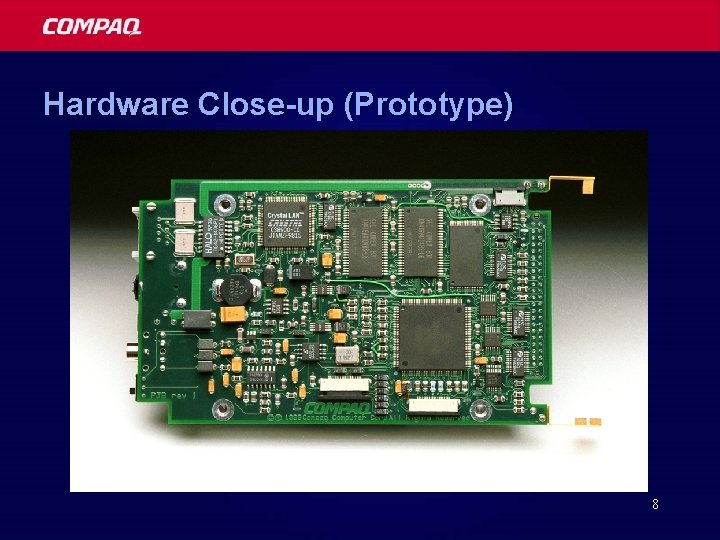
Hardware Close-up (Prototype) 8
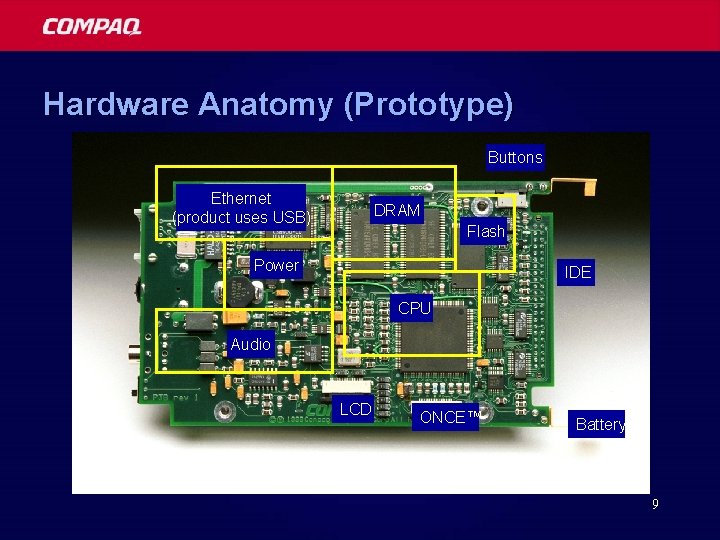
Hardware Anatomy (Prototype) Buttons Ethernet (product uses USB) DRAM Flash Power IDE CPU Audio LCD ONCE™ Battery 9
Physical Robustness § Disk withstands 150 G for 2 ms while operating – roughly a drop from a desk onto carpet § Reality: some temporary non-recoverable errors – (while running) § Firmware can continue with small audio loss § LCD is most liable to permanent damage 10
Player Unit UI Overview § Human-sensible names (from CDDB initially) § 3 -level hierarchy: “set”, “disk” (playlists), “track” – multiple copies of a track or disk are (almost) free § 6 buttons: start/stop, up/down, left/right (+volume) § Bitmapped display allows redesigns (& games!) 11
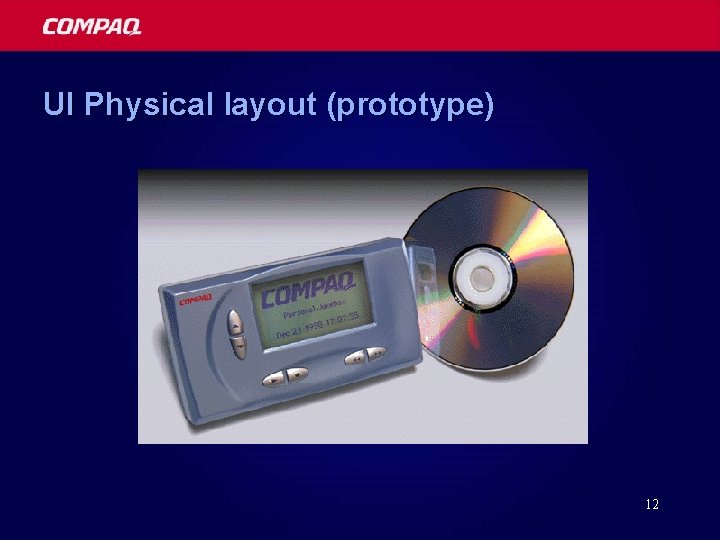
UI Physical layout (prototype) 12
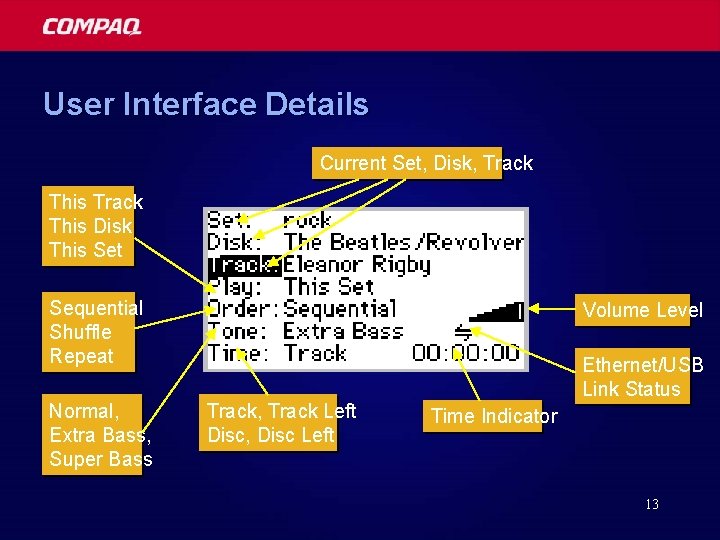
User Interface Details Current Set, Disk, Track This Disk This Set Sequential Shuffle Repeat Normal, Extra Bass, Super Bass Volume Level Track, Track Left Disc, Disc Left Ethernet/USB Link Status Time Indicator 13
Firmware Overview § No operating system! (manual event loop) § Compression format neutral (select per-track) – MP 3, AAC, MSAudio, SDMI, . . . § About 40, 000 lines of C (“char” is 24 -bits!) – but … assembler is factor of 10 faster § Decoder, CRC, and disk read loop in assembler 14
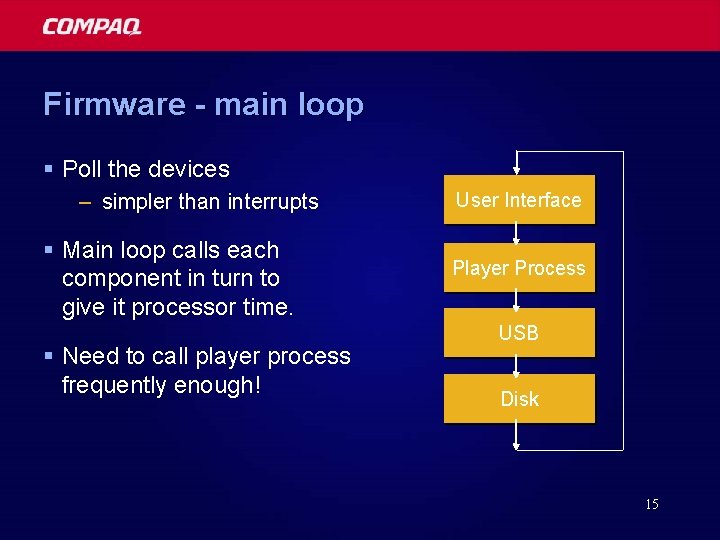
Firmware - main loop § Poll the devices – simpler than interrupts § Main loop calls each component in turn to give it processor time. § Need to call player process frequently enough! User Interface Player Process USB Disk 15
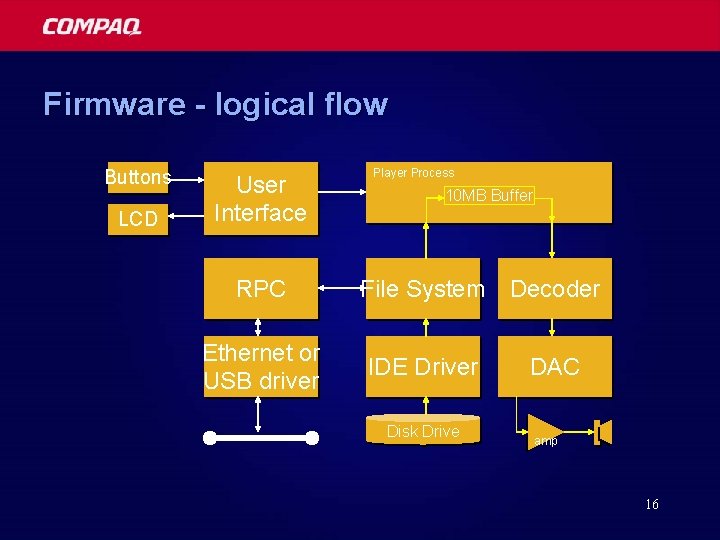
Firmware - logical flow Buttons LCD User Interface Player Process 10 MB Buffer RPC File System Decoder Ethernet or USB driver IDE Driver DAC Disk Drive amp 16
File System Overview § Single meta-data object “Table of Contents” (TOC) § Managed by PC software § Single stream of plain text: – Identifies PJB, set, disk, track (each by text name) – “track” has location (first allocation block number) – Includes map of blocks-in-use – Includes CDDB keys 17
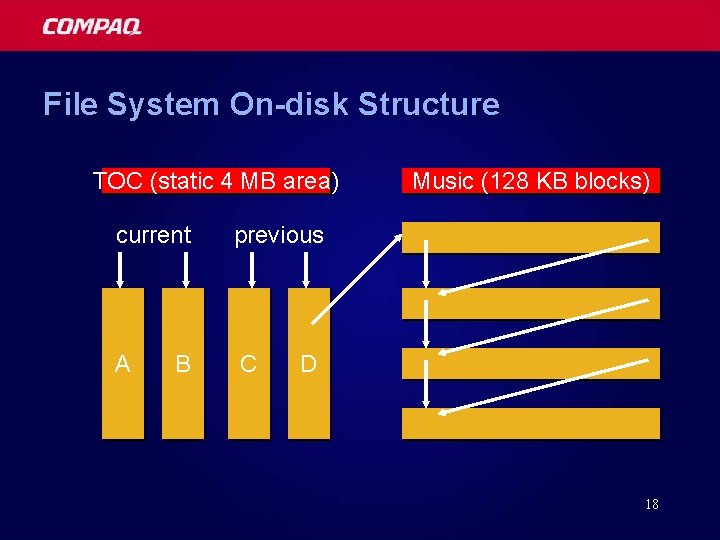
File System On-disk Structure TOC (static 4 MB area) current previous A C B Music (128 KB blocks) D 18
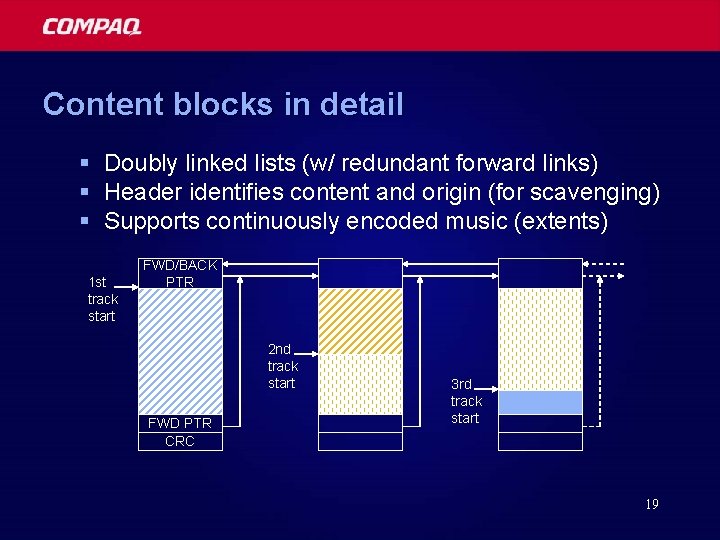
Content blocks in detail § Doubly linked lists (w/ redundant forward links) § Header identifies content and origin (for scavenging) § Supports continuously encoded music (extents) 1 st track start FWD/BACK PTR 2 nd track start FWD PTR CRC 3 rd track start 19
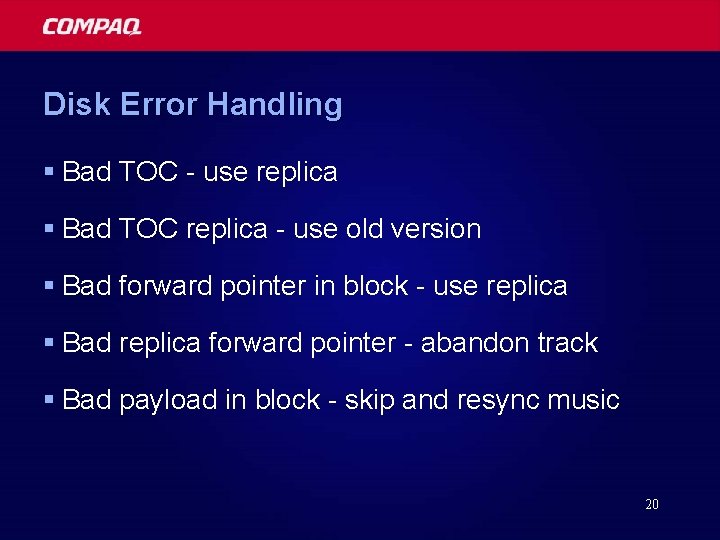
Disk Error Handling § Bad TOC - use replica § Bad TOC replica - use old version § Bad forward pointer in block - use replica § Bad replica forward pointer - abandon track § Bad payload in block - skip and resync music 20
File System Maintenance § No fragmentation worries – worst case is seek every 128 KB (8 seconds) § No fsck or scandisk (no inconsistent states) § Relies on: – large files – no file modification – single writer 21
Power Management § 2. 5” disk in sleep mode consumes about 100 m. W § Disk spin-up takes 5 W-secs (2 x AA’s don’t work) § Power-up disk, read 10 MB into DRAM, power off § Use on-chip memory for inner loop, not DRAM § Total average PJB power consumption 450 m. W 22

Market Area § PJB was the first product in its category – Less than $10/hour of music (Rio is $200/hour) – Only prerequisite is owning a PC § Lots of other possibilities in this area, e. g. : – Internet music purchase: store in PJB, cache on PC – Caching CD player in your car – Home network with custom audio in each room 23
Status § Research project ended up with 100 prototypes § Licensed to third party (Han. Go) § Now shipping (http: //www. pjbox. com) § Project details: – http: //research. compaq. com/SRC/pjb/ 24

25
- Slides: 25