
Personal information management practices and technologies in an
- Slides: 21
Personal information management practices and technologies in an undergraduate biology class Abe Crystal http: //ils. unc. edu/~acrystal Metadata Research Center – School of Information and Library Science
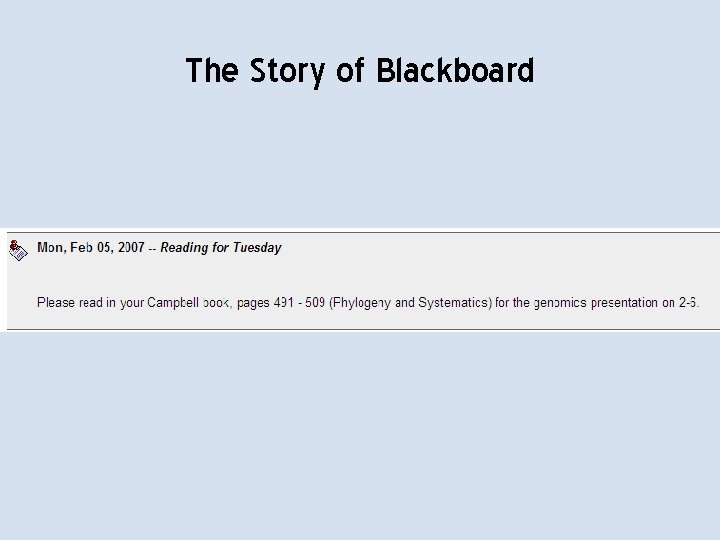
The Story of Blackboard
Agenda 1. What is personal information management (PIM)? 2. What is Abe’s take on all this? Research approach Findings: practices, strategies, issues Findings: My. Life. Bits usage and user experience 3. So what? Implications: toward Social Information Management
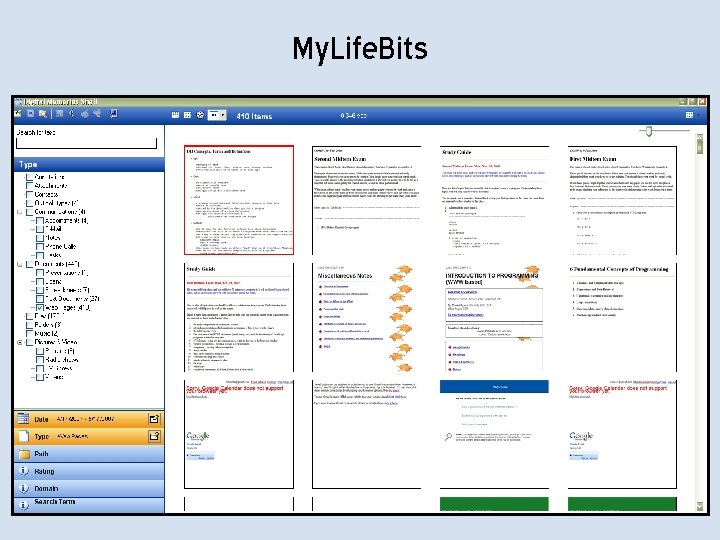
1. What is personal information management? • Four core tasks: – – Refinding Reminding and task management Making order Reflection and metacognition • PIM systems and technologies – My. Life. Bits
My. Life. Bits
2. What is Abe’s take on all this? 1. Try to understand people’s behavior to inform the design of PIM systems. • Four months of ethnographic (participant observation) research in an undergraduate biology class. 2. Look at how people use state-of-the-art PIM systems, and try to figure out how to improve them. • Technology probe with My. Life. Bits, and participatory design.
From the field: 8 themes in PIM behavior Theme 1: Project management Theme 2: Collaboration Theme 3: Dynamic, evolving task structures Theme 4: Shared awareness/gaps Theme 5: Affect and narrative Theme 6: Learning PIM Theme 7: Social information management Theme 8: Priority and relevance
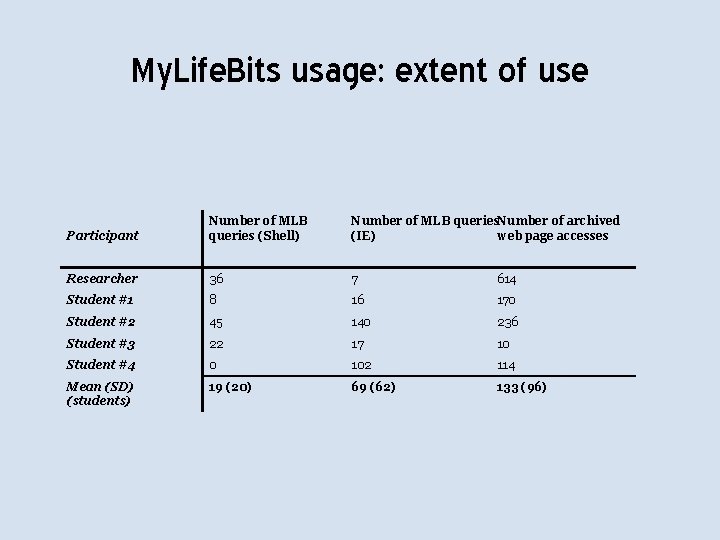
My. Life. Bits usage: extent of use Participant Number of MLB queries (Shell) Number of MLB queries. Number of archived (IE) web page accesses Researcher 36 7 614 Student #1 8 16 170 Student #2 45 140 236 Student #3 22 17 10 Student #4 0 102 114 Mean (SD) (students) 19 (20) 69 (62) 133 (96)
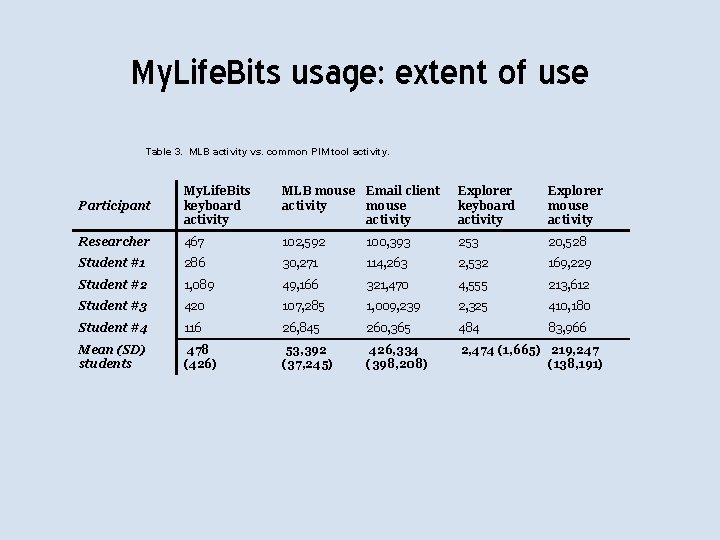
My. Life. Bits usage: extent of use Table 3. MLB activity vs. common PIM tool activity. Participant My. Life. Bits keyboard activity MLB mouse Email client activity mouse activity Explorer keyboard activity Explorer mouse activity Researcher 467 102, 592 100, 393 253 20, 528 Student #1 286 30, 271 114, 263 2, 532 169, 229 Student #2 1, 089 49, 166 321, 470 4, 555 213, 612 Student #3 420 107, 285 1, 009, 239 2, 325 410, 180 Student #4 116 26, 845 260, 365 484 83, 966 Mean (SD) students 478 (426) 53, 392 (37, 245) 426, 334 (398, 208) 2, 474 (1, 665) 219, 247 (138, 191)
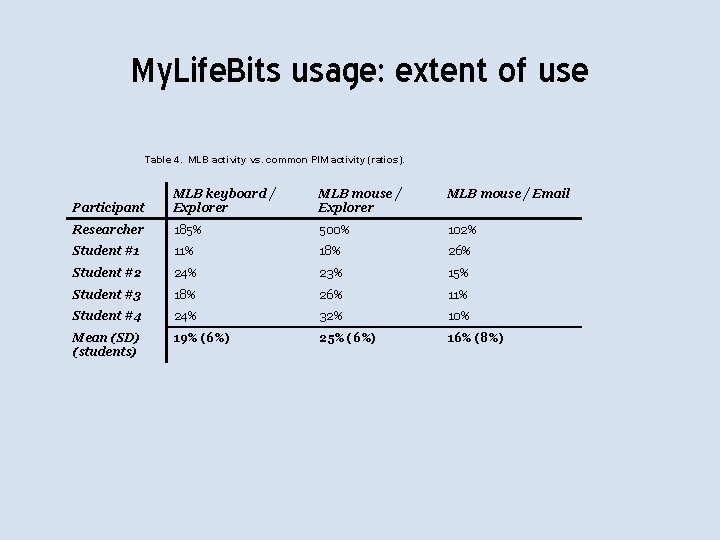
My. Life. Bits usage: extent of use Table 4. MLB activity vs. common PIM activity (ratios). MLB mouse / Explorer MLB mouse / Email Participant MLB keyboard / Explorer Researcher 185% 500% 102% Student #1 11% 18% 26% Student #2 24% 23% 15% Student #3 18% 26% 11% Student #4 24% 32% 10% Mean (SD) (students) 19% (6%) 25% (6%) 16% (8%)
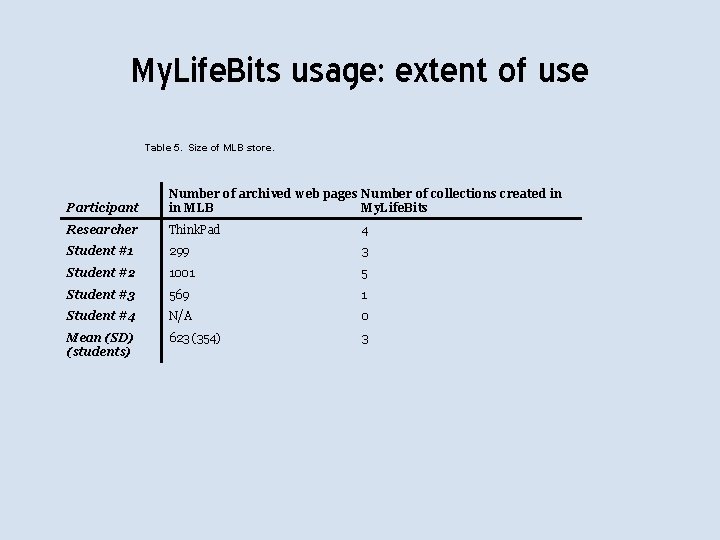
My. Life. Bits usage: extent of use Table 5. Size of MLB store. Participant Number of archived web pages Number of collections created in in MLB My. Life. Bits Researcher Think. Pad 4 Student #1 299 3 Student #2 1001 5 Student #3 569 1 Student #4 N/A 0 Mean (SD) (students) 623 (354) 3
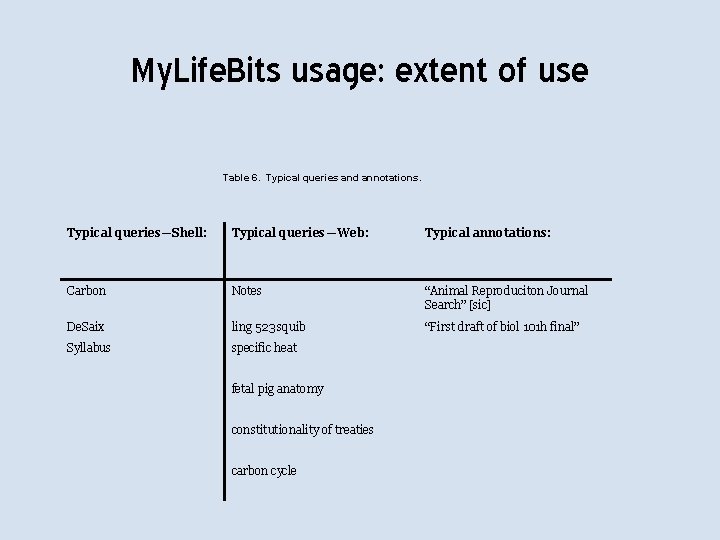
My. Life. Bits usage: extent of use Table 6. Typical queries and annotations. Typical queries—Shell: Typical queries—Web: Typical annotations: Carbon Notes “Animal Reproduciton Journal Search” [sic] De. Saix ling 523 squib “First draft of biol 101 h final” Syllabus specific heat fetal pig anatomy constitutionality of treaties carbon cycle
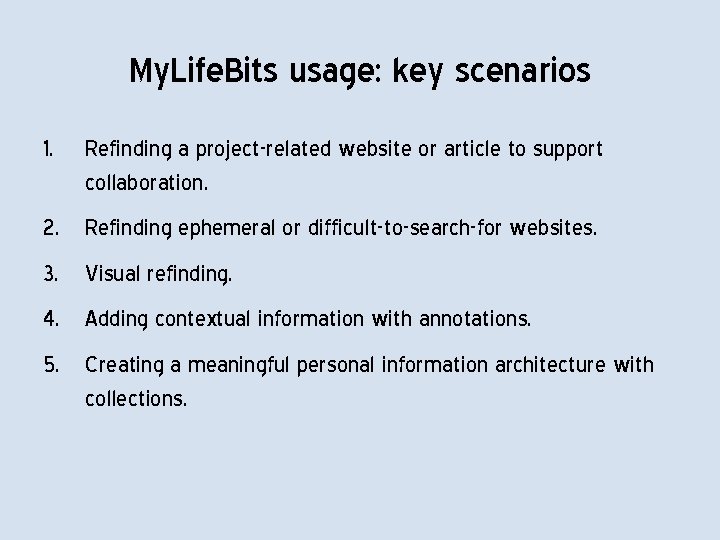
My. Life. Bits usage: key scenarios 1. Refinding a project-related website or article to support collaboration. 2. Refinding ephemeral or difficult-to-search-for websites. 3. Visual refinding. 4. Adding contextual information with annotations. 5. Creating a meaningful personal information architecture with collections.
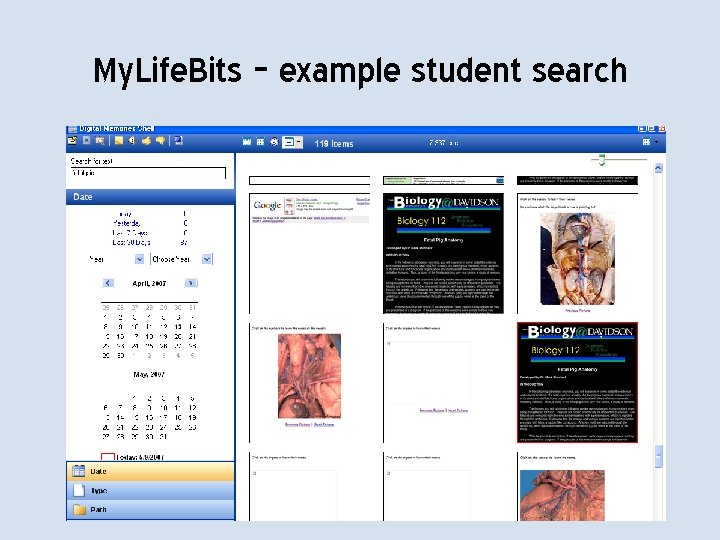
My. Life. Bits – example student search
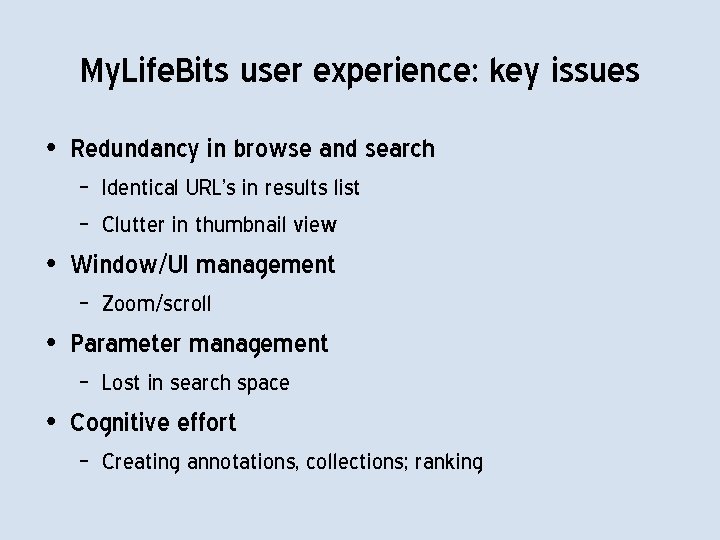
My. Life. Bits user experience: key issues • Redundancy in browse and search – Identical URL’s in results list – Clutter in thumbnail view • Window/UI management – Zoom/scroll • Parameter management – Lost in search space • Cognitive effort – Creating annotations, collections; ranking
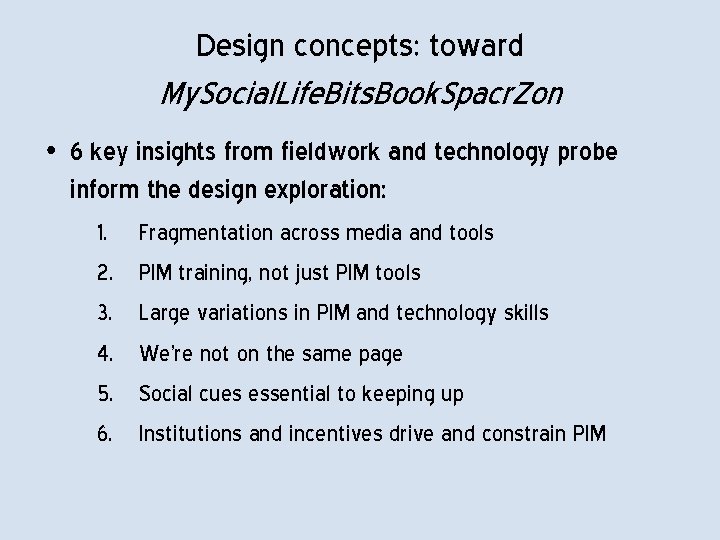
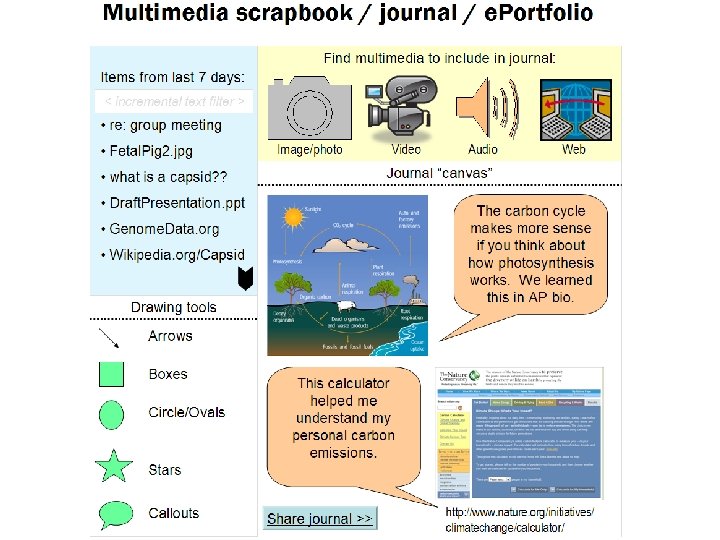
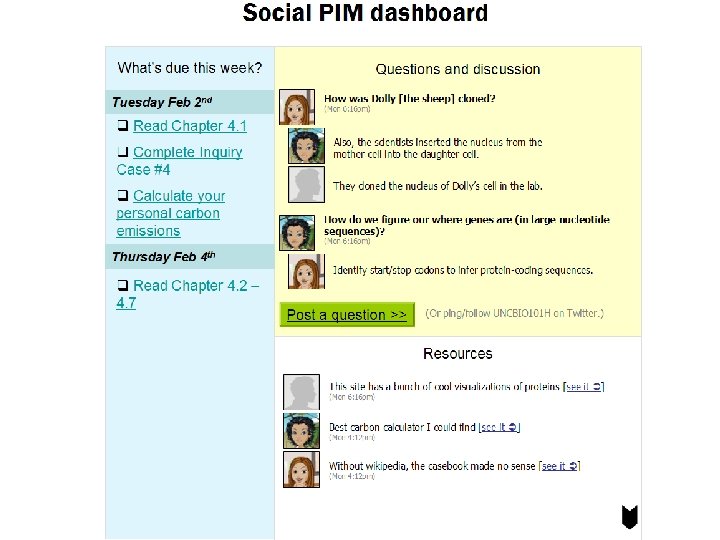
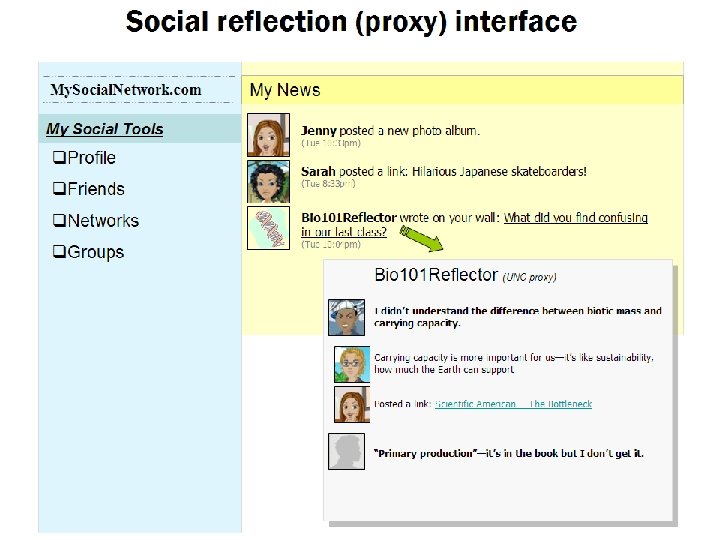
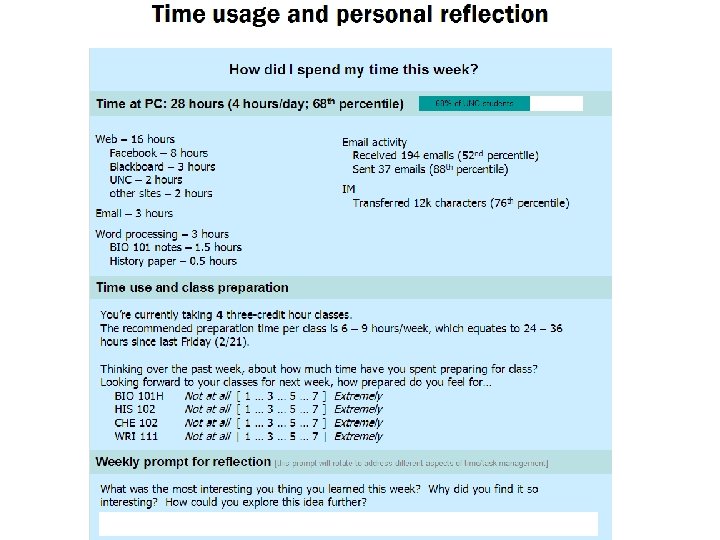
Design concepts: toward My. Social. Life. Bits. Book. Spacr. Zon • 6 key insights from fieldwork and technology probe inform the design exploration: 1. 2. 3. 4. 5. 6. Fragmentation across media and tools PIM training, not just PIM tools Large variations in PIM and technology skills We’re not on the same page Social cues essential to keeping up Institutions and incentives drive and constrain PIM
Key ideas to take away • PIM is kind of a big deal. It’s what we spend a lot of our working lives doing. . . • … but current PIM systems and technologies implement a narrow vision of PIM tasks… • … so we all have the potential to improve our PIM effectiveness, through techniques such as… – Education, especially for collaboration and reflection – Technology, especially social technologies