
PERIPHERAL DEVICES TESTOUT PC PRO Identify typical USB
PERIPHERAL DEVICES TESTOUT PC PRO

Identify typical USB connectors and ports Connect USB peripheral devices (including storage devices, printers, smartphones) Select and install USB devices based on customer requirements TESTOUT PC PRO
Bus-powered Hot plugging Self-powered Universal Serial Bus (USB) TESTOUT PC PRO
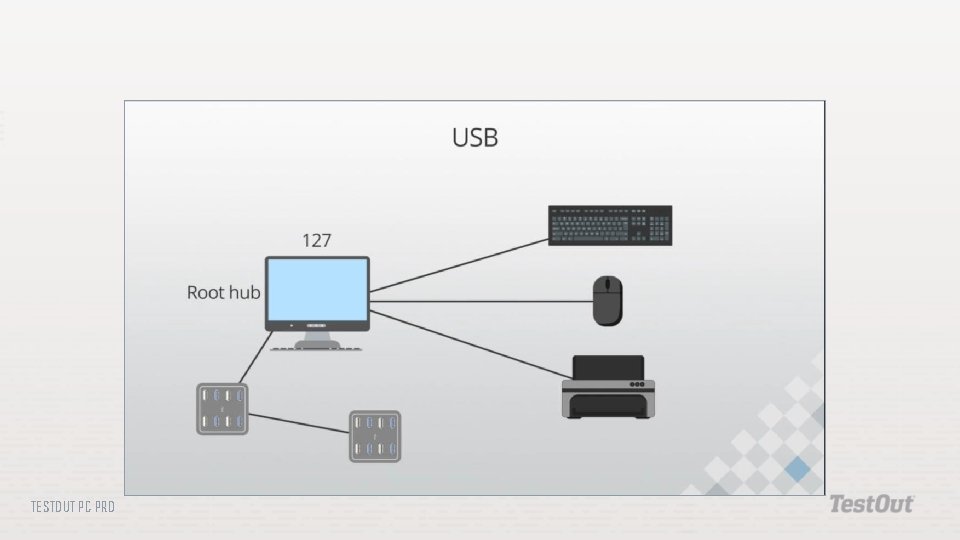
Bus-powered: A device that runs on power it receives from another device through a USB port. Hot plugging: The act of adding or removing devices to a system without rebooting. Self-powered: A device that runs on power from a wall outlet. Universal Serial Bus (USB): The most commonly used connection interface. TESTOUT PC PRO
TESTOUT PC PRO
Low bandwidth--1. 5 Mbps Full bandwidtch--12 Mbps TESTOUT PC PRO
Most computer USB ports 480 Mbps Backwards compatible with USB 1. 1 TESTOUT PC PRO
5 Gbps Backwards compatible 3. 1 enhancment--10 Gbps TESTOUT PC PRO
Standard-A (Type-A) Mini Type-A Micro Type-A Standard-B Mini-USB Micro-USB 3. 0 Standard-B 3. 0 USB 3. 0 Powered-B Micro Type AB Type-C TESTOUT PC PRO
Universal USB type Connector ends are the same Bi-directional power flow One port type One connector Thunderbolt compatible TESTOUT PC PRO
Hot plugging Provides power (500 Ma with USB with 2. 0, 900 m. A with 3. 0) TESTOUT PC PRO
Do the following labs: 4. 2. 3 Install USB Devices TESTOUT PC PRO
What are the differences between USB 2. 0 and 3. 0? Which types of devices are typically self-powered? Which types are typically bus-powered? What are the power requirements for low and high-powered bus powered devices? What is the difference between a micro. USB connector and a mini. USB connector? How can you identify a USB 3. 0 port and connector? What is the purpose of USB Type-C connectors? TESTOUT PC PRO
- Slides: 13