
Periodic Processes lctseng LiangChi Tseng Computer Center CS
![Computer Center, CS, NCTU crontab command q crontab(1) % crontab -e [-u user] •](https://slidetodoc.com/presentation_image/1d8d2e3f9e629d6da25485982ba43b13/image-9.jpg "Computer Center, CS, NCTU crontab command q crontab(1) % crontab -e [-u user] •")
- Slides: 17
Periodic Processes lctseng / Liang-Chi Tseng
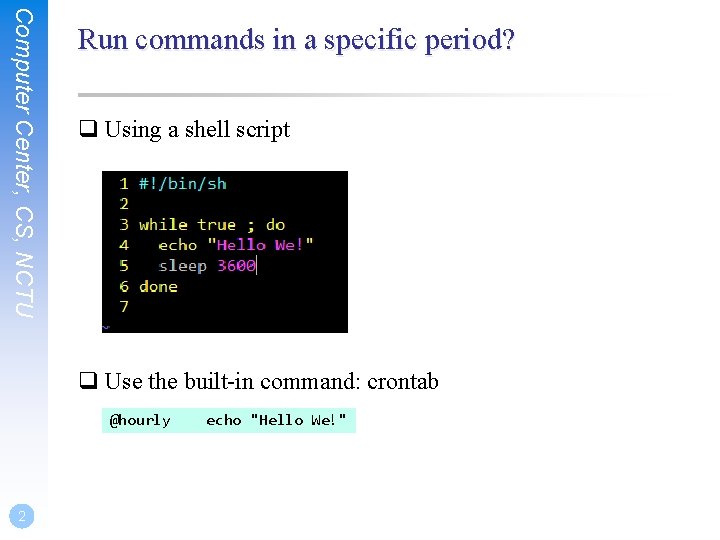
Computer Center, CS, NCTU Run commands in a specific period? q Using a shell script q Use the built-in command: crontab @hourly 2 echo "Hello We!"
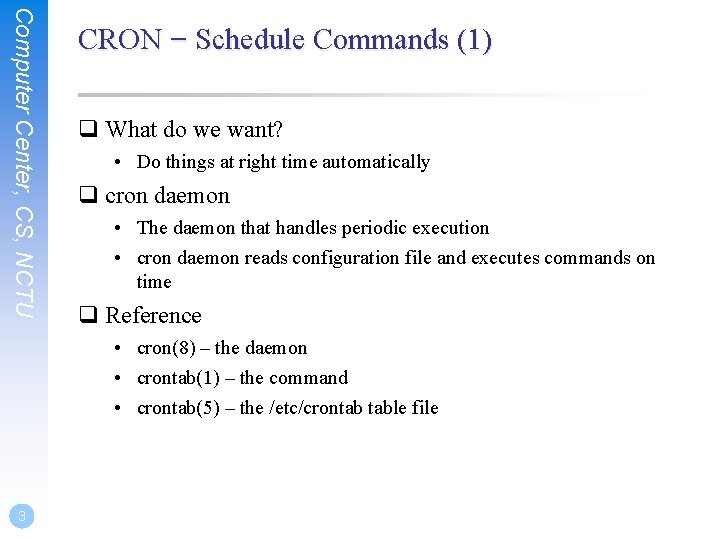
Computer Center, CS, NCTU CRON – Schedule Commands (1) q What do we want? • Do things at right time automatically q cron daemon • The daemon that handles periodic execution • cron daemon reads configuration file and executes commands on time q Reference • cron(8) – the daemon • crontab(1) – the command • crontab(5) – the /etc/crontab table file 3
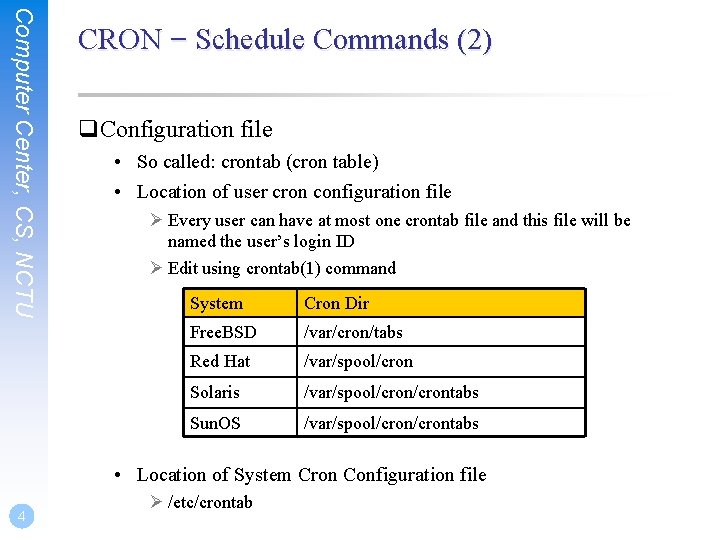
Computer Center, CS, NCTU CRON – Schedule Commands (2) q. Configuration file • So called: crontab (cron table) • Location of user cron configuration file Ø Every user can have at most one crontab file and this file will be named the user’s login ID Ø Edit using crontab(1) command System Cron Dir Free. BSD /var/cron/tabs Red Hat /var/spool/cron Solaris /var/spool/crontabs Sun. OS /var/spool/crontabs • Location of System Cron Configuration file 4 Ø /etc/crontab
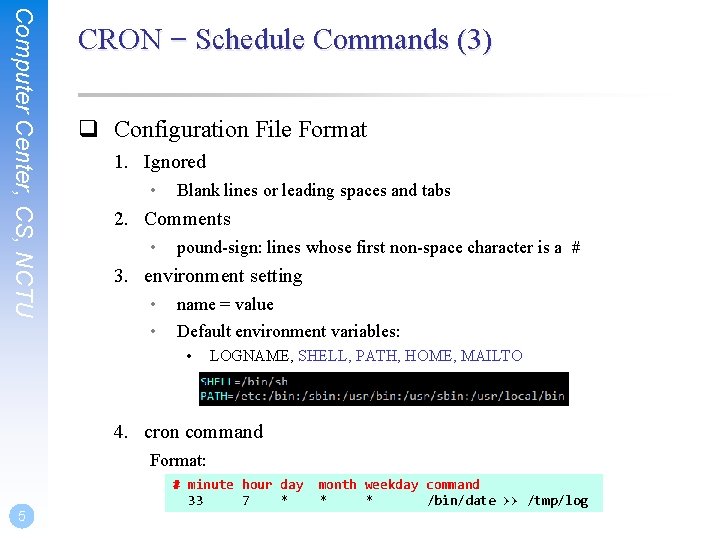
Computer Center, CS, NCTU CRON – Schedule Commands (3) q Configuration File Format 1. Ignored • Blank lines or leading spaces and tabs 2. Comments • pound-sign: lines whose first non-space character is a # 3. environment setting • • name = value Default environment variables: • LOGNAME, SHELL, PATH, HOME, MAILTO 4. cron command Format: # minute hour day 33 7 * 5 month weekday command * * /bin/date >> /tmp/log
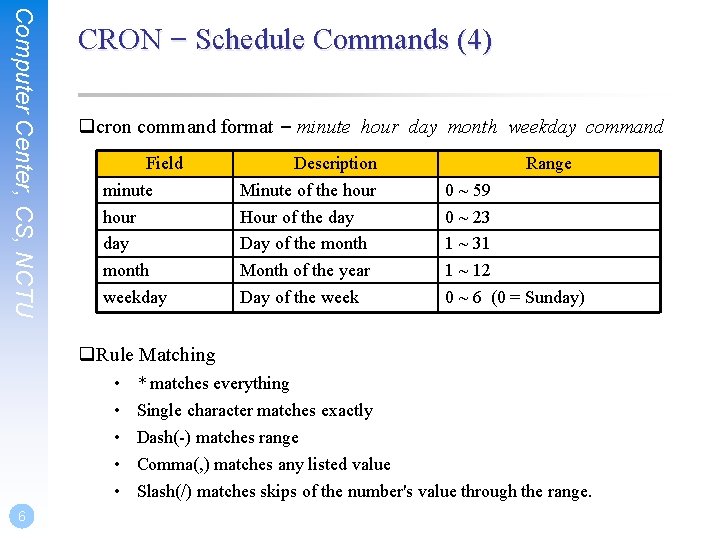
Computer Center, CS, NCTU CRON – Schedule Commands (4) qcron command format – minute hour day month weekday command Field minute hour day month weekday Description Minute of the hour Hour of the day Day of the month Month of the year Day of the week Range 0 ~ 59 0 ~ 23 1 ~ 31 1 ~ 12 0 ~ 6 (0 = Sunday) q. Rule Matching • • • 6 * matches everything Single character matches exactly Dash(-) matches range Comma(, ) matches any listed value Slash(/) matches skips of the number's value through the range.
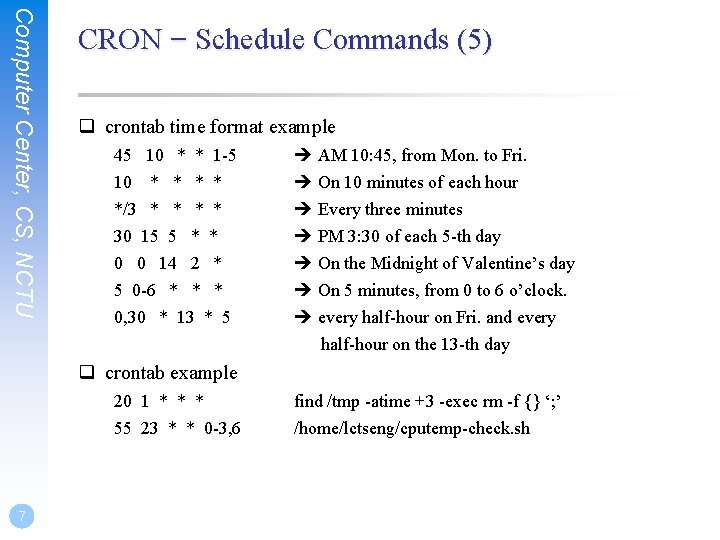
Computer Center, CS, NCTU CRON – Schedule Commands (5) q crontab time format example 45 10 * * 1 -5 10 * * */3 * * 30 15 5 * * 0 0 14 2 * 5 0 -6 * * * 0, 30 * 13 * 5 AM 10: 45, from Mon. to Fri. On 10 minutes of each hour Every three minutes PM 3: 30 of each 5 -th day On the Midnight of Valentine’s day On 5 minutes, from 0 to 6 o’clock. every half-hour on Fri. and every half-hour on the 13 -th day q crontab example 20 1 * * * 55 23 * * 0 -3, 6 7 find /tmp -atime +3 -exec rm -f {} ‘; ’ /home/lctseng/cputemp-check. sh
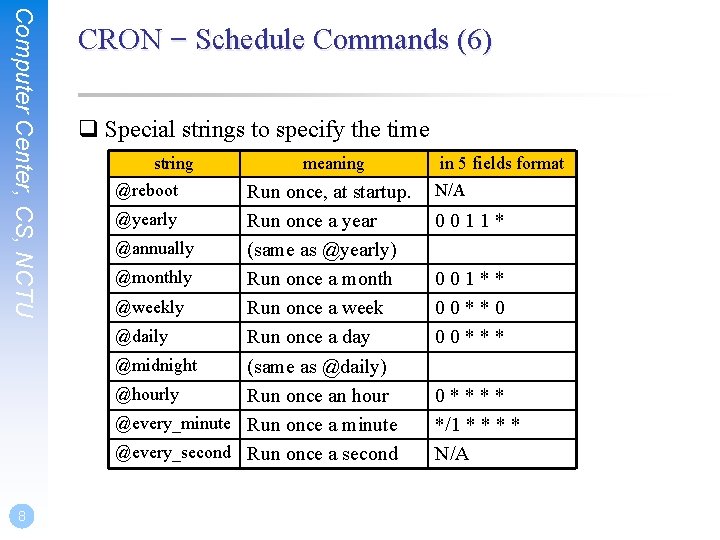
Computer Center, CS, NCTU 8 CRON – Schedule Commands (6) q Special strings to specify the time string @reboot meaning Run once, at startup. @yearly Run once a year @annually (same as @yearly) @monthly Run once a month @weekly Run once a week @daily Run once a day @midnight (same as @daily) @hourly Run once an hour @every_minute Run once a minute @every_second Run once a second in 5 fields format N/A 0011* 001** 00**0 00**** */1 * * N/A
Computer Center, CS, NCTU crontab command q crontab(1) % crontab -e [-u user] • Edit the [user’s] crontab using editor • Only privileged user (root) can use “-u” option % crontab -l • List the content of the crontab % crontab -r • Remove the current crontab % crontab filename • Install filename as your crontab 9
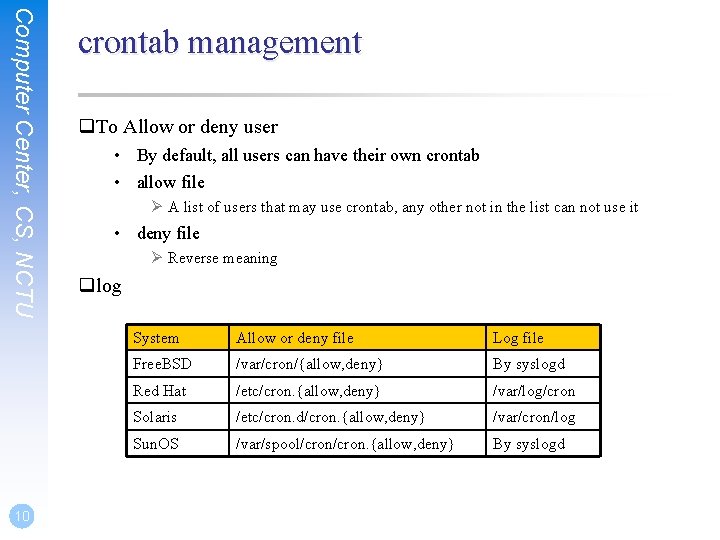
Computer Center, CS, NCTU 10 crontab management q. To Allow or deny user • By default, all users can have their own crontab • allow file Ø A list of users that may use crontab, any other not in the list can not use it • deny file Ø Reverse meaning qlog System Allow or deny file Log file Free. BSD /var/cron/{allow, deny} By syslogd Red Hat /etc/cron. {allow, deny} /var/log/cron Solaris /etc/cron. d/cron. {allow, deny} /var/cron/log Sun. OS /var/spool/cron. {allow, deny} By syslogd
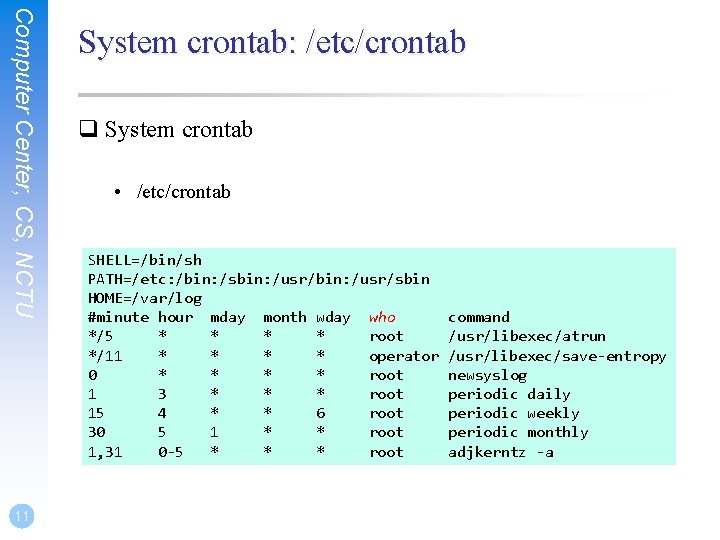
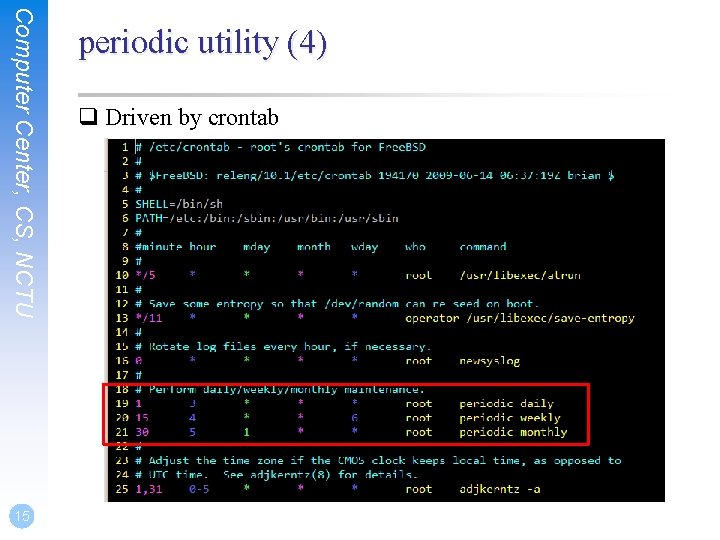
Computer Center, CS, NCTU 11 System crontab: /etc/crontab q System crontab • /etc/crontab SHELL=/bin/sh PATH=/etc: /bin: /sbin: /usr/sbin HOME=/var/log #minute hour mday month wday who */5 * * root */11 * * operator 0 * * root 1 3 * * * root 15 4 * * 6 root 30 5 1 * * root 1, 31 0 -5 * * * root command /usr/libexec/atrun /usr/libexec/save-entropy newsyslog periodic daily periodic weekly periodic monthly adjkerntz -a
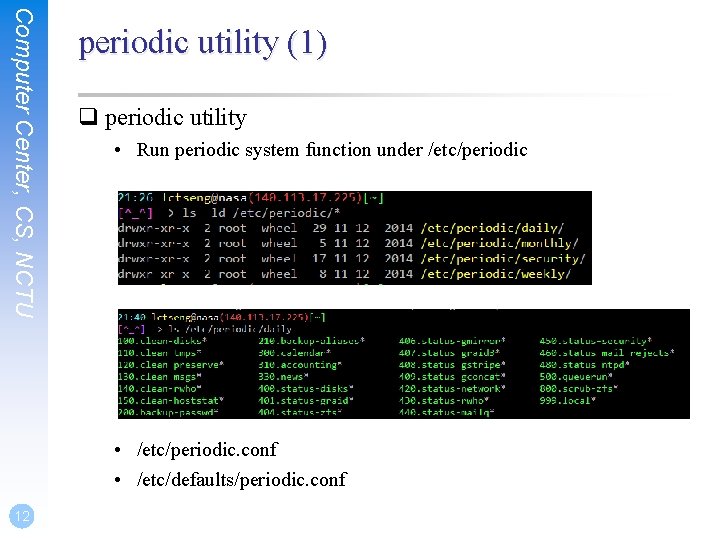
Computer Center, CS, NCTU periodic utility (1) q periodic utility • Run periodic system function under /etc/periodic • /etc/periodic. conf • /etc/defaults/periodic. conf 12
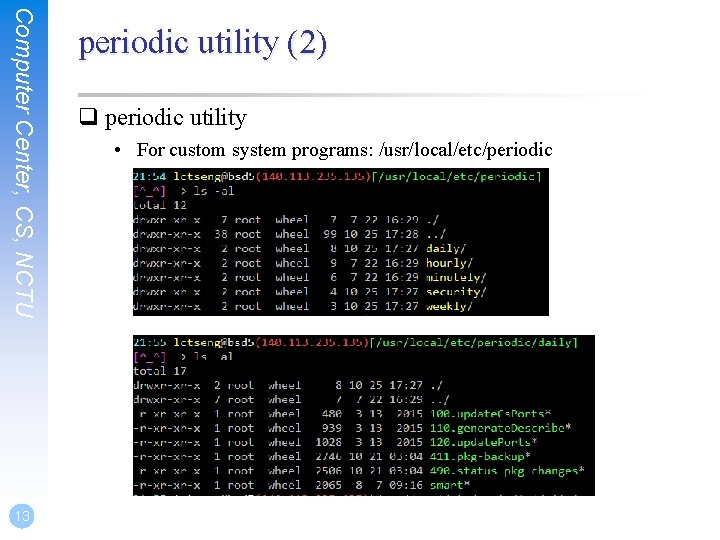
Computer Center, CS, NCTU 13 periodic utility (2) q periodic utility • For custom system programs: /usr/local/etc/periodic
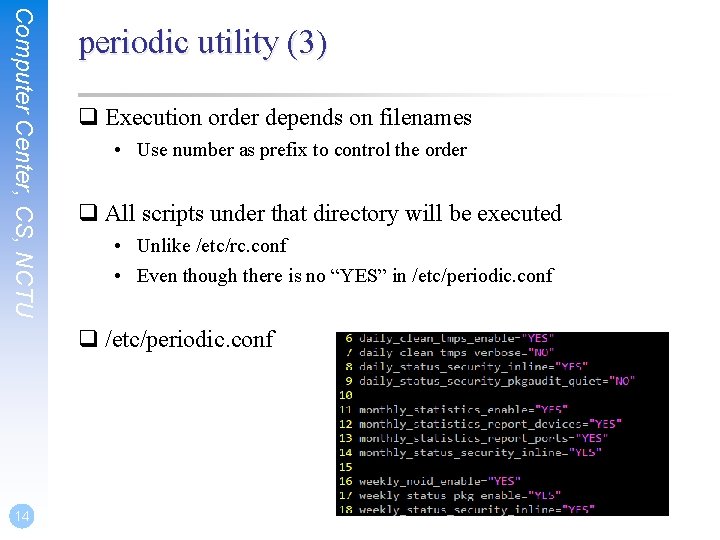
Computer Center, CS, NCTU periodic utility (3) q Execution order depends on filenames • Use number as prefix to control the order q All scripts under that directory will be executed • Unlike /etc/rc. conf • Even though there is no “YES” in /etc/periodic. conf q /etc/periodic. conf 14
Computer Center, CS, NCTU 15 periodic utility (4) q Driven by crontab
Computer Center, CS, NCTU at command (1) q at command • executes commands at a specified time (one-time use) at [-q queue] [-f file] [-mldbv] time or at [-q queue] [-f file] [-mldbv] -t [[CC]YY]MMDDhhmm[. SS] q at management • atq Ø View job queue • atrm Ø Remove jobs • /var/at/at. {allow, deny} Ø Specify who can/cannot use at Ø By default, only root can use “at” 16
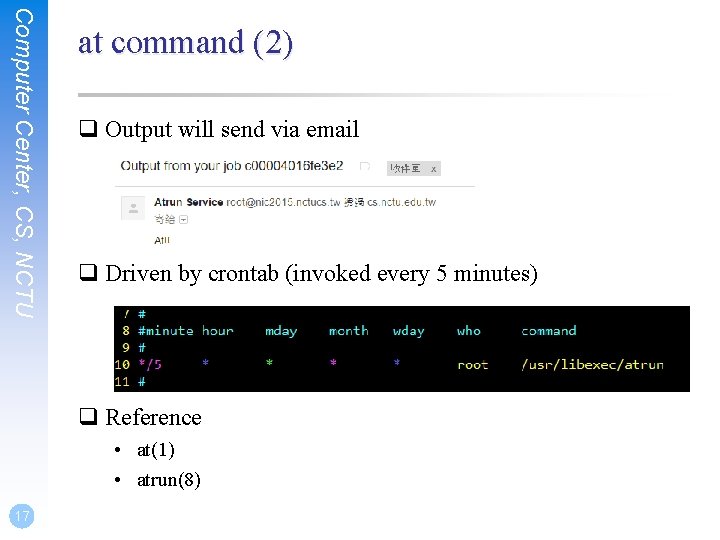
Computer Center, CS, NCTU at command (2) q Output will send via email q Driven by crontab (invoked every 5 minutes) q Reference • at(1) • atrun(8) 17