
Performance Diagnosis and Improvement in Data Center Networks
- Slides: 59
Performance Diagnosis and Improvement in Data Center Networks Minlan Yu minlanyu@usc. edu University of Southern California 1
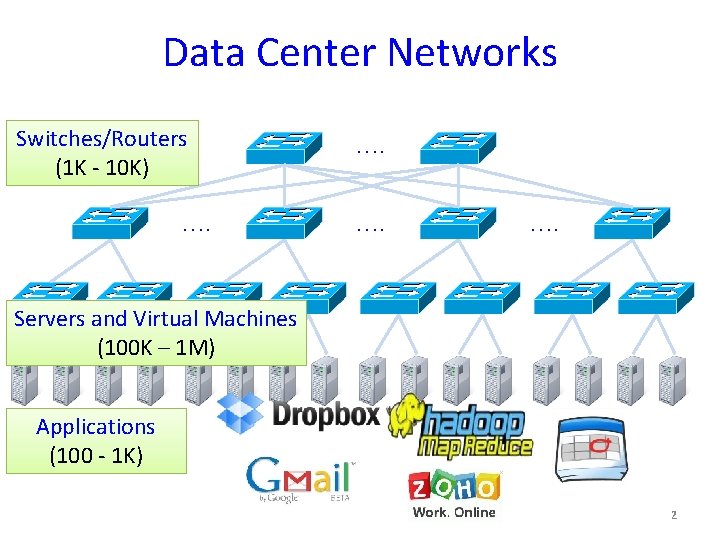
Data Center Networks Switches/Routers (1 K - 10 K) …. …. Servers and Virtual Machines (100 K – 1 M) Applications (100 - 1 K) 2
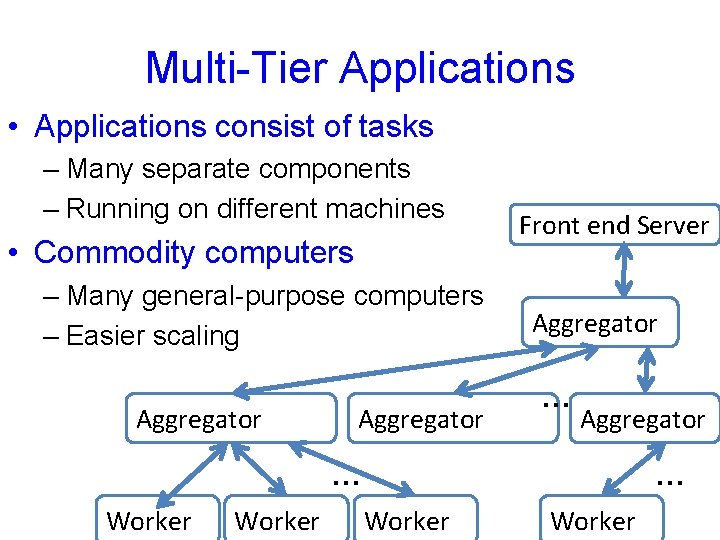
Multi-Tier Applications • Applications consist of tasks – Many separate components – Running on different machines • Commodity computers – Many general-purpose computers – Easier scaling Aggregator Front end Server Aggregator …… Aggregator … Worker 3 … Worker
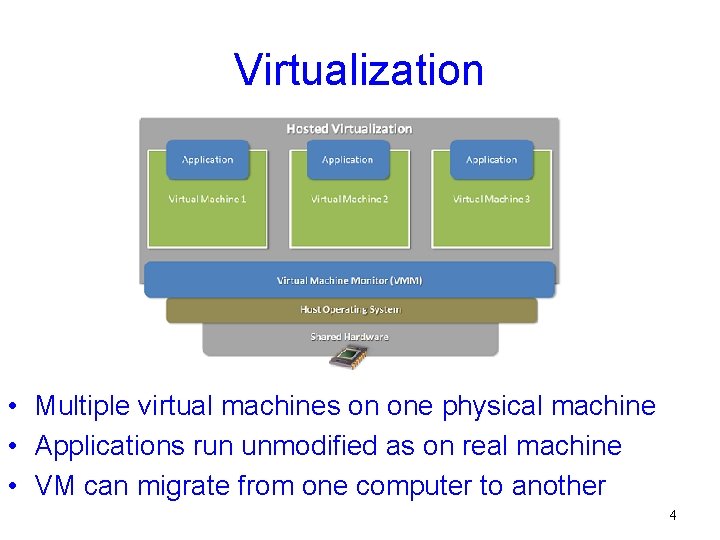
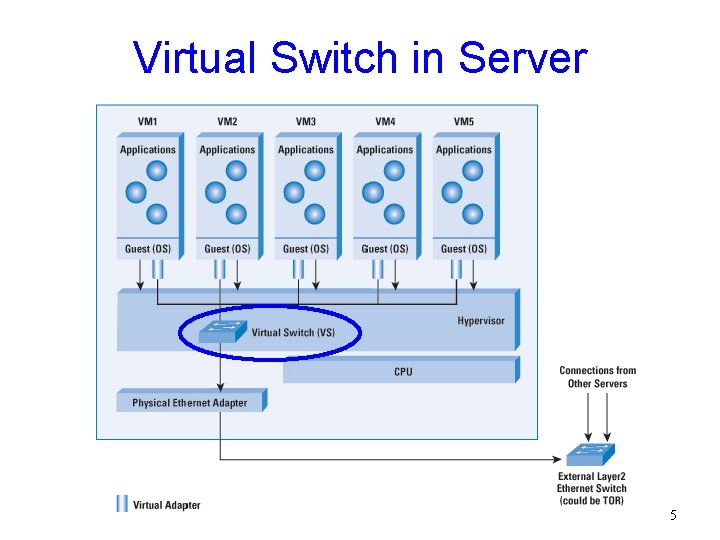
Virtualization • Multiple virtual machines on one physical machine • Applications run unmodified as on real machine • VM can migrate from one computer to another 4
Virtual Switch in Server 5
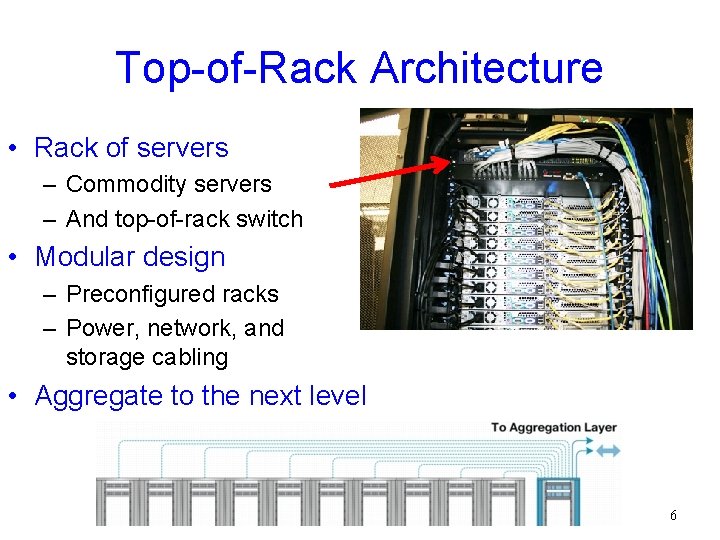
Top-of-Rack Architecture • Rack of servers – Commodity servers – And top-of-rack switch • Modular design – Preconfigured racks – Power, network, and storage cabling • Aggregate to the next level 6
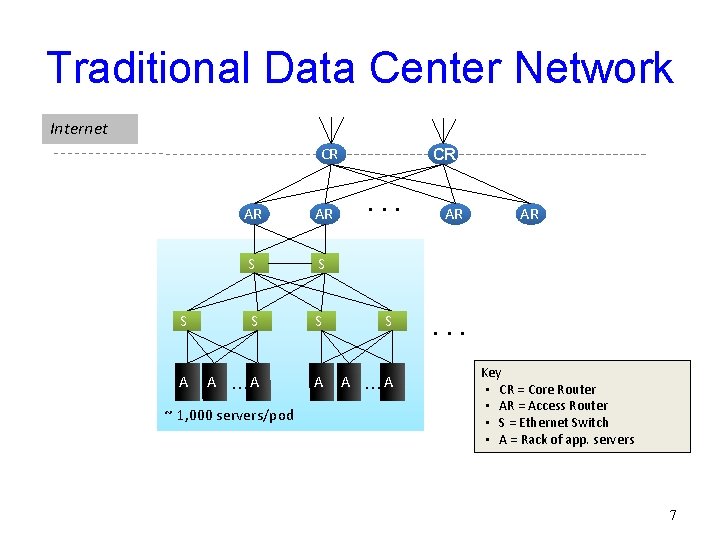
Traditional Data Center Network Internet CR CR . . . AR AR S S S A A …A ~ 1, 000 servers/pod AR AR . . . Key • CR = Core Router • AR = Access Router • S = Ethernet Switch • A = Rack of app. servers 7
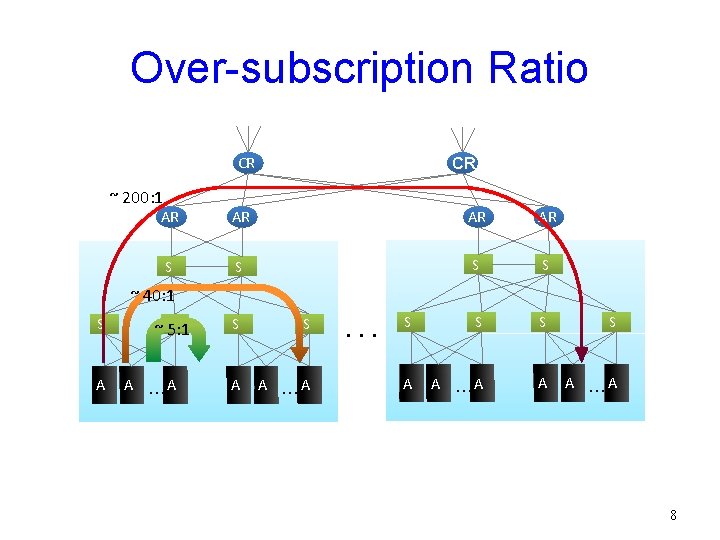
Over-subscription Ratio CR ~ 200: 1 CR AR AR S S S S A A …A ~ 40: 1 S A S ~ 5: 1 A …A S S A A …A . . . 8
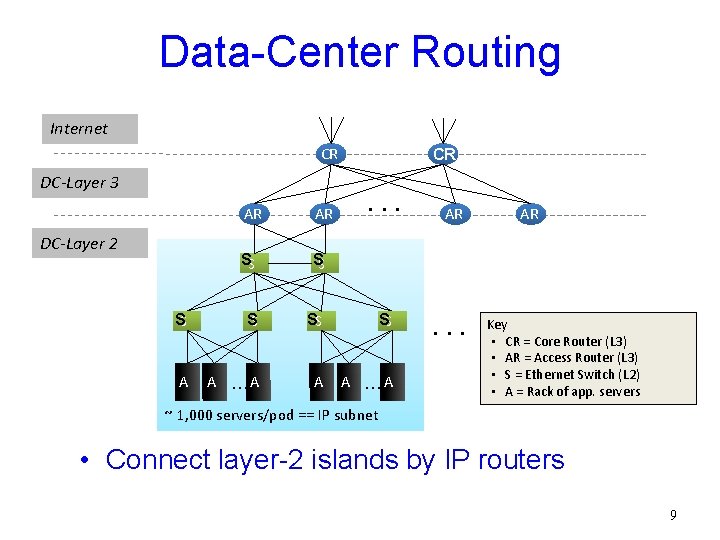
Data-Center Routing Internet CR DC-Layer 3 CR . . . AR AR SS SS SS A A …A DC-Layer 2 AR . . . AR Key • CR = Core Router (L 3) • AR = Access Router (L 3) • S = Ethernet Switch (L 2) • A = Rack of app. servers ~ 1, 000 servers/pod == IP subnet • Connect layer-2 islands by IP routers 9
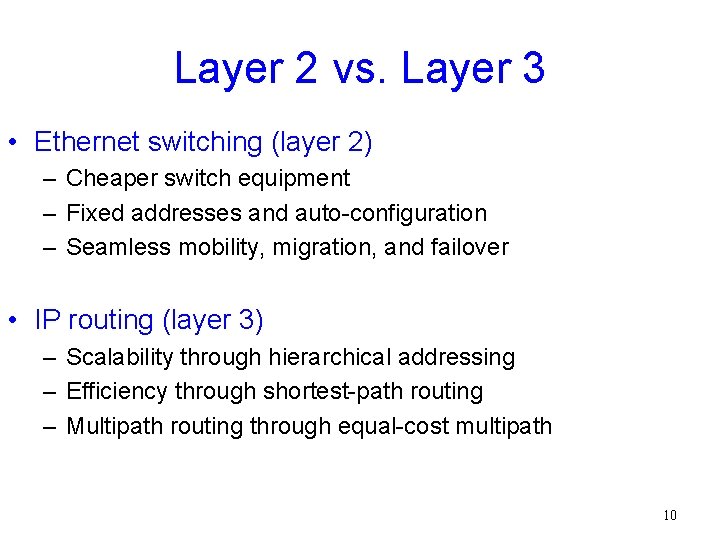
Layer 2 vs. Layer 3 • Ethernet switching (layer 2) – Cheaper switch equipment – Fixed addresses and auto-configuration – Seamless mobility, migration, and failover • IP routing (layer 3) – Scalability through hierarchical addressing – Efficiency through shortest-path routing – Multipath routing through equal-cost multipath 10
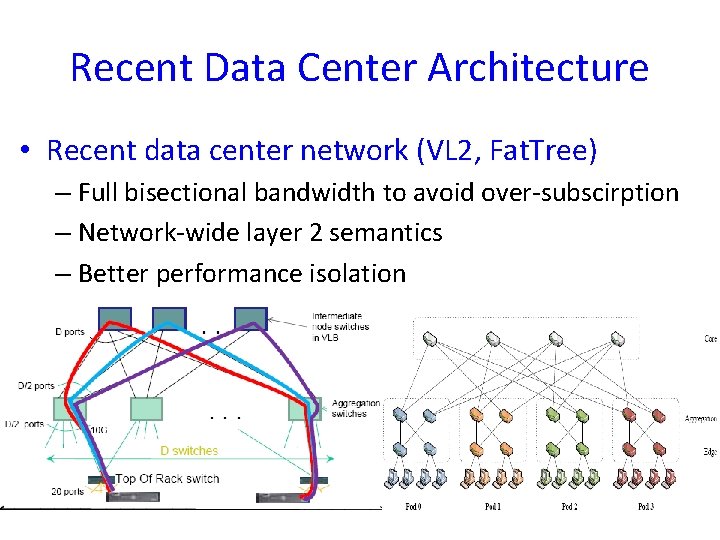
Recent Data Center Architecture • Recent data center network (VL 2, Fat. Tree) – Full bisectional bandwidth to avoid over-subscirption – Network-wide layer 2 semantics – Better performance isolation 11
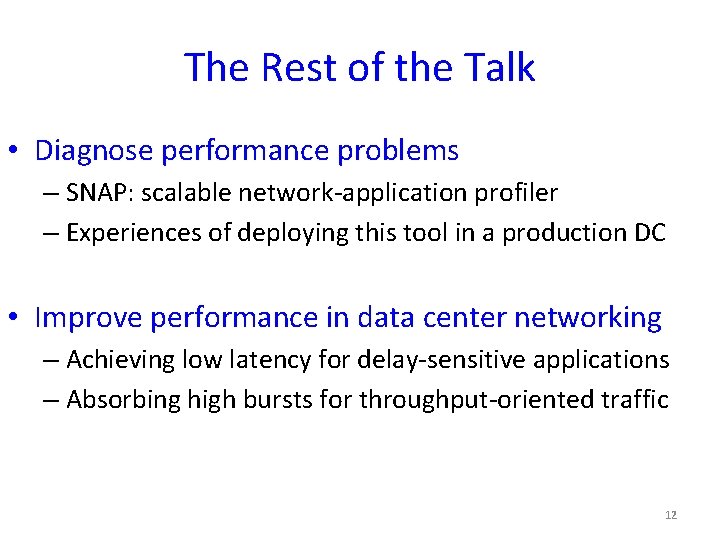
The Rest of the Talk • Diagnose performance problems – SNAP: scalable network-application profiler – Experiences of deploying this tool in a production DC • Improve performance in data center networking – Achieving low latency for delay-sensitive applications – Absorbing high bursts for throughput-oriented traffic 12
Profiling network performance for multi-tier data center applications (Joint work with Albert Greenberg, Dave Maltz, Jennifer Rexford, Lihua Yuan, Srikanth Kandula, Changhoon Kim) 13
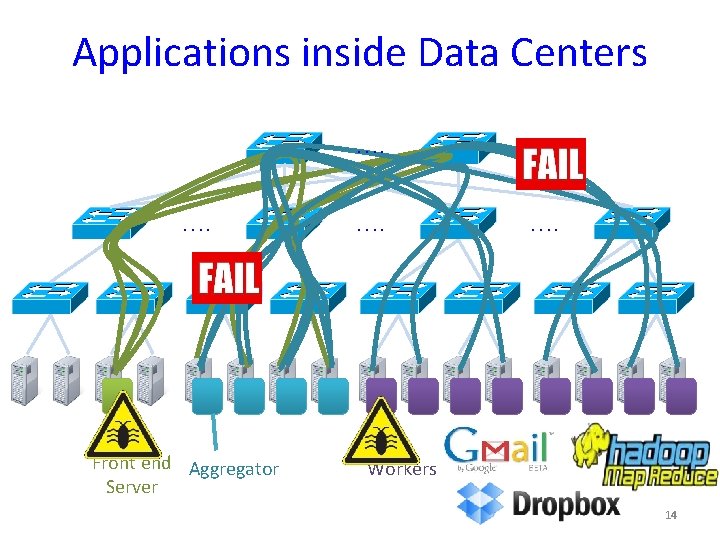
Applications inside Data Centers …. …. Front end Aggregator Server …. Workers 14
Challenges of Datacenter Diagnosis • Large complex applications – Hundreds of application components – Tens of thousands of servers • New performance problems – Update code to add features or fix bugs – Change components while app is still in operation • Old performance problems (Human factors) – Developers may not understand network well – Nagle’s algorithm, delayed ACK, etc. 15
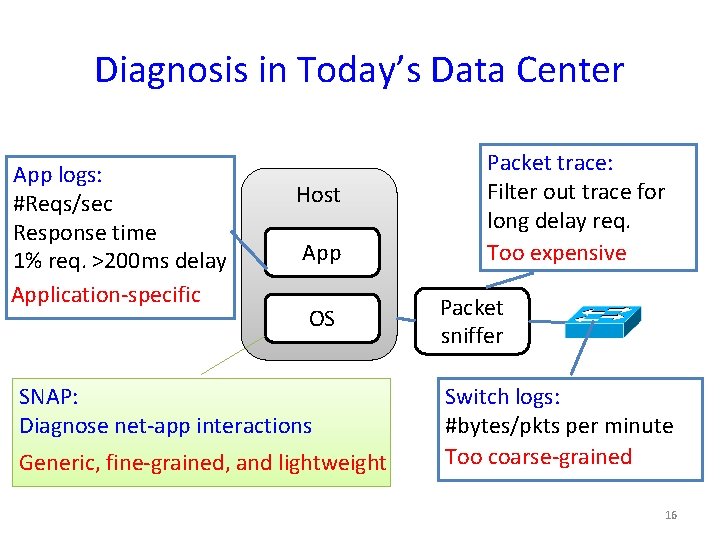
Diagnosis in Today’s Data Center App logs: #Reqs/sec Response time 1% req. >200 ms delay Application-specific Host App OS SNAP: Diagnose net-app interactions Generic, fine-grained, and lightweight Packet trace: Filter out trace for long delay req. Too expensive Packet sniffer Switch logs: #bytes/pkts per minute Too coarse-grained 16
SNAP: A Scalable Net-App Profiler that runs everywhere, all the time 17
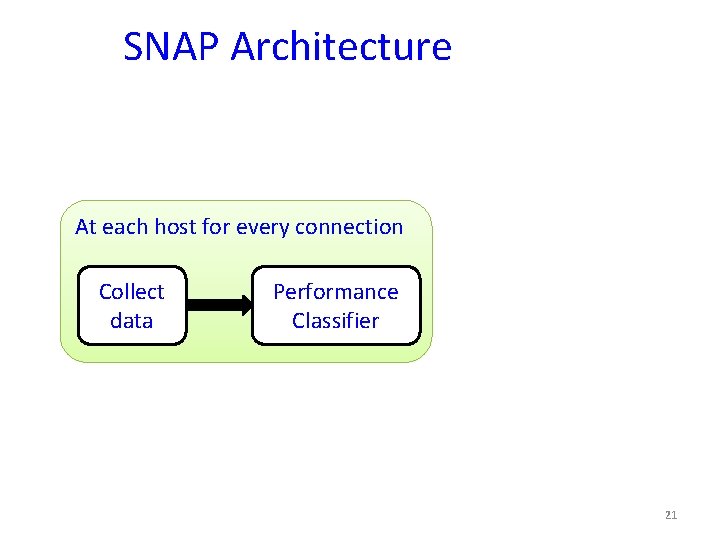
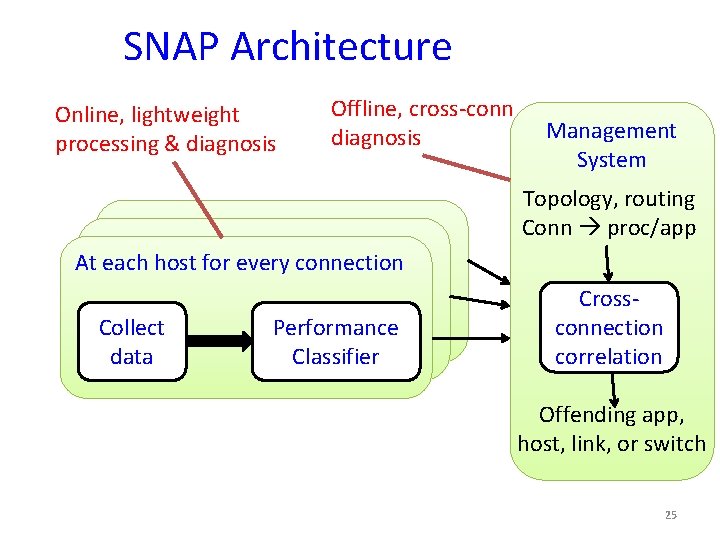
SNAP Architecture At each host for every connection Collect data 18
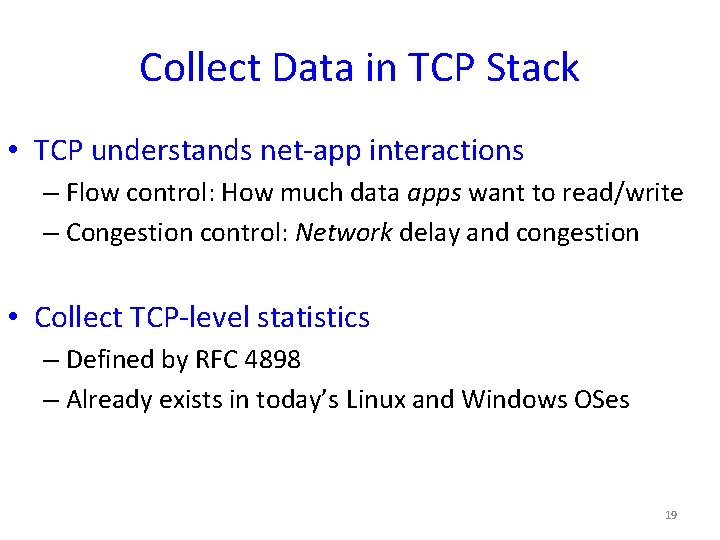
Collect Data in TCP Stack • TCP understands net-app interactions – Flow control: How much data apps want to read/write – Congestion control: Network delay and congestion • Collect TCP-level statistics – Defined by RFC 4898 – Already exists in today’s Linux and Windows OSes 19
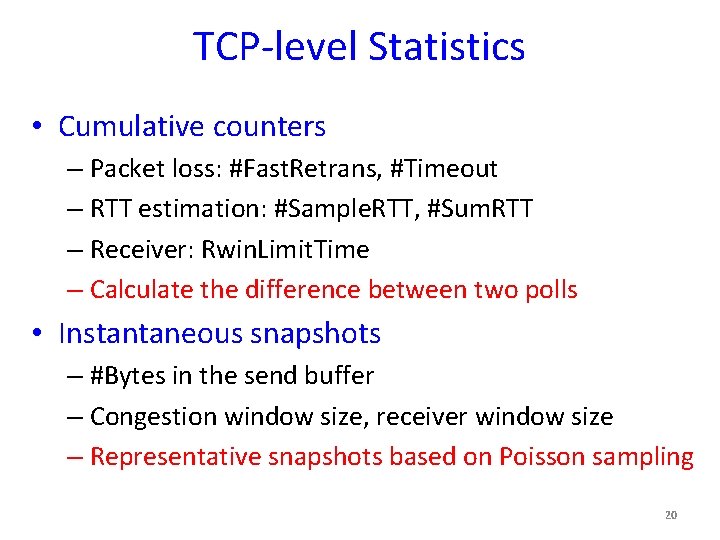
TCP-level Statistics • Cumulative counters – Packet loss: #Fast. Retrans, #Timeout – RTT estimation: #Sample. RTT, #Sum. RTT – Receiver: Rwin. Limit. Time – Calculate the difference between two polls • Instantaneous snapshots – #Bytes in the send buffer – Congestion window size, receiver window size – Representative snapshots based on Poisson sampling 20
SNAP Architecture At each host for every connection Collect data Performance Classifier 21
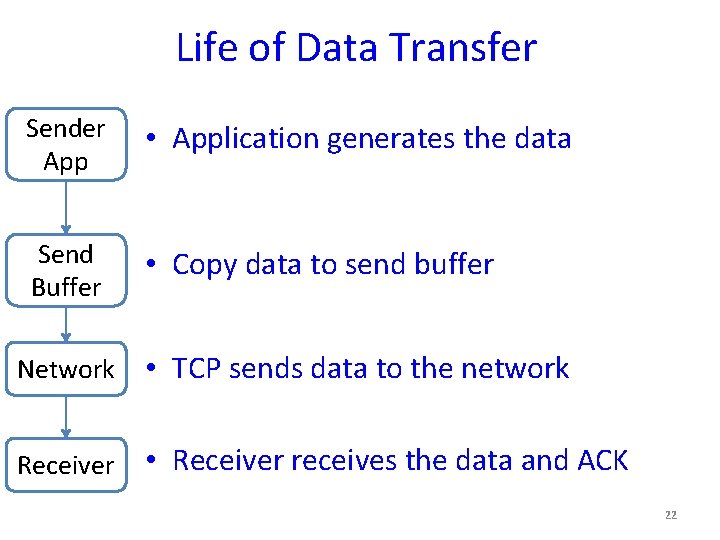
Life of Data Transfer Sender App • Application generates the data Send Buffer • Copy data to send buffer Network • TCP sends data to the network Receiver • Receiver receives the data and ACK 22
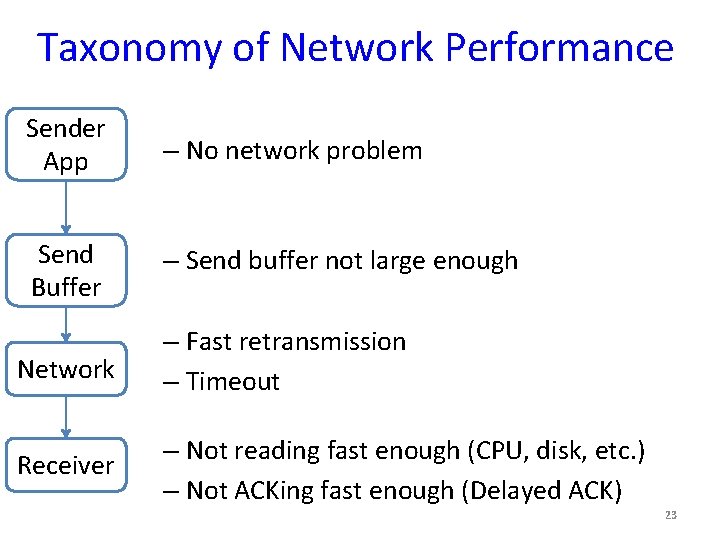
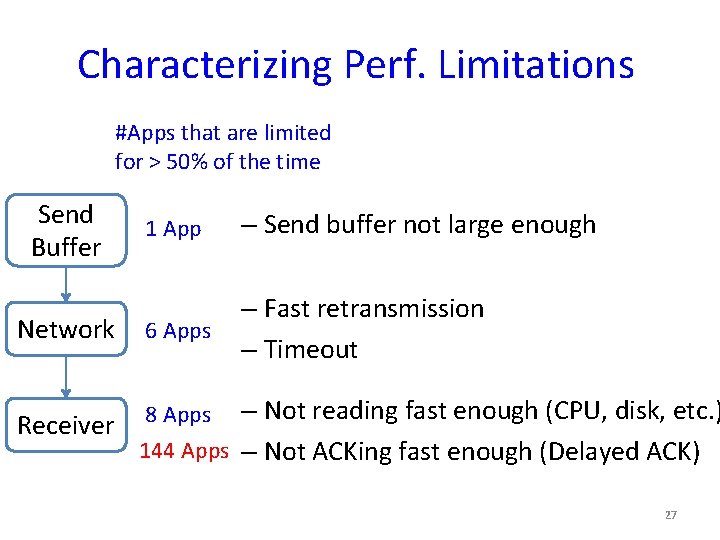
Taxonomy of Network Performance Sender App – No network problem Send Buffer – Send buffer not large enough Network – Fast retransmission – Timeout Receiver – Not reading fast enough (CPU, disk, etc. ) – Not ACKing fast enough (Delayed ACK) 23
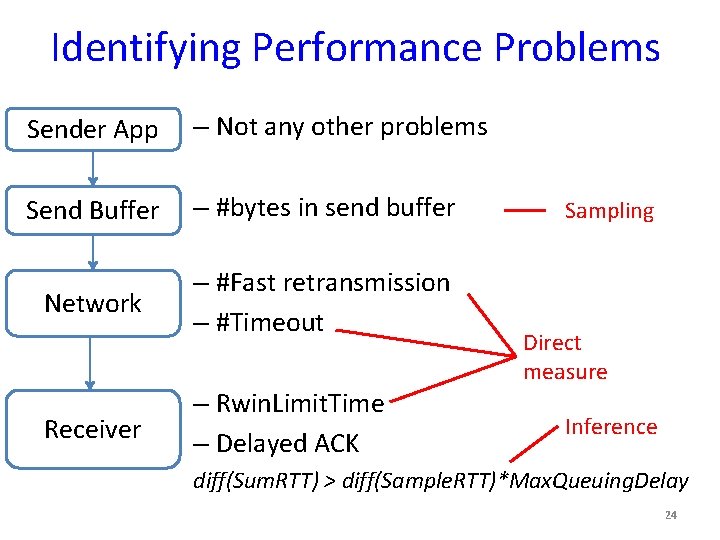
Identifying Performance Problems Sender App – Not any other problems Send Buffer – #bytes in send buffer Network – #Fast retransmission – #Timeout Receiver – Rwin. Limit. Time – Delayed ACK Sampling Direct measure Inference diff(Sum. RTT) > diff(Sample. RTT)*Max. Queuing. Delay 24
SNAP Architecture Online, lightweight processing & diagnosis Offline, cross-conn diagnosis Management System Topology, routing Conn proc/app At each host for every connection Collect data Performance Classifier Crossconnection correlation Offending app, host, link, or switch 25
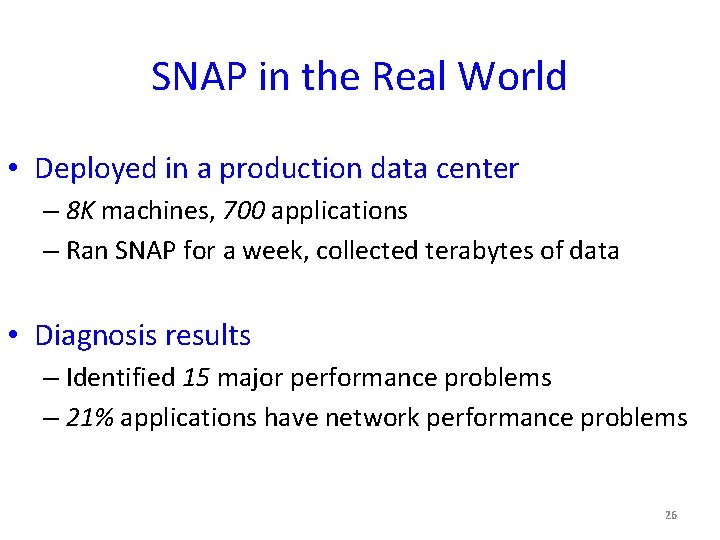
SNAP in the Real World • Deployed in a production data center – 8 K machines, 700 applications – Ran SNAP for a week, collected terabytes of data • Diagnosis results – Identified 15 major performance problems – 21% applications have network performance problems 26
Characterizing Perf. Limitations #Apps that are limited for > 50% of the time Send Buffer 1 App – Send buffer not large enough Network 6 Apps – Fast retransmission – Timeout Receiver 8 Apps – Not reading fast enough (CPU, disk, etc. ) 144 Apps – Not ACKing fast enough (Delayed ACK) 27
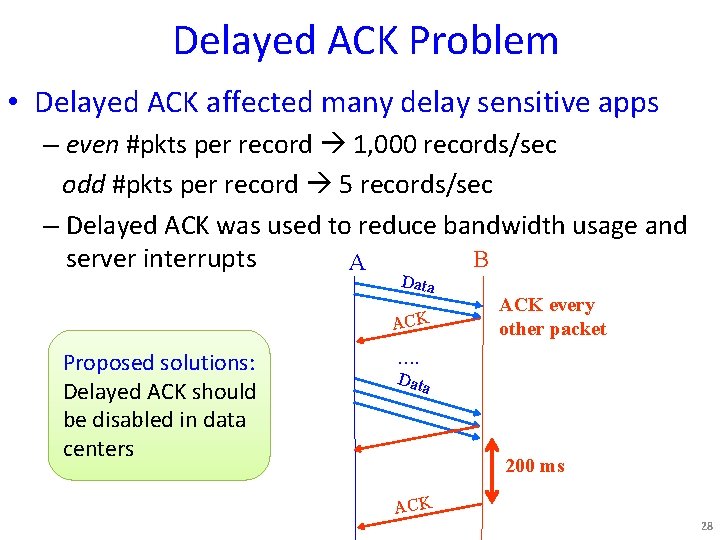
Delayed ACK Problem • Delayed ACK affected many delay sensitive apps – even #pkts per record 1, 000 records/sec odd #pkts per record 5 records/sec – Delayed ACK was used to reduce bandwidth usage and B server interrupts A Data ACK Proposed solutions: Delayed ACK should be disabled in data centers ACK every other packet …. Data 200 ms ACK 28
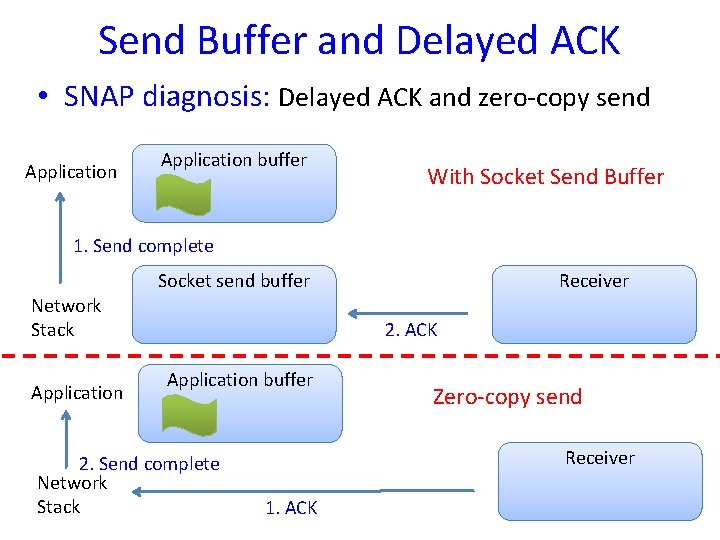
Send Buffer and Delayed ACK • SNAP diagnosis: Delayed ACK and zero-copy send Application buffer With Socket Send Buffer 1. Send complete Socket send buffer Network Stack Application Receiver 2. ACK Application buffer 2. Send complete Network Stack Zero-copy send Receiver 1. ACK 29
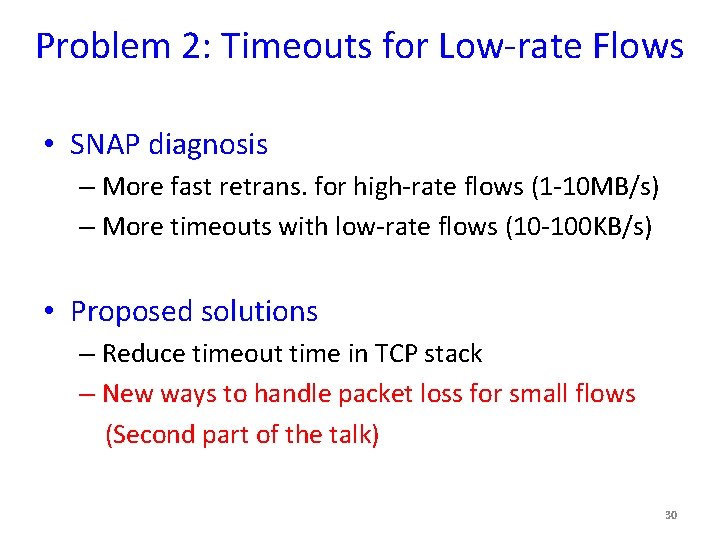
Problem 2: Timeouts for Low-rate Flows • SNAP diagnosis – More fast retrans. for high-rate flows (1 -10 MB/s) – More timeouts with low-rate flows (10 -100 KB/s) • Proposed solutions – Reduce timeout time in TCP stack – New ways to handle packet loss for small flows (Second part of the talk) 30
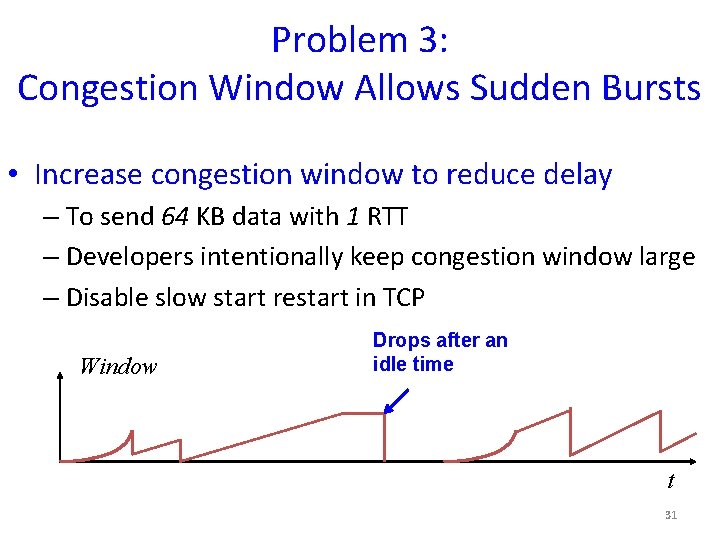
Problem 3: Congestion Window Allows Sudden Bursts • Increase congestion window to reduce delay – To send 64 KB data with 1 RTT – Developers intentionally keep congestion window large – Disable slow start restart in TCP Window Drops after an idle time t 31
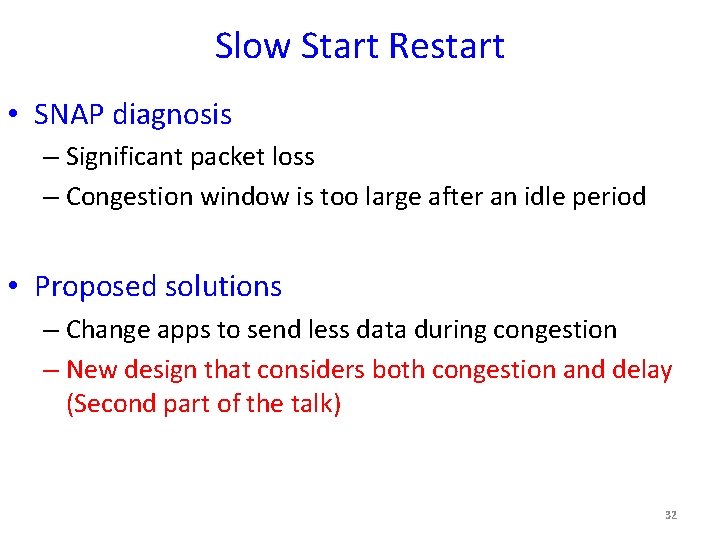
Slow Start Restart • SNAP diagnosis – Significant packet loss – Congestion window is too large after an idle period • Proposed solutions – Change apps to send less data during congestion – New design that considers both congestion and delay (Second part of the talk) 32
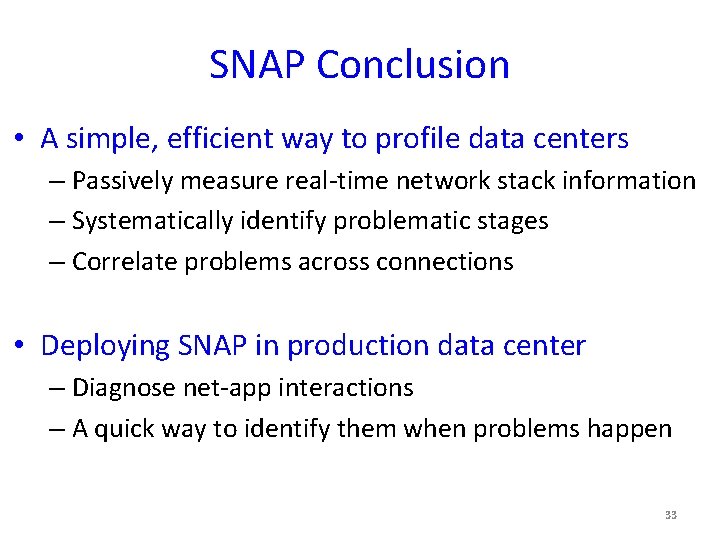
SNAP Conclusion • A simple, efficient way to profile data centers – Passively measure real-time network stack information – Systematically identify problematic stages – Correlate problems across connections • Deploying SNAP in production data center – Diagnose net-app interactions – A quick way to identify them when problems happen 33
Don’t Drop, detour!!!! Just-in-time congestion mitigation for Data Centers (Joint work with Kyriakos Zarifis, Rui Miao, Matt Calder, Ethan Katz-Basset, Jitendra Padhye) 34
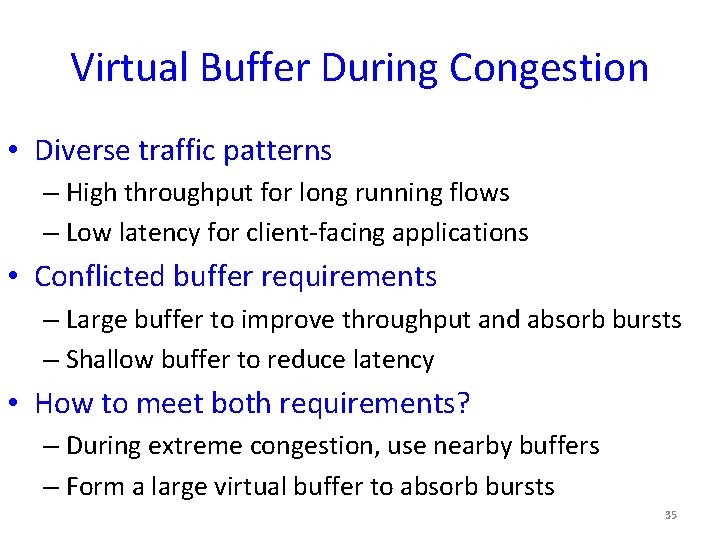
Virtual Buffer During Congestion • Diverse traffic patterns – High throughput for long running flows – Low latency for client-facing applications • Conflicted buffer requirements – Large buffer to improve throughput and absorb bursts – Shallow buffer to reduce latency • How to meet both requirements? – During extreme congestion, use nearby buffers – Form a large virtual buffer to absorb bursts 35
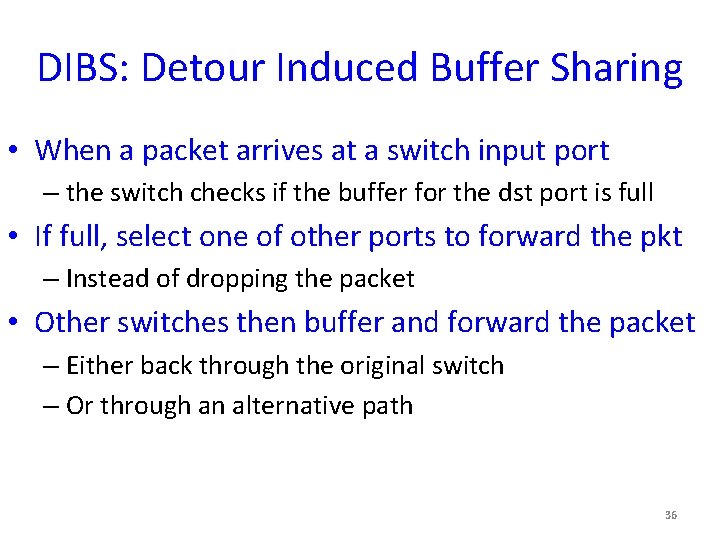
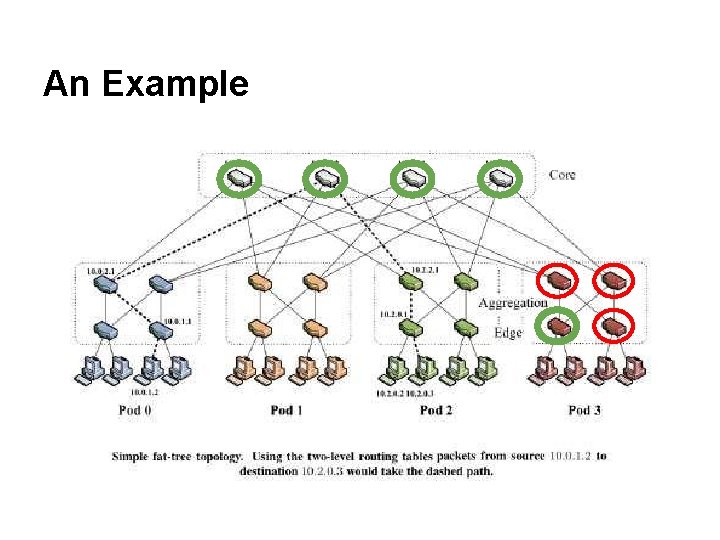
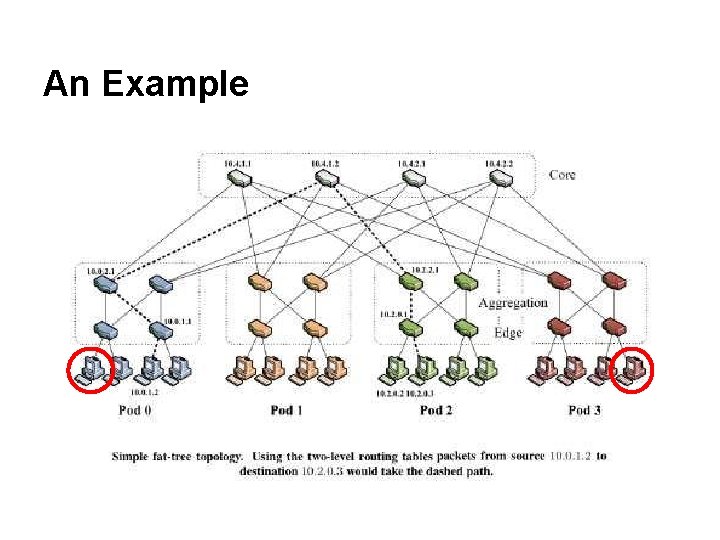
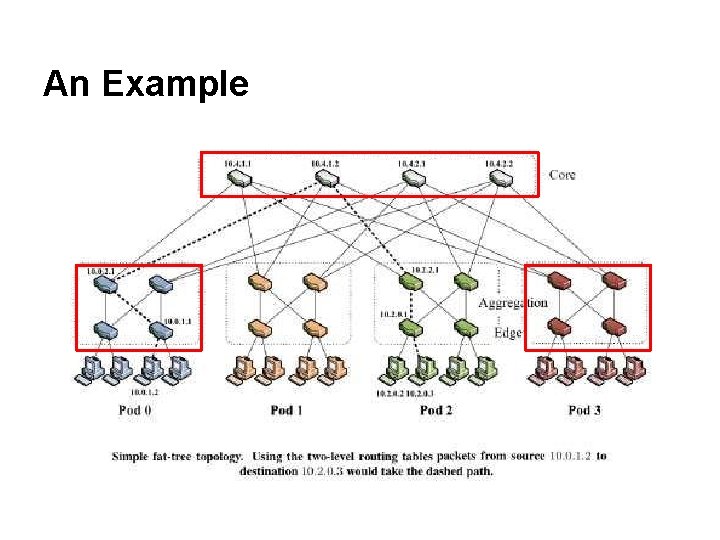
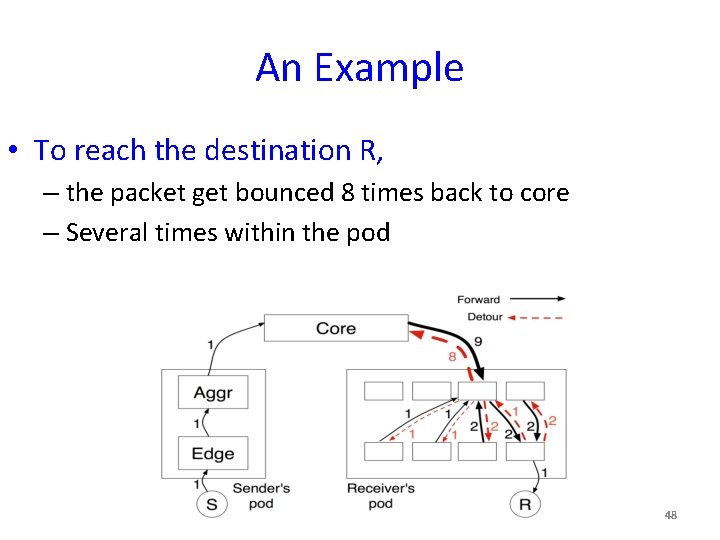
DIBS: Detour Induced Buffer Sharing • When a packet arrives at a switch input port – the switch checks if the buffer for the dst port is full • If full, select one of other ports to forward the pkt – Instead of dropping the packet • Other switches then buffer and forward the packet – Either back through the original switch – Or through an alternative path 36
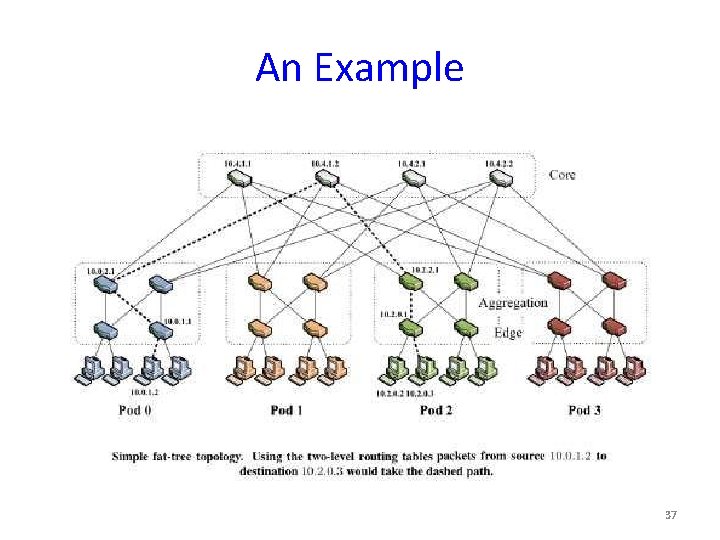
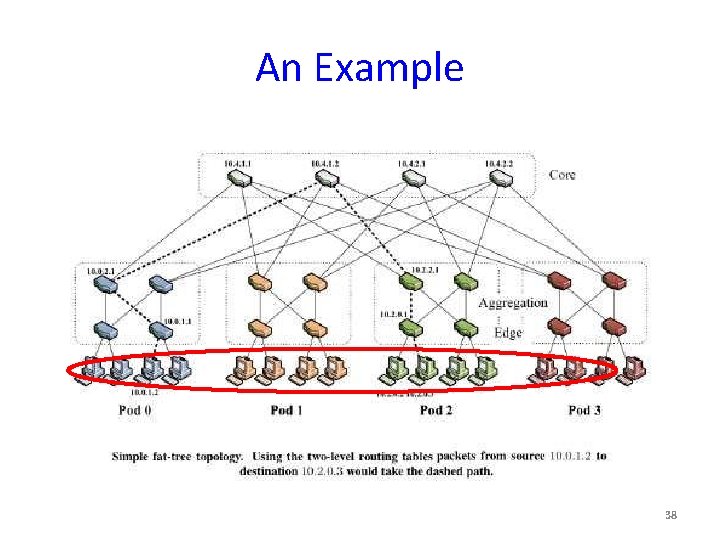
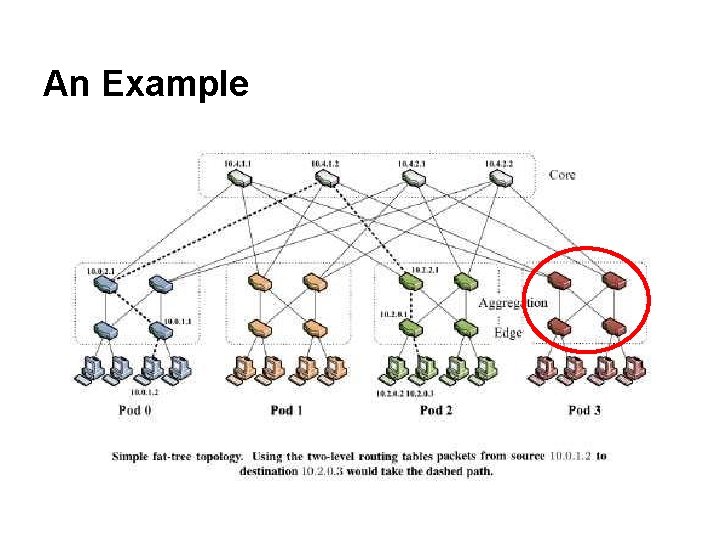
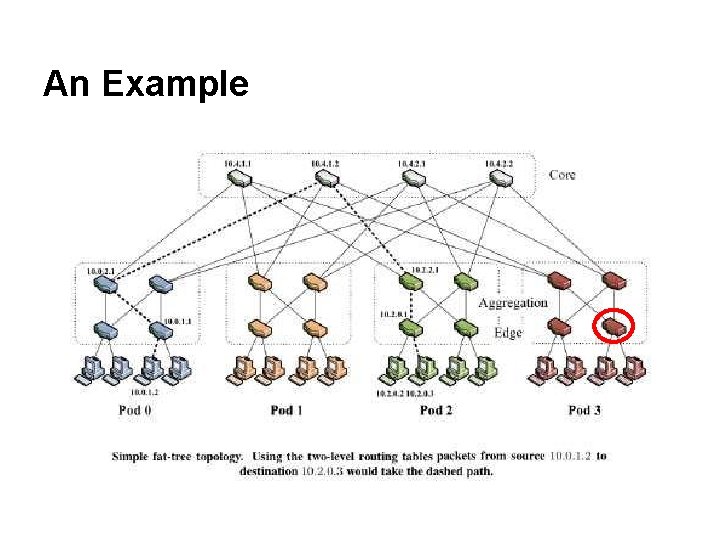
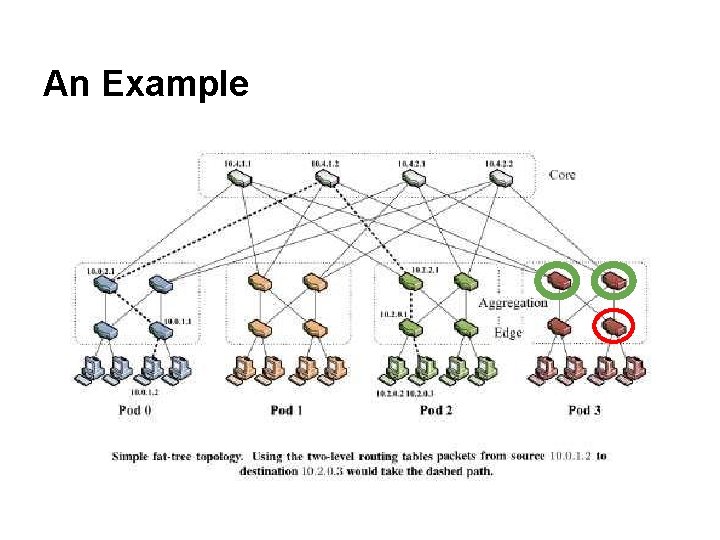
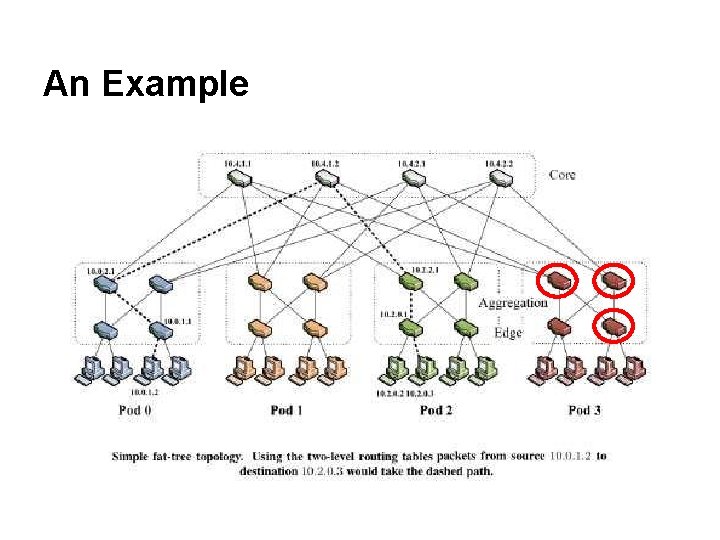
An Example 37
An Example 38
An Example
An Example
An Example
An Example
An Example
An Example
An Example
An Example
An Example
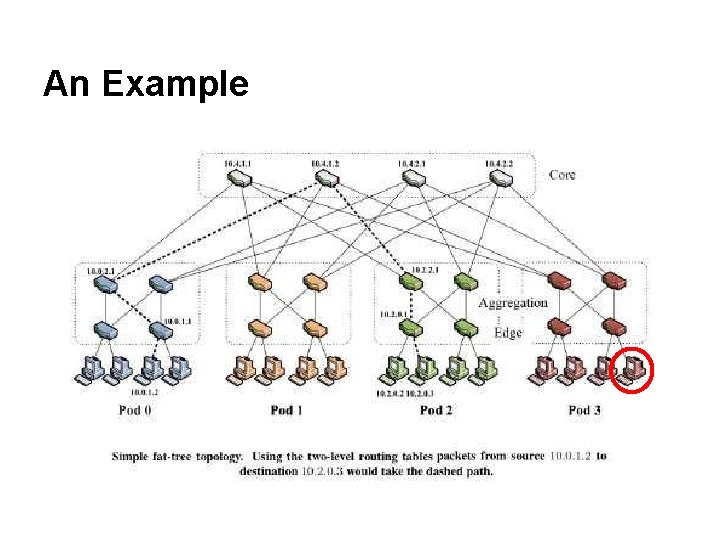
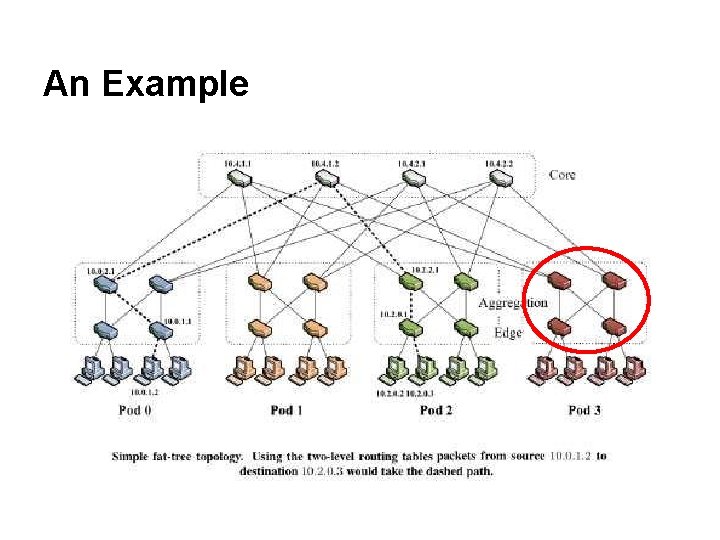
An Example • To reach the destination R, – the packet get bounced 8 times back to core – Several times within the pod 48
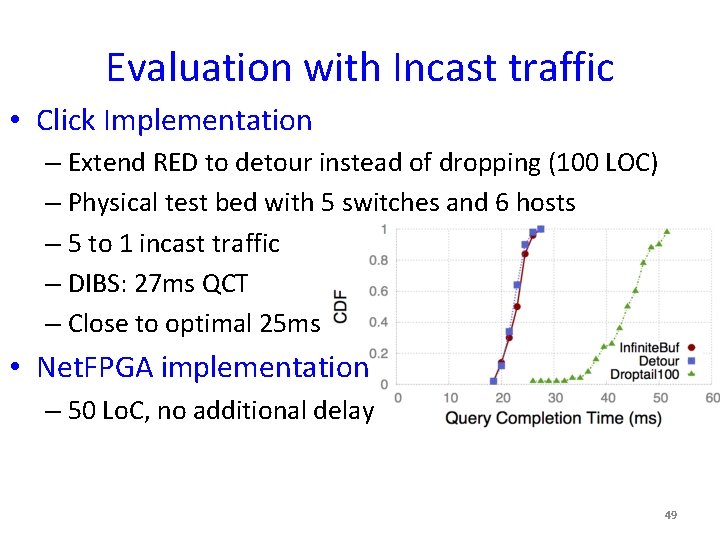
Evaluation with Incast traffic • Click Implementation – Extend RED to detour instead of dropping (100 LOC) – Physical test bed with 5 switches and 6 hosts – 5 to 1 incast traffic – DIBS: 27 ms QCT – Close to optimal 25 ms • Net. FPGA implementation – 50 Lo. C, no additional delay 49
DIBS Requirements • Congestion is transient and localized – Other switches have spare buffers – Measurement study shows that 60% of the time, fewer than 10% of links are running hot. • Paired with a congestion control scheme – To slow down the senders from overloading the network – Otherwise, dibs would cause congestion collapse 50
Other DIBS Considerations • Detoured packets increase packet reordering – Only detour during extreme congestion – Disable fast retransmission or increase dup-ack thresh. • Longer paths inflate RTT estimation and RTO calc. – Packet loss is rare because of detouring – We can afford for a large min. RTO and inaccurate RTO • Loops and multiple detours – Transient and rare, only under extreme congestion • Collateral Damage – Our evaluation shows that it’s small 51
NS 3 Simulation • Topology – Fat. Tree (k=8), 128 hosts • A wide variety of mixed workloads – Using traffic distribution from production data centers – Background traffic (inter-arrival time) – Query traffic (Queries/second, #senders, response size) • Other settings – TTL=255, buffer size=100 pkts • We compare DCTCP with DCTCP+DIBS – DCTCP: switches sends signals to slow down the senders 52
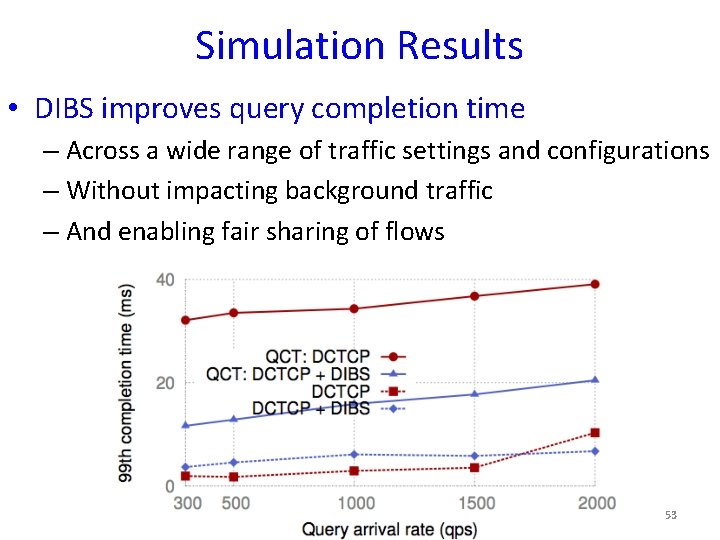
Simulation Results • DIBS improves query completion time – Across a wide range of traffic settings and configurations – Without impacting background traffic – And enabling fair sharing of flows 53
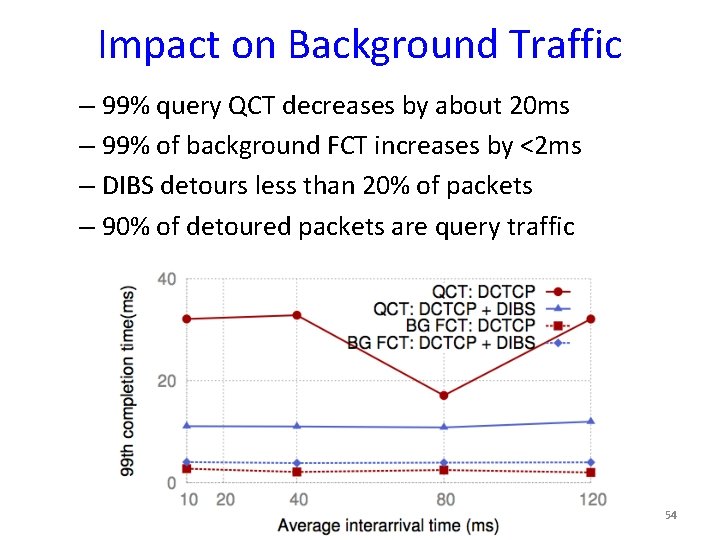
Impact on Background Traffic – 99% query QCT decreases by about 20 ms – 99% of background FCT increases by <2 ms – DIBS detours less than 20% of packets – 90% of detoured packets are query traffic 54
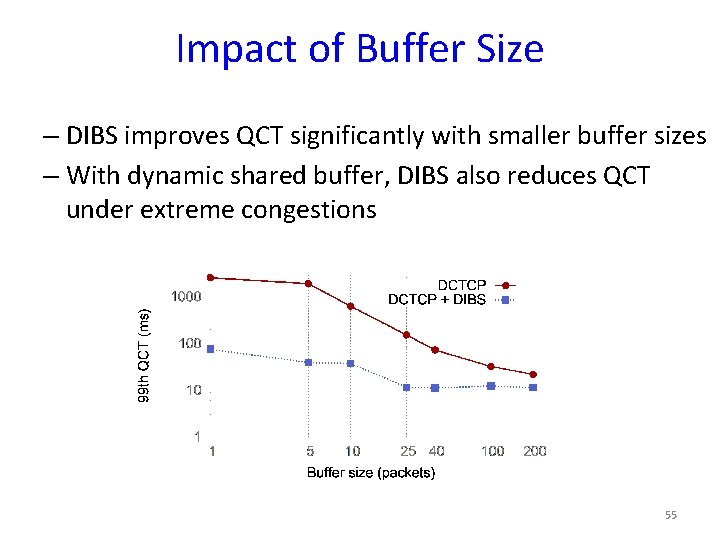
Impact of Buffer Size – DIBS improves QCT significantly with smaller buffer sizes – With dynamic shared buffer, DIBS also reduces QCT under extreme congestions 55
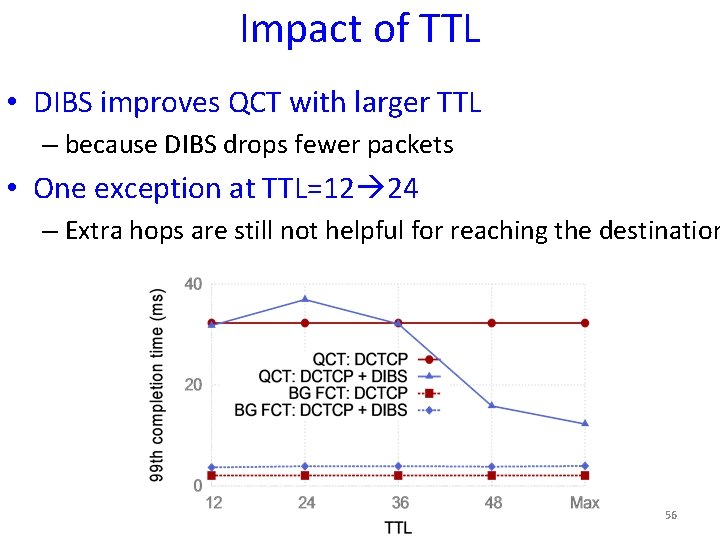
Impact of TTL • DIBS improves QCT with larger TTL – because DIBS drops fewer packets • One exception at TTL=12 24 – Extra hops are still not helpful for reaching the destination 56
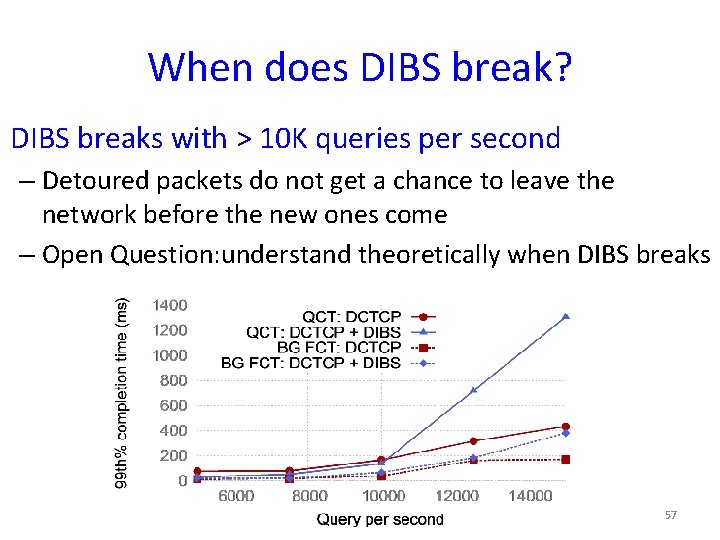
When does DIBS break? DIBS breaks with > 10 K queries per second – Detoured packets do not get a chance to leave the network before the new ones come – Open Question: understand theoretically when DIBS breaks 57
DIBS Conclusion • A temporary virtual infinite buffer – Uses available buffer capacity to absorb bursts – Enable shallow buffer for low-latency traffic • DIBS (Detour Induced Buffer Sharing) – Detour packets instead of dropping them – Reduces query completion time under congestion – Without affecting background traffic 58
Summary • Performance problem in data centers – Important: affects application throughput/delay – Difficult: Involves many parties in large scale • Diagnose performance problems – SNAP: scalable network-application profiler – Experiences of deploying this tool in a production DC • Improve performance in data center networking – Achieving low latency for delay-sensitive applications – Absorbing high bursts for throughput-oriented traffic 59