
PENGOLAHAN DAN PENYAJIAN Presenting Data Oleh I Gusti

- Slides: 28
PENGOLAHAN DAN PENYAJIAN Presenting Data Oleh: I Gusti Bagus Rai Utama, SE. , MMA. , MA. http: //www. bahankuliah. wordpress. com
Presenting Data in Tables and Charts
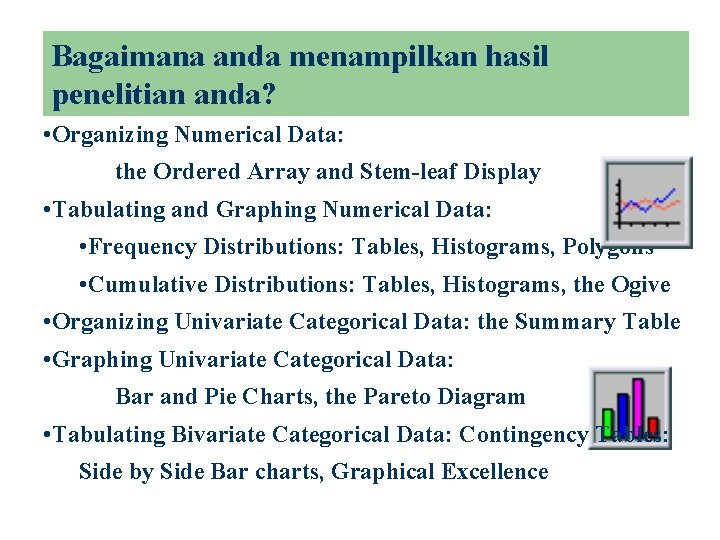
Bagaimana anda menampilkan hasil penelitian anda? • Organizing Numerical Data: the Ordered Array and Stem-leaf Display • Tabulating and Graphing Numerical Data: • Frequency Distributions: Tables, Histograms, Polygons • Cumulative Distributions: Tables, Histograms, the Ogive • Organizing Univariate Categorical Data: the Summary Table • Graphing Univariate Categorical Data: Bar and Pie Charts, the Pareto Diagram • Tabulating Bivariate Categorical Data: Contingency Tables: Side by Side Bar charts, Graphical Excellence
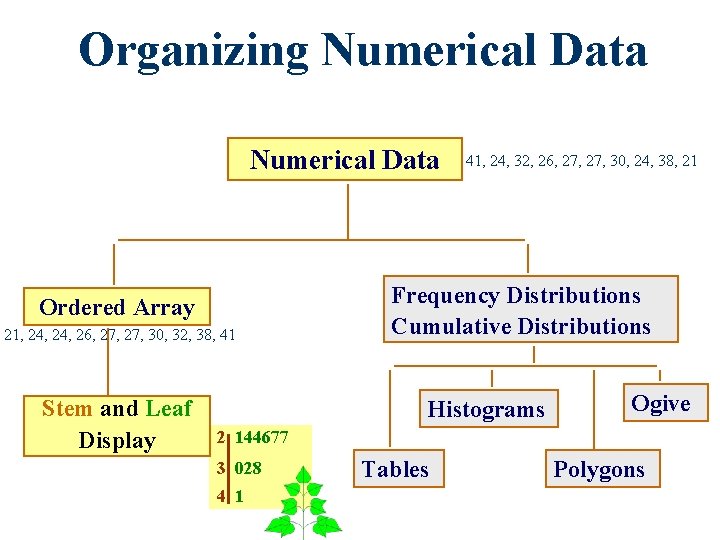
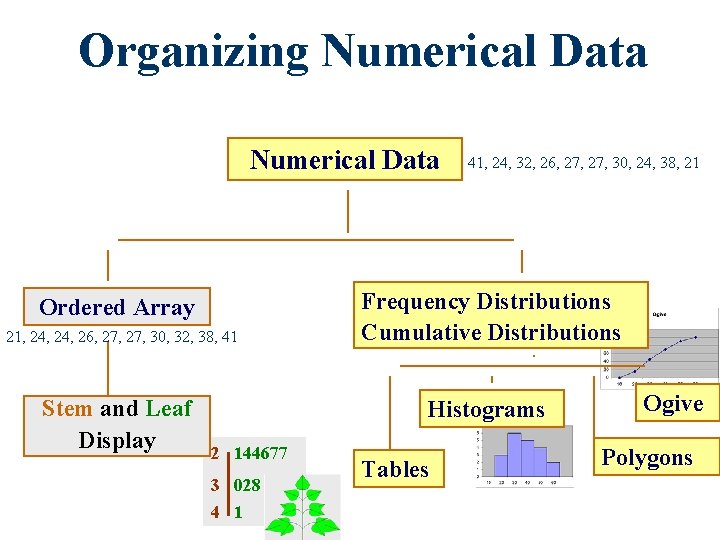
Organizing Numerical Data Ordered Array 21, 24, 26, 27, 30, 32, 38, 41 Stem and Leaf Display 41, 24, 32, 26, 27, 30, 24, 38, 21 Frequency Distributions Cumulative Distributions Histograms Ogive 2 144677 3 028 4 1 Tables Polygons
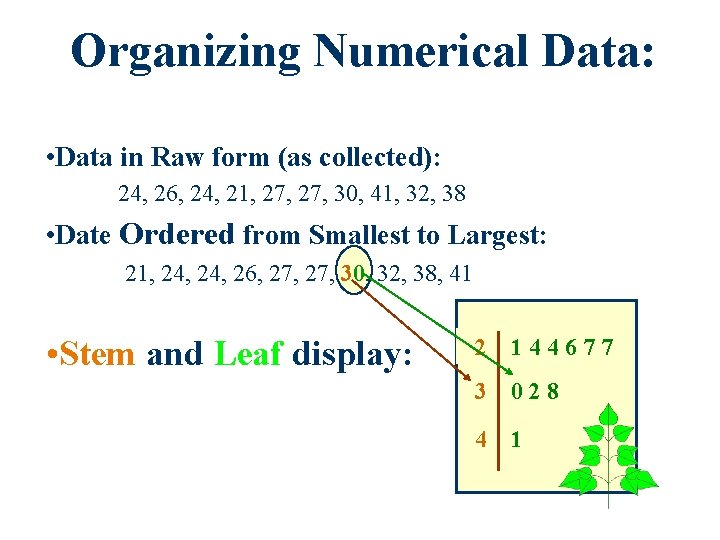
Organizing Numerical Data: • Data in Raw form (as collected): 24, 26, 24, 21, 27, 30, 41, 32, 38 • Date Ordered from Smallest to Largest: 21, 24, 26, 27, 30, 32, 38, 41 • Stem and Leaf display: 2 144677 3 028 4 1
Organizing Numerical Data Ordered Array 21, 24, 26, 27, 30, 32, 38, 41 Stem and Leaf Display 41, 24, 32, 26, 27, 30, 24, 38, 21 Frequency Distributions Cumulative Distributions Histograms 2 144677 3 028 4 1 Tables Ogive Polygons
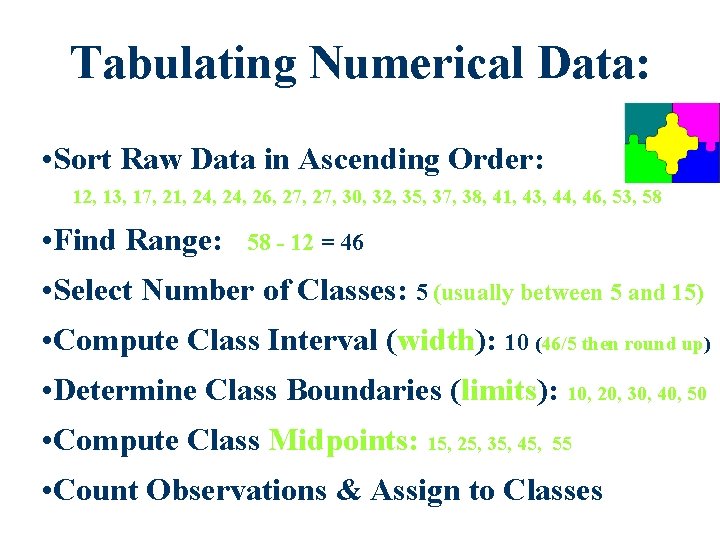
Tabulating Numerical Data: • Sort Raw Data in Ascending Order: 12, 13, 17, 21, 24, 26, 27, 30, 32, 35, 37, 38, 41, 43, 44, 46, 53, 58 • Find Range: 58 - 12 = 46 • Select Number of Classes: 5 (usually between 5 and 15) • Compute Class Interval (width): 10 (46/5 then round up) • Determine Class Boundaries (limits): 10, 20, 30, 40, 50 • Compute Class Midpoints: 15, 25, 35, 45, 55 • Count Observations & Assign to Classes
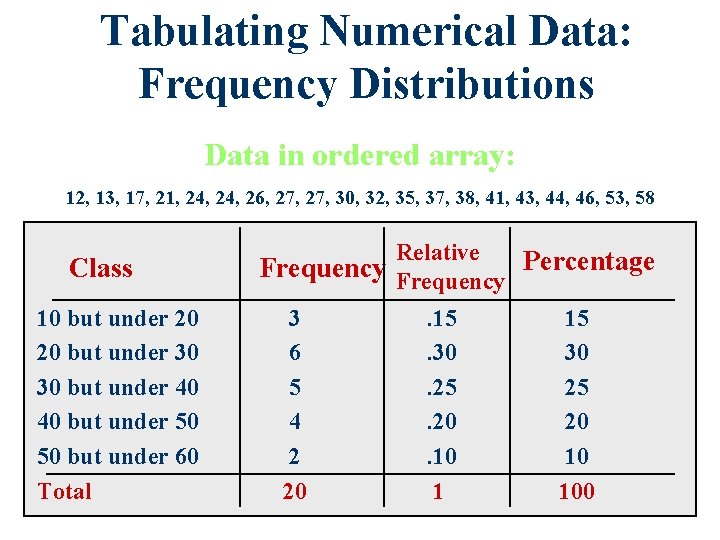
Tabulating Numerical Data: Frequency Distributions Data in ordered array: 12, 13, 17, 21, 24, 26, 27, 30, 32, 35, 37, 38, 41, 43, 44, 46, 53, 58 Class 10 but under 20 20 but under 30 30 but under 40 40 but under 50 50 but under 60 Total Relative Frequency Percentage 3 6 5 4 2 20 . 15. 30. 25. 20. 10 1 15 30 25 20 10 100
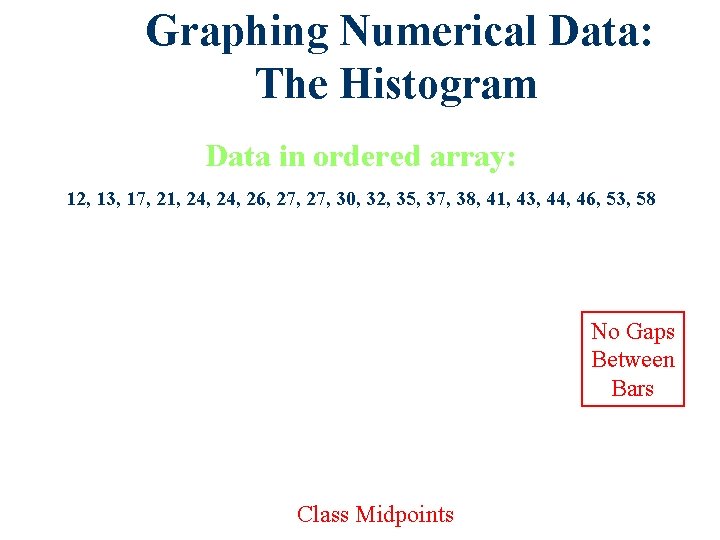
Graphing Numerical Data: The Histogram Data in ordered array: 12, 13, 17, 21, 24, 26, 27, 30, 32, 35, 37, 38, 41, 43, 44, 46, 53, 58 No Gaps Between Bars Class Midpoints
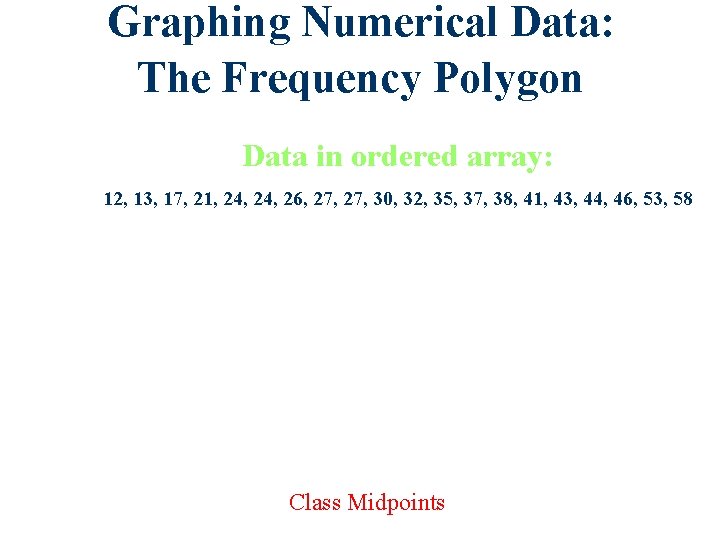
Graphing Numerical Data: The Frequency Polygon Data in ordered array: 12, 13, 17, 21, 24, 26, 27, 30, 32, 35, 37, 38, 41, 43, 44, 46, 53, 58 Class Midpoints
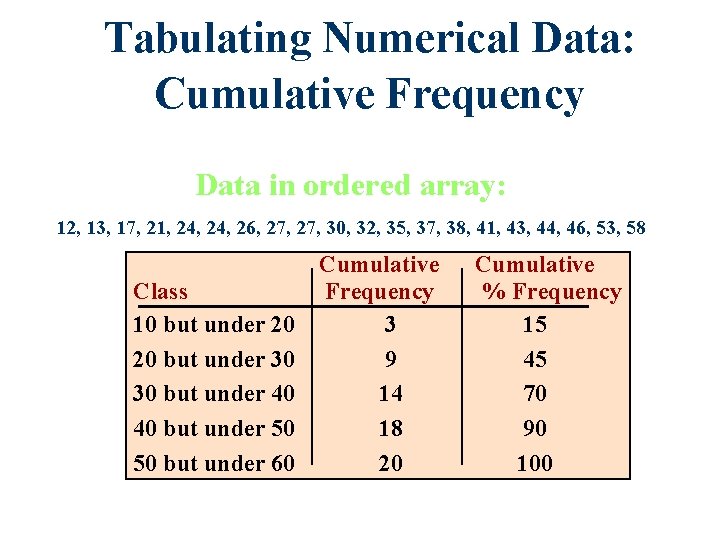
Tabulating Numerical Data: Cumulative Frequency Data in ordered array: 12, 13, 17, 21, 24, 26, 27, 30, 32, 35, 37, 38, 41, 43, 44, 46, 53, 58 Class 10 but under 20 20 but under 30 30 but under 40 40 but under 50 50 but under 60 Cumulative Frequency 3 9 14 18 20 Cumulative % Frequency 15 45 70 90 100
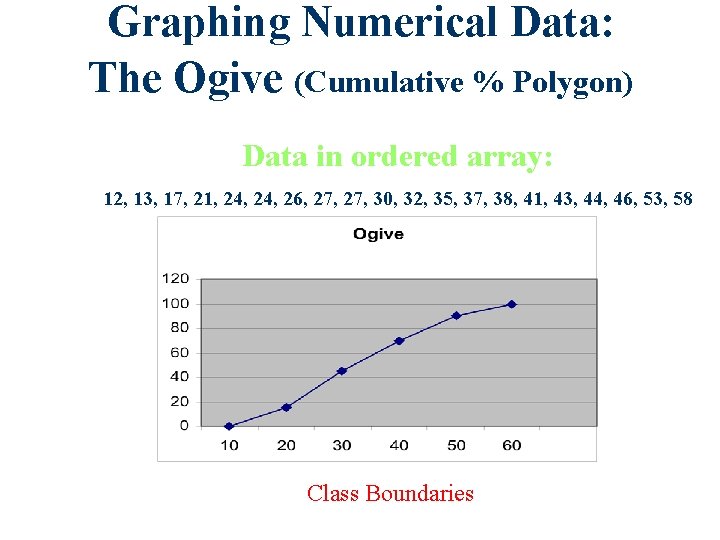
Graphing Numerical Data: The Ogive (Cumulative % Polygon) Data in ordered array: 12, 13, 17, 21, 24, 26, 27, 30, 32, 35, 37, 38, 41, 43, 44, 46, 53, 58 Class Boundaries
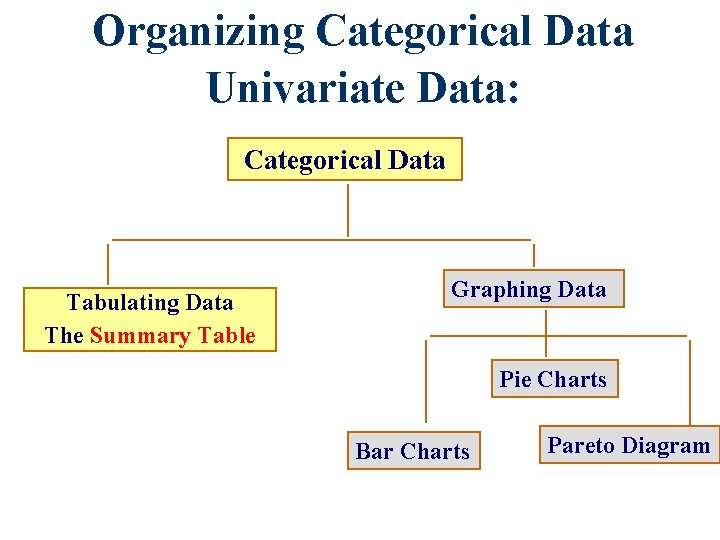
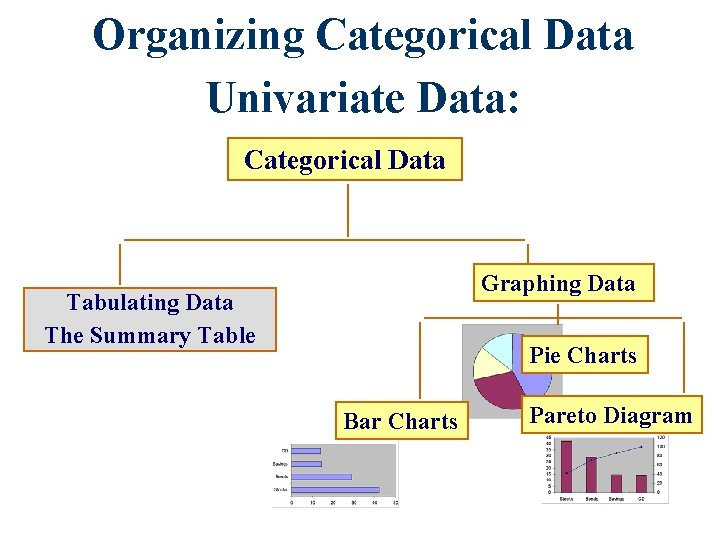
Organizing Categorical Data Univariate Data: Categorical Data Tabulating Data The Summary Table Graphing Data Pie Charts Bar Charts Pareto Diagram
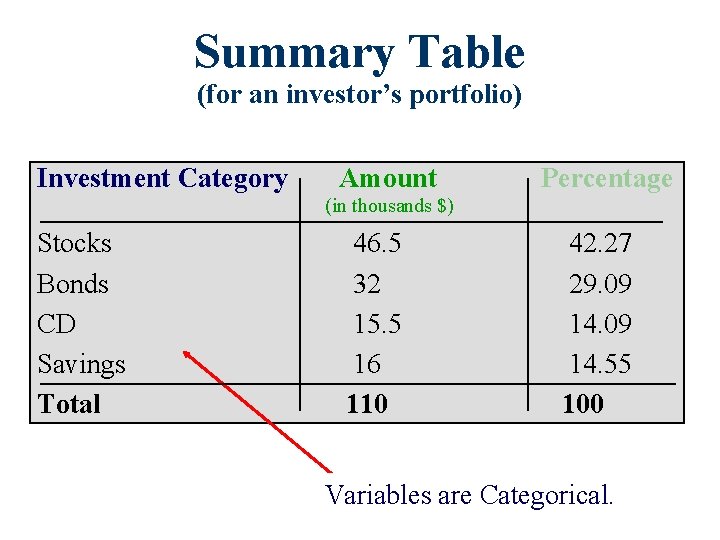
Summary Table (for an investor’s portfolio) Investment Category Amount Percentage (in thousands $) Stocks Bonds CD Savings Total 46. 5 32 15. 5 16 110 42. 27 29. 09 14. 55 100 Variables are Categorical.
Organizing Categorical Data Univariate Data: Categorical Data Graphing Data Tabulating Data The Summary Table Pie Charts Bar Charts Pareto Diagram
Bar Chart (for an investor’s portfolio)
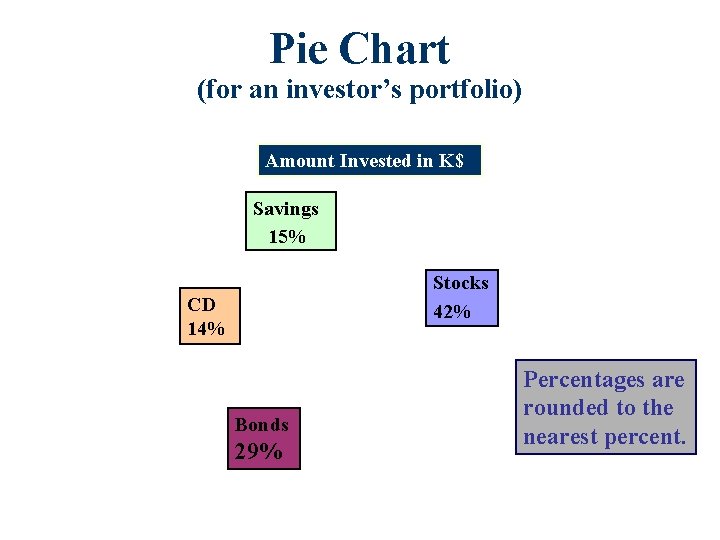
Pie Chart (for an investor’s portfolio) Amount Invested in K$ Savings 15% Stocks 42% CD 14% Bonds 29% Percentages are rounded to the nearest percent.
Pareto Diagram Axis for bar chart shows % invested in each category. Axis for line graph shows cumulative % invested.
Organizing Bivariate Categorical Data • Contingency Tables • Side by Side Charts
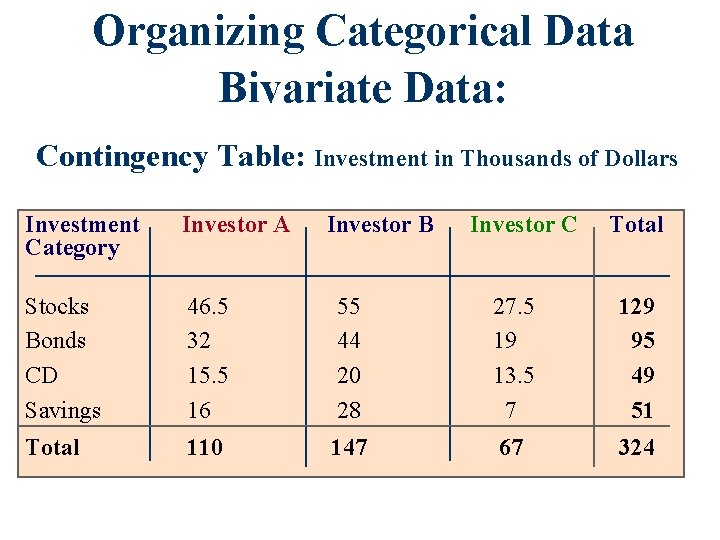
Organizing Categorical Data Bivariate Data: Contingency Table: Investment in Thousands of Dollars Investment Category Investor A Investor B Investor C Total Stocks Bonds CD Savings 46. 5 32 15. 5 16 55 44 20 28 27. 5 19 13. 5 7 129 95 49 51 Total 110 147 67 324
Organizing Categorical Data Bivariate Data: Side by Side Chart
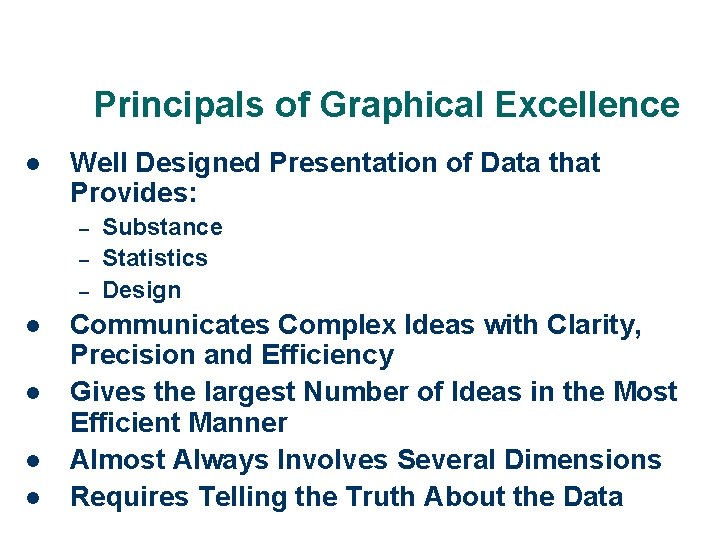
Principals of Graphical Excellence l Well Designed Presentation of Data that Provides: – – – l l Substance Statistics Design Communicates Complex Ideas with Clarity, Precision and Efficiency Gives the largest Number of Ideas in the Most Efficient Manner Almost Always Involves Several Dimensions Requires Telling the Truth About the Data
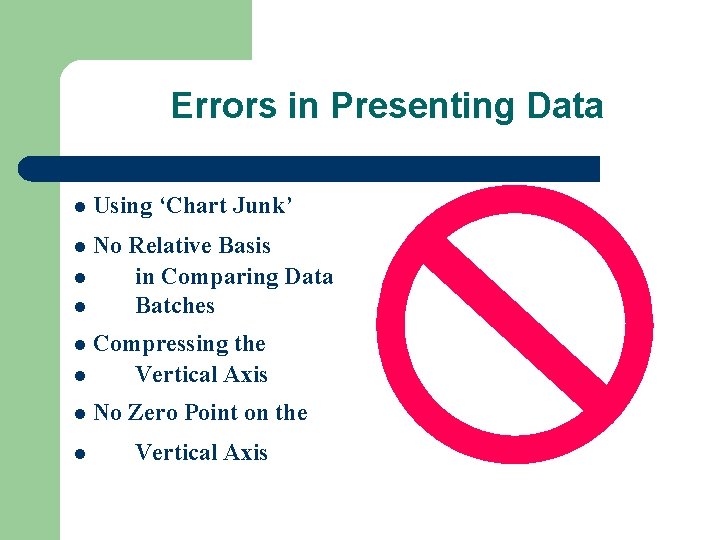
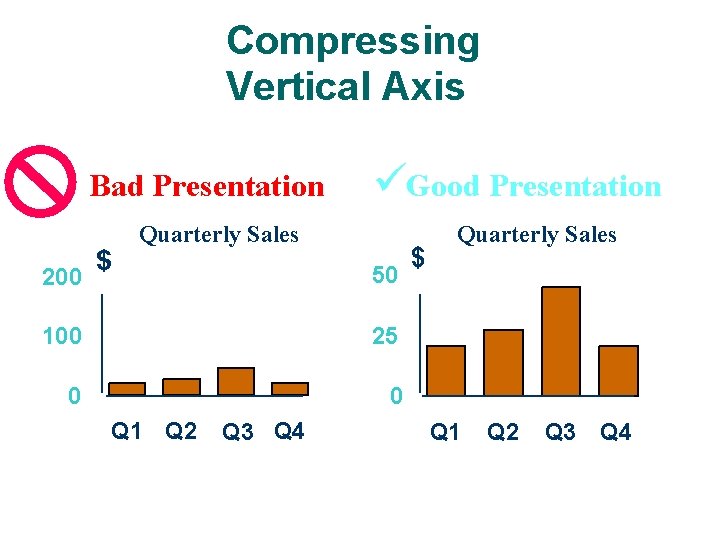
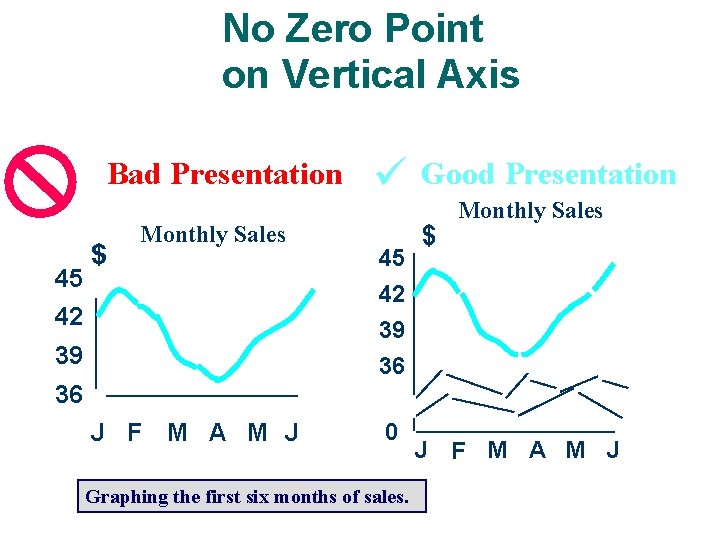
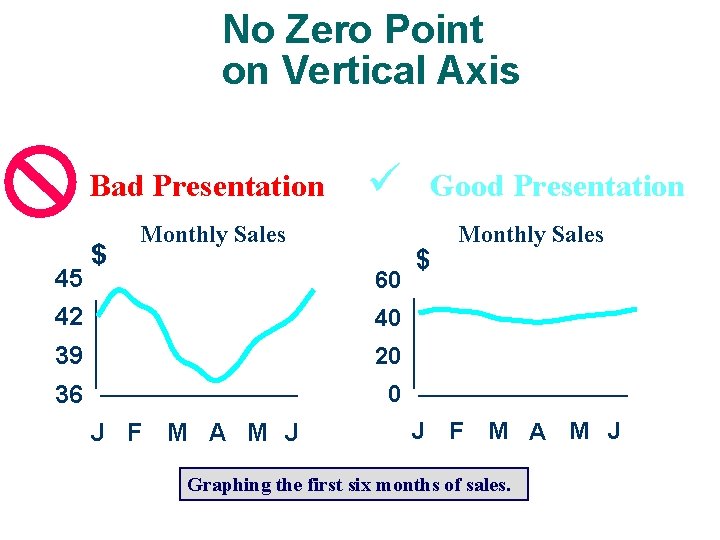
Errors in Presenting Data l Using ‘Chart Junk’ No Relative Basis l in Comparing Data l Batches l Compressing the l Vertical Axis l l No Zero Point on the l Vertical Axis
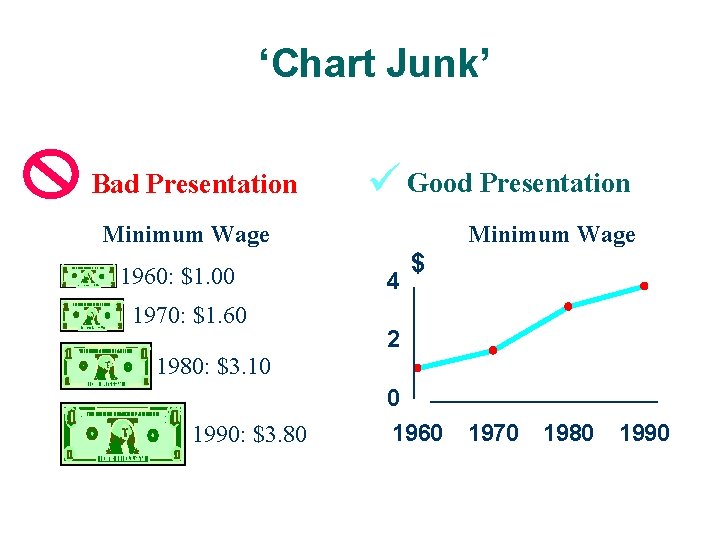
‘Chart Junk’ Bad Presentation ü Good Presentation Minimum Wage 1960: $1. 00 1970: $1. 60 Minimum Wage 4 $ 2 1980: $3. 10 0 1990: $3. 80 1960 1970 1980 1990
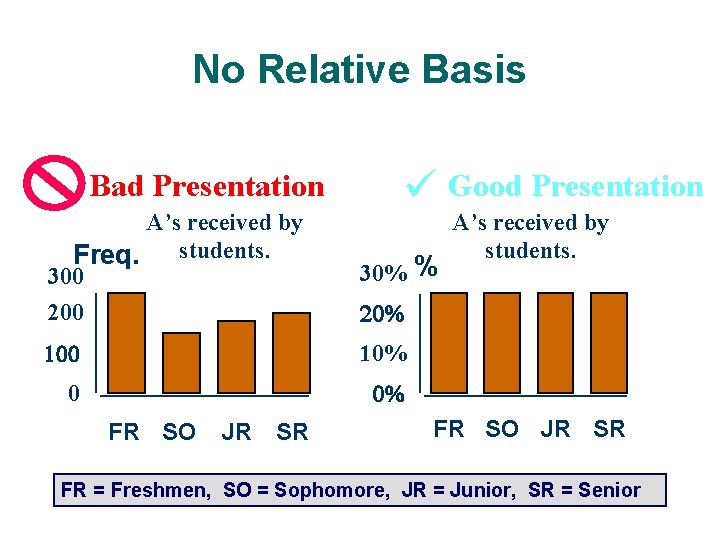
No Relative Basis Bad Presentation ü Good Presentation A’s received by Freq. students. 300 200 30% % 100 10% 0 0% FR SO JR SR A’s received by students. 20% FR SO JR SR FR = Freshmen, SO = Sophomore, JR = Junior, SR = Senior
Compressing Vertical Axis Bad Presentation 200 $ üGood Presentation Quarterly Sales 50 100 25 0 0 Q 1 Q 2 Q 3 Q 4 $ Quarterly Sales Q 1 Q 2 Q 3 Q 4
No Zero Point on Vertical Axis Bad Presentation 45 $ Monthly Sales 42 39 ü 45 42 39 Good Presentation $ Monthly Sales 36 36 J F M A M J 0 Graphing the first six months of sales. J F M A M J
No Zero Point on Vertical Axis Bad Presentation 45 $ ü Monthly Sales 60 42 40 39 20 36 0 J F M A M J Good Presentation $ Monthly Sales J F M A M J Graphing the first six months of sales.