
PECA Process for Executing Client Approval November 2014
PECA: Process for Executing Client Approval November 2014
Agenda • Definitions • Requesting a PECA • Obtaining a PECA • Entitlements • Authorized Users • Alerts • Completing the PECA Process • Resources BRNDEXP 2. 1 0714 © 2014 Cerner Corporation. All rights reserved. This document contains Cerner confidential and/or proprietary information belonging to Cerner Corporation and/or its related affiliates which may not be reproduced or transmitted in any form or by any means without the express written consent of Cerner 1
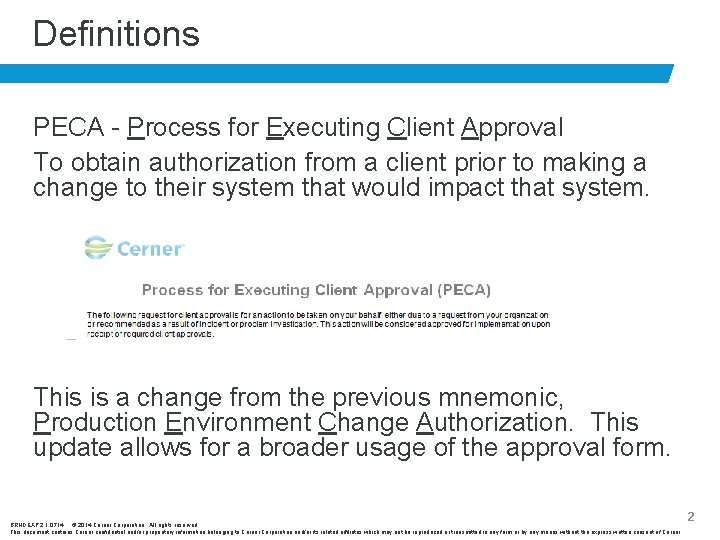
Definitions PECA - Process for Executing Client Approval To obtain authorization from a client prior to making a change to their system that would impact that system. This is a change from the previous mnemonic, Production Environment Change Authorization. This update allows for a broader usage of the approval form. BRNDEXP 2. 1 0714 © 2014 Cerner Corporation. All rights reserved. This document contains Cerner confidential and/or proprietary information belonging to Cerner Corporation and/or its related affiliates which may not be reproduced or transmitted in any form or by any means without the express written consent of Cerner 2
Changes that would require authorization: • All database changes • Patient record changes • System or operating level changes All Cerner Associates are required to comply with the PECA process any time production environment changes are made. BRNDEXP 2. 1 0714 © 2014 Cerner Corporation. All rights reserved. This document contains Cerner confidential and/or proprietary information belonging to Cerner Corporation and/or its related affiliates which may not be reproduced or transmitted in any form or by any means without the express written consent of Cerner 3
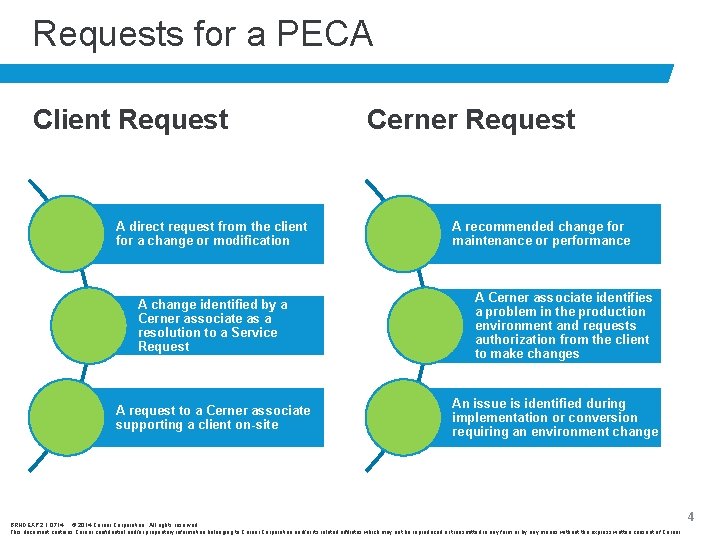
Requests for a PECA Client Request A direct request from the client for a change or modification A change identified by a Cerner associate as a resolution to a Service Request A request to a Cerner associate supporting a client on-site Cerner Request A recommended change for maintenance or performance A Cerner associate identifies a problem in the production environment and requests authorization from the client to make changes An issue is identified during implementation or conversion requiring an environment change BRNDEXP 2. 1 0714 © 2014 Cerner Corporation. All rights reserved. This document contains Cerner confidential and/or proprietary information belonging to Cerner Corporation and/or its related affiliates which may not be reproduced or transmitted in any form or by any means without the express written consent of Cerner 4
Things to Remember: • No Cerner Associate should make any changes to a client’s system prior to receiving appropriate approval. • If a third party vendor or supplier requests the change, authorization still needs to be obtained from the client. • It is Cerner policy not to delete patient records from client databases. BRNDEXP 2. 1 0714 © 2014 Cerner Corporation. All rights reserved. This document contains Cerner confidential and/or proprietary information belonging to Cerner Corporation and/or its related affiliates which may not be reproduced or transmitted in any form or by any means without the express written consent of Cerner 5
Obtaining a PECA Option 1: Complete and email the PECA template from Navigator. ***Most commonly used for Verbal agreements*** 1) Using the F 9 email functionality within the SR, choose the “PECA Template”. 2) Once the template loads, use the information provided by the client to complete the “Reason for Change/Action” and “Description of Change/Action” fields. 3) Add the Cerner Ambulatory Support fax number to the bottom of the template, if necessary. 4) Send the PECA template from the SR. 5) The client can reply to the email with authorization or call with verbal authorization. BRNDEXP 2. 1 0714 © 2014 Cerner Corporation. All rights reserved. This document contains Cerner confidential and/or proprietary information belonging to Cerner Corporation and/or its related affiliates which may not be reproduced or transmitted in any form or by any means without the express written consent of Cerner 6

Obtaining a PECA Option 2: Complete and email the PECA template from the Word document. ***Most commonly used for Written agreements*** 1) Download the PECA template and electronically complete the fields based on the information provided by the client. Include the SR number, client name, client mnemonic, solution, and date. 2) Email the saved PECA form to the client from the SR. 3) Attach the signed form to the SR once it is received from the client. Note: PHI rules still apply. If a request contains protected health information, the request will need to be completed in the Word document then encrypted before being sent to the client for approval. BRNDEXP 2. 1 0714 © 2014 Cerner Corporation. All rights reserved. This document contains Cerner confidential and/or proprietary information belonging to Cerner Corporation and/or its related affiliates which may not be reproduced or transmitted in any form or by any means without the express written consent of Cerner 7
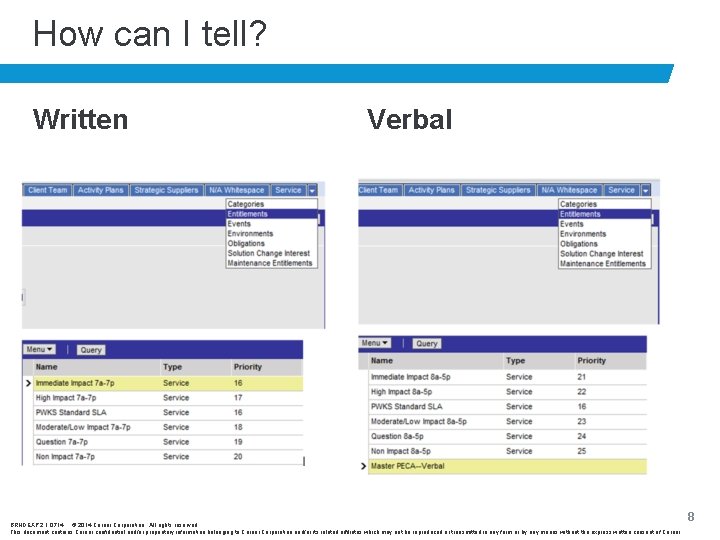
How can I tell? Written Verbal BRNDEXP 2. 1 0714 © 2014 Cerner Corporation. All rights reserved. This document contains Cerner confidential and/or proprietary information belonging to Cerner Corporation and/or its related affiliates which may not be reproduced or transmitted in any form or by any means without the express written consent of Cerner 8
Entitlements • Access to the client’s entitlements can be found under the Client or Service tab in Navigator. • If an authorization is not found on the Entitlements tab in Navigator or if you are unable to view Entitlements in Navigator, the change request requires written approval. BRNDEXP 2. 1 0714 © 2014 Cerner Corporation. All rights reserved. This document contains Cerner confidential and/or proprietary information belonging to Cerner Corporation and/or its related affiliates which may not be reproduced or transmitted in any form or by any means without the express written consent of Cerner 9
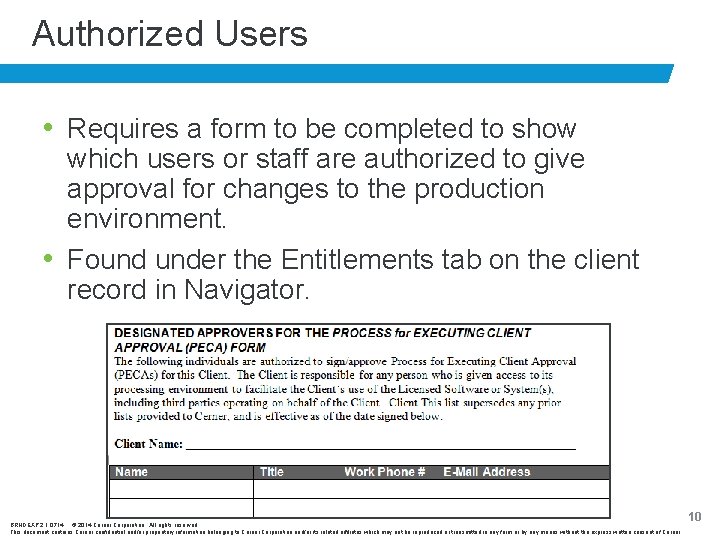
Authorized Users • Requires a form to be completed to show which users or staff are authorized to give approval for changes to the production environment. • Found under the Entitlements tab on the client record in Navigator. BRNDEXP 2. 1 0714 © 2014 Cerner Corporation. All rights reserved. This document contains Cerner confidential and/or proprietary information belonging to Cerner Corporation and/or its related affiliates which may not be reproduced or transmitted in any form or by any means without the express written consent of Cerner 10
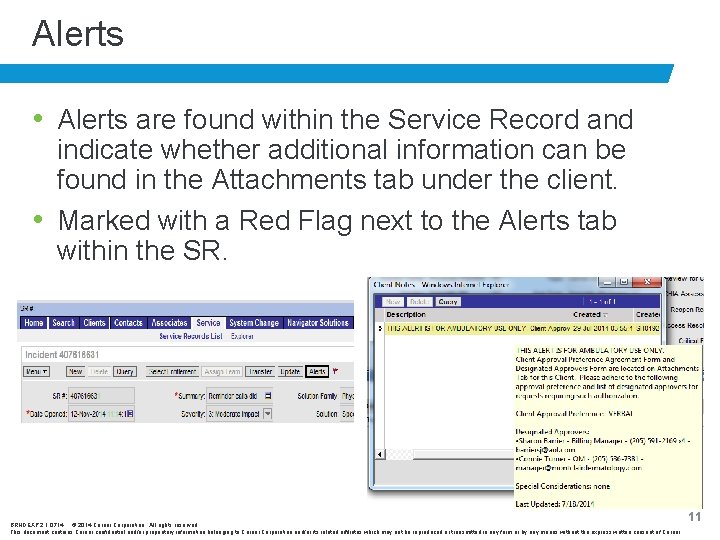
Alerts • Alerts are found within the Service Record and indicate whether additional information can be found in the Attachments tab under the client. • Marked with a Red Flag next to the Alerts tab within the SR. BRNDEXP 2. 1 0714 © 2014 Cerner Corporation. All rights reserved. This document contains Cerner confidential and/or proprietary information belonging to Cerner Corporation and/or its related affiliates which may not be reproduced or transmitted in any form or by any means without the express written consent of Cerner 11
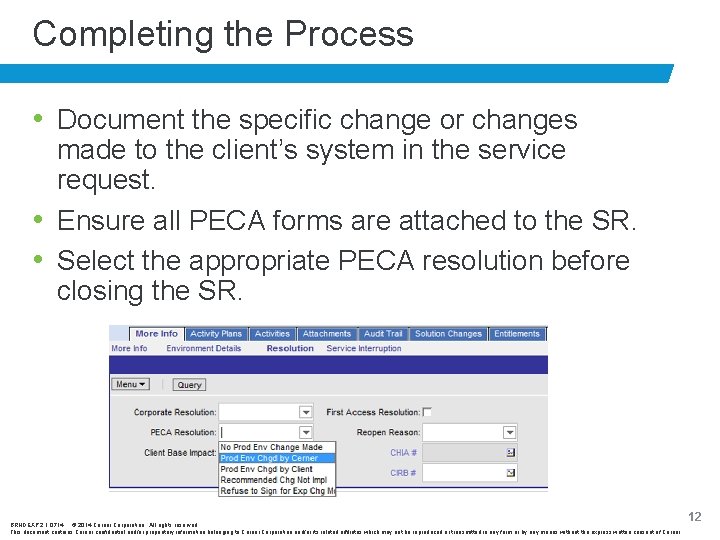
Completing the Process • Document the specific change or changes made to the client’s system in the service request. • Ensure all PECA forms are attached to the SR. • Select the appropriate PECA resolution before closing the SR. BRNDEXP 2. 1 0714 © 2014 Cerner Corporation. All rights reserved. This document contains Cerner confidential and/or proprietary information belonging to Cerner Corporation and/or its related affiliates which may not be reproduced or transmitted in any form or by any means without the express written consent of Cerner 12
Resources: • Cerner Ambulatory PECA Process SOP https: //wiki. ucern. com/display/public/CNRAMB/Ce rner+Ambulatory+PECA+Process+SOP • Client Approval Management Policy https: //wiki. ucern. com/display/public/cqm/Client+A pproval+Management+Policy • Cerner Client Approval Management (PECA) Training https: //wiki. ucern. com/display/public/cqm/Cerner+ Client+Approval+Management+%28 PECA%29+Tr aining • Process for Executing Client Approval (PECA) Form https: //wiki. ucern. com/x/CIdh. T BRNDEXP 2. 1 0714 © 2014 Cerner Corporation. All rights reserved. This document contains Cerner confidential and/or proprietary information belonging to Cerner Corporation and/or its related affiliates which may not be reproduced or transmitted in any form or by any means without the express written consent of Cerner 13

Questions? ? BRNDEXP 2. 1 0714 © 2014 Cerner Corporation. All rights reserved. This document contains Cerner confidential and/or proprietary information belonging to Cerner Corporation and/or its related affiliates which may not be reproduced or transmitted in any form or by any means without the express written consent of Cerner 14
- Slides: 15