
Pearson VUE Authorization to Test ATT Purchase and
- Slides: 27
Pearson VUE Authorization to Test (ATT) Purchase and Single Sign On Scheduling Process For candidates testing worldwide
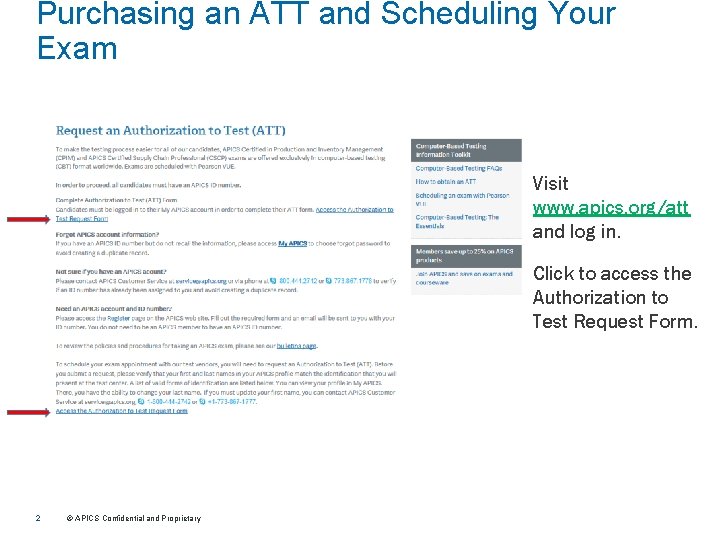
Purchasing an ATT and Scheduling Your Exam Visit www. apics. org/att and log in. Click to access the Authorization to Test Request Form. 2 © APICS Confidential and Proprietary
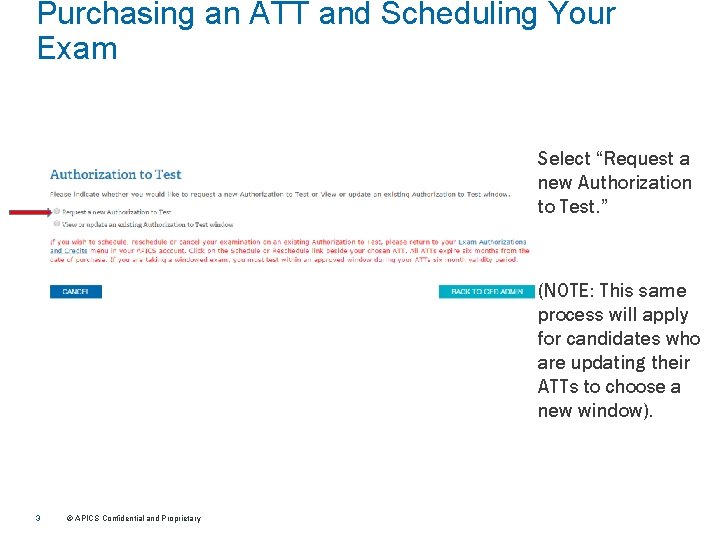
Purchasing an ATT and Scheduling Your Exam Select “Request a new Authorization to Test. ” (NOTE: This same process will apply for candidates who are updating their ATTs to choose a new window). 3 © APICS Confidential and Proprietary
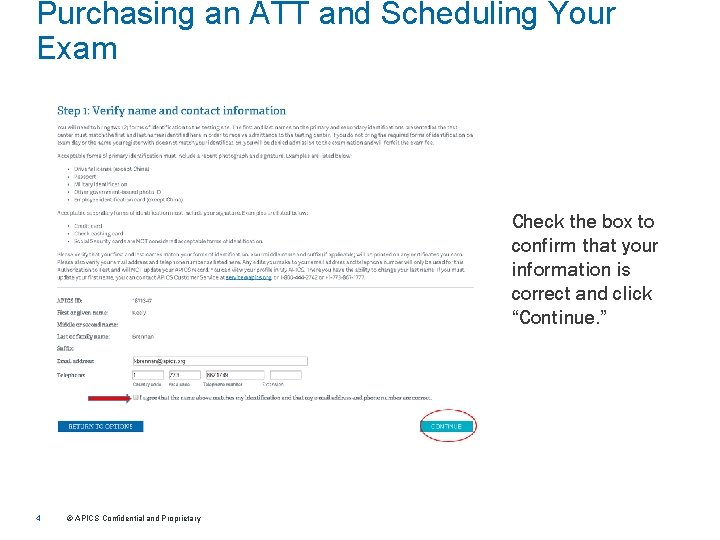
Purchasing an ATT and Scheduling Your Exam Check the box to confirm that your information is correct and click “Continue. ” 4 © APICS Confidential and Proprietary
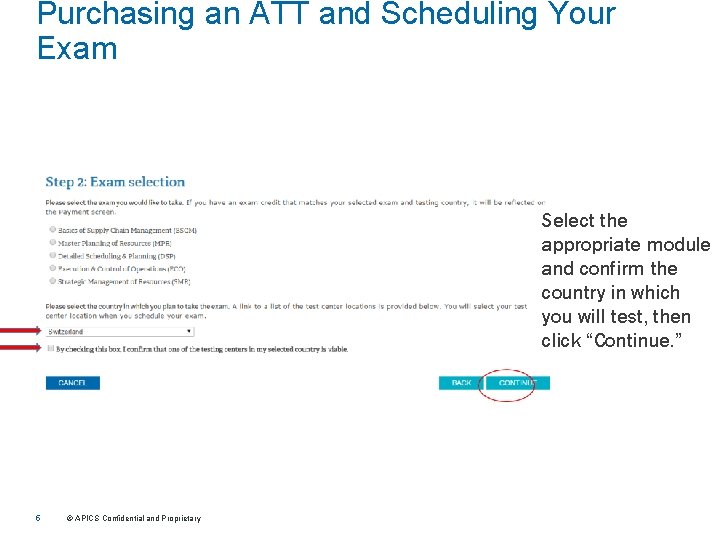
Purchasing an ATT and Scheduling Your Exam Select the appropriate module and confirm the country in which you will test, then click “Continue. ” 5 © APICS Confidential and Proprietary
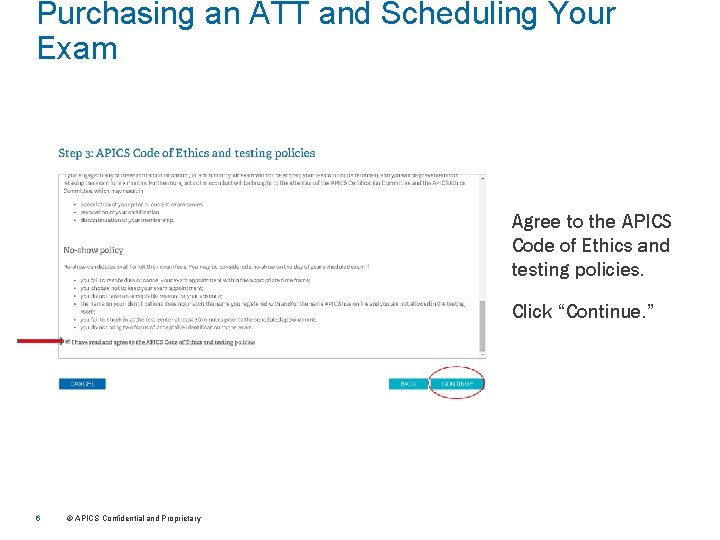
Purchasing an ATT and Scheduling Your Exam Agree to the APICS Code of Ethics and testing policies. Click “Continue. ” 6 © APICS Confidential and Proprietary
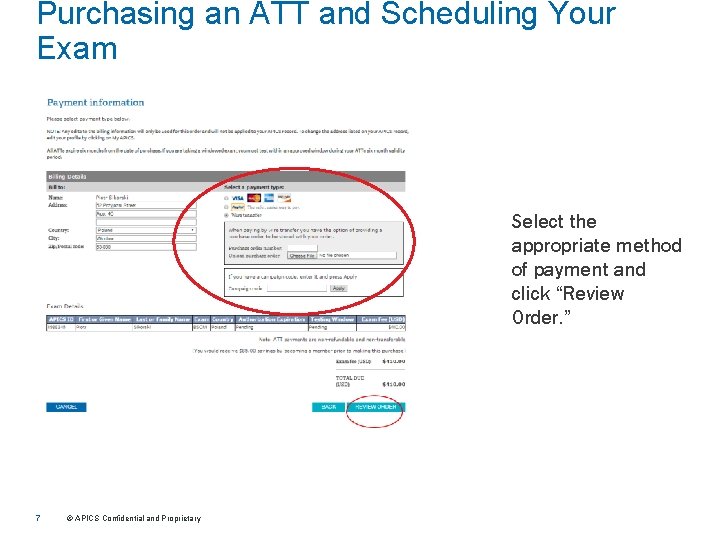
Purchasing an ATT and Scheduling Your Exam Select the appropriate method of payment and click “Review Order. ” 7 © APICS Confidential and Proprietary
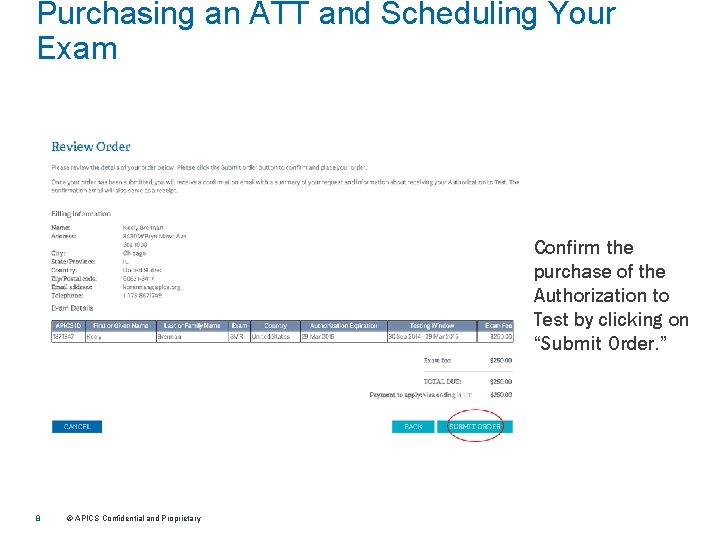
Purchasing an ATT and Scheduling Your Exam Confirm the purchase of the Authorization to Test by clicking on “Submit Order. ” 8 © APICS Confidential and Proprietary
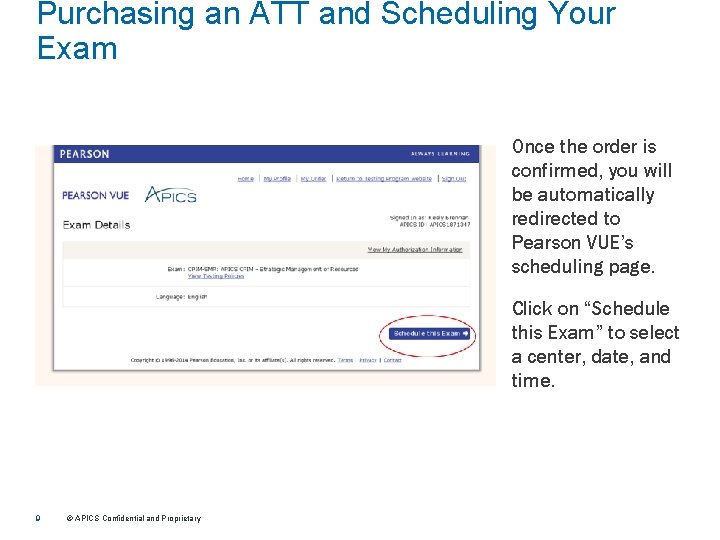
Purchasing an ATT and Scheduling Your Exam Once the order is confirmed, you will be automatically redirected to Pearson VUE’s scheduling page. Click on “Schedule this Exam” to select a center, date, and time. 9 © APICS Confidential and Proprietary
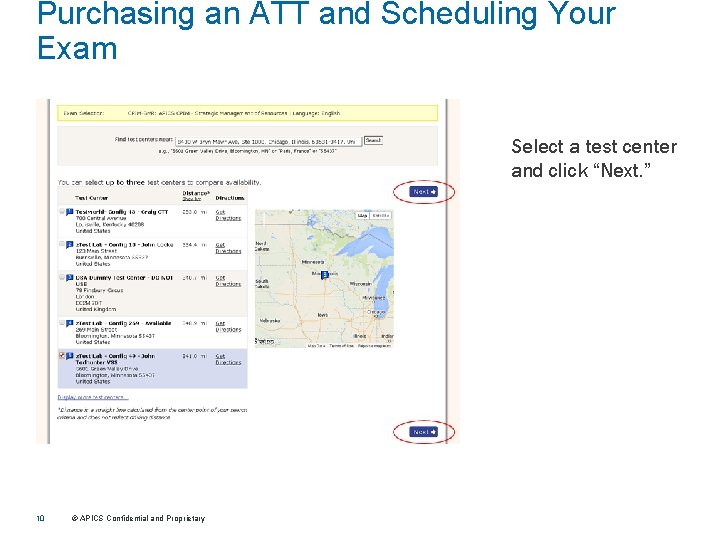
Purchasing an ATT and Scheduling Your Exam Select a test center and click “Next. ” 10 © APICS Confidential and Proprietary
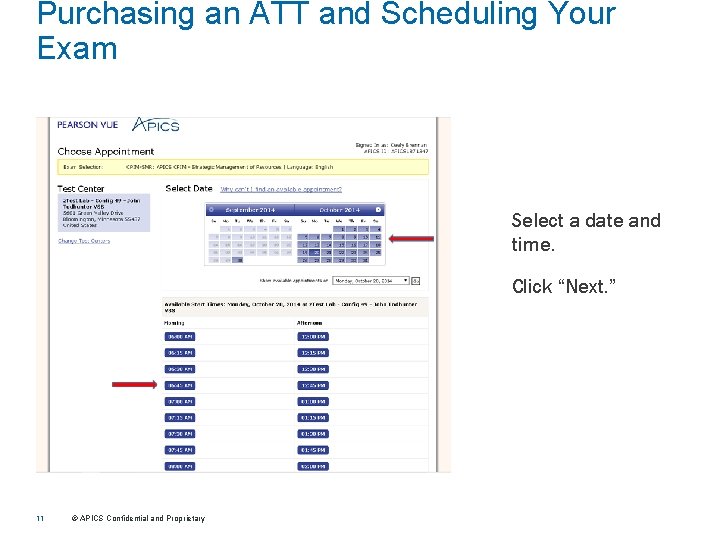
Purchasing an ATT and Scheduling Your Exam Select a date and time. Click “Next. ” 11 © APICS Confidential and Proprietary
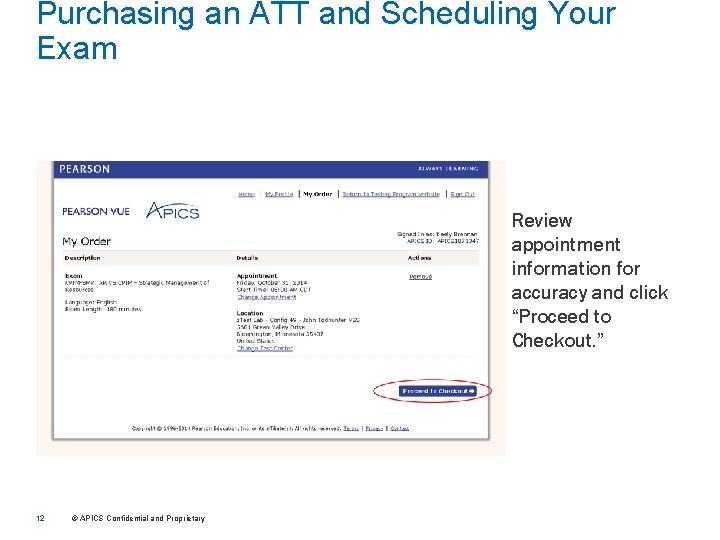
Purchasing an ATT and Scheduling Your Exam Review appointment information for accuracy and click “Proceed to Checkout. ” 12 © APICS Confidential and Proprietary
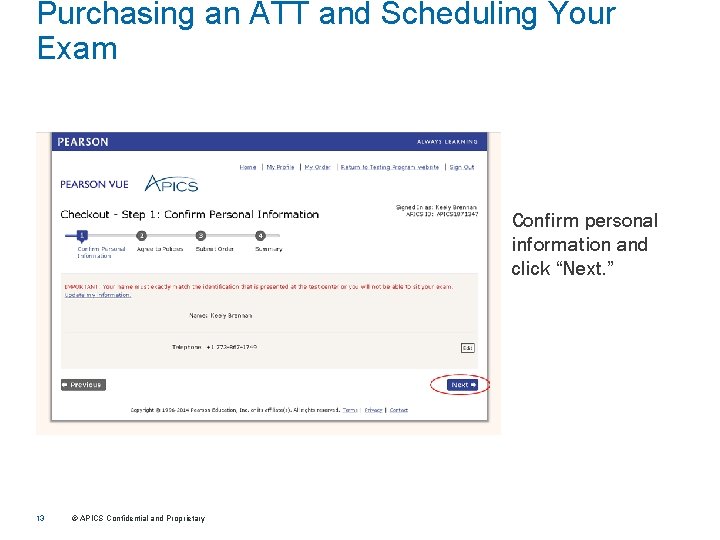
Purchasing an ATT and Scheduling Your Exam Confirm personal information and click “Next. ” 13 © APICS Confidential and Proprietary
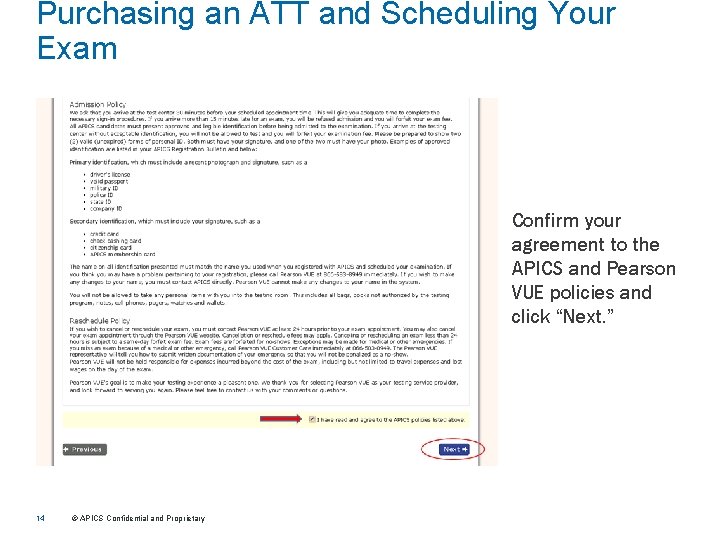
Purchasing an ATT and Scheduling Your Exam Confirm your agreement to the APICS and Pearson VUE policies and click “Next. ” 14 © APICS Confidential and Proprietary
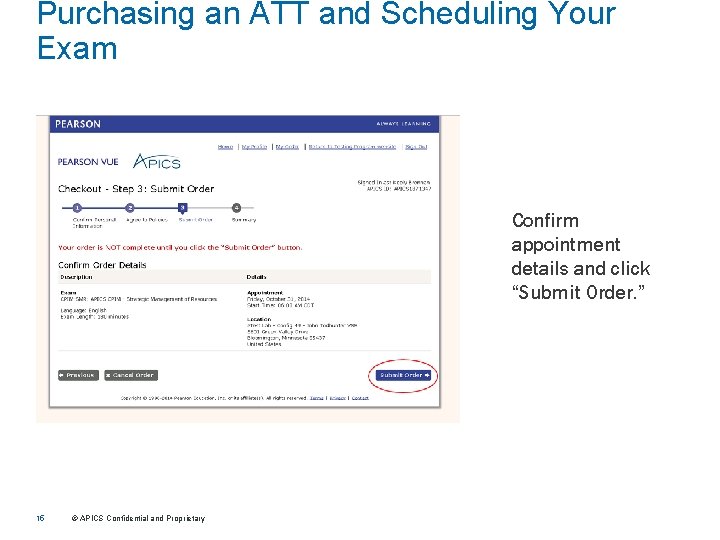
Purchasing an ATT and Scheduling Your Exam Confirm appointment details and click “Submit Order. ” 15 © APICS Confidential and Proprietary
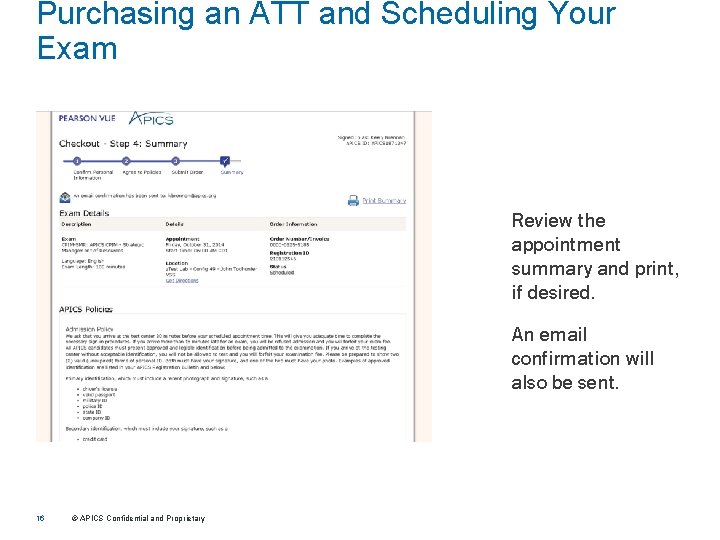
Purchasing an ATT and Scheduling Your Exam Review the appointment summary and print, if desired. An email confirmation will also be sent. 16 © APICS Confidential and Proprietary
Pearson VUE Accessing Pearson VUE’s scheduling system
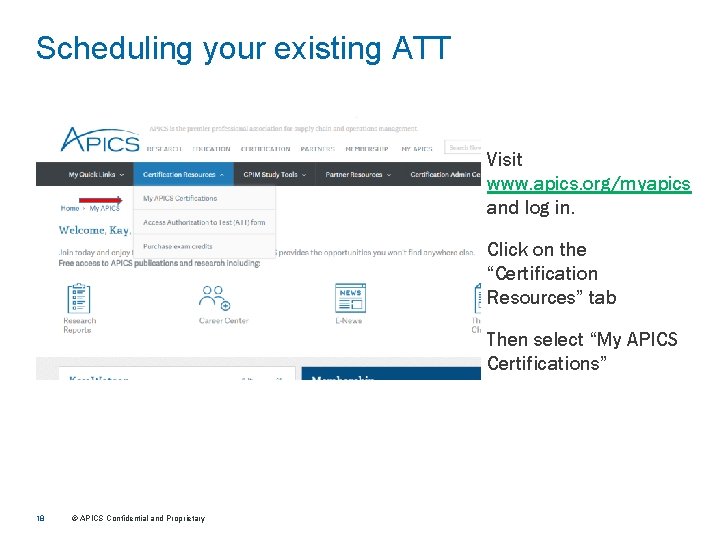
Scheduling your existing ATT Visit www. apics. org/myapics and log in. Click on the “Certification Resources” tab Then select “My APICS Certifications” 18 © APICS Confidential and Proprietary
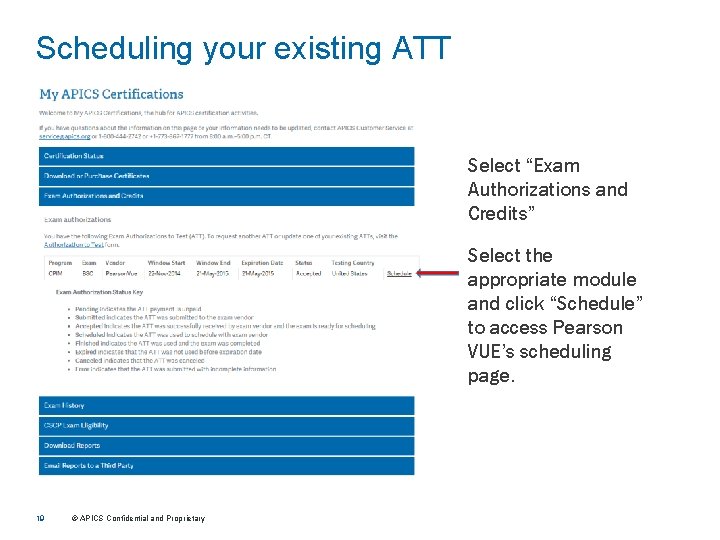
Scheduling your existing ATT Select “Exam Authorizations and Credits” Select the appropriate module and click “Schedule” to access Pearson VUE’s scheduling page. 19 © APICS Confidential and Proprietary
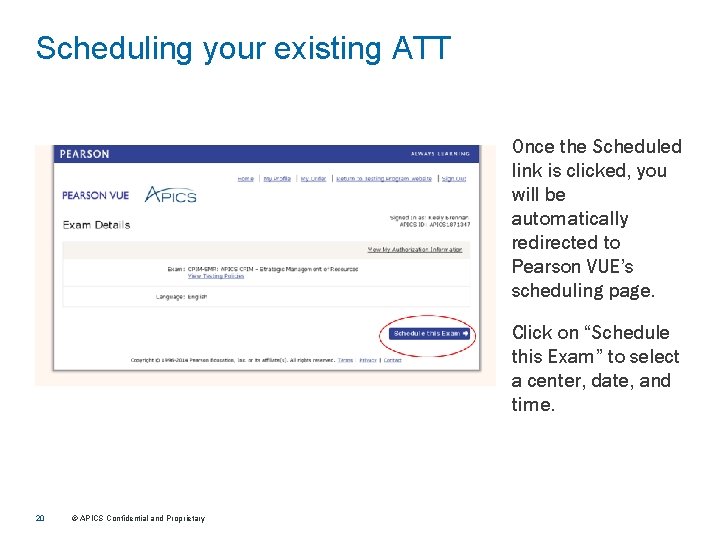
Scheduling your existing ATT Once the Scheduled link is clicked, you will be automatically redirected to Pearson VUE’s scheduling page. Click on “Schedule this Exam” to select a center, date, and time. 20 © APICS Confidential and Proprietary
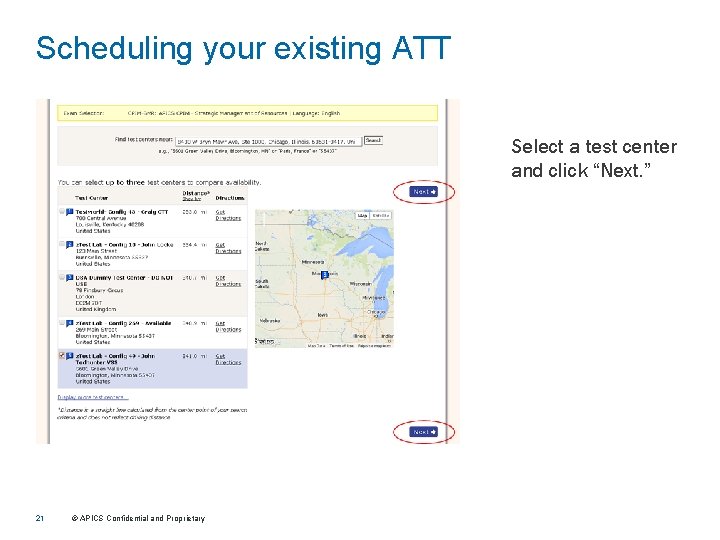
Scheduling your existing ATT Select a test center and click “Next. ” 21 © APICS Confidential and Proprietary
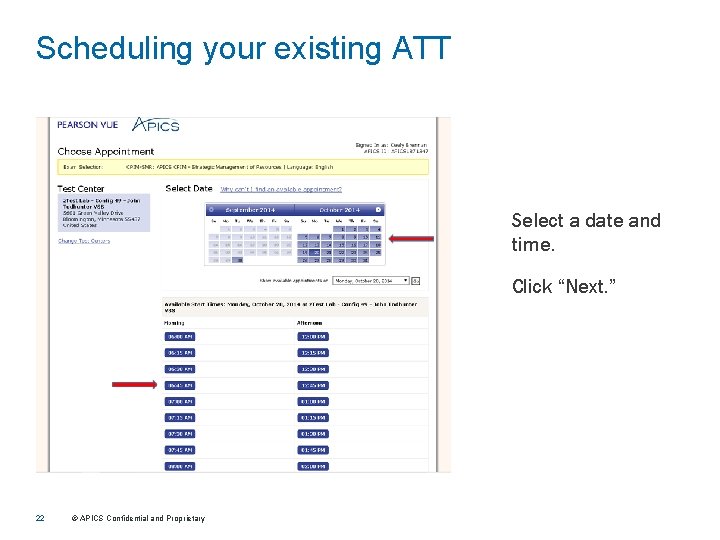
Scheduling your existing ATT Select a date and time. Click “Next. ” 22 © APICS Confidential and Proprietary
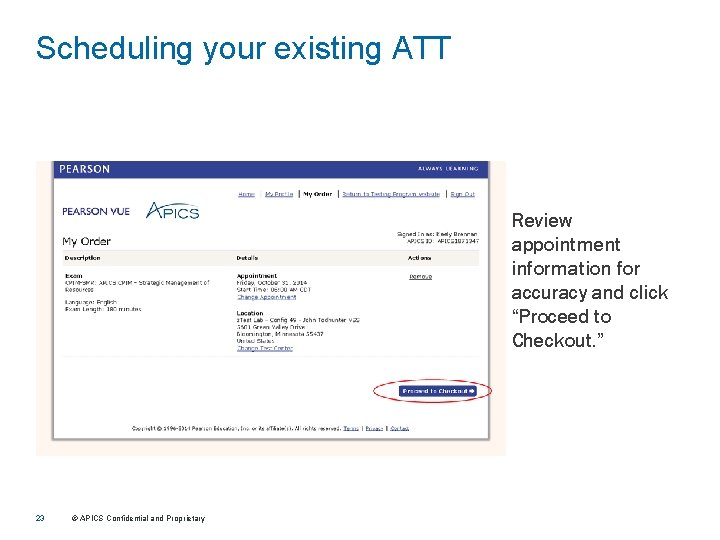
Scheduling your existing ATT Review appointment information for accuracy and click “Proceed to Checkout. ” 23 © APICS Confidential and Proprietary
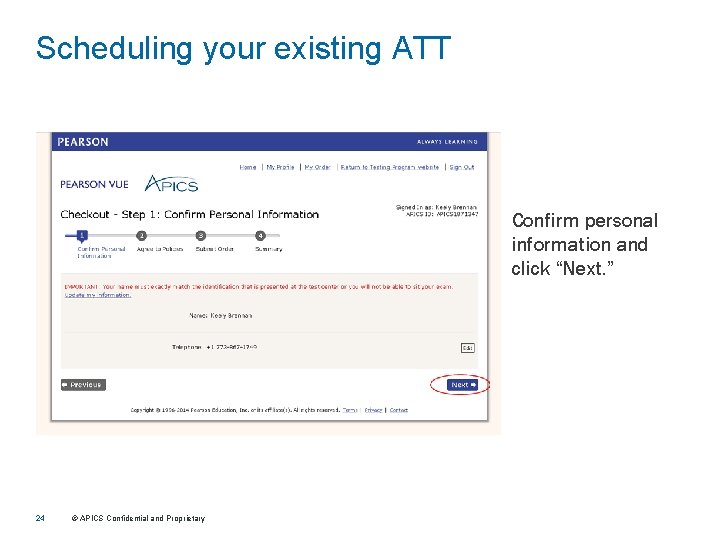
Scheduling your existing ATT Confirm personal information and click “Next. ” 24 © APICS Confidential and Proprietary
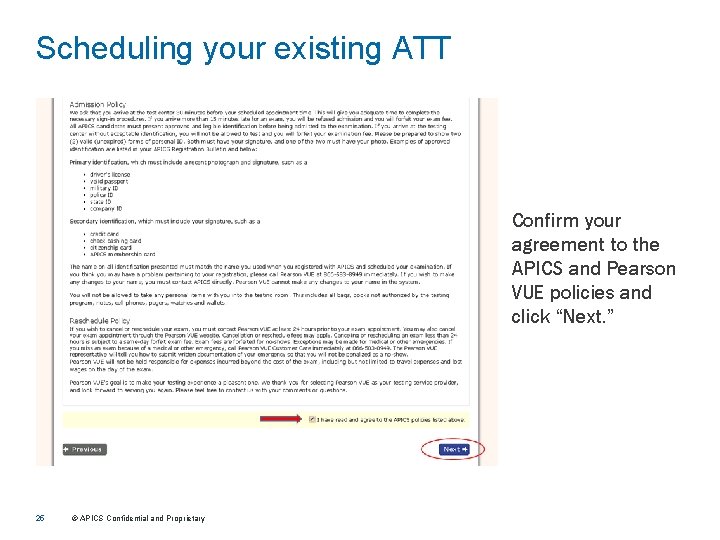
Scheduling your existing ATT Confirm your agreement to the APICS and Pearson VUE policies and click “Next. ” 25 © APICS Confidential and Proprietary
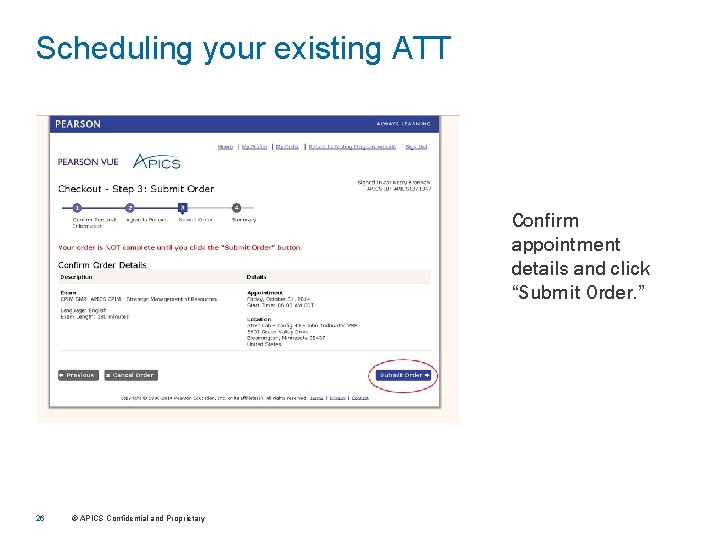
Scheduling your existing ATT Confirm appointment details and click “Submit Order. ” 26 © APICS Confidential and Proprietary
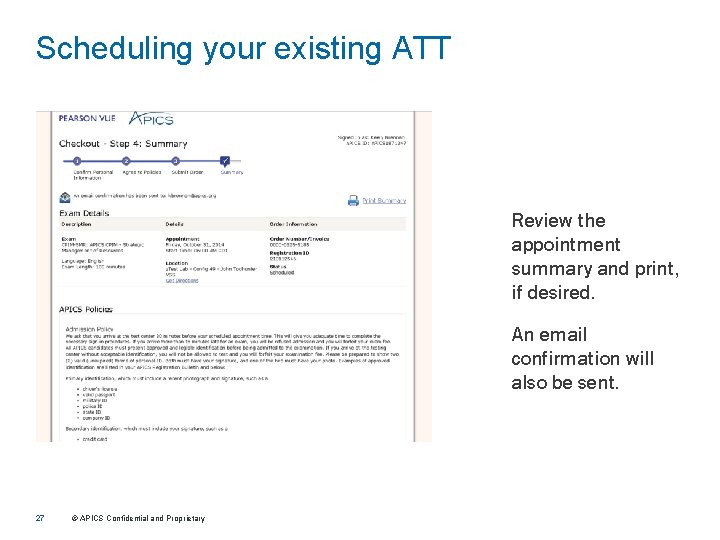
Scheduling your existing ATT Review the appointment summary and print, if desired. An email confirmation will also be sent. 27 © APICS Confidential and Proprietary