
Pearson My Labs and Mastering Tutorial Assessment Programs
Pearson My. Labs and Mastering Tutorial & Assessment Programs What’s New in Product Development Greg Tobin Mary Ann Perry
Contents § Introduction to Pearson My. Labs § New Products this Year – My. Math. Lab for e. College – My. Math. Test § Closer Look at Online Analysis & Reporting – – Mastering My. Math. Lab Copyright© Pearson
Pearson Themes § Excellence in Online Products: Proven Content, Efficacy, Ease of Use, System Performance § Service & Support: Support is a core value - Increasing program and institutional services § Partnership with Campus, Faculty, Students § A Global Perspective Copyright© Pearson
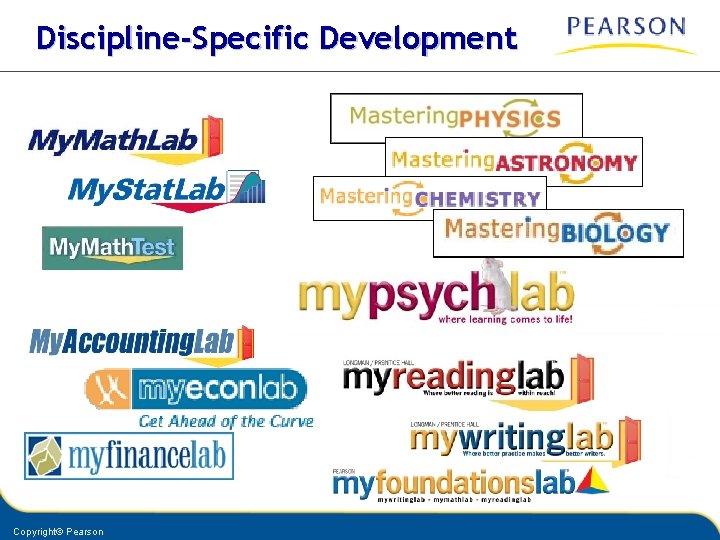
Discipline-Specific Development Copyright© Pearson
Using My. Labs with Campus Systems
My. Math. Lab Has Led the Way § My. Math in Course. Compas § My. Math. Lab for Blackboard § My. Math. Lab for Vista § Newest addition: My. Math. Lab for e. College Copyright© Pearson
e. College § Recently acquired by Pearson § Nationally hosted, on-demand course management system, bundled with Program Administration System and services § e. Learning solutions to post-secondary and K-12 programs § Leading choice for online programs § Premium choice for emporium or hybrid on-campus courses § 24/7 Support Copyright© Pearson
for • Single log in to campus e. College for all MML content • Campus management of all courses in e. College • Campus management of all student enrollment • One-time student access code entry or purchase • Complete My. Math. Lab experience • MML and e. College gradebook integration: Scores from MML pass to e. College gradebook • 24/7 Support - administrators, faculty, students Copyright© Pearson
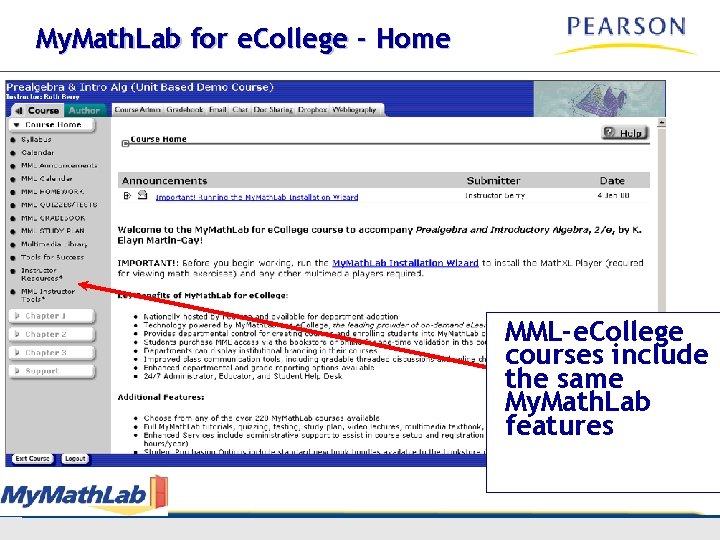
My. Math. Lab for e. College - Home MML-e. College courses include the same My. Math. Lab features Copyright© Pearson
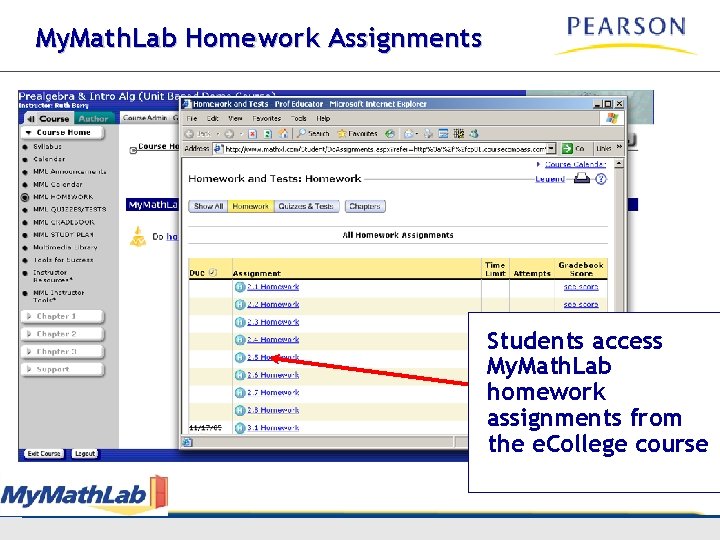
My. Math. Lab Homework Assignments Students access My. Math. Lab homework assignments from the e. College course Copyright© Pearson
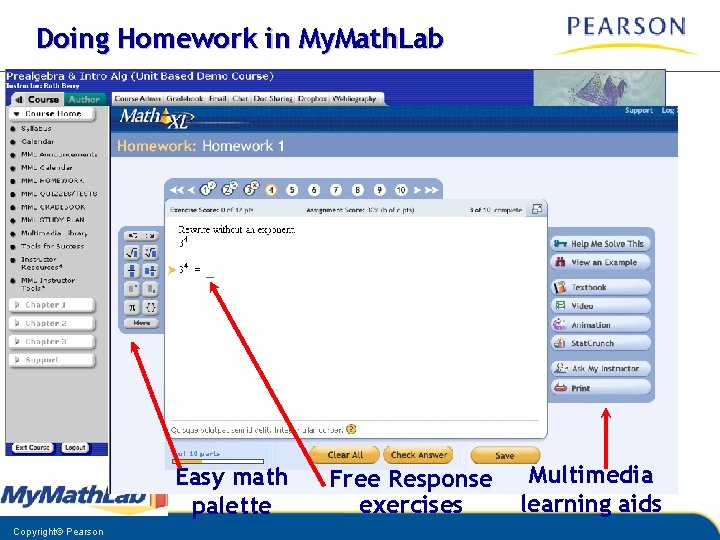
Doing Homework in My. Math. Lab Easy math palette Copyright© Pearson Free Response exercises Multimedia learning aids
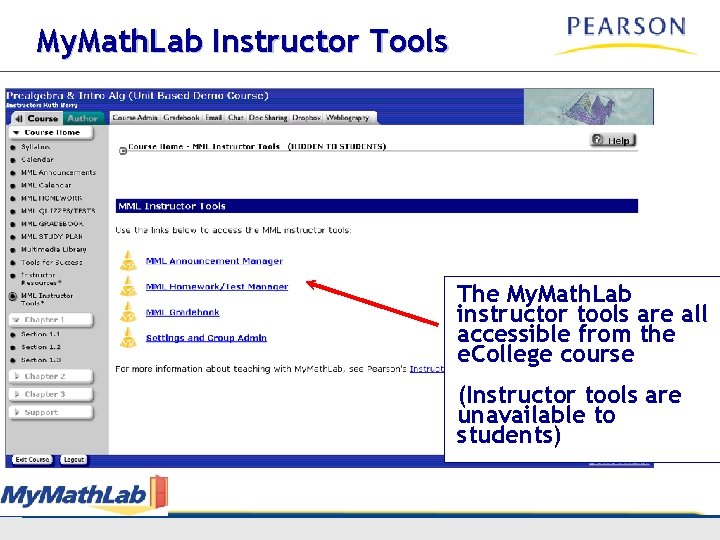
My. Math. Lab Instructor Tools The My. Math. Lab instructor tools are all accessible from the e. College course (Instructor tools are unavailable to students) Copyright© Pearson
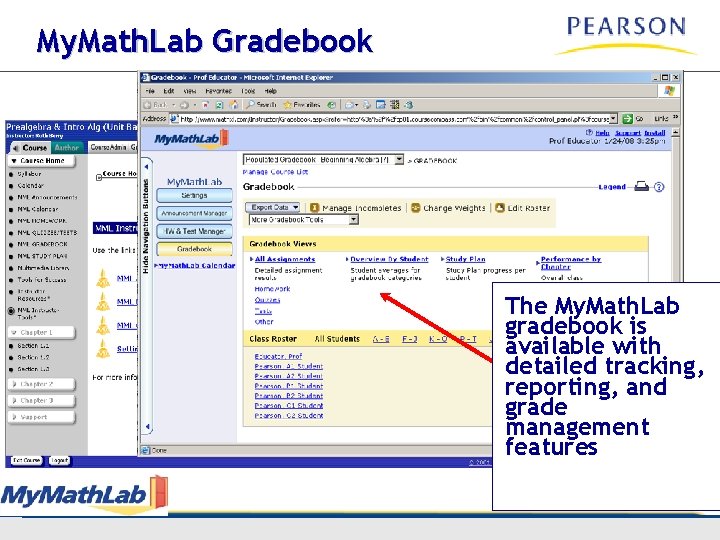
My. Math. Lab Gradebook The My. Math. Lab gradebook is available with detailed tracking, reporting, and grade management features Copyright© Pearson
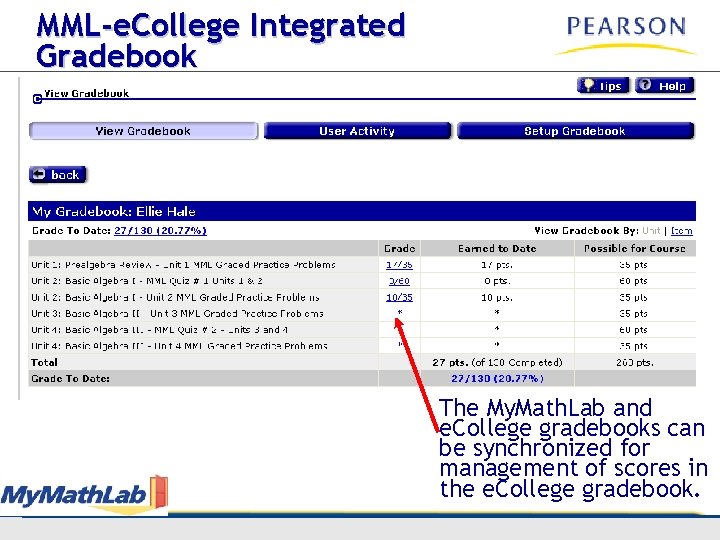
MML-e. College Integrated Gradebook The My. Math. Lab and e. College gradebooks can be synchronized for management of scores in the e. College gradebook. Copyright© Pearson
My. Math. Test - Placement with Diagnostics & Practice
Copyright© Pearson
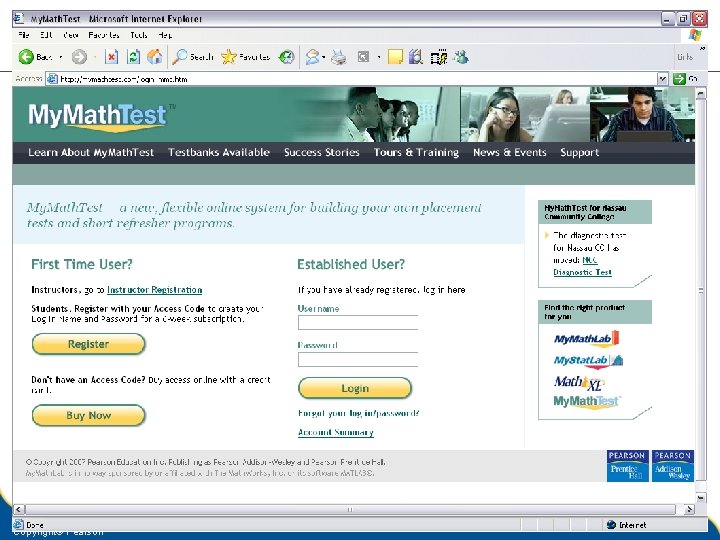
My. Math. Test § A testing and placement tool § Assesses students’ strengths and knowledge gaps § Also for short-term refresher courses § Not text specific Copyright© Pearson
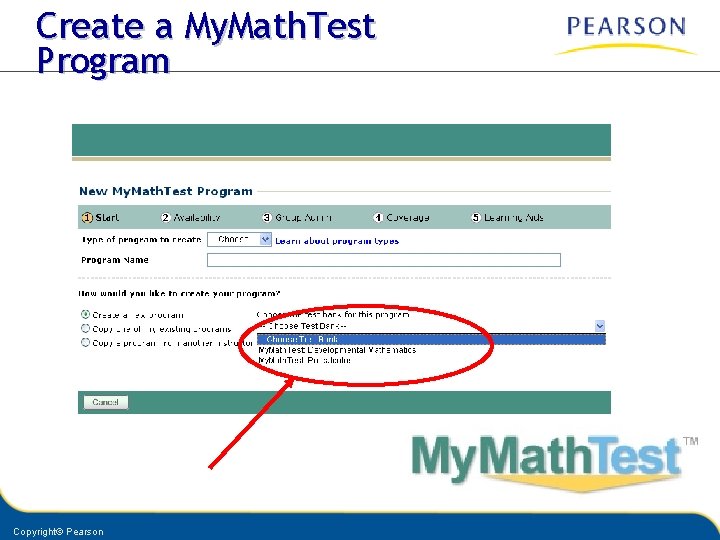
Create a My. Math. Test Program Copyright© Pearson
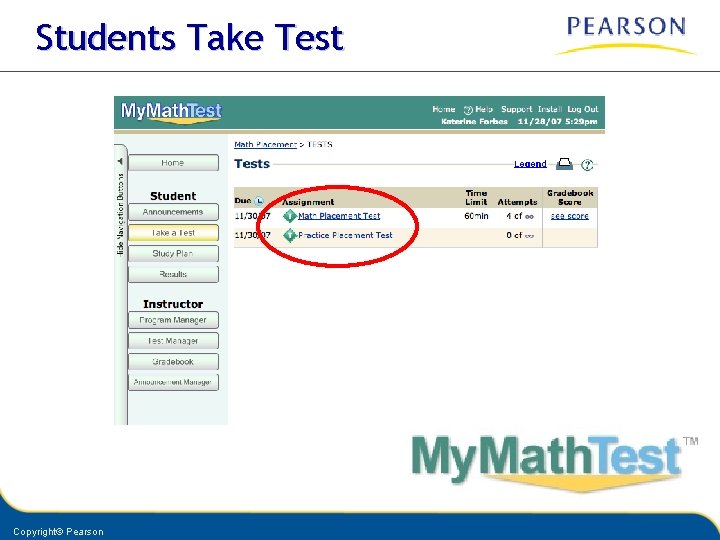
Students Take Test Copyright© Pearson
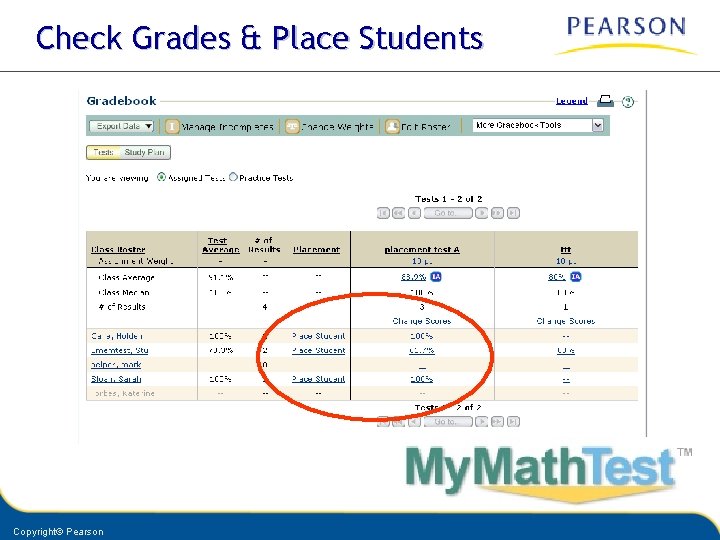
Check Grades & Place Students Copyright© Pearson
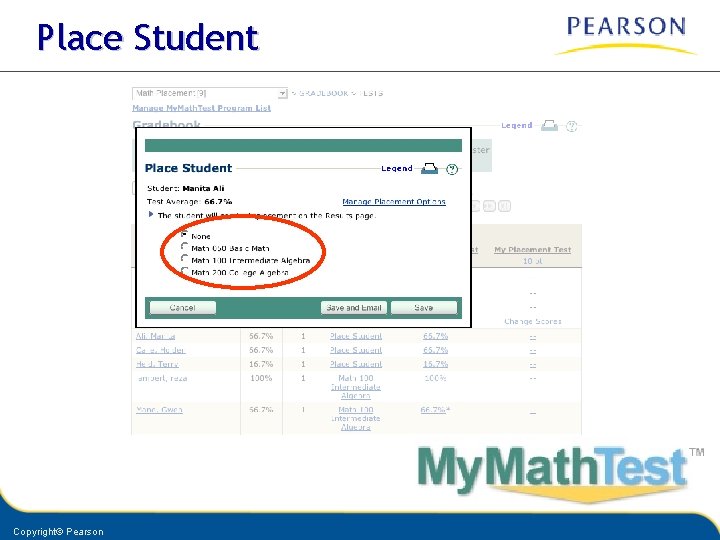
Place Student Copyright© Pearson
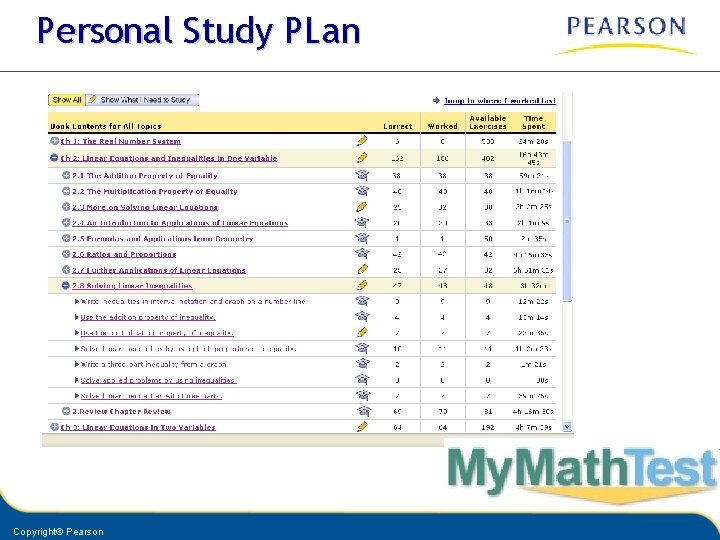
Personal Study PLan Copyright© Pearson
Access & Purchase Model § § Six-week subscription Bookstore Online purchase Institution Purchase Copyright© Pearson
A Look at Analysis & Reporting
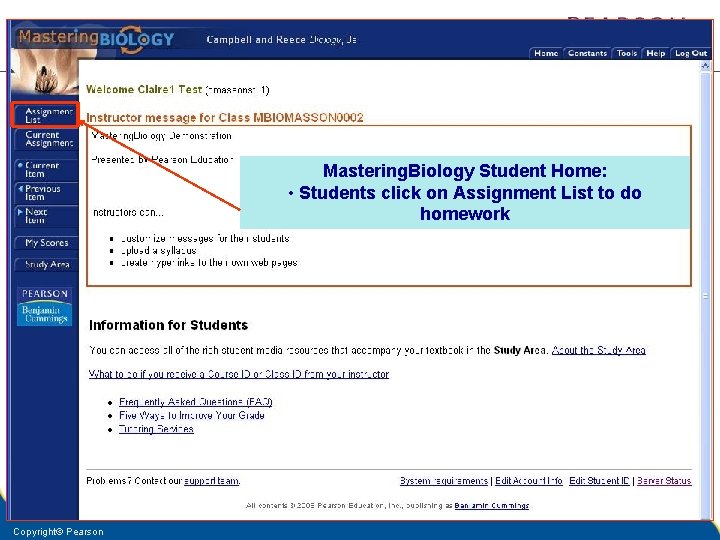
Mastering. Biology Student Home: • Students click on Assignment List to do homework Copyright© Pearson
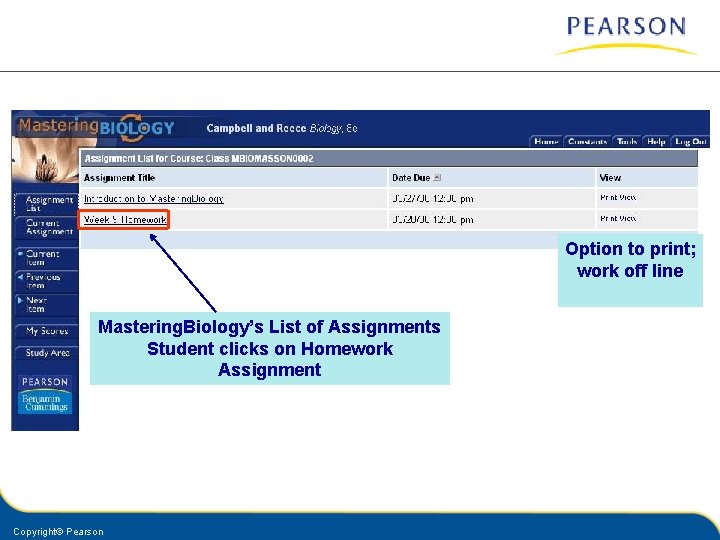
Option to print; work off line Mastering. Biology’s List of Assignments Student clicks on Homework Assignment Copyright© Pearson
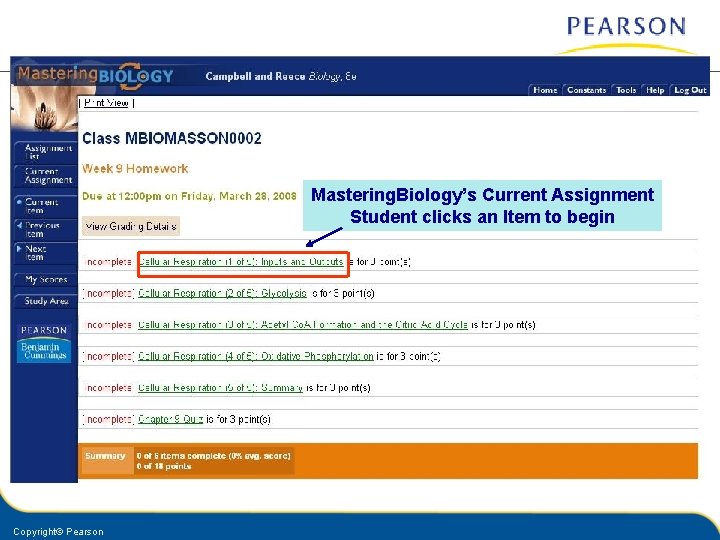
Mastering. Biology’s Current Assignment Student clicks an Item to begin Copyright© Pearson
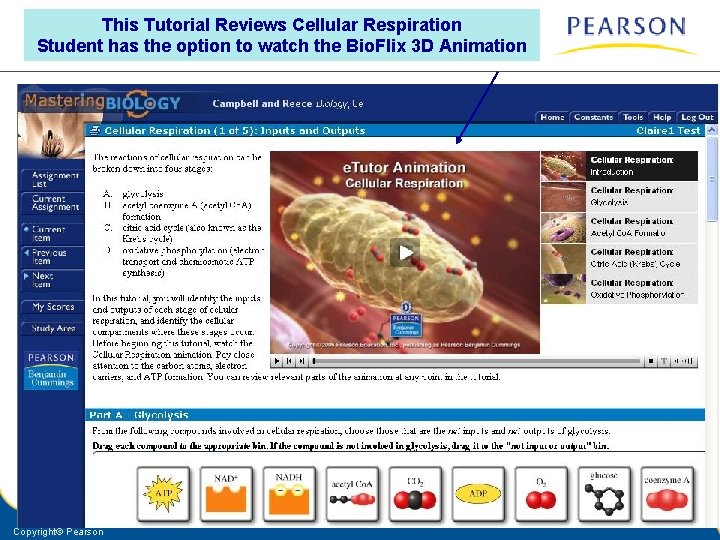
This Tutorial Reviews Cellular Respiration Student has the option to watch the Bio. Flix 3 D Animation Copyright© Pearson
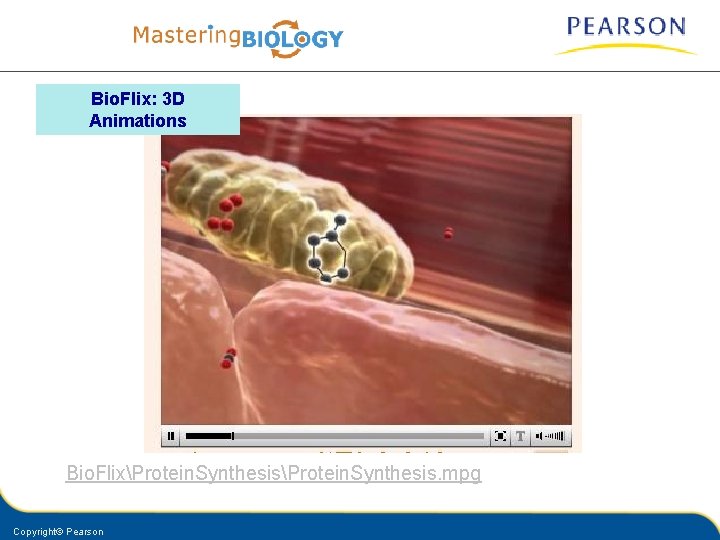
Bio. Flix: 3 D Animations Bio. FlixProtein. Synthesis. mpg Copyright© Pearson
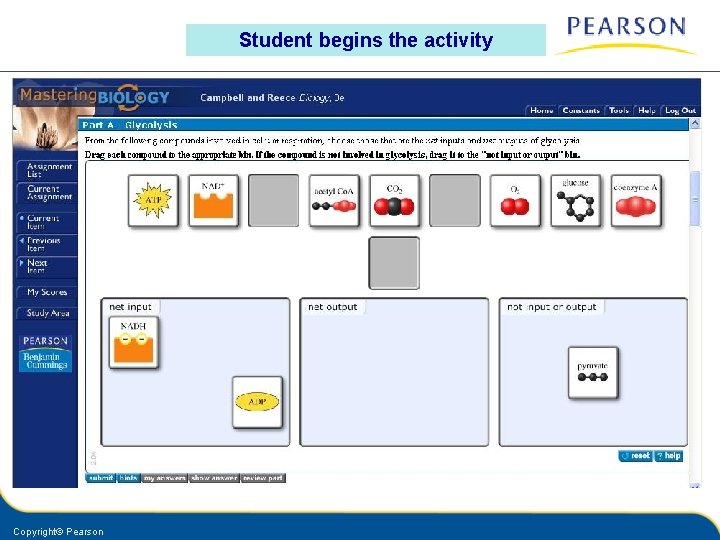
Student begins the activity Copyright© Pearson
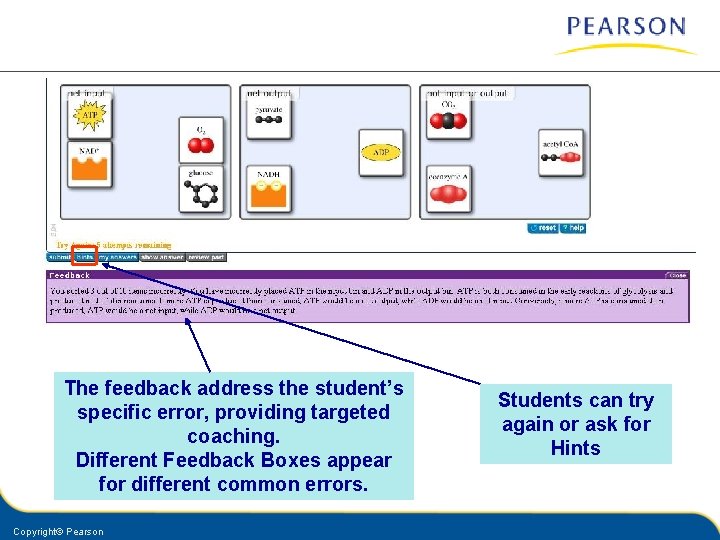
The feedback address the student’s specific error, providing targeted coaching. Different Feedback Boxes appear for different common errors. Copyright© Pearson Students can try again or ask for Hints
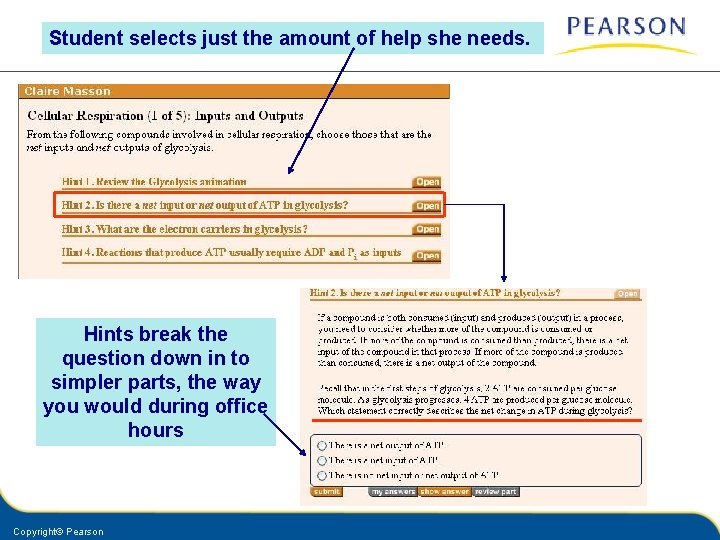
Student selects just the amount of help she needs. Hints break the question down in to simpler parts, the way you would during office hours Copyright© Pearson
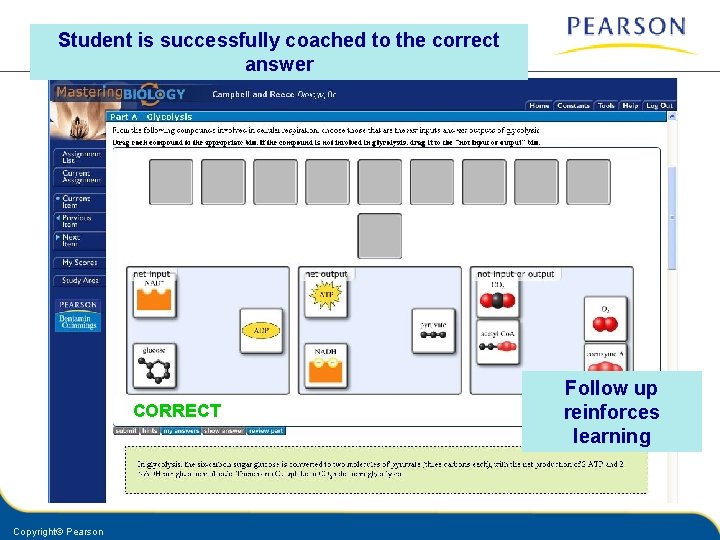
Student is successfully coached to the correct answer CORRECT Copyright© Pearson Follow up reinforces learning
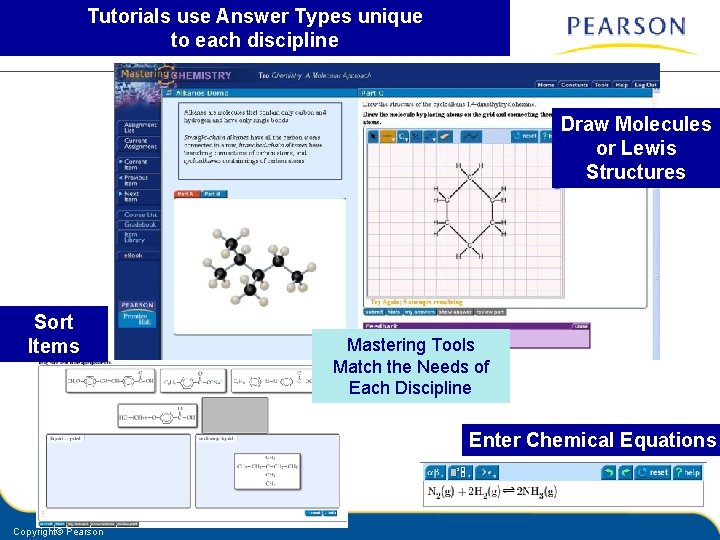
Tutorials use Answer Types unique to each discipline Draw Molecules or Lewis Structures Sort Items Mastering Tools Match the Needs of Each Discipline Enter Chemical Equations Copyright© Pearson
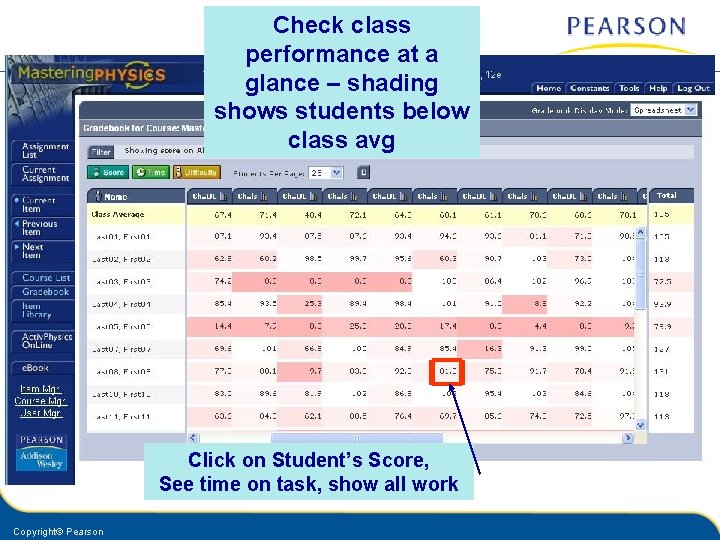
Check class performance at a glance – shading shows students below class avg Click on Student’s Score, See time on task, show all work Copyright© Pearson
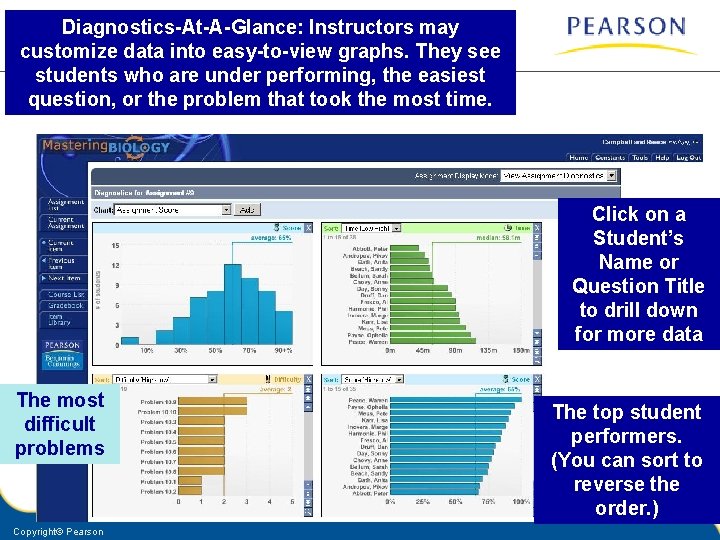
Diagnostics-At-A-Glance: Instructors may customize data into easy-to-view graphs. They see students who are under performing, the easiest question, or the problem that took the most time. Click on a Student’s Name or Question Title to drill down for more data The most difficult problems Copyright© Pearson The top student performers. (You can sort to reverse the order. )
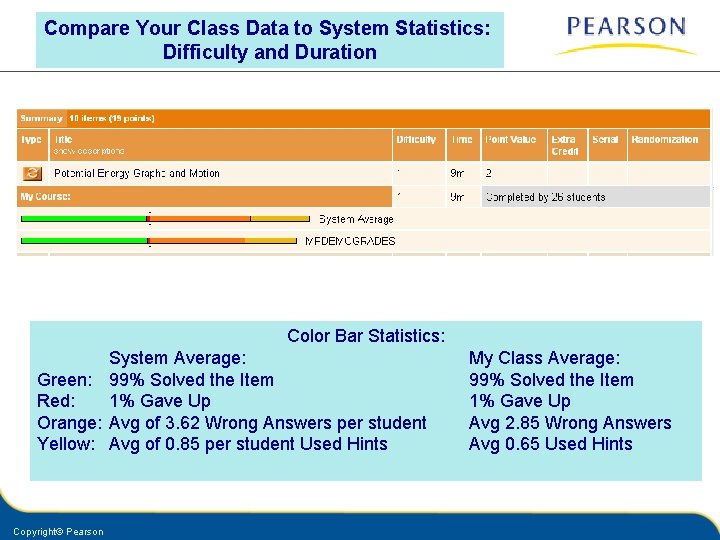
Compare Your Class Data to System Statistics: Difficulty and Duration Color Bar Statistics: System Average: Green: 99% Solved the Item Red: 1% Gave Up Orange: Avg of 3. 62 Wrong Answers per student Yellow: Avg of 0. 85 per student Used Hints Copyright© Pearson My Class Average: 99% Solved the Item 1% Gave Up Avg 2. 85 Wrong Answers Avg 0. 65 Used Hints
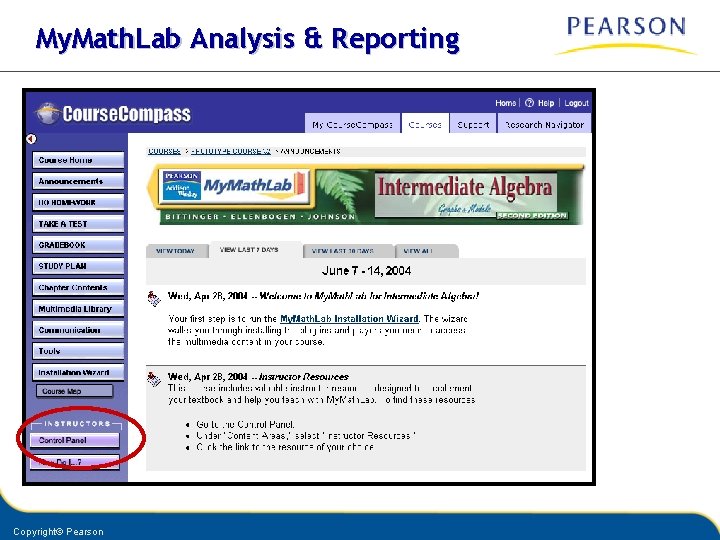
My. Math. Lab Analysis & Reporting Copyright© Pearson
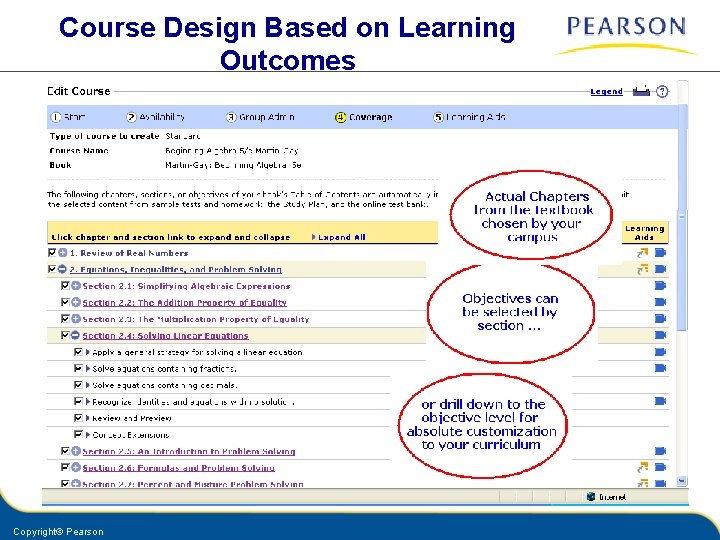
Course Design Based on Learning Outcomes Copyright© Pearson
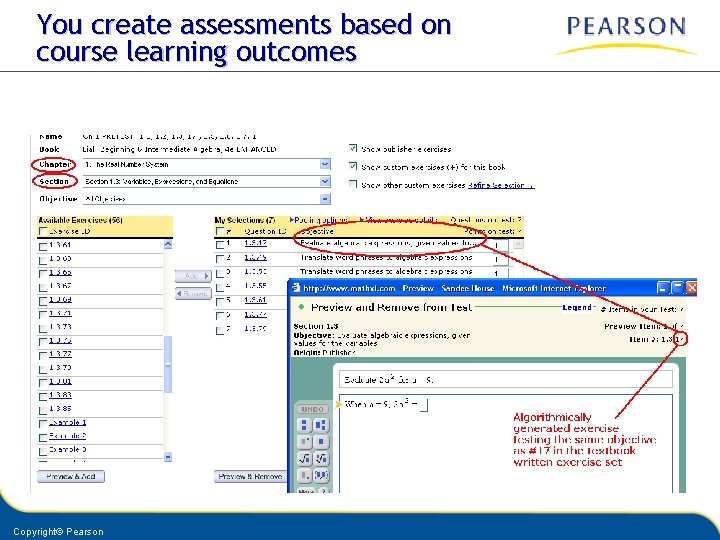
You create assessments based on course learning outcomes Copyright© Pearson
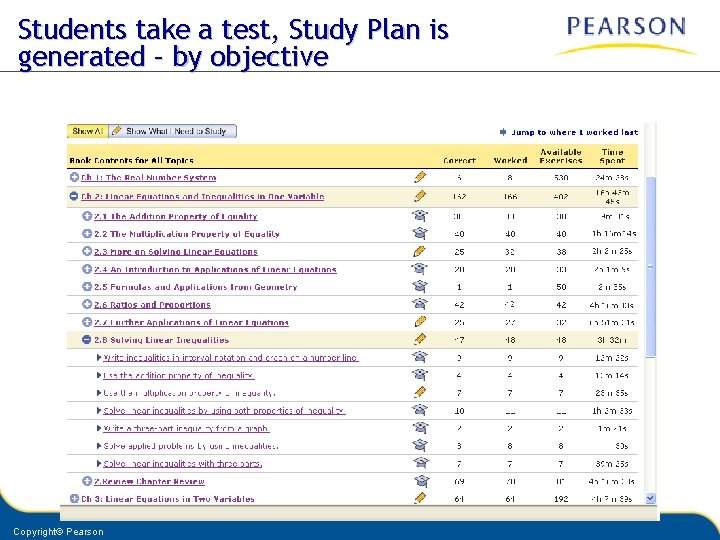
Students take a test, Study Plan is generated – by objective Copyright© Pearson
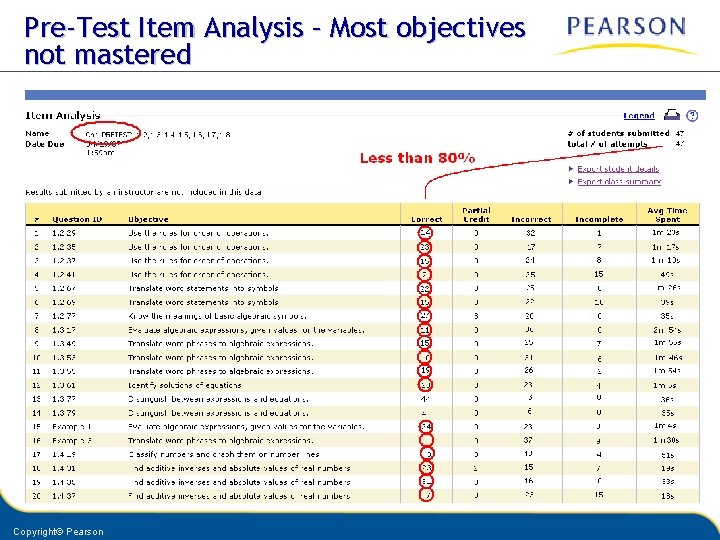
Pre-Test Item Analysis – Most objectives not mastered Copyright© Pearson
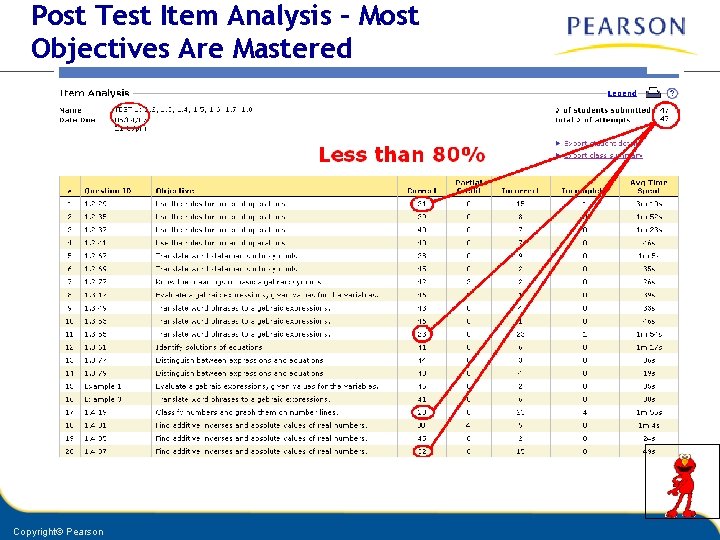
Post Test Item Analysis – Most Objectives Are Mastered Copyright© Pearson
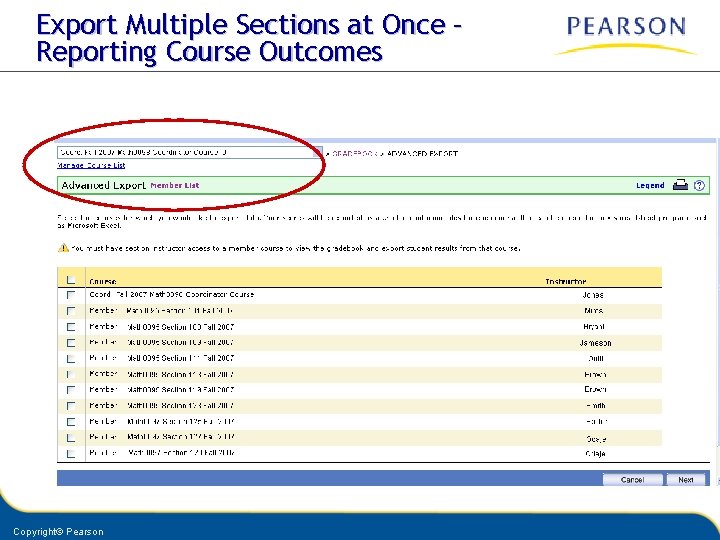
Export Multiple Sections at Once – Reporting Course Outcomes Copyright© Pearson

Thank you!
- Slides: 45