
PCS VISION EXPERT TRAINING MANUAL Vision Expert Program


![Mentoring • Reporting [Call Report, ESNs (HEX)] • Update Line • In-Store Procedures •](https://slidetodoc.com/presentation_image_h2/5256abca724c7272774c981ebc0f10e7/image-52.jpg "Mentoring • Reporting [Call Report, ESNs (HEX)] • Update Line • In-Store Procedures •")
- Slides: 74
PCS VISION EXPERT TRAINING MANUAL
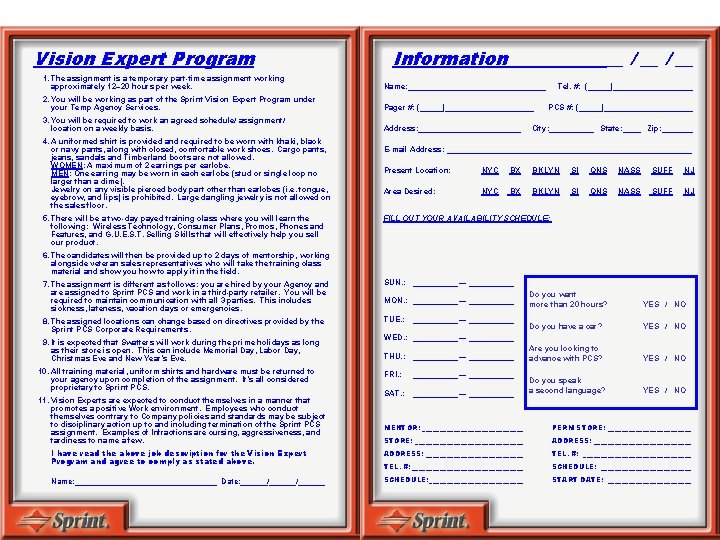
Vision Expert Program Information __ / __ 1. The assignment is a temporary part-time assignment working approximately 12– 20 hours per week. Name: ________________ 2. You will be working as part of the Sprint Vision Expert Program under your Temp Agency Services. Pager #: (_____)__________ 3. You will be required to work an agreed schedule/ assignment/ location on a weekly basis. Address: ____________ 4. A uniformed shirt is provided and required to be worn with khaki, black or navy pants, along with closed, comfortable work shoes. Cargo pants, jeans, sandals and Timberland boots are not allowed. WOMEN: A maximum of 2 earrings per earlobe. MEN: One earring may be worn in each earlobe (stud or single loop no larger than a dime). Jewelry on any visible pierced body part other than earlobes (i. e. tongue, eyebrow, and lips) is prohibited. Large dangling jewelry is not allowed on the sales floor. 5. There will be a two-day payed training class where you will learn the following: Wireless Technology, Consumer Plans, Promos, Phones and Features, and G. U. E. S. T. Selling Skills that will effectively help you sell our product. Tel. #: (_____)_________ PCS #: (_____)__________ City: _____ State: ____ Zip: _______ E-mail Address: ____________________________ Present Location: NYC BX BKLYN SI QNS NASS SUFF NJ Area Desired: NYC BX BKLYN SI QNS NASS SUFF NJ FILL OUT YOUR AVAILABILITY SCHEDULE: 6. The candidates will then be provided up to 2 days of mentorship, working alongside veteran sales representatives who will take the training class material and show you how to apply it in the field. 7. The assignment is different as follows: you are hired by your Agency and are assigned to Sprint PCS and work in a third-party retailer. You will be required to maintain communication with all 3 parties. This includes sickness, lateness, vacation days or emergencies. SUN. : _____ — _____ 8. The assigned locations can change based on directives provided by the Sprint PCS Corporate Requirements. TUE. : _____ — _____ 9. It is expected that Swatters will work during the prime holidays as long as their store is open. This can include Memorial Day, Labor Day, Christmas Eve and New Year’s Eve. 10. All training material, uniform shirts and hardware must be returned to your agency upon completion of the assignment. It’s all considered proprietary to Sprint PCS. 11. Vision Experts are expected to conduct themselves in a manner that promotes a positive Work environment. Employees who conduct themselves contrary to Company policies and standards may be subject to disciplinary action up to and including termination of the Sprint PCS assignment. Examples of Infractions are cursing, aggressiveness, and tardiness to name a few. MON. : _____ — _____ Do you want more than 20 hours? YES / NO Do you have a car? YES / NO Are you looking to advance with PCS? YES / NO Do you speak a second language? YES / NO WED. : _____ — _____ THU. : _____ — _____ FRI. : _____ — _____ SAT. : _____ — _____ MENTOR: _______________ PERM STORE: _______________________________ ADDRESS: ______________ I have read the above job description for the Vision Expert Program and agree to comply as stated above. ADDRESS: ____________________________ TEL. #: __________________ SCHEDULE: _____________ Name: ________________ Date: ______/______ SCHEDULE: ______________ START DATE: ____________
SECTION 1 Introduction
Who Is PCS Vision? • PCS: Personal Communication Services ( Pretty Cool Stuff). • Sprint PCS is the only 100% all-digital nationwide wireless network, offering voice, paging, wireless web, fax and data services. • It has licensed PCS coverage of nearly 270 million people in all 50 states, Puerto Rico, and the U. S. Virgin Islands. 1. 1
Mantra • We’ve tailored our Mantra to emphasize PCS Vision! Only Sprint gives you amazing clarity you can see and hear on the largest all-digital, all PCS nationwide network with advanced multimedia services reaching more than 248 million people for clarity you can see and hear. And, it’s easy and affordable enough to use whenever you want. 1. 2
SECTION 2 Clarity
Clarity • 100% Digital Technology: – CDMA: Code Division Multiple Access. • Enhanced Privacy and Security. • Operates at 1900 MHz; higher bandwidth for improved voice quality while minimizing interference. • Uses “Soft” handoffs, resulting in fewer dropped calls and less static during handoff. 2. 1
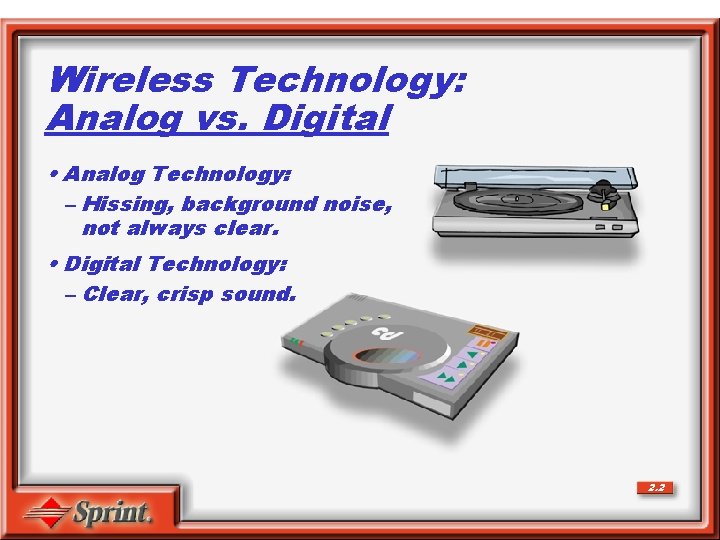
Wireless Technology: Analog vs. Digital • Analog Technology: – Hissing, background noise, not always clear. • Digital Technology: – Clear, crisp sound. 2. 2
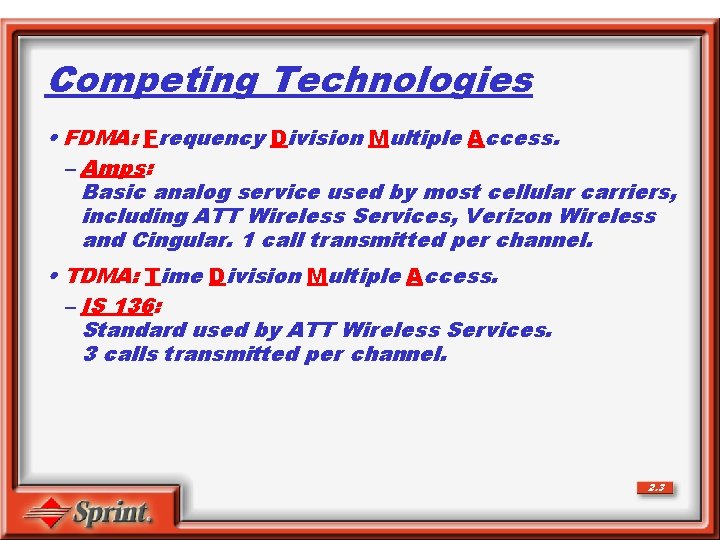
Competing Technologies • FDMA: Frequency Division Multiple Access. – Amps: Basic analog service used by most cellular carriers, including ATT Wireless Services, Verizon Wireless and Cingular. 1 call transmitted per channel. • TDMA: Time Division Multiple Access. – IS 136: Standard used by ATT Wireless Services. 3 calls transmitted per channel. 2. 3
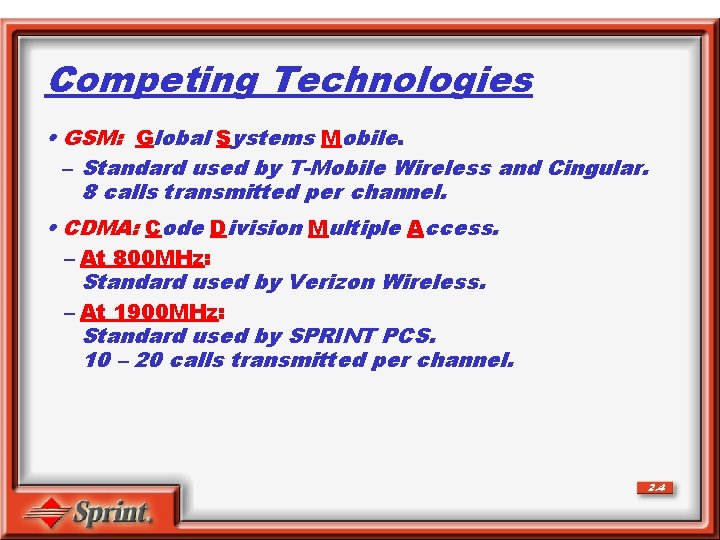
Competing Technologies • GSM: Global Systems Mobile. – Standard used by T-Mobile Wireless and Cingular. 8 calls transmitted per channel. • CDMA: Code Division Multiple Access. – At 800 MHz: Standard used by Verizon Wireless. – At 1900 MHz: Standard used by SPRINT PCS. 10 – 20 calls transmitted per channel. 2. 4
Hand-Off • The process by which a mobile phone maintains communication with the Network System when traveling from one cell to another. 2. 5
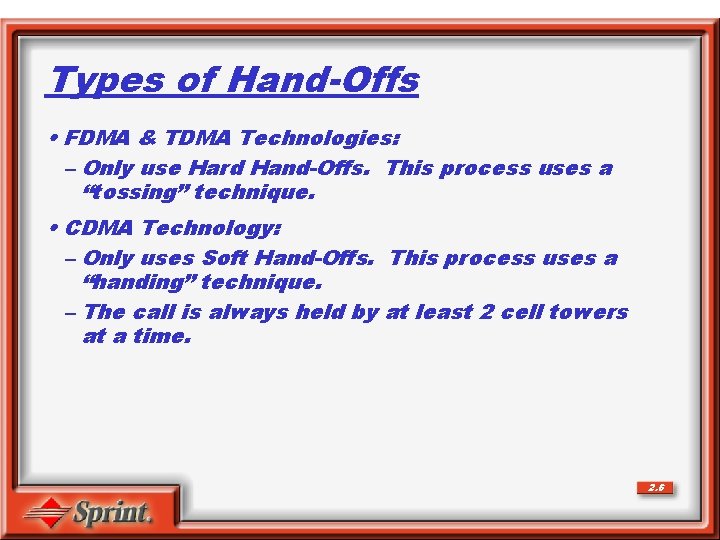
Types of Hand-Offs • FDMA & TDMA Technologies: – Only use Hard Hand-Offs. This process uses a “tossing” technique. • CDMA Technology: – Only uses Soft Hand-Offs. This process uses a “handing” technique. – The call is always held by at least 2 cell towers at a time. 2. 6
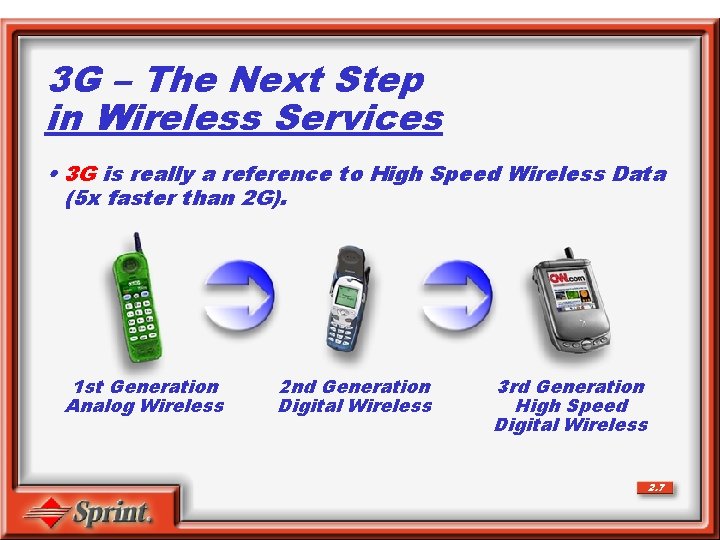
3 G – The Next Step in Wireless Services • 3 G is really a reference to High Speed Wireless Data (5 x faster than 2 G). 1 st Generation Analog Wireless 2 nd Generation Digital Wireless 3 rd Generation High Speed Digital Wireless 2. 7
What Does 3 G Have to Offer? • Greater data speeds. • Increased capacity for both Voice (2 x Capacity) and Data (5 x Capacity). • High-speed data services via a pocket data network, versus today’s circuit switched networks. • Improved battery performance and stand-by time. • Opportunity to introduce new and more robust wireless applications. 2. 8
SECTION 3 Coverage & Value
Mantra • We’ve tailored our Mantra to emphasize PCS Vision! Only Sprint gives you amazing clarity you can see and hear on the largest all-digital, all PCS nationwide network with advanced multimedia services reaching more than 248 million people for clarity you can see and hear. And, it’s easy and affordable enough to use whenever you want. 3. 1
Cost PCS Vision offers 3 sets of customized calling plans: • PCS Free & Clear (Long Distance Voice Only Plans) – With real nationwide long distance • PCS Free & Clear with Vision – With 2 phones sharing minutes • PCS Vision for Laptops & PDAs 3. 2
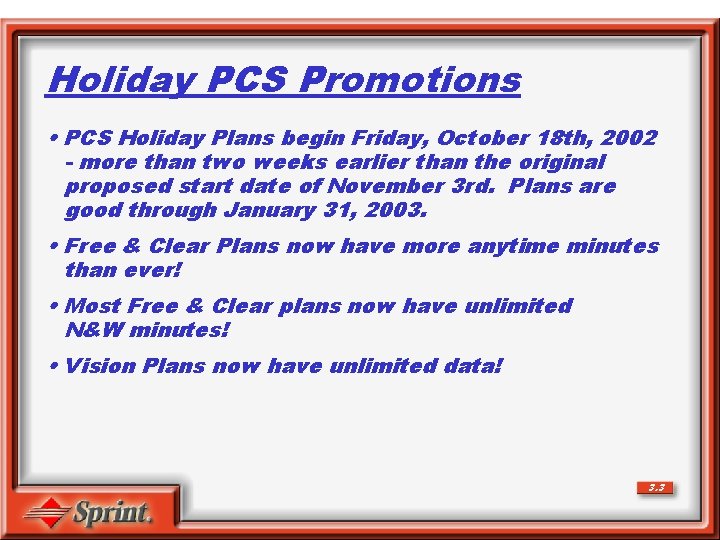
Holiday PCS Promotions • PCS Holiday Plans begin Friday, October 18 th, 2002 - more than two weeks earlier than the original proposed start date of November 3 rd. Plans are good through January 31, 2003. • Free & Clear Plans now have more anytime minutes than ever! • Most Free & Clear plans now have unlimited N&W minutes! • Vision Plans now have unlimited data! 3. 3
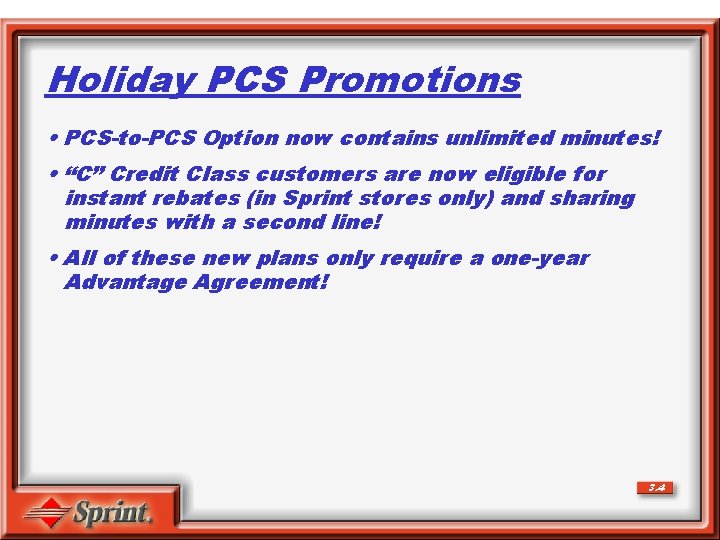
Holiday PCS Promotions • PCS-to-PCS Option now contains unlimited minutes! • “C” Credit Class customers are now eligible for instant rebates (in Sprint stores only) and sharing minutes with a second line! • All of these new plans only require a one-year Advantage Agreement! 3. 4
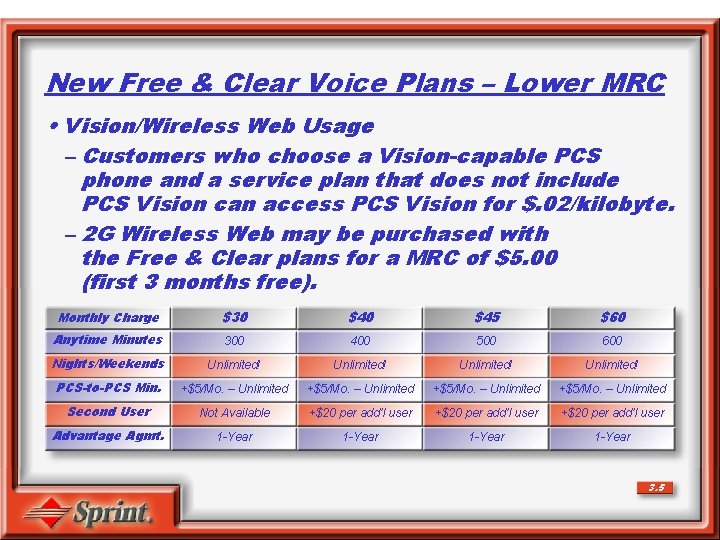
New Free & Clear Voice Plans – Lower MRC • Vision/Wireless Web Usage – Customers who choose a Vision-capable PCS phone and a service plan that does not include PCS Vision can access PCS Vision for $. 02/kilobyte. – 2 G Wireless Web may be purchased with the Free & Clear plans for a MRC of $5. 00 (first 3 months free). Monthly Charge $30 $45 $60 Anytime Minutes 300 400 500 600 Nights/Weekends Unlimited! PCS-to-PCS Min. +$5/Mo. – Unlimited Second User Not Available +$20 per add’l user Advantage Agmt. 1 -Year 3. 5
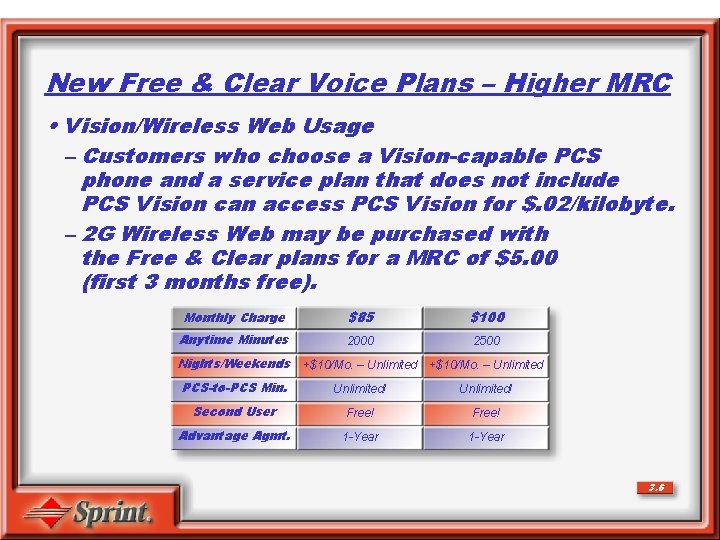
New Free & Clear Voice Plans – Higher MRC • Vision/Wireless Web Usage – Customers who choose a Vision-capable PCS phone and a service plan that does not include PCS Vision can access PCS Vision for $. 02/kilobyte. – 2 G Wireless Web may be purchased with the Free & Clear plans for a MRC of $5. 00 (first 3 months free). Monthly Charge $85 $100 Anytime Minutes 2000 2500 Nights/Weekends +$10/Mo. – Unlimited PCS-to-PCS Min. Unlimited! Second User Free! Advantage Agmt. 1 -Year 3. 6
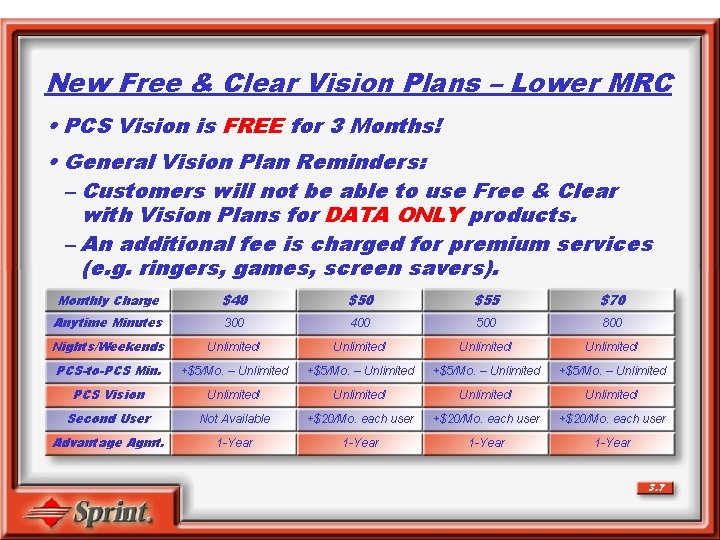
New Free & Clear Vision Plans – Lower MRC • PCS Vision is FREE for 3 Months! • General Vision Plan Reminders: – Customers will not be able to use Free & Clear with Vision Plans for DATA ONLY products. – An additional fee is charged for premium services (e. g. ringers, games, screen savers). Monthly Charge $40 $55 $70 Anytime Minutes 300 400 500 800 Nights/Weekends Unlimited! PCS-to-PCS Min. +$5/Mo. – Unlimited PCS Vision Unlimited! Second User Not Available +$20/Mo. each user Advantage Agmt. 1 -Year 3. 7
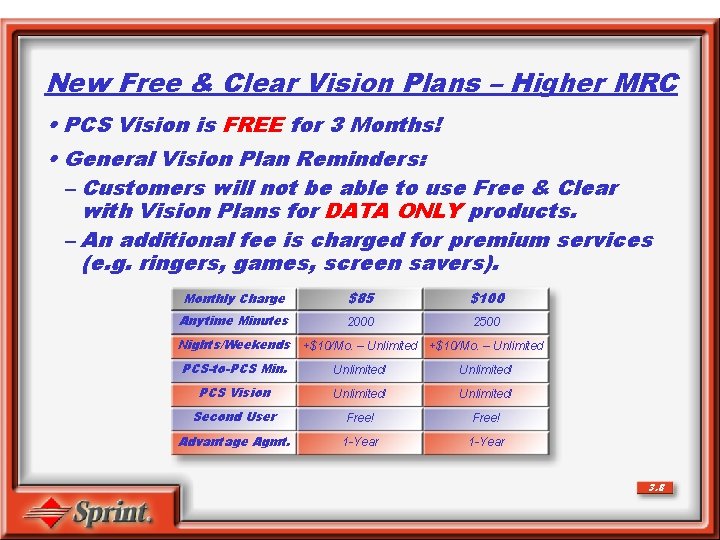
New Free & Clear Vision Plans – Higher MRC • PCS Vision is FREE for 3 Months! • General Vision Plan Reminders: – Customers will not be able to use Free & Clear with Vision Plans for DATA ONLY products. – An additional fee is charged for premium services (e. g. ringers, games, screen savers). Monthly Charge $85 $100 Anytime Minutes 2000 2500 Nights/Weekends +$10/Mo. – Unlimited PCS-to-PCS Min. Unlimited! PCS Vision Unlimited! Second User Free! Advantage Agmt. 1 -Year 3. 8
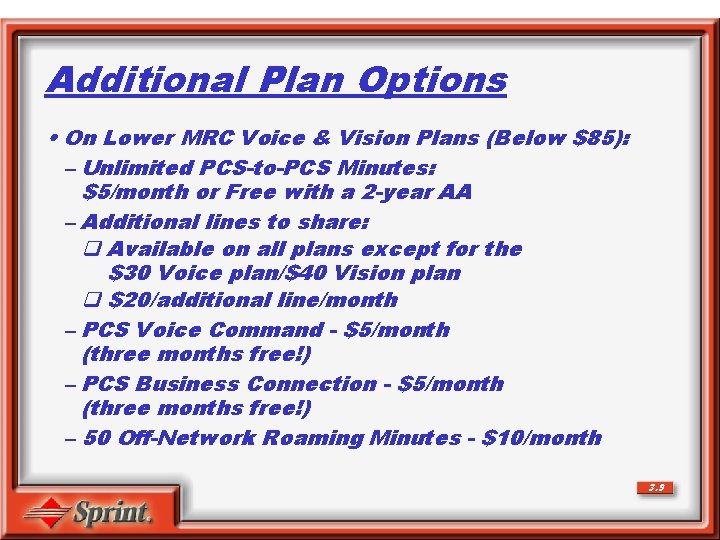
Additional Plan Options • On Lower MRC Voice & Vision Plans (Below $85): – Unlimited PCS-to-PCS Minutes: $5/month or Free with a 2 -year AA – Additional lines to share: q Available on all plans except for the $30 Voice plan/$40 Vision plan q $20/additional line/month – PCS Voice Command - $5/month (three months free!) – PCS Business Connection - $5/month (three months free!) – 50 Off-Network Roaming Minutes - $10/month 3. 9
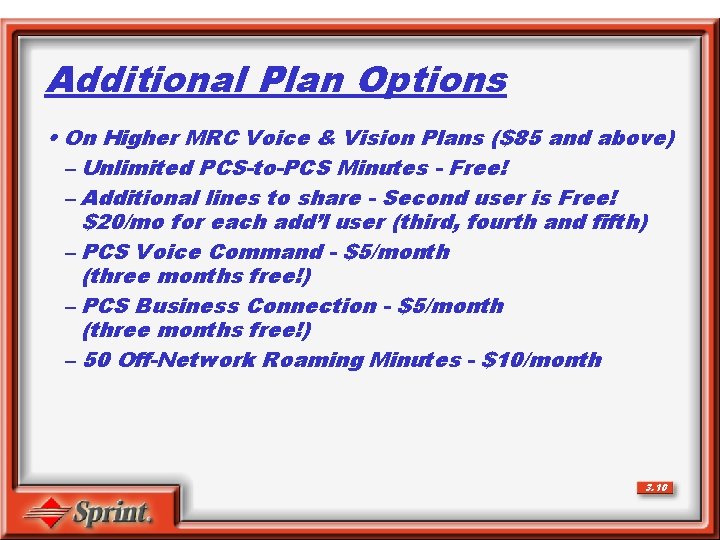
Additional Plan Options • On Higher MRC Voice & Vision Plans ($85 and above) – Unlimited PCS-to-PCS Minutes - Free! – Additional lines to share - Second user is Free! $20/mo for each add’l user (third, fourth and fifth) – PCS Voice Command - $5/month (three months free!) – PCS Business Connection - $5/month (three months free!) – 50 Off-Network Roaming Minutes - $10/month 3. 10
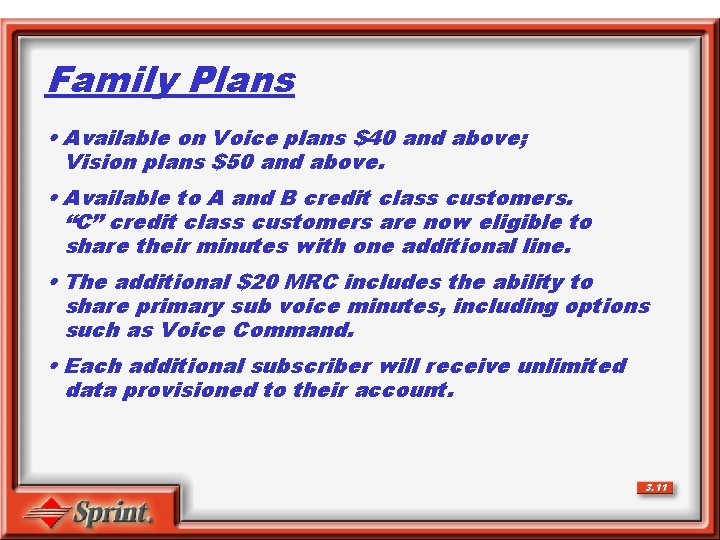
Family Plans • Available on Voice plans $40 and above; Vision plans $50 and above. • Available to A and B credit class customers. “C” credit class customers are now eligible to share their minutes with one additional line. • The additional $20 MRC includes the ability to share primary sub voice minutes, including options such as Voice Command. • Each additional subscriber will receive unlimited data provisioned to their account. 3. 11
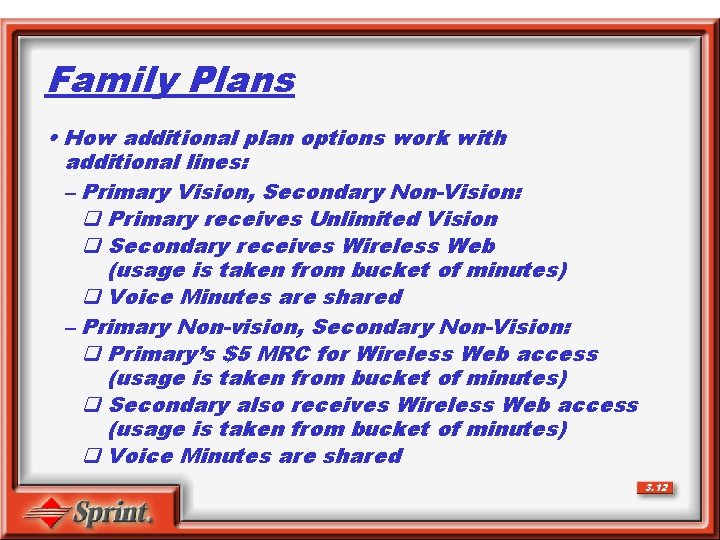
Family Plans • How additional plan options work with additional lines: – Primary Vision, Secondary Non-Vision: q Primary receives Unlimited Vision q Secondary receives Wireless Web (usage is taken from bucket of minutes) q Voice Minutes are shared – Primary Non-vision, Secondary Non-Vision: q Primary’s $5 MRC for Wireless Web access (usage is taken from bucket of minutes) q Secondary also receives Wireless Web access (usage is taken from bucket of minutes) q Voice Minutes are shared 3. 12
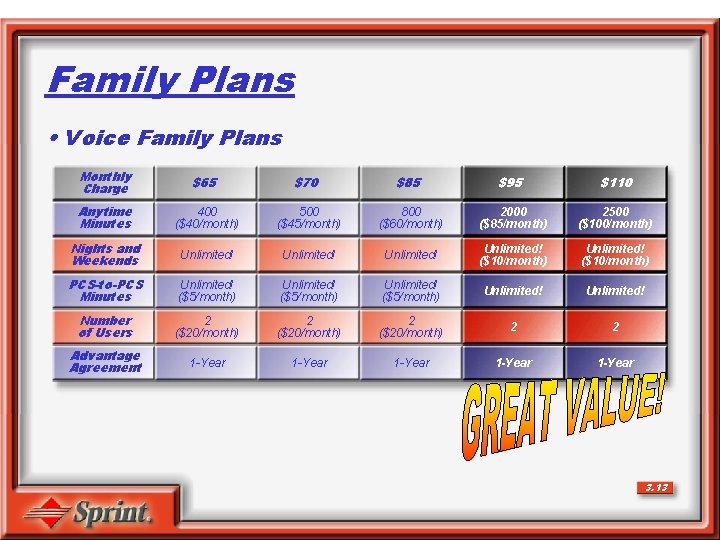
Family Plans • Voice Family Plans Monthly Charge $65 $70 $85 $95 $110 Anytime Minutes 400 ($40/month) 500 ($45/month) 800 ($60/month) 2000 ($85/month) 2500 ($100/month) Nights and Weekends Unlimited! ($10/month) Unlimited! ($10/month) PCS-to-PCS Minutes Unlimited! ($5/month) Unlimited! Number of Users 2 ($20/month) 2 2 Advantage Agreement 1 -Year 1 -Year 3. 13
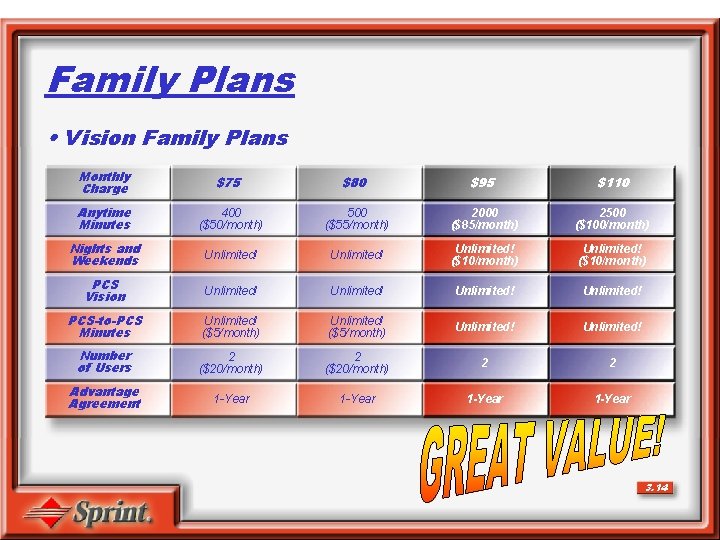
Family Plans • Vision Family Plans Monthly Charge $75 $80 $95 $110 Anytime Minutes 400 ($50/month) 500 ($55/month) 2000 ($85/month) 2500 ($100/month) Nights and Weekends Unlimited! ($10/month) PCS Vision Unlimited! PCS-to-PCS Minutes Unlimited! ($5/month) Unlimited! Number of Users 2 ($20/month) 2 2 Advantage Agreement 1 -Year 3. 14
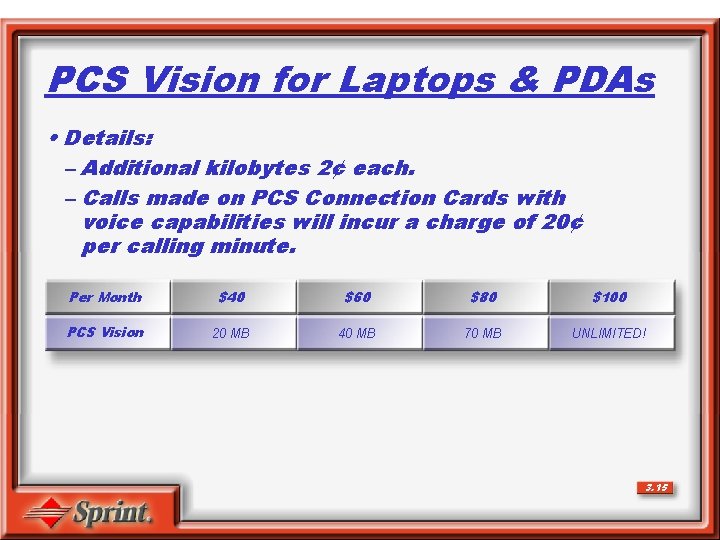
PCS Vision for Laptops & PDAs • Details: – Additional kilobytes 2¢ each. – Calls made on PCS Connection Cards with voice capabilities will incur a charge of 20¢ per calling minute. Per Month $40 $60 $80 $100 PCS Vision 20 MB 40 MB 70 MB UNLIMITED! 3. 15
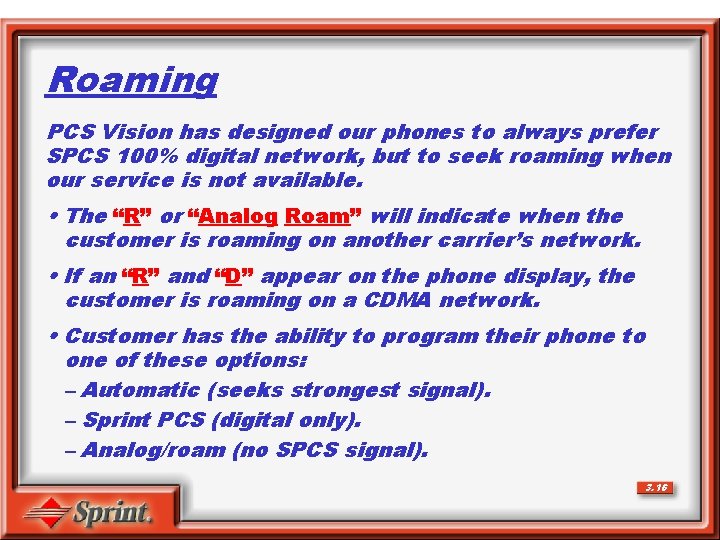
Roaming PCS Vision has designed our phones to always prefer SPCS 100% digital network, but to seek roaming when our service is not available. • The “R” or “Analog Roam” will indicate when the customer is roaming on another carrier’s network. • If an “R” and “D” appear on the phone display, the customer is roaming on a CDMA network. • Customer has the ability to program their phone to one of these options: – Automatic (seeks strongest signal). – Sprint PCS (digital only). – Analog/roam (no SPCS signal). 3. 16
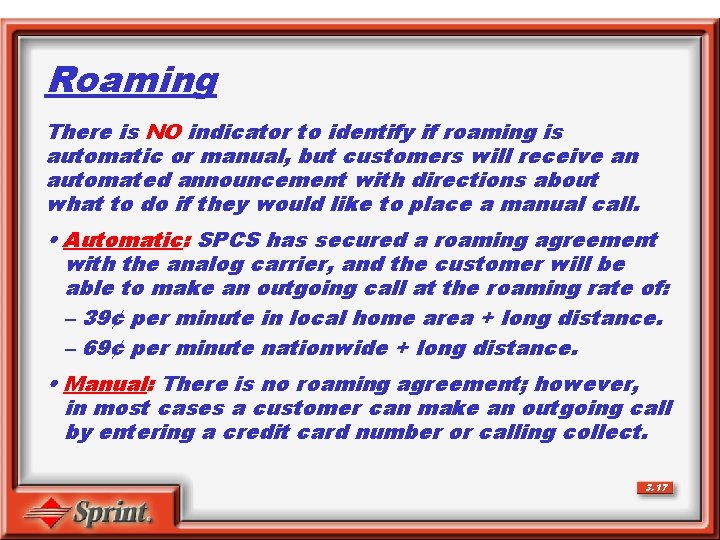
Roaming There is NO indicator to identify if roaming is automatic or manual, but customers will receive an automated announcement with directions about what to do if they would like to place a manual call. • Automatic: SPCS has secured a roaming agreement with the analog carrier, and the customer will be able to make an outgoing call at the roaming rate of: – 39¢ per minute in local home area + long distance. – 69¢ per minute nationwide + long distance. • Manual: There is no roaming agreement; however, in most cases a customer can make an outgoing call by entering a credit card number or calling collect. 3. 17
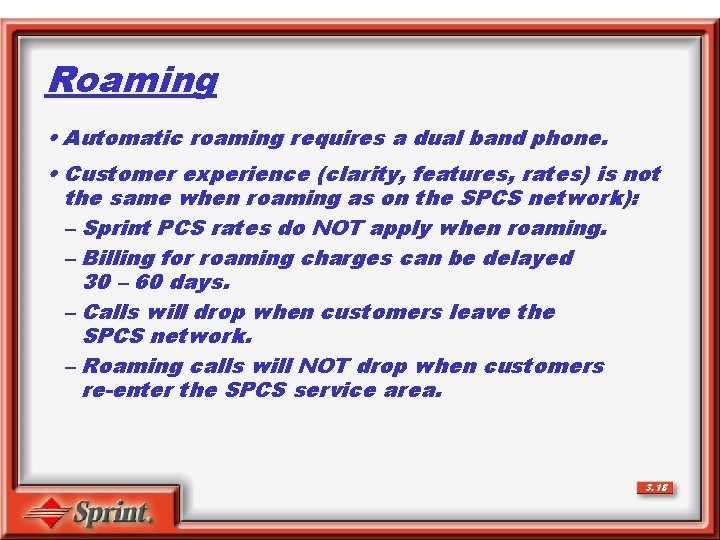
Roaming • Automatic roaming requires a dual band phone. • Customer experience (clarity, features, rates) is not the same when roaming as on the SPCS network): – Sprint PCS rates do NOT apply when roaming. – Billing for roaming charges can be delayed 30 – 60 days. – Calls will drop when customers leave the SPCS network. – Roaming calls will NOT drop when customers re-enter the SPCS service area. 3. 18
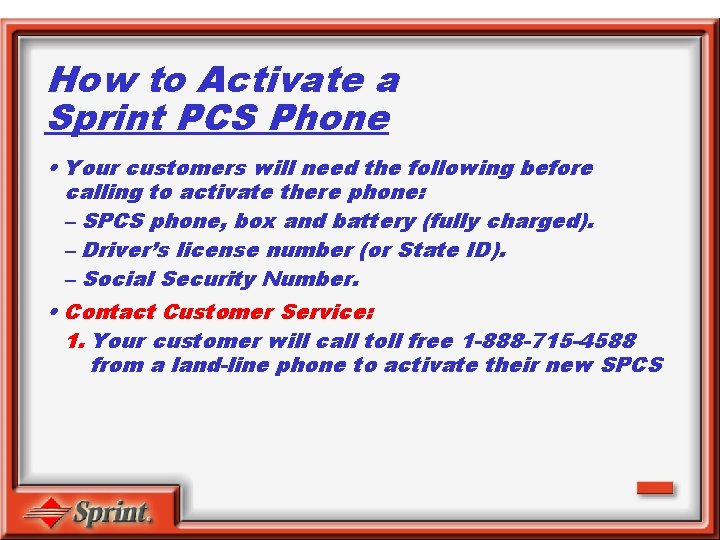
How to Activate a Sprint PCS Phone • Your customers will need the following before calling to activate there phone: – SPCS phone, box and battery (fully charged). – Driver’s license number (or State ID). – Social Security Number. • Contact Customer Service: 1. Your customer will call toll free 1 -888 -715 -4588 from a land-line phone to activate their new SPCS
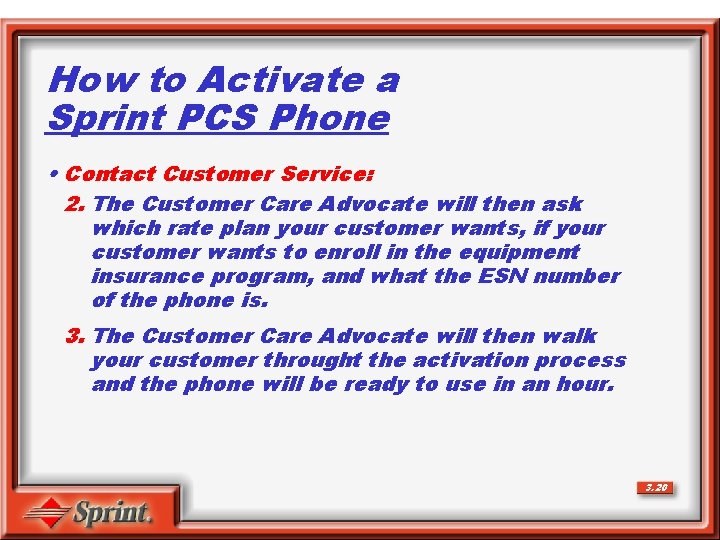
How to Activate a Sprint PCS Phone • Contact Customer Service: 2. The Customer Care Advocate will then ask which rate plan your customer wants, if your customer wants to enroll in the equipment insurance program, and what the ESN number of the phone is. 3. The Customer Care Advocate will then walk your customer throught the activation process and the phone will be ready to use in an hour. 3. 20
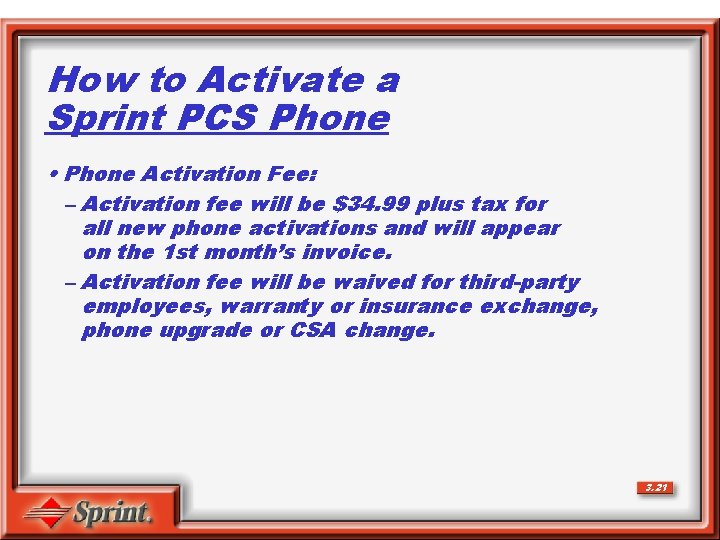
How to Activate a Sprint PCS Phone • Phone Activation Fee: – Activation fee will be $34. 99 plus tax for all new phone activations and will appear on the 1 st month’s invoice. – Activation fee will be waived for third-party employees, warranty or insurance exchange, phone upgrade or CSA change. 3. 21
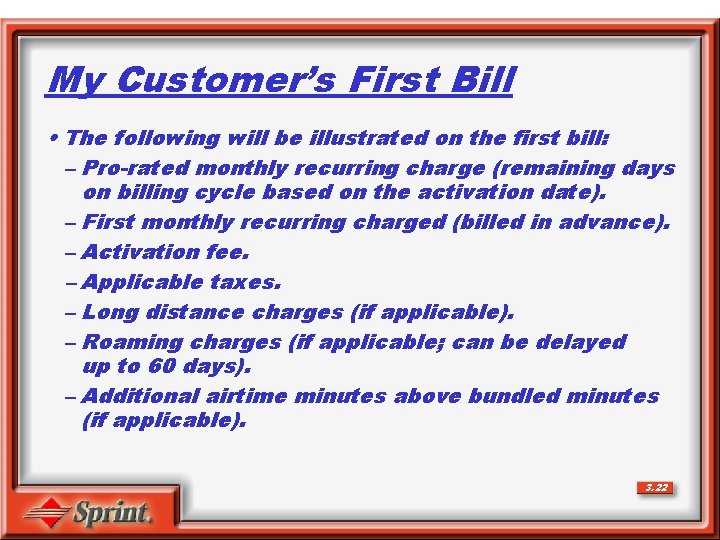
My Customer’s First Bill • The following will be illustrated on the first bill: – Pro-rated monthly recurring charge (remaining days on billing cycle based on the activation date). – First monthly recurring charged (billed in advance). – Activation fee. – Applicable taxes. – Long distance charges (if applicable). – Roaming charges (if applicable; can be delayed up to 60 days). – Additional airtime minutes above bundled minutes (if applicable). 3. 22
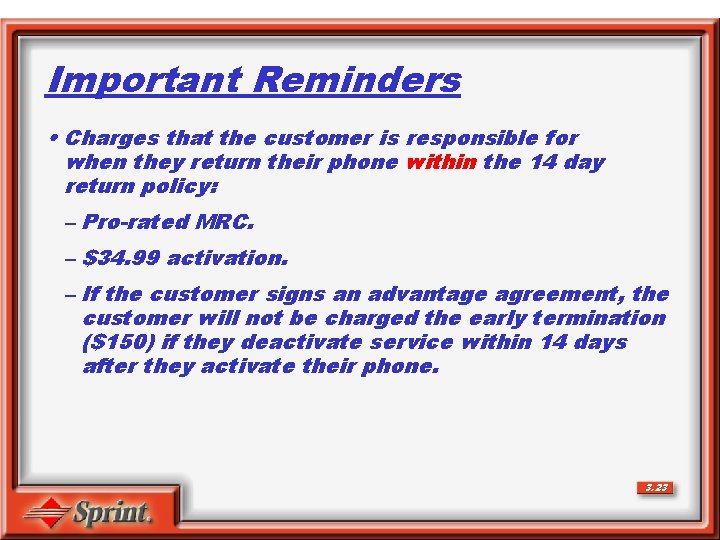
Important Reminders • Charges that the customer is responsible for when they return their phone within the 14 day return policy: – Pro-rated MRC. – $34. 99 activation. – If the customer signs an advantage agreement, the customer will not be charged the early termination ($150) if they deactivate service within 14 days after they activate their phone. 3. 23
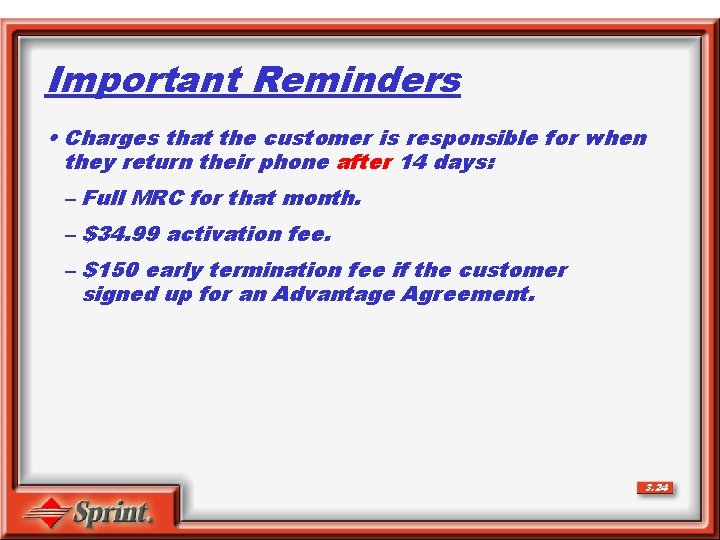
Important Reminders • Charges that the customer is responsible for when they return their phone after 14 days: – Full MRC for that month. – $34. 99 activation fee. – $150 early termination fee if the customer signed up for an Advantage Agreement. 3. 24
SECTION 4 PCS Phones
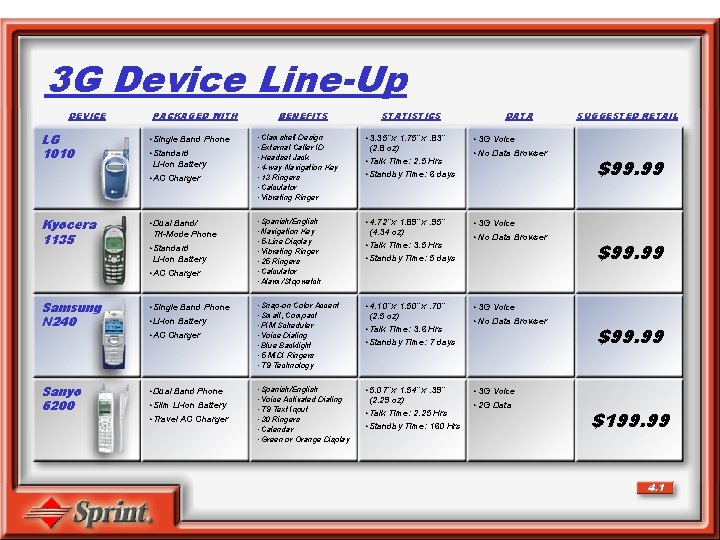
3 G Device Line-Up DEVICE LG 1010 PACKAGED WITH • Single Band Phone • Standard Li-Ion Battery • AC Charger Kyocera 1135 • Dual Band/ Tri-Mode Phone • Standard Li-Ion Battery • AC Charger Samsung N 240 • Single Band Phone Sanyo 6200 • Dual Band Phone • Li-Ion Battery • AC Charger • Slim Li-Ion Battery • Travel AC Charger BENEFITS STATISTICS DATA • Clamshell Design • External Caller ID • Headset Jack • 4 -way Navigation Key • 13 Ringers • Calculator • Vibrating Ringer • 3. 35” x 1. 75” x. 83” (2. 8 oz) • Talk Time: 2. 5 Hrs • Standby Time: 6 days • 3 G Voice • Spanish/English • Navigation Key • 5 -Line Display • Vibrating Ringer • 25 Ringers • Calculator • Alarm/Stopwatch • 4. 72” x 1. 89” x. 95” (4. 34 oz) • Talk Time: 3. 5 Hrs • Standby Time: 5 days • 3 G Voice • Snap-on Color Accent • Small, Compact • PIM Scheduler • Voice Dialing • Blue Backlight • 5 MIDI Ringers • T 9 Technology • 4. 10” x 1. 50” x. 70” (2. 5 oz) • Talk Time: 3. 6 Hrs • Standby Time: 7 days • 3 G Voice • Spanish/English • Voice Activated Dialing • T 9 Text Input • 30 Ringers • Calendar • Green or Orange Display • 5. 07” x 1. 54” x. 39” (2. 29 oz) • Talk Time: 2. 25 Hrs • Standby Time: 160 Hrs • 3 G Voice • No Data Browser • 2 G Data SUGGESTED RETAIL $99. 99 $199. 99 4. 1
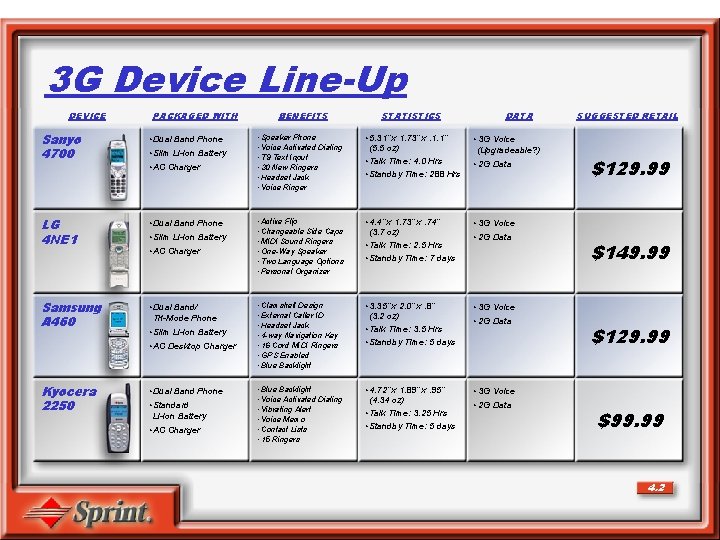
3 G Device Line-Up DEVICE PACKAGED WITH Sanyo 4700 • Dual Band Phone LG 4 NE 1 • Dual Band Phone Samsung A 460 • Dual Band/ Tri-Mode Phone • Slim Li-Ion Battery • AC Charger • Slim Li-Ion Battery • AC Desktop Charger Kyocera 2250 • Dual Band Phone • Standard Li-Ion Battery • AC Charger BENEFITS STATISTICS DATA • Speaker Phone • Voice Activated Dialing • T 9 Text Input • 30 New Ringers • Headset Jack • Voice Ringer • 5. 31” x 1. 73” x. 1. 1” (5. 5 oz) • Talk Time: 4. 0 Hrs • Standby Time: 288 Hrs • 3 G Voice (Upgradeable? ) • Active Flip • Changeable Side Caps • MIDI Sound Ringers • One-Way Speaker • Two Language Options • Personal Organizer • 4. 4” x 1. 73” x. 74” (3. 7 oz) • Talk Time: 2. 5 Hrs • Standby Time: 7 days • 3 G Voice • Clamshell Design • External Caller ID • Headset Jack • 4 -way Navigation Key • 16 Cord MIDI Ringers • GPS Enabled • Blue Backlight • 3. 35” x 2. 0” x. 8” (3. 2 oz) • Talk Time: 3. 5 Hrs • Standby Time: 5 days • 3 G Voice • Blue Backlight • Voice Activated Dialing • Vibrating Alert • Voice Memo • Contact Lists • 15 Ringers • 4. 72” x 1. 89” x. 95” (4. 34 oz) • Talk Time: 3. 25 Hrs • Standby Time: 5 days • 3 G Voice • 2 G Data SUGGESTED RETAIL $129. 99 $149. 99 $129. 99 $99. 99 4. 2
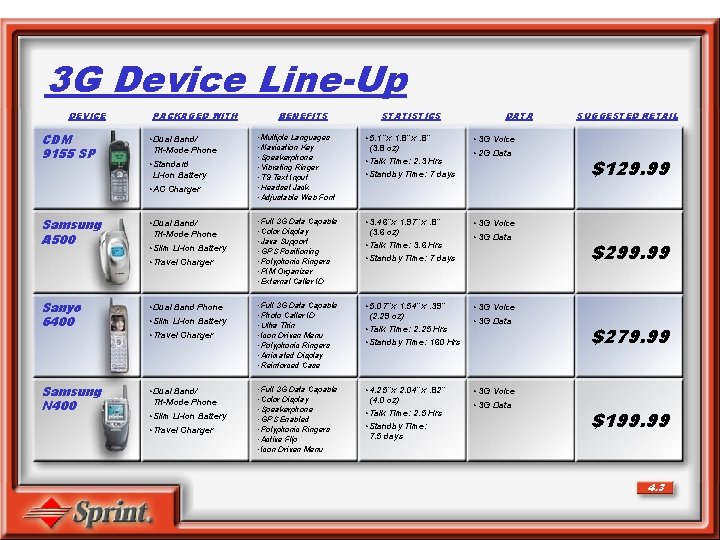
3 G Device Line-Up DEVICE CDM 9155 SP PACKAGED WITH • Dual Band/ Tri-Mode Phone • Standard Li-Ion Battery • AC Charger Samsung A 500 • Dual Band/ Tri-Mode Phone • Slim Li-Ion Battery • Travel Charger Sanyo 6400 • Dual Band Phone Samsung N 400 • Dual Band/ Tri-Mode Phone • Slim Li-Ion Battery • Travel Charger BENEFITS STATISTICS DATA • Multiple Languages • Navication Key • Speakerphone • Vibrating Ringer • T 9 Text Input • Headset Jack • Adjustable Web Font • 5. 1” x 1. 8” x. 8” (3. 8 oz) • Talk Time: 2. 3 Hrs • Standby Time: 7 days • 3 G Voice • Full 3 G Data Capable • Color Display • Java Support • GPS Positioning • Polyphonic Ringers • PIM Organizer • External Caller ID • 3. 46” x 1. 97” x. 8” (3. 6 oz) • Talk Time: 3. 6 Hrs • Standby Time: 7 days • 3 G Voice • Full 3 G Data Capable • Photo Caller ID • Ultra Thin • Icon Driven Menu • Polyphonic Ringers • Animated Display • Reinforced Case • 5. 07” x 1. 54” x. 39” (2. 29 oz) • Talk Time: 2. 25 Hrs • Standby Time: 160 Hrs • 3 G Voice • Full 3 G Data Capable • Color Display • Speakerphone • GPS Enabled • Polyphonic Ringers • Active Flip • Icon Driven Menu • 4. 25” x 2. 04” x. 82” (4. 0 oz) • Talk Time: 2. 5 Hrs • Standby Time: 7. 5 days • 3 G Voice • 2 G Data • 3 G Data SUGGESTED RETAIL $129. 99 $299. 99 $279. 99 $199. 99 4. 3
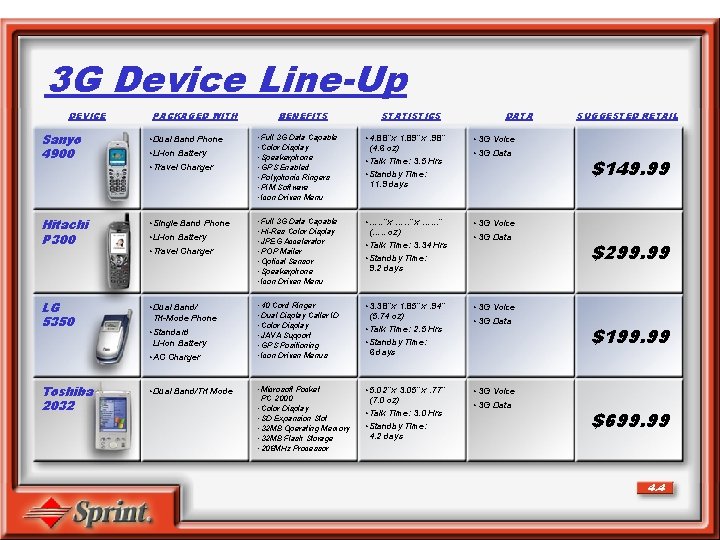
3 G Device Line-Up DEVICE PACKAGED WITH Sanyo 4900 • Dual Band Phone Hitachi P 300 • Single Band Phone LG 5350 • Dual Band/ Tri-Mode Phone • Li-Ion Battery • Travel Charger • Standard Li-Ion Battery • AC Charger Toshiba 2032 • Dual Band/Tri Mode BENEFITS STATISTICS DATA • Full 3 G Data Capable • Color Display • Speakerphone • GPS Enabled • Polyphonic Ringers • PIM Software • Icon Driven Menu • 4. 88” x 1. 89” x. 98” (4. 6 oz) • Talk Time: 3. 5 Hrs • Standby Time: 11. 9 days • 3 G Voice • Full 3 G Data Capable • Hi-Res Color Display • JPEG Accelerator • POP Mailer • Optical Sensor • Speakerphone • Icon Driven Menu • …. . ” x …. . . ” (…. . oz) • Talk Time: 3. 34 Hrs • Standby Time: 9. 2 days • 3 G Voice • 40 Cord Ringer • Dual Display Caller ID • Color Display • JAVA Support • GPS Positioning • Icon Driven Menus • 3. 38” x 1. 85” x. 94” (5. 74 oz) • Talk Time: 2. 5 Hrs • Standby Time: 6 days • 3 G Voice • Microsoft Pocket PC 2000 • Color Display • SD Expansion Slot • 32 MB Operating Memory • 32 MB Flash Storage • 206 MHz Processor • 5. 02” x 3. 05” x. 77” (7. 0 oz) • Talk Time: 3. 0 Hrs • Standby Time: 4. 2 days • 3 G Voice • 3 G Data SUGGESTED RETAIL $149. 99 $299. 99 $199. 99 $699. 99 4. 4
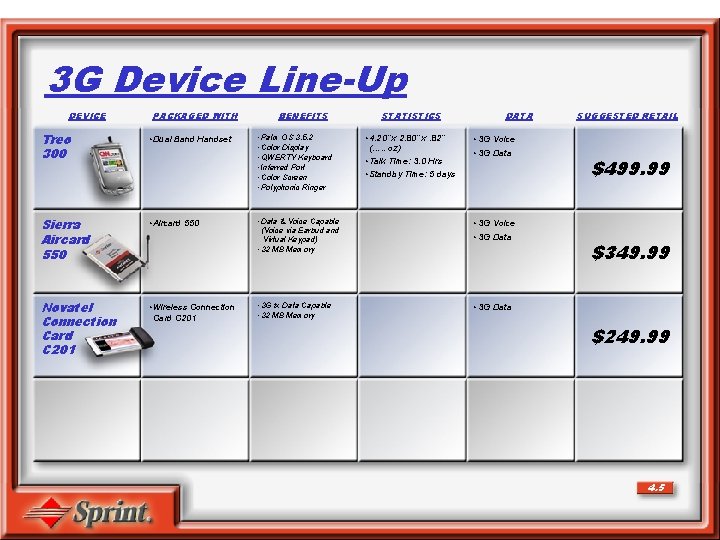
3 G Device Line-Up DEVICE PACKAGED WITH Treo 300 • Dual Band Handset Sierra Aircard 550 • Aircard 550 Novatel Connection Card C 201 • Wireless Connection Card C 201 BENEFITS • Palm OS 3. 5. 2 • Color Display • QWERTY Keyboard • Inferred Port • Color Screen • Polyphonic Ringer STATISTICS • 4. 20” x 2. 80” x. 82” (…. . oz) • Talk Time: 3. 0 Hrs • Standby Time: 5 days DATA SUGGESTED RETAIL • 3 G Voice • 3 G Data • Data & Voice Capable (Voice via Earbud and Virtual Keypad) • 32 MB Memory • 3 G Voice • 3 G 1 x Data Capable • 32 MB Memory • 3 G Data $499. 99 $349. 99 $249. 99 4. 5
SECTION 5 Responsibilities
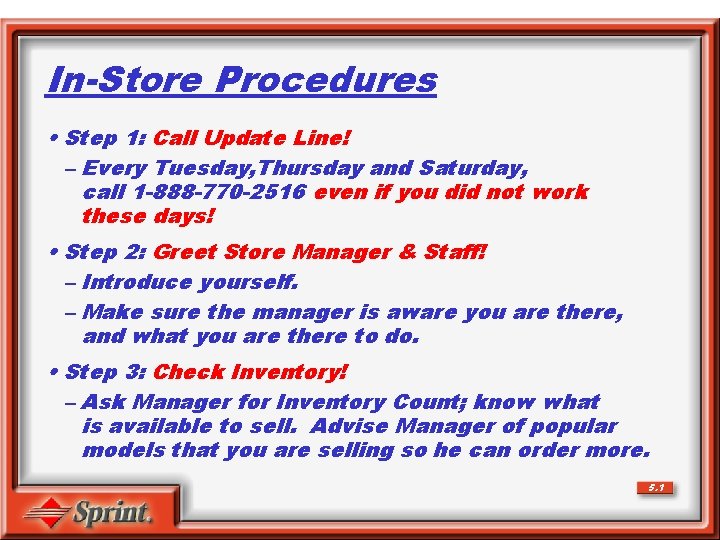
In-Store Procedures • Step 1: Call Update Line! – Every Tuesday, Thursday and Saturday, call 1 -888 -770 -2516 even if you did not work these days! • Step 2: Greet Store Manager & Staff! – Introduce yourself. – Make sure the manager is aware you are there, and what you are there to do. • Step 3: Check Inventory! – Ask Manager for Inventory Count; know what is available to sell. Advise Manager of popular models that you are selling so he can order more. 5. 1
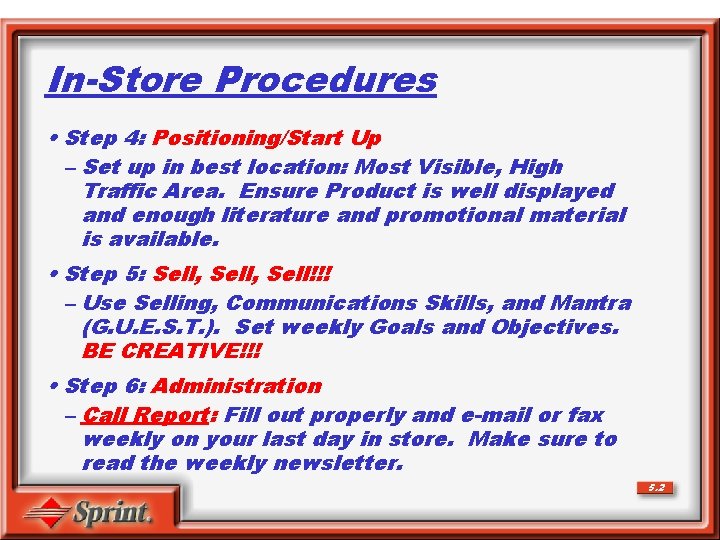
In-Store Procedures • Step 4: Positioning/Start Up – Set up in best location: Most Visible, High Traffic Area. Ensure Product is well displayed and enough literature and promotional material is available. • Step 5: Sell, Sell!!! – Use Selling, Communications Skills, and Mantra (G. U. E. S. T. ). Set weekly Goals and Objectives. BE CREATIVE!!! • Step 6: Administration – Call Report: Fill out properly and e-mail or fax weekly on your last day in store. Make sure to read the weekly newsletter. 5. 2
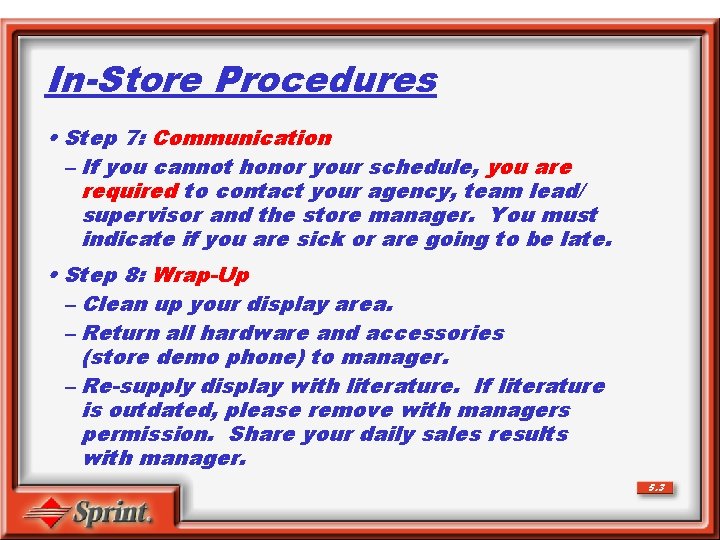
In-Store Procedures • Step 7: Communication – If you cannot honor your schedule, you are required to contact your agency, team lead/ supervisor and the store manager. You must indicate if you are sick or are going to be late. • Step 8: Wrap-Up – Clean up your display area. – Return all hardware and accessories (store demo phone) to manager. – Re-supply display with literature. If literature is outdated, please remove with managers permission. Share your daily sales results with manager. 5. 3
Please Do Not: Bring Food or Beverages on the Sales Floor. Bring Any Personal Belongings on the Sales Floor. Take Personal Phone Calls on the Sales Floor. 5. 4
Mentoring • Reporting [Call Report, ESNs (HEX)] • Update Line • In-Store Procedures • Mantra • Needs Based Selling • Phones and Features • Credit Checks and Activations • Role-Plays 5. 5
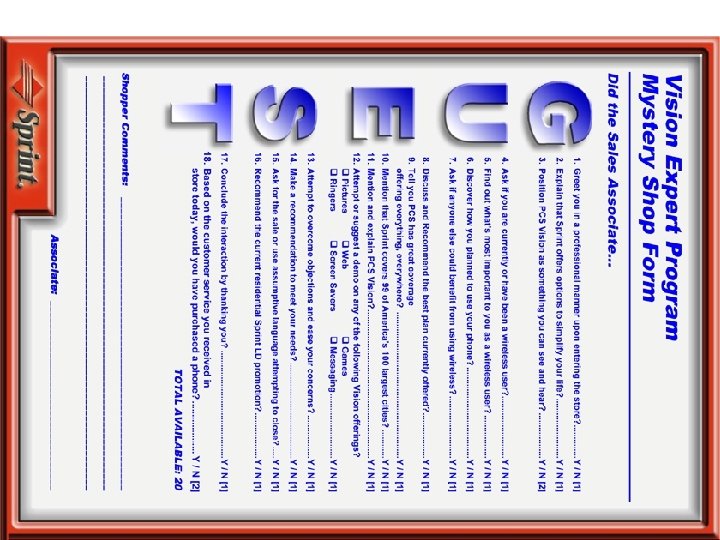
SECTION 6 Close (G. U. E. S. T)
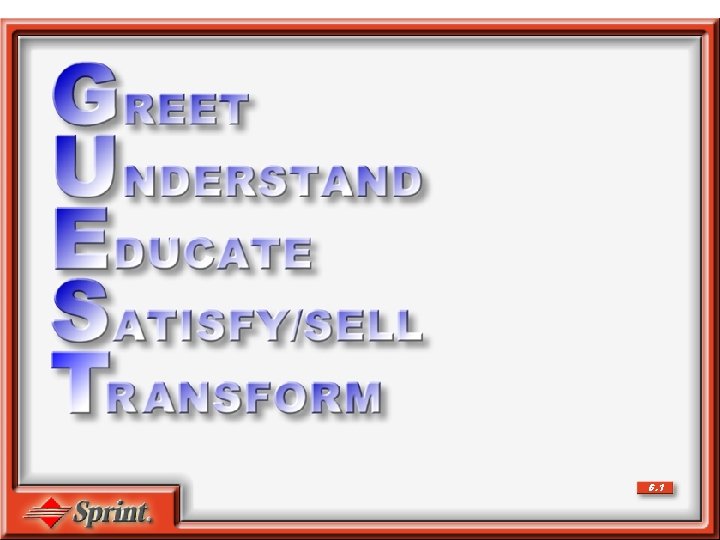
6. 1
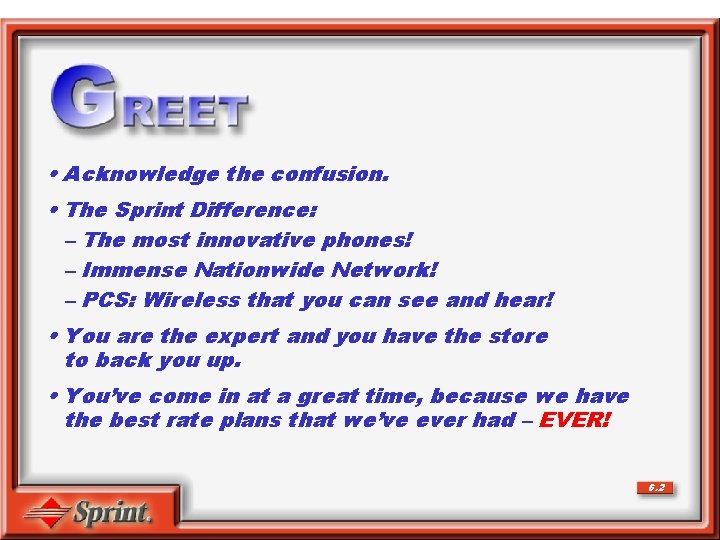
• Acknowledge the confusion. • The Sprint Difference: – The most innovative phones! – Immense Nationwide Network! – PCS: Wireless that you can see and hear! • You are the expert and you have the store to back you up. • You’ve come in at a great time, because we have the best rate plans that we’ve ever had – EVER! 6. 2
• “Do you currently have wireless service? ” • “What’s most important to you when choosing your wireless service? ” • “How, when and where are you planning to use your phone? Business? Pleasure? Messaging? Locally? Nationally? ” • “Besides yourself, is there anyone else you know who may be able to take advantage of wireless service? ” 6. 3
• Rate Plans • Coverage • PCS Vision • Devices 6. 4
• Strong recommendation referring back to the appropriate Rate Plan, exciting PCS Vision applications, they will use, and our fabulous coverage. • Accessories, additional Wireless Services, LD. 6. 5
• Affirm buying decision • Referrals • Business card • Thanks for choosing Sprint • Self-service options 6. 6
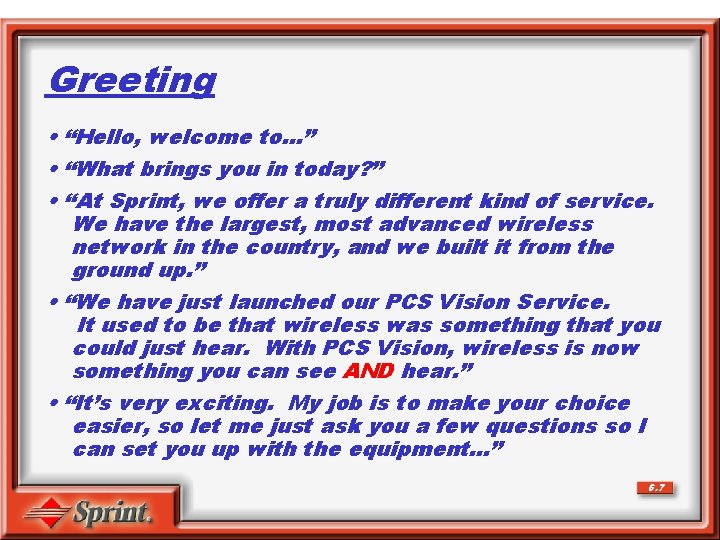
Greeting • “Hello, welcome to…” • “What brings you in today? ” • “At Sprint, we offer a truly different kind of service. We have the largest, most advanced wireless network in the country, and we built it from the ground up. ” • “We have just launched our PCS Vision Service. It used to be that wireless was something that you could just hear. With PCS Vision, wireless is now something you can see AND hear. ” • “It’s very exciting. My job is to make your choice easier, so let me just ask you a few questions so I can set you up with the equipment…” 6. 7
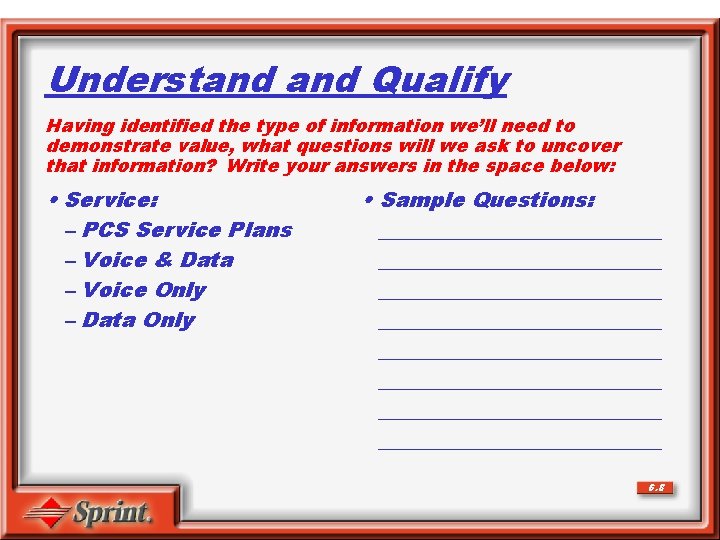
Understand Qualify Having identified the type of information we’ll need to demonstrate value, what questions will we ask to uncover that information? Write your answers in the space below: • Service: – PCS Service Plans – Voice & Data – Voice Only – Data Only • Sample Questions: ___________________________ ___________________________ 6. 8
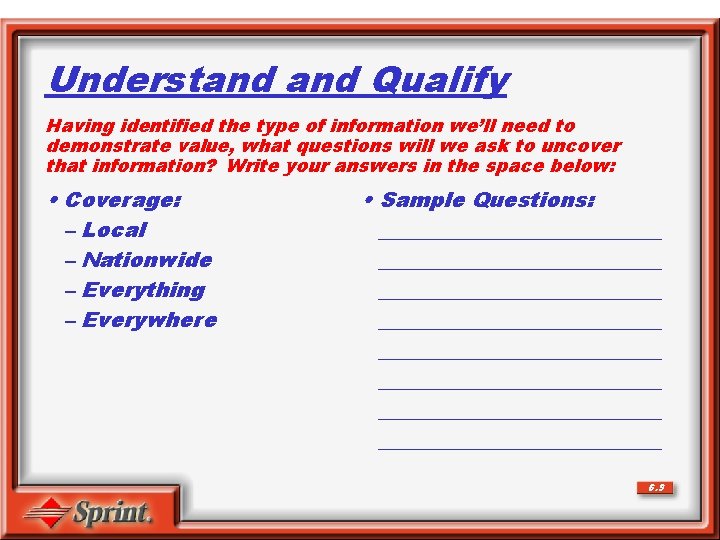
Understand Qualify Having identified the type of information we’ll need to demonstrate value, what questions will we ask to uncover that information? Write your answers in the space below: • Coverage: – Local – Nationwide – Everything – Everywhere • Sample Questions: ___________________________ ___________________________ 6. 9
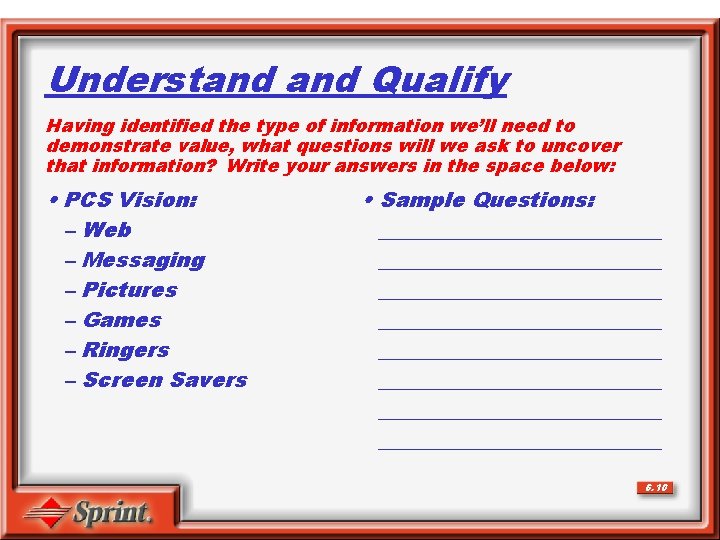
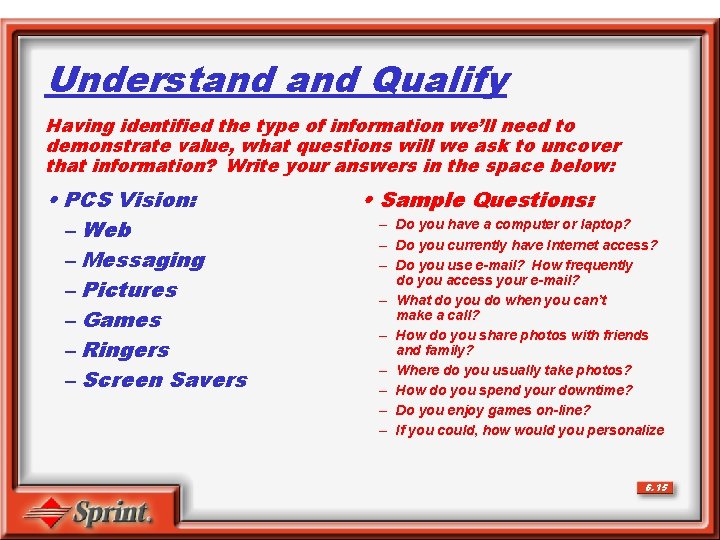
Understand Qualify Having identified the type of information we’ll need to demonstrate value, what questions will we ask to uncover that information? Write your answers in the space below: • PCS Vision: – Web – Messaging – Pictures – Games – Ringers – Screen Savers • Sample Questions: ___________________________ ___________________________ 6. 10
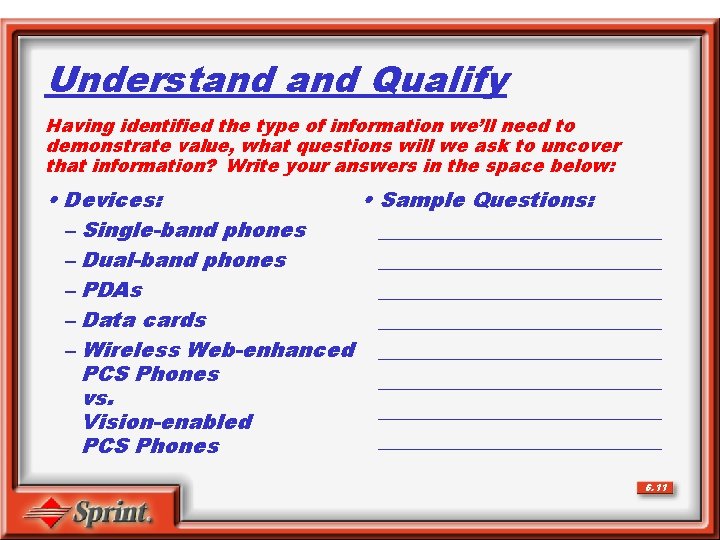
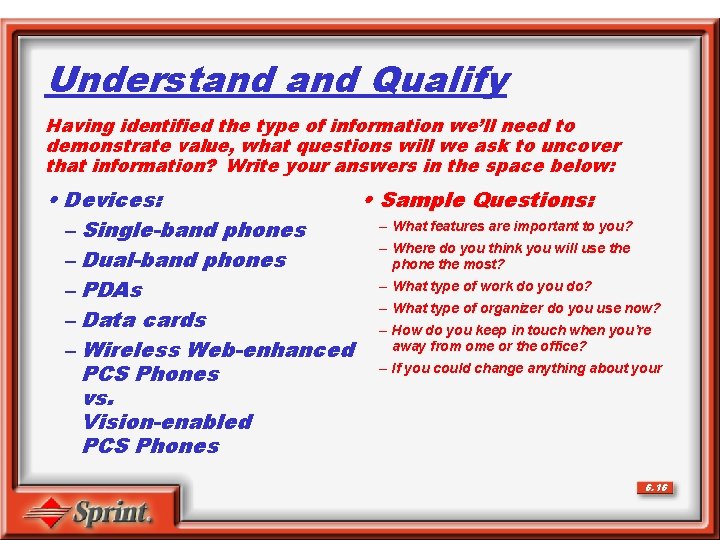
Understand Qualify Having identified the type of information we’ll need to demonstrate value, what questions will we ask to uncover that information? Write your answers in the space below: • Devices: • Sample Questions: – Single-band phones ______________ – Dual-band phones ______________ – PDAs ______________ – Data cards ______________ – Wireless Web-enhanced ______________ PCS Phones ______________ vs. ______________ Vision-enabled ______________ PCS Phones 6. 11
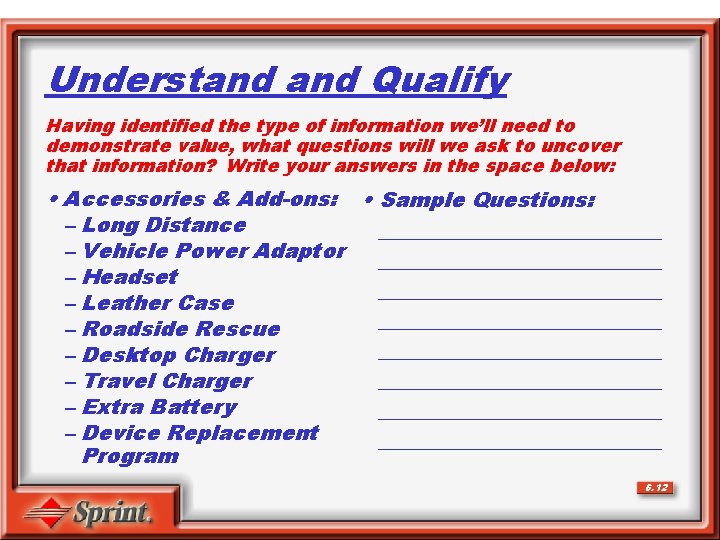
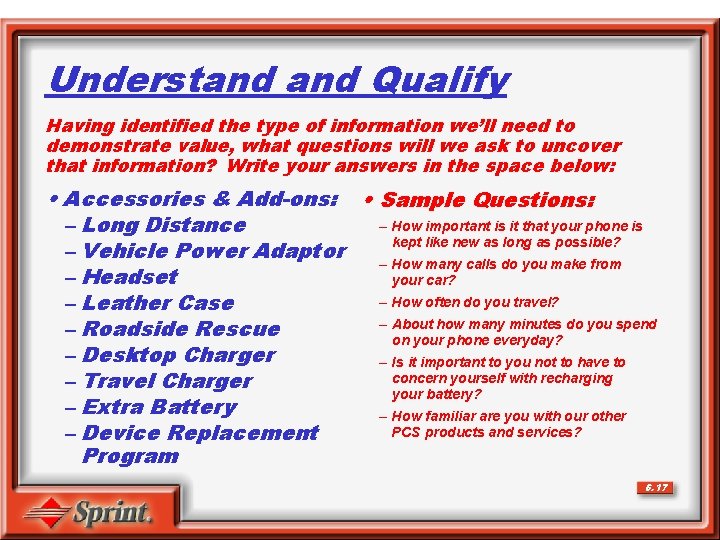
Understand Qualify Having identified the type of information we’ll need to demonstrate value, what questions will we ask to uncover that information? Write your answers in the space below: • Accessories & Add-ons: • Sample Questions: – Long Distance ______________ – Vehicle Power Adaptor ______________ – Headset ______________ – Leather Case ______________ – Roadside Rescue ______________ – Desktop Charger ______________ – Travel Charger – Extra Battery ______________ – Device Replacement ______________ Program 6. 12
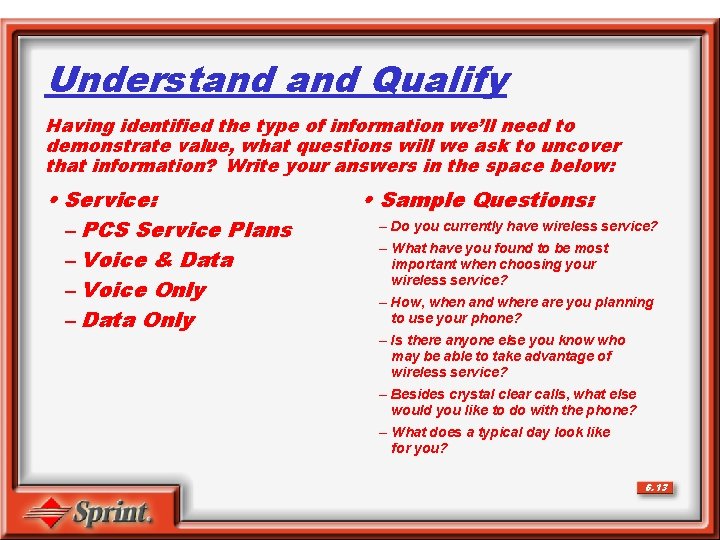
Understand Qualify Having identified the type of information we’ll need to demonstrate value, what questions will we ask to uncover that information? Write your answers in the space below: • Service: – PCS Service Plans – Voice & Data – Voice Only – Data Only • Sample Questions: – Do you currently have wireless service? – What have you found to be most important when choosing your wireless service? – How, when and where are you planning to use your phone? – Is there anyone else you know who may be able to take advantage of wireless service? – Besides crystal clear calls, what else would you like to do with the phone? – What does a typical day look like for you? 6. 13
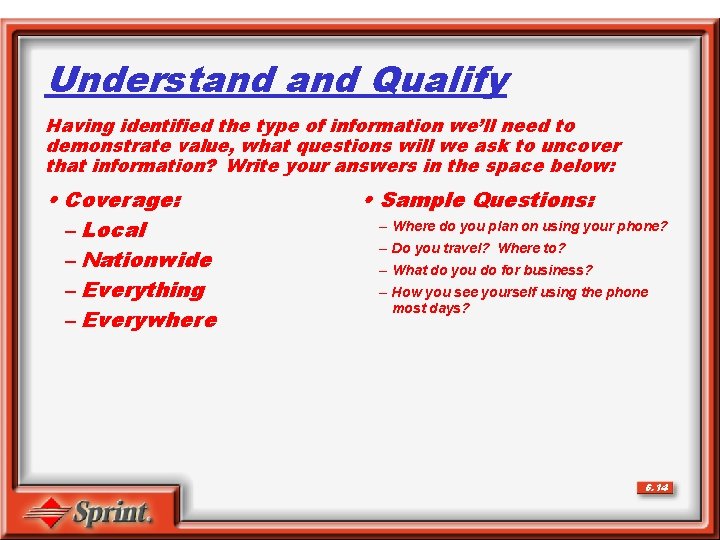
Understand Qualify Having identified the type of information we’ll need to demonstrate value, what questions will we ask to uncover that information? Write your answers in the space below: • Coverage: – Local – Nationwide – Everything – Everywhere • Sample Questions: – Where do you plan on using your phone? – Do you travel? Where to? – What do you do for business? – How you see yourself using the phone most days? 6. 14
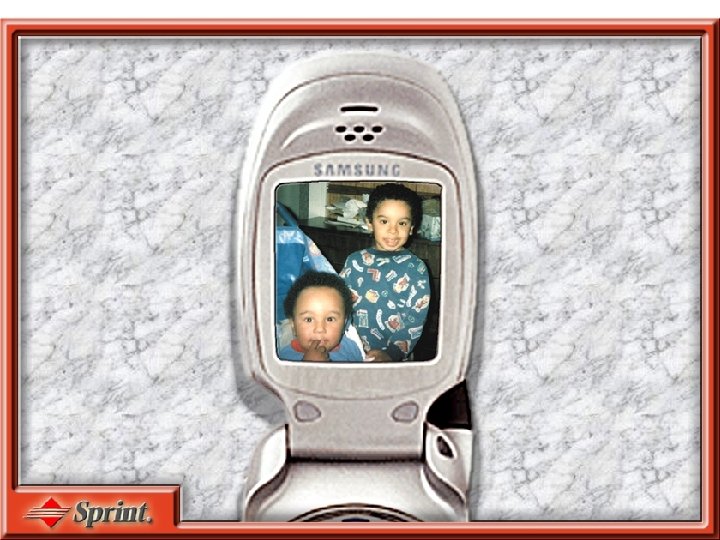
Understand Qualify Having identified the type of information we’ll need to demonstrate value, what questions will we ask to uncover that information? Write your answers in the space below: • PCS Vision: – Web – Messaging – Pictures – Games – Ringers – Screen Savers • Sample Questions: – Do you have a computer or laptop? – Do you currently have Internet access? – Do you use e-mail? How frequently do you access your e-mail? – What do you do when you can’t make a call? – How do you share photos with friends and family? – Where do you usually take photos? – How do you spend your downtime? – Do you enjoy games on-line? – If you could, how would you personalize 6. 15
Understand Qualify Having identified the type of information we’ll need to demonstrate value, what questions will we ask to uncover that information? Write your answers in the space below: • Devices: • Sample Questions: – What features are important to you? – Single-band phones – Where do you think you will use the – Dual-band phones phone the most? – What type of work do you do? – PDAs – What type of organizer do you use now? – Data cards – How do you keep in touch when you’re away from ome or the office? – Wireless Web-enhanced – If you could change anything about your PCS Phones vs. Vision-enabled PCS Phones 6. 16
Understand Qualify Having identified the type of information we’ll need to demonstrate value, what questions will we ask to uncover that information? Write your answers in the space below: • Accessories & Add-ons: • Sample Questions: – How important is it that your phone is – Long Distance kept like new as long as possible? – Vehicle Power Adaptor – How many calls do you make from – Headset your car? – How often do you travel? – Leather Case – About how many minutes do you spend – Roadside Rescue on your phone everyday? – Desktop Charger – Is it important to you not to have to concern yourself with recharging – Travel Charger your battery? – Extra Battery – How familiar are you with our other PCS products and services? – Device Replacement Program 6. 17
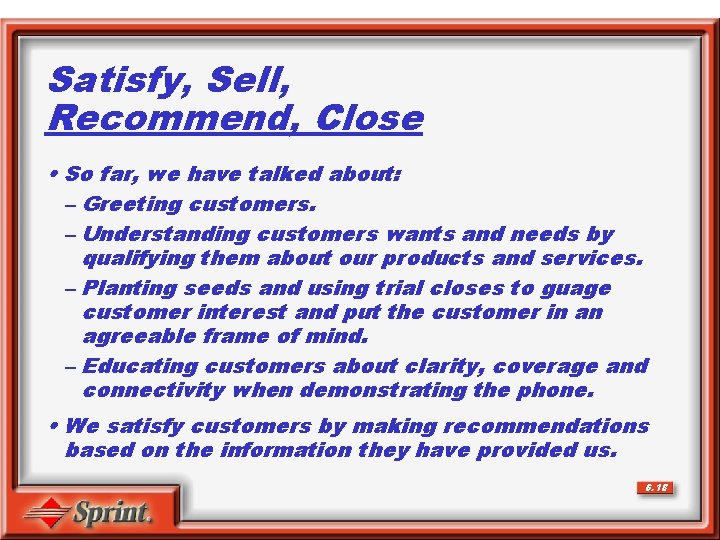
Satisfy, Sell, Recommend, Close • So far, we have talked about: – Greeting customers. – Understanding customers wants and needs by qualifying them about our products and services. – Planting seeds and using trial closes to guage customer interest and put the customer in an agreeable frame of mind. – Educating customers about clarity, coverage and connectivity when demonstrating the phone. • We satisfy customers by making recommendations based on the information they have provided us. 6. 18
Satisfy, Sell, Recommend, Close • Why do we recommend? ___________________________________________________________ • Why don’t we just let customers tell us what they want? ___________________________________________________________ 6. 19