
PC250 Parts Counter 1 SMD Parts Counters Peel




- Slides: 14
PC-250+ Parts Counter 1
SMD Parts Counters Peel Force Testers Tape Splicers PC-250+ Parts Counter Automated Pick & Place Machines Manual SMD Taping Machines Vision Verification Tape & Reel Supplies 2
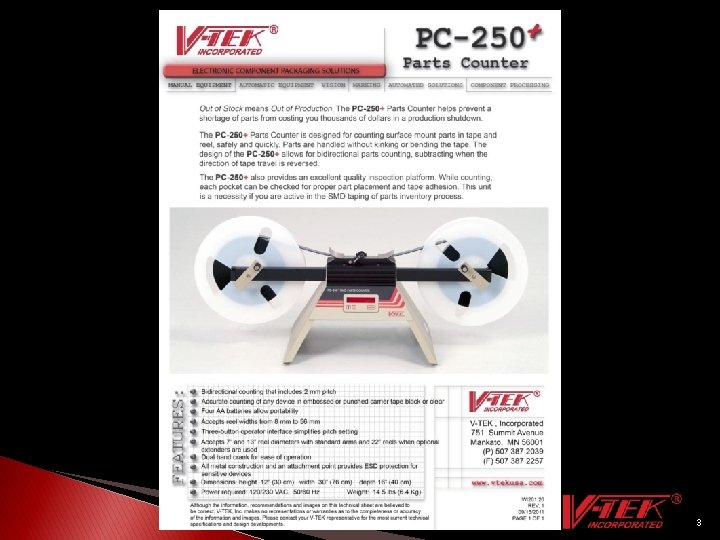
3
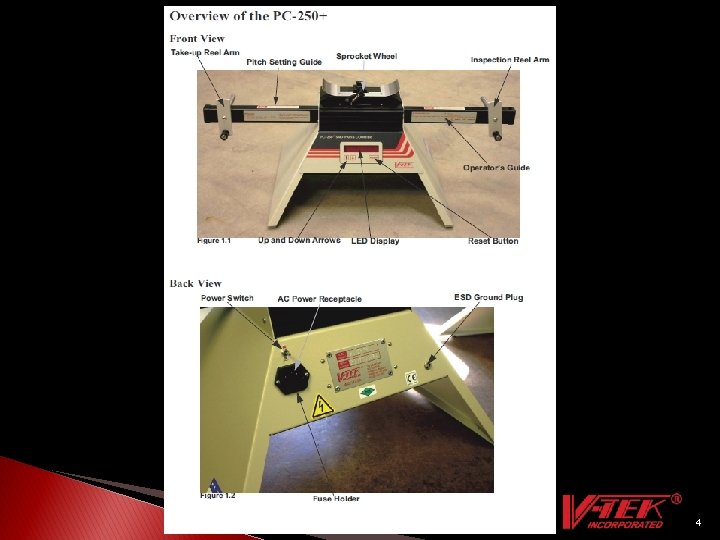
4
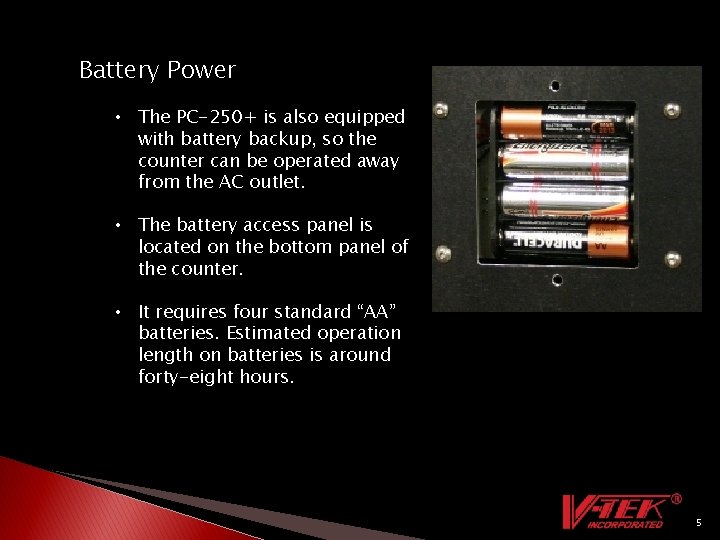
Battery Power • The PC-250+ is also equipped with battery backup, so the counter can be operated away from the AC outlet. • The battery access panel is located on the bottom panel of the counter. • It requires four standard “AA” batteries. Estimated operation length on batteries is around forty-eight hours. 5
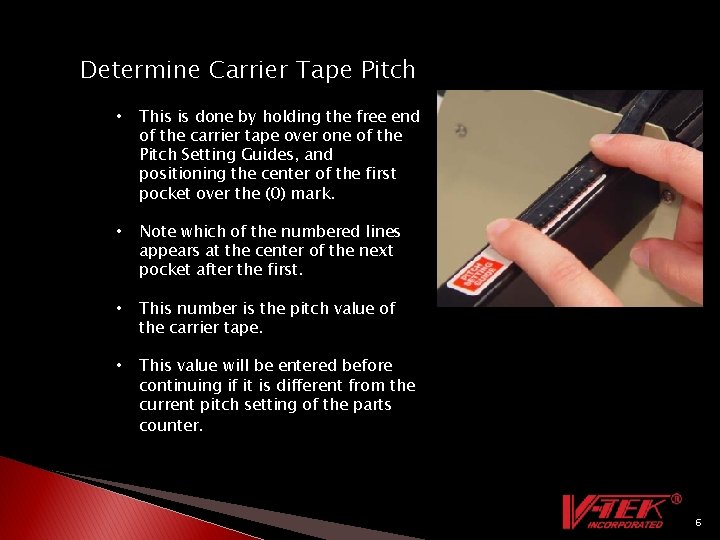
Determine Carrier Tape Pitch • This is done by holding the free end of the carrier tape over one of the Pitch Setting Guides, and positioning the center of the first pocket over the (0) mark. • Note which of the numbered lines appears at the center of the next pocket after the first. • This number is the pitch value of the carrier tape. • This value will be entered before continuing if it is different from the current pitch setting of the parts counter. 6
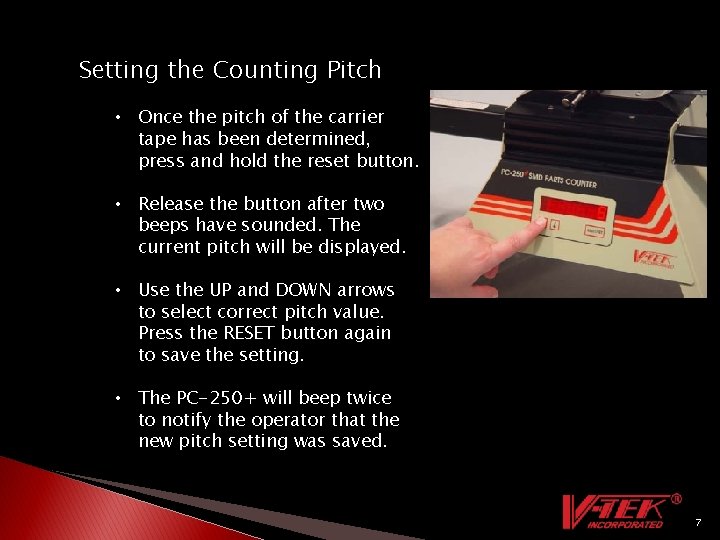
Setting the Counting Pitch • Once the pitch of the carrier tape has been determined, press and hold the reset button. • Release the button after two beeps have sounded. The current pitch will be displayed. • Use the UP and DOWN arrows to select correct pitch value. Press the RESET button again to save the setting. • The PC-250+ will beep twice to notify the operator that the new pitch setting was saved. 7
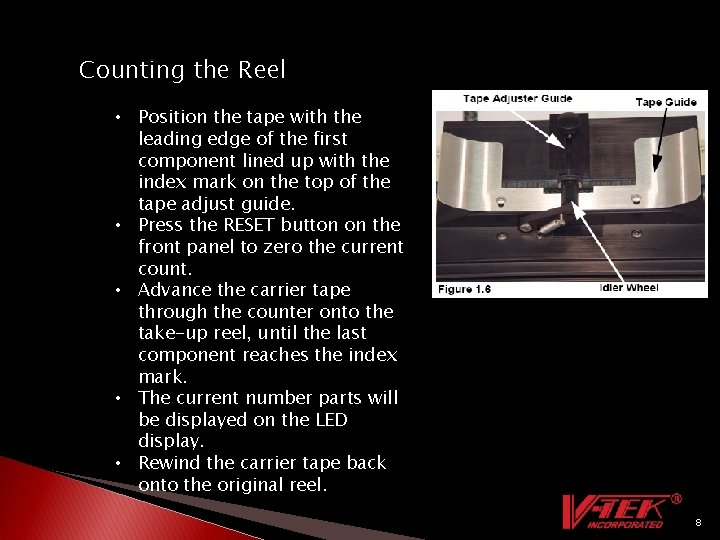
Counting the Reel • Position the tape with the leading edge of the first component lined up with the index mark on the top of the tape adjust guide. • Press the RESET button on the front panel to zero the current count. • Advance the carrier tape through the counter onto the take-up reel, until the last component reaches the index mark. • The current number parts will be displayed on the LED display. • Rewind the carrier tape back onto the original reel. 8
Easy setup Easy operation Click on Video above 9
Maintenance Calibration – V-TEK Inc. recommends that calibration be done in 1 year intervals. Common wear parts • • • O-Rings (Part#212011) Idler Arm Assembly (Part# 290605) Front Membrane Keypad (Part# 109056) Spring (Part# 209011) Drive Sprocket (Part# 260972) 10
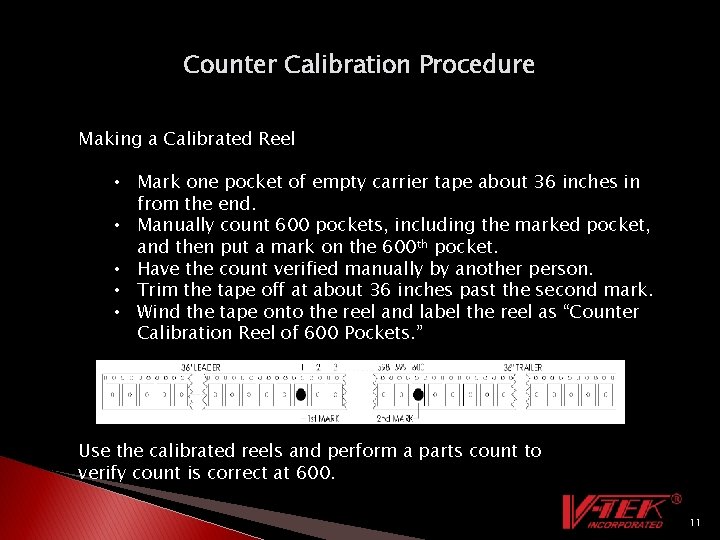
Counter Calibration Procedure Making a Calibrated Reel • Mark one pocket of empty carrier tape about 36 inches in from the end. • Manually count 600 pockets, including the marked pocket, and then put a mark on the 600 th pocket. • Have the count verified manually by another person. • Trim the tape off at about 36 inches past the second mark. • Wind the tape onto the reel and label the reel as “Counter Calibration Reel of 600 Pockets. ” Use the calibrated reels and perform a parts count to verify count is correct at 600. 11
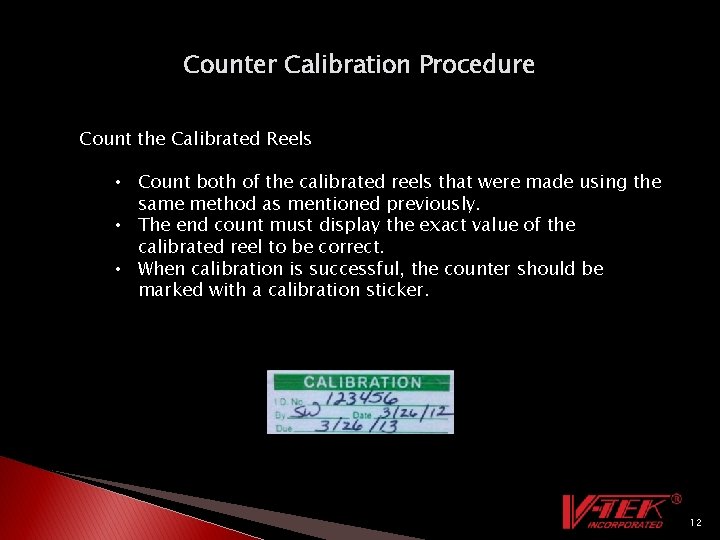
Counter Calibration Procedure Count the Calibrated Reels • Count both of the calibrated reels that were made using the same method as mentioned previously. • The end count must display the exact value of the calibrated reel to be correct. • When calibration is successful, the counter should be marked with a calibration sticker. 12
PC-250+ Optional Items • Extender Arms – Designed to accommodate bulk carrier tape reels up to 22 inch's in radius. • Pen Holder - This option is designed to hold a pen above the carrier tape to be used for marking the top surface of the cover tape. • Able to accommodate tape widths up to 88 mm. 13
V-TEK Inc. Contacts Service Department Phone: (507) 387 -2039 Email: service@vtekusa. com Equipment Sales Phone: (507) 387 -2039 Email: equipment@vtekusa. com Tape and Reel Sales Phone: (507) 387 -2039 Email: distribution@vtekusa. com Packing and Processing Phone: (507) 387 -2039 Email: packaging@vtekusa. com 14